


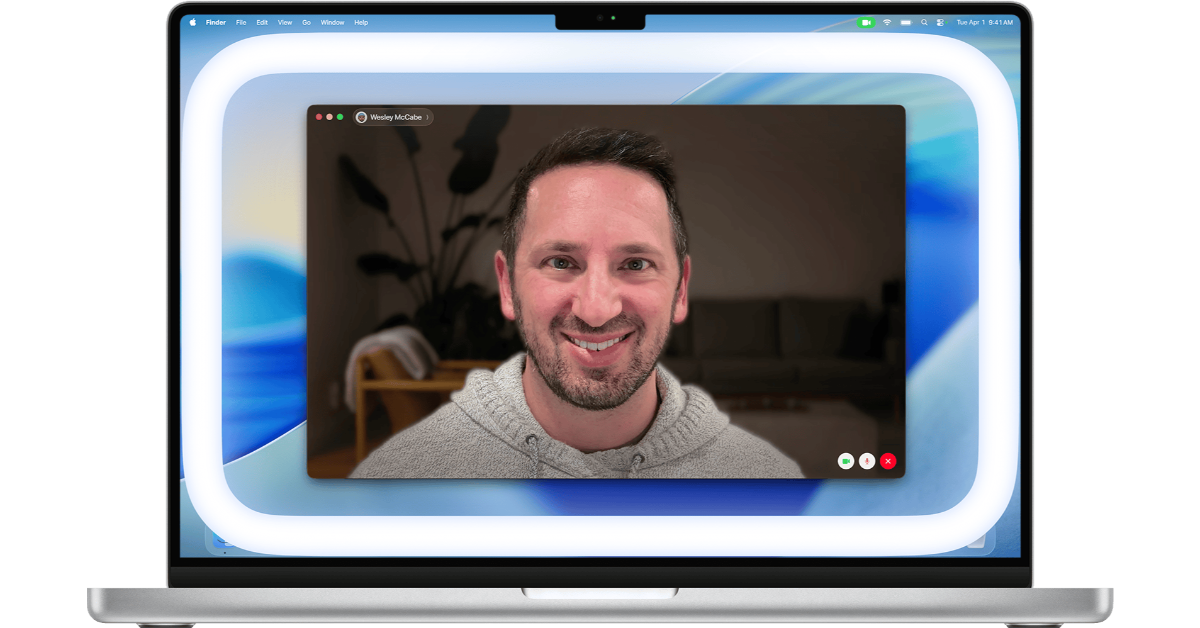
Apple is enhancing its video calling capabilities on the Mac with the introduction of the Edge Light feature in macOS 13.2. This revolutionary improvement utilises the Mac’s display and Apple silicon to provide enhanced illumination during video conversations, particularly in low-light conditions, eliminating the need for additional lighting equipment.
As video calls become increasingly popular, Edge Light is developing, focusing on a solution to improve the on-camera experience. Edge Light is a feature that enhances video calls in low-light circumstances by replicating a ring light effect around the screen’s edges. This effect produces an aesthetically pleasing fill light, which improves visibility during calls. Additionally, Edge Light intelligently retreats from the area surrounding the pointer on the mouse, ensuring that users have unobstructed access to their content.
The system requirements include a Mac with Apple hardware running macOS Tahoe 26.2 or later. Furthermore, to activate Edge Light automatically in low-light conditions, a Mac model produced in 2024 or later is needed. Continuity Camera allows users to make video calls using their computer’s built-in camera or an external camera.
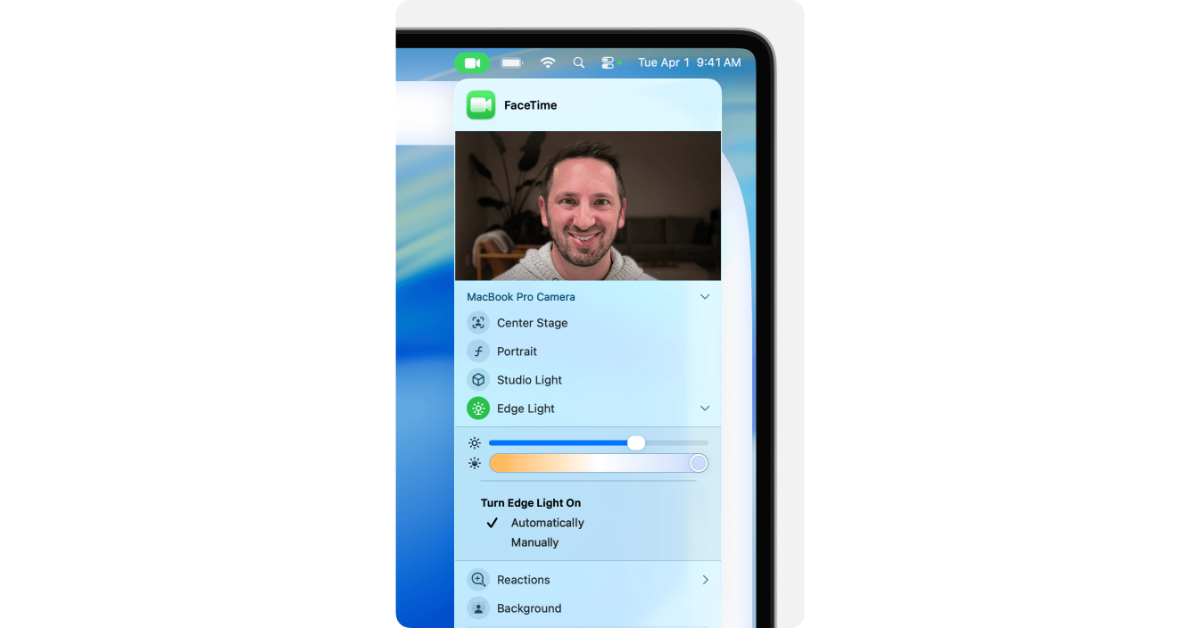
Users can adjust the brightness and choose a warmer or cooler light tone to suit their preferences. The Edge Light function smartly moves the mouse cursor away from the screen’s edge, maintaining content accessibility. This feature uses Apple hardware, with the Apple Neural Engine recognising faces, their size, and where they are in the camera view, while the Image Signal Processor checks the light levels to adjust the brightness automatically based on the situation. Edge Light is part of a suite of video conferencing features on macOS that includes Studio Light, Portrait mode, virtual backgrounds, and Voice Isolation. It improves users’ look and sound during video calls in any application.
Also Read: Realme Narzo 90 series, equipped with a 7,000mAh battery, launched in India
How to activate Edge Lighting?
- To enable Edge Light during a video call, select it from the Video option in the menu bar.
- For built-in cameras, the effect shows up on the built-in display, whereas for external cameras, it appears on the primary display.
- When Edge Light is engaged, an arrow next to it provides access to additional controls.
- The controls include a brightness slider for adjusting illumination and a colour temperature slider to customise warmth.
- An automatic activation setting for Edge Light in low ambient light is available for Mac models from 2024 onwards.


