


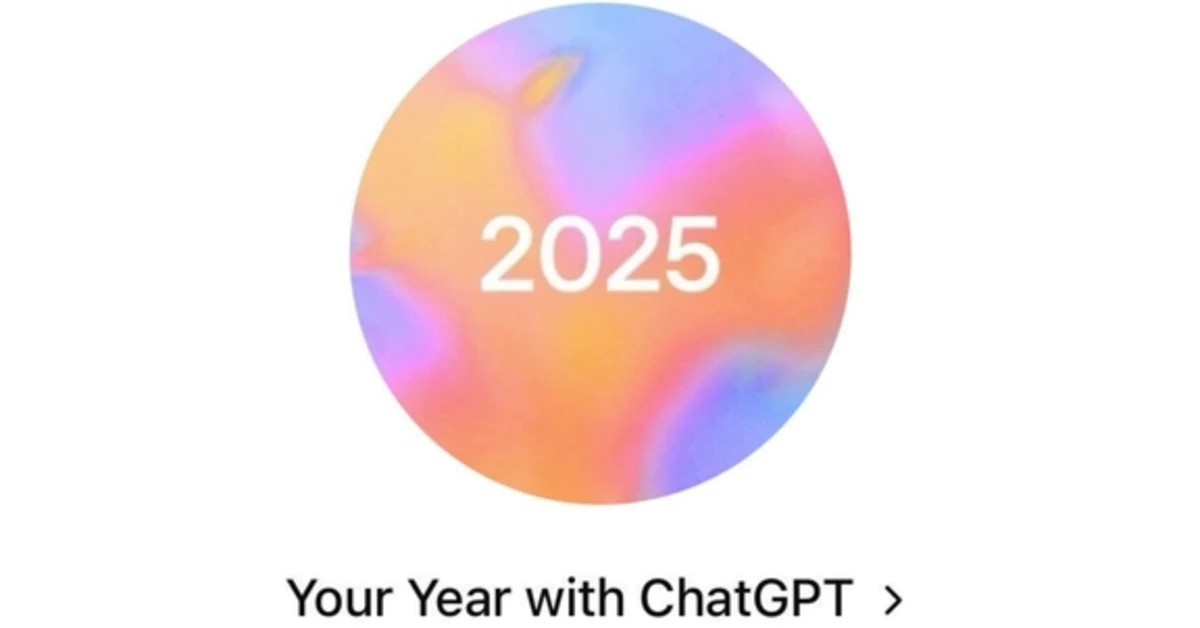
Taking inspiration from music platforms like Spotify and Apple Music, OpenAI has rolled out a yearly recap for ChatGPT users. ‘Your Year with ChatGPT’ gives you a brief rundown of your yearly activity, like the number of messages you’ve sent to the chatbot, the number of images you’ve prompted it to generate, your chattiest day of the year, and more. These stats are presented in shareable cards, much like Spotify Wrapped. Here’s how you can get yours.
Read Also: Best of 2025: Top headphones of the year
In This Article
Criteria to view your ChatGPT recap
- Reference saved memory must be enabled in the app.
- Reference chat history must be enabled in the app.
- You must meet the minimum activity level set by OpenAI.
- You must be a Free, Pro, or Plus subscriber. Business and Enterprise accounts cannot access their recap.
- The ChatGPT app on your device must be updated to the latest version.
- You must be located in the US, UK, Canada, New Zealand, or Australia.
How to view your yearly ChatGPT recap
Step 1: Launch the ChatGPT app on your phone.
Step 2: Hit the plus icon next to the text box.
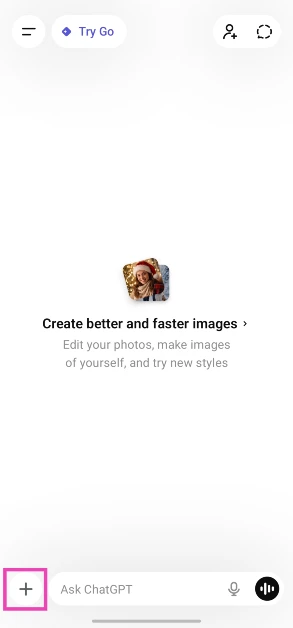
Step 3: Scroll down and select Your Year with ChatGPT.

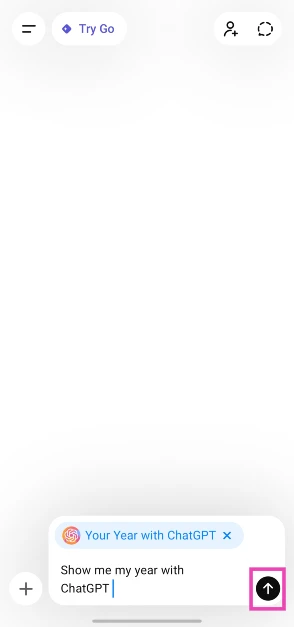
Step 4: Enter Show me my year with ChatGPT in the text box and hit Send.
You can also access your ChatGPT recap from the sidebar.
Frequently Asked Questions (FAQs)
How do I view my ChatGPT recap?
Launch the ChatGPT app, go to the sidebar, and select the recap option. Alternatively, hit the plus icon next to the text box, select ‘Your Year with ChatGPT’, enter ‘Show me my year with ChatGPT’ in the text box, and hit the send button.
Why am I not able to view my ChatGPT recap?
Currently, this feature is available in limited locations. Only users in the US, UK, Canada, New Zealand, and Australia can access it for now.
Do I need a Pro subscription to view my ChatGPT wrapped?
No, the ChatGPT recap is available to all users – Free, Pro, or Plus.
Can I view my ChatGPT recap on a web browser?
You can view your recap on your web browser by prompting the chatbot to show you your year with ChatGPT.
Can I view my recap if I have disabled Saved Memory?
ChatGPT recap requires saved memory and chat history to be enabled in order to access your activity over the year.
Read Also: Realme Narzo 90 series goes on sale today: Details
Final Thoughts
As mentioned earlier, this feature is currently available in the US, UK, Canada, New Zealand, and Australia only. OpenAI may roll it out in more locations in the coming days. If you have any questions, let us know in the comments!


