


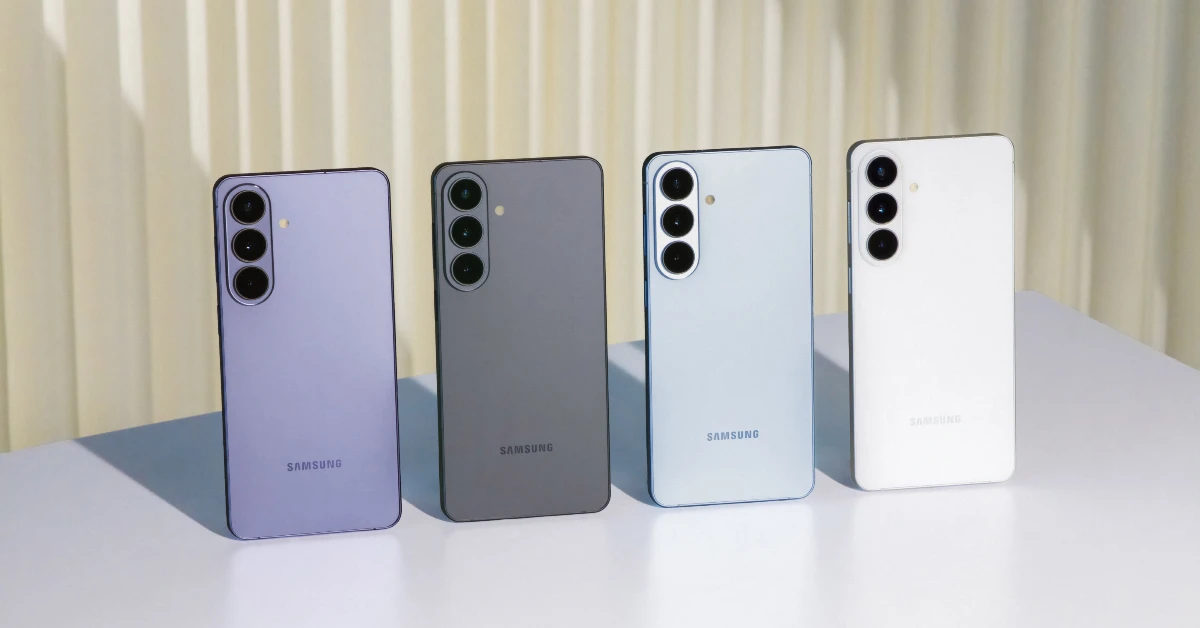

Samsung’s first Galaxy Unpacked event of the year gave us three new Galaxy S series smartphones. The tech outfit has stuck with the winning formula of putting out three flagship models – Base, Plus, and Ultra. The Galaxy S26 and S26+ are powered by Qualcomm’s most premium chipset, Snapdragon 8 Elite Gen 5. Apart from the size and battery capacity, not much separates the two smartphones. If you’re thinking of buying the Samsung Galaxy S26 or S26+, here are the top 10 apps you should download first.
Read Also: Nothing officially teased the Pink Phone 4a model: Details
In This Article
Good Lock
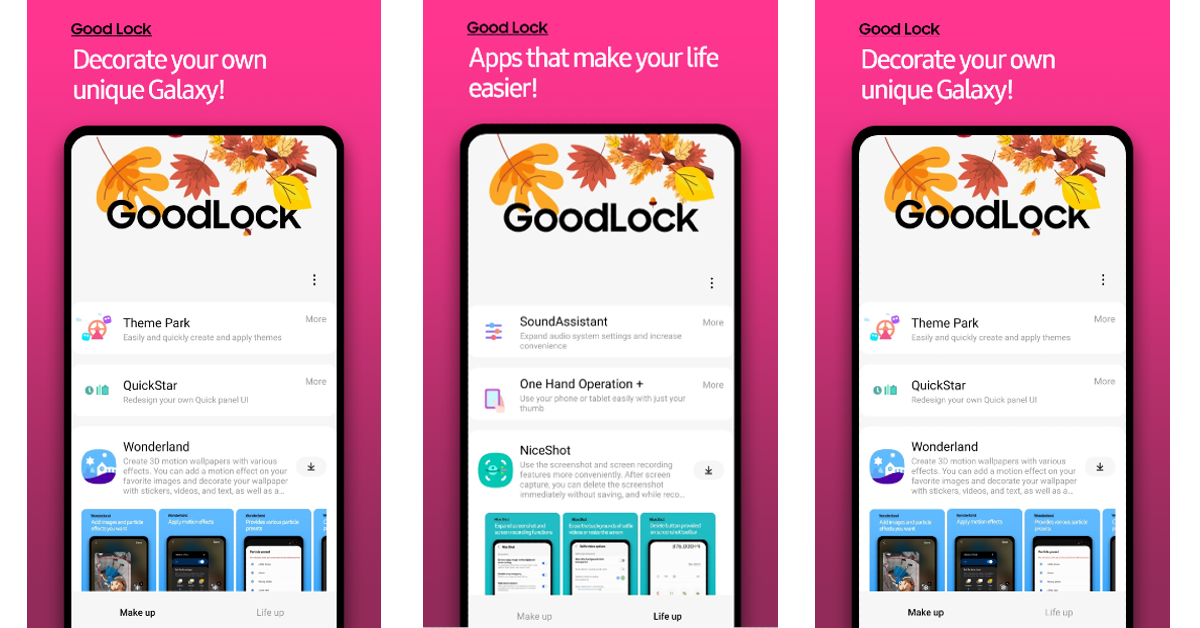
Good Lock is an essential app for Galaxy S26 and S26+ users who want more control over what their phone looks like. This app lets you change the appearance of the status bar, quick settings panel, app drawer, keyboard, navigation icons, and more cosmetic elements. You can dive into different modules to find out which parts of your phone are customisable. Since it is designed by Samsung, it is well optimised for Galaxy smartphones and does not mess with the UI by imposing ads on it.
Download Good Lock from the Samsung Galaxy Store
Twilight
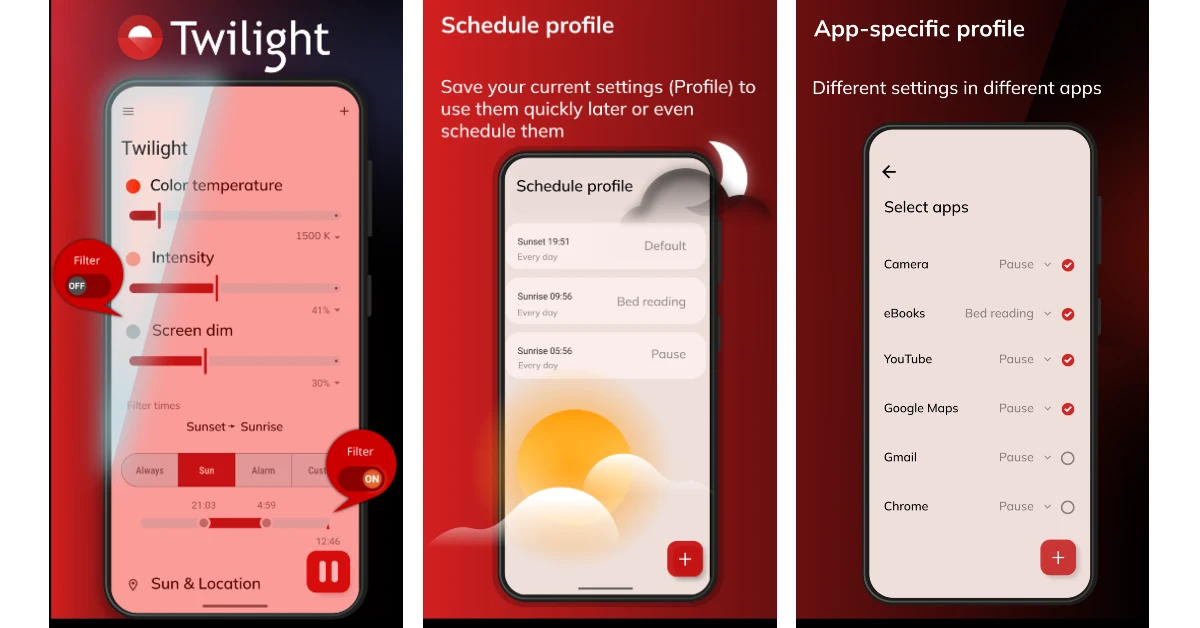
While your Samsung Galaxy S26 series smartphone has a native eye shield, the Twilight app goes above and beyond to bring you the best lighting options for your device’s display. Apart from filtering the blue light radiating from the screen, it lets you control the colour temperature, intensity, and dimness of the display. You can create different profiles to execute different schedules. Furthermore, this app lets you set different lighting settings in different apps.
Download Twilight from the Google Play Store
KWGT
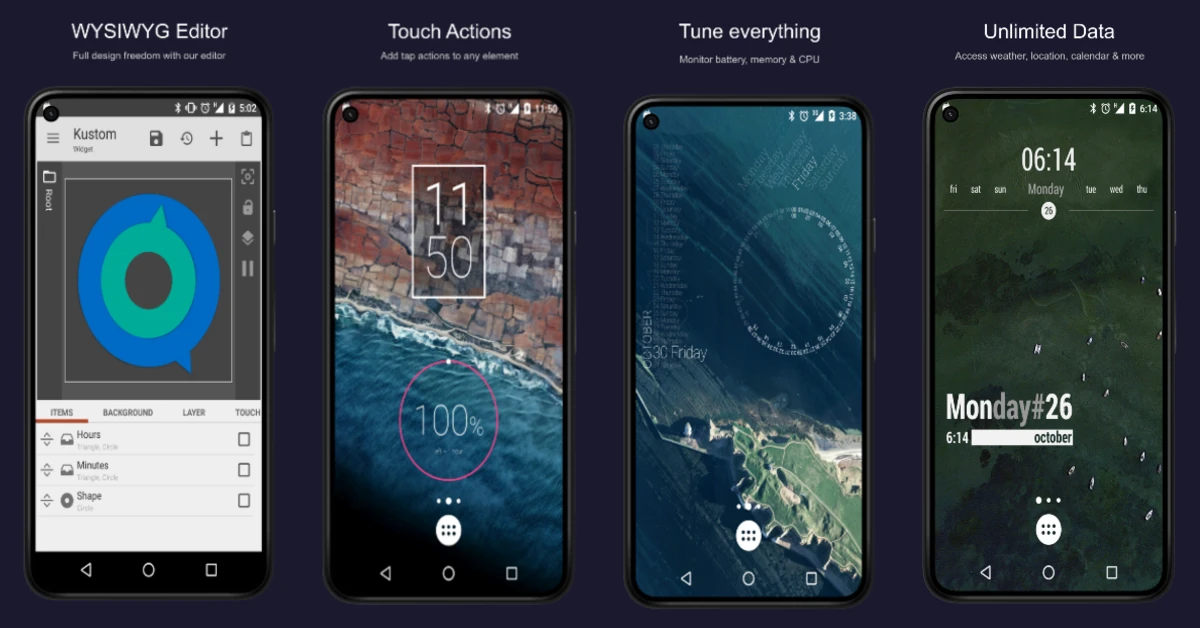
KWGT is one of the best widget makers for the Android platform. If the preset widgets on your phone do not cover all the required bases, you can use this app to design one suited to your needs. It has a vast library of designs, fonts, colours, and effects to get the design just right. You can also apply layers, colour gradients, and other filters to bring your vision to life. The widgets can be assigned different touch actions and hotspots.
Download KWGT from the Google Play Store
Snapseed

Snapseed is Google’s very own photo editing app. Its accessible tools make the daunting task of photoediting seem easy and fun. You can tune your images by adjusting aspects like contrast, exposure, saturation, brightness, dynamic range, white balance, perspective, and colours using manual controls. There are 29 tools and brushes to choose from. Additionally, the app has preset filters if you’re looking for a quick fix before posting your picture to social media.
Download Snapseed from the Google Play Store
Open Camera
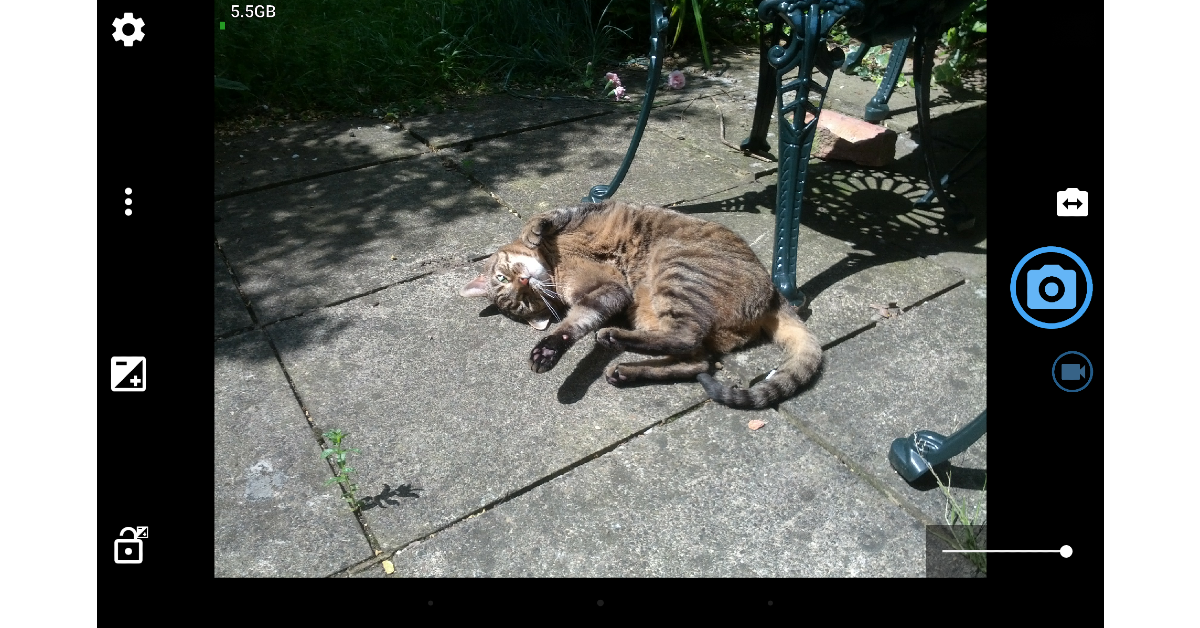
Open Camera is one of our favourite third-party camera apps for Android. Its creator, Mark Harman, has ensured that it remains completely open-source. The app lets you shoot RAW images, something that most camera apps do not offer. It is laden with unique features like upside-down previews, voice shutter, vocal countdown, Bluetooth LE remote control, and more. There are manual controls for focus and exposure. The app’s UI is simple and easy for the average user to follow.
Download Open Camera from the Google Play Store
Quick Cursor

The large form factor of your Samsung Galaxy S26+ will leave you yearning for one-handed use. Quick Cursor is an app that can fix this situation. It summons a small cursor with just one inward swipe from either edge. This cursor can be controlled with a finger to reach the far corners of the display. While native one-handed mode on Samsung phones collapses the display, Quick Cursor maintains its original size. The app offers plenty of gesture controls and customisation options to model its behaviour according to your needs.
Download Quick Cursor from the Google Play Store
Dashlane
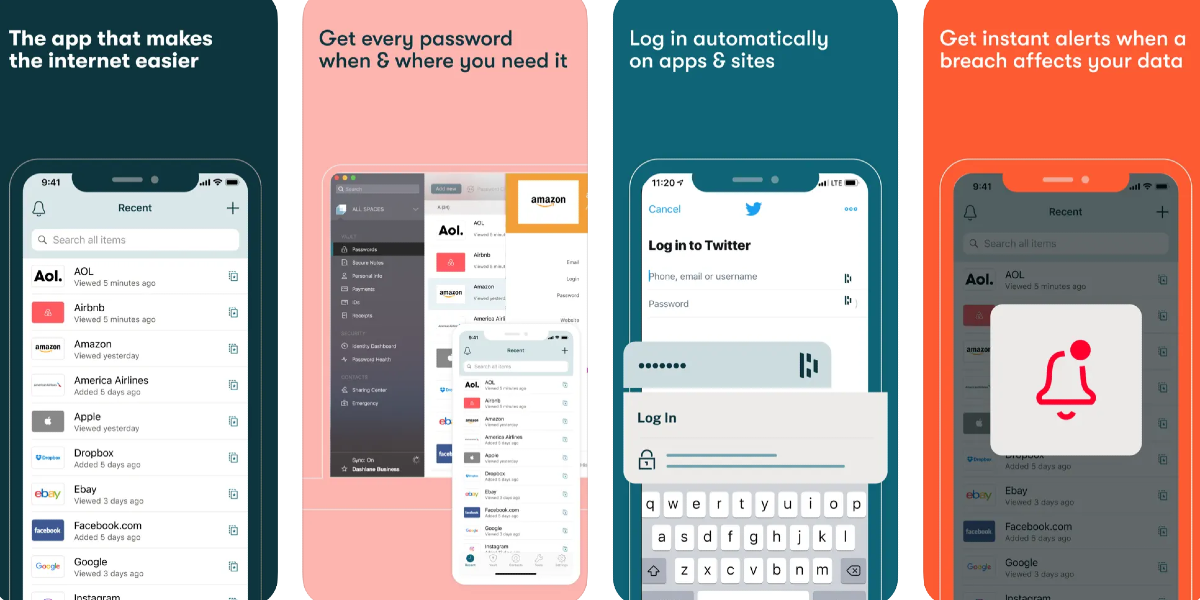
While the Google Password Manager does a fine job of storing your passwords, if you’re looking for a dedicated app that can accomplish a range of other related tasks, give Dashlane a shot. This password manager prompts you to save your credentials when you type them out. Once saved, it autofills them wherever necessary. You can sync your usernames and passwords across multiple devices so you don’t have to go for your smartphone every time you want to log into a service. Additionally, Dashlane monitors the web for data leaks and lets you know when your password has been compromised.
Download Dashlane from the Google Play Store
ChatGPT

From analysing PDFs to Ghiblifying your pictures, ChatGPT can do it all. This AI assistant is more than just a fun chatbot. It can help you brainstorm new ideas for a creative project, draft work emails, and summon a world of information without having you search for it for hours. The conversational nature of the chatbot makes it easy to learn about new subjects and imbibe the information with ease. You can even set it as the default AI assistant on your Galaxy smartphone.
Download ChatGPT from the Google Play Store
DuckDuckGo
In this day and age, privacy should be paramount to you while browsing the web. DuckDuckGo goes the extra mile to ensure the safety of your browsing data. It blocks third-party cookies that track your online activity. Additionally, it enforces websites to use the HTTPS certificate. On top of that, its default search engine does not profile the user. With just one tap of a button, you can erase all the stored data in the web browser. Apart from safe browsing options, the browser also offers a secure VPN service.
Download DuckDuckGo from the Google Play Store
LocalSend
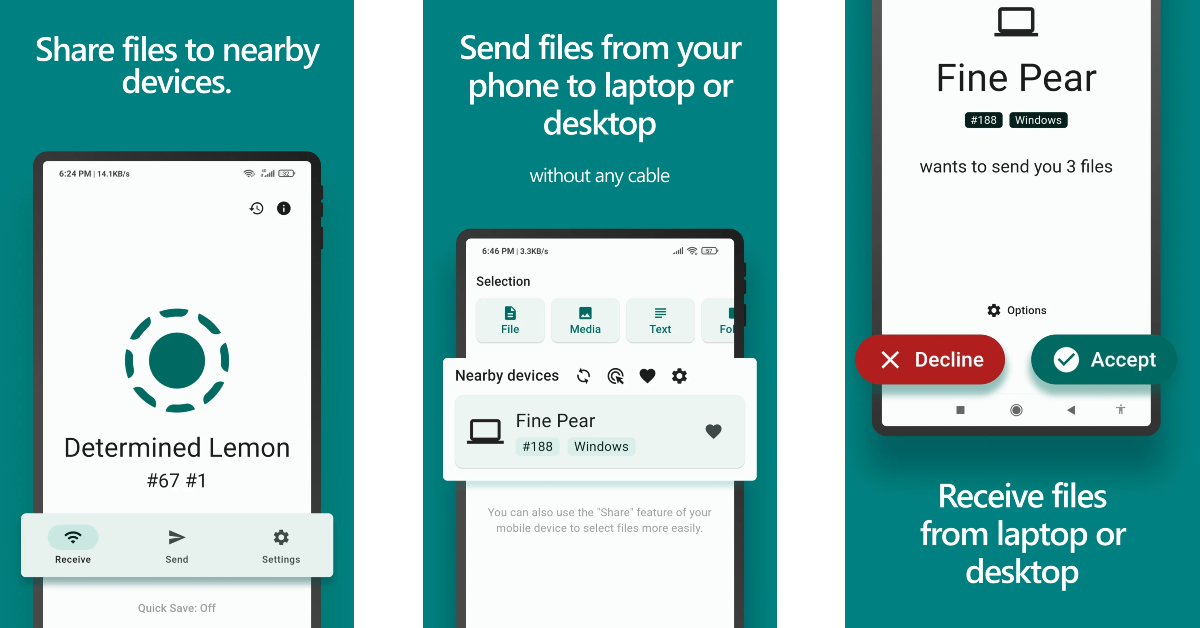
As a Samsung user, transferring files to a MacBook or any other Apple device can be a confusing task. LocalSend simplifies this process by offering an accessible interface to transfer your files. The entire process takes place over a local WiFi network without the help of any third-party servers. If you don’t have a home WiFi network, you can use your phone’s WiFi hotspot to facilitate the transfer. Being completely open-source, LocalSend is one of the most secure apps in its category.
Download LocalSend from the Google Play Store
Read Also: Noise Airwave Max 6 Headphones with up to 120-Hour battery life launched in India
Final Thoughts
These are the top 10 apps you should download first on your new Samsung Galaxy S26 or S26+. While you’re here, check out our list of the best apps for the Galaxy S26 Ultra as well. If you have any questions, let us know in the comments!


