


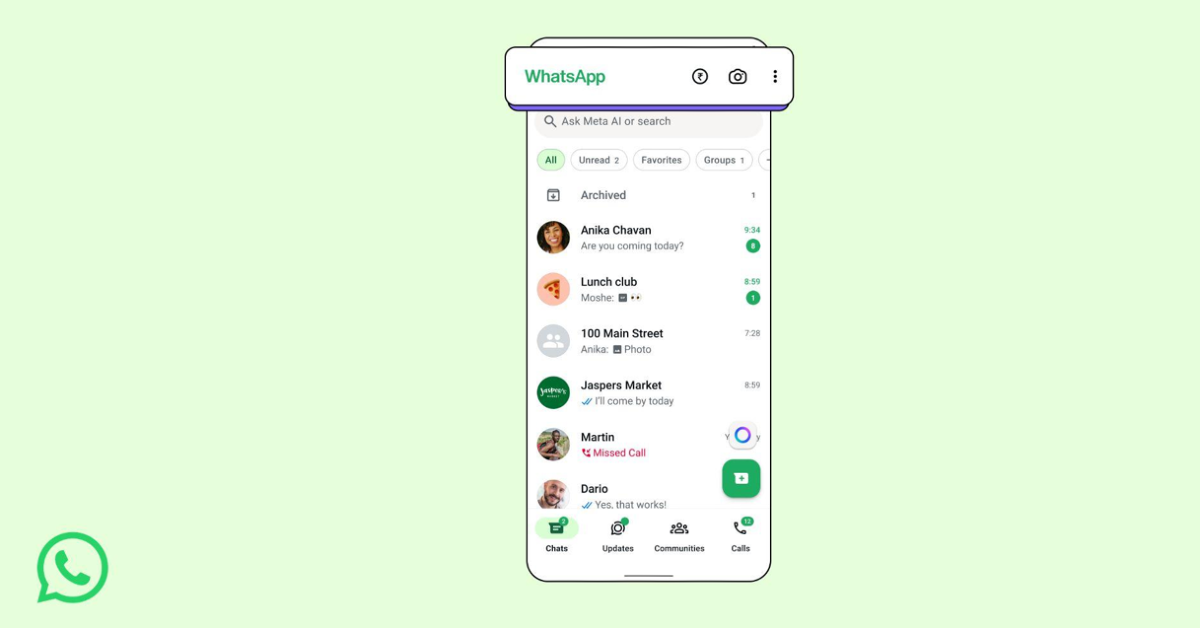

Indian users can now recharge their prepaid mobile phones directly within the WhatsApp application, thanks to a new feature sponsored by PayU. WhatsApp now has a dedicated icon on the home page for faster access to payments and recharges. This simplifies the procedure for those who depend on mobile recharges.
In This Article
WhatsApp India mobile recharge
WhatsApp has introduced a new feature that allows users in India to recharge their prepaid mobile phones directly from the app. This capability, powered by PayU, will gradually roll out to Android and iOS users over the next couple of weeks. It enables users to easily recharge their own mobile numbers or those of family and friends using an uncomplicated process. Users with prepaid connections on major networks like Jio, Airtel, and Vi choose from a range of available plans for their recharges. This integration aims to streamline the mobile payment experience and improve user convenience.
WhatsApp has made the user experience better by introducing a rupee (₹) icon on the home screen. The goal of this new feature is to make it easier to find and use the payments section of the app. The rupee icon makes it easy for users to initiate recharges and access all metro services that let them buy tickets using WhatsApp. The rupee icon also appears during 1:1 chat threads, so users may easily transfer payments using the Unified Payments Interface (UPI) while talking to friends, family, and other contacts. This change shows that WhatsApp is serious about adding financial services to its platform, which would make transactions easier and more convenient for users.
Also Read: Vivo X300 Ultra and X300 FE India launch date revealed: Details
To utilise WhatsApp’s mobile recharge service, users need to follow these steps: first, hit the ₹ icon to access the recharge option. Then, click on “Mobile Prepaid Recharge” and choose the phone number that needs to be recharged. This could be your own number or one belonging to a family member or acquaintance. Thereafter, check which mobile provider the number is linked to and choose a plan that fits what that operator has to offer. Then, choose the payment method you want to use, such as UPI, a debit card, or a credit card, and confirm the payment to finish the transaction.
Also Read: Motorola Edge 70 Pro launched in India featuring Pantone-curated colour options
This functionality integrates mobile phone recharges within the WhatsApp platform, considerably increasing its usability by allowing users to execute frequent tasks within an interface they are already familiar with, while also facilitating services such as metro ticket booking and bill payments.
Also Read: Garena Free Fire Max Redeem Codes Today 23 April 2026: Here is how to claim them
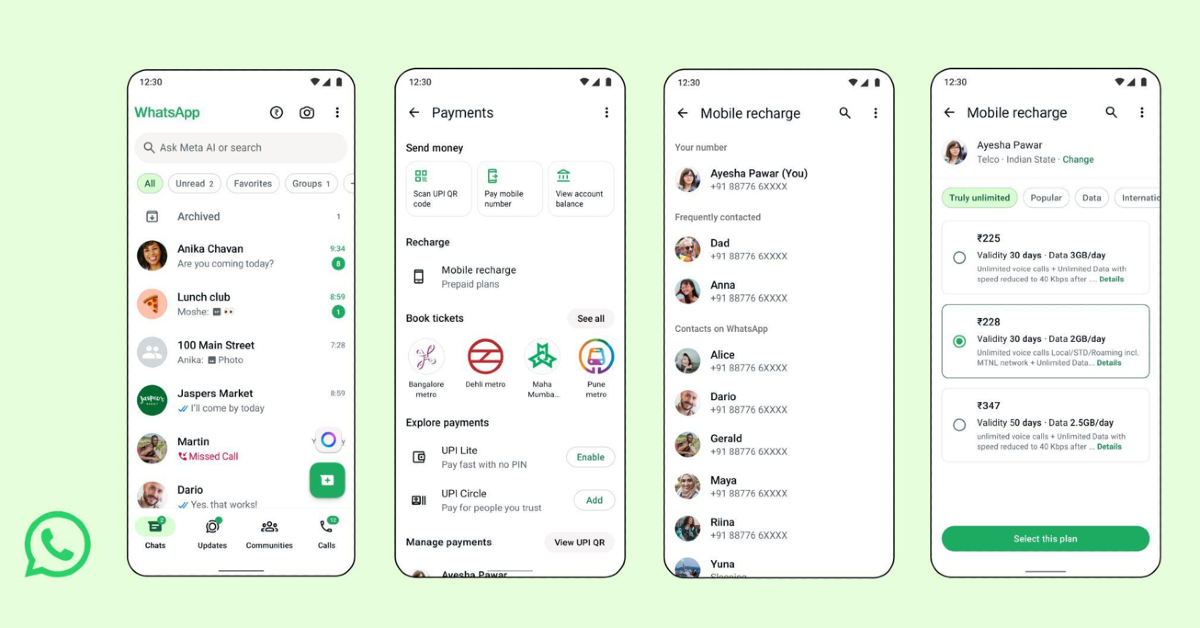
How do I perform a WhatsApp recharge step-by-step?
- Tap on the ₹ icon.
- Select Mobile Prepaid Recharge
- Select the number (self/family or friends).
- Confirm the operator
- Select your plan based on your mobile operator.
- Select your payment mode (UPI, debit card, credit cards).
- Confirm payment


