


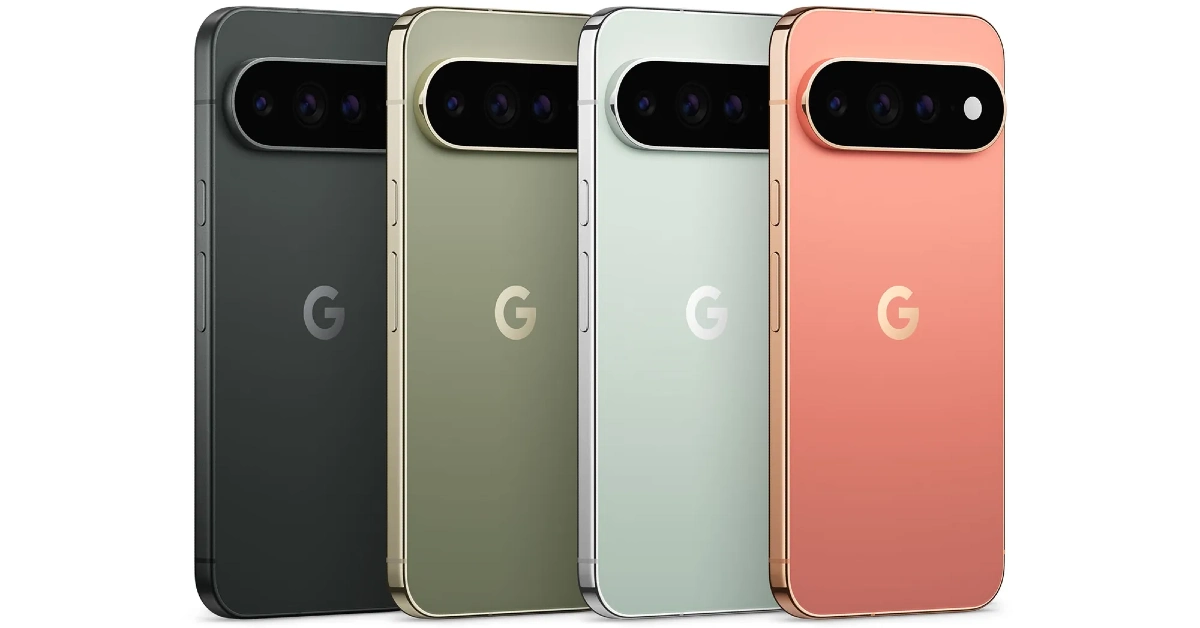
Google’s new family of Pixels is finally here. The Pixel 11 series comprises a base model, a Pro model, a Pro XL variant, and a new foldable. All of the variants are powered by Google’s in-house Tensor G6 chipset. The top-spec Pro XL variant flaunts a 6.8-inch LTPO OLED display. Its rear camera array comprises a 50MP primary shooter, a 48MP periscope telephoto lens with 5x optical zoom, and a 48MP ultrawide lens. Thinking of buying the phone? Here are the top 10 apps you should download first on your Google Pixel 11 Pro XL.
Read Also: Canon EOS R6 III Review: Photography’s New Overachiever Just Raised The Bar
In This Article
Open Camera
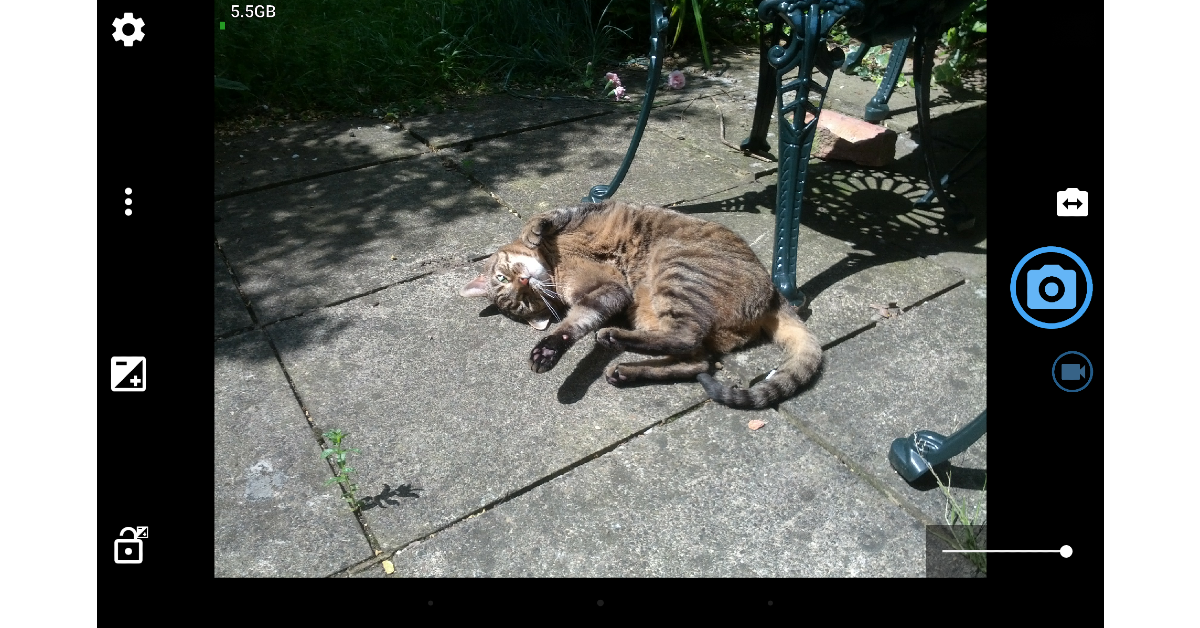
It’s very hard to dislike Google’s native Camera app for the Pixel 11 Pro XL. If you’re one of the few who do, you should check out Open Camera. This app offers a clean, intuitive interface to tap into the full potential of your smartphone’s camera array. It gives you the option to bypass your phone’s photo-processing layer and capture truly neutral RAW images. For casual users, it has handy features like upside-down previews, voice shutter, vocal countdown, Bluetooth LE remote control, and more. One of the great things about Open Camera is that it is completely open source. Additionally, there are no intrusive ads on its interface.
Download Open Camera from the Google Play Store
ProCCD
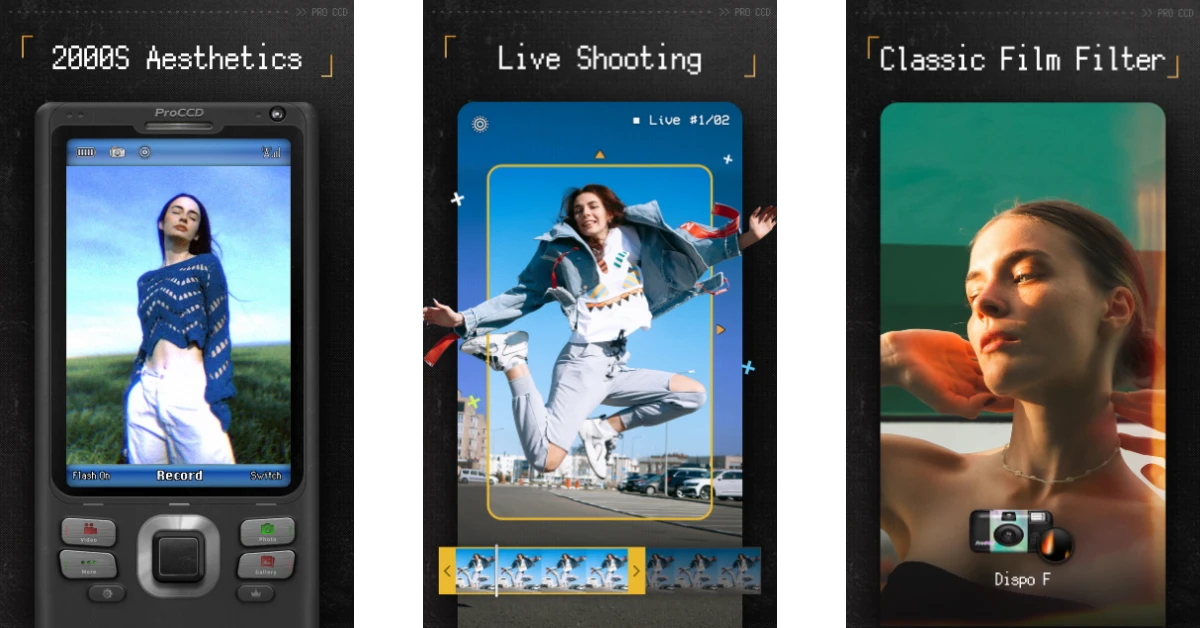
For something more fun, check out ProCCD. This camera app has filters that recreate the style of digital cameras from the early 2000s. Now that digital cameras are making a comeback, it is the perfect time to get this app on your phone. Apart from digicam filters, you also get access to a wide array of styles ranging from film to VHS. The vignette effect on the VHS filters is tasteful and super nostalgic. The great part is that you can even record videos using these filters.
Download ProCCD from the Google Play Store
Niagara Launcher
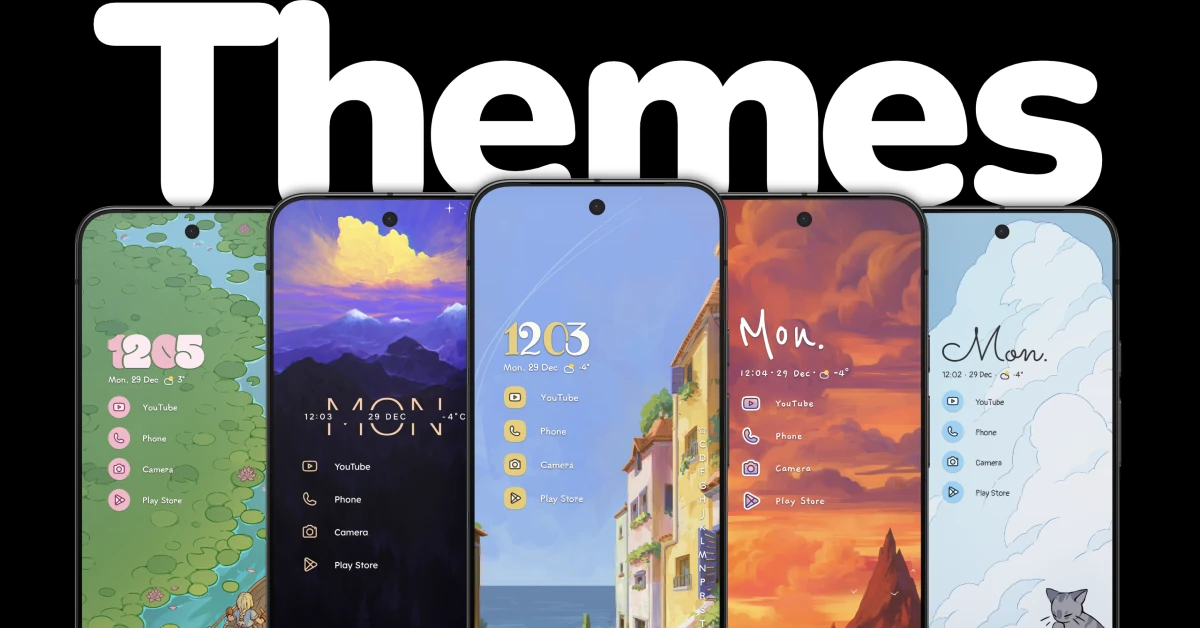
Niagara Launcher gives you the tool to personalise your phone in a way that can’t be done using the native options. You can go for a minimal theme, arranging all the apps on the home page in a neat list without the generic icons. There are plenty of lock screen widgets and wallpapers for you to mess around with. The launcher has an intuitive scrolling mechanism, which makes it easier to reach and select the apps at the top of the list. If you’re worried about ads being woven into the interface, then you can rest easy as even the free version of this app is completely ad-free.
Download Niagara Launcher from the Google Play Store
Backdrops
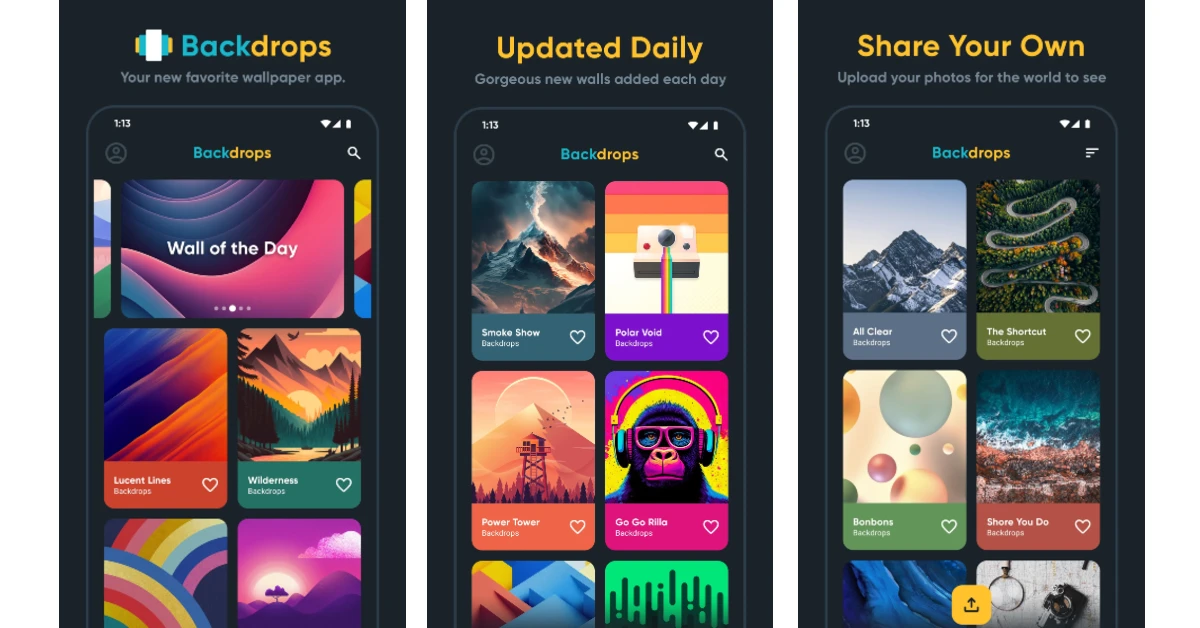
Backdrops gives you access to thousands of wallpapers and still images for your phone’s lock screen and home page. The app is updated with new options every day. You can browse and explore the wallpapers by collection or take a look at the ‘Wall of the Day’ for inspiration. The clean interface of the app makes the task of trying out new wallpapers seamless and fun. One of the things we like about Backdrops is that it has unique and exclusive designs that can’t be found anywhere else. You can log into the app using your Google account to access your saved wallpapers across multiple devices.
Download Backdrops from the Google Play Store
Snapseed

Google’s very own photo editing app, Snapseed, is one of the first apps you should download on your Google Pixel 11 Pro XL if you like sprucing up your images before posting them on socials. Its wide and diverse editing toolkit is super accessible to the average user. You can use manual sliders to adjust the contrast, exposure, saturation, brightness, dynamic range, white balance, perspective, and colours of an image. Apart from 29 quick tools, the app offers a plethora of instant filters to enhance your pictures.
Download Snapseed from the Google Play Store
Canva

Canva is more than just an editing app. It lets you design everything from flyers and posters to invitations and visiting cards. If you have an interesting concept in mind, Canva has the tools to bring it to life. Its preset templates make your job easier by giving you a structure to build upon. If you’re a content creator, you can use this app to overlay graphics, transition effects, and subtitles on your short video. What makes Canva so popular is its accessibility to the average user who doesn’t have much experience with photo editing apps.
Download Canva from the Google Play Store
LocalSend
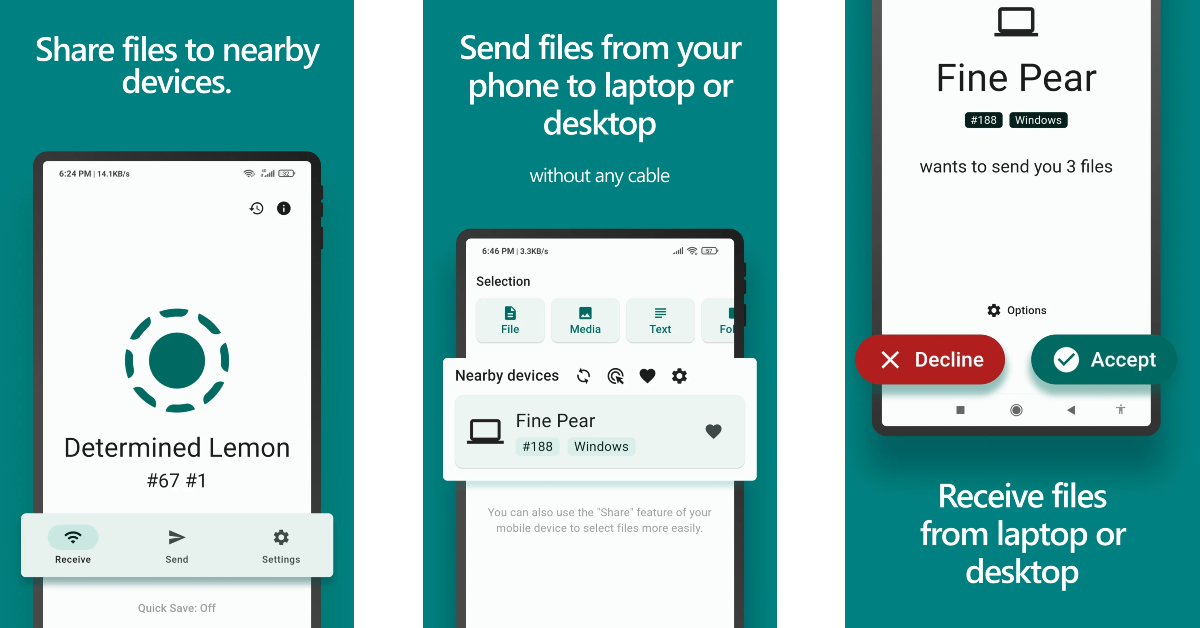
Transferring files between Android devices is easy with Quick Share. However, things can get tricky when an Apple device comes into the equation. LocalSend bridges the ecosystem divide by offering a file-transferring interface that is fast and hassle-free. Our favourite thing about this app is that it doesn’t use third-party servers for the file transfer process. It relies on your home Wi-Fi network (or a personal hotspot) to send and receive files. On top of that, the app is completely open source.
Download LocalSend from the Google Play Store
Quick Cursor

The Google Pixel 11 Pro XL’s massive 6.8-inch display can make it hard for users to reach items at the top of the screen with one hand. Quick Cursor is the app you should download on your phone to make one-handed usage easier. With a gentle inward swipe from either edge, this app summons a small cursor on the screen. You can guide this cursor wherever you want to select the item you need. It goes back into hiding after a short period of inactivity. The app offers a good range of customisation options to control the behaviour and appearance of this cursor.
Download Quick Cursor from the Google Play Store
Dashlane
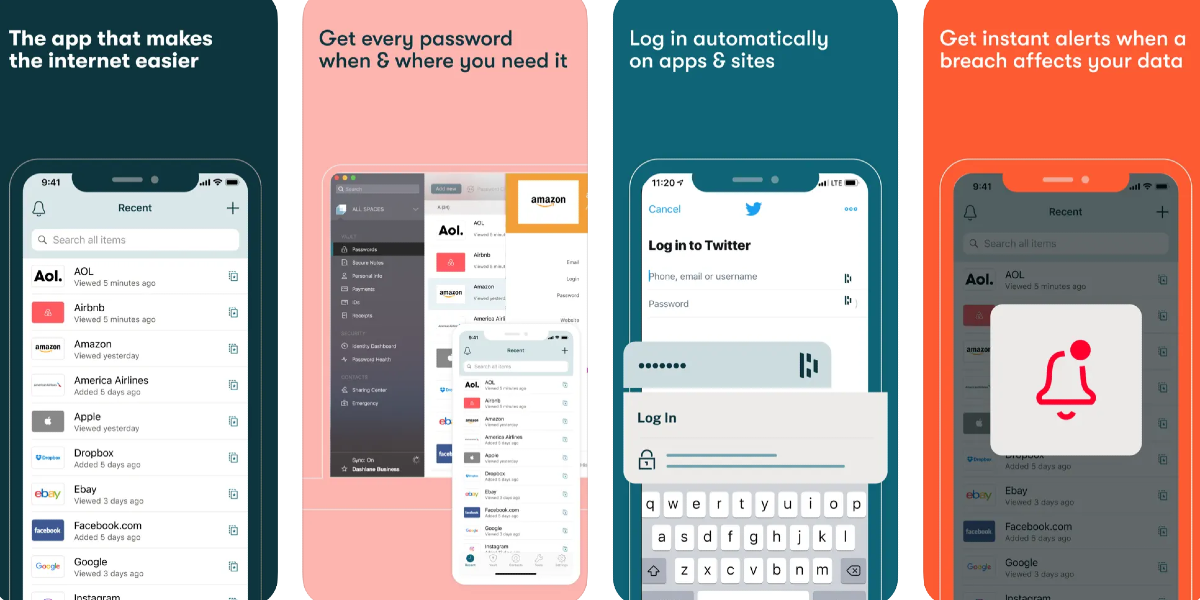
Dashlane is a safe and secure app to store all of your passwords. It gives you the option to save your login credentials as soon as you use them to log into an app or website. Once they are saved, the app automatically signs you into the service the next time you visit the app or webpage. Apart from storing your passwords, Dashlane can also generate new ones for you. Its built-in password generator comes up with uncrackable, complex strings when you are in the process of creating a new account. Dashlane also monitors the deep web for new leaks and lets you know when your password has been compromised.
Download Dashlane from the Google Play Store
Kindle

If you are a voracious reader, Kindle is one app that you must have on your Pixel 11 Pro XL. Its clean, clutter-free interface is ideal for reading ebooks without any distractions. The native dictionary can be summoned by simply tapping a word, thus eliminating the need to switch to another app to look up its meaning. If you own a physical Kindle ereader, you can sync your reading progress with it. Subscribing to Kindle Unlimited gives you access to over 2 million ebooks and thousands of audiobooks.
Download Kindle from the Google Play Store
Read Also: LG’s ‘Trust of the Nation’ Independence Day campaign launched: Offering up to 26% cashback
Final Thoughts
These are the top 10 apps that you should download first on your new Google Pixel 11 Pro XL. Stay tuned for app recommendations for the Google Pixel 11 Pro Fold. If you have any questions, let us know in the comments!


