


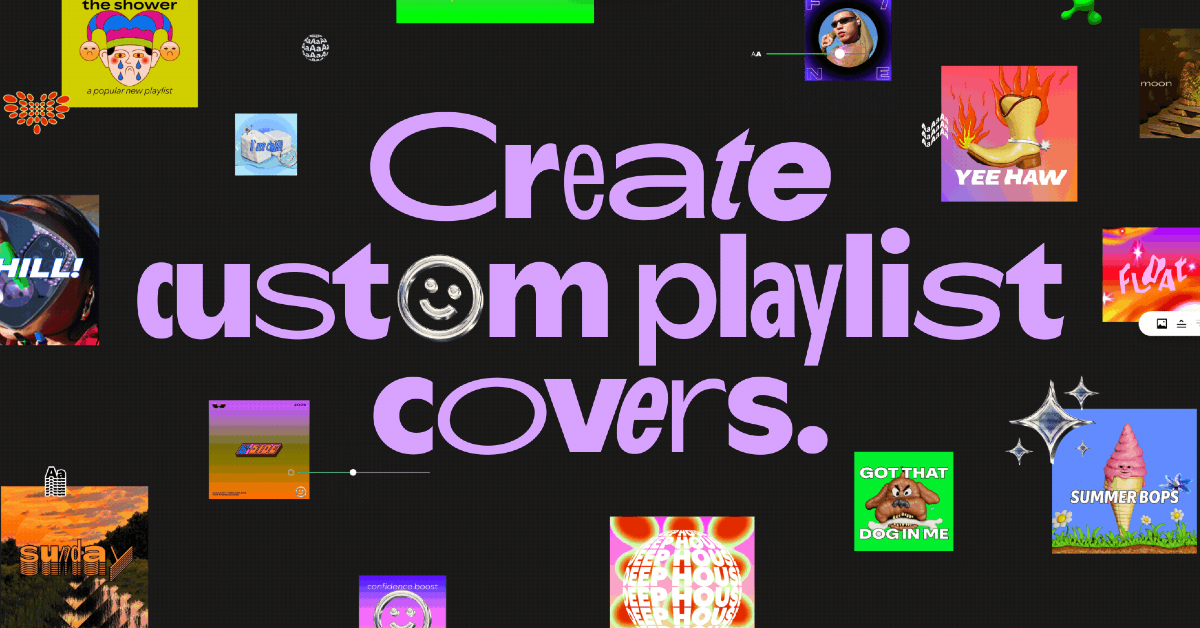
Spotify has added a new feature to its platform that allows users to create custom cover art for their playlists. This feature is still in its beta phase and is being rolled out to a limited audience in selected regions. If you like having more aesthetic control over your playlists, this tool will be right up your alley. The great thing is that you don’t need a Spotify Premium subscription to use it. Spotify has teamed up with artists and creators to bring a wide range of tools to its custom cover art editor.
Read Also: How to change your country in Google Play Store (Android and PC)
In This Article
Before you begin
Since this feature is still in its beta phase, it isn’t available for all users yet. Spotify says that it is currently available for users in English in 65 markets. If you can’t find it in your app, make sure it is updated to the latest version. If you can’t find this feature on the app after updating it, you will need to wait until the rollout reaches your account.
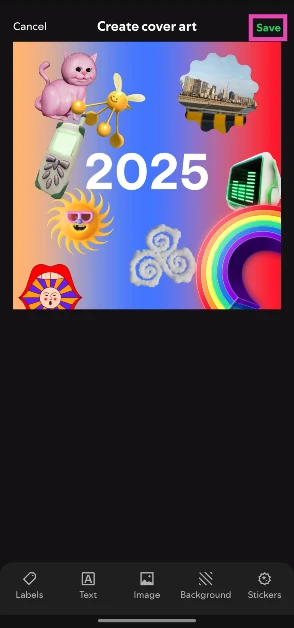
Spotify’s cover art editor has a wide range of customisation tools. You can choose to upload a picture from your phone and spruce it up with colour gradients, stickers, text, and visual effects. You can choose to skip uploading a picture altogether and start from scratch. As of now, there is no way to save a cover art on your device. Once you change it, there is no way to restore it.
Create custom cover art for your Spotify playlists
Step 1: Launch the Spotify app on your phone and open your playlist.
Step 2: Hit the ellipses in the toolbar.
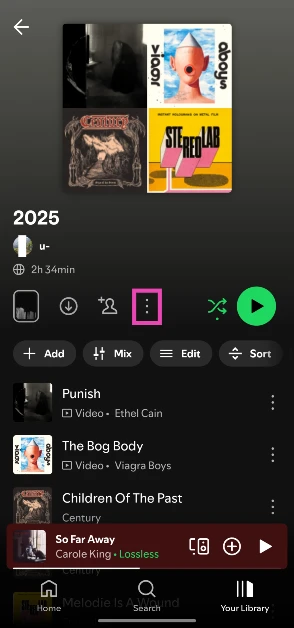
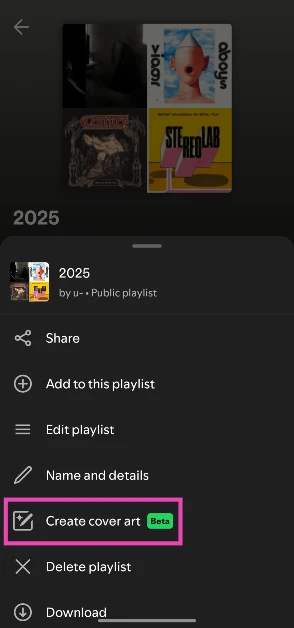
Step 3: Select Create cover art.
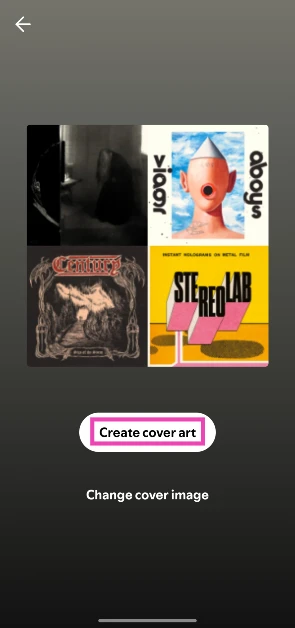
Step 4: Tap on Create cover art again.
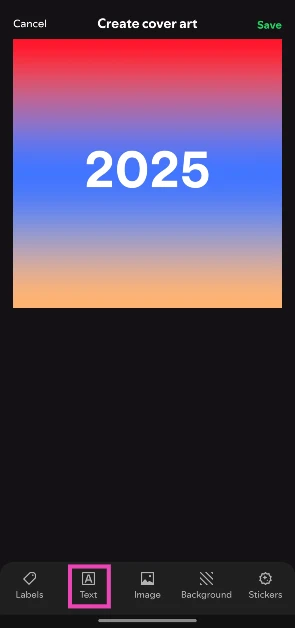
Step 5: The cover art will contain the name of your playlist by default. Tap on Text to edit it.
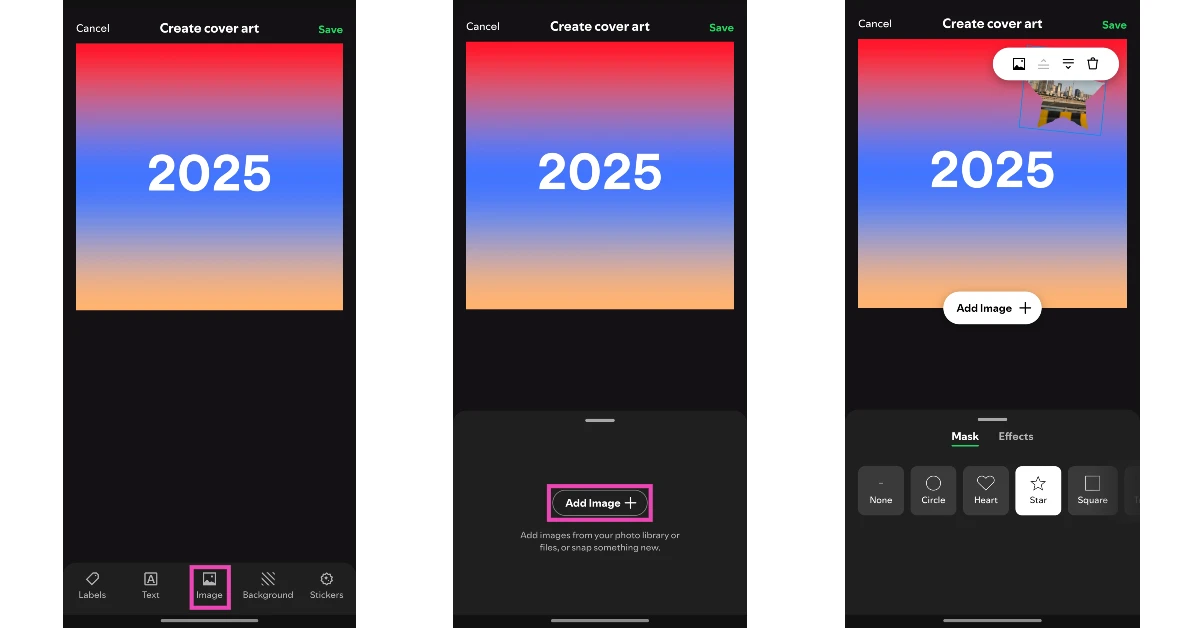
Step 6: You can add an image to the cover art by going to Image>Add Image and selecting a picture from your phone’s gallery. You can drag, resize, reshape, and add effects to the image.
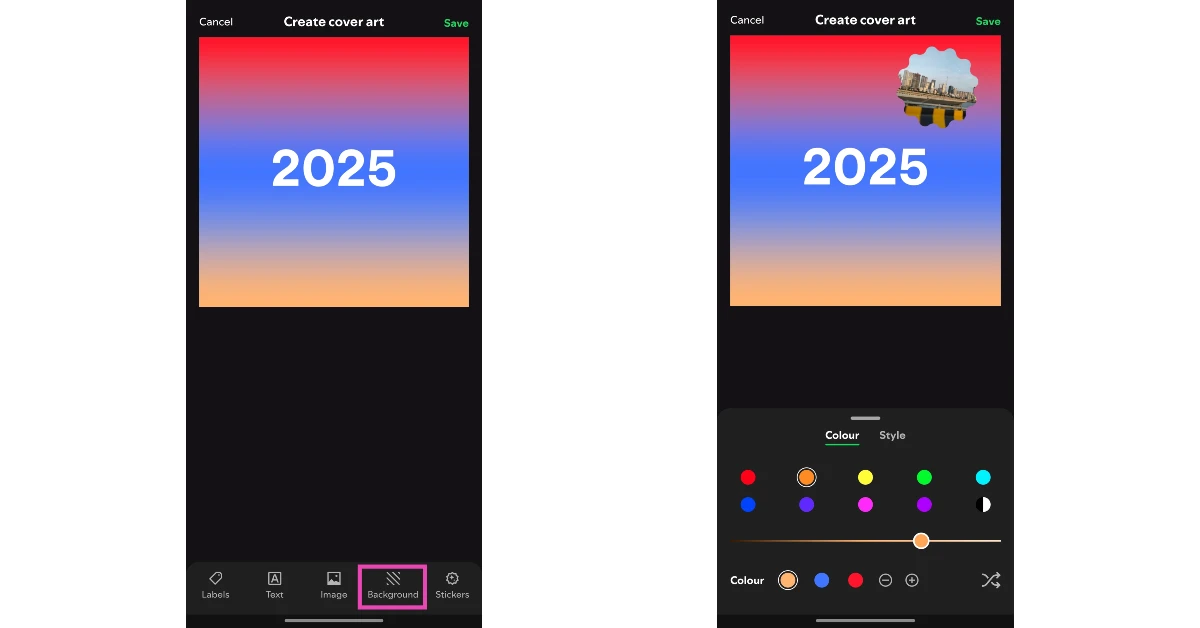
Step 7: Tap on Background to edit the background colour and style.
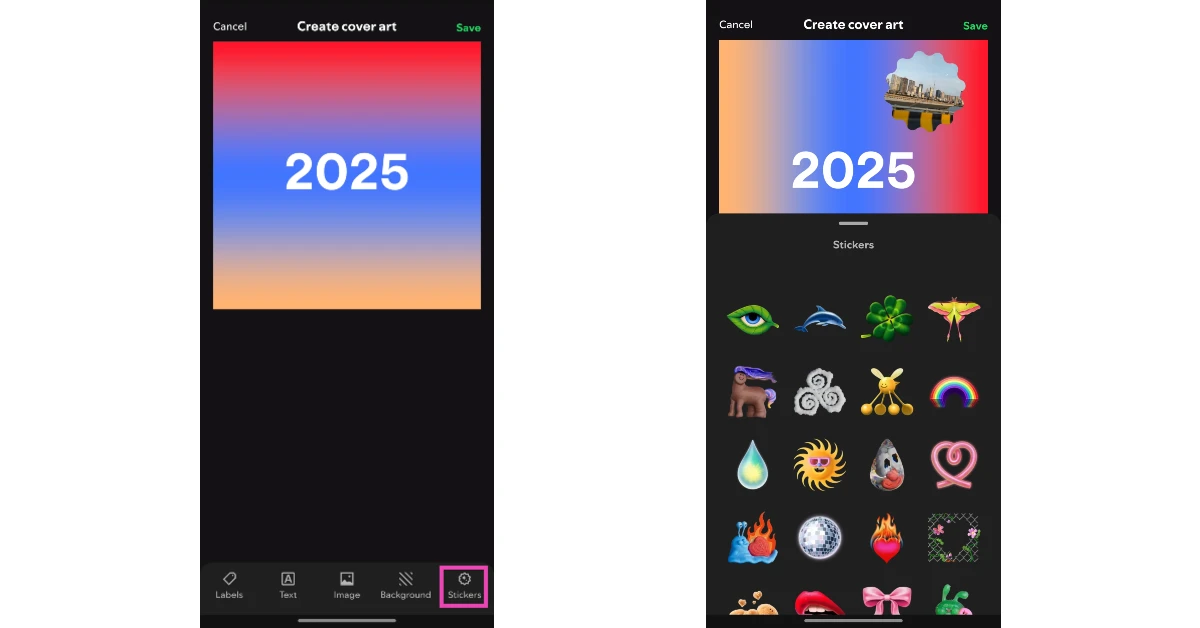
Step 8: Tap on Stickers to add fun stickers to the art.
Step 9: Hit Save when you’re done.
Frequently Asked Questions (FAQs)
Which is the most popular playlist on Spotify?
At the time of writing this article, Spotify’s ‘Top 50 – Global’ is the most popular playlist on the platform with 17.1 million followers.
How do I create a playlist on Spotify?
Launch the Spotify app, switch to the ‘Your Library’ tab, hit the plus icon in the top right corner of the screen, and select ‘Playlist’.
Who is the founder of Spotify?
Spotify was founded in 2006 by Daniel Ek and Martin Lorentzon.
Read Also: OnePlus unveils new festive deals on Nord series and more products
Conclusion
This is how you can create custom cover art for your Spotify playlists. The platform also allows users to create AI playlists based on prompts and ideas. The results are a hit or miss, but you can use it to discover music without being limited by genre or time period. If you have any questions, let us know in the comments!


