



Apart from its endless music library, Spotify’s UI is one of the primary drivers behind its popularity. The native dark mode is easy on the eye and has a unique look of its own. However, those who use their phone on light mode may not be big fans of this theme. If you’re one of those users, you’ve probably been scouring through the app looking for appearance settings. If you’ve had no luck so far, you’ve landed on the right page. Here’s how you can disable the dark mode in Spotify.
Read Also: Samsung Galaxy S26 Ultra vs Galaxy S25 Ultra: Is it worth the upgrade?
In This Article
Does Spotify have a Light Mode?
Spotify is very rigid about its UI and appearance. While it has succumbed to user complaints and tweaked some elements of its layout in the past, the dark mode has been a permanent fixture of the app since its conception. Switching to a system-wide light mode on your phone does not apply it to Spotify. The only way to change its appearance to something lighter is by inverting the colours of your phone’s display. There are some drawbacks to this workaround.
- On Android devices, the colours get inverted system-wide.
- The inverted colours may not be accurate.
- Text may become harder to read.
- Spotify may start crashing.
Disable Dark Mode in Spotify (iOS)
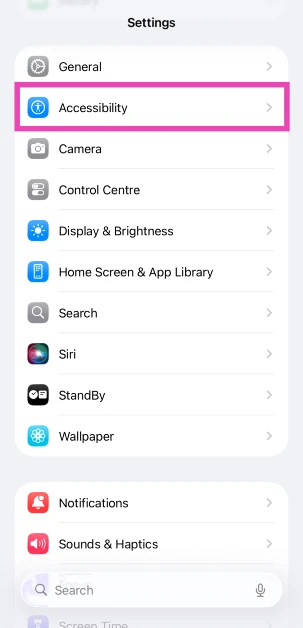
- Go to Settings.
- Tap on Accessibility.

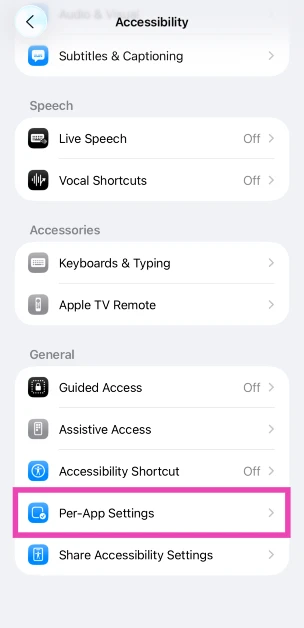
- Select Per-App Settings.

- Tap on Add App.

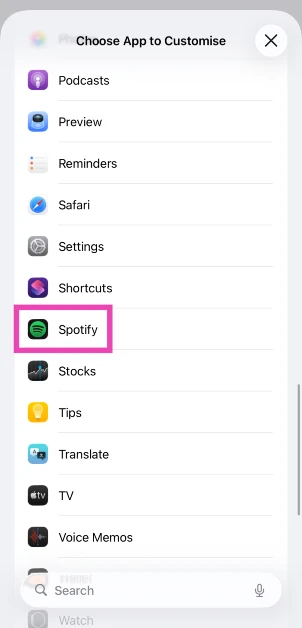
- Scroll down and select Spotify.

- Tap on Spotify once it has been added.
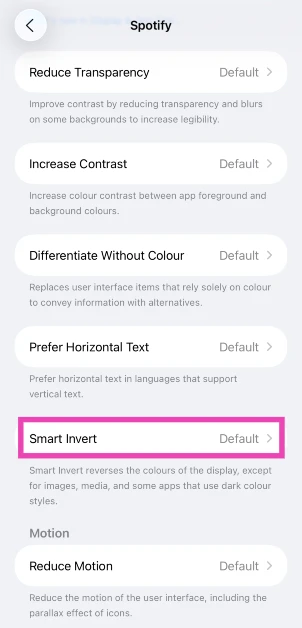
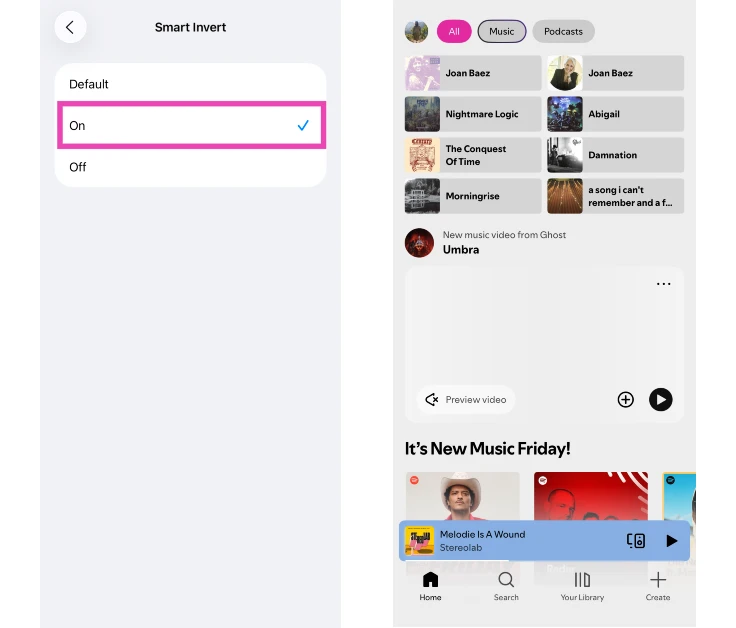
- Tap on Smart Invert.
- Select On.



Disable Dark Mode in Spotify (Android)
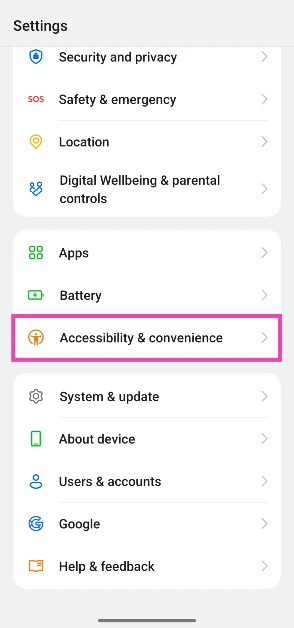
- Go to Settings.
- Select Accessibility and convenience.

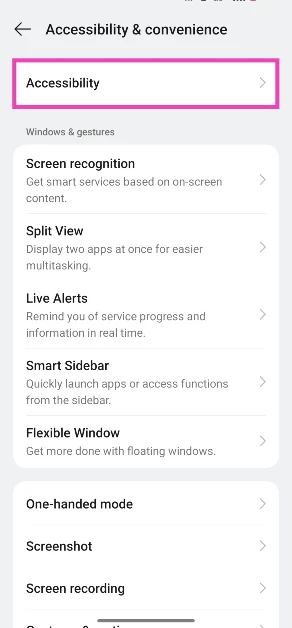
- Tap on Accessibility.

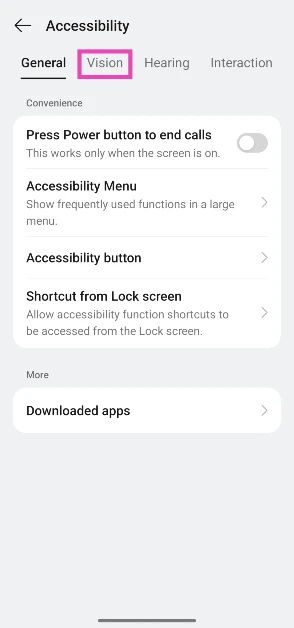
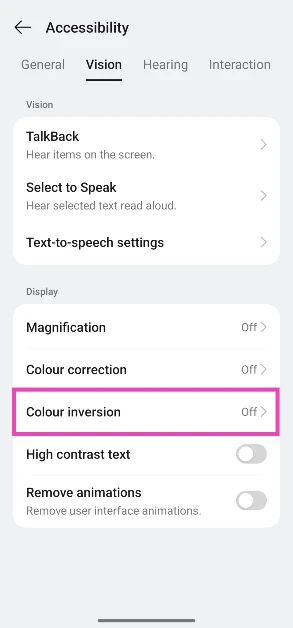
- Switch to the Vision tab.
- Tap on Colour inversion.

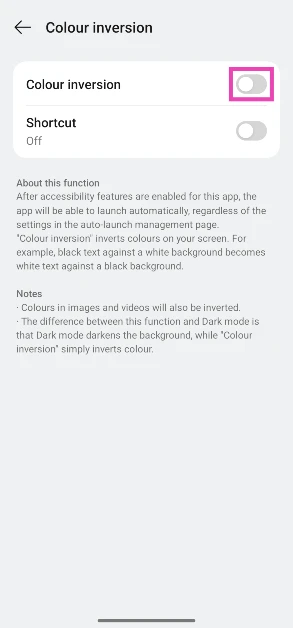
- Turn on the toggle switch next to Colour inversion.
Frequently Asked Questions (FAQs)
Does Spotify have a light mode?
The Spotify app does not have a native light mode, but you can invert the colours of your smartphone’s display to create that effect.
How do I get light mode on the Spotify app on my iPhone?
Go to Settings>Accessibility>Per-App Settings>Spotify and select ‘On’.
How do I turn on light mode on Spotify for Android?
Go to Settings>Accessibility and convenience>Accessibility>Vision>Colour inversion and turn on the toggle switch.
How do I turn on grayscale mode on my Android phone?
Go to Settings>Accessibility & convenience>Accessibility>Vision, enable ‘Colour vision enhancement’, and tap on ‘Grayscale’.
How do I enable system-wide dark mode on my phone?
Go to Settings>Display and brightness and tap on dark mode to enable it.
Read Also: Top 10 apps for Samsung Galaxy S26 and S26+
Final Thoughts
As of now, Android does not have the option to apply colour inversion settings to a specific app. If you find the inverted colours too harsh, we recommend checking out the greyscale mode. Got any questions? Let us know in the comments!


