


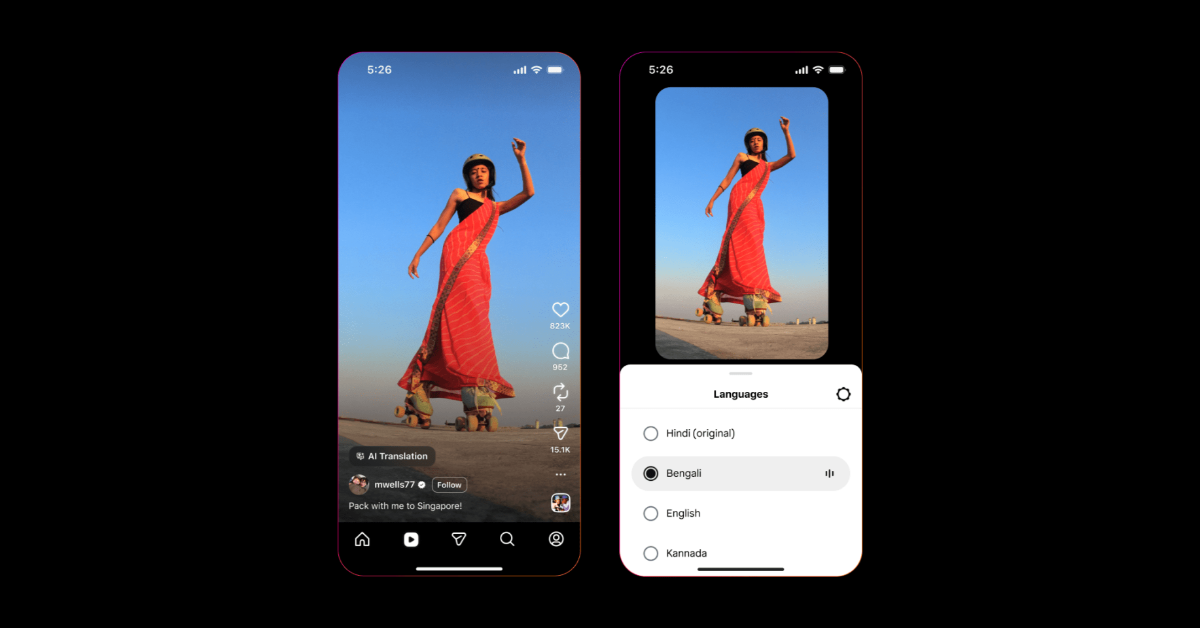
Instagram is one of the few platforms that are actively adding AI features to make their content accessible to more users. The latest Meta AI tool on Instagram lets you view a Reel in your preferred language. The only prerequisite is that the Reel must be dubbed by its creator using Meta AI. You can switch the audio to your preferred language or revert to the original if you feel like the translations aren’t accurate. Let’s take a quick look at how you can voice translate Instagram Reels.
Read Also: iPhone 18 Pro leaked video suggests major design upgrades: Details
In This Article
Before you begin
Instagram is rolling out the translation feature for Reels in a phased manner. This means that it may take some time for it to reach certain regions. At the time of launch, it supported 4 languages – Hindi, English, Spanish, and Portuguese. Now, the feature has been expanded to 5 more Indian languages – Bengali, Tamil, Telugu, Kannada, and Marathi.
Alongside voice translations, Instagram has also added a lip-syncing function, which makes the translated audio seem more realistic. While watching a translated Reel, the lip movement of the creator looks more natural and authentic to the viewer.
Voice Translate Instagram Reels
- Launch the Instagram app and switch to the Reels tab.
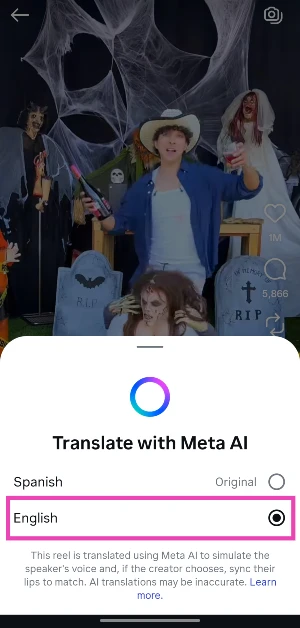
- Browse through the Reels until you land on one that has been translated by the creator using Meta AI.
- Tap on Translated with Meta AI.

- Select your preferred language.


Disable AI Translation on Reels
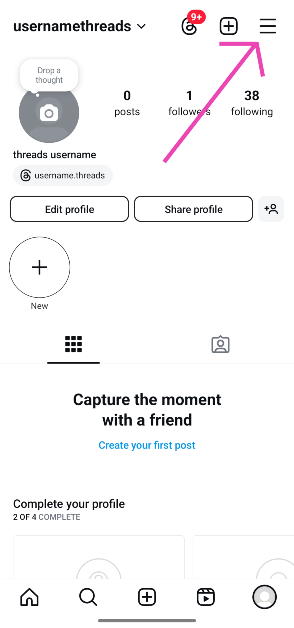
- Launch the Instagram app and go to your profile.

- Hit the hamburger menu in the top right corner of the screen.

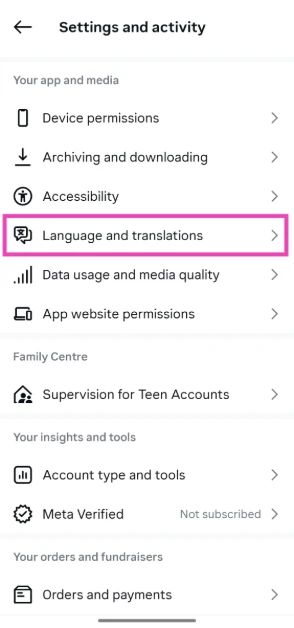
- Tap on Language and translation.
- Turn off the toggle switches next to Translate text on reels and Translate voice.


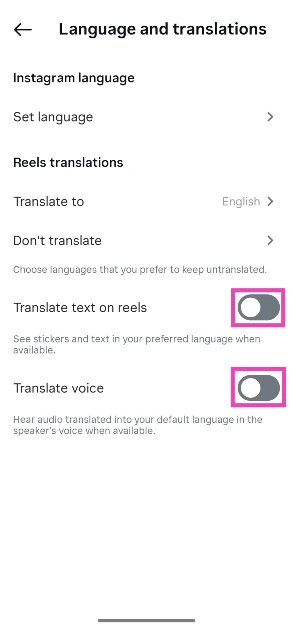
You can also disable translations while watching a Reel. Hit the ellipses button in the bottom right corner of the screen, go to ‘Translations’, and turn off the toggle switches next to the two options mentioned above.
Frequently Asked Questions (FAQs)
Can I translate Instagram Reels?
The translate option only shows up for Reels that have been translated beforehand by the creator using Meta AI.
How do I translate a Reel?
Tap the ‘Translated with Meta AI’ on a Reel and select your preferred language to switch to the translated audio.
How do I change the language of the translated Reel?
Hit the ellipses in the bottom right corner of the screen, and specify your preferred language.
How do I turn off voice translation for Reels?
Go to Instagram>Profile>Menu>Language and translation, and turn off the toggle switches next to ‘Translate text on reels’ and ‘Translate voice’.
How do I translate Instagram DMs?
Go to your DMs, open a chat thread, long-press a message and hit ‘Translate’.
Read Also: My Fishing Brainrots Codes (January 2026)
Final Thoughts
Apart from Reels, Instagram lets you translate your personal messages. This process uses Meta AI as well. Read our tutorial to learn how you can go about it. If you have any questions, let us know in the comments!


