


While browsing a locality on Google Maps, you may have come across customised icons for certain locations. These icons typically display the logo or branding of the business. Clicking on the location reveals that it is a sponsored result. These ads aren’t as invasive as banner advertisements, but they are still pesky. Here are the top 4 ways to turn off business ads in Google Maps.
Read Also: Best 4 Methods to Stop ‘Chrome Automatically Opens Apps’ on Android
In This Article
Can you turn off ads in Google Maps?
Unsurprisingly, Google Maps does not have the option to turn off sponsored content. If you’re using the app for navigation or looking up places near you, you are bound to come across a bunch of ads. For more organic results, you need to look past the sponsored content. While there is no way to turn off these ads for good, there is something you can do to remove them from the map for now.
Most of the ads you see on Google Maps are personalised. Google examines your past activity to suggest ads that are relevant to your interests. You can turn off personalised ads in Google Account settings to avoid targeted advertisements. We’ve noticed that turning off this setting completely removes the business ads on Google Maps for now, but that may not be the case in the future.
Turn off business ads in Google Maps
Step 1: Go to Settings and select Google.
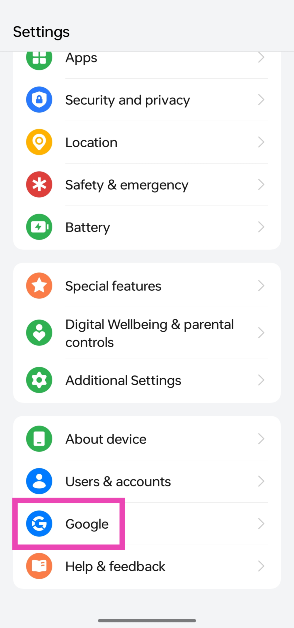
Step 2: Select your Google Account.
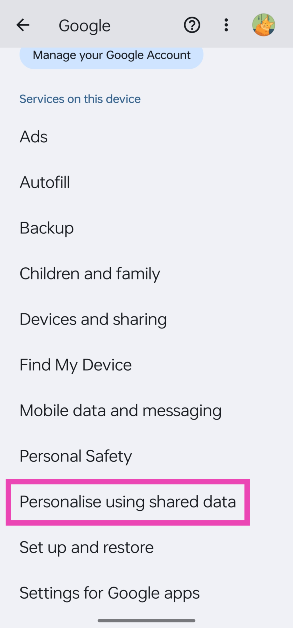
Step 3: Tap on Personalise using shared data.
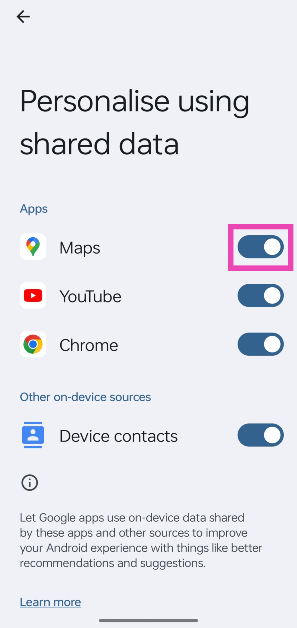
Step 4: Turn off the toggle switch for Maps.
Turn off Ad Personalisation on PC
Step 1: Go to your Google Account.
Step 2: Switch to the Data & privacy tab.
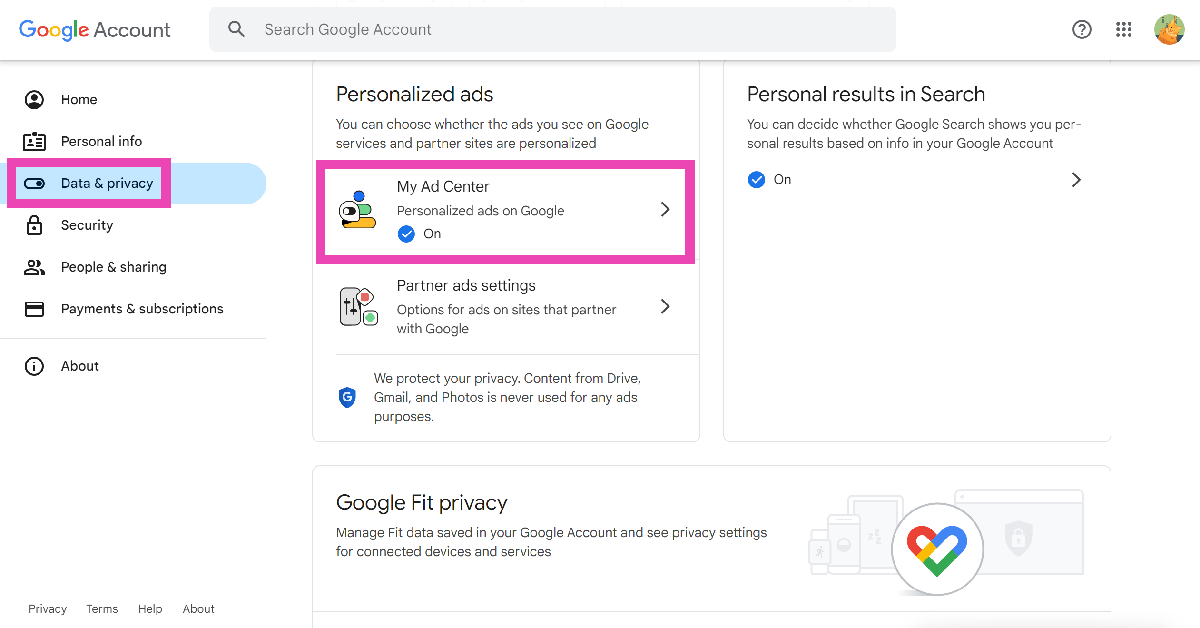
Step 3: Click on My Ad Center.
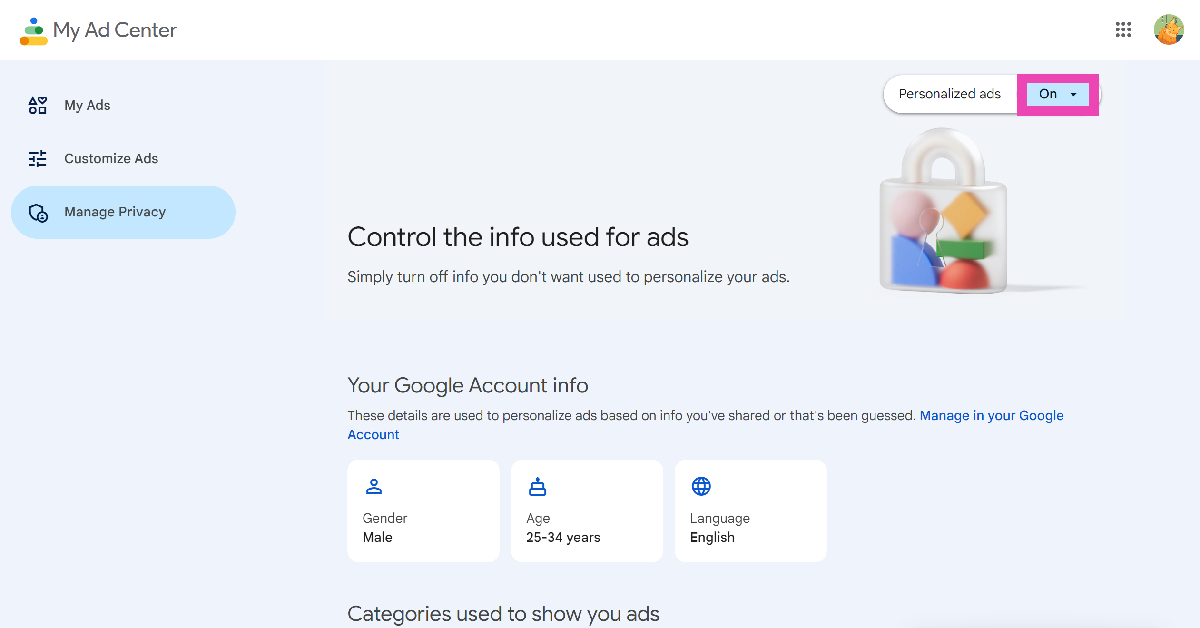
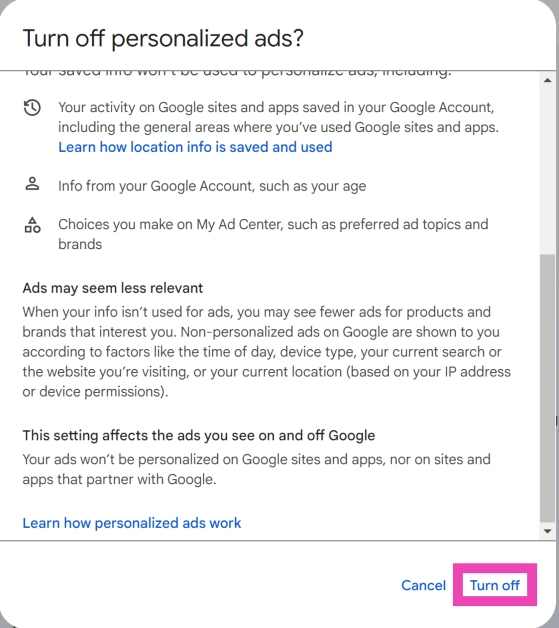
Step 4: Click on ‘On’ next to Personalised ads and select Turn off.
Switch layers
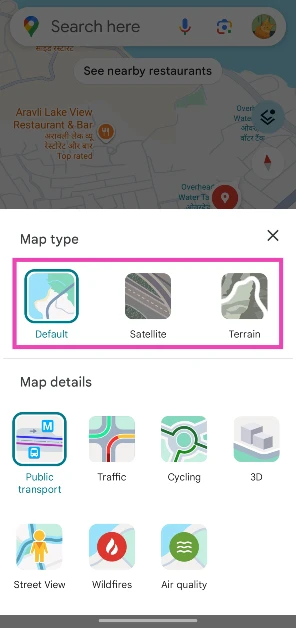
Switching to a different layer often reduces the number of ads on the map. Google Maps currently offers 3 layers — Default, Satellite, and Terrain. Here’s how you can switch among them.
Step 1: Launch the Google Maps app on your phone.
Step 2: Hit the layers icon on the left side of the screen.
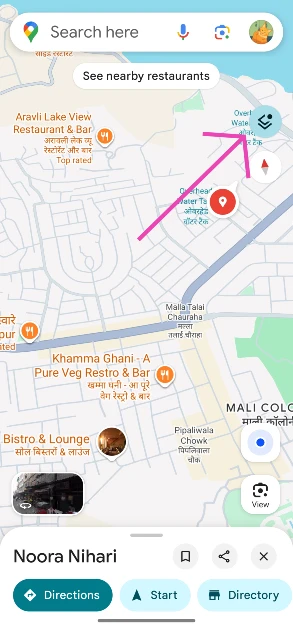
Step 3: Choose your preferred layer.
Use Google Maps on a web browser

If you’re getting too many ads on the Google Maps app, using the service on a web browser might help. Make sure you are signed into your Google account on the web browser to retain all your saved places in Google Maps.
Frequently Asked Questions (FAQs)
How do I spot a business ad in Google Maps?
Sponsored content in Google Maps has a custom icon on the map, typically with the brand logo. Clicking on the location reveals the ‘Sponsored’ tag.
How do I turn off business ads in Google Maps?
To turn off business ads in Google Maps, go to Settings>Google>Google Account>Personalise using shared data and turn off the toggle switch for Maps.
How do I turn off ad personalisation on my Google Account?
Go to your Google Account and select Data & privacy>My Ad Center>Personalised ads and select ‘Turn off’.
How do I switch to a different layer in Google Maps?
Launch the Google Maps app, hit the layers icon on the right side of the screen, and make a selection.
How do I go to Google Street View?
Go to a location or general area in Google Maps, tap the layers icon, select ‘Street View’, and tap on a blue path to view it.
Read Also: Google Meet’s new Switch Here feature makes smooth transfer between devices
Conclusion
These are the top 4 ways to turn off business ads in Google Maps. As of now, turning off ad personalisation removes the ads on the maps, but it may not work for long. If you know any other workarounds for this issue, let us know in the comments!


I already had the setting on my phone, but not in my Google account. Turning off personalizedvads did the trick, thank you!