



If you like to be thorough with your research while buying anything online, a price tracker should be the first tool in your arsenal. A good price tracking tool not only gives you the comprehensive price history of any product but also notifies you about any price drops. By observing a product’s price history, you can make an informed judgment on whether its price will be slashed soon. Going through the previous pricing trends, you will know what to expect in the next price cut. Here are the top 6 tools you can use to track the price history of any Amazon product.
Read Also: How To Use AirPods Pro As Hearing Aids? (2024)
In This Article
Which tool is best for you?
Well, that depends on your location and platform. While CamelCamelCamel is regarded as the best price tracking tool, users in India may not find much use for it. Its web extension, Camelizer, is also a great tool for the task. For Indian users, we recommend using PriceBefore. This tool works for Amazon, Flipkart, and Snapdeal.
If you do most of your online shopping on your smartphone, the Kappa app will be of great use. The only drawback of tracking the price history for a product on your phone is that you cannot do it directly on the Amazon app. You will need to log in to your Amazon account on the web portal in the Kappa app. If you don’t wish to log in, you can simply browse to the product page and view its previous prices.
Use Rufus
Rufus is Amazon’s native AI agent. Here’s how you can use it to track the price history of any product.
Step 1: Go to the product’s Amazon page.
Step 2: Scroll down to the Ask Rufus section and click on Ask something else.
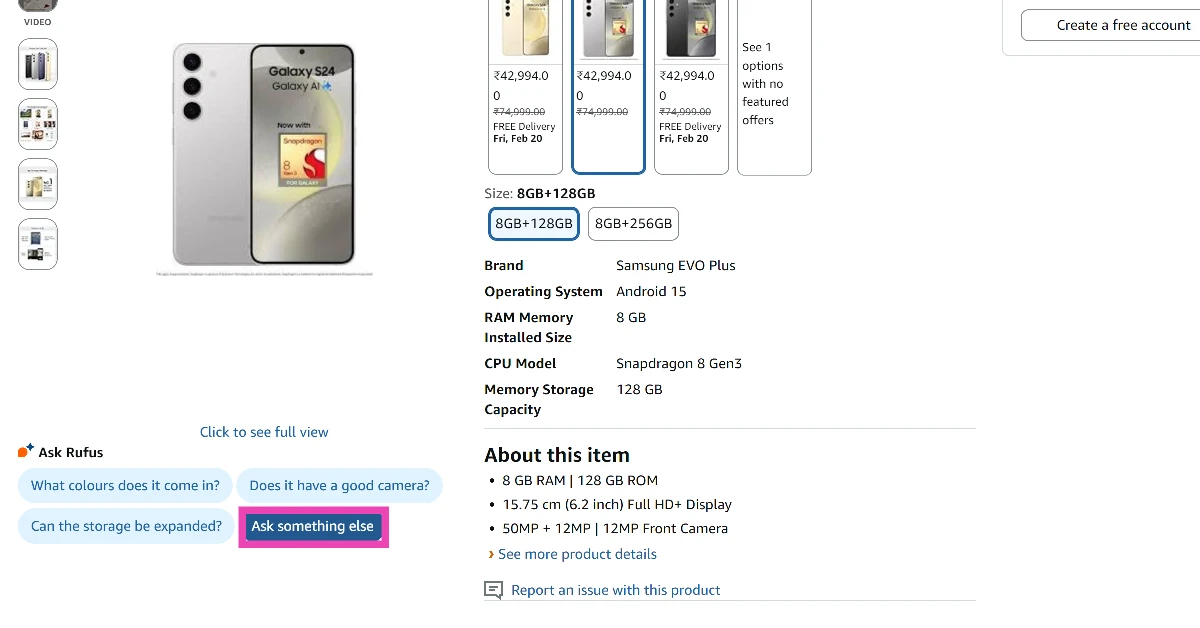
Step 3: Type ‘Show price history‘ as your prompt and hit Enter.
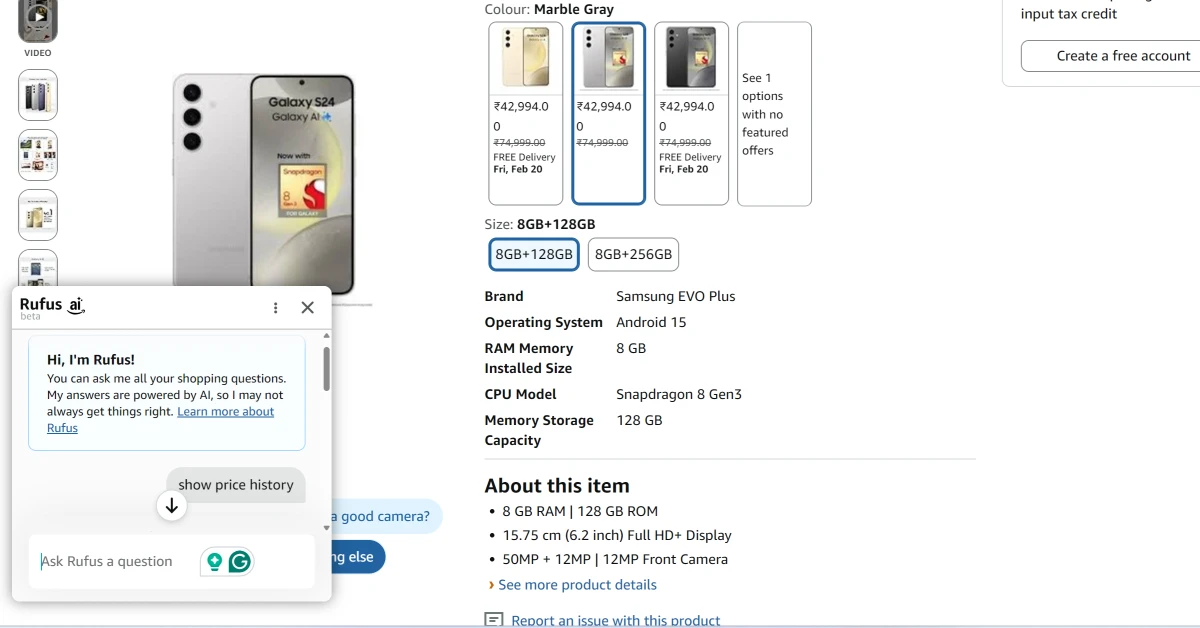
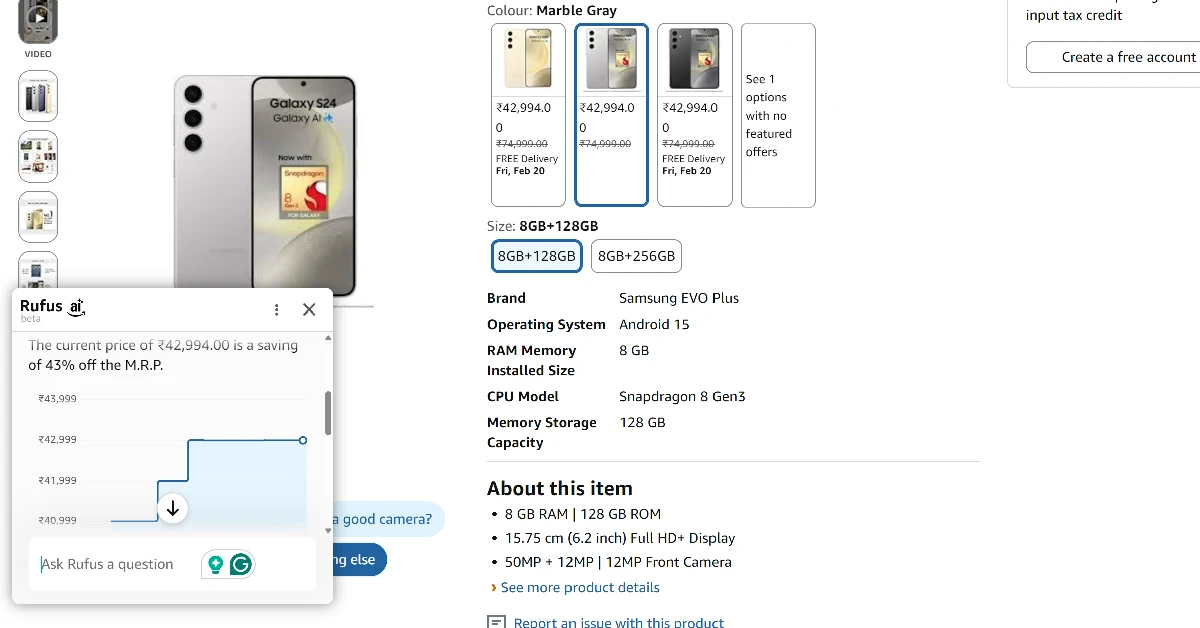
Step 4: Rufus will generate a graph showing the product’s price history.
Use CamelCamelCamel
CamelCamelCamel is one of the best price trackers for Amazon. Here’s how you can use it to view the price history of any product on Amazon.
Step 1: On your web browser, go to the CamelCamelCamel homepage.
Step 2: Now, go to Amazon and browse to the page of the product you’re looking to buy.
Step 3: Copy the link to the page.
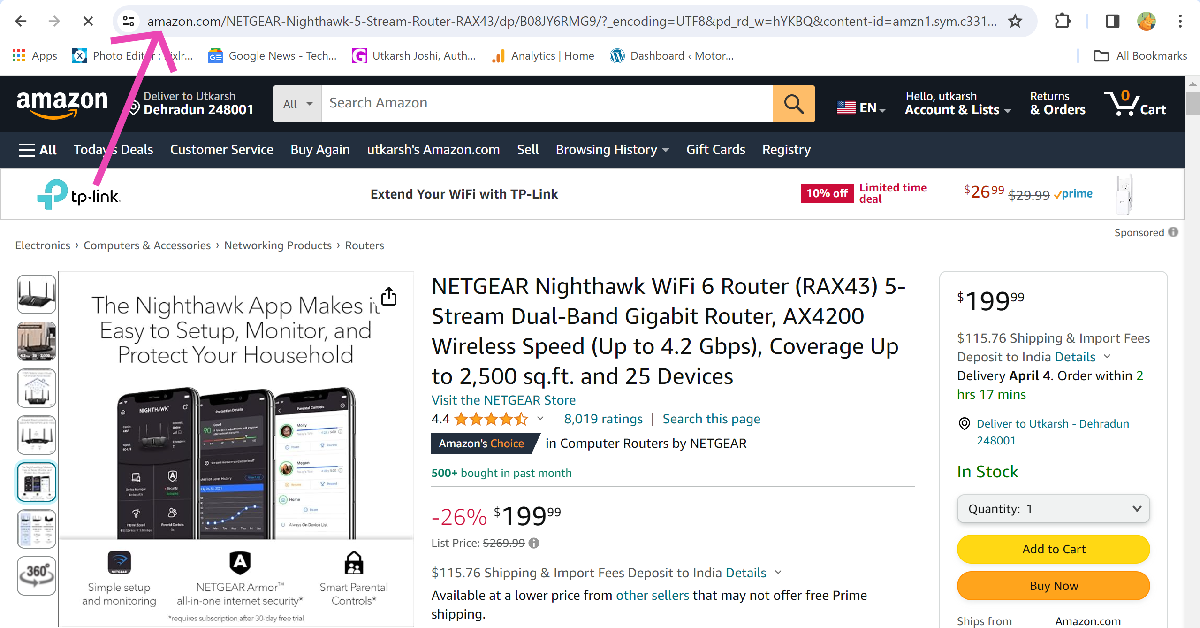
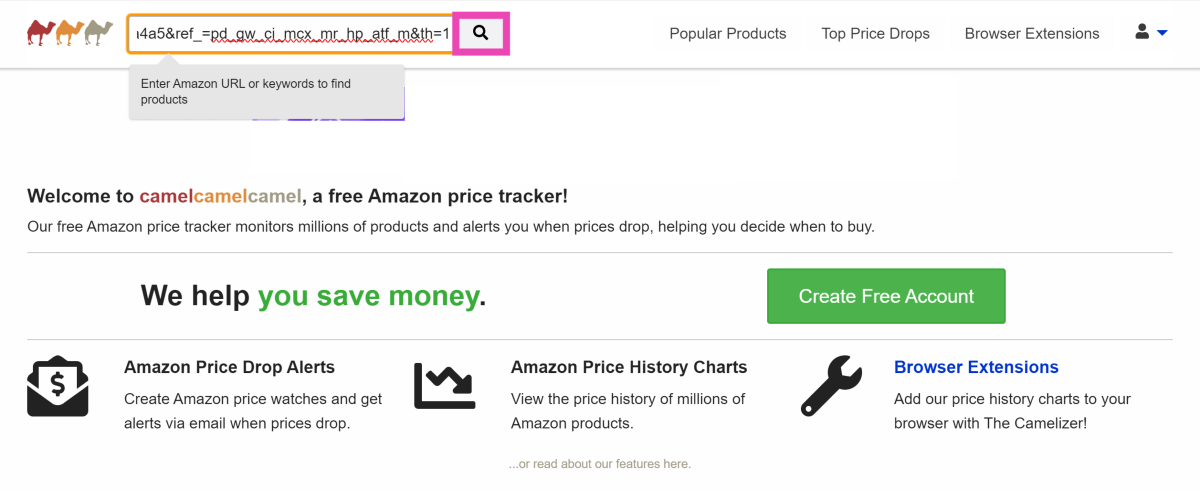
Step 4: Go back to the CamelCamelCamel homepage and paste the URL into the ‘Find Amazon Products’ text field.
Step 5: Hit the search button.
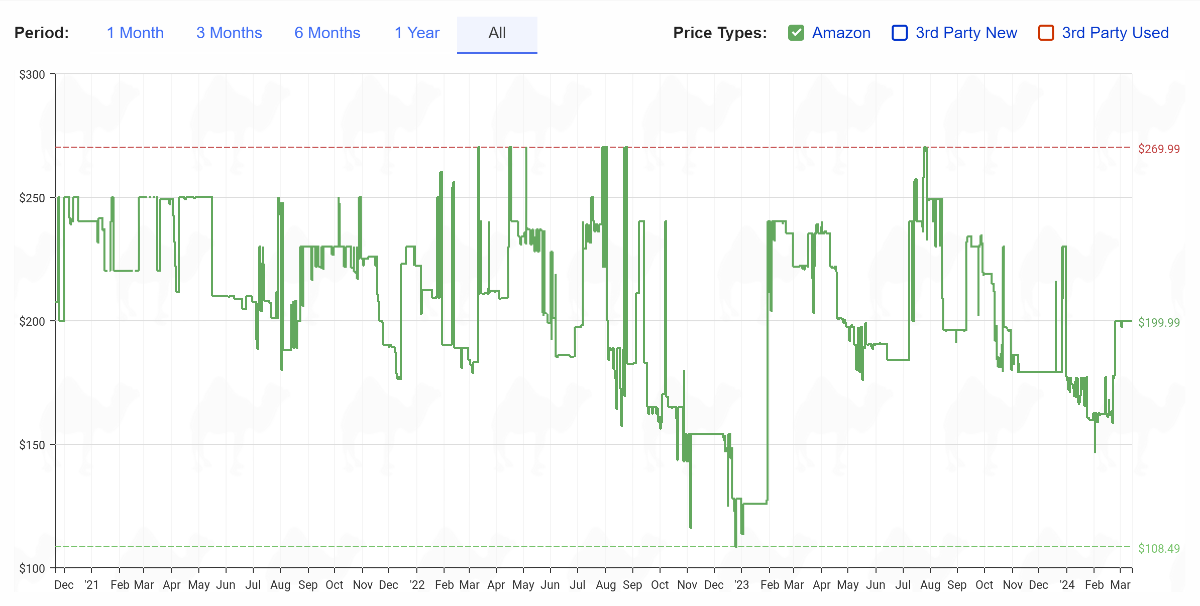
Step 6: Scroll down to view the product’s price history.
Use the CamelCamelCamel browser extension
Step 1: Download the Camelizer extension from the Chrome Web Store.
Step 2: Go to the Amazon page of the product you’re looking to buy.
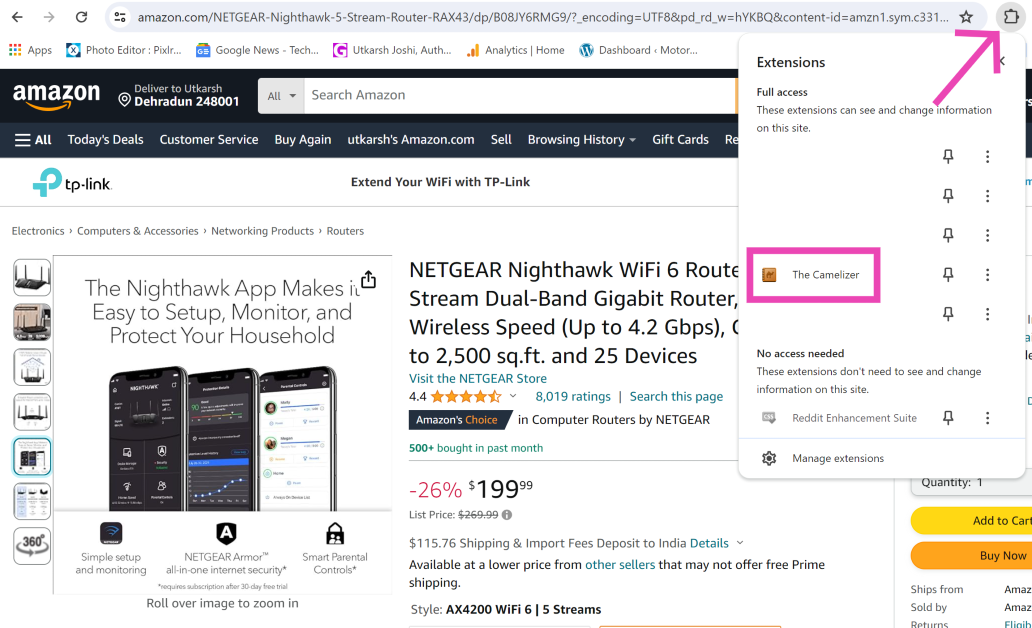
Step 3: Click on the extensions icon next to the address bar and select Camelizer.
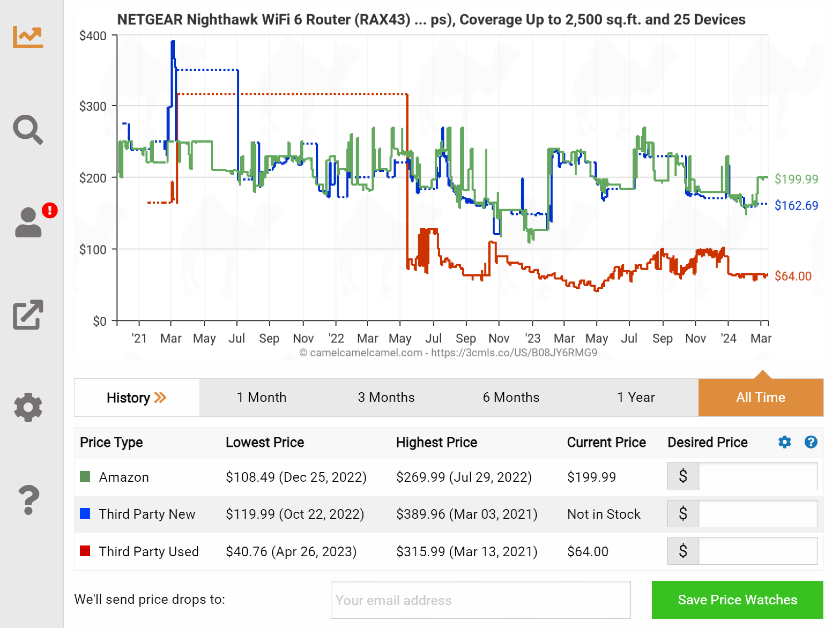
Step 4: The price history of the product will be presented to you in the form of a graph.
Use PriceBefore
One of the disadvantages of using CamelCamelCamel is that it doesn’t work for Amazon India. If you’re an Indian user, PriceBefore is one of the best price trackers you can use for Amazon, Flipkart, and Snapdeal. Here’s how.
Step 1: Go to the PriceBefore homepage.
Step 2: Enter the Amazon link to the product.
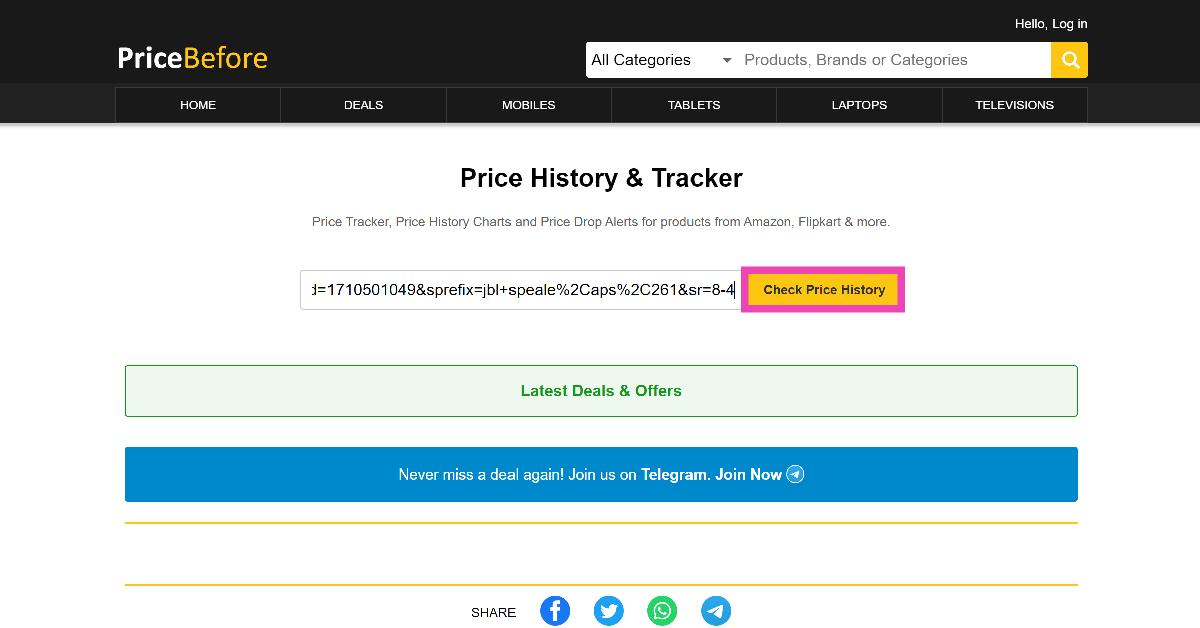
Step 3: Select the product from the list.
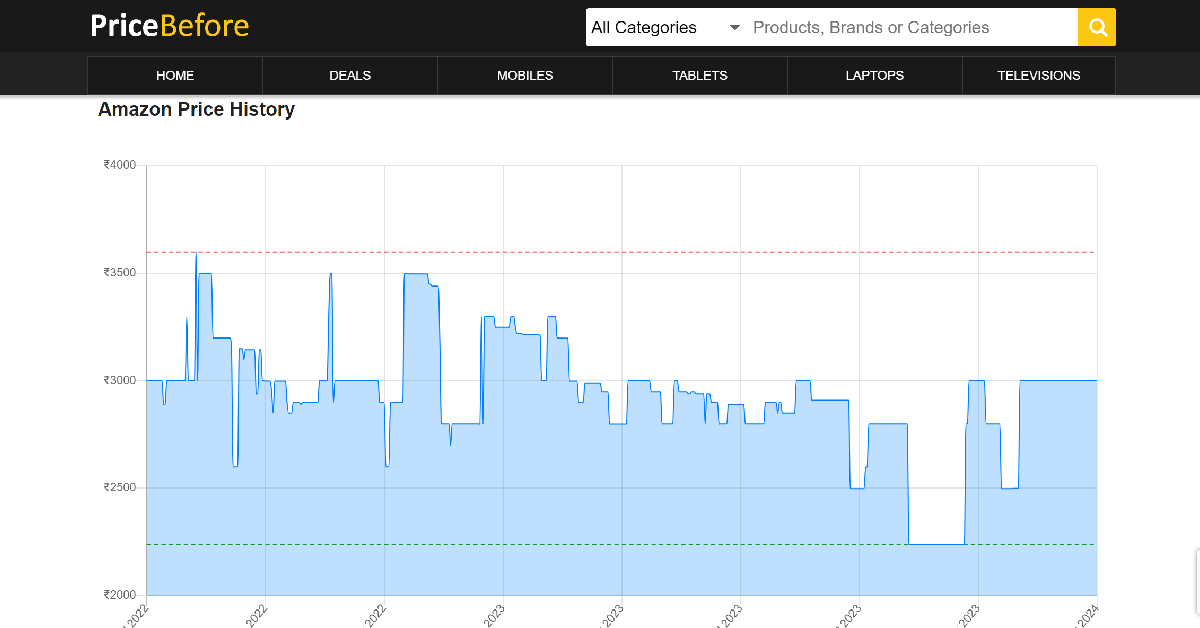
Step 4: The lowest, current, and highest prices of the product will be displayed on the next page.
Use Keepa
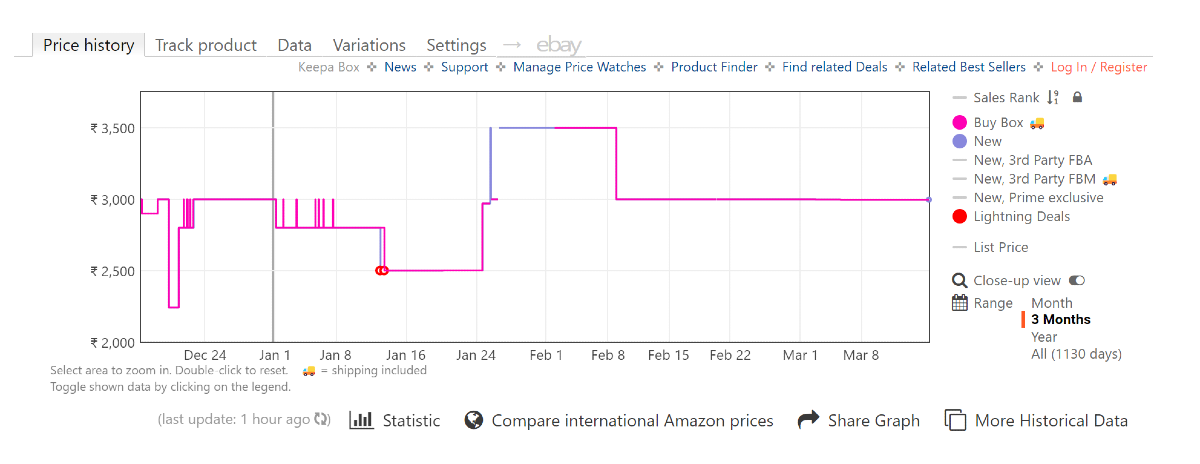
Keepa is another reliable tool to track the price of any product on Amazon. One of the best things about Keepa is that automatically inserts the price history graph on every Amazon product’s page. Here’s how you can use it.
Step 1: Download the Keepa extension for your web browser.
Step 2: Go to the Amazon page of the product you’re looking to buy.
Step 3: Scroll down to view its price history graph.
Use the Keepa app
Apart from browser extensions, Keeps also has amazing apps for Android and iOS. Here’s how you can use it.
Step 1: Download the Keepa app for your smartphone.
Step 2: Launch the app. Choose your language and Amazon locale.
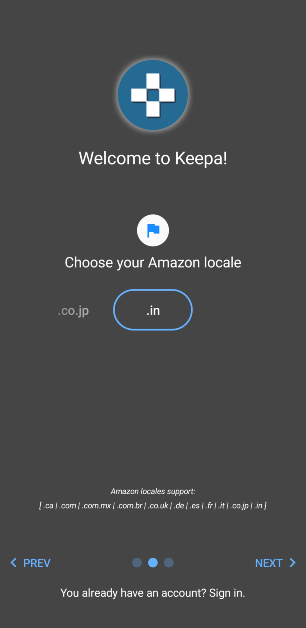
Step 3: Tap on Amazon.
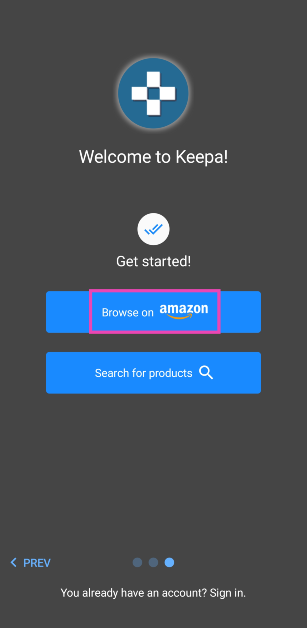
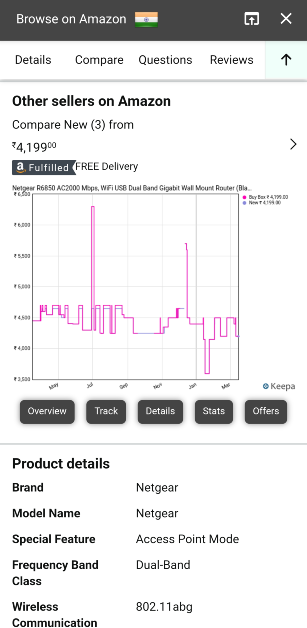
Step 4: Search for your desired product.
Step 5: Scroll down the product page to view its price history.
Frequently Asked Questions (FAQs)
Which websites should I use to track the price history of Amazon products?
CamelCamelCamel, PriceBefore, Glass It, and Earny are excellent tools to track the price history of Amazon products.
Which extensions should I use to track the price history of Amazon products?
Keepa and Camelizer are great extensions for tracking the price history of any product on Amazon.
Which apps should I use to track the price history of any product on Amazon?
The Keepa browser extension is also available as an app for Android and iOS to track the prices of products on Amazon.
Is there a native way to view the price history of a product on Amazon?
To view the price history of any product on Amazon, simply go to the Ask Rufus section on its page, select ‘Ask something else’, type ‘Show price history’, and hit Enter.
Does Google Chrome have an option to track the price history of a product?
Click the Shopping Insights icon on Chrome’s address bar when you’re on a product’s retail page. This will give you access to its price history.
Read Also: Top 2 Ways to Control the Fan Speed on a Windows PC or Laptop (2024)
Conclusion
These are the top 6 ways to check or track the price history of any product on Amazon. PriceBefore also works for other e-commerce websites like Amazon and Flipkart. Which price tracker do you prefer while shopping online? Let us know in the comments!


