


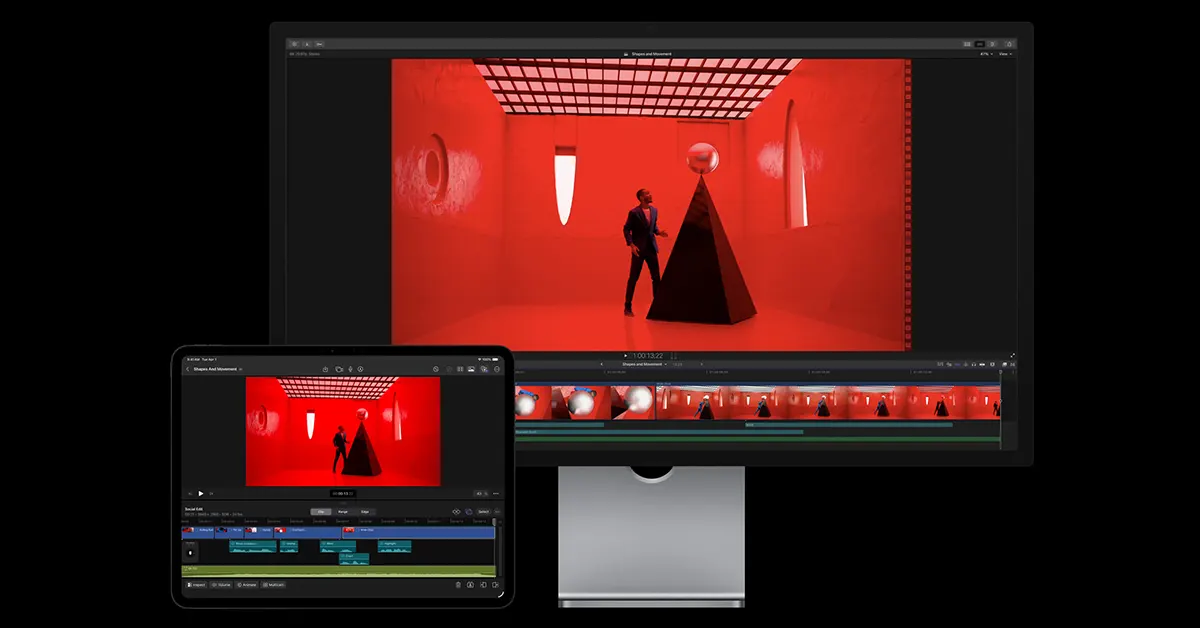
If you have been Googling the Apple Creator Studio price, here is the headline number and the bigger story. Apple has introduced Apple Creator Studio, a new subscription bundle that groups its pro creative apps and adds new intelligent features across video, music, imaging, and productivity. The subscription begins Wednesday, January 28, and it is clearly designed for people who jump between editing a video, cleaning up audio, and packaging everything into a pitch deck before lunch.
In This Article
What is Apple Creator Studio?
Apple Creator Studio is a single subscription that includes:
-
Final Cut Pro (Mac and iPad)
-
Logic Pro (Mac and iPad)
-
Pixelmator Pro (Mac and iPad)
-
Motion (Mac)
- Advertisement - -
Compressor (Mac)
-
MainStage (Mac)
-
Plus premium content and intelligent features in Keynote, Pages, Numbers, and later Freeform (iPhone, iPad, and Mac)
The practical pitch is simple. Instead of buying multiple apps separately, creators can subscribe and get a coordinated toolkit that spans video, audio, images, and the documents that ship projects out the door.
Read Also: vivo X200T Launches in India with ZEISS Cameras, Dimensity 9400+, and a 6200mAh Battery
Final Cut Pro gets smarter search, faster assembly, cleaner rhythm
For video creators, the most meaningful upgrades land in Final Cut Pro, with features that target the slow, repetitive parts of editing.
-
Transcript Search helps you locate soundbites by typing words or phrases, which is especially useful for interviews, podcasts, and long talking-head footage.
-
Visual Search lets you search through footage for objects or actions, then pull those moments into the timeline faster.
-
Beat Detection shows beats, bars, and song sections in the timeline, so cutting to music becomes more precise and less guesswork.
-
On iPad, Montage Maker can automatically assemble a first pass by analysing footage, then help reframe horizontal clips to vertical with auto-cropping for social-friendly formats.
This is where Final Cut Pro AI becomes less buzzword, more time-saver. The theme is not “replace the editor,” it is “remove the scavenger hunt.”
Logic Pro adds Synth Player, Chord ID, and smarter loop discovery

Music creators and video editors who make their own soundbeds will notice a handful of workflow boosts:
-
Logic Pro Synth Player joins the Session Player lineup to generate realistic electronic performances with controls for complexity and intensity.
-
Chord ID can analyse audio or MIDI and turn it into a chord progression, which is a big deal for creators who start with a rough demo and want to build quickly.
-
A refreshed Sound Library brings more Apple-designed packs and producer packs, with royalty-free loops and samples.
-
On iPad, natural-language loop search aims to help you find “a bassy, minimal, late-night vibe” without memorising tags.
In short, Logic Pro is leaning into “assistive intelligence,” not autopilot.
Pixelmator Pro arrives on iPad, and that is a big shift
The standout imaging news is Pixelmator Pro iPad support. Pixelmator Pro has been a favourite among creators who want strong editing tools without the heft of more sprawling suites, and the iPad version is built around touch and Apple Pencil workflows.
Key points creators will care about:
-
A touch-optimised workspace with Apple Pencil support
-
Layers, smart selection tools, and advanced masks for precise edits
-
Performance tuned for Apple silicon
-
Tools like upscaling and smart crop suggestions to polish content quickly
For subscribers, there is also a new Warp tool and mockups that lean into fast content packaging.
Keynote, Pages, and Numbers get premium templates and AI assist
Apple Creator Studio also targets the “work around the work,” meaning the decks, briefs, and spreadsheets that sit behind creative output.
-
A new Content Hub surfaces curated photos, graphics, and illustrations.
-
Keynote includes beta features that can generate a first draft of a presentation from an outline, create presenter notes, and help clean up slide layouts.
-
Numbers can generate formulas and fill tables using pattern recognition style tools, including Magic Fill.
If you build pitches, reports, or client updates alongside your edits, Keynote AI presentation tools may be the sleeper feature that saves you the most time.
Pricing and availability (India and beyond)
Here is what buyers will want upfront, including Creator Studio subscription India details:
-
India pricing: Rs 399/month or Rs 3,999/year
-
Education pricing (college students and educators): Rs 199/month or Rs 1,999/year
-
Free trial: one month for new subscribers
-
Family Sharing: up to six members can share eligible apps and content
-
One-time purchases (Mac) still available for Final Cut Pro, Logic Pro, Pixelmator Pro, Motion, Compressor, and MainStage
This is also where the debate begins. Subscriptions lower the entry cost for creators who want Pro Tools today, but they also change the psychology of ownership. The upside is convenience and a wider toolkit; the trade-off is recurring payments and the need to stay subscribed for full access to certain pro workflows.
Read Also: Apple AirTag 2nd-gen tracker with Precision Finding and louder speaker launched
A quick take
Apple Creator Studio looks built for the modern creator who films on a phone, edits on an iPad, polishes on a Mac, and still needs a clean deck to close the job. The bundle is compelling on paper, especially at Indian pricing, and the new features are pointed at real bottlenecks. Still, the long-term question is whether creators will accept subscriptions as the default or treat them like a temporary studio rental. Either way, 2026 is shaping up to be the year your editing timeline gets new roommates: transcripts, beat grids, and a whole lot of automation.


