


Key Highlights
- Bixby is an AI assistant for Samsung smartphones.
- Bixby will now answer your calls.
- Incoming calls will be answered by Bixby’s automated voice
Samsung recently brought Auto Blocker for Galaxy devices. Now it has started rolling out an update for Bixyby. Samsung’s AI assistant is getting some upgrades featuring the Bixby Text Call feature in English.
Samsung’s latest upgrade for its AI assistant brings Bixby Text Call to India. The latest feature is only being made available for a select few Galaxy smartphones. The feature allows Bixyby to answer and respond to your incoming calls.
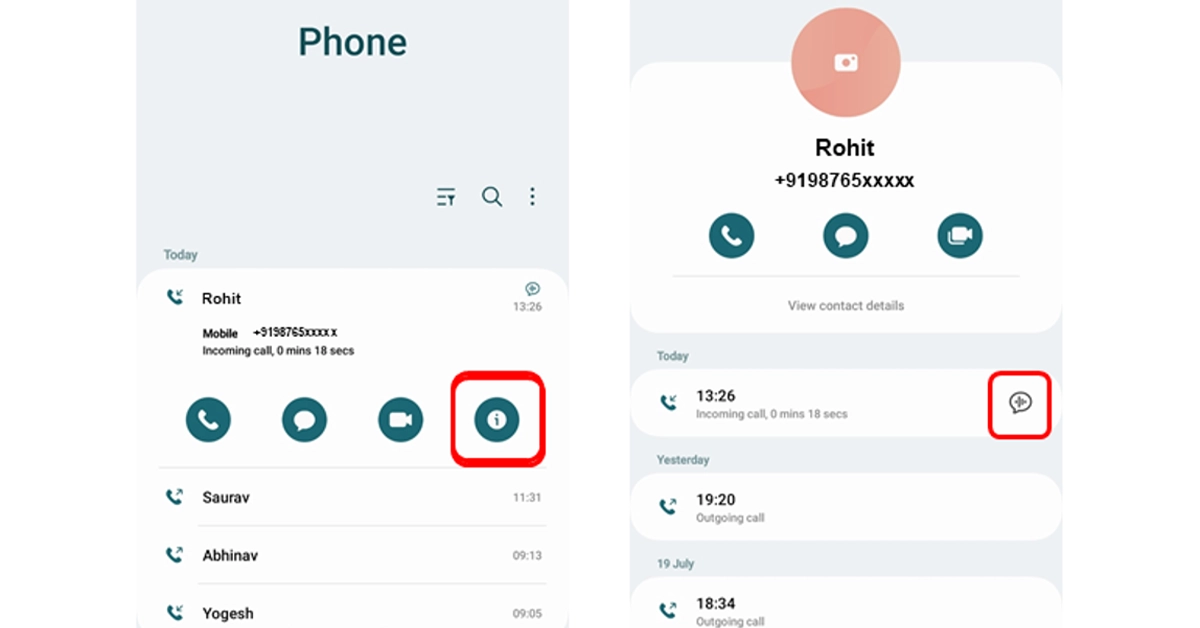
Note that incoming calls will be answered by Bixby’s automated voice. After that, it is up to you if you want to simply start typing with the keyboard or select a quick response, and Bixby will read your messages to the caller. Once Bixby Text Call ends you can review your conversations if necessary.
Also Read: Oppo Reno 8T 5G price slashed, now available for Rs 12,765
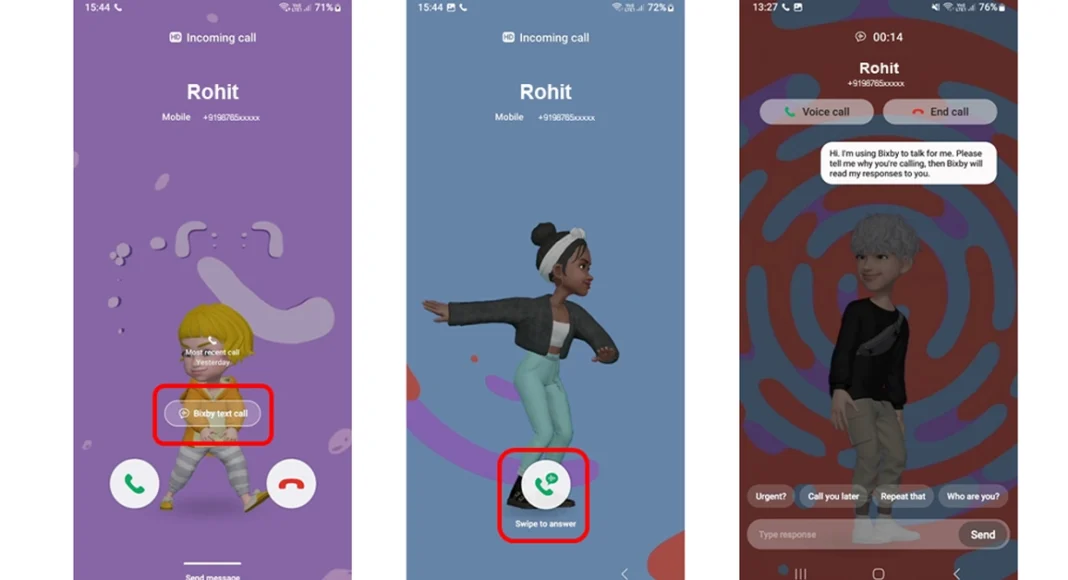
You can read the messages sent during the call although you won’t be able to hear the conversation. The caller will only hear an automated voice. When you receive a call tap on that and then on the next screen, swipe up on the green coloured icon to initiate a Bixby text call.
Note that the caller will know about an automated voice. Bixby will also ask the caller who they are and why they are calling. Know that whatever caller speaks will be transcribed and displayed on the screen. Also, you can respond by selecting a quick response at the bottom of the screen, or typing what you would like to say. Tap Send. Bixby will then read your response to the caller.
Users can also switch from Bixby text call to a voice call by tapping Voice Call at the top of the screen. To end the call, tap End Call at the top of the screen.
As mentioned earlier this feature will be supported by a few Samsung smartphones and can be used only during incoming calls.
Galaxy Z Fold 5, Galaxy Z Flip 5
Galaxy Z Fold 4, Galaxy Z Flip 4
Galaxy Z Fold 3, Galaxy Z Flip 3
Galaxy Z Fold 2/ Galaxy Z Flip 2
Galaxy Z Flip 5G, Galaxy Z Fold 5G
Galaxy S23 series, Galaxy S22 series
Galaxy S21 series, Galaxy S20 series
Galaxy A34, Galaxy A54, Galaxy A52s 5G
Galaxy A82 5G, Galaxy A53 5G, Galaxy A33 5G
Galaxy S20 FE, Galaxy Note 20, Galaxy Note 20+
Galaxy A71 5G, and Galaxy A51 5G
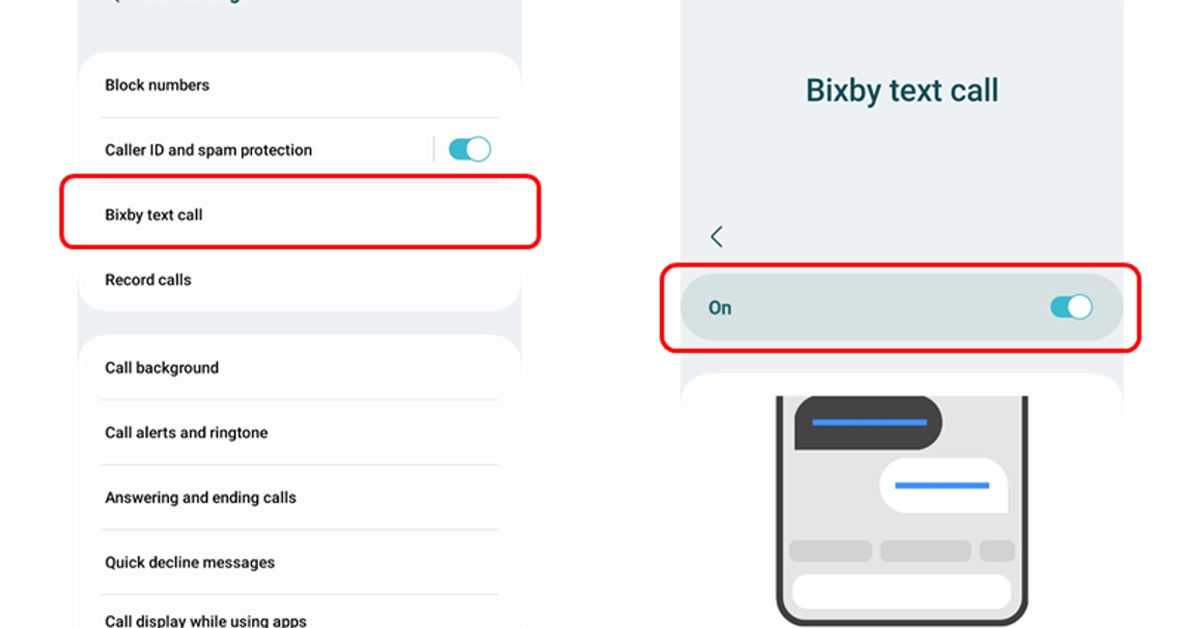
How to enable Bixby Text Call
Step 1: Open the Phone app on your supported phone.
Step 2: Tap on More Options.
Step 3: Go to Settings.
Step 4: Turn on the Bixby text call feature in the Bixby text call window.
Step 5: If a language package is not installed on your device then download a language package when asked.
Step 6: Tap Download and then click on Continue to go to the Galaxy Store where you can Install the language package.
Step 7: After enabling the Bixby text call, edit Bixby text call settings such as language and voice.
Step 8: You can also add new quick responses or customize existing ones for Bixby text calls.


