


Samsung has unveiled the Samsung Browser for Windows, which extends its mobile surfing capabilities to PC users. The new browser aims to ensure seamless cross-device continuity, allowing users to effortlessly transition between mobile and PC browsing activities. It also has Agentic AI features, which seek to simplify challenging online tasks and improve the overall user experience.
With Samsung Browser for Windows, users can browse the web on both their mobile and PC devices without any interruptions. This includes the option to go back to sites you have already visited, as the browser automatically syncs bookmarks and browsing history. Users need to have the Samsung Continuity Service or Galaxy Connect app installed on their PC in order to use these capabilities. The Galaxy Book series (3, 4, 5, and 6) works with these apps. There are plans to add more devices in the future.
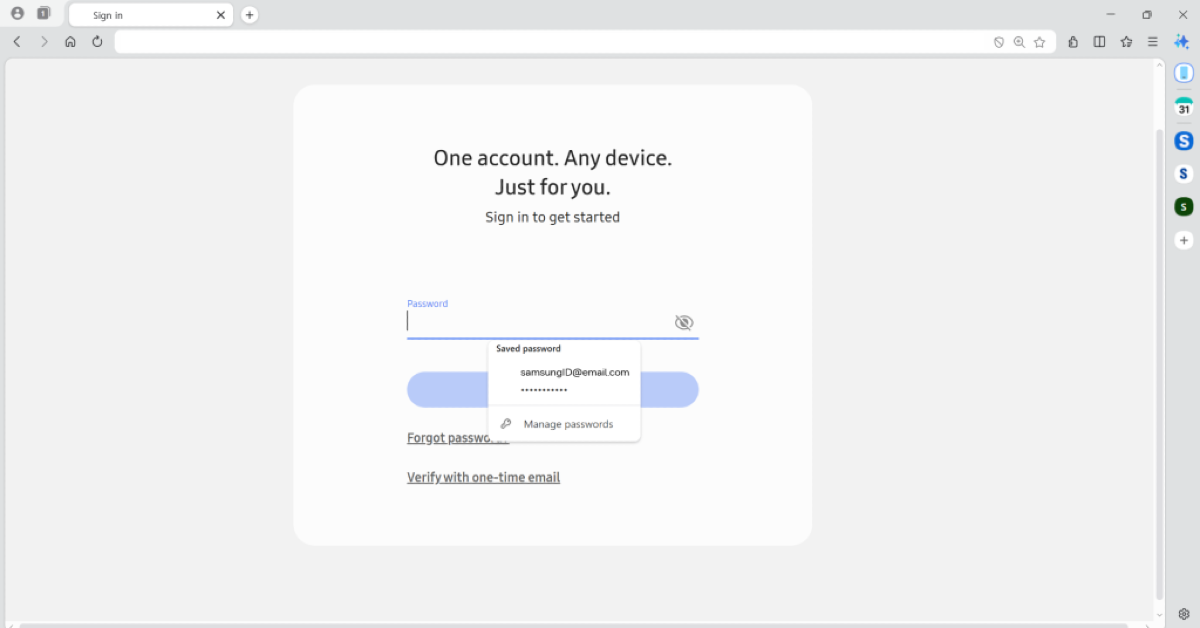
Also, Samsung Pass gives customers a safe way to save their personal information and makes it easier to fill out profiles and sign in. Please keep in mind that the features of Samsung Pass may vary in different countries based on country-specific regulations. The autofill feature can handle many different sorts of personal information, such as login information and addresses. This makes it easy and safe for users on different devices.
Also Read: Vivo V70 FE with a 7,000mAh battery is launching in India next month: Launch date revealed
With help from Perplexity, Samsung is adding a new AI-powered assistant to the Samsung Browser. This assistant makes browsing better by being able to recognise the context of web pages, which means it can understand the content better. People may use this technology to make personalised solutions, including detailed travel plans based on the information they find on the web.
The browser also has advanced natural language processing, which lets users easily access the information they want without having to search manually. This includes the ability to retrieve specific moments from video content based on user queries. Allowing users to search through their browser history using natural language makes the browsing experience even better. It makes it much easier to find online sites that were viewed before.
The Samsung Browser also has multi-tab awareness, which lets it summarise and compare information seen on multiple tabs. This feature gives users consolidated insights, which makes it easier to make decisions and increases efficiency when browsing the web.
Availability Details
- Users may now use Samsung Browser on Windows 11 and Windows 10 devices (version 1809 and above).
- The Samsung Browser’s agentic AI functions are only available in South Korea and the United States for now.
- These functionalities are expected to be available in more markets.


