


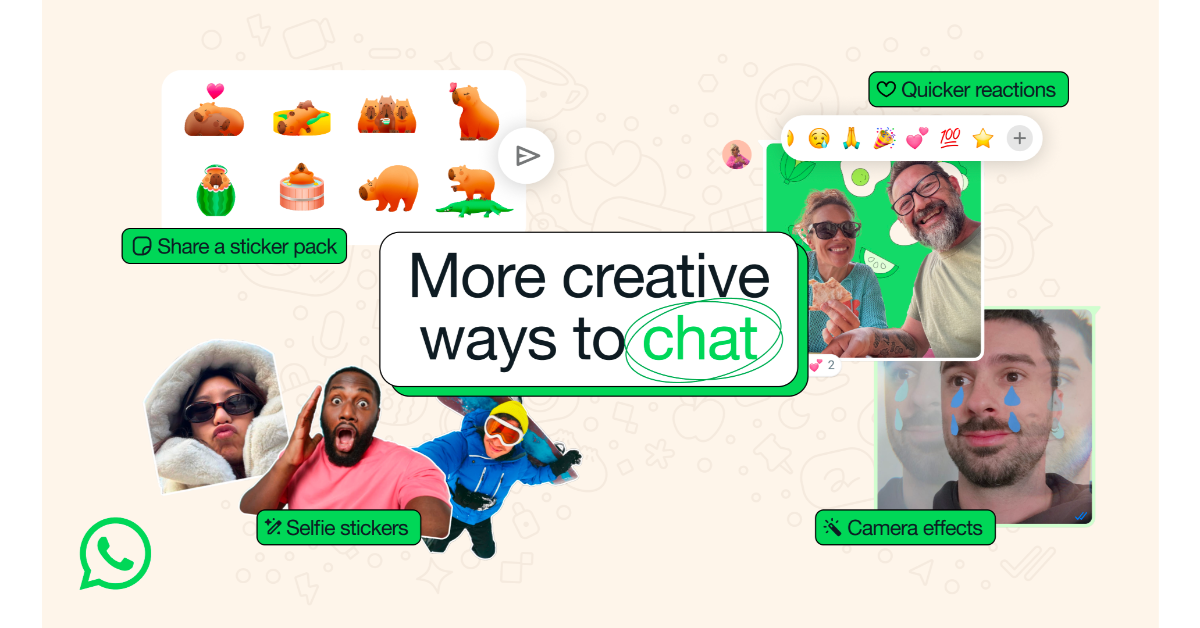
WhatsApp, an instant messaging platform, has announced new functionality and design updates to improve the private chat experience. WhatsApp now offers 30 visual effects for editing videos and images. The app also supports direct sharing of sticker packs and introduces an additional shortcut for responding to chats. The latest additions include video call-like effects for shared photos and videos, a more convenient way to generate personalised stickers and a new message reaction gesture. In October 2024, WhatsApp, which Meta owns, added filters and backgrounds to video calls.
Meta-owned instant messaging platform, WhatsApp via blog post announced the introduction of new features and design improvisation. The company said, “We’re always working on making WhatsApp easier to use and more fun, so we’re excited to kick off the new year with a variety of new features and design improvements.”
Also Read: TCL QD Mini LED TV TCL 115X955 Max arrives in India
Check out the details of the new WhatsApp features:
Camera effects: WhatsApp will add 30 background filters and effects to its camera in 2025, expanding on the feature first introduced for video calls in October. These filters, like Snapchat’s existing functionality, can modify colours and backgrounds. The addition is expected to improve the messaging platform’s functionality.
Selfie stickers: WhatsApp has included a new feature that lets users turn their selfies into stickers. Users can use the “Create” option in the stickers menu to take a new photo or choose an existing one. The selected image is subsequently converted into a sticker that the user can customise. This functionality is presently only accessible on Android, but it is planned to come to iOS soon. The selfie stickers function is a major upgrade from the previous one.
Also Read: Vivo X200 Pro Review: The Photography Beast Is Here
Share a sticker pack: WhatsApp has also introduced a new feature that allows users to send full sticker packs straight in chats.
Quicker reactions: WhatsApp recently implemented a new way for users to react to messages in chats: double-tap to quickly scroll through their most-used emojis. This streamlined UI allows users to access additional emoji alternatives by clicking the plus symbol on the reaction bar. This change represents a big improvement over the previous tapping and holding method for responding to chat messages.


