


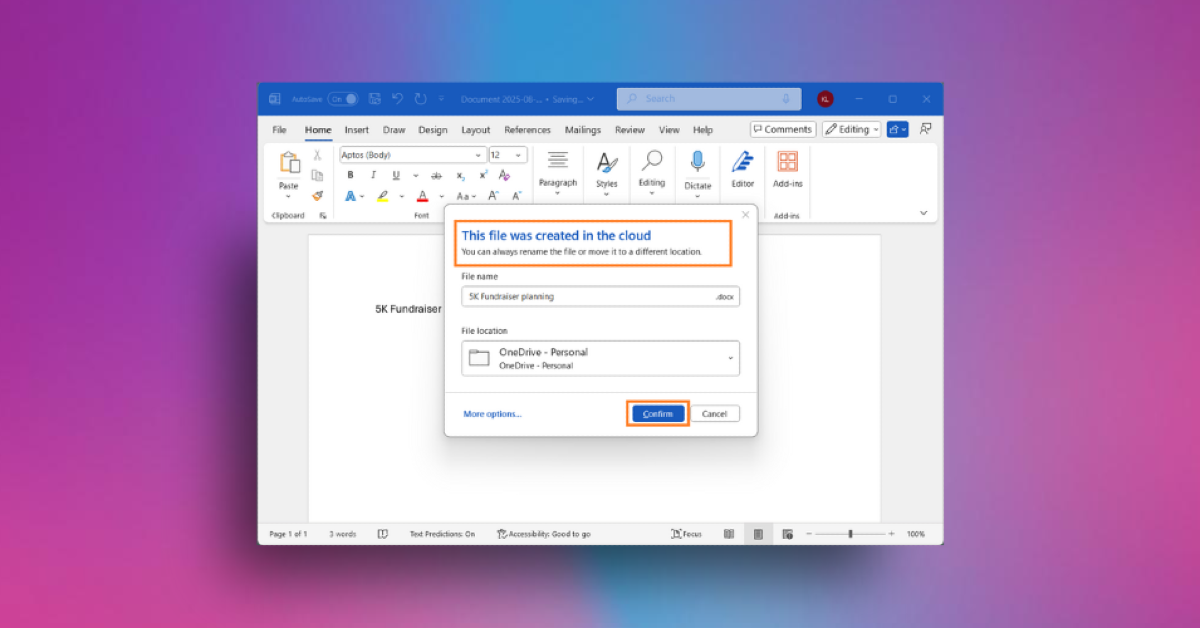
Microsoft is testing updates to Word for Windows that enable autosave and cloud saving by default. Those who have upgraded to Word for Windows Version 2509 or later will be eligible to test this functionality with Microsoft 365 Insiders in the Beta Channel. Later this year, Microsoft intends to provide this feature to PowerPoint and Excel.
Microsoft 365 Insiders are testing a version of Word for Windows that will ensure that work is never lost and that documents can be viewed in a web browser or on Android and iOS devices.
With the new Word functionality, users may select a folder on their own computer and set their OneDrive account as the default file destination. By choosing or not choosing the option, they can also change how new files are created, either traditionally or automatically in the cloud.
Also Read: Google’s Gmail data breach has exposed over 2 billion users to potential phishing risks: Report
Raul Munoz, a Product Manager on the Office Shared Services and Experiences team revealed the Windows latest update to Microsoft Word for Windows that automatically saves new documents to the cloud. He said, “We are modernizing the way files are created and stored in Word for Windows! Now you don’t have to worry about saving your documents: Anything new you create will be saved automatically to OneDrive or your preferred cloud destination.”
The AutoSave feature in Word’s prior version was disabled until the first save was made. The “Create new files in the cloud automatically” option has been added to Word’s Options menu’s Save tab. If chosen, the file will be saved with a date in the filename and at the user-specified location.
Also Read: CMF by Nothing appoints Himanshu Tandon as VP of Business
Word lets users change a document’s name and location when it is saved, and it notifies the user whether any changes have been made before closing a new document. As soon as you create a file, Copilot and Agent support are accessible, offering AI-powered assistance as required. But you need a Microsoft 365 Copilot license or a Copilot Chat license.
Word has known bugs, such as failing to save newly created files in a new session, taking longer to refresh recent file listings after renaming a document, and failing to save the first file created after launching Word if the Show the Start screen setting is turned off.


