How to get live sports scores on your Samsung phone’s lock screen

0

Samsung is currently rolling out its new Android 15-based One UI 7 OS for older smartphones. One of the more exciting features about the new OS is the ‘Now bar’. It sits at the bottom of the lock screen and lets you control ongoing background tasks like navigation, music playback, voice recording, and more. On top of that, it can deliver live score updates on the lock screen itself. Here’s how you can get live sports scores on your Samsung phone’s lock screen.

Read Also: How to use the ‘Scamfeed’ feature in TrueCaller

Now Bar v Live Notifications

As mentioned earlier, the Now Bar appears at the bottom of your Samsung phone’s lock screen. You can choose which controls you want on this bar. If you have several tasks running in the background, you can flick through their controls by swiping up on the Now Bar. The whole thing works quite seamlessly.

When your phone is unlocked, you can choose to pin score updates on the status bar. This is possible through Live Notifications. These notifications appear in a pill-shaped animation at the top of the phone. Tapping on a notification expands its card and reveals more information, much like the Dynamic Island on iPhones.

Get live sports scores on your Samsung phone’s lock screen

Samsung Galaxy S25 Review: Design and Display

Step 1: Go to Settings and select Lock Screen and AOD.

Step 2: Tap on Now bar.

Step 3: Turn on the toggle switch next to Sports from Google.

Get live sports scores on your Samsung phone’s status bar

quick settings How to get live sports scores on your Samsung phone’s lock screen

Step 1: Go back to Settings and select Notifications.

Step 2: Tap on Live notifications.

Step 3: Turn on the toggle switch next to Sports from Google.

Choose sports and teams for score updates

How to get live sports scores on your Samsung phone’s lock screen

Step 1: Go to Settings and select Notifications.

Step 2: Tap on Live notifications.

Step 3: Tap on Sports from Google.

Step 4: Select Sports from Google settings.

Step 5: Go to the tab of your preferred sport.

Step 6: Expand a league/tournament and hit Follow next to your team.

Frequently Asked Questions (FAQs)

How do I enable live sports scores on my Samsung phone’s lock screen?

Go to Settings>Lock Screen and AOD>Now bar, and turn on the toggle switch next to ‘Sports from Google’.

How do I get score updates on my Samsung phone’s status bar?

Go to Settings>Notifications>Live notifications, and turn on the toggle switch next to ‘Sports from Google’.

How do I select a team for score updates on my phone?

Go to Settings>Notifications>Live notifications>Sports from Google>Sports from Google settings, and switch to the tab of your preferred sport. Expand a league and hit ‘Follow’ next to your team.

How do I change the lock screen shortcuts on my Android phone?

Go to Settings>Home screen & Lock screen>Lock screen shortcuts, and choose your preferred control.

How do I change the controls on my iPhone’s lock screen?

Long-press the lock screen on your iPhone, select the wallpaper you want to edit, tap on ‘Customise’, and select the controls you want on the lock screen.

Read Also: Amazon revealed amazing tech deals ahead of the Great Summer Sale

Final Thoughts

This is how you can get live sports scores on your Samsung phone’s lock screen. While you’re here, check out how you can enable bypass charging on your Samsung phone. If you have any questions, let us know in the comments!

Amazon revealed amazing tech deals ahead of the Great Summer Sale

Amazon India plans to begin its Great Summer Sale on May 1st, 2025, with a wide choice of items from top brands. Prior to the sale, the e-commerce site announced deals and discounts in a variety of categories, including personal technology, apparel, and home appliances. Prime members get special privileges such as 12-hour early access and a 10% immediate discount on HDFC Bank Credit Cards and EasyEMI.

Amazon India’s Great Summer Sale 2025 begins on May 1. The deal includes a diverse selection of products from top companies such as Samsung, OnePlus, Xiaomi, Apple, HP, Havells, Prestige, and others. Prime members may get 12 hours of Prime Early Access, while consumers with HDFC Bank Credit Cards get a 10% immediate discount and flexible EMI options. Amazon Pay ICICI Bank Credit Card Prime members may earn up to Rs 5,000 in rewards for shopping, ticket buying, and bill payments. They will also receive unlimited 5% cashback and welcome rewards of Rs 2,500. The deal also includes discounts of up to 20% on flights and 35% on hotels and homestays. Eligible customers can receive quick credit of up to Rs 60,000 with Amazon Pay Later and earn rewards of up to Rs 600.

Also Read: Thomson announced new 50, 55, and 65-inch Phoenix Series models in India, reveals deals ahead of Flipkart’s ‘SASA LELE’ Sale

Amazon boosted Same-Day and Next-Day Delivery coverage in India by more than 11% in 2024 compared to 2023, allowing consumers to enjoy Prime advantages in more cities. Prime members may now enjoy free, unlimited Same-Day delivery on over 10 lakh goods and Next-Day delivery on over 40 lakh items on Amazon.in. Prime members may receive over 20,000 bestseller goods in as little as 4 hours with Sub-Same Day delivery.

During the Great Summer Sale Customers may find affordable prices and interesting offers from leading manufacturers such as Samsung, Apple, OnePlus, iQOO, Realme, Xiaomi, POCO, Motorola, HONOUR, Lava, Tecno, and itel. Enjoy up to 24 months of no-cost EMI on a broad choice of smartphones, including 5G handsets starting at Rs 7,999, with no-cost EMI options beginning at Rs 1,250 per month. Shop for mobile accessories with up to 80% discount, beginning at Rs 699, charging accessories from Rs 99, cases and covers from Rs 99, screen protectors from Rs 99, and mobile holders from Rs 99.

Samsung Galaxy S24 Ultra 5G starts at Rs 84,999, while iPhone 15 starts at Rs 57,749, iQOO Neo 10R 5G starts at Rs 24,999, OnePlus 13R starts at Rs 39,999, OnePlus Nord CE 4 Lite starts at Rs 15,999, Samsung Galaxy M35 starts at Rs 13,999, Realme NARZO 80x 5G starts at Rs 11,999, TECNO Pop 9 starts at Rs 5,490, iQOO Z9s 5G starts at Rs 16,999, Xiaomi 14 Civi starts at Rs 32,999, Samsung Galaxy A55 5G starts at Rs 27,999 with an additional Rs 1,000 off via coupon offer, OnePlus Nord Buds 3 Pro starts at Rs 2,299, Samsung Galaxy Buds 3 Pro priced at Rs 10,999, Apple AirPods 4 (without ANC) available for Rs 9,900, and Xiaomi 4i 20,000mAh Power Bank priced at Rs 1,899.

This summer, get savings on appliances such as air conditioners, refrigerators, washing machines, chimneys, microwaves, and dishwashers during the Great Summer Sale on Amazon. Get up to 60% off air conditioners from Carrier, Daikin, Panasonic, LG, Samsung, Haier, LG, and Godrej; 55% off refrigerators from Samsung, Haier, LG, and Godrej; and up to 60% off washing machines from LG, Samsung, Bosch, and IFB.

Amazon will also provide a variety of savings on laptops, tablets, headphones, cameras, smartwatches, speakers, computer accessories, monitors, desktops, components, storage, and printers. Gaming laptops start at Rs 41,990 and are available from companies such as HP, Dell, Asus, Lenovo, MSI, Samsung, Apple, Xiaomi, and Lenovo. Other manufacturers are offering up to 70% off headphones, cameras, smartwatches, speakers, soundbars, computer accessories, monitors, desktops, components, storage, and printers. Office supplies are also offered for up to 70% discount.

Also Read: Samsung Vision AI Televisions likely to debut next month in India; Registrations open

Get up to 65% off best-selling TVs from leading brands, exchange deals of up to Rs 7,000 on old TVs, and coupon reductions of up to Rs 5,000 during Great Summer Sale. Bring home the latest 4K TVs at affordable rates beginning at Rs 12,999, as well as TVs for every budget starting at Rs 6,999.

Laptops, tablets, headphones, speakers, air conditioners, industrial supplies, and ergonomic office chairs are among the things available at a discount. Acer, Dell, HP, Apple, ASUS, Apple, Samsung, Lenovo, and OnePlus are offering discounts of up to 50% on their best-selling laptops. In addition, you can save up to 70% on popular headphones from boAt, Boult, JBL, and Sony, as well as speakers from boAt, JBL, Sony, and Zebronics.

The following offers are available on smart devices:

– 25% off on the Echo Pop Combo for Kids with Alexa Activity Kit for Rs 4,449
– 21% off on Echo Pop for Rs3,949
– Rs 3000 off on Echo (4th Generation) for Rs6,999
– Rs 4000 off on Echo Show 8 (2nd Generation) for Rs9,999
– Rs 3000 off on Echo Show 10 for Rs21,999
– Flat 45% off on Fire TV Stick with Alexa Voice Remote for Rs 2,999
– Flat 35% off on Fire TV Stick Lite with Alexa Voice Remote Lite for Rs 2,599
– Flat 28% off on Fire TV Stick 4K with Alexa Voice Remote for Rs 4,999
– Up to 50% off on Smart TVs with Fire TV built-in.

How to use the ‘Scamfeed’ feature in TrueCaller

0

TrueCaller’s newest ‘Scamfeed’ feature helps users to safeguard themselves against popular scams. This community-driven feature invites users to post about their experiences in dealing with scamsters. You can check Scamfeed to stay updated on the common scams going around in the digital space. Here’s how you can use the Scamfeed feature on TrueCaller.

Read Also: Poco C71 Review: Does it tick the right boxes?

What is Scamfeed?

As the name implies, Scamfeed is a rolling feed of posts about topical scams. Users can create posts and add relevant images to them. Once a post goes live, other TrueCaller users can like it and leave a reply. Scamfeed fosters discussion by allowing chain comments on its posts.

You can filter the posts by their popularity, time, and location. To know more about local scams, try the ‘Near me’ filter in Scamfeed. As of now, Scamfeed is only available in India. To access this feature on your phone, update the TrueCaller app to its latest version. TrueCaller will roll out this feature in other regions in the coming months.

View and share posts from TrueCaller’s Scamfeed

Step 1: Launch the TrueCaller app on your phone.

Step 2: Tap the Scams tab at the bottom of the screen.

Step 2: Tap the Scams tab at the bottom of the screen.

Step 3: You will land on the popular scams page. Tap a post to read it.

Step 3: You will land on the popular scams page. Tap a post to read it.

Step 4: Use the text box at the bottom of the screen to leave a reply on the post.

Step 4: Use the text box at the bottom of the screen to leave a reply on the post.

Step 5: Tap the Share icon and select a platform or messenger on the list.

Step 6: Go to the main feed and use the New and Near me buttons to filter the posts.

Step 6: Go to the main feed and use the New and Near me buttons to filter the posts.

Create a post on TrueCaller’s Scamfeed

Step 1: Launch the TrueCaller app on your phone.

Step 2: Tap the Scams tab at the bottom of the screen.

Step 2: Tap the Scams tab at the bottom of the screen.

Step 3: Hit the Plus button in the bottom right corner of the screen to create a post.

Step 3: Hit the Plus button in the bottom right corner of the screen to create a post. How to use the ‘Scamfeed’ feature in TrueCaller

Step 4: Enter a title for the post and a short description of how the post operates. You can choose to add images that are relevant to the post, although they aren’t necessary to create the post.

Step 4: Enter a title for the post and a short description of how the post operates. You can choose to add images that are relevant to the post, although they aren’t necessary to create the post. How to use the ‘Scamfeed’ feature in TrueCaller

Step 5: Hit Submit when you’re done. Your post will appear in the Scams feed.

Frequently Asked Questions (FAQs)

What is Scamfeed on TrueCaller?

Scamfeed is a special section within the TrueCaller app where users can share their experience with malicious scams. You can sort the posts by popularity, time, and location. If you are aware of any rising scam, you can choose to share it with the TrueCaller community.

How do I make a post on TrueCaller’s Scamfeed?

Launch the TrueCaller app, go to the Scams tab, and hit the plus icon. Enter title, description, and images, and hit Submit.

How do I remove my number from TrueCaller?

Go to TrueCaller>Settings>Privacy Center, and select Deactivate.

How do I enable spam protection on my phone?

Launch the Dialer app, go to Settings>Caller ID and spam, and turn on the toggle switch next to ‘Filter spam calls’.

How do I unlist my number from TrueCaller?

Go to https://www.truecaller.com/unlisting, enter your number in the box, and hit ‘Unlist’.

Read Also: How to Create a Shut Down Shortcut in Windows 11

Final Thoughts

This is how you can use the ‘Scamfeed’ feature on the TrueCaller app to stay updated on prevailing scams. While you’re here, check out how you can protect yourself against the image scam on WhatsApp. If you have any questions, let us know in the comments!

How to Create a Shut Down Shortcut in Windows 11

0

While creating a shortcut to shut down your PC is not something that you absolutely need, it can come in handy in very specific situations. If, for some reason, you are not able to access the power menu, a power icon on the desktop can get the job done with ease. In this situation, you can also resort to using one of the keyboard shortcuts for the task. Today, we show you how to create a custom shut down shortcut on your Windows 11 PC or laptop.

Read Also: 5 ways to fix ‘Search bar not working’ in Windows 11

Unable to shut down your PC? Use these alternatives

If you’re unable to reach the power menu, use these alternatives to shut down your PC.

  • Press Ctrl + Alt + Del, click the power icon, select ‘Shut down’.
  • Go to Command Prompt, type shutdown /s, and press Enter.
  • Long-press the power button.

If you don’t want to create a custom shortcut to shut down your PC, you can use the two native keyboard shortcuts for the task. Pressing Windows + X takes you to the quick menu. Once you’re there, press U twice to shut down your PC.

The Alt +  F4 shortcut terminates the active window on your screen. When you use this shortcut on the desktop, you get the option to shut down your PC. Press Windows + M to minimise the current window on your PC and go to the desktop.

Create a Shut Down Shortcut in Windows 11

Step 1: Right-click on an empty spot on the desktop and go to New>Shortcut.

Step 2: In the location box, enter shutdown /s /t 0. Hit Next.

Step 2: In the location box, enter shutdown /s /t 0. Hit Next.

Step 3: Give the shortcut a name and hit Finish.

Step 3: Give the shortcut a name and hit Finish. How to Create a Shut Down Shortcut in Windows 11

Step 4: When the shortcut appears on the desktop, right-click on it and select Properties.

Step 5: Click on Change Icon.

Step 5: Click on Change Icon. How to Create a Shut Down Shortcut in Windows 11

Step 6: Select an icon for the shortcut. Hit OK.

Step 6: Select an icon for the shortcut. Hit OK. How to Create a Shut Down Shortcut in Windows 11

Assign a Key Combination to the Shut Down Shortcut

Step 1: Right-click the shut down shortcut and select Properties.

Step 2: Go to the Shortcut tab and enter a sequence of keys in the Shortcut key box.

Step 2: Go to the Shortcut tab and enter a sequence of keys in the Shortcut key box.

Step 3: Hit Apply, followed by OK.

Shut down your PC using one key

If your PC has a macro key, you can program it to execute the shutdown shortcut. Here’s how.

Step 1: Press the macro key on your keyboard. Typically, this key is placed in the top right corner of the keyboard. Alternatively, search for the Macro Key app on your PC and launch it.

Step 1: Press the macro key on your keyboard. Typically, this key is placed in the top right corner of the keyboard. Alternatively, search for the Macro Key app on your PC and launch it.

Step 2: Go to the desktop and drag the shutdown shortcut to the Macro Key app.

Step 2: Go to the desktop and drag the shutdown shortcut to the Macro Key app.

Step 3: Hit Save.

Frequently Asked Questions (FAQs)

What is the keyboard shortcut to shut down a Windows 11 PC?

Go to the desktop and press Alt + F4 to shut down your PC. Alternatively, you can press Windows + X followed by U two times to power off your PC.

How do I create a custom shortcut to shut down my Windows 11 PC?

Right-click an empty spot on the desktop, and go to New>Shortcut. Enter ‘shutdown /s /t 0’ in the location box and hit ‘Next’. Name the shortcut and hit ‘OK’.

How do I change a shortcut icon?

Right-click the shortcut, go to Properties>Change Icon and select a new icon from the list.

How do I create a custom keyboard shortcut to shut down my Windows 11 PC?

Once you’ve created a custom shutdown shortcut, right-click its icon on the desktop, go to Properties>Shortcut, and enter your preferred key sequence in the ‘Shortcut key’ box.

How do I disable startup apps on my PC?

Go to Settings>Apps>Startup and turn off the toggle switch next to the app you don’t want to launch on startup.

Read Also: Samsung introduced access to Gemini with side button on the Galaxy A Series

Final Thoughts

This is how you can create a custom shutdown shortcut on your Windows 11 PC or laptop. While you’re here, check out how to enable file previews on your PC. If you have any questions, let us know in the comments!

Garena Free Fire Max Redeem Codes Today 30 April 2025: Here is how to claim them

Garena Free Fire Max is a battle royale game with regular awards and tournaments to keep players interested. If you play Garena Free Fire, you should be aware of the redeem codes that are released on a daily basis. However, because the battle royale game is banned in India, players from other countries can use the Free Fire Redeem codes daily. If you’re unfamiliar with the Garena Free Fire redeem codes or don’t know how to get them, we’ve put together a step-by-step guide to help you redeem them. Check out Garena Free Fire Max Redeem Codes for 30 April 2025.

The Free Fire Max redeem codes are a great way to get free stuff. These are 12-digit codes that contain alphabets and numbers, as well as an expiration date and time. Because the Garena FF redeem codes cannot be used more than once, you should hurry to the redemption page to claim your free reward before someone else does. To get a free reward, all you have to do is go to reward.ff.garena.com/en, which is the official redemption page. Also, keep an eye on this space for daily updates on Garena Free Fire Max redemption codes and rewards.

Also Read: Sennheiser Accentum Plus wireless headphones with Hybrid Adaptive Noise Cancellation launched

Garena Free Fire Max Redeem Codes Today 30 April 2025

FTGBHDTRYHB56GRK
FYH6JY8UKY7JYGFH
FUKTY7UJIE56RYHI
FOGFUYJN67UR6OBI
F6Y6FHRTJ67YHR57
FR4HII9FT5SDQ2HS
FBVFTYJHR67UY4IT
FYHJTY7UKJT678U4
FKY89OLKJFH56GRG
FUTYJT5I78OI78F2
FKLJHG890ASDFGH2
FJHGFD345ZXCVBN8
FPOIUY567LKJHGF8
FMNBVC012ZXASDF3
FLKJHG890FDSAQW5
FHGFDS234AZXCVB7
FXCVBN234LKJHGF5
FCVBNM789POIUYT0
FBNMKL456ASDFGY2

How to Get Free Fire Max Redeem Codes for Garena on 30 April 2025?

  • Visit the Garena Free Fire Max game’s official website at reward.ff.garena.com.
  • Use your Facebook, Google, VK, Apple ID, Huawei ID, or Twitter account to log in.
  • You’ll be taken to a valid redemption code (s)
  • Copy and paste the 12-digit redemption code into the text box.
  • On the screen, a dialogue box will appear.
  • ‘Ok’ should be selected.

For the latest gadget and tech news, and gadget reviews, follow us on Twitter, Facebook and Instagram. For newest tech & gadget videos subscribe to our YouTube Channel. You can also stay up to date using the Gadget Bridge Android App. You can find the latest car and bike news here.

Thomson announced new 50, 55, and 65-inch Phoenix Series models in India, reveals deals ahead of Flipkart’s ‘SASA LELE’ Sale

Thomson, a French electronics firm, has unveiled three new QLED TVs in 50, 55, and 65-inch sizes as part of its Phoenix Series. These models, which expand the Phoenix Series, provide an immersive viewing experience, stunning colour reproduction, and next-level performance. Aside from new Thomson Phoenix Series models, the company is providing exciting deals on its whole selection of televisions, air conditioners, and washing machines during the FLIPKART SASA LELE SALE, which begins May 2nd.

Thomson has introduced its newest QLED TVs in 50, 55, and 65-inch sizes under the Phoenix Series. The models are aggressively priced at Rs 26999, Rs 30999, and Rs 43999, respectively, and will be available only on Flipkart during the ‘SASA LELE’ Sale, which begins May 2.

Also Read: Samsung Vision AI Televisions likely to debut next month in India; Registrations open

new Thomson Phoenix Series models

The Thomson QLED TVs have a bezel-less, metallic design and come with a QLED 4k Display with HDR 10, Dolby Digital Plus, Dolby Atmos with Trusurround, 2GB RAM, 16GB ROM, Dual Band Wi-Fi, Google TV, and powerful sound output, with 50-inch TVs featuring 50 Watt 2 speakers and 55-65-inch TVs featuring 60 Watt 4 speakers.

The THOMSON Phoenix series TVs offer over 10,000 Plus Apps and Games, including Netflix, Prime Video, JioHotstar, Apple TV, Voot, Zee5, Sony LIV, and Google Play Store, with 500,000 Plus TV Shows, and feature integrated TruSurround Sound technology.

The new Thomson Phoenix Series models has a QLED 4K display with 1 billion colours, an AI PQ Chipset, ARM Cortex A55, and a unique AI-powered Realtek chipset for smooth motion and complete interaction with the Google ecosystem. It also supports HDR10 for realistic graphics and Dolby Atmos + TruSurround for immersive audio. The elegant design, along with a bezel-less premium metallic finish, improves any living area.

Also Read: Realme offering irresistible deals on its top-selling smartphones on Amazon and Flipkart

The Google TV OS supports over 10,000 applications and games, including Netflix, Prime Video, YouTube, and Apple TV. The advanced AI features include the AI PQ Chipset, AI Smooth Motion (60Hz), and a variety of image and sound settings. Google Assistant supports voice control for hands-free navigation. The new Thomson Phoenix Series models has dual-band Wi-Fi, Bluetooth 5.0, an integrated Chromecast, AirPlay, and support for external devices. The hardware comprises 2GB of RAM, 16GB of storage, an ARM Cortex A554 CPU with Mali-G312 GPU, three HDMI connectors, two USB ports, optical output, several sound settings, and 60W speakers in 55 and 65-inch TVs.

Besides this Thomson is offering unbeatable deals on its TV, Air Cooler, Washing Machine, Air Cooler, and Soundbars during the FLIPKART SASALELE SALE.

The detailed price list for all of Thomson TVs during FLIPKART SASA LELE SALE is as below:

Brand

Model

SALE Price

Regular Price

Thomson

24 LinuxQ

5999

7499

Thomson

24Alpha001

5899

6999

Thomson

32AlphaQ019

8299

9499

Thomson

32ALPHA007BL

7999

8999

Thomson

32RT1022

9499

10999

Thomson

40AlphaQ060

12699

13999

Thomson

40Alpha 009BL

12499

14999

Thomson

40RT1033

14499

15999

Thomson

42RT1044

14999

16499

Thomson

43TJQ0012

18499

20999

Thomson

43Alpha005BL

13999

14999

Thomson

43RT1055

16499

17999

Thomson

Q32H1111

10299

11999

Thomson

Q43H1110

19999

21999

Thomson

Q50H1000

24999

27999

Thomson

Q55H1001

28999

32999

Thomson

Q65H1100

41999

45999

Thomson

Q75H1101

69999

84999

Thomson

50QAI1015

26999

29999

Thomson

55QAI1025

30999

34999

Thomson

65QAI1035

43999

48999

The detailed price list for all THOMSON Washing Machines during the SALE  is as below: 

Model Model Capacity Sale Price
Semi-Automatic Washing Machine TW7000 7 kg 4990
TSA7000SP 7 kg 7499
TSA7500SP 7.5 kg 7999
TSA8000SP 8 kg 8499
TSA8500SP 8.5 kg 8999
TSA9000SP 9 kg 9499
TSA1000SP 10 kg 9999
TSA1100SP 11 kg 11990
TSA1200SP 12 kg 12499
TSG7000 7 kg 8499
TSG8000 8 kg 8999
TSG8500 8.5 kg 9999
TSG1000 10 kg 10999
TSA1200B 12 kg 11499
Fully-Automatic Washing Machine TTL7000S 7 kg 11499
TTL7500S 7.5 kg 11999
TTL8000S 8 kg 12499
TTL8500R 8.5 kg 12999
TTL9000S 9 kg 13999
TTL1000S 10 kg 14999
TTL1100S 11 kg 15999

THOMSON Air Cooler models on Flipkart:-

Type Model Capacity Price
Personal CPP28N 28 l 4199
Heavy Duty Desert HD105 105 l 9999
Heavy Duty Desert HD115 115 l 10499
Heavy Duty Desert HD150 150 l 14499

Type Capacity Model Name Series Name Price
Personal 40l WM40 Windmill 5699
55l WM55 Windmill 6799
60l WM60S ( Smart Air Cooler with Remote Control Technology) Windmill 7499
Desert 75l GD75 Gladiator 7499
95l GD95 Gladiator 8999


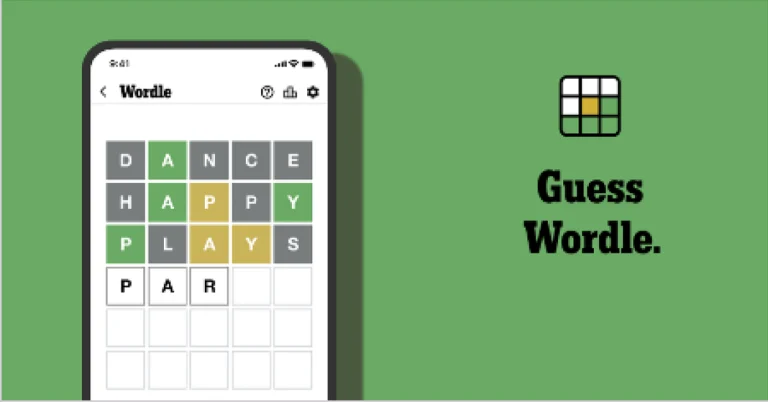
NYT Wordle Answer and Hints Today (April 30)

Are you looking for today’s Wordle for April 30, 2025? The problem is difficult to solve, so if you need assistance, we’ve included hints and the answer to the April 30 Wordle.

Hints and Answers for Today’s Wordle April 30

Before answering directly, please check the April 30 Wordle Hints first.

Hint 1: Today’s Wordle answer includes two vowel.
Hint 2: The answer for today has no repeating letter.
Hint 3: Someone who is lazy and does not want to work or make any physical effort.

What word does today’s Wordle begin with?

Do you need help with today’s Wordle answer’s initial letter?

The first letter in today’s Wordle is “I”

Today’s Wordle Answer April 30 #1410

The answer to Wordle #1410 on April 30, 2025, is — IDLER

Also Read: Spigen cover listing revealed the iPhone SE 4 design: Report

What is Wordle?

Wordle: A Five-Letter Word Guessing Game
• The game allows six guesses of a five-letter word.
• Provide feedback on guessed letters’ placement in the puzzle.
• The New York Times purchased the game in 2022.
• Created by Josh Wardle for his partner, narrowing down 12,000 English words to 2,500.
• Named after the word “word.”

How To Play Wordle?

Wordle is a New York Times word puzzle game that allows users to guess a five-letter word in six attempts. The letters are highlighted in Yellow and Green, indicating whether the word is present in the answer or not, and Green letters indicate the correct guess.

Wordle Tips and Tricks

  • Select a powerful starting word: Avoid using unusual words, as they frequently do not match common letters. A good opening word has plenty of benefits.
  • Repeating letters: Don’t be afraid of repeating letters; they appear frequently in words. The answer may contain one or two repeated letters.
  • Use the Wordlebot: The NYT’s Wordlebot analyses and compares replies to itself. This challenge can assist you enhance guessing skills and highlight areas for development.

Amazon Quiz Answers Today 30 April 2025: Participate to win Up To Rs 500 Amazon Pay Balance

30 April 2025: New Amazon Quiz is now available. Customers from different parts of the country are participating in the daily quiz. The quiz starts at midnight today and will be live until 11:59 PM tonight. By successfully answering every question, participants in the quiz have the chance to win wonderful rewards. Up to Rs 500 Amazon Pay Balance is up for grabs to participants today.

One wrong answer could eliminate you from the quiz. You have a chance to win up to Rs 500 Amazon Pay Balance if you successfully answer every question. Users of the app only have the opportunity to take the quiz. Check Out 30 April 2025 Amazon Quiz Answers.

In This Article

Are you not able to find Amazon FunZone? Click below and participate.

Click here to enter the Amazon FunZone Quiz and play today.

Amazon Quiz Today Prize: Rs 500 Amazon Pay Balance

Quiz Date: 30 April 2025

Daily Timing: 12 AM to 11:59 PM

Previous Amazon Quiz Winners Announcement: Today 12 PM Noon

Amazon Quiz Answers Today 30 April 2025: Win Up To ₹ 500 Amazon Pay Balance

Question 1: Which of these batters scored a century during India’s recent 5 match T20I series against Zimbabwe?

Answer: Abhishek Sharma

Question 2: In May 2025, the _____ edition of the Mission Impossible movie franchise is going to be released. Fill in the blanks

Answer: 8th

Question 3: In which present day Indian state was the Battle of Buxar, which saw the East India Company emerge victorious fought?

Answer: Bihar

Question 4: This is a view of the City Palace in which Indian city?

Answer: Jaipur

Question 5: Valletta is the capital of which country, whose flag is shown here?

Answer: Malta

How To Play Amazon Quiz Today

Only app users are eligible to play the Amazon quiz every morning from 12 AM to 11:59 PM. The quiz is not available on the desktop. For those who are unaware of how to play the Amazon quiz, below are the steps, you can follow to take the quiz.

  • First, download the Amazon app from the Google Play Store or App Store or go here to download the Amazon App
  • Now fill in the required information through the Sign-Up option.
  • To find the Amazon Quiz banner, log in to the Amazon app and scroll down to the home screen.
  • Tap on the Amazon Quiz banner and tap on the Start button to start the Quiz.
  • Now you will get 5 questions and you need to answer them correctly. One wrong answer will eliminate you from the Quiz.
  • After answering all the questions correctly you are now eligible for a Lucky Draw.
  • The previous winner’s name will be announced today at 12 PM.

Amazon Daily Quiz Answers from the previous few days.

Here are all the answers from the previous 5 days of the Amazon Daily Quiz and Contest.

Amazon Quiz Answers Today 29 April 2025: Win Up To ₹ 500 Amazon Pay Balance

Question 1: Which of these sportspeople would be one of the flagbearers for the USA at the 2024 Paris Olympics?

Answer: Coco Gauff

Question 2: The upcoming Bollywood movie ‘Deva’ stars Pooja Hegde along with which famous actor?

Answer: Shahid Kapoor

Question 3: Alcazar, Exter, Palisade and Tucson are car models from which brand?

Answer: Hyundai

Question 4: This is a statue of which saint in Belfast, associated with a day that is a holiday in some places?

Answer: St Patrick

Question 5: What is the musical instrument shown here?

Answer: Pan Flute

Amazon Quiz Answers Today 28 April 2025: Win Up To ₹ 500 Amazon Pay Balance

Question 1: Who was the top scorer for India in the T20 World Cup final 2024?

Answer: Virat Kohli

Question 2: The Last Dance’ is the tagline of the 3rd of a series of movies with whom as the central character?

Answer: Venom

Question 3: British Shorthair, Ragdoll and Abyssinian are types of what animal?

Answer: Cat

Question 4: Which famous place in the UK is shown here?

Answer: Trafalgar square

Question 5: Which famous person is depicted in this statue?

Answer: Napoleon Bonaparte

Amazon Quiz Answers Today 26 April 2025: Win Up To ₹ 500 Amazon Pay Balance

Question 1: Who beat Novak Djokovic in the final to win his 2nd consecutive Wimbledon men’s singles title?

Answer: Carlos Alcaraz

Question 2: In ‘Captain America” Brave New World’ scheduled to be released in 2025, which legendary actor plays the role of Thaddeus ‘Thunderbolt’ Ross?

Answer: Harrison Ford

Question 3: Which place in South India is also known as the ‘Scotland of India’?

Answer: Coorg

Question 4: This is a picture taken in which African country?

Answer: Morocco

Question 5: What is the name given to the profession of the man in the picture?

Answer: Gondoliere

Amazon Quiz Answers Today 25 April 2025: Win Up To ₹ 500 Amazon Pay Balance

Question 1: In 2024, who became the youngest person to win two Oscars?

Answer: Billie Eilish

Question 2: The D. B. Patil International Airport is located in which place?

Answer: Navi Mumbai

Question 3: Which country had the first-ever married couple to serve as flag bearers at the Paris Olympic Opening Ceremony?

Answer: Romania

Question 4: When was this app launched?

Answer: 2011

Question 5: Which is the smallest monkey in the world?

Answer: Pygmy marmoset

Amazon Quiz Answers Today 24 April 2025: Win Up To ₹ 500 Amazon Pay Balance

Question 1: Achanta Sharath Kamal represents India in which sport?

Answer: Table tennis

Question 2: Which date is to be celebrated as Hyderabad Liberation Day?

Answer: 17 Sept

Question 3: In which sport did India win its first two medals at the 2024 Paris Olympics?

Answer: Shooting

Question 4: This painting was created in which historical period?

Answer: Renaissance

Question 5: Where is the headquarters of this brand in the USA?

Answer: Atlanta

Amazon Quiz Answers Today 23 April 2025: Win Up To ₹ 500 Amazon Pay Balance

Question 1: In 2024, who became the youngest person to win two Oscars?

Answer: Billie Eilish

Question 2: The D. B. Patil International Airport is located in which place?

Answer: Navi Mumbai

Question 3: Which country had the first-ever married couple to serve as flag bearers at the Paris Olympic Opening Ceremony?

Answer: Romania

Question 4: When was this app launched?

Answer: 2011

Question 5: Which is the smallest monkey in the world?

Answer: Pygmy marmoset

Amazon Quiz Answers Today 22 April 2025: Win Up To ₹ 500 Amazon Pay Balance

Question 1: Complete the title of this 2024 film: “Chhota Bheem and the Curse of ____”.

Answer: Damyaan

Question 2: What regal title does Yaduveer Krishnadatta hold?

Answer: Maharaja of Mysore

Question 3: Which John Lennon and Yoko Ono song has been sung at six Olympic Opening Ceremonies, including Paris 2024?

Answer: Imagine

Question 4: Who is the architect of this cathedral?

Answer: Filippo Brunelleschi

Question 5: In the english edition of this game, how many word tiles are there?

Answer: 100

Amazon Quiz Answers Today 21 April 2025: Win Up To ₹ 500 Amazon Pay Balance

Question 1: As per Guinness World Records, which national flag is the world’s oldest and longest-running flag?

Answer: Denmark

Question 2: Name this largest and most powerful rocket ever flown.

Answer: Starship

Question 3: Which of the major planets of our solar system is named for a Greek god, not Roman?

Answer: Uranus

Question 4: Which candy brand was the first to go to space?

Answer: M&M

Question 5: The character of Spock in Star Trek is from which planet?

Answer: Vulcan

Amazon Quiz Answers Today 20 April 2025: Win Up To ₹ 500 Amazon Pay Balance

Question 1: The iconic Air India building at Nariman Point was handed over to which state government?

Answer: Maharashtra

Question 2: Which country topped the list of UN’s Human Development Index?

Answer: Switzerland

Question 3: Which Hollywood superstar portrays the role of MMA legend Matt Kerr in the biopic ‘The Smashing Machine’?

Answer: Dwayne Johnson

Question 4: Which sport first appeared in the Winter Olympics in 1936?

Answer: Alpine skiing

Question 5: This brand is the largest sportswear manufacturer in which continent?

Answer: Europe

Amazon Quiz Answers Frequently Asked Questions (FAQs)

Where can I check the previous winners? Did I win how to check?

You can head over to this link on your mobile or desktop to check the winners of the Amazon Daily Quiz Contest.

How to Play Amazon Daily Quiz or Contest?

We have written an explainer above, you can refer to that.

When are the winners of the Amazon Quiz and contest announced or declared?

The announcement of today’s Amazon quiz winner will take place Tomorrow. As for the Special Quiz and “Spin & Win” Contest, the winners will be declared once the Quiz Contest comes to an end. To find out who the lucky winner is, you can refer to the Amazon Quiz Winners List or visit the Amazon Winners tab in the Amazon App.

How to participate in the Daily Amazon Quiz?

That is very easy, just got to the Amazon app and scroll to the bottom of the page and you will find the Quiz section. Click on it (usually it is called the fun zone) and you can enter the Amazon Today Quiz Contest. 

Are there any other quizzes or contests running on Amazon daily?

Yes, there are many running on a daily basis. These range from spinning the wheel to answering the questions correctly. All are located in the Fun Zone. 

What are the criteria for selecting a winner in the Daily Amazon Quiz?

When a qualified player submits correct answers to all the questions, they will automatically be entered into a lucky draw. This draw will include all participants who answered all the questions correctly. Amazon randomly selects the final winners from the pool of eligible participants who gave the right answers.

Which Types of Questions are asked within Amazon Daily Quiz?

These are very simple and straightforward questions. These are mainly related to general knowledge. 

Where should I look for Amazon Daily Quiz answers?

You can bookmark our website www.gadgetbridge.com as we will help you every day with the Amazon Daily Quiz. We bring you fresh answers every day for the Amazon Daily Quiz and Contest. 

What time does Amazon Announce previous winners?

The previous winner’s name will be announced today at 12 PM (noon).

7 ways to fix ‘Search bar not working’ in Windows 11

0

The search bar on your Windows PC comes in clutch while looking for files you downloaded ages ago. If your organisational skills are not up to the mark, you probably struggle with finding the location of important files. Using the search bar, you can access the file within seconds. Whether you’re in the File Explorer or on the taskbar, the search bar can help you find anything. Here are the top 7 ways to fix the search bar if it isn’t working on your Windows 11 PC or laptop.

Read Also: Samsung introduced access to Gemini with side button on the Galaxy A Series

Why is the search bar not working?

If you can’t get the search bar to work on your PC, it could be due to one of the following reasons:

  • The File Explorer is malfunctioning
  • The Search Index is broken
  • The SearchHost.exe task is causing trouble
  • The Windows Search Service is not working
  • The latest Windows update was not installed properly
  • Background software issues

Restart File Explorer

Step 1: Right-click the Windows icon in the taskbar and select Task Manager.

Step 1: Right-click the Windows icon on the taskbar and select Task Manager.

Step 2: Go to the Processes tab.

Step 3: Right-click Windows Explorer and select Restart.

Step 3: Right-click Windows Explorer and select Restart.

Step 4: Wait for a few seconds for the File Explorer to restart. Once it has restarted, the search bar will regain its functionality.

End the Search task

Set up Windows 11 without an account using Rufus

Step 1: Right-click the Windows icon in the taskbar and select Task Manager.

Step 2: Go to the Processes tab.

Step 3: Right-click Search and hit End task.

Step 4: Open the File Explorer and use the search bar to restart the task.

Rebuild Search Index

Step 1: Go to Settings and select Privacy & security from the sidebar.

Step 2: Go to Searching Windows.

Step 2: Go to Searching Windows.

Step 3: Scroll down and select Advanced indexing options.

Step 3: Scroll down and select Advanced indexing options.

Step 4: Click on Advanced.

Step 4: Click on Advanced.

Step 5: In the Index Settings tab, click on Rebuild.

Restart Windows Search Service

Step 1: Press Windows + R to launch the Run box.

Step 2: Type services.msc and hit Enter.

Step 2: Type services.msc and hit Enter. 5 ways to fix ‘Search bar not working’ in Windows 11

Step 3: Scroll down and double-click Windows Search.

Step 3: Scroll down and double-click Windows Search. 5 ways to fix ‘Search bar not working’ in Windows 11

Step 4: Click on Stop. Wait for a few seconds and click on Start.

Step 4: Click on Stop. Wait for a few seconds and click on Start. 5 ways to fix ‘Search bar not working’ in Windows 11

Step 5: Hit the dropdown menu next to Startup type and select Automatic.

Step 6: Click on Apply, followed by OK.

Step 7: Restart your PC.

Restart your PC

If a background issue is causing the search function to act up on your Windows 11, a quick restart will help you resolve the issue. Click the Windows icon in the taskbar, hit the power icon, and select ‘Restart’.

Update your PC

Step 1: Go to Settings and select Windows Update from the sidebar.

Step 1: Go to Settings and select Windows Update from the sidebar.

Step 2: Click on Check for updates.

Step 2: Click on Check for updates.

Step 3: If there is a pending update, click on Download & install.

Step 3: If there is a pending update, click on Download & install.

Reinstall the current Windows OS version

Step 1: Go to Settings and select System from the sidebar.

Step 2: Go to Recovery.

Step 2: Go to Recovery. 5 ways to fix ‘Search bar not working’ in Windows 11

Step 3: Click on Reinstall now next to Fix problems using Windows Update.

Step 3: Click on Reinstall now next to Fix problems using Windows Update. 5 ways to fix ‘Search bar not working’ in Windows 11

Frequently Asked Questions (FAQs)

Why is the search bar not working on my Windows 11 PC?

The search bar may not be working due to a faulty search index or issues with the File Explorer and the Search process.

How do I fix the search bar on my Windows 11 PC?

Stop the Windows Search Service and start it again. Additionally, restart the File Explorer and Search tasks in the Task Manager.

How do I reinstall the Windows 11 update on my PC without losing my data?

Go to Settings>System>Recovery and click ‘Reinstall now’ next to ‘Fix problems using Windows Update’.

How do I update my Windows PC to the latest OS version?

Go to Settings>Windows Update>Check for updates and click on ‘Download & install’ to update your PC.

How do I restore the search bar on the taskbar?

Go to Settings>Personalisation>Taskbar and select ‘Search box’ from the dropdown menu next to Search.

Read Also: Poco C71 Review: Does it tick the right boxes?

Final Thoughts

These are the 7 ways to fix the ‘Search bar not working’ issue on your Windows 11 PC or laptop. While you’re here, check out how you can move the taskbar in Windows 10 and 11. If you have any questions, let us know in the comments!

Samsung introduced access to Gemini with side button on the Galaxy A Series

Samsung Electronics has partnered with Google to provide direct access to Google’s AI-powered assistant, Gemini, on select Galaxy A series handsets, in an effort to democratise AI experiences and improve user experience.

Samsung has announced that some Galaxy A series handsets will soon offer AI assistant activation via the side button, which is popular in the Galaxy S series. The partnership between Samsung and Google seeks to democratise the newest AI experiences and make it easier for consumers to utilise Gemini more effectively.

Samsung has added Awesome Intelligence to its Galaxy A series, allowing users to launch Google’s AI-powered assistant, Gemini, by holding down the side button. This upgrade makes it simpler for users to do everyday tasks by allowing them to access Gemini directly through the side button, hence improving the entire mobile AI experience for more people globally. The upgrade will be available globally beginning in early May for the newest Galaxy A series – Galaxy A56 5G, Galaxy A36 5G, and Galaxy A26 5G.

Also Read: Samsung Vision AI Televisions likely to debut next month in India; Registrations open

Jay Kim, Executive Vice President and Head of Customer Experience Office, Mobile Experience Business at Samsung Electronics, said, “Samsung and Google have been working together to deliver seamless, intuitive and meaningful AI experiences, making the latest technology more accessible for more users. We’re excited that Galaxy A series users will now be able to activate Gemini faster and more naturally through a simple gesture that brings intelligent support into the flow of daily tasks.”

Users can use voice commands to access Gemini, check their schedules, find local restaurants, and get birthday present ideas. A single command may be used to do tasks across many apps, including Samsung, Google, and certain third-party apps.

Also Read: Realme offering irresistible deals on its top-selling smartphones on Amazon and Flipkart

Gemini, a feature in the Galaxy A series, offers faster access to help in everyday moments, such as making last-minute dinner plans. Users can use a simple voice command to find French, pet-friendly restaurants with terrace seating nearby, and share the suggestions instantly.

Samsung Vision AI Televisions likely to debut next month in India; Registrations open

Samsung has begun accepting pre-orders for its new line of Neo QLED, OLED, and QLED AI televisions. In addition, the company plans to launch its new line of Vision AI televisions early next month. Samsung Vision AI transforms television user interaction by integrating on-device AI capabilities, allowing TVs to adapt to user preferences and operate autonomously, thereby improving the viewing experience.

Customers who want to buy Samsung’s latest Neo QLED, OLED, and QLED AI televisions may get a Rs 5000 discount. The firm is also planning to debut its new Vision AI televisions early next month. The deal is part of a larger launch promotion for the company’s new line of AI-powered televisions.

Also Read: Realme offering irresistible deals on its top-selling smartphones on Amazon and Flipkart

Samsung is providing additional launch offers to customers who register on Samsung.com to purchase their new AI television line.

To recall, the Samsung Vision AI televisions were unveiled at CES 2025 earlier this year, delivering personal AI-powered screens.

Samsung Vision AI technology transforms screens into intelligent companions, improving the user experience. It enables televisions to adapt to their surroundings, offer intuitive features, and easily integrate into connected lifestyles, thereby improving entertainment and simplifying interactions.

Samsung Vision AI offers personalised features like Click to Search, Live Translate, and Generational Wallpaper to enhance user interaction with screens. These features provide fast information about screen content, eliminate language barriers, and transform displays into dynamic art canvases based on user preferences or circumstances.

Also Read: CMF Buds 2a, CMF Buds 2, and CMF Buds 2 Plus TWS earphones arrived in India

Samsung’s Vision AI integrates screens with the SmartThings ecosystem, providing real-time information on home environments, safety alerts, and daily updates. It also includes Pet and Family Care, which detects anomalous behaviour in pets and adjusts room settings.

Poco C71 Review: Does it tick the right boxes?

Poco’s newest addition to its C Series is the budget-friendly C71. The entry-level smartphone is priced at Rs 6,499. In this price bracket, it goes up against the likes of the Redmi A5 and Samsung Galaxy M05. It rocks a Unisoc processor under its hood and flaunts a large display. If you’re thinking of buying your child their first smartphone or looking for a secondary phone for yourself, this device should be on your radar. After using the Poco C71 for a week, here is our review of the smartphone.

Read Also: Realme offering irresistible deals on its top-selling smartphones on Amazon and Flipkart

Poco C71 Review: Design and Display

Here’s what you get inside Poco C71’s retail box:

  • Smartphone
  • 15W power adapter
  • USB Type-A to Type-C cable
  • SIM ejector
  • Quick start guide

The dual-pattern plastic back of the Poco C71 comes in 3 colour variants: Cool Blue, Desert Gold, and Power Black. The flat back panel does not have any flex to it. The matte finish gives it a nice in-hand feel. The vertically aligned oval camera cutout houses the primary shooter and the auxiliary lens. The LED flash is positioned outside the camera panel.

Poco C71 Review: Design and Display

The plastic frame has flat edges and rounded corners. The right edge houses the volume rocker keys and the side button. The side button doubles as the fingerprint scanner. On the left lies the hybrid SIM + microSD slot. The microphone, USB Type-C port, and 3.5mm headphone jack lie on the bottom edge. The speaker grille is positioned on the top edge.

design

The highlight of the phone is its massive 6.88-inch display. This IPS LCD panel has a 120Hz refresh rate and 600 nits of peak brightness. The display is bright and legible in indoor conditions, but finds it hard to overcome the bright surroundings under direct sunlight. The touch response of the LCD panel is satisfactory. The bezels around the display get considerably thicker around the chin. The front-facing camera is housed inside a waterdrop notch.

display

The LCD panel has a 720 x 1,620p resolution, allowing you to enjoy HD content. We streamed titles from OTT apps like Netflix, Prime Video, and Hotstar on our Poco C71 review unit. The display produced good visuals with decent colour richness and contrast levels. While it is not close to what an AMOLED display can deliver, it is the best that you can get in this price bracket.

Poco C71 Review: Performance and Cameras

At the heart of the Poco C71 lies the Unisoc T7250 processor. The smartphone is available in 2 RAM (LPDDR4X) + storage (eMMC 5.1) variants:

  • 4GB + 64GB: Rs 6,499
  • 6GB + 128GB: Rs 7,299

Poco C71 Review: Performance and Cameras

The smartphone supports expandable memory up to 1TB. On the Geekbench 6 app, the smartphone scored 440 points in the single-core test and 1,468 points in the multi-core test. It can handle routine tasks like calling, texting, and web browsing with ease. The overall experience is smooth and largely jitter-free. Apps take a couple of seconds to load, which is something to be expected from all entry-level smartphones. Loading multiple apps at once increases the possibility of unwanted lags.

apps

When it comes to gaming, the Poco C71 does a good job of running titles like Candy Crush Saga and Subway Surfers. It can also run FPS games like Call of Duty Mobile and Free Fire Max in low graphics, but the frame drops are unavoidable. If you want a better gaming performance, you will need to extend your budget to at least Rs 15,000.

home

The Poco C71 runs Android 15 Go Edition out of the box. This lightweight version of the Android OS offers only essential features in order to keep the performance snappy. While most of the interface is stock Android, the device gets custom Xiaomi apps for the dialer, calendar, messages, themes, and music. The only big miss is the lack of an app locker. Poco has promised 2 major OS upgrades and 4 years of security patches for this smartphone.

Poco C71 Review: Performance and Cameras

The massive 5,200mAh battery pack on this smartphone lasts a full day with ease. During the review period, we used the Poco C71 for tasks like calling, texting, media streaming, gaming, and web browsing. At the end of the day, we were left with ~20% charge. With more conservative usage, you can push the battery life to one and a half days. The 15W power adapter provided in the box can fully charge the phone in 2 hours.

Poco C71 Review: Performance and Cameras

camera

The rear camera panel of the C71 houses a 32MP primary shooter and an auxiliary lens. Up front, an 8MP sensor is housed inside a waterdrop notch. The primary shooter takes average photos in outdoor daylight conditions. The images seem a bit overexposed, but they aren’t too bad for the price you’re paying for the smartphone. Images taken in limited lighting conditions are riddled with noise, and the Night Mode does very little to remedy that.

camera

portraits
Portraits

Portraits taken by the Poco C71 are clear and vivid. However, the background blur leaves a lot more to be desired. The front-facing 8MP camera takes good selfies, but tends to overcorrect the skin tone and texture. The front and rear cameras can record 720 and 1,080p videos at 30fps.

Read Also: 3 ways to disable startup apps and programs in Windows 11

Verdict

The Poco C71 is a decent buy under Rs 7,000. It gets the basic right – the big LCD panel offers a good viewing experience, and the 5,200mAh battery pack can keep the device running for an entire day. The Unisoc processor does a fine job of handling everyday tasks. The primary camera is reliable in daylight conditions. Sure, 5G connectivity would have been a big plus, but it would’ve demanded a small premium. As far as entry-level smartphones go, the C71 checks most of the boxes.

Poco C71: Pros

  • Big display
  • Good battery life
  • Expandable memory

Poco C71: Cons

  • No cover in the box

Realme offering irresistible deals on its top-selling smartphones on Amazon and Flipkart

Realme is celebrating its seventh anniversary in India by offering attractive deals on its best-selling smartphones on Amazon and Flipkart. The Realme anniversary sale includes unique bundle deals, no-cost EMI options, bank discounts, and exchange rewards on top-selling smartphones such as the realme P Series, Number, and GT Series. The new Realme Narzo 80 Pro 5G Nitro Orange colour variant is available on Amazon beginning May 1st.

Realme is celebrating its seventh anniversary in India by offering attractive deals on its best-selling smartphones on Amazon and Flipkart.

Realme, a Chinese smartphone manufacturer, is celebrating its seventh anniversary with a limited-period sale. Customers may get instant bank discounts, platform coupons, and credit card EMI savings on its most popular and recently announced devices. The deal is offered both online and offline, and clients may benefit from platform discounts and credit card EMI offers.

Also Read: CMF Buds 2a, CMF Buds 2, and CMF Buds 2 Plus TWS earphones arrived in India

Realme Narzo 80 Pro 5G Nitro Orange colour variant

A new Realme Narzo 80 Pro 5G Nitro Orange colour variant is also launched today and will be available on Amazon to grab starting at Rs 17,999 (8GB+128GB), Rs 19,499 (8GB+256GB), and Rs 21,499 (12GB+256GB) from May 1st onwards. The device features a 6.7-inch 120Hz HyperGlow display, MediaTek Dimensity 7400 5G chipset, 6,000mAh battery, and 50MP Sony OIS camera.

Also Read: CMF Phone 2 Pro powered by MediaTek Dimensity 7300 Pro SoC launched in India

Check out Realme Anniversary Sale offers below:

Product Variant Platform MOP Offer Effective Price
P3x 5G 6+128 Flipkart ₹13,999 ₹1,000 Price Drop + ₹1,000 Coupon ₹11,999
8+128 Flipkart ₹14,999 ₹1,000 Price Drop + ₹1,000 Coupon ₹12,999
P3 Pro 5G 8+128 Flipkart ₹23,999 ₹4,000 Price Drop + ₹1,000 Central Bank Offer (SBI) ₹18,999
8+256 Flipkart ₹24,999 ₹4,000 Price Drop + ₹1,000 Central Bank Offer (SBI) ₹19,999
12+256 Flipkart ₹26,999 ₹4,000 Price Drop + ₹1,000 Central Bank Offer (SBI) ₹21,999
P3 5G 6+128 Flipkart ₹16,999 ₹1,000 Price Drop + ₹1,000 Bank Offer ₹14,999
8+128 Flipkart ₹17,999 ₹1,000 Price Drop + ₹1,000 Bank Offer ₹15,999
8+256 Flipkart ₹19,999 ₹1,000 Price Drop + ₹1,000 Bank Offer ₹17,999
GT 7 Pro 12+256 Amazon ₹54,999 ₹3,750 Price Drop + ₹1250 Bank Offer ₹49,999
16+512 Amazon ₹59,999 ₹3,750 Price Drop + ₹1250 Bank Offer ₹54,999
P3 Ultra 5G 8+128 Flipkart ₹26,999 ₹2,000 Price Drop + ₹1000 Coupon + ₹1000 Central Bank Offer (SBI) ₹22,999
8+256 Flipkart ₹27,999 ₹2,000 Price Drop + ₹1000 Coupon + ₹1250 Central Bank Offer (SBI) ₹23,749
12+256 Flipkart ₹29,999 ₹2,000 Price Drop + ₹1000 Coupon + ₹1250 Central Bank Offer (SBI) ₹25,749
80 Pro 5G 8+128 Amazon ₹19,999 ₹2,000 Instant Discount ₹17,999
8+256 Amazon ₹21,499 ₹2,000 Instant Discount ₹19,499
12+256 Amazon ₹23,499 ₹2,000 Instant Discount ₹21,499
Narzo 80x 5G 6+128 Amazon ₹13,999 ₹500 Price Drop + ₹1500  Instant Discount ₹11,999
8+128 Amazon ₹14,999 ₹500 Price Drop + ₹1500  Instant Discount ₹12,999
14T 5G 8+128 Offline ₹17,999 ₹1,000 Credit Card EMI (CCEMI) Benefit ₹16,999
8+256 Offline ₹19,999 ₹1,000 Credit Card EMI (CCEMI) Benefit ₹18,999
14 Pro 5G 8+128 Offline ₹24,999 ₹2,000 Credit Card EMI / ₹1,000 Full Swipe Bank Offer ₹22,999
8+256 Offline ₹26,999 ₹2,000 Credit Card EMI / ₹1,000 Full Swipe Bank Offer ₹24,999
14Pro+ 5G 8+128 Offline ₹29,999 ₹2,000 Credit Card EMI / ₹1,000 Full Swipe Bank Offer ₹27,999
8+256 Offline ₹31,999 ₹2,000 Credit Card EMI / ₹1,000 Full Swipe Bank Offer ₹29,999
12+256 Offline ₹34,999 ₹3,000 Credit Card EMI / ₹1,500 Full Swipe Bank Offer ₹31,999
12+512 Offline ₹37,999 ₹4,000 Credit Card EMI / ₹3,000 Full Swipe Bank Offer ₹33,999
14x 5G 6+128 Offline ₹14,999 ₹1,000 Credit Card EMI (CCEMI) Benefit ₹13,999
8+128 Offline ₹15,999 ₹1,000 Credit Card EMI (CCEMI) Benefit ₹14,999

Truecaller’s New ‘Scamfeed’ Feature Turns Users into Scam Spotters

Scam calls have gone from annoying interruptions to full-blown digital ambushes. And in response, Truecaller has launched Scamfeed, a real-time, community-driven feature that lets users in India report and read about scams before becoming the next target.

Scamfeed sits inside the Truecaller app and functions like a scam-watch forum: a dynamic stream where people can flag suspicious activity, discuss fishy messages, and stay alert to the latest con games making the rounds. In a world where scams are smarter than ever, this long-tail keyword “Truecaller scam alert feature” is something you’ll want in your fraud-fighting toolkit.

Read Also: Sony LinkBuds Fit Review: A Sound Investment in Comfort and Innovation

What Is Scamfeed?

Think of Scamfeed as Reddit meets neighbourhood watch—only for scams. Users can:

  • Post anonymously about scam calls or messages they’ve received

  • Engage in threaded discussions on reported fraud

  • Share alerts directly across platforms like WhatsApp

  • View similar scam patterns already reported by others

Scamfeed doesn’t just offer warnings—it also teaches. Whether it’s phishing, impersonation, romance scams, or financial traps, the feature acts as a living, breathing database of real-time fraud attempts, curated by the community.

Why It Matters

Digital fraud is no longer limited to those suspicious “You’ve won a lottery!” texts. From fake courier updates to scam job offers and sneaky UPI requests, scams have gotten a glow-up. Truecaller’s goal with Scamfeed is to turn every user into a watchdog, building a collective resistance through vigilance.

And no, it’s not about creating panic. It’s about providing context and clarity. If someone’s cousin’s friend just got hit by a deepfake video scam or a fake insurance call, you might just read about it here before it lands in your inbox.

Read Also: Apple App Store Study Reveals ₹44,447 Crore Windfall For Indian Developers

Where and When?

Currently, Scamfeed is rolling out to Truecaller users in India, a region often hit hard by mobile fraud. The company has plans to expand this feature to other markets shortly. Until then, users can visit truecaller.com/scam-alert for guides on spotting and reporting scams.

Tonmoy Goswami, Product Director of New Initiatives at Truecaller, summed it up best:

“By providing a safe space to share real experiences and warnings, we empower people to stay ahead of fraudsters.”

Scamfeed might not stop scammers overnight, but it certainly shifts the balance. By decentralizing fraud intelligence and letting people share what’s happening in real-time, it builds something fraudsters hate: transparency. It’s a smart, timely move that proves the future of safety isn’t just in code—it’s in community.

5 ways to disable startup apps and programs in Windows 11

0

When you hit the power button on your PC or laptop, you want it to boot up immediately. However, this process can take a bit longer if you have several apps installed on the device. This is because some apps are set to launch on startup by default. Opening multiple apps extends the boot time of your PC. Here is how you can disable startup apps and programs on your Windows 11 PC or laptop.

Read Also: CMF Buds 2a, CMF Buds 2, and CMF Buds 2 Plus TWS earphones arrived in India

Which programs should you allow to launch upon startup?

While a lightning-quick boot time is always ideal, disabling every startup app can be counterproductive. The time you save on booting up the PC will inadvertently get wasted in manually launching the essential apps. Your antivirus software is one such essential app. If you want it to guard your PC at all times, you need to run it as soon as you boot the machine. Instead of launching it manually every time, it is a good idea to let it run automatically upon startup.

On your work PC, you may want certain apps to load as soon as you fire up the device. Instead of wasting time getting things started, having apps like Google Chrome, Microsoft Teams, and Slack up and running as soon as you start your PC is a good idea.

Use device settings

Step 1: Go to Settings and select Apps from the sidebar.

Step 1: Go to Settings and select Apps from the sidebar.

Step 2: Click on Startup.

Step 2: Click on Startup.

Step 3: Turn off the toggle switch next to the startup app you want to disable.

Step 3: Turn off the toggle switch next to the startup app you want to disable.

Use the MSConfig app

How to turn a website into an app on PC 

Step 1: Press Windows + R to launch the Run box.

Step 2: Type msconfig and hit Enter.

Step 3: Go to the General tab and uncheck the box next to Load startup items.

Step 4: Hit Apply and hit OK.

Step 5: Restart your PC.

Use the Task Manager

Step 1: Right-click the Windows icon on the taskbar and select Task Manager.

Step 1: Right-click the Windows icon on the taskbar and select Task Manager.

Step 2: Switch to the Startup apps tab.

Step 2: Switch to the Startup apps tab. 3 ways to disable startup apps and programs in Windows 11

Step 3: Right-click an app and click on Disable.

Step 3: Right-click an app and click on Disable. 3 ways to disable startup apps and programs in Windows 11

Use in-app settings

Step 1: Launch the app that you wish to disable from launching at startup.

Step 2: Go to the app’s settings.

Step 2: Go to the app's settings.

Step 3: Find the startup section and select the Disable/No option.

Step 3: Find the startup section and select the Disable/No option.

Use the Task Scheduler

Step 1: Launch Task Scheduler on your PC.

Step 2: Go to the Task Scheduler Library.

Step 2: Go to the Task Scheduler Library.

Step 3: Select a program from the list.

Step 3: Select a program from the list.

Step 4: Hit Disable.

Frequently Asked Questions (FAQs)

How do I turn off applications on startup in Windows 11?

Go to Settings>Apps>Startup and turn off the toggle switch next to the app you don’t want to launch on startup.

How do I disable all startup apps in Windows 11?

Press Windows + R, type msconfig, and hit Enter. Go to the General tab and uncheck the box next to ‘Load startup items’.

How do I change the default apps on Windows 11?

Go to Settings>Apps>Default apps, choose an app, and select which file types you want it to open by default.

How do I remove preinstalled apps on Windows 11?

Go to Settings>Apps>Installed apps, click the ellipses next to the app you want to remove, and click on ‘Uninstall’.

How do I remove an app from the Start menu on Windows 11?

Right-click an app in the Start menu and click on ‘Unpin’ to remove it.

Read Also: Weather app not showing the correct location? Here are 4 fixes

Final Thoughts

These are the 5 ways you can disable startup apps and programs on your Windows 11 PC or laptop. While you’re here, check out how you can enable file previews on your PC or laptop. If you have any other questions, let us know in the comments!

CMF Buds 2a, CMF Buds 2, and CMF Buds 2 Plus TWS earphones arrived in India

The CMF Buds 2a, CMF Buds 2, and CMF Buds 2 Plus TWS earphones were released in India, with active noise cancellation (ANC) of up to 50dB and a battery life of more than 61 hours. The CMF Buds 2 and Buds 2 Plus offer the Spatial Audio effect. The CMF Buds 2 series is compatible with the Nothing X app. All three new headsets provide dual-device connectivity.

Specifications, Features

The CMF Buds 2 line of TWS headsets has Wind Noise Reduction 3.0, Ultra Bass Technology 2.0, and call noise reduction. They, too, include 110ms low-latency mode, dual-device connection, and compatibility with the Nothing X app. They have an IP54 rating for dust and splash protection, with the basic plus versions having an IP55 rating. The TWS earbuds’ charging case has a 460mAh battery, whereas the CMF Buds 2a has 43mAh cells, and the Buds 2 and Buds 2 Plus have 53mAh.

CMF Buds 2a, CMF Buds 2, and CMD Buds 2 Plus TWS earphones arrived in India

Also Read: Realme GT 7 India launch teased, listed on Amazon

According to the manufacturer, the CMF Buds 2a may last up to eight hours without ANC and 35.5 hours with the case. A 10-minute quick charge can provide up to five and a half hours of playing. The CMF Buds 2 earbuds have a battery life of 13 and a half hours on a single charge, or 55 hours with the case. A simple 10-minute charge allows for up to 7 and a half hours of playback time. The CMF Buds 2 Plus earbuds may last up to 14 hours on a single charge, or 61 and a half hours with a case.

The CMF Buds 2a and 2 Plus use separate drivers: 12.4mm Bio-Fibre with Dirac Tuning, 11mm PMI with Dirac Opteo Tuning, and N52 magnets. The 2 Plus has 12mm LCP drivers with LDAC compatibility and Hi-Res Wireless Audio certification, as well as precise pure tone audiometry to allow for a customised Personal Sound hearing profile.

CMF Buds 2a, CMF Buds 2, and CMD Buds 2 Plus TWS earphones arrived in India

The CMF Buds 2a and Buds 2a Plus models offer up to 42dB ANC, 48dB hybrid ANC, and 50dB ANC with Smart Adaptive Mode, respectively, in transparency mode. The CMF Buds 2a have four HD microphones with Clear Voice Technology support, whilst the Plus variants have six HD microphones with Clear Voice Technology 3.0.

Also Read: CMF Phone 2 Pro powered by MediaTek Dimensity 7300 Pro SoC launched in India

Price in India, Availability

  • CMF Buds 2a – Rs 2,199
  • CMF Buds 2 – Rs 2,699
  • CMF Buds 2 Plus – Rs 3,299

CMF Buds 2a comes in Light Grey, Dark Grey and Orange colours and CMF Buds 2 will be available in Dark Grey and Orange colour options. Whereas the CMF Buds 2 Plus is offered in Blue and Light Grey colour options.

All three audio devices will be available by Q2 of 2025 via Flipkart, CMF website and retail partners in the country.

Garena Free Fire Max Redeem Codes Today 29 April 2025: Here is how to claim them

Garena Free Fire Max is a battle royale game with regular awards and tournaments to keep players interested. If you play Garena Free Fire, you should be aware of the redeem codes that are released on a daily basis. However, because the battle royale game is banned in India, players from other countries can use the Free Fire Redeem codes daily. If you’re unfamiliar with the Garena Free Fire redeem codes or don’t know how to get them, we’ve put together a step-by-step guide to help you redeem them. Check out Garena Free Fire Max Redeem Codes for 29 April 2025.

The Free Fire Max redeem codes are a great way to get free stuff. These are 12-digit codes that contain alphabets and numbers, as well as an expiration date and time. Because the Garena FF redeem codes cannot be used more than once, you should hurry to the redemption page to claim your free reward before someone else does. To get a free reward, all you have to do is go to reward.ff.garena.com/en, which is the official redemption page. Also, keep an eye on this space for daily updates on Garena Free Fire Max redemption codes and rewards.

Also Read: Sennheiser Accentum Plus wireless headphones with Hybrid Adaptive Noise Cancellation launched

Garena Free Fire Max Redeem Codes Today 29 April 2025

FTREWQ901YUIOP23
FVBNMC678LKJHGF9
FYUIOP456QWERT12
FJKLPO123MNBVC67
FSDFGH901AZXCVB3
FNMJKL123ZXCVBH6
FMLKJH567QWERTY9
FKLJHG890ASDFGH2
FJHGFD345ZXCVBN8
FPOIUY567LKJHGF8
FMNBVC012ZXASDF3
FLKJHG890FDSAQW5
FHGFDS234AZXCVB7
FXCVBN234LKJHGF5
FCVBNM789POIUYT0
FBNMKL456ASDFGY2

How to Get Free Fire Max Redeem Codes for Garena on 29 April 2025?

  • Visit the Garena Free Fire Max game’s official website at reward.ff.garena.com.
  • Use your Facebook, Google, VK, Apple ID, Huawei ID, or Twitter account to log in.
  • You’ll be taken to a valid redemption code (s)
  • Copy and paste the 12-digit redemption code into the text box.
  • On the screen, a dialogue box will appear.
  • ‘Ok’ should be selected.

For the latest gadget and tech news, and gadget reviews, follow us on Twitter, Facebook and Instagram. For newest tech & gadget videos subscribe to our YouTube Channel. You can also stay up to date using the Gadget Bridge Android App. You can find the latest car and bike news here.

NYT Wordle Answer and Hints Today (April 29)

Are you looking for today’s Wordle for April 29, 2025? The problem is difficult to solve, so if you need assistance, we’ve included hints and the answer to the April 29 Wordle.

Hints and Answers for Today’s Wordle April 29

Before answering directly, please check the April 29 Wordle Hints first.

Hint 1: Today’s Wordle answer includes a vowel.
Hint 2: The answer for today has a repeating letter.
Hint 3: perfect happiness

What word does today’s Wordle begin with?

Do you need help with today’s Wordle answer’s initial letter?

The first letter in today’s Wordle is “B”

Today’s Wordle Answer April 29 #1410

The answer to Wordle #1410 on April 29, 2025, is — BLISS

Also Read: Spigen cover listing revealed the iPhone SE 4 design: Report

What is Wordle?

Wordle: A Five-Letter Word Guessing Game
• The game allows six guesses of a five-letter word.
• Provide feedback on guessed letters’ placement in the puzzle.
• The New York Times purchased the game in 2022.
• Created by Josh Wardle for his partner, narrowing down 12,000 English words to 2,500.
• Named after the word “word.”

How To Play Wordle?

Wordle is a New York Times word puzzle game that allows users to guess a five-letter word in six attempts. The letters are highlighted in Yellow and Green, indicating whether the word is present in the answer or not, and Green letters indicate the correct guess.

Wordle Tips and Tricks

  • Select a powerful starting word: Avoid using unusual words, as they frequently do not match common letters. A good opening word has plenty of benefits.
  • Repeating letters: Don’t be afraid of repeating letters; they appear frequently in words. The answer may contain one or two repeated letters.
  • Use the Wordlebot: The NYT’s Wordlebot analyses and compares replies to itself. This challenge can assist you enhance guessing skills and highlight areas for development.

Amazon Quiz Answers Today 29 April 2025: Participate to win Up To Rs 500 Amazon Pay Balance

29 April 2025: New Amazon Quiz is now available. Customers from different parts of the country are participating in the daily quiz. The quiz starts at midnight today and will be live until 11:59 PM tonight. By successfully answering every question, participants in the quiz have the chance to win wonderful rewards. Up to Rs 500 Amazon Pay Balance is up for grabs to participants today.

One wrong answer could eliminate you from the quiz. You have a chance to win up to Rs 500 Amazon Pay Balance if you successfully answer every question. Users of the app only have the opportunity to take the quiz. Check Out 29 April 2025 Amazon Quiz Answers.

Are you not able to find Amazon FunZone? Click below and participate.

Click here to enter the Amazon FunZone Quiz and play today.

Amazon Quiz Today Prize: Rs 500 Amazon Pay Balance

Quiz Date: 29 April 2025

Daily Timing: 12 AM to 11:59 PM

Previous Amazon Quiz Winners Announcement: Today 12 PM Noon

Amazon Quiz Answers Today 29 April 2025: Win Up To ₹ 500 Amazon Pay Balance

Question 1: Which of these sportspeople would be one of the flagbearers for the USA at the 2024 Paris Olympics?

Answer: Coco Gauff

Question 2: The upcoming Bollywood movie ‘Deva’ stars Pooja Hegde along with which famous actor?

Answer: Shahid Kapoor

Question 3: Alcazar, Exter, Palisade and Tucson are car models from which brand?

Answer: Hyundai

Question 4: This is a statue of which saint in Belfast, associated with a day that is a holiday in some places?

Answer: St Patrick

Question 5: What is the musical instrument shown here?

Answer: Pan Flute

How To Play Amazon Quiz Today

Only app users are eligible to play the Amazon quiz every morning from 12 AM to 11:59 PM. The quiz is not available on the desktop. For those who are unaware of how to play the Amazon quiz, below are the steps, you can follow to take the quiz.

  • First, download the Amazon app from the Google Play Store or App Store or go here to download the Amazon App
  • Now fill in the required information through the Sign-Up option.
  • To find the Amazon Quiz banner, log in to the Amazon app and scroll down to the home screen.
  • Tap on the Amazon Quiz banner and tap on the Start button to start the Quiz.
  • Now you will get 5 questions and you need to answer them correctly. One wrong answer will eliminate you from the Quiz.
  • After answering all the questions correctly you are now eligible for a Lucky Draw.
  • The previous winner’s name will be announced today at 12 PM.

Amazon Daily Quiz Answers from the previous few days.

Here are all the answers from the previous 5 days of the Amazon Daily Quiz and Contest.

Amazon Quiz Answers Today 28 April 2025: Win Up To ₹ 500 Amazon Pay Balance

Question 1: Who was the top scorer for India in the T20 World Cup final 2024?

Answer: Virat Kohli

Question 2: The Last Dance’ is the tagline of the 3rd of a series of movies with whom as the central character?

Answer: Venom

Question 3: British Shorthair, Ragdoll and Abyssinian are types of what animal?

Answer: Cat

Question 4: Which famous place in the UK is shown here?

Answer: Trafalgar square

Question 5: Which famous person is depicted in this statue?

Answer: Napoleon Bonaparte

Amazon Quiz Answers Today 26 April 2025: Win Up To ₹ 500 Amazon Pay Balance

Question 1: Who beat Novak Djokovic in the final to win his 2nd consecutive Wimbledon men’s singles title?

Answer: Carlos Alcaraz

Question 2: In ‘Captain America” Brave New World’ scheduled to be released in 2025, which legendary actor plays the role of Thaddeus ‘Thunderbolt’ Ross?

Answer: Harrison Ford

Question 3: Which place in South India is also known as the ‘Scotland of India’?

Answer: Coorg

Question 4: This is a picture taken in which African country?

Answer: Morocco

Question 5: What is the name given to the profession of the man in the picture?

Answer: Gondoliere

Amazon Quiz Answers Today 25 April 2025: Win Up To ₹ 500 Amazon Pay Balance

Question 1: In 2024, who became the youngest person to win two Oscars?

Answer: Billie Eilish

Question 2: The D. B. Patil International Airport is located in which place?

Answer: Navi Mumbai

Question 3: Which country had the first-ever married couple to serve as flag bearers at the Paris Olympic Opening Ceremony?

Answer: Romania

Question 4: When was this app launched?

Answer: 2011

Question 5: Which is the smallest monkey in the world?

Answer: Pygmy marmoset

Amazon Quiz Answers Today 24 April 2025: Win Up To ₹ 500 Amazon Pay Balance

Question 1: Achanta Sharath Kamal represents India in which sport?

Answer: Table tennis

Question 2: Which date is to be celebrated as Hyderabad Liberation Day?

Answer: 17 Sept

Question 3: In which sport did India win its first two medals at the 2024 Paris Olympics?

Answer: Shooting

Question 4: This painting was created in which historical period?

Answer: Renaissance

Question 5: Where is the headquarters of this brand in the USA?

Answer: Atlanta

Amazon Quiz Answers Today 23 April 2025: Win Up To ₹ 500 Amazon Pay Balance

Question 1: In 2024, who became the youngest person to win two Oscars?

Answer: Billie Eilish

Question 2: The D. B. Patil International Airport is located in which place?

Answer: Navi Mumbai

Question 3: Which country had the first-ever married couple to serve as flag bearers at the Paris Olympic Opening Ceremony?

Answer: Romania

Question 4: When was this app launched?

Answer: 2011

Question 5: Which is the smallest monkey in the world?

Answer: Pygmy marmoset

Amazon Quiz Answers Today 22 April 2025: Win Up To ₹ 500 Amazon Pay Balance

Question 1: Complete the title of this 2024 film: “Chhota Bheem and the Curse of ____”.

Answer: Damyaan

Question 2: What regal title does Yaduveer Krishnadatta hold?

Answer: Maharaja of Mysore

Question 3: Which John Lennon and Yoko Ono song has been sung at six Olympic Opening Ceremonies, including Paris 2024?

Answer: Imagine

Question 4: Who is the architect of this cathedral?

Answer: Filippo Brunelleschi

Question 5: In the english edition of this game, how many word tiles are there?

Answer: 100

Amazon Quiz Answers Today 21 April 2025: Win Up To ₹ 500 Amazon Pay Balance

Question 1: As per Guinness World Records, which national flag is the world’s oldest and longest-running flag?

Answer: Denmark

Question 2: Name this largest and most powerful rocket ever flown.

Answer: Starship

Question 3: Which of the major planets of our solar system is named for a Greek god, not Roman?

Answer: Uranus

Question 4: Which candy brand was the first to go to space?

Answer: M&M

Question 5: The character of Spock in Star Trek is from which planet?

Answer: Vulcan

Amazon Quiz Answers Today 20 April 2025: Win Up To ₹ 500 Amazon Pay Balance

Question 1: The iconic Air India building at Nariman Point was handed over to which state government?

Answer: Maharashtra

Question 2: Which country topped the list of UN’s Human Development Index?

Answer: Switzerland

Question 3: Which Hollywood superstar portrays the role of MMA legend Matt Kerr in the biopic ‘The Smashing Machine’?

Answer: Dwayne Johnson

Question 4: Which sport first appeared in the Winter Olympics in 1936?

Answer: Alpine skiing

Question 5: This brand is the largest sportswear manufacturer in which continent?

Answer: Europe

Amazon Quiz Answers Frequently Asked Questions (FAQs)

Where can I check the previous winners? Did I win how to check?

You can head over to this link on your mobile or desktop to check the winners of the Amazon Daily Quiz Contest.

How to Play Amazon Daily Quiz or Contest?

We have written an explainer above, you can refer to that.

When are the winners of the Amazon Quiz and contest announced or declared?

The announcement of today’s Amazon quiz winner will take place Tomorrow. As for the Special Quiz and “Spin & Win” Contest, the winners will be declared once the Quiz Contest comes to an end. To find out who the lucky winner is, you can refer to the Amazon Quiz Winners List or visit the Amazon Winners tab in the Amazon App.

How to participate in the Daily Amazon Quiz?

That is very easy, just got to the Amazon app and scroll to the bottom of the page and you will find the Quiz section. Click on it (usually it is called the fun zone) and you can enter the Amazon Today Quiz Contest. 

Are there any other quizzes or contests running on Amazon daily?

Yes, there are many running on a daily basis. These range from spinning the wheel to answering the questions correctly. All are located in the Fun Zone. 

What are the criteria for selecting a winner in the Daily Amazon Quiz?

When a qualified player submits correct answers to all the questions, they will automatically be entered into a lucky draw. This draw will include all participants who answered all the questions correctly. Amazon randomly selects the final winners from the pool of eligible participants who gave the right answers.

Which Types of Questions are asked within Amazon Daily Quiz?

These are very simple and straightforward questions. These are mainly related to general knowledge. 

Where should I look for Amazon Daily Quiz answers?

You can bookmark our website www.gadgetbridge.com as we will help you every day with the Amazon Daily Quiz. We bring you fresh answers every day for the Amazon Daily Quiz and Contest. 

What time does Amazon Announce previous winners?

The previous winner’s name will be announced today at 12 PM (noon).

High-Payout in iGaming world: The Role of Licensing in Maximizing Your Winnings

Online gaming has evolved dramatically in recent years, offering players a wide variety of slot machines and games with the potential for significant returns. However, not all online iGames and eGames are created equal when it comes to reliability and payout rates. One of the most critical factors affecting your chances of winning is the license under which the casino operates. Some licenses are more reputable than others, providing higher transparency, certified games, and better average return-to-player (RTP) percentages. This is particularly relevant when exploring alternatives like non-GamStop Casinos by 1337, which often operate under different licensing frameworks and appeal to players seeking more flexibility. In this article, we’ll explore the most reliable casino licenses associated with high-payout games, what makes them trustworthy, and how players can use this information to their advantage.

Why Licensing Matters

Online iGaming licenses are regulatory approvals granted by national or regional gaming authorities. They establish the legal framework under which iGaming must operate. A trustworthy license ensures not only that the iGaming is operating within the law but also that it adheres to strict standards regarding fairness, financial transparency, and player protection.

Licenses also determine the types of games that can be offered and the rules surrounding their RTP — the percentage of wagered money a slot machine or game is expected to pay back to players over time. The higher the RTP, the better the odds for the player.

The Most Trusted Licenses for High Payouts

Let’s take a closer look at the most respected online gaming licenses and what makes them ideal for players seeking high-payout opportunities.

1. MGA – Malta Gaming Authority

Region: European Union
Why it matters: The MGA is known for its rigorous requirements and transparency standards. Casinos under the MGA license must offer certified games with clear RTP disclosures.
High-RTP Examples:

  • Playtech slots – RTP of up to 97.06%
  • NetEnt slots – RTP ranges between 96% and 98%
    Certification: Games are independently verified by organisations like eCOGRA and iTech Labs, ensuring fair play and reliability.

2. UKGC – United Kingdom Gambling Commission

Region: United Kingdom
Why it matters: The UKGC enforces some of the strictest regulations in the online gambling world. It requires complete transparency about payout rates and mandates regular audits.
High-RTP Examples:

  • Pragmatic Play slots – RTPs typically above 97%
  • Megaways games – Known for their generous volatility and RTPs
    Certification: Regularly audited by GLI and BMM Testlabs, guaranteeing unbiased results.

3. ADM/AAMS – Agenzia delle Dogane e dei Monopoli (Italy)

Region: Italy
Why it matters: This license is extremely player-focused, requiring that RTPs are clearly indicated in each game’s rules.
High-RTP Examples:

  • Book of 99 – Exceptional RTP of 99%
  • 1429 Uncharted Sea – RTP of 98.60%
  • Vinci la Gallina – RTP of 97.61%
    Certification: All games are verified by independent Italian-approved testing agencies.

4. Curaçao eGaming

Region: Caribbean
Why it matters: While more flexible in terms of regulation, this license is popular among eGaming that host progressive jackpots.
High-RTP Examples:

  • Mega Fortune – RTP of 96% and record-breaking jackpots
  • Hall of Gods – Another popular jackpot game with solid RTP
    Certification: Subject to audits by international third-party firms.

5. GRA – Gibraltar Regulatory Authority

Region: Gibraltar
Why it matters: Offers strong privacy protection and verified game integrity.
High-RTP Examples: Slots often range between 95% and 97% RTP.
Certification: Casinos are subject to periodic reviews and game audits.

Key Factors Influencing Payout Potential

Several factors go beyond licensing when considering which games offer the highest return:

● Certified RTP

Licenses like those from MGA and ADM not only require RTP to be public but also demand that the figures be certified. For example, an MGA-licensed casino such as LeoVegas might offer games like Mega Fortune with a certified RTP of 96%, providing players with transparent data on expected returns.

● Progressive Jackpots

Progressive jackpots can transform modest bets into life-changing wins. Games such as Mega Fortune — which paid out a €16.7 million prize under an MGA license — and Hall of Gods are prime examples of high-risk, high-reward games often found on platforms with Curaçao or Malta licenses.

● Transparent RNG Audits

RNG (Random Number Generator) systems ensure that every game result is fair and unpredictable. The UKGC, for instance, requires quarterly RNG audits to be conducted by recognised bodies like BMM or GLI. This level of oversight guarantees that players aren’t at a disadvantage due to flawed or biased algorithms.

The Most Profitable Slots: A Quick Ranking

Here’s a quick overview of some of the most lucrative slots based on their RTP and the licenses under which they operate:

Slot Title RTP Licensing Authority Recommended Casino
Book of 99 99% ADM (Italy) SNAI
1429 Uncharted Sea 98.60% MGA (Malta) Betway
Vinci la Gallina 97.61% ADM (Italy) Sisal
Mega Fortune 96% MGA (Malta) LeoVegas

Note: Licensing doesn’t directly influence RTP, but it ensures games are verified by independent auditors, offering players a fair shot at real winnings.

Final Thoughts

When choosing where to gamble online, don’t just focus on flashy bonuses or the number of available games. The license under which a casino operates can be the difference between a fair gaming experience and one riddled with risks. Opting for online casinos with licenses from MGA, UKGC, or ADM means you’re playing under strict oversight, enjoying games with high RTPs, and betting on transparency.

To maximise your potential payouts, always:

  • Prioritise games with RTPs over 97%
  • Look for casinos that host certified progressive jackpots
  • Choose platforms regulated by reputable licensing bodies

By doing so, you’re not just playing — you’re playing smart.

Weather app not showing the correct location? Here are 5 fixes

1

Most Android OEMs equip their devices with a native weather app. While Google’s native weather app is exclusive to Pixel smartphones, manufacturers like Samsung, OnePlus, Vivo, and more offer a first-party weather app with their custom OS skins. If you can’t get the Weather app on your phone to show the correct location, use these 5 fixes to rectify the problem.

Read Also: Realme GT 7 India launch teased, listed on Amazon

Why is the weather app not showing the correct location?

If the weather app is struggling with displaying the correct location, it could be due to one of the following reasons:

  • You have not granted location access to the Weather app.
  • The Weather app cannot access the precise location of your device.
  • Your phone is in power-saving mode.
  • Your network connection is weak.
  • The weather app is out of date.

Allow precise location access to the Weather app

Step 1: Go to Settings and select Apps.

Step 1: Go to Settings and select Apps. Top 6 ways to fix ‘Password autofill not working’ on Android

Step 2: Select the Weather app.

Step 2: Select the Weather app.

Step 3: Tap on Permissions.

Step 3: Tap on Permissions.

Step 4: Tap on Location.

Step 4: Tap on Location.


Step 5: Tap on Allow all the time and turn on the toggle switch next to Use precise location.

Step 5: Tap on Allow all the time and turn on the toggle switch next to Use precise location.

Enable location accuracy

Step 1: Go to Settings and select Location.

Step 4: Tap on Location.

Step 2: Tap on Location Services.

Step 2: Tap on Location Services. Weather app not showing the correct location? Here are 4 fixes

Step 3: Go to Location Accuracy.

Step 2: Tap on Location Services. Weather app not showing the correct location? Here are 4 fixes

Step 4: Turn on the toggle switch next to Improve Location Accuracy.

Step 4: Turn on the toggle switch next to Improve Location Accuracy. Weather app not showing the correct location? Here are 4 fixes

Manually add a location

Step 1: Launch the Weather app on your phone.

Step 2: Hit the search icon at the bottom of the screen.

Step 2: Hit the search icon at the bottom of the screen. Weather app not showing the correct location? Here are 4 fixes

Step 3: Search for a location.

Step 3: Search for a location. Weather app not showing the correct location? Here are 4 fixes

Step 4: Hit the plus icon next to the location you want to save.

Step 4: Hit the plus icon next to the location you want to save. Weather app not showing the correct location? Here are 4 fixes

Reset network settings

Step 1: Go to Settings and select General management.

Step 1: Go to Settings and General Management. Top 8 Ways to Fix an Android Phone That Can't Make or Receive Calls Top 8 ways to fix the ‘Emergency Calls Only’ error message on Android (2024)

Step 2: Scroll down and select Reset.

Step 2: Tap on Reset. Top 8 Ways to Fix an Android Phone That Can't Make or Receive Calls Top 8 ways to fix the ‘Emergency Calls Only’ error message on Android (2024)

Step 3: Tap on Reset mobile network settings.

Step 3: Select Reset mobile network settings. Top 8 Ways to Fix an Android Phone That Can't Make or Receive Calls Top 8 ways to fix the ‘Emergency Calls Only’ error message on Android (2024)

Step 4: Select Reset settings.

Step 4: Hit Reset settings. Top 8 Ways to Fix an Android Phone That Can't Make or Receive Calls Top 8 ways to fix the ‘Emergency Calls Only’ error message on Android (2024)

Step 5: Enter your PIN to confirm your selection.

Restart your phone

Restart Your Phone

Sometimes, background software issues on your phone can cause the location services to malfunction. A quick restart can resolve these issues. Press the side button and the volume up key simultaneously to gain access to the power menu. Hit ‘Restart’ in the menu.

Frequently Asked Questions (FAQs)

Why is the Weather app not showing the correct location on my phone?

If the Weather app does not have unrestricted access to your location data, it won’t display the correct location.

How do I provide location access to the Weather app?

Go to Settings>Apps>Weather>Permissions>Location and select ‘Allow all the time’.

How do I add a new location to the Weather app?

Launch the Weather app on your phone, tap the search icon at the bottom of the screen, search for a location, and hit the plus icon next to it.

Is the Pixel Weather app available for other Android phones?

No, the Pixel Weather app is exclusive to Pixel smartphones and not available for other Android devices.

How do I enable location accuracy on my Android phone?

Go to Settings>Location>Location Services>Location Accuracy and turn on the toggle switch next to ‘Improve Location Accuracy’.

Read Also: Top 6 ways to fix ‘Password autofill not working’ on Android

Final Thoughts

These are the top 5 ways to fix the ‘Weather app not showing the correct location’ issue on your Android phone. While you’re here, check out the best widget weather apps for iPhone. If you have any questions, let us know in the comments!

CMF Phone 2 Pro powered by MediaTek Dimensity 7300 Pro SoC launched in India

CMF Phone 2 Pro has officially arrived in India and globally today. The device comes in two colour options and interchangeable back panels similar to its predecessor, CMF Phone 1. The phone comes with an upgraded triple rear camera setup and a dual-tone rear panel design. Additionally, it is stuffed with a MediaTek Dimensity 7300 Pro.

CMF Phone 2 Pro Design and Specifications

Starting with the design, the CMF Phone 2 Pro is available in two colour variations: CMF’s typical orange and a dual-tone back design. It also comes in a Light Green, Black and White shade. It has replaceable back panels, similar to the CMF Phone 1, using screws to remove the back panel. In addition, there is an Accessory Point that accepts accessories such as a lanyard or a card holder. It has a triple camera unit in the back with a vertical dual array. The third lens is located on the side, with the LED flash directly beneath it.

CMF Phone 2 Pro Design and Specifications

The CMF Phone 2 Pro features a hole-punch display with consistent bezels. In addition, the CMF Phone 2 Pro has an Essential Key that launches the Essential Space, which provides instant access to screenshots, images, and voice notes. It is also built to IP54 standards.

Also Read: Realme GT 7 India launch teased, listed on Amazon

Coming to the specifications, the Phone 2 Pro is highlighted with a 6.77-inch full-HD+ AMOLED display with 1,080×2,392 pixels of resolution. The smartphone’s screen comes with an adaptive refresh rate of up to 120Hz, 480Hz touch sampling rate along with 3,000nits peak brightness. The panel offers HDR10+ support, 387ppi pixel density, 2160Hz PWM frequency and Panda Glass for protection. The phone also carries an optical in-display fingerprint sensor for security.

The device is driven by MediaTek Dimensity 7300 Pro chipset runs on Android 15 based Nothing OS 3.2 out of the box. It is available with 8GB of RAM ( up to 16GB expandable with RAM Booster) and up to 256GB of internal storage( expandable up to 2TB via microSD card).
CMF Phone 2 Pro Price in India, Availability Details

Also Read: Airtel introduced International Roaming (IR) plans; Offers One Plan for travel to 189 countries

CMF Phone 2 Pro Triple rear camera unit includes the following:

  • 50-megapixel 1/1.57-inch sensor (with f/1.88 aperture and EIS)
  • 50-megapixel telephoto camera (2x optical zoom and 20x digital zoom)
  • 8-megapixel ultra-wide camera (f/2.2 aperture and a 119.5-degree field of view)
  • 16-megapixel selfie camera on the front for selfies
  • Uses Nothing’s TrueLens Engine 3.0 technology for better camera results.
In terms of connectivity, there is 5G, Wi-Fi 6, Bluetooth 5.3, and a USB Type-C port. Additionally, Phone 2 Pro is backed by a 5,000mAh battery supporting 33W fast charging and 5W reverse wired charging. Note that in India the retail box will include the charging brick and a back cover.

CMF Phone 2 Pro Price in India, Availability Details

CMF Phone 2 Pro has been launched in India at a starting price of Rs 18,999 for the 8GB RAM with 128GB storage. The price of the 256GB storage variant is set at Rs 20,999.

The handset can be purchased via Flipkart as well as via CMF website and retail partners in the country.

Realme GT 7 India launch teased, listed on Amazon

The Realme GT 7, which debuted in China, is expected to be launched in India soon. The Chinese company has teased its arrival, confirming key details like its gaming power. The phone is said to provide 120 fps BGMI gameplay for up to six hours. The business also created a special webpage to list the gadget on Amazon. The phone is likely to join its older sibling, the Realme GT 7 Pro.

The Realme GT 7’s debut in India is hinted at via an Amazon webpage. According to the company, the gadget phone has undergone testing with Krafton, the creator of Battlegrounds Mobile India. The phone, like the Realme GT 7 Pro, is likely to include gaming-specific capabilities, similar to the last model released in November 2024.

Also Read: CMF Phone 2 Pro launching globally, including India, today: Expected pricing and specs

The GT 7 is intended to provide 120 fps BGMI gameplay for up to six hours and has identical features to its Chinese version. Internals, such as battery capacity, may differ between Chinese and Indian Realme GT 7 Pro variants.

Realme GT 7 Specifications

Those who are unaware, the Realme GT 7 was launched in China last week. There it is available in Graphene Ice, Graphene Snow, and Graphene Night colour variants. The device features a 6.78-inch full-HD+ OLED display with 1,280×2,800 pixels of resolution. The screen supports a 2,600Hz instant touch sampling rate and a 144Hz refresh rate. The panel comes with up to 6500 nits peak brightness, 4,608Hz PWM dimming rate along with 100 percent DCI-P3 colour gamut. The phone has an IP69 rating for dust and water protection. The device includes an in-display ultrasonic fingerprint sensor for further security. It contains an infrared sensor as well.

Also Read: Airtel introduced International Roaming (IR) plans; Offers One Plan for travel to 189 countries

Under the hood, there is a MediaTek Dimensity 9400+ SoC coupled with up to 16GB of LPDDR5X RAM and up to 1TB of UFS 4.0 storage. The phone runs on Realme UI 6.0 based on Android 15.

The GT 7 has a dual rear camera setup that includes a 50-megapixel 1/1.56-inch Sony IMX896 main sensor with optical image stabilisation (OIS) capability and an f/1.8 aperture, as well as an 8-megapixel 112-degree ultra-wide shooter. The phone’s front camera is a 16-megapixel Sony IMX480 sensor for selfies and video calls.

The GT 7 has a 7,200mAh battery and 100w wired fast charging capability.

Top 7 ways to fix ‘Password autofill not working’ on Android

0

Password autofill is one of our favourite Android features. It makes life easy by saving you the trouble of remembering your passwords. This allows you to create strong and unique passwords for every account you own. Autofill is seamlessly integrated into your phone’s interface. Whenever you open an app or website, you can access your password from the keyboard itself. If you can’t get it to work, there are some quick fixes you can deploy to maintain smooth sailing. Here are the top 7 ways to fix ‘password autofill not working’ on your Android phone.

Read Also: Sony LinkBuds Fit Review: A Sound Investment in Comfort and Innovation

Why is password autofill not working?

If password autofill is not working on your device, it could be due to one of the following reasons.

  • Password autofill is disabled on your phone
  • The password for the app you’re trying to log into is not saved on your phone
  • The app you’re trying to log into does not support autofill
  • You have not set your preferred password manager app as the default one
  • Your password manager app is not updated
  • Your phone’s OS is not updated

Enable Autofill with Google Password Manager

Step 1: Go to Settings and select Passwords, passkeys and accounts.

Step 1: Go to Settings and select Passwords, passkeys and accounts.

Step 2: Hit Open under Google.

Step 2: Hit Open under Google.

Step 3: Turn on the toggle switch next to Use Autofill with Google.

Step 3: Turn on the toggle switch next to Use Autofill with Google.

Select a password manager app

If you use a third-party password manager app, make sure it is set as the default app for autofilling your passwords.

Step 1: Go to Settings and select Passwords, passkeys and accounts.

Step 1: Go to Settings and select Passwords, passkeys and accounts.

Step 2: In the Preferred service category, tap on Change under Google.

Step 2: In the Preferred service category, tap on Change under Google.

Step 3: Select your preferred third-party password manager.

Step 3: Select your preferred third-party password manager.

Use Autofill from the Quick Settings Menu

Third-party password manager apps offer a special tile for the Quick Settings Menu. This feature is not offered with Google Password Manager. Check out how you can add a quick settings tile for your password manager.

Step 1: Swipe down from the status bar to access the Quick Settings Menu.

Step 2: Hit the pencil icon to edit the quick settings tiles.

Step 2: Hit the pencil icon to edit the quick settings tiles.

Step 3: Long-press on the autofill tile for your password manager and drag it to your preferred spot.

Step 3: Long-press on the autofill tile for your password manager and drag it to your preferred spot. Top 6 ways to fix ‘Password autofill not working’ on Android

Clear the password manager’s cache

Step 1: Go to Settings and select Apps.

Step 1: Go to Settings and select Apps. Top 6 ways to fix ‘Password autofill not working’ on Android

Step 2: Select your password manager app.

Step 2: Select your password manager app. Top 6 ways to fix ‘Password autofill not working’ on Android

Step 3: Tap on Storage and cache.

Step 3: Tap on Storage and cache. Top 6 ways to fix ‘Password autofill not working’ on Android

Step 4: Tap on Clear cache.

Step 4: Tap on Clear cache. Top 6 ways to fix ‘Password autofill not working’ on Android

Update your password manager app

If the issue is bug-related, it is possible that it has been fixed with an update. Go to the Google Play Store, search for your password manager app, and hit ‘Update’. Once the app is updated, restart your phone and check if password autofill has started working.

Stop using the Beta version of the password management app

something went wrong try again error google play store

If you’re a Beta tester for a password management app, chances are that the autofill feature is disabled for you. If you want it back, you need to move to the stable version of the app. Here’s how you can go about it.

Step 1: Launch the Google Play Store and tap your profile picture in the top right corner of the screen.

Step 2: Tap on Manage apps & devices.

Step 3: Go to Beta.

Step 4: Select the app you want to leave. In this case, select the password management app.

Step 5: Go to ‘You’re a beta tester‘ and select Leave.

Update your phone’s OS

Step 1: Go to Settings and select Software update.

Go to Settings and select Software update. 10 top ways to fix unable to answer calls on Android phone Top 7 ways to fix ‘Microphone not working’ on an Android phone (2024) Top 6 ways to fix overnight battery drain on your Android phone (2024) Top 10 ways to fix ‘In-display fingerprint scanner not working’ on Android

Step 2: Tap on Download and install.

tap on download and install 10 top ways to fix unable to answer calls on Android phone Top 7 ways to fix ‘Microphone not working’ on an Android phone (2024) Top 6 ways to fix overnight battery drain on your Android phone (2024)

Step 3: Select Install now.

Select Install now. 10 top ways to fix unable to answer calls on Android phone Top 7 ways to fix ‘Microphone not working’ on an Android phone (2024) Top 6 ways to fix overnight battery drain on your Android phone (2024)

Frequently Asked Questions (FAQs)

How do I check my saved passwords?

Go to Settings>Google>Password manager and tap on a website/app to view your username and password.

How do I remove a saved password?

Go to  Settings>Google>Password manager, select an app/service, enter your lock screen password, and hit ‘Delete’.

How do I turn on autofill for passwords on my Android phone?

Go to Settings>Passwords, passkeys and accounts>Google and turn on the toggle switch next to ‘Use Autofill with Google’.

How do I change the default password manager app on my phone?

Go to Settings>Passwords, passkeys, and accounts, hit ‘Change’ under Google, and select your preferred third-party apps.

Can I add an autofill tile in the Quick Settings Menu?

Swipe down from the status bar, tap the pencil icon, long-press the password manager’s tile, and drop it in your preferred spot.

Read Also: Apple App Store Study Reveals ₹44,447 Crore Windfall For Indian Developers

Final Thoughts

These are the top 7 ways to fix the ‘password autofill not working’ issue on your Android phone. While you’re here, check out how you can share passwords using Google Chrome on Android and iOS. If you have any questions, let us know in the comments!

Sony LinkBuds Fit Review: A Sound Investment in Comfort and Innovation

Sony’s LinkBuds series has long been associated with boundary-pushing designs—think open-ring earbud designs and seamless connectivity. Continuing this legacy, the brand has introduced the LinkBuds Fit, a pair of wireless earbuds that not only target fitness-focused users but also bring the signature sound quality Sony is known for. Priced at Rs 18,990, these buds are positioned in the mid-range segment, making them a solid option for those looking for premium sound without breaking the bank. But with the competition so fierce, are these earbuds worth your attention? Let’s dive into our Sony LinkBuds Fit Review.

Sony LinkBuds Fit Review: Design 

Weight: 4.9g per bud
Case Size: 47.2 x 47.2 x 32.6 mm
Water Resistance: IPX4 (buds only)
Colours: Green, White, Black

The first impression when you see the LinkBuds Fit case is “compact.” The little hamburger-like case is easy to carry and does not scream “gadget overload.” With a glossy top and a rubberised base, it’s both aesthetically pleasing and practical—grip is never an issue. Opening it up reveals a pair of incredibly lightweight earbuds (4.9g each) that will easily convince you they’ve been crafted for comfort, not just style.

Read Also: Infinix Note 50x 5G+ Review: The complete package under Rs 15,000?

Sony’s “air-fitting supporters” take comfort to another level. These soft, pliable tails keep the buds securely in place, even when you’re in the midst of a high-intensity workout. Imagine headbanging, shaking your head, or even running—you can rest easy knowing these buds won’t fall off, no matter the chaos you’re causing.

Sony LinkBuds Fit Review buds

The design is minimal, available in three colours—Green, White, and Black. The Black colour, which I tested, looks sleek and modern but tends to show fingerprints and scratches. But hey, a little wear and tear means you’re using them, right?

And then there’s the IPX4 rating, which ensures that these earbuds can handle sweat and light rain. That’s right, no need to fear a little drizzle or post-workout sweat—these buds are built for the active lifestyle.

Sony LinkBuds Fit Review: Performance

Driver: 8.4mm Dynamic Driver X
Companion App: Sony Sound Connect
Codec Support: SBC, AAC, LDAC, LC3

Sony isn’t just offering good looks; they’ve packed the LinkBuds Fit with tech that rivals their flagship products. The 8.4mm Dynamic Driver X delivers an impressive audio experience, and the companion Sony Sound Connect app ensures that you’re getting the most out of your earbuds.

One of the standout features is the Active Noise Cancellation (ANC). While it’s not as powerful as some high-end competitors like the Sony WF-1000XM5, it still does a decent job of reducing low-frequency sounds. However, it won’t entirely block out conversations or the clattering of plates, so if you’re in a super noisy environment, it may not be your best bet.

But where the LinkBuds Fit truly shines is in sound quality. The earbuds deliver a robust, punchy bass that dominates but doesn’t overpower the mids and highs. Whether you’re blasting Eminem or enjoying Kendrick Lamar, the sound separation is excellent. Sure, the mid-range might not be as full as high-end models, but for this price, it’s impressive.

The LinkBuds Fit supports a variety of codecs, so whether you’re listening from an iPhone or Android, you’re guaranteed optimal sound quality. The inclusion of LDAC means you can enjoy high-resolution audio wirelessly, a feature that even some higher-end models skip.

Playback Time: Up to 7.5 hours per bud with ANC off, 4.5 hours with ANC on
Charging Case: Up to 21 hours
Charging: USB Type-C

Sony claims that the LinkBuds Fit can offer up to 7 hours of playback per bud with ANC off, and 4 hours with ANC on. I found that the earbuds lived up to those expectations, providing around 6 hours with ANC off and 4 hours with ANC on. The included charging case can top up the buds, delivering up to 21 hours of additional playtime, which should be enough for most day-to-day users.

Need a quick charge? Just plug them in for 5 minutes, and you’ll get about an hour of playtime. Full charge time is around 2.5 to 3 hours, which is standard for earbuds in this category.

The Sony Sound Connect app enhances the overall user experience by offering full control over the earbuds’ features. You can adjust the EQ, customise the gesture controls, and set up the 360 Reality Audio for a personalised audio experience.

Sony LinkBuds Fit Review rear

The app also lets you control ANC settings and tweak the Wide Area Tap feature, although I must say the gesture control could use some work. At times, the taps didn’t register, making it a bit of a challenge to use. But once you get the hang of it, it becomes a more intuitive way to interact with your earbuds—just remember there’s a bit of a learning curve.

The call quality is decent, thanks to the built-in microphone that does a good job of picking up your voice while filtering out background noise. Whether you’re taking a call at a crowded cafe or on a windy street, your voice comes through clearly, though it won’t entirely block out street sounds. For day-to-day calls, the LinkBuds Fit does its job well.

Read Also: Sony LinkBuds WF-L900 review: For the music keen who do not want to

Verdict

The Sony LinkBuds Fit successfully combines comfort, performance, and intelligent features, making it a top contender in the mid-range wireless earbud market. The design is sleek, lightweight, and comfortable, and the sound quality is impressive, especially considering the price.

While the Active Noise Cancellation isn’t as robust as high-end models, and the gesture controls can be a bit finicky, these earbuds are a solid choice for anyone who wants a reliable, comfortable pair of earbuds for everyday use or workouts. The customizable features through the app and the wide codec support make the LinkBuds Fit a versatile option for both fitness buffs and audiophiles.

At Rs 18,990, the Sony LinkBuds Fit is definitely a great value for those seeking comfort, decent ANC, and excellent sound quality without splurging on flagship models. If you’re looking for earbuds that adapt to your lifestyle while delivering great sound, the LinkBuds Fit should be on your radar.

Sony LinkBuds Fit can be bought here from Amazon. 

Sony LinkBuds Fit Pros

Light weight

Good resonance

Great design

Sony LinkBuds Fit Cons

ANC could have been slightly better