


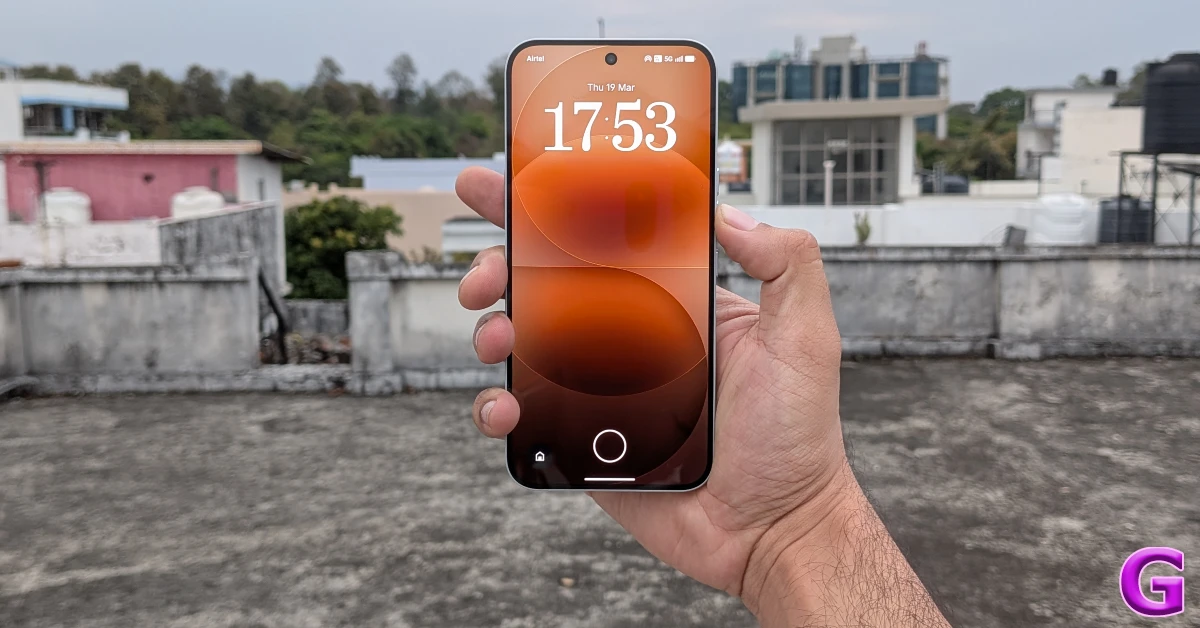

Nothing’s AI suite is slowly coming into its own. While it is a few notches below the pack leader in Galaxy AI, it has basic tools that find a lot of mileage in everyday use. The Wallpaper Studio is one of the AI features that we find very useful. It lets you select from a range of prompts and comes up with usage results for your lock screen and home page. Here’s how you can generate AI wallpapers on your Nothing phone.
Read Also: 2 ways to hide activity bubbles on Instagram
In This Article
Before you begin
Nothing’s Wallpaper Studio uses cloud servers to generate AI images. It requires access to an active internet connection to work. You can find this feature in the ‘Customisation’ and ‘Intelligence Toolkit’ sections in device settings. If you don’t like the results, we recommend using these alternatives:
- ChatGPT
- Media.io
- Canva
- Recraft
- Flixier
- Starry AI
Generate AI wallpapers on your Nothing phone
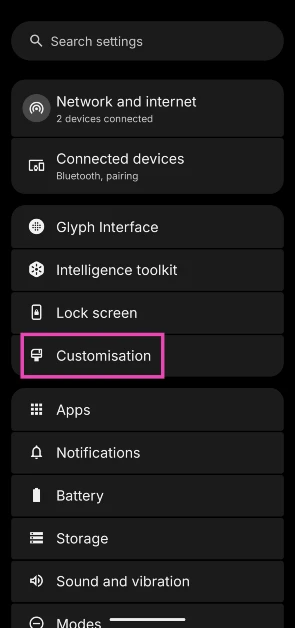
- Go to Settings.
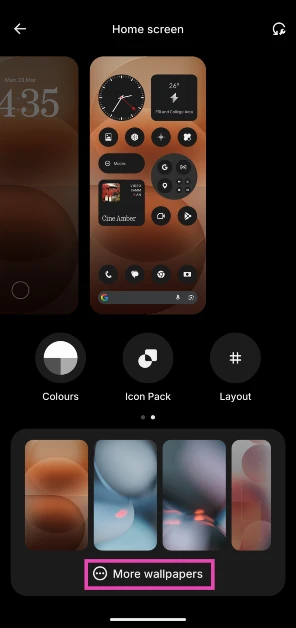
- Tap on Customisation.

- Tap on More wallpapers.

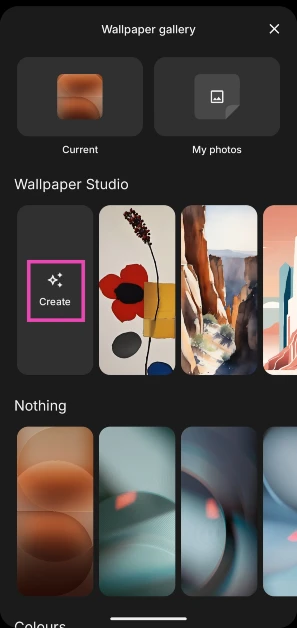
- Hit Create next to Wallpaper Studio.

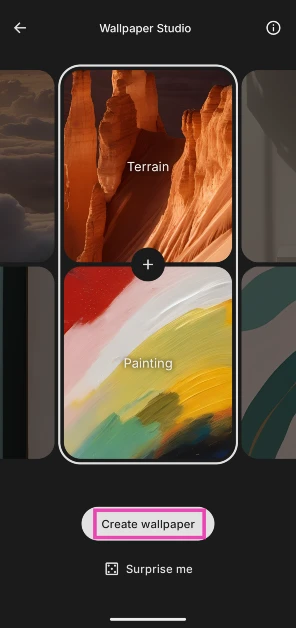
- Swipe through the top panel to select a subject and the bottom panel to choose the style.
- Once you’ve landed on your preferred prompt, tap on Create wallpaper. You can choose Surprise me if you don’t want to spend time on curating a prompt.
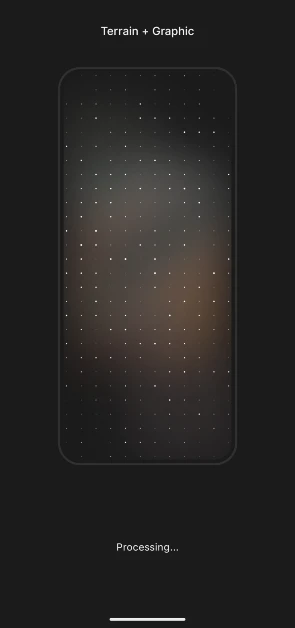
- Your smartphone will take some time to process the request and generate a wallpaper.
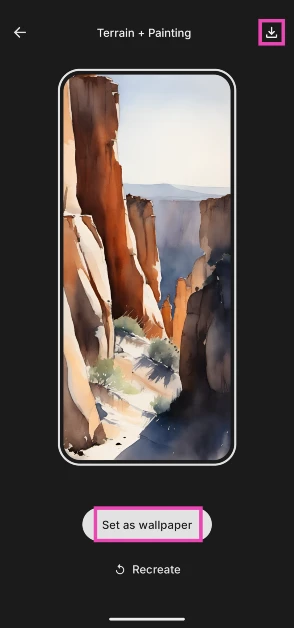
- Once the wallpaper has been generated, tap the arrow icon in the top right corner of the screen to download it on your device.

- Hit Set as wallpaper to use the generated image as your lock screen and/or home page wallpaper.
- If you don’t like the image, hit Recreate to generate another image based on the same prompt.
Frequently Asked Questions (FAQs)
Does Nothing rely on cloud servers to generate AI wallpapers?
Yes, Nothing devices use cloud servers to process requests and generate AI wallpapers.
How do I generate an AI wallpaper on my Nothing phone?
Go to Settings>Customisation>More wallpaper>Wallpaper Studio, select a prompt, and hit ‘Create wallpaper’.
How do I get regular app icons on my Nothing phone?
Go to Settings>Customisation>Icon pack and select ‘Default’.
How do I apply the atmospheric effect to the home page wallpaper on my Nothing phone?
Go to Settings>Customisation, select the home screen, hit the tick icon, and tap on ‘Atmosphere’.
How do I get the 5-icon app grid on my Nothing phone?
Go to Settings>Customisation>Layout and tap on 5.
Read Also: Rapoo introduces Mumbai Indians special edition accessories lineup in India
Final Thoughts
The results from Nothing’s AI wallpaper generator can vary from stunning to passable. Shuffling the preset options several times increases the probability of landing on a great artwork. If you have any questions, let us know in the comments!


