


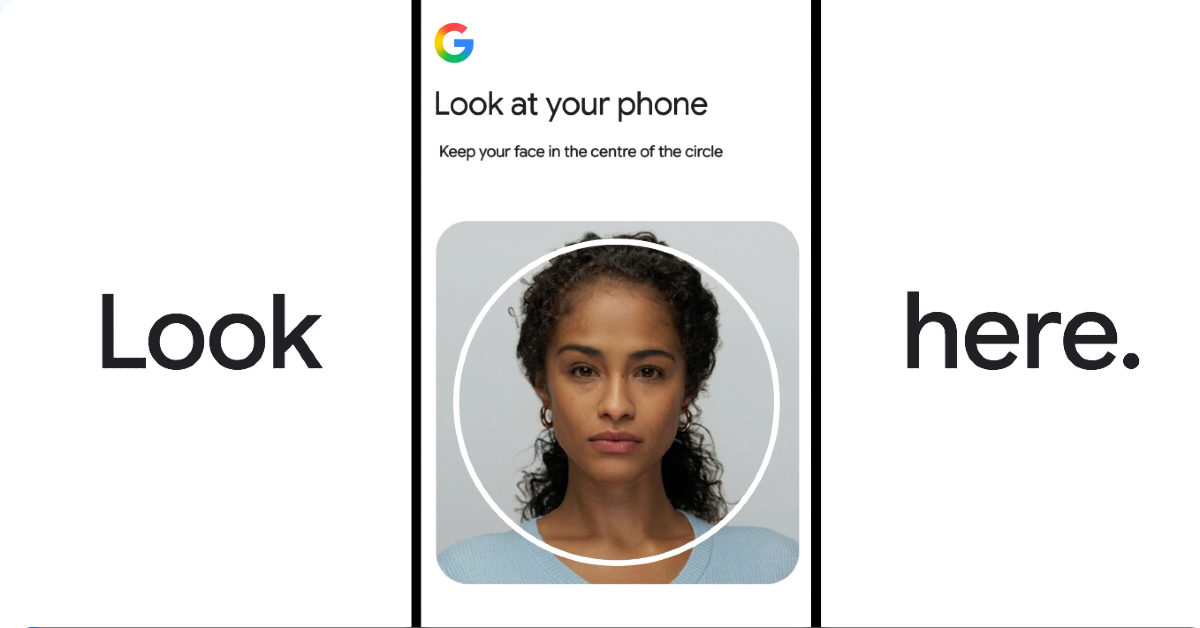

Google has introduced a selfie video sign-in to improve account recovery. Users can enable this functionality under the Security and Sign-in settings of their account. During the verification procedure, users have to move their heads into certain directions. The selfie video taken is encrypted and used only for the purpose of identity verification, and the accompanying data is safely kept in security settings.
The Google Account is a central repository for important data like images, emails, and documents, so it’s important to have strict security and privacy protocols without compromising on accessibility. Google recommends setting up multiple sign-in methods to improve security. One notable feature is a new sign-in option using a selfie video. This new feature provides an effective alternative for users who are unable to access their accounts using traditional methods: users can access their accounts using selfie videos.
To set up a selfie video for access to your account, just position yourself in front of the camera on the device and follow the recommended head motions to record several angles of your face. If you have trouble logging in, you may try recording another selfie to get back into your account. The selfie video function is important for identity verification by comparing the new video with the initial setup video, which helps in account recovery and security.
Also Read: Garena Free Fire Redeem Codes Today July 24, 2026: Claim Free Skins, Emotes, and Exclusive Rewards!
The selfie videos are a very safe way of user identification since they are under full control of the users. These videos are only recorded if users explicitly consent and can be deleted at any time from users’ Google accounts. These videos are mainly for sign-in, and sharing options are at the users’ discretion.
Also Read: Amazon Daily Quiz July 24, 2026: Here are all the answers that can make you win up to Rs 5,000
Regarding security, videos are encrypted while being stored; hence, they remain secure while not in use. Various security measures are used to prevent any impersonation attempts. That includes matching stored selfies against live photos and prompting users to make certain actions during the authentication process. And ubiquitous security measures are deployed to detect and block suspicious login attempts, creating a comprehensive security system for users.


