




Key Takeaways
- Local businesses often rely on quick phone photos for Instagram, websites, and Google Maps, but issues like dark lighting, blurriness, and clutter can negatively impact customer decisions in seconds.
- Common photo problems include low quality from older phones, bad indoor or daylight lighting, background clutter, and inconsistent visual styles across menus and platforms.
- AI-powered tools like Wink offer a fast alternative to professional photographers and complex software, allowing business owners to enhance existing photos directly from their phones.
Walk along the Street — you’ll see cafés, boutiques, and independent shops now using photos on Instagram, websites, and Google Maps to attract clients.
The trouble is, most of these photos are just quick phone snaps taken by the owner while they were in the middle of running the shop. There’s often little time to check the lighting or get the perfect angle. As a result, some photos end up looking dark, slightly blurry, or less clear than they did on the phone.
And customers notice that.
When someone is scrolling through Google Maps or Instagram, they make a decision in seconds. If your photo looks dim or a bit grainy, they’ll just tap on the next place that looks brighter and clearer — even if your food, products, or service is actually better.
So, do small business owners need to hire professional photographers every time they need a new photo? Not really. For many everyday shots, a decent phone photo can be cleaned up and improved with the right editing tool. Let’s see how.
In This Article
The photo mistakes local businesses make most often
You might be doing everything right in real life, but a poor photo tells a different story. Dark lighting makes great food look boring. A soft, blurry image makes a quality product look like it’s not worth a second look.
Typical issues seen in local business photos:
- Blurry/low quality: usually just taken quickly on an older phone or zoomed in too far, so on a bigger screen they look soft and pixelated.
- Bad lighting: indoor shots come out yellow or dull grey, so food and products don’t look like their real colour at all.
- Clutter in the back: bins in the corner, cables hanging, price tags, glare from the windows — that kind of stuff pulls your eye away from the main subject.
- Inconsistent look: one photo is bright, the next one is dark, and together on a website or menu, they just look a bit off.
In the past, fixing these problems often meant taking the photo again or spending time learning editing software. AI tools can now handle much of this cleanup with far less effort.
How to fix the photos with AI enhancement
For a business that updates its menu seasonally or refreshes product listings every few weeks, reshooting everything from scratch is not feasible. This is where a growing number of Tunbridge Wells business owners have started reaching for tools built specifically for photo repair rather than a full studio setup.
Wink is one such tool. It is an AI-powered photo enhancer that works with what you’ve already got. It takes messy images, makes them sharper, and fixes all the little things that make business photos look a bit unprofessional.

Using it is straightforward too. A business owner can upload an existing photo, select the needed improvement, and let AI handle the adjustments. It’s built for speed — so even during a busy service, you can fix a dull or blurry shot and have it ready to upload before the next customer walks in.
A simple workflow that works between customers
Most owners in Tunbridge Wells do not have time for complex editing. The process needs to fit around daily tasks, whether that means serving customers, preparing orders, or managing stock.
A typical workflow looks like this:
1. Choose the photos that need the biggest improvement
Start with images that are already useful but need some attention.
Good candidates include:
- A popular menu item with an older image
- A product photo that looks blurry online
- A shopfront picture taken on a cloudy day
- A social media image that lost quality after uploading
Focusing on the most important photos first can quickly improve how a business appears online.
2. Pick the right tool for the problem
Once you’ve picked your photos, you need to figure out what actually needs fixing. Not every photo has the same issue, so using the right tool for it makes a lot more difference.
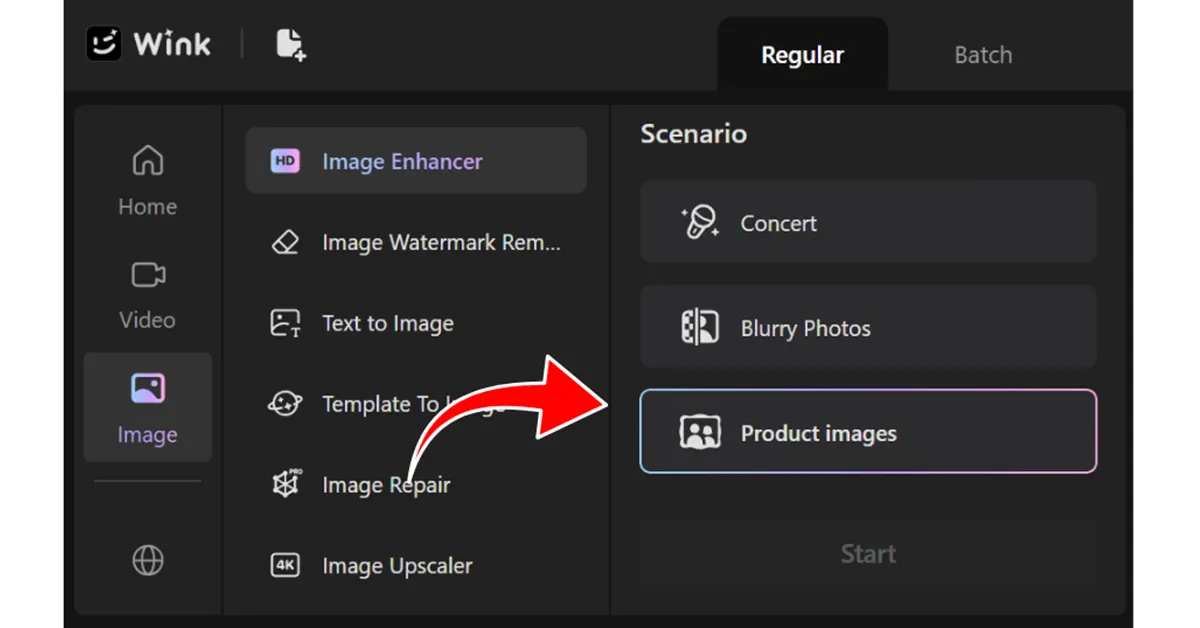
If a photo looks dull, a bit soft, or is missing detail, Wink’s image enhancer is the one to use. It improves the overall quality and adds clarity to food photos, product shots, and shop images by fixing the sharpness, the lighting and the small details.
The process is simple. Upload your image and choose the settings that match your needs. Since we’re working with a product photo, we’ll select “Product Image” in the scenario. You can choose a different scenario if you’re working with another type of image.
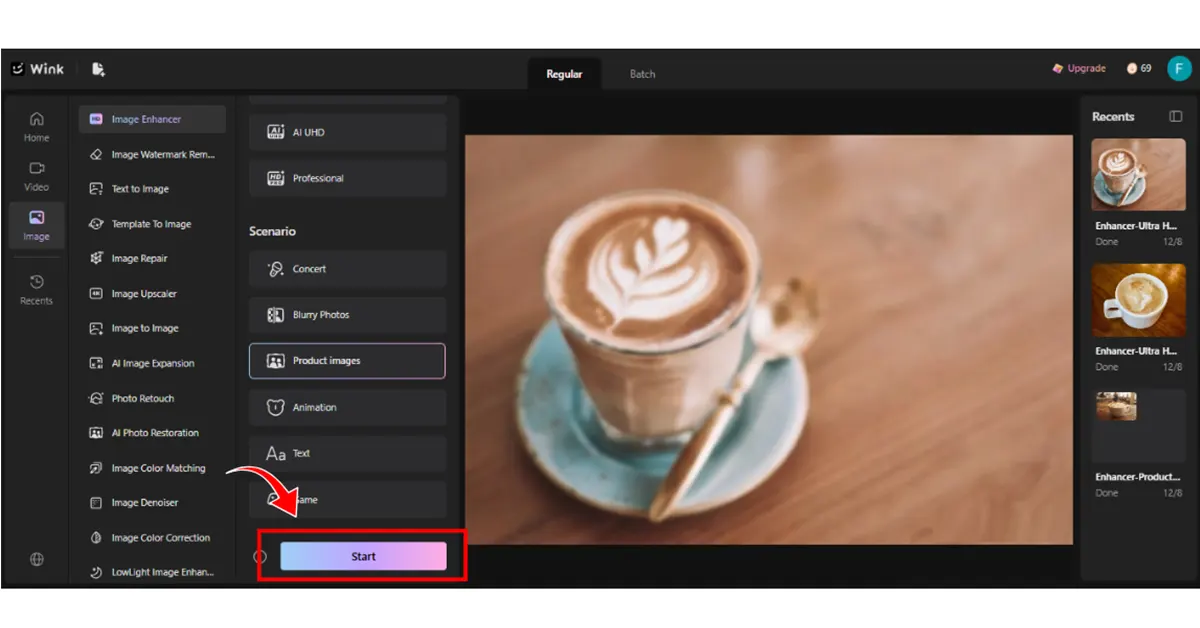
Once you’ve chosen the settings, click Start.
Within seconds, Wink processes the image and gives you an improved version that looks clearer and more polished.
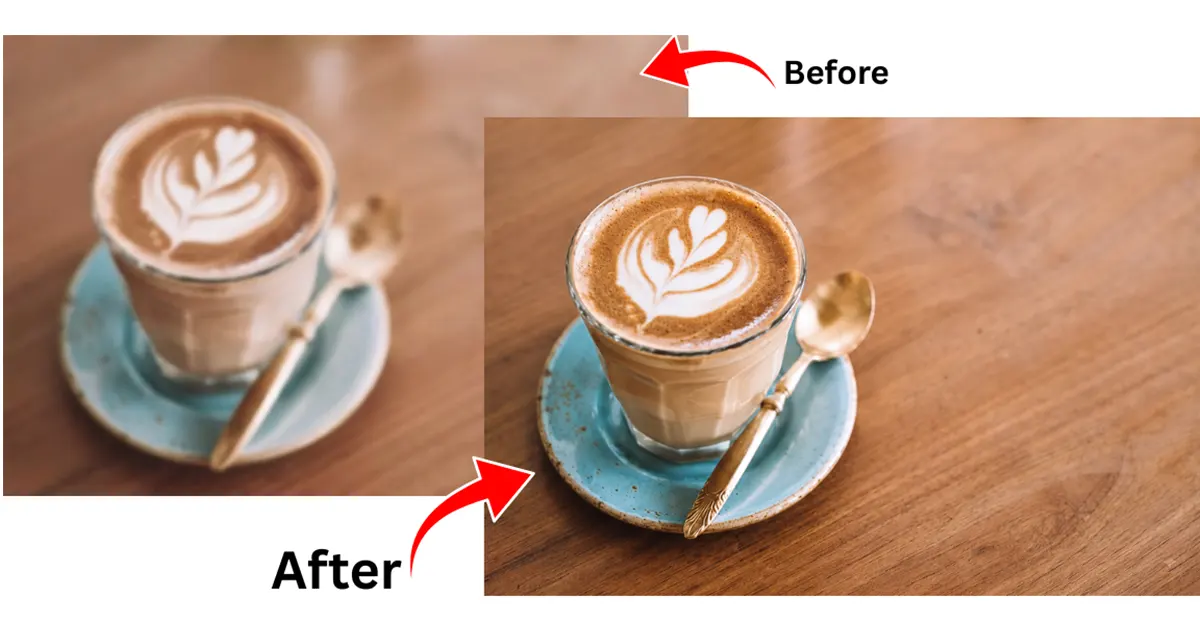
Wink image enhancer works especially well for common problems like blurred images, indoor yellow tones, grey-looking daylight shots, or images that lose quality after being uploaded to delivery apps or social media.
Instead of manually adjusting brightness and contrast, the tool auto-corrects them to a more natural, true-to-life look — so a latte keeps its crema colour, a pastry keeps its texture, and a boutique product keeps its true fabric details.
3. Resize photos for different platforms
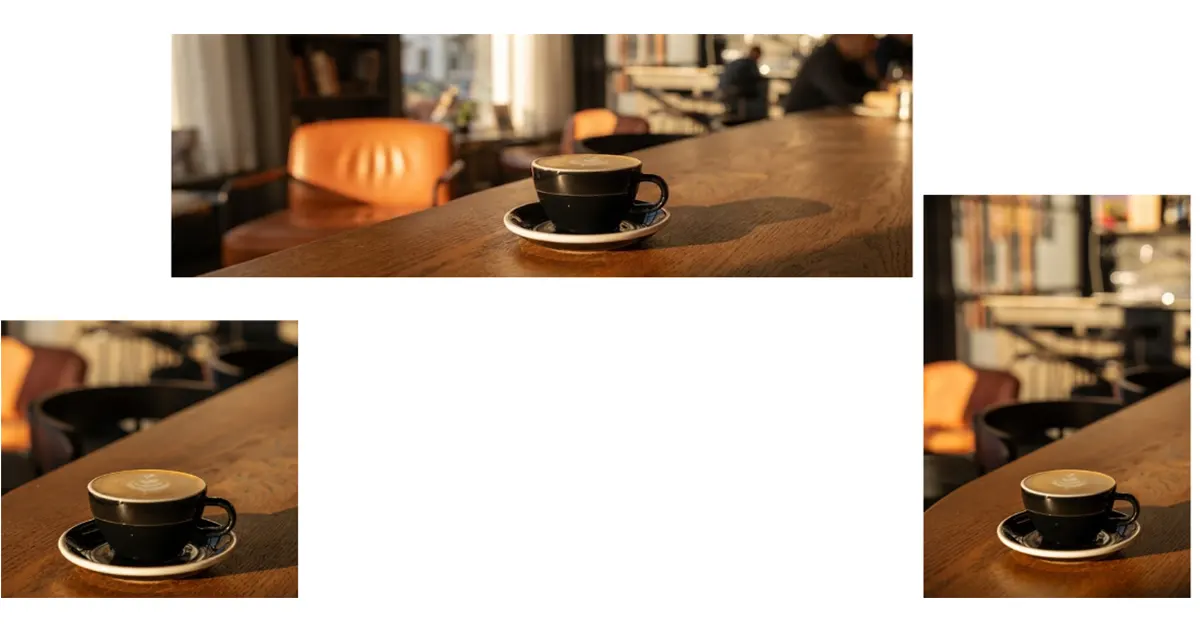
You end up using the same photo in like 5 different places, right? And every platform needs a different size. Something that looks totally fine on Instagram will look awful and blurry on your website banner or when you print it for the menu. So you need to upscale it first to make sure it’s big enough before you use it anywhere bigger.
Wink’s image upscaler is good for that. It makes a small photo higher-res but without that horrible stretched-out, blurry look you get if you just drag it bigger in Canva or whatever.
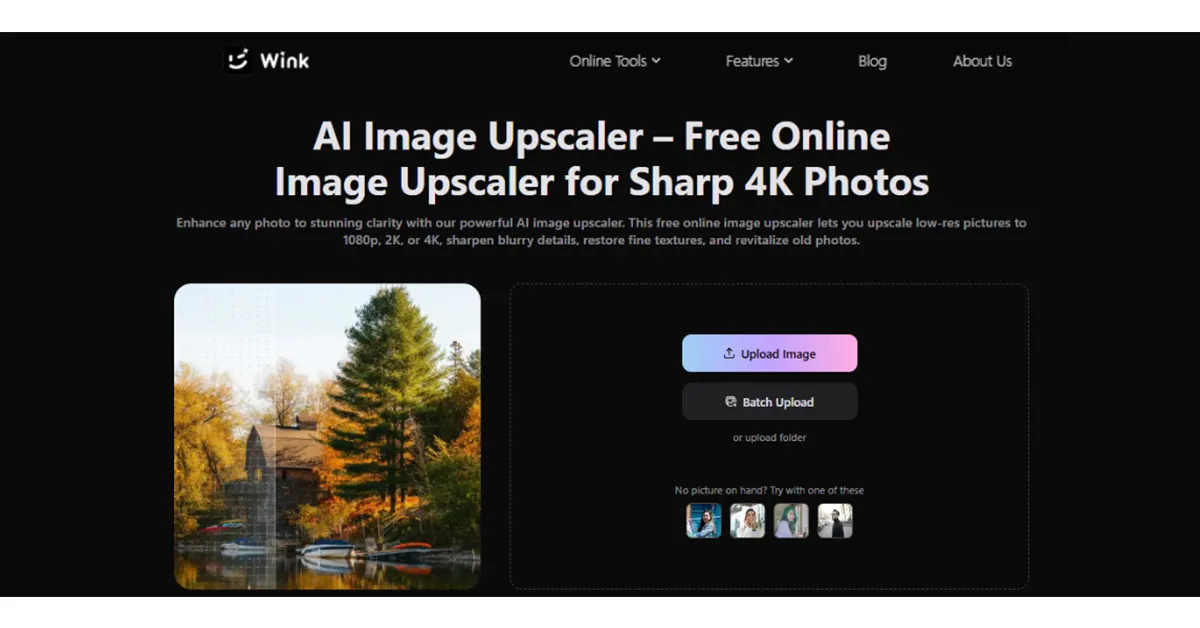
The process is simple as well. Just upload the original, pick how much bigger you want it, and that’s it — Wink handles all the detailed stuff in the background.
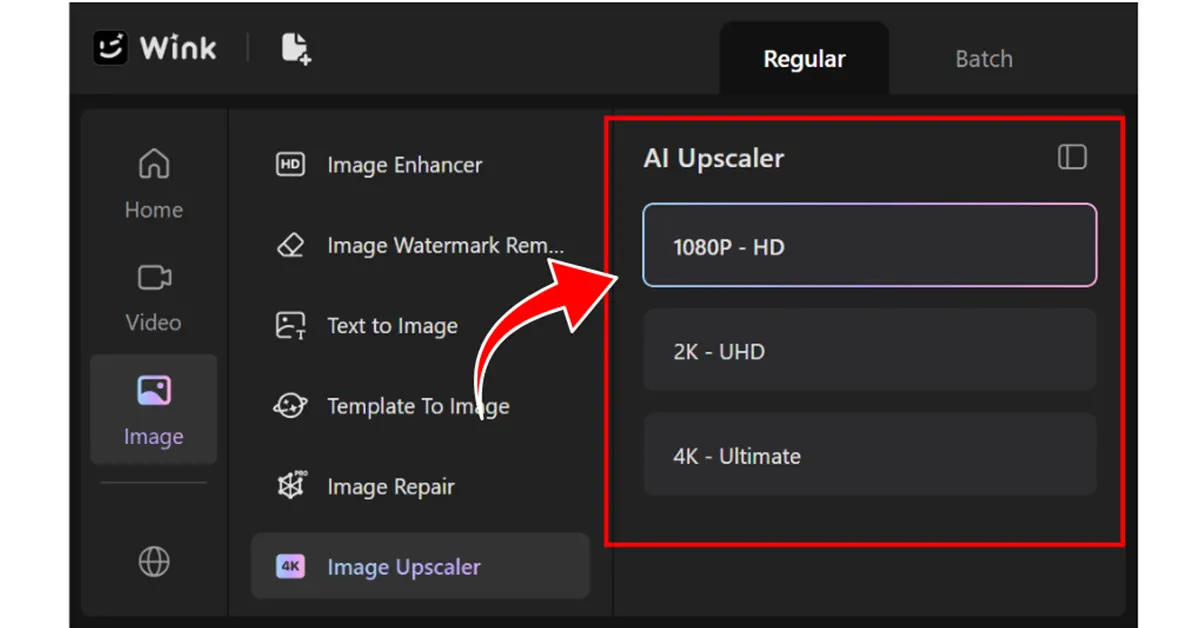
It takes a few seconds and you get a clean version that actually holds up on a big screen or in print.
Common uses for upgraded business photos
Better images can support many parts of a local business’s online presence.
| Business need | How improved photos help |
| Restaurant menus | Makes food look clearer and more appealing |
| Online product listings | Shows details that customers want to see |
| Google Business profile | Helps visitors recognise the location |
| Social media posts | Creates cleaner content without constant photoshoots |
| Printed materials | Provides higher-quality images for menus and signs |
Wink.AI: A practical option for small businesses
Running a local business involves handling many daily tasks, from serving customers to managing stock and updating online listings. Spending hours fixing photos is rarely a priority.
Simple AI-powered tools give business owners another option. Instead of replacing every image or learning complicated editing software, existing photos can be improved and reused.
If you have a menu board that looks dark, a product photo that went blurry after upload, or a shopfront picture from a cloudy day, try enhancing what you already have first. Wink lets you upload and fix it in seconds right from your phone or laptop – no learning curve, no complicated layers.
For busy cafés, boutiques, and independent shops in Tunbridge Wells, it’s the quickest way to keep your online presence looking professional without booking another photoshoot every time something changes.


