


Over the years, we’ve seen tablets transform from mere entertainment pads into powerful slabs that transcend the limitations of their form factor with nifty accessories and clever software optimisations. ‘But can it really replace my laptop, though?’ has been the pertinent question throughout this time – and one that deserves an incontrovertible answer, especially when the global RAM crisis has driven laptop prices through the roof. Enter HP’s OmniPad 12, a modest 12-inch tablet with a hexa-core Snapdragon chip inside. At Rs 48,990, it comes with its own detachable keyboard folio case, which opens the door to a lot of possibilities. We’ve been using this 2-in-1 tablet for the last week. Can it give the laptops in its price category a run for their money? Dive into our HP OmniPad 12 review to find out.
In This Article
HP OmniPad 12 Review: Design and Display
Box Contents
- Tablet
- 33W power adapter
- USB-A to USB-C cable
- SIM ejector
- Setup instructions
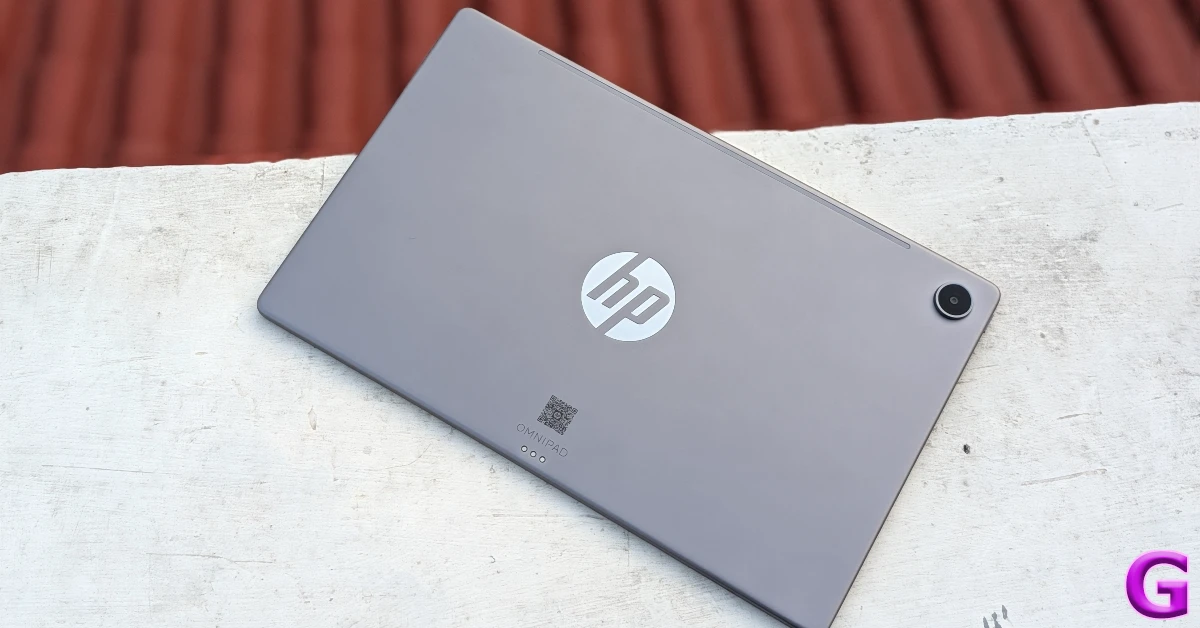
The OmniPad 12 has a metal unibody with a matte finish. The back panel has a nice in-hand feel. There is a minimal flex to it, but not enough to raise concern. The flat form factor feels premium, and the matte finish keeps fingerprints and smudges at bay. The HP lettering has a mirror background and is positioned at the centre of the panel. The lone camera cutout is placed in the top right corner.
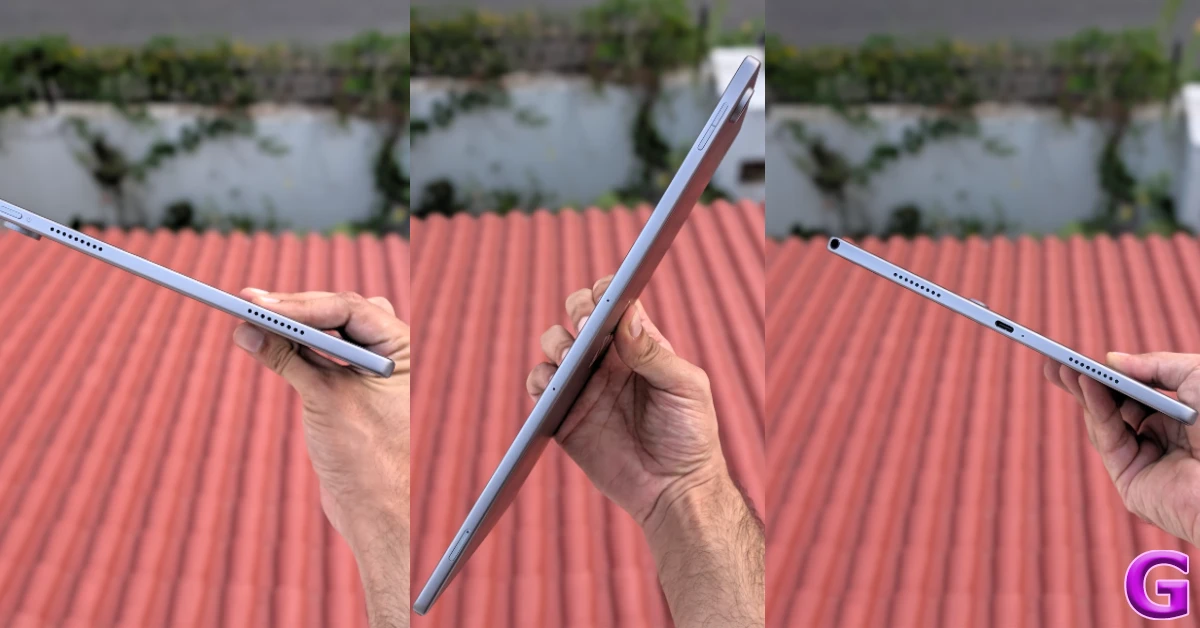
The top edge of the metal frame houses the volume rocker, two microphones, and a hybrid SIM tray. The quad speaker setup is aligned along the vertical edges. The power button is placed on the left edge. The USB-C port and a microphone are sandwiched between the two speaker grilles on the right edge. The 3.5mm headphone jack on the upper section of this edge is a thoughtful addition. The tablet weighs 600g while the keyboard folio case tips the scale at 590g.
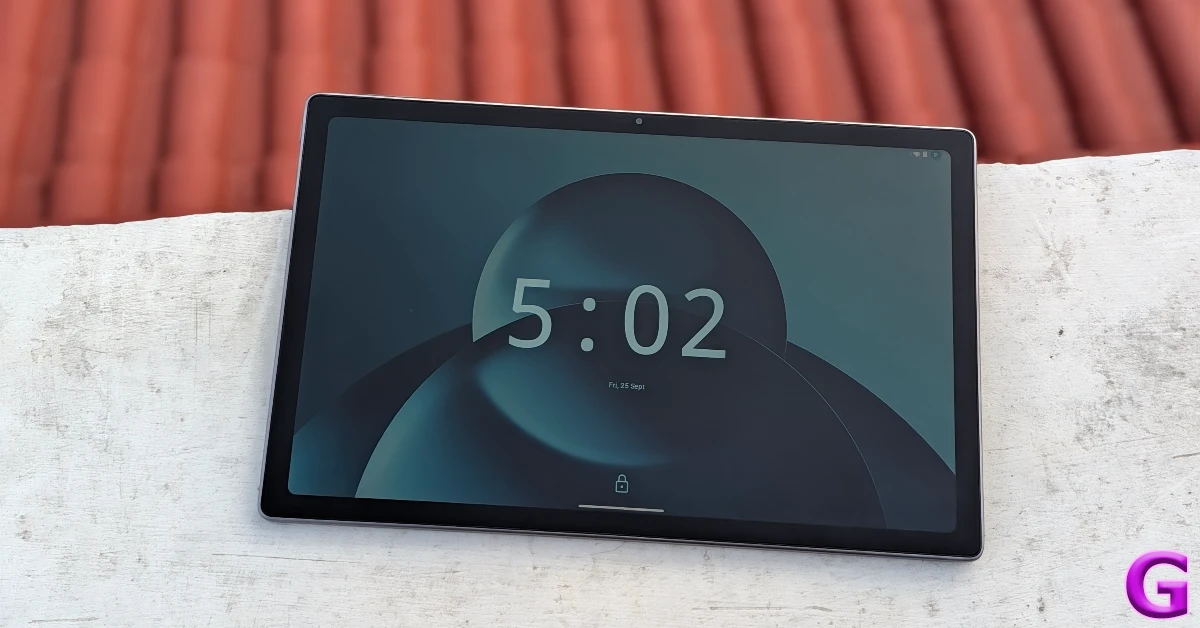
The 12-inch IPS LCD panel has a 90Hz refresh rate and can reach a maximum brightness of 400 nits. Its 16:10 aspect ratio is ideal for streaming visual content. The touch response is smooth. The bezels surrounding the screen are thick and even, making it easier to hold the device without setting off any accidental touches. The display remains perfectly legible in indoor conditions, but struggles under harsh sunlight. There is no fingerprint scanner under this display, nor is there one on the side button. You also don’t get facial recognition tech, so your unlocking options are limited to screen unlock only.
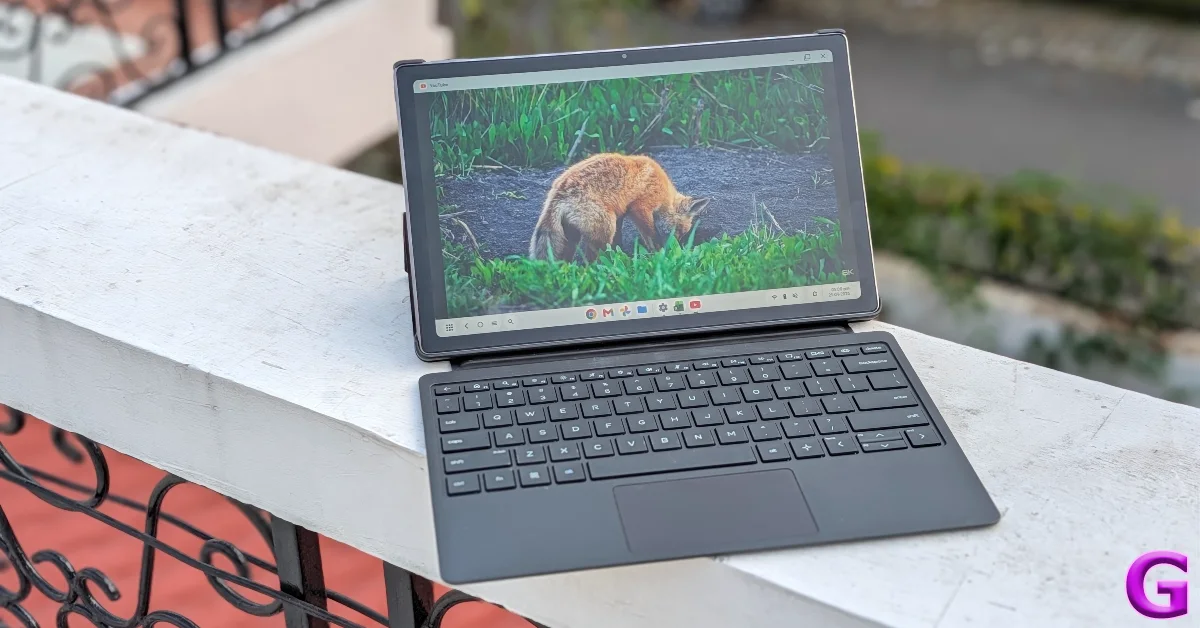
The OmniPad 12 offers a good viewing experience. The 2K display produces vibrant visuals packed with essential details. Of course, the contrast isn’t as punchy as we’re used to seeing on AMOLED panels, but LCD is pretty much the norm in this price bracket. The audio output from the quad speaker setup isn’t loud enough to fill the room, but it is clear and well-rounded.
HP OmniPad 12 Review: Performance and Cameras
The OmniPad 12 packs the hexa-core Snapdragon SM6475Q chipset under its hood. It is equipped with 8GB LPDDR5 RAM and comes in 2 storage variants
- 128GB: Rs 48,990
- 256GB: Rs 56,490
Here’s how the tablet performed in common benchmark tests.
- AnTuTu 3D: 896,729
- Geekbench 7: 864 (single-core) | 2,588 (multi-core)
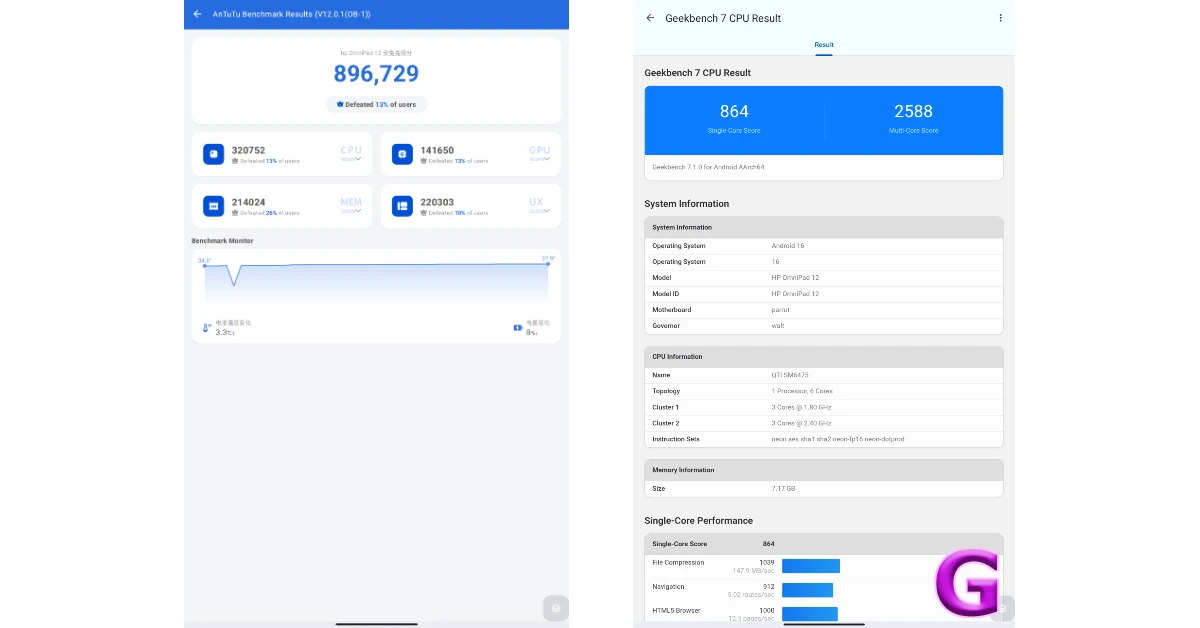
The SM6475Q processor is essentially Qualcomm’s Snapdragon 6 Gen 3 chipset minus 2 cores. It feels quite lightweight when you compare it against other processors in this segment. The benchmark numbers illustrate this point. The shift in general performance is visible too, especially while multitasking. Juggling multiple apps together often leads to unwanted stutters. Lone routine tasks like emailing, media streaming, and web browsing are handled well.
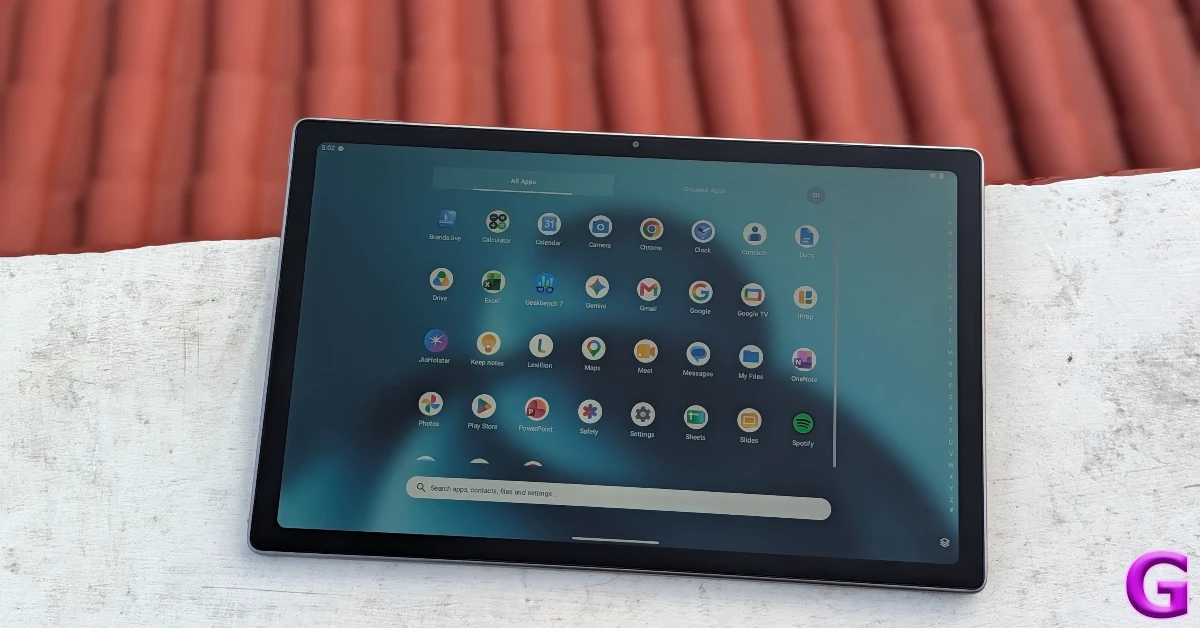
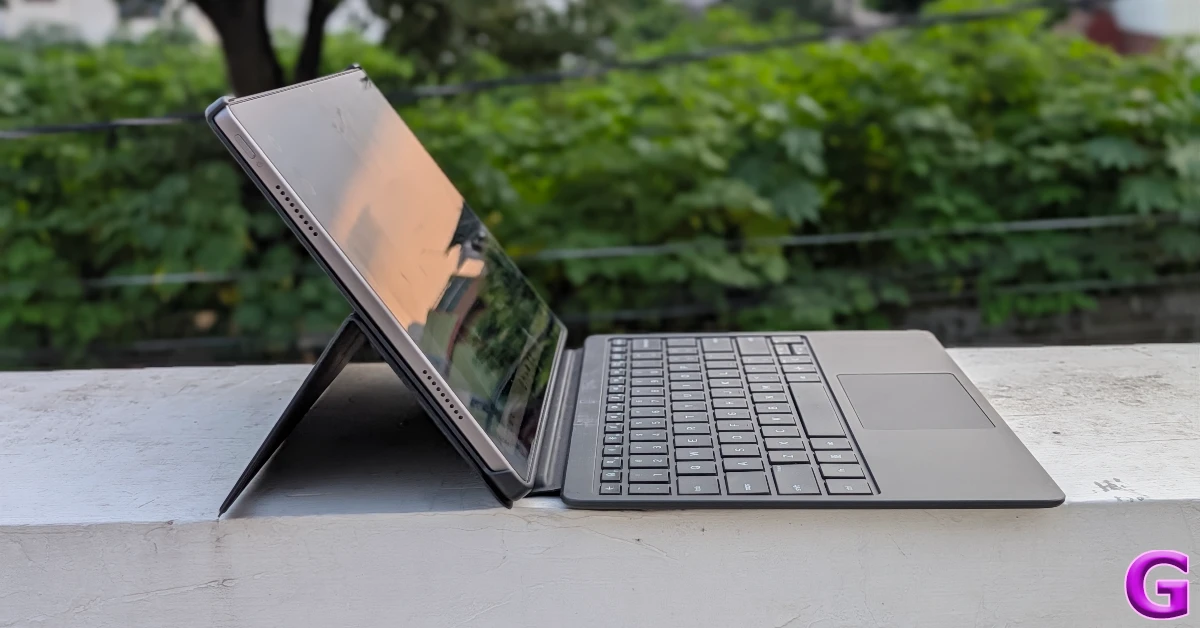
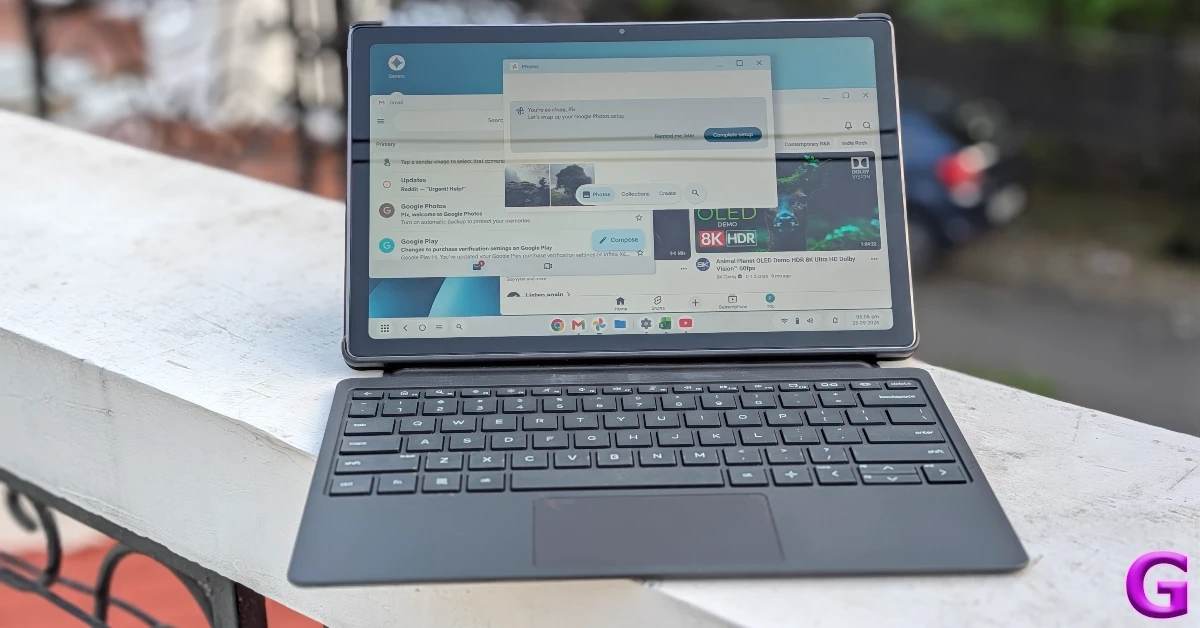
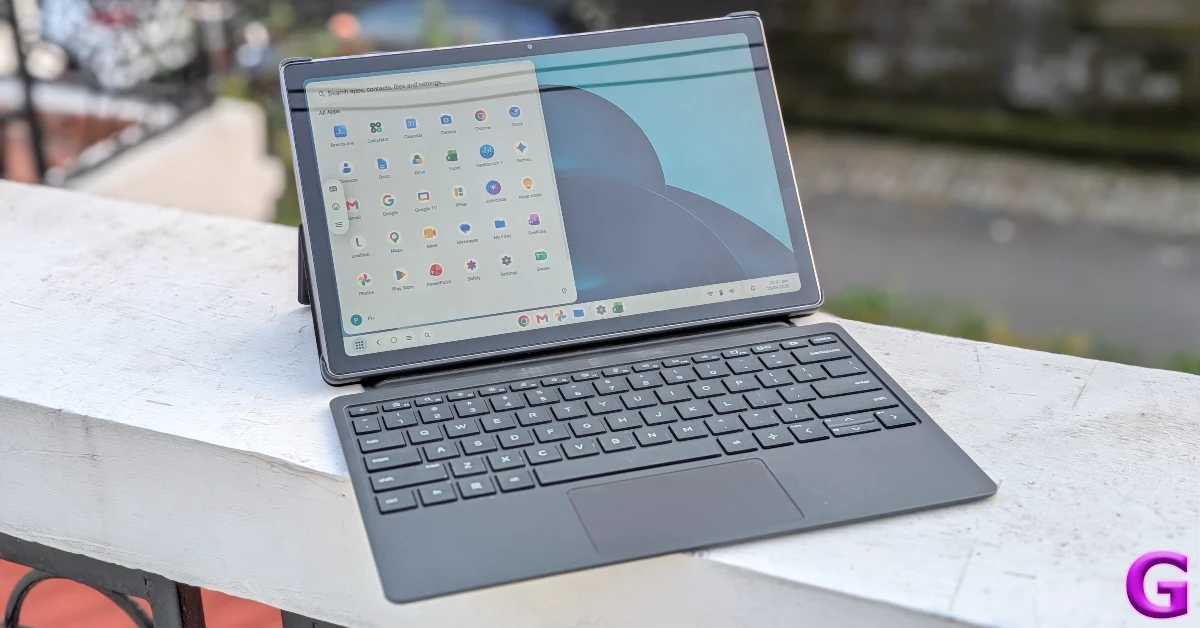
The magnetic POGO pins on the back panel attach to the keyboard folio case. The flap on the upper section of this case can be brought down to support the tablet and adjust its tilt angle. The keyboard itself feels pretty solid. The keys have nice travel, and the trackpad is sensitive to subtle touches. We used this arrangement to draft a few articles and send the odd email. The typing experience was satisfying, and the overall performance felt very close to a laptop, which is the best compliment we can bestow on the OmniPad 12.
Software duties on this tablet are handled by Android 16. Apart from a few Microsoft apps, there is no bloatware on this device. The Desk Mode is the centrepiece of the software experience. Once enabled, it springs into action as soon as you attach the tablet to the keyboard folio case.
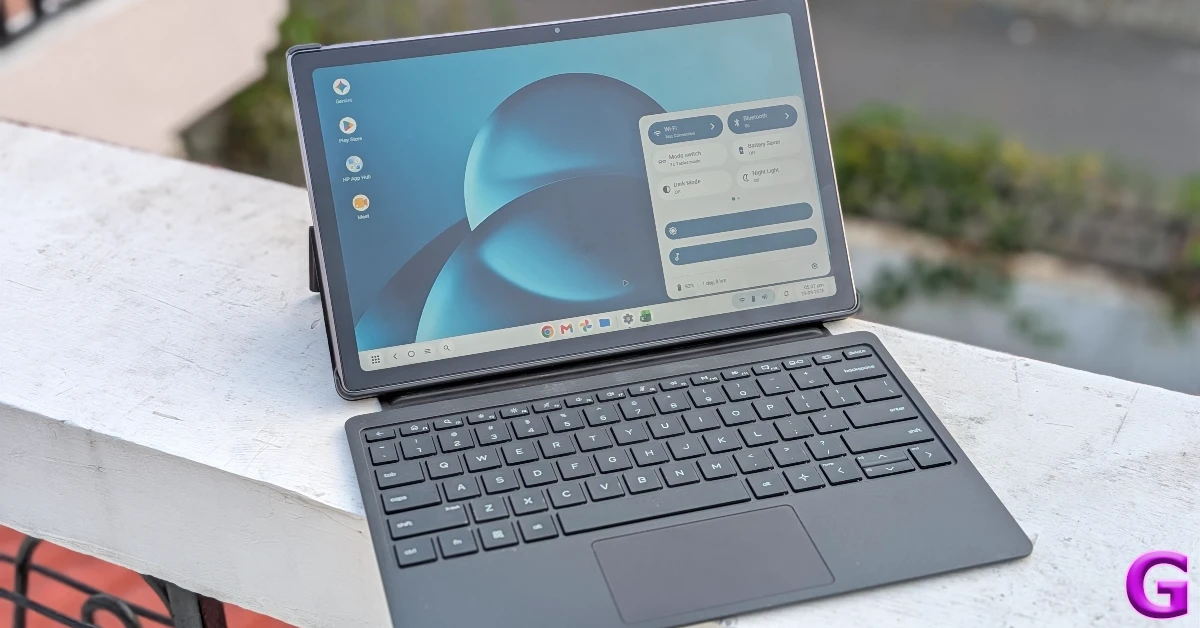
The interface feels very familiar to that of a Windows laptop. You can open apps in different resizable windows and switch among them with ease. This allows you to carry out different tasks at once without any hiccups. Dragging and dropping content across different apps works intuitively in this mode. Our only complaint with this feature is that dragging different windows requires hard-pressing the trackpad. A simple double-tap gesture would’ve been much more intuitive.
The 2-cell 31Wh Li-ion polymer battery gets you through the workday without needing a top-up. Our average day included tasks like web browsing, emailing, attending video meetings, and media streaming. The 33W charger provided in the box takes up to 2 hours to fully charge the tablet from 0%.
The 13MP rear camera captures good pictures in outdoor daylight conditions. The pictures showcase decent colours, even if the details aren’t razor sharp. Images taken in limited lighting conditions are dim and grainy. The front-facing 8MP camera captures clear and bright selfies. It puts up a good performance in video calls as well.


Read Also: Samsung Galaxy S26 series price in India tipped to be increased by up to Rs 25,000
Verdict
The HP OmniPad 12 has a lot of things going for it. Its metal chassis, minimal design, and bright display make it a great entertainment tablet. The keyboard attachment does a splendid job of recreating the ‘laptop vibe’. The keys have nice travel, which leads to a very satisfying typing experience. The big highlight is the Desk Mode, which creates a Windows-like interface when you attach the keyboard folio case to this device. Having said that, the Snapdragon SM6475Q chipset feels like a mediocre choice, given the price of the tablet. While it’s good for routine tasks, it frequently throws stutters your way while multitasking.
Pros
- Nice design
- Desk mode
- Satisfying typing experience
Cons
- No fingerprint sensor or face unlock
- Mediocre processor


