


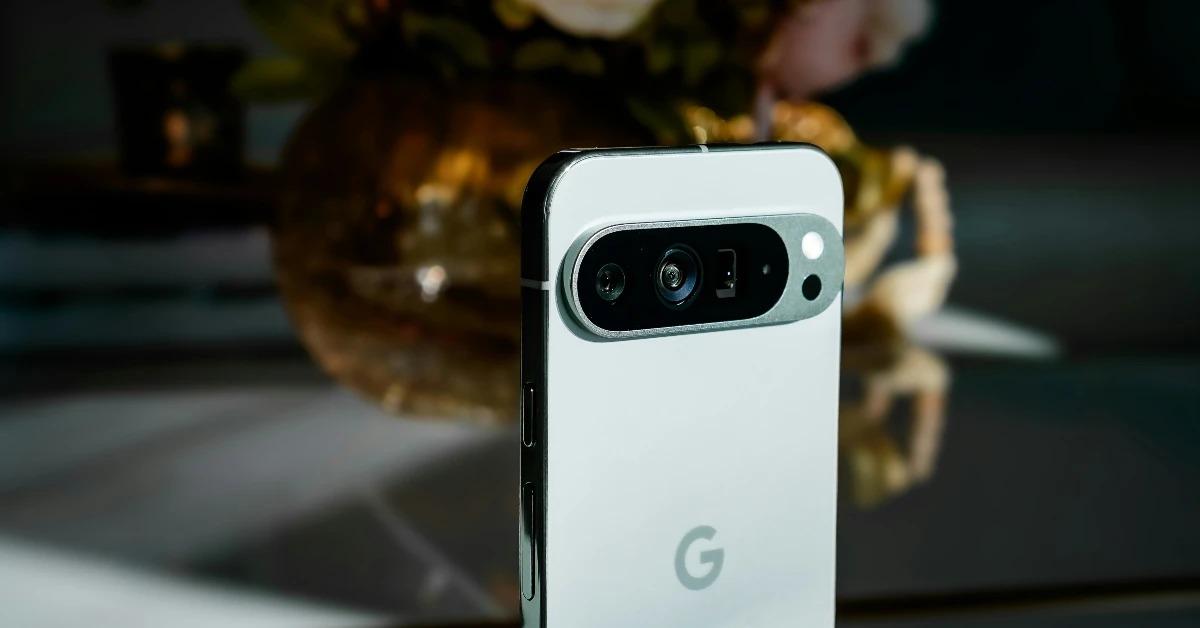

Producing a good-quality livestream is a challenging task if you’re new to the game. The good news is that you don’t need to break the bank on pricey equipment for basic stuff. Want to capture multiple camera angles on your livestream? You can simply pair an older Pixel with your current one. The process is easy and seamless. Here’s how you can connect another Pixel’s camera to your Google Pixel.
Read Also: Dyson V16 Piston Animal anti-tangle cordless vacuum launched in India
In This Article
Here’s what you need to keep in mind before you begin
- This feature is only compatible with Pixel 6 and higher devices, excluding Pixel 10 and Pixel A-series smartphones.
- You need to be signed in to your Google account on both devices for the cameras to connect.
- Cross-device services should be enabled in settings.
- You can also use a GoPro or a plug-in USB camera.
- GoPro Hero 10 and above and USB cameras that support the USB Video Class (UVC) specification are compatible with this feature.
- Only one external camera can be connected at a time.
- The camera that is currently in use captures the audio.
Connect Another Pixel’s Camera to Your Google Pixel
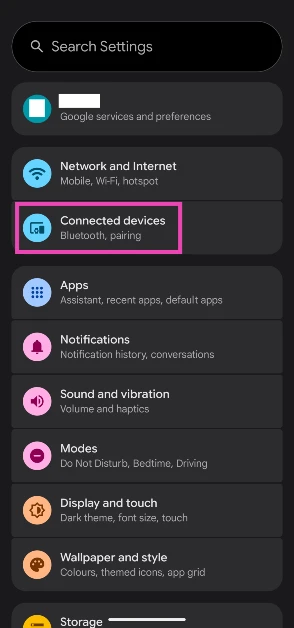
- Go to Settings and select Connected devices.

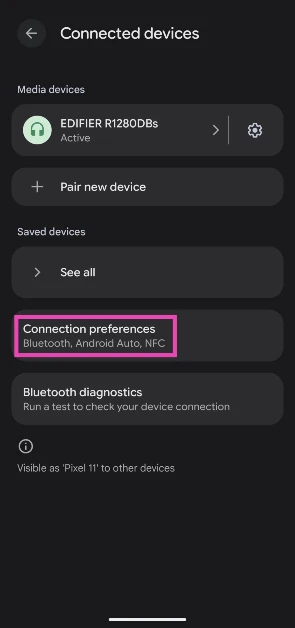
- Tap on Connection preferences.

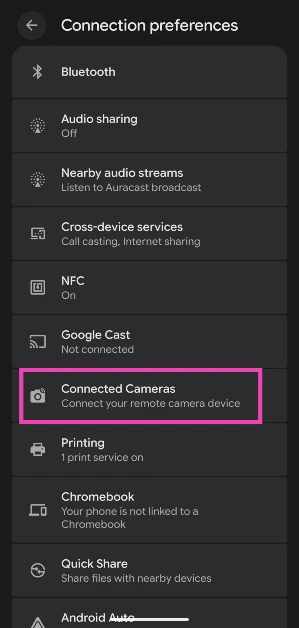
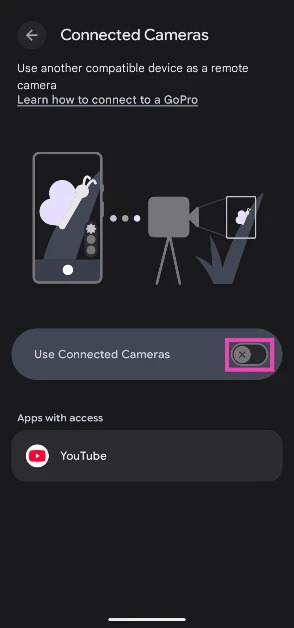
- Select Connected Cameras.

- Turn on the toggle switch next to Use Connected Cameras.
- Launch a compatible app.
- Tap the camera picker icon on the left side of the screen.
- Tap the plus icon.
- Select the other Pixel.
- On the other Pixel, select the camera you want to use.
- Tap Grant access.
Frequently Asked Questions (FAQs)
How do I get the camera feed from another Pixel on my Google Pixel?
Make sure you are logged into your Google account on both devices. Go to Settings>Connected devices>Connection preferences>Connected cameras and turn on the toggle switch. Go to the Camera app, tap the camera picker icon, tap the plus icon, and select the other Pixel device. On the other Pixel, choose your preferred camera and tap on ‘Grand access’.
Can I connect an external USB camera to my Pixel?
Yes, your Pixel supports plug-in USB cameras as long as they support USB Video Class (UVC).
Can I connect my Pixel to 2 cameras at a time?
No, you can only connect your Pixel to one camera at a time.
Is GoPro compatible with Pixel?
Yes, GoPro Hero 10 and above are compatible with Google Pixel 6 and above smartphones.
How do I use my Pixel as a webcam?
Connect your Pixel to your PC/laptop via a USB cable. Tap on ‘Charging this device through USB’ in your phone’s notification shade. Select ‘Webcam’.
Read Also: Devialet Phantom Ultimate 98 dB – Pulse Blue launched in India
Final Thoughts
You can give an additional boost to the quality of your livestreams by using an external mic with the dual-camera setup. This will keep your Pixel from changing the audio source every time you switch the camera. Need more livestreaming tips? Let us know in the comments!


