


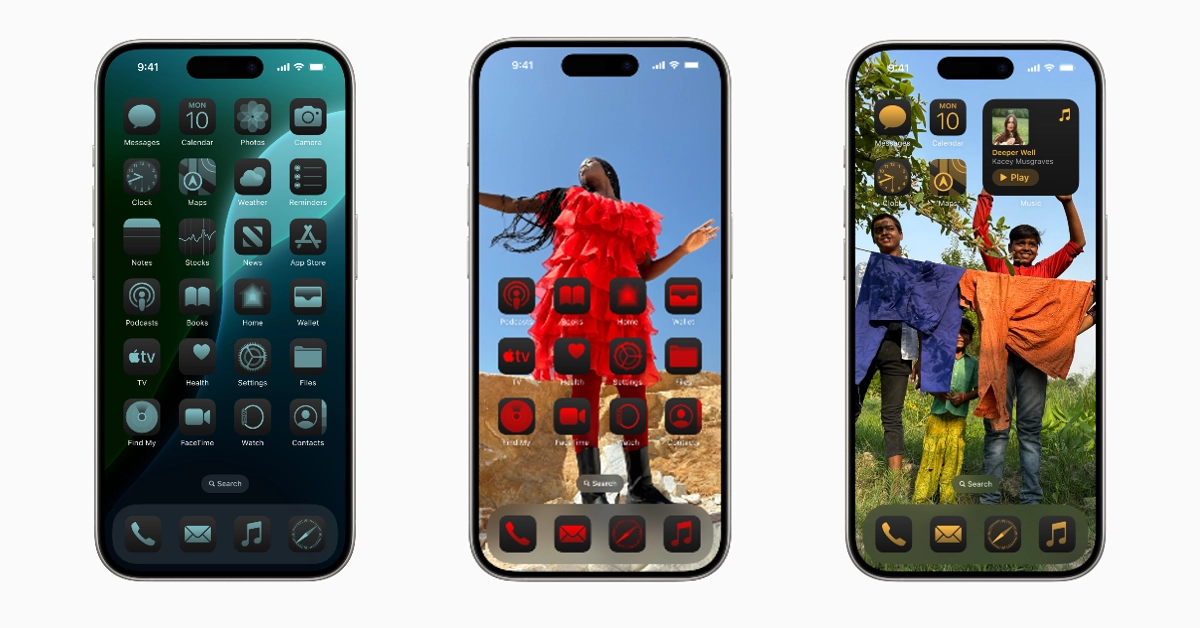

iOS 18 is finally here and can be installed on eligible iPhones. The new software upgrade marks the debut of Apple Intelligence, which is seamlessly ingrained into the software. Apple has also added a bunch of customisation options for the home screen, lock screen, and Control Centre on the new iOS 18. So, let’s take a look at how you can hide app names on your iOS 18 iPhone.
Read Also: How to delete a voicemail on Android (2024)
In This Article
What’s new on iOS 18?
Apple Intelligence may have grabbed all the headlines when iOS 18 was unveiled at WWDC24 in June, but it is a beta feature that will be limited to the Pro models of the iPhone 16 series. The good thing is that there are a lot of other exciting features to look forward to.
Apart from home screen and lock screen customisations, Apple has paid a lot of attention to user privacy this year. You can hide or lock any app on your iPhone using Passcode or Face ID. There is also a new ‘Passwords’ app for iPhones which will help users store and sync their login credentials across all their devices.
Hide app names on your iPhone in iOS 18
Step 1: Update your iPhone to iOS 18. Check out this article to learn how to do it.
Step 2: Long press an empty spot in the home screen to go into editing mode.
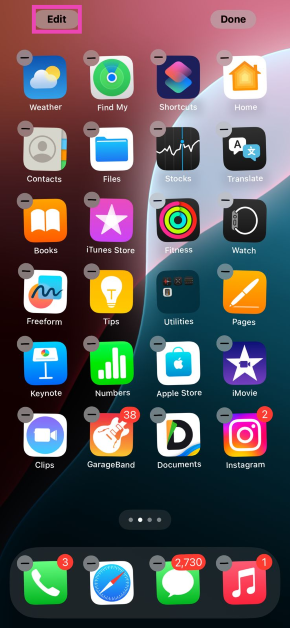
Step 3: Hit the Edit option in the top left corner of the screen.
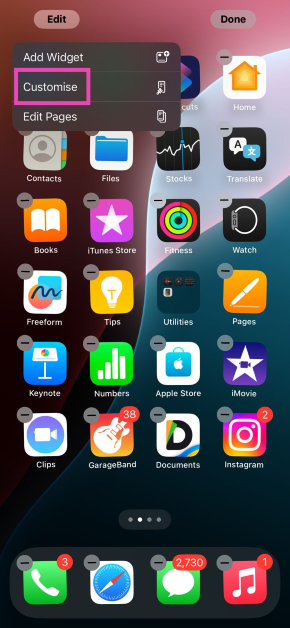
Step 4: Tap on Customise.
Step 5: Select Large.
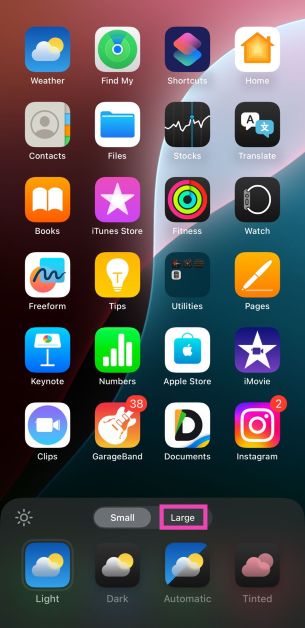
Step 6: Tap anywhere on the screen.
The app icons on your iPhone’s home screen will become larger and their name will be hidden.
Frequently Asked Questions (FAQs)
Is there a way to hide app names on my iPhone?
iOS 18 lets you hide the app names on your iPhone’s home screen by making the icons larger. Long press any empty spot on the screen, go to Edit>Customise, and select ‘Larger’.
How do I get iOS 18 on my iPhone?
Go to Settings>General>Software Update and hit ‘Update Now’.
When will Apple launch AI features on iOS 18?
The Apple Intelligence features will arrive on iOS 18.1 in October.
Read Also: Sennheiser Accentum True Wireless earphones now available in India
Conclusion
This is how you can hide app names on your iPhone in iOS 18. The new mobile operating system from Apple also lets you change the placement of app icons, as well as their colour and size. You can also customise the Control Centre according to your needs.


