



Most instant messaging apps do not let you send an empty space as a text. Once you hit the spacebar, you need to type at least one character to send the message. This is why receiving an empty message is quite confusing. If done right, it could work as a hilarious prank on your friends. The method to send empty texts varies among different apps. Today, we bring you the top 4 ways to send blank messages on WhatsApp, Instagram, Telegram and more.
Read Also: Instagram no longer supports automatic feed refresh, removes “rug pull” feature
In This Article
Which method should you use?
Depending on the messaging app, you will need to use a specific method to send blank texts. Apps like WhatsApp and Telegram make it very hard to send empty characters to your contacts. Meanwhile, Instagram does not perform any checks and lets users send blank texts with ease.
If you’re an Instagram user, you can simply copy an empty character from anywhere on the Internet, paste it into the text field, and DM it to anyone you want. The app won’t restrict the message, and the user will see a blank text on their screen. However, doing the same on WhatsApp triggers the ‘Cannot send blank message’ notification. Telegram withholds the message and lets you know that it isn’t able to send it.
There are a bunch of third-party apps you can use to send blank messages on WhatsApp. These apps do not require access to your account. All you need to do is copy the character or simply hit the WhatsApp icon to forward it to a chat thread. Sadly, this method doesn’t work for Telegram. If you’re a Telegram user, you will need to use a special empty symbol to send as blank text.
Send a blank message on Instagram by copying the empty/invisible character
Step 1: Search Google for an empty/invisible/whitespace character or copy it from here – ‘⠀’.
Step 2: Launch Instagram and go to your DMs.
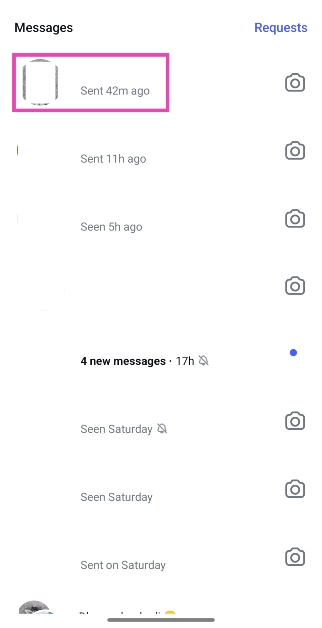
Step 3: Open a conversation and paste the blank character.
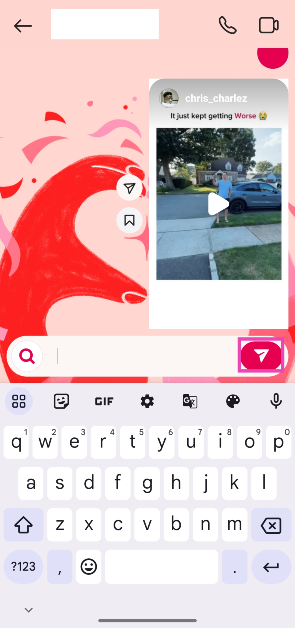
Step 4: Hit Send.
Note: This method only works for Instagram. To send a blank message on WhatsApp and Telegram, check out the methods listed below.
Use this character for Telegram and WhatsApp
Step 1: Copy this character to your phone’s clipboard – ‘ㅤ’.
Step 2: Launch WhatsApp or Telegram and open a chat.
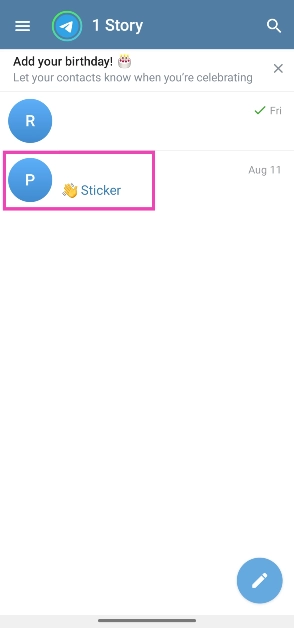
Step 3: Paste the character into the text field.
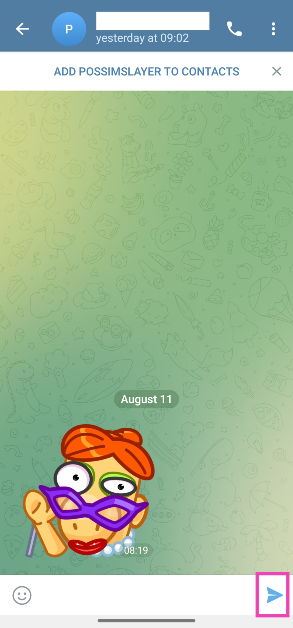
Step 4: Hit Send.
Send a blank message on WhatsApp and Instagram using a third-party app
Step 1: Download the install the Blank Text & Invisible Text app on your smartphone.
Step 2: Tap on Invisible Text.
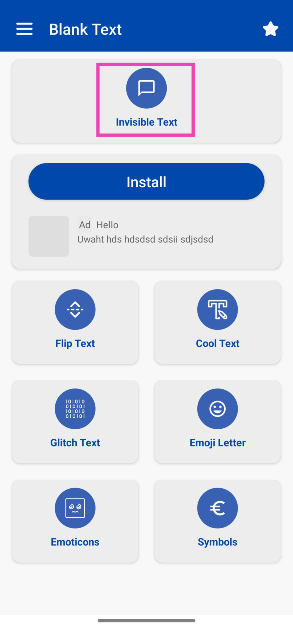
Step 3: Enter 1 and 1 in the row number and char number fields.
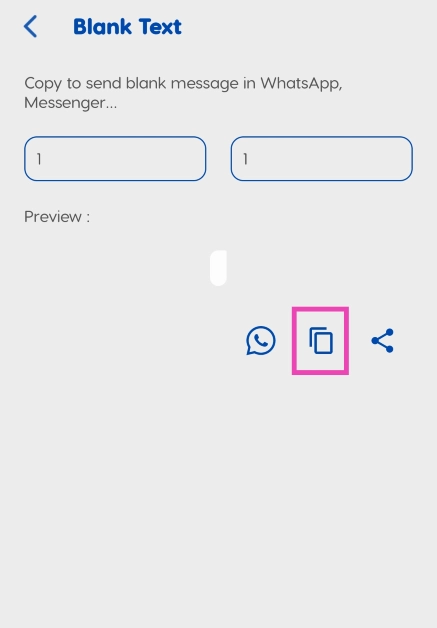
Step 4: Hit the Copy icon.
Step 5: Launch WhatsApp/Instagram on your smartphone and open a chat.
Step 6: Paste the blank character into the text box.
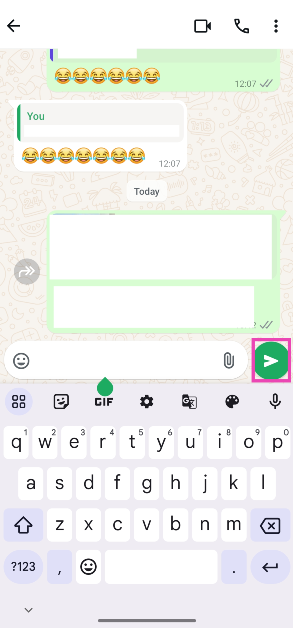
Step 7: Hit Send.
Use Empty Text!
Step 1: Download the Empty Text! app from the Google Play Store.
Step 2: Launch the app and enter the number of blank characters you want.
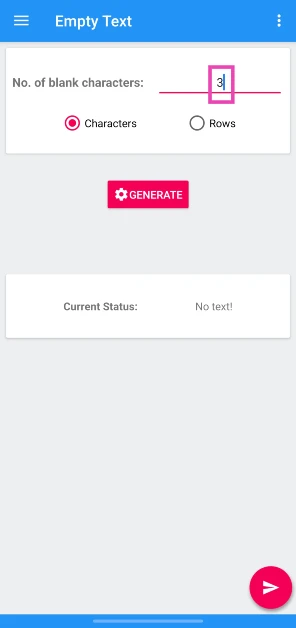
Step 3: Hit Generate.
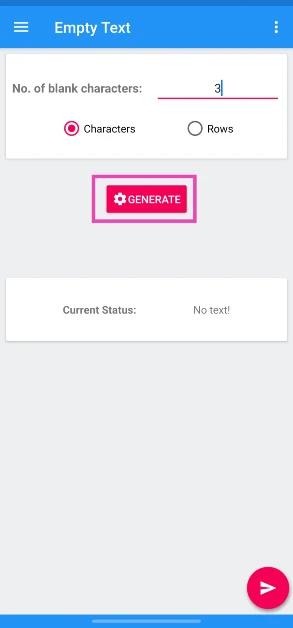
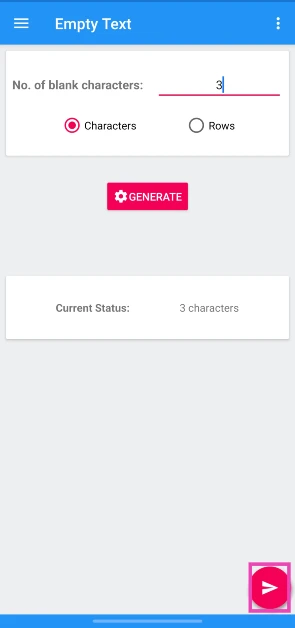
Step 4: Hit the arrow icon in the bottom right corner of the screen.
Step 5: Tap on Copy.
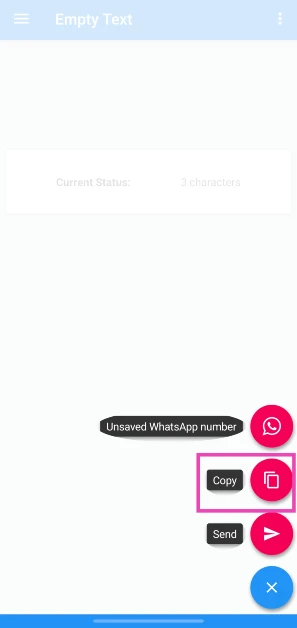
Step 6: Go to the Instagram conversation, paste the character from the clipboard, and hit the Send icon.
Frequently Asked Questions (FAQs)
How do I send a blank message?
Copy a blank or invisible character (⠀) to the clipboard and paste it into the box to send a blank message. You can also use a third-party app like Blank Text.
How do I send a blank text on WhatsApp?
Paste this character into the text box (ㅤ) and hit send or generate a blank character from the Blank Text app.
How do you send a vanishing text on WhatsApp?
Open a chat on WhatsApp, tap the contact’s name at the top of the screen, scroll down, select ‘Disappearing messages’, and set a time limit.
Read Also: Are you a WhatsApp beta user experiencing green screen issues? Here’s the fix
Final Thoughts
This is how you can send blank messages on Instagram, WhatsApp, and Telegram. While you’re here, check out how you can set a blank status or bio on WhatsApp. If you have any questions, let us know in the comments!


