


Google Messages has started rolling out the option to unsend text messages. Previously, users could delete messages from the chat, but they remained visible to the recipient. Now, they will be given the option to delete messages for both parties. Since this is a phased rollout, it will take some time for this feature to reach all users. If you have access to this feature, here’s how you can unsend texts on Google Messages.
Read Also: National Technology Day 2025: Top 6 Gadgets That Are Made In India
In This Article
Unable to access the unsend option on Google Messages?
As we mentioned earlier, the unsend feature is being rolled out in a phased manner. Users with access to the feature report that it is currently available in group chats of more than 12 members. It is unavailable in personal conversations. This may change in the coming days. For the feature to work, both parties must be using the updated version of Google Messages. If one party is still on an older version, they may be able to view the unsent messages in the chat.
If you’re unable to access this feature on your phone, make sure the Google Messages app is updated to its latest version. Additionally, you can try logging into the app with a different Google Account.
Unsend texts on Google Messages
Step 1: Launch the Google Messages app on your phone and open a conversation.
Step 2: Long-press the text message you want to unsend.
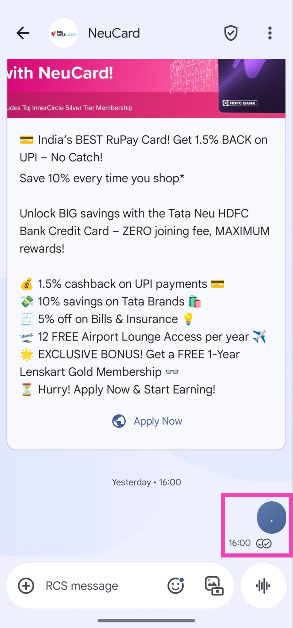
Step 3: Hit the bin icon in the top menu.
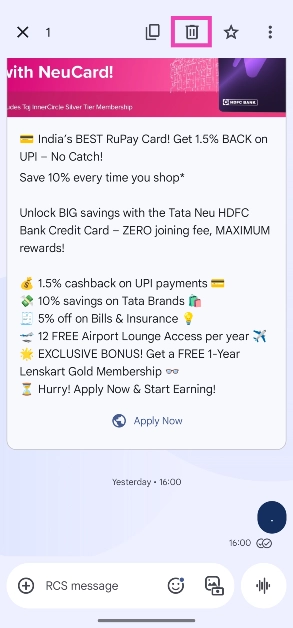
Step 4: Select Delete for everyone in the pop-up box.
Frequently Asked Questions (FAQs)
Can you delete messages for both sides on Google Messages?
Google Messages has added the option to unsend your text messages in a conversation. This feature is being rolled out in a phased manner.
How do I delete a message for everyone in Google Messages?
If you want to retract a text in Google Messages, long-press it, tap the bin icon in the top menu, and hit ‘Delete for everyone’.
How do I unsubscribe from promotional texts on Google Messages?
Open the conversation, hit the ellipses, tap on ‘Unsubscribe’, and confirm your selection in the pop-up box.
Does Google Messages offer spam protection?
You can enable spam protection in Google Messages by going to Messages settings>Protection and safety, and turning on the toggle switch next to ‘Enable spam protection’.
Is there a way to block spam calls on my phone?
You can use the Google Phone app to block spam calls on your phone. Tap the ellipses, select ‘Caller ID and Spam’, and turn on the toggle switch next to ‘Filter spam calls’.
Read Also: Top 10 Tech Gifts for Mother’s Day 2025
Final Thoughts
This is how you can unsend texts in Google Messages. While you’re here, check out how you can use Photomojis in Google Messages. If you have any questions, let us know in the comments!


