


Google’s new AI tool makes shopping for clothes online less of a hassle. The virtual apparel tool lets you view how a garment will look on you before you finally add it to your cart. It requires uploading a reference image with your full body in view. Once that’s done, you can try on different pieces of clothing in Google Shopping without spending any time imagining how it’ll look on you. Here’s how you can use Google’s Virtual Apparel Try On tool on your phone.
Read Also: Best of 2025: Top wireless earbuds (TWS) of the year
In This Article
Some tips to keep in mind
The quality of results obtained by using Google’s virtual apparel tool is heavily dependent on the kind of reference image uploaded by the user. Naturally, well-lit images where the subject is standing upright will yield better results. Pictures where the subject is hunched over, will throw the tool for a spin. Here are some tips to keep in mind while uploading a reference image.
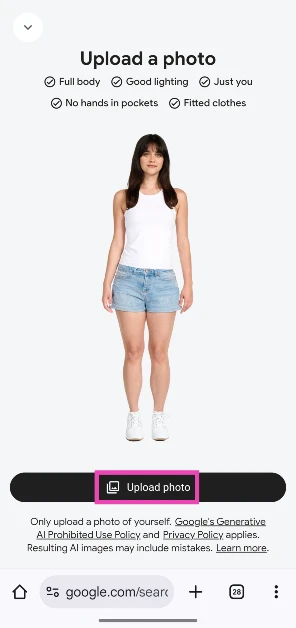
- The subject should be the focus of the image. Make sure there are no other people in the frame.
- The image should have the subject’s full body in view.
- The image should be well-lit, and the background should be free of clutter and distractions.
- Hands should be out of pockets.
- The clothes of the subject in the reference image should not be baggy or oversized.
- It is very important to note that you should only use images of yourself or of people who have permitted you to use this tool on their behalf.
Here’s how you can use Google’s ‘Try On’ feature to try clothes virtually
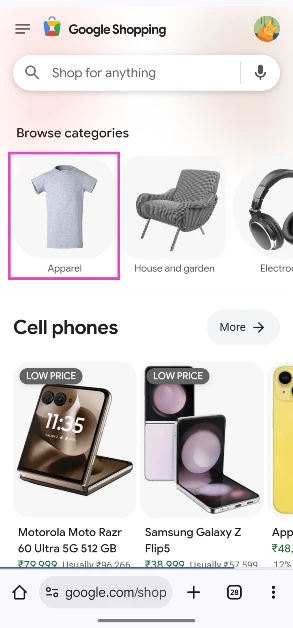
Step 1: Go to Google Shopping and select Apparel.
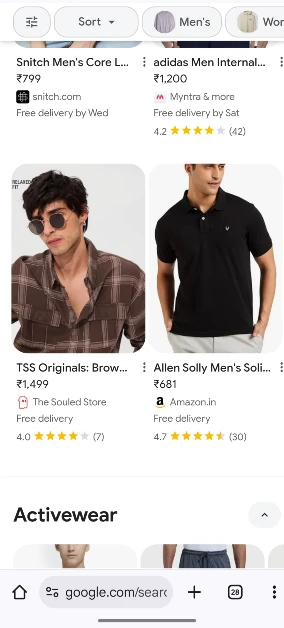
Step 2: Choose a clothing product from the list of available options. Sponsored results do not support this feature.
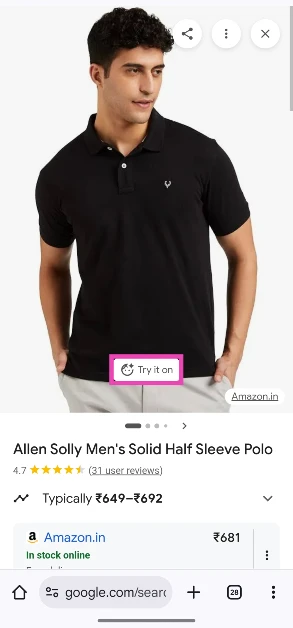
Step 3: Tap on Try it on.
Step 4: Hit Upload photo. Select a picture of yourself from your phone’s gallery. Make sure the image is clear and well-lit.
Step 5: Tap on Select.
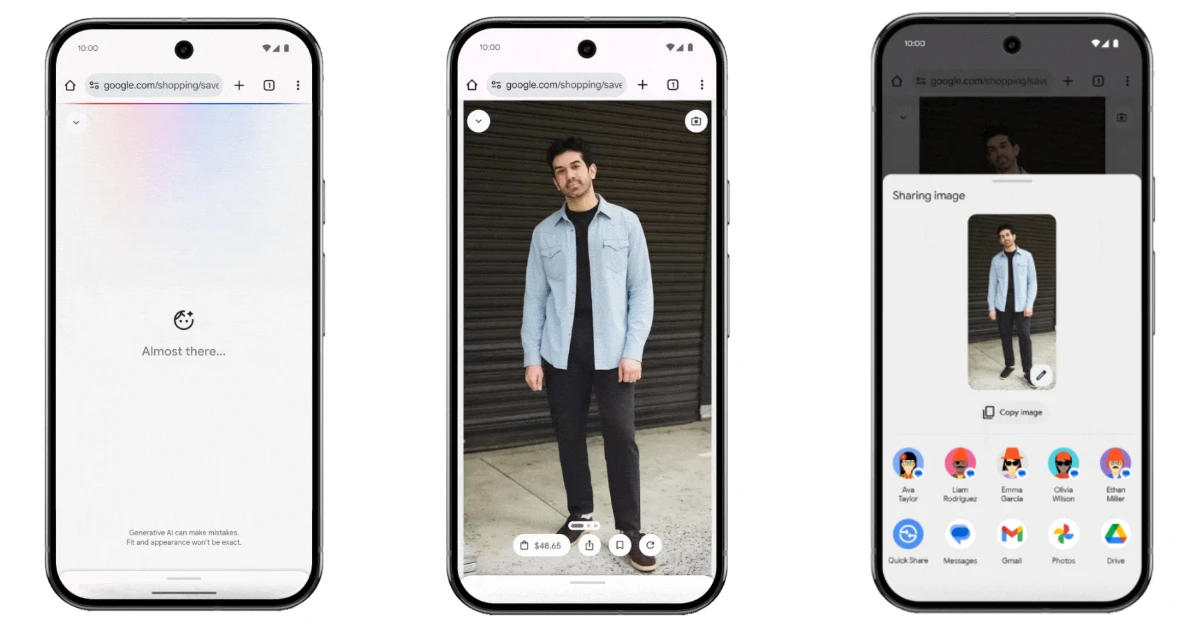
Step 6: Google will take some time to apply the changes. Once the image is rendered, you can save it or share it with your contacts.
Frequently Asked Questions (FAQs)
What is Google Try On?
‘Try On’ is Google’s virtual apparel tool that lets you try clothing from online stores. It is powered by AI and works for select products in Google Shopping.
How do I use Try On?
To try on clothes virtually, go to Google Shopping, choose an apparel, hit the ‘Try it on’ button, and upload a picture of yourself from your phone’s gallery. Once the image has been uploaded, it will be rendered with your selected piece of clothing.
Why am I not able to use Try On on my device?
Google’s ‘Try On’ AI tool is currently available in Australia, Canada, India, Japan, UK, and US. Users must be over 18 years of age and should have Web & App Activity and Search Personalisation turned on.
Why is Try On not working on my phone?
Try On does not work for lingerie, bathing suits, and similar apparel. Additionally, it is not supported by sponsored ads in Google Shopping.
Are the photos uploaded to Google’s Try On tool used for training AI models?
Google maintains that images uploaded to Try On are not used for training purposes. Additionally, the pictures are never shared with Google products, services, or third-party affiliates.
Read Also: OnePlus 15R camera and display details revealed ahead of India launch
Final Thoughts
While Try On is a handy tool to find out how a piece of clothing may look on you, it has its limitations. For starters, it cannot judge how well the garment will fit your body. The visual representation of the fit is dependent upon the uploaded reference image.


