



The native Mail app on your iPhone is well-equipped to manage email hosts across the spectrum. Functional issues with the Mail app are rare, but they can be annoying when you come across them. Oftentimes, Yahoo Mail users report not being able to send or receive emails using the Mail app. So here are the top 8 fixes for the ‘Yahoo Mail not working’ issue on an iPhone.
Read Also: Poco smartphones goes on sale, offers revealed ahead of the Flipkart and Amazon Sale
In This Article
Why is Yahoo Mail not working on my iPhone?
If you can’t get Yahoo Mail to work on your iPhone, it could be due to one of the following reasons.
- Your Yahoo account is incompatible with the Mail app.
- Your iPhone is facing connectivity issues.
- The Yahoo Mail app on your iPhone is not updated to the latest version.
- Your Yahoo account has been handed a ban.
- Yahoo’s servers are down.
Use the Yahoo Mail app instead of the native Mail app
If you’re unable to send or receive new emails using the default Mail app on your iPhone, install the Yahoo Mail app. Log in using your Yahoo account and turn on the push notifications to ensure you don’t miss another email. Move on to other fixes if you want to make your Yahoo account work on the default Mail app.
Make sure your Yahoo account is synced with the Mail app
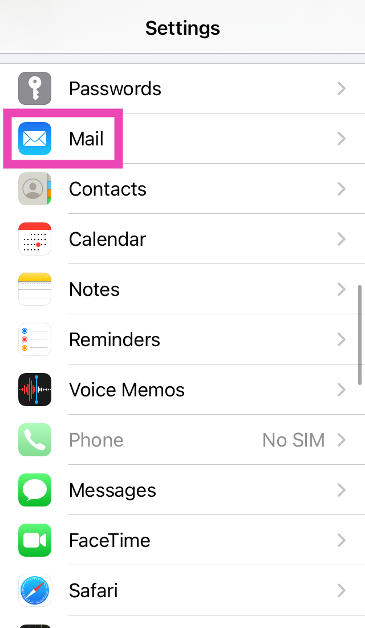
Step 1: Go to Settings and select Mail.
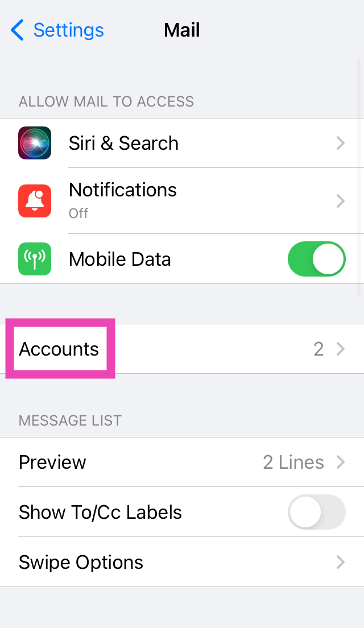
Step 2: Tap on Accounts.
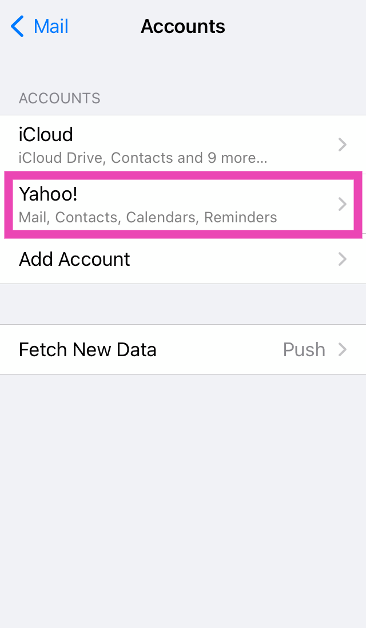
Step 3: Select Yahoo.
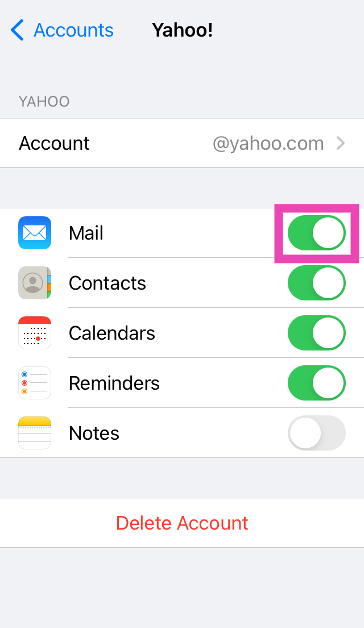
Step 4: Turn on the toggle switch for Mail.
Remove your account and add it back
Step 1: Go to Settings and select Mail.
Step 2: Tap on Accounts.
Step 3: Select Yahoo.
Step 4: Tap on Delete Account.
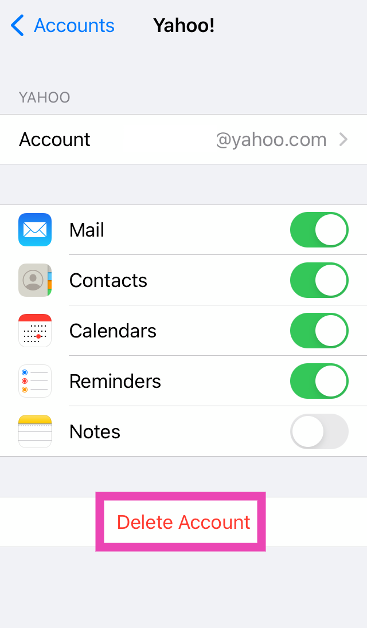
Step 5: Go back to the Accounts page and select Add Account.
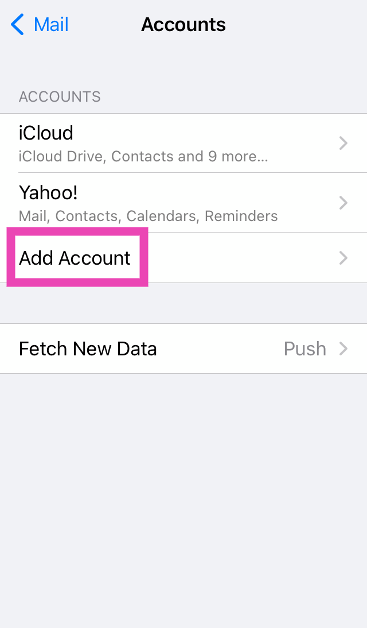
Step 6: Use your login credentials to sign into your Yahoo account.
Generate a third-party app password
Step 1: Go to your Yahoo Account Security Page.
Step 2: Click on Generate app password.
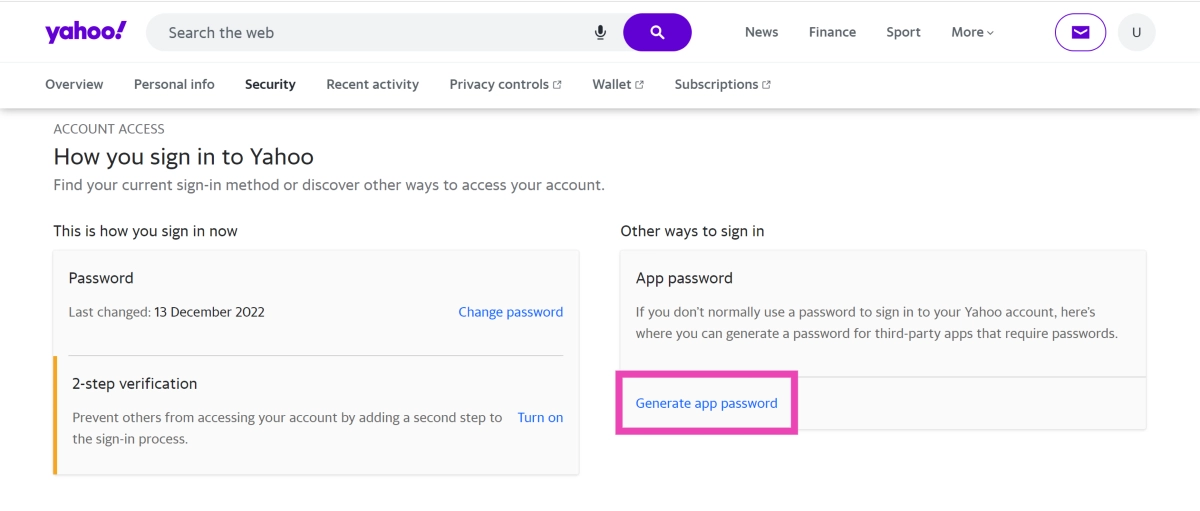
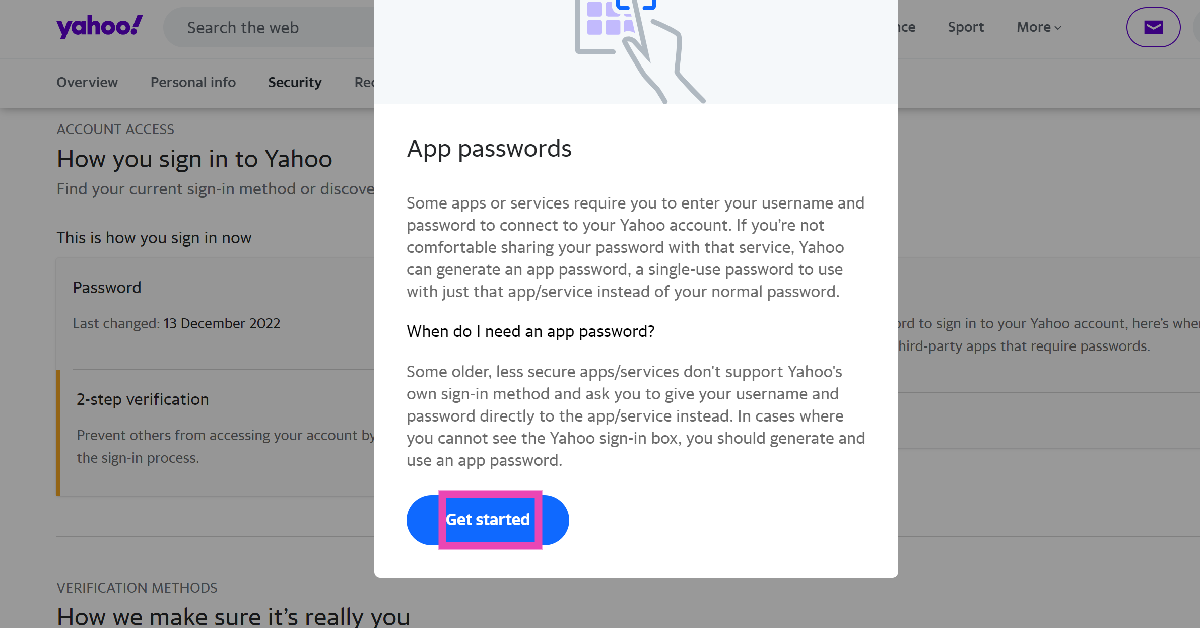
Step 3: Click on Get Started.
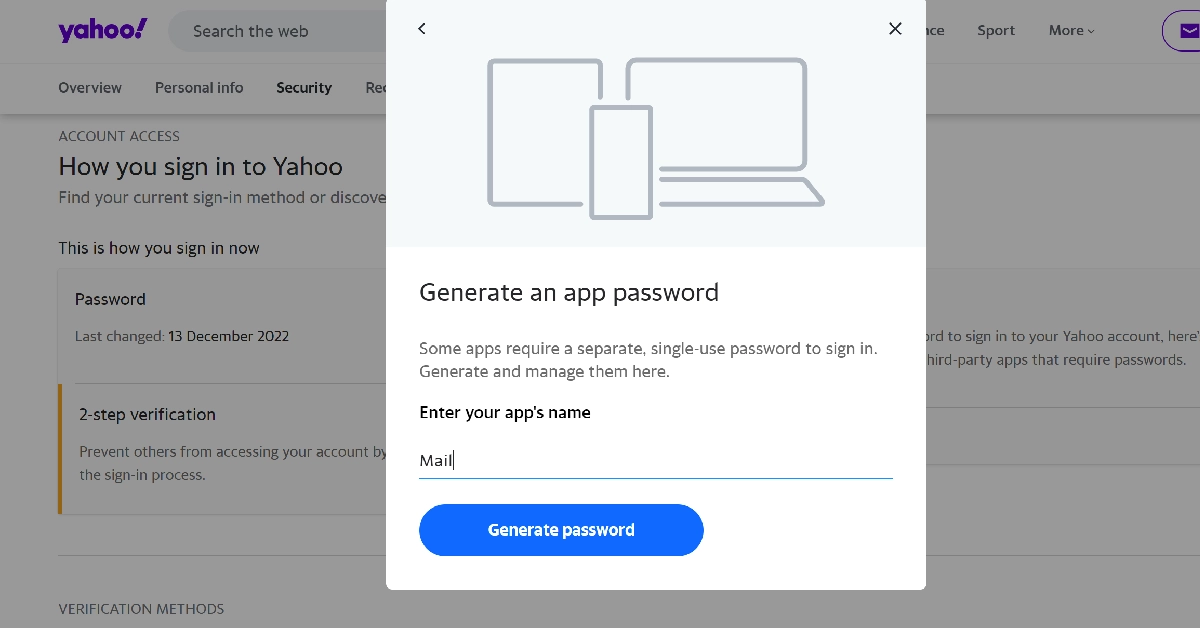
Step 4: Enter ‘Mail’ in the app name field and hit Generate password.
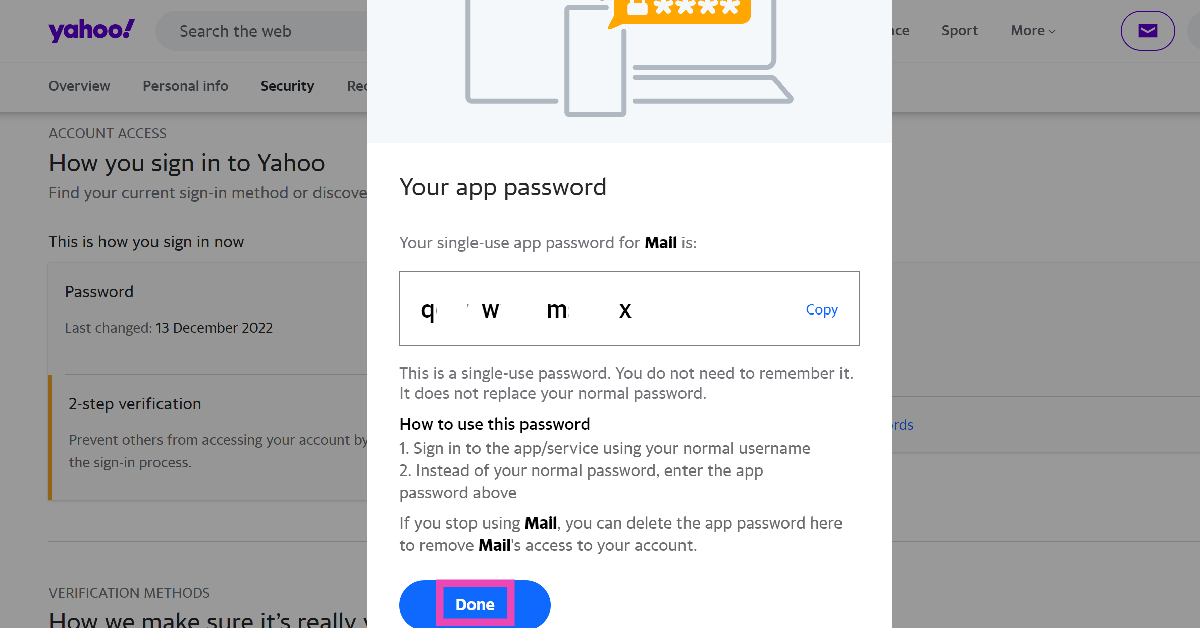
Step 5: Hit Done and sign into the Mail app using the single-use password displayed on the screen.
Check if Yahoo’s servers are down
It is possible that Yahoo Mail is not working on your iPhone due to a server outage. To make sure that is the case, go to DownDetector.in and enter Yahoo Mail. If you see a spike in user reports, it means that Yahoo is currently experiencing a server outage.
Check your internet connection
It is possible that the problem lies with your WiFi network or mobile data instead of Yahoo Mail. To confirm whether this is the case, open a random webpage in Chrome or Safari. If the page loads seamlessly, your internet connection is fine. Run an internet speed test to check the consistency of the connection and signal strength your device is receiving. Connect to a different network if you notice an issue with the internet.
Restart your iPhone

A quick restart can fix any background issues that are causing the Mail app to malfunction. Press the side key along with a volume key to get access to the power slider. Drag the slider across the screen to turn off your iPhone. Wait for 10-15 seconds, then long-press the side key to restart the device.
Update your iPhone
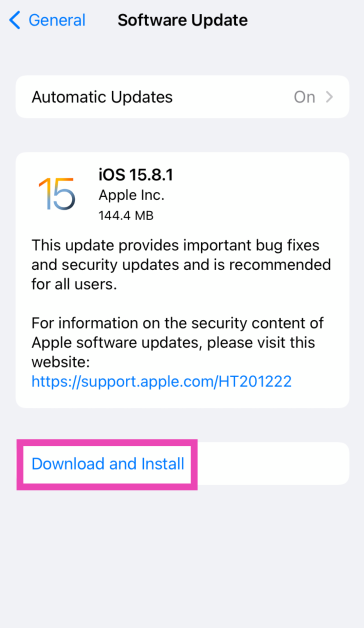
Older iOS versions may have trouble fetching your emails. Make sure your iPhone is updated to the latest software version to overcome this issue.
Step 1: Make sure your iPhone is connected to a WiFi network and plug in its charger.
Step 2: Go to Settings and select General.

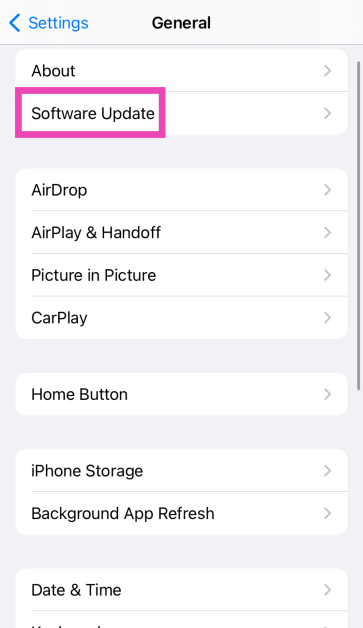
Step 3: Select Software Update.
Step 4: Tap on Download and Install.
Frequently Asked Questions (FAQs)
How do I link my Yahoo account to the Mail app on my iPhone?
Go to Settings>Mail>Accounts>Yahoo and log in using the proper credentials. Make sure the toggle switch for Mail is turned on.
How do I generate a third-party app password for my Yahoo account?
Go to your Yahoo Account Security page, click on ‘Generate app password’, enter the name of the app, and copy the single-use password presented on the screen.
How do I check if Yahoo’s servers are down?
Go to DownDetector.in, enter Yahoo, and see if there is a spike in user reports. A surge in reports suggests the service is down.
How do I check the internet speed on my iPhone?
Go to the Ookla Speed Test website and hit ‘Go’ to run the test. Once the test has finished, you will be able to view the internet speed, signal strength and other metrics.
Why can’t I see my Yahoo Mail inbox on my iPhone?
If you can’t update your Yahoo inbox, unlink the account from the native mail app and then add it again. Additionally, make sure your internet connection is working as intended.
Read Also: Redmi Note 13 Pro+ 5G World Champions Edition launched in India
Final Thoughts
These are the top 8 ways to fix the ‘Yahoo Mail not working’ issue on your iPhone. If you know of any other ways to fix this issue, let us know in the comments! While you’re here, check out this article to learn how to send a text via email.


