


We often turn to Google Maps when we are in a new city or to search for new places and get directions. This also gives us real-time traffic conditions, and route planning for traveling by foot, car, bicycle and public transportation. Google Maps gets these things done so easily and to make it more powerful the company is rolling out new tools in collaboration with Google Pay. The web mapping service will now allow you to pay for street parking and transit fares using the app.
Google Maps now get the ability to allow users to pay for street parking right from Google Maps, without ever taking out their wallet. The company has integrated with parking solutions providers Passport and ParkMobile, so you can now easily pay your meter right from driving navigation in Maps, and avoid touching the meter altogether. 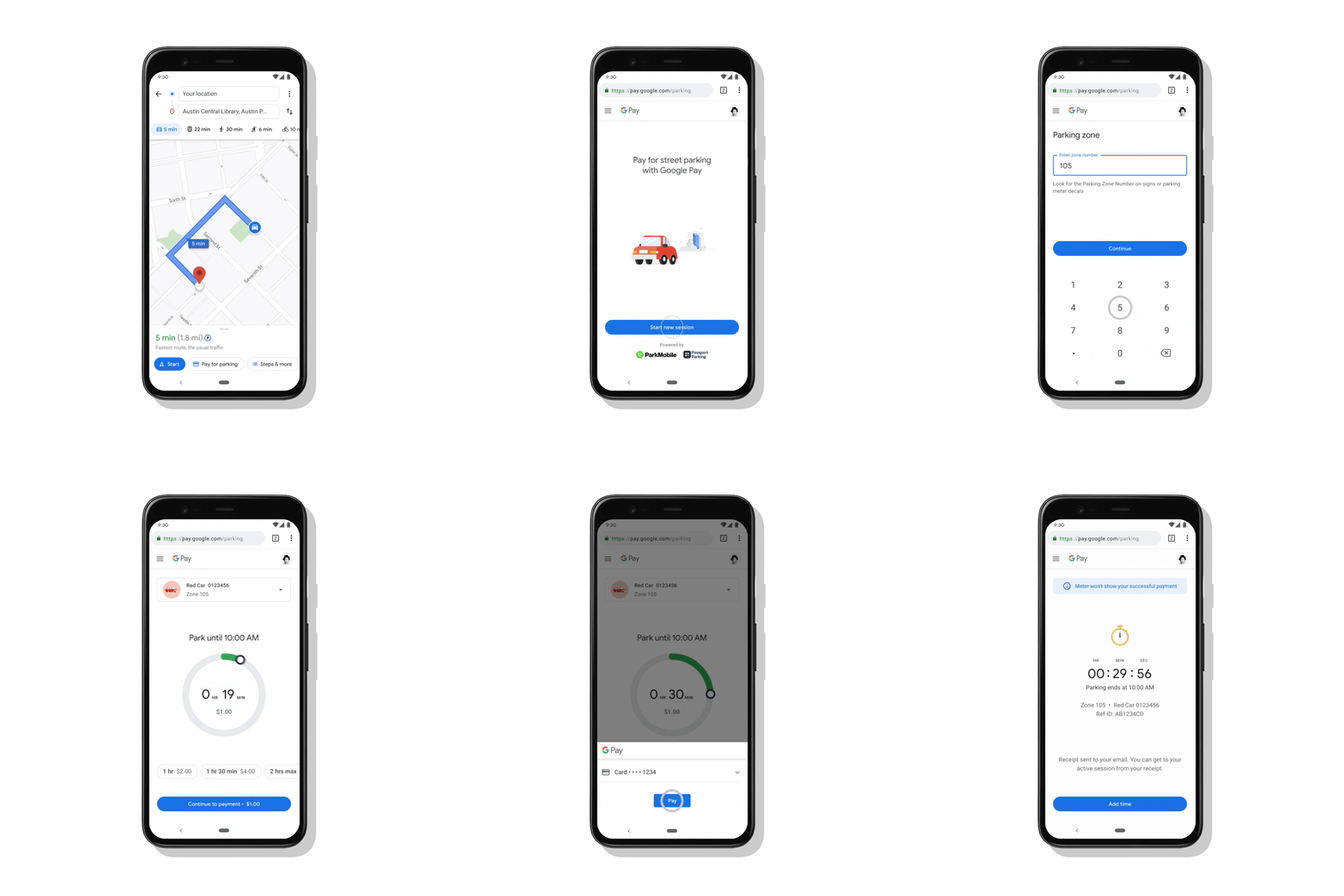 Google will be expanding the ability to pay for transit fares from Maps for over 80 transit agencies across the globe. The blog post says, Now you’ll be able to plan your trip, buy your fare, and start riding without needing to toggle between multiple apps.” The Pay for parking feature is now rolled out Android in more than 400 cities in the US with iOS coming soon. The ability to pay for transit from Google Maps expands to 80 agencies globally on Android in the coming weeks.
How to use Pay for parking in Google Maps?
To use Pay for parking all you need to do is simply tap on the “Pay for Parking” button. This dedicated button can be seen right next to your destination. Then enter your meter number, the amount of time you want to park for and tap “Pay.” If you need to add more time to your meter easily your parking session with just a few taps.
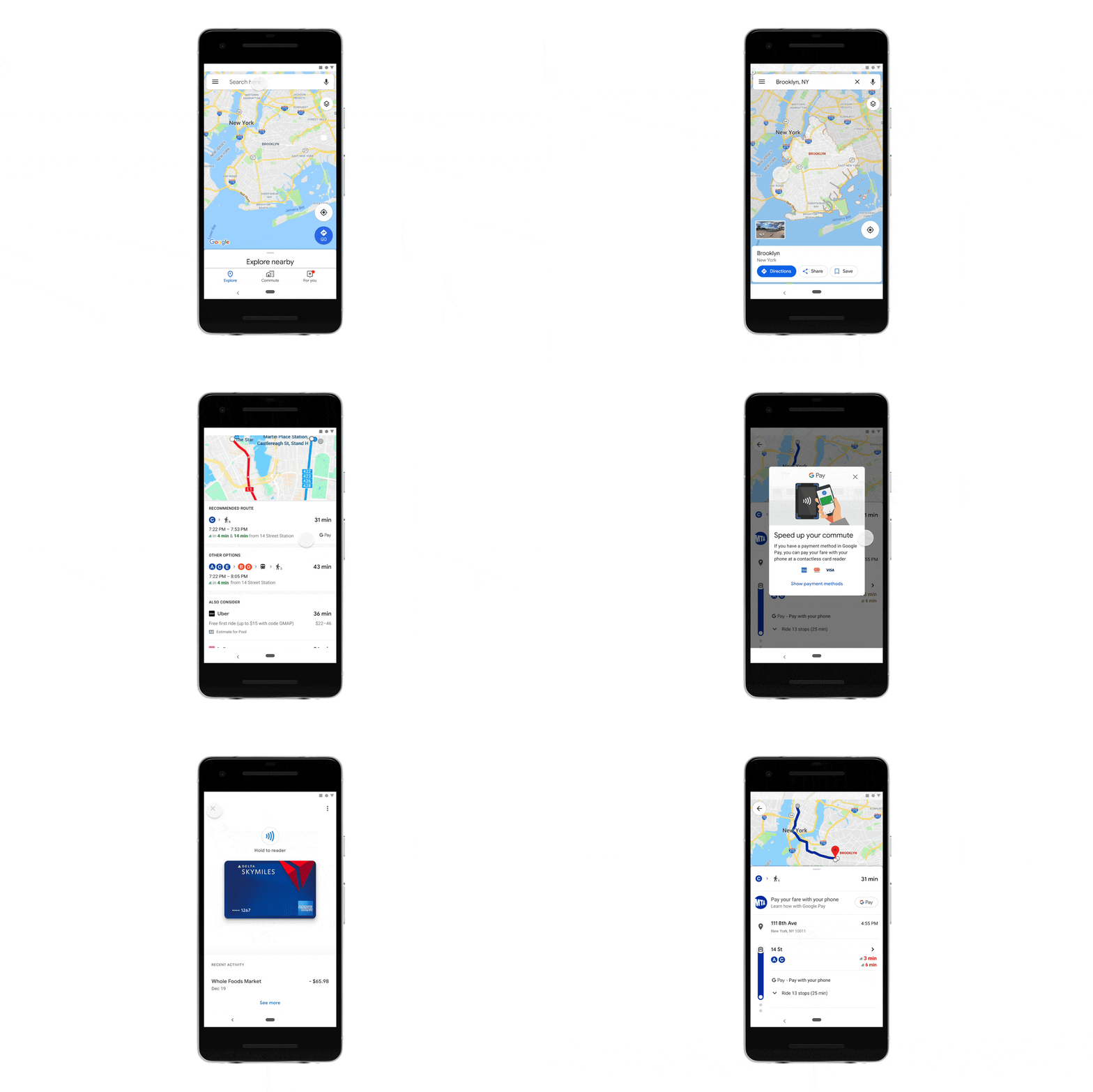 One can easily understand how to pay in advance and even get your fare ready to go before you arrive at the station. All you need to do is go for the option to pay with your phone with the credit or debit cards already linked to your Google Pay account when you are unsure what payment options a transit agency supports. You will also be able to buy a digital Clipper card directly from Google Maps. Once you’ve purchased your fare, all you need to do is tap your phone on the reader or show your digital ticket.
For the latest gadget and tech news, and gadget reviews, follow us on Twitter, Facebook and Instagram. For newest tech & gadget videos subscribe to our YouTube Channel. You can also stay up to date using the Gadget Bridge Android App.


