Amazon Quiz Answers Today 23 February 2025: Participate to win Up To Rs 500 Amazon Pay Balance

23 February 2025: New Amazon Quiz is now available. Customers from different parts of the country are participating in the daily quiz. The quiz starts at midnight today and will be live until 11:59 PM tonight. By successfully answering every question, participants in the quiz have the chance to win wonderful rewards. Up to Rs 500 Amazon Pay Balance is up for grabs to participants today.

One wrong answer could eliminate you from the quiz. You have a chance to win up to Rs 500 Amazon Pay Balance if you successfully answer every question. Users of the app only have the opportunity to take the quiz. Check Out 23 February 2025 Amazon Quiz Answers.

Are you not able to find Amazon FunZone? Click below and participate.

Click here to enter the Amazon FunZone Quiz and play today.

Amazon Quiz Today Prize: Rs 500 Amazon Pay Balance

Quiz Date: 23 February  2025

Daily Timing: 12 AM to 11:59 PM

Previous Amazon Quiz Winners Announcement: Today 12 PM Noon

Amazon Quiz Answers Today 23 February 2025: Win Up To ₹ 500 Amazon Pay Balance

Question 1: Justin who recently scored a hat-trick for Bournemouth against Newcastle, is the son of which famous footballer?

Answer: Patrick Kluivert

Question 2: What is the name of Neha Dhupia’s character in the movie ‘Bad Newz’?

Answer: Ma Corona

Question 3: NASA’s Kennedy Space Center is located in which US state?

Answer: Florida

Question 4: This photograph is taken in which capital city in Europe, home to tourist attractions like the Rijksmuseum?

Answer: Amsterdam

Question 5: This character debuted in the anthology comic book Amazing Fantasy #15 in which year?

Answer: 1962

How To Play Amazon Quiz Today

Only app users are eligible to play the Amazon quiz every morning from 12 AM to 11:59 PM. The quiz is not available on the desktop. For those who are unaware of how to play the Amazon quiz, below are the steps, you can follow to take the quiz.

  • First, download the Amazon app from the Google Play Store or App Store or go here to download the Amazon App
  • Now fill in the required information through the Sign-Up option.
  • To find the Amazon Quiz banner, log in to the Amazon app and scroll down to the home screen.
  • Tap on the Amazon Quiz banner and tap on the Start button to start the Quiz.
  • Now you will get 5 questions and you need to answer them correctly. One wrong answer will eliminate you from the Quiz.
  • After answering all the questions correctly you are now eligible for a Lucky Draw.
  • The previous winner’s name will be announced today at 12 PM.

Amazon Daily Quiz Answers from the previous few days.

Here are all the answers from the previous 5 days of the Amazon Daily Quiz and Contest.

Amazon Quiz Answers Today 22 February 2025: Win Up To ₹ 500 Amazon Pay Balance

Question 1: Who had an upset victory over Coco Gauff in the quarter final of the 2025 Australian Open?

Answer: Paula Badosa

Question 2: The upcoming movie Jolly LLB 3 will star Akshay Kumar alongside which of these actors?

Answer: Arshad Warsi

Question 3: Kunal Bahl, one of the new members of the Shark Tank India panel, is the co-founder of which of these organizations?

Answer: Snapdeal

Question 4: What is the study of this is known as?

Answer: Nephology

Question 5: Which country is the largest producer of this plant?

Answer: Russia

Amazon Quiz Answers Today 21 February 2025: Win Up To ₹ 500 Amazon Pay Balance

Question 1: Who was the Player of the Match in the first Test played between Pakistan and West Indies in 2025?

Answer: Sajid Khan

Question 2: What is the name of the newest movie in the ‘Avatar’ franchise scheduled for release in 2025?

Answer: Avatar: Fire and Ash

Question 3: Which of these is the name of a warship, that was commissioned by the Indian Navy in 2025?

Answer: INS Nilgiri

Question 4: Which branch of zoology studies this?

Answer: Ichthyology

Question 5: This is the national fruit of which country?

Answer: Bangladesh

Amazon Quiz Answers Today 20 February 2025: Win Up To ₹ 500 Amazon Pay Balance

Question 1: National Rifle Association of India is associated with which sport?

Answer: Shooting

Question 2: Paul Di’Anno, who passed away in 2024, was the lead vocalist for which band from 1978 to 1981?

Answer: Iron Maiden

Question 3: M.A. Yusuff Ali founded which business group that started with a hypermarket in Abu Dhabi in 1990?

Answer: LuLu Group

Question 4: This cathedral is located in which region?

Answer: Helsinki

Question 5: This system of human tower is famous in which place?

Answer: Barcelona

Amazon Quiz Answers Today 18 February 2025: Win Up To ₹ 500 Amazon Pay Balance

Question 1: Which of these players retired from tennis after the 2024 Vienna Open?

Answer: Dominic Thiem

Question 2: Jensen Huang is the president  and chief executive officer of the world’s largest semiconductor company. Name the company

Answer: Nvidia

Question 3: Aitana Bonmati won which award in women’s category for the second year in a row?

Answer: Ballon d’or

Question 4: The paragliding capital of India is located in which state?

Answer: Himachal Pradesh

Question 5: Who is the founder of this garden in Chandigarh?

Answer: Nek Chand

Amazon Quiz Answers Today 17 February 2025: Win Up To ₹ 500 Amazon Pay Balance

Question 1: Ligue 1 is the top national league in which country?

Answer: France

Question 2: Tom Hardy played which fictional character in three films?

Answer: Venom

Question 3: Which grand prix takes place in the interlagos neighbourhood?

Answer: Brazilian Grand Prix

Question 4: This castle is located on the banks which lake?

Answer: Geneva

Question 5: When was this statue completed?

Answer: 1920

Amazon Quiz Answers Today 16 February 2025: Win Up To ₹ 500 Amazon Pay Balance

Question 1: Who became the first Indian woman to score 50 international goals in 2024?

Answer: Bala Devi

Question 2: Which of these is a large language model developed by Meta?

Answer: Llama

Question 3: At the 2024 Balloon d’Or, Emiliano Martinez of which club was named the world’s best goalkeeper for the second year in a row?

Answer: Aston Villa

Question 4: This site was dominated by which civilization?

Answer: Mayans

Question 5: The character of Ron Weasley in this book belongs to which house?

Answer: Gryffindor

Amazon Quiz Answers Today 15 February 2025: Win Up To ₹ 500 Amazon Pay Balance

Question 1: What name is given to the world’s fastest humanoid robot developed by the Chinese company Robot Era?

Answer: Star1

Question 2: As of February 2025, which cricketer holds the record for most Player of the Match awards in T20I cricket?

Answer: Sikandar Raza

Question 3: Who is the first player from Manchester City to win the Ballon d’Or?

Answer: Rodri

Question 4: This sport is the national game of which country?

Answer: Japan

Question 5: What is this instrument made up of?

Answer: Brass

Amazon Quiz Answers Frequently Asked Questions (FAQs)

Where can I check the previous winners? Did I win how to check?

You can head over to this link on your mobile or desktop to check the winners of the Amazon Daily Quiz Contest.

How to Play Amazon Daily Quiz or Contest?

We have written an explainer above, you can refer to that.

When are the winners of the Amazon Quiz and contest announced or declared?

The announcement of today’s Amazon quiz winner will take place Tomorrow. As for the Special Quiz and “Spin & Win” Contest, the winners will be declared once the Quiz Contest comes to an end. To find out who the lucky winner is, you can refer to the Amazon Quiz Winners List or visit the Amazon Winners tab in the Amazon App.

How to participate in the Daily Amazon Quiz?

That is very easy, just got to the Amazon app and scroll to the bottom of the page and you will find the Quiz section. Click on it (usually it is called the fun zone) and you can enter the Amazon Today Quiz Contest. 

Are there any other quizzes or contests running on Amazon daily?

Yes, there are many running on a daily basis. These range from spinning the wheel to answering the questions correctly. All are located in the Fun Zone. 

What are the criteria for selecting a winner in the Daily Amazon Quiz?

When a qualified player submits correct answers to all the questions, they will automatically be entered into a lucky draw. This draw will include all participants who answered all the questions correctly. Amazon randomly selects the final winners from the pool of eligible participants who gave the right answers.

Which Types of Questions are asked within Amazon Daily Quiz?

These are very simple and straightforward questions. These are mainly related to general knowledge. 

Where should I look for Amazon Daily Quiz answers?

You can bookmark our website www.gadgetbridge.com as we will help you every day with the Amazon Daily Quiz. We bring you fresh answers every day for the Amazon Daily Quiz and Contest. 

What time does Amazon Announce previous winners?

The previous winner’s name will be announced today at 12 PM (noon).

NYT Wordle Answer and Hints Today (February 23)

Are you looking for today’s Wordle for February 23, 2025? The problem is difficult to solve, so if you need assistance, we’ve included hints and the answer to the February 23 Wordle.

Hints and Answers for Today’s Wordle February 23

Before answering directly, please check the February 23 Wordle Hints first.

Hint 1: Today’s Wordle answer includes two vowels.
Hint 2: The answer for today has a repeating letter.
Hint 3: A river animal with brown fur that eats fish.

What word does today’s Wordle begin with?

Do you need help with today’s Wordle answer’s initial letter?

The first letter in today’s Wordle is “O”

Today’s Wordle Answer February 23 #1345

The answer to Wordle #1345 on February 23, 2025, is — OTTER

Also Read: Spigen cover listing revealed the iPhone SE 4 design: Report

What is Wordle?

Wordle: A Five-Letter Word Guessing Game
• The game allows six guesses of a five-letter word.
• Provide feedback on guessed letters’ placement in the puzzle.
• The New York Times purchased the game in 2022.
• Created by Josh Wardle for his partner, narrowing down 12,000 English words to 2,500.
• Named after the word “word.”

How To Play Wordle?

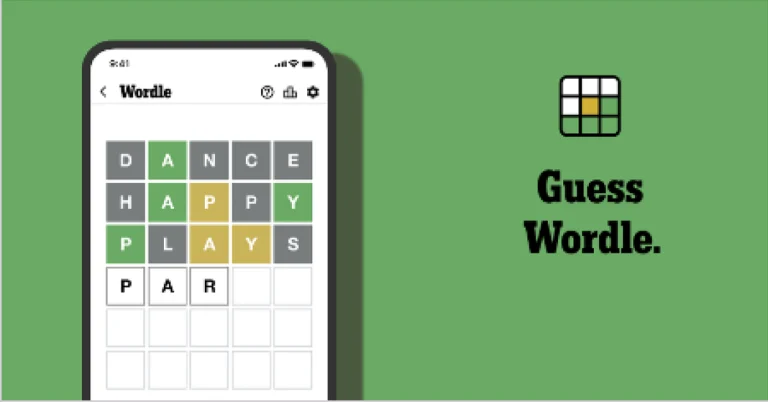
Wordle is a New York Times word puzzle game that allows users to guess a five-letter word in six attempts. The letters are highlighted in Yellow and Green, indicating whether the word is present in the answer or not, and Green letters indicate the correct guess.

Wordle Tips and Tricks

  • Select a powerful starting word: Avoid using unusual words, as they frequently do not match common letters. A good opening word has plenty of benefits.
  • Repeating letters: Don’t be afraid of repeating letters; they appear frequently in words. The answer may contain one or two repeated letters.
  • Use the Wordlebot: The NYT’s Wordlebot analyses and compares replies to itself. This challenge can assist you enhance guessing skills and highlight areas for development.

How to force restart your iPhone 16 and enter recovery mode?

0

If your iPhone mysteriously stops responding to touch gestures and physical buttons, you may be out of ideas on how to fix it. However, there is one method that supersedes this issue and reboots your device. It is called ‘force restart’. If your iPhone keeps displaying the same issues after being rebooted, you may need to investigate further by looking into recovery options. Here’s how you can force restart your iPhone 16 and enter recovery mode.

Read Also: How to enable on-device processing for Galaxy AI on your Samsung phone?

What is Recovery Mode?

Recovery Mode is a troubleshooting interface on your iPhone that helps you patch up underlying software issues. You cannot access this mode from the device’s regular interface. It requires connecting your iPhone to your Mac and carrying out a series of physical commands. Here are some situations when you may need to put your iPhone in recovery mode.

  • Software-related issues causing your iPhone to malfunction.
  • OTA software update failed to install correctly.
  • Erasing all the data on the device.
  • The iPhone got stuck while booting and won’t move past the Apple logo.
  • You entered the wrong Passcode multiple times and are locked out of your phone.

Force restart your iPhone 16

Force restart your iPhone 16

Step 1: Press and release the Volume Up button.

Step 2: Press and release the Volume Down button.

Step 3: Press and hold the side button until your iPhone powers off.

Enter recovery mode on your iPhone 16

Enter recovery mode on your iPhone 16

Step 1: Connect your iPhone 16 to your Mac using a USB Type-C cable.

Step 2: Hit Trust on your iPhone and enter the Passcode to pair the two devices.

Step 3: Click Allow on your Mac.

Step 4: Open Finder and select your iPhone from the sidebar. Hit Trust.

Step 5: Press and release the Volume Up button on your iPhone.

Step 6: Press and release the Volume Down button.

Step 7: Press and hold the side button until you see the USB cable and laptop signs on your iPhone.

Step 8: The recovery mode options will appear on the Finder on your Mac.

Step 9: To exit recovery mode, long-press the side button on your iPhone until it reboots.

Frequently Asked Questions (FAQs)

How do I force restart my iPhone 16?

Press and release the Volume Up button followed by the Volume Down button. Then, long-press the side button until the iPhone powers off.

Is it okay to force restart my iPhone?

If your iPhone is unresponsive, it is okay to force it to restart.

Why is my iPhone frozen and not responsive to touch?

Your iPhone may become unresponsive due to malware, low storage, low battery, or poorly updated OS.

How to put the iPhone 16 in recovery mode?

Connect your iPhone 16 to your Mac and authenticate the connection on both devices. On your iPhone, press and release the Volume Up button followed by the Volume Down button. Then, long-press the side button until you see the recovery mode interface. The recovery options will open on the Finder page on your Mac.

How do I exit recovery mode on my iPhone 16?

If you want to exit recovery mode, simply press and hold the side button until your iPhone powers off.

Read Also: Top 5 Ways to Enable Dark Mode in Google Docs?

Final Thoughts

This is how you can force restart your iPhone 16 and enter recovery mode. You may also want to check out how you can mute your iPhone without using the physical buttons. If you have any questions, let us know in the comments!

How to enable on-device processing for Galaxy AI on your Samsung phone?

0

If the security concerns around cloud processing have kept you from using the AI features on your phone, you will like the route Samsung has chosen for its AI package in the Galaxy S25 Series. Samsung’s newest crop of flagship smartphones are powered by the Snapdragon 8 Elite processor. This 3nm chipset is well equipped to process AI tasks without needing the help of cloud servers. As a result, Samsung has added the option of on-device processing for Galaxy AI. Here’s how you can enable it on your device.

Read Also: Top 5 Ways to Enable Dark Mode in Google Docs?

Which features will you miss out on after enabling on-device processing?

Galaxy AI is one of the most diverse AI packages around. It touches upon a wide range of functions on your phone, including summarisation, language interpretation, writing assistance, drawing, photo editing, and more. When you opt for on-device processing, you lose some of these features. Here is the complete list of AI features that are available with on-device processing.

Call Assist

  • Live translate

Writing Assist

  • Chat translation
  • Composer
  • Style and grammar
  • Suggested replies

Note Assist

  • Translate
  • Transcribe

Transcript Assist

  • Transcribe
  • Translate
  • Summary

Browsing Assist

  • Translate

Photo Assist

  • Generative edit

Interpreter

Audio Eraser

Photo Ambient Wallpaper

Now Brief

Health Assist

Here are the features that you will miss out on upon enabling on-device processing for Galaxy AI.

Writing Assist

  • Summarise
  • Organise

Note Assist

  • Auto format
  • Summarise
  • Spelling and grammar
  • Generate cover
  • Sketch to image

Browsing Assist

  • Summarise
  • Read highlights aloud

Photo Assist

  • Sketch to image
  • Portrait studio

Drawing Assist

Enable on-device processing for Galaxy AI on Samsung

Step 1: Go to Settings.

Step 2: Select Galaxy AI.

Step 2: Select Galaxy AI.

Step 3: Turn on the toggle switch next to Process data only on device.

Step 3: Turn on the toggle switch next to Process data only on device.

Frequently Asked Questions (FAQs)

What does “on-device AI” mean?

‘On-device AI’ means that the AI processing takes entirely on the device and not on cloud servers.

What are the benefits of on-device AI?

On-device AI ensures that your personal data is not forwarded to third-party cloud servers for computation. This gives a major boost to your privacy and security. It also removes the requirement of needing an internet connection to use AI features on your phone.

Can you turn off Galaxy AI?

There is no central option to turn off Galaxy AI on One UI 7. Instead, you can go to Settings>Galaxy AI and disable each feature individually.

How do I enable on-device processing for Galaxy AI on my Samsung phone?

Go to Settings>Galaxy AI and turn on the toggle switch next to ‘Process data only on device’.

Is Galaxy AI the same as Google AI?

No, Galaxy AI is Samsung’s custom suite of AI features. Meanwhile, tools like Circle to Search and Gemini Assistant belong to Google.

Read Also: Instagram introduces Testimonials; A new way for creators to earn more

Final Thoughts

This is how you can enable on-device processing for Galaxy AI on your Samsung phone. Thinking of buying the new Samsung Galaxy 25? Read our review of the smartphone before making the purchase. If you have any questions regarding Galaxy AI, let us know in the comments!

Top 5 Ways to Enable Dark Mode in Google Docs?

0

If you’re accustomed to Dark Mode across all devices, using the regular light theme for any program can cause stress to your eyes. For the most part, most apps and services have dedicated dark modes on every platform. However, this isn’t true for Google Docs. So, let’s take a look at how you can enable Dark Mode in Google Docs on your phone and PC.

Read Also: Poco X7 Pro Review: The Dark Horse of 2025?

Which method should you use?

The Google Docs app for Android and iOS offers a couple of themes. By default, the app adheres to the visual theme of your phone. If you want to apply the dark theme in the app without changing the rest of your phone’s interface, you can select the appropriate option from the list.

Google Docs does not have a dedicated dark theme for its webpage. If you’re on PC, you are limited to the following options:

  • Using a third-party extension for Google Docs
  • Enabling Dark Mode on Google Chrome (or your preferred web browser)
  • Switching to the dark theme for your PC 

Google Docs also offers the option to change the page colour to black. However, this does not fully embrace the aesthetics of a dark theme.

Enable Dark Mode in the Google Docs app for Android

Step 1: Launch the Google Docs app on your Android phone and hit the hamburger menu in the top right-left corner of the screen.

Step 1: Launch the Google Docs app on your Android phone and hit the hamburger menu in the top right-left corner of the screen.

Step 2: Tap on Settings.

Step 2: Tap on Settings.

Step 3: Tap on Choose theme.

Step 3: Tap on Choose theme.

Step 4: Select Dark from the list.

Step 4: Select Dark from the list.

Enable Dark Mode in the Google Docs app for iOS

Step 1: Launch the Google Docs app on your iPhone and hit the hamburger menu in the top-left corner of the screen.

Step 1: Launch the Google Docs app on your iPhone and hit the hamburger menu in the top-left corner of the screen.

Step 2: Tap on Settings.

Step 2: Tap on Settings.

Step 3: Select Theme.

Step 3: Select Theme.

Step 4: Tap on Dark.

Step 4: Tap on Dark.

Use the ‘Google Docs Dark Mode Extension’ for Chrome (PC)

Step 1: Go to the Chrome Web Store and install the Google Docs Dark Mode extension.

Step 1: Go to the Chrome Web Store and install the Google Docs Dark Mode extension.

Step 2: Go to Google Docs. It will automatically switch to dark mode.

Step 2: Go to Google Docs. It will automatically switch to dark mode.

Step 3: Click the moon icon on the right side of the screen to go back to light mode.

Use Dark Mode for Chrome (PC)

If you don’t want to use a third-party extension for Google Docs, simply enable Dark Mode for the Google Chrome web browser. Here’s how.

Step 1: Launch Google Chrome on your PC. Type chrome://flags in the address bar and hit Enter.

Step 2: Enter dark mode in the search box.

Step 3: Hit the dropdown menu next to Auto Dark Mode for Web Contents and select Enabled.

Step 3: Hit the dropdown menu next to Auto Dark Mode for Web Contents and select Enabled.

Step 4: Hit Relaunch.

Step 4: Hit Relaunch.

Enable system-wide Dark Mode on your PC

Step 1: Hit the Windows icon in the taskbar and select Settings.

Step 2: Switch to the Personalisation tab and select Colours.

Step 2: Switch to the Personalisation tab and select Colours. Top 5 Ways to Enable Dark Mode in Notepad on Windows 10/11?

Step 3: Click the dropdown menu next to Choose your mode and select Dark.

Step 3: Click the dropdown menu next to Choose your mode and select Dark. Top 5 Ways to Enable Dark Mode in Notepad on Windows 10/11?

Frequently Asked Questions (FAQs)

Is there a Dark Mode for Google Docs on PC?

No, Google Docs does not have a dedicated Dark Mode for PC. You can change its theme by enabling system-wide Dark Mode on your PC or using the ‘Google Docs Dark Mode’ extension for Chrome.

How do I make a page black in Google Docs?

Open a document on Google Docs, go to File>Page Setup, hit the dropdown menu for ‘Page colour’, and select black.

How do I enable Dark Mode on the Google Docs app?

Launch the Docs app, hit the hamburger menu, go to Settings>Choose theme and select ‘Dark’.

Is Dark Mode better for your eyes?

Yes, Dark Mode reduces the stress exerted on your eyes by the glaring display. When you’re in dimly lit surroundings, it is easier for your eyes to adjust to the condition of your environment after looking at your phone’s screen.

How do I enable Dark Mode in Google Chrome?

Go to chrome://flags, search for ‘Dark Mode’, hit the dropdown menu next to ‘Auto Dark Mode for Web Contents’ and select ‘Enable’.

Read Also: Instagram introduces Testimonials; A new way for creators to earn more

Final Thoughts

This is how you can enable Dark Mode in Google Docs on your phone and PC. While you’re here, check out how you can turn on Dark Mode for Notepad. If you have any questions, let us know in the comments!

Instagram introduces Testimonials; A new way for creators to earn more

Instagram has added Testimonials, a new option for creators to make money through partnership ads. These ads, which can be in the form of videos or written text, promote products or services in partnership with creators, allowing them to support brands and broaden their audience.

A partnership ad is a content promotion approach in which a brand teams up with a creator to promote a product or service. These ads include the creator’s handle and creativity and can be original or organic content. The brand pays to show the ad to more people, giving the creative a greater audience. In the future, creators will have access to testimonials, which are brief, text-only written endorsements on ads, enabling even more options to earn money through brand partnerships.

Partnership ads enable increased charges when brands invest in your content, such as original videos and text-only testimonials. Experiment with different formats to find the best fit for you and the brand.

Testimonials are text-based endorsements that may be quickly and easily added to existing brand deals. They entail creating a short message (under 125 characters) about a brand campaign or product and delivering it to the brand to ensure it appears on the appropriate ad. Instagram now allows creators to appear as comments on posts with the Sponsored tag, allowing them to self-identify as paid promoters.

“Once you’ve finalised negotiations and signed the contracts, it’s time to create your partnership ad,” Meta said in the blog post.

Also Read: Thomson 43-inch QLED TV with JioTele OS launched in India at Rs 18,999

According to Meta, brands can monetise their existing content by converting any post into a potential revenue source. This can be accomplished using product tags, people tags, or @mention. Brands can pay for content creation, such as collab posts or anything labelled as a paid collaboration. To convert a post into a partnership ad, you have two options: for long-term partnerships, you can grant account-level permissions, allowing the brand to create ads with your content or from any posts where the brand is tagged, or for one-time partnerships, you can generate an ad code to grant content-level permissions.

NYT Wordle Answer and Hints Today (February 22)

Are you looking for today’s Wordle for February 22, 2025? The problem is difficult to solve, so if you need assistance, we’ve included hints and the answer to the February 22 Wordle.

Hints and Answers for Today’s Wordle February 22

Before answering directly, please check the February 22 Wordle Hints first.

Hint 1: Today’s Wordle answer includes a vowel.
Hint 2: The answer for today has a repeating letter.
Hint 3: Tthe thick yellowish-white liquid that rises to the top of milk

What word does today’s Wordle begin with?

Do you need help with today’s Wordle answer’s initial letter?

The first letter in today’s Wordle is “C”

Today’s Wordle Answer February 22 #1344

The answer to Wordle #1344 on February 22, 2025, is — CREAM

Also Read: Spigen cover listing revealed the iPhone SE 4 design: Report

What is Wordle?

Wordle: A Five-Letter Word Guessing Game
• The game allows six guesses of a five-letter word.
• Provide feedback on guessed letters’ placement in the puzzle.
• The New York Times purchased the game in 2022.
• Created by Josh Wardle for his partner, narrowing down 12,000 English words to 2,500.
• Named after the word “word.”

How To Play Wordle?

Wordle is a New York Times word puzzle game that allows users to guess a five-letter word in six attempts. The letters are highlighted in Yellow and Green, indicating whether the word is present in the answer or not, and Green letters indicate the correct guess.

Wordle Tips and Tricks

  • Select a powerful starting word: Avoid using unusual words, as they frequently do not match common letters. A good opening word has plenty of benefits.
  • Repeating letters: Don’t be afraid of repeating letters; they appear frequently in words. The answer may contain one or two repeated letters.
  • Use the Wordlebot: The NYT’s Wordlebot analyses and compares replies to itself. This challenge can assist you enhance guessing skills and highlight areas for development.

Amazon Quiz Answers Today 22 February 2025: Participate to win Up To Rs 500 Amazon Pay Balance

22 February 2025: New Amazon Quiz is now available. Customers from different parts of the country are participating in the daily quiz. The quiz starts at midnight today and will be live until 11:59 PM tonight. By successfully answering every question, participants in the quiz have the chance to win wonderful rewards. Up to Rs 500 Amazon Pay Balance is up for grabs to participants today.

One wrong answer could eliminate you from the quiz. You have a chance to win up to Rs 500 Amazon Pay Balance if you successfully answer every question. Users of the app only have the opportunity to take the quiz. Check Out 22 February 2025 Amazon Quiz Answers.

Are you not able to find Amazon FunZone? Click below and participate.

Click here to enter the Amazon FunZone Quiz and play today.

Amazon Quiz Today Prize: Rs 500 Amazon Pay Balance

Quiz Date: 22 February  2025

Daily Timing: 12 AM to 11:59 PM

Previous Amazon Quiz Winners Announcement: Today 12 PM Noon

Amazon Quiz Answers Today 22 February 2025: Win Up To ₹ 500 Amazon Pay Balance

Question 1: Who had an upset victory over Coco Gauff in the quarter final of the 2025 Australian Open?

Answer: Paula Badosa

Question 2: The upcoming movie Jolly LLB 3 will star Akshay Kumar alongside which of these actors?

Answer: Arshad Warsi

Question 3: Kunal Bahl, one of the new members of the Shark Tank India panel, is the co-founder of which of these organizations?

Answer: Snapdeal

Question 4: What is the study of this is known as?

Answer: Nephology

Question 5: Which country is the largest producer of this plant?

Answer: Russia

How To Play Amazon Quiz Today

Only app users are eligible to play the Amazon quiz every morning from 12 AM to 11:59 PM. The quiz is not available on the desktop. For those who are unaware of how to play the Amazon quiz, below are the steps, you can follow to take the quiz.

  • First, download the Amazon app from the Google Play Store or App Store or go here to download the Amazon App
  • Now fill in the required information through the Sign-Up option.
  • To find the Amazon Quiz banner, log in to the Amazon app and scroll down to the home screen.
  • Tap on the Amazon Quiz banner and tap on the Start button to start the Quiz.
  • Now you will get 5 questions and you need to answer them correctly. One wrong answer will eliminate you from the Quiz.
  • After answering all the questions correctly you are now eligible for a Lucky Draw.
  • The previous winner’s name will be announced today at 12 PM.

Amazon Daily Quiz Answers from the previous few days.

Here are all the answers from the previous 5 days of the Amazon Daily Quiz and Contest.

Amazon Quiz Answers Today 21 February 2025: Win Up To ₹ 500 Amazon Pay Balance

Question 1: Who was the Player of the Match in the first Test played between Pakistan and West Indies in 2025?

Answer: Sajid Khan

Question 2: What is the name of the newest movie in the ‘Avatar’ franchise scheduled for release in 2025?

Answer: Avatar: Fire and Ash

Question 3: Which of these is the name of a warship, that was commissioned by the Indian Navy in 2025?

Answer: INS Nilgiri

Question 4: Which branch of zoology studies this?

Answer: Ichthyology

Question 5: This is the national fruit of which country?

Answer: Bangladesh

Amazon Quiz Answers Today 20 February 2025: Win Up To ₹ 500 Amazon Pay Balance

Question 1: National Rifle Association of India is associated with which sport?

Answer: Shooting

Question 2: Paul Di’Anno, who passed away in 2024, was the lead vocalist for which band from 1978 to 1981?

Answer: Iron Maiden

Question 3: M.A. Yusuff Ali founded which business group that started with a hypermarket in Abu Dhabi in 1990?

Answer: LuLu Group

Question 4: This cathedral is located in which region?

Answer: Helsinki

Question 5: This system of human tower is famous in which place?

Answer: Barcelona

Amazon Quiz Answers Today 18 February 2025: Win Up To ₹ 500 Amazon Pay Balance

Question 1: Which of these players retired from tennis after the 2024 Vienna Open?

Answer: Dominic Thiem

Question 2: Jensen Huang is the president  and chief executive officer of the world’s largest semiconductor company. Name the company

Answer: Nvidia

Question 3: Aitana Bonmati won which award in women’s category for the second year in a row?

Answer: Ballon d’or

Question 4: The paragliding capital of India is located in which state?

Answer: Himachal Pradesh

Question 5: Who is the founder of this garden in Chandigarh?

Answer: Nek Chand

Amazon Quiz Answers Today 17 February 2025: Win Up To ₹ 500 Amazon Pay Balance

Question 1: Ligue 1 is the top national league in which country?

Answer: France

Question 2: Tom Hardy played which fictional character in three films?

Answer: Venom

Question 3: Which grand prix takes place in the interlagos neighbourhood?

Answer: Brazilian Grand Prix

Question 4: This castle is located on the banks which lake?

Answer: Geneva

Question 5: When was this statue completed?

Answer: 1920

Amazon Quiz Answers Today 16 February 2025: Win Up To ₹ 500 Amazon Pay Balance

Question 1: Who became the first Indian woman to score 50 international goals in 2024?

Answer: Bala Devi

Question 2: Which of these is a large language model developed by Meta?

Answer: Llama

Question 3: At the 2024 Balloon d’Or, Emiliano Martinez of which club was named the world’s best goalkeeper for the second year in a row?

Answer: Aston Villa

Question 4: This site was dominated by which civilization?

Answer: Mayans

Question 5: The character of Ron Weasley in this book belongs to which house?

Answer: Gryffindor

Amazon Quiz Answers Today 15 February 2025: Win Up To ₹ 500 Amazon Pay Balance

Question 1: What name is given to the world’s fastest humanoid robot developed by the Chinese company Robot Era?

Answer: Star1

Question 2: As of February 2025, which cricketer holds the record for most Player of the Match awards in T20I cricket?

Answer: Sikandar Raza

Question 3: Who is the first player from Manchester City to win the Ballon d’Or?

Answer: Rodri

Question 4: This sport is the national game of which country?

Answer: Japan

Question 5: What is this instrument made up of?

Answer: Brass

Amazon Quiz Answers Frequently Asked Questions (FAQs)

Where can I check the previous winners? Did I win how to check?

You can head over to this link on your mobile or desktop to check the winners of the Amazon Daily Quiz Contest.

How to Play Amazon Daily Quiz or Contest?

We have written an explainer above, you can refer to that.

When are the winners of the Amazon Quiz and contest announced or declared?

The announcement of today’s Amazon quiz winner will take place Tomorrow. As for the Special Quiz and “Spin & Win” Contest, the winners will be declared once the Quiz Contest comes to an end. To find out who the lucky winner is, you can refer to the Amazon Quiz Winners List or visit the Amazon Winners tab in the Amazon App.

How to participate in the Daily Amazon Quiz?

That is very easy, just got to the Amazon app and scroll to the bottom of the page and you will find the Quiz section. Click on it (usually it is called the fun zone) and you can enter the Amazon Today Quiz Contest. 

Are there any other quizzes or contests running on Amazon daily?

Yes, there are many running on a daily basis. These range from spinning the wheel to answering the questions correctly. All are located in the Fun Zone. 

What are the criteria for selecting a winner in the Daily Amazon Quiz?

When a qualified player submits correct answers to all the questions, they will automatically be entered into a lucky draw. This draw will include all participants who answered all the questions correctly. Amazon randomly selects the final winners from the pool of eligible participants who gave the right answers.

Which Types of Questions are asked within Amazon Daily Quiz?

These are very simple and straightforward questions. These are mainly related to general knowledge. 

Where should I look for Amazon Daily Quiz answers?

You can bookmark our website www.gadgetbridge.com as we will help you every day with the Amazon Daily Quiz. We bring you fresh answers every day for the Amazon Daily Quiz and Contest. 

What time does Amazon Announce previous winners?

The previous winner’s name will be announced today at 12 PM (noon).

Poco X7 Pro Review: The Dark Horse of 2025?

The Pro variant in Poco’s X Series enjoys a niche fanbase in India and other global markets. This year’s Poco X7 Pro has received notable upgrades that will further broaden its appeal to the mainstream market. The smartphone gets a brighter display with Corning Gorilla Glass 7i protection, a more powerful chipset in MediaTek Dimensity 8400 Ultra, a massive 6,550mAh Si/C battery, and top-of-the-line IP69 ingress protection. These are pretty unbeatable specs at the price of Rs 27,999. Previously, we reviewed the base variant in the X7 Series and found it to be a nifty device. Now, we turn our attention to its elder sibling. Here is our review of the Poco X7 Pro.

Read Also: Thomson 43-inch QLED TV with JioTele OS launched in India at Rs 18,999

Poco X7 Pro: Design and Display

Before we talk about the X7 Pro’s hardware, let’s take a look at what you get inside its retail box.

  • Smartphone
  • 90W power adapter
  • USB Type-A to Type-C cable
  • Opaque silicone cover
  • SIM ejector
  • Quick start guide

Poco X7 Pro: Design and Display

Poco X7 Pro is available in 2 back panel variants – plastic and eco-leather. We used the latter variant for this review. It features a dual-tone colour theme with Poco’s signature black and yellow shades. The yellow section of the panel has a ridge-like texture. The oval-shaped camera island is arranged vertically and comprises two individual camera cutouts with gold rings.

back

Unlike the base variant, the Pro model in the Poco X7 Series has a flat form factor. The right edge of the plastic frame houses the side button and the volume rocker keys. The SIM tray, primary microphone, USB Type-C port, and primary speaker grille are positioned on the bottom edge. Up top, lie the secondary speaker, IR blaster, and secondary microphone. The left edge is completely buttonless.

frame

The 6.67-inch AMOLED display has a 120Hz refresh rate and can hit a peak brightness of 3,200 nits. In High Brightness Mode, it can reach up to 1,400 nits, providing optimum legibility under direct sunlight. The touch response is smooth and the flat form factor eliminates any accidental touches. Thin, uniform bezels surround the display and the selfie camera is housed in a punch-hole cutout.

Poco X7 Pro: Design and Display

During the review period, we used the Poco X7 Pro as our primary media streaming device. The display held up really well, producing detailed images with vivid colours and amazing HDR. The viewing experience remained consistent across OTT platforms like Prime Video, Netflix, and JioHotstar. The stereo speaker setup produced a well-rounded audio output.

display

The IP69 ingress protection caught by surprise on the Poco X7 Pro. This is a segment-first feature that is otherwise found in flagship devices. The Indian market model of the smartphone can survive being submerged in water up to 2 metres for 48 hours.

Poco X7 Pro Review: Performance and Cameras

Poco X7 Pro is the first smartphone in India to be powered by the MediaTek Dimensity 8400 SoC. This chipset is far superior to the Dimensity 7300 processor on the base variant. On the Geekbench 6 app, the X7 Pro racked up 1,581 points in the single-core test and 6,126 points in the multi-core test. In comparison, the base X7 model scored 1,032 and 2,901 points.

Poco X7 Pro: Performance and Cameras

Poco X7 Pro is available in 2 RAM (LPDDR5X) configurations with a fixed 256GB storage capacity (UFS 4.0).

  • 8GB + 256GB: Rs 27,999
  • 12GB + 256GB: Rs 29,999

In general use, the Poco X7 Pro performs remarkably well. The top-end storage and RAM configurations play a significant role in its smooth and snappy functioning. The apps load instantly and are optimised intelligently when minimised. There are no performance drops to be seen even while juggling half a dozen apps. Routine tasks like calling, messaging, emailing, web browsing, and media streaming are handled with expertise.

apps

The X7 Pro has something in it for the gamers as well. The Dimensity 8400 Ultra chipset is able to run games like Call of Duty Mobile and Asphalt Legends Unite at the highest settings. We did not encounter any frame drops during our extended gaming sessions on the device. The 5,000mm² stainless steel steel cooling chamber does a solid job of dissipating the heat generated by the phone. We noticed slight warmth on the back panel after 25-30 minutes of gaming.

Poco X7 Pro is also the first smartphone in India to run the Android 15-based HyperOS 2 out of the box. There are no significant changes to its interface and layout but the overall experience feels snappier. The range of customisation options for the lock screen, home screen, Always On Display, and fingerprint effects is also impressive.

Poco X7 Pro: Performance and Cameras

Google Gemini is the default digital assistant on the smartphone and can be triggered by long-pressing the side button. Circle to Search is not available on the X7 Pro yet, but will hopefully be added in a future update. The native Gallery app has AI tools to erase unwanted objects, remove reflections, enhance the image, expand the canvas, and change the sky. However, some of these tools require signing into your Xiaomi account.

The Notes app is integrated with AI tools to summarise, translate, and correct the errors in your text notes. The Recorder app can recognise multiple speakers and transcribe the voice notes accordingly. The AI subtitles tool can add closed captions to the system audio.

There are a few bloatware apps and games on the device but they can be easily uninstalled. Xiaomi has promised 3 major OS upgrades and 4 years of security upgrades for the X7 Pro.

Poco X7 Pro: Performance and Cameras

There is good news on the battery front too. The X7 Pro packs a massive 6,550mAh Si/C battery without feeling too bulky. The smartphone can last an entire day with absolute ease, even when its performance is pushed to the limits. On moderate usage, we were left with ~30% charge at the end of the day. Our daily tasks on the Poco X7 Pro during the review period included video calling, web/social media browsing, media streaming, gaming, and photography. If you’re more conservative with your usage, you can push this smartphone’s battery life to 2 days. The 90W charger provided in the box takes an hour to fully charge the device.

The rear camera panel of the Poco X7 Pro features a 50MP Sony LYT-600 primary sensor and an 8MP ultrawide lens. The 2MP macro sensor from the previous iteration of the smartphone has been dropped on the X7 Pro, but it isn’t a big miss.

primary shooter

The 50MP primary shooter takes good images in outdoor daylight conditions. The images pack a lot of detail and showcase rich colours. The sharpness, contrast, and dynamic range are also on point. This sensor can digitally zoom up to 10x, however, you hit the point of diminishing returns after 2x zoom. In limited lighting conditions, the primary shooter does a good job of brightening the subject and eliminating the grain from the images.

primary shooter

Poco X7 Pro: Performance and Cameras
Ultrawide Lens

The 8MP ultrawide lens takes decent images in outdoor daylight conditions. The images are a tad softer but the colours are accurate and lively. Pictures taken in limited lighting conditions are a bit gloomy but the smartphone does a good job of restricting the graininess.

Poco X7 Pro: Performance and Cameras
Ultrawide Lens
night mode
Night Mode: Primary Shooter v Ultrawide Lens

Portraits taken with the Poco X7 Pro are well-focussed and flaunt punchy colours. The smartphone does a great job of separating the subject from the background and applying the appropriate blur effect. The Camera app offers 2 focal lengths for portraits – 26mm and 35mm. Meanwhile, the front-facing 20MP camera takes good selfies without meddling with the skin tone and texture. This camera can record 1080p videos at 30fps. The primary shooter can shoot 4K videos in 24, 30, and 60fps. The recording capabilities of the ultrawide sensor are limited to 1,080p.

portrait
Portrait Shots: 26mm v 35mm

Read Also: How to share music via Instagram DMs?

Verdict

The Poco X7 Pro is one of the stand-out smartphones in its segment. It certainly deserves your attention if your budget is limited to Rs 30,000. The Dimensity 8400 Ultra processor puts up a fine performance – whether you’re performing routine tasks or engaging in high-end gaming. If you’re more concerned with media streaming, the AMOLED display curates a wonderful viewing experience. The cameras deliver an acceptable performance in a wide range of lighting conditions. With a 6,550mAh battery under its hood, the X7 Pro can last up to 2 days. The IP69 ingress protection is the icing on the cake.

Poco X7 Pro: Pros

  • Nice form factor
  • Powerful chipset
  • AI features
  • Great battery life
  • IP69 rating

Poco X7 Pro: Cons

  • Contains bloatware

Thomson 43-inch QLED TV with JioTele OS launched in India at Rs 18,999

Thomson has released India’s first 43-inch QLED TVs that run JioTele OS, Jio’s proprietary television operating system. The THOMSON 43-inch QLED TVs include a QLED display that provides excellent picture quality, deep contrasts, brilliant colours, and 1.1 billion hues. The televisions also have a streamlined design with aluminium stands. The device includes voice search, screen mirroring, and several HDMI and USB ports for easy connectivity.

Thomson 43-inch QLED TV price in India and sale details

Thomson 43-inch QLED TV has been launched in India with a price tag of Rs 18,999. The Television with the JioTele OS is now available for purchase via Flipkart in the country.

Along with the 43-inch Thomson QLED TVs, consumers will get the following launch offers:

  • JioHotstar- 3 Months Free Subscription
  • JioSaavn- 3 Months Free Subscription
  • JioGames- 1 Month Free Subscription
  • Swiggy – Discount of Rs 150 off on Rs 499 on Food Orders

Also Read: iPhone 16e alternatives: Here is the list of phones that you can buy instead of iPhone 16e

Thomson 43-inch QLED TV features

The Thomson 43-inch QLED TV is intended to provide a smart TV experience with the JioTele OS, a completely India-centric operating system. The TVs have a QLED display with enhanced picture quality and 1.1 billion colours. JioTele OS has a fast interface, AI-powered content recommendations, and easy access to popular apps and channels. Voice search, screen mirroring, and multiple HDMI and USB connectors for seamless connectivity. The TV comes packed with major Indian and regional apps and streaming services that provide extensive content in different languages. The sleek design compliments modern environments while increasing screen area.

The JioTele OS-powered TV has AI-driven content recommendations, a vast selection of TV channels, fast and fluid 4K experience, universal search in over ten Indian languages, a single remote for all entertainment needs, and an APP Universe. The OS offers AI-trained recommendations from more than ten OTT apps, allowing users to spend less time searching and more time enjoying their favourite content. The platform also provides a wide range of TV channels, including Breaking News and Blockbusters, all for free.

Also Read: Here is how to get Samsung Galaxy S24 Ultra at just Rs 48,500

“At THOMSON, we believe that technology should not only be innovative but also relevant to the needs of local consumers,” said Avneet Singh Marwah, CEO of SPPL, Exclusive Brand Licensee of THOMSON in India. “The launch of our 43-inch QLED TV powered by JioTele OS marks a significant step forward in providing premium viewing experiences to Indian homes while also highlighting the strength and potential of homegrown technology in the consumer electronics space.”

Speaking about the collaboration, Shri Anil Jayaraj, President, Jio Home Digital Services, said, “At Jio, innovation drives our dedication to fulfilling customer needs. In partnership with Thomson and JioTele OS, we strive to provide a groundbreaking entertainment experience. This collaboration is poised to revolutionize the entertainment industry, redefining how Indians interact with and enjoy content.”

How to share music via Instagram DMs

0

Instagram’s music-sharing features are second to none. Users can add music to their posts, stories, reels, notes, and profiles with incredible ease. In its new feature drop, Instagram lets users share songs with their friends via DMs. The song clips show up as stickers with the relevant album art and a spinning vinyl animation. Check out how you can share music via Instagram DMs.

Read Also: iPhone 16e alternatives: Here is the list of phones that you can buy instead of iPhone 16e

Music sharing on Instagram

When you add a song snippet to your story, note, or profile, Instagram lets you select a particular segment from the song. You can either drag the seek bar to your preferred segment or select one of the preset segments. However, this option is not available in the music sticker for Instagram DMs. When you select a song title, a pre-selected snippet gets sent to the chat.

The great thing about the music sticker for Instagram DMs is that it shares the song along with its album art. The vinyl animation starts spinning as soon as you hit play on the sticker. The song title and the artist’s name are positioned at the bottom of the album cover.

Share music via Instagram DMs

Step 1: Launch the Instagram app on your phone.

Step 2: Swipe left from the home screen to go to DMs.

Step 3: Open a conversation.

Step 4: Tap the sticker icon.

Step 4: Tap the sticker icon. How to share music via Instagram DMs?

Step 5: Select Music.

Step 5: Select Music. How to share music via Instagram DMs?

Step 6: Select a song from the library or use the search bar at the top of the screen to look up a song of your choice.

Step 6: Select a song from the library or use the search bar at the top of the screen to look up a song of your choice. How to share music via Instagram DMs?

Step 7: Hit the song title to send it in the chat.

Step 7: Hit the song title to send it in the chat. How to share music via Instagram DMs?

Step 6: Tap the vinyl sticker in the chat to play the song.

Step 6: Tap the vinyl sticker in the chat to play the song. How to share music via Instagram DMs?

Share music from the Spotify app

Step 1: Launch the Spotify app on your phone and go to a song.

Step 2: Hit the ellipses next to the song.

Step 2: Hit the ellipses next to the song.

Step 3: Tap on Share.

Step 3: Tap on Share.

Step 4: Select Instagram Messages from the list of options.

Step 4: Select Instagram Messages from the list of options.

Step 5: Hit Send next to the profile of a contact.

Step 5: Hit Send next to the profile of a contact.

Step 6: Hit Done.

Step 6: Hit Done.

Bonus Tip: How to add music to your Instagram profile

Step 1: Launch the Instagram app on your phone and tap the profile picture icon at the bottom right corner of the screen.

Step 1: Launch the Instagram app on your phone and tap on your profile picture at the bottom right corner of the screen.

Step 2: Tap on Edit Profile.

Step 2: Tap on Edit Profile.

Step 3: Tap on Add music to your profile.

Step 3: Tap on Add music to your profile.

Step 4: Hit the plus icon.

Step 4: Hit the plus icon.

Step 5: Pick a trending song from the For You section or switch to the Browse tab to go through different themes and genres.

Step 5: Pick a trending song from the For You section or switch to the Browse tab to go through different themes and genres.

Step 6: If you can’t find your preferred song from the list, type its name in the search bar at the top of the screen.

Step 8: Tap the song title to select it. add song to instagram bio

Step 7: Hit the play icon next to the song to preview it.

Step 8: Tap the song title to select it.

Step 9: Use the seek bar at the bottom to select the part of the song that you want to add to your profile. You can select a 30-second segment.

Step 10: Tap the red dots in the play bar to select the most preferred segments.

Step 11: Hit the tick icon once you’re happy with the segment you’ve selected.

Step 11: Hit the tick icon once you’re happy with the segment you’ve selected. add song to instagram bio

Step 12: Tap the blue tick icon at the top right corner of the screen to add the song to your profile.

Step 12: Tap the blue tick icon at the top right corner of the screen to add the song to your profile. add song to instagram bio

Frequently Asked Questions (FAQs)

Can you send music on Instagram DMs?

You can send music to your friends via Instagram DMs by tapping the sticker icon in the chat, then the Music sticker, and selecting the song title of your choice.

How do I share music on Instagram?

You can share music on Instagram by adding song clips to your stories, posts, notes, and profile. Additionally, you can send music via DMs.

How do I add songs from Instagram to Spotify?

Hit the song title in the Reel or video and tap the Spotify icon next to the mini player. It will appear in your ‘Liked Songs’ playlist on Spotify.

Why can’t I send music on Instagram?

If you’re unable to send music via Instagram DMs, it is likely because the feature hasn’t been rolled out for your device yet.

How do I add music to Instagram notes?

Swipe left on Instagram’s home page, tap on the bubble that says ‘Share a note’, hit the music icon, and select the song that you want to add to your notes.

Read Also: Top 16 apps for iPhone 16e

Final Thoughts

This is how you can share music with your friends via Instagram DMs. While you’re here, check out how you can add a trending Instagram song to Spotify. If you have any questions, let us know in the comments!

iPhone 16e alternatives: Here is the list of phones that you can buy instead of iPhone 16e

Apple recently unveiled the iPhone 16e, which appeals to consumers on a tight budget and those purchasing their first iPhone. It offers a new look and enhanced functionality without the premium price tag of its more costly siblings. But if the iPhone 16e isn’t your thing, we’ve got you covered. This post includes a list of the top iPhone 16e alternatives that fall within a comparable price range.

Before we start, let’s discuss the iPhone 16e’s features and price.

iPhone 16e is made about:blank with the base 128GB of storage priced at Rs 59,900, 256GB and 512GB storage available at Rs 69,900 and Rs 89,900, respectively. It comes in Black and White colourways.

The affordable iPhone 16e features a 6.1-inch Super Retina XDR OLED screen with 1,170×2,532 pixels of resolution with a 60Hz refresh rate and 800nits peak brightness. The device runs iOS 18 and is powered by Apple’s 3nm Bionic A18 chip. It comes with a single 48-megapixel rear camera with optical image stabilisation (OIS) and a 12-megapixel TrueDepth camera on the front for selfies.

Additionally, the handset is backed by Apple Intelligence features, a USB Type-C port, supports 18W wired charging and 7.5W wireless charging.

iPhone 16e alternatives

iPhone 16

iPhone 16 series first-weekend pre-order sales down 12.7% YoY from last year's 15 series sales

The iPhone 16 features a 6.1-inch Super Retina XDR OLED display with up to 2,000 nits of peak brightness, and improved Ceramic Shield protection. It comes with an IP68 rating for dust and water resistance along with a new Camera control button and an Action button.

The device is powered by 3nm octa-core A18 chipset, Apple Intelligence support, and up to 512GB of built-in storage. It comes with dual rear cameras with a redesigned setup, including a 12-megapixel ultra-wide camera and a 48-megapixel wide-angle camera. The ultrawide camera can take macro photos, while a 12-megapixel TrueDepth camera is available for selfies and video calls.

Available at Rs 72,400

iPhone 15

Consider Pixel 9 alternatives before purchasing.
iPhone 15

The iPhone 15 is highlighted with a 6.1-inch Super Retina XDR OLED display. The display is protected with a Ceramic Shield for protection. The handset features an IP68 rating for dust and water protection. The A16 Bionic chip which powered Apple’s iPhone 14 Pro models last year, is found in the new iPhone 15.

The iPhone 15 has a 48-megapixel wide-angle camera as its main sensor with a 2um quad-pixel sensor and an f/1.6 aperture. Additionally, the device has a 12-megapixel ultra-wide camera with sensor-shift stabilisation and an f/1.6 aperture.

On the front, there is a 12-megapixel TrueDepth camera for selfies and video calls. The device features a USB Type-C port instead of the company’s exclusive Lightning connector.

Available at Rs 61,499

Samsung Galaxy S24

Samsung Galaxy S24 new 8GB RAM with 128GB storage model tipped to launch in India soon

The Samsung Galaxy S24 is one of our most recommended iPhone 16e alternatives featuring a 6.2-inch FHD+ QHD+ Dynamic AMOLED 2X display with 120Hz refresh rate and Corning Gorilla Armor for protection. The Phone includes Samsung Knox, Knox Vault, and Passkeys. The device is powered by Exynos 2400 SoC. It runs on Android 14 with UI 6.1. The company will provide seven generations of OS upgrades and seven years of security updates.

The Galaxy S24 comes with a triple rear camera setup that includes a 12MP Ultra-Wide Camera (F2.2, FOV 120˚), 50MP Wide Camera (OIS F1.8, FOV 85˚) and a 10MP Telephoto Camera (3x Optical Zoom, F2.4, FOV 36˚). All the models come with a 12MP selfie camera (F2.2, FOV 80˚).

The Samsung Galaxy S24 is backed by a 4,000mAh battery that supports Wireless PowerShare technology in addition to 25W wired and 15W wireless charging.

The smartphone includes Live Translate, Interpreter, Chat Assist, Note Assist, Transcript Assist, and Circle to Search, powered by built-in AI features.

Available at Rs 59,963

Check out the review of the device here.

Vivo X200

Vivo X200, X200 Pro Specifications

The Vivo X200 has a 6.67-inch AMOLED 8T LTPS with a 1,260×2,800 pixel resolution. The panel has a 120Hz refresh rate and 4500 nits peak brightness. It comes equipped with the MediaTek Dimensity 9400 chipset with LPDDR5X RAM and UFS 4.0 storage. Operating on the Funtouch OS 15, they have a 5,800mAh battery for the X200 with 90W wired fast charging support.

The Vivo X200 comes with a Zeiss-powered 50MP 1/1.56-inch Sony IMX921 main sensor with OIS, a 50MP ultra-wide sensor, and a 50MP Sony IMX882 telephoto sensor. It has a 32MP selfie camera. Additionally, the phone has an IP68+IP69 water and dust resistance rating.

Available at Rs 59,999

Check out the review of the device here.

Oppo Find X8

Oppo Find X8

The Oppo Find X8 is powered by MediaTek Dimensity 9400 SoC with up to 16GB of LPDDR5X RAM, and up to 512GB of UFS 4.0 inbuilt storage. The phone operates on ColorOS 15 based on Android 15. The device features a 6.59-inch LTPO AMOLED screen with 1,256×2,760 pixels of resolution, up to 120Hz refresh rate support and 460ppi pixel density. It comes with 4,500nits of peak brightness.

In terms of cameras, the smartphone features a 50-megapixel Sony LTY-700 primary sensor, a secondary 50-megapixel ultrawide lens with 120 degrees FoV and a 50-megapixel Sony LYT-600 periscope telephoto lens with 3x optical zoom. For selfies, it features a 32-megapixel camera on the front. The 5,630mAh silicon carbon battery that Oppo included with the Find X8 can be charged at 80W SuperVOOC and 50W AirVOOC.

Available at Rs 61,999

Check out the review of the device here.

OnePlus 13

OnePlus 13 Review: Design and Display

The OnePlus 13 is last recommendation in the list of iPhone 16e alternatives featuring a 6.82-inch LTPO AMOLED display which can reach a peak brightness of 4,500 nits and an adaptive refresh rate of 120Hz. Under the hood, there is a  Snapdragon 8 Elite chipset and runs on Android 15-based OxygenOS 15 out of the box.

The OnePlus 13 uses 50MP sensors for all 3 of its rear cameras – primary shooter (Sony LYT-808), periscope telephoto lens (Sony LYT-600), and ultrawide shooter (S5KJN5). The 50MP periscope telephoto lens has 3x optical zoom. This rear camera system is tuned by Hasselblad. Up front, the 32MP selfie camera is housed in a punch-hole cutout.

It is backed by a 6,000mAh Si/C battery that supports 100W wired charging and 50W wireless charging.

Available at Rs 69,998

Check out the review of the device here.

How to translate Instagram DMs?

0

Meta’s most recent feature drop for Instagram includes a translation tool that helps users overcome the language barrier while chatting with their friends. This feature is woven into DMs and can be accessed quite easily. It is being rolled out in a phased manner, so it may take some time to reach your device if it isn’t available already. Keep the Instagram app on your phone updated to the latest version to receive the tool when it is rolled out for you. Here’s how you can translate Instagram DMs.

Read Also: Here is how to get Samsung Galaxy S24 Ultra at just Rs 48,500

How does translation work on Instagram?

Instagram’s built-in translation tool is super accessible and easy to use. You can summon it by long-pressing any message in a chat thread. It recognises the language of the text and accurately translates it to your device’s default language. If you want to translate it to another language, you will need to change the language of the app.

When you choose a different language, the change is reflected across the app’s interface. Here’s how you can go about it.

  • Go to your profile and hit the hamburger menu.
  • Scroll down and select ‘Language’ in the ‘Your app and media’ category.
  • Select your preferred language.

Translate Instagram DMs using the built-in translator

Step 1: Launch the Instagram app and swipe left to go to the DMs page.

Step 2: Tap on a conversation to open it.

Step 3: Long-press the message you wish to translate.

Step 3: Long-press the message you wish to translate.

Step 4: Hit Translate.

Step 4: Hit Translate.

Step 5: The message will be translated into your device’s default language. It will show up right below the original message.

Step 5: The message will be translated into your device’s default language. It will show up right below the original message.

Use Circle to Search

Step 1: Launch the Instagram app and go to the conversation you wish to translate.

Step 2: Long-press the navigation bar at the bottom of the screen.

Step 2: Long-press the navigation bar at the bottom of the screen.

Step 3: Hit the translate icon.

Step 3: Hit the translate icon.

Step 4: Your messages will be translated on the screen.

Step 4: Your messages will be translated on the screen.

Bonus Tip: Use Galaxy AI (Samsung)

If you’re a Samsung user, you can translate your chats on any messaging app using Galaxy AI. Here’s how.

Step 1: Go to Settings and tap on Galaxy AI.

Step 1: Go to Settings and tap on Galaxy AI.

Step 2: Tap on Writing assist.

Step 2: Tap on Writing assist.

Step 3: Turn on the toggle switch.

Step 3: Turn on the toggle switch.

Step 4: Tap on Chat translation and turn on its toggle switch.

Step 4: Tap on Chat translation and turn on its toggle switch. How to translate Instagram DMs?

Step 5: Tap on Manage apps and make sure the toggle switch next to Instagram is turned on.

Step 5: Tap on Manage apps and make sure the toggle switch next to Instagram is turned on. How to translate Instagram DMs?

Step 6: Go back and tap on Language packs for translation. Download the language pack for the source language.

Step 7: Go to Instagram and open a conversation.

Step 8: Hit the text box to trigger the Samsung keyboard.

Step 9: Tap the Galaxy AI icon.

Step 9: Tap the Galaxy AI icon. How to translate Instagram DMs?

Step 10: Tap on Chat translation.

Step 10: Tap on Chat translation.  How to translate Instagram DMs?

Step 11: Select the source and target languages in the popup.

Step 11: Select the source and target languages in the popup. How to translate Instagram DMs?

Step 12: The messages in the chat will be translated into your desired language.

Frequently Asked Questions (FAQs)

Does Instagram offer the option to translate messages?

Yes, you can translate DMs on Instagram. However, you can only translate them to your device or app’s default language.

How to enable message translation on Instagram?

The message translation tool is enabled by default on Instagram.

How can I translate messages on Instagram?

Go to your DMs, open a chat thread, long-press a message and hit ‘Translate’.

How do I change the target language on Instagram’s translation tool?

Go to Profile>Menu>Language and set a new target language. This will change the language on the app’s interface as well.

Why can’t I translate messages or posts on Instagram?

If you can’t use Instagram’s translation it’s either because the post or message is already in your device’s default language or Instagram doesn’t support the language yet.

Read Also: Nothing Phone (3a) and the Phone (3a) Pro pricing, specs leaked ahead of the March 4 launch

Final Thoughts

This is how you can translate Instagram DMs. This feature is being rolled out in phases, so you may have to wait for it to reach your device. In the meantime, you can use Google Translate’s ‘Tap to Translate’ floating widget to do the job. If you have any questions, let us know in the comments!

Here is how to get Samsung Galaxy S24 Ultra at just Rs 48,500

On Amazon, the Samsung Galaxy S24 Ultra, which was originally listed for Rs 1,29,999, can now be purchased for as low as Rs 48,500. With bank and exchange deals, you can save even more. This is a great chance for people who want to upgrade because it gives a significant discount on the flagship smartphone.

Samsung Galaxy S24 Ultra Amazon Discount details

The price of the Samsung Galaxy S24 Ultra 5G has significantly decreased from its debut price of Rs 1,29,999 to Rs 99,950 on Amazon. Consumers who trade in their old handsets can successfully reduce the price to Rs 48,500. The S24 Ultra is a great value because of this. You can receive a discount of Rs 2,000 on Federal Bank credit card EMI transactions to further reduce your spending.

The Galaxy S24 Ultra was launched in India last year with the base model 128GB of RAM and 256GB of storage priced at Rs 1,29,999. It was decided to charge Rs 1,39,999 for the 12GB storage version and Rs 1,59,999 for the 1TB storage device.

Also Read: Nothing Phone (3a) and the Phone (3a) Pro pricing, specs leaked ahead of the March 4 launch

Samsung Galaxy S24 Ultra specifications

The Samsung Galaxy S24 Ultra (Review) comes with a 6.8-inch QHD+ Dynamic AMOLED 2X Display with a Super Smooth 120Hz refresh rate (1~120Hz), 2,600nit peak brightness, and a Vision booster. The screen is protected with Corning Gorilla Armor. The S24 Ultra is powered by the Snapdragon 8 Gen 3 Mobile Platform for Galaxy. The device runs on Android 14 with UI 6.1. The company will provide seven generations of OS upgrades and seven years of security updates.

The S24 Ultra has a quad rear camera setup that includes a 12MP Ultra-Wide Camera (F2.2 aperture, FOV-120˚), 200MP Wide Camera (OIS, F1.7 Aperture, and FOV-85˚), 50MP Telephoto Camera (5x Optical Zoom, OIS, F3.4 aperture, and FOV of 22˚) and a 10MP Telephoto Camera (3x Optical Zoom, OIS, F2.4 aperture, and FOV 36˚).

Also Read: Samsung Galaxy A06 5G with 5,000mAh battery launched in India

Besides this, the phone comes pre-loaded with Live Translate, Note Assist, and Circle to Search, powered by built-in AI features. The Galaxy S24 Ultra comes with a S Pen stylus. In addition to this, all the variables include Samsung Knox, Knox Vault, and Passkeys.

Garena Free Fire Max Redeem Codes Today 21 February 2025: Here is how to claim them

Garena Free Fire Max is a battle royale game with regular awards and tournaments to keep players interested. If you play Garena Free Fire, you should be aware of the redeem codes that are released on a daily basis. However, because the battle royale game is banned in India, players from other countries can use the Free Fire Redeem codes daily. If you’re unfamiliar with the Garena Free Fire redeem codes or don’t know how to get them, we’ve put together a step-by-step guide to help you redeem them. Check out Garena Free Fire Max Redeem Codes for 21 February 2025.

The Free Fire Max redeem codes are a great way to get free stuff. These are 12-digit codes that contain alphabets and numbers, as well as an expiration date and time. Because the Garena FF redeem codes cannot be used more than once, you should hurry to the redemption page to claim your free reward before someone else does. To get a free reward, all you have to do is go to reward.ff.garena.com/en, which is the official redemption page. Also, keep an eye on this space for daily updates on Garena Free Fire Max redemption codes and rewards.

Also Read: Sennheiser Accentum Plus wireless headphones with Hybrid Adaptive Noise Cancellation launched

Garena Free Fire Max Redeem Codes Today 21 February 2025

FFRINGY2KDZ9

NPTF2FWSPXN9

FFSGT7KNFQ2X

FSTY2KQCFHPX

FY9MFW7KFSNN

RDNAFV2KX2CQ

FFEV0SQPFDZ9

FFDMNSW9KG2

FFMTYKQPFDZ9

FST5W7KCTX9G

FFANMST2FDZ7

FFYNC9V2FTNN

FYSCK2TPFFT7

FFM4X2HQWCVK

FF4MTXQPFDZ9

FFRSX4CYHLLQ

FFSKTXVQF2NR

FFBYS2MQX9KM

FVTCQK2MFNSK

FFVSY3HNT7P

XF4SWKCH6KY4

FPSTQ7MXNPY5

FFCBRAXQTS9S

FFM1VSWCPXN9

FFNRWTQPFDZ9

FFVLYKQPFDZ9

FF6WN9QSFTHX

FFPURTQPFDZ9

How to Get Free Fire Max Redeem Codes for Garena on 21 February 2025?

  • Visit the Garena Free Fire Max game’s official website at reward.ff.garena.com.
  • Use your Facebook, Google, VK, Apple ID, Huawei ID, or Twitter account to log in.
  • You’ll be taken to a valid redemption code (s)
  • Copy and paste the 12-digit redemption code into the text box.
  • On the screen, a dialogue box will appear.
  • ‘Ok’ should be selected.

For the latest gadget and tech news, and gadget reviews, follow us on Twitter, Facebook and Instagram. For newest tech & gadget videos subscribe to our YouTube Channel. You can also stay up to date using the Gadget Bridge Android App. You can find the latest car and bike news here.

NYT Wordle Answer and Hints Today (February 21)

Are you looking for today’s Wordle for February 21, 2025? The problem is difficult to solve, so if you need assistance, we’ve included hints and the answer to the February 21 Wordle.

Hints and Answers for Today’s Wordle February 21

Before answering directly, please check the February 21 Wordle Hints first.

Hint 1: Today’s Wordle answer includes a vowel.
Hint 2: The answer for today has a repeating letter.
Hint 3: The butt of a marijuana cigarette.

What word does today’s Wordle begin with?

Do you need help with today’s Wordle answer’s initial letter?

The first letter in today’s Wordle is “C”

Today’s Wordle Answer February 21 #1343

The answer to Wordle #1343 on February 21, 2025, is — CLOVE

Also Read: Spigen cover listing revealed the iPhone SE 4 design: Report

What is Wordle?

Wordle: A Five-Letter Word Guessing Game
• The game allows six guesses of a five-letter word.
• Provide feedback on guessed letters’ placement in the puzzle.
• The New York Times purchased the game in 2022.
• Created by Josh Wardle for his partner, narrowing down 12,000 English words to 2,500.
• Named after the word “word.”

How To Play Wordle?

Wordle is a New York Times word puzzle game that allows users to guess a five-letter word in six attempts. The letters are highlighted in Yellow and Green, indicating whether the word is present in the answer or not, and Green letters indicate the correct guess.

Wordle Tips and Tricks

  • Select a powerful starting word: Avoid using unusual words, as they frequently do not match common letters. A good opening word has plenty of benefits.
  • Repeating letters: Don’t be afraid of repeating letters; they appear frequently in words. The answer may contain one or two repeated letters.
  • Use the Wordlebot: The NYT’s Wordlebot analyses and compares replies to itself. This challenge can assist you enhance guessing skills and highlight areas for development.

Amazon Quiz Answers Today 21 February 2025: Participate to win Up To Rs 500 Amazon Pay Balance

21 February 2025: New Amazon Quiz is now available. Customers from different parts of the country are participating in the daily quiz. The quiz starts at midnight today and will be live until 11:59 PM tonight. By successfully answering every question, participants in the quiz have the chance to win wonderful rewards. Up to Rs 500 Amazon Pay Balance is up for grabs to participants today.

One wrong answer could eliminate you from the quiz. You have a chance to win up to Rs 500 Amazon Pay Balance if you successfully answer every question. Users of the app only have the opportunity to take the quiz. Check Out 21 February 2025 Amazon Quiz Answers.

Are you not able to find Amazon FunZone? Click below and participate.

Click here to enter the Amazon FunZone Quiz and play today.

Amazon Quiz Today Prize: Rs 500 Amazon Pay Balance

Quiz Date: 21 February  2025

Daily Timing: 12 AM to 11:59 PM

Previous Amazon Quiz Winners Announcement: Today 12 PM Noon

Amazon Quiz Answers Today 21 February 2025: Win Up To ₹ 500 Amazon Pay Balance

Question 1: Who was the Player of the Match in the first Test played between Pakistan and West Indies in 2025?

Answer: Sajid Khan

Question 2: What is the name of the newest movie in the ‘Avatar’ franchise scheduled for release in 2025?

Answer: Avatar: Fire and Ash

Question 3: Which of these is the name of a warship, that was commissioned by the Indian Navy in 2025?

Answer: INS Nilgiri

Question 4: Which branch of zoology studies this?

Answer: Ichthyology

Question 5: This is the national fruit of which country?

Answer: Bangladesh

How To Play Amazon Quiz Today

Only app users are eligible to play the Amazon quiz every morning from 12 AM to 11:59 PM. The quiz is not available on the desktop. For those who are unaware of how to play the Amazon quiz, below are the steps, you can follow to take the quiz.

  • First, download the Amazon app from the Google Play Store or App Store or go here to download the Amazon App
  • Now fill in the required information through the Sign-Up option.
  • To find the Amazon Quiz banner, log in to the Amazon app and scroll down to the home screen.
  • Tap on the Amazon Quiz banner and tap on the Start button to start the Quiz.
  • Now you will get 5 questions and you need to answer them correctly. One wrong answer will eliminate you from the Quiz.
  • After answering all the questions correctly you are now eligible for a Lucky Draw.
  • The previous winner’s name will be announced today at 12 PM.

Amazon Daily Quiz Answers from the previous few days.

Here are all the answers from the previous 5 days of the Amazon Daily Quiz and Contest.

Amazon Quiz Answers Today 20 February 2025: Win Up To ₹ 500 Amazon Pay Balance

Question 1: National Rifle Association of India is associated with which sport?

Answer: Shooting

Question 2: Paul Di’Anno, who passed away in 2024, was the lead vocalist for which band from 1978 to 1981?

Answer: Iron Maiden

Question 3: M.A. Yusuff Ali founded which business group that started with a hypermarket in Abu Dhabi in 1990?

Answer: LuLu Group

Question 4: This cathedral is located in which region?

Answer: Helsinki

Question 5: This system of human tower is famous in which place?

Answer: Barcelona

Amazon Quiz Answers Today 18 February 2025: Win Up To ₹ 500 Amazon Pay Balance

Question 1: Which of these players retired from tennis after the 2024 Vienna Open?

Answer: Dominic Thiem

Question 2: Jensen Huang is the president  and chief executive officer of the world’s largest semiconductor company. Name the company

Answer: Nvidia

Question 3: Aitana Bonmati won which award in women’s category for the second year in a row?

Answer: Ballon d’or

Question 4: The paragliding capital of India is located in which state?

Answer: Himachal Pradesh

Question 5: Who is the founder of this garden in Chandigarh?

Answer: Nek Chand

Amazon Quiz Answers Today 17 February 2025: Win Up To ₹ 500 Amazon Pay Balance

Question 1: Ligue 1 is the top national league in which country?

Answer: France

Question 2: Tom Hardy played which fictional character in three films?

Answer: Venom

Question 3: Which grand prix takes place in the interlagos neighbourhood?

Answer: Brazilian Grand Prix

Question 4: This castle is located on the banks which lake?

Answer: Geneva

Question 5: When was this statue completed?

Answer: 1920

Amazon Quiz Answers Today 16 February 2025: Win Up To ₹ 500 Amazon Pay Balance

Question 1: Who became the first Indian woman to score 50 international goals in 2024?

Answer: Bala Devi

Question 2: Which of these is a large language model developed by Meta?

Answer: Llama

Question 3: At the 2024 Balloon d’Or, Emiliano Martinez of which club was named the world’s best goalkeeper for the second year in a row?

Answer: Aston Villa

Question 4: This site was dominated by which civilization?

Answer: Mayans

Question 5: The character of Ron Weasley in this book belongs to which house?

Answer: Gryffindor

Amazon Quiz Answers Today 15 February 2025: Win Up To ₹ 500 Amazon Pay Balance

Question 1: What name is given to the world’s fastest humanoid robot developed by the Chinese company Robot Era?

Answer: Star1

Question 2: As of February 2025, which cricketer holds the record for most Player of the Match awards in T20I cricket?

Answer: Sikandar Raza

Question 3: Who is the first player from Manchester City to win the Ballon d’Or?

Answer: Rodri

Question 4: This sport is the national game of which country?

Answer: Japan

Question 5: What is this instrument made up of?

Answer: Brass

Amazon Quiz Answers Frequently Asked Questions (FAQs)

Where can I check the previous winners? Did I win how to check?

You can head over to this link on your mobile or desktop to check the winners of the Amazon Daily Quiz Contest.

How to Play Amazon Daily Quiz or Contest?

We have written an explainer above, you can refer to that.

When are the winners of the Amazon Quiz and contest announced or declared?

The announcement of today’s Amazon quiz winner will take place Tomorrow. As for the Special Quiz and “Spin & Win” Contest, the winners will be declared once the Quiz Contest comes to an end. To find out who the lucky winner is, you can refer to the Amazon Quiz Winners List or visit the Amazon Winners tab in the Amazon App.

How to participate in the Daily Amazon Quiz?

That is very easy, just got to the Amazon app and scroll to the bottom of the page and you will find the Quiz section. Click on it (usually it is called the fun zone) and you can enter the Amazon Today Quiz Contest. 

Are there any other quizzes or contests running on Amazon daily?

Yes, there are many running on a daily basis. These range from spinning the wheel to answering the questions correctly. All are located in the Fun Zone. 

What are the criteria for selecting a winner in the Daily Amazon Quiz?

When a qualified player submits correct answers to all the questions, they will automatically be entered into a lucky draw. This draw will include all participants who answered all the questions correctly. Amazon randomly selects the final winners from the pool of eligible participants who gave the right answers.

Which Types of Questions are asked within Amazon Daily Quiz?

These are very simple and straightforward questions. These are mainly related to general knowledge. 

Where should I look for Amazon Daily Quiz answers?

You can bookmark our website www.gadgetbridge.com as we will help you every day with the Amazon Daily Quiz. We bring you fresh answers every day for the Amazon Daily Quiz and Contest. 

What time does Amazon Announce previous winners?

The previous winner’s name will be announced today at 12 PM (noon).
Nothing Phone (3a) and the Phone (3a) Pro pricing, specs leaked ahead of the March 4 launch

The Nothing Phone 3a series is scheduled to debut on March 4 with two models: the Phone (3a) and the Phone (3a) Pro. The European price, selling dates, and specifications for the Nothing Phone (3a) series have been leaked online. Here are all the details.
According to Dealabs, the Nothing Phone (3a) will be priced in France and Italy at EUR 349, or approximately Rs 31,600, for the 8GB RAM with 128GB storage model and EUR 399, or approximately Rs 36,100, for the 12GB RAM with 256GB storage version, a 20-euro or approximately Rs 1,800 price increase over the Phone (2a) in Europe.

The Phone 3a and Phone 3a Pro editions are expected to cost EUR 329, or around Rs 29,800, and EUR 379, or around Rs 34,300, in Germany and Spain, respectively, while the UK model with 8GB RAM and 128GB storage is estimated to cost £329, or about Rs 36,000.

The Phone (3a) Pro, on the other hand, is said to be priced at EUR 479, which converts to Rs 43,400 for the 12GB RAM with 256GB storage option in France and Italy, EUR 459, or Rs 41,600 in Germany and Spain, and £449, or around Rs 49,100 in the UK.

The Phone (3a) Pro is reported to be available in black and grey colours.

Note that the Nothing Phone (2a) Plus costs Rs 27,999 in India and €450 in Europe.

The Nothing Phone (3a) is set to hit stores on March 11, while the Phone (3a) Pro will be available on March 25.

Also Read: Samsung Galaxy A06 5G with 5,000mAh battery launched in India

The leaks reveal key specifications of the phones as well.

The Nothing Phone (3a) series is expected to have a 6.77-inch FHD+ AMOLED display with 1.07 billion colours and a 120Hz adaptive refresh rate. The phones have been reported to be powered by a 5,000mAh battery that supports 50W fast charging. The phones could come preloaded with Nothing OS 3.1, which is based on Android 15 OS.

According to the source, the firm is introducing a “Essential Key” on both models, which is intended to capture screen content and record videos, among other functions.

Also Read: Comparison: iPhone 16e Vs iPhone 16

The Nothing Phone (3a) is expected to feature a 50-megapixel OIS main camera, a 50-megapixel telephoto lens, and an 8-megapixel ultra-wide-angle lens. It may also have a 32-megapixel selfie camera. The Phone (3a) Pro is claimed to feature a Sony periscope telephoto lens with 60x digital zoom. The Phone (3a) Pro may feature a 50-megapixel front camera. It weighs 201 g, but the Phone (3a) Pro could weigh 211 g. It may also have an IP64 rating, indicating water and dust resistance.

Samsung Galaxy A06 5G with 5,000mAh battery launched in India

Samsung has expanded its A-Series in India with the launch of Galaxy A06 5G. The device is powered by MediaTek Dimensity 6300 SoC. It runs on One UI 7 with Android 15 out of the box. In addition to this, the phone features a 90 Hz display, 5,000mAh battery and dual rear camera setup.

Samsung Galaxy A06 5G price in India, sale details

Samsung has introduced Galaxy A06 5G in India with a starting price of Rs 10,499 for the base 4GB RAM with 64GB storage option. There are two more variants 4GB RAM with 128GB storage and 6GB RAM with 128GB storage priced at Rs 11,499 and Rs 12,999 respectively. The handset will be available in three colour options Black, Gray, and Light Green.

Samsung Galaxy A06 5G price in India, sale details

The device will be available for purchase via Samsung’s official website and through leading online and offline retail partners in the country. The company will also provide one-year screen replacement for Rs 129 through Samsung Care+ worth Rs 699.

Also Read: Comparison: iPhone 16e Vs iPhone 16

Samsung Galaxy A06 5G Specifications

Samsung Galaxy A06 5G features a 6.7-inch HD+ IPS LCD display with a dew-drop notch. The panel has 90Hz refresh rate support, 20:9 aspect ratio and 800 nits of peak brightness. Under the hood, there is MediaTek Dimensity 6300 SoC with up to 6GB of RAM and 128GB of internal storage. There is a RAM Plus feature which allows RAM to be expanded up to 12GB virtually. The smartphone runs on Android 15-based One UI 7 out of the box. The company will also provide 4 years of software and security upgrades.

Also Read: Nothing Phone 3a Series Unveils Pro-Level Camera Magic: Say Cheese to 60x Ultra Zoom

The handset comes with a dual rear camera setup that includes a 50-megapixel primary camera and a 2-megapixel depth sensor. For taking selfies it has a front facing 8-megapixel sensor.

The Samsung Galaxy A06 5G packs a 5,000mAh battery with 25W wired charging support. The device features IP54 dust and water resistance. It includes support for 12 5G bands and a side-mounted fingerprint sensor for authentication.

Top 16 apps for iPhone 16e

Apple’s new iPhone 16e is the perfect smartphone for those who want a compact device but aren’t okay with making any compromises on the performance. The smartphone has a 6.1-inch display, which makes it one of the most compact devices around. It packs the A18 chipset under its hood – the same as the base variants of the iPhone 16 series. Since performance isn’t a barrier, you can run demanding apps on the compact iPhone without worrying about throttling and other issues. Here are the top 16 apps for the new iPhone 16e.

Read Also: Instagram Adds New DM Features: More Fun, Less Lost in Translation

Halide Mark II

Halide Mark II

If you want more natural-looking shots on your iPhone 16e, Halide Mark II will help. This app has a ‘Process Zero’ option, which bypasses Apple’s photo processing stage while clicking pictures. The result is neutral images that are easier to edit and give you greater control over how they look. On top of that, Halide Mark II offers manual controls for exposure, ISO, shutter speed, and more. The app is free to use for 7 days but requires an annual subscription once the trial period ends. You can also choose to buy the app with a one-time payment.

Download from the App Store

ProCamera

ProCamera

ProCamera is a great app for photography enthusiasts. It seeks to bring the DSLR experience to your iPhone. You get complete control over functions like focus, exposure, white balance, ISO, and more. If that’s too overwhelming, you can shoot in auto and semi-auto modes as well. ProCamera takes stunning portraits with incredible bokeh effects. It also allows you to shoot in ProRaw. Once you’re done capturing the images, you can use a wide range of editing tools to enhance them further.

Download from the App Store

CapCut

CapCut

CapCut is one of the most popular video-editing apps for the iPhone right now. What makes it so popular is its intuitive approach to video editing. The app is very accessible to people who don’t have any experience with editing. It offers tools for basic tasks like trimming, shortening, and merging videos as well as advanced features like chroma key, smooth slow-motion, keyframe animation, and more. The app is also equipped with intelligent features like automatic captions, text-to-speech, and background remover.

Download from the App Store

Brave Browser

Brave Browser

If you’re tired of ads ruining your web browsing experience, Brave Browser is an app that you must download on your iPhone 16e. This web browser blocks ads and pops on web pages as well as videos. Additionally, it blocks tracking cookies that latch onto the browser when you visit a website. Brave Browser offers a built-in VPN to maintain your privacy and anonymity on the internet. Other features include Night Mode, voice search, password autofill, and more. 

Download from the App Store

DuckDuckGo

DuckDuckGo

DuckDuckGo is one of the safest web browsers around right now. It automatically blocks tracking cookies and offers a safe search engine that doesn’t monitor your search queries. You can extend its cookie-blocking function to the third-party apps on your phone as well. Another cool feature of DuckDuckGo is that it enforces websites to use HTTPS encryption. When you’re done with your session, you can use the flame button to erase all your data from the browser.

Download from the App Store

Call of Duty Mobile

Call of Duty Mobile

Call of Duty Mobile is one of the most exciting first-person shooter games that you can download on your iPhone 16e. It offers multiple playing modes including Team Deathmatch, Domination, and Kill-Confirmed. The wide range of maps keeps the gaming experience fresh and entertaining. On top of that, there are diverse customisation options for your weapons, outfits, and gear. The high-end graphics and intuitive controls add to the immersive experience.

Download from the App Store

Soccer Superstar

Soccer Superstar

Soccer Superstar brings the arcade football experience to your iPhone. It earns a spot on this list due to its immersive gameplay, smooth controls, and incredible graphics. The action-packed sequences and high-pressure scenarios offered by Soccer Superstar are arguably the best in the genre. The flick controls for kicking the ball are extremely smooth and facilitate a superior gaming experience. Unlike other football games, the controls are not complicated and you can get a hang of kicking, curving, and shooting after a few tutorials.

Download from the App Store

ChatGPT

ChatGPT

OpenAI’s ChatGPT needs no introduction. The AI chatbot can do everything from creating essays to coming up with recipes based on the ingredients in your fridge. Need to draft an email for a client? Get ChatGPT to do it. You can also have free-flowing conversations with the chatbot using the Voice Mode in the ChatGPT app. With the right prompts, you can accomplish a range of tasks using ChatGPT. It is a great tool to get your creative juices flowing when the inspiration doesn’t strike right away.

Download from the App Store

Pocket Casts

Pocket Casts

If you like listening to podcasts, Pocket Casts is one app that you must have on your iPhone 16e. This app lets you organise your listening library and discover more shows based on your interests. Its UI is light, attractive, and intuitive. On top of that, its audio player is equipped with helpful functions like volume boost, variable speed, and silence trim. The latter lets you speed through podcast episodes by cutting the extended silences. If you’re on a run, you can control playback on the app using your Apple Watch.

Download from the App Store

Todoist

Todoist Top 16 apps for iPhone 16e

Todoist is one of the best productivity apps you can download on your iPhone 16e. Using Todoist you can streamline your tasks for the day and knock them off one by one. The app lets you chart your work and personal tasks separately and gives you more clarity on what requires your immediate attention. You can use natural language on the app without limiting yourself to a strict template. For example, you can enter ‘Next Monday’ or ‘Tomorrow evening’ without having to worry about entering the exact date. What we like the most about Todoist is its support for other third-party apps on your phone.

Download from the App Store

1Password

1Password Top 16 apps for iPhone 16e

While your iPhone 16e may have a native Passwords app, 1Password offers additional features that you may want to look into. Apart from saving and auto-filling your passwords, 1Password can also generate 2-step authentication codes for you. If you need help to come up with strong passwords, this app can generate complex strings that are practically unguessable. It also offers protection for your banking details, health records, passport, and more. You can share your passwords with friends and family even if they don’t use 1Password.

Download from the App Store

Dropbox

Dropbox Top 16 apps for iPhone 16e

Don’t want to pay a premium to extend iCloud storage? Use Dropbox instead. It allows you to back up your phone’s media, organise your files and even scan documents. Dropbox supports over 175 file types without needing any third-party tools or plug-ins. You can share your uploaded documents with other users by generating sharing links. These links help users to view and download the shared files without a Dropbox account. The cloud service has ‘Plus’ and ‘Professional’ subscription tiers to extend the storage capacity to 2TB and 3TB respectively.

Download from the App Store

Kindle

Kindle Top 16 apps for iPhone 16e

Kindle is an essential app for voracious readers. Its clean interface facilitates distraction-free reading and exerts less stress on your eyes. If you have a Kindle device, you can sync up the reading progress between the E-reader and your iPhone. It also lets you customise the text size, font, margins, orientation, and more. Kindle’s built-in dictionary lets you look up the meaning of any word on the spot without leaving the app. You can also take notes and add bookmarks to places that you want to revisit after you’ve finished reading the book.

Download from the App Store

Pocket

Pocket Top 16 apps for iPhone 16e

Designed by Mozilla, Pocket lets you save content from the internet and get back to it when you have free time. You can save news articles, videos, essays, and more from any publisher or app. You can even save Twitter threads and Facebook posts. Apart from acting like a TBR library, Pocket also lets you discover new stories based on your interests. Its distraction-free interface removes clutter and provides a clean reading experience.

Download from the App Store

Flipboard

Flipboard Top 16 apps for iPhone 16e

If you’re more interested in discovering new stories and content, check out Flipboard. This app suggests the latest content based on your interests, be it health, entertainment, sports, politics, business, and more. It supports major publishers like The Washington Post, Associated Press, ESPN, National Geographic, NPR, and more. When you come across a story you like, you can add it to your personal magazine. The magazine layout is dynamic and quite fun to use.

Download from the App Store

Crunchyroll

Crunchyroll Top 16 apps for iPhone 16e

Crunchyroll is one app that must download on your iPhone 16e for all things anime. Some of the exciting titles in Crunchyroll’s anime library include One Piece, Classroom of the Elite, Metallic Rouge, Solo Levelling, and Shangri-La Frontier. The library is neatly categorised into strict genres to make it easy to discover new animes. There are over 1,300 titles in Crunchyroll’s library, including a respectable number of original productions.

Download from the App Store

Read Also: Samsung Galaxy S25 Ultra Review: A Flagship That Perfects The Art Of Getting Better Every Year

Final Thoughts

These are the top 16 apps that you should download first on your new iPhone 16e. While you’re here, check out our list of recommended apps for the iPhone 16. If you think we missed out on an app that deserves to be on this list, give it a shout-out in the comments!

Instagram Adds New DM Features: More Fun, Less Lost in Translation

Instagram is giving its direct messages (DMs) a serious upgrade, rolling out new features that make connecting with friends and family smoother than ever. From message translation to music stickers, scheduled messages, pinned content, and group chat QR codes, Instagram wants to keep you engaged in conversations without missing a beat.

Breaking Down the New Instagram DM Features

1. Message Translation: No More Language Barriers

Ever struggled to understand a message in another language? Instagram is tackling this with an in-chat translation feature. Just hold down on a message in a different language and tap “Translate” to see it instantly appear in your preferred language. Whether you’re chatting with international friends or decoding a meme from another country, this feature makes DMs more inclusive.

Read Also: Your Twitter settings may no longer allow DMs: Here’s how to change it

2. Music Stickers: Share the Soundtrack of Your Life

Instagram is making it easier to share your favourite tunes directly in Instagram chat. By selecting the new “Music” sticker in the sticker tray, users can search for songs in Instagram’s audio library and send a 30-second preview—complete with a spinning vinyl animation. Whether it’s a breakup anthem, a party track, or just a song that sums up your mood, sharing music is now as easy as sending a text.

3. Scheduled Messages: Set It and Forget It

Sometimes, you want to send a message at just the right moment. Now, Instagram lets you schedule messages in DMs. Simply type your message, hold down the send button, and choose the date and time you’d like it to be delivered. Whether it’s a birthday reminder, a meeting follow-up, or a late-night meme that deserves a morning audience, this feature keeps you ahead of the game.

4. Pinned Content: Keep the Important Stuff Handy

Pinning conversations has been around for a while, but now you can pin specific messages, images, memes, or even Reels to the top of a chat. Want to save an important address, an inside joke, or just that one meme that always makes you laugh? Hold down on the message and tap “Pin” to keep it visible.

5. Group Chat QR Codes: Expand the Circle

Inviting new members to group chats just got easier with personalized QR codes. Simply generate a QR code for your chat and share it with friends in real life or online. The group admin can refresh the QR code anytime, ensuring only the right people get in. Perfect for party planning, work discussions, or just expanding your meme-sharing squad.

Read Also: How to pin chats and personalise them on Instagram?

A Step Forward for DM Culture

Instagram’s latest DM features are a clear nod to how we communicate today—more visual, more interactive, and more streamlined. Whether you’re translating a message, sharing your favourite song, or making sure an important text doesn’t get lost in the scroll, these updates make staying connected more effortless than ever. Now, if only they’d bring back chronological feed.

Garena Free Fire Max Redeem Codes Today 20 February 2025: Here is how to claim them

Garena Free Fire Max is a battle royale game with regular awards and tournaments to keep players interested. If you play Garena Free Fire, you should be aware of the redeem codes that are released on a daily basis. However, because the battle royale game is banned in India, players from other countries can use the Free Fire Redeem codes daily. If you’re unfamiliar with the Garena Free Fire redeem codes or don’t know how to get them, we’ve put together a step-by-step guide to help you redeem them. Check out Garena Free Fire Max Redeem Codes for 20 February 2025.

The Free Fire Max redeem codes are a great way to get free stuff. These are 12-digit codes that contain alphabets and numbers, as well as an expiration date and time. Because the Garena FF redeem codes cannot be used more than once, you should hurry to the redemption page to claim your free reward before someone else does. To get a free reward, all you have to do is go to reward.ff.garena.com/en, which is the official redemption page. Also, keep an eye on this space for daily updates on Garena Free Fire Max redemption codes and rewards.

Also Read: Sennheiser Accentum Plus wireless headphones with Hybrid Adaptive Noise Cancellation launched

Garena Free Fire Max Redeem Codes Today 20 February 2025

RDNAFV2KX2CQ

FFEV0SQPFDZ9

FFDMNSW9KG2

FFMTYKQPFDZ9

FST5W7KCTX9G

FYSCK2TPFFT7

FFM1VSWCPXN9

FFNRWTQPFDZ9

XF4SWKCH6KY4

FPSTQ7MXNPY5

FFM4X2HQWCVK

FF4MTXQPFDZ9

FFRSX4CYHLLQ

FFSKTXVQF2NR

FFBYS2MQX9KM

FVTCQK2MFNSK

FFCBRAXQTS9S

FFRINGY2KDZ9

NPTF2FWSPXN9

FFSGT7KNFQ2X

FSTY2KQCFHPX

FY9MFW7KFSNN

FFVLYKQPFDZ9

FF6WN9QSFTHX

FFPURTQPFDZ9

How to Get Free Fire Max Redeem Codes for Garena on 20 February 2025?

  • Visit the Garena Free Fire Max game’s official website at reward.ff.garena.com.
  • Use your Facebook, Google, VK, Apple ID, Huawei ID, or Twitter account to log in.
  • You’ll be taken to a valid redemption code (s)
  • Copy and paste the 12-digit redemption code into the text box.
  • On the screen, a dialogue box will appear.
  • ‘Ok’ should be selected.

For the latest gadget and tech news, and gadget reviews, follow us on Twitter, Facebook and Instagram. For newest tech & gadget videos subscribe to our YouTube Channel. You can also stay up to date using the Gadget Bridge Android App. You can find the latest car and bike news here.

Comparison: iPhone 16e Vs iPhone 16

Apple has announced the iPhone 16e, its most affordable device, putting all the rumours and leaks to rest. With fewer buttons, a lesser camera sensor, and other improvements, the iPhone 16e has almost the same internal components as the iPhone 16. Additionally, there is a significant price difference between the two phones, so we considered comparing the iPhones to assist you with choosing which one is a better deal.

iPhone 16e Vs iPhone 16

Display

iPhone 16e: 6.1-inch Super Retina XDR OLED screen

iPhone 16: 6.1-inch Super Retina XDR OLED display

Processor

iPhone 16e: 3nm Bionic A18 chip

iPhone 16: 3nm octa-core Bionic A18 chipset

Rear camera(s)

iPhone 16e: A single 48-megapixel rear camera with OIS

iPhone 16: Features a dual rear camera with a redesigned setup, including a 12-megapixel ultra-wide camera and a 48-megapixel wide-angle camera.

Selfie camera

iPhone 16e: 12MP TrueDepth front-facing camera

iPhone 16: 12-megapixel TrueDepth camera

RAM and storage

iPhone 16e: 128GB, 256GB and 512GB storage options

iPhone 16: 128GB, 256GB and 512GB storage models

Battery

iPhone 16e: not disclosed

iPhone 16: 3561 mAh

Operating system

iPhone 16e: iOS 18

iPhone 16: iOS 18

Price

iPhone 16e: Rs 59,900

iPhone 16: Rs 79,900

Our Take

The design, display, and cameras are where the iPhone 16e and iPhone 16 differ most noticeably.

The iPhone 16e has a single camera, while the 16e has more. Additionally, the 16’s colour scheme is not available on the less expensive iPhone. Ultramarine, Teal, Pink, White, and Black are the five colours available for the 16. But only black and white are available on the 16e.

Also Read: Apple Debuts iPhone 16e, Innovation Meets Affordability

Although the display size and design might seem similar, a closer glance reveals that 16e lacks the dynamic island feature and instead has that ugly large notch. The refresh rate is the same, but the iPhone 16’s peak brightness (HDR) is 1,600 nits, whilst the 16e’s screen brightness reaches a maximum of 1200 nits.

A 48-megapixel back camera with OIS is featured on both phones, but the iPhone 16e is missing the extra ultra wide camera that the 16 has. Consequently, it is a preferable choice in terms of photography to have an additional camera.

The iPhone 16e lacks the Camera Control feature, which allows for quicker access to photo and video features.

In terms of performance, Apple’s new A18 chip powers the iPhone 16e and iPhone 16, providing comparable results. The iPhone 16e’s battery lasts up to 26 hours on a single charge, which is longer than the iPhone 16’s 22-hour battery life.

Lastly, both the devices feature Apple Intelligence.

Also Read: Comparison: Samsung Galaxy S25 Vs iPhone 16

Ultimately, it all boils down to your spending limit and desired amount for the device. If you ask us, we would definitely recommend the iPhone 16e to new Apple customers, those who don’t want to spend a fortune, those who are switching from the iPhone 14 or who don’t care about cameras.

If you have more money to spend, the iPhone 16 is our top choice because it has a dynamic island on the screen, an additional ultra wide camera, and fantastic deals on Flipkart and Amazon that will save you a lot of money.

NYT Wordle Answer and Hints Today (February 20)

Are you looking for today’s Wordle for February 20, 2025? The problem is difficult to solve, so if you need assistance, we’ve included hints and the answer to the February 20 Wordle.

Hints and Answers for Today’s Wordle February 20

Before answering directly, please check the February 20 Wordle Hints first.

Hint 1: Today’s Wordle answer includes a vowel.
Hint 2: The answer for today has a repeating letter.
Hint 3: The butt of a marijuana cigarette.

What word does today’s Wordle begin with?

Do you need help with today’s Wordle answer’s initial letter?

The first letter in today’s Wordle is “R”

Today’s Wordle Answer February 20 #1342

The answer to Wordle #1342 on February 20, 2025, is — ROACH

Also Read: Spigen cover listing revealed the iPhone SE 4 design: Report

What is Wordle?

Wordle: A Five-Letter Word Guessing Game
• The game allows six guesses of a five-letter word.
• Provide feedback on guessed letters’ placement in the puzzle.
• The New York Times purchased the game in 2022.
• Created by Josh Wardle for his partner, narrowing down 12,000 English words to 2,500.
• Named after the word “word.”

How To Play Wordle?

Wordle is a New York Times word puzzle game that allows users to guess a five-letter word in six attempts. The letters are highlighted in Yellow and Green, indicating whether the word is present in the answer or not, and Green letters indicate the correct guess.

Wordle Tips and Tricks

  • Select a powerful starting word: Avoid using unusual words, as they frequently do not match common letters. A good opening word has plenty of benefits.
  • Repeating letters: Don’t be afraid of repeating letters; they appear frequently in words. The answer may contain one or two repeated letters.
  • Use the Wordlebot: The NYT’s Wordlebot analyses and compares replies to itself. This challenge can assist you enhance guessing skills and highlight areas for development.

Amazon Quiz Answers Today 20 February 2025: Participate to win Up To Rs 500 Amazon Pay Balance

20 February 2025: New Amazon Quiz is now available. Customers from different parts of the country are participating in the daily quiz. The quiz starts at midnight today and will be live until 11:59 PM tonight. By successfully answering every question, participants in the quiz have the chance to win wonderful rewards. Up to Rs 500 Amazon Pay Balance is up for grabs to participants today.

One wrong answer could eliminate you from the quiz. You have a chance to win up to Rs 500 Amazon Pay Balance if you successfully answer every question. Users of the app only have the opportunity to take the quiz. Check Out 20 February 2025 Amazon Quiz Answers.

In This Article

Are you not able to find Amazon FunZone? Click below and participate.

Click here to enter the Amazon FunZone Quiz and play today.

Amazon Quiz Today Prize: Rs 500 Amazon Pay Balance

Quiz Date: 20 February  2025

Daily Timing: 12 AM to 11:59 PM

Previous Amazon Quiz Winners Announcement: Today 12 PM Noon

Amazon Quiz Answers Today 20 February 2025: Win Up To ₹ 500 Amazon Pay Balance

Question 1: National Rifle Association of India is associated with which sport?

Answer: Shooting

Question 2: Paul Di’Anno, who passed away in 2024, was the lead vocalist for which band from 1978 to 1981?

Answer: Iron Maiden

Question 3: M.A. Yusuff Ali founded which business group that started with a hypermarket in Abu Dhabi in 1990?

Answer: LuLu Group

Question 4: This cathedral is located in which region?

Answer: Helsinki

Question 5: This system of human tower is famous in which place?

Answer: Barcelona

How To Play Amazon Quiz Today

Only app users are eligible to play the Amazon quiz every morning from 12 AM to 11:59 PM. The quiz is not available on the desktop. For those who are unaware of how to play the Amazon quiz, below are the steps, you can follow to take the quiz.

  • First, download the Amazon app from the Google Play Store or App Store or go here to download the Amazon App
  • Now fill in the required information through the Sign-Up option.
  • To find the Amazon Quiz banner, log in to the Amazon app and scroll down to the home screen.
  • Tap on the Amazon Quiz banner and tap on the Start button to start the Quiz.
  • Now you will get 5 questions and you need to answer them correctly. One wrong answer will eliminate you from the Quiz.
  • After answering all the questions correctly you are now eligible for a Lucky Draw.
  • The previous winner’s name will be announced today at 12 PM.

Amazon Daily Quiz Answers from the previous few days.

Here are all the answers from the previous 5 days of the Amazon Daily Quiz and Contest.

Amazon Quiz Answers Today 18 February 2025: Win Up To ₹ 500 Amazon Pay Balance

Question 1: Which of these players retired from tennis after the 2024 Vienna Open?

Answer: Dominic Thiem

Question 2: Jensen Huang is the president  and chief executive officer of the world’s largest semiconductor company. Name the company

Answer: Nvidia

Question 3: Aitana Bonmati won which award in women’s category for the second year in a row?

Answer: Ballon d’or

Question 4: The paragliding capital of India is located in which state?

Answer: Himachal Pradesh

Question 5: Who is the founder of this garden in Chandigarh?

Answer: Nek Chand

Amazon Quiz Answers Today 17 February 2025: Win Up To ₹ 500 Amazon Pay Balance

Question 1: Ligue 1 is the top national league in which country?

Answer: France

Question 2: Tom Hardy played which fictional character in three films?

Answer: Venom

Question 3: Which grand prix takes place in the interlagos neighbourhood?

Answer: Brazilian Grand Prix

Question 4: This castle is located on the banks which lake?

Answer: Geneva

Question 5: When was this statue completed?

Answer: 1920

Amazon Quiz Answers Today 16 February 2025: Win Up To ₹ 500 Amazon Pay Balance

Question 1: Who became the first Indian woman to score 50 international goals in 2024?

Answer: Bala Devi

Question 2: Which of these is a large language model developed by Meta?

Answer: Llama

Question 3: At the 2024 Balloon d’Or, Emiliano Martinez of which club was named the world’s best goalkeeper for the second year in a row?

Answer: Aston Villa

Question 4: This site was dominated by which civilization?

Answer: Mayans

Question 5: The character of Ron Weasley in this book belongs to which house?

Answer: Gryffindor

Amazon Quiz Answers Today 15 February 2025: Win Up To ₹ 500 Amazon Pay Balance

Question 1: What name is given to the world’s fastest humanoid robot developed by the Chinese company Robot Era?

Answer: Star1

Question 2: As of February 2025, which cricketer holds the record for most Player of the Match awards in T20I cricket?

Answer: Sikandar Raza

Question 3: Who is the first player from Manchester City to win the Ballon d’Or?

Answer: Rodri

Question 4: This sport is the national game of which country?

Answer: Japan

Question 5: What is this instrument made up of?

Answer: Brass

Amazon Quiz Answers Today 14 February 2025: Win Up To ₹ 500 Amazon Pay Balance

Question 1: “Semper Supra,” meaning “Always Above,” is the motto of which U.S. Armed Force?

Answer: Space Force

Question 2: Which is the host country for the FIFA World Cup 2034?

Answer: Saudi Arabia

Question 3: According to legend, George Crum invented which food item at Moon Lake Lodge in Saratoga Springs, New York?

Answer: Potato chips

Question 4: This fictional character works for which intelligence agency?

Answer: Mi6

Question 5: Which dynasty built this temple?

Answer: Chalukya

Amazon Quiz Answers Today 13 February 2025: Win Up To ₹ 500 Amazon Pay Balance

Question 1: The 2009 Fair Pay Act in the USA is named after which former Goodyear employee who sued for pay discrimination?

Answer: Lilly Ledbetter

Question 2: At what event in 2024 did Elon Musk unveil long-anticipated prototypes of the Cybercab?

Answer: We, Robot

Question 3: Black Ops 6 is the 2024 edition of which popular video game series?

Answer: Call of Duty

Question 4: Which actor plays this character in the marvel universe?

Answer: Ryan Renyolds

Question 5: Which movie is based on his reign?

Answer: Valkyrie

Amazon Quiz Answers Today 12 February 2025: Win Up To ₹ 500 Amazon Pay Balance

Question 1: In August 2023, which Italian World Heritage Site celebrated its 850th birthday?

Answer: Leaning tower of Pisa

Question 2: As per Nature magazine, Perucetus colossus, the colossal whale from which country is now the Earth’s heaviest known animal?

Answer: Peru

Question 3: Paris is set to allow what in Seine River after almost 100 years of ban in 2024?

Answer: Swimming

Question 4: The name of this animal was first used in its present form in which language?

Answer: Old English

Question 5: Who is the global brand ambassador of this clothing company?

Answer: Deepika Padukone

Amazon Quiz Answers Today 11 February 2025: Win Up To ₹ 500 Amazon Pay Balance

Question 1: As per an order by the Supreme Court who would be selected by the PM, the Oppn Leader, and the CJI?

Answer: Election Commissioner

Question 2: Which young batter made his India debut in a T20I match on Aug 3?

Answer: Tilak Varma

Question 3: Actor Rachel Shelly returned to Indian screens via the web series Kohrra. What film did she appear in 22 years ago?

Answer: Lagaan

Question 4: This animal was the symbol of which Greek god?

Answer: Hermes

Question 5: Who is the current CEO of this food processing company?

Answer: Tarun Bhatia

Amazon Quiz Answers Today 10 February 2025: Win Up To ₹ 500 Amazon Pay Balance

Question 1: In August 2023, which Italian World Heritage Site celebrated its 850th birthday?

Answer: Leaning Tower of Pisa

Question 2: As per Nature magazine, Perucetus colossus, the colossal whale from which country is now the Earth’s heaviest known animal?

Answer: Peru

Question 3: Paris is set to allow what in Seine River after almost 100 years of ban in 2024?

Answer: Swimming

Question 4: The name of this animal was first used in its present form in which language?

Answer: Old English

Question 5: Who is the global brand ambassador of this clothing company?

Answer: Deepika Padukone

Amazon Quiz Answers Frequently Asked Questions (FAQs)

Where can I check the previous winners? Did I win how to check?

You can head over to this link on your mobile or desktop to check the winners of the Amazon Daily Quiz Contest.

How to Play Amazon Daily Quiz or Contest?

We have written an explainer above, you can refer to that.

When are the winners of the Amazon Quiz and contest announced or declared?

The announcement of today’s Amazon quiz winner will take place Tomorrow. As for the Special Quiz and “Spin & Win” Contest, the winners will be declared once the Quiz Contest comes to an end. To find out who the lucky winner is, you can refer to the Amazon Quiz Winners List or visit the Amazon Winners tab in the Amazon App.

How to participate in the Daily Amazon Quiz?

That is very easy, just got to the Amazon app and scroll to the bottom of the page and you will find the Quiz section. Click on it (usually it is called the fun zone) and you can enter the Amazon Today Quiz Contest. 

Are there any other quizzes or contests running on Amazon daily?

Yes, there are many running on a daily basis. These range from spinning the wheel to answering the questions correctly. All are located in the Fun Zone. 

What are the criteria for selecting a winner in the Daily Amazon Quiz?

When a qualified player submits correct answers to all the questions, they will automatically be entered into a lucky draw. This draw will include all participants who answered all the questions correctly. Amazon randomly selects the final winners from the pool of eligible participants who gave the right answers.

Which Types of Questions are asked within Amazon Daily Quiz?

These are very simple and straightforward questions. These are mainly related to general knowledge. 

Where should I look for Amazon Daily Quiz answers?

You can bookmark our website www.gadgetbridge.com as we will help you every day with the Amazon Daily Quiz. We bring you fresh answers every day for the Amazon Daily Quiz and Contest. 

What time does Amazon Announce previous winners?

The previous winner’s name will be announced today at 12 PM (noon).