The Moto Razr 50 Ultra, the company’s newest foldable device, is scheduled to arrive next month in India, according to Motorola India. The Razr 50 series was introduced in China prior to the announcement. Both smartphones share some similarities like they have an IPX8 rating and a 50-megapixel primary camera. Moreover, they run on Hello UI based on Android 14 out of the box. The base variant is powered by MediaTek Dimensity 7300X SoC whereas the Ultra model comes with Qualcomm Snapdragon 8s Gen 3 SoC.July 4 is the debut date for the Moto Razr 50 Ultra in India. The device was launched in China yesterday alongside the Razr 50. Ahead of the official release in the country, a dedicated Amazon microsite went live indicating that the standard Razr 50 might not be launched.Also Read:Made by Google event announced, Pixel 9 Pro’s design teasedThe microsite lists several AI-powered capabilities from Motorola that will be available on the upcoming flip phone. These include Adaptive Stabilisation, Action Shot, Intelligent Auto Focus Tracking, Photo Enhancement Pro, Super Zoom, Colour Optimisation, Style Sync, and AI Magic Canvas.Moto Razr 50 Ultra
Moto Razr 50 Ultra specs
The Moto Razr 50 Ultra features a 6.9-inch full-HD+ pOLED inner display with 1,080×2,640 pixels of resolution and 413ppi pixel density. There is a 4-inch pOLED cover display with 1,080×1,272 pixels of resolution and 417ppi pixel density. Both displays support a 165Hz refresh rate. The flip phone operates on MyUX based on Android 14. Under the hood, there is a Snapdragon 8s Gen 3 SoC with up to 12GB of LPDDR5X RAM and up to 512GB UFS 4 storage.The Ultra sports a dual rear camera setup that includes a 50-megapixel main sensor with OIS support and a 50-megapixel telephoto lens. For selfies, it has a 32-megapixel front-facing camera.Also read:Moto Razr 50 Ultra, Razr 50 with a 50-megapixel camera launchedThe phone comes with a 4,000mAh battery with 45W fast charging and 15W wireless charging support.In China, the starting price of the Moto Razr 50 Ultra is CNY 5,699, or about Rs 66,000, for the 12GB RAM with 256GB storage model, and CNY 6,199, or approximately Rs 74,000, for the 12GB RAM with 512GB storage edition. The Chinese colour options translate to Modern Green, Peach Fuzz, and Vintage Denim.
Google has announced the date for its forthcoming Pixel launch event, aka Made by Google event, which will take place in August. The company has also created a dedicated microsite on the Google Store that verifies the Pixel 9 Series name and design hint. We are much aware of what to anticipate from the company because of leaks and rumours. However, the dedicated microsite shows a 12-second video that previews the Pixel 9 Pro design.The August 13 keynote is the official launch date for Google’s upcoming Pixel 9 series of smartphones, which will be released sooner than the traditional October release date for Pixel products. The event on the Google Store (US) is scheduled to begin at 10 a.m. Pacific Time (PT). Both Google’s Store page and YouTube channel will be live-streaming the Pixel hardware event.It is anticipated that the event will take place earlier than it did- possibly in line with Apple’s September event. Before Apple releases new iPhone models and a stable version of iOS 18 with Apple Intelligence, Google might be trying to gain some traction with its new Pixels and Gemini AI features. The stable release of Android 15, new Gemini AI improvements, and new Pixel devices could all be unveiled at the event.Also Read:Moto Razr 50 Ultra, Razr 50 with a 50-megapixel camera launchedAlthough Google hasn’t revealed many specifics about its upcoming devices, a teaser video shows the Pixel 9 Pro or Pixel 9 Pro XL in silhouette. Both devices include a capsule-shaped rear camera unit with three sensors. According to the video, these gadgets might be the Pixel 9 Pro or Pixel 9 Pro XL, which vary from the usual visor-shaped camera module that has been in use since the Pixel 6 series release.Similar to the Pixel 8 line of smartphones, Google has teased a new phone for India, suggesting that the same phones will be sold here. According to the teaser, the phone will be on sale in India on August 14.Also Read:Samsung officially announced Galaxy Unpacked for July 10: Here are all the details about the upcoming eventThe Pixel 9 Pro is expected to feature a 6.1-inch AMOLED screen with Adaptive Touch, a Tensor G4 SoC processor with up to 16GB RAM, Android 15 and on-device AI capability, and a telephoto shooter.
Casting your iPhone’s display to a Mac or Apple TV has always been possible via AirPlay. You can also choose to cast a video from your iPhone to a larger screen while using your phone for other tasks. On the latest iOS 18 and macOS Sequoia, Apple has perfected the iPhone mirroring feature. Your iPhone’s display is presented as an interface of its own on your Mac, allowing you to do a bunch of different things. Let’s take a quick look at how you can mirror your iPhone to your Mac and all the things you can do with it.Read Also:How to use Meta AI like a pro on WhatsApp?
In This Article
What can you do by mirroring your iPhone to your Mac?
When you mirror your iPhone to your Mac, it no longer occupies the entire display. Earlier, you could not interact with your Mac while your iPhone’s display was being casted on it. The actions you carried out on your iPhone were displayed on the Mac for everyone to see.The latest iOS update makes a couple of key changes. You no longer need to work on your iPhone when it is being mirrored to the Mac. Instead, you can use the iPhone interface on the Mac to do whatever you want. This allows the two devices to seamlessly interact together. You can copy any text on your iPhone and paste it on your Mac without any obstacles in between. Other than that, you can open any app within the iPhone interface and use it like you would on your iPhone.Your iPhone needs to stay locked when you’re using its interface on the Mac. If you unlock your iPhone, you will not be able to use it on your Mac. Before starting the mirroring process, you need to carry out an authentication process by entering the Passcode on your iPhone and the password on your Mac. You can choose to disable the authentication process for more seamless access.
How to mirror your iPhone on your Mac
Step 1:Launch the iPhone Mirroring app from the Launchpad on your Mac.Step 2: Hit Continue.Step 3: Enter the Passcode on your iPhone.Step 4: Click on Get Started on your Mac.Step 5: Enter your password or use Touch ID to unlock iPhone mirroring.Step 6: Your iPhone’s interface will appear on your Mac.Step 7: The home button and app switcher button are positioned at the top of the interface, outside of the iPhone interface.
Frequently Asked Questions (FAQs)
Can I view the Control Centre and Notification Centre while mirroring my iPhone on my Mac?
No, the iPhone’s mirroring interface for does not have the Control Centre and Notification Centre yet.
Can I use the Camera app while mirroring my iPhone on my Mac?
Due to safety and privacy reasons, you cannot access your iPhone’s camera and microphone from your Mac.
This is how you can mirror your iPhone’s display on your Mac. To use this feature, you need to download the Developer Beta 2 versions of iOS 18 and macOS Sequoia. You must be signed into your iPhone and Mac using the same Apple ID and the Bluetooth and WiFi must be turned on at all times.
Meta has been testing its chatbot, Meta AI, on WhatsApp, Instagram, and Facebook Messenger for the last few months. The chatbot is now being rolled out for users in India. Since this is a phased rollout, it may take Meta AI some time to reach your device. Using Meta AI for WhatsApp, you can seek answers to your queries, create responses to messages, generate images, and more. Here’s how you can use the chatbot on WhatsApp like a pro.Read Also:Top 8 Ways to Hard Reboot or Restart a Windows PC or Laptop? (2024)
In This Article
What you can do with Meta AI on WhatsApp
Having easy access to the Meta AI chatbot on WhatsApp opens the door to a world of possibilities. Using the chatbot’s creation skills, you can ask it to come up with responses for text messages, emails, and strategic questions. Meta AI can generate anything from poems to jokes and everything in between. You can choose to access Meta AI on any WhatsApp chat. The participants of the chat will be able to view the chatbot’s response to your queries.Apart from responding to your queries, Meta AI can also generate stickers and images for you. The ‘imagine’ keyword triggers its image generation capabilities and you can view the corresponding image for every word you type. If you’re a fan of responding via stickers, you can now enter a prompt in the stickers tab and use one of the results generated by the chatbot.
Chat with Meta AI on WhatsApp
Step 1: Launch WhatsApp and switch to the Chats tab.Step 2: Read and accept the terms and conditions.Step 3: Select a prompt from the suggestions or type one of your own.Step 4: Hit Send.Step 5: Meta AI will respond to your prompt/chat. You can rate this response by long-pressing it and selecting Good response or Bad response.
Use Meta AI in a group chat on WhatsApp
Step 1:Launch WhatsApp on your phone and open a group chat.Step 2: Type @ and tap on Meta AI.Step 3: Enter a prompt and hit Send.Step 4: Meta AI will respond to your prompt in the chat. All members of the group chat will be able to see your response.
Generate images using Meta AI on WhatsApp
Step 1: Launch WhatsApp and open the chat with Meta AI.Step 2: Type imagine followed by your prompt for the image.Step 3: Hit Send. The image will be generated in the chat.
Generate an AI image in other chats
To generate images in other chats, hit @ to summon Meta AI and type imagine followed by your prompt. Hit Enter. The image will be posted in the chat.
Update the AI image
Meta AI also allows you to make changes to an AI-generated image. Tap the arrow icon on the image, select Reply, and enter the follow-up prompt. The updated image will be posted in the chat. If you wish to animate the image simply type ‘animate it’ and hit Send.
Create AI stickers on WhatsApp
Step 1: Launch WhatsApp and open a chat.Step 2: Tap the emoji icon on the text box and switch to the Stickers tab.Step 3: Enter a prompt for the sticker.Step 4: Meta AI will generate 4 stickers and you can use any one of them.
Frequently Asked Questions (FAQs)
Can Meta AI see my WhatsApp chats?
Your WhatsApp chats are end-to-end encrypted. Meta AI cannot view the contents of the chat apart from the prompts fed to it.
How do I create an image on WhatsApp using Meta AI?
Go your chat with Meta AI or summon the chatbot in the chat where you want to post the image. Type ‘imagine’ followed by the prompt. The image will be generated in the chat.
How do I create a sticker on WhatsApp using Meta AI?
This is how you can Meta AI like a pro on WhatsApp. Apart from WhatsApp, you can use the Meta AI chatbot on Instagram and Facebook as well. In the coming months, Meta will add more features to the chatbot across all its messengers. If you can’t find the chatbot on your phone, update WhatsApp and try again. Since Meta is rolling out the chatbot in phases, it may take some time for it to be available on your device.
Motorola has officially introduced this year’s Razr series. The company brought Moto Razr 50 and Moto Razr 50 Ultra first to its home market, China. Both devices have an IPX8 rating and a 50-megapixel primary camera. Moreover, they run on Hello UI based on Android 14 out of the box. The base variant is powered by MediaTek Dimensity 7300X SoC whereas the Ultra model comes with Qualcomm Snapdragon 8s Gen 3 SoC.
In This Article
Moto Razr 50 Ultra, Razr 50 pricing details
The Moto Razr 50 is priced starting at CNY 3,699, or about Rs 47,000, for the 8GB RAM with 256GB storage model and CNY 3,999, or approximately Rs 50,000, for the 12GB RAM with 512GB storage edition. Elephant Grey, Moon Velvet Black, and Love Orange are the available colour options.On the other hand, the starting price of the Moto Razr 50 Ultra is CNY 5,699, or about Rs 66,000, for the 12GB RAM with 256GB storage model, and CNY 6,199, or approximately Rs 74,000, for the 12GB RAM with 512GB storage edition. The Chinese colour options translate to Modern Green, Peach Fuzz, and Vintage Denim.
Moto Razr 50 Ultra specs
Moto Razr 50 UltraThe Moto Razr 50 Ultra features a 6.9-inch full-HD+ pOLED inner display with 1,080×2,640 pixels of resolution and 413ppi pixel density. There is a 4-inch pOLED cover display with 1,080×1,272 pixels of resolution and 417ppi pixel density. Both displays support a 165Hz refresh rate. The flip phone operates on MyUX based on Android 14. Under the hood, there is a Snapdragon 8s Gen 3 SoC with up to 12GB of LPDDR5X RAM and up to 512GB UFS 4.x storage.Also Read:Samsung officially announced Galaxy Unpacked for July 10: Here are all the details about the upcoming eventThe Ultra sports a dual rear camera setup that includes a 50-megapixel main sensor with OIS support and a 50-megapixel telephoto lens. For selfies, it has a 32-megapixel front-facing camera.The phone comes with a 4,000mAh battery with 45W fast charging and 15W wireless charging support.
Moto Razr 50 specs
Moto Razr 50On the contrary, Razr 50 similar inner display which supports a 120Hz refresh rate and a 3.6-inch full-HD+ pOLED outer display with a 90Hz refresh rate. Instead of a Qualcomm chipset, the handset is equipped with MediaTek Dimensity 7300X SoC with up to 12GB of RAM and up to 512GB of storage.Also read:Redmi Note 13 5G, and Redmi Note 13 Pro now come in new shadesRazr 50 also houses a dual rear camera setup that includes a 50-megapixel main camera and a 13-megapixel ultra wide-angle lens. The selfie camera is the same as the Ultra edition. Note that its elder sibling has an in-display fingerprint sensor whereas the base model settles for a side-mounted fingerprint sensor.The device is fueled by a 4,200mAh battery with 30W wired and 15W wireless charging support.
Samsung has confirmed that its next Galaxy Unpacked event will take place in July, where it may unveil its latest foldable devices, the Galaxy Z Fold 6 and Galaxy Z Flip 6, as part of its tradition of introducing new products. The firm has hinted at the prospect of a novel design, the Galaxy Ring, and the invitation alludes to foldable.Samsung officially announced that its next Galaxy Unpacked event will take place on July 10. Unlike previous Galaxy Unpacked events that took place in the US and Europe and Seoul, South Korea this one will take place in Paris, France. Starting at 6.30 PM IST (3 p.m. CEST, 6 a.m. PDT, 9 a.m. and EDT), the event will be streamed live on the company’s website, Samsung Newsroom and the company’s official YouTube channel.
What to expect?
Expectedly one of the busiest events ever, the event will showcase foldable tech together with the power of Galaxy AI integrated into the newest Galaxy Z series and the whole Galaxy ecosystem. Though the event’s actual date and venue are still two weeks away, there have been rumours about it for months.In addition to the Galaxy Ring, the firm is anticipated to debut the Galaxy Z Fold 6, Galaxy Z Flip 6, Galaxy Watch 7, Galaxy Watch Ultra, and Galaxy Buds 3 at the upcoming Galaxy Unpacked event.The Galaxy Z Fold 6 and Galaxy Z Flip 6 are anticipated to provide a minor improvement over the versions of last year. Most likely, the screens of both phones will be brighter, and there won’t be as noticeable creases. They are reported to come pre-installed with the Qualcomm Snapdragon 8 Gen 3 for Galaxy SoC, which has a 3.9GHz maximum clock speed, and Android 14.In addition to a 12MP ultrawide camera, the Galaxy Z Flip 6 sports a 50MP primary rear camera. Three cameras—a 12MP ultrawide, a 10MP telephoto, and a 50MP primary rear camera—could be included in the Galaxy Z Fold 6. Both devices may have a 10MP selfie camera whereas the Galaxy Z Fold 6 may only sport an internal 4MP front-facing camera.Also Read:Redmi Note 13 5G, and Redmi Note 13 Pro now come in new shadesIt is anticipated that the Galaxy Z Flip 6 will pack a larger 4,000mAh battery than its predecessor. On the other hand, the Galaxy Z Fold 6 would make use of the same 4,400mAh battery as the Galaxy Z Fold 5.Previously a leak has surfaced on the web revealing the Galaxy Watch 7 and Watch Ultra US prices and colour options. As per the tipped information, the Samsung Galaxy Watch 7 will run you between $299 and $310, or about Rs 25,000. As per the report, there hasn’t been a price increase because the basic Galaxy Watch 6 is still $299. In addition to the the smartwatch is likely to come in Marble Grey, Cream White, and Forest Green colour options.However, Samsung is expected to introduce its first wristwatch under the Ultra brand with the Galaxy Watch Ultra during the Galaxy Unpacked event. The upcoming device is likely to compete with the Apple Watch Ultra/Ultra 2. The wearable could come in a single Titanium Gray shade. According to our source, the pricing range for the Watch Ultra 47mm is expected to be between USD 699 and about Rs 58,400 and USD 710 which translates to Rs 59,300.In terms of specifications, the Galaxy Watch 7 series from Samsung is rumoured to use a 3nm processor rather than the 5nm chipset found in the Galaxy Watch 6. It’s likely that they will provide 32GB of storage. The company may pit the Ultra variant against the Watch Ultra 2 from Apple, as said earlier.It is rumoured that a titanium body and 47mm dial size will be offered for the Galaxy Watch 7 Ultra. It might come with a display that is predicted to produce 3,000 nits of peak brightness. According to reports, the wearable is IP58 rated, MIL-STD-810H durable, and certified to withstand 10ATM water pressure. A 590mAh battery, similar to the one found in the Galaxy Watch 5 Pro, may be included. There is only a single LTE and Bluetooth version reportedly available.Also Read:Redmi Note 13 5G, and Redmi Note 13 Pro now come in new shadesAccording to reports, the device is IP58 rated, MIL-STD-810H durable, and certified to withstand 10ATM water pressure. A 590mAh battery, similar to the one found in the Galaxy Watch 5 Pro, may be included. There is only a single LTE and Bluetooth version reportedly available. The rumour states that the 40mm and 44mm versions of the Galaxy Watch 7 would be available in cream and green colour options. An alleged 300mAh battery powers the 40mm model, and a possible 425mAh battery powers the 44mm model. The maximum brightness display it may have is 2,000 nits.It is claimed that the smartwatch glass is composed of sapphire crystal, while the case is reportedly built of Samsung’s Armour Aluminium 2. Reportedly, it maintains the 5 ATM, IP68, and MIL-STD-810H approved.
Garena Free Fire Max is a battle royale game with regular awards and tournaments to keep players interested. If you play Garena Free Fire, you should be aware of the redeem codes that are released on a daily basis. However, because the battle royale game is banned in India, players from other countries can use the Free Fire Redeem codes daily. If you’re unfamiliar with the Garena Free Fire redeem codes or don’t know how to get them, we’ve put together a step-by-step guide to help you redeem them. Check out Garena Free Fire Max Redeem Codes for 26 June 2024.The Free Fire Max redeem codes are a great way to get free stuff. These are 12-digit codes that contain alphabets and numbers, as well as an expiration date and time. Because the Garena FF redeem codes cannot be used more than once, you should hurry to the redemption page to claim your free reward before someone else does. To get a free reward, all you have to do is go to reward.ff.garena.com/en, which is the official redemption page. Also, keep an eye on this space for daily updates on Garena Free Fire Max redemption codes and rewards.Also Read: Sennheiser Accentum Plus wireless headphones with Hybrid Adaptive Noise Cancellation launched
In This Article
Garena Free Fire Max Redeem Codes Today 26 June 2024
26 June 2024: New Amazon Quiz is now available. Customers from different parts of the country are participating in the daily quiz. The quiz starts at midnight today and will be live until 11:59 PM tonight. By successfully answering every question, participants in the quiz have the chance to win wonderful rewards. A Rs 500 Amazon Pay Balance is up for grabs to participants today.One wrong answer could eliminate you from the quiz. You have a chance to win Rs 500 Amazon Pay Balance if you successfully answer every question. Users of the app only have the opportunity to take the quiz. Check Out 26 June 2024 Amazon Quiz Answers.Amazon Quiz Today Prize: Rs 500 Amazon Pay Balance
Quiz Date: 26 June 2024Daily Timing: 12 AM to 11:59 PM
Previous Amazon Quiz Winners Announcement: Today 12 PM Noon
Question 1: In July 2023, which country’s PM did President Joe Biden host at the White House to show support for their NATO bid?
Answer: SwedenQuestion 2: Which Irish actor stars as the title character in the 2023 biopic ‘Oppenheimer’?Answer: Cillian Murphy
Question 3: In which country is the world’s largest residential building, Istana Nurul Iman, situated?Answer: Brunei
Question 4: This site is known for its appearance in which film series?Answer: Harry Potter
Question 5: Which Chinese province has the highest number of this animal?Answer: SichuanAlso Read:Noise Buds Verve, budget TWS with up to 45 hours of playback launched in India
How To Play Amazon Quiz Today
Only app users are eligible to play the Amazon quiz every morning from 12 AM to 11:59 PM. The quiz is not available on the desktop. For those who are unaware of how to play the Amazon quiz, below are the steps, you can follow to take the quiz.
Question 1: Which mercenary group supposedly takes its name from the radio call sign of its first field commander?
Answer: Wagner
Question 2: Which of these is dubbed as a “text-based conversation app” linked to Instagram?Answer: Threads
Question 3: The final season of which webs eries dominated the Emmys 2023 nominations with 27 nods?Answer: Succession
Question 4: Which country consider this their national heritage animal?Answer: India
Question 5: This fruit contains which acid?Answer: Malic acid
Question 1: During the Mughal period, which of these heritage sites was originally along the path of the Yamuna river?
Answer: Red Fort
Question 2: Which country banned the film “Barbie” because it features a map showing China’s claim to the South China Sea?Answer: Vietnam
Question 3: Name the author of “The Unbearable Lightness of Being” who passed away in 2023.Answer: Milan Kundera
Question 4: What is the largest prey for these omnivores?Answer: Antelope
Question 5: This is associated with which festival tradition?Answer: Christmas
Question 1: In 2023, who achieved the title of the ‘fastest Indian’ by completing the 100-meter run in just 10.23 seconds?
Answer: Manikanta HH
Question 2: By the year’s end, President Emmanuel Macron revealed a plan to pull French troops out of which African nation?Answer: Niger
Question 3: In the document “Praise God,” who encouraged negotiators to pledge to binding climate goals at the upcoming UN talks in Dubai?Answer: Pope Francis
Question 4: Which shark species is capable of leaving bite marks like these on prey?Answer: Cookiecutter Shark
Question 5: In the valley of which river was this ancient civilization located?Answer: Indus
Question 1: Which new adventure role-playing video game, set in a galaxy of 1,000 planets, was released by Xbox in 2023?
Answer: Starfield
Question 2: During the tenure of which US president did the longest government shutdown in the country’s history, lasting 34 days, occur?Answer: Donald trump
Question 3: Which country is human rights activist Narges Mohammadi from, the recipient of the 2023 Nobel Peace Prize?Answer: Iran
Question 4: Name this creature which is the largest animal to have ever existed.Answer: Blue whale
Question 5: Name the actor who played this man in the iconic movie ‘Downfall’.Answer: Bruno ganz
Question 1: A zookeeper in Austria was killed after being attacked by which animal at the Salzburg Hellbrunn Zoo?
Answer: Iran Rhinoceros
Question 2: The Biden administration announced plans to allow citizens of which country to travel to the U.S. without a visa.Answer: Israel
Question 3: India’s men’s hockey team beat which country 5-1 to win gold at the Asian Games 2022?Answer: Japan
Question 4: On which show was the only video of this creature giving birth recorded?Answer: River Monster
Question 5: What is the name of this famous Nazi concentration camp?Answer: Auschwitz
Question 1: Which country freed five Americans it had detained on spying charges in exchange for access to $6 billion in seized oil revenue?
Answer: Iran
Question 2: Moungi Bawendi, Louis Brus, and Alexei Ekimov were awarded the Nobel Prize in chemistry for their work on which tiny particles?Answer: Quantum dots
Question 3: The ICC World Cup opened in which city on Oct 5 at the Narendra Modi Stadium, the world’s largest cricket venue?Answer: Ahmedabad
Question 4: What does this shark species represent to the Torres Strait Islanders?Answer: Law and Order
Question 5: What is the name of this fountain which is the largest in Rome?Answer: Trevi Fountain
We have written an explainer above, you can refer to that.
When are the winners of the Amazon Quiz and contest announced or declared?
The announcement of today’s Amazon quiz winner will take place Tomorrow. As for the Special Quiz and “Spin & Win” Contest, the winners will be declared once the Quiz Contest comes to an end. To find out who the lucky winner is, you can refer to the Amazon Quiz Winners List or visit the Amazon Winners tab in the Amazon App.
How to participate in the Daily Amazon Quiz?
That is very easy, just got to the Amazon app and scroll to the bottom of the page and you will find the Quiz section. Click on it (usually it is called the fun zone) and you can enter the Amazon Today Quiz Contest.
Are there any other quizzes or contests running on Amazon daily?
Yes, there are many running on a daily basis. These range from spinning the wheel to answering the questions correctly. All are located in the Fun Zone.
What are the criteria for selecting a winner in the Daily Amazon Quiz?
When a qualified player submits correct answers to all the questions, they will automatically be entered into a lucky draw. This draw will include all participants who answered all the questions correctly. Amazon randomly selects the final winners from the pool of eligible participants who gave the right answers.
Which Types of Questions are asked within Amazon Daily Quiz?
These are very simple and straightforward questions. These are mainly related to general knowledge.
Where should I look for Amazon Daily Quiz answers?
You can bookmark this page as we will help you every day with the Amazon Daily Quiz. We bring you fresh answers every day for the Amazon Daily Quiz and Contest.
From starring in your favourite movie scenes to dancing like a K-pop idol, AI face swap video apps have unleashed a new wave of creative expressions. Using artificial intelligence, these apps allow you to blend your face into videos, photos, and GIFs — without any manual or complicated editing.
Read on to find the top 10 AI face swap video apps that are making waves in 2024 — exploring their features, pricing, pros, and cons to help you find the perfect tool. All these apps do the same basic task of swapping faces into videos, but they come with their unique capabilities catering to different needs.
In This Article
What Is An AI Face Swap Video App
Have you ever dreamt of starring in your favourite movie, maybe dancing alongside a K-pop idol, or maybe transforming yourself into an anime character? AI face swap video apps allow you to do just that. They achieve this by using advanced algorithms and machine learning to quickly swap your faces and allow you to create entertaining, often hilarious, video content.
Quick Overview Of The Top 10 AI Face Swap Video Apps
App
Key Features
Pros
Cons
Pricing
FaceHub
Facilitates high-quality video swap using advanced video templates,
95% recognition accuracy, Swap faces in video within 2 seconds.
Extensive template collection (up to 1000),
Built-in video editor for different scenes, It’s 100% ad-free.
The free version cannot be swapped.
Free trial (limited)
Lifetime Package: $39.99
Reface
Face swap in photos & videos, AI headshots & avatars, animated photos, trending filters.
User-friendly, realistic results, vast template library, social sharing.
Watermarked free videos, limited free features.
Free (limited), subscriptions from US$3.99/week.
FaceApp
Realistic face transformations (age, gender, etc.), impression filters, backgrounds & effects, collage maker, celebrity face swaps.
Wide range of filters, easy to use, realistic transformations.
Limited video support, privacy concerns, and in-app purchases for advanced features.
Free (limited), Pro (from US$10).
FaceMagic
AI face swap, style transfer, animation, and video editing tools.
Versatile AI features, vast template library, user-friendly, high-quality output.
Limited free features, credit system, potential for misuse.
Free (limited), Pro (US$9.99/month or US$49.99/year), Credit Packs.
FacePlay
Realistic face swaps in short videos, diverse templates, AI photo enhancements, LinkedIn headshot generator, and ID photo creator.
Realistic face swaps, high-quality templates, user-friendly, additional AI features.
Limited video customization and subscription are required for full access.
Unlike the other apps on our list, which are often limited to pre-made templates and offer face-swapping capabilities confined to those templates, FaceHub’s deep learning algorithms go a step further — allowing you to upload your own source and target videos. It meticulously analyzes your uploaded face and the target video, precisely mapping your facial features onto the target person. This process not only considers the shape of your face but also your unique expressions and movements, resulting in a face swap that looks incredibly natural and believable.
However, FaceHub cutting-edge technology is not only useful for swapping your own uploaded videos. You will also find an extensive library of over 2000 video templates, catering to a wide range of interests and creative desires. Imagine stepping back in time as a Roman emperor, embodying your favourite superhero, participating in the latest viral trends, or even envisioning yourself in a stunning wedding dress – all of this is possible with FaceHub’s diverse collection of templates.
Key Features:
Analyzes over 106 facial key points for seamless integration into videos and photos
Swap multiple faces in a single video/photo, a feature not commonly found in other apps
Various modes like face swap, face merge, gender swap, meme swap, and more
Upload your own images and videos in various formats
2000+ video and 500+ photo templates, covering various scenes, styles, and themes (e.g., historical figures, animations, pop culture)
Pros:
Face swaps that are incredibly lifelike and difficult to distinguish from the original
Caters to both casual and professional needs
Cons:
Free users are limited to 300 seconds of video face swaps per week
AI Portrait customization and HD downloads are reserved for premium users
Reface takes the top spot in this list for a reason: its cutting-edge, proprietary AI technology is designed to seamlessly swap faces in photos and videos with remarkable precision. For context, you can flawlessly blend your face and make it seem like you are the star in your favourite movie scene while delivering iconic dialogues that look indistinguishable from the original. And it’s not just about Hollywood blockbusters. Reface comes with a vast library of pre-made templates (updated daily) that allows you to insert yourself into the latest memes, viral challenges, or internet fads. While you cannot upload your own videos just yet, Reface’s extensive library ensures that you always find something new and exciting to play with.
Key Features:
Swap faces in photos and videos, experiment with live face swaps, and even switch genders
Generate AI headshots, visualize your younger self, create unique AI avatars, and add virtual tattoos
Animate your photos, create short videos, and add music and effects
Stay up-to-date with the latest trends and memes by swapping faces with daily uploaded content
Pros:
A vast library of templates, filters, and effects
Professional-looking face swaps with ease
Social sharing buttons
Cons:
Free videos come with a watermark
Restrictions with the free plan (both the number of face swaps daily and features)
Pricing:
Free: Basic face swap functionality with limited templates and watermarked videos.
Face Swap & Funny Videos: US $3.99/week or US$ 24.99/year.
Face Swap App: US$ 4.99/week or US$ 39.99/year.
Reface PRO Weekly: US$ 6.99/week.
3.FaceApp
Not primarily a face-swapping app, FaceApp focuses on transforming your own face in a variety of ways — letting you explore different versions of yourself. Unlike Reface’s emphasis on humorous and meme-worthy face swaps, FaceApp delves into the realm of “what ifs,” and explores your looks in different scenarios — older, younger, with a different hairstyle, or even as the opposite gender. So, if you are looking for a face-swapping video app that allows you to experiment with your own appearance, FaceApp AI-powered filters will give the results to go viral.
Key Features:
Age yourself or de-age yourself, change your hairstyle, try out different makeup looks, and even switch genders
Try different facial expressions like smiling, frowning, or surprised
Enhance your photos and videos with various backgrounds and effects
Create video collages of all the looks showcasing your before-and-after transformations
Pros:
A vast selection of filters and effects — explore countless possibilities of your transformation
Simple interface and one-tap filters
Cons:
Inclined towards transformations on yourself, not face swapping
Some filters and effects are limited to photos only
Advanced filters are behind paywall.
Pricing:
Free with basic filters and watermarked results
FaceApp Pro starts at US$ 10.
4.FaceMagic
While both Reface and FaceApp excel at swapping faces and applying filters to your photos and videos, FaceMagic takes things a step further, i.e., it comes packed with a variety of creative templates. And it is FaceMagic’s templates that differentiate it from Reface and FaceApp. For instance, you’ll mostly find templates that allow you to swap your face with celebrities or appear in a video with them. You can also animate your photos, generate AI-powered artwork.
Key Features:
Replace faces in videos with your own or choose from a vast library of celebrities and characters.
Templates with different artistic styles, such as cartoons, sketches, or paintings.
Bring photos to life by animating them with natural-looking facial expressions and movements
Create realistic and convincing face with ease.
Pros:
Face swap, style transfer, animation, and face creation, and more AI-powered tools
Various editing tools, filters, effects, text overlays, and music.
Cons:
Long video swaps and high-quality output require a subscription.
Uploading your own videos require additional credits beyond subscription.
Pricing:
Pro Subscription: US $9.99/month or US $49.99/year for 10-minute long video swaps, 20 credits per month, priority queue, and no watermark.
5.FacePlay
Stepping up with a special focus on short-form videos and realistic face swaps, FacePlay is the app for you if you want to become a short-video celebrity. Unlike the previous apps that prioritize fun and entertainment, FacePlay focuses on one thing — and that is to deliver high-quality, professional-looking results that are perfect for content creators and social media enthusiasts. So, if you’re dreaming of starring in a period drama, transforming into a K-pop idol, or simply trying out a new look, FacePlay will make it happen with astonishing realism.
Key Features:
Step into the shoes of your favorite characters from classic films and TV shows or explore various cultural styles
Transform your photos to professional-grade portraits — choose from various styles, like vintage, pregnancy, ID photos, and so on.
Create professional headshots that make a lasting impression on LinkedIn or your resume.
Get passport-style photos in different styles from various countries
Pros:
Incredibly realistic face swaps
Intuitive design makes it easy to create videos in just a few steps
Cons:
Templates are diverse, but customizations options are very limited
Pricing:
FacePlay – Weekly Membership: US$ 3.59
Monthly subscription: US$ 5.99
6.Jiggy
An iOS-exclusive app, Jiggy stands out among AI face swap video apps for its unique twists — it’s all about dance. For instance, where Reface and FaceApp let you swap your faces in various scenarios, Jiggy focuses on transforming you into a dancing star in a variety of music videos. So, if you love to dance or simply want to create fun and engaging videos for social media, Jiggy is the perfect app.
Key Features:
Integrate your face into pre-made dance videos
A wide range of dance styles, including hip-hop, ballet, jazz, and more
Personalize your dance videos with various filters, effects, and text overlays
Social share buttons
Pros:
Special focus on dance videos
Realistic results to make it look like you’re genuinely dancing in the videos
Cons:
Available on iOS devices
Customizations and advanced features hidden behind a paywall
Pricing:
Weekly plan: US$ 5.99
7.Face Swap Live
Face Swap Live is another AI face swap video app that takes a different approach than the apps we’ve discussed so far. For instance, FacePlay, FaceApp, or any other tool in this list focus on creating pre-recorded videos with face swaps, Face Swap Live is all about the thrill of real-time face swapping. So, you can see yourself transformed into someone else, or swap faces even with a friend, live on your screen as you’re recording a video or taking a photo.
Key Features:
Swap faces in real-time using your device’s camera
Face Swap Live comes with a library of over 25 built-in masks and effects
Add face masks from internet to your library and swap faces in real-time
Face Goo Studio allows you to distort your face in wacky ways using your fingers
Pros:
Party mode that allows you to mix and match hats, mustaches, bears, and sunglasses
Face Editor allows you to customize your face masks before swapping faces
Cons:
Only works with two faces at a time
Not always smooth results
Pricing:
US$ 0.99 — One-time purchase
8.FaceShow: Face Swap Video (iOS)
Similar to apps like Reface and FacePlay, FaceShow offers AI-powered face-swapping functionality and comes with a vast library of characters and celebrities. However, FaceShow’s approach leans more toward fun and trendy effects and it is less about creating realistic face swaps with intricate editing options. All the features and filters put a particular emphasis on fun and trendy effects which embrace a playful and experimental vibe — making it more suitable for creating eye-catching content for social media platforms like TikTok and Instagram.
Key Features:
Swap faces in videos with seamless transitions, and choose from a vast library of characters, cartoons, sketches, and painting
Edit facial expressions, add filters, and enhance details to make your videos stand out
A massive library of unique AI effects, filters, and transitions to elevate your videos
Latest trends with constantly updated templates, including the popular 90s AI Yearbook Photo trend.
Pros:
An extensive collection of AI effects, filters, and transitions
Create stunning videos with just a few taps
Cons:
Only for Android devices
Advanced features and templates are locked behind a subscription paywall
Pricing:
US$ 0.99 – US$ 139.99 per month
9.DeepFaceLab 2.0
A free and open-source face software that runs on your computer, DeepFaceLab 2.0 offers a level of control and customization that mobile apps simply can’t match. First of all, there is a steeper learning curve involved. You will have to spend some time to get the desired result, but when it comes to the face swap videos, there is nothing better than DeepFaceLab. For context, you will have to collect a substantial amount of data — both of the source face and the target face. You will then have to train the model. And unlike face Web which is a cloud-based software and doesn’t use your resources — DeepFaceLab requires the training process to run on your resources — which will take hours, even days.
Key Features:
You can adjust the parameters after training the model to get personalized results.
State-of-the-art deep learning algorithms, including GAN (Generative Adversarial Networks)
Large and active community of users and developers who share tips, tutorials, and even custom models
Pros:
Completely free and open-source
You can use models created by the community
Cons:
Steep learning curve
Resource intensive and requires a powerful computer
Pricing:
Free and open-source
10.Add Face to Video Reface Video
Routing out the list is Add Face to Video: the app is straightforward and accessible and is designed to bring the fun of face swapping to your everyday life. So, if you are just looking for an app to quickly create and share lighthearted videos without delving into complex features or professional-grade editing.
Key Feature:
Easily insert your face into a variety of short video clips
Constantly refreshed library of trendy and funny video templates
Share your creations in HD on social media platforms
Pros:
Incredibly user-friendly
Completely free to download and use
Cons:
No editing options
No option to upload custom videos
Pricing:
Free
Conclusion
As promised, each AI face swap video app brings something unique and caters to different needs and preferences. For instance, if you are looking for a fun and easy way to create humorous content for social media, Reface and FaceApp are the way to go. On the other hand, if you are looking for high-quality and realistic face swaps in short-form videos, FacePlay is a fantastic option. If you are a techy and want to create your own models, DeepFaceLab 2.0 offers unparalleled customizations and also comes at no cost.
But in case you want to try it out all from one banner and that too at an affordable price — there is nothing better than FaceHub. As indicated, it comes with extensive features, a user-friendly interface, and lets you use most of the tools for free.
Restarting a computer is something everyone is familiar with. However, there are multiple ways to restart your PC. These methods can come in handy in certain situations. For example, you can use the emergency restart option when your PC is frozen or unresponsive. If your trackpad or mouse is not functional, you can use your keyboard to restart your PC. So, let’s take a look at the top 10 ways to hard reboot or restart a Windows PC or laptop.Read Also:Top 3 ways to reset a voicemail password or PIN on Android (2024)
In This Article
Hard Reboot vs Hard Reset
Before we delve into the methods of hard rebooting your PC, it is important to understand how rebooting is different from resetting your device. The former simply restarts your computer without making any changes to its settings. It can be deployed when your PC feels sluggish or is frozen due to a background issue. However, you risk losing your progress on an application if you don’t save it before restarting your PC.A hard reset entails erasing all the data on your PC and restoring it to its factory settings. This is only recommended when there’s a major software issue on your PC that cannot be resolved by any other means. Hardware-related problems cannot be fixed by performing a factory reset. You can find this option by going to Settings>System>Recovery>Reset.
Restart a Windows PC or laptop using the start menu
Step 1: Click on the Windows icon in the taskbar.Step 2: Click on the power icon.Step 3: Select Restart.
Restart a Windows PC or laptop using the power menu
Step 1: Right click on the Windows icon in the taskbar.Step 2: Hover the cursor over Shut down or sign out.Step 3: Select Restart.
Restart from the login window
You don’t need to log into your PC to restart it. Hit the power icon in the bottom right corner of the screen and select ‘Restart’.
Use the power button
If your PC is frozen, restarting it using the system interface is out of the question. The only thing that works in this scenario is the power button. Press and hold the power button for 7-10 seconds to initiate a hard reboot. Release the button once you see the manufacturer’s logo appear on the screen.
Use Ctrl + Alt + Delete shortcut
If your PC is not responding, use the Ctrl + Alt + Delete shortcut to shut down or restart it. Here’s how.Step 1: Press Ctrl + Alt + Delete.Step 2: Click the power icon in the bottom right corner of the screen.Step 3: Select Restart.
Perform an emergency restart
You can also perform an emergency restart after using the Ctrl + Alt + Delete shortcut. Once you use this option, all your unsaved progress will be lost.Step 1: Press Ctrl + Alt + Delete.Step 2:Press and hold the Ctrl key and hit the power icon at the bottom right corner of the screen.Step 3: Hit OK in the Emergency restart window.
Use Alt + F4 shortcut
The Alt + F4 shortcut closes the window that’s open on your screen. If all the windows are closed and you’re on the desktop, this shortcut brings up the power menu. Select the ‘Restart’ option from the power menu and hit ‘Ok’ to confirm.
Use Command Prompt
Not many people know this, but you can use the Command Prompt to restart your PC or laptop. Here’s how.Step 1: Press Windows + R to open the Run box.Step 2: Type cmd and hit Enter.Step 3: In the Command Prompt window, type the following command:
shutdown /r
Step 4: Hit Enter. If you want to shut down the PC, substitute /r with /s.
Create a desktop shortcut to restart your PC
Step 1: Right-click on an empty spot on the desktop and select New>Shortcut.Step 2: Enter Shutdown -r -t 00 in the location field.Step 3: Hit Next.Step 4: Give the shortcut a name and hit Finish.Step 5:Double-click the shortcut to restart your PC.
Restart and update your PC from Settings
Step 1: Go to Settings and select Windows Update from the sidebar.
Step 2: Hit Restart now in the top right section of the screen. This option will only appear when the new updates have been downloaded.
Step 3: You can also press the arrow icon next to the restart button and click on Schedule restart to reboot your PC automatically later.
Frequently Asked Questions (FAQs)
What is the difference between a hard reboot and a hard reset?
A hard reboot simply restarts your PC, whereas a hard reset erases all the data stored on it and restores it to factory settings.
How do I restart or hard reboot my Windows PC if it is frozen?
To restart your frozen PC, press Ctrl + Alt + Delete, then long-press the Ctrl key and hit the power icon at the bottom right corner of the screen. Click on ‘OK’ in the emergency restart window.
How do I hard reboot my laptop?
To hard reboot your Windows laptop, press and hold the power button for 7-10 seconds. Release the button once you see the manufacturer’s logo on the screen.
How do I restart my PC from settings?
Go to Settings>Windows Update, download the newest updates, and hit ‘Restart now’.
These are the top 10 ways to hard reboot or restart your Windows PC or laptop. If your PC is frozen and the Ctrl + Alt + Del shortcut is not working, long-press the power key until the device is forced to shut down. Wait for a few seconds and press the power key again to restart the PC.
Redmi Note 13 5G Series was launched in India in January this year and includes the Redmi Note 13 5G, the Redmi Note 13 Pro and the Redmi Note 13 Pro+ 5G. Initially, all the devices were available in three colour options. Now the company has introduced fresh colours for the base and Pro models in the Indian market.Xiaomi has revealed the vibrant new colour options for Redmi Note 13 5G series. The Redmi Note 13 5G is available in a gorgeous Chromatic Purple colour, while the Redmi Note 13 Pro 5G is now available in a striking Scarlet Red version.Redmi Note 13 5G Chromatic PurpleThe new colour options for Redmi Note 13 5G and Redmi Note 13 Pro can be bought starting today on Mi.com, Flipkart.com, Amazon.com, Mi Home, and through approved retail partners.For the Redmi 13 Pro 5G, customers may receive a discount of Rs 3,000 on HDFC/ICICI/SBI/Axis Credit and Debit cards. This brings the device’s effective price down to Rs 21,999. The Redmi 13 5G will retail for Rs 16,999 following an immediate bank discount of Rs 1,500 on HDFC, ICICI, SBI, and Axis credit cards, making the final price Rs 15,499 after the reduction.Also read:Next Galaxy Unpacked event is likely to happen on this date: Details leaked Redmi Note 13 Pro 5G Scarlet Red
Specifications
Redmi Note 13 5G comes with a 6.67-inch AMOLED display with 1,080×2,400 pixels of resolution. The screen comes with a refresh rate of 120Hz and a peak brightness of 1,000 nits. It also supports 1,920Hz pulse width modulation (PWM dimming) and includes Corning Gorilla Glass 5 protection.The phone comes integrated with Android 13-based MIUI 14 and is powered by MediaTek Dimensity 6080 SoC. It has a dual rear camera setup that includes a 108MP primary sensor (f/1.7 aperture) and a 2MP macro sensor(f/2.4 aperture). All three phones feature a 16MP selfie camera.Also read:Price of Samsung Galaxy S23 drops by Rs 18,000 in IndiaThe smartphone houses a 5,000mAh battery and comes with 33W wired fast charging support. It comes with a side-mounted fingerprint scanner for unlocking.The Redmi Note 13 Pro 5G features a 6.67-inch 1.5K full-HD+ AMOLED screen with 1,220×2,712 pixels resolution. The display has a 120Hz refresh rate and supports up to 1,800 nits of peak brightness. The screen comes with Corning Gorilla Glass Victus protection. The device is powered by Qualcomm Snapdragon 7s Gen 2 and runs MIUI 14 OS.There is a triple rear camera setup on the phone that includes a 200MP primary sensor (f/1.65 aperture and OIS), an 8MP ultra-wide angle lens (f/2.2 aperture), and a 2MP macro lens (f/2.4 aperture). The device is backed by a 5,100mAh battery with 67W fast charging support.
The Samsung Galaxy S23 is presently available in India for the best deal ever, with a Rs 18,000 discount, bringing the price down to Rs 46,999. This deal is available at major online retailers, and there are extra discounts to further reduce the price. The device was introduced along with Galaxy S23+ and Galaxy S23 Ultra in the country last year. Continue reading to learn how to get the best Galaxy phone discounts and offers.
In This Article
Samsung Galaxy S23 discounts details
The Samsung Galaxy S23 is currently priced at Rs 64,999 on Samsung.com, but is now available for Rs 18,000 at checkout, reducing the price to Rs 46,999. You can now get an additional 7% student discount on the Samsung website if you have a valid ID.Flipkart lists the phone at the same price of Rs 46,999. The phone is also priced similarly on Amazon. On Samsung.com and Flipkart, you can also take advantage of bank discounts such as a 10% discount when using Samsung Axis Bank cards on EMI and full-swipe payment.
Samsung Galaxy S23 specifications
The Samsung Galaxy S23 features a 6.1-inch full-HD+ Dynamic AMOLED 2X display with a 240Hz touch sampling rate and a refresh rate of up to 120Hz, which can drop to 48Hz. A Vision Booster function is available for improved outside visibility. The entire phone is protected by the Gorilla Glass Victus 2 and is IP68-rated for water and dust resistance. It runs on Android 13 with One UI 5.1 and is powered by a Qualcomm Snapdragon 8 Gen 2 SoC with 8GB RAM and up to 256GB storage.Also Read: Next Galaxy Unpacked event is likely to happen on this date: Details leakedThe S23 comes with a triple rear camera setup that includes a 50-megapixel primary wide-angle sensor with an 85-degree field of view and an f/1.8 aperture. A 12-megapixel ultra-wide angle camera with an f/2.2 aperture and a 120-degree field of view, as well as a 10-megapixel telephoto camera with an f/2.4 aperture and a 3x optical zoom, are also included in the system. It has a 12-megapixel selfie sensor with an f/2.2 aperture lens and an 80-degree field of view for selfies.Also Read:Motorola Razr 50 Ultra is listed on Amazon India, launching soonThe smartphone sports a 3,900mAh battery that supports 25W wired and 15W wireless charging. It also comes with Wireless PowerShare so you can use it to charge other wirelessly charging devices.
To ensure that no one gains unauthorised access to your voicemail inbox, most network providers offer the option to secure it with a password or a PIN. It is easy to forget this password if you haven’t checked your voicemail in a long time. Luckily, you don’t have to jump through hoops to change or reset it. Here are the top 3 ways to reset a voicemail PIN or password on your Android phone.Read Also:Next Galaxy Unpacked event is likely to happen on this date: Details leaked
In This Article
Before you begin
Changing your voicemail password requires entering your current password. Once you have been authenticated, you can change or disable the password. You can do this from the voicemail settings on your phone or by simply calling the service and going through their automated process to change the PIN.If you have forgotten your password, you will need to reset it before changing it. This can only be done by following the process laid out by your network provider. Some carriers require you to sign into their account management gateway while others have a dial code that handles such requests.
Reset the voicemail password or PIN using the Phone app
Step 1: Launch the Phone app and hit the ellipses at the top right corner of the screen.Step 2: Tap on Settings.Step 3: Select Voicemail.Step 4: Tap on Change PIN.Step 5: Enter your current PIN and hit Continue.Step 6: Enter the new PIN/password and hit Continue.Step 7:Re-enter the new PIN or password to confirm it.
Reset the voicemail password or PIN by calling the service
Step 1: Open the dialer on your phone and long-press 1 to call your voicemail.Step 2: Listen to the pre-recorded message to find out which number you need to press to change your password. Most voicemail services assign the number 5 to password-related tasks.Step 3: Enter your current PIN or password to proceed further.Step 4: Enter the new PIN or password and end it with the pound sign (#).Step 5: The voicemail service will repeat the password. Listen to it carefully and make sure there are no errors. Hit # again to confirm your password.
Forgot your voicemail password? Here’s what you can do
The methods mentioned above will only work if you know your current password. If you’ve forgotten it, you need to navigate through your carrier’s account settings to reset it. Here’s the process to reset your voicemail password for some of the major carriers.
AT&T
Step 1: Open the AT&T account management page on your phone’s web browser. Sign in with your User ID.Step 2: Tap on My Wireless.Step 3: Go to the My Devices & Add Ons tab and select your device.Step 4: Tap on Manage My Device.Step 5: Select Reset voicemail password.
Verizon
Verizon users can dial *611 on their smartphones to gain assistance regarding their voicemail service. The automated system will walk you through the process of resetting your password.
T-Mobile
Dialling #793# on your T-Mobile phone changes the voicemail password to the last four digits of your phone number. To turn off the password entirely, dial #796#.
Frequently Asked Questions (FAQs)
How do I change my voicemail password?
Go to Phone>Settings>Voicemail>Change PIN, enter your current PIN and then enter your new PIN. Re-enter the new PIN to confirm it.
How do I reset my voicemail password?
If you have forgotten your voicemail password and want to reset it, call your voicemail number and go through the password settings. Some network providers have unique dialer codes to reset the voicemail PIN.
This is how you can reset the voicemail PIN or password on Android. Read this article to learn how to change your voicemail greeting message. If you know any other ways to change the voicemail PIN let us know in the comments!
Several sources indicate that Samsung will hold its next Galaxy Unpacked event next month on July 10. The official event banner, which features a design hinting at next-generation foldables, the S Pen, and the Galaxy AI logo, was posted by Dutch retailer mobiel.nl. The Galaxy Fold 6, Galaxy Z Flip 6, Galaxy Watch 7, Galaxy Watch Ultra, Galaxy Buds 3, and Galaxy Ring will all be unveiled at the event, which is anticipated to take place in Paris.There had already been rumours regarding the Galaxy Unpacked event’s July 10 date. In a new development, a banner indicating Samsung’s upcoming Galaxy Unpacked event on July 10 has been added to the website of Dutch shop mobiel.nl. The banner hints at next-generation foldable (Galaxy Fold 6, Galaxy Z Flip 6), S Pen, and the Galaxy AI logo, and will be live-streamed on Samsung.com. Tweakers saw the banner first, which has since been removed.Imager Courtesy: Tweakers.netAlso read:Motorola Razr 50 Ultra is listed on Amazon India, launching soonIn addition to the Galaxy Ring, the firm is anticipated to debut the Galaxy Z Fold 6, Galaxy Z Flip 6, Galaxy Watch 7, Galaxy Watch Ultra, and Galaxy Buds 3.Paris is reportedly the location of the launch.Reportedly, customers in India are receiving emails from the Samsung Experience Store regarding when reservations for the Galaxy Z Fold 6 and Galaxy Z Flip 6 will open. On June 26, pre-orders for these foldables will open, and on the same day, the brand may launch pre-orders in additional international markets. In addition to pre-order benefits, pre-reserving the Galaxy Z Flip 6 or Galaxy Z Fold 6 is expected to come with extra benefits, according to a report that the firm withheld. When the Galaxy Z Flip 6 and the Galaxy Z Fold 6 are pre-ordered following the pre-reservation, Samsung may give away a free gift card or a few accessories.The Galaxy Z Fold 6 and Galaxy Z Flip 6 are anticipated to provide a minor improvement over the versions of last year. Most likely, the screens of both phones will be brighter, and there won’t be as noticeable creases. They are reported to come pre-installed with the Qualcomm Snapdragon 8 Gen 3 for Galaxy SoC, which has a 3.9GHz maximum clock speed, and Android 14.Also read:BGMI is now the official gaming partner of Prabhas starrer movie Kalki: 2898 ADIn addition to a 12MP ultrawide camera, the Galaxy Z Flip 6 sports a 50MP primary rear camera. Three cameras—a 12MP ultrawide, a 10MP telephoto, and a 50MP primary rear camera—could be included in the Galaxy Z Fold 6. Both devices may have a 10MP selfie camera whereas the Galaxy Z Fold 6 may only sport an internal 4MP front-facing camera.It is anticipated that the Galaxy Z Flip 6 will pack a larger 4,000mAh battery than its predecessor. On the other hand, the Galaxy Z Fold 6 would make use of the same 4,400mAh battery as the Galaxy Z Fold 5.
2024 is the year when AI finds a permanent spot in our smartphones and PCs. The question is how well it will be integrated into our devices. A lot of OEMs have already started marketing their ‘AI’ devices but aren’t able to integrate the intelligent features into their software in a way that is accessible and significant to users. Since AI is just breaking into consumer tech products, marketing gimmicks around AI devices are also at an all-time high. So, let’s cut the clutter and take a look at the best laptops with AI features that you can buy right now.Read Also:boAt Unveils the Stone Lumos: A 60W Bluetooth Speaker
In This Article
HP Spectre x360 16
Price: Rs 1,60,000 on HP.comThe 2-in-1 HP Spectre x360 is available in two size variants – 14-inch and 16-inch. This convertible laptop has a touchscreen OLED display which is IMAX Enhanced certified. Powering the laptop is the Intel Core 7 Ultra processor. The dedicated Neural Processing Unit on the Spectre x360 is well-equipped to handle AI computations. The AI features of the laptop include gesture controls for controlling video playback, a walk-away lock, wake on approach, power saving, health and wellness reminders, and more.
MSI Prestige 13 AI Evo A1M
Price: Rs 1,09,990 on in.msi.comThe new MSI Prestige 13 has been gaining a lot of accolades for its powerful processing and cutting-edge AI features. Powering the laptop is the Intel Core Ultra 7 processor with Intel AI Boost (Neural Processing Unit). The MSI AI engine adapts the hardware settings of the laptop based on user activity. For example, the new spatial array microphone (3-mics) solution seamlessly transitions from 3D immersive audio from all directions and unidirectional focus and vice versa depending on the surroundings and your preference.
Acer Swift Go
Price: Rs 1,00,000 on Acer.comAvailable in 14 and 16-inch size options, the Acer Swift Go is one of the best AI laptops you can buy right now. It is powered by the next-gen Intel Core Ultra 9 processor with built-in Intel Arc graphics. The Acer Swift Go also integrated Intel’s latest dedicated AI engine – Intel AI Boost. There is a dedicated key for Copilot on this laptop. Apart from Windows’ generative AI features in Copilot, you also get Acer’s exclusive AI features like PurifiedView and PurifiedVoice.
Dell Inspiron 14 Plus
Price: Rs 1,01,689 on Dell.comThe Dell Inspiron 14 Plus is a no-nonsense laptop with a loaded spec sheet and intelligent software. It is powered by the Intel Core Ultra 7 processor with Intel Arc graphics. Also onboard is 16GB of LPDDR5X RAM and 1TB SSD. Handling the display duties is a 14-inch 2,240 x 1,400p panel with a refresh rate of 60Hz. This display is anti-glare. Some of the AI features on this laptop include enhanced video chatting and noise reduction, instant transcription, Microsoft Studio Effects, and more.
Lenovo IdeaPad Pro 5 Core Ultra
Price: Rs 81,491 on Lenovo.comPowered by the Intel Core Ultra 7 Processor, the Lenovo IdeaPad Pro 5 is one of the best AI laptops you can buy this year. The Lenovo AI engine on this laptop blends into different functions and presents an intuitive way to go about your tasks. AI features like Smart Wireless and Smart Noise Cancelling make this laptop stand out from its peers. The 14-inch WUXGA OLED display has a refresh rate of 60Hz and a peak brightness of 400 nits.
Samsung Galaxy Book4 Pro
Price: Rs 1,39,990 on Samsung.comThe Samsung Galaxy Book4 Pro is available in two screen size options – 14 inches and 16 inches. There are two RAM + storage options on offer – 16GB + 512GB and 32GB + 1TB. Powering the laptop is the Intel Core Ultra 7 processor which has a dedicated Neural Processing Unit for AI computation. The Dynamic AMOLED 2x display is touch-sensitive, bringing a new level of accessibility to the device. The NPU engine on this laptop is powerful enough to handle the AI functions in apps like Photoshop. The wide-angle cam sports AI features like eye contact correction and Auto Framing (in Microsoft Studio Effects).Read Also:How to use a Xiaomi or Poco phone as a Universal Remote Control?
Conclusion
These are our picks for the best laptop with AI features that you can buy right now. If you think we missed out on a laptop that deserves to be on this list, let us know in the comments. While you’re here, check out our list of the best AI smartphones you can buy right now.
Motorola plans to unveil its new Razr foldable phones on June 25, 2024, in China with AI, larger screens, and high refresh rates. Prices for the Razr and Razr Plus are expected to stay around $700 and $1,000, respectively. The firm teased the release with a short video on X, formerly known as Twitter, titled “Flip the Script 06.25.24.”. Following its launch in China, the Razr 50 Ultra will make its way to India, where it will be available for purchase on Amazon. The firm has also previewed six new AI features that will be available on the Razr 50 Ultra.The Motorola Razr 50 Ultra launch microsite has gone up on Amazon in India ahead of its release. This means that the Razr 50 Ultra will be available in India shortly. The microsite lists several AI-powered capabilities from Motorola that will be available on the upcoming flip phone. These include Adaptive Stabilisation, Action Shot, Intelligent Auto Focus Tracking, Photo Enhancement Pro, Super Zoom, Colour Optimisation, Style Sync, and AI Magic Canvas.Also Read:BGMI is now the official gaming partner of Prabhas starrer movie Kalki: 2898 ADMotorola Razr 50 Ultra is said to be a rebranded Razr+ 2024 in the United States. According to Geekbench, the Motorola Razr 50 Ultra will have a Qualcomm Snapdragon 8s Gen 3 processor, 12GB of RAM, and capability for 68W fast charging. The device has already received TENAA certification, which indicates a 3830mAh battery. It also has a dual-camera arrangement, with two 50MP sensors and a 32MP selfie camera.Also Read:OnePlus Nord CE 4 Lite with Aquatouch technology launched in IndiaAccording to reports, the 2024 Razr editions will feature a 120Hz pOLED screen and a 3.63-inch cover display. The Ultra variant may include a larger 4-inch cover screen with a 165Hz refresh rate. Both models are expected to have a 50-megapixel primary camera. The Razr Ultra will most likely include a 2x telephoto camera, while the Razr will have a 13-megapixel ultrawide lens.Rumours also say that the phones would have a vegan leather back, adding a premium touch to their appearance.
boAt launches Stone Lumos, a 60-watt Bluetooth speaker with 7 LED projection modes.
Offers up to 9 hours of playback and dual-option connectivity through Bluetooth v5.3, AUX, and USB.
Priced at Rs 6,999, available on boAt-lifestyle.com, Amazon, Flipkart, Reliance, Croma, and Vijay Sales.
boAt has introduced its latest product, the Stone Lumos Bluetooth speaker. This speaker features a 60-watt sound output and 7-mode LED projections.
In This Article
LED Projection Show: 7 Modes
The Stone Lumos includes seven LED projection modes designed to enhance the ambience of any gathering. It aims to create a visual and auditory experience for various settings.
Audio Performance
The Stone Lumos delivers a 60-watt output, intended to provide balanced audio with clear highs, rich mids, and deep bass. It is designed for both indoor and outdoor use.
Read Also:Boat Stone 230 Bluetooth speaker launched in India
Customizable and Convenient
Users can control and customize their audio settings with the boAt Hearables app, which offers sound profile adjustments and battery monitoring. Dual EQ modes are available to tailor the audio experience.
“In an age where instant entertainment is key, the Stone Lumos is designed to transform your gatherings into unforgettable experiences. At boAt, we are committed to providing exceptional audio quality and value, ensuring that everyone can enjoy immersive audio experiences at an affordable price,” said Sameer Mehta, Co-founder and CEO of boAt.
Long-Lasting Playback
The Bluetooth speaker offers up to 9 hours of continuous playback, designed for all-day events without recharge. It is intended for activities like beach outings or road trips.
Versatile and Durable
The Stone Lumos supports TWS technology, allowing two speakers to be paired for a stereo experience. It has an IPX4 rating for splash and water resistance, making it suitable for various environments.
Advanced Connectivity
Equipped with Bluetooth Version 5.3, the Stone Lumos aims to provide seamless connectivity with quick pairing and stable connections. It also includes AUX and USB options for compatibility with different devices and a built-in microphone for hands-free calling.
Read Also:Boat Stone 650 wireless speaker launched in India
Availability and Price
The boAt Stone Lumos is available in Midnight Black, priced at Rs 6,999. It can be purchased on boAt-lifestyle.com, Amazon, Flipkart, and at Reliance, Croma, and Vijay Sales.
Battlegrounds Mobile India (BGMI) has announced an association with the Indian film Kalki: 2898 AD. The agreement involves an exclusive in-game event organised by BGMI, which will feature player challenges and rewards. The announcement comes after Krafton confirmed a collaboration with the film, which stars Prabhas as Bhairava with the BGMI mascot. Krafton’s Battlegrounds Mobile India (BGMI) has announced its participation as the Official Gaming Partner of ‘Kalki: 2898 AD’, the highly anticipated pan-India film spectacle. The film, starring Prabhas, Amitabh Bachchan, Kamal Haasan, and Deepika Padukone, is set to release on June 27th, 2024. Also Read:OnePlus Nord CE 4 Lite with Aquatouch technology launched in IndiaBGMI, the Official Gaming Partner of ‘Kalki: 2898 AD,’ has released a specially created co-branded trailer for the film. The trailer, which features an exciting merger of the BGMI world and the Kalki: 2898 AD cinematic universe, will fascinate fans of both the game and the film, presenting a unique blend of action, adventure, and immersive storytelling. Check out the trailer below.
Also Read:Samsung Music Frame, a wireless speaker launched in IndiaAn exclusive in-game event organised by BGMI that includes intriguing challenges and attractive incentives for participants rounds off the partnership. Gamers can delve further into the story of “Kalki: 2898 AD” while receiving exclusive in-game rewards.
Garena Free Fire Max is a battle royale game with regular awards and tournaments to keep players interested. If you play Garena Free Fire, you should be aware of the redeem codes that are released on a daily basis. However, because the battle royale game is banned in India, players from other countries can use the Free Fire Redeem codes daily. If you’re unfamiliar with the Garena Free Fire redeem codes or don’t know how to get them, we’ve put together a step-by-step guide to help you redeem them. Check out Garena Free Fire Max Redeem Codes for 25 June 2024.The Free Fire Max redeem codes are a great way to get free stuff. These are 12-digit codes that contain alphabets and numbers, as well as an expiration date and time. Because the Garena FF redeem codes cannot be used more than once, you should hurry to the redemption page to claim your free reward before someone else does. To get a free reward, all you have to do is go to reward.ff.garena.com/en, which is the official redemption page. Also, keep an eye on this space for daily updates on Garena Free Fire Max redemption codes and rewards.Also Read: Sennheiser Accentum Plus wireless headphones with Hybrid Adaptive Noise Cancellation launched
In This Article
Garena Free Fire Max Redeem Codes Today 25 June 2024
25 June 2024: New Amazon Quiz is now available. Customers from different parts of the country are participating in the daily quiz. The quiz starts at midnight today and will be live until 11:59 PM tonight. By successfully answering every question, participants in the quiz have the chance to win wonderful rewards. A Rs 500 Amazon Pay Balance is up for grabs to participants today.One wrong answer could eliminate you from the quiz. You have a chance to win Rs 500 Amazon Pay Balance if you successfully answer every question. Users of the app only have the opportunity to take the quiz. Check Out 25 June 2024 Amazon Quiz Answers.Amazon Quiz Today Prize: Rs 500 Amazon Pay Balance
Quiz Date: 25 June 2024Daily Timing: 12 AM to 11:59 PM
Previous Amazon Quiz Winners Announcement: Today 12 PM Noon
Question 1: Which mercenary group supposedly takes its name from the radio call sign of its first field commander?
Answer: Wagner
Question 2: Which of these is dubbed as a “text-based conversation app” linked to Instagram?Answer: Threads
Question 3: The final season of which webs eries dominated the Emmys 2023 nominations with 27 nods?Answer: Succession
Question 4: Which country consider this their national heritage animal?Answer: India
Question 5: This fruit contains which acid?Answer: Malic acidAlso Read:Noise Buds Verve, budget TWS with up to 45 hours of playback launched in India
How To Play Amazon Quiz Today
Only app users are eligible to play the Amazon quiz every morning from 12 AM to 11:59 PM. The quiz is not available on the desktop. For those who are unaware of how to play the Amazon quiz, below are the steps, you can follow to take the quiz.
Question 1: During the Mughal period, which of these heritage sites was originally along the path of the Yamuna river?
Answer: Red Fort
Question 2: Which country banned the film “Barbie” because it features a map showing China’s claim to the South China Sea?Answer: Vietnam
Question 3: Name the author of “The Unbearable Lightness of Being” who passed away in 2023.Answer: Milan Kundera
Question 4: What is the largest prey for these omnivores?Answer: Antelope
Question 5: This is associated with which festival tradition?Answer: Christmas
Question 1: In 2023, who achieved the title of the ‘fastest Indian’ by completing the 100-meter run in just 10.23 seconds?
Answer: Manikanta HH
Question 2: By the year’s end, President Emmanuel Macron revealed a plan to pull French troops out of which African nation?Answer: Niger
Question 3: In the document “Praise God,” who encouraged negotiators to pledge to binding climate goals at the upcoming UN talks in Dubai?Answer: Pope Francis
Question 4: Which shark species is capable of leaving bite marks like these on prey?Answer: Cookiecutter Shark
Question 5: In the valley of which river was this ancient civilization located?Answer: Indus
Question 1: Which new adventure role-playing video game, set in a galaxy of 1,000 planets, was released by Xbox in 2023?
Answer: Starfield
Question 2: During the tenure of which US president did the longest government shutdown in the country’s history, lasting 34 days, occur?Answer: Donald trump
Question 3: Which country is human rights activist Narges Mohammadi from, the recipient of the 2023 Nobel Peace Prize?Answer: Iran
Question 4: Name this creature which is the largest animal to have ever existed.Answer: Blue whale
Question 5: Name the actor who played this man in the iconic movie ‘Downfall’.Answer: Bruno ganz
Question 1: A zookeeper in Austria was killed after being attacked by which animal at the Salzburg Hellbrunn Zoo?
Answer: Iran Rhinoceros
Question 2: The Biden administration announced plans to allow citizens of which country to travel to the U.S. without a visa.Answer: Israel
Question 3: India’s men’s hockey team beat which country 5-1 to win gold at the Asian Games 2022?Answer: Japan
Question 4: On which show was the only video of this creature giving birth recorded?Answer: River Monster
Question 5: What is the name of this famous Nazi concentration camp?Answer: Auschwitz
Question 1: Which country freed five Americans it had detained on spying charges in exchange for access to $6 billion in seized oil revenue?
Answer: Iran
Question 2: Moungi Bawendi, Louis Brus, and Alexei Ekimov were awarded the Nobel Prize in chemistry for their work on which tiny particles?Answer: Quantum dots
Question 3: The ICC World Cup opened in which city on Oct 5 at the Narendra Modi Stadium, the world’s largest cricket venue?Answer: Ahmedabad
Question 4: What does this shark species represent to the Torres Strait Islanders?Answer: Law and Order
Question 5: What is the name of this fountain which is the largest in Rome?Answer: Trevi Fountain
Question 1: Who won nine MTV Video Music Awards 2023, including Artist of the Year, Song of the Year, Video of the Year, and Best Pop?
Answer: Taylor Swift
Question 2: Which company was fined $150,000 by the US Federal Trade Commission for leaving a satellite in the wrong place in space?Answer: Dish Network
Question 3: Who received the Dadasaheb Phalke Lifetime Achievement Award in 2023 for playing women of substance over her 50-year career?Answer: Waheeda Rehman
Question 4: Name this shark species responsible for the most unprovoked fatal shark attacks.Answer: Great White Shark
Question 5: In which year was the man holding the book elected President of USA?Answer: 2016
We have written an explainer above, you can refer to that.
When are the winners of the Amazon Quiz and contest announced or declared?
The announcement of today’s Amazon quiz winner will take place Tomorrow. As for the Special Quiz and “Spin & Win” Contest, the winners will be declared once the Quiz Contest comes to an end. To find out who the lucky winner is, you can refer to the Amazon Quiz Winners List or visit the Amazon Winners tab in the Amazon App.
How to participate in the Daily Amazon Quiz?
That is very easy, just got to the Amazon app and scroll to the bottom of the page and you will find the Quiz section. Click on it (usually it is called the fun zone) and you can enter the Amazon Today Quiz Contest.
Are there any other quizzes or contests running on Amazon daily?
Yes, there are many running on a daily basis. These range from spinning the wheel to answering the questions correctly. All are located in the Fun Zone.
What are the criteria for selecting a winner in the Daily Amazon Quiz?
When a qualified player submits correct answers to all the questions, they will automatically be entered into a lucky draw. This draw will include all participants who answered all the questions correctly. Amazon randomly selects the final winners from the pool of eligible participants who gave the right answers.
Which Types of Questions are asked within Amazon Daily Quiz?
These are very simple and straightforward questions. These are mainly related to general knowledge.
Where should I look for Amazon Daily Quiz answers?
You can bookmark this page as we will help you every day with the Amazon Daily Quiz. We bring you fresh answers every day for the Amazon Daily Quiz and Contest.
Have you ever struggled to create a video that stands out? Or did you feel lost using complex editing software? If yes, then you are not alone!
Many people face these problems, especially when working on the same project with others. Videos are now a key way to share ideas and tell stories, so finding easy tools is important.
That’s where collaborative video editors come in! These tools let multiple people work on a video from anywhere simultaneously. This makes the editing process faster and more fun.
This article will explore how collaborative video editing tools are changing the way we create videos. We will also talk about their benefits and discover the best tools available.
Let’s get started!
In This Article
Part 1. What is a Collaborative Video Editor?
It is a tool that makes it easy for multiple people to work together on making videos. It allows everyone to edit the video at the same time instead of working separately and combining the work later. Collaborative video editors are usually web-based. Therefore, everyone who is involved can access it from anywhere.
The best thing is that these video editors are designed to be simple to use. They have basic editing features that anyone can understand, whether they are professional or not. This simplicity helps teams collaborate smoothly and focus more on creativity.
Moreover, collaborative video editors make teams work faster and more efficiently. You can enjoy real-time editing and communication through comments and chats. These tools are also an easy way to share ideas and make the video better together.
Now, let’s move forward and explore how these tools are evolving video editing technology.
Part 2. The Evolution of Video Editing Technology
Video editing has changed a lot over the years. In the beginning, editors had to cut and join film strips by hand. This was slow and required great skill. The move to videotape made things a bit easier, but editing was still mostly manual.
Digital editing changes the game. With non-linear editing (NLE), editors could access any part of the video instantly. They could make changes without touching the original footage. This gave them more freedom and speed.
As technology advanced, editing software became even more powerful and user-friendly. Features like drag-and-drop, real-time previews, and special effects became common. This made it possible for more people to create professional-looking videos.
Now, cloud-based collaborative video editors are the latest innovation. These tools let multiple people from different places work on the same video at the same time. They save changes automatically and keep track of versions. This makes the editing process faster and easier for teams.
Now that you know about the latest innovation, let’s shed some light on its benefits!
Part 3. Benefits of Using Collaborative Video Editors for Teams
Collaborative video editors are transforming the way we create videos. Here are some of the benefits of using these tools:
Real-Time Collaboration: Team members can work on the same video project at the same time, no matter where they are. This allows for quick feedback and clear communication.
Increased Productivity: Different parts of the project can be done by different people at once, speeding up the process. Built-in tools help manage tasks and deadlines.
Remote-Team Friendly: Cloud-based editors let team members work from anywhere with the internet. They also work on various devices, making them very convenient.
Cost Effective: These tools often cost less because they need less powerful hardware. Subscription pricing can be cheaper than buying multiple software licenses.
Greater Creative Input: Team members can easily share ideas and suggestions. This leads to more creative and high-quality outcomes.
Security and Backup: Cloud editors offer strong data protection and automatic backups. This keeps projects safe and prevents data loss.
So, these are the benefits you may get using a collaborative video editor. Let’s move forward and explore some of the popular ones in 2024.
Part 4. Top Collaborative Video Editing Tools in 2024
Today, collaborative video editors are more advanced and accessible than ever. You can edit your videos in real-time, regardless of your location. They come with a range of features.
In this section, we will explore the five best collaborative video editing tools. We will also walk you through their pros and cons. Let’s dive in!
1.Wondershare Virbo
Virbo is one of the best tools when it comes to video editing. It is AI-powered and has every feature one could ask for to create stunning videos. It allows you and your team to work together in real-time. You don’t have to wait for your turn or send files back and forth.
Moreover, you don’t need to worry about overwriting someone’s work. Virbo keeps track of different versions of your project, so you can easily revert if required. Also, you can share the videos securely with your team members, all within the Virbo platform.
Pros & Cons of Virbo
Here are some of the pros and cons of Windershare Virbo:
Pros:
It offers cross-platform support.
Virbo has 400+ presets and customizable templates.
You can create your own brand within the platform.
It reduces cost and increases productivity.
It is very easy to use and accessible to every user.
Cons:
The free plan has limited features.
Pricing
Monthly: $9.9/month
Yearly-Essential: $19.9/year
Yearly-Pro: $199/year
It also offers a free trial.
Platforms
Virbo is available on desktop, mobile, and online.
Rating
4.8 stars based on 162 reviews on G2.
2.Canva
Canva is a popular graphic design tool. However, it also offers a collaborative video editing option. This cloud-based platform is designed with simplicity in mind. Its friendly user interface and advanced features make it ideal for both beginners and professionals.
Canva allows you to invite your team members to edit the same video project. They can add elements, adjust text, and tweak the overall look alongside you. You can see the editing process happening in real-time and contribute your part to it.
Pros & Cons of Canva
Some of the pros and cons of Canva are as follows:
Pros:
It offers a free plan with plenty of features.
You can use a huge library of templates, stock images, and music.
It offers real-time collaboration and feedback.
Canva is easy to use for beginners and non-designers.
Cons:
Limited advanced video editing features.
The performance may vary depending on the internet speed.
Some premium content requires a subscription.
Pricing
Canva Pro: $55/year (Individual)
Canva Teams: $50/year (Minimum three people for $250/year)
The free version of Canva is also available.
Platforms
Canva is available on desktop, mobile, and online.
Rating
4.7 based on 4692 reviews on G2.
3.Flixier
Flixier is another cloud-based collaborative video editor. It allows you to work with your clients and team members. The good thing about this tool is that it is available online, which means you don’t need to download or install it.
This powerful tool allows you to make changes in real-time. See edits happen as your teammates make them! It also records the versions of the changings happen while editing the video. You can leave timestamped comments directly on the video.
Pros & Cons of Flixier
Some of the pros and cons of flixier are as follows:
Pros:
It allows you to streamline your It workflow with shared assets.
It is a great tool for a team that is not located in different locations.
You can share the work without rendering it.
The user interface is very straightforward and intuitive.
You can build a brand kit within the platform.
Cons:
You must have a good internet connection for optimal performance.
It may not be ideal for complex video projects.
It lacks some advanced features found in high-end software.
The free version has limited usage.
Pricing
Pro: $20/month
Business: $42/month
Enterprise: Contact for custom pricing
It also offers a free trial.
Platforms
Flixier is available online only.
Rating
4.4 stars based on 97 reviews on G2.
4.Kapwing
There is another collaborative video editor – Kapwing. It is also cloud-based and uses AI technology to increase productivity. Multiple users can edit videos together in real time, making it perfect for team projects.
Since it is web-based, you don’t need to download and install the software. It lets you and your team edit together directly in your browser. It offers tools for trimming, resizing, and adding text or effects to videos. It supports multiple media formats and provides an easy export option.
Pros & Cons of Kapwing
Here are some of the pros and cons of Kapwing:
Pros:
Real-time collaboration with automatic saving.
Simple drag-and-drop interface.
Wide range of editing tools and effects.
Supports multiple media formats.
Accessible from any device with an internet connection.
Cons:
You must have an internet connection to use this tool.
It doesn’t have advanced editing features.
It may not handle very large video files efficiently.
Pricing
Pro: $24/per month
Business: $64/month
Enterprise: Contact for custom pricing
It also offers a free trial.
Platforms
Kapwing is available online only.
Rating
4.3 based on 1289 reviews on Trustpilot.
5.Vimeo
Vimeo is known for its video editing and hosting services. But it also offers a collaborative video editor for your team. The collaboration features streamline the review and feedback process. It allows everyone to get on the same page without any hassle. It is a solid choice for users who are already using the platform for video hosting.
Vimeo offers a range of editing tools, including trimming, cropping, and adding text or music. You can upload your video draft and share it with your team or clients. Moreover, you can control who has access to your video project and what they can do.
Pros & Cons of Vimeo
Some of the pros and cons of Vimeo are as follows:
Pros:
You can integrate it with Vimeo’s hosting platform for easy publishing.
It is very secure for sharing video projects.
It offers a user-friendly interface suitable for various skill levels.
Cons:
Performance may vary according to the internet connection.
You need to buy a subscription to export the edited video.
Editing tools are more basic than other options.
Pricing
Starter: $12/per month billed annually
Standard: $20/per month billed annually
Advanced: $65/per month billed annually
It also offers a free version to try.
Platforms
Vimeo is available online only.
Rating
4.3 based on 465 reviews on G2.
Part 5. Comparison Table of Top Collaborative Video Editing Tools
In this section, we will explore the comparison table of top collaborative video editing tools. You can review it and choose the one that best suits your needs and budget.
Tool
Price (Starting from)
Rating
Platform
Ease of use
Virbo
$19.9/month
4.8 on G2
Desktop, Mobile, Online
Very easy to use
Canva
$55/year
4.7 on G2
Desktop, Mobile, Online
Moderate
Flixier
$20/month
4.4 on G2
Online
Easy
Kapwing
$24/ month
4.3 on Trustpilot
Online
Easy
Vimeo
$12/ month billed annually
4.3 on on G2
Online
Moderate
FAQs on Collaborative Video Editor
Q. How secure is my work on collaborative video editor?
Most of them are secure. They use cloud storage with encryption and backups. However, it’s important to choose a reputable tool like Virbo that prioritizes data security and privacy.
Q. Can I use a Collaborative video editor for professional projects?
Yes, many of them can be used for professional projects. They offer advanced features and high-quality output. This makes them suitable for professional content creators and teams.
Q. What are the key features to look for in a collaborative video editor?
Important features include real-time collaboration, ease of use, cloud storage, and version control. However, you should also check the availability of templates and effects. Integration with other tools and platforms can also be beneficial. Virbo has all!
Final Thought
Collaborative video editors are changing how we make videos. They let teams work together easily, even if they are far apart. With simple tools and real-time editing, these editors save time and make the process fun. Whether you are new to video editing or have lots of experience, these tools help you create great videos. As technology improves, these editors will get even better. If you want to try a powerful collaborative video editor, check out Wondershare Virbo and see how it can transform your video projects.
The OnePlus Nord CE 4 Lite has made its official debut in India today. The successor to last year’s Nord CE 3 Lite features a 120Hz AMOLED display with 2100 nits of peak brightness and Aquatouch technology. The device, like its predecessor, features the Qualcomm Snapdragon 695 SoC. It also has a 50MP LYT-600 camera with 2x in-lens zoom and optical image stabilisation. It is stuffed with a 5,500mAh battery with 80W SUPERVOOC Fast Charging.
In This Article
OnePlus Nord CE 4 Lite price in India, sale details and launch offers
The price of the OnePlus Nord CE 4 Lite starts at Rs 19,999 for the base 8GB RAM with 128GB storage and Rs 22,999 for the 256GB storage model. The device will be available in three colour options Super Silver and Mega Blue, whereas Ultra Orange will be available at a later date.The Nord phone is scheduled to go on sale on June 27 at noon via oneplus.in, OnePlus Store App, OnePlus Experience Stores, Amazon.in, Reliance Digital, Croma & other offline partner stores.Customers can get a Rs 1000 discount on ICICI Bank & OneCard Credit Cards & EMI, and 3 months No Cost EMI on select bank cards. Students can get an additional discount of Rs 250 when purchased from oneplus.in and the OnePlus Store App. New Jio postpaid customers can get up to Rs 2250 on the OnePlus Nord CE4 Lite 5G. Buyers can also avail 6 months of no-cost EMI with Bajaj Finserv, ICICI Bank Consumer Finance & HDBFS Consumer Loans.Also Read:Oppo A3 Pro with MediaTek Dimensity 6300 chipset launched in India
OnePlus Nord CE 4 Lite specifications
OnePlus Nord CE 4 Lite is highlighted with a 6.67-inch full-HD+ AMOLED display with 1,080 x 2,400 pixels of resolution. The screen comes with up to 120Hz refresh rate, 2,100 nits of peak brightness level and 20:9 aspect ratio. The device has Aqua Touch technology which improves touch accuracy and precision when the screen is wet, Aqua Touch ensures users can continue to operate the phone as normal when outside in the rain, or with sweat on their hands while in the middle of an intense gaming session. The phone also includes an in-display fingerprint sensor. The handset is an IP54-rated build for dust and splash resistance.Under the hood, there is a Qualcomm Snapdragon 695 SoC powered by OnePlus’ proprietary Trinity Engine providing uninterrupted connections, faster file sharing, stable gaming, and fast download speeds of up to 2.0 Gbps. The device arrives with up to 8GB of LPDDR4x RAM and 256GB of UFS2.2 Storage, plus support for up to 2TB of expandable storage via the MicroSD slot. The RAM-Vitalization technology on the phone keeps up to 26 applications active in the background while providing smooth transitions when switching between multiple apps.Also read:Samsung Music Frame, a wireless speaker launched in India
There are Dual Stereo Speakers and the volume can be increased by up to 300%. The device features a dual rear camera setup that includes a 50MP LYTIA 600 main camera sensor with OIS and 2X In-sensor zoom, plus a 2MP Depth-assist Camera and 16MP Front Camera with EIS support.The Nord CE 4 Lite 5G houses a 5,500mAh battery with support for 80W wired SuperVOOC and 5W reverse charging support. Along with a 3.5mm audio jack, there is 5G, Wi-Fi 5, GPS, Bluetooth 5.1, and USB Type-C port for connectivity.
One of the ‘smart’ features we really like on smartphones is their ability to control household appliances like air conditioners, microwaves, TVs, and more. Of course, not every smartphone is capable of doing this. If you want to use your smartphone as a remote control, it must have an IR blaster. The IR blaster is found in most midrange and premium devices. Let’s take a look at how you can use your Xiaomi or Poco phone as a Universal Remote Control.
As mentioned earlier, your smartphone needs to have an IR blaster if you want to use it as a remote control. If you use a midrange or flagship Xiaomi/Poco smartphone, chances are that it has an IR blaster. To confirm this, look for the Mi Remote app in the Tools folder.
The Mi Remote app uses the IR blaster on your phone to control other devices. You can add the remote for different household appliances and gadgets to this app. If you add a lot of remotes to the app, it will intelligently recognise your location at any given time and display the remote controls of the devices nearest to you. You can also pin a remote to your phone’s home screen for easy access. If you don’t want to use the native app, you can find plenty of third-party options on the Play Store. Some of these include IR Remote, Universal TV Remote, Lean Remote, and Unified Remote.
Use the Mi Remote app
The native Mi Remote app on your Xiaomi/Poco phone lets you control electronic gadgets and appliances via the IR blaster. Here’s how you can use it.
Step 1:Launch the Mi Remote app on your Xiaomi/Poco phone. You can find it in the Tools folder.
Step 2: Tap on Add Remote and select the gadget or appliance you want to control.
Step 3: Select a device or appliance.
Step 4: Select the manufacturer name/model number of the device.
Step 5: Point your phone towards the device and tap the button on the screen.
Step 6: If the device carries out the action mentioned on the screen, move on to the next step. Otherwise, repeat the process with another button.
Step 7: Once you have mapped all of the controls, the remote will appear on the screen. Hit the tick icon in the top-right corner of the screen.
Step 3: Select an appliance or device from the list.
Step 4: Select the appliance/device’s brand. For this example, we’ve chosen an Onida AC.
Step 5: Point your phone’s IR blaster towards the device and hit the power button on the screen.
Step 6: If the remote works, tap on Working. If it doesn’t, hit Try Next Remote. Repeat this process until you land on a remote that works.
Step 7: When you land on a remote control that works, you will be shown other buttons. Press each button and check if it works on your device.
Step 8: If a button works, tap on Working. If it doesn’t tap on Check another button.
Step 9: Once the basic buttons are confirmed to work, the entire remote will overlay on the screen.
Step 10: You can access this remote from the Saved Remotes category in the app’s home page.
Frequently Asked Questions (FAQs)
How do I use my Xiaomi/Poco phone as a remote control for the TV or AC?
If your Xiaomi/Poco phone has an IR blaster, you can use it as a remote control for your TV, AC, or any other household appliance. Launch the Mi Remote app, add a remote, input the manufacturer name and model number of the device, map the controls, and you’re good to go.
Can I use my phone as a remote control if it doesn’t have an IR blaster?
If your phone does not have an IR blaster, it cannot be used to control appliances that require a traditional remote control. However, you can control Smart TVs with their dedicated mobile apps if you’re connected to them via WiFi or Bluetooth.
Which app should I use to turn my Xiaomi/Poco phone into a universal remote control?
You don’t need to install a third-party app to turn your Xiaomi/Poco phone into a universal remote control. Simply use the Mi Remote app on your phone. This native app can be found in the Tools folder.
Can I add a remote’s shortcut on my Xiaomi phone’s home page?
Go to the remote control’s page in the Mi Remote app and turn on the toggle switch next ‘Add shortcut’ to add it to your phone’s home screen.
Are there any good third-party apps I can use to control the appliances in my house?
If your phone has an IR blaster, you can use apps like IR Remote, Universal TV Remote, Lean Remote, and Unified Remote to control the appliances in your house.
This is how you can use your Xiaomi or Poco phone as a Universal Remote Control. IR blasters are typically located on the top edge of the frame; however, on the new Xiaomi 14 Series, it is housed in the rear camera array. Instead of pointing it like a remote, make sure the camera module is facing the device while you’re trying to control it. Check out this article to learn how to turn your smartphone into a Smart TV remote. If you have any questions, let us know in the comments!
Samsung has unveiled the Music Frame in India, a wireless speaker that combines high-fidelity sound with a stylish design. The speaker, which resembles a work of art, boasts Dolby Atmos and wireless audio streaming capabilities. It also functions as a picture frame, allowing users to show personal photographs while listening to music. The item is a valuable addition to any home, combining amazing visual appeal and exceptional audio performance in a single elegantly designed device.
In This Article
Samsung Music Frame price in India, availability
The Samsung Music Frame has been launched in India with a price tag of Rs 23,990. The audio device can be purchased through Samsung online store, Amazon and across select offline stores in the country from today.
Samsung Music Frame features
The Samsung Music Frame is a wire-free device that improves both sound quality and visual attractiveness while also adding to home decor. It has Dolby Atmos technology, which creates a three-dimensional audio experience that surrounds listeners from every angle, increasing their listening pleasure. According to the company, the speaker presents balanced and consistent audio quality.Also Read:Meta AI is now available to WhatsApp, Facebook, Messenger and Instagram users in IndiaThe gadget also equips personalised sound optimisation using advanced room analysis and optimisation technology, transforming one-size-fits-all music into customised sound perfection. With Q-Symphony integration, consumers may assign two Music Frames on either side of their TVs for deeper stereo sound, or a soundbar in front of the TV and a Samsung Music Frame on the other wall for surround sound. The SmartThings app authorises users to customise equaliser settings.In addition to this, Samsung Music Frame also provides adaptive audio performance, delivering clear voices and detailed sounds tailored to each scenario and volume setting. Overall, the Music Frame is an effective addition to any home.Also Read:Oppo A3 Pro with MediaTek Dimensity 6300 chipset launched in IndiaFurthermore, the device also includes built-in voice assistants such as Alexa and Google Assistant, which lets users play, pause, skip tracks, and adjust the volume without the need for manual involvement.
The Oppo A3 Pro has been officially launched in India, featuring a 50-megapixel dual rear camera and is powered by MediaTek Dimensity 6300 chipset. It also has a 120Hz Ultra Bright Display, AI LinkBoost, AI Eraser, and a large 5,100mAh Hyper Energy Battery with a four-year lifespan.
In This Article
Oppo A3 Pro price in India, sale details
Oppo A3 Pro has launched in India with a price tag of Rs 17,999 for the 128GB variant and Rs 19,999 for the 256GB model. The device will be available in two colour options Moonlight Purple and Starry BlackThe smartphone is currently on sale at OPPO Store, Flipkart, Amazon, and mainline retail outlets.Customers can avail up to 10% instant cashback on credit and debit cards from HDFC Bank, SBI Cards, IDFC First Bank, Yes Bank, and ICICI Bank, as well as no-cost EMI for up to 6 months and consumer loans without any down payment from leading financiers.
Oppo A3 Pro Specifications
The Oppo A3 Pro is designed for endurance and features a Damage-proof All-Round Armour Body for drop and impact resistance, IP54 certification for water and dust resistance, and Splash Touch technology for wet hands. The device comes with a 6.67-inch display with a 180Hz touch response and 120Hz refresh rate support. The standard brightness can be manually raised to 850nits, making this phone’s screen the brightest in the sub-INR 20K category. Under the hood, there is a MediaTek Dimensity 6300 5G SoC with 8GB of RAM and up to 256GB of storage, as well as up to 8GB of additional RAM via RAM Expansion. The phone runs on ColorOS 14 on top of Android 14 out of the box.For photos and videos, the Oppo A3 Pro features a 50MP AI Dual Camera set-up and an 8MP Selfie Camera. The shooters come with a Portrait Mode, AI Portrait Retouching, and Dual-view Video to help users capture completely natural-looking content.It further includes an Ultra Volume Mode that boosts the phone’s loudspeaker volume by up to 300%. The phone also sports a 5,100mAh battery that comes with 5W wired SuperVOOC charging support. According to the company, the battery maintains over 80% of its original capacity after 1,600 charge cycles, equivalent to over 4 years of use if charged once per day on average.


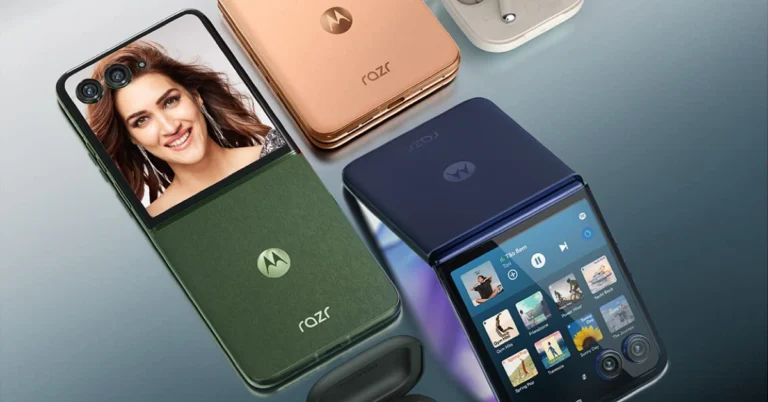

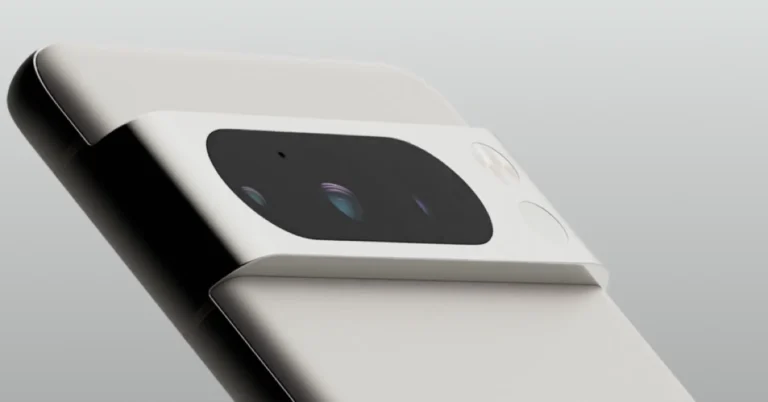
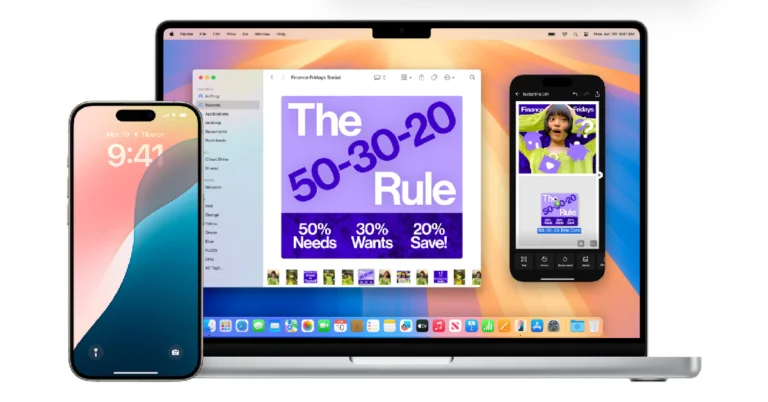
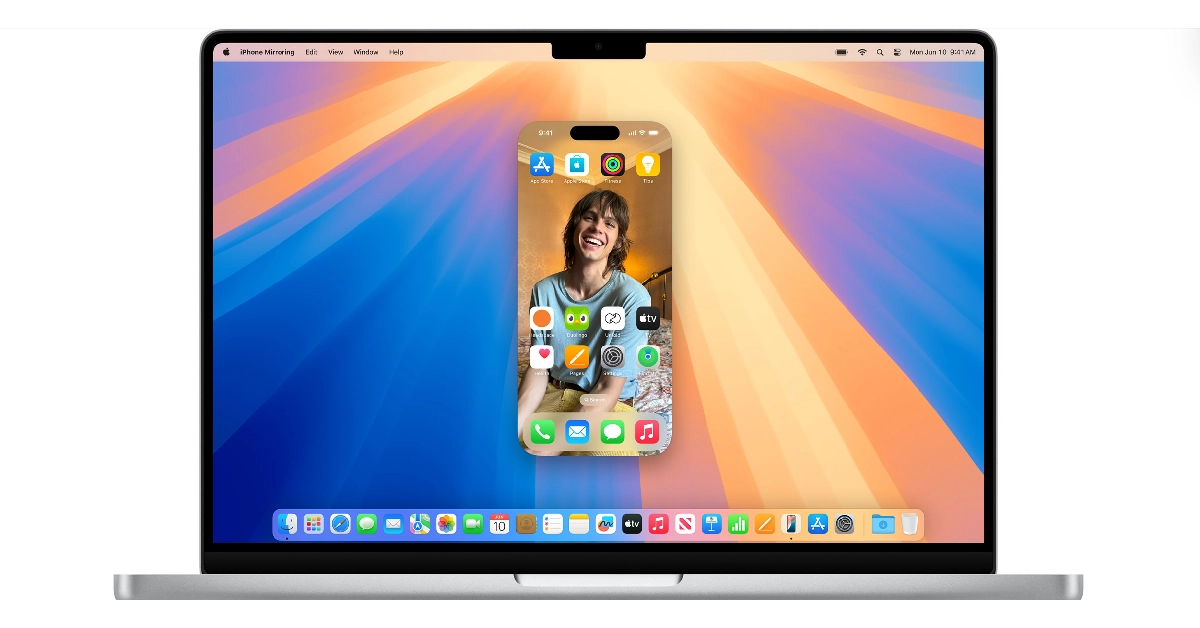 Step 1: Launch the iPhone Mirroring app from the Launchpad on your Mac.
Step 2: Hit Continue.
Step 3: Enter the Passcode on your iPhone.
Step 4: Click on Get Started on your Mac.
Step 5: Enter your password or use Touch ID to unlock iPhone mirroring.
Step 6: Your iPhone’s interface will appear on your Mac.
Step 7: The home button and app switcher button are positioned at the top of the interface, outside of the iPhone interface.
Step 1: Launch the iPhone Mirroring app from the Launchpad on your Mac.
Step 2: Hit Continue.
Step 3: Enter the Passcode on your iPhone.
Step 4: Click on Get Started on your Mac.
Step 5: Enter your password or use Touch ID to unlock iPhone mirroring.
Step 6: Your iPhone’s interface will appear on your Mac.
Step 7: The home button and app switcher button are positioned at the top of the interface, outside of the iPhone interface.

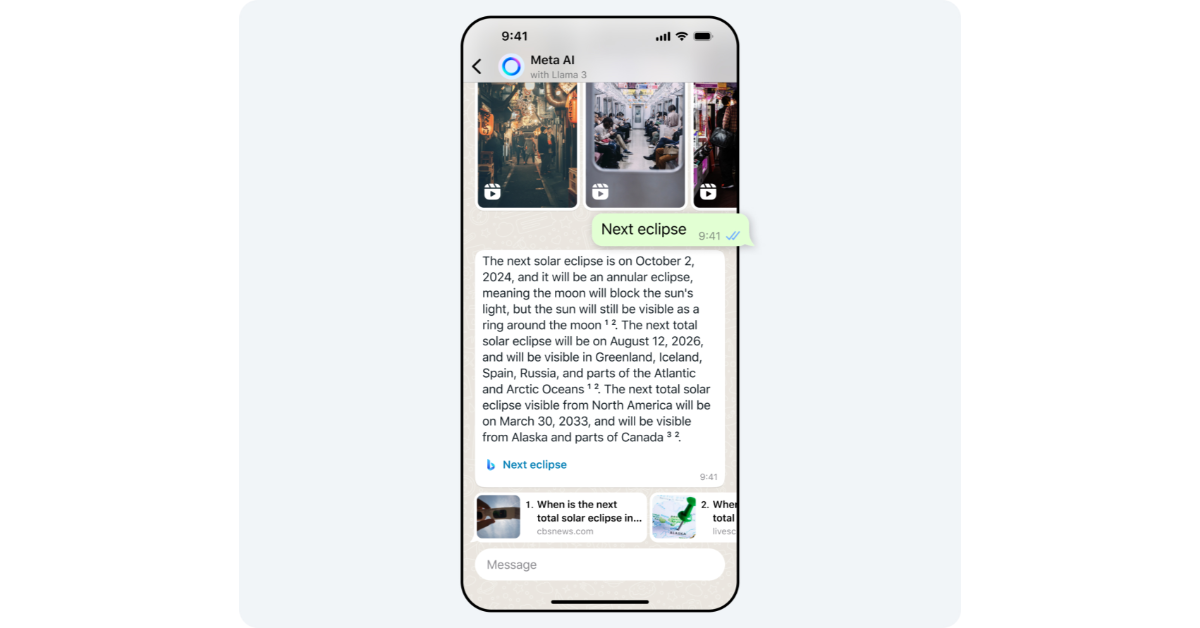 Step 1: Launch WhatsApp and switch to the Chats tab.
Step 2: Read and accept the terms and conditions.
Step 3: Select a prompt from the suggestions or type one of your own.
Step 4: Hit Send.
Step 5: Meta AI will respond to your prompt/chat. You can rate this response by long-pressing it and selecting Good response or Bad response.
Step 1: Launch WhatsApp and switch to the Chats tab.
Step 2: Read and accept the terms and conditions.
Step 3: Select a prompt from the suggestions or type one of your own.
Step 4: Hit Send.
Step 5: Meta AI will respond to your prompt/chat. You can rate this response by long-pressing it and selecting Good response or Bad response.
 Step 1: Launch WhatsApp and open the chat with Meta AI.
Step 2: Type imagine followed by your prompt for the image.
Step 3: Hit Send. The image will be generated in the chat.
Step 1: Launch WhatsApp and open the chat with Meta AI.
Step 2: Type imagine followed by your prompt for the image.
Step 3: Hit Send. The image will be generated in the chat.
 Step 1: Launch WhatsApp and open a chat.
Step 2: Tap the emoji icon on the text box and switch to the Stickers tab.
Step 3: Enter a prompt for the sticker.
Step 4: Meta AI will generate 4 stickers and you can use any one of them.
Step 1: Launch WhatsApp and open a chat.
Step 2: Tap the emoji icon on the text box and switch to the Stickers tab.
Step 3: Enter a prompt for the sticker.
Step 4: Meta AI will generate 4 stickers and you can use any one of them.
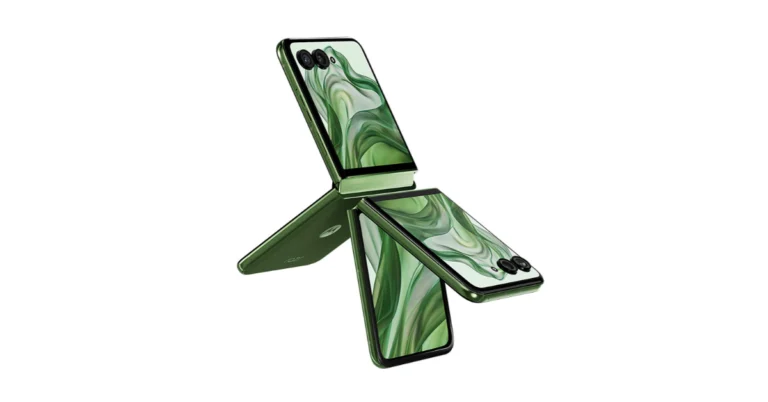
 On the other hand, the starting price of the Moto Razr 50 Ultra is CNY 5,699, or about Rs 66,000, for the 12GB RAM with 256GB storage model, and CNY 6,199, or approximately Rs 74,000, for the 12GB RAM with 512GB storage edition. The Chinese colour options translate to Modern Green, Peach Fuzz, and Vintage Denim.





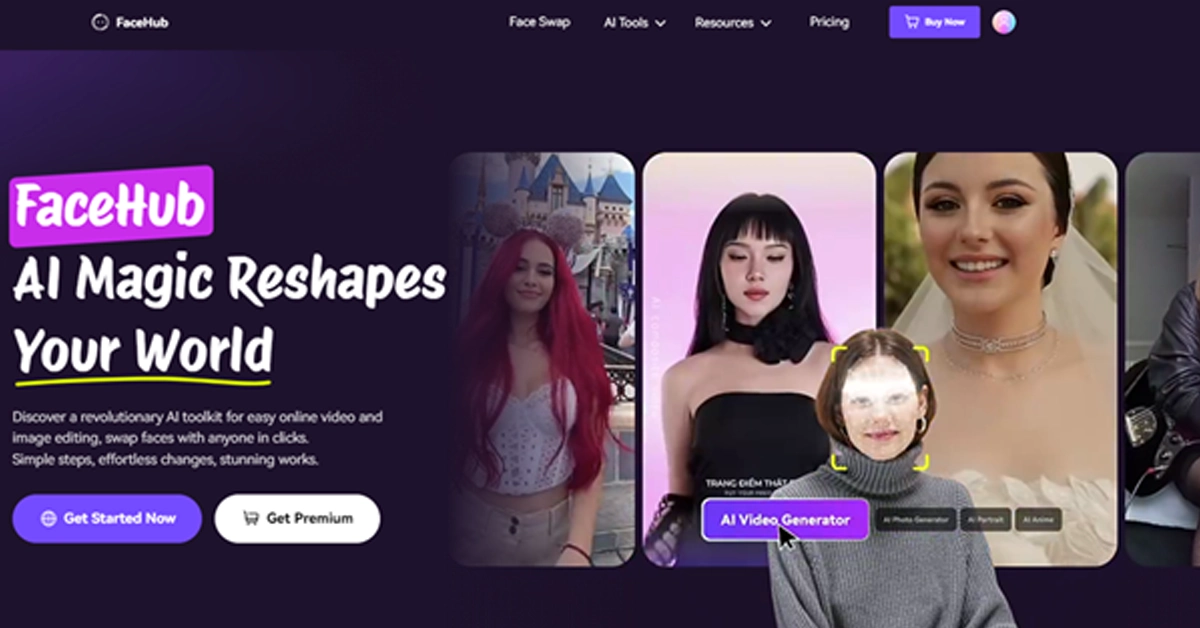 Unlike the other apps on our list, which are often limited to pre-made templates and offer face-swapping capabilities confined to those templates, FaceHub’s deep learning algorithms go a step further — allowing you to upload your own source and target videos. It meticulously analyzes your uploaded face and the target video, precisely mapping your facial features onto the target person. This process not only considers the shape of your face but also your unique expressions and movements, resulting in a face swap that looks incredibly natural and believable.
However, FaceHub cutting-edge technology is not only useful for swapping your own uploaded videos. You will also find an extensive library of over 2000 video templates, catering to a wide range of interests and creative desires. Imagine stepping back in time as a Roman emperor, embodying your favourite superhero, participating in the latest viral trends, or even envisioning yourself in a stunning wedding dress – all of this is possible with FaceHub’s diverse collection of templates.
Unlike the other apps on our list, which are often limited to pre-made templates and offer face-swapping capabilities confined to those templates, FaceHub’s deep learning algorithms go a step further — allowing you to upload your own source and target videos. It meticulously analyzes your uploaded face and the target video, precisely mapping your facial features onto the target person. This process not only considers the shape of your face but also your unique expressions and movements, resulting in a face swap that looks incredibly natural and believable.
However, FaceHub cutting-edge technology is not only useful for swapping your own uploaded videos. You will also find an extensive library of over 2000 video templates, catering to a wide range of interests and creative desires. Imagine stepping back in time as a Roman emperor, embodying your favourite superhero, participating in the latest viral trends, or even envisioning yourself in a stunning wedding dress – all of this is possible with FaceHub’s diverse collection of templates.
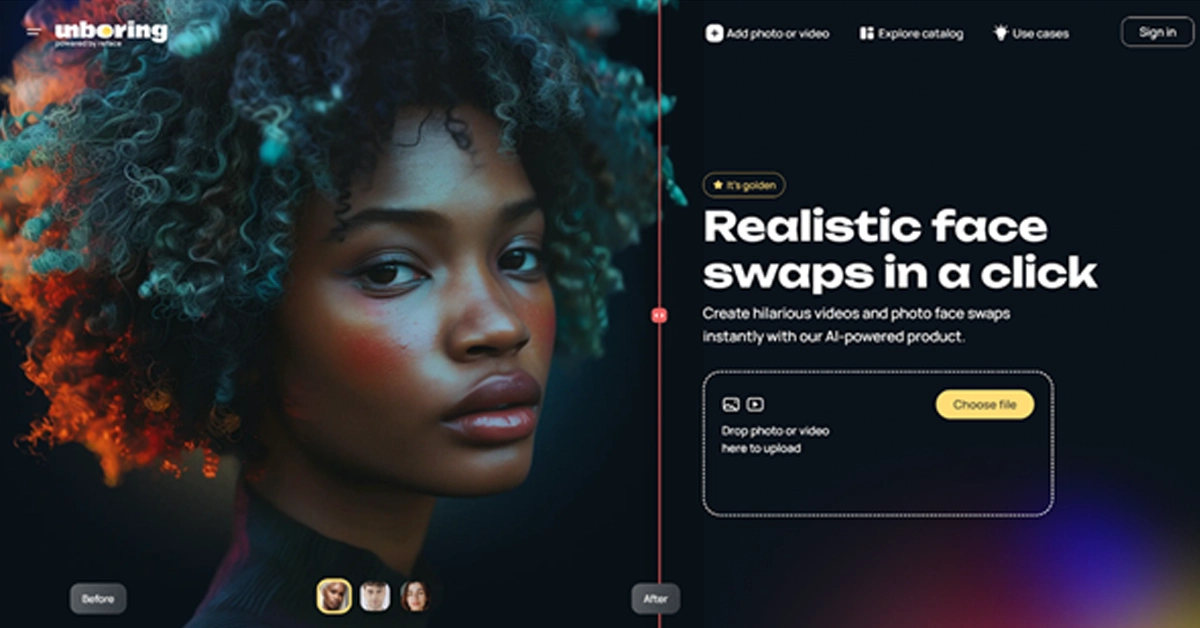 Reface takes the top spot in this list for a reason: its cutting-edge, proprietary AI technology is designed to seamlessly swap faces in photos and videos with remarkable precision. For context, you can flawlessly blend your face and make it seem like you are the star in your favourite movie scene while delivering iconic dialogues that look indistinguishable from the original. And it’s not just about Hollywood blockbusters. Reface comes with a vast library of pre-made templates (updated daily) that allows you to insert yourself into the latest memes, viral challenges, or internet fads. While you cannot upload your own videos just yet, Reface’s extensive library ensures that you always find something new and exciting to play with.
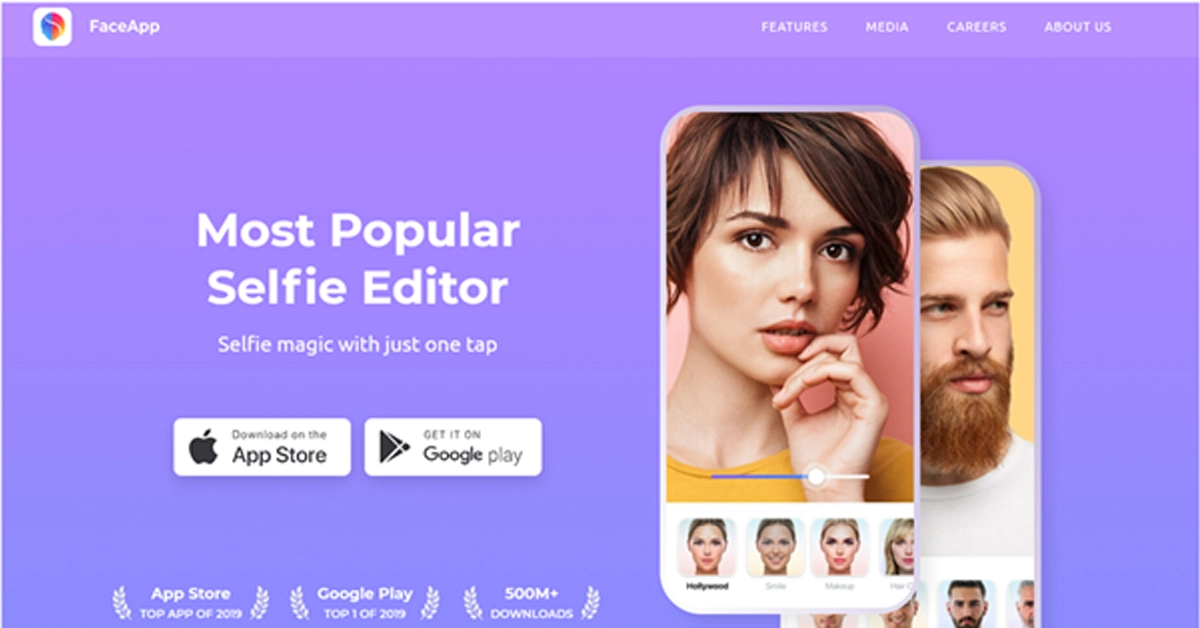 Not primarily a face-swapping app, FaceApp focuses on transforming your own face in a variety of ways — letting you explore different versions of yourself. Unlike Reface’s emphasis on humorous and meme-worthy face swaps, FaceApp delves into the realm of “what ifs,” and explores your looks in different scenarios — older, younger, with a different hairstyle, or even as the opposite gender. So, if you are looking for a face-swapping video app that allows you to experiment with your own appearance, FaceApp AI-powered filters will give the results to go viral.
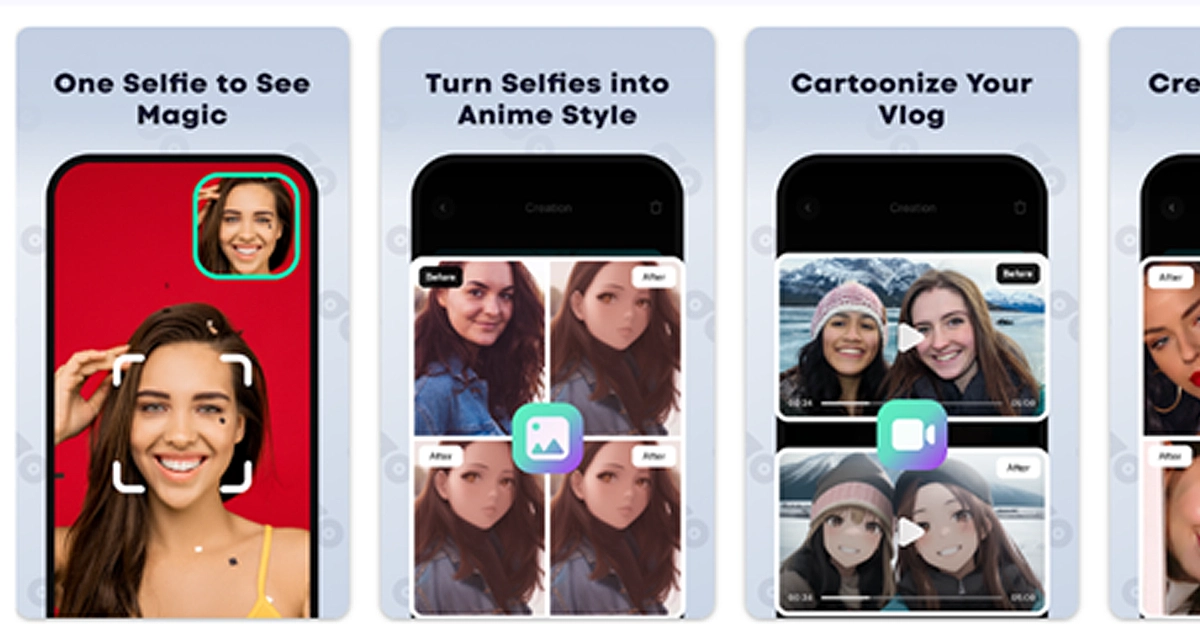 While both Reface and FaceApp excel at swapping faces and applying filters to your photos and videos, FaceMagic takes things a step further, i.e., it comes packed with a variety of creative templates. And it is FaceMagic’s templates that differentiate it from Reface and FaceApp. For instance, you’ll mostly find templates that allow you to swap your face with celebrities or appear in a video with them. You can also animate your photos, generate AI-powered artwork.
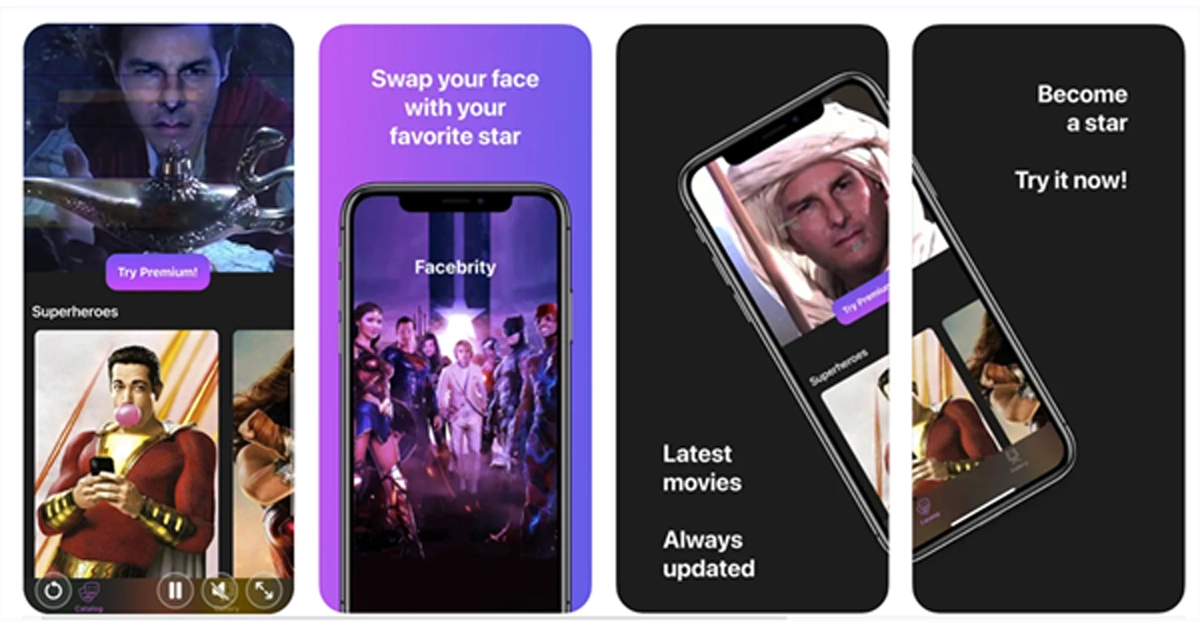 An iOS-exclusive app, Jiggy stands out among AI face swap video apps for its unique twists — it’s all about dance. For instance, where Reface and FaceApp let you swap your faces in various scenarios, Jiggy focuses on transforming you into a dancing star in a variety of music videos. So, if you love to dance or simply want to create fun and engaging videos for social media, Jiggy is the perfect app.

 Step 3: Select Restart.

 Step 3: Select Restart.
 Step 3: Hit Next.
Step 4: Give the shortcut a name and hit Finish.
Step 3: Hit Next.
Step 4: Give the shortcut a name and hit Finish.
 Step 5: Double-click the shortcut to restart your PC.
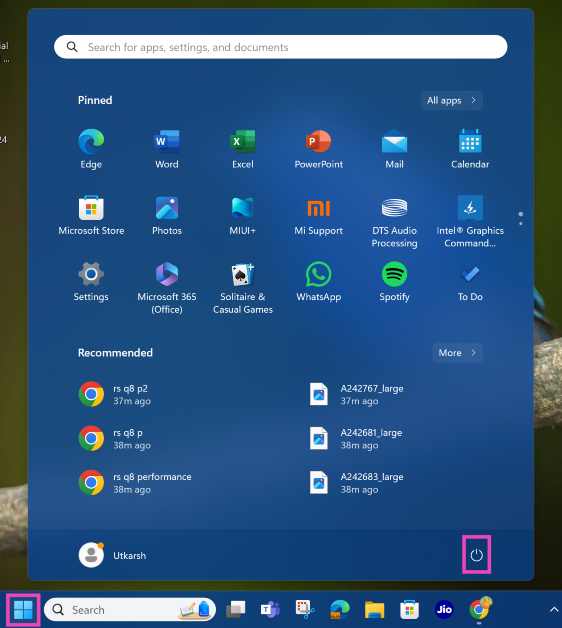 Step 3: Select Restart.
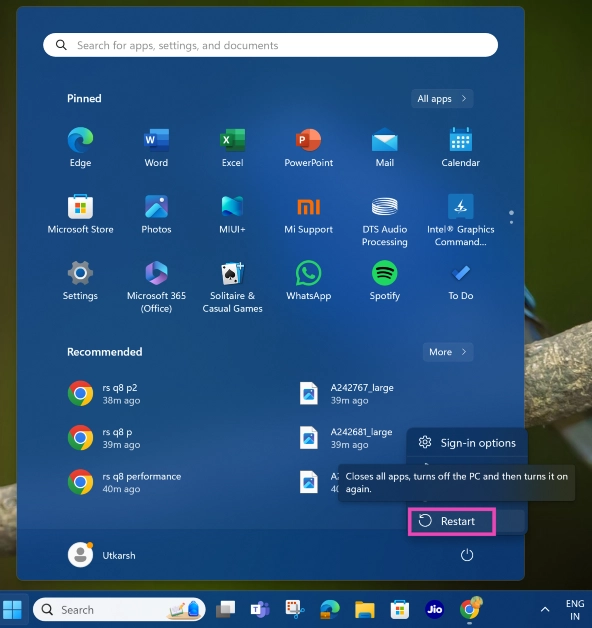
 Step 3: Select Restart.
 If your PC is frozen, restarting it using the system interface is out of the question. The only thing that works in this scenario is the power button. Press and hold the power button for 7-10 seconds to initiate a hard reboot. Release the button once you see the manufacturer’s logo appear on the screen.
 Not many people know this, but you can use the Command Prompt to restart your PC or laptop. Here’s how.
Step 1: Press Windows + R to open the Run box.
Step 2: Type cmd and hit Enter.
Step 3: In the Command Prompt window, type the following command:
Not many people know this, but you can use the Command Prompt to restart your PC or laptop. Here’s how.
Step 1: Press Windows + R to open the Run box.
Step 2: Type cmd and hit Enter.
Step 3: In the Command Prompt window, type the following command:
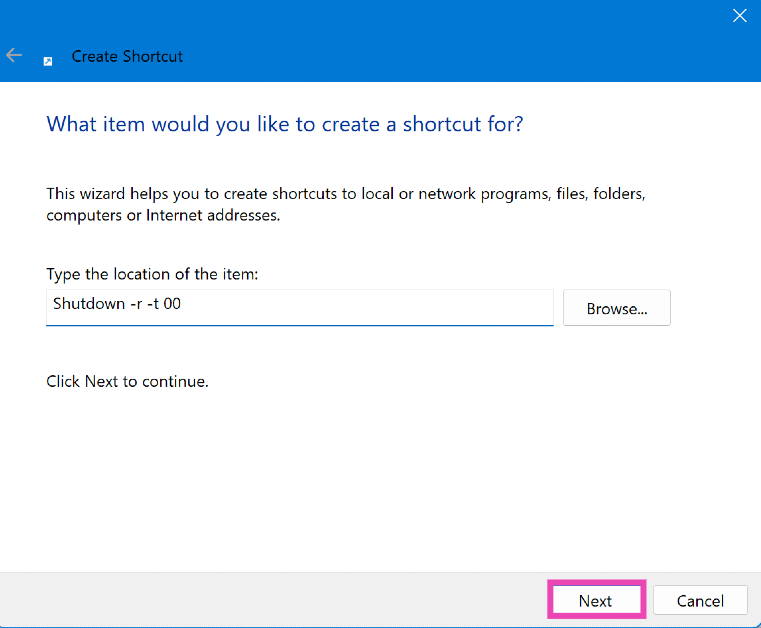 Step 3: Hit Next.
Step 4: Give the shortcut a name and hit Finish.
Step 3: Hit Next.
Step 4: Give the shortcut a name and hit Finish.
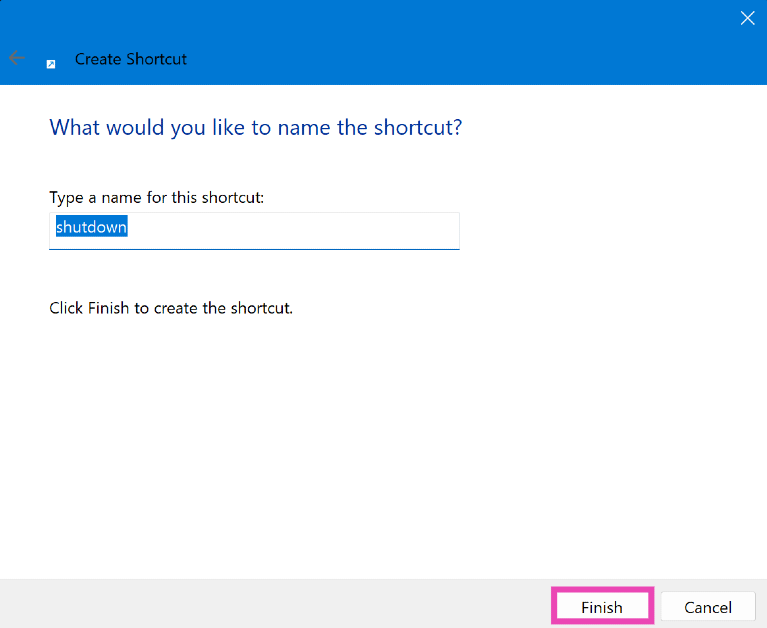 Step 5: Double-click the shortcut to restart your PC.
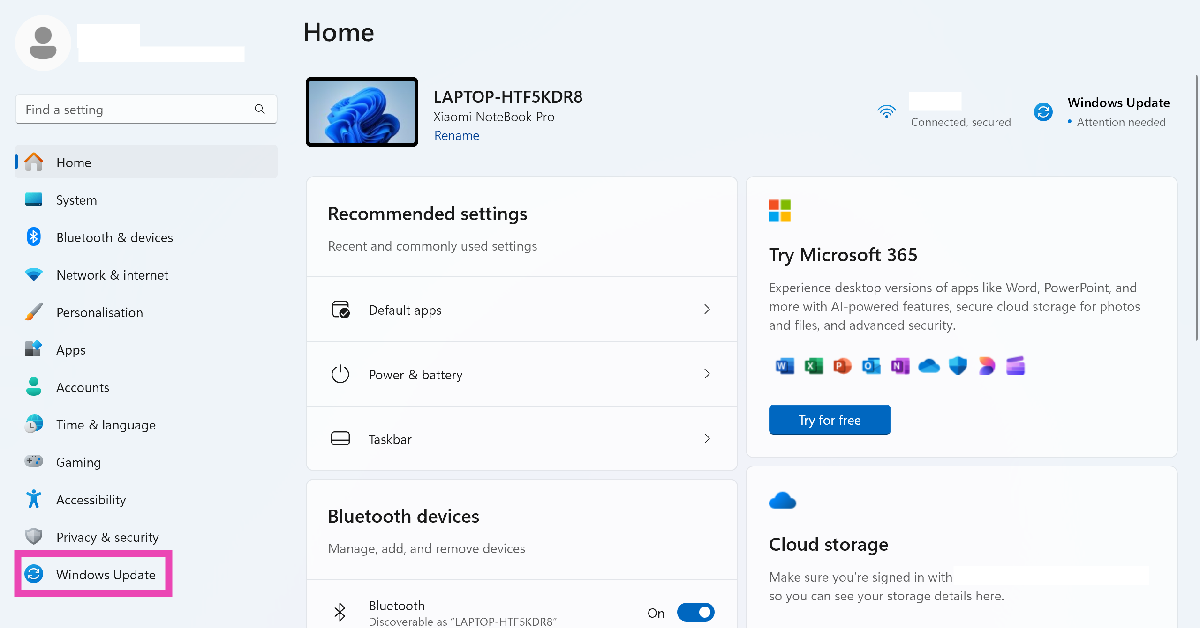 Step 2: Hit Restart now in the top right section of the screen. This option will only appear when the new updates have been downloaded.
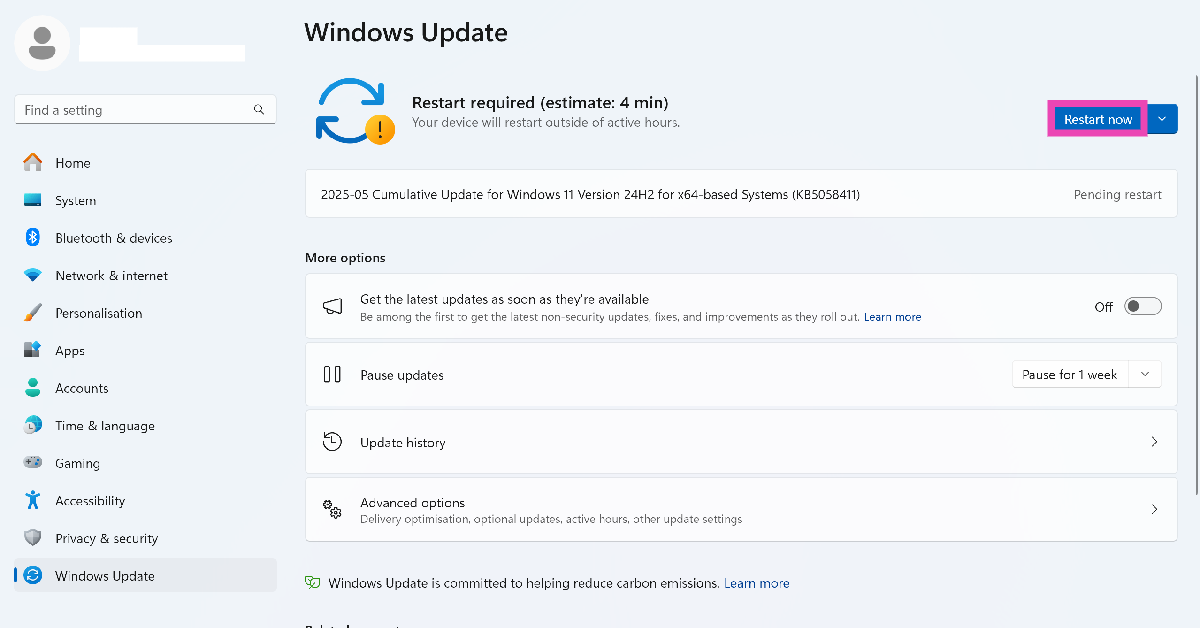 Step 3: You can also press the arrow icon next to the restart button and click on Schedule restart to reboot your PC automatically later.
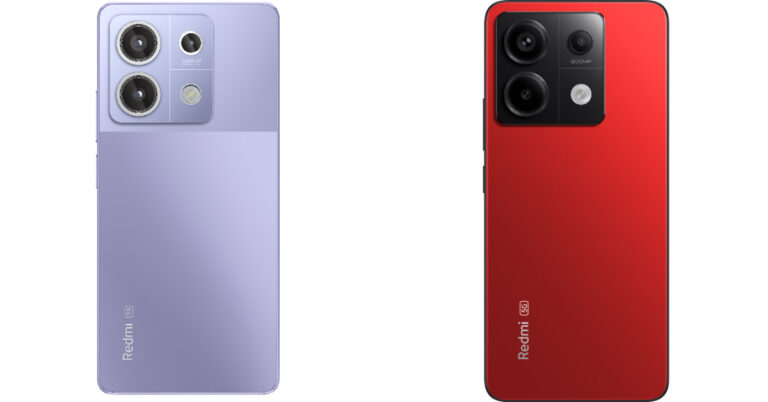
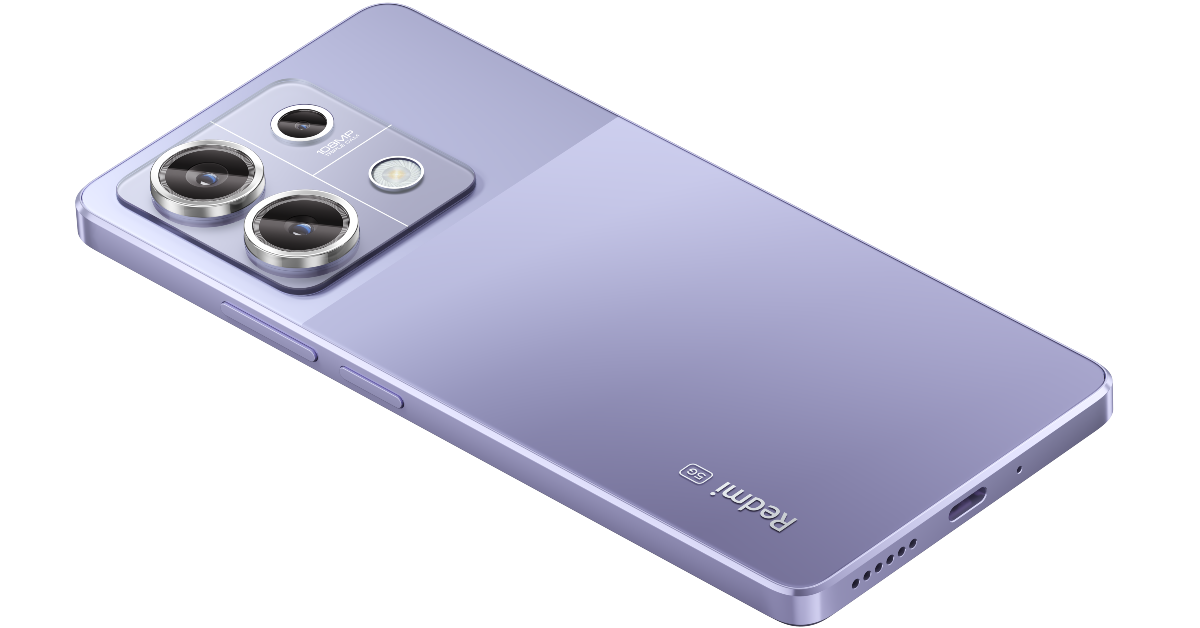
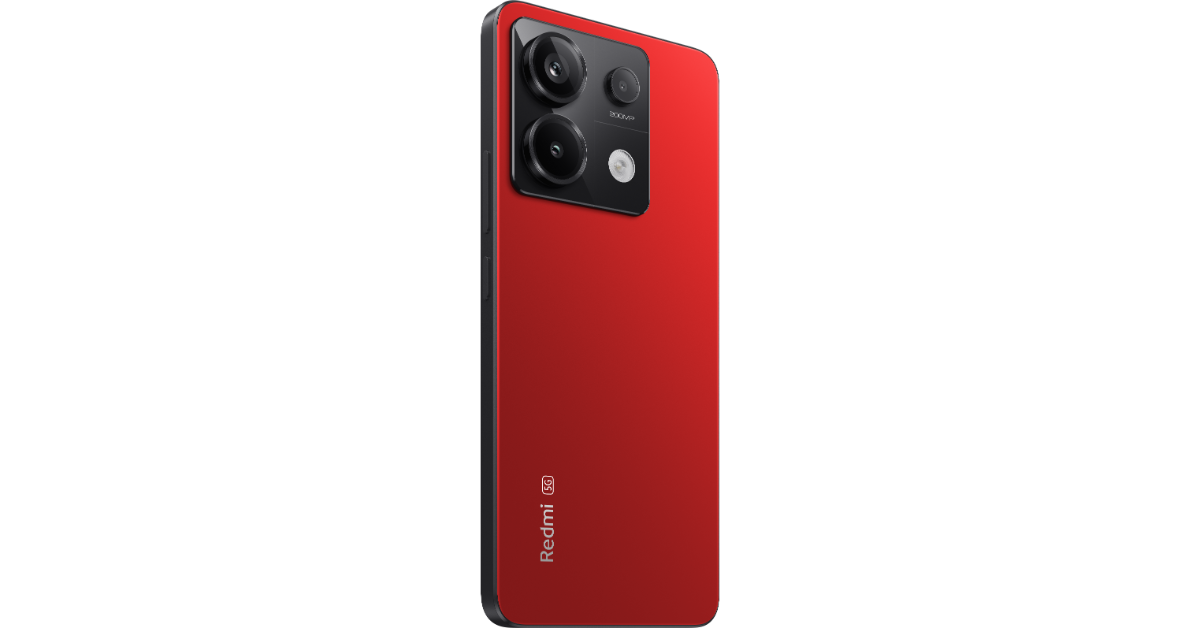
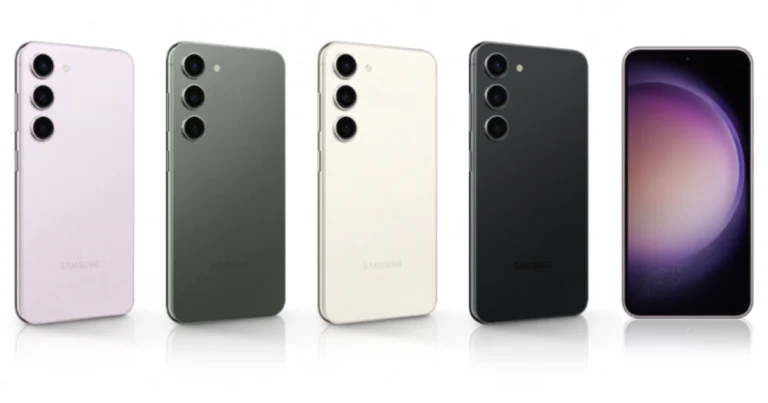

 Step 2: Tap on Settings.
 Step 3: Select Voicemail.
 Step 4: Tap on Change PIN.
Step 5: Enter your current PIN and hit Continue.
Step 6: Enter the new PIN/password and hit Continue.
Step 7: Re-enter the new PIN or password to confirm it.
Step 4: Tap on Change PIN.
Step 5: Enter your current PIN and hit Continue.
Step 6: Enter the new PIN/password and hit Continue.
Step 7: Re-enter the new PIN or password to confirm it.
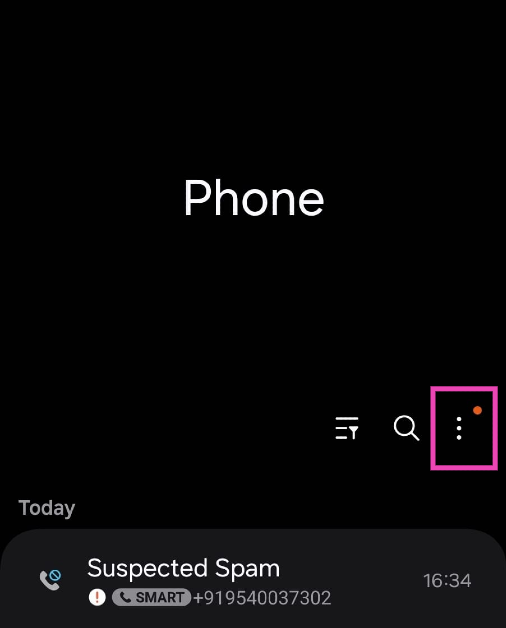 Step 2: Tap on Settings.
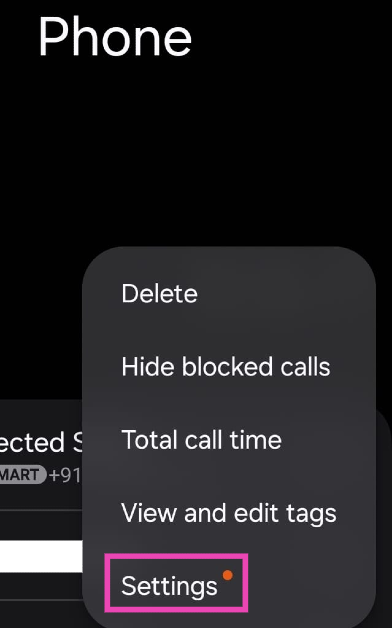 Step 3: Select Voicemail.
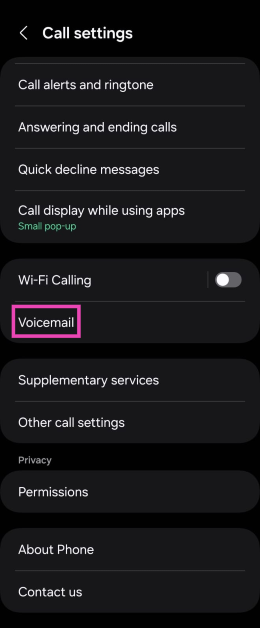 Step 4: Tap on Change PIN.
Step 5: Enter your current PIN and hit Continue.
Step 6: Enter the new PIN/password and hit Continue.
Step 7: Re-enter the new PIN or password to confirm it.
Step 4: Tap on Change PIN.
Step 5: Enter your current PIN and hit Continue.
Step 6: Enter the new PIN/password and hit Continue.
Step 7: Re-enter the new PIN or password to confirm it.
 Step 1: Open the dialer on your phone and long-press 1 to call your voicemail.
Step 2: Listen to the pre-recorded message to find out which number you need to press to change your password. Most voicemail services assign the number 5 to password-related tasks.
Step 3: Enter your current PIN or password to proceed further.
Step 4: Enter the new PIN or password and end it with the pound sign (#).
Step 5: The voicemail service will repeat the password. Listen to it carefully and make sure there are no errors. Hit # again to confirm your password.
Step 1: Open the dialer on your phone and long-press 1 to call your voicemail.
Step 2: Listen to the pre-recorded message to find out which number you need to press to change your password. Most voicemail services assign the number 5 to password-related tasks.
Step 3: Enter your current PIN or password to proceed further.
Step 4: Enter the new PIN or password and end it with the pound sign (#).
Step 5: The voicemail service will repeat the password. Listen to it carefully and make sure there are no errors. Hit # again to confirm your password.
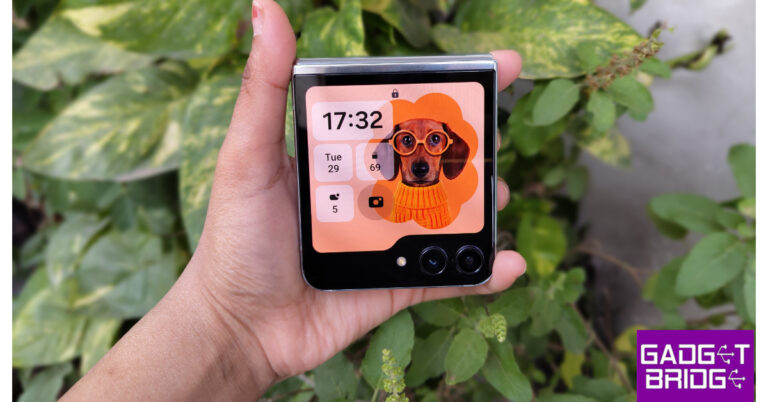



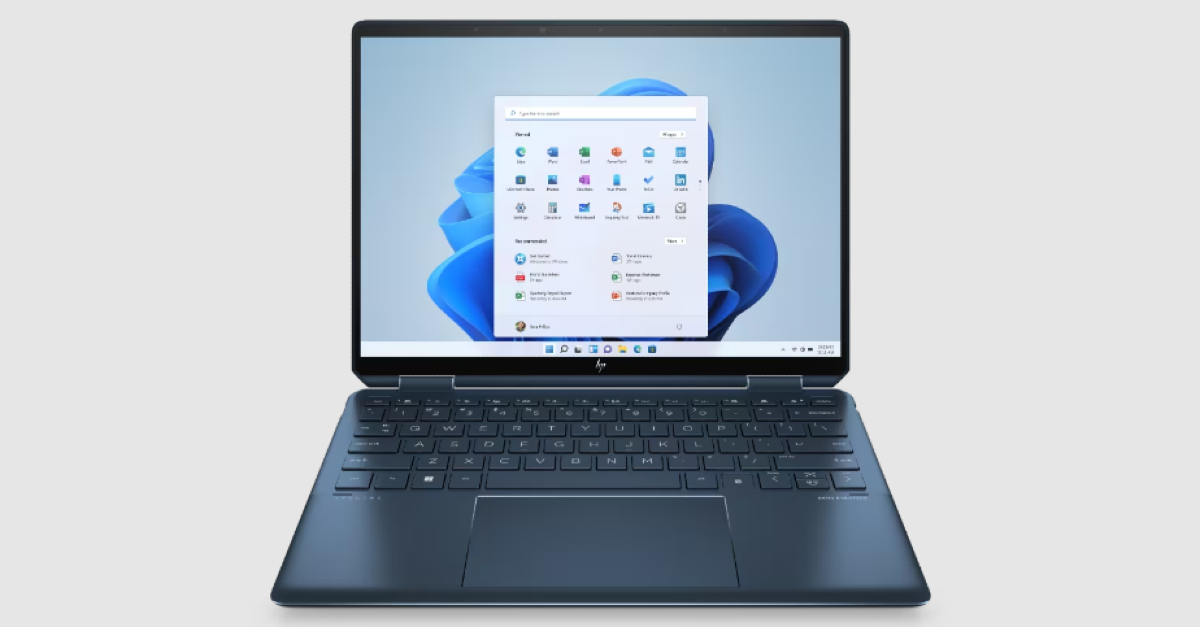 The 2-in-1 HP Spectre x360 is available in two size variants – 14-inch and 16-inch. This convertible laptop has a touchscreen OLED display which is IMAX Enhanced certified. Powering the laptop is the Intel Core 7 Ultra processor. The dedicated Neural Processing Unit on the Spectre x360 is well-equipped to handle AI computations. The AI features of the laptop include gesture controls for controlling video playback, a walk-away lock, wake on approach, power saving, health and wellness reminders, and more.
 The new MSI Prestige 13 has been gaining a lot of accolades for its powerful processing and cutting-edge AI features. Powering the laptop is the Intel Core Ultra 7 processor with Intel AI Boost (Neural Processing Unit). The MSI AI engine adapts the hardware settings of the laptop based on user activity. For example, the new spatial array microphone (3-mics) solution seamlessly transitions from 3D immersive audio from all directions and unidirectional focus and vice versa depending on the surroundings and your preference.
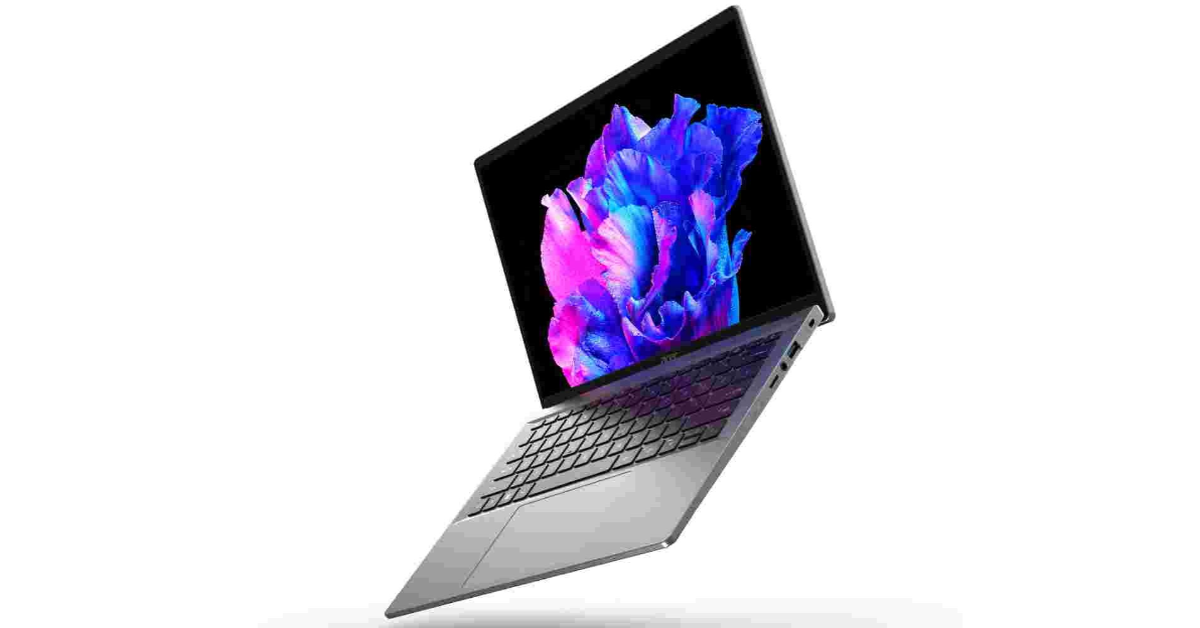 Available in 14 and 16-inch size options, the Acer Swift Go is one of the best AI laptops you can buy right now. It is powered by the next-gen Intel Core Ultra 9 processor with built-in Intel Arc graphics. The Acer Swift Go also integrated Intel’s latest dedicated AI engine – Intel AI Boost. There is a dedicated key for Copilot on this laptop. Apart from Windows’ generative AI features in Copilot, you also get Acer’s exclusive AI features like PurifiedView and PurifiedVoice.
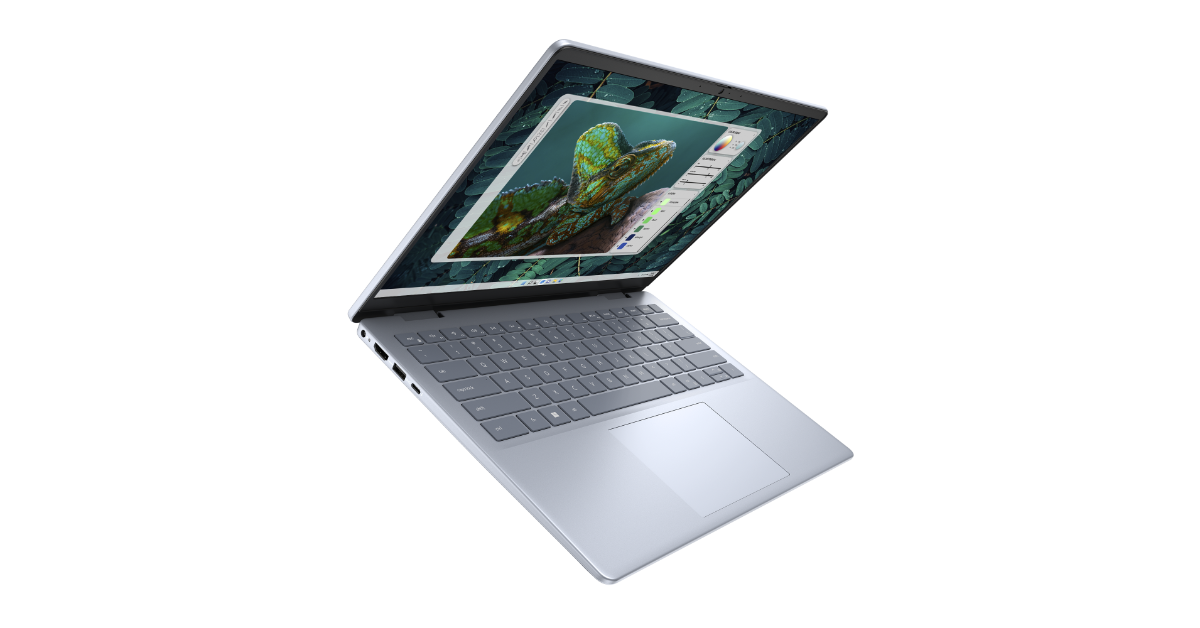 The Dell Inspiron 14 Plus is a no-nonsense laptop with a loaded spec sheet and intelligent software. It is powered by the Intel Core Ultra 7 processor with Intel Arc graphics. Also onboard is 16GB of LPDDR5X RAM and 1TB SSD. Handling the display duties is a 14-inch 2,240 x 1,400p panel with a refresh rate of 60Hz. This display is anti-glare. Some of the AI features on this laptop include enhanced video chatting and noise reduction, instant transcription, Microsoft Studio Effects, and more.
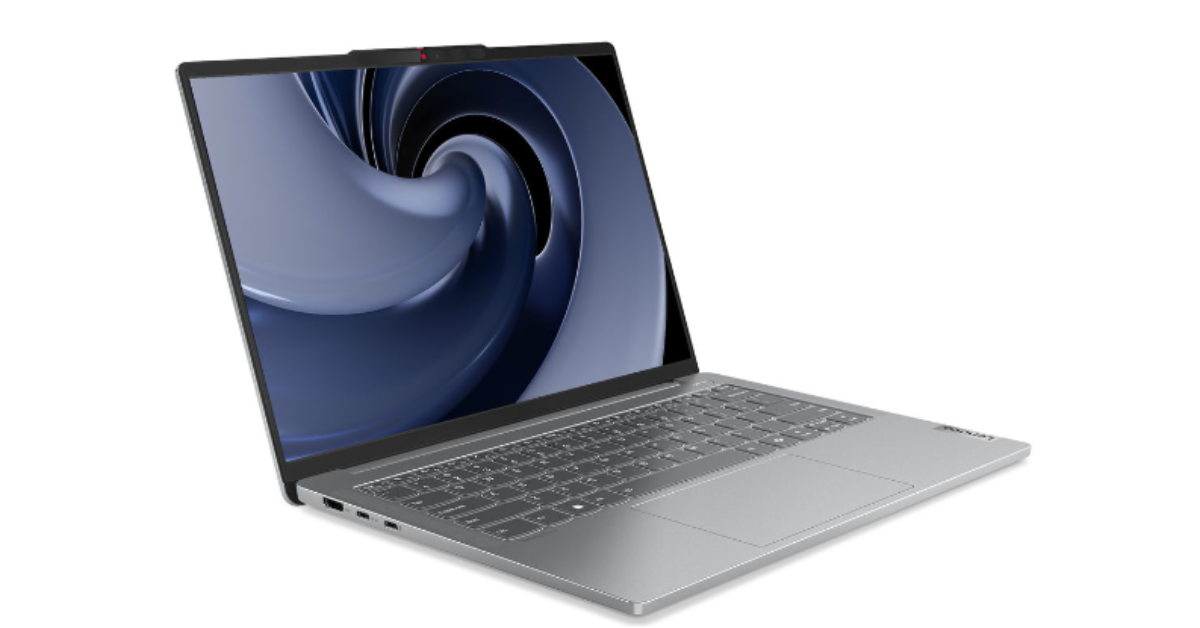 Powered by the Intel Core Ultra 7 Processor, the Lenovo IdeaPad Pro 5 is one of the best AI laptops you can buy this year. The Lenovo AI engine on this laptop blends into different functions and presents an intuitive way to go about your tasks. AI features like Smart Wireless and Smart Noise Cancelling make this laptop stand out from its peers. The 14-inch WUXGA OLED display has a refresh rate of 60Hz and a peak brightness of 400 nits.
 The Samsung Galaxy Book4 Pro is available in two screen size options – 14 inches and 16 inches. There are two RAM + storage options on offer – 16GB + 512GB and 32GB + 1TB. Powering the laptop is the Intel Core Ultra 7 processor which has a dedicated Neural Processing Unit for AI computation. The Dynamic AMOLED 2x display is touch-sensitive, bringing a new level of accessibility to the device. The NPU engine on this laptop is powerful enough to handle the AI functions in apps like Photoshop. The wide-angle cam sports AI features like eye contact correction and Auto Framing (in Microsoft Studio Effects).
Read Also: How to use a Xiaomi or Poco phone as a Universal Remote Control?
The Samsung Galaxy Book4 Pro is available in two screen size options – 14 inches and 16 inches. There are two RAM + storage options on offer – 16GB + 512GB and 32GB + 1TB. Powering the laptop is the Intel Core Ultra 7 processor which has a dedicated Neural Processing Unit for AI computation. The Dynamic AMOLED 2x display is touch-sensitive, bringing a new level of accessibility to the device. The NPU engine on this laptop is powerful enough to handle the AI functions in apps like Photoshop. The wide-angle cam sports AI features like eye contact correction and Auto Framing (in Microsoft Studio Effects).
Read Also: How to use a Xiaomi or Poco phone as a Universal Remote Control?
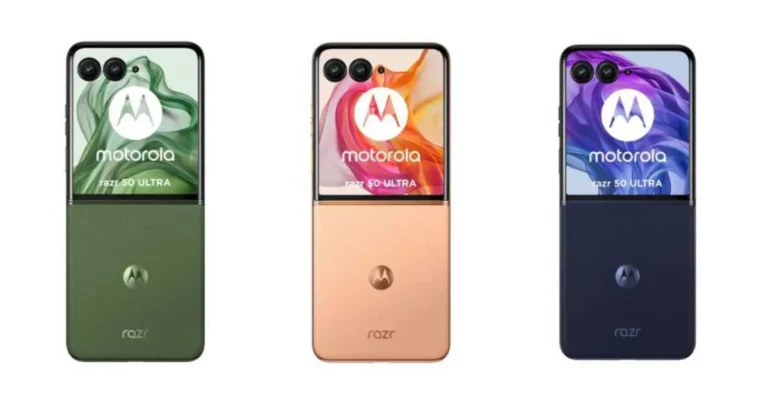


 BGMI, the Official Gaming Partner of ‘Kalki: 2898 AD,’ has released a specially created co-branded trailer for the film. The trailer, which features an exciting merger of the BGMI world and the Kalki: 2898 AD cinematic universe, will fascinate fans of both the game and the film, presenting a unique blend of action, adventure, and immersive storytelling. Check out the trailer below.
Also Read: Samsung Music Frame, a wireless speaker launched in India
An exclusive in-game event organised by BGMI that includes intriguing challenges and attractive incentives for participants rounds off the partnership. Gamers can delve further into the story of “Kalki: 2898 AD” while receiving exclusive in-game rewards.
BGMI, the Official Gaming Partner of ‘Kalki: 2898 AD,’ has released a specially created co-branded trailer for the film. The trailer, which features an exciting merger of the BGMI world and the Kalki: 2898 AD cinematic universe, will fascinate fans of both the game and the film, presenting a unique blend of action, adventure, and immersive storytelling. Check out the trailer below.
Also Read: Samsung Music Frame, a wireless speaker launched in India
An exclusive in-game event organised by BGMI that includes intriguing challenges and attractive incentives for participants rounds off the partnership. Gamers can delve further into the story of “Kalki: 2898 AD” while receiving exclusive in-game rewards. 




 Under the hood, there is a Qualcomm Snapdragon 695 SoC powered by OnePlus’ proprietary Trinity Engine providing uninterrupted connections, faster file sharing, stable gaming, and fast download speeds of up to 2.0 Gbps. The device arrives with up to 8GB of LPDDR4x RAM and 256GB of UFS2.2 Storage, plus support for up to 2TB of expandable storage via the MicroSD slot. The RAM-Vitalization technology on the phone keeps up to 26 applications active in the background while providing smooth transitions when switching between multiple apps.
Also read: Samsung Music Frame, a wireless speaker launched in India
There are Dual Stereo Speakers and the volume can be increased by up to 300%. The device features a dual rear camera setup that includes a 50MP LYTIA 600 main camera sensor with OIS and 2X In-sensor zoom, plus a 2MP Depth-assist Camera and 16MP Front Camera with EIS support.
The Nord CE 4 Lite 5G houses a 5,500mAh battery with support for 80W wired SuperVOOC and 5W reverse charging support. Along with a 3.5mm audio jack, there is 5G, Wi-Fi 5, GPS, Bluetooth 5.1, and USB Type-C port for connectivity.
Under the hood, there is a Qualcomm Snapdragon 695 SoC powered by OnePlus’ proprietary Trinity Engine providing uninterrupted connections, faster file sharing, stable gaming, and fast download speeds of up to 2.0 Gbps. The device arrives with up to 8GB of LPDDR4x RAM and 256GB of UFS2.2 Storage, plus support for up to 2TB of expandable storage via the MicroSD slot. The RAM-Vitalization technology on the phone keeps up to 26 applications active in the background while providing smooth transitions when switching between multiple apps.
Also read: Samsung Music Frame, a wireless speaker launched in India
There are Dual Stereo Speakers and the volume can be increased by up to 300%. The device features a dual rear camera setup that includes a 50MP LYTIA 600 main camera sensor with OIS and 2X In-sensor zoom, plus a 2MP Depth-assist Camera and 16MP Front Camera with EIS support.
The Nord CE 4 Lite 5G houses a 5,500mAh battery with support for 80W wired SuperVOOC and 5W reverse charging support. Along with a 3.5mm audio jack, there is 5G, Wi-Fi 5, GPS, Bluetooth 5.1, and USB Type-C port for connectivity. 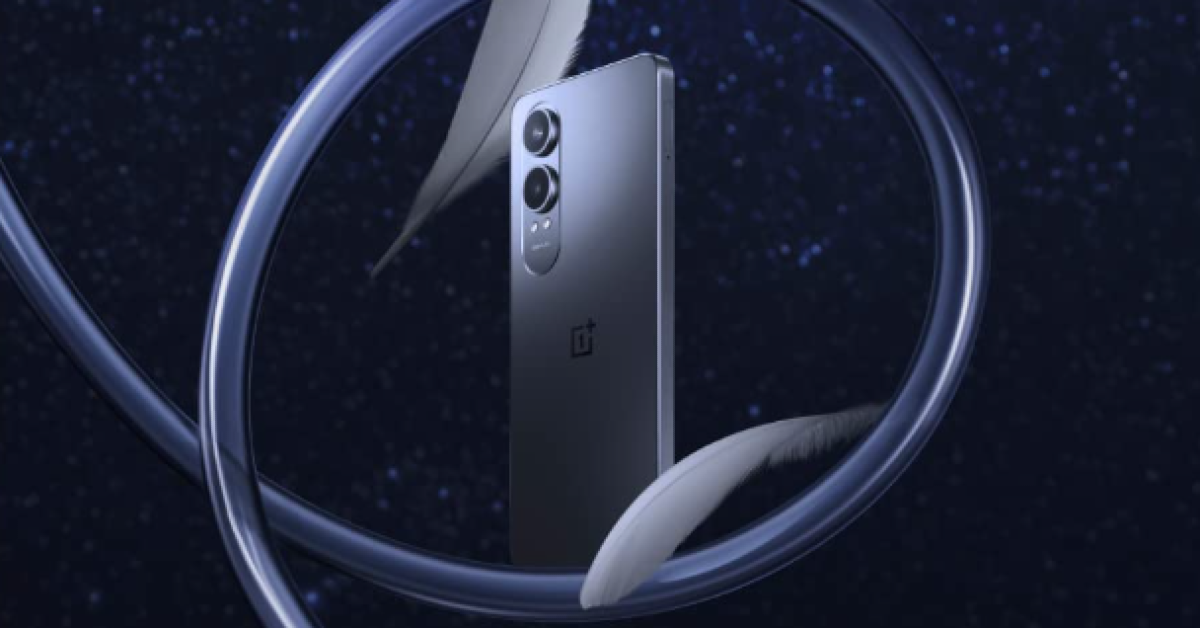 The Nord phone is scheduled to go on sale on June 27 at noon via oneplus.in, OnePlus Store App, OnePlus Experience Stores, Amazon.in, Reliance Digital, Croma & other offline partner stores.
Customers can get a Rs 1000 discount on ICICI Bank & OneCard Credit Cards & EMI, and 3 months No Cost EMI on select bank cards. Students can get an additional discount of Rs 250 when purchased from oneplus.in and the OnePlus Store App. New Jio postpaid customers can get up to Rs 2250 on the OnePlus Nord CE4 Lite 5G. Buyers can also avail 6 months of no-cost EMI with Bajaj Finserv, ICICI Bank Consumer Finance & HDBFS Consumer Loans.
Also Read: Oppo A3 Pro with MediaTek Dimensity 6300 chipset launched in India
The Nord phone is scheduled to go on sale on June 27 at noon via oneplus.in, OnePlus Store App, OnePlus Experience Stores, Amazon.in, Reliance Digital, Croma & other offline partner stores.
Customers can get a Rs 1000 discount on ICICI Bank & OneCard Credit Cards & EMI, and 3 months No Cost EMI on select bank cards. Students can get an additional discount of Rs 250 when purchased from oneplus.in and the OnePlus Store App. New Jio postpaid customers can get up to Rs 2250 on the OnePlus Nord CE4 Lite 5G. Buyers can also avail 6 months of no-cost EMI with Bajaj Finserv, ICICI Bank Consumer Finance & HDBFS Consumer Loans.
Also Read: Oppo A3 Pro with MediaTek Dimensity 6300 chipset launched in India
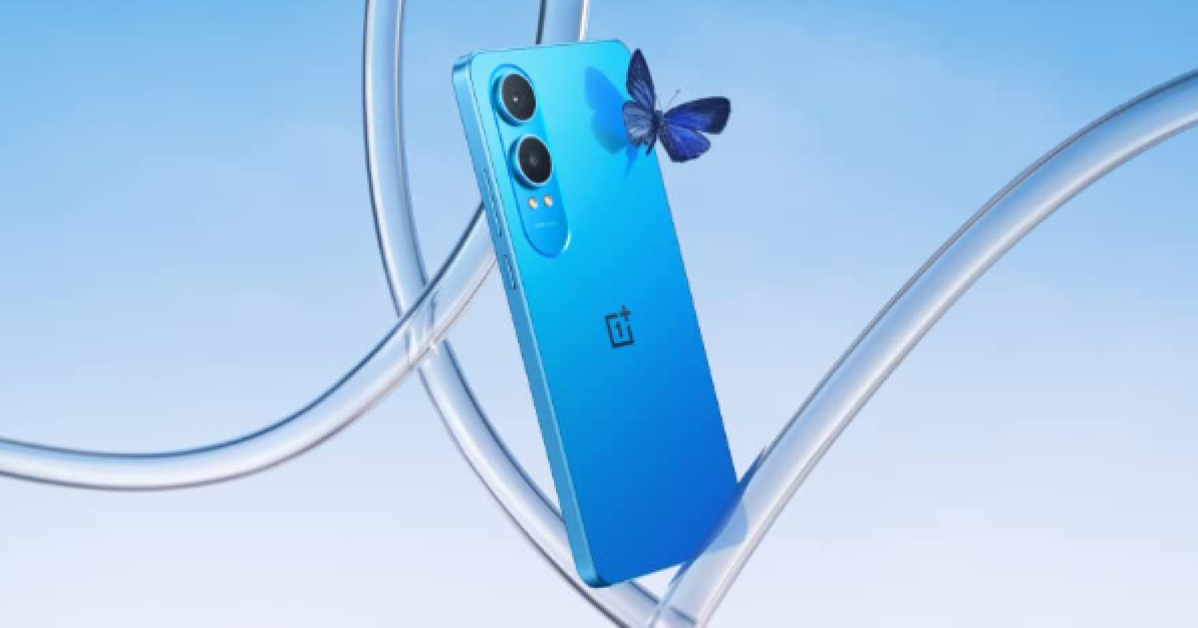 Under the hood, there is a Qualcomm Snapdragon 695 SoC powered by OnePlus’ proprietary Trinity Engine providing uninterrupted connections, faster file sharing, stable gaming, and fast download speeds of up to 2.0 Gbps. The device arrives with up to 8GB of LPDDR4x RAM and 256GB of UFS2.2 Storage, plus support for up to 2TB of expandable storage via the MicroSD slot. The RAM-Vitalization technology on the phone keeps up to 26 applications active in the background while providing smooth transitions when switching between multiple apps.
Also read: Samsung Music Frame, a wireless speaker launched in India
There are Dual Stereo Speakers and the volume can be increased by up to 300%. The device features a dual rear camera setup that includes a 50MP LYTIA 600 main camera sensor with OIS and 2X In-sensor zoom, plus a 2MP Depth-assist Camera and 16MP Front Camera with EIS support.
The Nord CE 4 Lite 5G houses a 5,500mAh battery with support for 80W wired SuperVOOC and 5W reverse charging support. Along with a 3.5mm audio jack, there is 5G, Wi-Fi 5, GPS, Bluetooth 5.1, and USB Type-C port for connectivity.
Under the hood, there is a Qualcomm Snapdragon 695 SoC powered by OnePlus’ proprietary Trinity Engine providing uninterrupted connections, faster file sharing, stable gaming, and fast download speeds of up to 2.0 Gbps. The device arrives with up to 8GB of LPDDR4x RAM and 256GB of UFS2.2 Storage, plus support for up to 2TB of expandable storage via the MicroSD slot. The RAM-Vitalization technology on the phone keeps up to 26 applications active in the background while providing smooth transitions when switching between multiple apps.
Also read: Samsung Music Frame, a wireless speaker launched in India
There are Dual Stereo Speakers and the volume can be increased by up to 300%. The device features a dual rear camera setup that includes a 50MP LYTIA 600 main camera sensor with OIS and 2X In-sensor zoom, plus a 2MP Depth-assist Camera and 16MP Front Camera with EIS support.
The Nord CE 4 Lite 5G houses a 5,500mAh battery with support for 80W wired SuperVOOC and 5W reverse charging support. Along with a 3.5mm audio jack, there is 5G, Wi-Fi 5, GPS, Bluetooth 5.1, and USB Type-C port for connectivity. 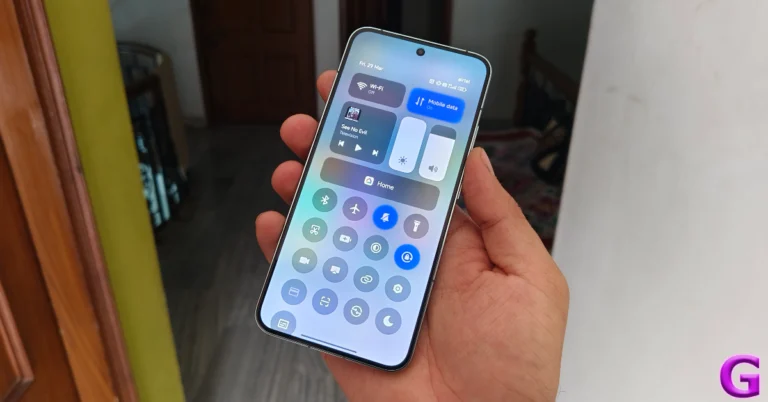
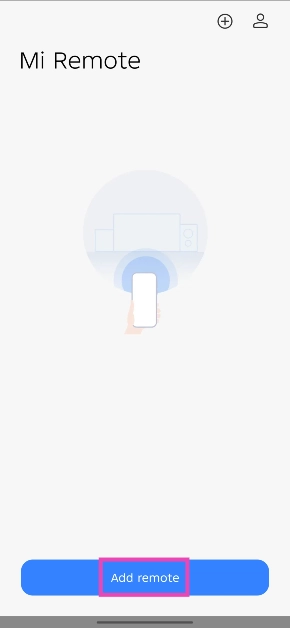
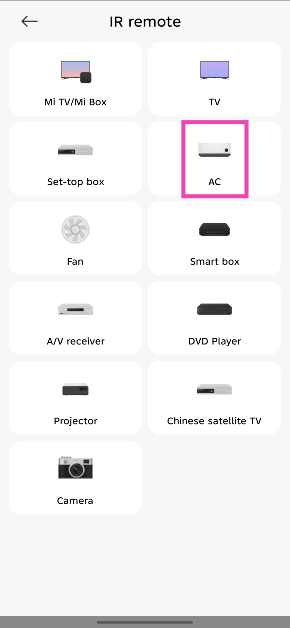
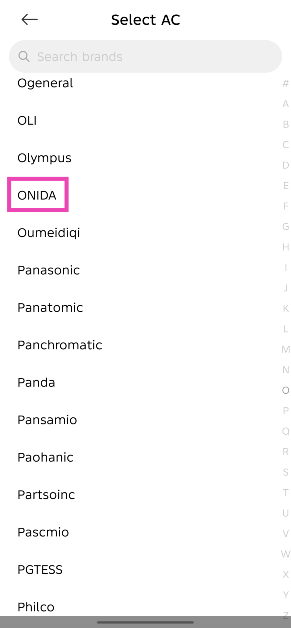
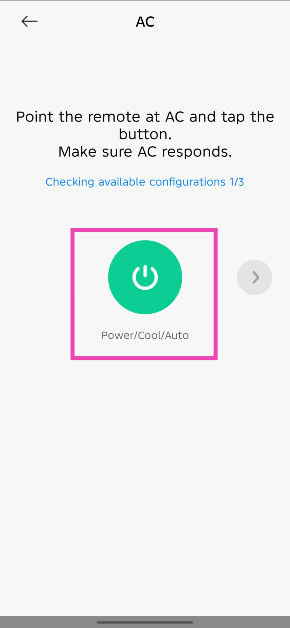
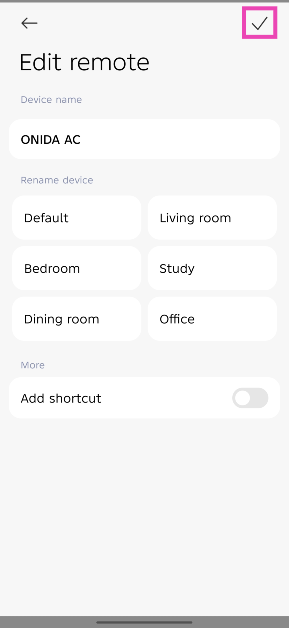
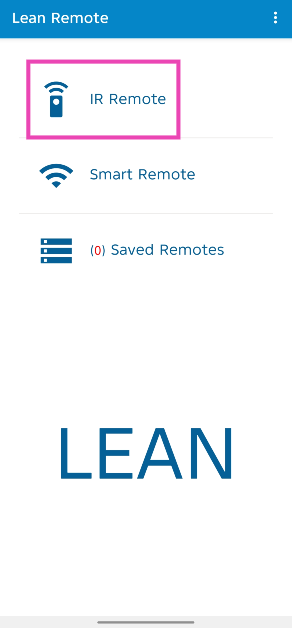
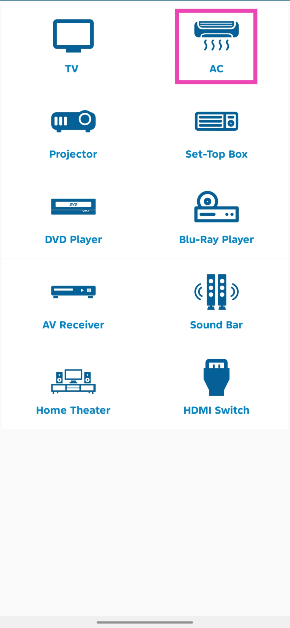
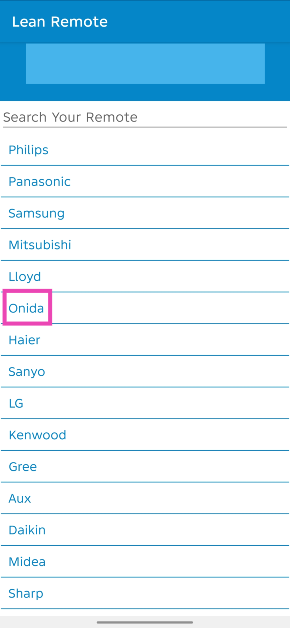

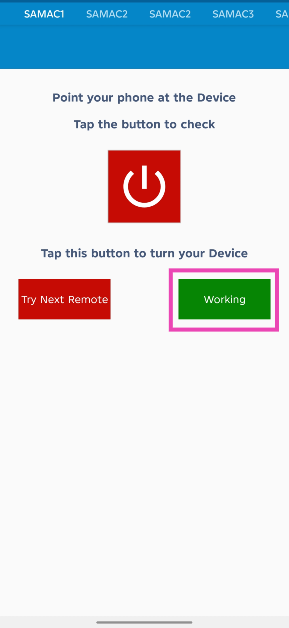
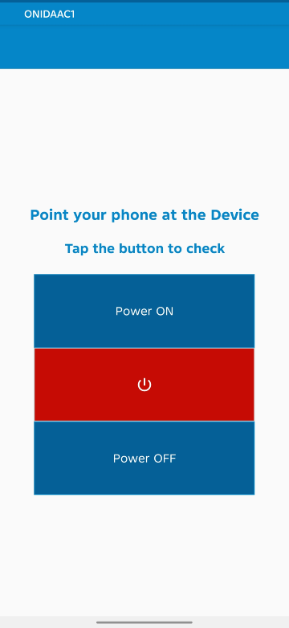
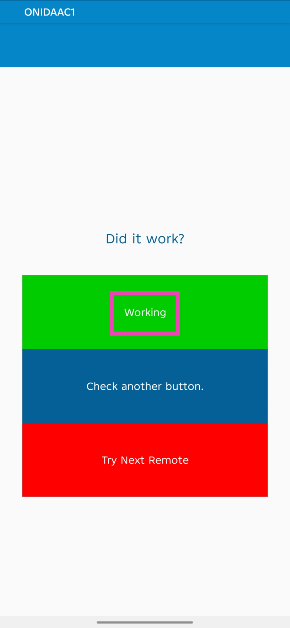
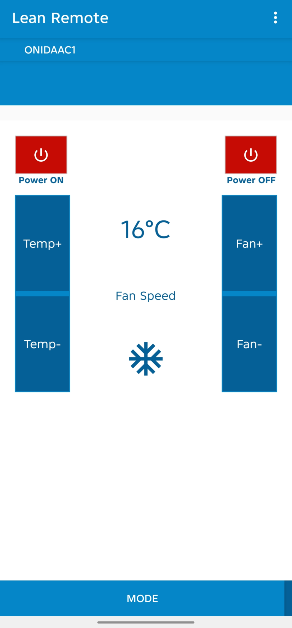
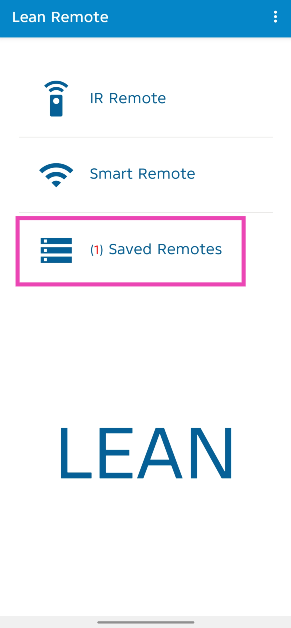


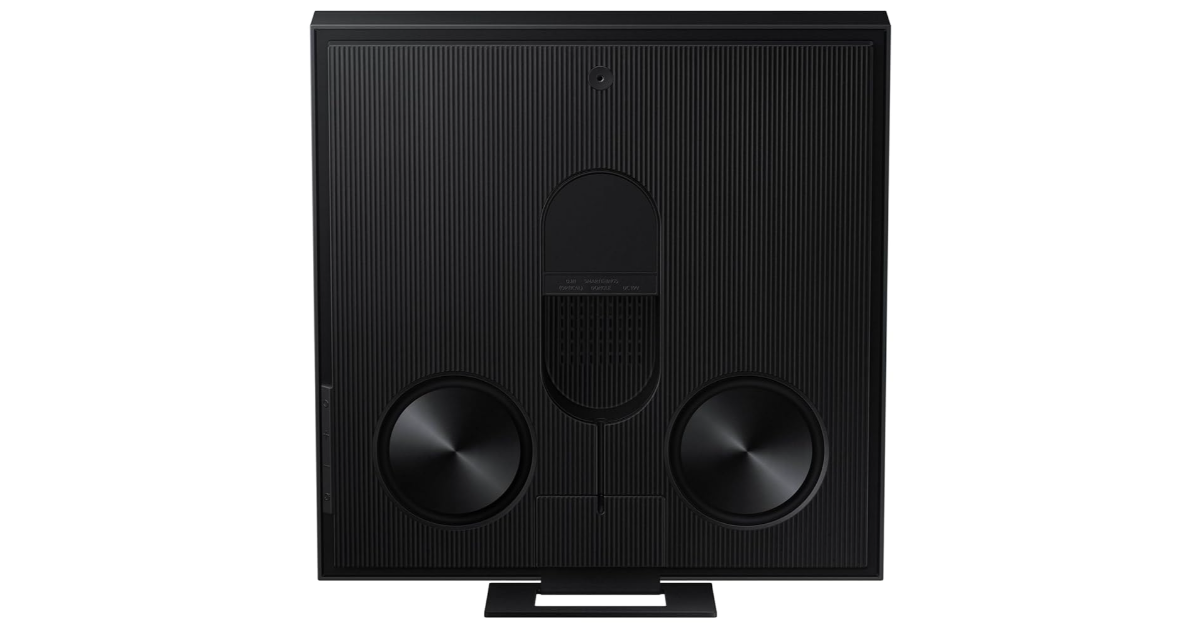 In addition to this, Samsung Music Frame also provides adaptive audio performance, delivering clear voices and detailed sounds tailored to each scenario and volume setting. Overall, the Music Frame is an effective addition to any home.
Also Read: Oppo A3 Pro with MediaTek Dimensity 6300 chipset launched in India
Furthermore, the device also includes built-in voice assistants such as Alexa and Google Assistant, which lets users play, pause, skip tracks, and adjust the volume without the need for manual involvement.
In addition to this, Samsung Music Frame also provides adaptive audio performance, delivering clear voices and detailed sounds tailored to each scenario and volume setting. Overall, the Music Frame is an effective addition to any home.
Also Read: Oppo A3 Pro with MediaTek Dimensity 6300 chipset launched in India
Furthermore, the device also includes built-in voice assistants such as Alexa and Google Assistant, which lets users play, pause, skip tracks, and adjust the volume without the need for manual involvement. 
 Customers can avail up to 10% instant cashback on credit and debit cards from HDFC Bank, SBI Cards, IDFC First Bank, Yes Bank, and ICICI Bank, as well as no-cost EMI for up to 6 months and consumer loans without any down payment from leading financiers.
 For photos and videos, the Oppo A3 Pro features a 50MP AI Dual Camera set-up and an 8MP Selfie Camera. The shooters come with a Portrait Mode, AI Portrait Retouching, and Dual-view Video to help users capture completely natural-looking content.
It further includes an Ultra Volume Mode that boosts the phone’s loudspeaker volume by up to 300%. The phone also sports a 5,100mAh battery that comes with 5W wired SuperVOOC charging support. According to the company, the battery maintains over 80% of its original capacity after 1,600 charge cycles, equivalent to over 4 years of use if charged once per day on average.
For photos and videos, the Oppo A3 Pro features a 50MP AI Dual Camera set-up and an 8MP Selfie Camera. The shooters come with a Portrait Mode, AI Portrait Retouching, and Dual-view Video to help users capture completely natural-looking content.
It further includes an Ultra Volume Mode that boosts the phone’s loudspeaker volume by up to 300%. The phone also sports a 5,100mAh battery that comes with 5W wired SuperVOOC charging support. According to the company, the battery maintains over 80% of its original capacity after 1,600 charge cycles, equivalent to over 4 years of use if charged once per day on average.