


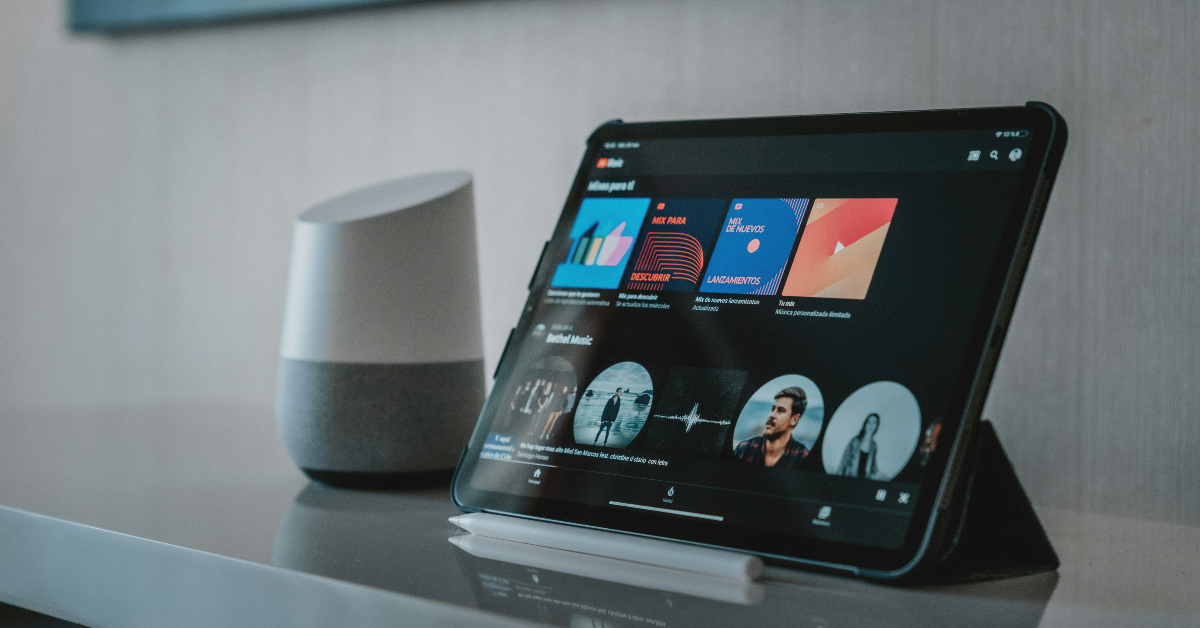

YouTube Music finally has a feature similar to Spotify Blend. The music streaming platform introduced ‘Taste Match’ back in August to celebrate its 10-year anniversary. Like a ‘Blend’, Taste Match creates a playlist that reflects the music taste and listening activity of the members. The playlist is updated every day. It is a great way to discover new music and find out what your friends are listening to. Here’s how you can create a Taste Match playlist with your friends on YouTube Music.
Read Also: SpongeBob Tower Defence Codes (December 2025)
In This Article
Can’t view the Taste Match option? Try these quick fixes
- Update the YouTube Music app.
- Use the YouTube Music app for mobile. This feature cannot be accessed from the web browser.
- Make sure your profile is public.
- Clear YouTube Music’s cache.
- Turn off the VPN.
- Make sure this feature is available in your location.
- Restart your smartphone.
Create a Taste Match playlist on YouTube Music
Step 1: Launch the YouTube Music app on your phone.
Step 2: Switch to the Library tab.
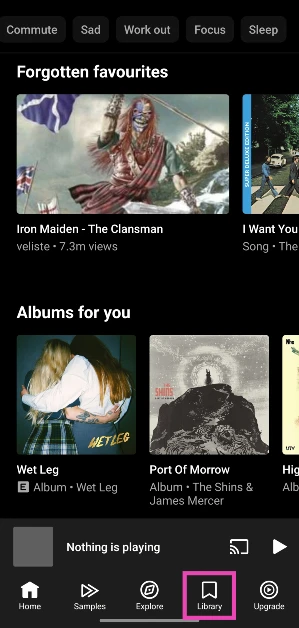
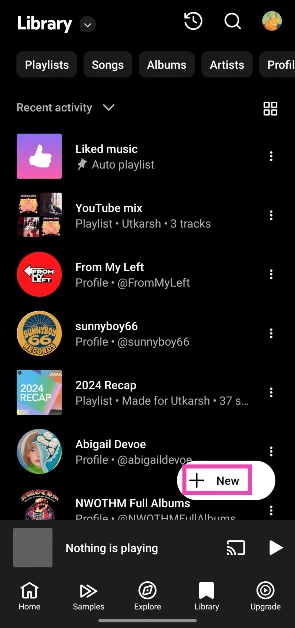
Step 3: Hit the New button.
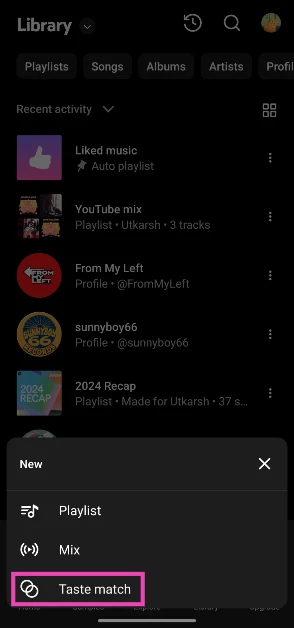
Step 4: Tap on Taste match.
Step 5: Hit Invite.

Step 6: Share the link with your friend(s). Taste Match has an upper limit of 10 members.

The playlist will be created once your friends click the link and agree to join the collaboration.
Frequently Asked Questions (FAQs)
What is Taste Match on YouTube Music?
Taste Match is a collaborative playlist that can be created among friends. YouTube Music takes every member’s taste and listening habits into account before filling the playlist.
How often is the Taste Match playlist updated?
The Taste Match playlist is updated once a day.
Can I add multiple friends to my Taste Match playlist?
Yes, YouTube Music lets you invite up to 10 friends to Taste Match.
Does Spotify have a Taste Match?
Spotify’s ‘Taste Match’ playlists are called Blends.
How do I create a Spotify Blend?
Launch the Spotify app, tap the Plus icon, and select Blend. Hit ‘Invite’ and share the link with your friends. The playlist will be created once your friends join the Blend.
Read Also: ASUS AiO VM670KA Copilot+ PC launched in India
Final Thoughts
Taste Match playlists can only be created on the YouTube Music mobile app. You can view and listen to the playlist on a web browser, but not create one. If you’re a creator of a Taste Match playlist, you can choose to remove any member from the collaboration at any time.


