


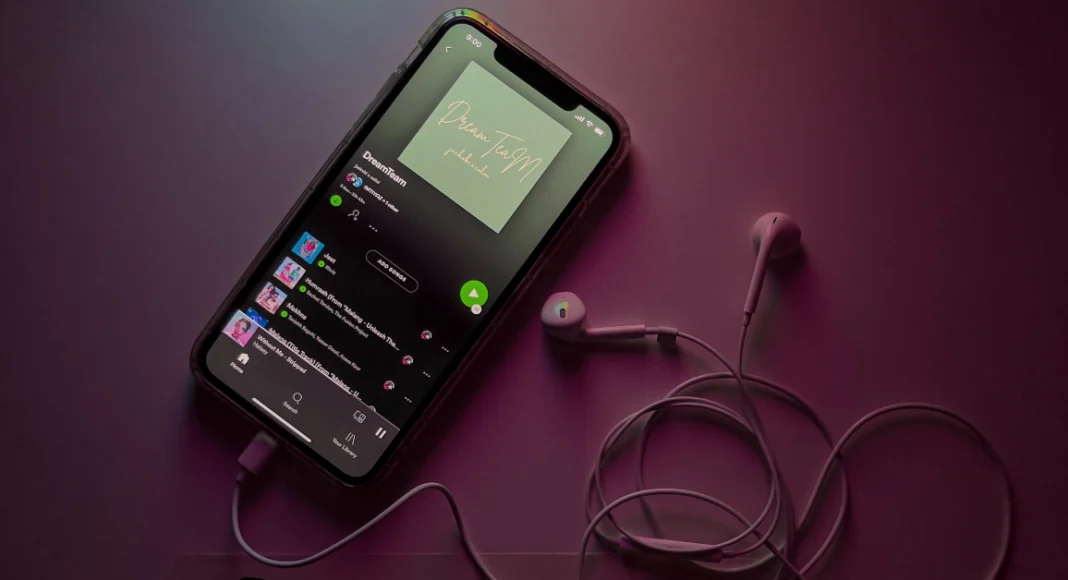

Spotify’s vast song library gives you access to musicians across the world. If the language barrier is keeping you from expanding your musical palette, Spotify has the perfect tool for you. The lyric card now comes with a handy translate button that works on supported songs. Here’s how you can translate song lyrics on Spotify.
Read Also: How to create a member tag on WhatsApp
In This Article
Before you begin
As mentioned earlier, this feature only works on supported songs. If the artist has made translations available for your device’s language on a particular song, the translate button will pop up on that song’s lyric card. The translations are synced to the song, just like the original lyrics. However, they don’t show up as previews in the Now Playing section.
If you don’t see the translate button on the lyric card, it could mean one of the following things:
- The song does not support translations.
- The song translations are available, but not in your device’s language.
- You’re using an older version of the Spotify app.
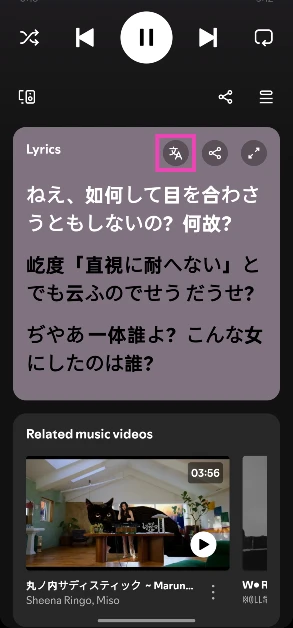
View translated song lyrics on Spotify
- Launch the Spotify app on your phone.
- Play a song.

- Scroll down to the lyric card.

- Hit the translate icon. The lyrics will be translated into your device’s language.



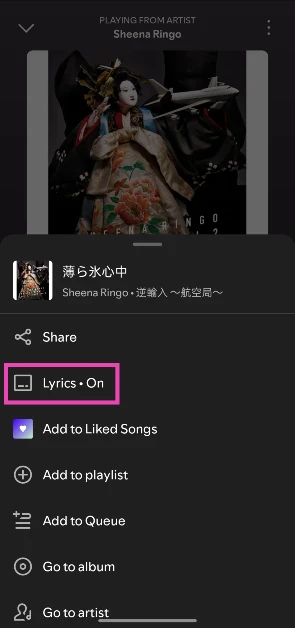
Bonus Tip: Disable lyric previews on Spotify
- Launch the Spotify app on your phone.
- Play a song.
- Hit the ellipses in the top right corner of the screen.
- Tap the Lyrics toggle switch if it says On.

Frequently Asked Questions (FAQs)
Can I view translated lyrics on Spotify?
The lyric translation feature only works on supported songs on Spotify. If an artist has made translations available for their songs, you will be able to view them in your language.
Can I translate lyrics into multiple languages?
The lyrics can only be translated into your device’s language. If the song doesn’t support your device’s language, you won’t be able to see the translate icon in the lyric card.
How do I view translated lyrics on Spotify?
Scroll down from the Now Playing view to go to the lyric card. Hit the translate icon to view the lyrics in your device’s language.
Do the translated lyrics show up in the lyrics preview section?
No, the translations don’t appear in the lyrics preview section. You will need to scroll down to the lyric card to view them.
Does the Spotify desktop app support lyric translations?
No, lyric translations are only available on the Spotify mobile apps as of yet.
Read Also: Tecno Pova Curve 2 5G with a humongous 8,000mAh battery launched in India
Final Thoughts
Apart from translating lyrics, you can share them as a card across instant messaging and social media apps. Make sure your Spotify app is updated to the latest version to use these features. If you have any questions, let us know in the comments!


