


Logitech’s newest creation, the Signature Comfort Plus M850 L, is designed for users who spend the better part of their day clicking away at their work desks. It has a special palm cushion that serves to reduce stress and make it more comfortable to grip the mouse. You also get muted buttons, forward/back controls, and multi-point connectivity on this device. Priced at Rs 5,595, it isn’t as expensive as some of the other ergonomic mice in Logitech’s catalogue. We used it for a week to go through its ins and outs. Here is our in-depth review of the Logitech Signature Comfort Plus M850 L.
Read Also: Oppo Reno16 Review: The return of the midrange camera champ!
In This Article
Logitech Signature Comfort Plus M850 L Review: Design
Box Contents
- Mouse with AA battery inside
- Documentation
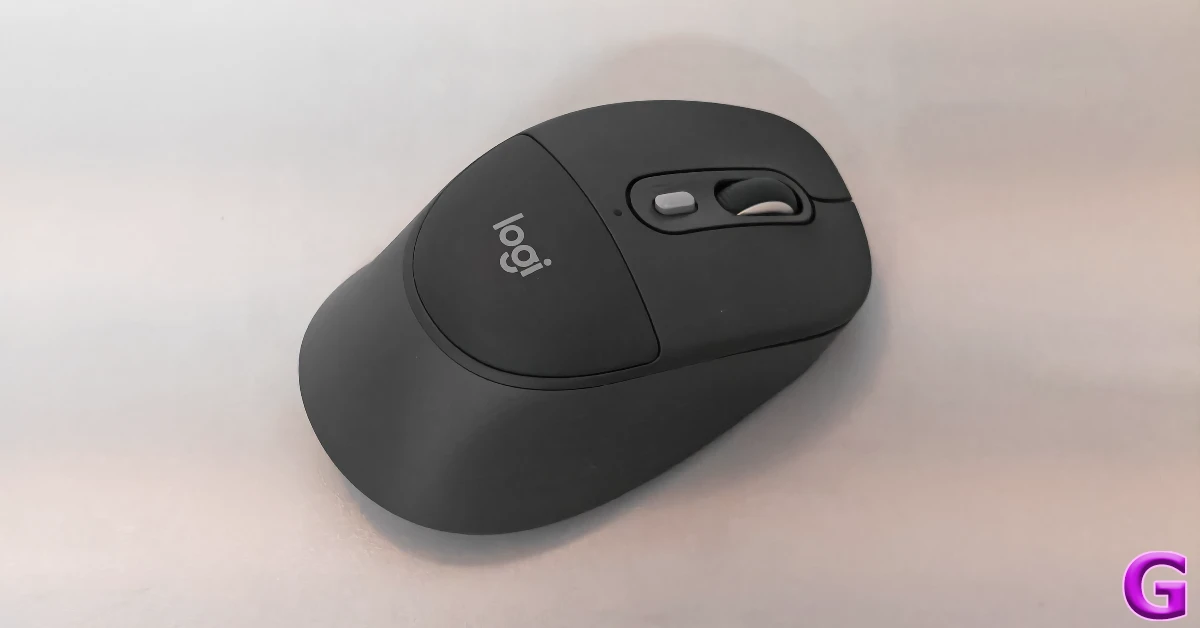
The M850 L has a clean, minimal design that we’ve come to expect from Logitech’s peripherals. Its outer grip has a rubber finish to provide a better grip. You don’t get a dedicated wing to act as a thumb rest, but the ergonomic design of the mouse does not cause any issues in extended use. The padded section just below the click buttons acts as a cushion for your palm. Given your palm is mostly going to graze against that surface, it doesn’t feel like a groundbreaking feature, but we’ve come to like it over time. If you don’t feel the need for it, the cushion-less M840 L would be more up your alley.
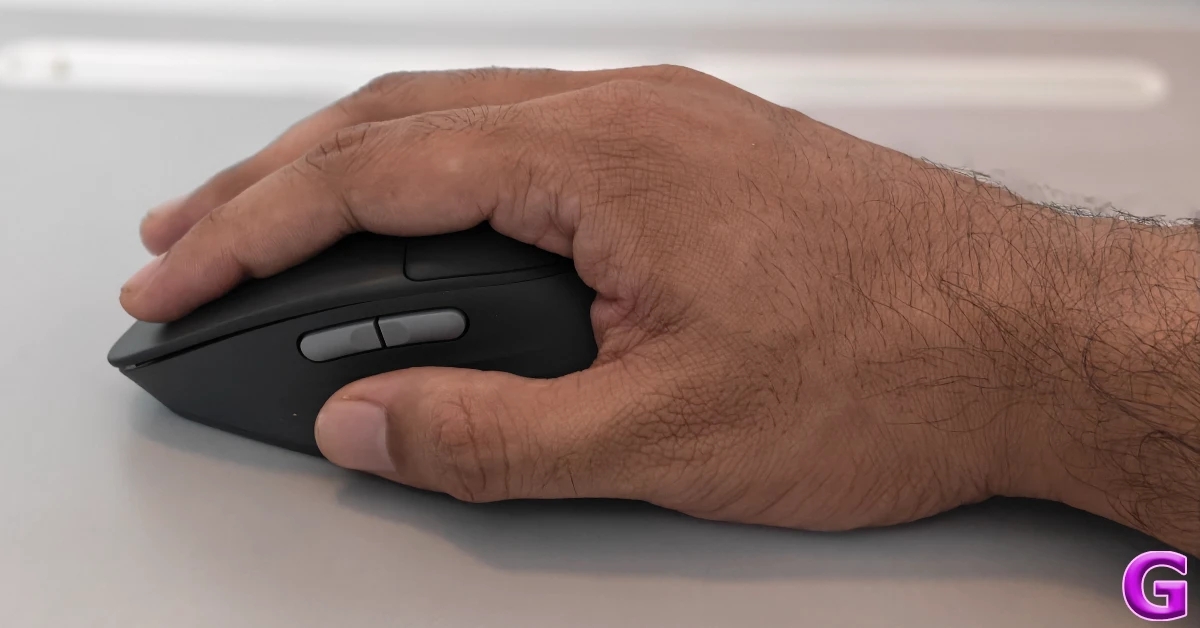
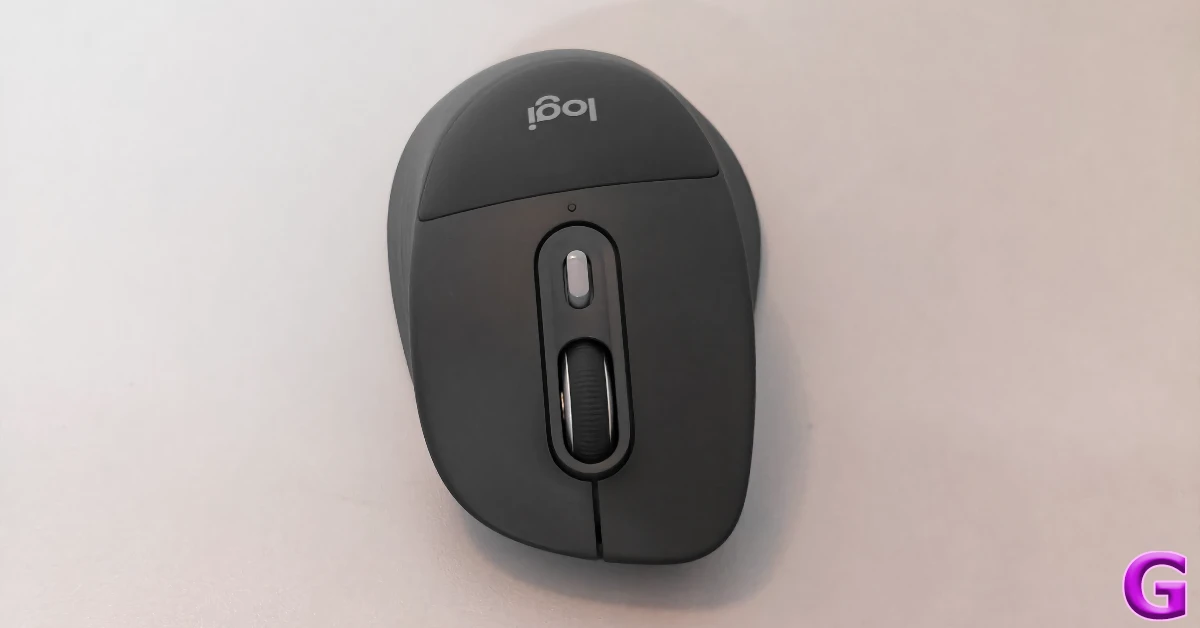
There are a total of 6 buttons on the M850 L. The left and right clicks are completely muted. If you work in a shared space, you won’t need to worry about your mouse distracting your co-workers. You don’t get a ‘MagSpeed’ electromagnetic scroll wheel on this device, but its ‘SmartWheel’ is good enough to scroll past a thousand Excel rows in just a couple of flicks. Its rubberised texture lends it a nice feel. There are two horizontal buttons mounted on the left side for navigation (forward and back) control. There is no horizontal scroll wheel like the one on the MX Master 4 (our review here).
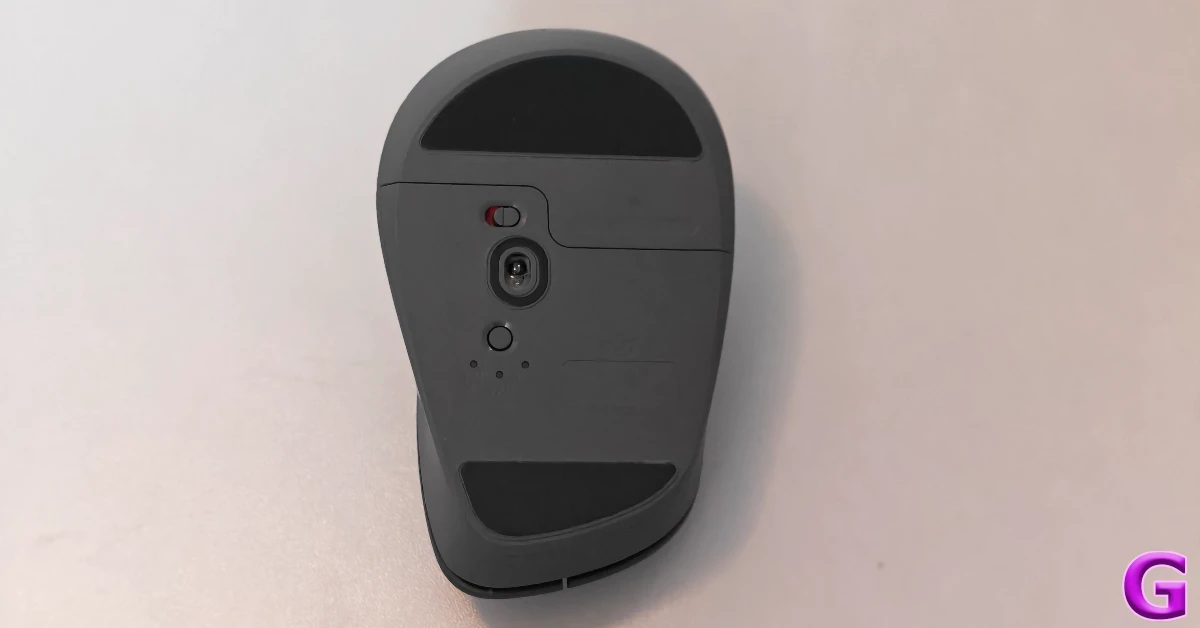
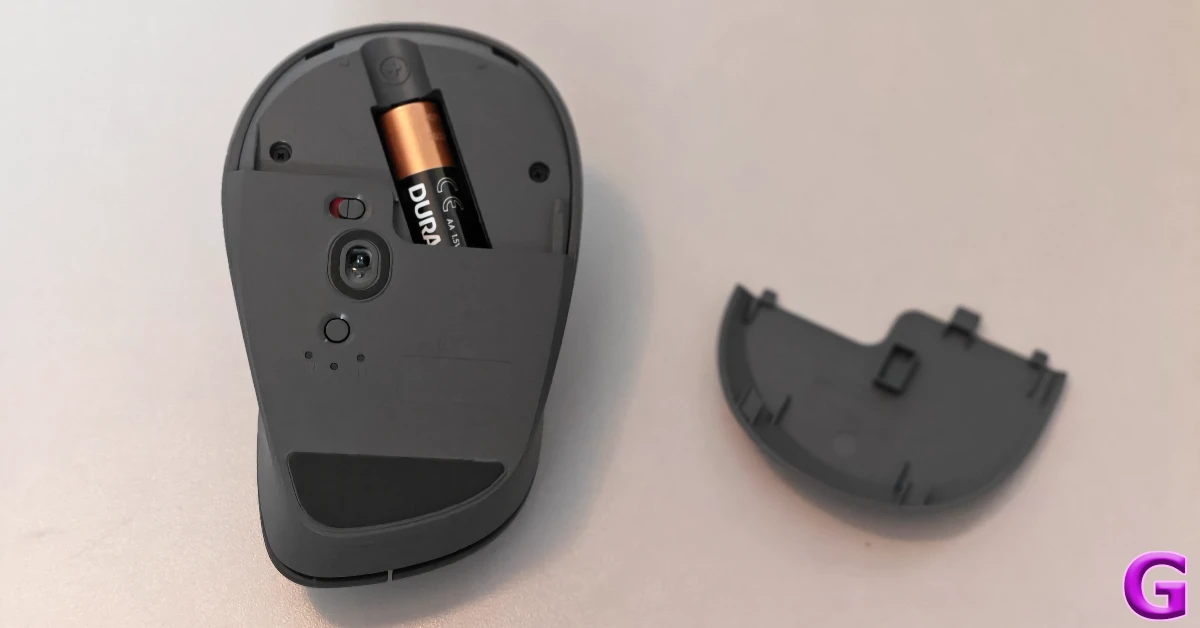
Flipping the mouse reveals its optical sensor, power switch, and the ‘Easy Switch’ button. You can connect it to a maximum of 3 devices. There are two PTFE feet located at the top and bottom sections. The bottom panel slides out to reveal the AA battery slot. With the battery still inside, the mouse weighs 120.9 grams. This is the ideal weight for a productivity mouse.
Logitech Signature Comfort Plus M850 L Review: Performance
Connecting the M850 L to your PC or laptop is a seamless process. Flicking the switch at the bottom of the mouse powers it on. Once it is switched on, you get a pairing notification on your PC. You can pair the mouse with up to 3 devices. It supports a ‘Logi Bolt’ wireless connection as well, but it doesn’t come with a USB-C receiver in the box.
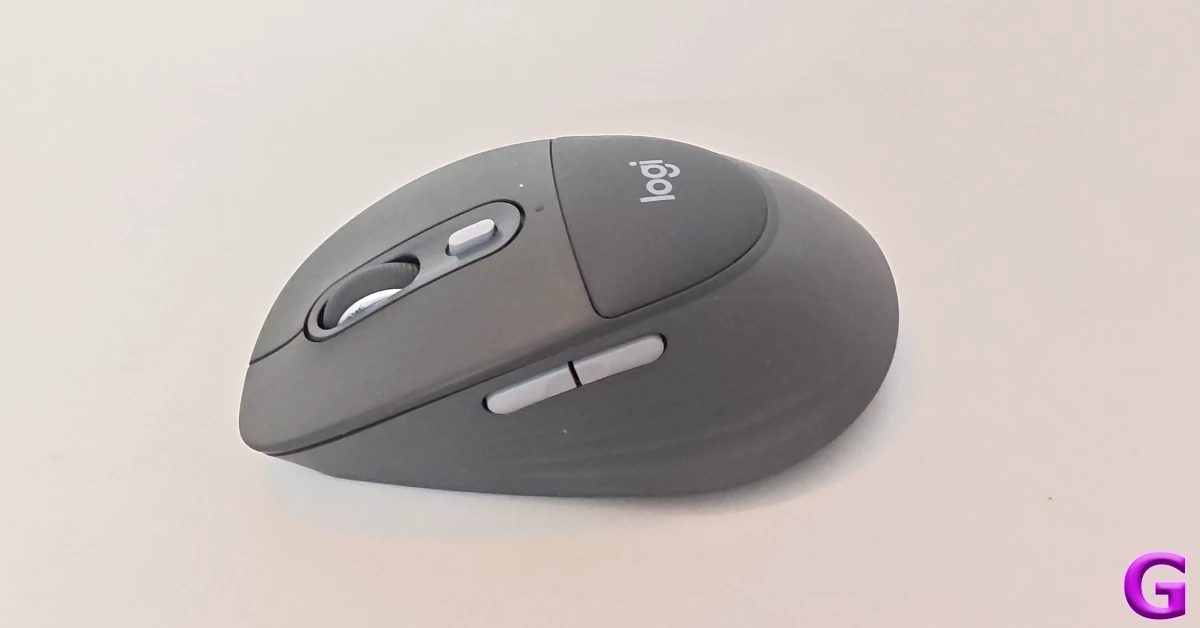
The M850 L tracks well on most surfaces. You can use it on a wooden desk without a mousepad and still get pretty good results. The optical sensor offers 40-4,000 DPI, which is more than enough for regular work. You can set it to increase by 50DPI using the dedicated DPI button.
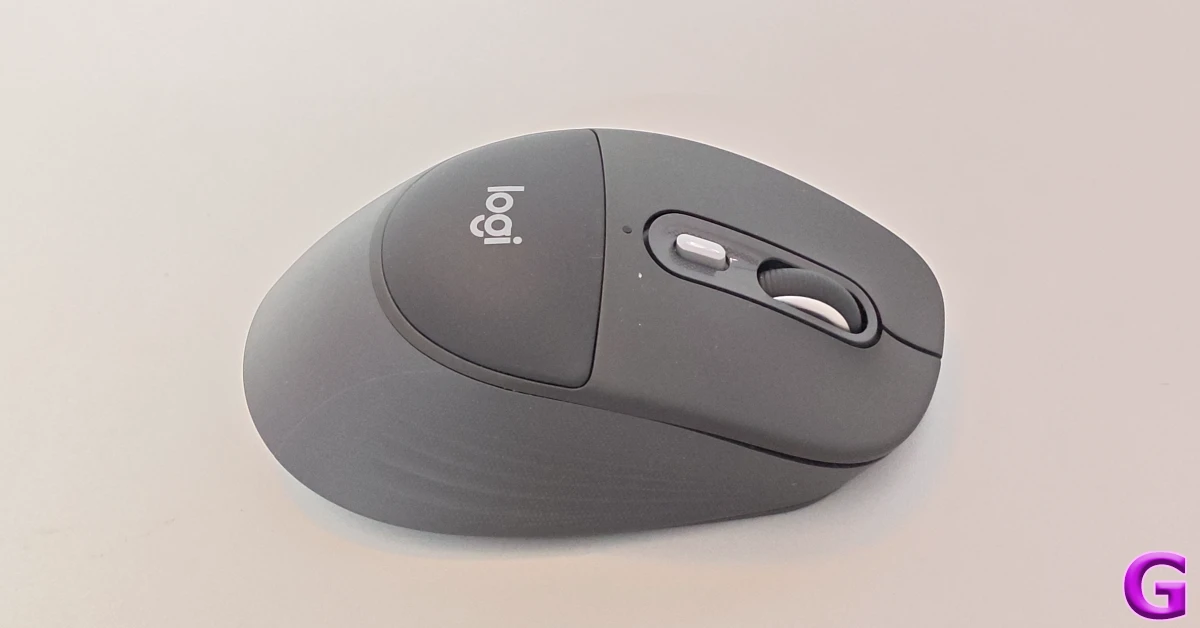
The ‘SmartWheel’ scroll wheel isn’t as free-flowing as Logitech’s flagship ‘MagSpeed’ wheel, but it gets the job done. We used this mouse to scroll spreadsheets, edit media, and browse webpages without coming across a single issue. When it comes to gaming, it can hold its own, but if you’re looking to get even the slightest advantage over your opponents, you’d be better off using a dedicated gaming mouse with a higher polling rate.
Logi Options+ is again the game changer here. If you’re all about boosting productivity and getting more stuff done in minimal clicks, there is no better customisation software out there for you. The Actions Ring can be triggered by pressing the DPI button. It presents a circular array of functions, and you can make a selection just by moving the mouse towards it. You can set different functions for different apps. If using AI chatbots is a big part of your workday, you can incorporate ChatGPT, Perplexity, and other agents in the Actions Ring.
Logitech claims that the AA battery inside the M850 L can last up to 24 months. Needless to say, you don’t need to worry about running out of juice on this mouse. Even if the battery drains earlier than usual, it can be replaced with a new one within seconds. You don’t have to worry about plugging your mouse into a charger.
Read Also: Samsung announced 30-month no-cost EMI plan for new Galaxy foldables
Verdict
The Logitech Signature Comfort Plus M850 L is a rock-solid productivity mouse for your work desk. Its light, ergonomic design is easy on the palm. The cushioned palm rest is more suited for users with smaller hands. It is not a difference-maker for users who don’t rest their palms heavily on the mouse. The quiet click buttons are the real highlight for us as they are practically noiseless. The SmartWheel scroller works well for lengthy spreadsheets, even if it isn’t as free-flowing as its MagSpeed counterpart. The Logi Options+ app is the icing on the cake, as it gives you complete control over how the mouse behaves in different apps.
Pros
- Light design
- Quiet clicks
- Logi Options+ support
- AA battery
Cons
- Not the most powerful sensor
- USB-C Logi Bolt receiver not provided in the box


