



The Google ecosystem has become one of the most important parts of our lives. With the pandemic over our heads, there are lots of meetings taking place in online mode itself. Google took notice of it and updated its G suit accordingly. G suit works tremendously well with all the integrated apps working together. The feature of scheduling meetings through its calendar application directly was added by Google. Here is a step by step guide on how to use this feature.
In This Article
1. On System
Step 1 – Open Google calendar on Google via browser.
Step 2 – On the top left corner click on the + Create button

Step 3 – Create an event accordingly by adding guests or friends you want to attend the meeting. Then click on “Add Google meet video conferencing” and you are good to go.

2. On Mobile
On your mobile, setting up the meeting is pretty much the same and it is very easy to schedule a meeting via your google calendar.
Step 1 – Open the Google calendar application on your phone
Step 2 – Tap on the multicolour + symbol on the bottom right of your phone
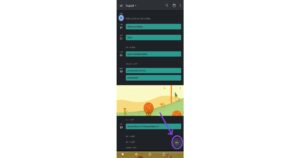
Step 3 – Add title and people accordingly. Set up the event and click on “add video conference “ and you are good to go.

This was a perfect step by step guide on how to add meetings or conferences directly via your google calendar. We hope this was a hidden future for many and will come in handy. This feature will surely make your work from home a lot easier and smooth.
For the latest gadget and tech news, and gadget reviews, follow us on Twitter, Facebook and Instagram. For newest tech & gadget videos subscribe to our YouTube Channel. You can also stay up to date using the Gadget Bridge Android App. You can find the latest car and bike news here


