


If you have ever been in a situation where you need to be a detective to uncover someone’s nefarious plans? If yes, then you must have thought about how you can record audio on a phone with the screen off. This article is for you if you also want to know how you can record audio on a phone with the screen off.
Just follow the methods or ways mentioned below:
In This Article
Use the native audio recorder
Almost all smartphones have a built-in audio recorder that lets users record audio in the background. Recording audio in the background means recording the audio when the screen is turned off or you are doing some other work. In order to record audio in the background with a native recorder just follow these steps:
Step 1: Open the audio recorder app on your phone, it should be by names like- Audio recorder, Recorder, Sound Recorder, Voice recorder, etc.
Step 2: Now that you have opened the recorder, it is time to press the record button.
Step 3: After pressing the record button just jump back to the home menu or simply tap the power button to lock your phone.
And this is how you can enable sound recording in the background. This hack comes with a downside though. Some phones do not have either a built-in audio recorder or it does not allow recording in the background.
Record a voice note directly from the lock screen
Using the native voice recorder widget on your lock screen, you can record audio without even needing to unlock your phone. Here’s how.
Step 1: Go to Settings and select Lock screen.
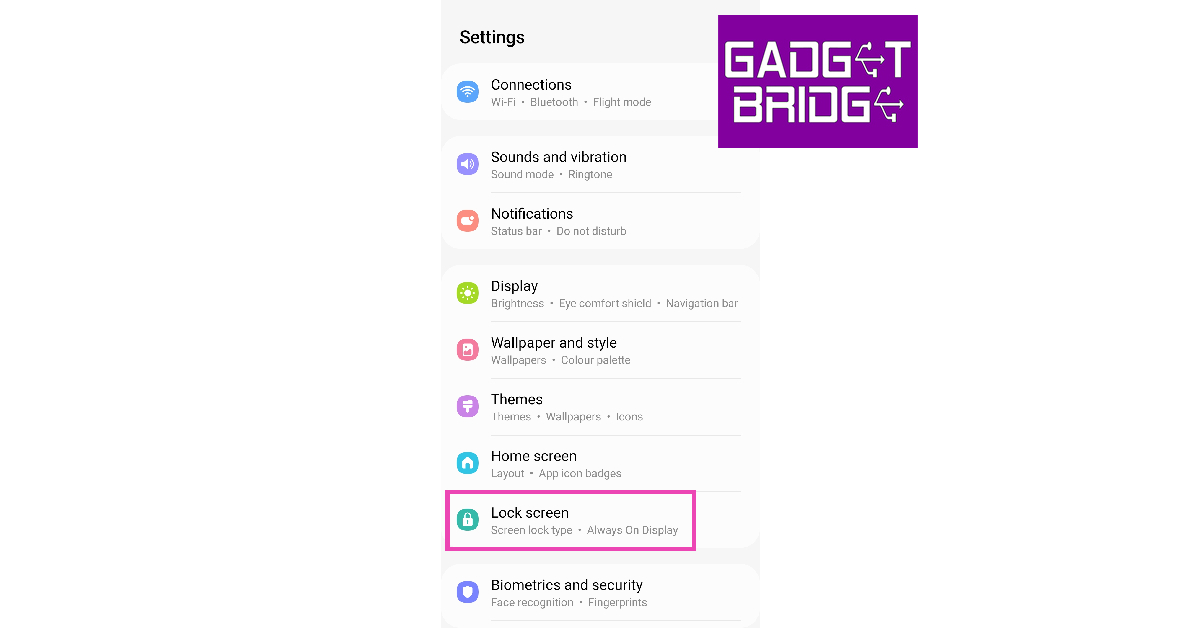
Step 2: Tap on Widgets.
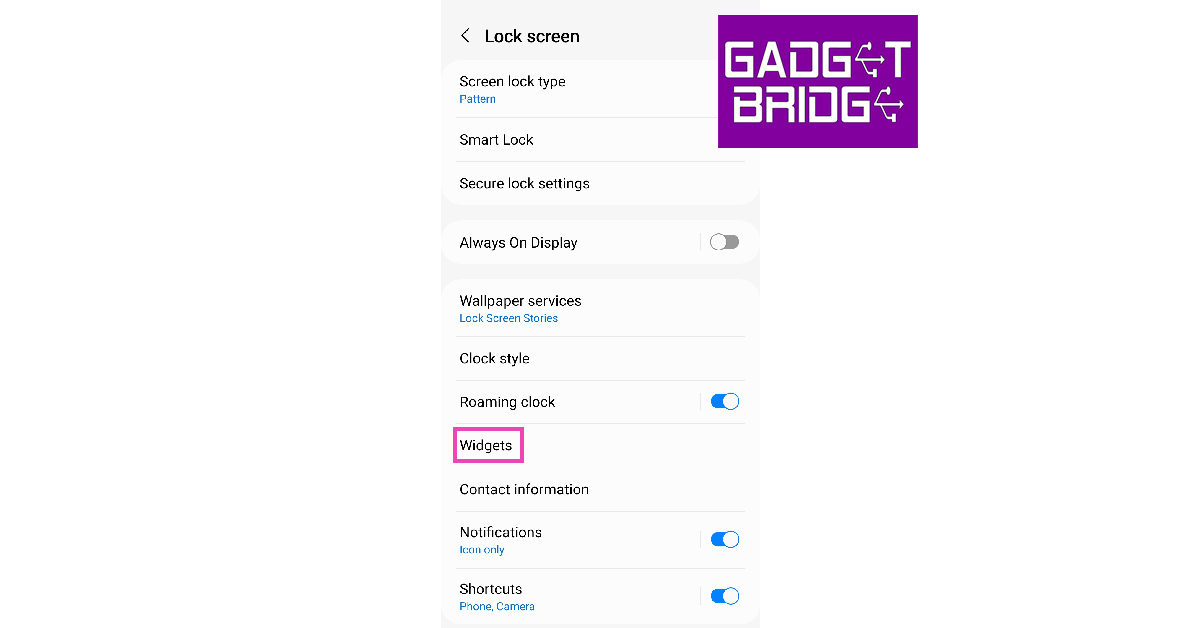
Step 3: Turn on the toggle switch for Voice Recorder.
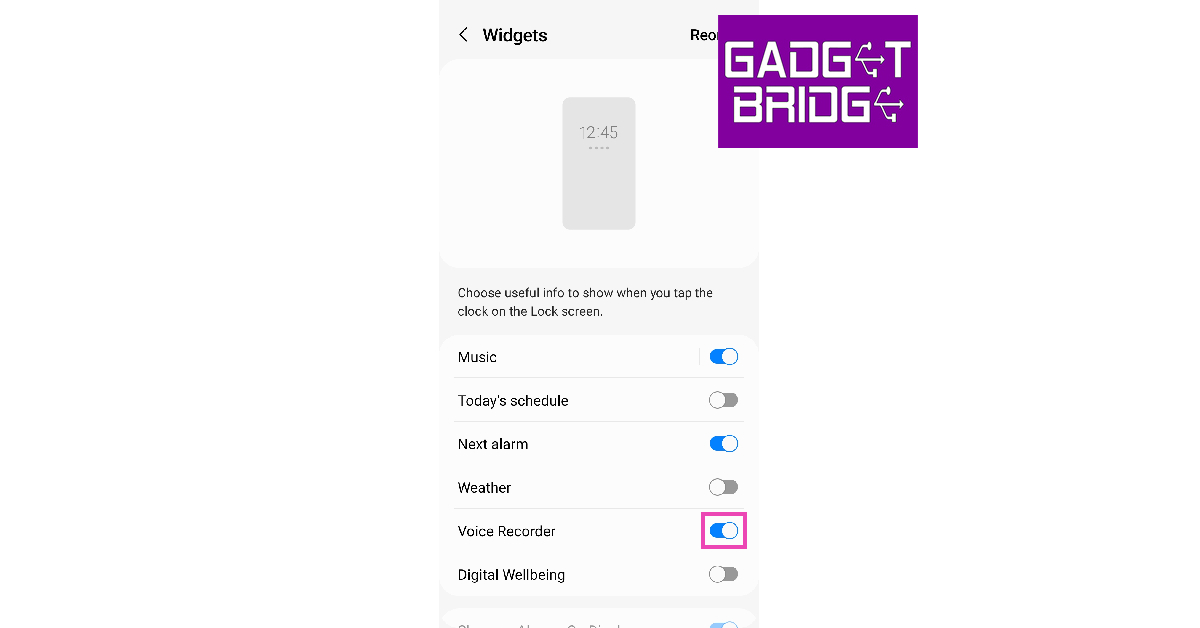
Step 4: Lock your phone’s screen.
Step 5: Press the side key once.
Step 6: Tap once on the clock to reveal the widgets.

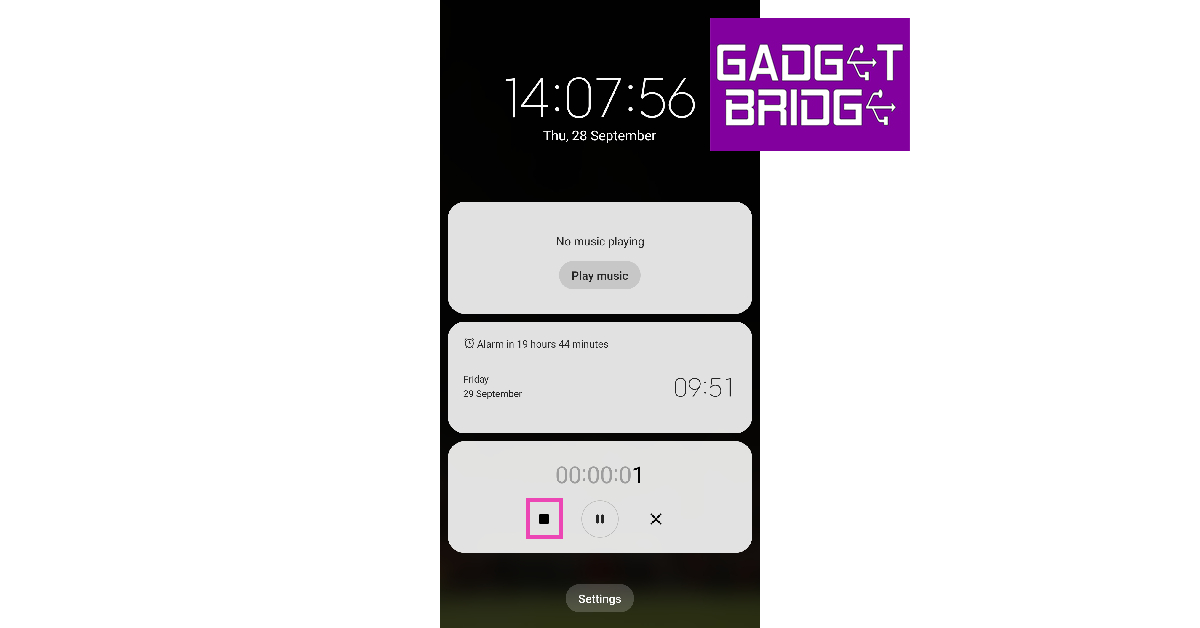
Step 7: Hit the red button on the voice recorder widget to start recording audio.
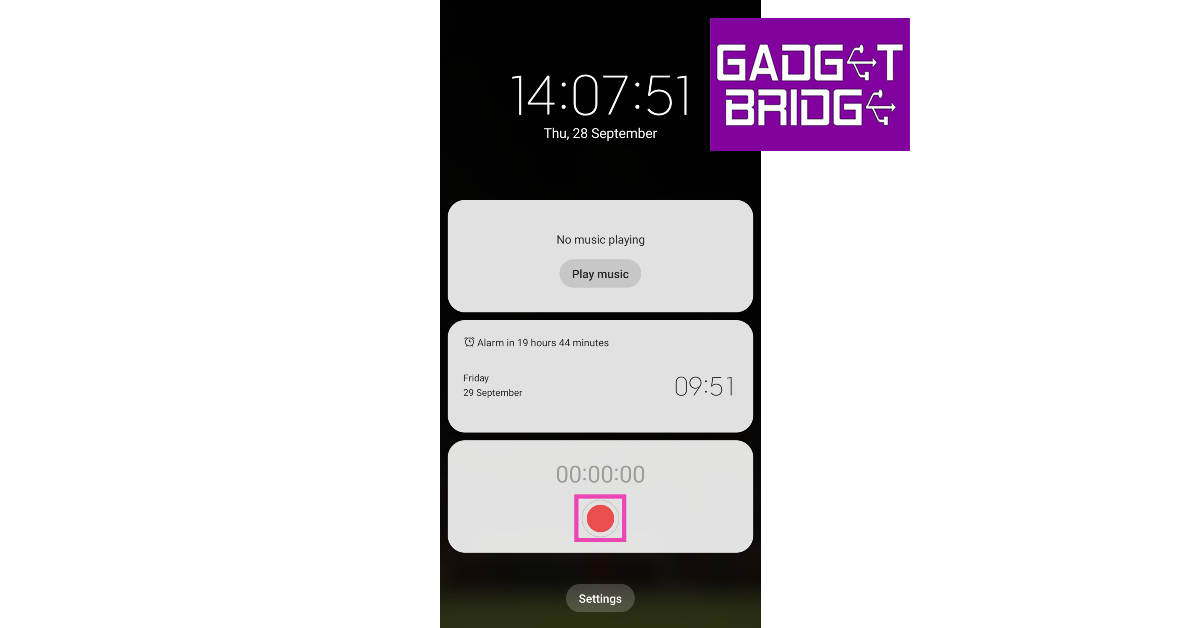
Step 8: Hit the Stop icon when you’re done.
Read also: 4 Ways to record Clubhouse audio conversations
Use GOM Recorder
 GOM Recorder is an audio recording app that can be very useful in certain situations where you have to quickly start recording the audio. The GOM Recorder comes with motion gestures you just have to set the intensity and shake your phone to start recording.
 It also comes with a schedule recording feature, along with a quick widget that you can add to your home screen, these features make GOM Recorder an easy audio spy tool for Android. You can download GOM Recorder by clicking here.
Smart Recorder
The next app on our list is Smart Recorder that is specifically designed for continuous recording, thanks to its skipping silence on-the-fly feature. You do not have to press the record button or the stop/pause button when there is no conversation, the app does it all by itself. 
You just have to turn on the app once and leave it, the app automatically removes the part where there was silence. This can be extremely useful. The app also offers tonnes of useful features including sensitivity control, live audio spectrum analyzer, gain control, Wave/PCM encoding with adjustable sample rate, and whatnot. You can download Smart Recorder by clicking here.
Background Video Recorder
 The final app on our list is Background Video Recorder. With the above apps you can just record the audio, but using this app you can also record videos in the background without letting anyone know about it. Just install the app by clicking here. The app has an option to disable camera sounds and previews so, no one will be able to tell you’re actually recording instead of playing a game or watching a movie.
Frequently Asked Questions (FAQs)
How do I record audio on my Android smartphone with the screen off?
Most native audio recording apps on Android smartphones let you record with the screen off. Simply launch the app, start recording and lock the screen.
How do I record audio on my phone without unlocking it?
Most Android smartphones allow you to place a widget for the voice recorder app on the lock screen. Go to Settings>Lock screen>Widgets to enable it. Using this widget, you can record audio without unlocking your phone.
Which is the best voice recorder app on Android?
GOM Recorder and Smart Recorder are some of the best voice recorder apps for Android.
Read also: How to screen record on a Windows PC
Conclusion
These are the top 5 ways to record audio on your Android phone with the screen off or without unlocking the screen at all. Most audio recording apps also offer to transcribe your audio recordings in real-time. If you want to remove background noise from your recordings, check out these free AI tools.
For the latest gadget and tech news, and gadget reviews, follow us on Twitter, Facebook and Instagram. For newest tech & gadget videos subscribe to our YouTube Channel. You can also stay up to date using the Gadget Bridge Android App. You can find the latest car and bike news here.


