


Key Takeaways
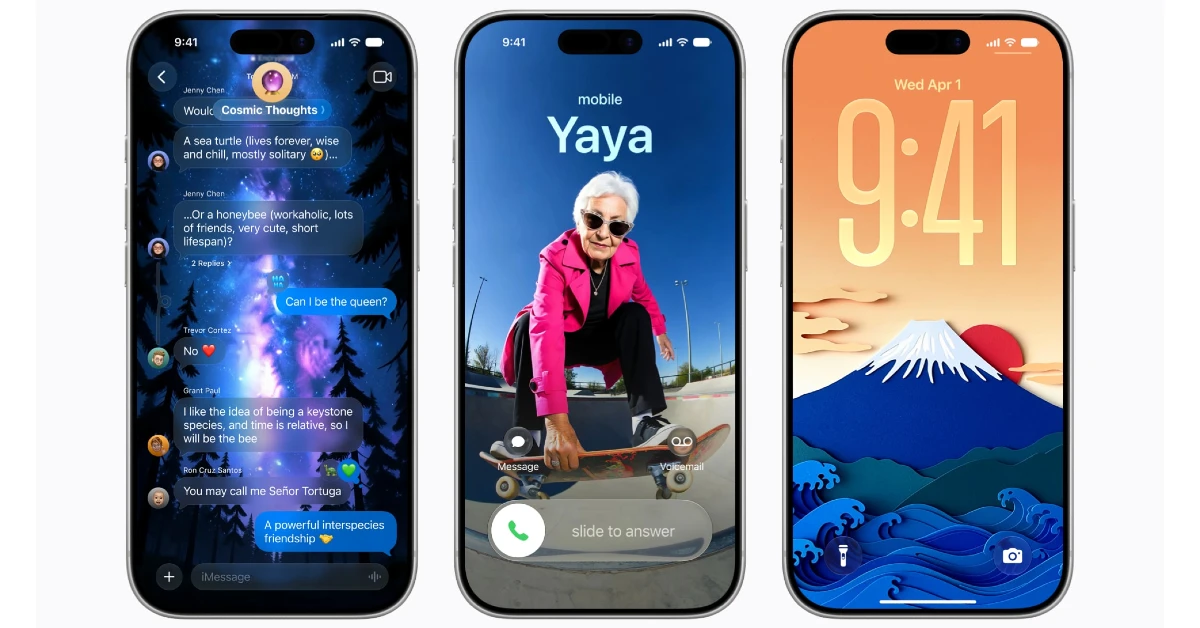
- Apple has released the first Developer Beta of iOS 27, featuring Siri AI and a new Apple Intelligence.
- The iOS 27 update will be available for iPhones dating back to the iPhone 11.
- Before installing the Developer Beta, it is recommended that you back up your data or use a secondary device, as beta versions can be unstable and consume more battery.
Apple took the wraps off iOS 27 at the WWDC yesterday. The first Developer Beta build has already gone live for early testers. iOS 27 introduces Siri AI along with a rejuvenated next-gen Apple Intelligence. If you want to check out the new features for yourself, you can sign up on Apple’s Beta webpage and get the build on your iPhone. Here’s a step-by-step tutorial on how to install the iOS 27 Developer Beta on your iPhone.
Read Also: Today’s NYT Strands Hints, Answers and Help for June 9, #828
In This Article
Which iPhones will get the iOS 27 update?
Apple has confirmed that all iPhones going back to iPhone 11 are eligible for the latest iOS 27 update. Here is the complete list.
- iPhone 17 Pro Max
- iPhone 17 Pro
- iPhone 17
- iPhone 17e
- iPhone Air
- iPhone 16 Pro Max
- iPhone 16 Pro
- iPhone 16 Plus
- iPhone 16
- iPhone 16e
- iPhone 15 Pro Max
- iPhone 15 Pro
- iPhone 15 Plus
- iPhone 15
- iPhone 14 Pro Max
- iPhone 14 Pro
- iPhone 14 Plus
- iPhone 14
- iPhone 13 Pro Max
- iPhone 13 Pro
- iPhone 13
- iPhone 13 mini
- iPhone 12 Pro Max
- iPhone 12 Pro
- iPhone 12
- iPhone 12 mini
- iPhone 11 Pro Max
- iPhone 11 Pro
- iPhone 11
- iPhone SE (2020, 2022)
Before you download the iOS 27 Developer Build
Keep these things in mind before downloading the iOS 27 Developer Beta on your iPhone
- Unlike stable versions, Developer Beta builds are known to be glitchy and more power-consuming. You may face unusual app shutdowns and faster battery drain. We recommend installing the iOS 27 Developer Beta on a secondary device.
- If you don’t have a secondary device, create a quick backup of your data before installing the developer build on your iPhone.
- Ensure there’s at least 15GB of free space on your iPhone.
- Update your iPhone to iOS 26.5.
- Connect to a Wi-Fi network to prevent your mobile data from getting exhausted while downloading the developer build.
Install the iOS 27 Developer Beta on your iPhone
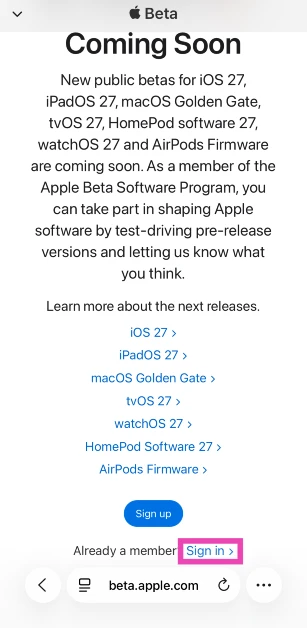
- Launch Safari and go to https://beta.apple.com/.

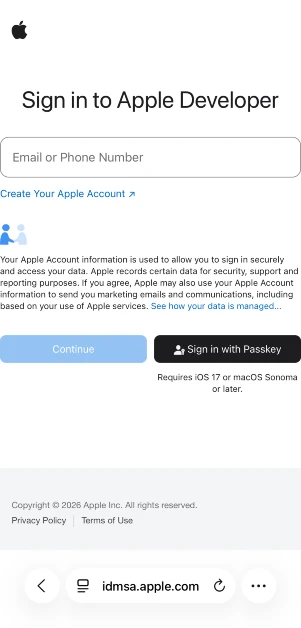
- Sign in using your Apple ID.

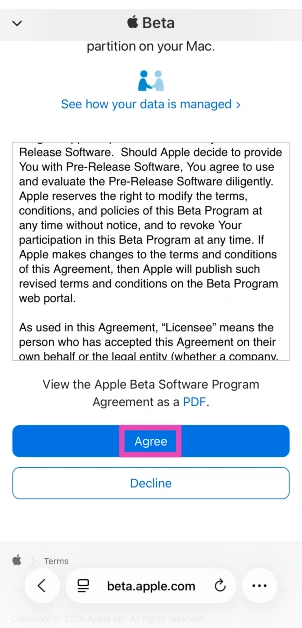
- Go through the Terms & Conditions and hit Agree.

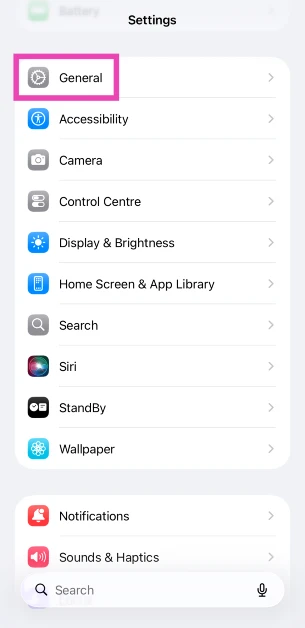
- On your iPhone, go to Settings and tap on General.

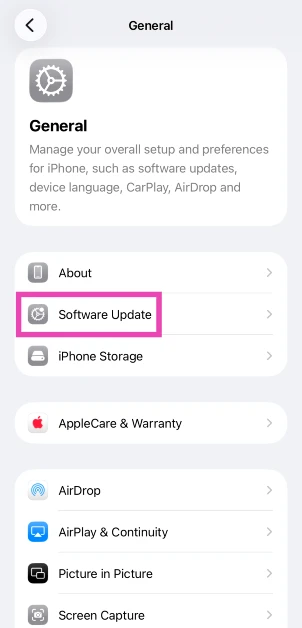
- Select Software Update.
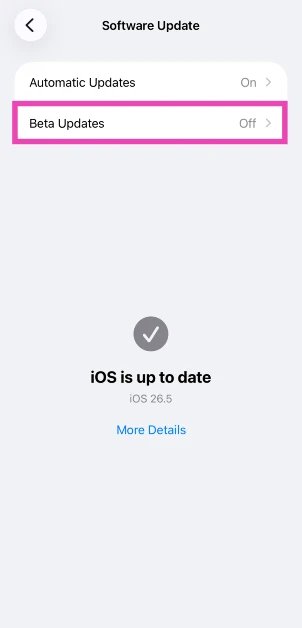
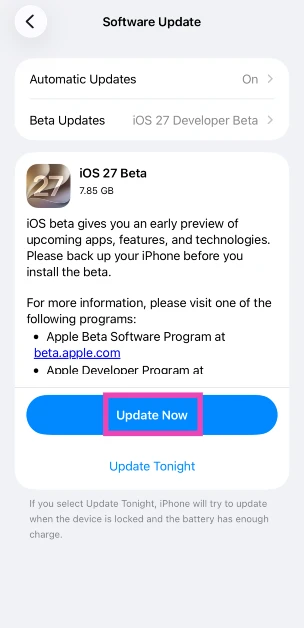
- Tap on Beta Updates.
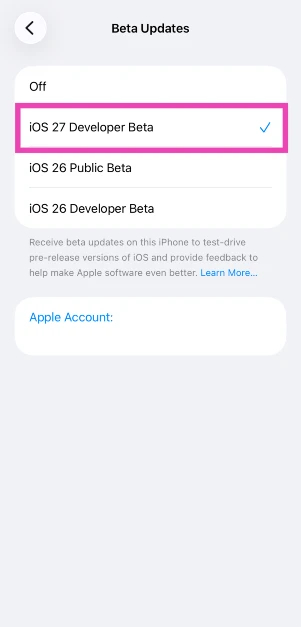
- Select iOS 26 Developer Beta from the list.
- Go back and hit Update Now.

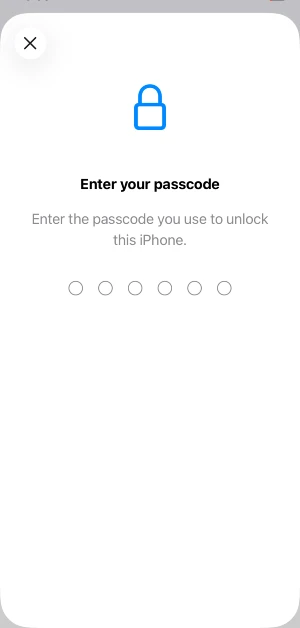
- Enter your passcode to confirm your decision.

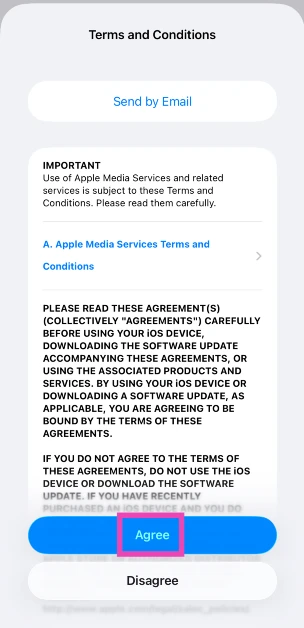
- Agree to the T&C.
Join the waitlist for the new Siri AI
- Go to Settings.
- Tap on Siri.
- Hit Join Waitlist.
- Follow the on-screen instructions to enrol your device.
Frequently Asked Questions (FAQs)
Has iOS 27 been released?
Yes, the Developer Beta version of iOS 27 is now available to early testers. Apple showcased the new OS at WWDC 2026.
When will iOS 27 be officially launched?
Apple will launch the stable version of iOS 27 alongside the new iPhone series at its fall launch event.
How to upgrade to iOS 27?
Go to https://beta.apple.com/, sign in with your Apple ID, and agree to the T&C. Then, go to Settings>General>Software Update>Beta Updates and select iOS 27 Developer Beta. Hit ‘Update Now’.
Which iPhones will get iOS 27?
Apple has confirmed that all iPhones going as far back as iPhone 11 will get the new iOS 27 update.
How do I join the waitlist for Siri AI?
After installing iOS 27 DB, go to Settings>Siri and hit ‘Join Waitlist’.
Read Also: Apple’s Siri AI Blocked in the EU for iOS 27 and iPadOS 27 as DMA Talks Hit a Dead End
Final Thoughts
If you don’t want to gamble on the stability of the developer build, wait for the first Public Beta version of iOS 27. It is set to be released in July. If you’ve already downloaded iOS 27 DB on your iPhone, let us know what you think of it in the comments!


