


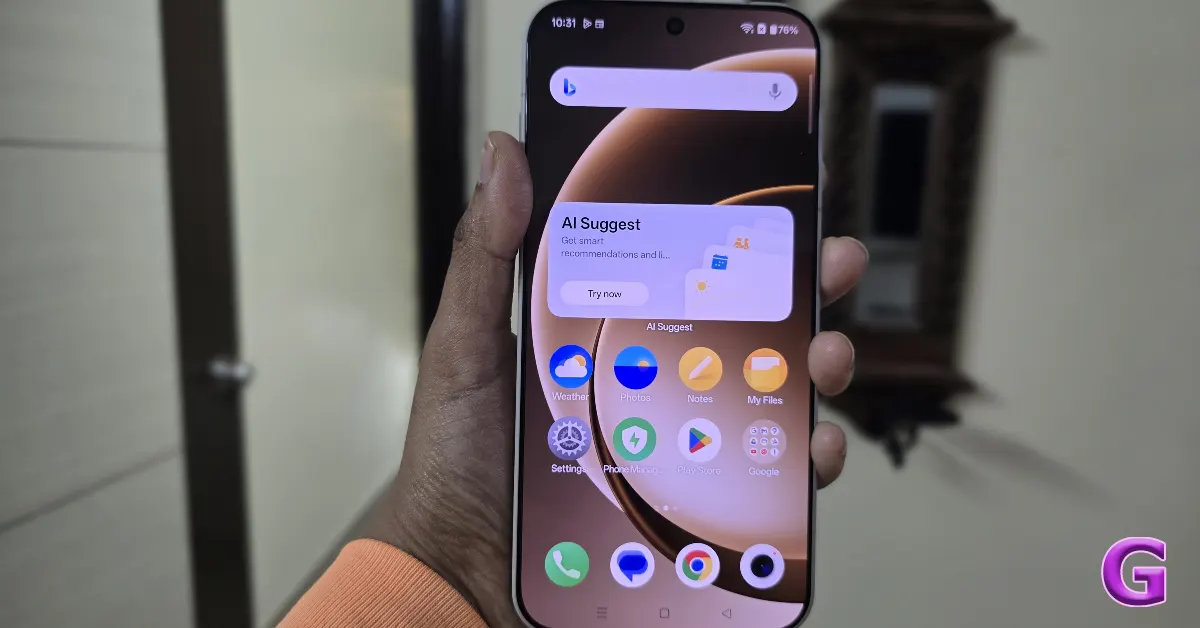

OnePlus has paused the release of OxygenOS upgrades for version 16.0.7.XXX and 16.0.5.XXX after receiving complaints from users about boot loops and device resets. The problem surfaced on a few smartphones, including the OnePlus 13, the OnePlus 12, and the Nord series. In response to these OxygenOS 16 update issues, the firm is currently investigating issues and reviewing its testing methods to avoid repeat incidents.
In This Article
OxygenOS 16 update issue
Users of OnePlus smartphones have been having serious issues with frequent reboot cycles following the most recent firmware upgrades (16.0.7.XXX and 16.0.5.XXX). The result was that the gadgets became unusable, and there was a lot of user disappointment. OnePlus publicly acknowledged the problem on its Community forum in reaction to these concerns and swiftly decided to pause the deployment of the upgrades to avoid any further issues.
Also Read: Garena Free Fire Max Redeem Codes Today May 18: Claim Post-Tournament Rewards!
The company confirmed that only a limited number of devices were affected by these irregular restart and boot issues and reiterated its commitment to device stability and improved customer experience.
OnePlus has not released a full list of devices affected by its latest upgrades. OxygenOS 16.0.7.XXX has been optimised for the OnePlus 15 series, with a focus on major markets like India and the United States. Meanwhile, OxygenOS version 16.0.5.XXX has been scheduled to support a larger variety of devices, including the OnePlus 13, OnePlus 12, OnePlus 12R, OnePlus Nord 5, OnePlus Nord 4, OnePlus Nord CE 5 and OnePlus Nord CE 4.
The business said the decision was taken until the technical team analyses the fundamental cause of the issues and sets up a fix. The investigation is being regarded as a high priority, and once the problem is rectified and the builds are tested for stability and dependability, the rollout will restart. Updates will be shared via official means.
Also Read: Amazon Quiz Answers Today 18 May 2026: Participate to win Up To Rs 500 Amazon Pay Balance
Most significantly, OnePlus recognised and apologised for the inconvenience and concern caused to consumers by this situation and is taking it very seriously. Additionally, there will be a full assessment and improvement of testing and quality assurance procedures to minimise the possibility of such incidents going forward.
What is the bug?
The latest OxygenOS upgrades (16.0.7.XXX and 16.0.5.XXX) have caused boot loops, unexpected restarts, and freezing during boot, leaving devices locked on the OnePlus logo. Due to these issues, OnePlus has paused these upgrades.
Possible causes include:
The reasons for the breakdown might be the following: corrupted system partition after the OTA update, kernel or boot image mismatch, unsuccessful optimisation on the initial boot, rollback protection error, and memory and process management problems in OxygenOS 16. There have been more user reports of UI slowness, overheating, app freezing, animation stutters, and random system hangs prior to rebooting.
Also Read: Wordle #1794 Hints: Monday’s Solution Means ‘Extremely Unwilling’ (May 18)
How to fix it?
- To fix the problem, if you haven’t updated yet, don’t install versions 16.0.7.xxx or 16.0.5.xxx. The safest option is to wait for a patched release from OnePlus.
- To fix a rebooting but still usable phone, follow these steps in order: first, clear the cache partition. Next, turn the phone off. Then, to enter Recovery Mode, press the Power and Volume Down keys simultaneously. Select “Wipe cache” and then reset the device. This process may resolve issues usually caused by corrupted cache files after an upgrade.
- Disabling RAM expansion temporarily may assist in stabilising some OxygenOS builds that have instability concerns. To accomplish this, go to Settings, then About Device, then RAM, and then RAM Expansion. Turn off the option and restart the device to implement the changes.
- To reset app optimisation, go to Settings and then click Apps & App Management. Clear the caches of the System Launcher, System UI, and Google Play Services. After completing these instructions, reboot your smartphone.
- If your OnePlus phone is stuck on the logo and entering a boot loop, try executing a force restart. To do this, press and hold the power button for 15-20 seconds. If the device restarts normally, back up your data right away and avoid restarting the phone to avoid recurrence issues.
- If the boot loop persists, turn off the device and enter Recovery Mode by holding the Power and Volume Down buttons simultaneously. Once in Recovery Mode, try the following options: Option A is to reboot the system and retry. Option B includes erasing the cache, which is a more secure option. Option C is a factory reset, which should only be used as a last option since it erases all data from the device.
Safest current advice
The safest current recommendation about OxygenOS 16.0.5 / 16.0.7 is to avoid installation for the time being. If the software is already installed and stable, users should avoid doing a factory reset unless absolutely required and downgrading unless there is an approved option available. It is suggested that data be backed up immediately. A fix is expected to come as a patched OTA update from the OnePlus Community after validation is completed.
[Latest update on OxygenOS 16 issues: As per the latest OnePlus community post, following an exhaustive investigation, the firm has re-initiated the rollout for versions 16.0.7.xxx and 16.0.5.xxx. It addressed the issue which was mentioned above. Internal monitoring identified abnormal behaviour in a build not yet publicly available, leading to a preventive pause in the rollout.
The company said the move was to focus on device reliability and improve the user experience. The thorough verification processes ensured no effect on external users, who may continue to use their devices without a hitch. The roll-out began to restart gradually today.]


