

Facebook users can now animate their profile pictures: Details
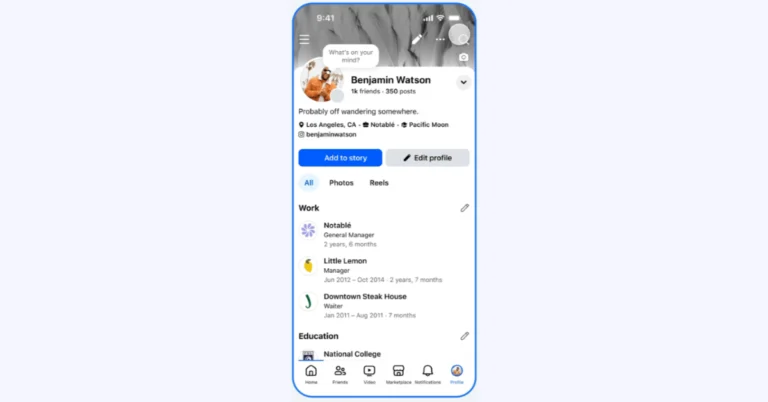
Meta AI has added new capabilities to Facebook that let users be more creative by letting them use animations, creative filters, and expressive backgrounds. Users may now add effects like confetti and hearts to their profile images to make them more lively. The Restyle feature also lets users change the look of photographs in Stories and Memories. It does this by providing AI-generated prompts that let users personalise their photos in ways that go beyond standard filters.
The company, via blog post, said, “Today, we’re rolling out new features on Facebook powered by Meta AI that make it easier and more fun to express yourself in your profile picture, photos, Feed posts, and Stories.”
Also read: Here is when iPhone 17e is likely to make its debut
Users may now animate their profile photos by converting still images into entertaining animations in seconds. The user can choose from various preset animations, including natural, party hat, confetti, wave, and heart, based on their current mood. New animation options will be added throughout the year to coincide with seasonal events and festivities. For the best results, use a photo of a single person facing the camera, with a clearly visible face and no other objects. Users can choose photographs from their camera roll or upload existing ones from Facebook. Once animated, the profile image can be shared on the user’s feed and displayed on their profile page.
Also Read: Infinix Note Edge India launch date announced
Restyle is a feature in Facebook Stories and Memories that allows users to change the visual appearance of pictures using preset styles or custom text-based prompts driven by AI. After uploading a photo to Stories or viewing Memories for sharing, users can access the Restyle option. This feature allows for adjustments using Meta AI or by selecting from several preset categories, including Styles (e.g., anime, illustrated), Moods (e.g., glowy), Lighting (e.g., ethereal), Colours (e.g., cool, pink), and Backdrops (e.g., beach, cityscape). Furthermore, memories that can be improved using Restyle options will be recommended for inclusion in Stories.
Here is when iPhone 17e is likely to make its debut
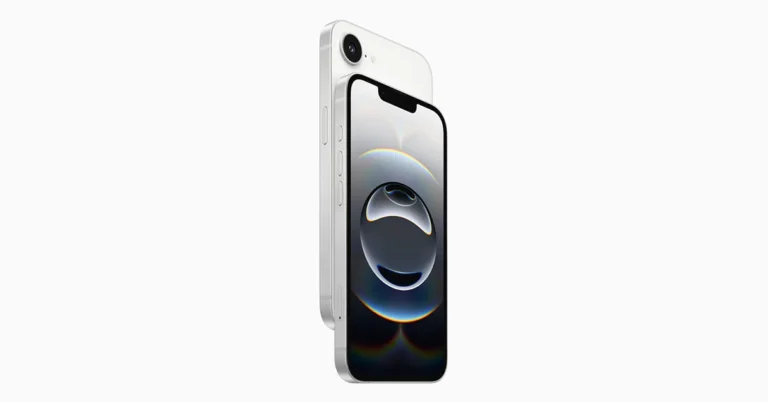
The iPhone 17e is expected to be released this month as Apple’s next affordable model, succeeding the iPhone 16e. It is expected to include a 6.1-inch 60 Hz display and may include MagSafe charging. While Apple’s confirmation is still pending, sources suggest considerable advancements in chipset and networking capabilities; however, the overall appearance is expected to stay similar to the previous model.
In This Article
Expected launch date
On February 19, which is the first anniversary of the iPhone 16e’s release, Apple is likely to announce the iPhone 17e. The 17e is expected to come out soon, although Apple hasn’t officially confirmed that this new low-cost model will be added to the iPhone 17 series. Similar to last year, it’s most likely that the announcement will be shared through a normal press release instead of a special launch event. As the debut gets closer, there will be more updates.Pricing Expected
Mark Gurman of Bloomberg says that the price may stay the same, with the base model with 128GB of storage starting at $599 (which is approximately Rs 54,000). The price in India could start at Rs 59,900, which is around the same as the iPhone 16e. People across the world should be able to get the iPhone 17e in white, black, and lavender. Also Read: Infinix Note Edge India launch date announcedDesign and Specifications Details
Apple hasn’t said anything about the iPhone 17e yet, as we said before, but rumours offer details regarding its look and function. According to Jon Prosser’s concept video, the smartphone may feature Apple’s Dynamic Island and MagSafe charging technology. It is expected to come in white, black, and lavender, with thin bezels. The 17e is expected to have a single 48-megapixel back camera with optical image stabilisation (OIS), an LED light, and a 12-megapixel TrueDepth front camera for selfies and video calling. It may feature volume controls and an action button on the left side, as well as a power button on the right. The design will most likely be similar to its predecessor. It will purportedly include the Dynamic Island feature and will be powered by Apple’s A19 processor and a C1X chip. The panel is also expected to have the same refresh rate as its predecessor, up to 60 Hz. Also Read: Sony WH-1000XM6 wireless noise-cancelling headphones’ new Sand Pink colour variant launched It is assumed that the battery capacity remains constant. The new A19 chip may affect overall usage time. As previously stated, a noteworthy upgrade for the iPhone 17e could be the introduction of MagSafe charging, which allows for quicker wireless charging of up to 25W, rather than the 7.5W given by the iPhone 16e’s Qi standard.Garena Free Fire Max Redeem Codes Today 16 February 2026: Here is how to claim them
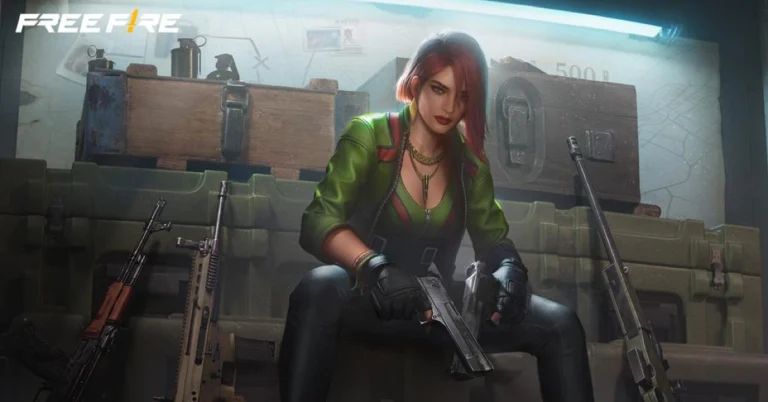
Garena Free Fire (GFF) Max is a battle royale game with regular awards and tournaments to keep players interested. If you play GFF, you should be aware of the redeem codes that are released on a daily basis. However, because the battle royale game is banned in India, players from other countries can use the Free Fire Redeem codes daily. If you’re unfamiliar with the codes or don’t know how to get them, we’ve put together a step-by-step guide to help you redeem them. Check out Garena Free Fire Max Redeem Codes for 16 February 2026.
These codes are a great way to get free items in the game. The 12-digit codes contain letters and numbers, as well as an expiration date and time. Because the Garena FF redeem codes cannot be used more than once, you should hurry to the redemption page to claim your free reward before someone else does. To get a free reward, all you have to do is go to reward.ff.garena.com/en, which is the official redemption page. Also, keep an eye on this space for daily updates on Gadget Bridge on GFF Max redemption codes and rewards.
Also Read: Amazon Quiz Answers Today 3 February 2026: Participate to win Up To Rs 500 Amazon Pay Balance
FFR4G3HM5YJN
6KWMFJVMQQYG
F7F9A3B2K6G8
BR43FMAPYEZZ
H8YC4TN6VKQ9
QK82S2LX5Q27
P3LX6V9TM2QH
FFWCTKX2P5NQ
TX4SC2VUNPKF
RHTG9VOLTDWP
N7QK5L3MRP9J
J2QP8M1KVL6V
E9QH6K4LNP7V
S5PL7M2LRV8K
Q8M4K7L2VR9J
A6QK1L9MRP5V
Z4QP8M6KNR2J
FK3J9H5G1F7D
FA3S7D5F1G9H
UPQ7X5NMJ64V
FJI4GFE45TG5
4ST1ZTBZBRP9
FM6N1B8V3C4X
B6QV3LMK1TP
FT4E9Y5U1I3O
K9QP6K2MNL8V
V3QJ1M9KRP7V
D8MJ4Q6LVK2R
B3G7A22TWDR7X
FQ9W2E1R7T5Y
4N8M2XL9R1G3
FU1I5O3P7A9S
S9QK2L6VP3MR
FP9O1I5U3Y2T
B1RK7C5ZL8YT
FZ5X1C7V9B2N
FF6YH3BFD7VT
FL2K6J4H8G5F
FR2D7G5T1Y8H
FFM1VSWCPXN9
Also Read: Gemini arrives in Google Maps for walking and cycling navigation
How to Get Free Fire Max Redeem Keys for Garena?
- Visit the game’s official website at reward.ff.garena.com.
- Use your Facebook, Google, VK, Apple ID, Huawei ID, or Twitter account to log in.
- You’ll be taken to a valid redemption code (s)
- Copy and paste the 12-digit redemption code into the text box.
- On the screen, a dialogue box will appear.
- ‘Ok’ should be selected.
Amazon Quiz Answers Today 16 February 2026: Participate to win Up To Rs 500 Amazon Pay Balance
Amazon Quiz 16 February 2026: The New Daily Quiz is now available. Customers from different parts of the country are participating in the daily quiz. The quiz starts at midnight today and will be live until 11:59 PM tonight. By successfully answering every question, participants in the quiz have the chance to win wonderful rewards. Up to Rs 500 Amazon Pay Balance is up for grabs for participants today.
One wrong answer could eliminate you from the quiz. You have a chance to win up to Rs 500 Amazon Pay Balance if you successfully answer every question. Users of the app only have the opportunity to take the quiz. Check Out the 16 February 2026 Quiz.
In This Article
Are you not able to find Amazon FunZone? Click below and participate.
Click here to enter the Amazon FunZone Quiz and play today. Today’s Prize: Rs 500 Amazon Pay Balance Quiz Date: 16 February 2026 Daily Timing: 12 AM to 11:59 PM Previous Winners Announcement: Today 12 PM NoonAmazon Daily Quiz Answers Today: Win Up To ₹ 500 Amazon Pay Balance
Question 1: National Rifle Association of India is associated with which sport? Answer: Shooting Question 2: Paul Di’Anno, who passed away in 2024, was the lead vocalist for which band from 1978 to 1981? Answer: Iron Maiden Question 3: M.A. Yusuff Ali founded which business group that started with a hypermarket in Abu Dhabi in 1990? Answer: LuLu Group Question 4: This cathedral is located in which region? Answer: Helsinki Question 5: This cathedral is located in which region? Answer: Barcelona Also Read: iQOO 15, equipped with Snapdragon 8 Elite Gen 5 SoC, launched in IndiaHow To Play Amazon Daily Quiz Today
Only app users are eligible to play the Amazon quiz every morning from 12 AM to 11:59 PM. The quiz is not available on the desktop. For those who are unaware of how to play the Amazon quiz, below are the steps you can follow to take the quiz.- First, download the Amazon app from the Google Play Store or App Store or go here to download the Amazon App.
- Now fill in the required information through the Sign-Up option.
- To find the Amazon Daily Quiz banner, log in to the Amazon app and scroll down to the home screen.
- Tap on the banner and tap on the Start button to start the Quiz.
- Now you will get 5 questions, and you need to answer them correctly. One wrong answer will eliminate you from the Quiz.
- After answering all the questions correctly, you are now eligible for a Lucky Draw.
- The previous winner’s name will be announced today at 12 PM.
Amazon Daily Quiz Answers from the previous few days.
Here are all the answers from the previous 5 days of the Amazon Daily Quiz and Contest.14 February 2026
Question 1: Ligue 1 is the top national league in which country? Answer: France Question 2: Tom Hardy played which fictional character in three films? Answer: Venom Question 3: Which grand prix takes place in the interlagos neighbourhood? Answer: Brazilian Grand Prix Question 4: This castle is located on the banks which lake? Answer: Geneva Question 5: When was this statue completed? Answer: 192013 February 2026
Question 1: “Semper Supra,” meaning “Always Above,” is the motto of which U.S. Armed Force? Answer: Space Force Question 2: Which is the host country for the FIFA World Cup 2034? Answer: Saudi Arabia Question 3: According to legend, George Crum invented which food item at Moon Lake Lodge in Saratoga Springs, New York? Answer: Potato chips Question 4: This fictional character works for which intelligence agency? Answer: Mi6 Question 5: Which dynasty built this temple? Answer: Chalukya12 February 2026
Question 1: What name is given to the world’s fastest humanoid robot developed by the Chinese company Robot Era? Answer: Star1 Question 2: As of February 2025, which cricketer holds the record for most Player of the Match awards in T20I cricket? Answer: Sikander Raza Question 3: Who is the first player from Manchester City to win the Ballon D’or Answer: Rodri Question 4: This sport is the national game of which country? Answer: Japan Question 5: What is this instrument made up of? Answer: Brass11 February 2026
Question 1: “Semper Supra,” meaning “Always Above,” is the motto of which U.S. Armed Force? Answer: Space Force Question 2: Which is the host country for the FIFA World Cup 2034? Answer: Saudi Arabia Question 3: According to legend, George Crum invented which food item at Moon Lake Lodge in Saratoga Springs, New York? Answer: Potato chips Question 4: This fictional character works for which intelligence agency? Answer: Mi6 Question 5: Which dynasty built this temple? Answer: Chalukya10 February 2026
Question 1: The 2009 Fair Pay Act in the USA is named after which former Goodyear employee who sued for pay discrimination? Answer: Lilly Ledbetter Question 2: Question 2: At what event in 2024 did Elon Musk unveil long-anticipated prototypes of the Cybercab? Answer: We,robot Question 3: Black Ops 6 is the 2024 edition of which popular video game series? Answer: Call of duty Question 4: Which actor plays this character in the marvel universe? Answer: Ryan Reynolds Question 5: Which movie is based on his reign? Answer: Valkryie Also Read: Samsung Galaxy M17 5G Review: Budget BombshellFrequently Asked Questions (FAQs)
Where can I check the previous winners? Did I win? How to check?
You can head over to this link on your mobile or desktop to check the winners of the Amazon Daily Quiz Contest.How to Play Amazon Daily Quiz or Contest?
We have written an explainer above; you can refer to that.When are the winners of the Quiz and contest announced or declared?
The announcement of today’s quiz winner will take place Tomorrow. As for the Special Quiz and “Spin & Win” Contest, the winners will be declared once the Quiz Contest comes to an end. To find out who the lucky winner is, you can refer to the Winners List or visit the Amazon Winners tab in the Amazon App.How to participate in the Daily Amazon Quiz?
That is very easy, just got to the Amazon app and scroll to the bottom of the page and you will find the Quiz section. Click on it (usually it is called the fun zone) and you can enter the Amazon Today Quiz Contest.Are there any other quizzes or contests running on Amazon daily?
Yes, there are many running daily. These range from spinning the wheel to answering the questions correctly. All are located in the Fun Zone.What are the criteria for selecting a winner in the Daily Amazon Quiz?
When a qualified player submits correct answers to all the questions, they will automatically be entered into a lucky draw. This draw will include all participants who answered all the questions correctly. Amazon randomly selects the final winners from the pool of eligible participants who gave the right answers.Which Types of Questions are asked within the Amazon Daily Quiz?
These are very simple and straightforward questions. These are mainly related to general knowledge.Where should I look for Amazon Daily Quiz answers?
You can bookmark our website www.gadgetbridge.com as we will help you every day with the Amazon Daily Quiz. We bring you fresh answers every day for the Amazon Daily Quiz and Contest.What time does Amazon announce previous winners?
The previous winner’s name will be announced today at 12 PM (noon).NYT Wordle Answer and Hints Today (February 16) #1703

Are you looking for today’s Wordle answer for February 16, 2026? The problem is difficult to solve, so if you need assistance, we’ve included hints and the clue to today’s Wordle Quiz. Below, we have made it simple for everyone to understand how to get to the Wordle Answer today.
In This Article
Hints and Answers for Today’s Wordle February 16
Before answering directly, please check the Wordle Hints first. Hint 1: Today’s Wordle answer includes a vowel. Hint 2: The answer for today has a repeating letter. Hint 3: Meaning- a place where birds rest or sleepWhat word does today’s Wordle begin with?
Do you need help with today’s Wordle answer’s initial letter? The first letter in today’s Wordle is “R”Today’s Wordle Answer
The answer to Wordle #1703 on February 16, 2026, is — ROOST
Also Read: Gemini arrives in Google Maps for walking and cycling navigationWhat is Wordle?
Wordle: A Five-Letter Word Guessing Game • The game allows six guesses of a five-letter word. • Provide feedback on the guessed letters’ placement in the puzzle. • The New York Times purchased the game in 2022. • Created by Josh Wardle for his partner, narrowing down 12,000 English words to 2,500. • Named after the word “word.”How To Play Wordle?
Wordle is a New York Times word puzzle game that allows users to guess a five-letter word in six attempts. The letters are highlighted in Yellow and Green, indicating whether the word is present in the answer or not, and Green letters indicate the correct guess. Also Read: Oppo K14x 5G India launch date confirmed: Here is whenWordle Tips and Tricks
- Select a powerful starting word: Avoid using unusual words, as they frequently do not match common letters. A good opening word has plenty of benefits.
- Repeating letters: Don’t be afraid of repeating letters; they appear frequently in words. The answer may contain one or two repeated letters.
- Use the Wordlebot: The NYT’s Wordlebot analyses and compares replies to itself. This challenge can assist you in enhancing your guessing skills and highlighting areas for development.
Anime Story Codes (February 2026)
Anime Story is one of our favourite RPGs on Roblox. Whether you’re a fan of One Piece, Naruto, or Attack on Titan, this game has something in it for everyone. Its gameplay is more story-driven than action-based. This makes it all the more engrossing. You can use some special codes to get your hands on useful items that will help you advance in the game. Here are all the Anime Story codes available in February 2026.
Read Also: How to create a member tag on WhatsApp

In This Article
List of active codes (February 2026)
- Titles: 30 Trait Tokens, 100 Summon Tickets.
- Shopfixed: Free Rewards.
- Weapon: 30 Trait Tokens.
- ChainsawMan: 100 Summon Tickets.
- Lord: 200 Summon Tickets.
- Newbanner: 10 Secret Orbs, 5 Ascend Tickets, 10k Gems.
- QOL: 10 kGems.
- BigUpSoon: 20 Trait Tokens.
- SecretOrbCap: 10 Secret Orbs.
- 2026: 50 Trait Tokens.
- Portals: 50 Trait Tokens, 20k Gems.
- Vampire: 3 Ascend Tickets, 5k Gems.
List of expired codes
These codes can no longer be redeemed.- HAPPYHOLIDAYS
- MERRYCHRISTMAS
- CHRISTMASPRESENT
- CHRISTMAS2025
- EVENTUPDATE
- NEWPASSIVES
- SNOWUPDATE
- NEWWORLD
- 6kccu
- 5kccu
- 20kmembers
- HappyThanksgiving
- TournamentOfPower!
- Mui
- UltraEgo
- SorryForShutdown
- 11kmembers
- 2kccu
- nextweekhype
- shinytransfer
- 10kmembers
- 1mvisits
- balance
- Delay
- update
- free
- hype
- anime
- sorry4delay
- release
- boosts
- discord
- 20boosts
- 3kmembers
- 4kmembers
- rewards
- crafting
- 9kLIKES
- BLEACHUPDATE
- ANIMESTORYONTOP
- UPDATE2
- quickrestart
- 30kmembers
- 13klikes
- Evosupdate
- Lust
- Pride
- Greed
- Wrath
- Envy
- Gluttony
- Sloth
How to redeem a code in this game
- Launch Anime Story in Roblox.
- Hit the Codes button on the right side of the home page.
- Enter your code in the text field.
- Hit Claim.
Frequently Asked Questions (FAQs)
Why is my code not working in this game?
If you can’t get your code to work, check it for typos and make sure its letters are in the correct case.How do I get free gems in this game?
Use codes Newbanner, QOL, Portals, and Vampire to get free gems in Anime Story.How do I redeem a code in this game?
Launch Anime Story, hit the Codes icon on the right side of the screen, enter your code in the text box, and hit ‘Claim’.Why am I not able to redeem my code in this game?
If your code has expired, it can no longer be redeemed in Roblox.Where can I find the newest Roblox codes?
Keep checking the Gadget Bridge home page for the latest Roblox code drops. Read Also: Top 10 smartphones under Rs 30,000 (February 2026)Final Thoughts
If you’re an anime superfan, you cannot miss out on Roblox titles like Anime Card Battles and Anime Rangers X. While you’re here, take a look at the latest Arise Crossover codes. If you have any questions, let us know in the comments!Arise Crossover Codes (February 2026)
Arise Crossover is one of the most popular Solo Leveling adaptations on Roblox right now. This game puts you in the world of the anime and sets you on the path of becoming a Monarch. As you win your battles, your opponents get tougher. To give you the edge in intense battles, the game offers some special codes that can be redeemed for useful items. Here are all the Arise Crossover codes available in February 2026.
Read Also: How to stop MacBook from sleeping when its lid is closed
In This Article
List of active codes (February 2026)
- 1BGZIRU
- BLAZING
- FIRE
- FPSBOOST
- ALWAYSTRYING
- TRIALS
- TRIALSDELAY
- ACHIEVEMENTS
- ACHIEVEMENTSDELAY
- GRAIL
- GRAILWAR
- BURNINGWINTER
- BURNINGMONARCH
- BURNINGSOUL
- WinterMonarch
- WinterRaid
- WinterSanta
- FAIRYGUILD
- FAIRY
- FINAL1.5
- WINTERFINAL1
- WINTEREND1
- WINTERSORRYFORDELAY
- NEWYEAR
- DESERT6X
- CASTLE8X
- WINTERPASS
- NEWYEARISCOMING
- MERRYCHRISTMAS
- THXFORPLAYING
- ARISED
- WINTERPART2
- OVERLORD
- NAZARICK
- DELAYCODE
- ARCRELEASE
- NEWGUILDSUPGRADE
- ZEROPASS2
- XmasPart1
- ZeroPass
- World3
List of expired codes
These codes can no longer be redeemed.- ACCESSORYUPDATE
- GSRRANK
- ZEROPART2
- ZEROWORLD
- ZEROUPDATE
- ONLINEPASS2
- CHAOTICRUSH
- ONLINEPASS
- GIANTMONARCH
- DELAYEDBATTLE
- AUTOENCHANT
- ONLINEPART2
- WORLDQUESTS
- ONLINEWORLD
- UltraRush
- MonarchGacha
- DeadlyFix
- ENDHALLOWEEN
- DEADLYPASS
- DEADLY2
- INFINITECHECK
- REBIRTH
- DEADLYKINGDOM
- FIXDESERT
- FINALHALLOWEEN
- NEWQUESTHAL
- HALLOWEEN4
- NEWMONARCH
- MONARCHDELAY
- WEAPONSUPDATE
- WEAPONSKILLS
- HALL3
- HALLWEAPON
- QUESTRESETCODE
- HALLMONACH
- PUMPFIX
- HALLOWEEN3
- BOSSRUSH
- EMINANCE3
- URRANK
- HALLOWEEN2
- INFINITELABYRINTH
- MOUNTSFIX
- EMINANCE2
- AFKSETTINGS
- EMINANCE
- HALLOWEEN1
- SRYFORHLDELAY
- PART5REALLY
- GHOULPART5
- GHOULPASS
- DESERTCHECK
- GHOULPART3
- UPDATEGHOUL
- GHOULPART2
- EARLYGHOUL
- FIXGHOULQUEST
- FIXGHOUL
- GHOUL
- STORAGEUPGRADE
- STRONGERSLAYERS
- NEWSLAYER
- SLAYERFIX
- SLAYERPASS
- INFINITECASTLE
- CASTLEFIXES
- SHIELD1.7
- DAILYSHIELD
- EARLYSHUTDOWN
- SHIELD1.2
- SHIELD
- SWORDGEM
- MAGE2
- MAGEBP
- MAGE
- SORRYMAGE
- FREETOKENS
- TITANPASS
- TITAN
- WALL
- BEASTPASS
- 1.2MLIKES
- KAIJU
- FryBalance
- TalentReset
- TALENTS
- EXPEDITIONS
- SUMMERMINI
- SUMMER2
- SUMMER
- Begeta+n
- 1.1MLIKES
- 3SHUTDOWNS
- WBFIX
- SHADOWSTATS
- WORLD2
- Delay
- NEWENCHANT
- SORRY4SHUT
- LOADOUTSFIX
- LOADOUTS2
- LOADOUTS
- UPGRADES
- QUESTS
- ALIENS
- 1MLIKES
- WINTERRAID
- EASTER
- GZIRU
- ENCHTICKET
- DUSTS
- Potions
- TICKETS
- COFFIN
- RUNES
- UPDATE
- BETA
- AlphaTester
- TESTERQA
- TESTER
- CCTESTER
- DRAGONBLUE
- ALPHA
How to redeem a code in this game
- Launch Arise Crossover in Roblox.
- Hit the shopping cart icon on the home page.
- Go to the Codes tab.
- Enter your code in the text box.
- Hit Send.
Frequently Asked Questions (FAQs)
Why is my code not working in this game?
If your code isn’t working, check it for typos, proper spacing, and correct capitalisation.How do I redeem a code in this game?
Launch Arise Crossover, hit the shopping cart icon, go to the Codes section, enter your code in the pop-up box, and hit ‘Send’.Why can’t I redeem my code?
If your code has expired, it can no longer be redeemed in Roblox.Where can I find the newest Roblox codes?
Keep checking the Gadget Bridge home page for the latest Roblox code drops. Read Also: Nothing opens first flagship store in India in BengaluruFinal Thoughts
For more Solo Leveling action, check out Solo Blox Leveling, Solo Leveling: Arise, and Hunters. While you’re here, take a look at the latest Kaizen codes as well. If you have any questions, let us know in the comments!How to stop MacBook from sleeping when its lid is closed
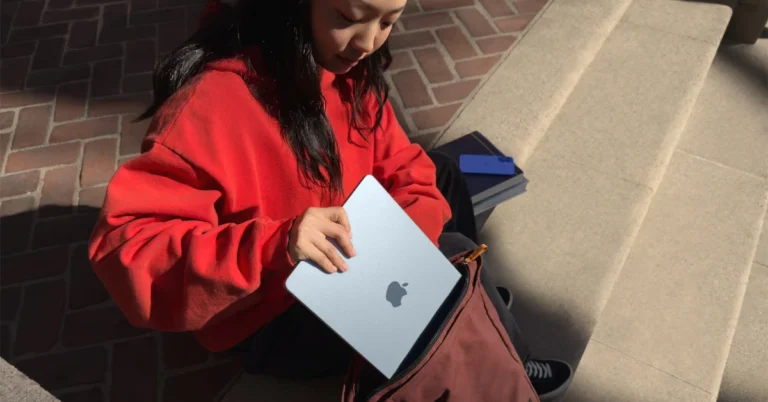
When you close the lid of your MacBook, it goes to sleep. While this is ideal for most users, some may want to keep their laptop in clamshell mode for various reasons. Some may want to play music without opening the lid or download a large file with the lid closed. Apple does not offer a way to go about this task. But there are ways to get around this roadblock. Here’s how you can stop your MacBook from sleeping when its lid is closed.
Read Also: Chromebook touchpad not working? Here are 8 fixes
In This Article
Before you begin
You may be wondering why Apple doesn’t let you keep your MacBook active when you close its lid. This is largely due to three reasons.- Preserving the battery life
- Keeping the battery health intact
- Keeping the heating issues in check
Use System Preferences
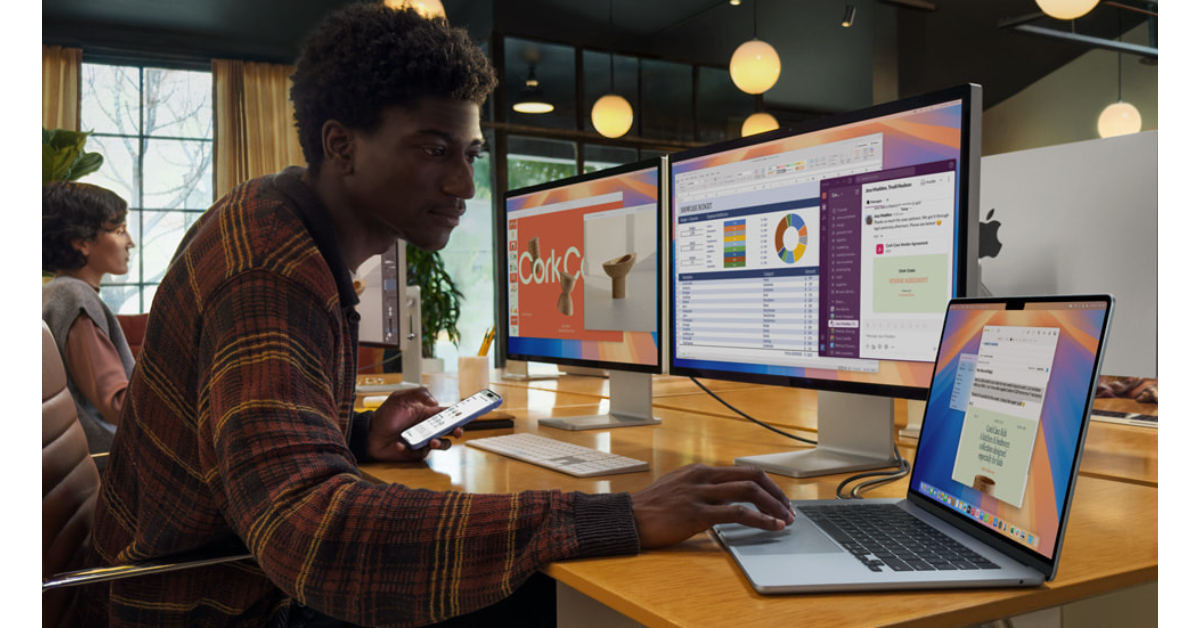
- Click the Apple menu in the top left corner of the screen.
- Click on System Preferences.
- Select Lock Screen from the sidebar.
- Click the menu next to Turn display off on power adapter when inactive.
- Select Never.
Use Battery Settings

- Go to Battery and select Power Adapter from the sidebar.
- Move the slider below ‘Turn display off after’ to Never.
- Uncheck the box next to Prevent computer from sleeping automatically when the display is off.
Don’t have an external monitor? Use this Terminal command
If you don’t have an external monitor to plug your MacBook into, you can still keep it awake after closing its lid. Launch the Terminal app and enter this command:sudo pmset -a disablesleep 1
Frequently Asked Questions (FAQs)
Why does my MacBook go to sleep when I close its lid?
Your MacBook goes to sleep in clamshell mode to preserve its battery life and charge quickly (if it is plugged into a charger).Why does my MacBook get warm when I close its lid?
Your MacBook may sometimes install pending updates and sync data when it is in clamshell mode. Since this task requires power, it warms up a little.Can I keep my MacBook with its lid closed?
Yes, you can keep your MacBook active in clamshell mode, but it requires connecting it to an external monitor and hooking it to a power adapter.Can I keep my MacBook with its lid closed without connecting it to an external monitor?
If you want to keep your MacBook active in clamshell mode without connecting an external monitor, enter the following command in the Terminal app: sudo pmset -a disablesleep 1.Is there a third-party app to keep my MacBook active at all times?
Yes, you can use third-party apps like Amphetamine and Caffeinated to keep your MacBook active in clamshell mode. Read Also: Last-minute surprise? Airtel wants your next top-up to come with a love noteFinal Thoughts
Keeping your MacBook awake in clamshell mode can drain its battery over a period of time. Make sure the laptop is connected to a power adapter to prevent it from shutting down. If you have any questions, let us know in the comments!Chromebook touchpad not working? Here are 8 fixes
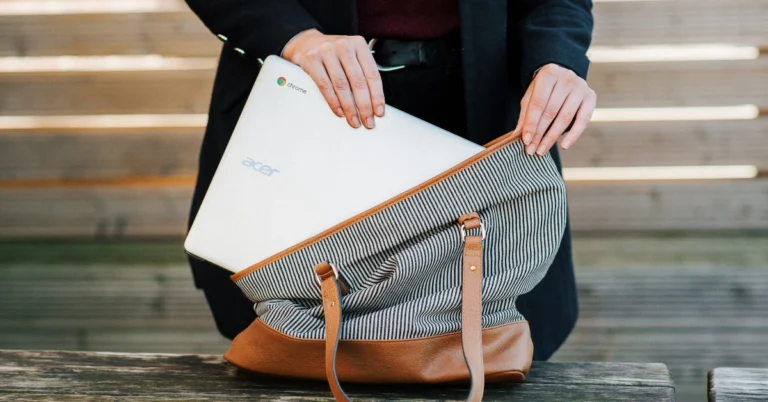
Chromebooks are compact, efficient, and affordable, which makes them very popular among students. However, an issue with an integral component of the device, like the touchpad, can bring your work to a halt. If you’re out of ideas on how to fix it, you’ve landed on the right page. Here are 8 quick ways to fix your Chromebook’s touchpad if it isn’t working.
Read Also: Last-minute surprise? Airtel wants your next top-up to come with a love note
A quick restart can resolve the background issues that may be causing the touchpad on your Chromebook to malfunction. Here’s how you can go about it.
Over a period of time, dust and dirt can collect around the touchpad, rendering it unusable. Clean the touchpad using a clean cloth dipped in isopropyl alcohol. Make sure your Chromebook is turned off during the cleaning process. Blow air around the edges to release the dust that’s stuck under the trackpad. Tap it repeatedly to unsettle the stubborn dirt particles.
If the methods mentioned above did not work, you can try factory-resetting your Chromebook as a last-ditch measure. This will clear the contents of the device, so make sure you create a backup in advance.
In This Article
Why isn’t your Chromebook touchpad working?
Before you dive into the fixes, it is important to find out what’s causing the touchpad to malfunction. Here are some of the common culprits.- Dirt collection on the touchpad
- Malfunctioning apps
- The touchpad was accidentally disabled
- The touchpad’s speed is too high
- Background software issues
- Outdated OS
- Hardware issues
Restart your Chromebook
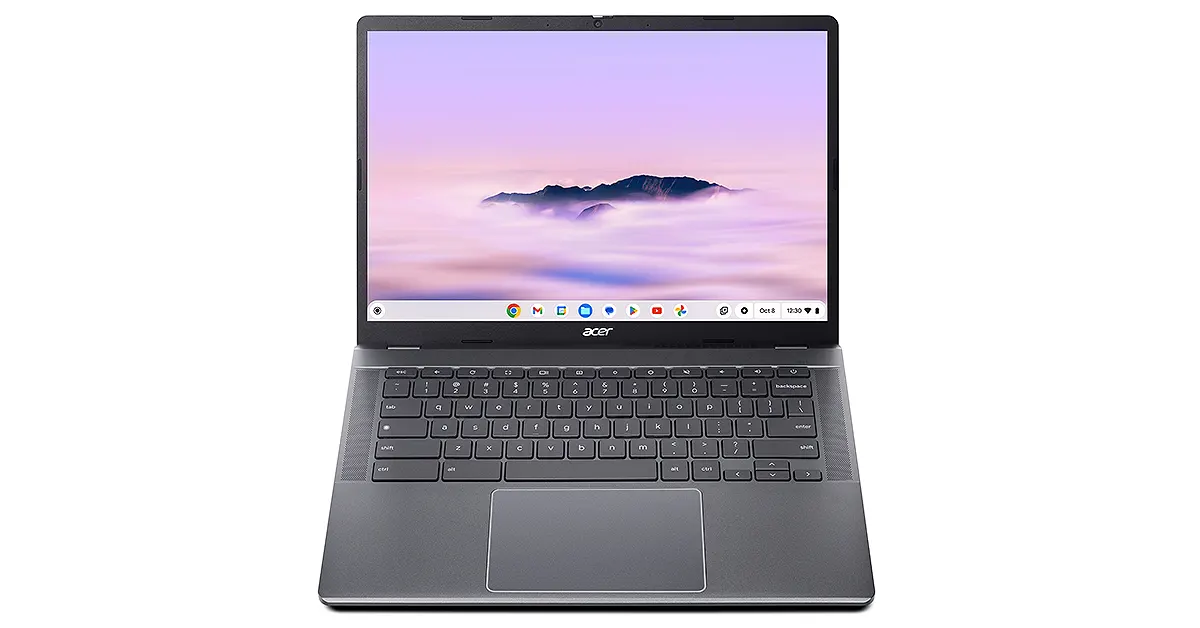 A quick restart can resolve the background issues that may be causing the touchpad on your Chromebook to malfunction. Here’s how you can go about it.
- Click the notification area in the bottom right corner of the screen.
- Hit the power icon next to ‘Sign out’.
- Wait for a few seconds.
- Press the power button on your Chromebook’s keyboard to restart it.
Clean the touchpad
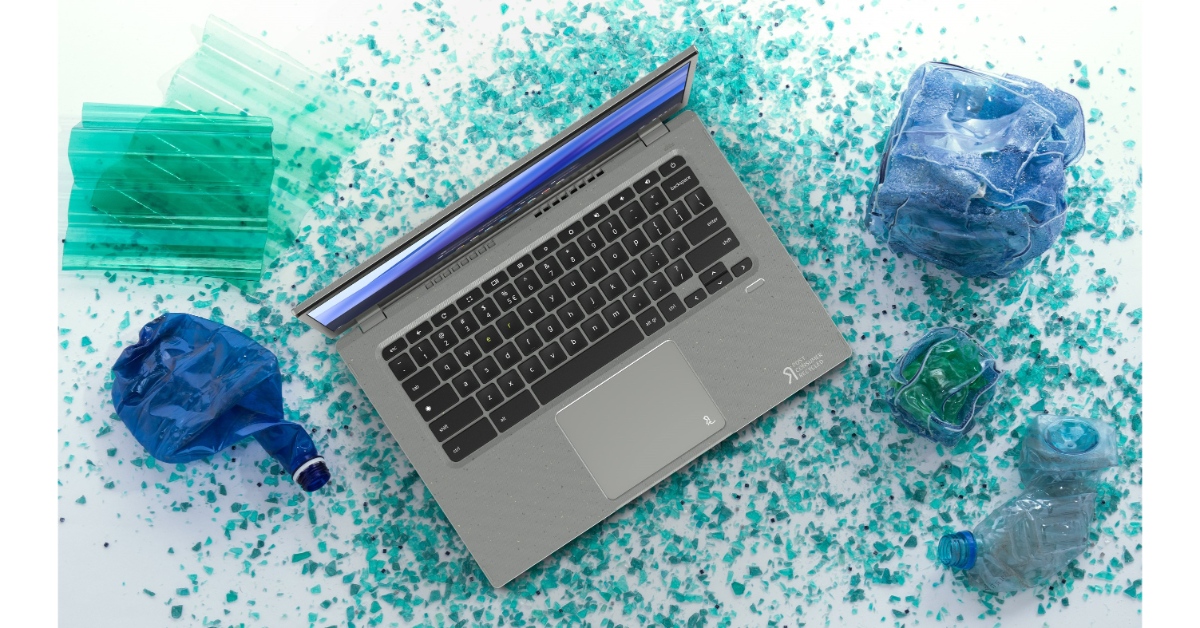 Over a period of time, dust and dirt can collect around the touchpad, rendering it unusable. Clean the touchpad using a clean cloth dipped in isopropyl alcohol. Make sure your Chromebook is turned off during the cleaning process. Blow air around the edges to release the dust that’s stuck under the trackpad. Tap it repeatedly to unsettle the stubborn dirt particles.
Enable the touchpad
It is possible that you may have accidentally disabled your Chromebook’s touchpad. Press Shift + Search + P to turn it back on. Alternatively, go to Settings>Device>Touchpad and turn on its toggle switch.Press the Esc key several times
Pressing the Esc key several times pauses the current page from loading. If the page is causing the trackpad to malfunction, this method will let you confirm that that’s the case. If the trackpad remains unusable, move on to other fixes.Change the touchpad’s speed
Setting the touchpad’s speed at its maximum level can cause it to stop working. Select a moderate speed level to return to normalcy. Go to Settings>Device>Touchpad and use the speed slider to dial down the level.Enable tap-to-click
If you’re not able to select an item by double-tapping the touchpad, it means the tap-to-click feature is disabled on your Chromebook. Go to Settings>Device>Touchpad and turn on the toggle switch next to ‘Tap-to-click’.Update your Chromebook to its latest software version

- Go to Settings.
- Click on About ChromeOS.
- Select Check for updates.
- The update will be downloaded automatically. Restart your device to finish the installation process.
Factory reset your Chromebook
 If the methods mentioned above did not work, you can try factory-resetting your Chromebook as a last-ditch measure. This will clear the contents of the device, so make sure you create a backup in advance.
- Go to Settings.
- Select Advanced from the sidebar.
- Click on Reset settings.
- Hit Reset.
Frequently Asked Questions (FAQs)
How do I enable the touchpad on my Chromebook?
Press Shift + Search + P to enable your Chromebook’s touchpad.How do I change the speed of my Chromebook touchpad?
Go to Settings>Device>Touchpad and use the slider to change the speed.How do I clean my Chromebook’s touchpad?
Blow air through the edges of the touchpad to get out the dirt and clean it using a microfibre cloth dipped in isopropyl alcohol.How do I delete an app on my Chromebook?
Go to the app launcher, right-click an app, and click on ‘Uninstall’ to remove it from your device.How do I factory reset my Chromebook?
Go to Settings>Advanced>Reset settings and hit ‘Reset’. Read Also: How to translate song lyrics on SpotifyFinal Thoughts
You should only factory reset your Chromebook when you’ve exhausted all other methods and can’t resolve the issue at hand. If a factory reset doesn’t help either, take your device to an authorised service centre. If you have any questions, let us know in the comments!Nothing opens first flagship store in India in Bengaluru
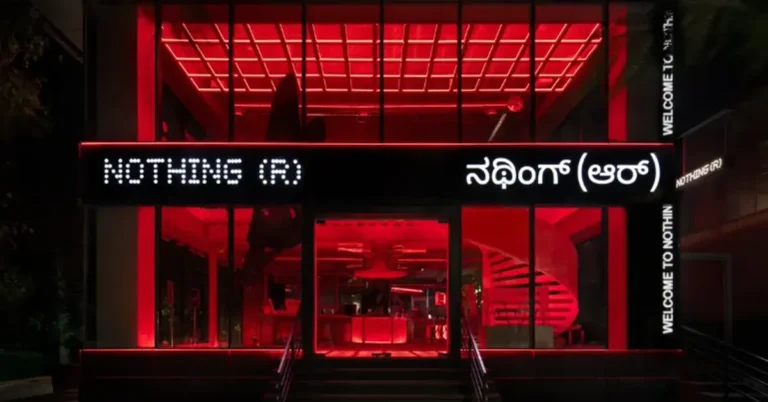
If you have ever wished phone shopping felt less like a silent museum and more like a proper tech playground, Nothing’s flagship store in Bengaluru is clearly trying to make that happen. On February 14, 2026, the London-born consumer tech brand opened its first flagship store in India, choosing Bengaluru as the launchpad for a new kind of retail push. The store was inaugurated by CEO Carl Pei and co-founder and India President Akis Evangelidis.
In This Article
A flagship that looks like a workshop on purpose
Spread across 5,032 square feet, the store leans hard into Nothing’s “transparent, industrial” design language. Think raw, structural materials and an intentionally unfinished vibe, inspired by the retro-futurism of 1970s assembly lines and workshops. Concrete, aluminium, steel, and glass are left exposed, with the idea that the structure itself is the show, not the wallpaper.
Read Also: Gemini 3 Deep Think gets a major upgrade, and it is aiming straight at messy science problems
That design choice is also a not-so-subtle message. Nothing’s brand identity has long been about showing how things work, and this space attempts to extend that approach from product hardware to the retail environment.
What you can buy and what you can actually do
Nothing says this is meant to be more than a checkout counter. The store carries the full portfolio of Nothing devices and CMF products, plus official apparel and merchandise.
The “experience” part is where things get more interesting. Key features include:
-
Creator Studio for filming hands-on videos, including Creator Studio unboxing content
-
Gamified zones with claw machines and vending machines
-
Conveyor-belt product displays that lean into the assembly-line theme
-
A community hangout area designed for events and informal meetups, with complimentary snacks and beverages
-
Exclusive products, including exclusive Nothing products customised for this location
In other words, it is a retail space designed for people who do not just buy gadgets, but also shoot reels about them five minutes later.
Why India, and why now
This opening follows Nothing’s first retail location in Soho and comes ahead of planned stores in New York City and Tokyo. India is clearly being treated as a core market, not a side quest.
Market data has helped set the narrative, too. Counterpoint Research has repeatedly flagged Nothing as a fast-growing smartphone brand in India across recent quarters, signalling the company’s momentum in a market that is both price-sensitive and trend-driven.
Akis Evangelidis summed up the intent in a straightforward way: the brand did not want a conventional store, but a space built for hands-on engagement and long-term community connection.
Read Also: Instagram and Edits roll out Valentine-themed fonts, stickers, and hidden phrases for February 2026
Location, timings, and the fine print people actually search for
For anyone planning a visit, here are the specifics.
-
Nothing store Indiranagar address: 660/1, 100 Feet Road, 1st Stage, Indiranagar, Bengaluru, Karnataka 560038
-
Nothing store timings: open daily from 11:00 AM to 9:00 PM
The smartest thing about this launch is that it treats retail as content. If your store is designed to be filmed, shared, and revisited, you are not just selling phones; you are building a Nothing retail experience that can travel far beyond the billing counter. The real test will be whether the experience stays fresh after the launch-week buzz fades, but as a first impression, this flagship has clearly come to be touched, tried, and talked about.