


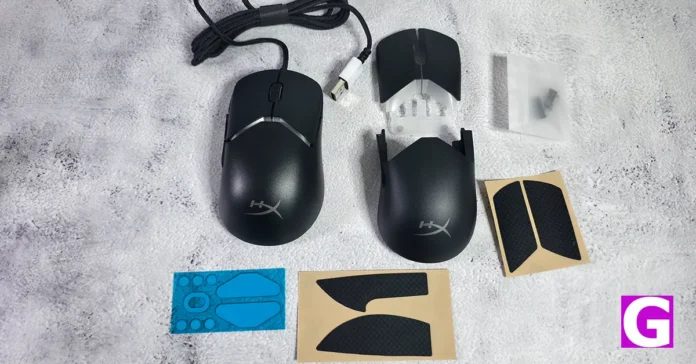
Most gaming mice ask you to adapt. The HyperX Pulsefire Saga modular gaming mouse dares to do the opposite. Priced at Rs 3,990, this wired gaming peripheral comes apart like a satisfying Lego set, letting you rebuild it to match your palm rather than the other way around. After weeks of daily use across competitive shooters, video editing marathons, and the occasional late-night doom-scrolling session, here is the full verdict.
In This Article
Design: A Lego Set That Means Business
Unboxing the Pulsefire Saga feels less like opening a mouse and more like receiving a modular toolkit. HyperX bundles an alternate button cover set, swappable side buttons, an extra top shell, replacement PTFE skates, and four pieces of grip tape. That is genuinely impressive packaging for a sub-Rs 4,000 peripheral.
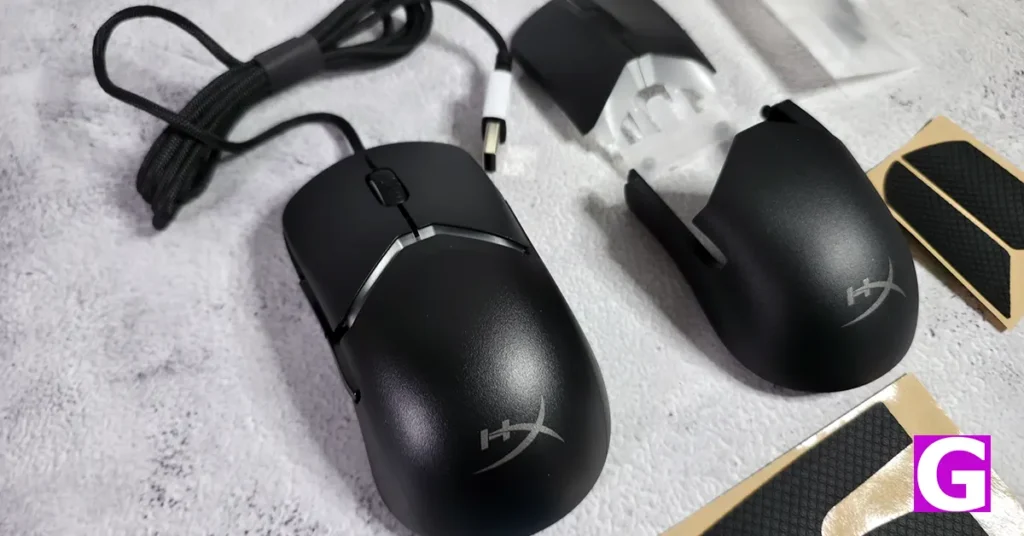
The mouse itself is a clean, matte-black unit that does not scream “gaming peripheral” from across the room. The RGB is tastefully minimal, enough to acknowledge it exists, not enough to turn your desk into a nightclub. The magnetic shell system is the real showstopper. Swapping top shells and button covers takes seconds, and everything snaps into place with a deeply satisfying click. No wobble, no creaking, no regrets.
Read Also: POCO C81 Series Launched in India: Big Screens, Bigger Battery, Budget Price
At just 69 grams, it sits in a sweet spot between “hollow toy” and “wrist-destroyer.” The HyperFlex 2 paracord cable, 1.8 metres of glorious, floppy freedom, is so light that cable drag becomes a non-issue. For anyone making the jump from wireless, this cable is the closest thing to a peace offering.
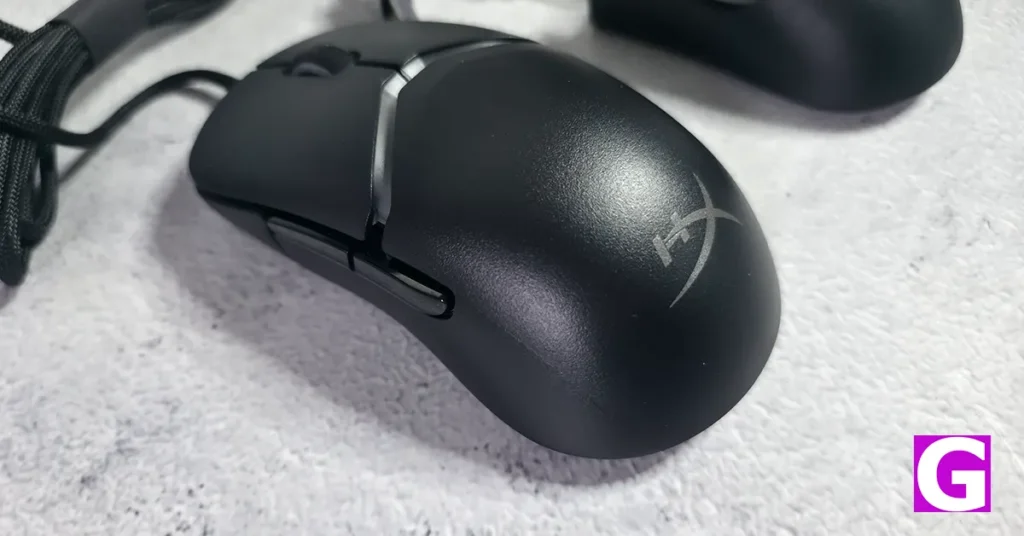
One small gripe: The side buttons feel slightly cheaper than the rest of the body. They work perfectly fine, but the tactile difference is noticeable against the premium main shell.
Performance: Embarrassingly Good for the Price
The 26K DPI sensor and 8,000Hz polling rate look like marketing numbers on a spec sheet. In practice, they translate into cursor movement so smooth and precise that it almost feels unfair. During precision tasks in Photoshop and After Effects, the tracking was completely jitter-free. In Counter-Strike 2 and Valorant, flick shots registered with a sharpness that made going back to a standard mouse feel like downgrading from fibre broadband to dial-up.
The HyperX optical switches under the main buttons deliver a crisp, mechanical snap with zero mushiness. You always know exactly when a click registers, which matters enormously in fast-paced FPS gameplay.
The scroll wheel, however, is a point of friction, quite literally. It is small and stiff, tuned clearly for competitive gaming where accidental weapon switches are a nightmare. For spreadsheet warriors and PDF readers, that resistance will test your patience over an eight-hour shift.
The NGENUITY software covers the basics: DPI adjustments, RGB customisation, and button remapping. It is functional but unremarkable. Installing a 500MB app just to change LED colours feels like overkill, and the software lacks the depth that rivals offer at higher price points.
Verdict: Rare, Refreshing, and Recommended
The HyperX Pulsefire Saga lightweight gaming mouse is one of those rare peripherals that actually solves a real problem. Ergonomic customisation at this price point simply does not exist anywhere else. Yes, the software is basic, and the scroll wheel requires commitment. But when the sensor performs this well, and the build quality is this satisfying to interact with, those are trade-offs most gamers will accept without much argument.
Read Also: OnePlus Nord Buds 4 Pro Review: Packs a lot of heat for a budget TWS
If your current mouse feels like a compromise, the Pulsefire Saga might just be the fix you did not know you needed.
Buy HyperX Pulsefire Saga Gaming Mouse here from Amazon.
Pros
- Genuinely useful modular design with magnetic shell swapping
- Outstanding 26K sensor with 8,000Hz polling rate for precise tracking
- Feather-light 69g weight with near-invisible paracord cable
- Generous in-box accessories, including grip tape and extra skates
- Clean matte finish that resists fingerprints brilliantly
Cons
- Side buttons feel noticeably cheaper than the rest of the build
- Wired only in an increasingly wireless world


