



There are several ways to directly transfer files between your iPhone and a Mac or PC. You can either connect your iPhone to your Mac using a Lightning to USB cable or Airdrop the files wirelessly. However, if you want to transfer the files on an external storage device to your iPhone, you will need to use a Mac or PC as a buffer. This process can take some time since it requires plugging in two devices to your Mac. Luckily, with the help of a Lightning to USB adapter, you can access the contents of the external storage drive directly on your iPhone or iPad. In this article, we show you how to use an OTG (Lightning to USB adapter) on your iPhone and iPad.
Read Also: Valentine’s Day Gifting Guide: Tech gifts for him and her
In This Article
Access external storage drives on your iPhone and iPad using OTG
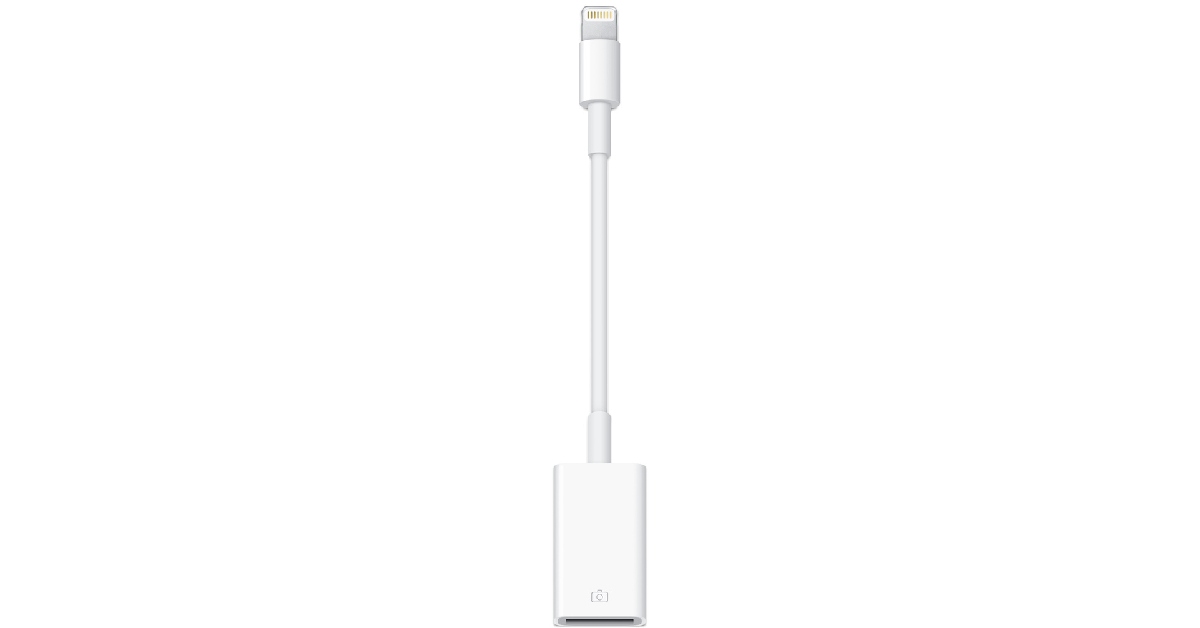
In order to connect an external storage device to your iPhone or iPad you will need to purchase a Lightning to USB adapter. The official Apple adapter can be bought for Rs 2,900 from the Apple Store. As far as Lightning to USB adapters go, Rs 2,900 is quite overpriced. You can find decent OTG adapters on Amazon for as low as Rs 624.
Once you attach the Lightning to USB adapter to your iPhone or iPad, you can plug in any external storage device to the USB port and access its contents directly on your Apple device. You can view the contents on any supported app on your phone, like Photos and Files. If the external hard drive requires a higher power to function, use a Lightning to USB 3 Camera adapter that can be powered with an external charger. This will make your task considerably easier. Typically, pen drives don’t require additional power and can easily work with a simple Lightning to USB adapter.
Other things you can do using an OTG

A Lightning to USB adapter doesn’t just work for external storage devices, it can connect a whole bunch of different devices to your iPhone. Need to use an external keyboard or mouse with your iPad. Simply connect it to the USB port of the adapter and you’re good to go. If you like to game on your iPhone but can’t get a hang of the touch controls, simply plug in a console controller to the USB adapter and immerse yourself in the gaming experience. You can also connect a microphone if you want to record a podcast on the go. The possibilities are endless!
Read Also: Oppo Find N2 Flip set to launch globally on February 15
Conclusion
This is how you can use OTG on an iPhone and iPad. Once you connect an external storage device to your iPhone, it may open the Photos app by default if there are any images or videos on the device. If you want to access other files on the drive, you will need to switch to a different app (like Files). Another thing to note is that your iPhone will only read the USB drive if it has a single partition and is formatted as FAT, FAT32, exFAT, or APFS.
For the latest gadget and tech news, and gadget reviews, follow us on Twitter, Facebook and Instagram. For newest tech & gadget videos subscribe to our YouTube Channel. You can also stay up to date using the Gadget Bridge Android App. You can find the latest car and bike news here.


 on your iPhone and iPad. Read more to find out.)