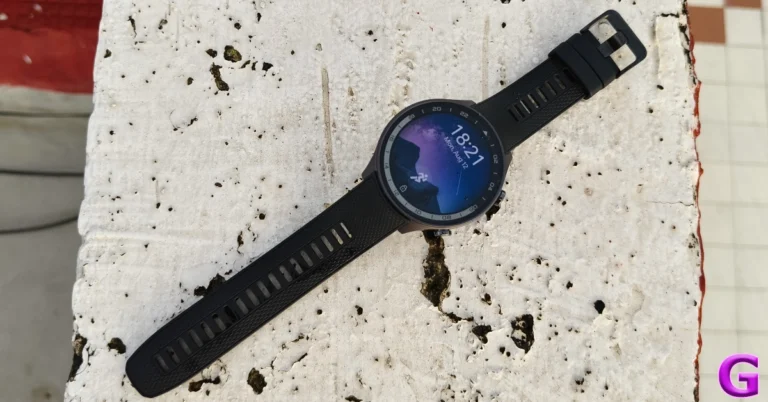
OnePlus Watch 2R Review: Is this the quintessential Android smartwatch?

OnePlus launched its new R Series smartwatch alongside the new Nord 4 smartphone and Pad 2 tablet. Like the R Series smartphones, the OnePlus Watch 2R makes a great flagship alternative. It matches most of the specs of the Watch 2 while undercutting its price by Rs 5,000. If you’re looking for a relatively affordable Android smartwatch that doesn’t compromise power there aren’t many smartwatches that fit the bill more perfectly than the Watch 2R. We used it for a week to see if it matches up to its flagship counterpart. Here is our in-depth review of the OnePlus Watch 2R.

Read Also: Samsung Galaxy S24 FE specs leaked again: Here are the details

OnePlus Watch 2R Review: Design and Display

Here’s what you get inside the OnePlus Watch 2R retail box:

  • Smartwatch
  • USB Type-A to Type-C cable
  • Magnetic charging base
  • Red cable club card
  • Safety guide
  • Quick guide

OnePlus Watch 2R Review: Design and Display

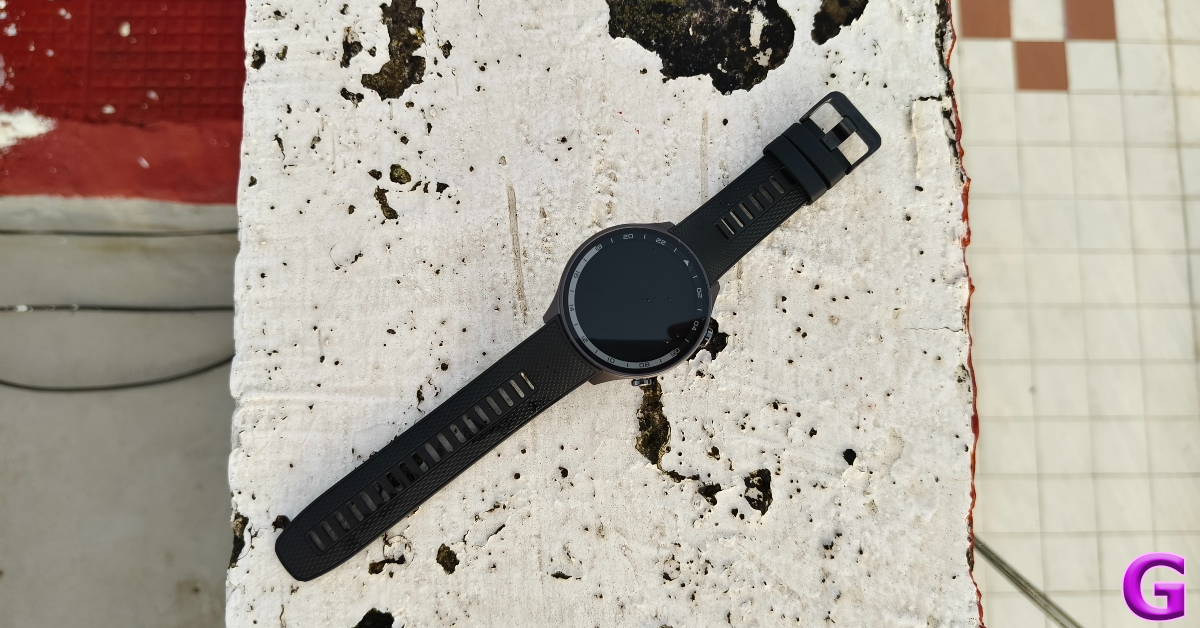
The key difference between the OnePlus Watch 2 and 2R is the build material. The former sports a stainless steel frame while the latter comes in an aluminium alloy casing. This means that the Watch 2R is lighter than its flagship counterpart. Without the strap, it weighs 37g, making it 12g lighter than the Watch 2. With the wrist strap attached to the dial, the Watch 2 and 2R weigh 80g and 59g respectively.
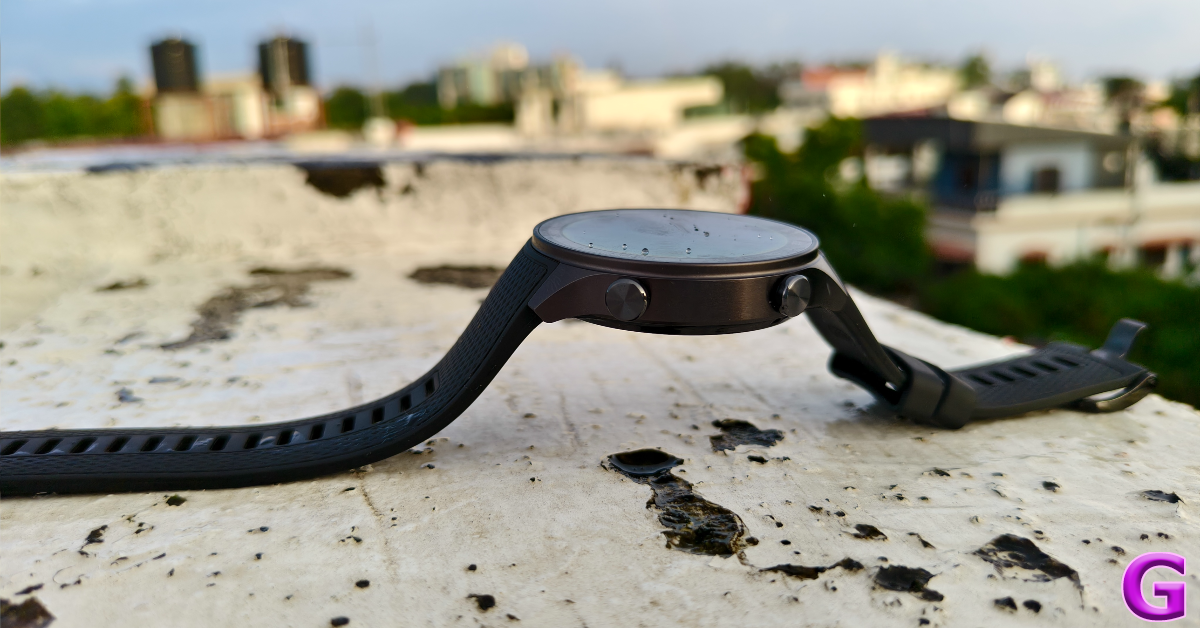
design

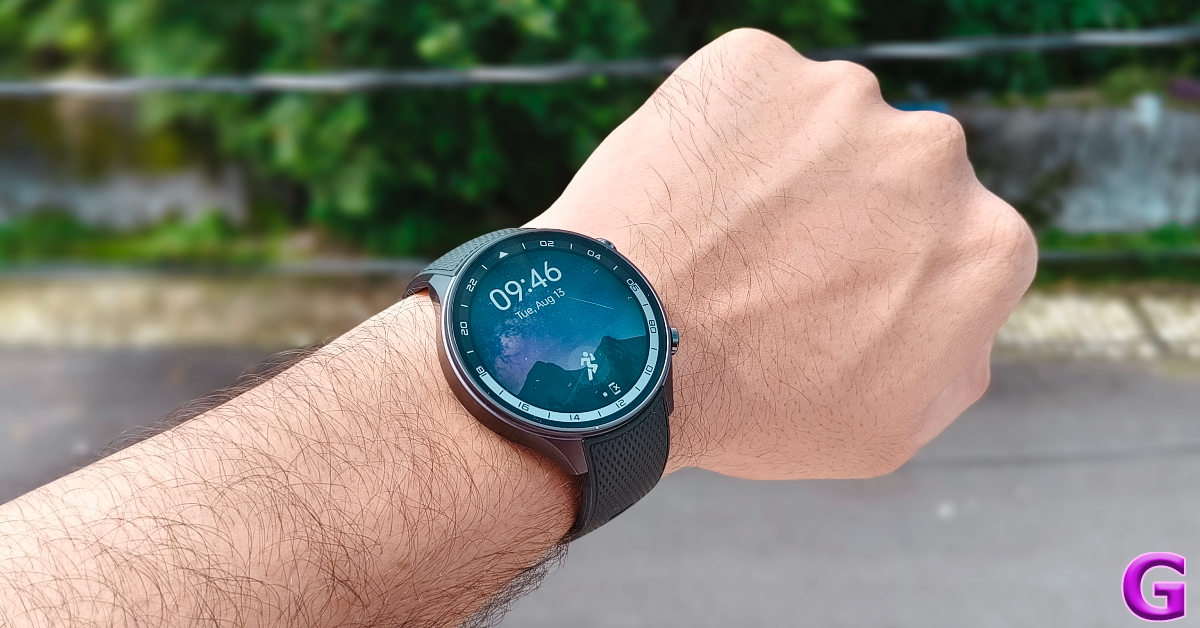
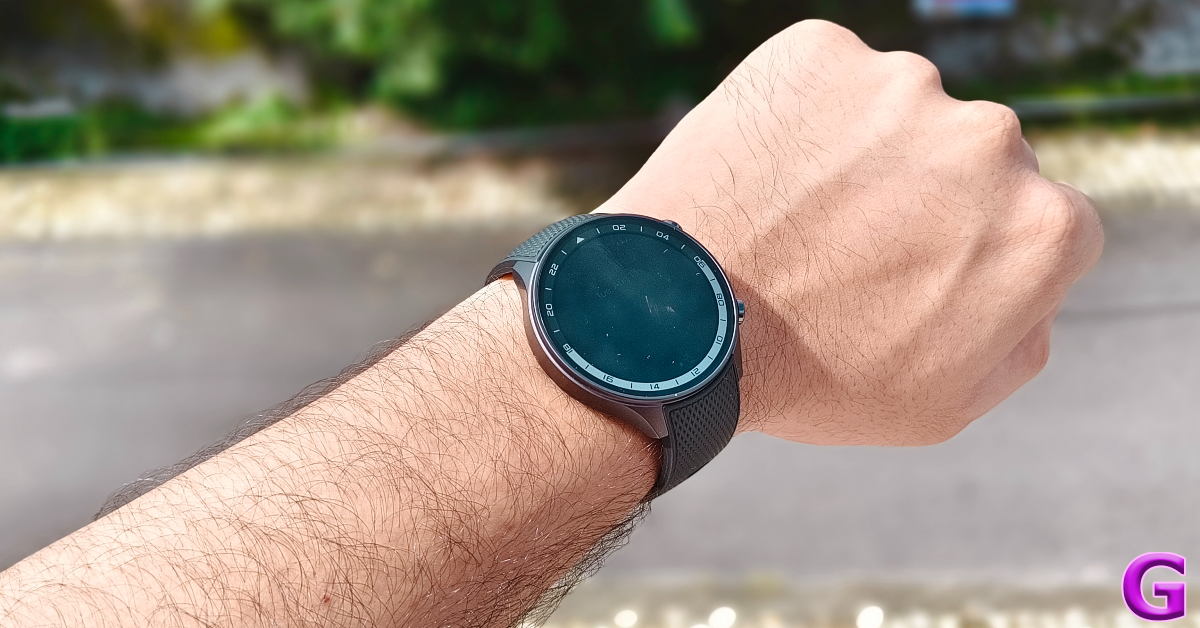
OnePlus Watch 2R gets Panda glass protection instead of Sapphire crystal which guards the Watch 2’s display. Its flat AMOLED display is slightly different from the curved panel on the Watch 2. The 1.43-inch unit has a 466p resolution and a default brightness of 600 nits which can be pushed to 1,000 nits in High Brightness Mode. Needless to say, wearing this watch outdoors was an absolute delight. Not once did we encounter any brightness issues with the display. It remained legible even under direct sunlight.
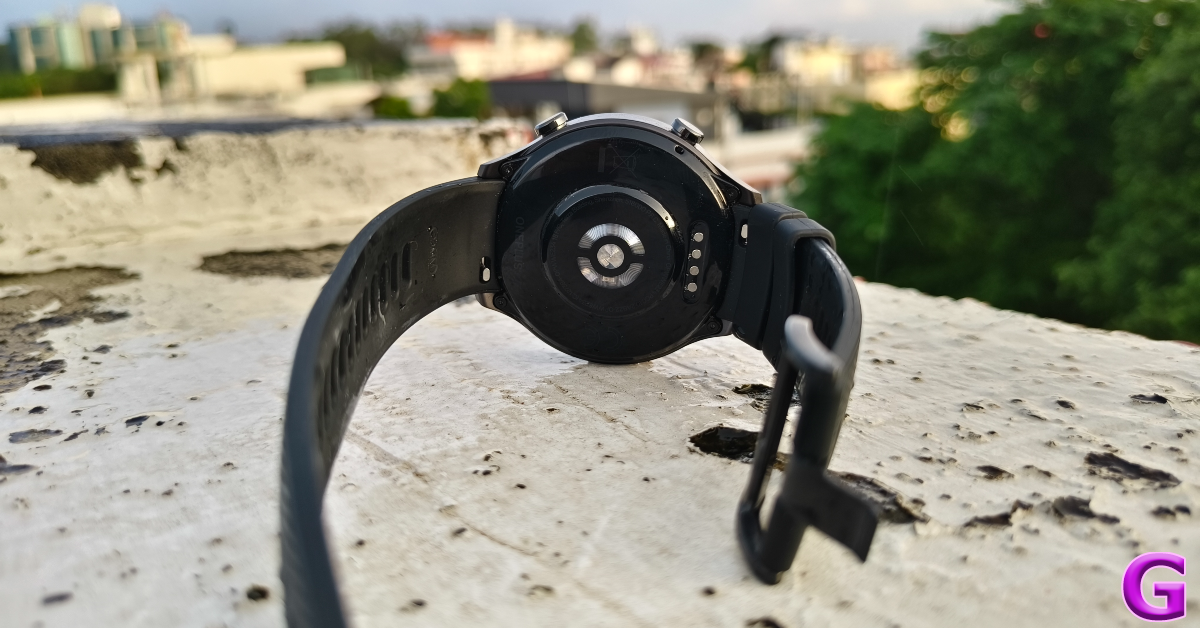
design

Being an AMOLED panel, the colours produced by this display are vibrant and punchy. The touch response is exquisite, to say the least. We did not experience any stutters or delays while navigating the watch. The circular bezel surrounding the display has chronometric markings painted on it.
OnePlus Watch 2R Review: Design and Display

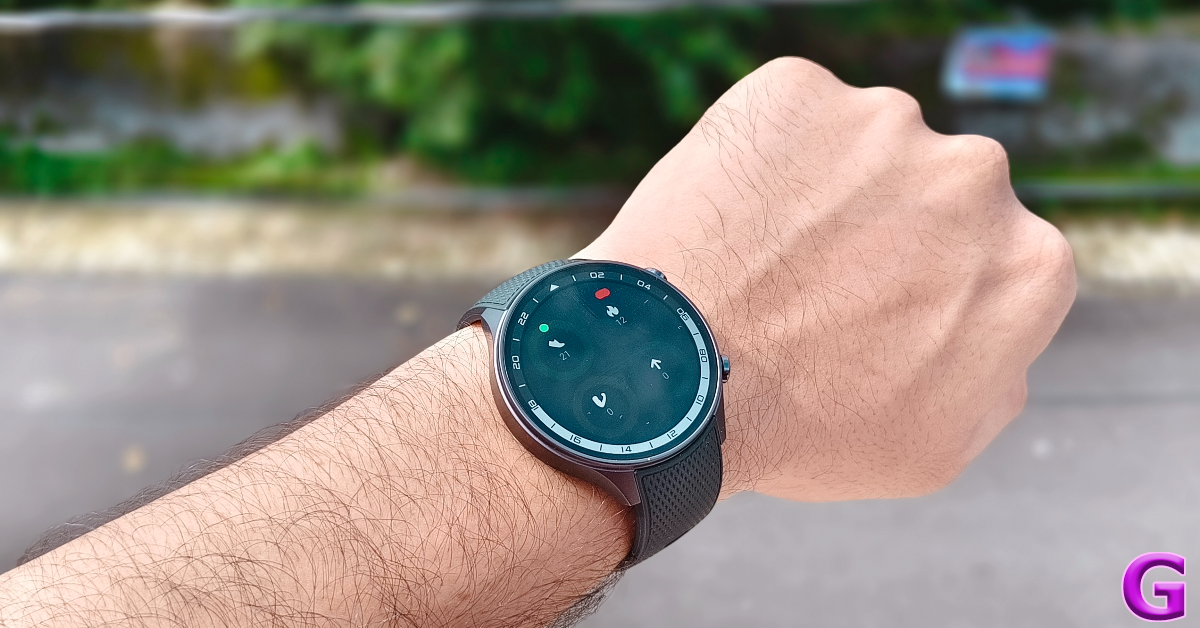
The right edge of the frame contains two physical buttons. The plastic panel at the bottom houses the sensor array, charging strip, and microphone. There is no physical crown on the watch, even though it is easy to confuse the top button with one. Pressing this button when you’re on the home screen takes you to the app drawer. When you’re on any other page, this button takes you back to the home screen. The Multifunction button is dedicated to opening the workout menu no matter which page you’re on. This button can be customised to trigger other functions and apps on your watch as well. The only customisable gestures for the top button are double-press and long-press.
display

The silicone strap uses a pin and buckle mechanism to wrap around the wrist. The high-end quality of this wrist strap is reflected in its comfort. Even after wearing the watch for multiple days and putting it through sweaty workouts, we did not feel any itchiness. The Watch 2R is rated IP68 for dust and water resistance. It can handle 5ATM of water pressure. You can wear this watch while swimming. However, the Watch 2R is not MIL-STD-810H compliant like its flagship sibling.

OnePlus Watch 2R Review: Performance 

Powering the OnePlus Watch 2R are the Snapdragon W5 Gen 1 and BES2700BP chipsets. It is nice to see the affordable alternative to the flagship not be held back by an older or inferior chipset. OnePlus earns brownie points from us for that. The BES2700BP chipset takes care of tasks like background heart rate monitoring, sleep tracking, and more. It takes over the control of the watch when it is set to power-saving mode.
OnePlus Watch 2R Review: Performance 

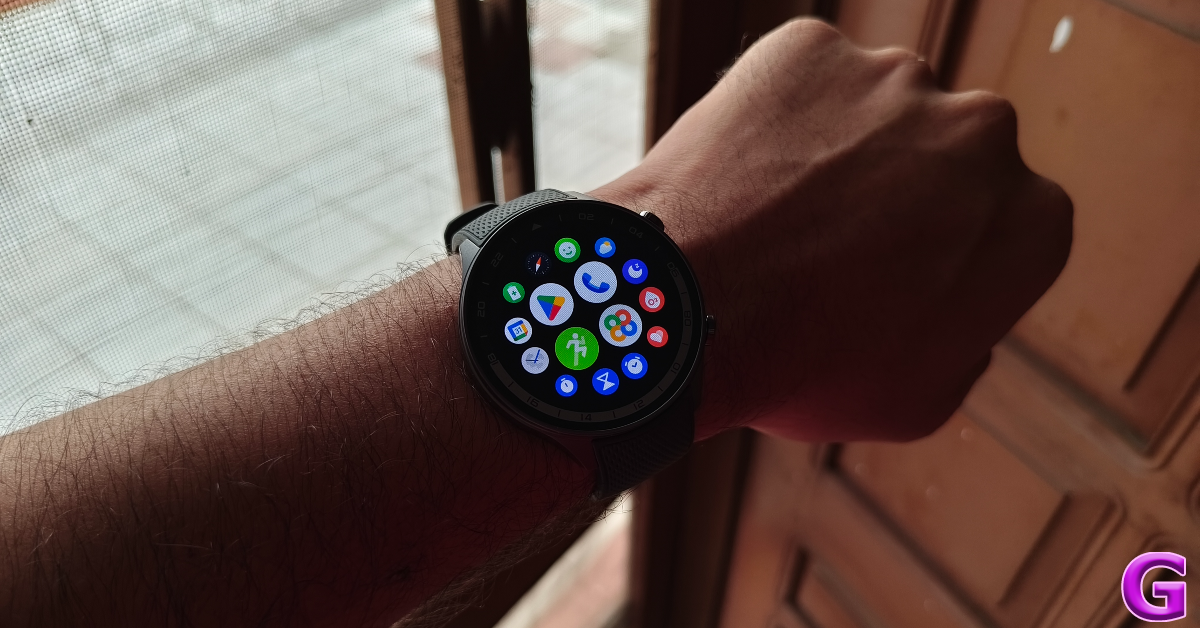
OS duties on the smartwatch are handled by Google’s Wear OS 4 and OnePlus’ ColorOS Watch 6.0. The former taps into the power of the Snapdragon W5 chip and brings the Android experience to the watch. You can install apps directly on the watch using the Google Play Store. When you switch to the power-saving mode, the Color OS takes over and extends the battery life of the device. Access to the Play Store and third-party apps is revoked in this mode. This dual-OS configuration is something we enjoy a lot. We hope other OEMs are able to incorporate it into their wearables as well.
perfrormance

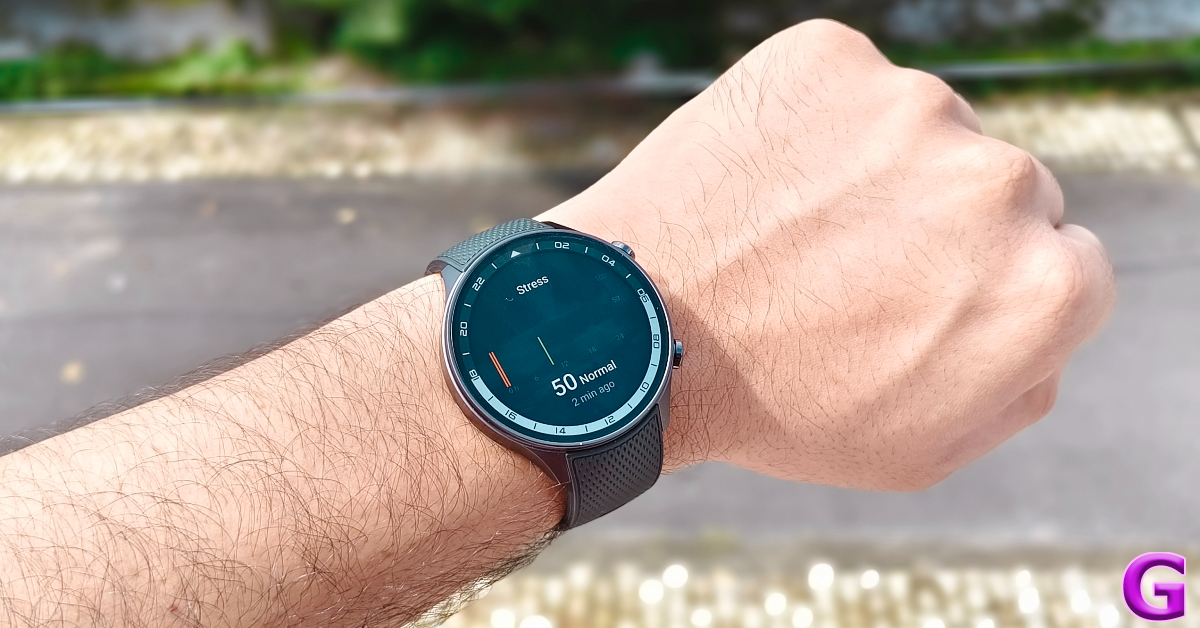
As far as health and fitness tracking go, the OnePlus Watch 2R records accurate data. Its Spo2 and heart rate readings were consistent with medical-grade equipment. The margin of error in step counting was minimal. We were also satisfied with the comprehensive sleep data that the watch collected in one cycle. Not only does it break down the sleep phases, but it also keeps a record of the snoring pattern, tracks the respiratory rate, and measures the heart rate and blood oxygen levels. If the quality of your sleep is not up to par, you can use the snoring data to assess your breathing problems and use the phone’s mic to monitor the surrounding noise levels while you sleep.
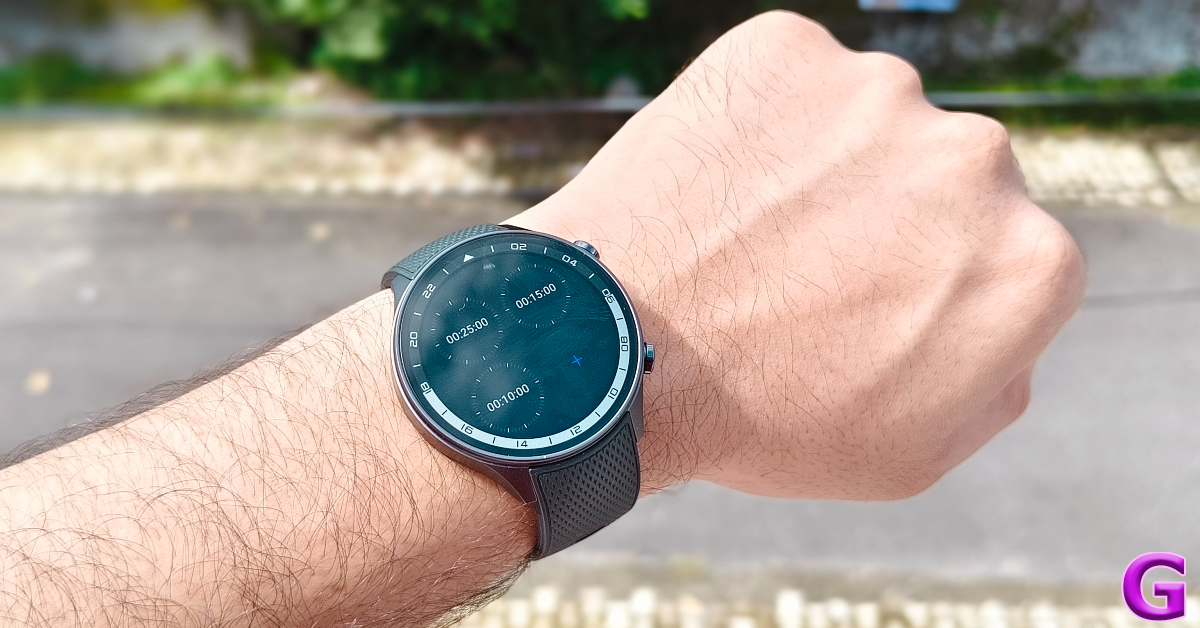
clocks

The smartwatch also does a fine job of tracking exercises and workouts. You can turn on automatic detection for certain workouts using the OHealth companion app. The watch can also track a wide range of sports like Cricket, Baseball, Rugby, Golf, Curling, Ice Hockey, Surfing, and more. If you like to golf, you’ll enjoy third-party apps like Hole19 and mScorecard. This is something that isn’t possible on the generic, run-of-the-mill smartwatches that do not run Android Wear OS.
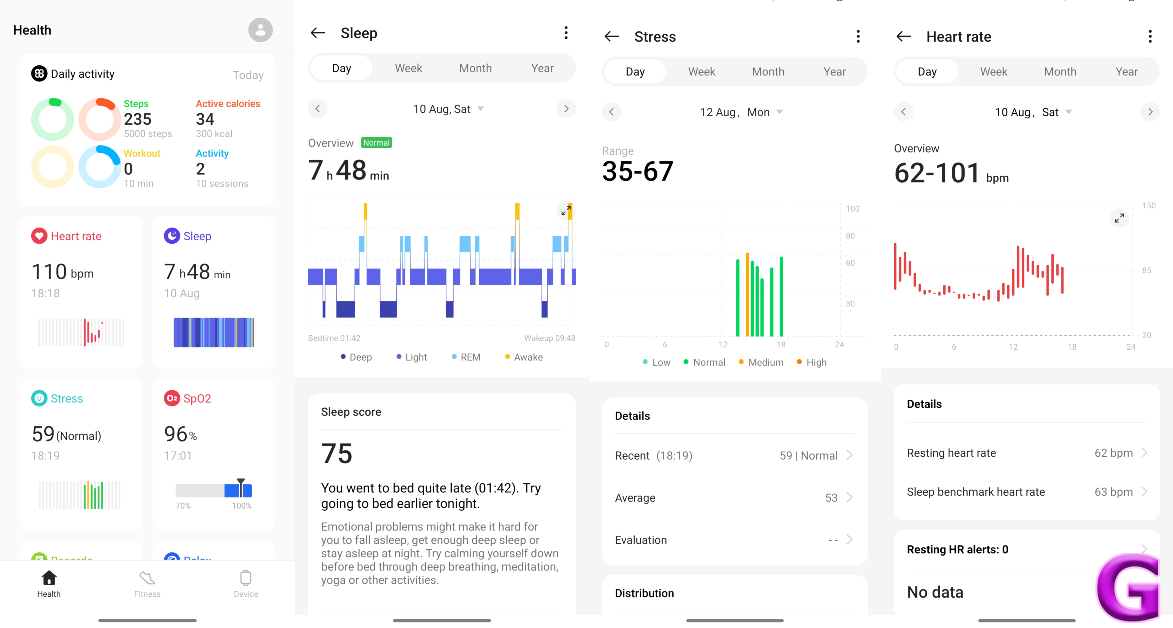
ohealth

Another great aspect of using an Android smartwatch is that you never run out of watch faces. The OHealth app has a diverse library of native watch faces for the Watch 2R. On top of that, you can install paid and free watch faces from the Play Store. If there’s one gripe we have with the Watch 2R it’s that it takes around a minute to transfer a watch face from the app and apply it to the dial.
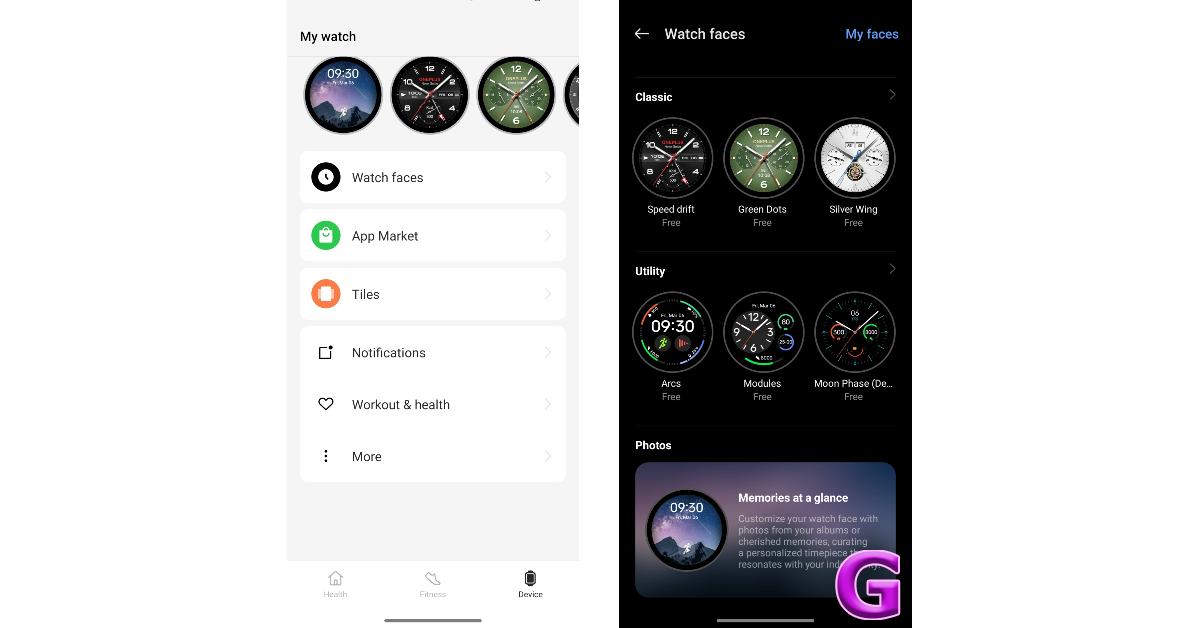
ohealth

Making and receiving calls on the Watch 2R is a seamless experience. The microphone on the watch does a good job of extracting the speaker’s voice from the background noise and relaying it to the caller. App support for WhatsApp and Gmail makes sure you don’t miss any important messages or emails on the go. We’d like to see Telegram come out with a smartwatch app as well.
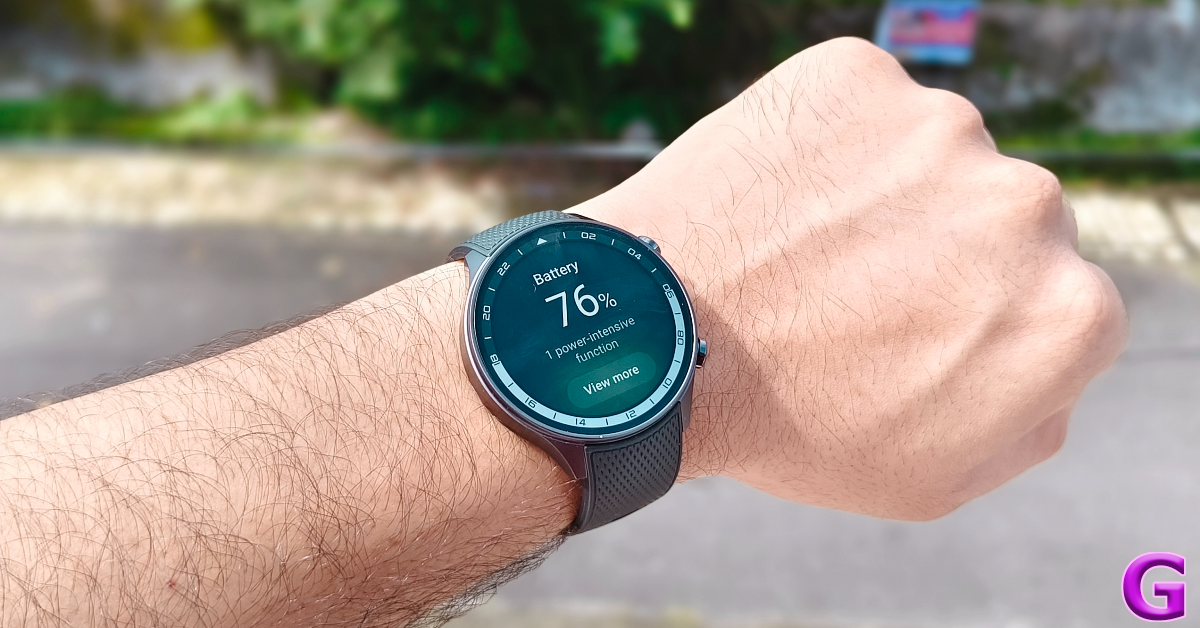
OnePlus Watch 2R Review: Performance 

Oftentimes, a good smartwatch is let down by its weak power backup. We are pleased to report that this is not the case here. This is largely due to the 500mAh battery unit along with the dual-chipset and dual-OS combination. We got more than 2 days of battery life on this watch with the AOD and background health monitoring turned on. During the review period, we also worked out for an average of 40 minutes every day while wearing the OnePlus Watch 2R. This battery life can easily be pushed to 3 days with AOD turned off.
performance

What’s great about this smartwatch is that you can turn off its ‘smarter’ features and run it in power-saving mode to push its battery life to 12 days. When placed in this mode, the watch’s BES2700BP chipset and custom OS take over, making the Wear OS features dormant. Having the option to get more mileage out of the smartwatch is quite amazing. The magnetic charging base that comes with the watch connects to a USB Type-C cable and fully charges the device in under an hour.

Read Also: How to generate free AI images using Dall-E on ChatGPT (2024)

Verdict

The OnePlus Watch 2R is an impressive wearable that sits at the perfect intersection of performance and affordability. Being an Android smartwatch, it unlocks the door to a world of possibilities that aren’t exactly present in regular smart wearables and fitness trackers. Having Wear OS on your wrist is incredible if you don’t want to use your phone to answer texts or WhatsApp messages. The combination of Snapdragon W5 Gen 1 and BES2700BP chipsets produces an exhilarating performance and gets more juice out of the battery pack. Wear OS 4 and ColorOS Watch 6 ensure that the UI of the device remains accessible and user-friendly. Compared to other Android smartwatches, Watch 2R’s price tag of Rs 18,000 justifies the value you get out of it.

OnePlus Watch 2R: Pros

  • Bright AMOLED display
  • Lightweight
  • Comfortable
  • Flagship-grade dual chipset and OS
  • Incredible battery life
  • Fast charging support

OnePlus Watch 2R: Cons

  • Only available in one size

Apple could bring iPhone 17 Air model by next year: Report

Key Highlights

  • Reports suggest a smaller iPhone 17 model, possibly with an Air variant prioritising thin design over specific hardware.
  • The company is also planning to introduce a foldable phone.

The arrival of the iPhone 16 Series is still a while off, but there have been numerous reports of a new, smaller-looking iPhone 17 model. There could be an Air variant in the iPhone 17 series, which would prioritise a thin design over specific hardware specifications. In 2027, Apple may add iPhone Pro features and specifications to the iPhone 17 Air model.

According to Mark Gurman Apple plans to reintroduce its fourth-model concept next year with a thinner design, aiming to create an “Air” version of the iPhone, positioned between the iPhone 17 and iPhone 17 Pro. This could be compared to the original MacBook Air, which was between the regular MacBook and MacBook Pro. It is anticipated that demand for the iPhone 17 Slim/Air will surpass that of the Mini and Plus models.

Also Read: Google Pixel 9 Series launching today: How to watch, expected pricing and specs details

Previously rumours were circulating that the iPhone Slim would be an extremely expensive model, possibly even surpassing the price of the iPhone Pro Max. The information concerning the new iPhone model is now outdated though, as Mark Gurman of Bloomberg has indicated that the iPhone Slim will resemble an iPhone Air more.

“The sales pitch will probably go like this: If you want something snazzier than a standard iPhone — but don’t really need the performance, screen size or cameras of a Pro model — you can get something that looks much cooler while still having the specifications of a regular iPhone.”

As per the report by the Apple Analyst, Apple’s slimmer iPhone is a step towards a better Pro model, expected to be released by 2027. Rumours of a foldable iPhone have been more frequent, suggesting that preparations are advanced. He further added, “I also expect Apple to produce a foldable iPhone, but all signs internally point to a foldable iPad being just as big of a priority. That means we may still see a tablet version come sooner.”

Top 10 Apps for Google Pixel 9 Series

The new Google Pixel 9 Series is set to launch later tonight and it looks better than ever. While the state-of-the-art photography system is always the Pixel’s strongest suit, the smartphone has also made small, incremental improvements under the hood with every passing iteration. This year, buyers are spoiled for choice with three Pixels on offer – Pixel 9, Pixel 9 Pro, and Pixel 9 Pro XL. If you’re thinking of buying a model from the Google Pixel 9 Series, here are the top 10 apps you should download on it first.

Read Also: Philips Dual Basket Air Fryer – 3000 Series with Rapid Air Technology launched in India

Snapseed

Download from Google Play Store

Snapseed

Google’s very own photo-editing app is perfect for its in-house smartphone. Snapseed is perhaps the quintessential editing app for the Android platform, offering a comprehensive range of filters, tools, and brushes. It can open JPG and RAW files, giving you total control over how the image looks and allowing you to change almost every aspect. You can change the exposure of the image, bring out surface structures, adjust the colours and white balance, remove unwanted objects, and carry out a lot of other editing tasks using this app.

IFTTT

Download from Google Play Store

ReLens Camera

IFTTT is one of the best automation apps for the Google Pixel 9 Series and Android smartphones in general. Some would argue that it is Android’s answer to iPhone’s ‘Shortcuts’ app. Using IFTTT, you can streamline your daily tasks by automating them. For example, you can program IFTTT to turn on your phone’s WiFi and play your relaxing Spotify playlist as soon as you come home from work. On the flip side, when you leave home, you can set IFTTT to disable the WiFi, turn on the mobile data and connect to your car’s infotainment system in one go. IFTTT is compatible with apps like Discord, DocuSign, Gmail, Google Calendar, Google Nest, and more to ensure that all your daily tasks are covered.

Nova Launcher

Download from Google Play Store

Nova Launcher

Android has a lot of room for home screen customisations, but if you want to change its aesthetic altogether, you will need to use a third-party home screen launcher. Nova Launcher is one of the best ones around. Using this app, you can change the app icon theme, apply Material You colours to different aspects of the home screen, realign the app grid, and more. You can save your home screen orientation in case you change devices in future.

Infinity for Reddit

Download from Google Play Store

Infinity for Reddit

Last year, Reddit announced that it would charge developers up to $20 million for its API. The result? Third-party Reddit apps like RIF were discontinued overnight. Infinity is one of the best open-source apps that still remains standing. Of course, now that the developers are paying an exorbitant amount of money for Reddit’s API, it means that you’ll need to pay a small subscription fee for Infinity. Given that the alternative is Reddit’s mediocre official app, we’d say the subscription amount for Infinity is absolutely worth shelling out. 

Bitdefender Mobile Security

Download from Google Play Store

Bitdefender Mobile Security Top 10 apps for Google Pixel 9 Series

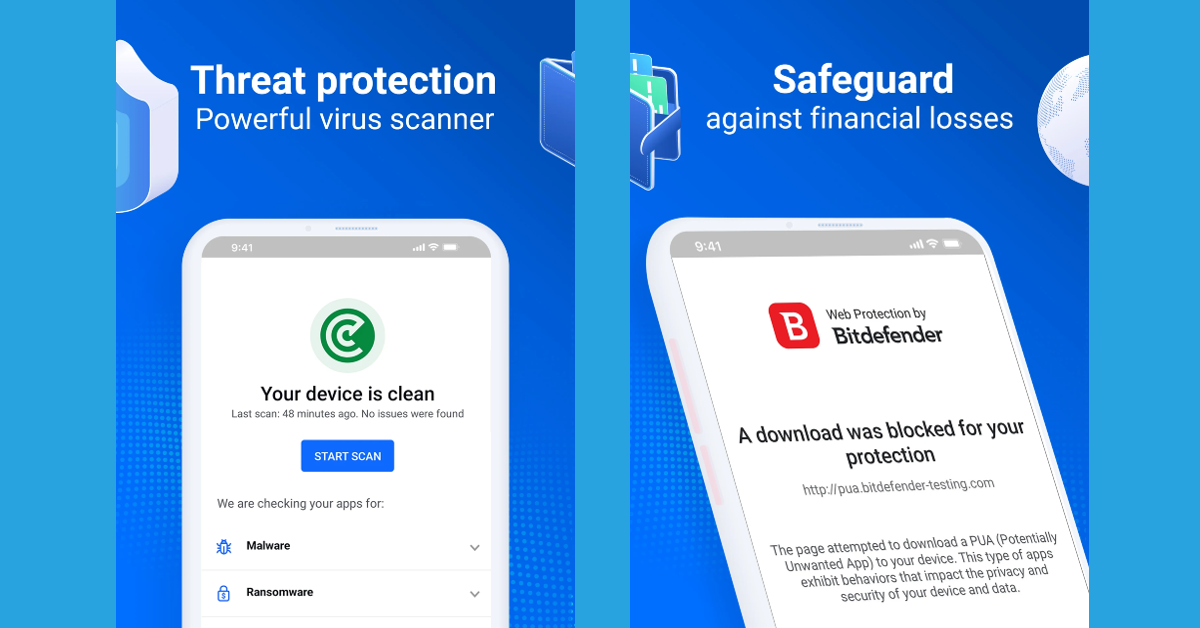
Android is a very secure operating system and Google routinely pushes out security patches for its Pixel smartphones, but it doesn’t hurt to have an extra layer of security in the form of a third-party antivirus app. Bitdefender is a trustworthy name in this sphere. It keeps malware, adware, and ransomware at bay by monitoring app behaviour and flagging any suspicious activity. It also guards your bank details against phishing attempts while making online payments. You will need to pay a subscription fee after the 14-day trial period ends but it is a small price to pay for round-the-clock security.

1Password

Download from Google Play Store

1Password

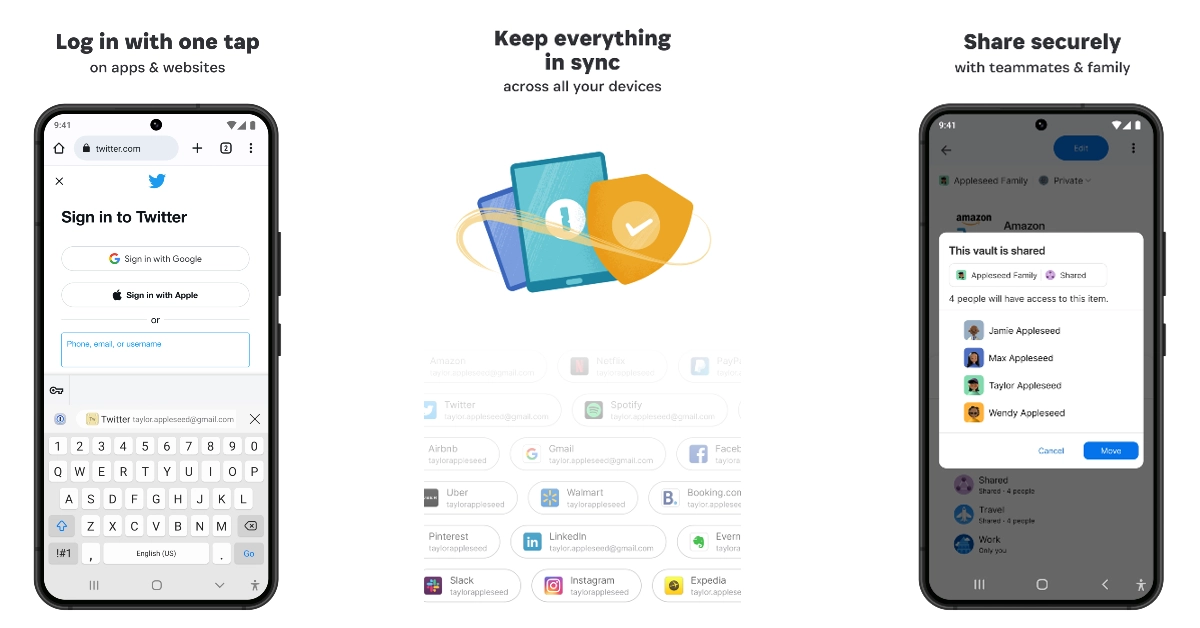
As data leaks become increasingly common, it is important to use a different password for every single you log into. Keeping track of these passwords can be difficult. This is where 1Password comes in. This app gives you the option to save your passwords as soon as you log into an app or website and then auto-fills it the next time you log in. The entire process is very seamless. Now that you don’t need to remember your passwords anymore, you can generate complex passwords on the app for all of your accounts. The app is very secure, requiring biometric authorisation to grant access to its library.

Google Authenticator

Download from Google Play Store

Use Google Authenticator

Apart from setting strong passwords, it is recommended that you add an extra layer of security to your accounts by enabling two-factor authentication. Traditionally, 2FA works by entering the One Time Password (OTP) sent to you by the service on your phone number. Using the Google Authenticator, you can cut out the reliance on your phone number and get the security codes instantly on the app. These codes have a limited validity, vanishing and changing within seconds.

FlashDim

Download from Google Play Store

FlashDim Top 10 apps for Google Pixel 9 Series

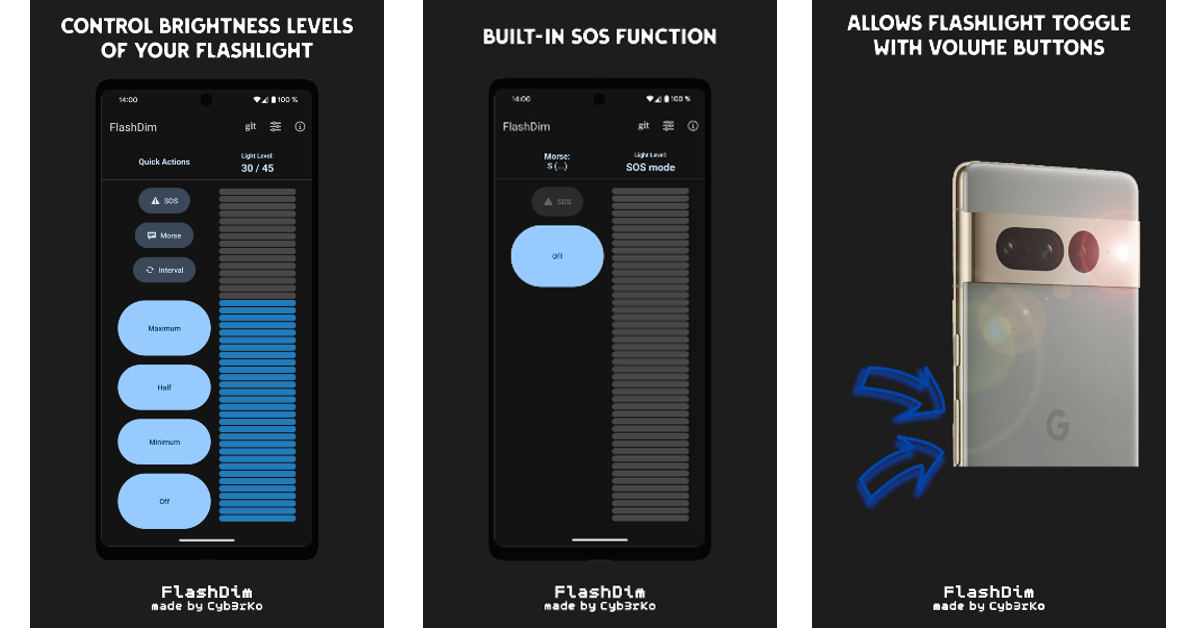
One of the surprising things about stock Android OS is that it doesn’t offer different brightness levels for the flashlight. Sometimes, while using the flash as a torch, you may not want it shining at its peak intensity. Other OEMs like Samsung have had this option for years. On your Google Pixel 9 Series smartphone, you will need to rely on the FlashDim app for the same. This app has 45 brightness levels for the flash and built-in options like Morse and SOS. Its clean interface and pleasing colours make it one of the best apps for the Google Pixel 9 in this genre.

Simplenote

Download from Google Play Store

Simplenote Top 10 apps for Google Pixel 9 Series

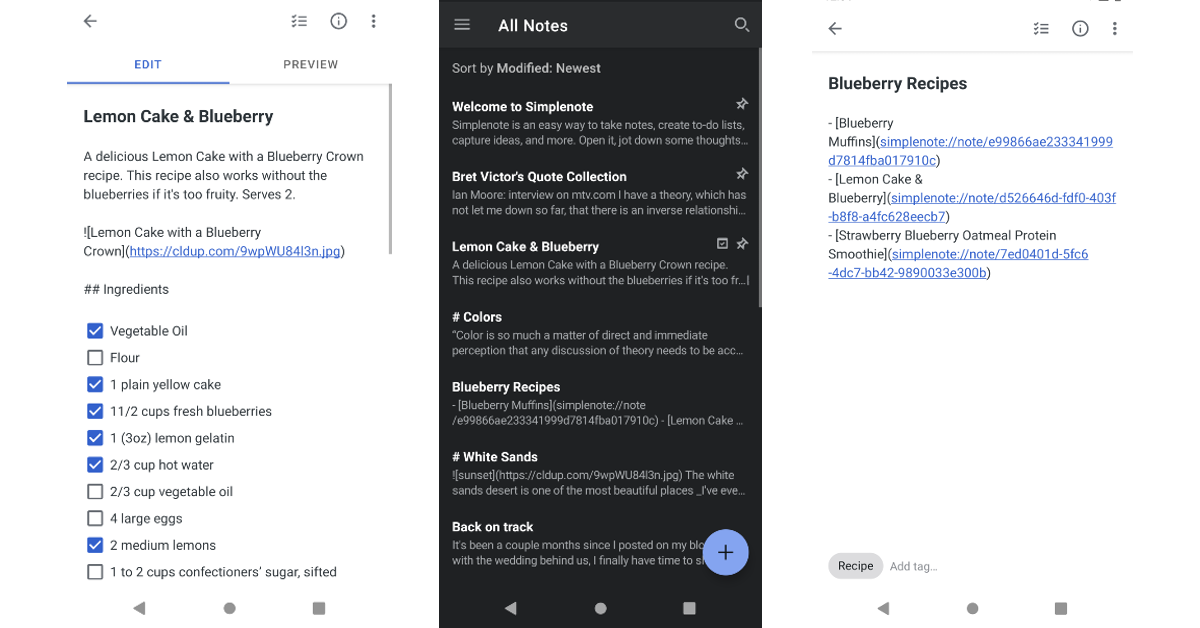
As the name suggests, Simplenote is a no-nonsense note-taking app for Android smartphones. The app does a fine job of organising your notes and syncs your files across all of your devices. You can add tags and pins to your notes to make them easier to find with a simple search. You can also collaborate with other users and share your notes with whomever you want. One of our favourite things about this app is that it lets you publish your notes directly to a WordPress site or account.

AccuBattery

Download from Google Play Store

AccuBattery

You should monitor your battery usage and charging pattern if you want to extend the battery’s lifespan. The AccuBattery app is the perfect tool for this app. This app gives you detailed metrics about the battery drainage during active usage and standby mode, app-wise breakdown of battery usage, real-time drainage stats, and charging patterns. We strongly recommend downloading this app on your new Google Pixel 9.

Read Also: How to view blocked contacts and phone numbers on Android

Conclusion

These are the top 10 apps for the new Google Pixel 9 Series. Google will reveal the Indian pricing of the Pixel Series tomorrow. Meanwhile, give us your price predictions in the comments! Also, let us know if we missed out on a Pixel-essential app that deserves to be on this list.

Garena Free Fire Max Redeem Codes Today 13 August 2024: Here is how to claim them

Garena Free Fire Max is a battle royale game with regular awards and tournaments to keep players interested. If you play Garena Free Fire, you should be aware of the redeem codes that are released on a daily basis. However, because the battle royale game is banned in India, players from other countries can use the Free Fire Redeem codes daily. If you’re unfamiliar with the Garena Free Fire redeem codes or don’t know how to get them, we’ve put together a step-by-step guide to help you redeem them. Check out Garena Free Fire Max Redeem Codes for 13 August  2024.

The Free Fire Max redeem codes are a great way to get free stuff. These are 12-digit codes that contain alphabets and numbers, as well as an expiration date and time. Because the Garena FF redeem codes cannot be used more than once, you should hurry to the redemption page to claim your free reward before someone else does. To get a free reward, all you have to do is go to reward.ff.garena.com/en, which is the official redemption page. Also, keep an eye on this space for daily updates on Garena Free Fire Max redemption codes and rewards.

Also Read: Sennheiser Accentum Plus wireless headphones with Hybrid Adaptive Noise Cancellation launched

Garena Free Fire Max Redeem Codes Today 13 August 2024

VFGV-JMCK-DMHN
NDJD-FBGJ-FJFK
VFGV-JMCK-DMHN
XJDJ-GFVD-FKVH
MRHN-UPYO-FADO
FF49-MLIK-ESGV
FFPL-FMSJ-DKEL
F2AY-SAH5-CCQH
5FBK-P6U2-A6VD
5XMJ-PG7R-H49R
XSDC-FVGH-JKLO
IUYT-BNJK-OPOL
FFGY-BGJI-GTCD
MJTF-AER8-UOP16
SD19-RKJ1-75GR
FFMC-LJES-SCR7

How to Get Free Fire Max Redeem Codes for Garena on 13 August 2024?

  • Visit the Garena Free Fire Max game’s official website at reward.ff.garena.com.
  • Use your Facebook, Google, VK, Apple ID, Huawei ID, or Twitter account to log in.
  • You’ll be taken to a valid redemption code (s)
  • Copy and paste the 12-digit redemption code into the text box.
  • On the screen, a dialogue box will appear.
  • ‘Ok’ should be selected.

For the latest gadget and tech news, and gadget reviews, follow us on TwitterFacebook and Instagram. For newest tech & gadget videos subscribe to our YouTube Channel. You can also stay up to date using the Gadget Bridge Android App. You can find the latest car and bike news here.

Amazon Quiz Answers Today 13 August 2024: Participate to win Rs 500 Amazon Pay Balance

13 August 2024: New Amazon Quiz is now available. Customers from different parts of the country are participating in the daily quiz. The quiz starts at midnight today and will be live until 11:59 PM tonight. By successfully answering every question, participants in the quiz have the chance to win wonderful rewards. A Rs 500 Amazon Pay Balance is up for grabs to participants today.

One wrong answer could eliminate you from the quiz. You have a chance to win Rs 500 Amazon Pay Balance if you successfully answer every question. Users of the app only have the opportunity to take the quiz. Check Out 13 August 2024 Amazon Quiz Answers.

Amazon Quiz Today Prize: Rs 500 Amazon Pay Balance

Quiz Date: 13 August 2024

Daily Timing: 12 AM to 11:59 PM

Previous Amazon Quiz Winners Announcement: Today 12 PM Noon

Amazon Quiz Answers Today 13 August 2024: Win ₹ 500 Amazon Pay Balance

Question 1: All of Silicon Valley Bridge Bank’s deposits and loans have been purchased by which bank?

Answer: First–Citizens Bank

Question 2: In 2023, who became the fastest Indian to take 50 wickets in IPL history?

Answer: Khaleel Ahmed

Question 3: For the first time in India, a metro rail test was successfully operated underwater in which city?

Answer:  Kolkata

Question 4: This animal was the most prestigious hunting target in which era of Europe?

Answer:  Medieval

Question 5: This President wanted to build a wall on which border?

Answer: Mexico

Also Read: Noise Buds Verve, budget TWS with up to 45 hours of playback launched in India

How To Play Amazon Quiz Today

Only app users are eligible to play the Amazon quiz every morning from 12 AM to 11:59 PM. The quiz is not available on the desktop. For those who are unaware of how to play the Amazon quiz, below are the steps, you can follow to take the quiz.

  • First, download the Amazon app from the Google Play Store or App Store or go here to download the Amazon App
  • Now fill in the required information through the Sign-Up option.
  • You need to log in to the Amazon app and scroll down on the home screen to find the Amazon Quiz banner.
  • Tap on the Amazon Quiz banner and tap on the Start button to start the Quiz.
  • Now you will get 5 questions and you need to answer them correctly. One wrong answer will eliminate you from the Quiz.
  • After answering all the questions correctly you are now eligible for a Lucky Draw.
  • The previous winner’s name will be announced today at 12 PM.

Amazon Daily Quiz Answers from the previous few days.

Here are all the answers from the previous 5 days of the Amazon Daily Quiz and Contest.

Amazon Quiz Answers Today 12 August 2024: Win ₹ 500 Amazon Pay Balance

Question 1: Who has been elected unopposed as the new president of the New Development Bank in 2023?

Answer: Dilma Rousseff

Question 2: Adani Group acquired the Karaikal Port in which Union Territory for Rs 1,485 crores?

Answer: Puducherry

Question 3: India’s first semi-high-speed regional rail service is named what?

Answer: RapidX

Question 4: Which species of this animal has the widest range of all non-human primates?

Answer: Rhesus Macaque

Question 5: The phenomenon of El Nino affects which ocean?

Answer: Pacific

Amazon Quiz Answers Today 8 August 2024: Win ₹ 500 Amazon Pay Balance

Question 1: Which of these batters scored a century during India’s recent 5-match T20I series against Zimbabwe?

Answer: Abhishek Sharma

Question 2: In May 2025. the ___ edition of the Mission Impossible movie franchise is going to be released. Fill in the blanks

Answer: 8th

Question 3: In which present-day Indian state was the Battle of Buxar, which saw the East India Company emerge victorious fought?

Answer: Bihar

Question 4: This is a view of the City Palace in which Indian city?

Answer: Jaipur

Question 5: Valletta is the capital of which country, whose flag is shown here?

Answer: Malta

Amazon Quiz Answers Today 7 August 2024: Win ₹ 500 Amazon Pay Balance

Question 1: Which of these sportspeople would be one of the flagbearers for the USA at the 2024 Paris Olympics?

Answer: Coco Gauff

Question 2: The upcoming Bollywood movie ‘Deva’ stars Pooja Hegde along with which famous actor?

Answer: Shahid Kapoor

Question 3: Alcazar, Exter, Palisade and Tucson are car models from which brand?

Answer:  Hyundai

Question 4: This is a statue of which saint in Belfast, is associated with a day that is a holiday in some places?

Answer:  St Patrick

Question 5: What is the musical instrument shown here?

Answer: Pan flute

Amazon Quiz Answers Today 6 August 2024: Win ₹ 500 Amazon Pay Balance

Question 1: What is the name of the mascot of the 2024 Paris Olympics?

Answer: phryge

Question 2: Who is playing the character of Harley Quinn in the movie ‘Joker: Folie a Deux/ Joker 2’?

Answer: Lady Gaga

Question 3: Who succeeded the 19th Mughal emperor Akbar Shah II to the throne?

Answer: Bahadur shah zafar

Question 4: Which Nobel laureate is shown here?

Answer: Marie Curie

Question 5: The flag of which country is shown here?

Answer: Armenia

Amazon Quiz Answers Today 5 August 2024: Win ₹ 500 Amazon Pay Balance

Question 1: Who was the top scorer for India in the T20 World Cup final 2024?

Answer: Virat Kohli

Question 2: The Last Dance’ is the tagline of the 3rd of a series of movies with whom as the central character?

Answer: Venom

Question 3: British Shorthair, Ragdoll and Abyssinian are types of what animal?

Answer:  Cat

Question 4: Which famous place in the UK is shown here?

Answer:  Trafalgar Square

Question 5: Which famous person is depicted in this statue?

Answer: Napoleon Bonaparte

Amazon Quiz Answers Frequently Asked Questions (FAQs)

Where can I check the previous winners? Did I win how to check?

You can head over to this link on your mobile or desktop to check the winners of the Amazon Daily Quiz Contest.

How to Play Amazon Daily Quiz or Contest?

We have written an explainer above, you can refer to that.

When are the winners of the Amazon Quiz and contest announced or declared?

The announcement of today’s Amazon quiz winner will take place Tomorrow. As for the Special Quiz and “Spin & Win” Contest, the winners will be declared once the Quiz Contest comes to an end. To find out who the lucky winner is, you can refer to the Amazon Quiz Winners List or visit the Amazon Winners tab in the Amazon App.

How to participate in the Daily Amazon Quiz?

That is very easy, just got to the Amazon app and scroll to the bottom of the page and you will find the Quiz section. Click on it (usually it is called the fun zone) and you can enter the Amazon Today Quiz Contest. 

Are there any other quizzes or contests running on Amazon daily?

Yes, there are many running on a daily basis. These range from spinning the wheel to answering the questions correctly. All are located in the Fun Zone. 

What are the criteria for selecting a winner in the Daily Amazon Quiz?

When a qualified player submits correct answers to all the questions, they will automatically be entered into a lucky draw. This draw will include all participants who answered all the questions correctly. Amazon randomly selects the final winners from the pool of eligible participants who gave the right answers.

Which Types of Questions are asked within Amazon Daily Quiz?

These are very simple and straightforward questions. These are mainly related to general knowledge. 

Where should I look for Amazon Daily Quiz answers?

You can bookmark this page as we will help you every day with the Amazon Daily Quiz. We bring you fresh answers every day for the Amazon Daily Quiz and Contest. 

What time does Amazon Announce previous winners?

The previous winner’s name will be announced today at 12 PM (noon).

For the latest gadget and tech news, and gadget reviews, follow us on TwitterFacebook and Instagram. For newest tech & gadget videos subscribe to our YouTube Channel. You can also stay up to date using the Gadget Bridge Android App. You can find the latest car and bike news here.

Google Pixel 9 Series launching today: How to watch, expected pricing and specs details

Key Highlights

  • At its “Made by Google” Launch Event the firm will unveil the Pixel 9 Series, a flagship Android lineup.
  • Includes Pixel 9, Pixel 9 Pro, Pixel 9 Pro XL, and Pixel 9 Pro Fold.
    The launch event will be held live on Google’s official YouTube channel and website.
  • Exclusive India launch event on August 14 for country-specific announcements about the Pixel 9 series.

Google will be hosting a “Made by Google” event today. At the launch event, Google will unveil its much-anticipated flagship Android lineup, the Pixel 9 Series, which is expected to include the Pixel 9, Pixel 9 Pro, Pixel 9 Pro XL, and Pixel 9 Pro Fold. In addition to the smartphones, the firm will debut the updated Pixel Watch 3, and Pixel Buds Pro 2. Here’s a look at the Pixel 9 series’ specifications, pricing, and how to watch the launch event live.

Here is how to watch the Pixel 9 Series launch event

Today, the tech giant Google will finally launch its Pixel 9 Series worldwide. In addition to the smartphones, the firm will release Pixel Buds Pro 2 and Pixel Watch 3. The Made By Google 2024 Keynote will commence at 10:30 p.m. in India on the company’s official YouTube channel and website. Notably, Google plans to host an exclusive India launch event on August 14, during which the firm will make Country-specific announcements about the Pixel 9 series.

We have also embedded the watch link below.

What to expect?

According to speculations, Google’s Pixel 9 Pro Fold will be available in two capacities: 256GB and 512GB, with prices starting at $1,799 and $1,919. The original Pixel Fold, which was released last year, is available for the same price. Despite the high pricing of US versions, the foldable will make its debut in India, becoming the first Google foldable to do so.

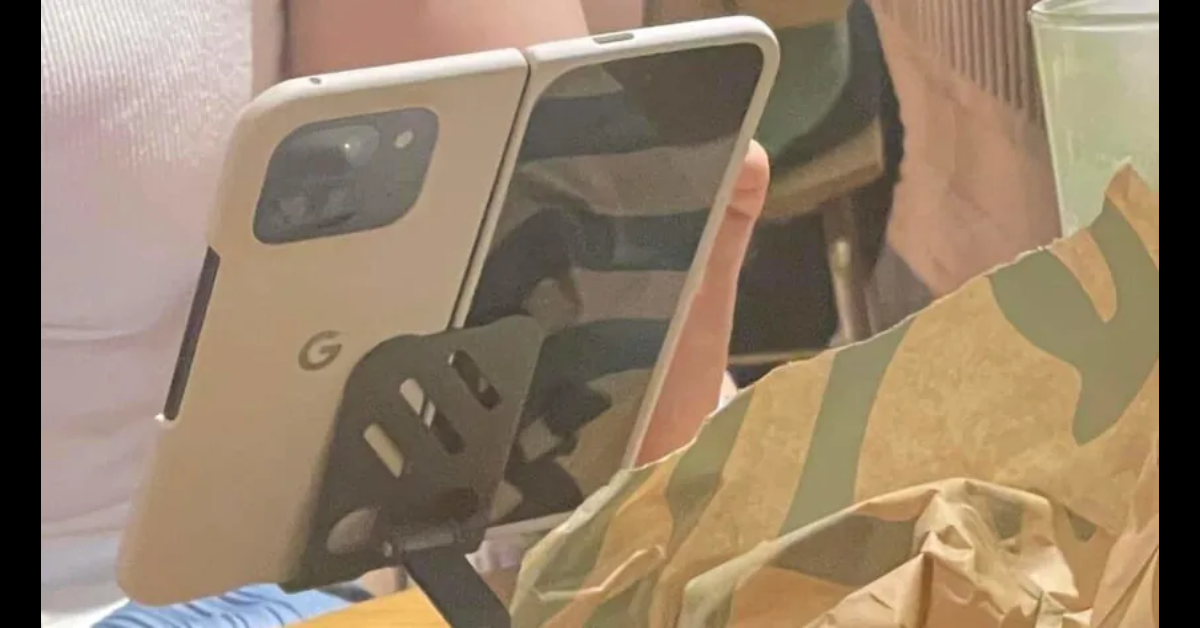
Google Pixel 9 Pro Fold camera specs revealed, spotted listed on Camera FV-5
Image Courtesy: Android Authority

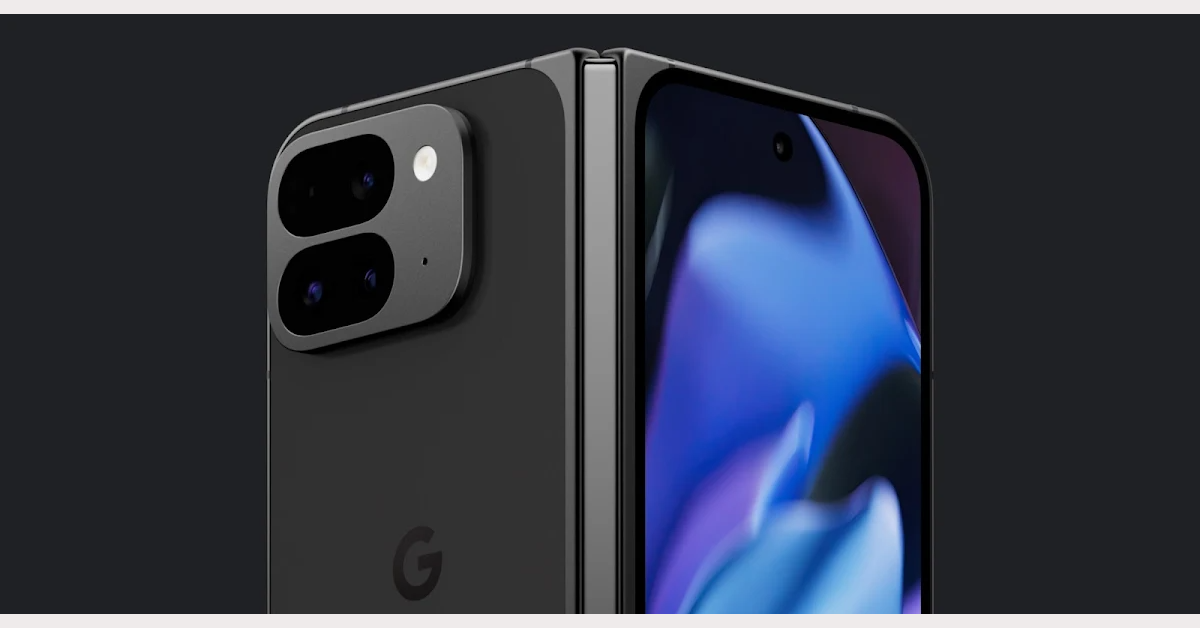
Obsidian and porcelain are the anticipated colours for the foldable Pixel 9 Pro Fold. The display will feature two screens: a 6.3-inch Actua cover display and an 8-inch Super Actua primary display. The screens will be larger on either side. It is expected that the smartphone will include AI features like Circle to Search, Magic Editor, and Best Take. Users can make a group photo more coherent by adding someone to it using the ‘Add Me’ tool. Comparing the new model to the Pixel Fold, the latter may have a smaller screen on one side.

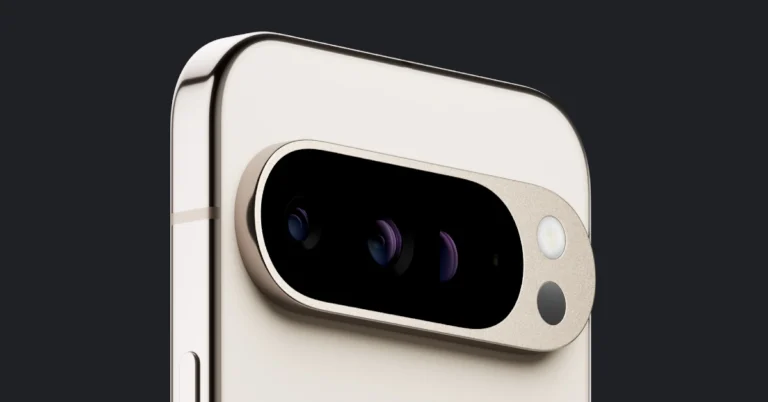
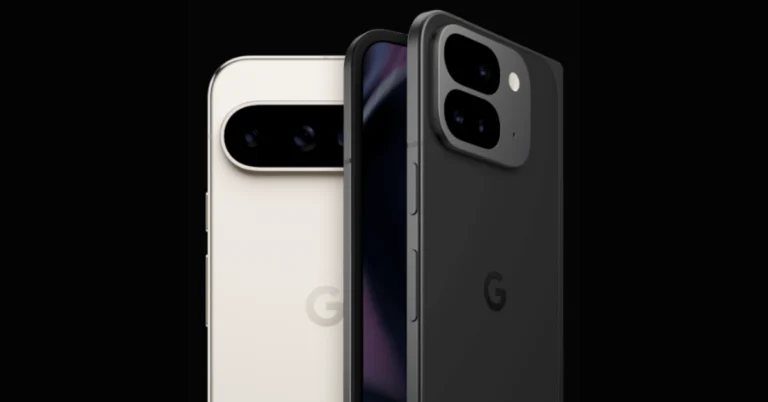
The Pixel 9 Pro Fold, as well as its hinge mechanism and external display, are featured in a teaser video in an off-white colour similar to Google’s characteristic porcelain tone. The foldable appears to have a notable rounded-corner rectangular bump for the camera, with the two layers of the lens arrangement stacking vertically. The new Fold features four cameras on the back, one of which appears to be a periscope lens.

Here is how much the Google Pixel 9 Pro Fold would cost
Pixel 9 Pro Fold

Google’s Tensor G4 processor will likely power the Pixel 9 Pro and Pixel 9 Pro Fold. The 9 Pro is most likely backed by a 4,558mAh battery capable of at least 25W of cable quick charging. According to the NCC listing, the Fold will have a 4,560mAh battery capable of charging at 20.25W.

According to leaked information, the Google Pixel 9 Pro XL would include a 6.8-inch OLED display with a resolution of 2992 x 1344 pixels and 3,000 nits brightness, protected by Corning Gorilla Glass Victus 2. The phone will be powered by the Tensor G4 chipset and the Titan M2 for security, which are expected to outperform the Tensor G3 on the Pixel 8/8 Pro.

Also Read: Philips Dual Basket Air Fryer – 3000 Series with Rapid Air Technology launched in India

The Pixel 9 Pro XL will run Android 14, not Android 15 because the launch has been pushed ahead of the regular October cycle. The camera setup consists of a 50MP primary camera with f/1.68 aperture, a 48MP ultra-wide-angle lens with f1.7 aperture, and a 48MP telephoto sensor with f/2.8 and a 5x telephoto sensor. The front camera features a 42MP sensor, up from 10.8MP on the Pixel 8 Pro. The smartphone will also include 16GB of RAM and up to 1TB of storage.

It is anticipated that the Pixel 9 Pro XL will have 16GB of RAM, 128GB of base storage, and a 1TB option. It is reported that the phone will set you back $1,100, or Rs 92,300. There are rumours that the 256GB model will cost $1,200, or approximately Rs 1,01,000. The prices of the other variants in the US are unknown at this time, however, the 512GB model is reportedly priced at EUR 1689 about Rs 154,900 and EUR 1,429 around Rs 1,31,000.

The base Pixel 9 might run you between $650 and $700, or roughly Rs 59,000.


The Google Pixel 9 Pro is likely to feature a 6.34-inch screen with a resolution of 1,280 x 2,856 and a 120Hz refresh rate. It is said to be powered by a Tensor G4 chipset and Titan M2 security chip. The phone could also pack a 4,600mAh battery, 30W charging support, 8GB RAM, and 256GB UFS 4.0 storage. It may come with a triple camera setup, including a 50MP primary sensor, 50MP ultrawide lens, and 50MP telephoto shooter, and a 50MP selfie camera.

Also Read: Oppo F27+ Pro 5G confirmed to receive GenAI features, Oppo F27 5G to also launch in India soon

The Watch 3, which is expected to be available in 41mm and 45mm widths, and the Buds Pro 2, a high-end TWS earphone competing with the AirPods Pro and Galaxy Buds 2 Pro, will be unveiled by Google.

How to view blocked contacts and phone numbers on Android

0

Your Android phone offers a quick and easy solution to keep calls from unwanted contacts at bay. Wherever you see a phone number on your device, you can long-press it or explore its options to add it to the block list. If you accidentally blocked the wrong number, you’ll need to find the block list to make the necessary changes. Here’s how you can view blocked contacts and phone numbers on your Android phone.

Read Also: Philips Dual Basket Air Fryer – 3000 Series with Rapid Air Technology launched in India

Managing spam on Android phones

The frequency and volume of telemarketing spam calls are at an all-time high. If you own a smartphone, not only do you have to manage ads disguised as incoming calls but also keep your message inbox free from junk texts. Your Android phone makes it easy to limit spam by offering useful features in the dialer and messaging apps.

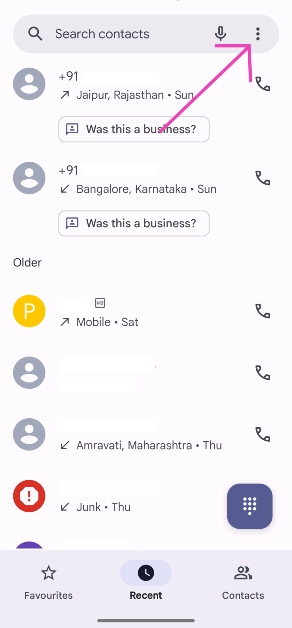
If you’re a stock Android user, the Google Phone and Messages app has the tools you need to filter incoming calls and messages on your device. On the Messages app, go to Message settings>Spam protection and turn on its toggle switch to filter out the spam texts. Similarly, on the Phone app, go to Settings>Blocked numbers and turn on the toggle switch next to ‘Unknown’. You can also use third-party apps like Truecaller, SpamHound SMS Spam Filter, and SMS Shield to keep your phone spam-free.

View blocked contacts and phone numbers on Android

Step 1: Launch the native Dialer app on your Android phone.

Step 2: Hit the ellipses at the top right corner of the screen.

Step 2: Hit the ellipses at the top right corner of the screen.

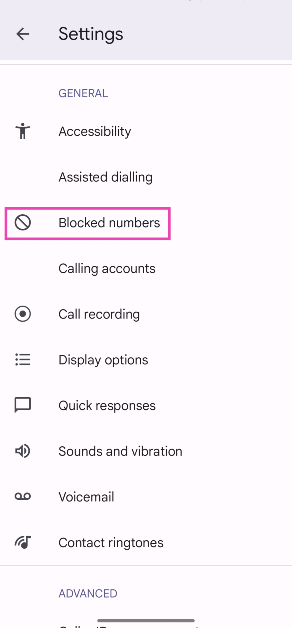
Step 3: Tap on Settings.

Step 4: Tap on Blocked numbers.

Step 4: Tap on Blocked numbers.

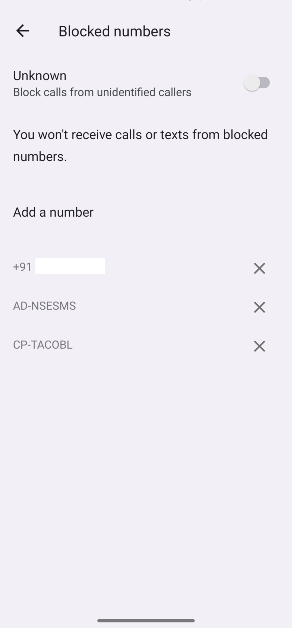
Step 5: This is where you’ll find the contacts and phone numbers you have blocked. Hit the cross icon next to an entry to remove it from the block list.

Step 5: This is where you’ll find the contacts and phone numbers you have blocked. Hit the cross icon next to an entry to remove it from the block list.

Block a contact or phone number on Android

There are a few ways to about blocking phone numbers on your Android phone. You can directly block numbers from the messaging app, dialer, or contacts. All you need to do is tap the ellipses next to the number and hit the block button. If you want to block a number before it contacts you, you can manually add it to the block list by going to Dialer>Settings>Blocked numbers>Add a number.

Frequently Asked Questions (FAQs)

How do I view blocked contacts on my Android phone?

Launch the dialer app, go to Settings, and select ‘Blocked numbers’ to view your block list.

How do I manually add a number to the block list?

Go to Dialer>Settings>Blocked numbers and tap on ‘Add a number’. Enter the phone number and hit ‘Block’.

How do I filter calls from unknown numbers on my Android phone?

Go to Dialer>Settings>Blocked numbers and turn on the toggle switch next to ‘Unknown’.

Read Also: How to generate free AI images using Dall-E on ChatGPT (2024)

Conclusion

This is how you can view the blocked contacts and phone numbers on your Android phone. The block list for third-party messaging apps like WhatsApp and Telegram can only be viewed within those apps. While you’re here check out how you can stop call forwarding on your Android phone. If you have any other questions, let us know in the comments!

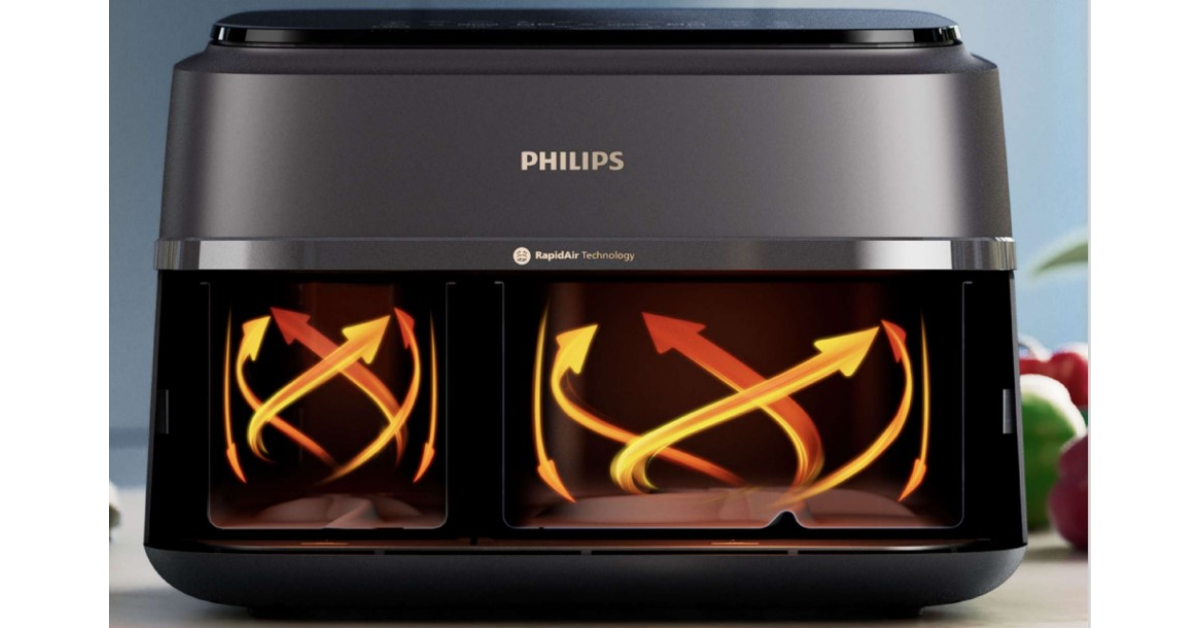
Philips Dual Basket Air Fryer – 3000 Series with Rapid Air Technology launched in India

Key Highlights

  • Philips Dual Basket Air Fryer – 3000 Series caters to busy households, cooking larger meals in a single session.
  • It features a patented starfish design, rapid air technology, and enhanced features.
  • Convenient cooking utensil with two asymmetrical baskets and 9-litre capacity.

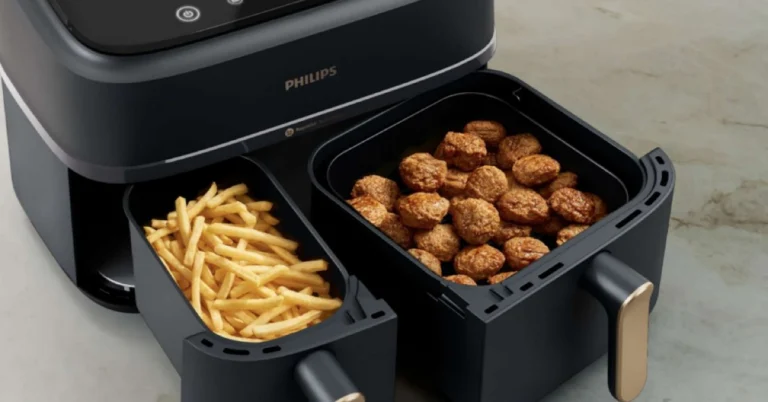
The Philips Dual Basket Air Fryer – 3000 Series has officially debuted in India today. As the name suggests it is a dual-basket air fryer featuring Rapid Air Technology. The asymmetrical baskets cater to different ingredient needs, allowing consumers to make main and side dishes simultaneously.

Philips has introduced the Dual Basket Air Fryer – 3000 Series, a new air fryer designed to cook nutritious and flavourful meals quickly. This cutting-edge gadget caters to busy households by allowing customers to cook larger amounts of meals in a single session. It has a patented starfish design, rapid air technology, and enhanced features that guarantee properly cooked, flavourful food every time.

The Philips Dual Basket Air Fryer – 3000 Series is a convenient cooking utensil with two asymmetrical baskets and a total capacity of 9 litres. It lets you cook larger quantities or two distinct foods at once, catering to vegetarian, non-vegetarian, and sweet/savoury preferences. The asymmetrical shape promotes better ingredient proportions, with the larger basket suitable for main courses, fries, and favourite dishes.

Philips Dual Basket Air Fryer – 3000 Series with Rapid Air Technology launched in India

The Philips RapidAir Plus Air Fryer boasts a Synchronised Cooking Option, which ensures that all components fry at the same time, making the process easier and less time-consuming. This feature, together with the TIME function, guarantees that every ingredient cook properly together, making the cooking process simple and hassle-free.

Also Read: Oppo F27+ Pro 5G confirmed to receive GenAI features, Oppo F27 5G to also launch in India soon

With Philips RapidAir Plus Technology and a patented starfish design, this air fryer ensures optimal air circulation, resulting in precisely cooked food every time, with no chance of undercooking or overcooking. With eight preset settings, consumers can make a variety of stuff, including French fries, frozen snacks, chicken, vegetables, fish, and even cakes, all with a single appliance.

The air fryer connects to the HomeID app, which gives users access to a variety of quick meal ideas that take less than 30 minutes to prepare, allowing them to easily cook healthy and delicious meals.

The Philips Dual Basket Airfryer – 3000 Series will be available for purchase at Rs 16,995 from the official Philips Domestic Appliances website, D2C, Amazon, and modern trade outlets such as Reliance, Croma, and Vijay Sales.

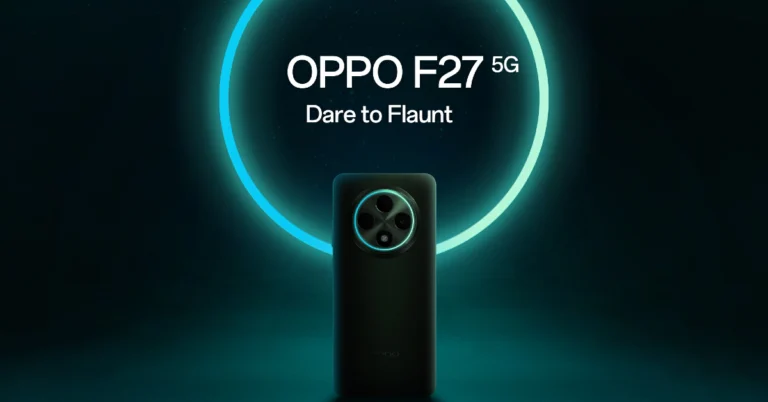
Oppo F27+ Pro 5G confirmed to receive GenAI features, Oppo F27 5G to also launch in India soon

Key Highlights

  • Oppo F27+ Pro to Get Advanced GenAI features.
  • Sales of F27 Pro+ 5G increased by 65% over F25 Pro.
  • Oppo F27 5G is confirmed to be released soon.

Soon an OS upgrade for Oppo F27+ Pro 5G will bring advanced Generative Artificial Intelligence (GenAI) to the device. The phone is IP66, IP68, and IP69-rated. The smartphone comes equipped with a 5,000mAh battery that supports up to 67W charging and a 3D curved OLED screen with a refresh rate of 120Hz. It is powered by the MediaTek Dimensity 7050 SoC. A dual back camera with a 64-megapixel main sensor is also included.

Oppo today officially announced, on August 22, Oppo F27+ Pro will get advanced Generative Artificial Intelligence (GenAI) features in an OS update. In addition to this, the company has revealed that sales of the OPPO F27 Pro+ 5G have increased by 65% over the F25 Pro. Besides this it will release the F27 5G soon, building on the popularity of the F27 Pro+ 5G.

Oppo F27+ Pro GenAI features

According to the company, the GenAI of the OPPO F27 Pro+ 5G will benefit customers by increasing their creativity and productivity. AI Eraser 2.0 has a 98% image recognition accuracy and only requires a few touches to eliminate undesirable items and photobombers from photographs. Users can crop several items or subjects from a single picture using AI Smart Image Matting 2.0. You may make amusing memes by saving these cutouts as stickers and adding them to images. AI Studio makes it possible to create AI-generated images using visually appealing templates, such as cyberpunk heroes, astronauts, and cowboys.

Also Read: Samsung Galaxy S24 FE specs leaked again: Here are the details

Additionally, the gadget will have AI LinkBoost, which detects when you enter or depart lifts intelligently and ensures a quick reconnection to the network, improving call quality and optimising network use. Network switching is seamless with AI LinkBoost, reducing disruptions and delays.

Oppo F27 Pro+ 5G specifications

Oppo F27 Pro+ 5G flaunts a 6.7-inch full-HD+ 3D curved OLED screen with 2,412 x 1,080 pixels of resolution. The screen comes with Corning Gorilla Glass Victus 2 protection and it supports 950nits of local peak brightness. In addition to this, a 120Hz refresh rate and up to 240Hz touch sampling rate are also supported. It has Swiss SGS Premium Performance 5 Stars Drop Resistance certification and a MIL-STD 810H construction. Additionally, it has water and dust resistance certifications of IP69, IP68, and IP66.

The handset is driven by an octa-core MediaTek Dimensity 7050 SoC with 8GB of LPDDR4X RAM, and up to 256GB of UFS 3.1 onboard storage. It also comes integrated with ARM Mali-G68 MC4 GPU for graphics. The mobile phone is shipped with ColorOS 14.0 based on Android 14 out of the box.

Also Read: Samsung Galaxy S24 price in India slashed for a limited period: Details Inside 

Oppo F27 Pro+ 5G features a circular camera module with a Cosmos Ring around the camera sensors. The dual rear camera setup includes a 64-megapixel primary sensor and a 2-megapixel depth sensor. Upfront there is an 8-megapixel selfie camera.

The F27 Pro+ 5G is fueled by a 5,000mAh battery which has 67W SuperVOOC charging support. Moreover, the phone has an in-display fingerprint sensor for authentication.

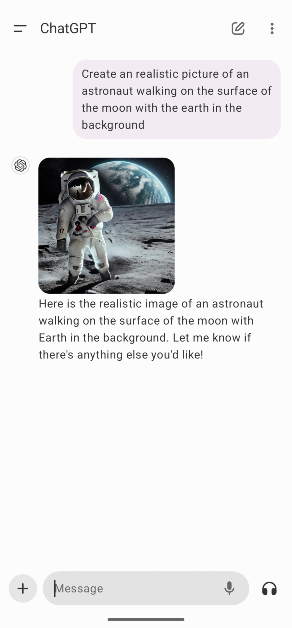
How to generate free AI images using Dall-E on ChatGPT (2024)

Dall-E was one of the first AI tools that broke the Internet. In 2022, the Internet was abuzz with wacky AI-generated images created using user-given prompts. Since then, the AI tool has only gotten better. Currently, in its third generation, Dall-E is able to produce creative, high-quality images by assessing the prompt given by the user. Initially, a part of the ChatGPT Plus package, OpenAI recently made the tool available to free users. The only catch is that it can only produce 2 free images per day. So, here’s how you can generate free AI images using OpenAI’s Dall-E 3 on ChatGPT.

Read Also: Why Will Apple Ask $20 A Month To Use Its AI Features?

Are there any good alternatives to Dall-E?

Dall-E is one of the best AI image tools around. Its context understanding, versatility, and creative output are second to none. However, if you’re a free user and have used up your two free prompts for the day, you’ll need some alternatives. Here are some other AI image-generation tools you can use.

  • Midjourney
  • Bing Image Creator
  • Dream by Wombo
  • Craiyon
  • Simplified
  • Fotor
  • Starryai

Generate free AI images using Dall-E on ChatGPT

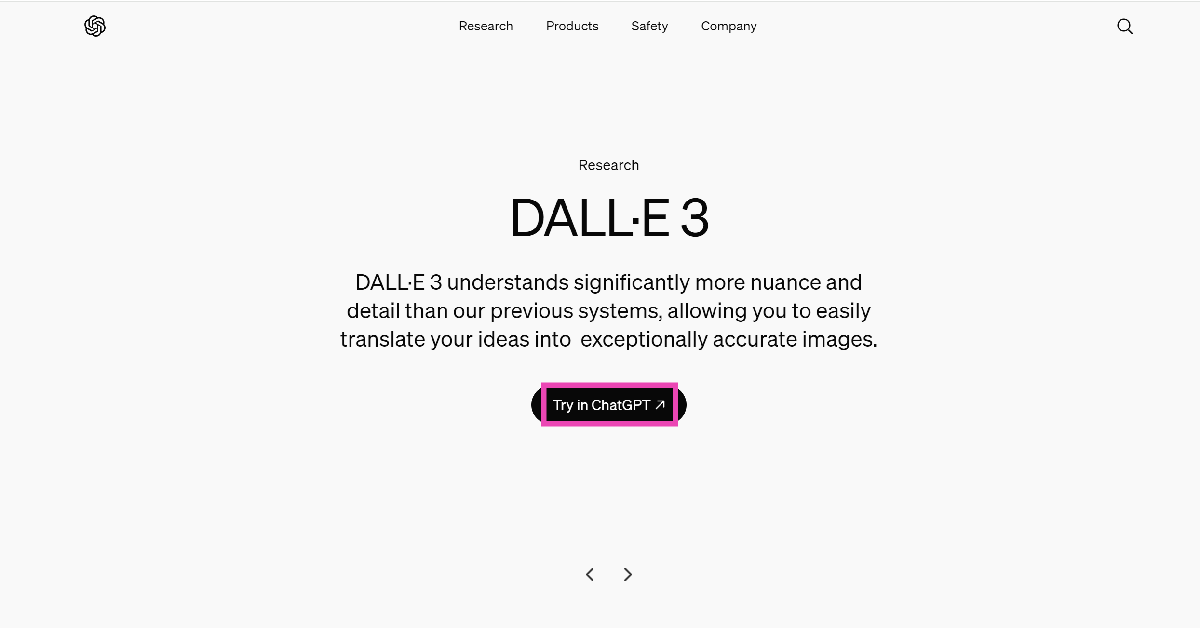
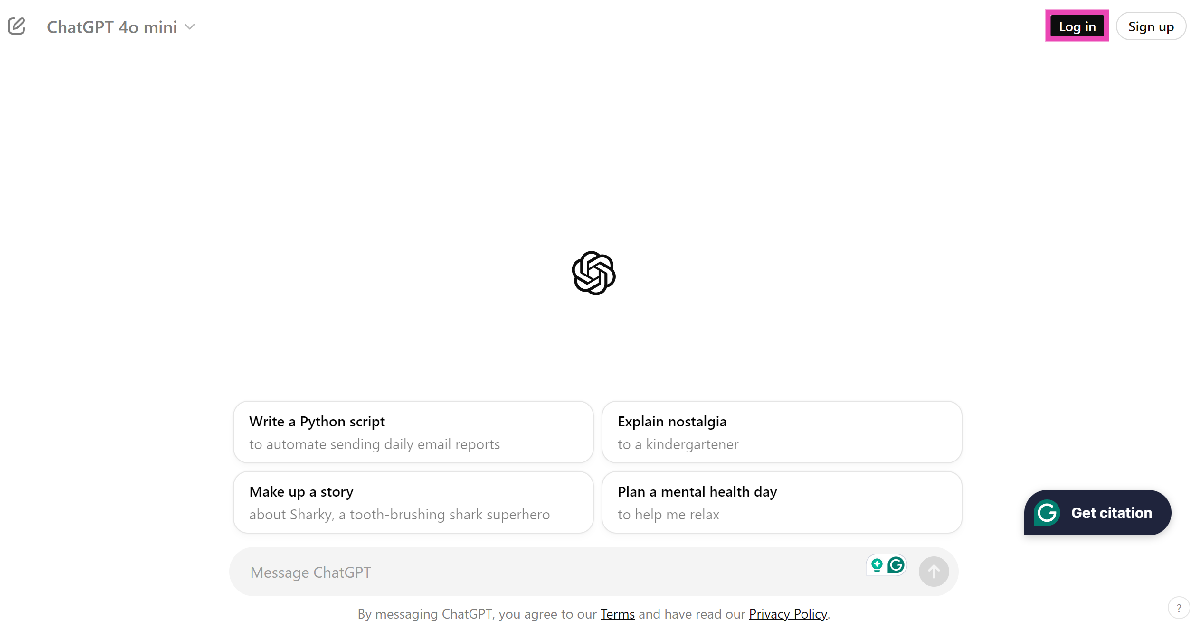
Step 1: Go to the official Dall-E 3 website and click on Try in ChatGPT.

Step 1: Go to the official Dall-E 3 website and click on Try in ChatGPT.

Step 2: Log into ChatGPT.

Step 2: Log into ChatGPT.

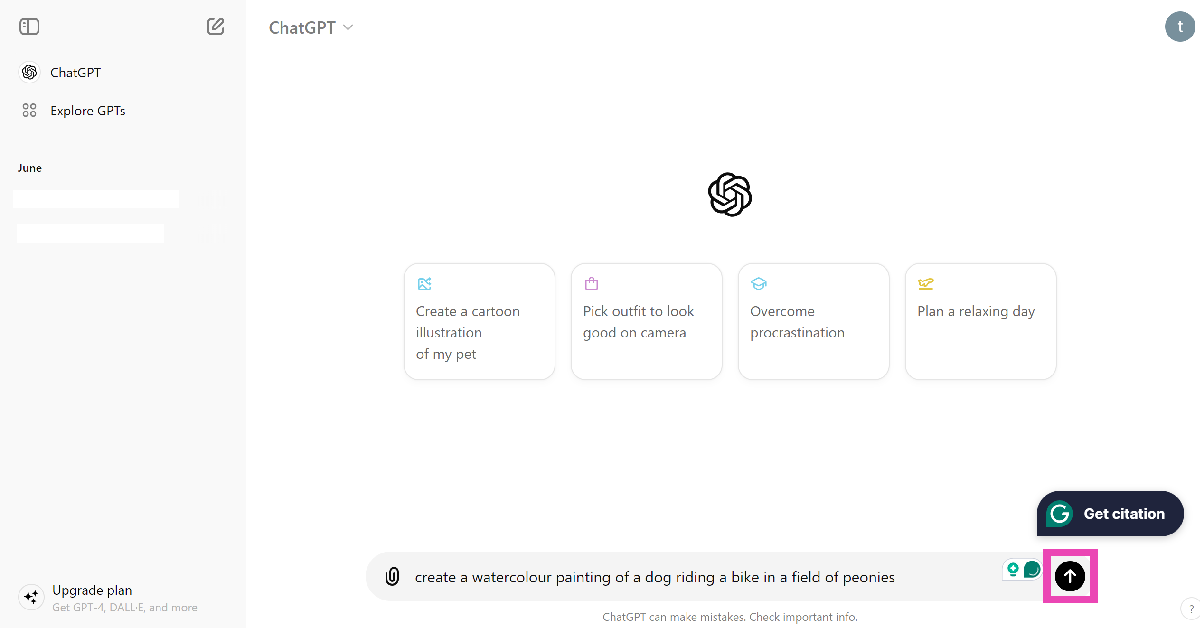
Step 3: Enter a prompt for the image. Make sure the prompt is well-detailed and touches upon several aspects of the image like the subject, style, and more.

Step 3: Enter a prompt for the image. Make sure the prompt is well-detailed and touches upon several aspects of the image like the subject, style, and more.

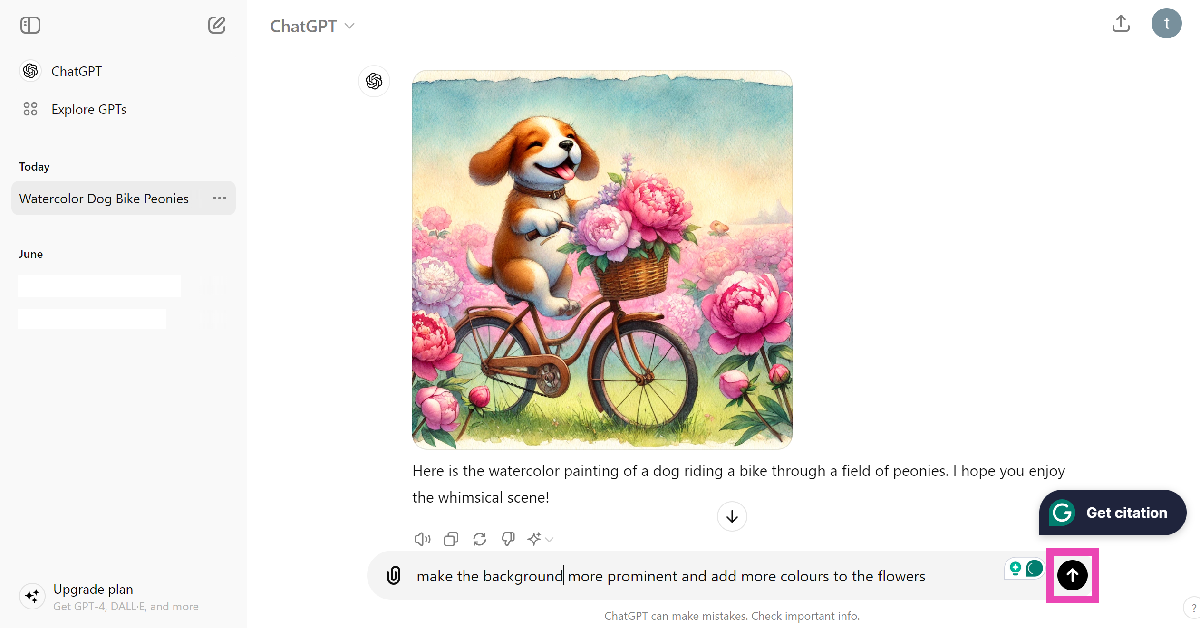
Step 4: Wait for a few seconds as ChatGPT generates the image.

Step 4: Wait for a few seconds as ChatGPT generates the image.

Step 5: If you have a follow-up prompt to improve the image, type it in the text box and hit Send.

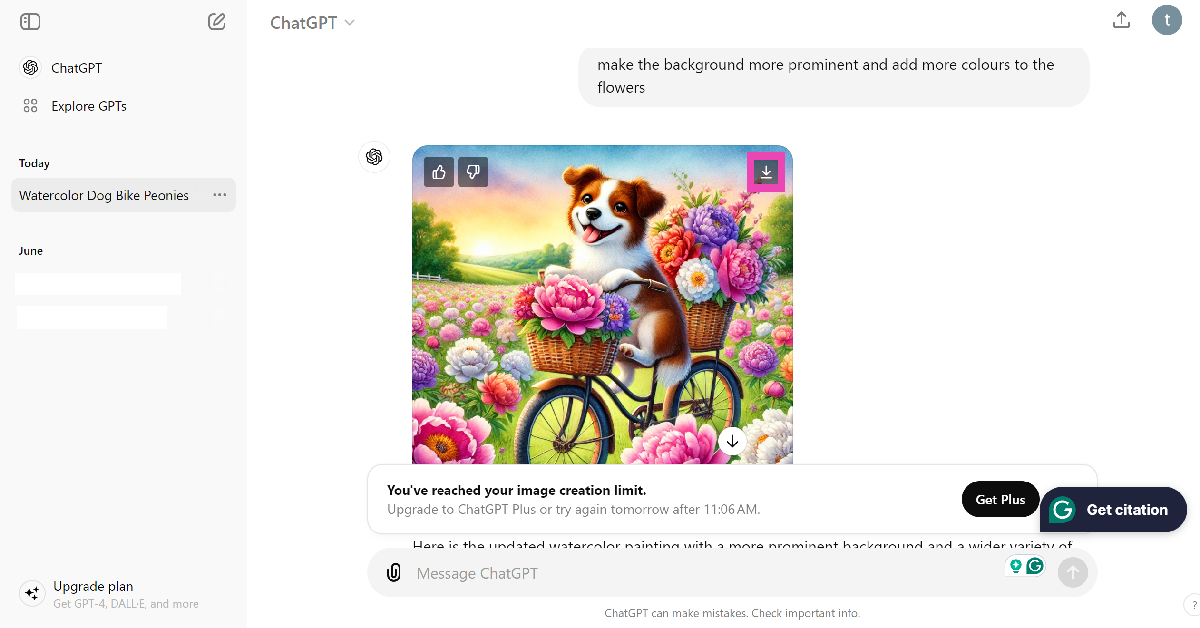
Step 6: To download an image, hover the cursor on it and hit the download button. As of now, you can only generate two AI images per day using Dall-E.

Step 6: To download an image, hover the cursor on it and hit the download button. As of now, you can only generate two AI images per day using Dall-E.

Generate free AI images using the ChatGPT app

Step 1: Download and install the ChatGPT app on your smartphone.

Step 2: Sign into your account.

Step 3: Enter an image prompt in the box and hit Send.

Step 3: Enter an image prompt in the box and hit Send.

Step 4: Tap on the image and hit Save at the bottom left corner of the screen.

Step 4: Tap on the image and hit Save at the bottom left corner of the screen.

Frequently Asked Questions (FAQs)

How do I create free AI images using Dall-E 3 for free?

OpenAI’s ChatGPT now lets you create free AI images using Dall-E 3. Simply go to the official ChatGPT website or install the app, enter the prompt, and wait for the chatbot to create the image.

Can I generate AI images on ChatGPT without an account?

At present, you need to log into ChatGPT to generate AI images for free. If you’re using ChatGPT without an account, you can only receive text-based answers from the chatbot.

How many free images can create using ChatGPT?

Regular ChatGPT users without a ‘Plus’ subscription can create a maximum of 2 free images per day using Dall-E 3.

Read Also: International Youth Day 2024: Best laptops for the younger generation

Conclusion

This is how you can generate free AI images using OpenAI’s Dall-E 3 on ChatGPT. AI tools have made it easy for users to create and spread misinformation at an alarming rate. Read this article to learn how to tell if an image is AI-generated. If you have any other questions, let us know in the comments!

Why Will Apple Ask $20 A Month To Use Its AI Features?

Key Highlights:

  • Apple may charge up to $20 in the USA or Rs 1,500 in India for Apple AI subscription per month for advanced AI features on its devices.
  • The premium pricing aligns with Apple’s tradition of offering high-quality, privacy-focused services.
  • The introduction of AI-powered features will start with iOS 18 and macOS Sequoia, with potential fees emerging by 2027.

Apple’s reputation for premium products is about to get another layer of exclusivity. As the tech giant gears up to launch its AI features with iOS 18 and macOS Sequoia later this year, reports suggest that Apple could soon be asking for a cool $20 a month from its users. Yes, you read that right—$20. That’s not just a price tag; it’s a statement.

But why would Apple, known for its high price points and devoted fanbase, slap another fee on its already pricey devices? Let’s break it down.

The Cost of Cutting-Edge AI

Developing artificial intelligence isn’t cheap. The infrastructure, the expertise, the research—it’s a colossal investment. Analysts believe that Apple, just like its competitors, will need to recoup these costs somehow. And what’s a more Apple-esque way to do that than through a monthly subscription?

Sure, other tech giants like Google and OpenAI already have their AI subscription models, but Apple’s approach will likely emphasize privacy and seamless integration. Think of it as paying for an AI butler who not only organizes your emails and generates images but also keeps your data under lock and key—right on your device, not floating around in the cloud.
Read Also: Here’s why Apple may have to reduce its app fees

Apple’s Premium Play

Apple’s AI ambitions are as lofty as its prices. The company isn’t just rolling out basic features; it’s planning a full-blown AI ecosystem that promises to reboot Siri into a formidable competitor against the likes of ChatGPT and Google’s Gemini. This transformation won’t just be a minor upgrade; it’s a complete overhaul that will demand significant resources, hence the premium pricing.

Moreover, Apple’s AI features are expected to evolve, becoming more advanced and specialized. This trajectory aligns with the company’s strategy of offering top-tier services at a premium. As Apple continues to refine and expand its AI capabilities, the likelihood of additional features—and additional fees—only increases.

Apple AI Subscription for the Future

While the idea of forking out Apple AI subscription at $20 a month might seem steep, consider this: Apple’s AI features will likely start rolling out without a price tag, giving users a taste of what’s to come. But by 2027, when these features are fully baked and indispensable, that subscription fee might not just feel reasonable—it might feel necessary.

And let’s be honest, Apple has trained its customers well. The introduction of services like Apple TV+ and iCloud+ shows that Apple knows how to monetize its ecosystem. Charging for advanced AI features will be a natural extension of this strategy, targeting not just individual users but also professionals and enterprises who can’t afford to miss out on the cutting-edge tech that Apple’s AI promises to deliver.
Read Also: Here’s why Apple may have to reduce its app fees

The Bottom Line

Apple I subscription will cost $20 a month in USA or Rs 1,500 in India for its AI features might seem audacious, but in the world of high-end tech, it’s just par for the course. As AI becomes more integrated into our daily lives, paying a premium for a superior, privacy-focused experience will likely be something many Apple users are more than willing to do. After all, when has Apple ever shied away from pushing the envelope—and its prices?

International Youth Day 2024: Best laptops for the younger generation

The International Youth Day is observed by the United Nations every year on August 12. The theme of this year’s International Youth Day is ‘Youth Digital Pathways for Sustainable Development’. This theme brings to light the youth’s contribution to driving sustainable development digitally. It also aims to make tech and digital products more accessible to younger people. Keeping up with the theme, here are some of the best laptops for the younger generation.

Read Also: Samsung Galaxy S24 FE specs leaked again: Here are the details

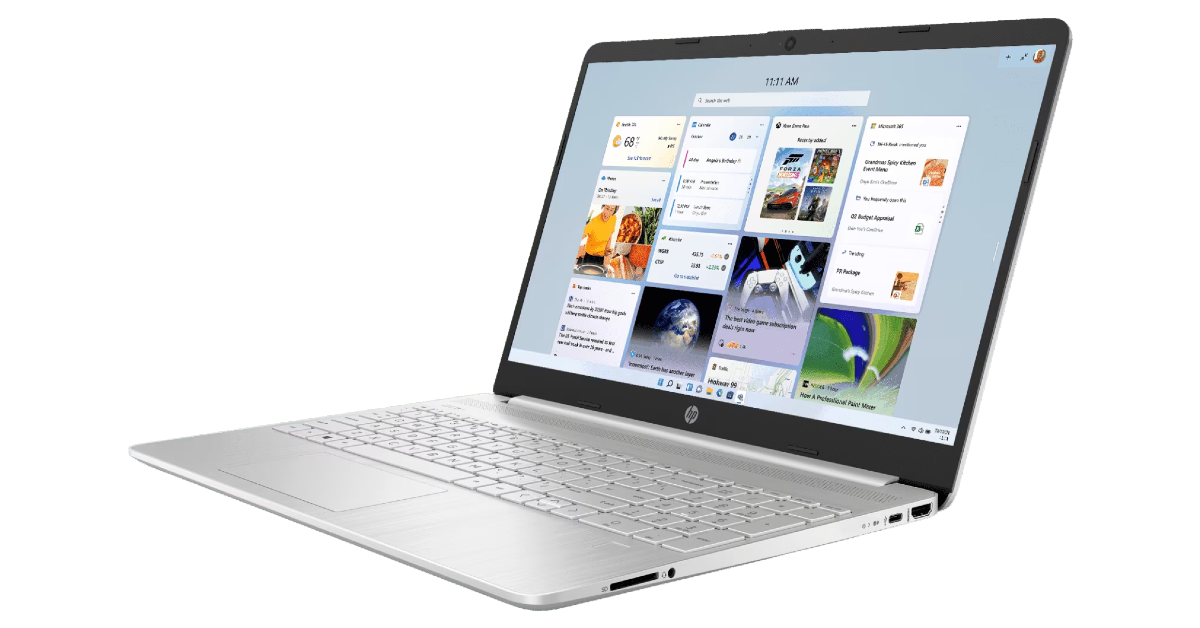
HP Victus 15-fa1312TX

Price: Rs 57,719 on HP.com

HP Victus 15-fa1312TX

The 15.6-inch HP Victus is a fine gaming laptop that doesn’t cost a pretty penny. It is powered by the Intel Core i5 processor and runs Windows 11 Home Single Language Edition out of the box. Also onboard is NVIDIA GeForce RTX 2050. The laptop is equipped with 8GB DDR4 RAM and 512GB SSD storage. The 15.6-inch display has a 144hz refresh rate and 9ms response time. The laptop also has a 720p camera and B&O speakers.

Lenovo IdeaPad Slim 3i

Price: Rs 57,491 on Lenovo.com

Lenovo IdeaPad Slim 3i

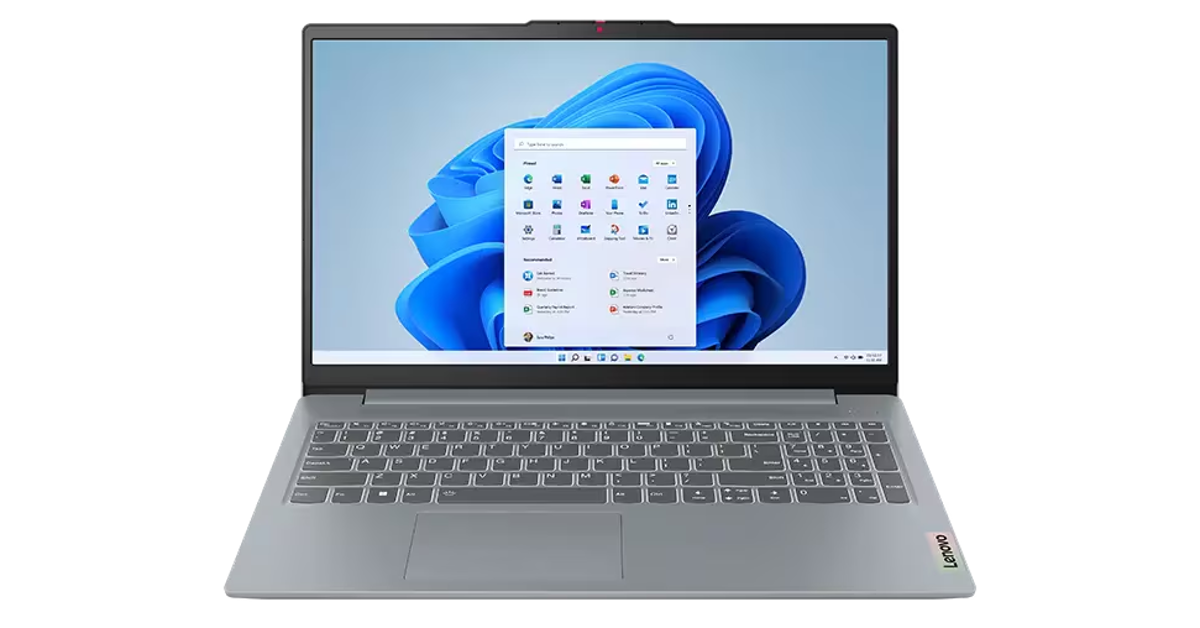
Priced at Rs 57,491, the Lenovo IdeaPad Slim 3i makes a good laptop for students and young people. It features the 13th-generation Intel Core i5-13420H processor and Windows 11 Home OS. There’s 16GB of LPDDR5 RAM and 512GB SSD M.2 2242 PCIe Gen4 QLC storage onboard. The 15.6-inch display has a 1,920 x 1,080p resolution and 60Hz refresh rate. It can reach a peak brightness of 600 nits. The laptop supports 65W charging.

HP 15s-fq5329TU

Price: Rs 50,028 on HP.com

HP 15s-fq5329TU

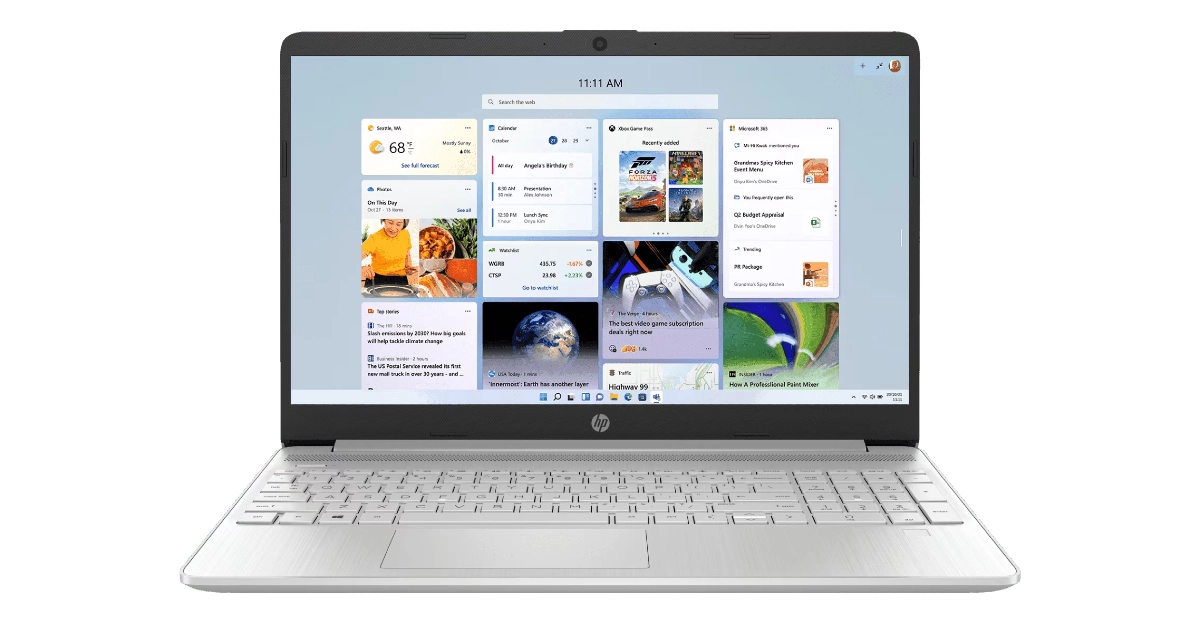
HP’s 15s-fq5329TU laptop for students is powered by the 12th-gen Intel Core i5-1235U processor. The laptop is integrated with Intel UHD graphics. The 15.6-inch display is equipped with anti-glare tech and can reach 250 units of brightness. The laptop comes with 8GB DDR4 RAM and 512GB SSD storage. Users also receive 25GB of free Dropbox storage for 12 months upon buying the laptop. The backlit keyboard on this laptop is full-sized, complete with a numeric pad. There’s also an expansion slot for an SD media card reader.

Acer Aspire 7

Price: Rs 50,990 on Acer.com

Acer Aspire 7

The Acer Aspire 7 is an exciting gaming laptop for the younger generation and is priced moderately as far as gaming machines go. At the heart of this laptop lies the 12th Generation Intel Core i5-12450H processor. Also onboard is the NVIDIA GeForce RTX 2050 graphics card. The 15.6-inch display has a 1,920 x 1,080p resolution and 144Hz refresh rate. There’s also 8GB DDR4 RAM and 512GB SSD storage on the device. The T-Type HD camera on this laptop can record 720p videos at 30fps with Temporal Noise Reduction.

Acer Aspire 3

Price: Rs 40,990 on Acer.com

Acer Aspire 3 International Youth Day 2024: Best Laptops for the younger generation

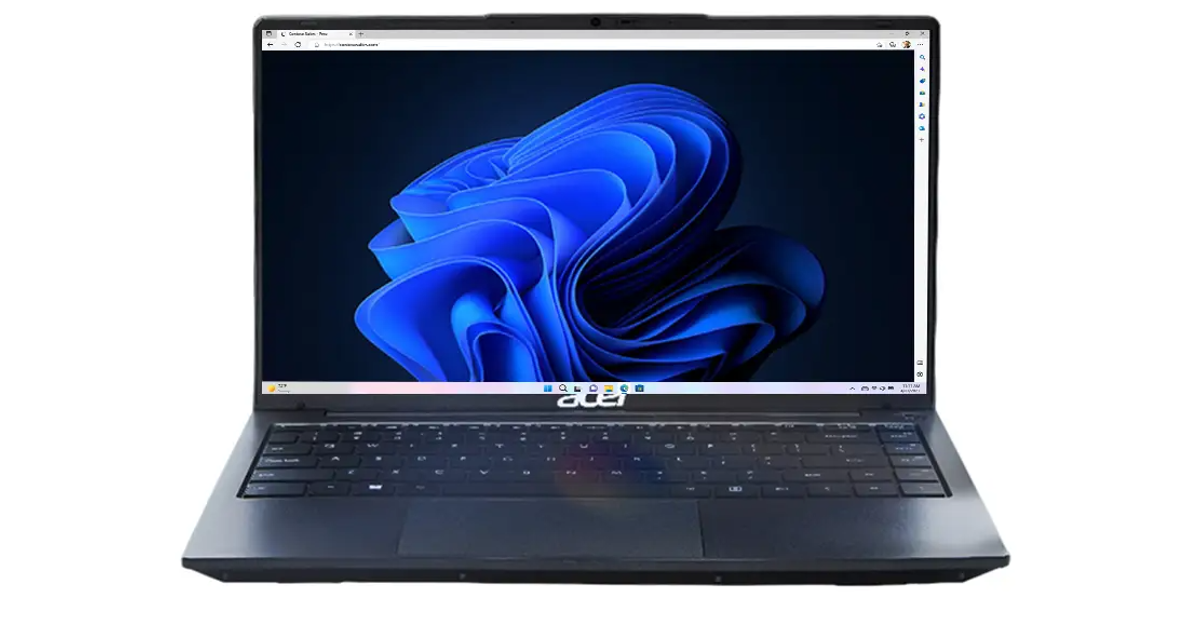
The Acer Aspire 3 is powered by the Intel Core i5-1235U processor and runs Windows 11 Home out of the box. Its 14-inch FHD display has a 1,920 x 1,080p resolution. The laptop comes with Integrated Intel Graphics. The 16GB RAM on the laptop can be upgraded to 64GB using two SO-DIMM modules. The Aspire 3 also packs 512GB of SSD storage. There are a total of 5 USB ports on this device – 2x USB 3.2, 1x USB 2.0, 1x USB Type-C, 1x USB Type-C (PD). The 2MP front-facing webcam has a privacy camera shutter.

HP 15s-fq5327TU

Price: Rs 41,499 on HP.com

HP 15s-fq5327TU International Youth Day 2024: Best Laptops for the younger generation

At Rs 41,500, the HP 15s-fq5327TU is one of the best laptops for the younger generation. It is packed with a 12th-generation Intel Core i3 processor and runs Windows 11 Home Single Language edition. The laptop comes with Integrated Intel UHD graphics. The 15.6-inch display can reach a peak brightness of 250 nits. Also onboard is the latest WiFi 5 and Bluetooth 5.0. Talking about the memory and storage, this laptop comes with 8GB RAM and 512GB SSD storage.

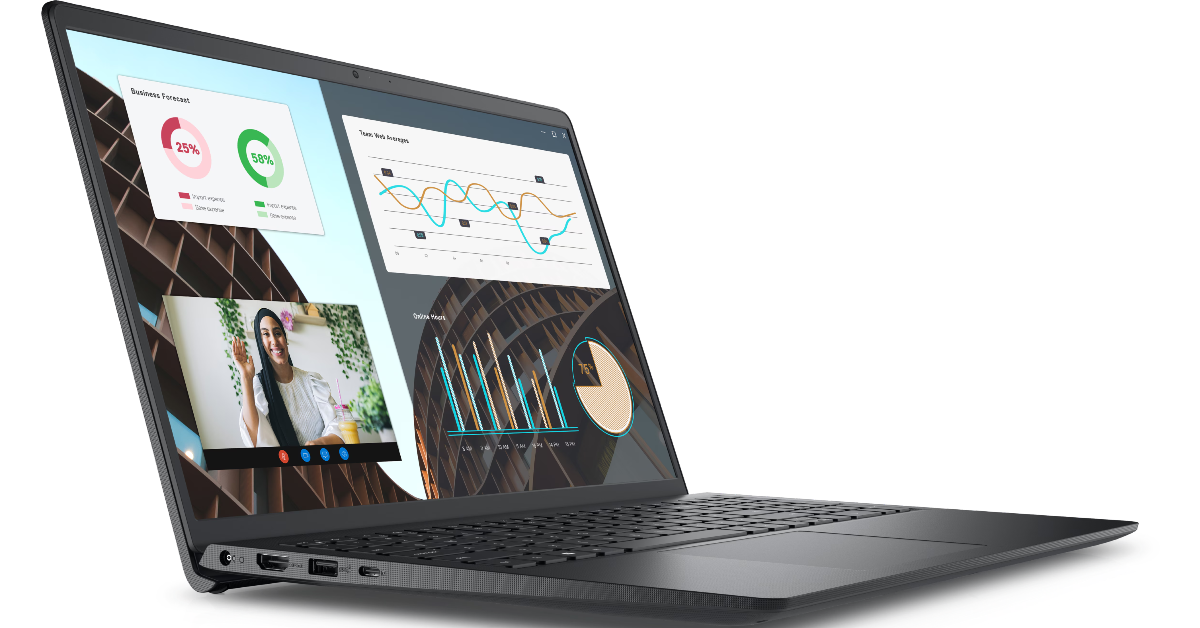
Dell Vostro 15

Price: Rs 38,490 on Dell.com

Dell Vostro 15 International Youth Day 2024: Best Laptops for the younger generation

The Dell Vostro 15 powered by the 13th-gen Intel Core i3-1305U processor is one of the best laptops under Rs 40,000 for students. The Vostro 15 runs Windows 11 Home Single Language OS out of the box. It is integrated with Intel UHD graphics. Also onboard is 8GB DDR4 RAM and 512GB SSD storage. The 15.6-inch FHD display has a 1,920 x 1,080 resolution and 120Hz refresh rate. It can reach a peak brightness of 250 nits. The front-facing camera can record 720p footage and has a single integrated microphone.

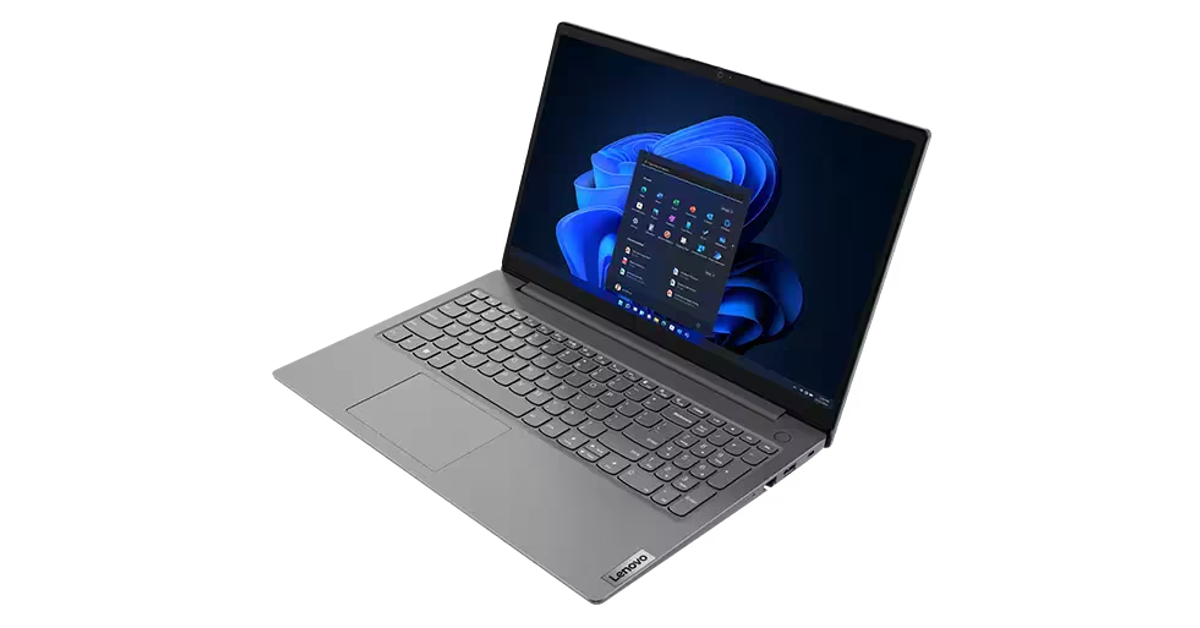
Lenovo V15

Price: Rs 33,991 on Lenovo.com

Lenovo V15 International Youth Day 2024: Best Laptops for the younger generation

The Lenovo V15 is powered by the 12th generation Intel Core i3-1215U processor and runs Windows 11 Home Single Language out of the box. The laptop gets Integrated Intel UHD Graphics for 12th-gen Intel processors. There’s 8GB of DDR4 RAM onboard, along with 512GB SSD storage. The 15.6-inch FHD display has a 60Hz refresh rate and 250 nits of brightness. There are 8 ports on the laptop, including USB C, USB A, HDMI, ethernet, 3.5mm headphone jack, and a Kensington Nano Security Slot.

Read Also: 2 ways to remove the screen rotation icon on your Android phone (2024)

Conclusion

These are the best laptops for the younger generation in 2024. Also, check out our International Youth Day list of the best smartphones for younger people in 2024. If there’s a laptop you’d like to add to this list, let us know in the comments!

Samsung Galaxy S24 FE specs leaked again: Here are the details

Key Highlights

  • Samsung Galaxy S24 FE is rumoured to feature a 6.7-inch AMOLED display.
  • It is likely to be powered by Exynos 2400 SoC.
  • Triple camera configuration: 8MP with 3x optical zoom, 12MP ultra-wide, 50MP primary sensor.

The Samsung Galaxy S24 FE has been leaked again, with details about its colours and design revealed. The ‘Fan Edition’ is likely to be a less expensive alternative to the original S24 which is a premium smartphone, with identical design and specs.

Since the Samsung Galaxy S24’s support website went up earlier this week, the phone’s launch is anticipated to be closer. This most recent leak strengthens the rumours concerning the phone’s specifications.

Similar to the Galaxy S24+, the Galaxy S24 FE is rumoured to sport a 6.7-inch AMOLED display with a 120Hz refresh rate and 1,900 nits of peak brightness. Additionally, the Exynos 2400 SoC—the same processor used with the Galaxy S24 and S24+ in India—is rumoured to power it. The Galaxy S24 FE is speculated to carry a 4,565mAh battery. Video playback is expected to last up to 29 hours, while audio playback can last up to 78 hours.
The triple camera configuration of the Galaxy S24 FE may consist of an 8MP camera with a 3x optical zoom, a 12MP ultra-wide camera, and a 50MP primary sensor. There are rumours that it will have a 10MP front camera.

Also Read: Samsung Galaxy S24 price in India slashed for a limited period: Details Inside

It is reported to include three cameras on its back: an 8-megapixel 3x optical zoom, a 12-megapixel ultra-wide camera, and a 50-megapixel primary camera. A 10-megapixel front camera might be included for taking selfies.

With an aluminium frame and Corning Gorilla Glass Victus+ protection, the Galaxy S24 FE is anticipated to come in five colours: blue, green, black, graphite, and yellow. Features including Live Translation, Sketch to Image, Circle to Search, Portrait Studio, and Generative Edit will be included in the Fan Edition of Galaxy AI.

The Galaxy S24 FE renders show a triple camera arrangement on the rear, led by a 50-megapixel primary sensor. Its design looks to be the same as that of the base Samsung Galaxy S24, with the SIM tray slot and USB Type-C connector positioned at the bottom and the power and volume keys located on the right side. It may be released in five colours: black, grey, light blue, light green, and yellow.

Also Read: iQOO TWS launch teased, coming soon to India 

There are rumours that the Samsung Galaxy S24 FE’s possible measurements are 162 x 77.3 x 8 mm. It is likely to feature a 6.65-inch screen. According to its purported Geekbench listing, it might run on the company’s proprietary Exynos 2400 SoC with 8GB of RAM. There could be 128GB and 256GB UFS 3.1 storage options available on Samsung’s next smartphone. It might have a 4,500mAh battery to power it.

Garena Free Fire Max Redeem Codes Today 12 August 2024: Here is how to claim them

Garena Free Fire Max is a battle royale game with regular awards and tournaments to keep players interested. If you play Garena Free Fire, you should be aware of the redeem codes that are released on a daily basis. However, because the battle royale game is banned in India, players from other countries can use the Free Fire Redeem codes daily. If you’re unfamiliar with the Garena Free Fire redeem codes or don’t know how to get them, we’ve put together a step-by-step guide to help you redeem them. Check out Garena Free Fire Max Redeem Codes for 12 August  2024.

The Free Fire Max redeem codes are a great way to get free stuff. These are 12-digit codes that contain alphabets and numbers, as well as an expiration date and time. Because the Garena FF redeem codes cannot be used more than once, you should hurry to the redemption page to claim your free reward before someone else does. To get a free reward, all you have to do is go to reward.ff.garena.com/en, which is the official redemption page. Also, keep an eye on this space for daily updates on Garena Free Fire Max redemption codes and rewards.

Also Read: Sennheiser Accentum Plus wireless headphones with Hybrid Adaptive Noise Cancellation launched

Garena Free Fire Max Redeem Codes Today 12 August 2024

W3AD-Z2F3-GH5S
R8HU-7JOL-K6TY
T5YH-BS2W-D4AP
N4M5-B6G7-8J9K
Z1QX-2CVD-BG5T
B47X-EK2P-O3LD
V3PD-H5YU-98IW
O8U7-Y6T5-R4E3
L0PM-9N8B-7V6C
X4Z5-C6V7-B8N9
A2S3-D4F5-G6H7
C1AB-2V3X-E4JT
7GF6-5GFR-4XEV
G3HS-4J5F-6K7L
Q8R9-UB7V-C6XT
P5LE-4Z3S-D2W1
M2KJ-H9DS-7F3X

How to Get Free Fire Max Redeem Codes for Garena on 12 August 2024?

  • Visit the Garena Free Fire Max game’s official website at reward.ff.garena.com.
  • Use your Facebook, Google, VK, Apple ID, Huawei ID, or Twitter account to log in.
  • You’ll be taken to a valid redemption code (s)
  • Copy and paste the 12-digit redemption code into the text box.
  • On the screen, a dialogue box will appear.
  • ‘Ok’ should be selected.

For the latest gadget and tech news, and gadget reviews, follow us on TwitterFacebook and Instagram. For newest tech & gadget videos subscribe to our YouTube Channel. You can also stay up to date using the Gadget Bridge Android App. You can find the latest car and bike news here.

OnePlus Nord 4 Review: Bang For Your Buck

The new Nord 4 by OnePlus was just released in the mid-range segment. For the price range, this mobile has pretty nice hardware. One of the device’s best features is its design along with a better OS update cycle, a larger battery, and a quick charging time. Therefore, considering the hardware it delivers, this is a rather nice package. However, in terms of experience, does it truly end up being a decent package? Let’s find out in this detailed OnePlus Nord 4 review.

OnePlus Nord 4 Review: Design and Display

The retail box ships the following:

  • The phone itself
  • A charging brick
  • A USB Type-A to USB Type-C Red Cable
  • A translucent TPU cover
  • Quick Start Guide
  • SIM tool

OnePlus Nord 4 Review: Design and Display

Right off the bat, the OnePlus Nord 4’s design has wowed us. Simply put, the phone’s metal design is gorgeous. It has been a very long time since we have seen or used a metal phone in this price bracket, and now that we have, it feels so nice. It is just a premium mobile handset. 

Alright, so the Nord 4 has an all-metal unibody design, which implies that the back panel and frame are seamlessly integrated into a single piece of aluminium metal. The smartphone is incredibly smooth to the touch and hold. 

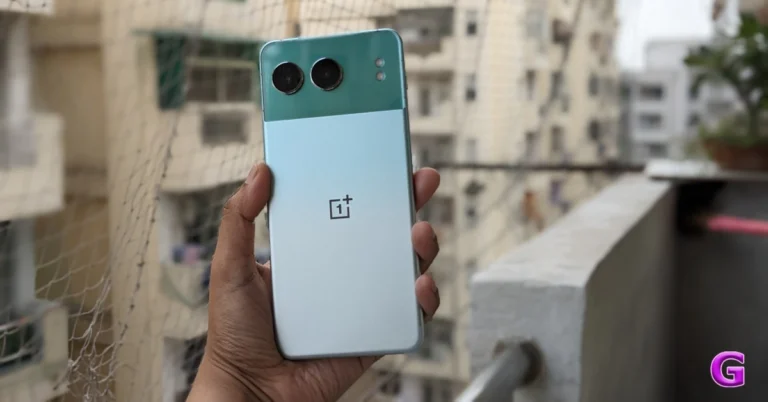
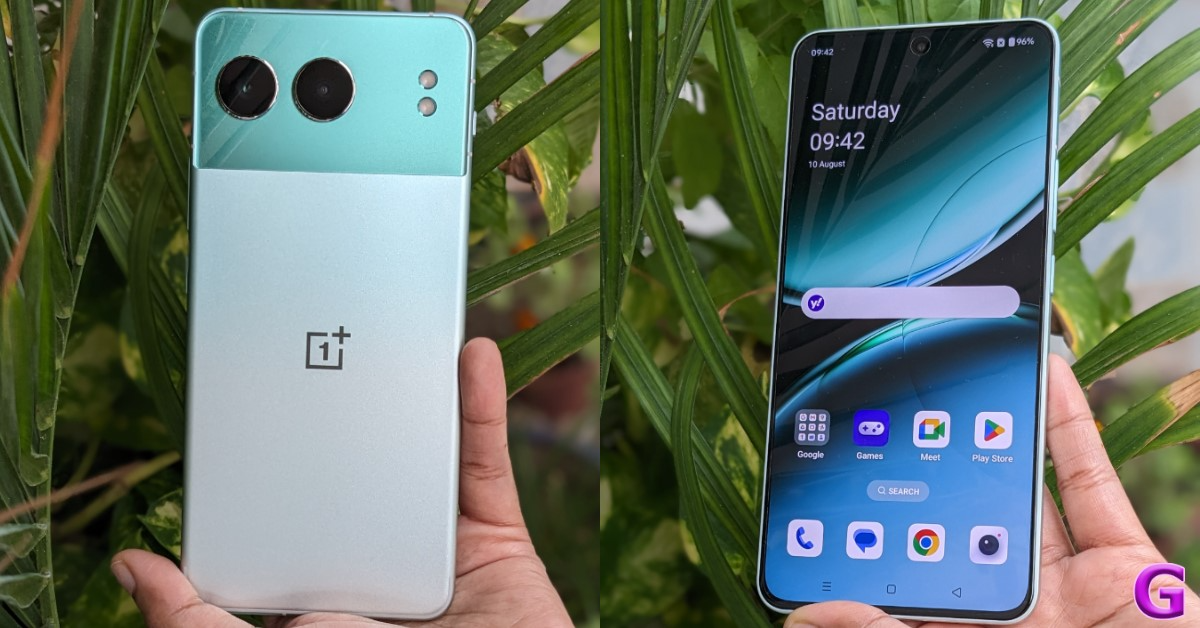
The device has a rear panel with a dual-tone design; however, the company offers three distinct designs that they refer to as Nordtones. We were sent the special edition Oasis Green colour variant to review. This striking two-tone colour scheme is sure to draw your attention because of its vivid appearance.


Obsidian Midnight and Mercurial Silver are the other two shades. We thought the latter one, with its dual-pattern design and 2D laser-etched design moulded from more than 28,000 nano-laser cuts, was the most beautiful.

Also Read: Samsung Galaxy Z Fold 6 Review: Unfolding The Future, One Upgrade At A Time

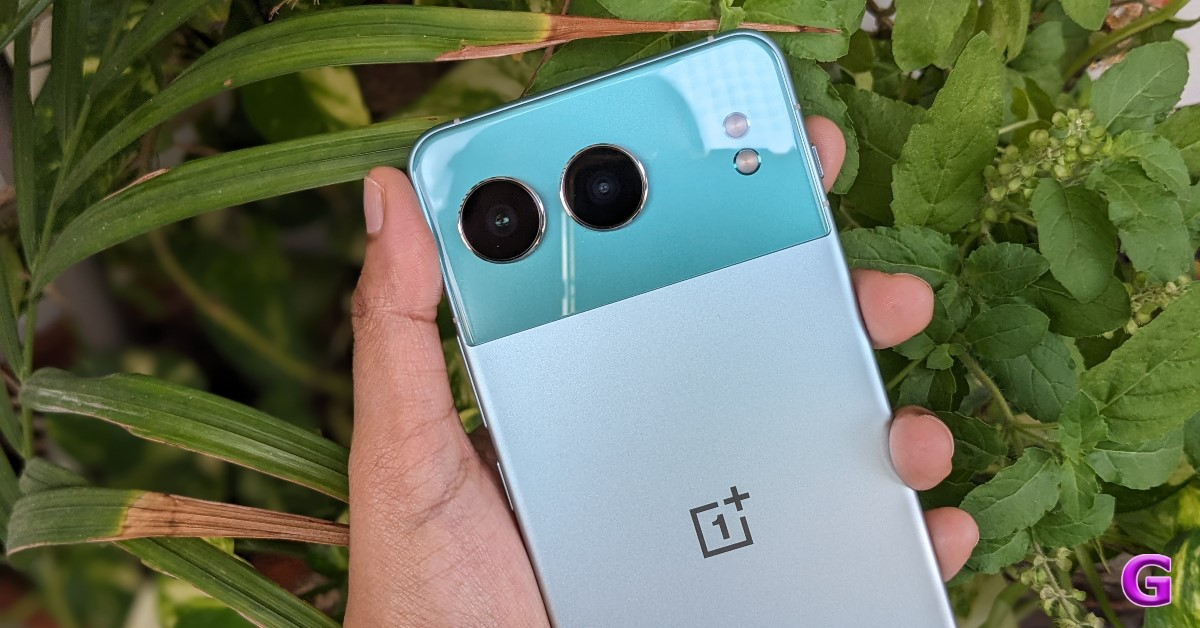
The green version features bevelled edges in addition to flat sides and a fully flat back surface. With a revised camera arrangement, all three finishes highlight the new design language. OnePlus Nord 4  features two horizontally aligned cameras with LED flash modules positioned on the same plane but at a distance. The camera island has a smooth, glass-like glossy texture, whereas the lower half has a pastel-green appearance.

In addition, the manufacturer added two antenna lines on all four edges of the handset to ensure that the signal is not compromised. Earlier phones, in 3G and 4G brackets, had lower signal requirements; thus, using metal was pointless due to signal loss. Now that 5G is available, there is a greater demand for improved signals.

OnePlus Nord 4 Review: Design and Display

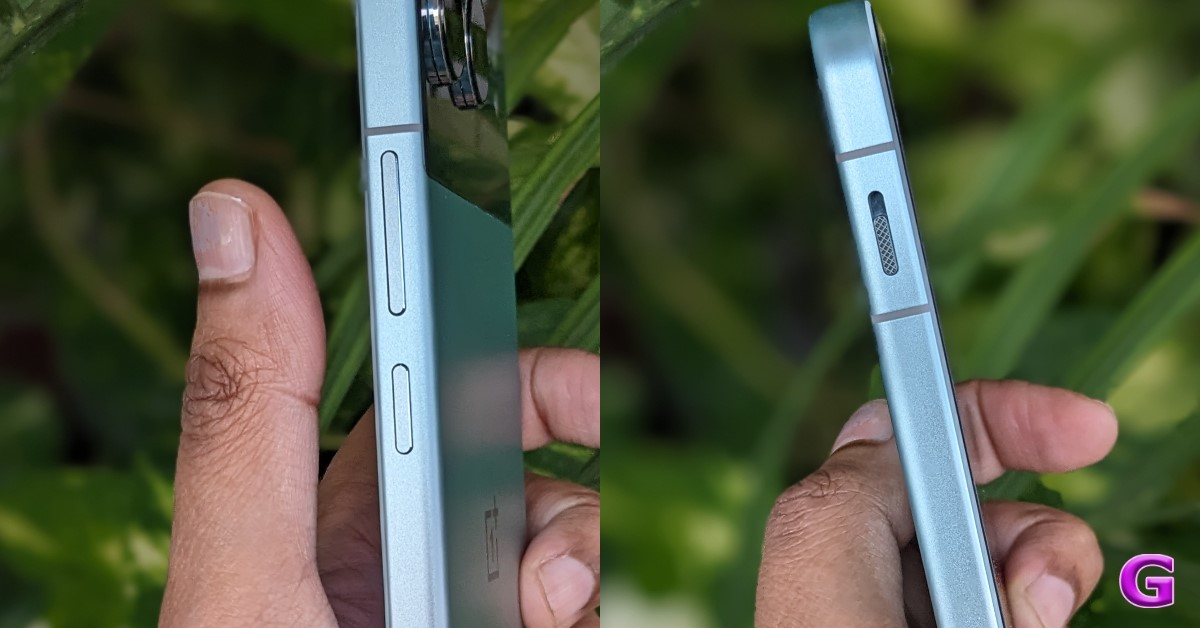
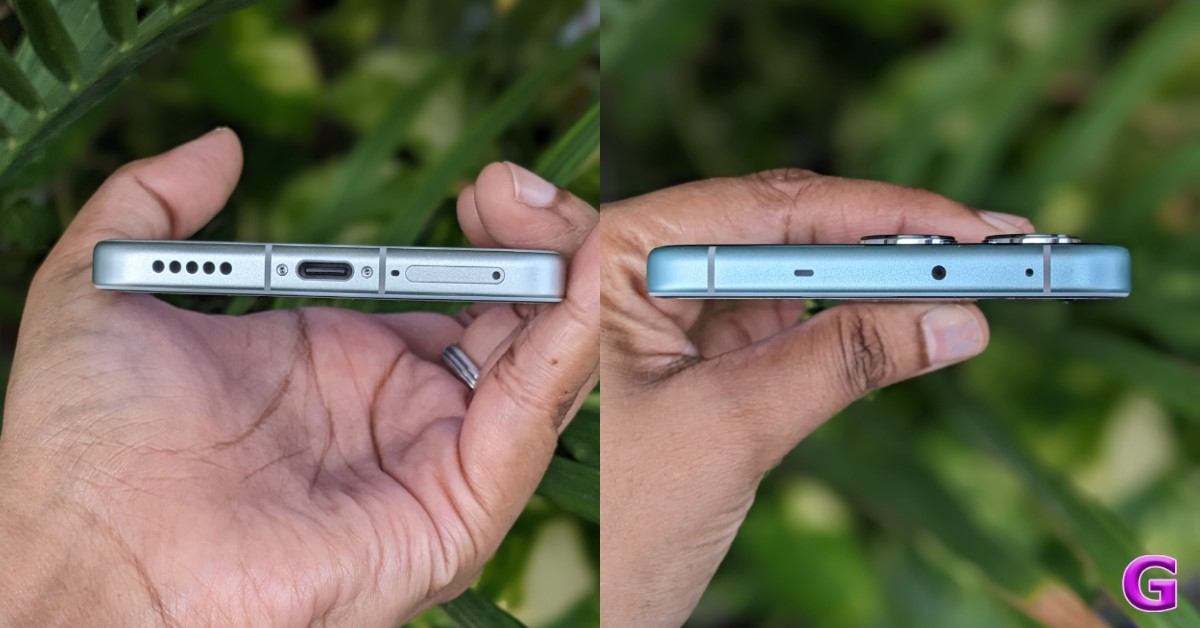
On the left side of the frame, a three-stage alert slider switch is also present, carrying over from its inclusion in premium (non-CE) Nord smartphones. It offers three modes: ring, silent, and vibrate. The controls for power and volume are located on the right side. A microphone and an infrared (IR) transmitter are positioned at the upper edge of the Nord 4. The phone features a USB Type-C connector and a speaker grille and microphone at the bottom.

OnePlus Nord 4 Review: Design and Display

Additionally, the buttons on the sides provide excellent tactile feedback. Over that, the bezels are kept very slim. 

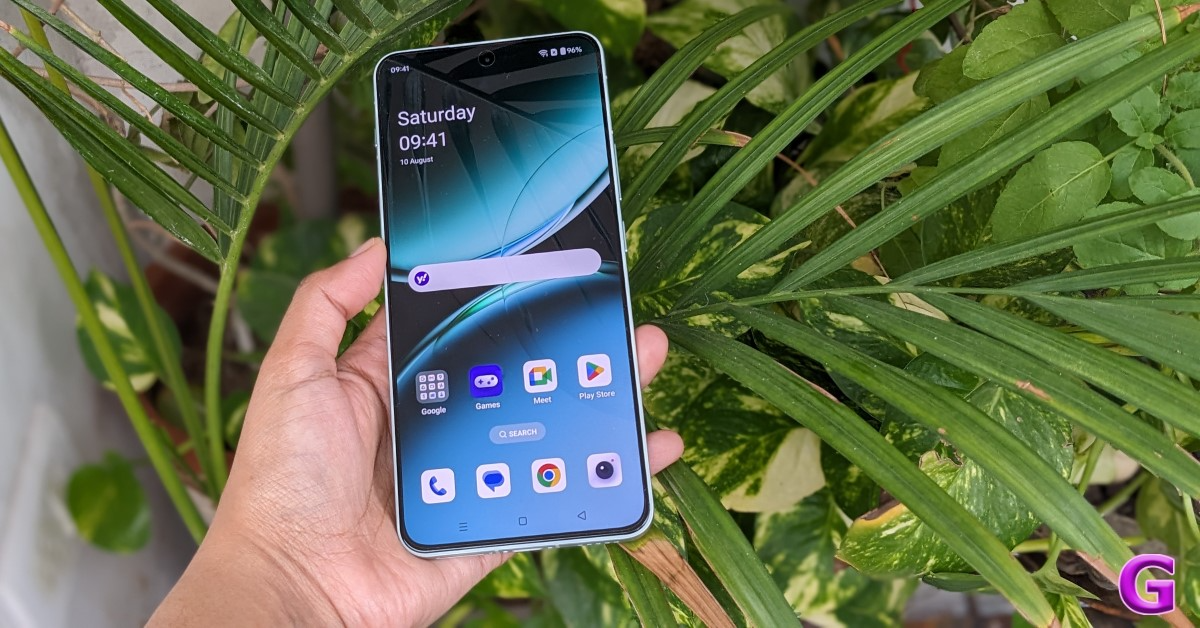
A 6.74-inch Super Fluid AMOLED screen with support for Ultra HDR and a pixel resolution of 2,772 x 1,240 pixels is available on the OnePlus Nord 4. The display is incredibly bright for this price range, supporting a peak brightness of 2,150 nits and a refresh rate of up to 120 Hz. With the help of AquaTouch technology, you can use your phone even if the screen is wet.

OnePlus Nord 4 Review: Design and Display

Additionally, ProXDR technology (which debuted on the OnePlus 12 Series) is present in the display. Its task is to analyse the photos and videos in your gallery and make the necessary brightness and clarity adjustments to present them in the best possible light in any setting you choose. 

However, the fingerprint scanner situated at the bottom would certainly work better if it were positioned a little higher. The screen has excellent haptic feedback. Additionally, this has really good touch responsiveness. The display appears to be of good quality overall; the colours are vibrant. The multimedia experience seemed rather good, too. The hues are vibrant in 4K videos, so you’ll love watching OTT and YT shows on this one.

The screen looks excellent even in bright daylight. This phone has improved audio quality as well, and we enjoyed watching movies and series on it a lot. But we think there’s still room for audio quality enhancement, especially in the bass and treble departments. But coming to think of it, you won’t likely have many issues if you’re not an audiophile.

Also Read: OnePlus Nord CE4 Lite Review: Can it hang with the best in its category?

OnePlus Nord 4 Review: Performance and Cameras

On to the performance. Qualcomm Snapdragon 7+ Gen 3 CPU, coupled with up to 16GB of LPDDR5X RAM and up to 512GB of UFS 4.0 storage, powers the OnePlus Nord 4. The phone will come with 256GB or 512GB of storage and 8, 12, or 16GB of RAM.
The mid-range chipset, the Snapdragon 7+ Gen 3, is incredibly potent. In terms of the performance experience, this has been excellent. 

We are particularly impressed with OnePlus’s attention to detail. For example, there is soft vibration feedback that generates a unique sensation when you browse through the multitasking tiles. Everything seems to work well, and typing is precise enough.

All of us are aware of how well metal conducts heat. It is therefore reasonable to anticipate a heating problem, even during long gaming sessions like Asphalt. The smartphone, for instance, becomes rather hot after a half hour of gaming, but because of its metal construction, it cools down fast, too. During our tests, all of the games worked fine; the screen warmed up naturally, but there was no throttling while playing. The frame rates were constant as well.

Also Read: Samsung Galaxy Z Flip 6 Review: Foldable with AI Features? What a fantastic combo!

The phone runs Android 14, topped with OxygenOS 14.1. The Nord 4 will receive four years of Android upgrades and six years of security patch updates, according to OnePlus. Guaranteeing that the phone will be compatible with Android releases up to Android 18. Given that you are gaining almost five years of updates with software on average, this is undoubtedly one of its strongest features. So that’s one good thing.

OnePlus Nord 4 Review: Design and Display

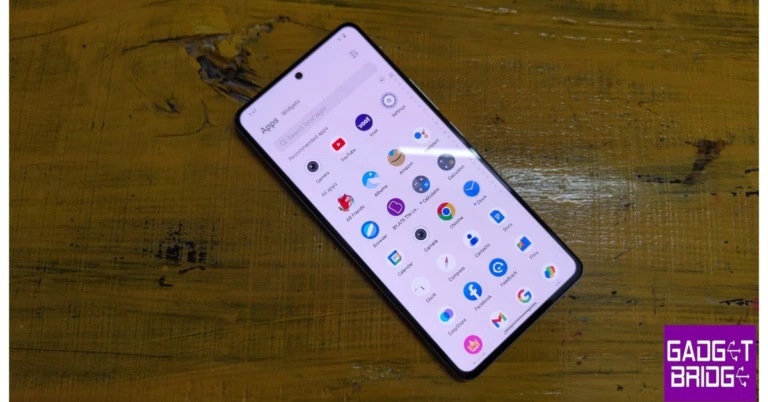
Except for a few bundled pre-installed apps that should have been avoided, the software experience on this OnePlus Phone continues to be the same. Overall, it is a rather clean experience. Nevertheless, you can tidy up the UI and eliminate these applications by uninstalling them. Aside from that, you have all the usual option playthroughs and animations, which elevate the software experience to a whole new level. 

Overall, the user experience is good. The way apps expand when you open and close them, the quality of the animations, and the fact that there haven’t been any problems with widget scaling thus far, all work for OnePlus.

In addition, the Nord 4 has AI capabilities that we tested, such as AI speak, which you can enable from the sidebar. Assuming you are reading an article, you can instruct AI to read it from start to finish, but there’s a catch: it reads the entire website. The problem is that it reads the entire webpage without knowing which section to focus on. In other words, time is wasted as a result, making it less useful. However, there is a workaround: users may select which specific passage needs to be read on the OnePlus Nord 4. Also, it is able to read in Hindi too.

An AI summary is available in the sidebar below the AI Speak option, and it functions effectively. Similarly, you get a tool called AI Recording Summary inside the voice recording app. Provided you have recorded something, it does more than just translate it—it also summarises it.

Additionally, AI Perfect Shot features like AI Best Face and AI Clear Face are available in Nord 4. The way that these two functions function is that, for instance, if you take a group selfie, your squad’s eyes can be adjusted just after the photo is taken. It will sharpen someone’s blurry face and eliminate blinking and looking off-camera.

With the aid of artificial intelligence, the AI Eraser functions flawlessly and can eliminate undesired objects in any image.

OnePlus Nord 4 Review: Design and Display

The brand has supplied a dual rear camera arrangement for images and videos, comprising a 50-megapixel Sony LYT 600 primary sensor with optical image stabilisation (OIS) and electronic image stabilisation (EIS) with f/1.8 aperture, as well as a 112-degree 8-megapixel ultra-wide lens. The primary camera can now record in 4K at both 60 and 30 frames per second. It boasts a 16-megapixel front-facing camera with an aperture of f/2.0. So let’s see how wonderful the camera experience is at this price range.

OnePlus Nord 4 Review: Design and Display

Looking at the daylight images, you can see that there are a lot of details on offer. The dynamic range is particularly impressive, and the colours are done quite well, despite being slightly deeper in tone but not saturated. They look beautiful, and the sky colours and HDR rendering are quite good. 

However, the shadows are occasionally crushed, which is not a serious worry. Overall, we believe the details and sharpness levels are adequate, even when zoomed in on the image. So, owing to the Sony sensor, the daytime images appear great.

OnePlus Nord 4 Review: Design and Display

We did not notice any serious problems, and the overall quality appears good even though the primary sensor is less powerful than the previous model.

Now let’s talk about the ultra-wide sensor. The details and sharpness levels are fairly acceptable, and the colours are pretty close to the primary camera, but the shooter is, in our opinion, kind of average. Thus, even though the ultra-wide-angle camera’s sharpness isn’t very great right now, you can still use it occasionally.

OnePlus Nord 4 Review: Design and Display

Let’s move on to the close-up images. The OnePlus Nord 4 does a great job of capturing details and sharpness levels here, maintaining saturation concerns, and achieving excellent colour reproduction. All things considered, we think the background blur appears accurate and pleasing when shooting up close.

Both 1x and 2x zoom are available for taking portraits; the 2x zoom is simply the in-sensor zoom and is not telephoto. The two photographs appear excellent; the skin tones are executed quite skilfully, the dynamic range is appealing, and the edge detection is pleasing. We found the portrait images to be very appealing. Regarding the portraits, what are your thoughts? Tell us in the comments below.

OnePlus Nord 4 Review: Design and Display

You can see that the OnePlus Nord 4 performs a fantastic job with OIS available in low light. Both the dynamic range and the details are nicely rendered. There is a good deal of detail, even in very low light, and the sky colours are done fairly nicely. Noise reduction is done fairly effectively, and there is very little noise in the low-light photos. When it comes to selfies, the 16-megapixel camera can produce some great shots. Both the skin tones and the colour scheme are done very proficiently. Although there is sometimes a reddish tone to the skin, this is not a serious issue. The self-portraits turned out pretty well. Edge detection is still well implemented, despite its imperfections. The selfies taken in low light also ended up being really good.

OnePlus Nord 4 Review: Design and Display

The phone can capture videos at 60 frames per second in 4K. It appears good and maintains the dynamic range and details. Additionally, the colours are done fairly well. You don’t have to be concerned about unsteady videos because there is an OIS and EIS combo. The 4K 30 frames per second video footage has excellent clarity and comparable details. The results from the 1080p, 30 and 60 frames per second footage are almost identical. For those seeking a phone in this budget range with a decent camera for capturing videos, the OnePlus Nord 4 is unquestionably a worthy option.

With its ultra-wide-angle camera, the device can capture videos in 1080p resolution, which is quite average and has decent detail. Moreover, 1080p selfie videos with stabilisation enabled can be captured.

Also Read: OnePlus Nord CE4 Lite Review: Can it hang with the best in its category?

Thus, this is the OnePlus Nord 4’s detailed camera performance.

Finally coming to endurance. As per the firm, the OnePlus Nord 4 can charge from 1% to 100% in just 28 minutes with its 5,500mAh battery that supports 100W SUPERVOOC fast charging.

The device’s battery life was good during our testing, and it took about 30 minutes to charge fully. The Nord 4 offers excellent battery life, with over 8 to 9 hours of (continuous) screen time. On average daily use, it should last you a or slightly more.

Verdict

With its mid-range Nord series in India, OnePlus has been able to strike a balance between design and functionality. To keep the phone at a competitive price, the firm has always scaled back on design and cameras; however, the most recent Nord 4 model has jarred this balance.

OnePlus Nord 4 Review: Design and Display

Due to its all-metal body, this phone’s design has proven to be its most notable feature. We haven’t seen a metal body in this price range for a very long time. Even in high-end flagship smartphones, glass finishes are the norm; nevertheless, this is a nice shift as the chassis is made entirely of metal. It has a dual-tone finish and a fairly attractive appearance, with curved corners. The rear panel is also quite nice.

It boasts one of the best displays available at this price. Therefore, we have no issues regarding the display, even with regular usage and media consumption.

How good is the camera on the Nord 4?

Particularly with the 16-megapixel selfie camera and the primary 50-megapixel Sony sensor, we think this is a rather impressive camera. Both sensors performed wonderfully, particularly in terms of taking pictures in low light and during the day. Additionally, the video recording performed fairly well. Actually, this is one of the better cameras in this price range, with respectable recording quality. However, the 8-megapixel camera is mediocre at best.

In a group shot with three or more people, you can use the AI Best Face and AI Clear Face to instantly fix any blinking.
Its user interface is quite tidy, except for a few pre-installed apps. Since we’ve been using this phone for around three to four weeks, there haven’t been any glitches, problems, or crashes, and the performance has also been rather good. This is an excellent deal because it can be your partner for a very long time thanks to the four-year software upgrade.

With a price tag under Rs 30,000 and excellent overall performance, it is highly recommended. We were quite fond of this phone, particularly its metal construction. This is what we think. What are your thoughts, guys?

Buy Here

OnePlus Nord 4 Pros

  • Flawless design and metal build
  • Snappy
  • Quick charging
  • Getting a fast charger in the box
  • Four years of software upgrades
  • Excellent cameras

OnePlus Nord 4 Cons

  • Bloatware
  • ultra-wide-angle camera is not the best

Amazon Quiz Answers Today 12 August 2024: Participate to win Rs 500 Amazon Pay Balance

12 August 2024: New Amazon Quiz is now available. Customers from different parts of the country are participating in the daily quiz. The quiz starts at midnight today and will be live until 11:59 PM tonight. By successfully answering every question, participants in the quiz have the chance to win wonderful rewards. A Rs 500 Amazon Pay Balance is up for grabs to participants today.

One wrong answer could eliminate you from the quiz. You have a chance to win Rs 500 Amazon Pay Balance if you successfully answer every question. Users of the app only have the opportunity to take the quiz. Check Out 12 August 2024 Amazon Quiz Answers.

Amazon Quiz Today Prize: Rs 500 Amazon Pay Balance

Quiz Date: 12 August 2024

Daily Timing: 12 AM to 11:59 PM

Previous Amazon Quiz Winners Announcement: Today 12 PM Noon

Amazon Quiz Answers Today 12 August 2024: Win ₹ 500 Amazon Pay Balance

Question 1: Who has been elected unopposed as the new president of the New Development Bank in 2023?

Answer: Dilma Rousseff

Question 2: Adani Group acquired the Karaikal Port in which Union Territory for Rs 1,485 crores?

Answer: Puducherry

Question 3: India’s first semi-high-speed regional rail service is named what?

Answer: RapidX

Question 4: Which species of this animal has the widest range of all non-human primates?

Answer: Rhesus Macaque

Question 5: The phenomenon of El Nino affects which ocean?

Answer: Pacific

Also Read: Noise Buds Verve, budget TWS with up to 45 hours of playback launched in India

How To Play Amazon Quiz Today

Only app users are eligible to play the Amazon quiz every morning from 12 AM to 11:59 PM. The quiz is not available on the desktop. For those who are unaware of how to play the Amazon quiz, below are the steps, you can follow to take the quiz.

  • First, download the Amazon app from the Google Play Store or App Store or go here to download the Amazon App
  • Now fill in the required information through the Sign-Up option.
  • You need to log in to the Amazon app and scroll down on the home screen to find the Amazon Quiz banner.
  • Tap on the Amazon Quiz banner and tap on the Start button to start the Quiz.
  • Now you will get 5 questions and you need to answer them correctly. One wrong answer will eliminate you from the Quiz.
  • After answering all the questions correctly you are now eligible for a Lucky Draw.
  • The previous winner’s name will be announced today at 12 PM.

Amazon Daily Quiz Answers from the previous few days.

Here are all the answers from the previous 5 days of the Amazon Daily Quiz and Contest.

Amazon Quiz Answers Today 8 August 2024: Win ₹ 500 Amazon Pay Balance

Question 1: Which of these batters scored a century during India’s recent 5-match T20I series against Zimbabwe?

Answer: Abhishek Sharma

Question 2: In May 2025. the ___ edition of the Mission Impossible movie franchise is going to be released. Fill in the blanks

Answer: 8th

Question 3: In which present-day Indian state was the Battle of Buxar, which saw the East India Company emerge victorious fought?

Answer: Bihar

Question 4: This is a view of the City Palace in which Indian city?

Answer: Jaipur

Question 5: Valletta is the capital of which country, whose flag is shown here?

Answer: Malta

Amazon Quiz Answers Today 7 August 2024: Win ₹ 500 Amazon Pay Balance

Question 1: Which of these sportspeople would be one of the flagbearers for the USA at the 2024 Paris Olympics?

Answer: Coco Gauff

Question 2: The upcoming Bollywood movie ‘Deva’ stars Pooja Hegde along with which famous actor?

Answer: Shahid Kapoor

Question 3: Alcazar, Exter, Palisade and Tucson are car models from which brand?

Answer:  Hyundai

Question 4: This is a statue of which saint in Belfast, is associated with a day that is a holiday in some places?

Answer:  St Patrick

Question 5: What is the musical instrument shown here?

Answer: Pan flute

Amazon Quiz Answers Today 6 August 2024: Win ₹ 500 Amazon Pay Balance

Question 1: What is the name of the mascot of the 2024 Paris Olympics?

Answer: phryge

Question 2: Who is playing the character of Harley Quinn in the movie ‘Joker: Folie a Deux/ Joker 2’?

Answer: Lady Gaga

Question 3: Who succeeded the 19th Mughal emperor Akbar Shah II to the throne?

Answer: Bahadur shah zafar

Question 4: Which Nobel laureate is shown here?

Answer: Marie Curie

Question 5: The flag of which country is shown here?

Answer: Armenia

Amazon Quiz Answers Today 5 August 2024: Win ₹ 500 Amazon Pay Balance

Question 1: Who was the top scorer for India in the T20 World Cup final 2024?

Answer: Virat Kohli

Question 2: The Last Dance’ is the tagline of the 3rd of a series of movies with whom as the central character?

Answer: Venom

Question 3: British Shorthair, Ragdoll and Abyssinian are types of what animal?

Answer:  Cat

Question 4: Which famous place in the UK is shown here?

Answer:  Trafalgar Square

Question 5: Which famous person is depicted in this statue?

Answer: Napoleon Bonaparte

Amazon Quiz Answers Today 4 August 2024: Win ₹ 500 Amazon Pay Balance

Question 1: Who beat Novak Djokovic in the final to win his 2nd consecutive Wimbledon men’s singles title?

Answer: Carlos Alcaraz

Question 2: In ‘Captain America” Brave New World’ scheduled to be released in 2025, which legendary actor plays the role of Thaddeus ‘Thunderbolt’ Ross?

Answer: Harrison Ford

Question 3: Which place in South India is also known as the ‘Scotland of India’?

Answer: Coorg

Question 4: This is a picture taken in which African country?

Answer: Morocco

Question 5: This is Bletchley Park, the main centre of Allied code-breaking during World War II. Who among these was part of the team of codebreakers? What is the name given to the profession of the man in the picture?

Answer: Gondoliere

Amazon Quiz Answers Frequently Asked Questions (FAQs)

Where can I check the previous winners? Did I win how to check?

You can head over to this link on your mobile or desktop to check the winners of the Amazon Daily Quiz Contest.

How to Play Amazon Daily Quiz or Contest?

We have written an explainer above, you can refer to that.

When are the winners of the Amazon Quiz and contest announced or declared?

The announcement of today’s Amazon quiz winner will take place Tomorrow. As for the Special Quiz and “Spin & Win” Contest, the winners will be declared once the Quiz Contest comes to an end. To find out who the lucky winner is, you can refer to the Amazon Quiz Winners List or visit the Amazon Winners tab in the Amazon App.

How to participate in the Daily Amazon Quiz?

That is very easy, just got to the Amazon app and scroll to the bottom of the page and you will find the Quiz section. Click on it (usually it is called the fun zone) and you can enter the Amazon Today Quiz Contest. 

Are there any other quizzes or contests running on Amazon daily?

Yes, there are many running on a daily basis. These range from spinning the wheel to answering the questions correctly. All are located in the Fun Zone. 

What are the criteria for selecting a winner in the Daily Amazon Quiz?

When a qualified player submits correct answers to all the questions, they will automatically be entered into a lucky draw. This draw will include all participants who answered all the questions correctly. Amazon randomly selects the final winners from the pool of eligible participants who gave the right answers.

Which Types of Questions are asked within Amazon Daily Quiz?

These are very simple and straightforward questions. These are mainly related to general knowledge. 

Where should I look for Amazon Daily Quiz answers?

You can bookmark this page as we will help you every day with the Amazon Daily Quiz. We bring you fresh answers every day for the Amazon Daily Quiz and Contest. 

What time does Amazon Announce previous winners?

The previous winner’s name will be announced today at 12 PM (noon).

For the latest gadget and tech news, and gadget reviews, follow us on TwitterFacebook and Instagram. For newest tech & gadget videos subscribe to our YouTube Channel. You can also stay up to date using the Gadget Bridge Android App. You can find the latest car and bike news here.

2 ways to remove the screen rotation icon on your Android phone (2024)

0

One of the most annoying experiences while using an Android phone is hitting the screen rotate icon on the navigation that pops up as soon as you tilt your phone. You may have encountered this situation when you’re lying down on your bed and browsing on your phone. This icon cannot be moved from its position. However, it can be disabled. Here are the top 2 ways to remove or disable the screen rotation icon from the navigation bar of your Android phone.

Read Also: Top 6 ways to fix the ‘Not Registered on Network’ error on Samsung Galaxy phones (2024)

Before you begin

Samsung is the only Android OEM that offers a native option to remove the screen rotation icon. If you own a different phone, you will need to take some additional steps. This includes installing the ADB package on your PC and running a command that removes the icon for good.

If you don’t want to go the ADB route, your only option is to wait for Android to add an option to remove the icon in a future update. If this option isn’t available on the upcoming Android 15, it is possible that some Android OEMs may add it to their OS skins anyway.

Remove the screen rotation icon on your Samsung Galaxy phone

Samsung Galaxy Z Fold 6 review

Samsung Galaxy smartphones have a native option to disable the screen rotation icon that pops up at the bottom of the page every time you rotate your phone.

Step 1: Swipe down from the status bar to reveal the Quick Settings Menu.

Step 2: Long-press the portrait/landscape orientation tile.

Step 3: Turn off the toggle switch for Show Rotate button on navigation bar.

Remove the screen rotation icon on your Samsung Galaxy phone

If you don’t own a Samsung Galaxy phone, you will need ADB to remove the screen rotation icon from the navigation bar. Here’s how you can go about it.

Step 1: Go to Settings and select About Phone.

Step 1: Go to Settings and select About Phone. Top 5 Ways To Remove Apps That Android Won't Let You Uninstall (2024)

Step 2: Tap on  Software Information.

Step 2: Tap on Software Information. Top 5 Ways To Remove Apps That Android Won't Let You Uninstall (2024)

Step 3: Find the Build Number and tap on it 7 times. You will then enter Developer Mode.

Step 3: Find the Build Number and tap on it 7 times. You will then enter Developer Mode. Top 5 Ways To Remove Apps That Android Won't Let You Uninstall (2024)

Step 4: Go back to Settings and select Developer Options.

Step 4: Go back to Settings and select Developer Options. Top 5 Ways To Remove Apps That Android Won't Let You Uninstall (2024) Here are the top 7 ways to remove or disable the Android setup notification on your phone. 2 ways to remove the screen rotation icon on your Android phone (2024)

Step 5: In the Debugging section, turn on the toggle switch for USB Debugging.

Step 5: In the Debugging section, turn on the toggle switch for USB Debugging. Here are the top 7 ways to remove or disable the Android setup notification on your phone. 2 ways to remove the screen rotation icon on your Android phone (2024)

Step 6: Connect your smartphone to your PC via a USB cable. A popup box will appear on your phone. Confirm that you want to allow USB Debugging.

Step 7: Download the official ADB driver package for your PC from this page.

Step 8: Extract the package to your preferred location. Press Shift + right-click and select Open PowerShell window here.

Shift + right-click anywhere. how to fix can't delete apps on android Here are the top 7 ways to remove or disable the Android setup notification on your phone. 2 ways to remove the screen rotation icon on your Android phone (2024)

Step 9: Enter the following command:

adb shell settings put secure show_rotation_suggestions 0

Frequently Asked Questions (FAQs)

How do I remove the screen rotate icon on my Samsung Galaxy phone?

Long-press the orientation tile in the Quick Settings Menu and turn off the toggle switch next to the ‘Show Rotate button on navigation bar’ option.

Do Android phones have the option to remove the screen rotate icon from the navigation bar?

One Samsung Galaxy phones have the option to disable the screen rotate icon. If you own a smartphone from some other Android OEM, you will need to use ADB and run this command – adb shell settings put secure show_rotation_suggestions 0.

How do I turn off the auto-rotate function from settings?

Go to Settings>Display and brightness and turn off the toggle switch next to Auto-Rotate.

Read Also: 2 Methods to Disable Floating Notification Bubbles on Android (2024)

Conclusion

These are the top 2 ways to remove or disable the screen rotation icon from the navigation bar on your Android phone. Try these fixes if you can’t get the screen on your Android phone to rotate automatically. If you have any other questions, let us know in the comments!

10 ways to fix the ‘Not Registered on Network’ error on Samsung Galaxy phones

0

Your Android smartphone displays different error messages when you’re out of network reception, depending on the nature of the outage. If you’re seeing the ‘Login to mobile network’ error on your phone, it means you need to recharge your account. The ‘Not Registered’ error message is slightly trickier to resolve. Let’s take a look at the top 10 ways to fix the ‘Not Registered on Network’ error on Samsung Galaxy phones.

Read Also: 2 Methods to Disable Floating Notification Bubbles on Android (2024)

What’s causing the ‘Not Registered on Network’ issue?

It’s not easy to pinpoint the reason behind a vague network issue. However, most of the time, network-related issues are caused by one of the following reasons:

  • Network congestion
  • Software glitches
  • Customised network settings create roadblocks
  • Dirt and grime on the SIM tray
  • Outdated SIM card
  • Network provider is out of service

Turn the Airplane Mode off and on

Turn on the Airplane Mode

If you’re facing network-related issues on your Samsung Galaxy phone, the first thing you should do is toggle the Airplane Mode. This performs a network refresh on your smartphone and fixes any possible background issues that may be causing this problem. Turn on the Airplane Mode by swiping down from the status bar and tapping the tile with the Airplane icon. Wait for 10-15 seconds, then tap the tile again to turn off the Airplane Mode. You can also toggle the Airplane Mode by going to Settings>Connections.

Toggle the active SIM on and off

Putting your phone in Airplane Mode not only disables the network reception but also turns off other connections like WiFi and Bluetooth. If you don’t want to disconnect from paired devices, you can simply disable the SIM and turn it on again. Go to Settings>Connections, tap on SIM Manager, and turn off the toggle switch next to the active SIM. Wait for 10-15 seconds and turn on the toggle switch again.

Restart your phone

Restart Your Phone Top 6 ways to fix the ‘Not Registered on Network’ error on Samsung Galaxy phones (2024)

A simple restart can fix the background issues causing the ‘Not Registered on Network’ error on your Samsung Galaxy phone. Long-press the side button and select the Restart option from the power menu. If long-pressing the side button triggers Bixby on your device, press it along with the volume-up key to access the power menu.

 Manually select a network operator

Step 1: Go to Settings and select Connections.

Step 1: Go to Settings and select Connections.

Step 2: Tap on Mobile networks.

Step 2: Tap on Mobile networks.

Step 3: Tap on Network operators.

Step 3: Tap on Network operators.

Step 4: Turn off the toggle switch next to Select automatically.

Step 4: Turn off the toggle switch next to Select automatically.

Step 5: Select a network operator from the list.

Step 5: Select a network operator from the list.

Shift to a 4G or 3G network

If there’s no 5G coverage in your area, shift to a 4G or 3G network. Here’s how.

Step 1: Go to Settings and select Connections.

Step 1: Go to Settings and select Connections. 10 ways to fix the ‘Not Registered on Network’ error on Samsung Galaxy phones

Step 2: Tap on Mobile networks.

Step 2: Tap on Mobile networks. 10 ways to fix the ‘Not Registered on Network’ error on Samsung Galaxy phones

Step 3: Tap on Network mode.

network mode 10 ways to fix the ‘Not Registered on Network’ error on Samsung Galaxy phones

Step 4: Select LTE preferred or 3G preferred.

Step 4: Select LTE preferred or 3G preferred. 10 ways to fix the ‘Not Registered on Network’ error on Samsung Galaxy phones

Reset Network Settings

A complete reset of the network settings restores them to out-of-the-box settings. This means all the paired Bluetooth devices and WiFi networks will be forgotten by your phone, and you will need to pair them again. Use this as a last-ditch effort if you can’t fix the network issue at hand.

Step 1: Go to Settings and select General management.

Step 1: Go to Settings and select General management. 10 ways to fix the ‘Not Registered on Network’ error on Samsung Galaxy phones

Step 2: Scroll down and select Reset.

Step 2: Scroll down and select Reset. 10 ways to fix the ‘Not Registered on Network’ error on Samsung Galaxy phones

Step 3: Tap on Reset mobile network settings.

Step 3: Tap on Reset mobile network settings. 10 ways to fix the ‘Not Registered on Network’ error on Samsung Galaxy phones

Step 4: Select Reset settings.

Step 4: Select Reset settings. 10 ways to fix the ‘Not Registered on Network’ error on Samsung Galaxy phones

Step 5: Enter your PIN to confirm your selection.

Update your phone’s OS

Step 1: Go to Settings and select Software update.

Go to Settings and select Software update.  Top 8 ways to fix the ‘SIM not provisioned MM2’ error on Android

Step 2: Tap on Download and install.

Top 8 ways to fix the ‘SIM not provisioned MM2’ error on Android

Step 3: Select Install now.

Select Install now. Top 8 ways to fix the ‘SIM not provisioned MM2’ error on Android

Clean the SIM tray

Top 6 ways to fix the ‘Not Registered on Network’ error on Samsung Galaxy phones (2024)

Over a period of time, dust and grime can collect on your device’s SIM tray, causing the SIM to stop functioning entirely. This can be fixed with a quick wipe. Use a SIM ejector tool to pop out the SIM tray and clean it with a microfiber cloth. Give the SIM card a quick wipe as well. Blow some air in the SIM cavity on your phone and re-insert the tray.

Get a new SIM card

sim card Top 6 ways to fix the ‘Not Registered on Network’ error on Samsung Galaxy phones (2024)

If you’re using an old SIM card, chances are that it is no longer compatible with your phone. This is certainly not a common occurrence and only happens with SIMs that are close to a decade old. Go to your network provider’s local customer service centre and request a new SIM card. You will need to provide proper user identification documents to be issued a new SIM card.

Contact your network provider

Airtel introduced new all-in-one OTT entertainment package for prepaid subscribers

If you can’t get the mobile network to work after trying all the steps mentioned above, contact your network provider for more guidance. Dial the customer helpline and explain your situation to a customer executive. You can also walk into your network provider’s local customer care outlet and get help regarding this issue.

Frequently Asked Questions (FAQs)

What does the ‘Not Registered on Network’ error mean on Samsung Galaxy phones?

If you encounter the ‘Not Registered on Network’ error message on your Samsung smartphone, it means the SIM is unable to receive network coverage.

How do I disable the SIM on my Samsung phone?

Go to Settings>Connections>SIM Manager and turn off the toggle switch next to the SIM you want to disable.

How do I manually select a mobile network on my Samsung phone?

Go to Settings>Connections>Mobile networks>Network operators, turn off the toggle switch next to ‘Select automatically’, then select a network from the list.

How do I change my phone’s mobile data connection to 4G or 3G?

Go to Settings>Connections>Mobile networks, tap on ‘Network mode’, and select ‘3G preferred’ or ‘LTE preferred’.

How do I check if my cellular network provider is facing a service outage?

Go to Downdetector.in and enter the name of your network provider. If you notice a spike in user reports, it means that the service is currently down.

Read Also: International Youth Day: Best smartphones under Rs 40,000 for the younger generation

Conclusion

These are the top 10 ways to fix the ‘Not Registered on Network’ error on Samsung Galaxy phones. While you’re here, check out how you can resolve the invalid SIM card error on your Android phone. If you have any other questions related to this problem, let us know in the comments!

2 Methods to Disable Floating Notification Bubbles on Android (2024)

0

Managing notifications on your Android phone can be an uphill battle at times. From the lock screen to the status bar, notifications are everywhere. If you have a lot of apps installed on your phone, constant notifications can be a big distraction from tasks that demand your immediate attention. Luckily, your Android phone not only lets you mute notifications but also gives you a say in which kind of notifications you want to block. So, here are the top 2 ways to disable floating notification bubbles on your Android phone.

Read Also: International Youth Day: Best smartphones under Rs 40,000 for the younger generation

What are floating notification bubbles on Android phones?

As an Android user, you may already be familiar with home screen and lock screen notifications. You can decide which apps get to display what kind of content on those screens. If you don’t like constant pings, you can choose to have those notifications delivered silently. Android also delivers ‘bubble’ notifications on supported apps. These notifications are mostly supported by instant messaging apps.

A ‘bubble’ notification appears as a pinhead icon on your phone’s screen to remind you of an incoming message. Tapping on the icon opens the conversation in picture-in-picture mode. You can quickly respond to the message and dismiss the bubble. The problem with bubble notifications is that they can clutter your screen if they are left unattended. While notifications from multiple conversations pop up on your phone, it can get annoying to dismiss each individual bubble. This is why your Android phone lets you disable them entirely.

Disable floating notification bubbles for all apps on Android

Step 1: Go to Settings and select Notification & status bar.

Step 1: Go to Settings and select Notification & status bar.

Step 2: Tap on More settings.

Step 2: Tap on More settings.

Step 3: Turn off the toggle switch for Bubbles.

Step 3: Turn off the toggle switch for Bubbles.

Disable floating notification bubbles for a particular app

Step 1: Go to Settings and select Apps.

Step 1: Go to Settings and select Apps.

Step 2: Select the app for which you want to turn off floating bubble notifications.

Step 2: Select the app for which you want to turn off floating bubble notifications. 2 Methods to Disable Floating Notification Bubbles on Android

Step 3: Tap on Manage notifications.

Step 3: Tap on Manage notifications. 2 Methods to Disable Floating Notification Bubbles on Android

Step 4: Uncheck the box below Bubble.

Step 4: Uncheck the box below Bubble. 2 Methods to Disable Floating Notification Bubbles on Android

Frequently Asked Questions (FAQs)

How do I disable all the notifications for an app?

Go to Settings>Apps, select the app, tap on ‘Manage Notifications’, and turn off the toggle switch next to ‘Disable Notifications’.

How do I disable the promotional and offer notifications from food delivery apps?

Go to Settings>Apps, select the food delivery app, tap on ‘Manage Notifications’, scroll down and turn off all the notifications except ‘Important delivery alerts’.

How do I turn off floating bubble notifications on my Android phone?

Go to Settings>Notification & status bar>More settings and turn off the toggle switch next to ‘Bubbles’.

Read Also: Samsung Galaxy S24 price in India slashed for a limited period: Details Inside

Conclusion

These are the top 2 ways to disable or turn off floating notification bubbles on your Android phone. While you’re here, check out how you can block unwanted popups and notifications on your Android phone. If you have any other questions, let us know in the comments!

International Youth Day: Best smartphones under Rs 40,000 for the younger generation

The United Nations observes August 12 as International Youth Day. This year’s theme for International Youth Day is ‘Youth Digital Pathways for Sustainable Development’. It celebrates the digital contribution of young people in accelerating sustainable development and leading innovation. It also seeks to make technology inclusive to everyone and break down the barriers that young people may face while adopting digital technologies. If you’re a young student, splurging upwards of Rs 1 lakh on an expensive flagship smartphone is probably not an option for you. So, let’s take a look at the best smartphones priced under Rs 40,000 for the younger generation.

Read Also: How to upgrade an old PC to Windows 11 (2024)

OnePlus 12R

Price: Rs 40,000 on OnePlus.com

12r

Key Specs

Display 6.74-inch LTPO4 AMOLED
Chipset Snapdragon 8 Gen 2
RAM 8GB, 16GB
Storage 128GB, 256GB
Battery 5,500 mAh

The 8GB RAM + 128GB Storage variant of the OnePlus 12R is priced at Rs 40,000, making it one of the best flagship alternatives out there. The smartphone packs last year’s flagship Snapdragon 8 Gen 2 chipset and flaunts a 6.74-inch LTPO4 curved AMOLED display. The rear camera array of the 12R is composed of a 50MP primary shooter, an 8MP ultrawide lens, and a 2MP macro sensor. The OnePlus 12R is one of the fastest-charging smartphones out there, supporting 100W charging. For more details regarding the smartphone’s performance, read our review of the OnePlus 12R.

Xiaomi 14 Civi

Price: Rs 40,000 on Amazon

Xiaomi 14 Civi India launch today: Livestream, expected pricing and specs details

Key Specs

Display 6.55-inch AMOLED
Chipset Snapdragon 8s Gen 3
RAM 8GB, 12GB
Storage 256GB, 512GB
Battery 4,700 mAh

Xiaomi’s flagship alternative, Civi 14, is one of the best smartphones priced under Rs 40,000 in India right now. Xiaomi 14 Civi’s photography experience is in the mould of the company’s flagship smartphone. The Civi relies on two 50MP wide and telephoto lenses along with a 12MP telephoto camera to get the job done. It is powered by the Snapdragon 8s Gen 3 SoC and features an Adreno 735 GPU. Its 6.55-inch AMOLED display has a 120Hz refresh rate. The 4,700mAh battery pack inside the smartphone supports 67W charging.

iQOO Neo 9 Pro

Price: Rs 34,000 on iQOO.com


iQOO Neo 9 Pro Review

Key Specs

Display 6.78-inch LTPO AMOLED
Chipset Snapdragon 8 Gen 2
RAM 8GB, 12GB
Storage 128GB, 256GB
Battery 5,160 mAh

The iQOO Neo 9 Pro is a sensational smartphone for serious gamers. The smartphone packs last year’s flagship Snapdragon 8 Gen 2 chipset along with iQOO’s in-house Supercomputing Chip Q1. The result is a powerhouse performance that is easily the best in its price category. The Neo 9 Pro also flaunts a 6.78-inch LTPO AMOLED display and a massive 5,160mAh battery pack. It supports 120W fast charging and comes with a power brick inside the box. There are two rear cameras on offer – a 50MP primary shooter and an 8MP ultrawide lens. Here’s our full review of the iQOO Neo 9 Pro.

Vivo V30

Price: Rs 32,000 on Vivo.com

The Vivo V30 is now available in India, with prices starting at Rs 31,999 for the 8GB RAM with 128GB storage variation, Rs 33,999 for the 8GB RAM with 256GB storage option, and Rs 35,999 for the 12GB RAM with 256GB storage. These rates are lower than the launch prices of Rs 33,999, Rs 35,999, and Rs 37,999, respectively.

Key Specs

Display 6.78-inch AMOLED
Chipset Snapdragon 7 Gen 3
RAM 8GB, 12GB
Storage 128GB, 256GB
Battery 5,000 mAh

Vivo’s V Series is known for its spectacular camera systems. Earlier this year, the Chinese manufacturer put out the powerful Vivo V30, which rocks two 50MP sensors in its rear camera array for wide and ultrawide shooters. Powering the smartphone is the Snapdragon 7 Gen 3 SoC. Ahead of the launch of the new V40 Series, Vivo dropped the prices for the entry-level V40 to Rs 32,000. Expect the Vivo V30 Pro to also get its prices slashed in the coming weeks.

Samsung Galaxy A55

Price: Rs 40,000 on Samsung.com

Key Specs

Display 6.6-inch Super AMOLED
Chipset Exynos 1480
RAM 8GB, 12GB
Storage 128GB, 256GB
Battery 5,000 mAh

If you’re a Samsung loyalist, the Galaxy A55 is the best smartphone you can get under Rs 40,000. While the Galaxy A35 may be the more affordable option, we prefer the A55 for its faster processor, sleeker form factor, and better overall camera system. When we reviewed the Galaxy A55, we were impressed by the performance of the 50MP primary shooter even though it has been carried forward from the previous iteration of the smartphone. Samsung’s ultra-smooth and rich display is also one of the reasons why you should consider buying this smartphone.

Google Pixel 7

Price: Rs 33,000 on Flipkart

review of Pixel 7 Pro

Key Specs

Display 6.3-inch AMOLED
Chipset Google Tensor G2
RAM 8GB
Storage 128GB, 256GB
Battery 4,355 mAh

The vanilla variant in the Google Pixel 7 Series is one of the best smartphones priced under Rs 40,000 in India right now. Pixels are known for their superior photoprocessing skills and the Pixel 7 does not disappoint in this regard. It relies on a 50MP primary shooter and a 12 ultrawide lens to take stunning photos in a diverse range of lighting conditions. The smartphone is powered by the Google Tensor G2 processor, the same as its Pro sibling. Although the smartphone came out in 2022, it is guaranteed to get five years of software updates. Check out our review of the smartphone.

OnePlus Nord 4

Price: Rs 30,000 on OnePlus.in

OnePlus Nord 4 design and specifications International Youth Day: Best smartphones under Rs 40,000 for the younger generation

Key Specs

Display 6.74-inch Fluid AMOLED
Chipset Snapdragon 7+ Gen 3
RAM 8GB, 12GB
Storage 128GB, 256GB
Battery 5,500 mAh

The newly launched OnePlus Nord 4 sports an all-metal body and an exciting design. In true ‘Nord’ fashion, it offers a big bang for your buck. The smartphone has a 6.74-inch Fluid AMOLED display and is powered by the Snapdragon 7+ Gen 3 chipset. Its dual rear camera array comprises a 50MP primary shooter and an 8MP ultrawide lens. The smartphone packs a massive 5,500 mAh battery and supports 100W fast charging. The power adapter for the smartphone is provided in the retail box. OnePlus claims that this power brick can fully charge the smartphone in 28 minutes.

Poco F6

Price: Rs 28,000 on Flipkart

Poco F6, Poco X6 Pro and more smartphones discounted during ongoing Flipkart GOAT and Amazon Prime Day Sales International Youth Day: Best smartphones under Rs 40,000 for the younger generation

Key Specs

Display 6.67-inch AMOLED
Chipset Snapdragon 8s Gen 3
RAM 8GB, 12GB
Storage 256GB, 512GB
Battery 5,000 mAh

Xiaomi’s subsidiary Poco is known for its high-performance devices. The Poco F6 is no different. This smartphone is powered by the Snapdragon 8s Gen 3 chipset, making it ideal for heavy gaming and other power-intensive tasks. There’s also a cooling system (Poco IceLoop) onboard which makes sure the smartphone doesn’t hit alarming internal temperatures in the middle of rigorous gaming sessions. The 6.67-inch AMOLED display has a 120Hz refresh rate. The 5,000 mAh battery pack supports 90W charging. Check out our in-depth review of the Poco F6.

Redmi 13

Price: Rs 14,000 on Mi.com

Redmi 13 5G Review: The camera phone to get under Rs 15,000 International Youth Day: Best smartphones under Rs 40,000 for the younger generation

Key Specs

Display 6.79-inch IPS LCD
Chipset Snapdragon 4 Gen 2 AE
RAM 6GB, 8GB
Storage 128GB
Battery 5,030 mAh

When it comes to budget smartphones, the Redmi 13 sets the benchmark in camera performance. The 108MP primary camera on this smartphone produces very impressive results in outdoor daylight conditions. There’s also a 2MP macro sensor onboard for closeups. One of our favourite things about the Redmi 13 is that it runs Xiaomi’s next-gen HyperOS out of the box. Powering the device is the Snapdragon 4 Gen 2 ‘Accelerated Edition’ SoC. The general performance of the smartphone may not be cutting-edge, but it handles everyday tasks with ease. You can read more about it in our review of the smartphone.

CMF Phone 1

Price: Rs 16,000 on Flipkart

CMF Phone 1 Review: The ultimate budget smartphone? International Youth Day: Best smartphones under Rs 40,000 for the younger generation

Key Specs

Display 6.67-inch AMOLED
Chipset MediaTek Dimensity 7300
RAM 6GB, 8GB
Storage 128GB, 256GB
Battery 5,000 mAh

Nothing’s subsidiary brand CMF put out its debut smartphone this year. The CMF Phone 1 grabbed the headlines for its modular design and additional accessories but its performance is its most undervalued attribute. A smartphone powered by the MediaTek Dimensity 7300 SoC in this price segment is bound to set itself apart from the competition. On top of that, the CMF Phone 1 flaunts a stunning 6.67-inch AMOLED display. The rear camera panel of the smartphone comprises a 50MP primary shooter and a 2MP depth sensor. It packs a 5,000mAh battery and supports 33W charging.

Read Also: Samsung Galaxy Z Fold 6 Review: Unfolding The Future, One Upgrade At A Time

Conclusion

These are our picks for the best smartphones under Rs 40,000 for the younger generation on International Youth Day 2024. These smartphones can handle power-intensive tasks like gaming while also being ideal for everyday use. If you have any other devices to add to this list, let us know in the comments!

How to upgrade an old PC to Windows 11 (2024)

0

Microsoft recently announced that it will stop rolling out security upgrades for Windows 10 PCs from October 14, 2025. This leaves users with two options. They can either join Microsoft’s Extended Security Updates program (the prices for which increase sharply over time) or simply upgrade their PCs to Windows 11. The latter is the more sensible choice but some users may face a big roadblock. According to Microsoft’s minimum system requirements for Windows 11, the PC must have Trusted Platform Module 2.0. PCs manufactured in the early 2010s typically sport TPM 1.2, leaving them incompatible with Windows 11. Luckily, there is one workaround to this issue. Here’s how you can upgrade your old PC to Windows 11.

Read Also: Samsung Galaxy Z Fold 6 Review: Unfolding The Future, One Upgrade At A Time

Minimum system requirements for installing Windows 11

  • Processor: 1GHz or faster with 2 or more cores on a 64-bit processor
  • RAM: 4GB or more
  • Storage: 64GB or more
  • System firmware: UEFI, Secure Boot
  • TPM: Trusted Platform Module 2.0
  • Graphics card: DirectX 12 or later with WDDM 2.0 driver
  • Display: 720p HD display greater than 9 inches diagonally, 8 bits per colour channel

Upgrade an old incompatible PC to Windows 11

Step 1: Click on the search bar in the taskbar and type ‘Registry Editor’. Select the first result from the list.

Step 2: Use the sidebar to navigate to HKEY_LOCAL_MACHINE>System>Setup>MoSetup.

Step 2: Use the sidebar to navigate to HKEY_LOCAL_MACHINE>System>Setup>MoSetup.

Step 3: Right-click on an empty spot and select New>DWORD (32-bit) value.

Step 3: Right-click on an empty spot and select New>DWORD (32-bit) value.

Step 4: Enter AllowUpgradesWithUnsupportedTPMorCPU in the Value name field and type 1 in the Value data field.

Step 5: Hit OK.

Step 6: Go to the official Windows 11 download page and download its ISO file for x64 devices.

Step 6: Go to the official Windows 11 download page and download its ISO file for x64 devices.

Step 7: Launch the ISO file once it has been downloaded.

Step 8: Select Setup.exe from the File Explorer and hit OK to upgrade your PC to Windows 11.

Frequently Asked Questions (FAQs)

When will Windows 10 PCs stop receiving security updates?

Microsoft has announced that it will stop rolling out security updates for Windows 10 PC after October 14, 2025.

How can I check if my PC meets Windows 11 requirements?

Download the PC Health Check app and run it on your PC to learn if it is compatible with Windows 11.

Where can I download the Windows 11 ISO file?

The Windows 11 ISO file can be downloaded from the official Microsoft website.

Read Also: Redmi Pad Pro 5G Review: A reliable midrange Android tablet that will serve you well

Conclusion

This is how you can download Windows 11 on an old PC that doesn’t meet the system requirements. If you have any other questions for us, let us know in the comments! While you’re here, check out how you can fix the 0xc00000e error code on a Windows 10 PC.

Samsung Galaxy Z Fold 6 Review: Unfolding The Future, One Upgrade At A Time

Imagine if your favourite sci-fi movie had a baby with your smartphone—and it inherited all the best genes and more. Samsung Galaxy Z Fold 6 is that baby.  It isn’t just a phone; it’s the kind of futuristic gadget that makes you want to put your other devices in a yard sale. With a screen that folds like origami and tech that feels straight out of tomorrow, this device is as much a conversation starter as it is a productivity powerhouse. We have been using the Fold 6 for over two weeks and this is what we could make of the futuristic device.

Samsung Galaxy Z Fold 6 Review: Design and Display

Let’s quickly start with the in-box contents, you get:

  • The smartphone
  • USB Type-C to Type-C charging cable
  • SIM Tool
  • Warranty info and smartphone guide.

Out of the box, the Samsung Galaxy Z Fold 6 might at first seem similar to the previous generation, but a lot has changed. Now you get more squarish corners and the phone shuts seamlessly as the company has introduced a new hinge mechanism in this mobile, which leaves no gaps (when folded). The outer display is 6.3 inches and has Corning Gorilla Glass Victus 2 on it. It is an AMOLED display with up to 120 Hz refresh rate.

Samsung Galaxy Z Fold 6 big screen

Unfold it and you get to see a 7.6-inch AMOLED display that too has a 120Hz refresh rate, supports HDR 10+ and has a resolution of 2,160 x 1,856 pixels. Both displays support 2,600 nits of peak brightness. These displays are built to perform and we will talk about it in just a moment.

Further talking about the build quality, Samsung has used a lot of metal on this smartphone. From the back to the spine to the frame, everything is built of premium-grade metal. When folded, the right side has the power button (which also is a fingerprint sensor) and right above it is the volume rocker key. You will also find the SIM tray here on the upper side (which becomes the left side when unfolded).

Samsung Galaxy Z Fold 6 side

At the top, users get multiple microphones and a loudspeaker grille. At the bottom the company has placed the primary loudspeaker, USB Type-C charging port and the primary microphone. The metal spine can be found on the left side that has the Samsung branding etched on it.

Samsung Galaxy Z Fold 6 top

Spin it around and you will find a traffic signal-shaped camera island with three sensors on it. Right next to them is the LED flash. Since the camera system is in 2 steps, it does make the phone wobble when kept flat on a table. So, we do recommend purchasing a good cover for the smartphones, as that will keep the smartphone not only stable but will protect it from nasty bumps and thuds.

Read Also: Samsung Galaxy Z Fold 5 review (long term): A foldable delight

The smartphone also features two selfie cameras, one located on the front screen as a punch-hole system and the other one behind the larger display at the top right of the screen.

Moving to the display and how well it runs. We were very, very happy with both the displays of the Samsung Galaxy Z Fold 6. Coming from Samsung Galaxy Z Fold 5, this display has become better and crisper when compared. Some might argue that the Fold 5 had a more vibrant screen, we would suggest keeping the display brightness a little higher (by say 10%) on the Fold 6 and you will be much happier with this one.

We watched a lot of content on this smartphone and loved every bit of it. We pushed out some tough 4K content and both displays delivered in style. The colours portrayed are vivid and the imagery is sharp, even when watching dark OTT content. The display is partnered with stereo loudspeakers that have become much better when compared to its predecessor. These are tuned by AKG and not once did we feel like picking up the wireless earphones for better reception. Since the inside screen is large enough, two people can also easily watch a show together.

All in all, Samsung gets full marks when it comes to the design and display of the Samsung Galaxy Z Fold 6. At 239 grammes, the in-hand feel of the smartphone is very nice. With the metal body, the smartphone feels well crafted, and it not only gets the job done but also catches a lot of attention.

Samsung Galaxy Z Fold 6 Review: Performance and Cameras

To tell you the truth, we have had very high expectations from the Samsung Galaxy Z Fold 6, when it comes to its performance. And on most counts, it delivered. Under the hood, this smartphone has a Qualcomm Snapdragon 8 Gen 3 multi-core CPU with a max clock speed of 3.39 GHz. This is paired with Adreno 750 as GPU and 12GB of RAM. Users can pick from three storage variants – 256 GB, 512 GB and 1TB. The storage supports UFS 4.0 and there is no expansion slot in this smartphone.

Read Also: Samsung Galaxy Z Fold 4 review: The best just got better

We had a gala time with this masterpiece. The operating system is Android 14 on which Samsung’s own OS 6.1.1 runs. The interface is clean and there is minimal bloatware. We did a lot of multitasking and ran heavy-duty apps and games (like COD Mobile) on the device. Not once did it give us a chance to bicker. In fact, we even threw the bathroom sink at it and the smartphone did not duck and took it like a champ.

The Z Fold 6 isn’t just a phone; it’s a seven-year commitment to staying cutting-edge. This foldable beauty promises to keep you in the software and security loop until you’ve probably moved on to holographic devices.

One UI shines brighter than a competitor’s at maximizing the Z Fold 6’s expansive screen real estate. Imagine juggling eight apps at once, transforming the Fold into a mini-laptop in various flex modes, and doing everything your tablet can—and then some.

On top of that, there is an abundance of AI tools and enhancements added to the Samsung Galaxy Z Fold 6. Google is now bringing a lot of its AI tools first to Samsung phones, which we have seen this year starting from the Samsung Galaxy S24 Ultra (launched earlier this year).

So, what AI innovations does this one bring in? With Google’s Gemini AI chatbot, Circle to Search, voice transcription and translation services, AI summarization, and a keyboard that proofreads better than your grammar-obsessed friend, you’ll feel like you’ve got a personal assistant in your pocket.

And let’s talk fun: the new photo assist tool on this big screen makes the Flip 6 look like a toy. Turn your doodles into lifelike objects in your photos, adding a playful twist to your creativity.

Jumping over to its cameras, the Samsung Galaxy Z Fold 6 pulls in the tried-and-true five-camera setup, including the same 4-megapixel under-display selfie camera that’s perfect for video calls and maybe a few selfies.

From the main rear shooter

On the flip side, you’ve got a 50MP main camera, a 12MP ultra-wide, and a 10MP 3x telephoto. We tested these cams out and we found a lot of depth now being added to almost all of them. In good light, they’re like your personal photography dream team—great portraits, solid low-light shots, but just 3x zoom? It’s a bit shy compared to the newer 5x zooms out there. We found the 3x to be slightly noisy, but compared to its competition it does a fine job. But still, as the saying goes, yeh dil mange more (the heart wants more).

Low Light Shot
Low Light Shot
Night Shot

For a device that costs as much as a small car, you might expect more, but the Fold 6’s cameras are almost on par with the S24 models from January when it comes to videography. You can shoot 8K at 30FPS, but we recommend 4K at 60FPS as that brings lot of vividness to the shots and also they seemed to be much more stable thanks to EIS.

The exterior selfie camera does its job, but why settle? You can always use the main cameras for your selfies, thanks to the cover screen acting as a viewfinder. And don’t forget the Fold’s party tricks: it’ll even take your photo when you show it your palm. Which we loved!

All in all, the Z Fold 6’s cameras are good and will come in handy whenever you want a good daylight portrait or a nighttime party shot.

When it comes to the (4,400 mAh) battery life, we got the same results when compared to the Fold 5. When battery saver is on, you end up getting over a day of battery life. With battery saver off, around 18-19 hours. This included our full 10-hour work day, a bit of gaming here and there and yes lots of calls and WhatsApp messaging.

Verdict

The Samsung Galaxy Z Fold 6 is definitely on the richer side of things. While the lower-end version costs Rs 1,64,999 the top-end 1TB variant will set you back by a little over 2 lacs of Indian rupees. So is the price justified? In a lot of ways yes. You end up getting cutting-edge design, the latest AI innovations and camera improvements over the last generations. The folding mechanism has become better, and the screens are more desirable. Over that, you get the absolute latest machinery inside, which is great for office work, play time and also me time. If you can afford it, we see no reason to not buy it.

Samsung Galaxy Z Fold 6 Pros

Great Screen

A lot of AI features

Primary camera

Metal Body

Samsung Galaxy Z Fold 6 Cons

A higher mAh battery would have been great

The price might pinch a few

Redmi Pad Pro 5G Review: A reliable midrange Android tablet that will serve you well

Xiaomi made a splash in the tablet market last year with the launch of the Pad 6. Along with the OnePlus Pad, the Xiaomi Pad 6 was one of the best Android tablets to come out in 2023. Last month, the Chinese manufacturer launched a new tablet under the Redmi banner. While Redmi is supposed to be an affordable subsidiary of Xiaomi, the 5G variant of the Pad Pro matches the price of the Xiaomi Pad 6. The WiFi-only variant is Rs 3,000 cheaper. If you’re browsing Xiaomi’s catalogue and can’t decide which tablet to go for, this review of the Redmi Pad Pro 5G will make your choice easier. We also recommend reading our review of the Xiaomi Pad 6. So, without further ado, let’s get into it!

Read Also: Samsung Galaxy S24 price in India slashed for a limited period: Details Inside

Redmi Pad Pro 5G Review: Design and Display

One of the better things about buying a Xiaomi or Redmi product is that it doesn’t skimp on the essential accessories. Here’s what you get inside Redmi Pad Pro’s retail box:

  • Tablet
  • 33W adapter
  • USB Type-A to Type-C cable
  • SIM ejector
  • Quick start guide

Redmi Pad Pro 5G Review: Design and Display

The flip cover for this tablet costs Rs 1,500 while the Bluetooth keyboard and Smart Pen fetch Rs 4,000 each. In comparison, the Xiaomi Pad 6’s keyboard and Smart Pen (2nd-gen) cost Rs 5,000 and Rs 6,000 respectively. The flip covers for the two tablets cost the same amount.

design

Redmi Pad Pro’s design language is different from that of its Xiaomi counterpart. It has a segmented back panel and two individual cutouts for the camera and LED flash. A polycarbonate strip runs around these cutouts, covering 1/5th of the width of the tablet. The rest of the back panel is made out of aluminium. Both segments have a matte texture, which elevates the in-hand feel of the device.

Redmi Pad Pro 5G Review: Design and Display

The aluminium frame houses the quad speaker setup along its shorter edges. The USB Type-C port and 3.5mm headphone jack are positioned between the two speaker grilles on the right edge while the power button is placed on the top half on the left edge. This power button does not double up as a fingerprint scanner. The tablet does not have an under-display fingerprint scanner either. The bottom edge of the Pad Pro is keyless while the top edge has the volume rocker keys, primary and secondary microphones, and the hybrid SIM tray.

design

The 12.1-inch IPS LCD panel has a 120Hz refresh rate and can reach 600 nits in High Brightness Mode. The 16:10 aspect ratio of the tablet makes it more suited for use in landscape mode. There are thick, uniform bezels around the display. These bezels prevent accidental touches while holding the tablet with both hands. The LCD panel offers a snappy touch response and a smooth browsing experience thanks to its refresh rate.

Redmi Pad Pro 5G Review: Design and Display

We were treated to a fine viewing experience by the Redmi Pad Pro. We streamed several titles across platforms like Netflix, Prime Video, and Disney+ Hotstar and were pleased by the colour richness and the image quality replicated on the screen. Of course, the blacks produced by this display aren’t as deep as its AMOLED counterparts, but that is a limiting factor on all LCD panels. The quad-speaker setup, on the other hand, leaves a little more to be desired. While it produces an output loud enough to fill the room, it lacks the optimum low-end frequencies to make the audio well-rounded.

display

In comparison to the Xiaomi Pad 6, the Redmi Pad Pro has a couple of advantages. It has a larger and brighter display which immediately bumps the viewing experience. While the Pad 6 may have a higher refresh rate, the difference doesn’t create a world of a difference in standard usage. The Pad Pro also earns brownie points for sporting a 3.5mm headphone jack. On the flipside, the Pad 6 has HDR10 support, which is strangely missing from the Pad Pro.

Redmi Pad Pro 5G Review: Performance and Cameras

The Snapdragon 7s Gen 2 chipset lies at the heart of the Redmi Pad Pro. In Qualcomm’s hierarchy of processors, this chipset sits below the Snapdragon 870 SoC which powers the Xiaomi Pad 6. On the Geekbench 6 app, the Redmi Pad Pro scored 1,036 points in the single-core test and 2,965 points in the multi-core test. The Pad 6 scored 1,259 and 3,033 points respectively when we reviewed the tablet last year.

Redmi Pad Pro 5G Review: Performance and Cameras

Redmi Pad Pro uses LPDDR4X RAM and UFS 2.2 Storage. Meanwhile, the Xiaomi Pad 6 makes use of LPDDR5 RAM and UFS 3.1 Storage. The difference in the performance of the two tablets is small but noticeable. The apps take a fraction of a second longer to load on the Pad Pro and juggling multiple apps is much smoother on the Pad 6. Having said that, the Pad Pro is fun to work with. We used our review unit of the Redmi Pad Pro to stream movies, send emails, make video calls, and browse the web. The seamless and stutter-free experience offered by the tablet was ideal.

app drawer

We even tried a bit of gaming on the Pad Pro, playing titles like Call of Duty Mobile and Asphalt Legends Unite. On average graphics, the tablet produced a satisfying gaming experience, devoid of any lags or frame drops. The device’s back panel started warming up after hitting the 30-minute mark. The tablet’s long form factor elevates the gaming experience in landscape mode. But if it’s high-end graphics that you’re after, you’ll need to shop in a higher price category.

Xiaomi’s HyperOS carries out the software duties on this tablet. Right off the bat, we were pleased to see no bloatware on the device. A clean and ad-free software experience always earns extra points from us. The next-gen HyperOS gets the most out of the tablet’s screen real estate and makes multitasking more fun.

multi tasking

For starters, you can use two apps in split-screen mode on this tablet. Watching a football game while reading its match thread on Reddit at the same time was a very fun experience for us on this tablet. You can also open up to two apps in popup windows at one time. The HyperOS offers a bunch of ‘Interconnectivity’ options for Xiaomi users. If you own a Xiaomi smartphone, you can mirror its home screen on the tablet and interact with its apps without needing to install a third-party app. You can also receive your phone notifications on the tablet and share the clipboard between the two devices.

Redmi Pad Pro 5G Review: Performance and Cameras

Android OS for tablets at large still struggles with the old familiar issues. Some apps are just stretched-out versions of their smartphone counterparts, failing to utilise the large display on offer. We hope more developers follow Instagram and WhatsApp and adapt their apps to the larger form factor.

Moving on, the 10,000mAh battery pack on this tablet is sufficient enough to take it through two days of standard usage. During the week-long review period, we used the Redmi Pad Pro for tasks like video calling, media streaming, instant messaging, emailing, social media browsing and gaming. We spent an average of 2 hours with the tablet every day. After two days of use, the tablet hit the 15% battery mark. The 33W power adapter provided in the box took just under 2 hours to fully charge the device.

Redmi Pad Pro 5G Review: Performance and Cameras

Redmi Pad Pro’s camera performance is nothing out of the ordinary and we are fine with it. A state-of-the-art camera system is not our biggest priority on a tablet. The 8MP rear camera on this tablet takes decent images in outdoor daylight conditions. The results showcase vibrant colours. The pictures are noticeably soft and do not have the best dynamic range but they’re passable for a tablet.

Redmi Pad Pro 5G Review: Performance and Cameras

The front-facing 8MP camera takes good selfies but applies a smoothening effect to the skin texture. However, its performance in indoor and outdoor lighting is satisfactory. What we want out of a tablet’s camera system is its ability to hold up well on video calls and the Redmi Pad Pro handled this task expertly. The selfie camera on this tablet is placed on the top bezel, which means you need to hold it in landscape mode during video calls. The camera relays a steady and well-composed video feed, which is what we want out of the device.

selfie

Read Also: Vivo Y58 price in India reduced by Rs 1,000

Verdict

The Redmi Pad Pro is a rock-solid midrange Android tablet that is ideal for home use. The tablet handles media streaming with expertise and provides a satisfying viewing experience. The Snapdragon 7s Gen 2 chipset ensures that the device isn’t out of its depth while multitasking and handling demanding tasks. Sure, it is not the most powerful tablet out there, but if you’re not concerned with heavy gaming, the Redmi Pad Pro will serve you well.

Redmi Pad Pro 5G: Pros

  • Big display
  • Premium build quality
  • 3.5mm headphone jack
  • Good software experience

Redmi Pad Pro 5G: Pros

  • Does not support HDR10
  • No fingerprint scanner

Samsung Galaxy S24 price in India slashed for a limited period: Details Inside

Key Highlights

  • Samsung’s Galaxy S24 price dropped in India.
  • The device was launched in India in January for Rs 79,999.
  • The company is offering a limited-time Freedom Sale that offers no-cost EMI options.

Samsung has dropped the price of the Galaxy S24, which was launched in India in January for Rs 79,999. The limited-time Freedom Sale provides no-cost EMI options and is valid till next week. The Galaxy S24 has a triple back camera arrangement, including a 50-megapixel primary sensor, and an IP68 classification for dust and water protection. The gadget is powered by the Snapdragon 8 Gen 3 Mobile Platform for Galaxy. It comes with Android 14-based One UI 6.1.

Samsung is offering a Freedom Sale offer in India, which includes a price reduction of Rs 12,000 for the Galaxy S24. On the Samsung online store with a 24-month no-cost EMI offer starting at Rs 5,666 per month, the base variant with 8GB RAM and 128GB storage is currently available for Rs 62,999.

Prices for the 256GB and 512GB storage variants are currently Rs 67,999 and Rs 77,999, respectively. While Flipkart sells the base version of the Galaxy S24 for Rs 74,999, Amazon lists it for Rs 55,850.

Samsung Galaxy S24 was previously available at Rs 74,999 for the 128GB model. 8GB RAM with 256GB storage and 8GB RAM with 512GB storage models were priced at Rs 79,999 and Rs 89,999, respectively. S24 is available in Amber Yellow, Cobalt Violet, Onyx, and Black colour options.

Also Read: iQOO TWS launch teased, coming soon to India

The Samsung Galaxy S24 is highlighted with a 6.2-inch FHD+ and 6.7-inch QHD+ Dynamic AMOLED 2X display with 120Hz refresh rate. The screen has a layer of Corning Gorilla Armor for protection. The Phone includes Samsung Knox, Knox Vault, and Passkeys. The device is powered by Exynos 2400 SoC. It runs on Android 14 with UI 6.1. The company will provide seven generations of OS upgrades and seven years of security updates.

The Galaxy S24 features a triple rear camera setup that includes a 12MP Ultra-Wide Camera (F2.2, FOV 120˚), 50MP Wide Camera (OIS F1.8, FOV 85˚) and a 10MP Telephoto Camera (3x Optical Zoom, F2.4, FOV 36˚). All the models come with a 12MP selfie camera (F2.2, FOV 80˚).
The smartphone includes Live Translate, Interpreter, Chat Assist, Note Assist, Transcript Assist, and Circle to Search, powered by built-in AI features.

The Samsung Galaxy S24 is backed by a 4,000mAh battery that supports Wireless PowerShare technology in addition to 25W wired and 15W wireless charging. In addition, it has IP68 dust and splash resistance and supports 5G, 4G LTE, Wi-Fi 6E, Bluetooth 5.3, Wi-Fi direct, and USB Type-C connectivity.

Garena Free Fire Max Redeem Codes Today 9 August 2024: Here is how to claim them

Garena Free Fire Max is a battle royale game with regular awards and tournaments to keep players interested. If you play Garena Free Fire, you should be aware of the redeem codes that are released on a daily basis. However, because the battle royale game is banned in India, players from other countries can use the Free Fire Redeem codes daily. If you’re unfamiliar with the Garena Free Fire redeem codes or don’t know how to get them, we’ve put together a step-by-step guide to help you redeem them. Check out Garena Free Fire Max Redeem Codes for 9 August  2024.

The Free Fire Max redeem codes are a great way to get free stuff. These are 12-digit codes that contain alphabets and numbers, as well as an expiration date and time. Because the Garena FF redeem codes cannot be used more than once, you should hurry to the redemption page to claim your free reward before someone else does. To get a free reward, all you have to do is go to reward.ff.garena.com/en, which is the official redemption page. Also, keep an eye on this space for daily updates on Garena Free Fire Max redemption codes and rewards.

Also Read: Sennheiser Accentum Plus wireless headphones with Hybrid Adaptive Noise Cancellation launched

Garena Free Fire Max Redeem Codes Today 9 August 2024

FGHJ-KLOP-AB12
GHJK-OLKI-JU34
HJKL-TYUI-OP56
IUYT-REWS-DF78
JUKI-OLPW-QA90
AGTY-KLOP-Q12X
BNVG-FTYJ-SW34
NOPQ-HYUI-MJ78
OPLK-JHGF-WS90
PQRS-TYUI-OK12
QRST-FGVB-HJ34
CRFD-GBNH-ZX56
DSEW-RTYH-UJ78
ERTY-BVGF-ER90
KLOP-BVGF-DS12
LMNO-CXZA-SQ34
MNOP-DEFR-GT56

How to Get Free Fire Max Redeem Codes for Garena on 9 August 2024?

  • Visit the Garena Free Fire Max game’s official website at reward.ff.garena.com.
  • Use your Facebook, Google, VK, Apple ID, Huawei ID, or Twitter account to log in.
  • You’ll be taken to a valid redemption code (s)
  • Copy and paste the 12-digit redemption code into the text box.
  • On the screen, a dialogue box will appear.
  • ‘Ok’ should be selected.

For the latest gadget and tech news, and gadget reviews, follow us on TwitterFacebook and Instagram. For newest tech & gadget videos subscribe to our YouTube Channel. You can also stay up to date using the Gadget Bridge Android App. You can find the latest car and bike news here.