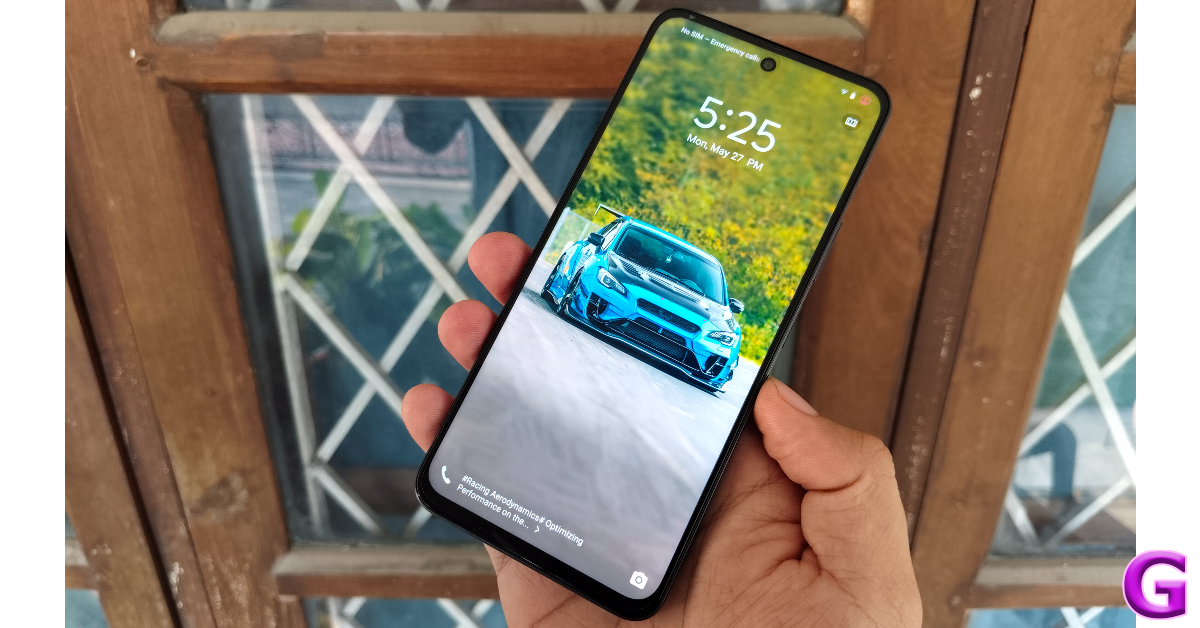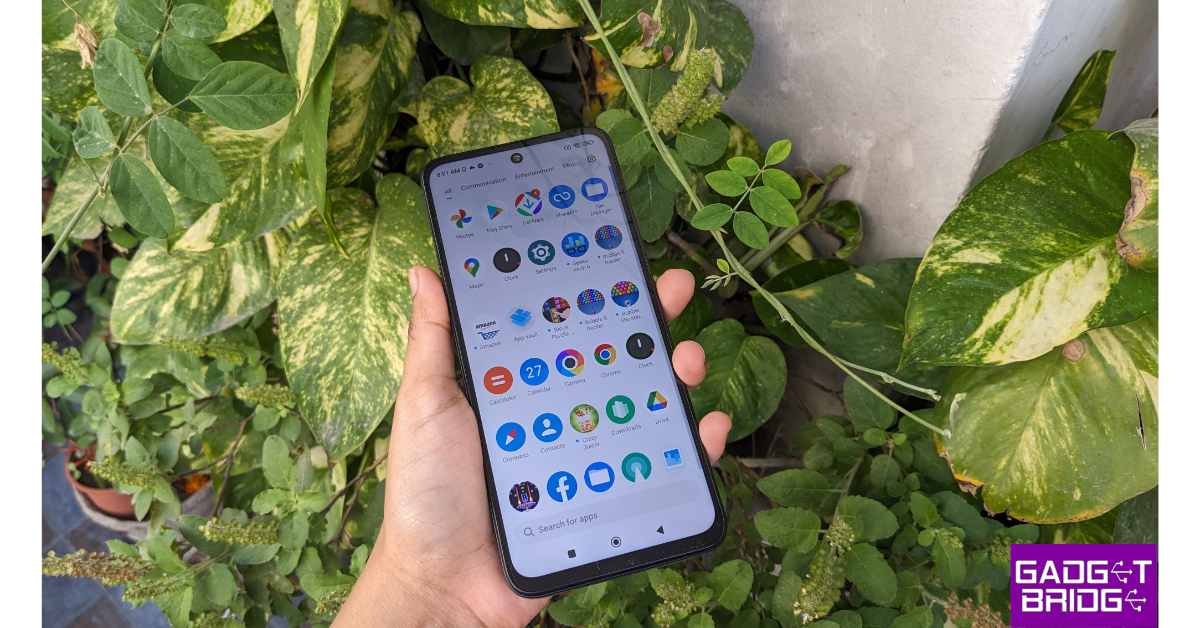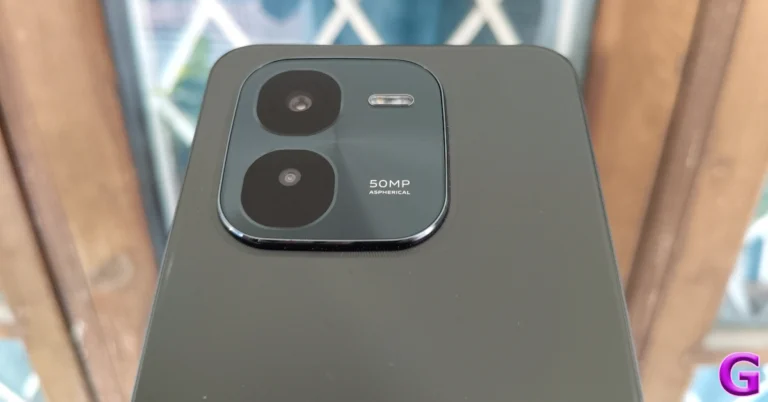
Best 5G phones under Rs 15000 to buy in India

Looking for a 5G phone under Rs 15 000? Check out the best 5G smartphones from brands like Xiaomi, Samsung, Redmi and Poco. These devices offer long-lasting batteries, expandable storage, and a respectable camera, all within your budget. Choose a device that meets your demands and your budget, and enjoy the benefits of 5G technology.

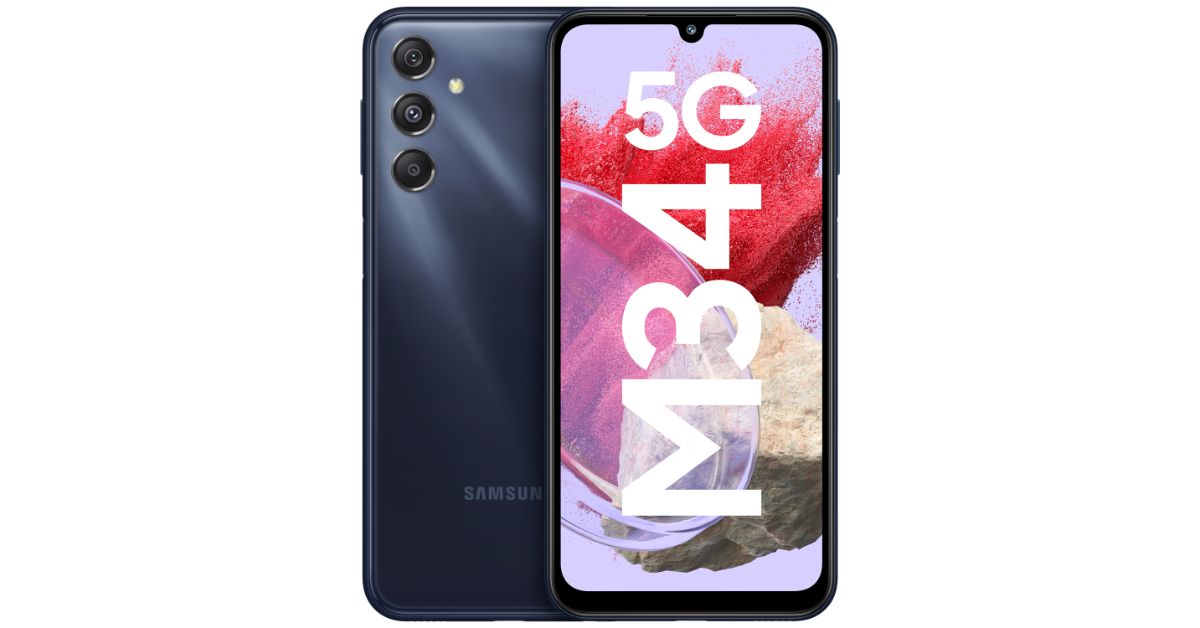
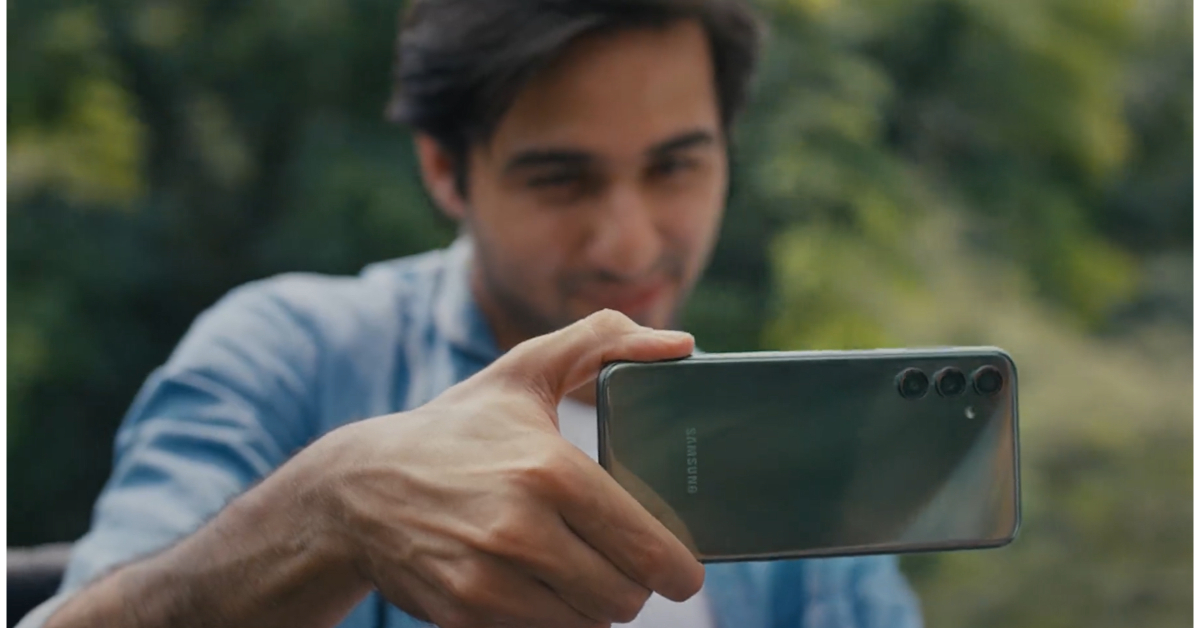
Samsung Galaxy M34 5G

Samsung Galaxy M34 price in India and sale details

The Samsung Galaxy M34 features a Full HD+ 6.5-inch display with a 120 Hz refresh rate and Corning Gorilla Glass 5 protection. It runs on OneUI 5.1, an Android 13-based operating system, with four years of software updates and five years of security fixes. The device has a built-in Exynos 1280 SoC, a Mali-G68 MP4 GPU, 8GB of RAM, and 128GB internal storage. The triple rear cameras include a 50-megapixel primary sensor, a 2-megapixel macro sensor, an 8-megapixel ultra-wide angle camera, and a 13-megapixel front sensor for selfies and video calls. The device has a 6,000mAh battery that lasts up to two days on a single charge and supports various connectivity options including 4G VoLTE, 5G, Wi-Fi 802.11 b/g/n/ac, Bluetooth, GPS, and a USB Type-C connector.

  • Price starts at Rs 12,999
  • Buy via Amazon

Samsung Galaxy M14 5G

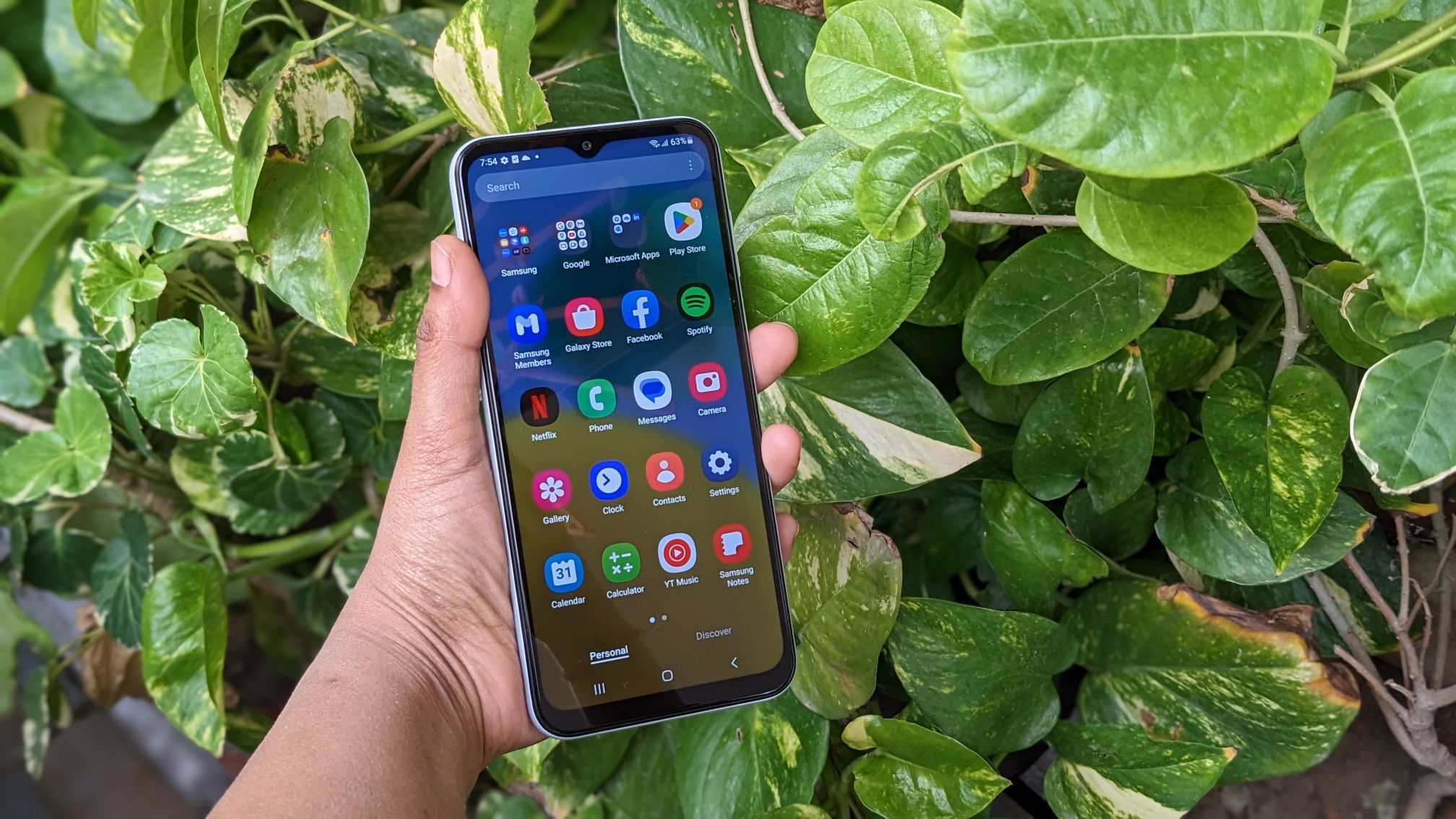
Samsung Galaxy M14 5G review: Design and display

Samsung Galaxy M14 5G comes in three colour options of Blue, Dark Blue, and Silver. The handset features a 6.6-inch Full HD+ PLS LCD display. It operates on Android 13 out of the box. The phone is powered by an Exynos 1330 octa-core SoC paired with Mali G68 GPU for graphics.
The Galaxy M14 5G also features a triple rear camera setup that includes a 50-megapixel main sensor with an f/1.8 aperture. It also consists of a 2-megapixel depth sensor and a 2-megapixel macro sensor. For taking selfies and video calls the handset comes with a 13-megapixel front-facing camera. It boasts a 6,000mAh battery with 25W fast charging support.

  • Price starts at Rs 9,490
  • Buy via Amazon

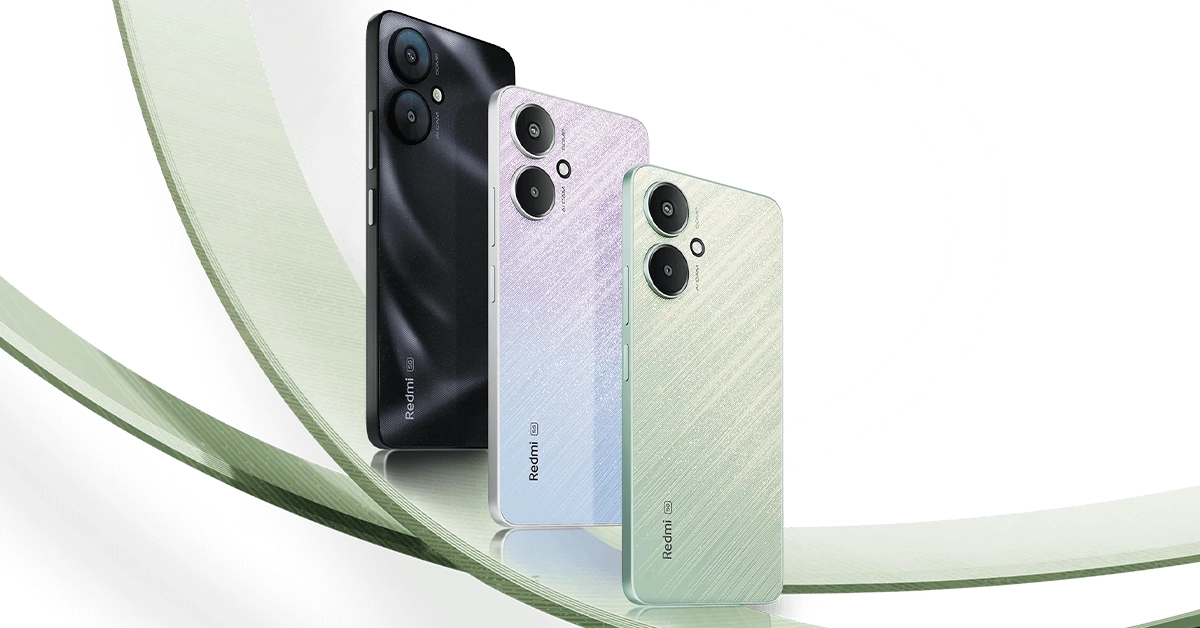
Redmi 12 5G


Redmi 12 5G

The Redmi 12 5G (Review)has a 6.79-inch full-HD+ display. It is powered by a Qualcomm Snapdragon 4 Gen 2 chipset with up to 8GB of RAM and 256GB of onboard storage. It operates on MIUI 14 with Android 13 out of the box. The mobile phone sports a dual rear camera setup consisting of a 50-megapixel primary and a 2-megapixel macro lens. It also sports an 8-megapixel selfies sensor. Moreover, the 5G phone comes with a 5,000mAh battery with 18W charging support.

  • Price starts at Rs 12,499
  • Buy via Amazon

Also Read: Pixel Feature Drop June 2024 brings Gemini Nano to Pixel 8 and Pixel 8a, Car Crash Detection to Pixel Watch 2 and more

Vivo T3X 5G

Vivo T3x 5G with Snapdragon 6 Gen 1 SoC launched in India

The Vivo T3x 5G comes equipped with a 4nm-based Snapdragon 6 Gen 1 SoC, up to 8GB of LPDDR4X RAM, and Funtouch OS 14, powered by Android 14. It features a 6.72-inch full-HD LCD with 1,080×2,408 pixels resolution, a 120Hz refresh rate, 1000 nits of peak brightness, and 393 ppi pixel density. The phone has a dual rear camera setup with a 50-megapixel primary sensor and a 2-megapixel secondary sensor, as well as an 8-megapixel sensor for selfies and video calls. It supports 5G, Wi-Fi, Bluetooth 5.1, GPS, OTG, Beidu, Glonass, and a USB Type-C connector. The phone has several sensors, including a side-mounted fingerprint sensor, proximity sensor, gyroscope, e-compass, accelerometer, ambient light sensor, and color temperature sensor. It has a 6,000mAh battery with 44W fast charging and IP64 water and dust protection. The phone also has two stereo speakers.

  • Price starts at Rs 13,499
  • Buy via Flipkart

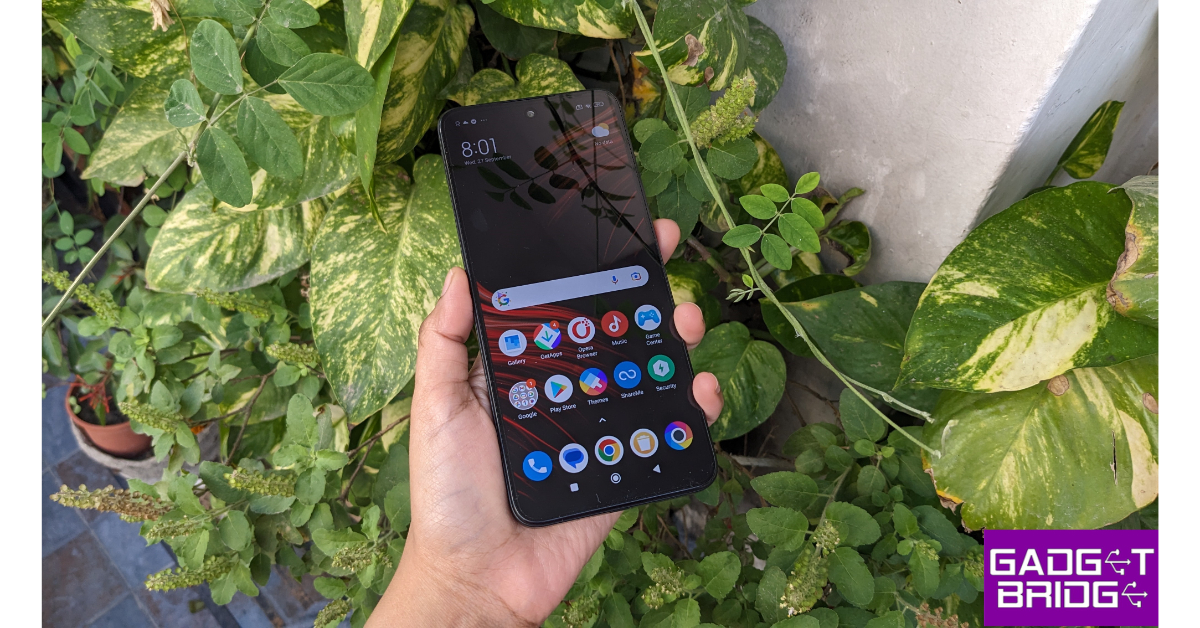
Redmi 13C 5G

Redmi 13C 5G and 4G model launched in India, price starts at Rs 7,999

The Redmi 13C is a smartphone with a 6.74-inch HD+ LCD screen with 1,600 x 720 pixels resolution, powered by MediaTek Dimensity 6100+ SoC, 8GB LPDDR4X RAM, and 256GB UFS2.2 internal storage. It runs on Android 13-based MIUI 14 and features a dual rear camera setup with a 50-megapixel primary camera and a secondary sensor for depth data collection. A 5-megapixel selfie camera is also available. The phone has a 5,000mAh battery with 18W charging support and offers connectivity options like 5G, Wi-Fi AC, Bluetooth 5.3, GPS, 3.5mm audio port, and USB Type-C port. The price starts at Rs-7999 in India.

  • Price starts at Rs 10,499
  • Buy via Amazon

POCO M6 5G

Review of Poco M6 Pro 5G

The Poco M6 5G features a 6.74-inch HD+ display, a 90Hz refresh rate, and a 180Hz touch sampling rate. It runs on MIUI 14 with Android 13 and is powered by MediaTek Dimensity 6100+ SoC and a Mali-G57 MC2 GPU. The phone has a dual rear camera setup with an AI-powered 50-megapixel main sensor and a 5-megapixel selfie camera, and a 5,000mAh battery with 18W wired charging.

  • Price starts at Rs 8,499
  • Buy via Amazon

iQOO Z9x 5G

iQOO Z9x 5G Review: Design and Display

The iQOO Z9x is a slim smartphone with a 6000mAh battery that can last up to two days on a single charge. Its 44W flash charge technology allows for 50% charge in 37 minutes, making it suitable for active lifestyles. Powered by Qualcomm Snapdragon 6 Gen 1 Mobile Platform and 4nm process technology, it has an AnTuTu benchmark score exceeding 560K. The phone features a 6.72″ Ultra Bright 120Hz adaptive display and dual stereo speakers. It has a 50MP AI rear camera and a 2MP Bokeh Camera, capable of 4K video recording at 30fps. Available in Tornado Green and Storm Grey, it has an IP64 dust and water resistance rating.

  • Price starts at Rs 14,999
  • Buy via Amazon

Poco M6 Pro 5G

Review of Poco M6 Pro 5G

The Poco M6 Pro 5G flaunts a 6.79-inch FHD+ display with a 90Hz adaptive sync refresh rate and 240Hz touch sampling rate, certified for SGS-Low Blue Light, and Corning Gorilla Glass 3. It runs on a Qualcomm Snapdragon 4 Gen 2 processor with Turbo RAM technology and MIUI 14 Android 13 version. The phone has a dual rear camera setup with a 50-megapixel AI sensor and a 2-megapixel depth sensor, and an 8-megapixel front-facing camera for selfies and video calls. It has a 5,000mAh battery with 18W fast charging support.

  • Price starts at Rs 9,499
  • Buy via Amazon

Also Read: CMF Phone 1 to feature a rotating dial, price in India leaked ahead of launch

Lava Storm 5G
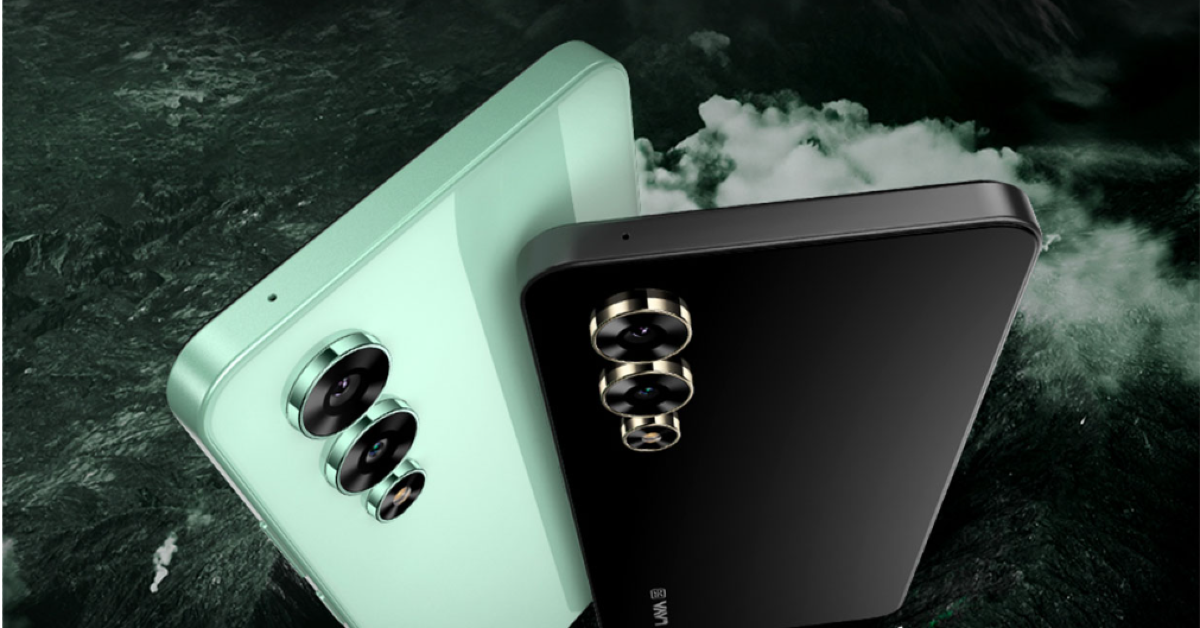
Lava Storm 5G price in India, sale details

The Lava Storm 5G has a 6.78-inch full-HD+ IPS 2.5D display with 1,080×2,460 pixels resolution. It comes pre-installed with Android 14 and promises two years of security updates. The phone has a MediaTek Dimensity 6080 SoC, 8GB RAM, and 128GB storage. It has a dual rear camera setup with a 50-megapixel primary sensor, an 8-megapixel ultra wide-angle lens, and an LED flashlight, and a 16-megapixel front-facing camera with screen flash. The phone also has a side-mounted fingerprint sensor for authentication and various sensors, including accelerometer, ambient light sensor, gyroscope, magnetometer, and proximity sensor. It has a 5,000mAh battery that offers up to 25 hours of talktime and 300 hours of standby time when fully charged. The phone supports 5G, Wi-Fi 802.11 b/g/n/ac, Bluetooth 5, GPRS, OTG, a 3.5mm audio jack, GLONASS, and a USB Type-C port for charging.

  • Price starts at Rs 11,999
  • Buy via Amazon
Samsung Galaxy F34 5G

Samsung Galaxy F34 5G India launch confirmed to take place on August 7, pricing hinted

The Samsung Galaxy F34 5G is a smartphone with a 6.46-inch full-HD+ Super AMOLED display with a resolution of 2340 x 1080 pixels. It runs on OneUI 5.1 and Android 13. The device has an octa-core Exynos 1280 SoC, 8GB of RAM, and 128GB of internal storage. It features a triple rear camera setup with an LED flash, a 50-megapixel primary sensor, an 8-megapixel sensor, an ultra-wide-angle lens, and a 2-megapixel macro sensor, and a 13-megapixel front camera for selfies. The phone has a 6,000mAh battery and supports 5G, GPS, NFC, Wi-Fi, Bluetooth v5.3, and a USB Type-C port for charging.

  • Price starts at Rs 12,999
  • Buy via Amazon
Garena Free Fire Max Redeem Codes Today 13 June 2024: Here is how to claim them

Garena Free Fire Max is a battle royale game with regular awards and tournaments to keep players interested. If you play Garena Free Fire, you should be aware of the redeem codes that are released on a daily basis. However, because the battle royale game is banned in India, players from other countries can use the Free Fire Redeem codes daily. If you’re unfamiliar with the Garena Free Fire redeem codes or don’t know how to get them, we’ve put together a step-by-step guide to help you redeem them. Check out Garena Free Fire Max Redeem Codes for 13 June 2024.

The Free Fire Max redeem codes are a great way to get free stuff. These are 12-digit codes that contain alphabets and numbers, as well as an expiration date and time. Because the Garena FF redeem codes cannot be used more than once, you should hurry to the redemption page to claim your free reward before someone else does. To get a free reward, all you have to do is go to reward.ff.garena.com/en, which is the official redemption page. Also, keep an eye on this space for daily updates on Garena Free Fire Max redemption codes and rewards.

Also Read: Sennheiser Accentum Plus wireless headphones with Hybrid Adaptive Noise Cancellation launched

Garena Free Fire Max Redeem Codes Today 13 June 2024

V2C9B6G4H7Z1J5XN

6X9M2H3G1K8R4N0B

D7F3T8Z9M2B0N4XC

4H5Y1G3B9C6N7J8X

P9S3R6W4T2X8B1G7

Y0N4T9KD6ZP1X3CR

F8N5D9ZYB2R1X7TW

3X2B7N8M4H5G1C6V

9G5H1B6C4V3N2X7M

T3B6H1G4C2V8N7X9

2V9N8C4G7B3X5H1M

Q2B6F3N0T9Z8L1X7

5J4H7P3G2T1D8R6C

Z8T3B1H5G9C2V7JX

X3Z9T6J8C7V5B4N2

1G7K9V3H5B6X4N2C

M8Z1H5G6B2C7V9N3

How to Get Free Fire Max Redeem Codes for Garena on 13 June 2024?

  • Visit the Garena Free Fire Max game’s official website at reward.ff.garena.com.
  • Use your Facebook, Google, VK, Apple ID, Huawei ID, or Twitter account to log in.
  • You’ll be taken to a valid redemption code (s)
  • Copy and paste the 12-digit redemption code into the text box.
  • On the screen, a dialogue box will appear.
  • ‘Ok’ should be selected.

For the latest gadget and tech news, and gadget reviews, follow us on TwitterFacebook and Instagram. For newest tech & gadget videos subscribe to our YouTube Channel. You can also stay up to date using the Gadget Bridge Android App. You can find the latest car and bike news here.

Amazon Quiz Answers Today 13 June 2024: Participate to win Rs 500 Amazon Pay Balance

13 June 2024: New Amazon Quiz is now available. Customers from different parts of the country are participating in the daily quiz. The quiz starts at midnight today and will be live until 11:59 PM tonight. By successfully answering every question, participants in the quiz have the chance to win wonderful rewards. A Rs 500 Amazon Pay Balance is up for grabs to participants today.

One wrong answer could eliminate you from the quiz. You have a chance to win Rs 500 Amazon Pay Balance if you successfully answer every question. Users of the app only have the opportunity to take the quiz. Check Out 13 June 2024 Amazon Quiz Answers.

Amazon Quiz Today Prize: Rs 500 Amazon Pay Balance

Quiz Date: 13 June 2024

Daily Timing: 12 AM to 11:59 PM

Previous Amazon Quiz Winners Announcement: Today 12 PM Noon

Amazon Quiz Answers Today 13 June 2024: Win ₹ 500 Amazon Pay Balance

Question 1: The Kerala Assembly recently passed a resolution urging the Centre to rename the state as what?

Answer: Keralam

Question 2: At 17, who became India’s #1 chess player, breaking a 36-year old ratings record?

Answer: Gukesh D

Question 3: Approved by the US government, Alef Model A is the world’s first what?

Answer:  Flying car

Question 4: What is the average lifespan of this insect?

Answer: 5 weeks

Question 5: How many players are required in a team for this sport?

Answer: 9

Also Read: Noise Buds Verve, budget TWS with up to 45 hours of playback launched in India

How To Play Amazon Quiz Today

Only app users are eligible to play the Amazon quiz every morning from 12 AM to 11:59 PM. The quiz is not available on the desktop. For those who are unaware of how to play the Amazon quiz, below are the steps, you can follow to take the quiz.

  • First, download the Amazon app from the Google Play Store or App Store or go here to download the Amazon App
  • Now fill in the required information through the Sign-Up option.
  • You need to log in to the Amazon app and scroll down on the home screen to find the Amazon Quiz banner.
  • Tap on the Amazon Quiz banner and tap on the Start button to start the Quiz.
  • Now you will get 5 questions and you need to answer them correctly. One wrong answer will eliminate you from the Quiz.
  • After answering all the questions correctly you are now eligible for a Lucky Draw.
  • The previous winner’s name will be announced today at 12 PM.

Amazon Daily Quiz Answers from the previous few days.

Here are all the answers from the previous 5 days of the Amazon Daily Quiz and Contest.

Amazon Quiz Answers Today 12 June 2024: Win ₹ 500 Amazon Pay Balance

Question 1: Italy’s football authorities banned the use of which number on jerseys due to its association with the Nazi slogan ‘Heil Hitler’?

Answer:  88

Question 2: For which film did Tom cruise rode a bike off a cliff, pulled the parachute open and landed on a moving train?

Answer: Mission: Impossible – Dead Reckoning Part One

Question 3: Which city annually sees the Nathan’s Fourth of July hot dog eating competition at Coney Island?

Answer: New York City

Question 4: Which country is the main breeding ground for this bird species?

Answer: Canada

Question 5: Where is the headquarter of this airline company located?

Answer: Malaysia

Amazon Quiz Answers Today 11 June 2024: Win ₹ 500 Amazon Pay Balance
Question 1: After 38 years as Prime Minister of which country did Hun Sen announce to step down in 2023?

Answer:  Cambodia

Question 2: Selvamani Selvaraj’s new web series delves into the ‘unseen and unheard’ aspects of the 17-year manhunt to catch whom?

Answer: Veerappan

Question 3: Which Indian food item has been named the world’s second-best flatbread by TasteAtlas?

Answer:  Butter garlic naan

Question 4: This bird was the symbol of which English Monarch?

Answer:  Elizabeth I

Question 5: When did this site become a UNESCO World Heritage site?

Answer: 1989

Amazon Quiz Answers Today 9 June 2024: Win ₹ 500 Amazon Pay Balance

Question 1: Sabyasachi made masks of what for King Charles and Queen Camilla’s Animal Ball in 2023?

Answer: Shola

Question 2: In August 2023, ‘Bandit King’ Malkhan Singh joined the Congress party in which state?

Answer: Madhya Pradesh

Question 3: Microsoft has changed the default font for its Office apps to what after 16 years?

Answer: Aptos

Question 4: Why is this animal not considered a big cat?

Answer: Lack of Roar

Question 5: This drink comes from which place?

Answer: Cuba

Amazon Quiz Answers Today 8 June 2024: Win ₹ 500 Amazon Pay Balance
Question 1: Fatma Samoura became the first woman, first Black person, first non-European to be which organisation’s secretary general?

Answer: FIFA

Question 2: The central government has agreed to investigate the Havana syndrome. It originated in which country?

Answer: Cuba

Question 3: Across Parliament’s history, we’ve had 28 of what in India?

Answer: No-confidence motions

Question 4: What is the only place outside of Africa, where this primate is found?

Answer: Grenada

Question 5: This vegetable was worshipped by the ancient Egyptians as a symbol of what?

Answer: Eternal Life

Amazon Quiz Answers Today 7 June 2024: Win ₹ 500 Amazon Pay Balance
Question 1: Who was named the vice captain of the Indian team for the T20 World Cup 2024?

Answer: Hardik Pandya

Question 2: The Amazon Prime miniseries ‘Expats’ stars which actress in the lead role of Margaret?
Answer: Nicole Kidman

Question 3: The first fragrant stamp released by the Indian postal department had what aroma?

Answer: Sandalwood

Question 4: What musical instrument is shown in the visual?

Answer: Cello

Question 5: This is a view of which planet as seen from Voyager 2?

Answer: Neptune

Amazon Quiz Answers Frequently Asked Questions (FAQs)
Where can I check the previous winners? Did I win how to check?

You can head over to this link on your mobile or desktop to check the winners of the Amazon Daily Quiz Contest.

How to Play Amazon Daily Quiz or Contest?

We have written an explainer above, you can refer to that.

When are the winners of the Amazon Quiz and contest announced or declared?

The announcement of today’s Amazon quiz winner will take place Tomorrow. As for the Special Quiz and “Spin & Win” Contest, the winners will be declared once the Quiz Contest comes to an end. To find out who the lucky winner is, you can refer to the Amazon Quiz Winners List or visit the Amazon Winners tab in the Amazon App.

How to participate in the Daily Amazon Quiz?

That is very easy, just got to the Amazon app and scroll to the bottom of the page and you will find the Quiz section. Click on it (usually it is called the fun zone) and you can enter the Amazon Today Quiz Contest. 

Are there any other quizzes or contests running on Amazon daily?

Yes, there are many running on a daily basis. These range from spinning the wheel to answering the questions correctly. All are located in the Fun Zone. 

What are the criteria for selecting a winner in the Daily Amazon Quiz?

When a qualified player submits correct answers to all the questions, they will automatically be entered into a lucky draw. This draw will include all participants who answered all the questions correctly. Amazon randomly selects the final winners from the pool of eligible participants who gave the right answers.

Which Types of Questions are asked within Amazon Daily Quiz?

These are very simple and straightforward questions. These are mainly related to general knowledge. 

Where should I look for Amazon Daily Quiz answers?

You can bookmark this page as we will help you every day with the Amazon Daily Quiz. We bring you fresh answers every day for the Amazon Daily Quiz and Contest. 

What time does Amazon Announce previous winners?

The previous winner’s name will be announced today at 12 PM (noon).

For the latest gadget and tech news, and gadget reviews, follow us on TwitterFacebook and Instagram. For newest tech & gadget videos subscribe to our YouTube Channel. You can also stay up to date using the Gadget Bridge Android App. You can find the latest car and bike news here.

How to change the iPhone flashlight’s brightness and beam width on iOS 18

0

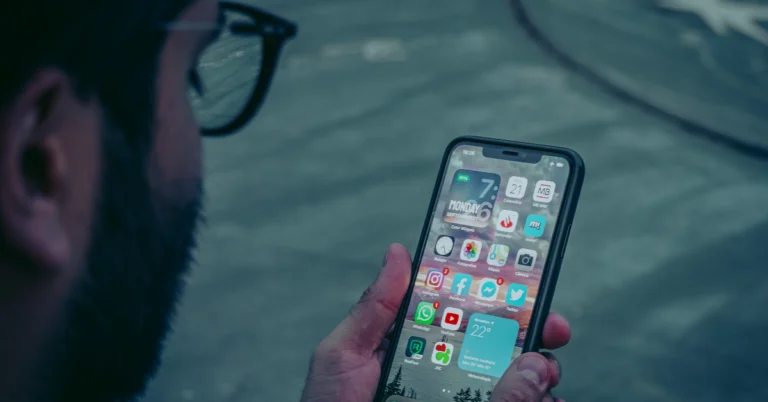
On iOS 18, Apple is adding a bunch of functionalities to the Dynamic Island. Yes, the Dynamic Island is here to stay on the iPhone for the foreseeable future. Instead of replacing the pill-shaped cutout with a punch-hole variant, Apple has gone all in on the Dynamic Island. One of the additions that caught our eye was the flashlight animation and controls. Here’s how you can change the iPhone flashlight’s brightness and beam width on iOS 18.

Read Also: Samsung Galaxy Watch FE price tipped, colour options revealed

What’s new on the iOS 18?

Apple Intelligence will make its debut on the iOS 18 when it is released this fall. To address privacy concerns, Apple has assured its users that most of the AI computation will take place on the device. Whenever the iPhone falls short of processing power, it will utilise Apple’s cloud servers for the computational process. Before using Open AI’s ChatGPT, the iPhone always asks for the user’s permission.

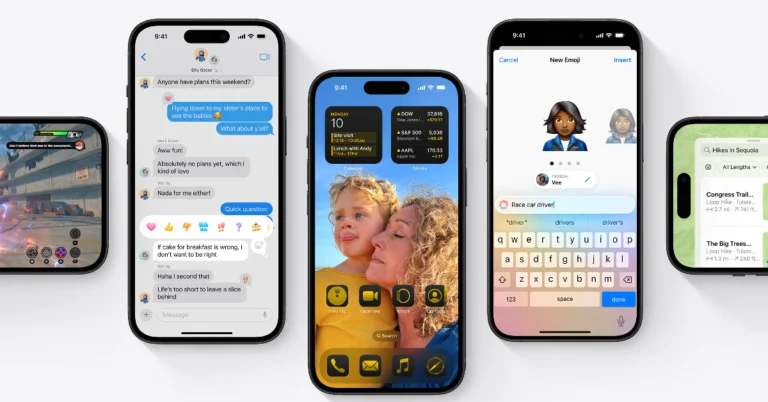
Apple Intelligence will find use everywhere on the OS – from editing pictures to recording and transcribing phone calls. Other than that, iOS 18 has taken a giant leap ahead when it comes to customisation. Users can now change the layout, size, and colour of the app icons on the home screen and even personalise the Control Center according to their needs.

Change the flashlight brightness and beam width on the iPhone

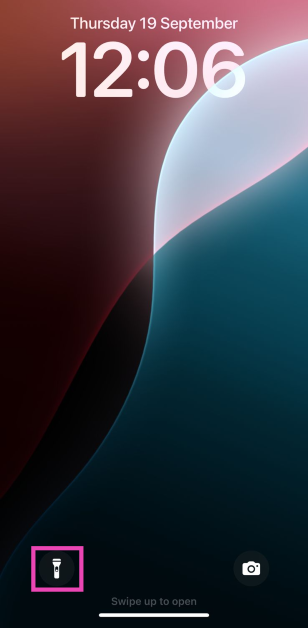
Step 1: Turn on the flashlight on your iPhone using the lock screen icon, Control Center tile, or Siri.

Step 1: Turn on the flashlight on your iPhone using the lock screen icon, Control Center tile, or Siri.

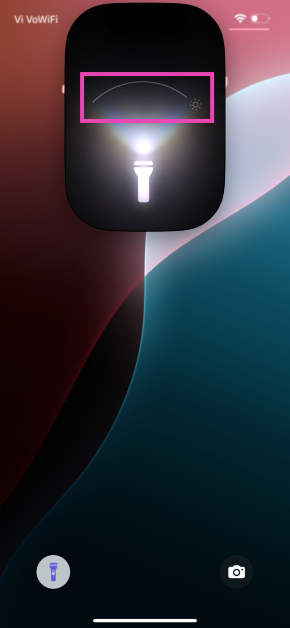
Step 2: The Dynamic Island displays a special animation for the flashlight whenever it is turned on.

Step 3: Use the horizontal slider on the animation to change the beam width of the light.

Step 3: Use the horizontal slider on the animation to change the beam width of the light.

Step 4: Use the vertical slider to change the brightness level of the light.

Step 5: To turn off the flashlight, simply tap on its icon in the Dynamic Island.

Frequently Asked Questions (FAQs)

How do I change the brightness and beam of my iPhone’s flashlight?

Turn on the flashlight and use the horizontal slider in its Dynamic Island animation to change the beam width and the vertical slider to change the brightness level.

How do I turn on the flash notifications on my iPhone?

Go to Settings> Accessibility>Audio/Visual>LED Flash for Alerts and turn on the toggle switch for Flash in Silent Mode.

When is the launch date set for iOS 18?

iOS 18 will be launched alongside the iPhone 16 Series this fall. While Apple has not confirmed the date yet, the event will take place in September.

Read Also: How to use Math Notes on the new Calculator app for iPad?

Conclusion

This is how you can change the iPhone flashlight’s brightness and beam width in iOS 18. Check out this article to learn more about Apple’s new mobile operating system. If you have any other questions related to iOS 18, let us know in the comments!

Pixel Feature Drop June 2024 brings Gemini Nano to Pixel 8 and Pixel 8a, Car Crash Detection to Pixel Watch 2 and more

Indian users of Pixel devices are now receiving Google’s Pixel Feature Drop June 2024, which includes the most recent upgrade in a 0.97GB security update. For Pixel smartphones, Pixel Watch devices, and Pixel Tablets that are compatible, the update brings new functionality. Now accessible on the Pixel 8 and the newly released Pixel 8a, the Gemini Nano AI model was formerly exclusive to Google’s Pixel 8 Pro smartphone.

While announcing Pixel Feature Drop June 2024 the company said, “Our latest Feature Drop is here, and it’s packed with incredible new capabilities for your device, including Gemini Nano coming to Pixel 8 and Pixel 8a as a developer option, and Car Crash Detection to Pixel Watch 2, plus so much more. These features begin rolling out to devices today and will continue over the next few weeks.”

The Pixel 8 and Pixel 8a smartphones may now use advanced AI-enabled functions on-device thanks to the Gemini Nano, such as enabling the Recorder app’s Summarise function and exporting transcripts to a Google Docs file. Note that Pixel 8 and Pixel 8a users can access Gemini Nano as a developer option. You can enable developer options in your Pixel’s settings.

The ability to mirror content on a bigger screen, such as your computer monitor, providing you more room to watch your preferred films, TV series, and slides to an external display is also included with all new Pixel smartphone models; however, a compatible USB Type-C connector and display are needed.

Also Read: CMF Phone 1 to feature a rotating dial, price in India leaked ahead of launch

Additionally included in the update are Best Take Expansion and Find My Device Offline Tracking. Users who misplace their smartphone can utilise the Find My Device network to find it even when it is turned off or has a dead battery, all while keeping your location data encrypted and private from Google. For a minimum of 23 hours, the feature—which calls for cell service or an internet connection—can assist customers in finding their device even in the absence of electricity.

With the Pixel 6 Pro, Pixel 7 Pro, and Pixel Fold cameras only—which have telephoto cameras—users may now choose the specific lens they wish to use when snapping pictures using the Pixel Camera app. With its Pro mode, the Pixel 8 Pro unveiled Lens Selection, a new option that gives consumers who dislike artificial crops with scaling more control and fewer digital stops when zooming in. Moreover, the Pixel camera can now automatically identify the best moment from your photo in HDR+ with just a single shutter press, so it’s easier to snap a photo where your face is in focus and smiling.

In India, the Pixel Watch 2 now has car crash detection; however, for it to function effectively, the Pixel Watch needs to be paired with a Pixel smartphone. Your wearable device can now make sure you’re alright in the event of a serious car crash. Emergency services will be immediately called if you require assistance or don’t respond. When you are in an accident, Car Crash Detection works with Emergency Sharing on your watch to provide your emergency contacts with a real-time location update. In order to better identify falls from bicycles, we have additionally enhanced Fall Detection.

Also Read: Samsung Galaxy Watch FE price tipped, colour options revealed

Additionally, Google has enhanced Fall Detection and is now enabling customers in a few countries to connect their PayPal account to their Google Wallet.

With just a single swipe on the watch, users can now quickly access Google Home devices thanks to updates made to the Home app for Wear OS. Pixel Tablet will now have richer doorbell notifications when docked in hub mode, giving you a snapshot of who is at your front door. You can talk to them with two-way talk, or send a Quick Response.

CMF Phone 1 to feature a rotating dial, price in India leaked ahead of launch

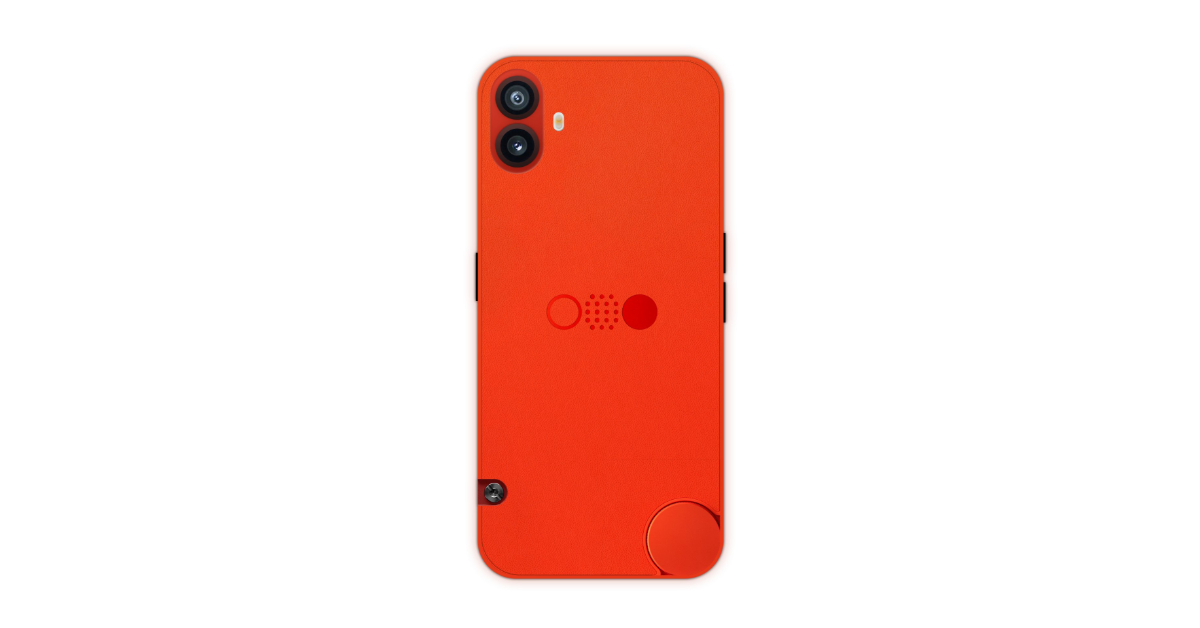
CMF, a subsidiary of Nothing, is promoting the CMF Phone 1, its debut smartphone. Recently, the company revealed the name along with a teaser image of its upcoming phone. Now a new short video teaser has been released featuring a rotary dial. More on this below.

Because of the distinctive design of its products, nothing has already established itself in the tech sector. Now its sub-brand CMF is ready to launch its first debut smartphone called CMF Phone 1. The firm has now officially released a short video teaser on X.com formerly known as Twitter which has spurred the controversy surrounding it. 

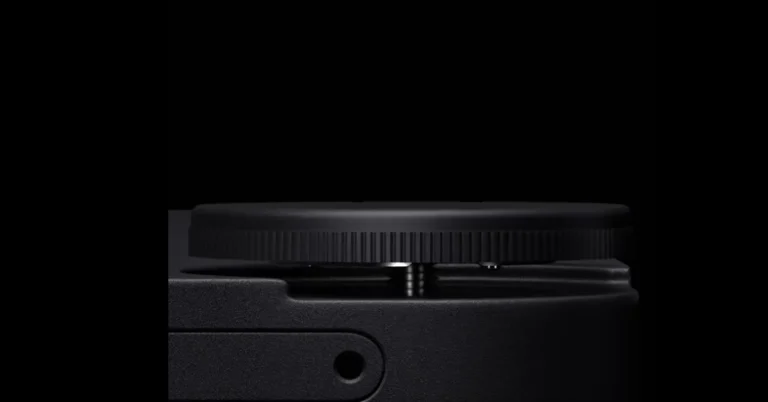
A closeup of what appears to be a rotating wheel and an unscrewable circular cap in the video suggests that the upcoming device will have special features. In the meanwhile, X user Rahul Janardhanan’s concept graphic provides a reasonable explanation for the phone’s features. 

CMF Phone 1 to feature a rotating dial, price in India leaked ahead of launch
Image Courtesy: Rahul Janardhanan/X.com

The phone’s back has two features: a rotary dial in the lower right corner and a detachable screw in the lower left corner. The screw may be a component of a locking or unlocking mechanism that lets users change accessories or the phone’s coloured back cover. Given the state of smartphones today, this could be a unique selling point for the CMF Phone 1.

Also Read: Samsung Galaxy Watch FE price tipped, colour options revealed

With the help of tipster Yogesh Brar, 91mobiles has disclosed the box pricing of Nothing’s upcoming CMF Phone (1). The phone is anticipated to retail for Rs 19,999 for the 6GB RAM and 128GB storage option; in reality, it will likely cost Rs 18,000 without any offers, and it may even go for Rs 17,000 with savings.

CMF Phone 1 specifications expected

According to a tipster, CMF Phone 1 will have a plastic frame and is likely to include a vegan leather or polycarbonate back panel. It is said to have a 6.7-inch OLED screen with a 120Hz refresh rate. It’s suggested that the bezels might be thicker even though they’re tipped to be symmetrical. It might run on a MediaTek Dimensity 7200 SoC and 6GB of RAM along with 128GB and 256GB UFS 2.2 storage options. Additionally, a microSD card will allow for expansion. The smartphone has 6GB+2GB RAM, and it also indicated a potential expanded RAM option.

Also Read: Xiaomi 14 Civi with 32-megapixel dual selfie cameras launched in India

The upcoming device is tipped to operate on NothingOS 2.6.0. The phone is anticipated to have dual rear cameras: a 50-megapixel primary camera and a 50-megapixel ultra-wide sensor. There may also be a 16-megapixel selfie camera on the front. Additionally, it has been speculated that the Phone 1 could have a 5,000mAh battery that supports 33W wired charging.  

Samsung Galaxy Watch FE price tipped, colour options revealed

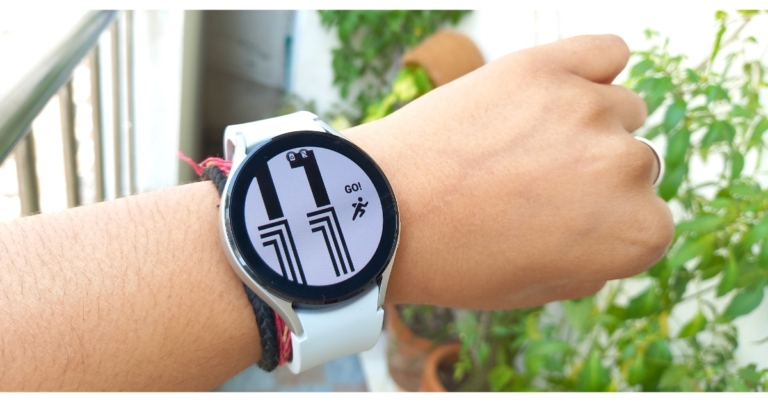
Samsung is anticipated to unveil the much-discussed Galaxy Watch FE, an entry-level wearable device, alongside the Galaxy Watch 7 series during the forthcoming Galaxy Unpacked event. The gadget has been reported to be an updated Galaxy Watch 4 model. Recently, the wearable device’s price and possible colour options appeared on an online retailer. Look over the information below.

Samsung is rumoured to launch the Galaxy Watch FE at the next Galaxy Unpacked event, alongside the Galaxy Watch 7 series. According to a report by YTECHB the wearable device is expected to be available in three colours — Black, Pink Gold, and Silver. The information was leaked after the upcoming smartwatch was spotted listed on the Amazon Italy website. As per the listing, the device will make its debut with a price tag of EUR 199 which translates to Rs 17,900. 

Furthermore, the Samsung Galaxy Watch FE is listed to come in a single 40mm variant.

Also Read: Xiaomi 14 Civi with 32-megapixel dual selfie cameras launched in India

As per speculations, Samsung is likely to introduce the Galaxy Watch FE on July 10th at the Galaxy Unpacked event in Paris. Alongside the Galaxy Watch 7 and the Galaxy Watch 7 Ultra, the device is anticipated to be released in the UK and North America. Samsung is anticipated to release other next-generation gadgets, such as tablets, the Galaxy Ring, flip and foldable phones, and more. 

A 1.2-inch Super AMOLED screen, 1.5GB of RAM, and 16GB of storage are among the features and characteristics of the rumoured Galaxy Watch FE that are revealed in the images leaked by a popular tipster. The Galaxy Watch FE shares many internal parts with the previous generation Galaxy Watch 4, which was released in 2021.  

Also Read: Samsung introduced 2024 QLED 4K TV series Quantum Dot and Quantum HDR technology in India

Leaks indicate that the Galaxy Watch FE’s 1.2-inch Super AMOLED display has a resolution of 396×396 pixels. It might be powered by  Samsung’s Exynos W920 chipset, which has 16GB of storage and 1.5GB of RAM. Wear OS, based on One UI Watch 5, is rumoured to come pre-installed.  

A 247mAh battery will be included in the Galaxy Watch FE. It is said to provide a battery life of up to 30 hours. The smartwatch will probably enable magnetic wireless charging. Wi-Fi, Bluetooth 5.0, NFC, and GPS connectivity options are rumoured to be included. It could include a geomagnetic sensor, gyroscope, barometer, accelerometer, and more. 

How to Customise the Control Center in iOS 18?

0

Outside of Apple Intelligence, customisation options have been the biggest highlight of the new iOS 18. iPhone users can now adjust the layout of their home screen, change the colour of the app icons, swap the control icons in the lock screen, and more. Even the Control Center gets a bunch of cool updates, making it more user-friendly. So, let’s take a look at how you can customise the Control Center in iOS 18.

Read Also: Samsung introduces 2024 QLED 4K TV series Quantum Dot and Quantum HDR technology in India

What’s new in the Control Center?

iOS 18’s Control Center has received a significant facelift. It hands over some of the aesthetic and functional choices to the user, bringing a whole new level of personalisation to the software experience. To begin with, the Control Center has been expanded to cover multiple categories – Music, Home, and Connectivity. You can glide through these pages using their icons on the right side of the screen. The first page in the Control Center is still dedicated to your favourite controls.

Users can also add more pages to the Control Center. These pages can be filled with control tiles for the iPhone’s native functions as well as third-party apps. The latter will be released when the OS is officially launched. Apart from adding new tiles, users can also adjust their size.

Customise the Control Centre in iOS 18

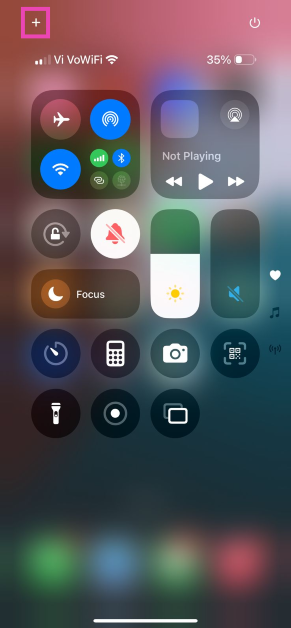
Step 1: Swipe down from the right side of the status bar to reveal the Control Center.

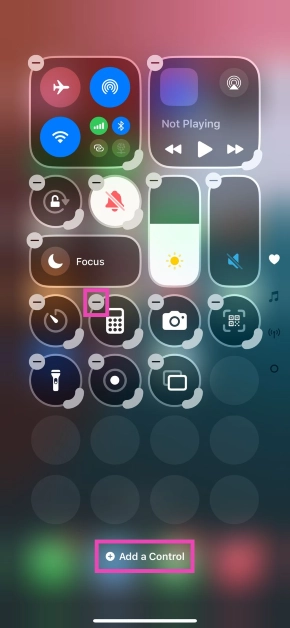
Step 2: Tap the plus icon at the top left corner of the screen. You can also tap and hold an empty stop to go into editing mode.

Step 2: Tap the plus icon at the top left corner of the screen. You can also tap and hold an empty stop to go into editing mode.

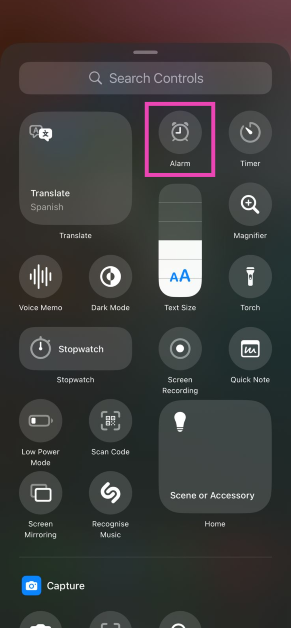
Step 3: Tap on Add a Control and select a tile of your choice.

Step 3: Tap on Add a Control and select a tile of your choice.

Step 4: Hit the minus icon at the top left corner of a tile to remove it from the Control Center.

Step 4: Hit the minus icon at the top left corner of a tile to remove it from the Control Center.

Step 5: Drag the highlighted portion of a tile’s border to adjust its size.

Step 6: You can toggle among the home, music, and connectivity pages by tapping their icons on the right side of the screen.

Step 7: To create a customised page, tap the dotted circle below the connectivity icon and fill it with your preferred controls.

As of now, the Control Center in the beta version of iOS 18 has control tiles for native functions only. The control tiles for third-party apps will be rolled out once the OS is officially launched.

Frequently Asked Questions (FAQs)

How do I add a tile in the Control Center?

Swipe down from the right side of the status bar, tap the plus icon at the top left corner of the screen, tap on Add a Control, and select a tile of your choice.

How do I add another page on the Control Center?

Swipe down from the right side of the status bar, tap the plus icon at the top left corner of the screen, tap the dotted circle under the connectivity icon, and fill the page with your preferred controls.

When Apple release its AI features for iPhone?

Apple Intelligence will be released as a part of the iOS 18.1 update in October.

Read Also: Xiaomi 14 Civi with 32-megapixel dual selfie cameras launched in India

Conclusion

This is how you can add new tiles to the Control Center and customise it in iOS 18. The new OS also brings a bunch of security and privacy features, including the option to lock/hide apps along with a brand new Passwords app. Keep an eye on this space as we bring you more iOS 18 updates!

How to hide and lock apps on your iPhone (iOS 18)

0

Apple’s new iOS 18 for iPhone brings much-needed privacy and security features which its Android counterparts have had for years. While Apple’s keynote at WWDC24 was mostly about AI, there are a few other updates on the iOS 18 that will find much larger popularity among iPhone users. The new update allows users to encrypt apps on their phones. You can now lock your sensitive apps away from prying eyes. Here’s how you can hide and lock apps on your iPhone with iOS 18.

Read Also: Xiaomi 14 Civi with 32-megapixel dual selfie cameras launched in India

Privacy and security on iOS 18

Apple is known for offering state-of-the-art security on its flagship smartphone. While users may have some privacy concerns around AI, Apple has craftily baked it into the iPhone using on-device processing wherever necessary. Since iPhones aren’t fully geared to handle large language models in their entirety, they also partially rely on cloud servers to carry out the neural processing. Hopefully, that changes with the upcoming iPhone series.

iOS 18 also marks the debut of Apple’s ‘Passwords’ app. This app will store all your passwords ranging from WiFi networks to passkeys. The saved passwords can be accessed from any Apple device on which you’re signed in using your iCloud account. The Passwords app will also alert users if their passwords have appeared in data leaks.

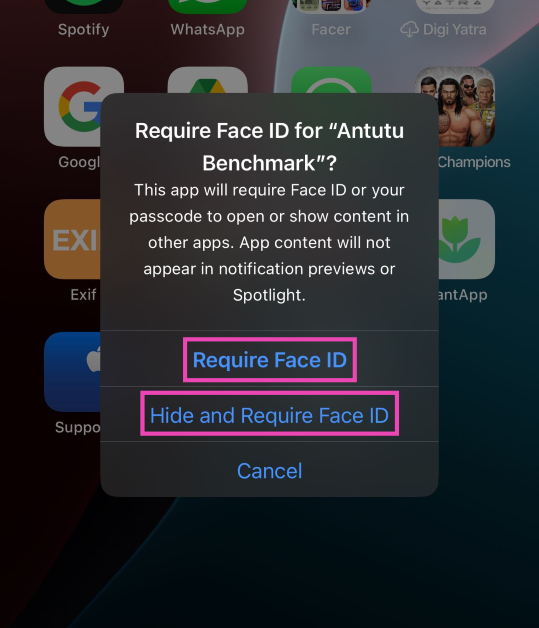
Hide and lock an app on iPhone/iOS 18

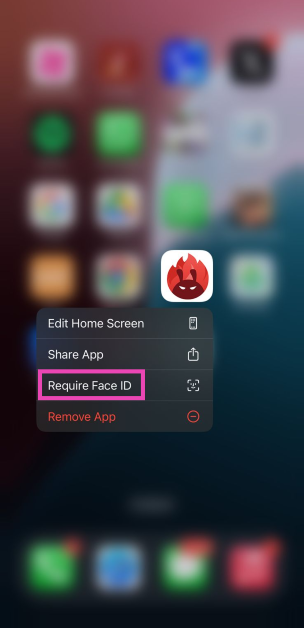
Step 1: Tap and hold the app you want to hide or lock.

Step 2: Select Require Face ID from the popup menu.

Step 2: Select Require Face ID from the popup menu.

Step 3: If you simply want to lock an app, select Require Face ID

Step 3: If you simply want to lock an app, select Require Face ID. 

Step 4: To hide and lock an app, select Hide and Require Face ID.

When you hide an app, it gets moved to the ‘Hidden Apps’ folder in the App Library.

Frequently Asked Questions (FAQs)

How do I hide or lock an app on my iPhone?

Long press the app’s icon on the home screen and select Require Face ID from the popup menu. Tap on ‘Require Face ID’ again to lock it or ‘Hide and Require Face ID’ to hide it.

Where are the hidden apps on my iPhone?

The locked and hidden apps can be found in the ‘Hidden Apps’ folder in the App Library. You will need Face ID access or the passcode to unlock this folder. You can also find the hidden apps in settings.

When will iOS 18 be launched?

iOS 18 will be launched alongside the new iPhone 16 Series this fall.

Read Also: Which iPhones will get the new iOS 18? Check out the list

Conclusion

This is how you can hide and lock apps on your iPhone with iOS 18. Apart from password protection, iOS 18 also lets you decide which contacts you wish to share with an app. Among other privacy and security features, Apple also introduced a new ‘Passwords’ app for iOS and iPadOS 18.

Xiaomi 14 Civi with 32-megapixel dual selfie cameras launched in India

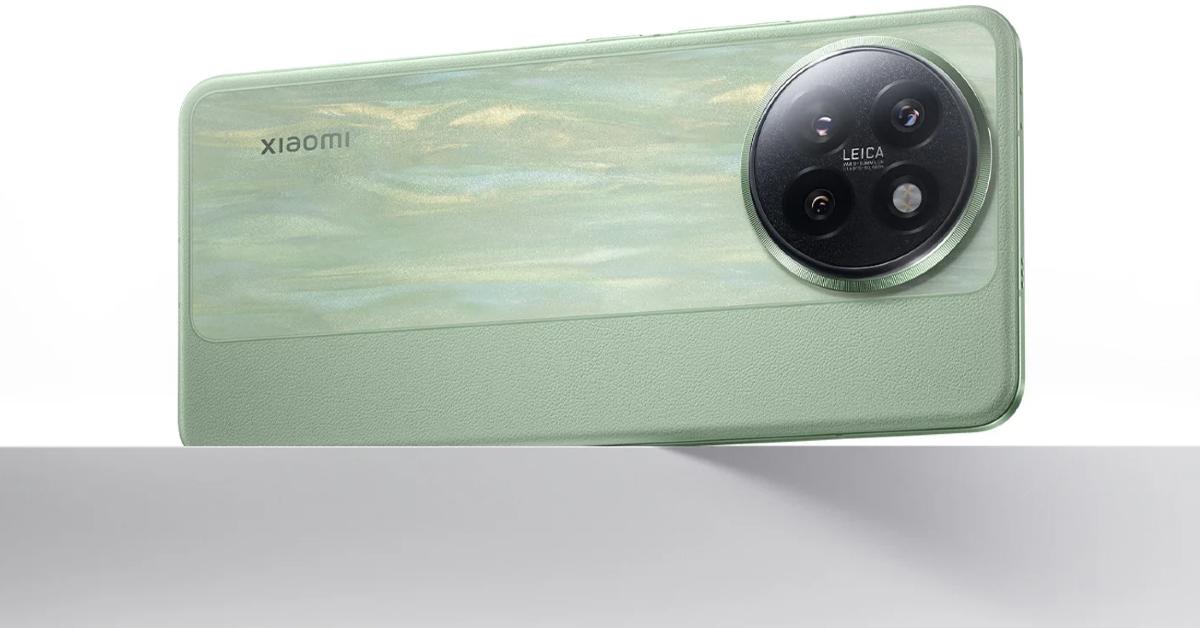
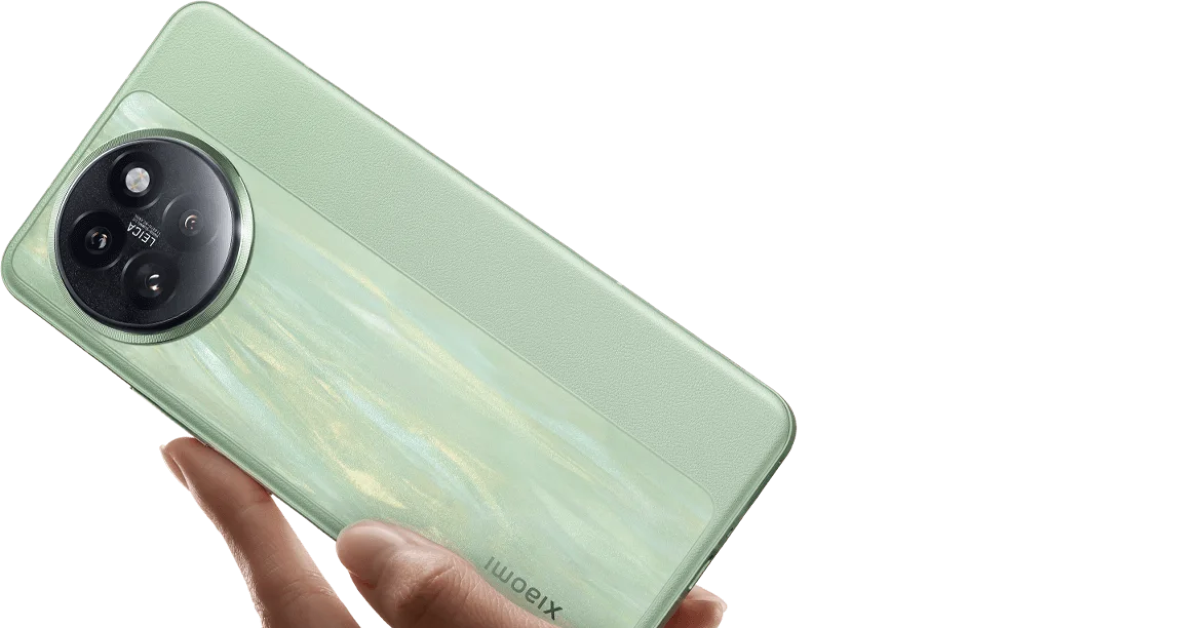
Xiaomi today officially unveiled its latest smartphone Xiaomi 14 Civi in India. It appears to be a rebranded variant of the Xiaomi Civi 4 Pro that has already launched in China. The smartphone runs on HyperOS based on Android 14. The device is powered by a Snapdragon 8s Gen 3 SoC. It also features a triple rear camera setup by Leica led by a 50-megapixel primary sensor. Moreover, the smartphone houses a 4,700mAh battery with 67W wired fast charging support.

Xiaomi 14 Civi price in India, sale details

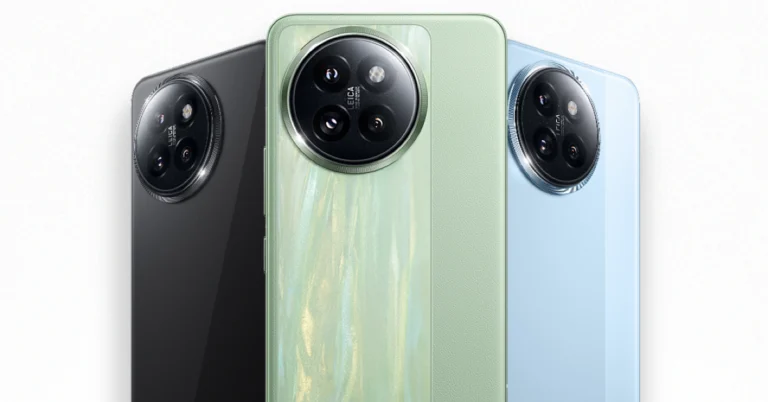
Xiaomi 14 Civi price in India is set at Rs 42,999 for the base 8GB RAM with 256GB storage option. The price of the 12GB RAM with 512GB storage will come with a price tag of Rs 47,999. The device will be available in three colour options of Cruise Blue, Matcha Green and Shadow Black.

Xiaomi 14 Civi price in India

The smartphone will go on sale in the country on June 20 via Flipkart, Mi.com, Mi Home stores, and official retail partners. The phone is now available for pre-booking and buyers who reserve a phone in advance will be eligible to receive a complimentary Redmi 3 Active.

Customers of ICICI Bank can receive a discount of Rs 3,000 while using their cards to make purchases. Additionally, the Xiaomi 14 Civi includes 100GB of Google One for six months and a three-month premium YouTube subscription.

Also Read: Samsung introduced 2024 QLED 4K TV series Quantum Dot and Quantum HDR technology in India

Xiaomi 14 Civi specifications

Xiaomi 14 Civi is highlighted with a 6.55-inch 1.5K curved AMOLED display with 120Hz refresh rate. The display has a 240Hz touch sampling rate, 446 ppi pixel density and 3,000 nits peak brightness. The screen supports Dolby Vision, HDR10+ and Corning Gorilla Glass Victus 2 protection. The phone runs on HyperOS based on Android 14 out of the box. Under the hood, there is Qualcomm’s Snapdragon 8s Gen 3 mobile platform with up to 12GB of LPDDR5 RAM and up to 512GB of UFS 4.0 storage.

The Xiaomi 14 Civi comes with a Leica-branded triple rear camera setup consisting of Summilux lens. There is a primary 50-megapixel Light Fusion 800 image sensor with OIS, a 50-megapixel telephoto lens with 2x zoom and a 12-megapixel ultra-wide lens with 120-degree field of view. For selfies, it has a dual 32-megapixel front-facing camera.

Xiaomi 14 Civi specifications

The Xiaomi 14 Civi is backed by a 4,700mAh battery with 67W wired charging support. To increase download speed and network coverage in congested areas, it has an internal T1 signal augmentation chip. It provides the IceLoop cooling system, which is said to operate three times as effectively as traditional vapour cooling systems.

The Xiaomi 14 Civi has the following connectivity options: GPS, Galileo, GLONASS, Bluetooth 5.4, 5G, Wi-Fi 6, NFC, USB Type-C connector, and GPS. The e-compass, proximity sensor, accelerometer, ambient light sensor, and infrared blaster are among the sensors on board. It supports a face unlock system powered by AI and features an in-display fingerprint sensor for authentication. It has Dolby Atmos compatibility and dual speakers. 

Which iPhones will get the new iOS 18? Check out the list

Like clockwork, Apple announced its new mobile OS at the annual WWDC event. The iOS 18 seems monumental not just because of the debut of Apple Intelligence (AI), but also for the minor upgrades that iPhone users have been requesting for years. The operating system will launch this fall alongside the new iPhone 16 Series. If you own an older iPhone, you’re probably wondering if the new OS will arrive on your device. So, let’s take a look at all the iPhones that will get the new iOS 18.

Read Also: Xiaomi 14 Civi India launch today: Livestream, expected pricing and specs details

What’s new on the iOS 18?

How to change the app colours on your iPhone’s home screen?

Before we take a look at the iPhones set to get the iOS 18 update, let’s talk about the major highlights of the OS. Apple Intelligence dominated the keynote address at WWDC24 – and for good reason. It has its fingerprints all over the OS. From erasing unwanted objects in your pictures to recording and creating a transcript of your phone calls, Apple Intelligence can carry out a diverse range of tasks. Since the iPhone 11 Apple’s flagship smartphone has had a dedicated NPU, which is why handling the bulk of AI tasks will not prove to be a significant problem.

iOS 18 also gives a big boost to iPhones in terms of customisation options. It brings the smartphone up to speed with its Android counterparts. iPhone users can now change the size, colour, and position of the app icons on the home screen. It remains to be seen whether the OS will allow home screen access to third-party launchers and let users completely change the look of their devices.

These iPhones will get iOS 18

  • iPhone 15 Pro Max
  • iPhone 15 Pro
  • iPhone 15 Plus
  • iPhone 15
  • iPhone 14 Pro Max
  • iPhone 14 Pro
  • iPhone 14 Plus
  • iPhone 14
  • iPhone 13 Pro Max
  • iPhone 13 Pro
  • iPhone 13
  • iPhone 13 mini
  • iPhone SE (2nd Gen or later)
  • iPhone 12 Pro Max
  • iPhone 12 Pro
  • iPhone 12
  • iPhone 12 mini
  • iPhone 11 Pro Max
  • iPhone 11 Pro
  • iPhone 11
  • iPhone XR
  • iPhone XS Max
  • iPhone XS

Frequently Asked Questions (FAQs)

When will iOS 18 be launched?

iOS 18 will be launched alongside the iPhone 16 Series this fall.

Which iPhones will get iOS 18?

Devices as old as iPhone XR and iPhone XS will receive the latest iOS 18 update.

Does iOS 18 have a call recording feature?

You can record a call with just one tap on iOS 18. It is also capable of transcribing and summarising your calls using AI.

Read Also: Samsung introduced 2024 QLED 4K TV series Quantum Dot and Quantum HDR technology in India

Conclusion

The iPhone X and earlier models will not be receiving the iOS 18 update. The upcoming iPhone 16 Series will be powered by the A18 chipset. Its Neural Engine (Apple’s term for Neural Processor Unit) is expected to get a massive update to accommodate the new AI features on the smartphone.

Xiaomi 14 Civi India launch today: Livestream, expected pricing and specs details

The Xiaomi 14 Civi, an edition of the Xiaomi 14 series, will be released in India today. The Xiaomi 14 Civi, which is the first smartphone in India to use the Civi name, appears to be a rebranded Xiaomi Civi 4 Pro from China based on its key specifications. The company will be hosting a launch event today in this post, we’ll look at the launch details along with what to expect in terms of price, specifications, and more.

Xiaomi 14 Civi India launch will be hosted today. The launch event will begin at 12 noon via the company’s official YouTube channel. The event will also be live-streamed on the company’s social media channels. Or, use the embedded video below to watch the event on our website.

Thanks to the dedicated microsite on Flipkart and the official website it provided us with a wealth of information about the Xiaomi 14 Civi before its launch. According to reports, the company plans to launch the Xiaomi 14 Civi in the country’s sub-Rs 50,000 pricing range. However, the precise Xiaomi 14 Civi price in India will only be revealed during the launch event. In terms of availability, it should be available for purchase a week after its debut.

Rumour has it that the base 8GB RAM and 128GB storage edition of the Xiaomi 14 Civi will set you back approximately Rs 43,000. The device is likely to be available in three colour options Cruise Blue, Matcha Green, and Shadow Black.

Also Read: Samsung introduced 2024 QLED 4K TV series Quantum Dot and Quantum HDR technology in India

In addition to this, the poster offers a Rs 3,000 instant cashback with certain bank cards. Buyers may also receive a Rs 3,000 exchange incentive when they purchase the  Xiaomi 14  Civi. Whereas the EMIs will begin at Rs 2,389 per month, and customers have the option to use  Xiaomi Easy Finance.

Also Read: WWDC 2024: What’s new with watchOS 11?

The key specifications of the phone have now been listed on its microsite. The phone will include a 1.5K AMOLED screen with a refresh rate of 120Hz, powered by HyperOS, an Android 14 operating system, and Qualcomm’s Snapdragon 8s Gen 3 processor. It will have two 32-megapixel front camera sensors and a triple rear camera configuration supported by Leica. A 4,700mAh battery that can withstand up to 1,600 charge cycles and 67W of wired fast charging will power the phone. The Cruise Blue, Matcha Green, and Shadow Black colour options are available for the upcoming phone. It is confirmed that the phone’s frame is made of metal and that its thickness is 7.4 mm. 

Garena Free Fire Max Redeem Codes Today 12 June 2024: Here is how to claim them

Garena Free Fire Max is a battle royale game with regular awards and tournaments to keep players interested. If you play Garena Free Fire, you should be aware of the redeem codes that are released on a daily basis. However, because the battle royale game is banned in India, players from other countries can use the Free Fire Redeem codes daily. If you’re unfamiliar with the Garena Free Fire redeem codes or don’t know how to get them, we’ve put together a step-by-step guide to help you redeem them. Check out Garena Free Fire Max Redeem Codes for 12 June 2024.

The Free Fire Max redeem codes are a great way to get free stuff. These are 12-digit codes that contain alphabets and numbers, as well as an expiration date and time. Because the Garena FF redeem codes cannot be used more than once, you should hurry to the redemption page to claim your free reward before someone else does. To get a free reward, all you have to do is go to reward.ff.garena.com/en, which is the official redemption page. Also, keep an eye on this space for daily updates on Garena Free Fire Max redemption codes and rewards.

Also Read: Sennheiser Accentum Plus wireless headphones with Hybrid Adaptive Noise Cancellation launched

Garena Free Fire Max Redeem Codes Today 12 June 2024

F4P7T5L6S2R00Q3W

I3U07A6K2Y4O9N8M

B5V9J1C28R3H0G6L

W7O56M6R2J8D3N1P

Q2S4K6N7T3X1Y86U

L8B6C69F1Z2V3G5H

J0N5R4T6Q7W3X68Y

Y6Z8B9X2N5A0F4R7

P3C1D9M53Y2L8W7T

E2K7J30V5G3I4H9Q

U1R6O8S7F4T3J72M

H9Y3O1T8Q46S5G6B

V8Z7N6M9X1B60R5F

T3K4Q2J6H76L5M1N

UHDUHIW34R34R4TR

X5G7K74H76L3V8P9

S2M4R7W3L1Q07C6T

D9H71J5N3B2X4Z8V

G3I2H1L86M5N4P7O

A0S7F63K9J4D1V8B

C6M2P8L7N4T69R5W


How to Get Free Fire Max Redeem Codes for Garena on 12 June 2024?

  • Visit the Garena Free Fire Max game’s official website at reward.ff.garena.com.
  • Use your Facebook, Google, VK, Apple ID, Huawei ID, or Twitter account to log in.
  • You’ll be taken to a valid redemption code (s)
  • Copy and paste the 12-digit redemption code into the text box.
  • On the screen, a dialogue box will appear.
  • ‘Ok’ should be selected.

For the latest gadget and tech news, and gadget reviews, follow us on TwitterFacebook and Instagram. For newest tech & gadget videos subscribe to our YouTube Channel. You can also stay up to date using the Gadget Bridge Android App. You can find the latest car and bike news here.

Amazon Quiz Answers Today 12 June 2024: Participate to win Rs 500 Amazon Pay Balance

12 June 2024: New Amazon Quiz is now available. Customers from different parts of the country are participating in the daily quiz. The quiz starts at midnight today and will be live until 11:59 PM tonight. By successfully answering every question, participants in the quiz have the chance to win wonderful rewards. A Rs 500 Amazon Pay Balance is up for grabs to participants today.

One wrong answer could eliminate you from the quiz. You have a chance to win Rs 500 Amazon Pay Balance if you successfully answer every question. Users of the app only have the opportunity to take the quiz. Check Out 12 June 2024 Amazon Quiz Answers.

Amazon Quiz Today Prize: Rs 500 Amazon Pay Balance

Quiz Date: 12 June 2024

Daily Timing: 12 AM to 11:59 PM

Previous Amazon Quiz Winners Announcement: Today 12 PM Noon

Amazon Quiz Answers Today 12 June 2024: Win ₹ 500 Amazon Pay Balance

Question 1: Italy’s football authorities banned the use of which number on jerseys due to its association with the Nazi slogan ‘Heil Hitler’?

Answer:  88

Question 2: For which film did Tom cruise rode a bike off a cliff, pulled the parachute open and landed on a moving train?

Answer: Mission: Impossible – Dead Reckoning Part One

Question 3: Which city annually sees the Nathan’s Fourth of July hot dog eating competition at Coney Island?

Answer: New York City

Question 4: Which country is the main breeding ground for this bird species?

Answer: Canada

Question 5: Where is the headquarter of this airline company located?

Answer: Malaysia

Also Read: Noise Buds Verve, budget TWS with up to 45 hours of playback launched in India

How To Play Amazon Quiz Today

Only app users are eligible to play the Amazon quiz every morning from 12 AM to 11:59 PM. The quiz is not available on the desktop. For those who are unaware of how to play the Amazon quiz, below are the steps, you can follow to take the quiz.

  • First, download the Amazon app from the Google Play Store or App Store or go here to download the Amazon App
  • Now fill in the required information through the Sign-Up option.
  • You need to log in to the Amazon app and scroll down on the home screen to find the Amazon Quiz banner.
  • Tap on the Amazon Quiz banner and tap on the Start button to start the Quiz.
  • Now you will get 5 questions and you need to answer them correctly. One wrong answer will eliminate you from the Quiz.
  • After answering all the questions correctly you are now eligible for a Lucky Draw.
  • The previous winner’s name will be announced today at 12 PM.

Amazon Daily Quiz Answers from the previous few days.

Here are all the answers from the previous 5 days of the Amazon Daily Quiz and Contest.

Amazon Quiz Answers Today 11 June 2024: Win ₹ 500 Amazon Pay Balance

Question 1: After 38 years as Prime Minister of which country did Hun Sen announce to step down in 2023?

Answer:  Cambodia

Question 2: Selvamani Selvaraj’s new web series delves into the ‘unseen and unheard’ aspects of the 17-year manhunt to catch whom?

Answer: Veerappan

Question 3: Which Indian food item has been named the world’s second-best flatbread by TasteAtlas?

Answer:  Butter garlic naan

Question 4: This bird was the symbol of which English Monarch?

Answer:  Elizabeth I

Question 5: When did this site become a UNESCO World Heritage site?

Answer: 1989

Amazon Quiz Answers Today 9 June 2024: Win ₹ 500 Amazon Pay Balance

Question 1: Sabyasachi made masks of what for King Charles and Queen Camilla’s Animal Ball in 2023?

Answer: Shola

Question 2: In August 2023, ‘Bandit King’ Malkhan Singh joined the Congress party in which state?

Answer: Madhya Pradesh

Question 3: Microsoft has changed the default font for its Office apps to what after 16 years?

Answer: Aptos

Question 4: Why is this animal not considered a big cat?

Answer: Lack of Roar

Question 5: This drink comes from which place?

Answer: Cuba

Amazon Quiz Answers Today 8 June 2024: Win ₹ 500 Amazon Pay Balance

Question 1: Fatma Samoura became the first woman, first Black person, first non-European to be which organisation’s secretary general?

Answer: FIFA

Question 2: The central government has agreed to investigate the Havana syndrome. It originated in which country?

Answer: Cuba

Question 3: Across Parliament’s history, we’ve had 28 of what in India?

Answer: No-confidence motions

Question 4: What is the only place outside of Africa, where this primate is found?

Answer: Grenada

Question 5: This vegetable was worshipped by the ancient Egyptians as a symbol of what?

Answer: Eternal Life

Amazon Quiz Answers Today 7 June 2024: Win ₹ 500 Amazon Pay Balance

Question 1: Who was named the vice captain of the Indian team for the T20 World Cup 2024?

Answer: Hardik Pandya

Question 2: The Amazon Prime miniseries ‘Expats’ stars which actress in the lead role of Margaret?

Answer: Nicole Kidman

Question 3: The first fragrant stamp released by the Indian postal department had what aroma?

Answer: Sandalwood

Question 4: What musical instrument is shown in the visual?

Answer: Cello

Question 5: This is a view of which planet as seen from Voyager 2?

Answer: Neptune

Amazon Quiz Answers Today 6 June 2024: Win ₹ 500 Amazon Pay Balance

Question 1: Who is the head coach of Bayer Leverkusen, winners of the Bundesliga this season?

Answer: Xabi Alonso

Question 2: What is the name of the 3rd movie in the Deadpool franchise set for release in July 2024?

Answer: Deadpool and Wolverine

Question 3: The Insider is a novel written by which former Prime Minister who won the Bharat Ratna in 2024?

Answer: PV Narasimha Rao

Question 4: This is the Mukteshwar temple located in which Indian city?

Answer: Bhubaneshwar

Question 5: The majority of these animals are found in the wild on which island country?

Answer: Madagascar

Amazon Quiz Answers Frequently Asked Questions (FAQs)

Where can I check the previous winners? Did I win how to check?

You can head over to this link on your mobile or desktop to check the winners of the Amazon Daily Quiz Contest.

How to Play Amazon Daily Quiz or Contest?

We have written an explainer above, you can refer to that.

When are the winners of the Amazon Quiz and contest announced or declared?

The announcement of today’s Amazon quiz winner will take place Tomorrow. As for the Special Quiz and “Spin & Win” Contest, the winners will be declared once the Quiz Contest comes to an end. To find out who the lucky winner is, you can refer to the Amazon Quiz Winners List or visit the Amazon Winners tab in the Amazon App.

How to participate in the Daily Amazon Quiz?

That is very easy, just got to the Amazon app and scroll to the bottom of the page and you will find the Quiz section. Click on it (usually it is called the fun zone) and you can enter the Amazon Today Quiz Contest. 

Are there any other quizzes or contests running on Amazon daily?

Yes, there are many running on a daily basis. These range from spinning the wheel to answering the questions correctly. All are located in the Fun Zone. 

What are the criteria for selecting a winner in the Daily Amazon Quiz?

When a qualified player submits correct answers to all the questions, they will automatically be entered into a lucky draw. This draw will include all participants who answered all the questions correctly. Amazon randomly selects the final winners from the pool of eligible participants who gave the right answers.

Which Types of Questions are asked within Amazon Daily Quiz?

These are very simple and straightforward questions. These are mainly related to general knowledge. 

Where should I look for Amazon Daily Quiz answers?

You can bookmark this page as we will help you every day with the Amazon Daily Quiz. We bring you fresh answers every day for the Amazon Daily Quiz and Contest. 

What time does Amazon Announce previous winners?

The previous winner’s name will be announced today at 12 PM (noon).

For the latest gadget and tech news, and gadget reviews, follow us on TwitterFacebook and Instagram. For newest tech & gadget videos subscribe to our YouTube Channel. You can also stay up to date using the Gadget Bridge Android App. You can find the latest car and bike news here.

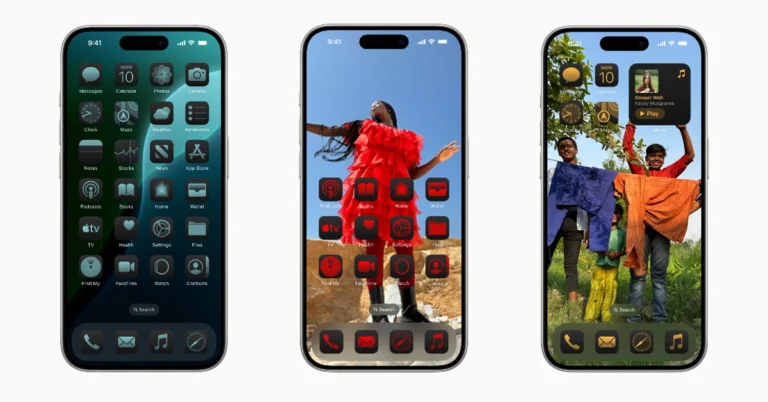
How to change the app colours on your iPhone’s home screen?

0

Announced at WWDC24, iOS 18 ushers in cutting-edge AI features that will dictate how users interact with their smartphones in the years to come. The mobile operating system also added some much-needed customisation options for the home screen and lock screen – something that iPhone users had been asking for years. Let’s take a quick look at how you can change the app colours on your iPhone’s home screen.

Read Also: How to change the lock screen controls on iOS 18?

Customization options for the home screen

iOS 18 will bring the iPhone up to date with its Android counterparts, especially in terms of customization options for the home screen. Android users have had the option to change the size and colour of the app icons for a long time. Earlier, Apple was very stringent in letting users control how their iPhones looked. That is set to change with iOS 18.

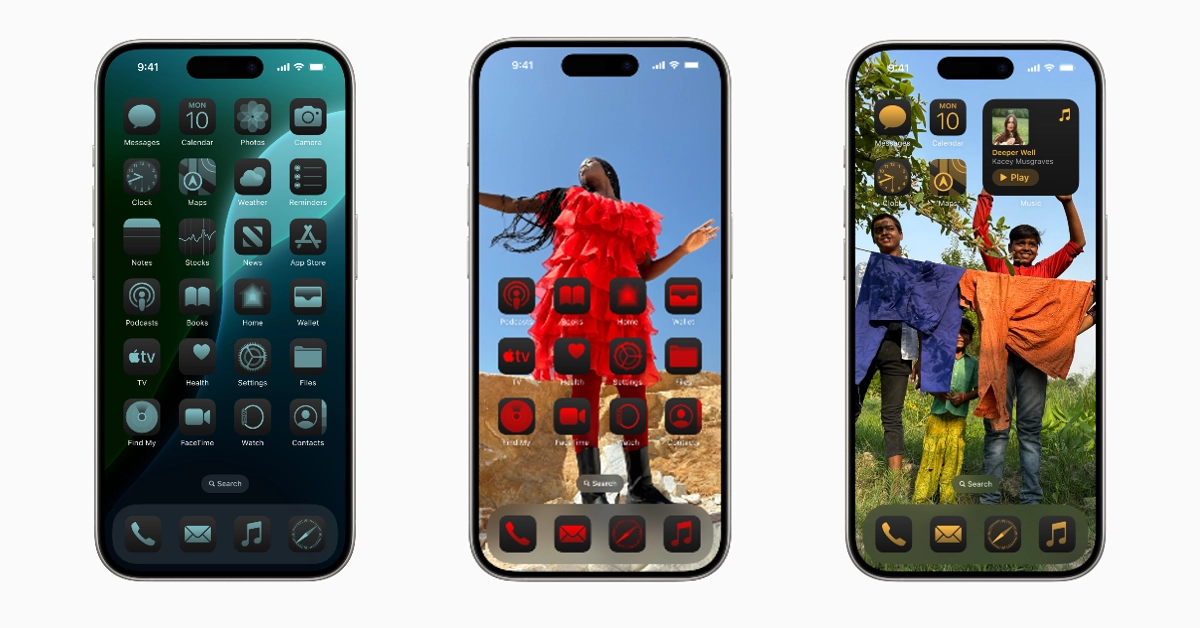
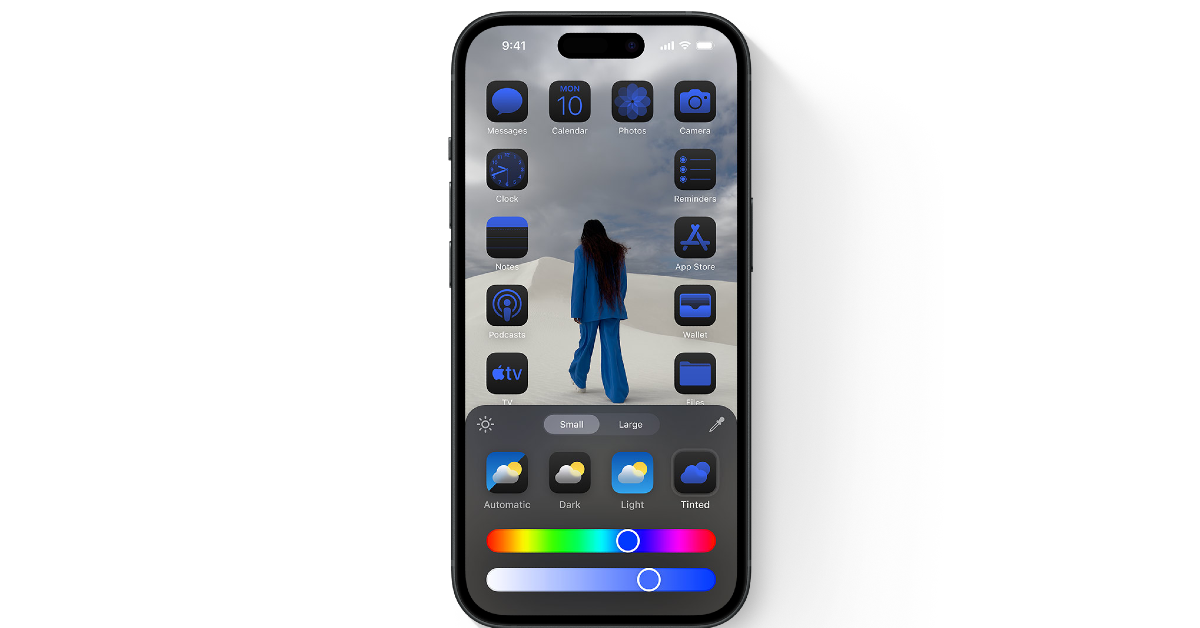
Users will be able to customize their iPhone’s home screen aesthetic according to the colour of their choice. You can set the app icons to a colour that compliments the wallpaper or match them with it. There is an option in the customization menu which detects the major colour on your wallpaper and changes the app icon colours accordingly.

Change app colours on iPhone

Change app colours on iPhone

Step 1: Long press any empty spot on your iPhone’s home screen.

Step 2: Tap on the Edit option at the top left corner of the screen.

Step 3: Hit Customize.

Step 4: Select Tinted.

Step 5: Select your preferred tint from the colour spectrum.

Step 6: To apply the colours of your wallpaper to the app icons, tap the dropper icon.

Frequently Asked Questions (FAQs)

Can I change the colour of the app icons on my iPhone?

iOS 18 allows you to change the colour of the app icons on the home screen. Tap and hold any empty place on the home screen, go to Edit>Customize, select ‘Tinted’, and pick a colour.

When will iOS 18 be released for iPhone?

The new iOS 18 will be released alongside the new iPhone 16 this fall.

How do I change the lock screen controls on iOS 18?

Long press the lock screen, select the wallpaper you want to edit, tap on ‘Customise’, and select the controls you want on the lock screen.

Read Also: Samsung introduced 2024 QLED 4K TV series Quantum Dot and Quantum HDR technology in India

Conclusion

This is how you can change the app colours on your iPhone’s home screen. Check out this article to learn how to change the lock screen control icons on iOS 18. Which is your favourite feature the iOS 18? Let us know in the comments!

Samsung introduced 2024 QLED 4K TV series Quantum Dot and Quantum HDR technology in India

Samsung has launched the 2024 QLED 4K TV series in India today. With its use of Quantum Dot and Quantum HDR technology, the series offers billions of hues of realistic colour. Additionally, it has 4K upscaling technology, which makes the content appear nearly 4 K in quality and lets consumers experience high-end entertainment. A number of high-end features are available with the model.

The Samsung 2024 QLED 4K TV series is made available in three different sizes 55 inches, 65 inches and 75 inches with a price starting at Rs 65,990 in India. The Television will be available for purchase via online platforms including Samsung.com and Amazon.in, starting today.

Samsung introduced 2024 QLED 4K TV series Quantum Dot and Quantum HDR technology in India

Also Read: WWDC 2024: What’s new with watchOS 11?

The 2024 QLED 4K TV series offers 100% colour volume with Quantum Dot and Quantum HDR, powered by Quantum Processor Lite 4K. Additionally, it has Q-Symphony sound technology, Dual LED, Motion Xcelerator for gaming, and Pantone Validation, a reliable indicator of colour integrity for customers. 4K upscaling allows viewers to experience high-resolution 4K content.

The Quantum Processor Lite 4K, a potent processor that optimises sound and visual settings, is well-suited for the Samsung 2024 QLED 4K TV series. Furthermore, a broad range of contrast in cinematic scale is possible with the Quantum HDR function. Thanks to Quantum Dot technology, which displays colours precisely even at different brightness levels, a billion shades of lifelike colours may be seen on screen.

With its 4K upscaling capability, the 2024 QLED 4K TV series provides an enhanced visual experience, guaranteeing lifelike picture quality no matter what kind of content is being watched. The TVs also use Dual LED’s cutting-edge backlighting technology for a stronger contrast and Pantone Validation for accurate colour interpretation. The SolarCell Remote works without batteries, and the AI Energy Mode saves energy. The AirSlim design disappears into the wall.

Also Read: Apple forays into AI space with Apple Intelligence: Here is everything about it

In addition, Q-Symphony, OTS Lite, and Adaptive Sound are included in the series for immersive content viewing. This technology uses real-time content analysis to create a 3D surround sound effect. Gamer performance is enhanced with the Motion Xcelerator and Auto Low Latency Mode, which improve smooth screen motion and quick frame transitions with minimal latency.

In addition, Samsung’s TV Plus service with over 100 free channels, an integrated Multi Voice Assistant, and Samsung Knox, a premium security solution for a secure home, are all included in the series.

How to change the lock screen controls on iOS 18?

0

Apple’s WWDC24 event was all about AI. However, the tech outfit also announced some features that iPhone users have been requesting for years. These include customisation options for the home screen and lock screen. On the upcoming iOS 18, iPhone users will be able to change the lock screen controls, customise the app icon layout, and more. For starters, let’s take a look at how you can change the lock screen controls.

Read Also: WWDC 2024: What’s new with watchOS 11?

Which controls are available for the lock screen on iOS 18?

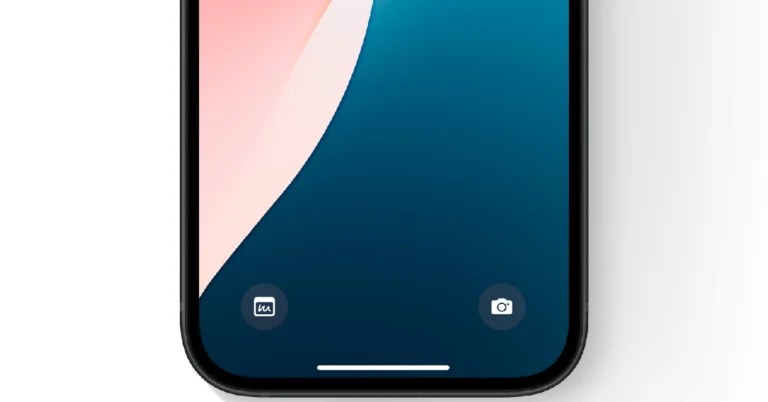
Since iOS 18 is currently available in developer mode, the control buttons for the lock screen are limited to Apple’s list of apps. Once the OS is launched this fall, users will get to play around with controls for third-party apps as well. Here are some of the available options right now:

  • Camera
  • Scanner
  • Magnifier
  • Alarm
  • Timer
  • Stopwatch
  • Personal Hotspot
  • Airplane Mode
  • Mobile Data
  • Dark Mode
  • Live Captions
  • Music Haptics
  • Stereo Balance
  • Silent Mode
  • Recognise Music
  • Translate
  • Apple Wallet
  • Voice Memo, and more.

Change lock screen controls on iOS 18

Delete multiple voicemails on your iPhone

Step 1: Long press the lock screen to edit it.

Step 2: Select the wallpaper you want to edit and select Customise.

Step 3: Tap on the control button you wish to change.

Step 4: Select the new control button(s).

Frequently Asked Questions (FAQs)

How do I swap the control icons on my iPhone’s lock screen?

Long press the lock screen, select the wallpaper you want to edit, tap on ‘Customise’, and select the controls you want on the lock screen.

Can I add third-party controls to my iPhone’s lock screen?

Control options for the lock screen on your iPhone will be made available after the release of iOS 18 this fall. The beta version of the OS only offers standard Apple options.

When will iOS 18 be released?

iOS 18 will be released alongside the new iPhone 16 series this fall.

Read Also: How to use Math Notes on the new Calculator app for iPad?

Conclusion

This is how you can swap or change the lock screen controls on iOS 18. Apple has also introduced a bunch of AI features for its upcoming mobile operating system. You can read about it here. If you have any questions, let us know in the comments!

WWDC 2024: What’s new with watchOS 11?

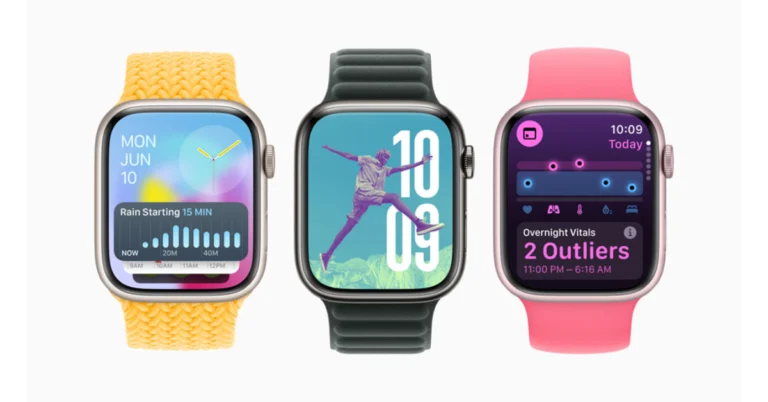
At WWDC 2024, Apple released watchOS 11, a software upgrade for Watch models that are compatible. Improved customisation, enhanced support during pregnancy, and a new Vitals app are all included in the upgrade. The Vital app monitors blood oxygen saturation levels, heart rate, breathing, and length of sleep—among the health parameters gathered by the wearable. Apple also unveils a new tool for exercises called Training Load, which provides data on strain caused by activities over the previous seven days. With the Apple Watch’s customisable fitness rings, users will be able to halt their training without losing their award streaks. Check-In, which enables users to share progress with others until their workout concludes, and the Translate app, which offers translations for 20 languages, are examples of safety and customisation features. Better customisation is also provided by an enhanced Photos watch face and Live Activities for applications like Uber in this version. Moreover, Widgets will be automatically shown by the Smart Stack feature based on the user’s routine, time, and location.

Vitals App

With watchOS 11, the new Vitals app gives Apple Watch users a way to quickly view key health metrics like heart rate, respiratory rate, wrist temperature, sleep duration, and blood oxygen. The app analyses these metrics to provide better context and alert users when they are out of their typical range. Users are notified and sent a message outlining the possible connections between changes in these metrics and other elements of their lives when two or more of the metrics are outside of the range. With an algorithm from the Apple Heart and Movement Study, Apple’s health features are grounded in research and clinical expert input. This algorithm is used to inform out-of-range classifications and alerts.

Also Read: Apple forays into AI space with Apple Intelligence: Here is everything about it

Support for pregnant users

Pregnant users can track their physical and emotional health with additional assistance from Apple with the arrival of watchOS 11, iOS 18, and iPadOS 18. Users of iPhones or iPads can record details about their pregnancies, such as symptoms and gestational age, using the Health app. An additional tool for tracking symptoms and high heart rate thresholds is the Apple Watch app Cycle Tracking. Because they are more susceptible to mental health issues like depression, pregnant users should also be encouraged to complete monthly mental health exams. An iPhone’s Walking Steadiness feature can warn pregnant women who may be at risk of falling during the third trimester of their pregnancy.

Training Load

Training load is a new feature of WatchOS 11 that allows users to track the impact of their workouts over time on their bodies. This application assists users in comparing the strain from workouts over the previous 28 days to the strain from workouts over the previous seven days, allowing them to make well-informed decisions regarding their training regimen. Following every workout, a new effort rating that tracks difficulty on a scale from 1 to 10 will be provided. An algorithm is used in popular cardio-based exercises to automatically create an estimated effort rating that may be modified to take soreness or stress into account. At the end of each session, users can still provide an effort rating for workouts without an automatic estimate.

According to the company, Apple Watch will set a 28-day training load by rating your effort and how long you work out. Users can determine whether their body is currently under more or less strain by comparing this load to their training load from the previous seven days. More information on the possible effects on fitness, if training continues at that level, can be found in the iPhone Fitness app. Users can examine their training load within the Vitals app, as well as alongside Vitals app information in the Activity app on Apple Watch or the Fitness app on iPhone. This aids users in modifying their training for the best outcomes.

Customisable Activity Rings

Users of Apple Watches may now personalise their Activity rings to suit their preferences, pausing them for different lengths of time without interfering with their award streaks. The rings can also be personalised according to the day of the week, giving just the appropriate amount of inspiration when needed. Users may now add new metrics to the Summary tab of the iPhone Fitness app, including running, hiking, swimming, and mindfulness exercises. Apple Fitness+ has been revamped in iOS 18, iPadOS 18, and tvOS 18 with features like a customised For You area, Explore and Library spaces, search functions, and improved awards to help users stay motivated and consistent with their exercise practice.

Also Read: WWDC 2024: Here is everything about the iOS 18 and Apple Intelligence, the personal intelligence system for iPhone, iPad, and Mac

Smart Stack and Photos Face

With Apple WatchOS 11, the Smart Stack provides intelligent widgets such as Shazam, Photos, and Distance. It can also provide widget recommendations based on time, date, location, and daily activities. Users may now interact with apps straight from the Smart Stack with the new widgets, and Live Activities is now accessible from within the Smart Stack. Using machine learning, the Photos watch face analyses millions of images to determine the ideal composition based on factors including composition, aesthetics, and facial reactions. By customising the face with different font choices, time sizes, layouts, and Dynamic mode, users can make sure they always see fresh visuals as they raise their wrists. Users may access Apple Watch functionalities more easily thanks to the Smart Stack.

Safety and customisation features

Check-In, a feature that lets people stay safe and connected while exercising, is now available for Apple Watch. Similar to the iPhone, users may initiate a check using Messages or access Check-In through the Workout app. With the Translate app, users may get a translation for up to 20 supported languages right on their wrist with the Apple Watch. When consumers travel to a place where there is a language barrier, Apple Watch can immediately recommend a Translate app widget thanks to the intelligence of the Smart Stack. Romanization for languages written in the Latin alphabet is now available through Translate. Users can navigate through any app using the double touch gesture, which makes using the Apple Watch with one hand easier.

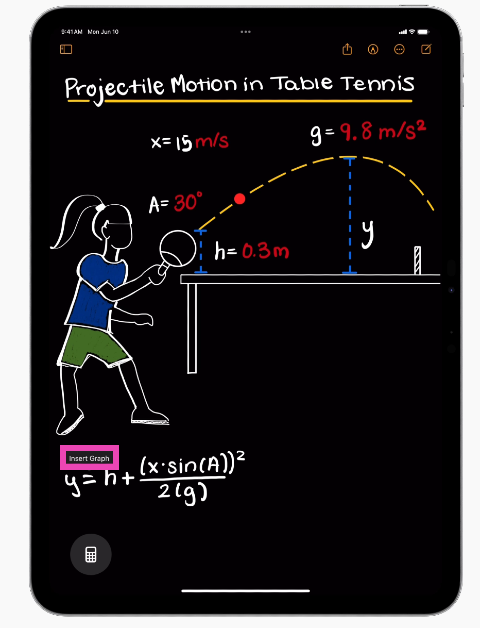
How to use Math Notes on the new Calculator app for iPad?

The lack of a basic calculator app on the iPad has been a puzzling exclusion over the years. This is set to change with the new iPadOS 18. Unveiled at WWDC24, the new OS for iPad has a plethora of AI features baked into it. The new Calculator app utilises AI in a novel and intuitive way to deliver one of the best use cases for the developing technology. Let’s take a look at how you can use Math Notes on the Calculator app for the iPad.

Read Also: Apple forays into AI space with Apple Intelligence: Here is everything about it

What is Math Notes?

Apple’s reason for not including a Calculator app on the iPad was pretty straightforward – the tech giant did not want to simply expand the iOS app without any changes for the iPad. All these years, Apple was looking to improve the Calculator app to make it more conducive for the iPad. With AI tech making strides on smartphones, Apple realised it may be time to integrate it with the calculator and launch it for the iPad.

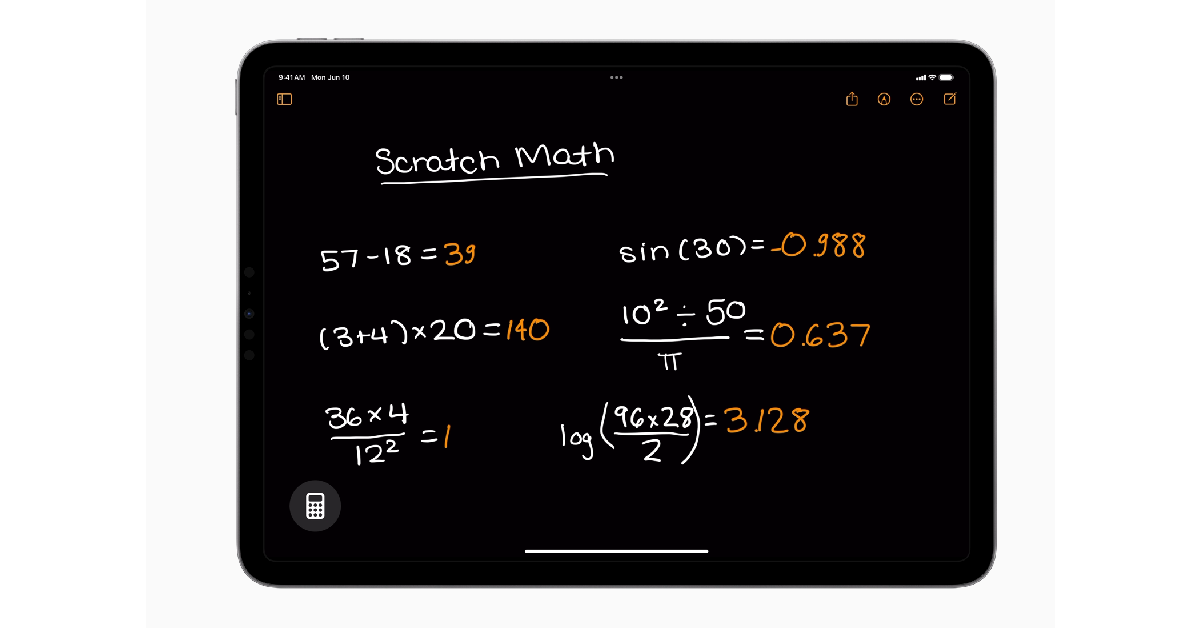
The result of this collaboration is Math Notes – a fun and intuitive way to solve tricky calculations on your iPad. If you have an Apple Pencil, Math Notes will change the way you go about doing math. Solving an equation is as easy as scribbling it on a piece of paper using this feature. As soon as you write the ‘equals to’ sign on the iPad, the equation gets solved. You can also use Math Notes to insert a graph for any equation and watch it change as you alter the variables in the equation.

Use Math Notes in the Calculator app for iPad

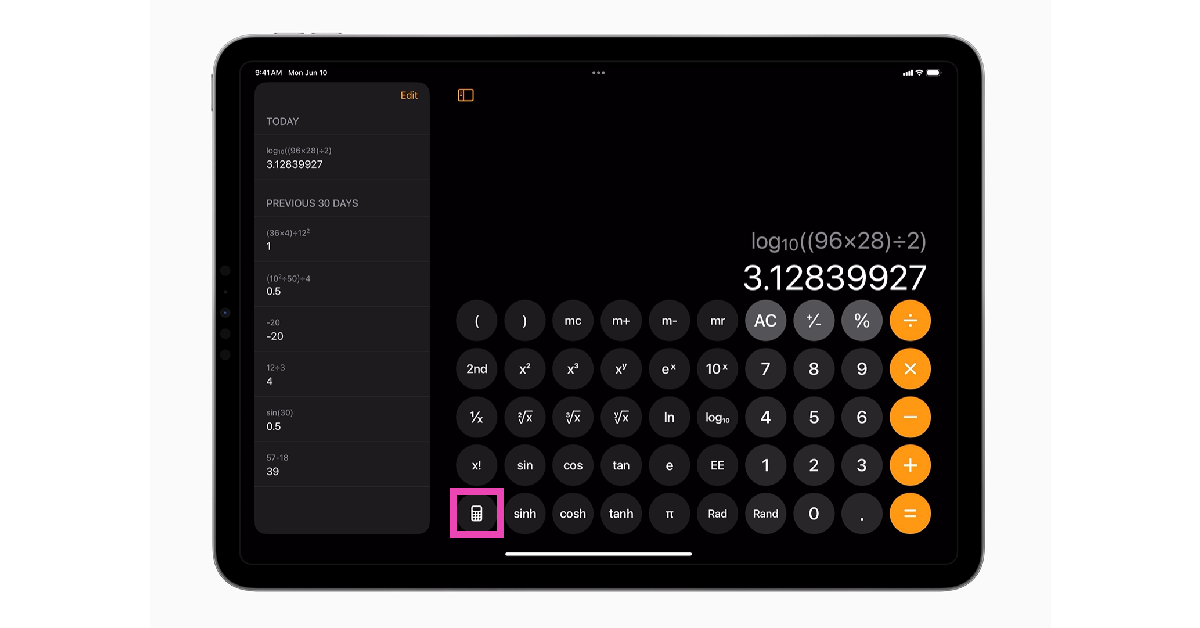
Step 1: Launch the Calculator app on your iPad.

Step 2: Hit the Calculator icon at the bottom of the screen.

Step 2: Hit the Calculator icon at the bottom of the screen.

Step 3: Select Math Notes.

Step 3: Select Math Notes. How to use Math Notes on the new Calculator app for iPad?

Step 4: Write an equation on the screen using your Apple Pencil Pro.

Step 4: Write an equation on the screen using your Apple Pencil Pro. How to use Math Notes on the new Calculator app for iPad?

Step 5: As soon as you write the ‘equals to’ sign, the calculator will solve the equation and display the result in your handwriting.

Step 6: You can modify the equation and the Calculator app will adjust the result accordingly.

Step 7: Tap on the equation and select the Insert Graph popup to view its graph.

Step 7: Tap on the equation and select the Insert Graph popup to view its graph. How to use Math Notes on the new Calculator app for iPad?

Frequently Asked Questions (FAQs)

When will the Calculator app for iPad be released?

The new Calculator app for iPad will be released as a part of iPadOS this fall.

How do I scribble equations on the Calculator app on iPadOS?

Launch the Calculator app, tap the calculator icon at the bottom of the screen, tap on Math Notes, and write the equation you wish to solve.

Is the Calculator app on iPad compatible with my Apple Pencil?

Yes, you can scribble equations and solve them on the iPad using your Apple Pencil.

Read Also: Best devices for your backyard (2024)

Conclusion

This is how you can use Math Notes to solve equations in the new Calculator app on your iPad. Apple has also introduced several other AI features like Writing Tools, Smart Script, and more. Which feature are you looking forward to using the most? Let us know in the comments!

Apple forays into AI space with Apple Intelligence: Here is everything about it

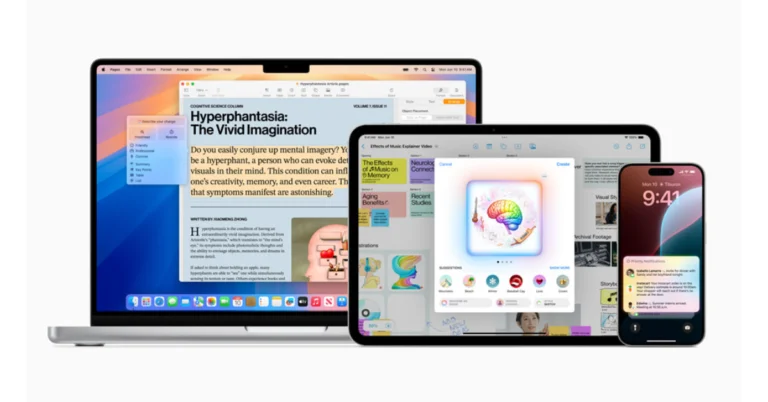
Apple Intelligence marks the company’s official entry into the AI space, although a little bit late. Numerous new capabilities for Apple Intelligence have been introduced, and many of them resemble the Gemini features that we have already seen from Google. It is built into iOS 18, iPadOS 18, and macOS Sequoia for the iPhone, iPad, and Mac and generates relevant and useful intelligence based on generative models and user context. It leverages Apple hardware to comprehend language, make graphics, conduct actions across apps, and draw upon personal context.

With iOS 18, iPadOS 18, and macOS Sequoia, Apple Intelligence has added new system-wide Writing Tools that let users rewrite, proofread, and summarise content in a variety of apps and platforms. These resources give users greater self-assurance when writing anything from blog posts to class notes. Rewrite gives users the option to select among various drafts of their work, changing the tone to fit the task and audience. Grammar, word choice, and sentence structure are checked for errors in proofreading. Edits and explanations are suggested for approval or rejection. With Summarise, users can condense text into manageable paragraphs, lists, tables, or bulleted essential points. These resources assist users in developing their communication skills and writing confidence.

The most urgent emails are now shown in a new section of Mail’s inbox called Priority Messages. Additionally, users can browse summaries without opening the message and quickly touch to view relevant content. In addition to identifying questions in emails for simpler understanding, Smart Reply makes recommendations for prompt responses. Summaries assist users in quickly scanning lengthy or stacked notifications for important information on the lock screen, with priority notifications showing up at the top of the stack. Reduce Interruptions is a new Focus that makes sure users stay focused on their jobs by only displaying alerts that require quick attention.

Apple has introduced audio recording, transcription, and summarization features in the Notes and Phone apps. Participants are automatically notified when a recording is initiated during a call, and a summary is generated post-call.

Also Read: WWDC 2024: Here is everything about the iOS 18 and Apple Intelligence, the personal intelligence system for iPhone, iPad, and Mac

With the help of Apple Intelligence, users will be able to express themselves more creatively when creating images. With the help of Animation, Illustration, or Sketch styles, users may quickly create interesting photos with Image Playground, an app feature found in some messaging apps. It is simple to use and available in a specific app for trying out various ideas and aesthetics. Users can select from a variety of categories, including places, costumes, themes, and accessories. They can also create photographs and provide descriptions, select from their own photo library, and select a style that they enjoy. Users can create photos for friends and receive personalised suggested concepts connected to their chats using the Image Playground experience in Messages, which speeds up and improves the relevance of image creation.

Apple has added a number of new capabilities to its system, such as Image Playground in Notes, which enables users to utilise the Image Wand in the Pencil tool palette to create visually appealing images. Along with third-party apps that use the new Image Playground API, Keynote, Freeform, and Pages are among the apps that use this capability.

Since the release of Genmoji, people have been able to express themselves by creating unique Genmojis and adding descriptions. Emojis can be shared as a sticker or as a response in a Tapback, or they can be added directly to texts. Apple Intelligence makes it easier to search for pictures and video clips by using natural language to find specific images and videos. With the Clean Up tool, distracting background components may be found and removed from photos without unintentionally changing the subject.
Memories allow users to write a description to create a tale. Apple Intelligence then uses the description to identify the finest photographs and videos, creates chapters based on themes found in the photos, and arranges the chapters into a movie with a distinct narrative.

With deeper integration into the system experience, Siri—powered by Apple Intelligence—offers enhanced language-understanding capabilities, enhancing its naturalness, contextual relevance, and personalisation. It can keep track of context between queries and follow along if users trip over words. When Siri is in use, an exquisite glowing light also encircles the edge of the screen. With onscreen awareness, Siri can understand and take action with users’ content in more apps over time.

Best devices for your backyard (2024)

Over the years, home tech has improved by leaps and bounds. Not only can you get state-of-the-art surveillance cameras within a budget but you also get to choose from a diverse set of devices. Cameras aside, there are a multitude of products for your lawn or backyard that take care of the maintenance, security, and even entertainment needs. So, let’s take a look at our picks for the best devices for your backyard.

Read Also: WWDC 2024: Here is everything about the iOS 18 and Apple Intelligence, the personal intelligence system for iPhone, iPad, and Mac

Makita ELM3720 Electric Lawn Mower

Price: Rs 14,800 on Amazon

Makita ELM3720 Electric Lawn Mower

Lawn maintenance does not need to be a hassle if you’ve got the right equipment. The Makita ELM3720 electric lawn mower takes care of all your grass-cutting needs. There are 3 height settings (20mm – 55mm) on this device, giving you the option to adjust the trimming level and give the lawn a certain look. With its close precision, the Makita electric lawn mower allows you to cut grass near walls and obstacles. The convenient bag at the back of the device collects the grass and displays a warning when it’s full.

Pinolex Water Sprinkler

Price: Rs 4,299 on Amazon

Pinolex Water Sprinkler

The Pinolex water sprinkler comes with a WiFi hub which connects to your home WiFi network and can be used to control the device. Once connected, you can control the lawn sprinklers using an app on your phone. There are nine customised irrigation schedules and 8 sprinkler programs. These techniques take care of the lawn’s irrigation needs while also taking the weather into account. The sprinkler can cancel your scheduled irrigation program in case it starts raining or is about to rain. In case you don’t want the sprinkler to override your irrigation schedule, you can choose to deactivate this function in the app.

TP-Link Tapo C500 Outdoor Security Camera

Price: Rs 3,299 on Amazon

TP-Link Tapo C500 Outdoor Security Camera

The TP-Link Tapo C500 has a host of smart features, making it ideal for your backyard. The 2MP lens on this camera can stream and record 1080p footage. The adjustable camera can be panned to cover a 360-degree view. Other features include night vision, 2-way audio, cry detection, and motion sensor. The device supports microSD cards up to 512GB in size. You can hang the camera from a ceiling or mount it against a wall or a pole.

Gigawatts Motion Sensing Lights

Price: Rs 589 on Amazon

Gigawatts Motion Sensing Lights Best Safety Gadgets For Your Home (2024)

The motion-sensing lights by Gigawatts would make an excellent addition to your backyard. These solar-powered lights turn on whenever someone walks past them. The weatherproof design and build make them ideal for outdoor use. Apart from adding aesthetic value to your backyard, these lights will also ward off intruders. 

Clokowe T08 Mini Projector

Buy on Amazon

Clokowe T08 Mini Projector Review: Does it offer the best value for the price? Best devices for your backyard (2024)

A mini projector is one of the best devices you can get for your backyard. If you’ve ever thought about bringing together a group of friends for a party, a projector will take care of the entertainment needs. The Clokowe T08 delivers 720p footage and can be connected to a laptop or PC using an HDMI cable. Connectivity options also include Miracast (Android), AirPlay (iOS), or DLNA (Windows). The projector has a maximum display size of up to 200 inches and offers automatic keystone correction. Read our review of the projector here.

Wipro WiFi Smart Plug

Price: Rs 999 on Amazon

Wipro WiFi Smart Plug Best devices for your backyard (2024)

A smart WiFi plug can be used to control other devices in your backyard using your smartphone. If you want to control the water motor for the pool or storage container remotely, this plug will come in handy. You can pair it with Alexa to carry out voice commands. On top of that, you can track the energy consumed by the device linked to the plug.

JBL Flip 6

Price: Rs 10,000 on Amazon

JBL Flip 6 Best devices for your backyard (2024)

The JBL Flip 6 is rated IP67 for dust and water resistance, making it ideal for outdoor use. The speaker can connect with 2 devices or other JBL speakers. Its 30W audio output is loud and clear. On a full charge, the speaker offers 12 hours of playtime. To maximise your experience, you can connect the speaker to the My JBL app.

Read Also: How to download your Google Maps Timeline data?

Conclusion

These are our picks for the top 7 devices for your backyard. If you want to improve the aesthetic appeal of your backyard/lawn, you should look into getting multi-coloured bulbs. If you think we missed out on an important device, let us know in the comments!

WWDC 2024: Here is everything about the iOS 18 and Apple Intelligence, the personal intelligence system for iPhone, iPad, and Mac

During its Worldwide Developers Conference (WWDC 2024), Apple demonstrated iOS 18, which includes customisable Home Screens and new AI-powered features and capabilities. Better control centre features and support for third-party app controls are included in the update. Locking specific apps from the home screen as well as controlling data sharing with apps are a couple of privacy features. Updates to the UI and app icon will improve the Siri assistant’s conversational capabilities. The company’s privacy-focused AI system, Apple Intelligence, will be accessible in beta on the iPhone 15 Pro and iPhone 15 Pro Max. Additionally, the Messages app will enable new features like text formatting, RCS texting, and the ability to use emoji in Tapback responses. Passwords and lock screen shortcuts are also customisable for users.

Users of iPhones now have additional options for personalising the Control Centre, Lock Screen, and Home Screen. On the Home Screen, users may now organise widgets and apps in any available area. This includes neatly framing a wallpaper or positioning it directly above the dock for convenient access. Users may build the ideal experience for themselves by making app icons and widgets appear larger, or they can take on a new style with a dark or tinted effect.


In order to improve user experience and offer greater customisation and flexibility, the Control Centre has been revamped. Users can now effortlessly swipe between the most frequently used controls, including media playback, connectivity, and Home controls, for quick access. Control Centre also allows you to add third-party apps for fast vehicle unlocks and content capturing. Users can personalise the layout by resizing controls to their perfect size and adding new groups. The controls gallery shows all of the options that are available.
iPhone 15 Pro and iPhone 15 Pro Max users can now switch controls at the bottom of the Lock Screen, either by choosing from the controls gallery or removing them entirely, using the Action button.

Moreover, Photos has undergone a major redesign to enhance user experience. Users may browse by themes in the new collections without having to arrange content into albums, and the single view now has a familiar grid. It is possible to pin collections for quick access. Favourite people, pets, and locations are highlighted every day in a brand-new carousel format. Because of the app’s customisation features, users can arrange, highlight, and showcase their most significant images in the carousel view.

Dynamic text effects are now available in iMessage, adding animated text effects to conversations. With style features like bold, underline, italics, and strikethrough, users can express tone.

Emojis and stickers are now included in tapbacks, and users can plan and compose messages. For contacts without an Apple device, the Messages app now supports RCS in place of SMS and MMS for richer media and more dependable group messaging.

In scenarios where cellular and Wi-Fi connectivity are not accessible, iOS 18 offers the ability to send messages via satellite. With the help of this creative feature, users may send and receive texts, emoticons, and Tapbacks via iMessage and SMS by being prompted to connect to the closest satellite from the Messages app. Dynamic Island ensures users know when they are connected to a satellite, ensuring end-to-end encryption.

In the upcoming year, Mail will roll out new capabilities like on-device categorization for private and urgent emails, Transactions for receipts and confirmations, Updates for social media and news alerts, and Promotions for coupons and marketing emails. A digest view will also be included so users can rapidly search for emails that are important to business.
With Highlights and a revamped Reader experience, Safari now offers an improved web discovery experience. Safari can highlight important webpage information—like the artist tracks, landmark locations, or article summaries—by using machine learning. The Reader now contains a table of contents and summary for larger articles, making it a more engaging experience overall.

Users now have more control over contact sharing, iPhone accessory connections, and app display in iOS 18. Apps that are locked or hidden protect privacy by limiting unauthorised access to personal data, such as content and notifications. For further security, users have the option to lock or hide an app within a locked, hidden app folder. Content is hidden from search, notifications, and other areas in locked apps. Users of the iPhone 15 Pro are now prompted to hide Treble Threat and require Face ID for photos. Users can control which apps are visible and private by seeing a special hidden app folder in the App Library.
iOS 18 allows users to share specific contacts with apps, while developers can connect third-party accessories with iPhone without revealing all devices on a user’s network, ensuring privacy and seamless pairing between devices.

iOS 18 introduces Apple Intelligence, a personal intelligence system for iPhone, iPad, and Mac that uses generative models and personal context to provide useful and relevant intelligence. It leverages generative models and individual context to deliver pertinent and helpful intelligence. With the help of Apple silicon, Apple Intelligence is extensively interwoven into iOS 18, iPadOS 18, and macOS Sequoia, enabling it to comprehend, generate language, take action across apps, and streamline daily chores.

To enhance communication and writing, Apple Intelligence provides system-wide writing tools that let users rewrite, proofread, and summarise text across various apps like Mail, Notes, Pages, and third-party apps. Additionally, with options for Animation, Illustration, or Sketch, Image Playground enables users to quickly create entertaining graphics. This functionality is simple to use, integrated into applications such as Messages, and accessible through a dedicated app.

By entering a description, Memories in Photos enables users to compose stories. Apple Intelligence then chooses the most appropriate images and videos depending on the description. Additionally, without unintentionally changing the topic of the picture, the tool assists in locating and eliminating distracting background elements. With Apple Intelligence, users can type to Siri and transition between text and voice to converse in real time. Siri also becomes more personalised, contextually relevant, and natural.

Additionally, ChatGPT is integrated with Siri and the system-wide Writing Tools, so users may utilise its knowledge and its ability to interpret documents and images without having to switch between tools.

Garena Free Fire Max Redeem Codes Today 11 June 2024: Here is how to claim them

Garena Free Fire Max is a battle royale game with regular awards and tournaments to keep players interested. If you play Garena Free Fire, you should be aware of the redeem codes that are released on a daily basis. However, because the battle royale game is banned in India, players from other countries can use the Free Fire Redeem codes daily. If you’re unfamiliar with the Garena Free Fire redeem codes or don’t know how to get them, we’ve put together a step-by-step guide to help you redeem them. Check out Garena Free Fire Max Redeem Codes for 11 June 2024.

The Free Fire Max redeem codes are a great way to get free stuff. These are 12-digit codes that contain alphabets and numbers, as well as an expiration date and time. Because the Garena FF redeem codes cannot be used more than once, you should hurry to the redemption page to claim your free reward before someone else does. To get a free reward, all you have to do is go to reward.ff.garena.com/en, which is the official redemption page. Also, keep an eye on this space for daily updates on Garena Free Fire Max redemption codes and rewards.

Also Read: Sennheiser Accentum Plus wireless headphones with Hybrid Adaptive Noise Cancellation launched

Garena Free Fire Max Redeem Codes Today 11 June 2024

H3JKL8P9OIU7Y6TR
NB7VC4XZ9LK2JH1W
E3R4T5Y6U7I8O9P0
C8V7B6N5M4L3K2JH
I7U8O9P0ASDFH3JK
X7FV9D6G2H3JKL8P
M5NB7VC4XZ9LK2JH
7B6N5M4L3K2JH1W2
O9P0ASDFGH3JK8P9
JH1W2E3R4T5Y6U7I
K2JH1W2E3R4T5Y6U
3R4T5Y6U7I8O9P0A
M4L3K2JH1W2E3R4T
Q1W2E3R4T5Y6U7I8
Z9XC8V7B6N5M4L3K
Y6I7U8O9P0ASDFGH
9LK2JH1W2E3R4T5Y
6U7I8O9P0ASDFH3J
4XZ9LK2JH1W2E3R4
5Y6U7I8O9P0ASDGH

How to Get Free Fire Max Redeem Codes for Garena on 11 June 2024?

  • Visit the Garena Free Fire Max game’s official website at reward.ff.garena.com.
  • Use your Facebook, Google, VK, Apple ID, Huawei ID, or Twitter account to log in.
  • You’ll be taken to a valid redemption code (s)
  • Copy and paste the 12-digit redemption code into the text box.
  • On the screen, a dialogue box will appear.
  • ‘Ok’ should be selected.

For the latest gadget and tech news, and gadget reviews, follow us on TwitterFacebook and Instagram. For newest tech & gadget videos subscribe to our YouTube Channel. You can also stay up to date using the Gadget Bridge Android App. You can find the latest car and bike news here.

Amazon Quiz Answers Today 11 June 2024: Participate to win Rs 500 Amazon Pay Balance

11 June 2024: New Amazon Quiz is now available. Customers from different parts of the country are participating in the daily quiz. The quiz starts at midnight today and will be live until 11:59 PM tonight. By successfully answering every question, participants in the quiz have the chance to win wonderful rewards. A Rs 500 Amazon Pay Balance is up for grabs to participants today.

One wrong answer could eliminate you from the quiz. You have a chance to win Rs 500 Amazon Pay Balance if you successfully answer every question. Users of the app only have the opportunity to take the quiz. Check Out 11 June 2024 Amazon Quiz Answers.

Amazon Quiz Today Prize: Rs 500 Amazon Pay Balance

Quiz Date: 11 June 2024

Daily Timing: 12 AM to 11:59 PM

Previous Amazon Quiz Winners Announcement: Today 12 PM Noon

Amazon Quiz Answers Today 11 June 2024: Win ₹ 500 Amazon Pay Balance

Question 1: After 38 years as Prime Minister of which country did Hun Sen announce to step down in 2023?

Answer:  Cambodia

Question 2: Selvamani Selvaraj’s new web series delves into the ‘unseen and unheard’ aspects of the 17-year manhunt to catch whom?

Answer: Veerappan

Question 3: Which Indian food item has been named the world’s second-best flatbread by TasteAtlas?

Answer:  Butter garlic naan

Question 4: This bird was the symbol of which English Monarch?

Answer:  Elizabeth I

Question 5: When did this site become a UNESCO World Heritage site?

Answer: 1989

Also Read: Noise Buds Verve, budget TWS with up to 45 hours of playback launched in India

How To Play Amazon Quiz Today

Only app users are eligible to play the Amazon quiz every morning from 12 AM to 11:59 PM. The quiz is not available on the desktop. For those who are unaware of how to play the Amazon quiz, below are the steps, you can follow to take the quiz.

  • First, download the Amazon app from the Google Play Store or App Store or go here to download the Amazon App
  • Now fill in the required information through the Sign-Up option.
  • You need to log in to the Amazon app and scroll down on the home screen to find the Amazon Quiz banner.
  • Tap on the Amazon Quiz banner and tap on the Start button to start the Quiz.
  • Now you will get 5 questions and you need to answer them correctly. One wrong answer will eliminate you from the Quiz.
  • After answering all the questions correctly you are now eligible for a Lucky Draw.
  • The previous winner’s name will be announced today at 12 PM.

Amazon Daily Quiz Answers from the previous few days.

Here are all the answers from the previous 5 days of the Amazon Daily Quiz and Contest.

Amazon Quiz Answers Today 9 June 2024: Win ₹ 500 Amazon Pay Balance

Question 1: Sabyasachi made masks of what for King Charles and Queen Camilla’s Animal Ball in 2023?

Answer: Shola

Question 2: In August 2023, ‘Bandit King’ Malkhan Singh joined the Congress party in which state?

Answer: Madhya Pradesh

Question 3: Microsoft has changed the default font for its Office apps to what after 16 years?

Answer: Aptos

Question 4: Why is this animal not considered a big cat?

Answer: Lack of Roar

Question 5: This drink comes from which place?

Answer: Cuba

Amazon Quiz Answers Today 8 June 2024: Win ₹ 500 Amazon Pay Balance

Question 1: Fatma Samoura became the first woman, first Black person, first non-European to be which organisation’s secretary general?

Answer: FIFA

Question 2: The central government has agreed to investigate the Havana syndrome. It originated in which country?

Answer: Cuba

Question 3: Across Parliament’s history, we’ve had 28 of what in India?

Answer: No-confidence motions

Question 4: What is the only place outside of Africa, where this primate is found?

Answer: Grenada

Question 5: This vegetable was worshipped by the ancient Egyptians as a symbol of what?

Answer: Eternal Life

Amazon Quiz Answers Today 7 June 2024: Win ₹ 500 Amazon Pay Balance

Question 1: Who was named the vice captain of the Indian team for the T20 World Cup 2024?

Answer: Hardik Pandya

Question 2: The Amazon Prime miniseries ‘Expats’ stars which actress in the lead role of Margaret?

Answer: Nicole Kidman

Question 3: The first fragrant stamp released by the Indian postal department had what aroma?

Answer: Sandalwood

Question 4: What musical instrument is shown in the visual?

Answer: Cello

Question 5: This is a view of which planet as seen from Voyager 2?

Answer: Neptune

Amazon Quiz Answers Today 6 June 2024: Win ₹ 500 Amazon Pay Balance

Question 1: Who is the head coach of Bayer Leverkusen, winners of the Bundesliga this season?

Answer: Xabi Alonso

Question 2: What is the name of the 3rd movie in the Deadpool franchise set for release in July 2024?

Answer: Deadpool and Wolverine

Question 3: The Insider is a novel written by which former Prime Minister who won the Bharat Ratna in 2024?

Answer: PV Narasimha Rao

Question 4: This is the Mukteshwar temple located in which Indian city?

Answer: Bhubaneshwar

Question 5: The majority of these animals are found in the wild on which island country?

Answer: Madagascar

Amazon Quiz Answers Today 5 June 2024: Win ₹ 500 Amazon Pay Balance

Question 1: The Los Angeles Lakers were eliminated by which team, the defending champions, in Round 1 of the NBA playoffs?

Answer:  Denver Nuggets

Question 2: Which actress stars in the lead role of Solene in the movie ‘The Idea of You’?

Answer: Anne Hathaway

Question 3: In which country is the Angel Falls located?

Answer:  Venezuela

Question 4: This is the flag of which European country?

Answer:  Moldova

Question 5: Which of these is a famous brand of guitar from this company?

Answer: Stratocaster

Amazon Quiz Answers Today 4 June 2024: Win ₹ 500 Amazon Pay Balance

Question 1: The Estadio Manolo Santana and the Estadio Arantxa Sanchez Vicario are courts used for which ATP Masters series event?

Answer: Madrid Masters

Question 2: The movie ‘Murder Mubarak’ is based on the novel ‘Club You to Death’ written by whom?

Answer: Anuja Chauhan

Question 3: Who is the current Duke of York?

Answer: Prince Andrew

Question 4: This is a statue of the lead vocalist of which iconic band?

Answer: Queen

Question 5: This is a famous monument in which city?

Answer: Lucknow

Amazon Quiz Answers Frequently Asked Questions (FAQs)

Where can I check the previous winners? Did I win how to check?

You can head over to this link on your mobile or desktop to check the winners of the Amazon Daily Quiz Contest.

How to Play Amazon Daily Quiz or Contest?

We have written an explainer above, you can refer to that.

When are the winners of the Amazon Quiz and contest announced or declared?

The announcement of today’s Amazon quiz winner will take place Tomorrow. As for the Special Quiz and “Spin & Win” Contest, the winners will be declared once the Quiz Contest comes to an end. To find out who the lucky winner is, you can refer to the Amazon Quiz Winners List or visit the Amazon Winners tab in the Amazon App.

How to participate in the Daily Amazon Quiz?

That is very easy, just got to the Amazon app and scroll to the bottom of the page and you will find the Quiz section. Click on it (usually it is called the fun zone) and you can enter the Amazon Today Quiz Contest. 

Are there any other quizzes or contests running on Amazon daily?

Yes, there are many running on a daily basis. These range from spinning the wheel to answering the questions correctly. All are located in the Fun Zone. 

What are the criteria for selecting a winner in the Daily Amazon Quiz?

When a qualified player submits correct answers to all the questions, they will automatically be entered into a lucky draw. This draw will include all participants who answered all the questions correctly. Amazon randomly selects the final winners from the pool of eligible participants who gave the right answers.

Which Types of Questions are asked within Amazon Daily Quiz?

These are very simple and straightforward questions. These are mainly related to general knowledge. 

Where should I look for Amazon Daily Quiz answers?

You can bookmark this page as we will help you every day with the Amazon Daily Quiz. We bring you fresh answers every day for the Amazon Daily Quiz and Contest. 

What time does Amazon Announce previous winners?

The previous winner’s name will be announced today at 12 PM (noon).

For the latest gadget and tech news, and gadget reviews, follow us on TwitterFacebook and Instagram. For newest tech & gadget videos subscribe to our YouTube Channel. You can also stay up to date using the Gadget Bridge Android App. You can find the latest car and bike news here.

What to expect at WWDC 2024?

It is that time of the year when Apple reveals newest software versions for its major devices and showcases the new features that it has been working on. At WWDC 2024, the tech giant is set to usher in AI for the iPhone and possibly the iPad as well. Apple was in talks with Google earlier this year to bring Gemini AI integration to iOS 18. Once the talks fell through, Apple sealed the deal with OpenAI. Now that we’ve seen the pathway that Google has paved for AI on Android, let’s take a look at what Apple could possibly have in store for us.

Read Also: How to download your Google Maps Timeline data?

All about AI

Siri will get new voices

Apple has a reputation for not jumping on the bandwagon but instead taking its time to integrate new tech into its devices the Apple way. This is why the AI rollout for the iPhone taking place the same year as Android is a little surprising. Nevertheless, there are a bunch of things to look forward to.

Latest rumours suggest that Apple will use ChatGPT to make Siri smarter and more powerful. In our opinion, this is a better move than mindlessly slapping a chatbot on every app and service it offers. The next-gen Siri will be able to take more actions inside the apps on your iPhone, taking the hands-free experience to the next level.

The Photos app will likely get the highly awaited object eraser tool. Google Pixel smartphones have had this tool for years and it has grown more intelligent with every iteration. More recently, OnePlus rolled out this tool as a part of OxygenOS’ AI package. Needless to say, the object eraser will grab a lot of headlines and create waves among iPhone users experiencing its magic for the first time.

RCS support for iMessage

Easy 6 ways to fix iMessage Signed Out Error on iPhone What to expect at WWDC 2024? apple wwdc24

Apple has hinted at plans to adopt RCS support for iMessage soon, and it seems like we may get a glimpse of it at WWDC 2024. RCS replace SMS on iMessage, bringing features like end-to-end encryption, HD media sharing, typing alerts, and more. This will vastly improve the texting experience between iPhones and Android devices, although its effects within the Apple bubble will be minimal. Does this mean the end for green bubbles? Absolutely not.

Home screen customisations

Amazon is offering a huge discount on the iPhone 15 What to expect at WWDC 2024? apple wwdc24

When it comes to customisations, Android devices are far ahead of their iOS counterparts. You can customise the icon size, layout, and placement for the apps on your Android phone’s home screen. Apple users get very limited control over what their device’s home screen looks like. That may change with iOS 18. Rumours suggest that iPhone users will be able to place app icons wherever they want, without having to worry about empty spaces on the layout. iOS 18 may also allow users to run custom home screen launchers on their iPhones. If these features get confirmed at WWDC 2024, it will undoubtedly be one of the biggest facelifts that Apple’s mobile software has ever had.

Passwords app

generate or create a strong password What to expect at WWDC 2024? apple wwdc24

Murmurs have been going around about Apple developing its own Passwords app for iOS and iPadOS. This new app will offer enhanced security for your stored passwords. It will also sport a password generator, making it easier to set new passwords and update old ones. Your passwords will be synced across all your Apple devices.

Other upgrades

  • visionOS 2 bringing new features and apps like Voice Memos, Calendar, and more
  • AI summarization for web pages, notes, and more
  • AI transcription and summarization for voice memos
  • AI emojis similar to Google’s emoji kitchen
  • New layout and options for Control Center
  • New ad-blocker for Safari

Read Also: Get Discount on iPhone At Vijay Sales Apple Days Sale from June 8

Conclusion

WWDC 2024 will begin at 10 am PT (10:30 pm IST) on June 10 and can be streamed on Apple’s official YouTube channel. With AI soon to become a reality for iPhones, Apple will likely introduce new chipsets that facilitate on-device AI computation. What do you expect from the event? Let us know in the comments!