How to find your lost Apple TV remote with your iPhone

0

Struggling to find your TV remote when you urgently need to switch the channel is a highly annoying experience. However, if you use Apple TV, you don’t need to put yourself through that struggle. Using your iPhone, you can locate the remote within seconds. You may need to move around in random directions for a bit, but it is much more streamlined than furiously looking under cushions and couches. Here is how you can find your lost Apple TV remote control using your iPhone.

Read Also: How to disable the ‘black & white’ Power Saving Mode in Google Maps

How does it work?

The interesting thing about the Apple TV remote is that it isn’t compatible with the Find My network. Your iPhone has a separate interface for it in the Control Centre. Once you enter this interface, you can select your Apple TV and access the ‘Find’ option for its remote.

Once your iPhone connects to the remote, it is able to gauge its location. However, unlike an AirTag, the remote does not have a small speaker to emit a sound. Instead, your iPhone lets you know whether you’re near or far away from the device. A blue circle expands and contracts on the screen accordingly. Once you end up in the right spot, the screen turns completely blue and displays ‘Here’. This feature is only available on iPhones with iOS 17 (or later).

Use your iPhone to find your lost Apple TV remote

9 Ways to Fix ‘Apple TV Remote Not Working’

Step 1: Launch the Remote app on your iPhone. For quick access, use the Remote tile on the Control Centre.

Step 2: Tap the name of your Apple TV at the top of the screen.

Step 4: Hit Find next to the name of the lost remote.

Step 5: Once a connection has been established with the remote, your iPhone will display whether it is near or far. You will need to move in different directions to figure out where the remote is located. Once you see ‘Near’ on the screen, don’t change your direction. Move a few steps further ahead and look around for the remote.

Step 6: Once you’re very close to the remote, your iPhone will display Here.

Step 7: Hit the cross icon when you’re done.

Frequently Asked Questions (FAQs)

Does Find My support Apple TV remotes?

No, the Find My app does not support Apple TV remotes.

How do I find a lost Apple TV remote?

Go to the Control Centre on your iPhone, hit the Remote icon, tap the name of your TV at the top of the page, and move around the room until you see ‘Here’ displayed on the screen.

Does the Apple TV remote make a sound when it’s lost?

No, the Apple TV remote does not have a speaker to emit a sound when you can’t find it.

Can I find my Apple TV remote with sound?

No, it can only be found using the Remote app on your iPhone.

Can I use my iPhone as my Apple TV remote?

Yes, you can use your iPhone to control all AirPlay-compatible smart TVs.

Read Also: Just Corseca Sonic Bar (JST 648) and Sound Shack Plus (JST 646) home theatre launched in India

Final Thoughts

Finding your lost Apple TV remote using your iPhone isn’t as straightforward as following on-screen directions. There is a lot of hit-and-trial involved. If you really need your remote to emit sound, you can get a cover with an AirTag cutout for it. This way, you will be able to find it using the Find My app on your iPhone and even get it to emit a sound when you’re in the room.

Amazon Quiz Answers Today 29 November 2025: Participate to win Up To Rs 500 Amazon Pay Balance

Amazon Quiz 29 November 2025: The New Daily Quiz is now available. Customers from different parts of the country are participating in the daily quiz. The quiz starts at midnight today and will be live until 11:59 PM tonight. By successfully answering every question, participants in the quiz have the chance to win wonderful rewards. Up to Rs 500 Amazon Pay Balance is up for grabs to participants today.

One wrong answer could eliminate you from the quiz. You have a chance to win up to Rs 500 Amazon Pay Balance if you successfully answer every question. Users of the app only have the opportunity to take the quiz. Check Out the 29 November 2025 Quiz.

Are you not able to find Amazon FunZone? Click below and participate.

Click here to enter the Amazon FunZone Quiz and play today.

Today’s Prize: Rs 500 Amazon Pay Balance

Quiz Date: 29 November 2025

Daily Timing: 12 AM to 11:59 PM

Previous Winners Announcement: Today 12 PM Noon

Amazon Daily Quiz Answers Today: Win Up To ₹ 500 Amazon Pay Balance

Question 1: What name is given to the world’s fastest humanoid robot developed by the Chinese company Robot Era?

Answer: Star1

Question 2: As of February 2025, which cricketer holds the record for most Player of the Match awards in T20I cricket?

Answer: Sikandar Raza

Question 3: Who is the first player from Manchester City to win the Ballon d’Or?

Answer: Rodri

Question 4: This sport is the national game of which country?

Answer: Japan

Question 5: What is this instrument made up of?

Answer: Brass

Also Read: iQOO 15, equipped with Snapdragon 8 Elite Gen 5 SoC, launched in India

How To Play Amazon Daily Quiz Today

Only app users are eligible to play the Amazon quiz every morning from 12 AM to 11:59 PM. The quiz is not available on the desktop. For those who are unaware of how to play the Amazon quiz, below are the steps you can follow to take the quiz.

  • First, download the Amazon app from the Google Play Store or App Store or go here to download the Amazon App
  • Now fill in the required information through the Sign-Up option.
  • To find the Amazon Daily Quiz banner, log in to the Amazon app and scroll down to the home screen.
  • Tap on the banner and tap on the Start button to start the Quiz.
  • Now you will get 5 questions and you need to answer them correctly. One wrong answer will eliminate you from the Quiz.
  • After answering all the questions correctly, you are now eligible for a Lucky Draw.
  • The previous winner’s name will be announced today at 12 PM.

Amazon Daily Quiz Answers from the previous few days.

Here are all the answers from the previous 5 days of the Amazon Daily Quiz and Contest.

29 November 2025

Question 1: “Semper Supra,” meaning “Always Above,” is the motto of which U.S. Armed Force?

Answer: Space Force

Question 2: Which is the host country for the FIFA World Cup 2034?

Answer: Saudi Arabia

Question 3: According to legend, George Crum invented which food item at Moon Lake Lodge in Saratoga Springs, New York?

Answer: Potato chips

Question 4: This fictional character works for which intelligence agency?

Answer: MI6

Question 5: Which dynasty built this temple?

Answer: Chalukya

28 November 2025

Question 1: The 2009 Fair Pay Act in the USA is named after which former Goodyear employee who sued for pay discrimination?

Answer: Lilly Ledbetter

Question 2: At what event in 2024 did Elon Musk unveil long-anticipated prototypes of the Cybercab?

Answer: We, Robot

Question 3: Black Ops 6 is the 2024 edition of which popular video game series?

Answer: Call of Duty

Question 4: Which actor plays this character in the Marvel universe?

Answer: Ryan Reynolds

Question 5: Which movie is based on his reign?

Answer: Valkyrie

27 November 2025

Question 1: By what Indian name is the Indian roller bird commonly known?

Answer: Neelkanth

Question 2: In a traditional kava-drinking ceremony held in October 2024, King Charles III became the High Chief of which island nation?

Answer: Samoa

Question 3: Mohammed Shami made his debut for which team in the 2010-11 season of the Ranji Trophy?

Answer: Bengal

Question 4: Which place is the raisin capital of the world?

Answer: Selma

Question 5: This waterfall is situated on which river?

Answer: Mandovi River

19 November 2025

Question 1: Achanta Sharath Kamal represents India in which sport?

Answer: Table Tennis

Question 2: Which date is to be celebrated as Hyderabad Liberation Day?

Answer: 17-sep

Question 3: In which sport did India win its first two medals at the 2024 Paris Olympics?

Answer: Shooting

Question 4: This painting was created in which historical period?

Answer: Renaissance

Question 5: Where is the headquarters of this brand in the USA?

Answer: Atlanta

18 November 2025

Question 1: In 2024, who became the youngest person to win two Oscars?

Answer: Billie Eilish

Question 2: The D. B. Patil International Airport is located in which place?

Answer: Navi Mumbai

Question 3: Which country had the first-ever married couple to serve as flag bearers at the Paris Olympic Opening Ceremony?

Answer: Romania

Question 4: When was this app launched?

Answer: 2011

Question 5: Which is the smallest monkey in the world?

Answer: Marmoset

Also Read: Samsung Galaxy M17 5G Review: Budget Bombshell

Frequently Asked Questions (FAQs)

Where can I check the previous winners? Did I win? How to check?

You can head over to this link on your mobile or desktop to check the winners of the Amazon Daily Quiz Contest.

How to Play Amazon Daily Quiz or Contest?

We have written an explainer above; you can refer to that.

When are the winners of the Quiz and contest announced or declared?

The announcement of today’s quiz winner will take place Tomorrow. As for the Special Quiz and “Spin & Win” Contest, the winners will be declared once the Quiz Contest comes to an end. To find out who the lucky winner is, you can refer to the Winners List or visit the Amazon Winners tab in the Amazon App.

How to participate in the Daily Amazon Quiz?

That is very easy, just got to the Amazon app and scroll to the bottom of the page and you will find the Quiz section. Click on it (usually it is called the fun zone) and you can enter the Amazon Today Quiz Contest. 

Are there any other quizzes or contests running on Amazon daily?

Yes, there are many running daily. These range from spinning the wheel to answering the questions correctly. All are located in the Fun Zone. 

What are the criteria for selecting a winner in the Daily Amazon Quiz?

When a qualified player submits correct answers to all the questions, they will automatically be entered into a lucky draw. This draw will include all participants who answered all the questions correctly. Amazon randomly selects the final winners from the pool of eligible participants who gave the right answers.

Which Types of Questions are asked within the Amazon Daily Quiz?

These are very simple and straightforward questions. These are mainly related to general knowledge. 

Where should I look for Amazon Daily Quiz answers?

You can bookmark our website www.gadgetbridge.com as we will help you every day with the Amazon Daily Quiz. We bring you fresh answers every day for the Amazon Daily Quiz and Contest. 

What time does Amazon announce previous winners?

The previous winner’s name will be announced today at 12 PM (noon).

NYT Wordle Answer and Hints Today (November 29) #1624

Are you looking for today’s Wordle answer for November 29, 2025? The problem is difficult to solve, so if you need assistance, we’ve included hints and the clue to today’s Wordle Quiz. Below, we have made it simple for everyone to understand how to get to the Wordle Answer today.

Hints and Answers for Today’s Wordle November 29

Before answering directly, please check the Wordle Hints first.

Hint 1: Today’s Wordle answer includes two vowels.
Hint 2: The answer for today has a repeating letter.
Hint 3: Meaning- rough, brusque, or stern in manner, speech, or aspect

What word does today’s Wordle begin with?

Do you need help with today’s Wordle answer’s initial letter?

The first letter in today’s Wordle is “G”

Today’s Wordle Answer 

The answer to Wordle #1624 on November 29, 2025, is — GRUFF

Also Read: iQOO 15, equipped with Snapdragon 8 Elite Gen 5 SoC, launched in India

What is Wordle?

Wordle: A Five-Letter Word Guessing Game
• The game allows six guesses of a five-letter word.
• Provide feedback on the guessed letters’ placement in the puzzle.
• The New York Times purchased the game in 2022.
• Created by Josh Wardle for his partner, narrowing down 12,000 English words to 2,500.
• Named after the word “word.”

How To Play Wordle?

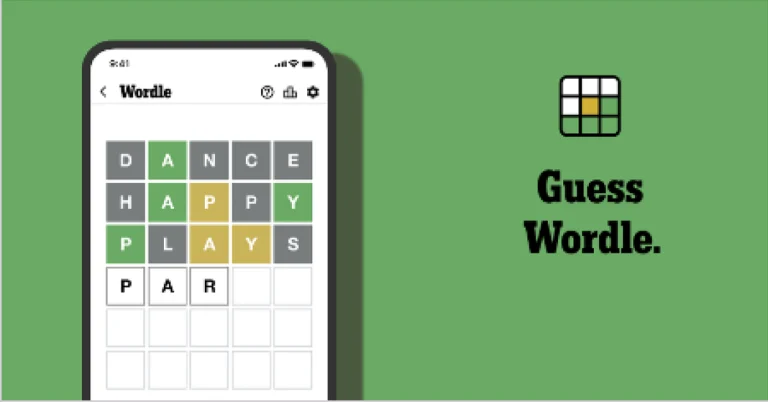
Wordle is a New York Times word puzzle game that allows users to guess a five-letter word in six attempts. The letters are highlighted in Yellow and Green, indicating whether the word is present in the answer or not, and Green letters indicate the correct guess.

Also Read: Samsung Galaxy M17 5G Review: Budget Bombshell

Wordle Tips and Tricks
  • Select a powerful starting word: Avoid using unusual words, as they frequently do not match common letters. A good opening word has plenty of benefits.
  • Repeating letters: Don’t be afraid of repeating letters; they appear frequently in words. The answer may contain one or two repeated letters.
  • Use the Wordlebot: The NYT’s Wordlebot analyses and compares replies to itself. This challenge can assist you in enhancing your guessing skills and highlighting areas for development.

How to disable the ‘black & white’ Power Saving Mode in Google Maps

0

To cut down on battery drain in navigation mode, Google has added a new ‘Power Saving Mode’ to its native Maps app. This feature gives a boost to the battery life by getting rid of non-essential information and turning the interface black & white. It can be triggered by simply pressing the power button. Since this feature is enabled by default, it may leave some users confused. Here’s how you can disable the Power Saving Mode in Google Maps.

Read Also: Oppo introduced new Velvet Red colour options for Find X9

What happens in Power Saving Mode?

The low-power map shows up on your lockscreen when you press the power button in navigation mode. The simple black & white layout contains the turn directions at the top of the page and the ETA and remaining distance at the bottom. You cannot pinch in and out to explore the map in this mode. There are no layers to use, either. You won’t get traffic or accident alerts in the low-power map.

Swiping down from the status bar gives you access to the notification and quick settings panel. Swiping up from the navigation bar takes you back to the lock screen, where you can use your password, PIN, fingerprint, or face to unlock the phone. If you wish to exit the Power Saving Mode, simply tap on the screen or press the power button.

This feature only works in Portrait orientation. It supports driving mode only. It cannot be accessed in walking and biking modes. As of now, this feature is only available in the Google Pixel 10 series smartphones. Google plans on bringing it to other Android devices in the coming months.  

Disable Power Saving Mode from settings

Step 1: Launch Google Maps on your phone and tap your profile picture in the top-right corner of the screen.

Step 1: Launch Google Maps on your phone and tap your profile picture in the top-right corner of the screen.

Step 2: Go to Settings.

Step 2: Go to Settings.

Step 3: Tap on Navigation.

Step 3: Tap on Navigation.

Step 4: Scroll down and hit the toggle switch next to Power Saving Mode.

Step 4: Scroll down and hit the toggle switch next to Power Saving Mode.

Disable Power Saving Mode while navigating

Step 1: Launch Google Maps on your phone and search for your destination.

Step 2: Make sure you’re in the car tab. Hit Start.

Step 2: Make sure you’re in the car tab. Hit Start.

Step 3: Pull up the menu from the bottom of the screen and select Settings.

Step 3: Pull up the menu from the bottom of the screen and select Settings.

Step 4: Turn off the toggle switch next to Power saving mode.

Step 4: Scroll down and hit the toggle switch next to Power Saving Mode.

Frequently Asked Questions (FAQs)

What is Power Saving Mode in Google Maps?

Power Savings Mode kicks in when you press the power button in navigation mode. It strips the navigation interface down to its bare bones and makes sure it consumes minimal power.

How do I disable Power Saving Mode in Maps?

Launch Google Maps, tap your profile picture, and go to Settings>Navigation. Scroll down and turn off the toggle switch next to Power Saving Mode.

Can I use Power Saving Mode in landscape orientation?

Google currently limits the use of Power Saving Mode to Portrait orientation only. It is not available in Landscape orientation.

How do I exit Power Saving Mode in Maps?

To exit Power Saving Mode, tap the power button again or swipe up from the bottom of the screen and unlock your phone using a password, PIN, fingerprint, or face unlock.

Read Also: What is Advanced Protection in Android 16? How to enable it?

Final Thoughts

As mentioned earlier, this feature is currently available in the Google Pixel 10 series smartphones only. Google will roll it out on other Android devices in a phased manner. If you have any questions, let us know in the comments!

Realme C85 5G with MediaTek Dimensity 6300 SoC launched in India

Realme has released the C85 5G smartphone in India today. The gadget has a 7,000mAh battery and is powered by the MediaTek Dimensity 6300 processor. The phone has a hole-punch 6.8-inch 144 Hz display and is water and dust-resistant, according to IP69 Pro standards.

The Realme C85 5G is priced in India starting at Rs 16,499 for the base model with 4GB RAM and 128GB storage, while the higher-end option with 6GB RAM and 128GB storage costs Rs 17,999. An introductory deal would drop these rates to Rs 14,999 and Rs 16,499, inclusive of benefits.

Sales will begin on December 1 at noon, with the gadget available in Parrot Purple and Peacock Green via the company’s online shop and Flipkart.

Realme C85 5G with MediaTek Dimensity 6300 SoC launched in India

The Realme C85 5G features a 6.8-inch HD+ display with a high refresh rate of 144 Hz, which improves the user experience by providing fluid motion while watching movies and gaming. This display also has a peak brightness of 1200 nits, which makes it more visible in outdoor settings and improves its usage in a variety of lighting circumstances. It has a great screen-to-body ratio of 90.04 per cent, which maximises the viewing space for customers. Furthermore, it supports both the DCI-P3 and sRGB colour gamuts, resulting in rich colours and accurate picture representation.

The Realme C85 5G’s internal hardware comprises the MediaTek Dimensity 6300 5G chipset, an octa-core CPU, and a Mali-G57 GPU. This combination enables effective performance and graphics rendering while running Realme UI 6.0, which is built on the Android 15 operating system and offers consumers a contemporary and dynamic experience.

Also Read: Oppo introduced new Velvet Red colour options for Find X9

The smartphone has a powerful photographic system, including a 50-megapixel rear camera unit that uses the Sony IMX852 sensor. This camera is intended to take high-quality photos as well as video recordings at up to 1080p resolution and 30 frames per second. The smartphone also features an 8-megapixel front-facing camera that can capture 1080p movies at the same frame rate, making it ideal for selfies and video conferencing.

Also Read: Sony LYTIA 901 200-megapixel image sensor announced

There is also AI Edit Genie, a smart assistant that allows you to easily edit your photos and videos. It is extremely durable, having IP66, IP68, and IP69 classifications that protect against dust, water, and harsh weather. Its IP69 Pro-Level water resistance allows it to be immersed for up to 60 days, resist 36 different liquids, and tolerate hot water exposure up to 85 degrees.

The Realme phone has a 7000mAh battery with 45W fast charging, which provides ample capacity and speed. It features a thin body of 8.38 mm and weighs 215 g.

Oppo introduced new Velvet Red colour options for Find X9

OPPO India has launched a new Velvet Red colour variant for the Find X9, expanding the Find X9 Series. The device debuted in the Indian market 10 days ago, on November 18. The lineup includes two models: Find X9 and Find X9 Pro. Both models were initially introduced in two colour options. Both smartphones are powered by MediaTek’s flagship Dimensity 9500 processor.

The Find X9 was released in India in two colours: space black and titanium grey. The newly announced Velvet Red Find X9 will be available in a 12GB RAM with a 256GB storage option for Rs 74,999. Sales for this model will begin on December 8 and will be available through the OPPO India e-store, Flipkart, and authorised retail partners. Customers can purchase the Find X9 at a reduced effective price of Rs 67,499 by taking advantage of bank offers, as well as receive additional exchange benefits.

Oppo introduced new Velvet Red colour options for Find X9

Customers may take advantage of several discounts on the OPPO Find X9 Series. With some bank cards, you may get up to 10% instant cashback at OPPO e-store, Amazon, Flipkart, and other major merchants. Additionally, a no-cost EMI option is available for up to 24 months. Customers who use Cashify or Servify might get an exchange bonus of up to 10%. Zero down payment plans for 24 months are also offered from a variety of financial partners, including Bajaj Finserv and IDFC First Bank. A Black Gold Gift Box worth Rs 5198 includes the OPPO Enco Buds3 Pro+ and a gorgeous Velvet Red Premium Phone Case.

The gadget is covered by a 180-day replacement warranty for hardware defects. Users of the Find X9 Series enjoy three months of free access to Google Gemini Pro and can earn Jio benefits worth Rs 2250 with certain postpaid plans. Jio members aged 18 to 25 also enjoy 18 months of Gemini Pro for free.

The device was launched in India at a starting price of Rs 74,999 for 12GB of RAM and 256GB of storage. There is also an enhanced model available for Rs 84,999 that has 16GB of RAM and 512GB of storage.

The Oppo Find X9 Pro, on the other hand, is positioned at the top of the lineup, available only in a single configuration with 16GB of RAM and 512GB of internal storage for Rs 109,999.

Specifications, Features

The Find X9 has a 6.59-inch 1.5K display with a resolution of 2760×1256 pixels. The screen supports a high refresh rate of up to 120 Hz to provide seamless visual performance. Furthermore, its ProXDR displays are HDR-ready, supporting a variety of high dynamic range formats such as HDR Vivid, Dolby Vision, and HDR10+. These displays also provide a handy full-screen Always-On Display (AOD) feature, which improves convenience and functionality.

In terms of brightness, it has an excellent global peak brightness of 1800 nits and a local peak brightness capacity of up to 3600 nits across 20% of the screen surface. In terms of durability, it meets IP66, IP68, and IP69 standards, demonstrating high resistance to dust and water ingress.

Also Read: Sony LYTIA 901 200-megapixel image sensor announced

Under the hood, there is a strong MediaTek Dimensity 9500 chipset, which improves their performance capabilities. It runs on Android 16 with ColorOS 16, which delivers a user-friendly interface augmented with a slew of AI-powered productivity and imaging capabilities aimed at improving user experience and efficiency.

The handset boasts a 7,025mAh battery, which enables 80W wired fast charging, providing speedy power replenishment.

Also Read: Just Corseca Sonic Bar (JST 648) and Sound Shack Plus (JST 646) home theatre launched in India

The X9 has an amazing camera system consisting of three 50-megapixel sensors designed to meet a variety of photography purposes. The primary sensor, a Sony LYT-828, is intended to record high-quality photographs, whilst the second 50-megapixel sensor, the Sony LYT-600, functions as a periscope telephoto camera, allowing users to take crisp photos from a distance. The handset also contains a 50-megapixel Samsung JN5 ultrawide camera, which provides a wider viewpoint for landscape and group photos. The front-facing camera has a 32-megapixel sensor, which allows for excellent and detailed self-portraits.

What is Advanced Protection in Android 16? How to enable it?

0

Android 16 brings new cosmetic changes in the form of Material 3 Expressive design, but it also gets some crucial security upgrades that are worth talking about. The new Advanced Protection suite brings together several security features under one umbrella, making them easier to manage. Let’s take a look at what these Advanced Protection features are and how you can enable them on your Android 16 smartphone.

Read Also: How to remove political content from your Instagram feed

What is Advanced Protection?

The Advanced Protection suite is a collection of security features that work to safeguard your device against online attacks, harmful apps, insecure connections, and other threats that put your data at risk. You can access some of these features individually outside of this suite. However, being grouped together makes them easier to manage. Here is the complete list of features in the Advanced Protection package.

Device safety

  • Theft Detection Lock
  • Offline Device Lock
  • Inactivity reboot

Apps

  • Google Play Protect
  • Unknown apps
  • Memory Tagging Extension

Networks

  • 2G network protection

Web

  • Android Safe Browsing
  • Chrome browsing
  • JavaScript protections

Phone by Google

  • Caller ID and spam
  • Spam filtering

Google Messages

  • Spam protection
  • Suspicious links

Enable Advanced Protection on your Android 16 smartphone

Step 1: Go to Settings.

Step 2: Scroll down and select Security & Privacy.

Step 2: Scroll down and select Security & Privacy.

Step 3: Scroll down and tap on Advanced Protection.

Step 3: Scroll down and tap on Advanced Protection. What is Advanced Protection in Android 16? How to enable it?

Step 4: Turn on the toggle switch next to Device protection.

Step 4: Turn on the toggle switch next to Device protection.

Step 5: Hit Turn on in the pop-up box.

Step 5: Hit Turn on in the pop-up box.

Step 6: You will need to restart your phone in order to enable some Device Protection features. Tap on Restart to give it the go-ahead.

Step 6: You will need to restart your phone in order to enable some Device Protection features. Tap on Restart to give it the go-ahead. What is Advanced Protection in Android 16? How to enable it?

Frequently Asked Questions (FAQs)

What does Advanced Protection do on Android?

The Advanced Protection suite tightens up the security on your phone. It includes features like USB protection, Theft Detection Lock, Inactivity reboot, Google Play Protect, Memory Tagging Extension, and more.

How do I enable Advanced Protection on my Android phone?

Go to Settings>Security & Privacy>Advanced Protection and turn on the toggle switch next to ‘Device Protection’.

How do I scan my phone for harmful apps?

Go to Settings>Security & Privacy>App security>Google Play Protect, and hit Scan.

How do I enable Theft Detection Lock on my Android phone?

Go to Settings>Security & Privacy>Device unlock>Theft protection and turn on the toggle switch next to Theft Detection Lock.

How do I stop apps from sending content to the Android system?

Go to Settings>Security & Privacy>More security and privacy and turn on the toggle switch next to ‘Personalise using app data’.

Read Also: Dell Pro Max 16 Plus, powered by dual Qualcomm AI 100 NPUs, announced

Final Thoughts

Once you’ve enabled Advanced Protection, you will be prompted to restart your device. Some of the features won’t kick in unless a restart is initiated. If you have any questions, let us know in the comments!

How to remove political content from your Instagram feed

0

Instagram Reels are a fun way to consume microcontent, but they’re not always the best medium for keeping up with the news. Rampant dissemination of misinformation is something that the platform has struggled to limit for years. Despite strict provisions against fake news, misleading videos, and blatant disinformation, politically volatile content manages to gain a lot of traction on Instagram. The best way to safeguard yourself against this is by following verified users and news outlets. Once that’s done, you can remove suggested political content on your Instagram feed from sources you don’t follow. Here’s how you can go about it.

Read Also: Sony LYTIA 901 200-megapixel image sensor announced

What happens when you limit political content on Instagram

The ‘Content preferences’ section in Instagram settings gives you some control over what you see on your feed. If you notice a spike in sensitive content on your Explore page and Reels feed, you can limit it by tweaking your preferences. The same goes for political content. If you’re worried that limiting political content will completely eliminate all kinds of news and commentary videos from your Reels tab, you can rest at ease.

When you turn on the filter to reduce political content, you are merely eliminating suggested posts and Reels from people you don’t follow. The content from news outlets, media personalities, commentary accounts, and political influencers in your following list will not be affected by this change. If you still come across a political post from someone you don’t follow, you can always hit the ellipses (three dots) and select ‘Not interested’.

According to Instagram, political content includes content that mentions the following:

  • Governments
  • Elections
  • Social topics

Limit political content on Instagram using ‘Content Preferences’

Step 1: Launch the Instagram app on your phone.

Step 2: Tap your profile picture in the bottom right corner of the screen.

Step 1: Launch the Instagram app on your smartphone and tap your profile picture in the bottom right corner of the screen.

Step 3: Hit the hamburger menu icon in the top right corner of the screen.

Step 3: Hit the hamburger menu at the top left corner of the screen.

Step 4: Scroll down and go to Content preferences in the ‘What you see’ category.

Step 3: Tap on Content preferences.

Step 5: Tap on Political content.

Step 5: Tap on Political content.

Step 6: Turn off the toggle switch next to Suggest political content.

Step 6: Turn off the toggle switch next to Suggest political content.

Bonus Tip: Reset your Instagram algorithm

Step 1: Launch the Instagram app on your phone.

Step 2: Tap your profile picture in the bottom right corner of the screen.

Step 1: Launch the Instagram app on your smartphone and tap your profile picture in the bottom right corner of the screen.

Step 3: Hit the hamburger menu icon in the top right corner of the screen.

Step 3: Hit the hamburger menu at the top left corner of the screen.

Step 4: Scroll down and go to Content preferences in the ‘What you see’ category.

Step 3: Tap on Content preferences.

Step 5: Tap on Reset suggested content.

Step 4: Tap on Reset suggested content.

Step 6: Hit Next.

Step 5: A pop-up will explain what resetting your content preferences means. Hit Next. How to reset your content suggestions & algorithm on Instagram?

Step 7: Tap on Reset content suggestions.

Step 6: On the following page, you can manually curate your suggested feed by unfollowing people who post content you don’t want to see. If you want to do a complete reset, tap on Reset suggested content. How to reset your content suggestions & algorithm on Instagram?

Step 8: Confirm your selection in the pop-up box.

Step 7: Confirm your selection in the pop-up box. How to reset your content suggestions & algorithm on Instagram?

Frequently Asked Questions (FAQs)

Is there a way to limit political content on Instagram?

Go to your profile, tap the menu icon, then select Content Preferences>Political content. Turn off the toggle switch to see less political content on your feed.

Can I reset my Instagram explore page?

You can change what you see on your Instagram feed and Explore page by resetting your suggested content. Go to Profile Menu>Content preferences>Reset suggested content, hit ‘Next’, and tap on ‘Reset content suggestions’.

Is there a way to mute certain words and phrases from my Instagram feed?

Go to Profile Menu>Content preferences>Specific words and phrases, type the words and phrases you wish to mute in the text box, and hit ‘Done’.

How do I limit sensitive content on Instagram?

Go to Profile Menu>Content preferences>Sensitive content and select ‘Less’.

How do I view my Watch History on Instagram?

Hit the menu icon on your profile, then go to Your activity>Watch history to see your recently viewed Reels.

Read Also: Redmi 15C 5G India launch date announced: Details

Final Thoughts

Instagram will soon roll out a suite of features designed to give you more control over the content that shows up on your feed. Users will be able to choose from different topics and limit the subjects they don’t want to see. The ‘Your Algorithm’ section will be accessible by hitting the filter icon in the top right corner of the Reels tab.

Sony LYTIA 901 200-megapixel image sensor announced

Sony has launched the LYTIA 901, its first 200-megapixel picture sensor for smartphones, which has AI processing and a 4x in-sensor zoom. It has a 1/1.12-type design with 0.7-micron pixels and a Quad Quad Bayer architecture, which allows for great detail and good performance in low light.

The new image sensor has around 200 effective megapixels and a Quad-Quad Bayer Coding (QQBC) array that is optimised for excellent resolution and sensitivity. This sensor features a pixel pitch of 0.7 μm and is based on a large-format 1/1.12 sensor. Improvements to pixel structure and colour filter design increase saturation signal levels, resulting in a wider dynamic range. To use the high megapixel count, the QQBC array clusters 16 nearby pixels (4×4) with matching colour filters, allowing the camera to treat them as a single pixel during normal shooting. This approach guarantees maximum sensitivity in low-light conditions. For zoom photography, remosaicing is used to transform clustered pixels back to a regular pixel array, allowing for high-resolution images.

Also Read: Just Corseca Sonic Bar (JST 648) and Sound Shack Plus (JST 646) home theatre launched in India

With an AI learning-based remosaicing capability, this Sony device provides high-quality pictures when zooming. The advanced array conversion technique, which converts the QQBC array into a regular pixel array, makes use of new AI learning-based remosaicing created by Sony. This industry-first technique allows for the processing of high-frequency signals that were previously difficult to replicate, resulting in excellent detail replication, including complex patterns and text. By incorporating the remosaicing technique directly into the sensor, the device offers high-speed processing capabilities, enabling high-quality video recording at 30 fps while filming in 4K resolution with up to 4 times magnification.

Also Read: Redmi 15C 5G India launch date announced: Details

Innovative technologies like Dual Conversion Gain-HDR (DCG-HDR) and Fine12bit ADC allow for high dynamic range (HDR) and rich tonal expression. DCG-HDR combines data from several gain settings into a single frame, whereas Fine12bit ADC increases the quantisation bit depth from 10 to 12. This combination enables outstanding tonal expression with a zoom range of up to 4x. Furthermore, Hybrid Frame-HDR (HF-HDR) technology combines short exposure frames with DCG data in post-processing, resulting in dynamic range performance greater than 100 dB. HF-HDR significantly reduces highlight blowout in bright regions and blackout in dark areas, resulting in pictures that more accurately depict human vision.

Mass production will begin in November 2025, with the sensor likely to be included in the next flagship models, such as the Oppo Find X9 Ultra and Vivo X300 Ultra, competing with existing 200-megapixel technology.

Just Corseca Sonic Bar (JST 648) and Sound Shack Plus (JST 646) home theatre launched in India

Just Corseca has introduced its first soundbar systems, the JC Sonic Bar (JST 648) and the JC Sound Shack Plus (JST 646), into the home theatre market. The JC Sonic Bar delivers 200W RMS from a 120W soundbar and an 80W subwoofer, while the JC Sound Shack Plus delivers 160W RMS from a 90W soundbar and a 60W subwoofer. Both systems offer Bluetooth v5.0, HDMI ARC, and a variety of connectors, ensuring high-quality audio for movies, music, and games.

JC Sonic Bar (JST 648)

The JC Sonic Bar (JST 648) is priced at Rs 7,499, while the JC Sound Shack Plus (JST 646) costs Rs 6,499. Both products are available through various significant e-commerce platforms, including Amazon and Flipkart, as well as JUST CORSECA’s own website and partner retail outlets across India.

The JC Sonic Bar (JST 648) has a robust 200W RMS output, with 120W for the soundbar and 80W dedicated to the subwoofer, providing a powerful and immersive audio experience appropriate for a variety of applications such as movies, gaming, and music. The 2.2 channel arrangement guarantees balanced acoustic performance, which improves the entire listening experience.

The accompanying 80W subwoofer is meant to deliver deep bass resonance and measures 204 mm in width, 350 mm in height, and 300 mm in depth, making it an ideal complement for anyone looking for rich sound depth. The soundbar uses Bluetooth v5.0 technology, which allows for robust wireless streaming capabilities at a distance of up to 10 metres, making it easy to connect devices without the use of cords.

Also Read: Qualcomm unveiled the Snapdragon 8 Gen 5 SoC with a 36% improvement in CPU performance

Connectivity options include HDMI ARC, coaxial, USB, AUX, and Bluetooth connectors, allowing for seamless connectivity with a variety of devices. The soundbar works with a variety of input devices, including TVs, projectors, smartphones, PCs, laptops, and other USB or AUX-in media. The device comes in a sleek black finish and contains the soundbar, subwoofer, charging cord, remote control, and user manual. It is also covered by a one-year manufacturer’s guarantee, which ensures quality and durability.

JC Sound Shack Plus (JST 646)

The JC Sound Shack Plus (model JST 646) is a powerful audio system with a total output of 160W RMS, 90W dedicated to the soundbar and 60W assigned to the subwoofer, resulting in a powerful and immersive sound experience. Its 2.2-channel design enables the reproduction of clear vocals, nuanced mid-range sounds, and strong bass. The subwoofer, despite its modest dimensions of 170 mm x 290 mm x 300 mm, delivers an amazing 60 W of power, improving overall audio performance.

Also Read: Dell Pro Max 16 Plus, powered by dual Qualcomm AI 100 NPUs, announced

Bluetooth v5.0 technology provides a wide range of connectivity options, including seamless wireless connectivity within a 10-meter range. The device supports a variety of input types, including HDMI ARC, coaxial, USB, AUX, FM, and TF card, making it suitable for a variety of multimedia needs. The soundbar is compatible with a broad range of devices, including televisions, projectors, smartphones, PCs, laptops, and other media devices, allowing for maximum usage versatility.

In addition, the JC Sound Shack Plus comes with a one-year manufacturer’s guarantee, providing added peace of mind for users.

Garena Free Fire Max Redeem Codes Today 28 November 2025: Here is how to claim them

Garena Free Fire (GFF) Max is a battle royale game with regular awards and tournaments to keep players interested. If you play GFF, you should be aware of the redeem codes that are released on a daily basis. However, because the battle royale game is banned in India, players from other countries can use the Free Fire Redeem codes daily. If you’re unfamiliar with the codes or don’t know how to get them, we’ve put together a step-by-step guide to help you redeem them. Check out Garena Free Fire Max Redeem Codes for 28 November 2025.

These codes are a great way to get free items in the game. The 12-digit codes contain letters and numbers, as well as an expiration date and time. Because the Garena FF redeem codes cannot be used more than once, you should hurry to the redemption page to claim your free reward before someone else does. To get a free reward, all you have to do is go to reward.ff.garena.com/en, which is the official redemption page. Also, keep an eye on this space for daily updates on Gadget Bridge on GFF Max redemption codes and rewards.

Also Read: Amazon Quiz Answers Today 27 November 2025: Participate to win Up To Rs 500 Amazon Pay Balance

Garena Free Fire Max Redeem Codes Today 

FF9MJ31CXKRG
XZJZE25WEFJJ
FF2VC3DENRF5
FF7TRD2SQA9F
FF8HG3JK5L0P
FFBJ2786KH95
FFK7XC8P0N3M
FF1V2CB34ERT
FFB2GH3KJL56
FF5B6YUHBVF3
FFIC33NTEUKA
ZZZ76NT3PDSH
UVX9PYZV54AC
FFCMCPSJ99S3
FF5B6YUHBVF3
FFR3GT5YJH76

Also Read: OnePlus 15R confirmed to be powered by Snapdragon 8 Gen 5 SoC

How to Get Free Fire Max Redeem Keys for Garena?

  • Visit the game’s official website at reward.ff.garena.com.
  • Use your Facebook, Google, VK, Apple ID, Huawei ID, or Twitter account to log in.
  • You’ll be taken to a valid redemption code (s)
  • Copy and paste the 12-digit redemption code into the text box.
  • On the screen, a dialogue box will appear.
  • ‘Ok’ should be selected.

Amazon Quiz Answers Today 28 November 2025: Participate to win Up To Rs 500 Amazon Pay Balance

Amazon Quiz 28 November 2025: The New Daily Quiz is now available. Customers from different parts of the country are participating in the daily quiz. The quiz starts at midnight today and will be live until 11:59 PM tonight. By successfully answering every question, participants in the quiz have the chance to win wonderful rewards. Up to Rs 500 Amazon Pay Balance is up for grabs to participants today.

One wrong answer could eliminate you from the quiz. You have a chance to win up to Rs 500 Amazon Pay Balance if you successfully answer every question. Users of the app only have the opportunity to take the quiz. Check Out the 28 November 2025 Quiz.

Are you not able to find Amazon FunZone? Click below and participate.

Click here to enter the Amazon FunZone Quiz and play today.

Today’s Prize: Rs 500 Amazon Pay Balance

Quiz Date: 28 November 2025

Daily Timing: 12 AM to 11:59 PM

Previous Winners Announcement: Today 12 PM Noon

Amazon Daily Quiz Answers Today: Win Up To ₹ 500 Amazon Pay Balance

Question 1: “Semper Supra,” meaning “Always Above,” is the motto of which U.S. Armed Force?

Answer: Space Force

Question 2: Which is the host country for the FIFA World Cup 2034?

Answer: Saudi Arabia

Question 3: According to legend, George Crum invented which food item at Moon Lake Lodge in Saratoga Springs, New York?

Answer: Potato chips

Question 4: This fictional character works for which intelligence agency?

Answer: MI6

Question 5: Which dynasty built this temple?

Answer: Chalukya

Also Read: iQOO 15, equipped with Snapdragon 8 Elite Gen 5 SoC, launched in India

How To Play Amazon Daily Quiz Today

Only app users are eligible to play the Amazon quiz every morning from 12 AM to 11:59 PM. The quiz is not available on the desktop. For those who are unaware of how to play the Amazon quiz, below are the steps you can follow to take the quiz.

  • First, download the Amazon app from the Google Play Store or App Store or go here to download the Amazon App
  • Now fill in the required information through the Sign-Up option.
  • To find the Amazon Daily Quiz banner, log in to the Amazon app and scroll down to the home screen.
  • Tap on the banner and tap on the Start button to start the Quiz.
  • Now you will get 5 questions and you need to answer them correctly. One wrong answer will eliminate you from the Quiz.
  • After answering all the questions correctly, you are now eligible for a Lucky Draw.
  • The previous winner’s name will be announced today at 12 PM.

Amazon Daily Quiz Answers from the previous few days.

Here are all the answers from the previous 5 days of the Amazon Daily Quiz and Contest.

28 November 2025

Question 1: The 2009 Fair Pay Act in the USA is named after which former Goodyear employee who sued for pay discrimination?

Answer: Lilly Ledbetter

Question 2: At what event in 2024 did Elon Musk unveil long-anticipated prototypes of the Cybercab?

Answer: We, Robot

Question 3: Black Ops 6 is the 2024 edition of which popular video game series?

Answer: Call of Duty

Question 4: Which actor plays this character in the Marvel universe?

Answer: Ryan Reynolds

Question 5: Which movie is based on his reign?

Answer: Valkyrie

27 November 2025

Question 1: By what Indian name is the Indian roller bird commonly known?

Answer: Neelkanth

Question 2: In a traditional kava-drinking ceremony held in October 2024, King Charles III became the High Chief of which island nation?

Answer: Samoa

Question 3: Mohammed Shami made his debut for which team in the 2010-11 season of the Ranji Trophy?

Answer: Bengal

Question 4: Which place is the raisin capital of the world?

Answer: Selma

Question 5: This waterfall is situated on which river?

Answer: Mandovi River

19 November 2025

Question 1: Achanta Sharath Kamal represents India in which sport?

Answer: Table Tennis

Question 2: Which date is to be celebrated as Hyderabad Liberation Day?

Answer: 17-sep

Question 3: In which sport did India win its first two medals at the 2024 Paris Olympics?

Answer: Shooting

Question 4: This painting was created in which historical period?

Answer: Renaissance

Question 5: Where is the headquarters of this brand in the USA?

Answer: Atlanta

18 November 2025

Question 1: In 2024, who became the youngest person to win two Oscars?

Answer: Billie Eilish

Question 2: The D. B. Patil International Airport is located in which place?

Answer: Navi Mumbai

Question 3: Which country had the first-ever married couple to serve as flag bearers at the Paris Olympic Opening Ceremony?

Answer: Romania

Question 4: When was this app launched?

Answer: 2011

Question 5: Which is the smallest monkey in the world?

Answer: Marmoset

17 November 2025

Question 1: Complete the title of this 2024 film: “Chhota Bheem and the Curse of _____”.

Answer: Damyaan

Question 2: What regal title does Yaduveer Krishnadatta hold?

Answer: Maharaja of Mysore

Question 3: Which John Lennon and Yoko Ono song has been sung at six Olympic Opening Ceremonies, including Paris 2024?

Answer: imagine

Question 4: Who is the architect of this cathedral

Answer: Filippo Brunelleschi

Question 5: In the English edition of this game, how many word tiles are there

Answer: 100

15 November 2025

Question 1: The iconic Air India building at Nariman Point was handed over to which state government?

Answer: Maharashtra

Question 2: Which country topped the list of the UN’s Human Development Index?

Answer: Switzerland

Question 3: Which Hollywood superstar portrays the role of MMA legend Matt Kerr in the biopic ‘The Smashing Machine’?

Answer: Dwayne Johnson

Question 4: Which sport first appeared in the Winter Olympics in 1936?

Answer: Alpine skiing

Question 5: This brand is the largest sportswear manufacturer in which continent?

Answer: Europe

14 November 2025

Question 1: Which film is based on Mstyslav Chernov’s daily news dispatches and personal footage of his own country at war?

Answer: 20 days in Mariupol

Question 2: Ae Watan Mera Watan is inspired by which freedom fighter, instrumental in founding the underground Congress Radio?

Answer: Usha Mehta

Question 3: Which Indian musician’s biography, written by Oliver Craske, is titled Indian Sun?

Answer: Ravi Shankar

Question 4: Which Roman Emperor was fond of this fruit?

Answer: Tiberius

Question 5: In the beginning, what was this system called?

Answer: Navstar

13 November 2025

Question 1: Which director won his first directing Oscar in 2024?

Answer: Christopher Nolan

Question 2: Jane Fraser is the current CEO of which bank?

Answer: Citigroup

Question 3: Which Asian country’s passport has been rated the most powerful in the world for 2024, according to the Henley index?

Answer: Singapore

Question 4: Which state is the largest producer of this?

Answer: Maharashtra

Question 5: Which was the first country to make this drink?

Answer: France

Also Read: Samsung Galaxy M17 5G Review: Budget Bombshell

Frequently Asked Questions (FAQs)

Where can I check the previous winners? Did I win? How to check?

You can head over to this link on your mobile or desktop to check the winners of the Amazon Daily Quiz Contest.

How to Play Amazon Daily Quiz or Contest?

We have written an explainer above; you can refer to that.

When are the winners of the Quiz and contest announced or declared?

The announcement of today’s quiz winner will take place Tomorrow. As for the Special Quiz and “Spin & Win” Contest, the winners will be declared once the Quiz Contest comes to an end. To find out who the lucky winner is, you can refer to the Winners List or visit the Amazon Winners tab in the Amazon App.

How to participate in the Daily Amazon Quiz?

That is very easy, just got to the Amazon app and scroll to the bottom of the page and you will find the Quiz section. Click on it (usually it is called the fun zone) and you can enter the Amazon Today Quiz Contest. 

Are there any other quizzes or contests running on Amazon daily?

Yes, there are many running daily. These range from spinning the wheel to answering the questions correctly. All are located in the Fun Zone. 

What are the criteria for selecting a winner in the Daily Amazon Quiz?

When a qualified player submits correct answers to all the questions, they will automatically be entered into a lucky draw. This draw will include all participants who answered all the questions correctly. Amazon randomly selects the final winners from the pool of eligible participants who gave the right answers.

Which Types of Questions are asked within the Amazon Daily Quiz?

These are very simple and straightforward questions. These are mainly related to general knowledge. 

Where should I look for Amazon Daily Quiz answers?

You can bookmark our website www.gadgetbridge.com as we will help you every day with the Amazon Daily Quiz. We bring you fresh answers every day for the Amazon Daily Quiz and Contest. 

What time does Amazon announce previous winners?

The previous winner’s name will be announced today at 12 PM (noon).

NYT Wordle Answer and Hints Today (November 28) #1623

Are you looking for today’s Wordle answer for November 28, 2025? The problem is difficult to solve, so if you need assistance, we’ve included hints and the clue to today’s Wordle Quiz. Below, we have made it simple for everyone to understand how to get to the Wordle Answer today.

Hints and Answers for Today’s Wordle November 28

Before answering directly, please check the Wordle Hints first.

Hint 1: Today’s Wordle answer includes two vowels.
Hint 2: The answer for today has a repeating letter.
Hint 3: Meaning- pain in the stomach area, which especially babies get

What word does today’s Wordle begin with?

Do you need help with today’s Wordle answer’s initial letter?

The first letter in today’s Wordle is “C”

Today’s Wordle Answer 

The answer to Wordle #1623 on November 28, 2025, is — COLIC

Also Read: iQOO 15, equipped with Snapdragon 8 Elite Gen 5 SoC, launched in India

What is Wordle?

Wordle: A Five-Letter Word Guessing Game
• The game allows six guesses of a five-letter word.
• Provide feedback on the guessed letters’ placement in the puzzle.
• The New York Times purchased the game in 2022.
• Created by Josh Wardle for his partner, narrowing down 12,000 English words to 2,500.
• Named after the word “word.”

How To Play Wordle?

Wordle is a New York Times word puzzle game that allows users to guess a five-letter word in six attempts. The letters are highlighted in Yellow and Green, indicating whether the word is present in the answer or not, and Green letters indicate the correct guess.

Also Read: Samsung Galaxy M17 5G Review: Budget Bombshell

Wordle Tips and Tricks
  • Select a powerful starting word: Avoid using unusual words, as they frequently do not match common letters. A good opening word has plenty of benefits.
  • Repeating letters: Don’t be afraid of repeating letters; they appear frequently in words. The answer may contain one or two repeated letters.
  • Use the Wordlebot: The NYT’s Wordlebot analyses and compares replies to itself. This challenge can assist you in enhancing your guessing skills and highlighting areas for development.

Next-Gen Audio Gadgets: How Sound Technology Is Evolving

The way we enjoy TV, games, and music has changed due to the unparalleled speed at which audio technology is developing. Next-generation audio devices are redefining clarity, depth, and interactivity, from wireless earbuds to immersive 3D sound systems. Whether they are using apps like the best mobile casino UK for leisure, streaming games, or listening to music, modern customers want their devices to have clever features, smooth connectivity, and rich audio fidelity. This development demonstrates how advancements in sound technology are changing leisure and lifestyle.

Wireless and True Wireless Audio Devices

The audio business has undergone a revolution thanks to wireless technology, which improves mobility and convenience while releasing users from the limitations of cords. In particular, true wireless earbuds have become commonplace due to their excellent portability and clever features.

Key Features of Next-Gen Wireless Audio

Feature Description Example Devices
Active Noise Cancellation (ANC) Reduces ambient noise for a more immersive experience Sony WF-1000XM5, Bose QuietComfort Earbuds II
Adaptive Sound Adjust audio based on the environment Apple AirPods Pro 2, Sennheiser Momentum True Wireless 3
High-Resolution Audio Support Enables lossless music playback Sony LinkBuds S, Samsung Galaxy Buds 3 Pro
Long Battery Life Extended usage without recharging Jabra Elite 7 Pro, Anker Soundcore Liberty 3 Pro
Touch and Voice Controls Intuitive interaction without physical buttons AirPods Pro 2, Bose Sport Earbuds

These devices offer an excellent listening experience in a variety of use scenarios, from casual music consumption to gaming and movie streaming, thanks to their mobility, adaptive sound adjustment, and high-fidelity audio.

Immersive and Spatial Audio Technology

By replicating three-dimensional surroundings, spatial audio and 3D sound technologies are revolutionising traditional stereo experiences. This is especially useful for VR content, movies, and video games where positional audio improves realism.

Innovations in Spatial Sound

  • Object-Based Audio: Audio tracks are treated as independent objects that can move in 3D space.
  • Head-Tracking Capabilities: Devices adjust sound relative to head movement for immersive playback.
  • Virtual Surround Sound: Simulates multi-speaker setups through headphones.
  • Dynamic Audio Rendering: Enhances clarity and depth for streaming platforms and games.

With the use of these technologies, people can experience audio as though it were happening in a real-world setting. According to research from Dolby Labs, spatial audio can enhance concentration, immersion, and pleasure in both leisure and work-related contexts.

Smart Features and AI Integration

Artificial intelligence is being used more by next-generation audio devices to adjust to user preferences and surroundings. AI-powered gadgets provide hands-free convenience, improve sound quality, and customise audio profiles.

AI-Powered Audio Capabilities

AI Feature Function Benefit
Adaptive Sound Adjustment Analyses ambient noise and modifies audio Reduces listening fatigue
Personalised EQ Profiles Customises sound based on ear anatomy and preferences Optimises clarity and tonal balance
Voice Assistant Integration Provides hands-free control for apps and devices Streamlines multitasking and accessibility
Predictive Audio Optimisation Anticipates usage scenarios (e.g., workout, commute) Enhance convenience and immersion

With AI integration, these gadgets provide a more intuitive and context-aware listening experience, creating a seamless connection between technology and user behaviour.

Home and Multi-Room Audio Systems

Next-generation advancements have also been included in home audio systems, in addition to personal devices. The living room is becoming a centre for entertainment and interactive experiences thanks to wireless multi-room systems, smart speakers, and high-fidelity soundbars.

Features of Modern Home Audio

  • Multi-Room Connectivity: Synchronise audio across multiple devices in the house.
  • Voice-Activated Control: Compatible with Google Assistant, Alexa, or Siri.
  • High-Fidelity Streaming: Supports high-resolution and lossless formats.
  • Integration with Entertainment Systems: Syncs with TVs, gaming consoles, and smart devices.

These capabilities make it simpler to enjoy music, podcasts, and immersive media experiences anywhere in the house, in addition to improving sound quality and lifestyle ease.

The development of audio technology shows that next-generation devices can do more than just play music. From AI-powered personalisation and integrated home systems to wireless earbuds and spatial sound, these gadgets improve daily living, productivity, and enjoyment. Resources like updates on the newest devices as consumers seek more engaging experiences. With richer, smarter, and more immersive experiences that completely change how we listen, play, and engage with digital material, next-generation audio devices demonstrate that sound technology is still evolving.

Redmi 15C 5G India launch date announced: Details

Redmi 15C 5G is set to launch in India early next month. The phone will feature a dual rear camera setup and is expected to be available on Amazon. The phone will have a dual back camera configuration and will be offered through Amazon and Xiaomi’s online shop. According to leaked information, it will include a 6,000mAh battery, a MediaTek Dimensity CPU, and up to 8GB of RAM and 128GB of storage, with price information being rumoured online.

As Xiaomi revealed on X, the Redmi 15C 5G will be available in India on December 3. Key specs, features, and price remain unknown, but the firm will showcase the phone’s design on November 28, battery capacity on November 29, display features on November 30, and multitasking capabilities with its “core memories” function on December 1 and 2.

The smartphone will be available for purchase from Amazon and the Xiaomi India online shop.

The Redmi 15C 5G was introduced in Poland in September at PLN 799 (about Rs 19,000) for the entry-level variant with 4GB RAM and 256GB storage. It comes in three colours: dusk purple, midnight black, and mint green. The phone features a 6.9-inch display with 720×1,600 pixels, a refresh rate of up to 120 Hz, and a maximum brightness of 810 nits. It is equipped with an octa-core MediaTek Dimensity 6300 SoC developed on a 6nm process, 4GB of LPDDR4X RAM, and 256GB of internal storage.

Also Read: Nothing Phone 3a Lite with Glyph Light and 5,000 mAh Battery Launched in India

Tipster Abhishek Yadav recently revealed the Redmi 15C 5G’s price and important specifications in India. The basic model, with 4GB RAM and 128GB storage, is likely to cost Rs 12,499. The mid-range version with 6GB RAM and 128GB storage is expected to cost Rs 13,999, while the top-end variant, which may have 8GB RAM and the same storage capacity, is expected to cost Rs 14,999. Notably, these estimations are higher than prior reports, which put the base model at Rs 11,500, the mid-range at Rs 12,500, and the top-tier at Rs 14,500.

Also Read: Dell Pro Max 16 Plus, powered by dual Qualcomm AI 100 NPUs, announced

In terms of specs, the Redmi 15C 5G is likely to include a 6.9-inch LCD with HD+ resolution and a refresh rate of 120 Hz. It is rumoured to be powered by a MediaTek Dimensity 6300 processor and support up to 8GB of LPDDR4x RAM and 128GB of UFS 2.2 internal storage. The gadget is expected to run HyperOS 2, which is based on Android 15, and it will receive two major Android upgrades as well as four years of security patches. The phone will also likely contain a 6,000mAh battery and a notch display cutout for the front-facing camera, which will be used for selfies and video chats.

Nothing Phone 3a Lite with Glyph Light and 5,000 mAh Battery Launched in India

London-based tech firm Nothing today unveiled the Lite version of Phone 3a in India. The Nothing Phone 3a Lite is powered by the MediaTek Dimensity 7300 Pro SoC. It features a 120Hz refresh rate flexible AMOLED screen. The phone runs on Nothing OS 3.5, based on Android 15 out of the box. Also, it boasts a 5,000mAh battery with 33W fast charging support.

Pricing, Availability

The Nothing Phone 3a Lite has been introduced in India at a starting price of Rs 20,999 for the basic variant, which features 8GB of RAM and 128GB of internal storage. Additionally, a model with 256GB storage is priced at Rs 22,999. The phone is available in three colours: black, blue, and white, and will be available for purchase beginning December 5 on platforms such as Flipkart, Vijay Sales, Croma, and several top retail outlets throughout India.

Customers may take advantage of launch discounts that allow them to purchase the 128GB and 256GB variants at reduced costs of Rs 19,999 and Rs 21,999, respectively, when using ICICI and OneCard banks.

Nothing Phone 3a Lite with Glyph Light and 5,000 mAh Battery Launched in India

Specifications, Features

The Nothing Phone sports a full-HD+ flexible AMOLED display with a resolution of 1,080 x 2,392 pixels. In terms of performance, the screen provides a smooth 120 Hz refresh rate, resulting in fluid graphics. Furthermore, the display has 2,160 Hz pulse-width modulation (PWM) dimming, which improves visibility and comfort during use. It reaches high brightness levels, with a peak brightness of 3,000 nits, which is particularly useful for HDR content, while maintaining a pixel density of 387 pixels per inch (PPI).

The Nothing Phone 3a Lite runs Nothing OS 3.5, which is based on Android 15. The Nothing Phone 3a Lite is powered by a MediaTek Dimensity 7300 Pro processor with 8GB of RAM. The device has versatile storage options, with up to 256GB of internal storage and a virtual RAM extension of up to 8GB. Users may also extend their storage space by adding a microSD card, which can hold up to 2TB.

Nothing Phone 3a Lite with Glyph Light and 5,000 mAh Battery Launched in India

The smartphone comes with a triple rear camera system consisting of a 50-megapixel primary camera with Optical Image Stabilisation (OIS) and Electronic Image Stabilisation (EIS), an 8-megapixel ultra-wide-angle lens with a 119.5-degree field-of-view (FoV), and an unspecified third sensor. It also boasts a 16-megapixel front-facing camera that is optimised for selfies and video calls. The camera system’s main features are Ultra XDR pictures, Portrait Mode, Auto Tone, Night Mode, Macro Mode, and Motion Capture.

Also Read: Dell Pro Max 16 Plus, powered by dual Qualcomm AI 100 NPUs, announced

The back camera supports 4K video recording at 30 fps and slow-motion shooting at 1080p 120 fps. Furthermore, it has an IP54 rating, which provides resistance to dust and splashes, increasing its endurance. Panda Glass protects the front and rear panels, adding to the device’s durability.

Also Read: Qualcomm unveiled the Snapdragon 8 Gen 5 SoC with a 36% improvement in CPU performance

The phone has a powerful 5,000mAh battery that supports 33W wired fast charging as well as 5W wired reverse charging. The Nothing Phone 3a Lite has multiple connectivity options, including the latest Wi-Fi 6 standard and Bluetooth 5.3 technology, which ensures high-speed internet and smooth device connection. The phone has a powerful GPS that uses many satellite systems, including GLONASS, BDS, Galileo, and QZSS, to provide precise position tracking. The device has an advanced in-display fingerprint sensor to improve biometric security.

Dell Pro Max 16 Plus, powered by dual Qualcomm AI 100 NPUs, announced

The Dell Pro Max 16 Plus has been released, featuring an advanced enterprise-grade discrete Neural Processing Unit (NPU). The laptop has two Qualcomm AI 100 NPUs and 64GB of dedicated AI RAM. This enterprise-grade discrete NPU supports cloud-scale FP16 inferencing directly on-device, resulting in faster, more private, and dependable performance without reliance on cloud services. The Linux model is now accessible, with the Windows version set to arrive in early 2026.

The mobile workstation has strong 55W Intel Core Ultra CPUs with integrated graphics and NPU, NVIDIA RTX PRO 5000 Blackwell Generation graphics (24GB), up to 256GB CAMM2 (7200MT/s) DDR memory or 96GB SODIMM, and a large 12TB of storage with RAID support. 

Dell Pro Max 16 Plus, powered by dual Qualcomm AI 100 NPUs, announced

Thunderbolt 5 allows for fast data transfers, and an advanced thermal system with three fans and a stacked GPU-CPU design offers efficient cooling.

The gadget has a UHD (up to 4K) Tandem OLED 16-inch display with a refresh rate of 120 Hz and minimal bezels, resulting in bright graphics and strong contrasts. The full-size, reduced lattice keyboard has a number pad and a huge clickpad for easy navigation. An 8MP RGB + IR camera enables clear collaboration and fast sign-ins. 

Waves MaxxAudio Pro technology enhances audio quality with superior noise reduction. The laptop is powered by a 165W/280W USB Type-C converter that supports EPR for single-cable docking and charging, and the bottom door is easily accessible for updates and maintenance.

Also Read: iQOO 15, equipped with Snapdragon 8 Elite Gen 5 SoC, launched in India

The product is made with bio-based materials and recycled content, and the packaging and shipping materials are 100% recyclable. They are EPEAT Gold-certified with the Climate+ label, as well as Energy Star and TCO10. This product is tested and certified by prominent Independent Software Vendors (ISVs) to ensure optimum application performance. It has completed MIL-STD testing to ensure its endurance against everyday wear and tear, and it comes with a reliable warranty that includes optional service improvements.

Also Read: OnePlus 15R confirmed to be powered by Snapdragon 8 Gen 5 SoC

This device’s cutting-edge connectivity options include WiFi 7, Bluetooth 5.4, 2.5G LAN, and 5G LTE, ensuring consistent connectivity for both professional and personal use. Its robust 96 Whr 6-cell battery has Express Charge 2.0 and Performance Discharge technology, allowing for optimal energy management during demanding activities throughout the day. Despite its high-performance capabilities, the gadget is lightweight, weighing only 5.63 lbs (2.55 kg).

The Pro Max 16 Plus will run both Linux and Windows operating systems. The Linux version is currently available, with the Windows version following in early 2026.

Qualcomm unveiled the Snapdragon 8 Gen 5 SoC with a 36% improvement in CPU performance

Qualcomm has launched the Snapdragon 8 Gen 5 processor, which offers a 36% increase in CPU performance over its predecessor, the Snapdragon 8 Gen 3. The new chipset includes the Oryon CPU, which can achieve speeds of up to 3.8 GHz utilising a 3 nm technology and provides an 11% improvement in GPU performance.

This platform is part of the Snapdragon 8 series, which continues to drive innovation in premium smartphone technology, making major contributions to a wide range of leading flagship handsets. The Snapdragon 8 Gen 5 is designed to bring flagship-level performance and intelligence to a wider variety of premium handsets. Notably, it will power major OEMs such as OnePlus, with new devices planned to arrive in the next weeks in smartphones from a variety of global original equipment manufacturers (OEMs) and brands, including iQOO, Honor, Meizu, Motorola, OnePlus, and vivo.

Users of the Qualcomm 8-series Mobile Platform may activate their AI assistant by merely picking up their device, thanks to the Qualcomm Sensing Hub, which automatically blends microphone and sensor inputs to detect users’ intent to interact. The Snapdragon 8 Gen 5, powered by the Qualcomm AI Engine, enables AI assistants to provide context-aware interactions and personalised suggestions, boosting mobile experiences with seamless on-device intelligence. The Qualcomm Hexagon NPU boosts performance by up to 46%, making it a key component of these developments.

Also Read: OnePlus 15R confirmed to be powered by Snapdragon 8 Gen 5 SoC

The Snapdragon 8 Gen 5 features the proprietary Qualcomm Oryon CPU, which can reach peak speeds of up to 3.8 GHz. This platform increases performance by 36% and web browsing responsiveness by 76%, allowing for better multitasking and more efficiency with demanding apps. The Qualcomm Adreno GPU’s unique sliced design improves gaming and graphics capabilities by 11%, contributing to overall platform performance.

The Snapdragon 8 Gen 5 features a triple-20-bit Spectra AI ISP for better images, as well as Night Vision 3.0 for low-light video at 60 fps, real-time tone adjustment, and HDR audio recording. It features a single camera with up to 320 megapixels and can shoot 4K footage at 120 fps and playback up to 8K at 60 fps. 60 fps.

Also Read: iQOO 15, equipped with Snapdragon 8 Elite Gen 5 SoC, launched in India

Snapdragon X80 5G Modem (RF) The system supports both mmWave and sub-6GHz 5G, with download rates of up to 10 Gbps and upload speeds of 3.5 Gbps. It also features Wi-Fi 7, Bluetooth 5.2, and Ultra Wideband via FastConnect 7900; however, storage is limited to UFS 4.0, unlike the Elite model, which supports UFS 4.1.

Garena Free Fire Max Redeem Codes Today 27 November 2025: Here is how to claim them

Garena Free Fire (GFF) Max is a battle royale game with regular awards and tournaments to keep players interested. If you play GFF, you should be aware of the redeem codes that are released on a daily basis. However, because the battle royale game is banned in India, players from other countries can use the Free Fire Redeem codes daily. If you’re unfamiliar with the codes or don’t know how to get them, we’ve put together a step-by-step guide to help you redeem them. Check out Garena Free Fire Max Redeem Codes for 27 November 2025.

These codes are a great way to get free items in the game. The 12-digit codes contain letters and numbers, as well as an expiration date and time. Because the Garena FF redeem codes cannot be used more than once, you should hurry to the redemption page to claim your free reward before someone else does. To get a free reward, all you have to do is go to reward.ff.garena.com/en, which is the official redemption page. Also, keep an eye on this space for daily updates on Gadget Bridge on GFF Max redemption codes and rewards.

Also Read: Amazon Quiz Answers Today 27 November 2025: Participate to win Up To Rs 500 Amazon Pay Balance

Garena Free Fire Max Redeem Codes Today 

FFIC33NTEUKA
FF9MJ31CXKRG
HNC95435FAGJ
MCPW2D1U3XA3
U8S47JGJH5MG
FFAC2YXE6RF2
FFCMCPSEN5MX
FFCMCPSJ99S3
XZJZE25WEFJJ
FF11WFNPP956
BR43FMAPYEZZ
ZZZ76NT3PDSH
UVX9PYZV54AC
MCPW3D28VZD6

Also Read: OnePlus 15R confirmed to be powered by Snapdragon 8 Gen 5 SoC

How to Get Free Fire Max Redeem Keys for Garena?

  • Visit the game’s official website at reward.ff.garena.com.
  • Use your Facebook, Google, VK, Apple ID, Huawei ID, or Twitter account to log in.
  • You’ll be taken to a valid redemption code (s)
  • Copy and paste the 12-digit redemption code into the text box.
  • On the screen, a dialogue box will appear.
  • ‘Ok’ should be selected.

Amazon Quiz Answers Today 27 November 2025: Participate to win Up To Rs 500 Amazon Pay Balance

Amazon Quiz 27 November 2025: The New Daily Quiz is now available. Customers from different parts of the country are participating in the daily quiz. The quiz starts at midnight today and will be live until 11:59 PM tonight. By successfully answering every question, participants in the quiz have the chance to win wonderful rewards. Up to Rs 500 Amazon Pay Balance is up for grabs to participants today.

One wrong answer could eliminate you from the quiz. You have a chance to win up to Rs 500 Amazon Pay Balance if you successfully answer every question. Users of the app only have the opportunity to take the quiz. Check Out the 27 November 2025 Quiz.

Are you not able to find Amazon FunZone? Click below and participate.

Click here to enter the Amazon FunZone Quiz and play today.

Today’s Prize: Rs 500 Amazon Pay Balance

Quiz Date: 27 November 2025

Daily Timing: 12 AM to 11:59 PM

Previous Winners Announcement: Today 12 PM Noon

Amazon Daily Quiz Answers Today: Win Up To ₹ 500 Amazon Pay Balance

Question 1: The 2009 Fair Pay Act in the USA is named after which former Goodyear employee who sued for pay discrimination?

Answer: Lilly Ledbetter

Question 2: At what event in 2024 did Elon Musk unveil long-anticipated prototypes of the Cybercab?

Answer: We, Robot

Question 3: Black Ops 6 is the 2024 edition of which popular video game series?

Answer: Call of Duty

Question 4: Which actor plays this character in the Marvel universe?

Answer: Ryan Reynolds

Question 5: Which movie is based on his reign?

Answer: Valkyrie

Also Read: iQOO 15, equipped with Snapdragon 8 Elite Gen 5 SoC, launched in India

How To Play Amazon Daily Quiz Today

Only app users are eligible to play the Amazon quiz every morning from 12 AM to 11:59 PM. The quiz is not available on the desktop. For those who are unaware of how to play the Amazon quiz, below are the steps you can follow to take the quiz.

  • First, download the Amazon app from the Google Play Store or App Store or go here to download the Amazon App
  • Now fill in the required information through the Sign-Up option.
  • To find the Amazon Daily Quiz banner, log in to the Amazon app and scroll down to the home screen.
  • Tap on the banner and tap on the Start button to start the Quiz.
  • Now you will get 5 questions and you need to answer them correctly. One wrong answer will eliminate you from the Quiz.
  • After answering all the questions correctly, you are now eligible for a Lucky Draw.
  • The previous winner’s name will be announced today at 12 PM.

Amazon Daily Quiz Answers from the previous few days.

Here are all the answers from the previous 5 days of the Amazon Daily Quiz and Contest.

27 November 2025

Question 1: By what Indian name is the Indian roller bird commonly known?

Answer: Neelkanth

Question 2: In a traditional kava-drinking ceremony held in October 2024, King Charles III became the High Chief of which island nation?

Answer: Samoa

Question 3: Mohammed Shami made his debut for which team in the 2010-11 season of the Ranji Trophy?

Answer: Bengal

Question 4: Which place is the raisin capital of the world?

Answer: Selma

Question 5: This waterfall is situated on which river?

Answer: Mandovi River

19 November 2025

Question 1: Achanta Sharath Kamal represents India in which sport?

Answer: Table Tennis

Question 2: Which date is to be celebrated as Hyderabad Liberation Day?

Answer: 17-sep

Question 3: In which sport did India win its first two medals at the 2024 Paris Olympics?

Answer: Shooting

Question 4: This painting was created in which historical period?

Answer: Renaissance

Question 5: Where is the headquarters of this brand in the USA?

Answer: Atlanta

18 November 2025

Question 1: In 2024, who became the youngest person to win two Oscars?

Answer: Billie Eilish

Question 2: The D. B. Patil International Airport is located in which place?

Answer: Navi Mumbai

Question 3: Which country had the first-ever married couple to serve as flag bearers at the Paris Olympic Opening Ceremony?

Answer: Romania

Question 4: When was this app launched?

Answer: 2011

Question 5: Which is the smallest monkey in the world?

Answer: Marmoset

17 November 2025

Question 1: Complete the title of this 2024 film: “Chhota Bheem and the Curse of _____”.

Answer: Damyaan

Question 2: What regal title does Yaduveer Krishnadatta hold?

Answer: Maharaja of Mysore

Question 3: Which John Lennon and Yoko Ono song has been sung at six Olympic Opening Ceremonies, including Paris 2024?

Answer: imagine

Question 4: Who is the architect of this cathedral

Answer: Filippo Brunelleschi

Question 5: In the English edition of this game, how many word tiles are there

Answer: 100

15 November 2025

Question 1: The iconic Air India building at Nariman Point was handed over to which state government?

Answer: Maharashtra

Question 2: Which country topped the list of the UN’s Human Development Index?

Answer: Switzerland

Question 3: Which Hollywood superstar portrays the role of MMA legend Matt Kerr in the biopic ‘The Smashing Machine’?

Answer: Dwayne Johnson

Question 4: Which sport first appeared in the Winter Olympics in 1936?

Answer: Alpine skiing

Question 5: This brand is the largest sportswear manufacturer in which continent?

Answer: Europe

14 November 2025

Question 1: Which film is based on Mstyslav Chernov’s daily news dispatches and personal footage of his own country at war?

Answer: 20 days in Mariupol

Question 2: Ae Watan Mera Watan is inspired by which freedom fighter, instrumental in founding the underground Congress Radio?

Answer: Usha Mehta

Question 3: Which Indian musician’s biography, written by Oliver Craske, is titled Indian Sun?

Answer: Ravi Shankar

Question 4: Which Roman Emperor was fond of this fruit?

Answer: Tiberius

Question 5: In the beginning, what was this system called?

Answer: Navstar

13 November 2025

Question 1: Which director won his first directing Oscar in 2024?

Answer: Christopher Nolan

Question 2: Jane Fraser is the current CEO of which bank?

Answer: Citigroup

Question 3: Which Asian country’s passport has been rated the most powerful in the world for 2024, according to the Henley index?

Answer: Singapore

Question 4: Which state is the largest producer of this?

Answer: Maharashtra

Question 5: Which was the first country to make this drink?

Answer: France

Also Read: Samsung Galaxy M17 5G Review: Budget Bombshell

Frequently Asked Questions (FAQs)

Where can I check the previous winners? Did I win? How to check?

You can head over to this link on your mobile or desktop to check the winners of the Amazon Daily Quiz Contest.

How to Play Amazon Daily Quiz or Contest?

We have written an explainer above; you can refer to that.

When are the winners of the Quiz and contest announced or declared?

The announcement of today’s quiz winner will take place Tomorrow. As for the Special Quiz and “Spin & Win” Contest, the winners will be declared once the Quiz Contest comes to an end. To find out who the lucky winner is, you can refer to the Winners List or visit the Amazon Winners tab in the Amazon App.

How to participate in the Daily Amazon Quiz?

That is very easy, just got to the Amazon app and scroll to the bottom of the page and you will find the Quiz section. Click on it (usually it is called the fun zone) and you can enter the Amazon Today Quiz Contest. 

Are there any other quizzes or contests running on Amazon daily?

Yes, there are many running daily. These range from spinning the wheel to answering the questions correctly. All are located in the Fun Zone. 

What are the criteria for selecting a winner in the Daily Amazon Quiz?

When a qualified player submits correct answers to all the questions, they will automatically be entered into a lucky draw. This draw will include all participants who answered all the questions correctly. Amazon randomly selects the final winners from the pool of eligible participants who gave the right answers.

Which Types of Questions are asked within the Amazon Daily Quiz?

These are very simple and straightforward questions. These are mainly related to general knowledge. 

Where should I look for Amazon Daily Quiz answers?

You can bookmark our website www.gadgetbridge.com as we will help you every day with the Amazon Daily Quiz. We bring you fresh answers every day for the Amazon Daily Quiz and Contest. 

What time does Amazon announce previous winners?

The previous winner’s name will be announced today at 12 PM (noon).
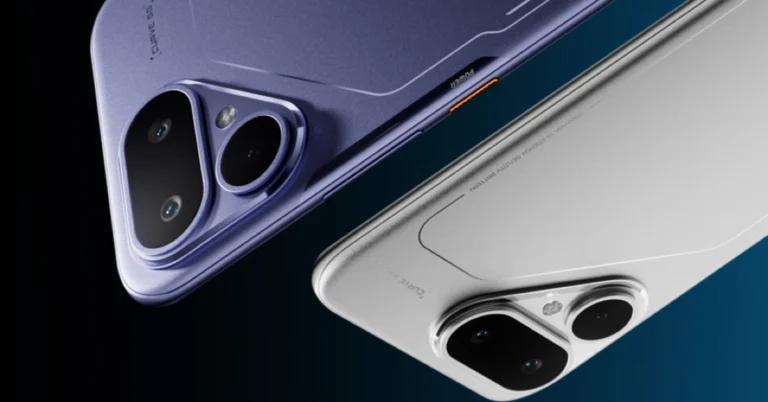
NYT Wordle Answer and Hints Today (November 27) #1622

Are you looking for today’s Wordle answer for November 27, 2025? The problem is difficult to solve, so if you need assistance, we’ve included hints and the clue to today’s Wordle Quiz. Below, we have made it simple for everyone to understand how to get to the Wordle Answer today.

Hints and Answers for Today’s Wordle November 27

Before answering directly, please check the Wordle Hints first.

Hint 1: Today’s Wordle answer includes two vowels.
Hint 2: The answer for today has no repeating letters.
Hint 3: Meaning- to send money, etc. as a payment to a person or place

What word does today’s Wordle begin with?

Do you need help with today’s Wordle answer’s initial letter?

The first letter in today’s Wordle is “R”

Today’s Wordle Answer 

The answer to Wordle #1622 on November 27, 2025, is — REMIT

Also Read: iQOO 15, equipped with Snapdragon 8 Elite Gen 5 SoC, launched in India

What is Wordle?

Wordle: A Five-Letter Word Guessing Game
• The game allows six guesses of a five-letter word.
• Provide feedback on the guessed letters’ placement in the puzzle.
• The New York Times purchased the game in 2022.
• Created by Josh Wardle for his partner, narrowing down 12,000 English words to 2,500.
• Named after the word “word.”

How To Play Wordle?

Wordle is a New York Times word puzzle game that allows users to guess a five-letter word in six attempts. The letters are highlighted in Yellow and Green, indicating whether the word is present in the answer or not, and Green letters indicate the correct guess.

Also Read: Samsung Galaxy M17 5G Review: Budget Bombshell

Wordle Tips and Tricks
  • Select a powerful starting word: Avoid using unusual words, as they frequently do not match common letters. A good opening word has plenty of benefits.
  • Repeating letters: Don’t be afraid of repeating letters; they appear frequently in words. The answer may contain one or two repeated letters.
  • Use the Wordlebot: The NYT’s Wordlebot analyses and compares replies to itself. This challenge can assist you in enhancing your guessing skills and highlighting areas for development.

OnePlus 15R confirmed to be powered by Snapdragon 8 Gen 5 SoC

OnePlus has announced that the OnePlus 15R will launch in India on December 17 as the first smartphone featuring Qualcomm’s Snapdragon 8 Gen 5 SoC. In India, the gadget will be released with OxygenOS. The 15R will be available in black and green via Amazon and the OnePlus online shop. The OnePlus 15R will be launched alongside the OnePlus Pad Go 2. The rest of the details related to the smartphone and tablet are yet to be announced.

The OnePlus 15R will be the latest addition to the OnePlus R line. The company announced today that it will be the first handset to use the Qualcomm Snapdragon 8 Gen 5 Mobile platform, the most recent generation of the Snapdragon 8 Series, which was previously utilised in the OnePlus 11R, OnePlus 12R, and OnePlus 13R. According to the company, the chipset, developed together by Qualcomm and OnePlus, provides a huge gain in performance, with a 36% rise in CPU performance, an 11% increase in GPU performance, and a startling 46% improvement in AI capabilities over its predecessor.

OnePlus 15R confirmed to be powered by Snapdragon 8 Gen 5 SoC

Previously, it was confirmed that the OnePlus 15R will be available in two colours—Charcoal Black and Minty Green. The phone is going to feature important dust and water resistance, with IP66, IP68, IP69, and IP69K classifications.

As per teaser images, the OnePlus 15R has a dual camera setup on the back that is vertically aligned and housed within a square camera module, similar to the design characteristics of the high-end OnePlus 15 model, enhancing its photographic capabilities. On the right side, users will find the power button alongside the volume controls, while the left side includes an unspecified button, possibly for additional functionality.

Also Read: iQOO 15, equipped with Snapdragon 8 Elite Gen 5 SoC, launched in India

Previous reports suggest that the upcoming phone will be a rebranded version of the OnePlus Ace 6 and may be derived from the upcoming OnePlus Ace 6T. This shift in strategy was driven by fresh reports following the product’s anticipated launch schedule, which corresponds to the flagship model’s recent release in China.

Also Read: Smartphones under Rs 50,000 with bigger batteries in India

The OnePlus Ace 6T is rumoured to include a back camera module design similar to the OnePlus 15 flagship, as well as a dual-rear camera arrangement reminiscent of the OnePlus Ace 6, which comprises a 50-megapixel primary camera and an 8-megapixel ultrawide lens. The upcoming OnePlus Ace 6T is expected to have Qualcomm’s Snapdragon 8 Gen 5 CPU, which has yet to be officially unveiled. It might possibly include a display with a refresh rate of 165 Hz, comparable to the OnePlus 15 and Ace 6.

Pokémon Bronze Forever Codes (November 2025)

No game or anime series evokes nostalgia as Pokémon does. If you want to revisit the charm of the iconic series, Roblox has the perfect game for you. Pokémon Bronze Forever (also known as Project Bronze Forever) takes you on a magical journey where you get to capture your favourite Pokémon and participate in exciting battles with other gym trainers. The game offers some special codes to help you along the way. These codes can be redeemed for useful in-game items. Here are all the Pokémon Bronze Forever codes that are up for grabs in November 2025.

Read Also: Top 10 apps for iQOO 15

List of active codes (November 2025)

  • C0LAB34CH (Requires 7th Gym Badge)

List of expired codes

These codes can no longer be redeemed.

  • MINID0WNT1ME
  • N0V3MBER2025
  • SCR33NGR4SS
  • GAM3B4CK
  • R0BL0XEXPL0DED
  • UPDS00N
  • ThanksFor700K
  • R0BL0XBUG
  • May2025Moment
  • Imagineifthiswouldgivebcaps
  • 7yearsagowaspbb
  • AVeryNormalDay
  • NoGroupMoment
  • UpStreakBroken
  • 2MonthsUptime
  • NewUpdateYAY
  • ValentinesDay2025
  • B4dP0k3m0n
  • MerryChristmas24
  • SorryForIssues
  • Halloween2024
  • GameBackSpeedrun
  • EVENTS00N
  • PremiumCode14
  • Feedback24
  • PremiumCode13
  • FREEPOKE
  • R0BL0XISC00L
  • PremiumCode11
  • PremiumCode12
  • GAM3SUP
  • PremiumCode10
  • GamesUPAugust
  • ThanksFor500K
  • PremiumCode9
  • GamesUpBaby
  • PremiumCode8
  • PremiumCode7
  • GameUpJune
  • 2xShinyStarters
  • PremiumCode6
  • PremiumCode5
  • RobloxIsCool
  • GameUpYay
  • MAINTENANCEOVER
  • PremiumCode4
  • YayForPokemon
  • 6YearsOfPBB
  • FreeBPSorryForDelay
  • PremiumCode3
  • BoogaBooga
  • TestingEnded
  • GameIsUpGuys
  • 1MilCode
  • NoUpdateTodaySorry
  • AudioIsBack
  • PurchasesBack
  • Ash
  • NewGen9s
  • Week1
  • 400k
  • DownTime
  • PurchasesAreBack
  • RoadTo400K
  • RoriaLeague

How to redeem a code in this game

How to redeem a code in this game

Step 1: Go to https://www.bronzeforever.net/.

Step 2: Hit the play button. You need to defeat the first gym leader to unlock the option to redeem gift codes.

Step 3: Switch to the RO-Powers tab.

Step 4: Enter your code in the text box.

Step 5: Hit Enter.

Frequently Asked Questions (FAQs)

Why is my code not working in this game?

If you can’t get your code to work, check it for typos and make sure its letters are in the correct case.

Why am I not able to redeem my code in this game?

You need to beat the first gym leader in order to redeem codes in this game. Certain codes have higher requirements for redemption. If your code has expired, it can no longer be redeemed in Roblox.

How do I redeem a code in this game?

Go to the Pokémon Bronze Forever website, hit the play button, switch to the RO-Powers tab, and enter your code in the text box.

Where can I find the newest Roblox codes?

Keep checking the Gadget Bridge home page for the latest Roblox code drops.

Read Also: Oakley Meta AI Glasses launched in India

Final Thoughts

If you want to go further down the nostalgia lane, we recommend giving Dragon Ball Rage a shot. While you’re here, check out the latest Sol’s RNG codes. If you have any questions, let us know in the comments!

Top 10 apps for iQOO 15

The new iQOO 15 is finally here. Powered by a combination of Qualcomm’s newest Snapdragon 8 Elite Gen 5 SoC and iQOO’s in-house Supercomputing Chip Q3, this smartphone is for users who prioritise raw power above everything else. The 8,000mm2 cooling chamber on this device makes sure that it remains cool while delivering an unbeatable performance. With sales set to go live on December 1, here are the top 10 apps you should download first on the iQOO 15.

Read Also: Downloads folder loading slowly in Windows 11? Try these 4 fixes

Call of Duty Mobile

Call of Duty Mobile Codes (July 2025)

The potential of the Snapdragon 8 Elite Gen 5 chipset is wasted on routine tasks. If you really want to push this chipset to its limits, you need to take a shot at some high-end games. Call of Duty Mobile has constantly ranked high in our list of games. This is because of its exemplary gameplay, engrossing maps, and an exhaustive range of weapons. With multiple modes like Team Deathmatch, Domination, and Kill Confirmed on board, there is never a dull moment playing this game. You can choose to pair up with friends or go solo in your FPS adventure.

Download Call of Duty Mobile from the Google Play Store

BGMI

Dolby Atmos adds support for immersive audio on BGMI for Android: Here’s how you can enable Dolby Atmos for BGMI

iQOO’s Supercomputing Chip Q3 works in tandem with the Snapdragon 8 Elite Gen 5 processor to deliver a powerful gaming performance on the iQOO 15. It can unlock 2K resolution and 144fps frame rate for selected gaming titles. One of those titles is BGMI. If you’re looking for cutting-edge gaming action that cannot be replicated on other devices, you cannot pass on BGMI. This title specialises in realistic maps, stylish outfits, and, of course, powerful shooting gear. You can jump into battle royale bouts or group matches where you team up with other players.

Download BGMI from the Google Play Store

PowerDirector

PowerDirector

Apart from gaming, the powerful processing chops of the iQOO 15 find good use in video editing. If you’re a content creator, you need a good video-editing app on your phone to edit content on the go. PowerDirector is one of our favourite apps in this genre. It offers a wide range of tools that give you control over even the most minute aspects of the footage. You can also make use of AI tools for auto-captions, video enhancement, voice changer, speech-to-text, animations, cutouts, and more. With a large 8,000mm2 cooling chamber dissipating the internal heat, you don’t have to worry about any thermal throttling.

Download PowerDirector from the Google Play Store

Adobe Lightroom

Adobe Lightroom

Adobe Lightroom remains the choice of professionals when it comes to photo and video editing apps. The exhaustive collection of tools offered by this app is something to marvel at. These tools are very intuitive to use, no matter how niche they are. If you’ve got RAW footage lying around, you can quickly process it in this app. Need to give your photos a quick tune-up before posting them on socials? Tools like background blur, retouch, blemish eraser, and object remover will be right up your alley. On top of that, there are hundreds of filters and effects at your disposal to bring the best out of your pictures.

Download Lightroom from the Google Play Store

Open Camera

Use a third-party app

Created by Mark Harman, the Open Camera app is one of the best alternatives to the native Camera app on your phone. If you want to shoot RAW images, this is the app you need on your device. It also offers unique features like a voice-controlled shutter, upside-down preview, voice countdown for timer, Bluetooth LE remote control, and noise reduction. It has manual controls for exposure and focus as well. If you’re a photography enthusiast, this app is sincerely worth giving a shot.

Download Open Camera from the Google Play Store

DuckDuckGo

DuckDuckGo

If you prioritise your privacy while browsing the web, DuckDuckGo is an essential app for you. This web browser automatically blocks the tracking cookies that monitor your browsing activity. The annoying cookie request pop-ups get blocked as DuckDuckGo automatically selects the least invasive options for you. Its cookie-blocking skills can be extended to the third-party apps on your phone as well. If you’re a stickler for HTTPS, this browser makes sure that it is enforced on every website you visit.

Download DuckDuckGo from the Google Play Store

Quick Cursor

Quick Cursor

The AMOLED display of the iQOO 15 spans 6.85 inches. Reaching the upper corners of the screen can turn into a real struggle when you’re operating the phone with one hand. The phone’s native one-handed mode collapses the content on the display to a more suitable aspect ratio. If you want to select something without shrinking the on-screen content, use Quick Cursor. A simple swipe gesture from either edge of the phone summons a cursor that you can intuitively control to reach any part of the page. There are plenty of customisation options to change the appearance and behaviour of this cursor.

Download Quick Cursor from the Google Play Store

LocalSend

Localsend: Transfer files

If you’re a Mac user, LocalSend is one of the first apps you should download on your iQOO 15. This file transfer app perfectly bridges the divide between Android and Apple’s ecosystems. It completely eliminates the need for third-party servers by using a local WiFi network for file transfers. If you don’t have a home WiFi, the app will use your phone’s WiFi hotspot to share and receive files. The icing on the cake is that this app is completely open-source.

Download LocalSend from the Google Play Store

LastPass

LastPass Top 10 apps for iQOO 15

Remembering passwords is a hassle for everyone, but it is even more complicated for those who use complex strings as passwords. Instead of jotting them all down in a diary, you can use a safe password-management app like LastPass. This app automatically stores your passwords and autofills them wherever necessary. The built-in password generator comes up with strong passwords when you sign up for a service. Sharing passwords for OTT services like Netflix is not an issue either.

Download LastPass from the Google Play Store

ChatGPT

chatgpt Top 10 apps for iQOO 15

OpenAI’s ChatGPT was the first LLM-driven AI chatbot to break into the mainstream. Since then, the term has become synonymous with AI chatbots – and for good reason. ChatGPT can accomplish everyday tasks with the utmost ease. You can ask it to summarise a PDF and follow it up by making it explain the core themes in the text. Got a book report due soon? ChatGPT can come up with one within seconds. Need to post an image to Instagram? The chatbot will edit it for you and even come up with the perfect caption to go along with it.

Download ChatGPT from the Google Play Store

Read Also: Can Mobile UX Keep Up With Human Behaviour in 2026?

Final Thoughts

This wraps up our list of the top 10 apps for iQOO 15. We recommend checking out other power-intensive games like Genshin Impact and Stardew Valley as well. If you’re looking for something more specific, let us know in the comments!

Downloads folder loading slowly in Windows 11? Try these 4 fixes

0

Slow speeds and unwanted lag are the biggest complaints that users have with their PCs. There is no singular easy fix to this – unless you want to upgrade your PC’s hardware. However, there are some quick tricks you can use to speed up your PC in places where it matters. For instance, users often complain about the Downloads folder taking a long time to load all the files. Oftentimes, the loading speed lags behind the scrolling speed. If watching the files load when you’ve already scrolled to the bottom of the page is one of your biggest peeves, you’ve landed on the right article. Here are 4 quick ways to fix the ‘Downloads folder loading slowly’ issue on your Windows 11 PC.

Read Also: What is Lossless Audio? How to get it on your phone?

Why is the Downloads folder loading slowly?

Noticing that the Downloads folder is taking a long time to properly load all the items? It could be due to the following reasons.

  • The items in the folder are poorly optimised.
  • The image thumbnails are taking a long time to load.
  • The folder is bloated and contains too many files.
  • The hardware of your PC is out of date.
  • Your PC’s RAM is occupied with other tasks.

Optimise the Downloads folder

Step 1: Launch the File Explorer and go to the Downloads folder.

Step 2: Right-click on the Downloads folder and select Properties.

Step 2: Right-click on the Downloads folder and select Properties.

Step 3: Switch to the Customise tab.

Step 3: Switch to the Customise tab.

Step 4: In the dropdown menu below ‘Optimise this folder for’, select General items.

Step 4: In the dropdown menu below ‘Optimise this folder for’, select General items.

Step 5: Hit Apply and OK.

Step 5: Hit Apply and OK.

Disable thumbnails in the Downloads folder

If your Downloads folder is filled to the brim with pictures, loading their thumbnails can take a significant amount of time. Here’s how you can disable them.

Step 1: Go to the Downloads folder and hit the ellipses in the top menu.

Step 1: Go to the Downloads folder and hit the ellipses in the top menu.

Step 2: Select Options.

Step 2: Select Options.

Step 3: Switch to the View tab.

Step 3: Switch to the View tab.

Step 4: Select ‘Always show icons, never thumbnails’.

Step 4: Select ‘Always show icons, never thumbnails’.

Step 5: Hit Apply and OK.

Step 5: Hit Apply and OK.

Stop the File Explorer from launching new folders as separate processes

Step 1: Go to the Downloads folder and hit the ellipses in the top menu.

Step 1: Go to the Downloads folder and hit the ellipses in the top menu. Downloads folder loading slowly in Windows 11? Try these 4 fixes

Step 2: Select Options.

Step 2: Select Options. Downloads folder loading slowly in Windows 11? Try these 4 fixes

Step 3: Switch to the View tab.

Step 3: Switch to the View tab. Downloads folder loading slowly in Windows 11? Try these 4 fixes

Step 4: Deselect ‘Launch folder windows in a separate process’.

Step 4: Deselect ‘Launch folder windows in a separate process’. Downloads folder loading slowly in Windows 11? Try these 4 fixes

Step 5: Hit Apply and OK.

Delete unwanted files

No matter what you do, a bloated Downloads folder will always take longer to load. If the steps mentioned above did not suffice, you need to organise the files in the folder. This includes moving them to other drives and folders, creating subfolders, and, if the need arises, even deleting certain files. We recommend taking stock of the files in the Downloads folder and deleting the ones that are no longer relevant to you.

Frequently Asked Questions (FAQs)

Why is my Downloads folder taking so long to load?

If the Downloads folder is filled with a lot of files, it will naturally take longer to load. The loading time is also extended by thumbnail previews and poor optimisation of files.

How do I get the Downloads folder to load quicker?

Optimise the items in the folder by going to Properties>Customise>Optimise this folder for>General items. Additionally, disable thumbnails for images by going to Options>View>Always show icons, never thumbnails. Finally, get rid of the unnecessary files to reduce the bloat.

How do I enable file previews in Windows 11?

Go to File Explorer, click on ‘View’, and select ‘Preview Pane’. Click a file and hit the Preview button under the search bar to preview it.

How do I change the Downloads folder?

Go to the File Explorer, right-click on the Downloads folder in the sidebar, and select ‘Properties’. Go to the Location tab, click on Move, and browse to the new folder for your downloads. Click on ‘Select Folder’ and hit ‘Apply’.

How do I change the location of Google Chrome’s download folder?

Go to Chrome Settings>Downloads and hit ‘Change’ next to location. Browse to the new location and hit ‘Select Folder’.

Read Also: Sol’s RNG Codes (November 2025)

Final Thoughts

Keeping the Downloads folder organised is a continuous task. You can choose different landing spots for different kinds of downloads (media, music, apps, and more). This makes it easier to manage the overflowing destination folder. If you have any questions, let us know in the comments!