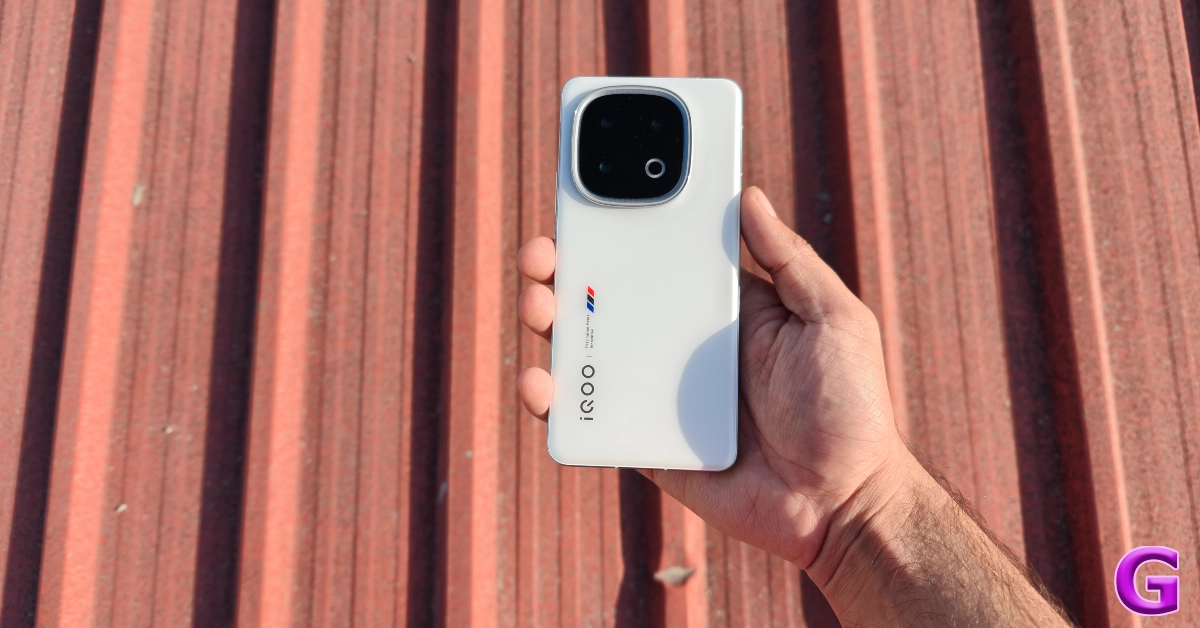
Redragon is a tech outfit that’s known for delivering budget gaming peripherals that offer amazing value for money. Its most recent offering, the K1ng Pro wireless mouse, promises high-end performance under Rs 3,000. On paper, it has all the essential specs you want in a gaming mouse. At the heart of the device lies PixArt’s PAW3395 sensor with a maximum resolution of 26,000 DPI. To eliminate any sort of latency, the mouse uses a 2.4Ghz receiver for wireless connection. Here is our review of the Redragon K1ng Pro gaming mouse after using it for a week.
Here’s what you get inside the Redragon K1ng Pro’s retail box:
Mouse
USB Type-A to Type-C braided cable
2.4GHz wireless receiver
USB Type-A/Type-C converter
Stickers
User manual
Despite its all-plastic build, the Redragon K1ng Pro does not feel cheap in any way. The panels do not have any flex to them. The shell maintains its rigidity when pressure is applied to it. The upside to having an all-plastic body is that the mouse feels extremely light. It weighs just 49 grams, which is incredible for a gaming mouse.
The K1ng Pro has an ergonomic design for left-handed use. Its shape is suitable for different kinds of grip styles. You can rest your panel on the mouse without feeling fatigued after multiple hours of use. If you prefer a claw-style grip, the K1ng Pro’s design will not produce any problems.
Redragon’s anime character ‘Eisa’ is printed on the top body panel. The front buttons are also customised with anime aesthetics. The Redragon branding can be found on the left side of the mouse, along with two secondary buttons. The topmost button on this array has a grip-like texture. The scroll wheel between the left and right click buttons is finished in rubber.
The bottom panel of the mouse houses PixArt’s PAW3395 sensor, a DPI switcher, and a connection toggle. The top and bottom ends of this panel have rubber feet. While the mouse glides easily on most surfaces, a couple of small feet along the sides would have been ideal.
The two main buttons use Huano switches. Redragon claims that these switches are reliable up to 50 million clicks. The buttons have a good travel and a nice tactile response. The clickiness isn’t muted, but it doesn’t amount to a nuisance if you’re using this mouse in a public setting. We found the clickiness of all the buttons on this mouse to be very satisfying.
Redragon K1ng Pro (M916AK-PRO) Review: Performance
The Redragon K1ng Pro has 3 connectivity options: USB Type-C (wired), Bluetooth, and 2.4Hz wireless. The last option requires using the 2.4GHz wireless receiver that comes in the box. This was our primary choice during the review period.
The PixArt PAW3395 sensor performs beautifully on this mouse. It has a maximum resolution of 26,000 DPI, which allows it to track seamlessly on most surfaces. The DPI level can be altered using the dedicated switcher on the bottom panel. There are 5 default levels to choose from: 1,000, 2,000, 4,000, 8000, and 26,000. The switcher can be programmed to toggle the resolution from 100 – 26k DPI using the companion software. The optical sensor also has a 50G acceleration, while its speed is capped at 650 IPS.
We played FPS games like Call of Duty and CS: GO with the Redragon K1ng Pro. The wireless mouse offered a tremendous response rate at a very low latency. It registered the minutest of movements and kept up with the pace of the game. The gaming experience was very silky. The mouse’s light weight was pivotal in making quick movements and getting those crucial hits in the game.
Redragon’s companion software can be used to customise all five buttons on this mouse. You can use this software to create tactical keybinds for specific games. The side buttons are programmed to go back and forward by default, which is a setting we didn’t mind in regular usage.
The wireless mouse is equipped with a 400mAh battery pack. Redragon promises a battery life of up to 150 hours if you stick to a low DPI level. During the week-long review period, we kept the resolution of the Redragon K1ng Pro under 2,000 DPI. Needless to say, we were unable to exhaust the battery of the gaming mouse.
The Redragon K1ng Pro is one of the finest gaming mice you can buy under Rs 3,000 right now. Its lightweight build, tactile buttons, and high resolution make it a winner in our books. The anime aesthetics are a nice touch. However, what impressed us the most was the mouse’s superior build quality despite an all-plastic body.
If you don’t want to splurge a lot of money on a high-end gaming mouse, the K1ng Pro will fit all your performance needs. Its relentless PAW3395 sensor can track on all surfaces and keep up with fast-paced gaming. All 5 buttons on the are programmable using the companion software. Our only minor complaint is that the bottom panel lacks secondary feet along the sides, which slightly inhibits the gliding ability of the device.
Garena Free Fire Max is a battle royale game with regular awards and tournaments to keep players interested. If you play Garena Free Fire, you should be aware of the redeem codes that are released on a daily basis. However, because the battle royale game is banned in India, players from other countries can use theFree Fire Redeem codes daily. If you’re unfamiliar with the Garena Free Fire redeem codes or don’t know how to get them, we’ve put together a step-by-step guide to help youredeem them. Check out Garena Free Fire Max Redeem Codes for 3 June 2025.
The Free Fire Max redeemcodes are a great way to get free stuff. These are 12-digit codes that contain alphabets and numbers, as well as an expiration date and time. Because the Garena FF redeem codes cannot be used more than once, you should hurry to the redemption page to claim your free reward before someone else does. To get a free reward, all you have to do is go toreward.ff.garena.com/en, which is the official redemption page. Also, keep an eye on this space for daily updates on Garena Free Fire Max redemption codes and rewards.
It might take a lot of effort to choose the finest gaming smartphone, but in a competitive smartphone market, features like haptics, performance, and thermal efficiency are essential for improving the whole experience and making the purchase worthwhile. We’ve put up a list of the best gaming phones in India to assist you in making the best decision.
In This Article
Samsung Galaxy S25 Ultra
The Samsung Galaxy S25 Ultra (Review) is a 6.9-inch Dynamic AMOLED 2X screen with a resolution of 1,400×3,120 pixels, Corning Gorilla Armor 2 protection. It has a Snapdragon 8 Elite CPU, 12GB of RAM, and up to 1TB of internal storage. The phone runs on One UI 7 interface on top of Android 15 and supports seven years of OS and security updates. It features a Quad-Camera Module with a 200MP with OIS sensor, 50MP 120-degree Ultra Wide sensor, 10MP Telephoto lens, and 50MP Periscope lens. A 12MP front camera is available for selfies. The phone has a 5,000mAh battery and can be charged via 45W wired charging with Wireless PowerShare and Fast Wireless Charging 2.0.
The iPhone 16 Pro Max features a 6.9-inch Super Retina XDR OLED display with Apple’s Ceramic Shield protection, 120Hz refresh rate, and 2,000 nits brightness. It has an IP68 rating and a touch-sensitive Camera Control button for easy camera launches. The phone is powered by a 3nm A18 Pro CPU and has up to 1TB of storage. It comes pre-installed with iOS 18, which will support all Apple Intelligence functions when iOS 18.1 is released. The Pro Max has a triple rear camera setup, including a 48-megapixel wide primary camera, an upgraded 48-megapixel ultra-wide-angle camera, a 12-megapixel telephoto camera, and a 12-megapixel TrueDepth camera for video calls and selfies. The phone also supports iOS 18.1 when it is released.
The OnePlus 13 (Review)is a flagship smartphone with a 6.82-inch LTPO AMOLED display, a Snapdragon 8 Elite chipset, and an ultrasonic optical fingerprint sensor. It supports an adaptive refresh rate of 120Hz and comes with 3 RAM and storage options, including 12GB + 256GB, 16GB + 512GB, and 24GB + 1TB. The smartphone runs on Android 15-based OxygenOS 15 and has been promised 4 major OS upgrades and 5 years of security patches. The rear cameras feature 50MP sensors, with the primary shooter, periscope telephoto lens, and ultrawide shooter being tuned by Hasselblad. The 32MP selfie camera is housed in a punch-hole cutout. The 6,000 mAh Si/C battery supports 100W wired and 50W wireless charging, 10W reverse wireless, and 5W reverse wired charging. The smartphone is rated IP69/69 for dust and water resistance and can survive underwater up to 1.5m for 30 minutes.
The iQOO 13 (Review) is a water and dust-resistant smartphone with a 6.82-inch 2K BOE Q10 8T LTPO 2.0 OLED display, customizable Monster Halo lighting, and IP68 and IP69 classifications. It is powered by Qualcomm’s Snapdragon 8 Elite SoC, 16GB LPDDR5x RAM, and 1TB UFS 4.0 storage. It comes pre-installed with OriginOS 5 and Android 15 and has 4+5 years of security updates. The phone has a Supercomputing Chip Q2, 2K Game Super Resolution, 144 FPS game frame interpolation, and a 7000mm² VC Cooling System for a great gaming experience. It has three rear cameras: a 50-megapixel IMX 921 main sensor, a 50-megapixel 100mm sensor with a telephoto lens, and a 50-megapixel ultra-wide lens. It has a 6,150mAh battery and supports 120W wired fast charging.
The Realme GT 7 Pro (Review) is a smartphone with a 6.78-inch full-HD+ LTPO AMOLED display, a Snapdragon 8 Elite SoC, 16GB LPDDR5X RAM, and 512GB UFS 4.0 onboard storage. It features a 50-megapixel primary sensor, a 50-megapixel telephoto sensor, and an 8-megapixel ultra-wide camera at the back. A 16-megapixel sensor is used for selfies and video calls. The phone has a 5,800mAh battery with 120W wired fast charging support and can charge from zero to 100% in 30 minutes. It also has an in-display ultrasonic fingerprint sensor and an IP69-rated build for dust and water resistance. The device measures 162.45 x 76.89 x 8.55mm and weighs around 222g.
The Xiaomi 15 Ultra (Review)features a 6.73-inch LTPO AMOLED display with 120Hz refresh rate, HDR10+ and HDR Vivid support, and 3,200 nits peak brightness. It has a quad-camera panel with a 50MP primary, 50MP telephoto, ultrawide, and 200MP periscope lens, and a 32MP selfie sensor. The 5,410mAh battery supports 90W wired and 80W wireless charging. The device runs on Qualcomm’s Snapdragon 8 Elite chipset and runs Android 15-based HyperOS 2. It has an IP68 rating and can be submerged up to 1.5m for 30 minutes.
Buy via Amazon
OnePlus 13R
OnePlus 13R with the silicone case
The OnePlus 13R (Review) is the company’s upper midrange smartphone, featuring a 6.78-inch LTPO AMOLED display with a 120Hz refresh rate and 4,500 nits peak brightness. It is powered by the Snapdragon 8 Gen 3 chipset, which was used in the OnePlus 12. The device comes in two RAM and storage variants, 12GB + 256GB and 16GB + 512GB, and comes in two color options, Nebula Noir and Astral Trail. It runs on Android 15-based OxygenOS 15. The rear camera array includes a 50MP Sony LYT-700 primary shooter, a 50MP S5KJN5 telephoto lens with 2x optical zoom, and an 8MP ultrawide lens. The device also has a 16MP selfie camera. The 6,000mAh battery is the same as the flagship, but it does not support wireless charging.
The OPPO Find X8 Pro (Review) is a 6.78-inch LTPO AMOLED smartphone with a 450ppi pixel density, 120Hz refresh rate, and 4,500nits peak brightness. It is powered by MediaTek’s octa-core Dimensity 9400 chip, 16GB LPDDR5X RAM, and 512GB UFS 4.0 inbuilt storage. It runs on ColorOS 15 based on Android 15. The device features a 50-megapixel primary camera with a LYT-808 sensor, a Sony LYT-700 sensor, a 50-megapixel ultrawide lens, and a 50-megapixel Sony LYT-600 periscope telephoto camera.
The Vivo X200 Pro (Review)is a smartphone with a 6.67-inch AMOLED 8T LTPS display with 1,260×2,800 pixel resolution and 6.78-inch LTPO AMOLED display with 1,260×2,800 pixel resolution. It is powered by the MediaTek Dimensity 9400 chipset, LPDDR5X RAM, and UFS 4.0 storage. It offers up to 16GB RAM and 512GB internal storage. Operating on Funtouch OS 15, it has a 6,000mAh battery and supports 90W wired fast charging. It features a 50MP LYT-818 primary sensor, 50MP ultra-wide sensor, and a 200MP Zeiss APO telephoto sensor.
The Asus ROG Phone 8 Pro is a smartphone running on Android 14-based ROG UI and features a 6.78-inch full-HD+ Samsung AMOLED LTPO display with Corning Gorilla Glass Victus 2 protection and 107 percent DCI-P3 color gamut coverage. It runs on the Qualcomm Snapdragon 8 Gen 3 SoC and has up to 24GB of LPDDR5X RAM and 1TB of UFS4.0 storage. The phone has a triple rear camera setup, including a 50-megapixel Sony IMX890 primary sensor, a 13-megapixel ultra wide-angle camera, and a 32-megapixel sensor with OIS and 3x optical zoom. For selfies, the front camera is a 12-megapixel RGBW camera that is binned down to 8-megapixel with 1.4µm binning.
The Galaxy S25+ (Review)is a smartphone with a 6.7-inch Dynamic AMOLED 2X display, an octa-core Snapdragon 8 Elite processor, and 12GB LPDDR5x RAM. It comes in 256GB and 512GB storage options and offers seven years of OS and security updates. The phone has a triple rear camera configuration with a 10MP Telephoto lens, 12MP Ultra Wide sensor, and a 50MP sensor with OIS. A 12MP front-facing camera is used for video calls and selfies. It has a 4,900 mAh battery and supports 45W wired charging.
As flagship smartphones get more expensive by the year, the upper-midrange category becomes more popular among buyers. The sub-Rs 50,000 price bracket is home to a lot of flagship smartphones from the previous years, as well as new flagship killers. These smartphones are equipped with powerful processors and flaunt exquisite camera panels. Let’s take a look at the top 10 smartphones priced under Rs 50,000 in June 2025.
The flagship killer OnePlus 13R is one of the best smartphones you can buy under Rs 50,000 in June 2025. It is powered by Qualcomm’s flagship chipset from last year – the Snapdragon 8 Gen 3. The smartphone’s 6.71-inch LTPO 4.1 AMOLED display has a 120Hz refresh rate and can reach a peak brightness of 4,500 nits. While its elder sibling, the OnePlus 13, has a curved display, the 13R uses a flat AMOLED panel. The two smartphones follow the same design language for the rear panel. The round camera panel on the 13R houses a 50MP primary shooter, a 50MP telephoto lens with 2x optical zoom, and an 8MP ultrawide sensor. Its 6,000mAh battery pack supports 80W wired charging. For more details about its everyday performance, read our review of the OnePlus 13R.
Google’s A series smartphones are known for being relatively cheaper than the current-gen Pixels. The new Pixel 9a has a lot of interesting things going for it. For starters, it does not have any camera bump. The oval-shaped cutout houses a 48MP primary shooter and a 13MP ultrawide lens. The Pixel 9a is powered by the same processor as the rest of the Pixel 9 series, the Tensor G4 SoC. Its 6.3-inch P-OLED display has a 120Hz refresh rate and can reach 2,700 nits of peak brightness. The 5,100mAh battery pack can last a day with ease, and supports 23W wired and 7.5W wireless charging. Read our Google Pixel 9a review for more details.
Last year’s entry-level variant in the Samsung Galaxy S24 series is a great purchase under Rs 50,000 in June 2025. This compact smartphone has a 6.2-inch Dynamic LTPO AMOLED 2X display with a 120Hz refresh rate and peak brightness of up to 2,600 nits. This panel uses an ultrasonic fingerprint sensor. The smartphone is powered by Samsung’s in-house Exynos 2400 processor. Its triple rear camera array houses a 50MP primary shooter, a 12MP ultrawide lens, and a 10MP telephoto lens with 3x optical zoom. The 4,000mAh battery pack supports 25W wired and 15W wireless charging. To learn more about the smartphone, read our Samsung Galaxy S24 review.
The Oppo Reno13 Pro is powered by the MediaTek Dimensity 8350 chipset. It has a 6.83-inch AMOLED display with a 120Hz refresh rate and 1,200 nits of peak brightness. The smartphone is rated IP69 for dust and water resistance. It can survive being immersed in water up to 2 metres deep for 30 minutes. The smartphone runs the Android 15-based ColorOS 15 out of the box. Its rear camera panel comprises a 50MP primary shooter, an 8MP ultrawide lens, and a 50MP telephoto lens with 3.5x optical zoom. The 5,800mAh battery pack supports 80W wired and 50W wireless charging.
The iPhone 13 from 2021 is the only iPhone you can buy under Rs 50,000 in June 2025. This smartphone is powered by the Apple A15 Bionic chipset. Its 6.1-inch Super Retina XDR OLED display can reach a peak brightness of 1,200 nits. The smartphone is rated IP68 for dust and water resistance. It runs iOS 15 out of the box. The smartphone’s dual rear camera array houses a 12MP primary shooter and a 12MP ultrawide lens. Its 3,240mAh battery pack supports 15W MagSafe and Qi2 wireless charging.
2023’s Google Pixel 8 remains one of the best smartphones you can buy under Rs 50,000 in June 2025. This smartphone is powered by Google’s in-house Tensor G3 processor. Its 6.2-inch OLED display has a 120Hz refresh rate and can reach a peak brightness of 2,000 nits. The smartphone runs Android 14 out of the box and has been promised 7 major OS upgrades. Its rear camera visor houses a 50MP primary shooter and a 12MP ultrawide lens. The 4,575mAh battery pack supports 27W wired and 18W wireless charging. Read our Google Pixel 8 review to learn about the smartphone’s everyday performance.
If you’re looking for a high-end gaming smartphone under Rs 50,000, we highly recommend the iQOO 12. While it was released in 2023, iQOO 12 still remains one of the best gaming phones around. It is powered by the Snapdragon 8 Gen 3 chipset and runs the Android 14-based Funtouch 14 OS out of the box. iQOO’s in-house Supercomputing Chip Q1 works in tandem with the Snapdragon processor. The 6.78-inch LTPO AMOLED display has a 144Hz refresh rate and 3,000 nits of peak brightness. The rear camera panel houses a 50MP primary shooter, a 64MP periscope telephoto lens with 3x optical zoom, and a 50MP ultrawide sensor. The 5,000mAh battery pack supports 120W wired charging. Read our iQOO 12 review to learn more about its gaming performance.
Last year’s OnePlus 12 is priced slightly above Rs 50,000, but it offers a big bang for the price. The smartphone is powered by the Snapdragon 8 Gen 3 SoC and runs the Android 14-based Oxygen OS 14 out of the box. Its rear camera panel houses a 50MP primary shooter, a 64MP periscope telephoto lens with 3x optical zoom, and a 48MP ultrawide lens. The 6.82-inch LTPO AMOLED display has a 120Hz refresh rate and can reach 4,500 nits of peak brightness. The 5,400mAh battery pack supports 100W wired and 80W wireless charging. Read our OnePlus 12 review before making the purchase.
Realme’s flagship smartphone is priced just above Rs 50,000, but it deserves a shoutout in this list. The smartphone is powered by the Snapdragon 8 Elite chipset and runs the Android 15-based Realme UI 6 out of the box. Its rear camera panel houses a 50MP primary shooter, a 50MP telephoto lens with 3x optical zoom, and an 8MP ultrawide lens. The 6.78-inch LTPO AMOLED display has a 120Hz refresh rate and can reach a peak brightness of 6,500 nits. The GT 7 Pro is equipped with a 5,800mAh Si/C battery pack that supports 120W charging. For more details, read our Realme GT 7 Pro review.
Pros
Powerful processor
Fast charging
Underwater mode for camera
Cons
Front-facing camera can’t record in videos in 4K resolution
If you’re willing to expand your budget slightly above Rs 50,000, the iQOO 13 is a no-brainer purchase. This gaming smartphone is powered by the Snapdragon 8 Elite SoC. Working in combination with this chipset is iQOO’s in-house Supercomputing Chip Q2. The iQOO 13 has a 6.82-inch LTPO AMOLED display. This display has a 144Hz refresh rate and can reach a peak brightness of 4,500 nits. The rear camera panel of the smartphone is surrounded by RGB lighting. This panel houses a primary shooter, a telephoto lens with 2x optical zoom, and an ultrawide lens. All three cameras are equipped with 50MP sensors. For more details about the smartphone’s performance, read our iQOO 13 review.
These are the top 10 smartphones you can buy under Rs 50,000 in June 2025. If you’re looking for premium offerings, check out our list of the top 10 flagship phones in India. If you have any questions, let us know in the comments!
Are you looking for today’s Wordle for June 3, 2025? The problem is difficult to solve, so if you need assistance, we’ve included hints and the answer to the June 3 Wordle.
In This Article
Hints and Answers for Today’s Wordle June 3
Before answering directly, please check the June 3 Wordle Hints first.
Hint 1: Today’s Wordle answer includes two vowels. Hint 2: The answer for today has no repeating letters. Hint 3: a person who is in charge of the operation of a network of computers, a website, a group of computer users, etc
What word does today’s Wordle begin with?
Do you need help with today’s Wordle answer’s initial letter?
The first letter in today’s Wordle is “A”
Today’s Wordle Answer June 3 #1445
The answer to Wordle #1445 on June 3, 2025, is — ADMIN
Wordle: A Five-Letter Word Guessing Game • The game allows six guesses of a five-letter word. • Provide feedback on guessed letters’ placement in the puzzle. • The New York Times purchased the game in 2022. • Created by Josh Wardle for his partner, narrowing down 12,000 English words to 2,500. • Named after the word “word.”
How To Play Wordle?
Wordle is a New York Times word puzzle game that allows users to guess a five-letter word in six attempts. The letters are highlighted in Yellow and Green, indicating whether the word is present in the answer or not, and Green letters indicate the correct guess.
Wordle Tips and Tricks
Select a powerful starting word: Avoid using unusual words, as they frequently do not match common letters. A good opening word has plenty of benefits.
Repeating letters: Don’t be afraid of repeating letters; they appear frequently in words. The answer may contain one or two repeated letters.
Use the Wordlebot: The NYT’s Wordlebot analyses and compares replies to itself. This challenge can assist you enhance guessing skills and highlight areas for development.
3 June 2025: New Amazon Quiz is now available. Customers from different parts of the country are participating in the daily quiz. The quiz starts at midnight today and will be live until 11:59 PM tonight. By successfully answering every question, participants in the quiz have the chance to win wonderful rewards. Up to Rs 500 Amazon Pay Balance is up for grabs to participants today.
One wrong answer could eliminate you from the quiz. You have a chance to win up to Rs 500 Amazon Pay Balance if you successfully answer every question. Users of the app only have the opportunity to take the quiz. Check Out 3 June 2025 Amazon Quiz Answers.
In This Article
Are you not able to find Amazon FunZone? Click below and participate.
We have written an explainer above, you can refer to that.
When are the winners of the Amazon Quiz and contest announced or declared?
The announcement of today’s Amazon quiz winner will take place Tomorrow. As for the Special Quiz and “Spin & Win” Contest, the winners will be declared once the Quiz Contest comes to an end. To find out who the lucky winner is, you can refer to the Amazon Quiz Winners List or visit the Amazon Winners tab in the Amazon App.
How to participate in the Daily Amazon Quiz?
That is very easy, just got to the Amazon app and scroll to the bottom of the page and you will find the Quiz section. Click on it (usually it is called the fun zone) and you can enter the Amazon Today Quiz Contest.
Are there any other quizzes or contests running on Amazon daily?
Yes, there are many running on a daily basis. These range from spinning the wheel to answering the questions correctly. All are located in the Fun Zone.
What are the criteria for selecting a winner in the Daily Amazon Quiz?
When a qualified player submits correct answers to all the questions, they will automatically be entered into a lucky draw. This draw will include all participants who answered all the questions correctly. Amazon randomly selects the final winners from the pool of eligible participants who gave the right answers.
Which Types of Questions are asked within Amazon Daily Quiz?
These are very simple and straightforward questions. These are mainly related to general knowledge.
Where should I look for Amazon Daily Quiz answers?
You can bookmark our website www.gadgetbridge.com as we will help you every day with the Amazon Daily Quiz. We bring you fresh answers every day for the Amazon Daily Quiz and Contest.
What time does Amazon Announce previous winners?
The previous winner’s name will be announced today at 12 PM (noon).
WhatsApp’s latest update went live last week. The feature drop added the option to create collages, add songs to status, and post collaborative updates on the instant messenger. These features are being rolled out in a phased manner, so they may take some time to reach all users. If you’re one of the first few users with access to these features, check how you can upload a song as your WhatsApp status.
There are two ways you can go about posting a song as a status update on WhatsApp. If you’re an Instagram user, you will be aware of the music sticker that lets you add a background song to your story. This feature has been added to WhatsApp as well. You can supplement any image or video with a background song using Meta’s exhaustive music library.
WhatsApp also lets you post standalone songs as your status update. You don’t need to upload an image or video to add music to your status. WhatsApp displays the album artwork while playing the song. You choose from a bunch of different layouts for the artwork.
Step 5: Enter the name of a song or an artist in the search bar.
Step 6: Hit the arrow icon next to the song you want to post.
Step 7: Tap the music note icon at the top of the screen.
Step 8: Use the seek bar at the bottom of the screen to choose the segment of the song you want to post. Additionally, you can change the layout of the album artwork by tapping one of the options on the screen.
Step 9: Hit Done in the top right corner of the screen.
Step 10: Tap the green icon in the bottom right corner of the screen to post your status.
Add music to an image or a video you want to post as your WhatsApp status
Step 4: Select an image or video from your phone’s library. Alternatively, you can shoot one by selecting Camera.
Step 5: Hit the music note icon at the top of the screen. Alternatively, tap the sticker icon and select Music.
Step 6: Enter the name of a song or an artist in the search bar.
Step 7: Hit the arrow icon next to the song you want to post.
Step 8: Use the seek bar at the bottom of the screen to choose the segment of the song you want to post. Additionally, you can change the layout of the album artwork by tapping one of the options on the screen.
Step 9: Hit Done in the top right corner of the screen.
Step 10: Tap the green icon in the bottom right corner of the screen to post your status.
Frequently Asked Questions (FAQs)
How do I post a song as my WhatsApp status?
Go to WhatsApp>Updates>My status>Music, enter the name of a song or an artist, hit the arrow icon next to a song, and tap the green icon to post it as your status.
How do I add music to my WhatsApp status?
Select an image or video to post as your status, and hit the music note icon or select the music sticker. Search for a song and tap the arrow icon to add it to your status.
How do I create a collage for my WhatsApp status?
Go to WhatsApp>Updates>My status>Layout, and select up to 6 images from your phone’s library. On the following page, you’ll see six layout options at the bottom of the screen. Pick one option depending on the number of pictures you’ve selected, and hit ‘Done’.
How do I add my Instagram link to my WhatsApp bio?
Go to WhatsApp>Settings>Profile>Links, tap on Instagram, enter your username, and hit ‘Save’.
How do I change the chat theme on WhatsApp?
Go to Settings>Chat>Default chat theme and select a theme from the list.
This is how you can post a song as your WhatsApp status. While you’re here, check out how you can create a photo collage on WhatsApp. If you have any questions, let us know in the comments!
Checking the Gmail inbox is the first activity of the day for a lot of people. If that’s the first thing you do at work, sluggish speeds can really put the brakes on your flow. Refreshing the page and waiting a couple of minutes for new emails to pop up can be very annoying if you’re used to super quick speeds. Luckily, we have some methods that you can use to fix this issue. Here are the top 7 ways to fix a slow Gmail inbox.
Here are some of the most common culprits behind a slow Gmail inbox.
Faulty WiFi or mobile data connection
Inbox is full of emails with large attachments
Inbox is overflowing with emails
The browser has a large cache
A browser extension has gone rogue
The web browser is out of date
Gmail is experiencing a server outage
Delete emails with large attachments
One of the easiest ways to speed up your Gmail inbox is by deleting emails with large attachments. Here’s how you can do that.
Step 1: Go to your Gmailinbox.
Step 2: Click the filter icon in the search bar.
Step 3: Go to the Size filter and enter a minimum size limit.
Step 4: Hit Search.
Step 5: Alternatively, type larger:[size]M in the search box and hit Enter. For example, if you want to view emails with attachments that are larger than 20MB, type larger:20M and hit Enter.
Step 6: Hit the checkbox next to the emails you want to delete, and click the trash icon in the toolbar.
Delete old emails
If your Gmail account is several years old, chances are that it has accumulated a lot of junk emails. Going through your old emails and deleting the ones you don’t need anymore is a great way of decluttering your inbox.
Step 1: Go to your Gmail inbox.
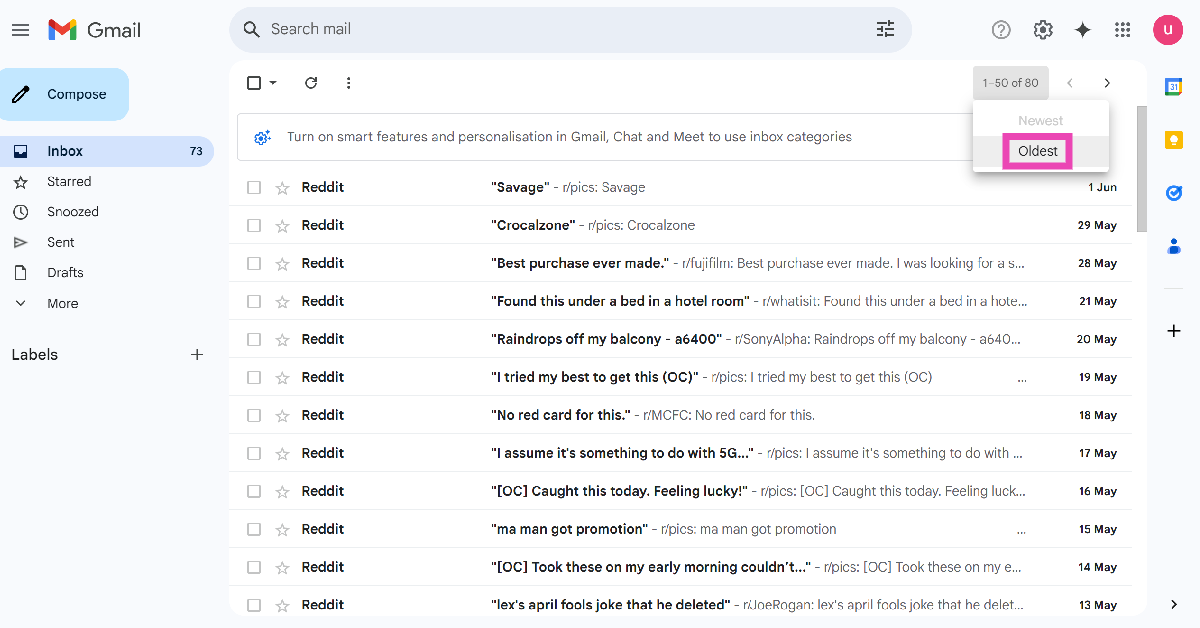
Step 2: Move your cursor to the page indicator.
Step 3: Select Oldest.
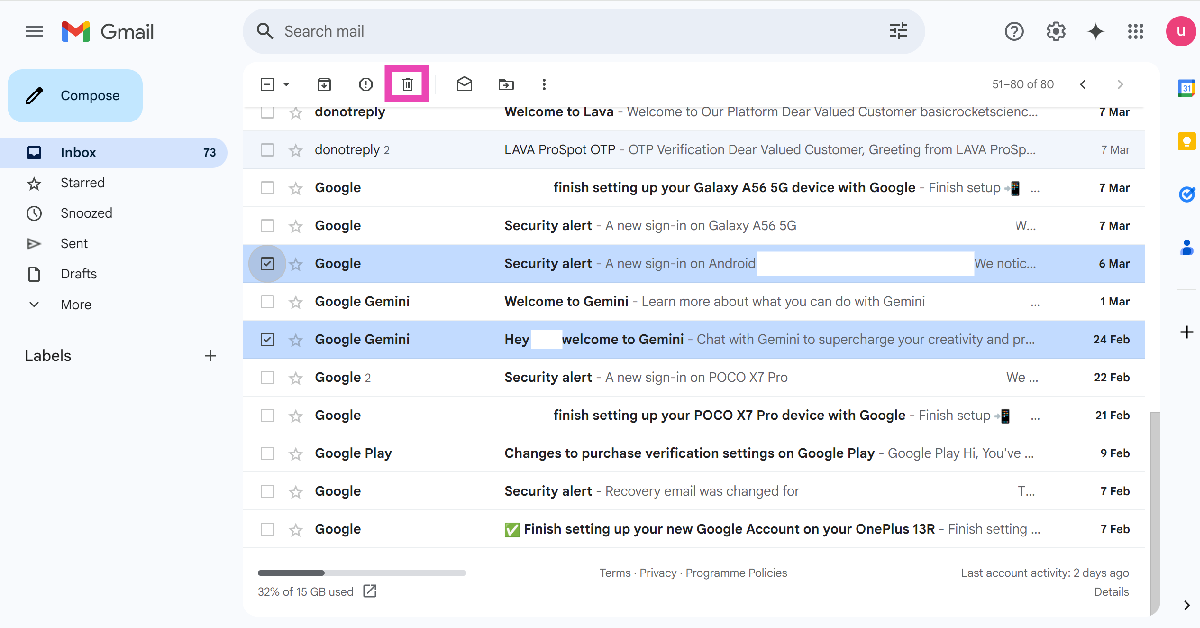
Step 4: Hit the checkbox next to the emails you want to delete, and click the trash icon.
Turn off Conversation View
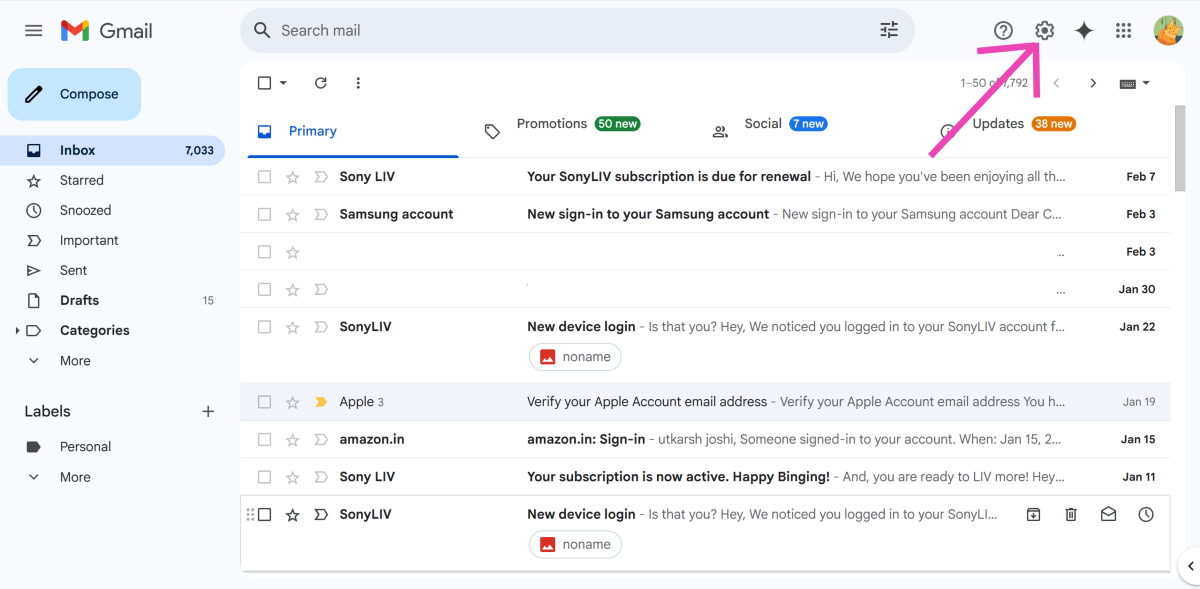
Step 1: Go to your Gmail inbox and click the gear icon at the top of the screen.
Step 2: Click on See all settings.
Step 3: Scroll down to the Conversation View option in the General tab.
Step 4: Select the Conversation view off option.
Clear the web browser’s cache
A large cache can slow down your Gmail inbox. Since Google Chrome does not offer the option to clear the cache of an individual website, you will need to clear the entire browser’s cached memory. This won’t sign you out of your accounts.
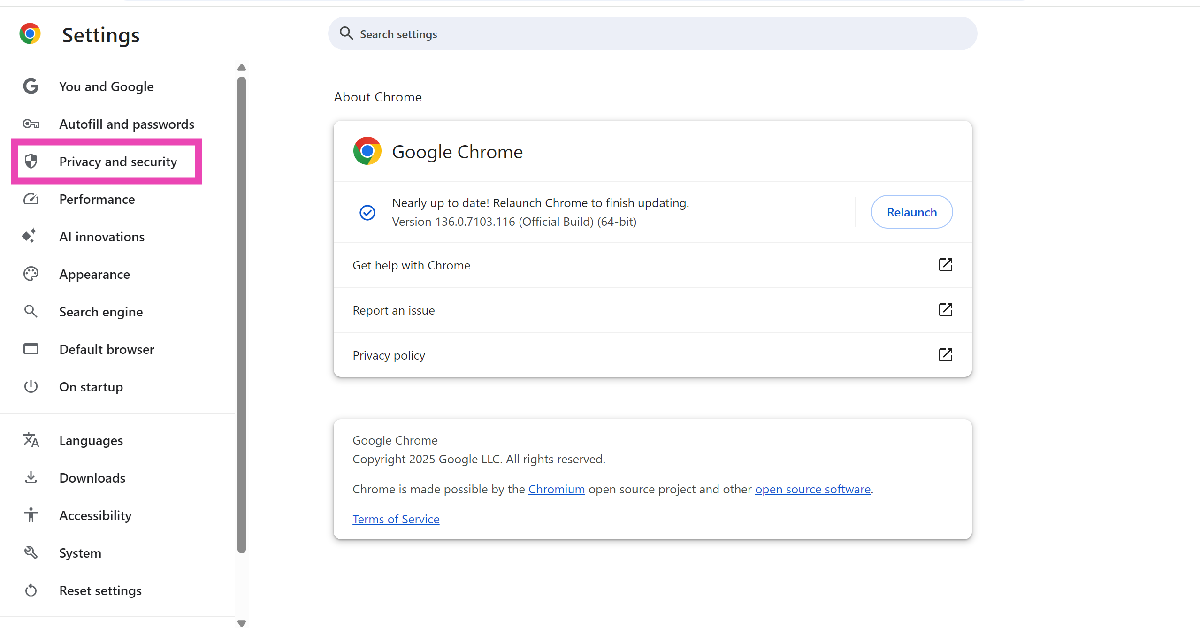
Step 1: Launch Google Chrome on your PC and open its settings.
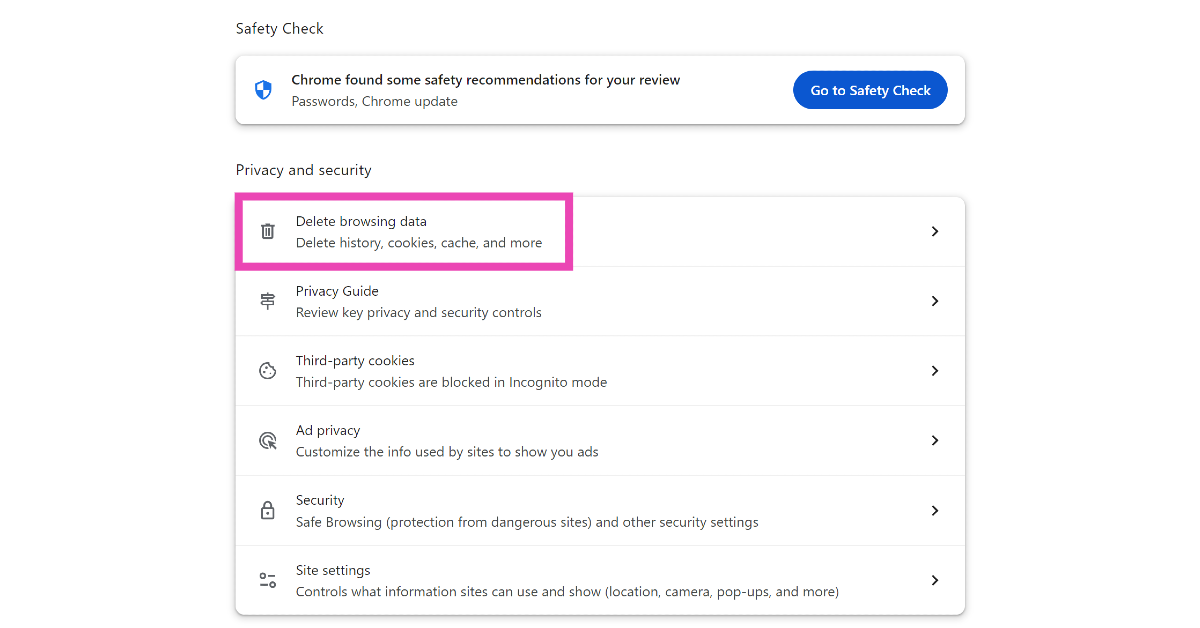
Step 2: Go to Privacy and security.
Step 3: Click on Delete browsing data.
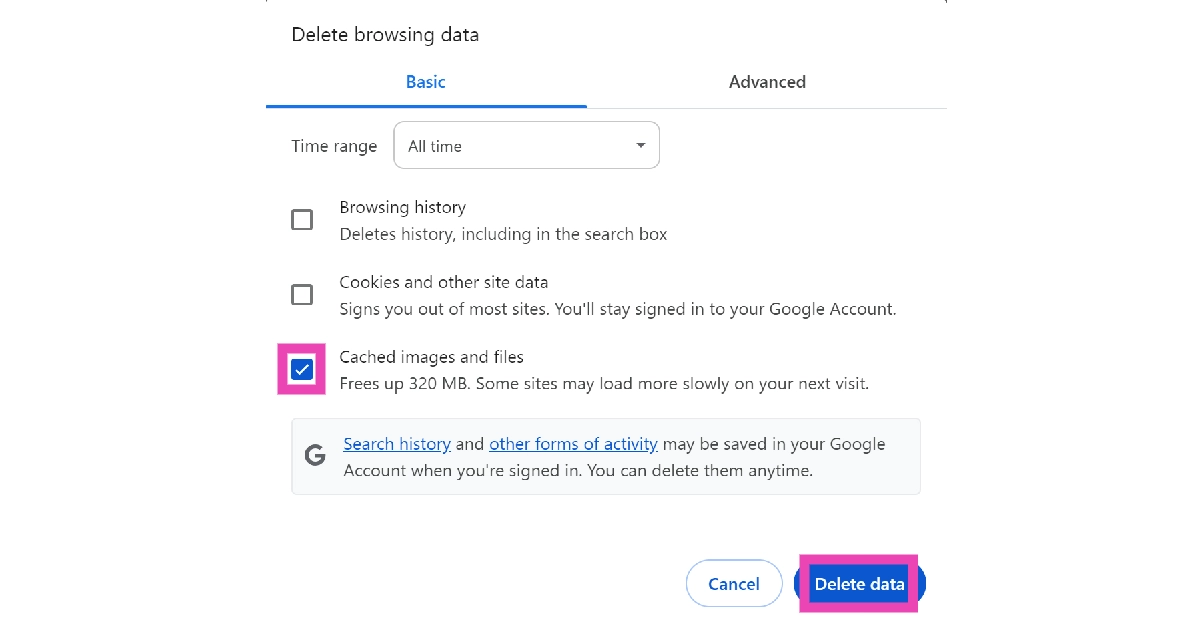
Step 4: Uncheck the boxes next to Browsing history and Cookies and other site data. Hit the checkbox next to Cached images and files.
Step 5: Click on Delete data.
Update your web browser
If you’re using an old version of your web browser, you will experience sluggish speeds across the board. If you’re a Google Chrome user, here’s how you can update the web browser to its latest version.
Step 1: Launch Google Chrome on your PC and click the ellipses in the top right corner of the screen.
Step 2: Go to Settings.
Step 3: Select About Chrome for the sidebar.
Step 4: Google Chrome will automatically download any pending updates. Once the updates have been downloaded, restart the web browser.
Check your internet connection
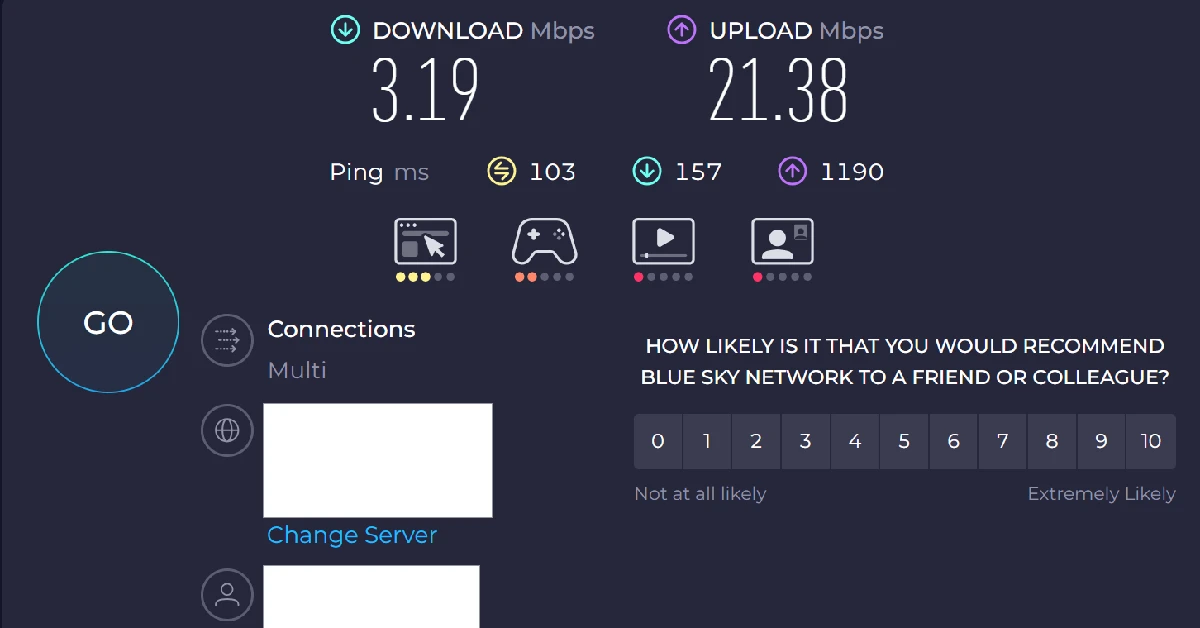
It is possible that the problem does not lie with Gmail, but with your network provider. If you’re on your phone, perform a network refresh by enabling the Flight Mode and disabling it after 15 minutes. If you’re on a WiFi connection, restart the router to refresh the network. Perform an internet speed test to check the strength of your connection.
Check if there’s a server outage
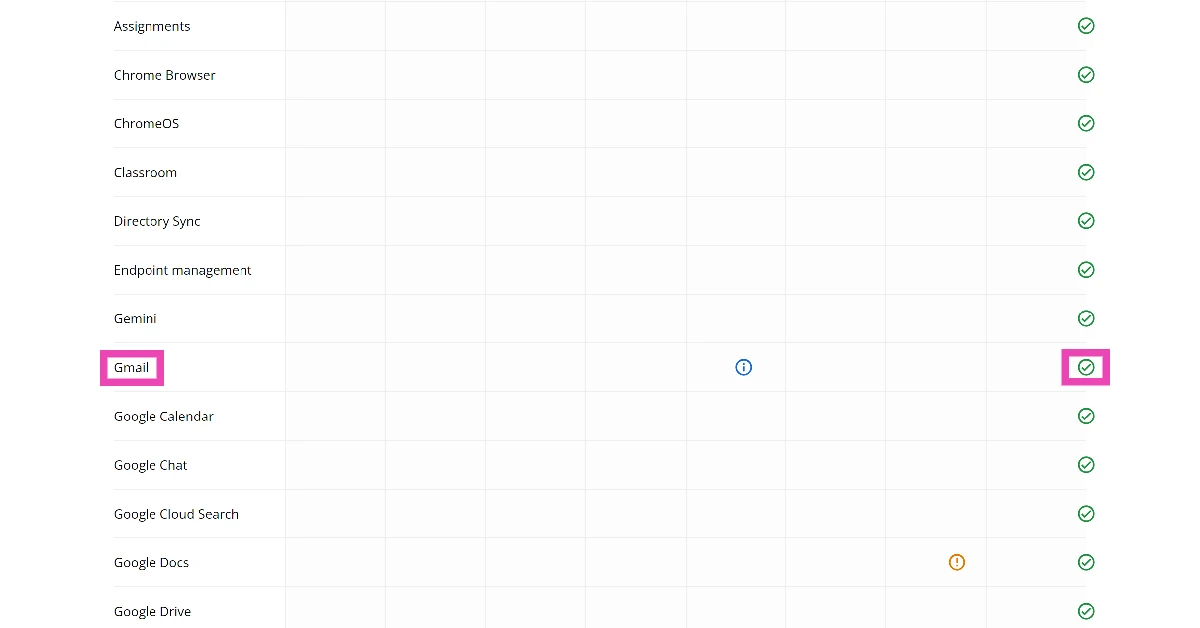
Your Gmail inbox may be taking time to refresh because of a server outage. The easiest way to confirm whether this is the case is by visiting the Google Dashboard. Scroll down to Gmail to check its server status. If you see a green tick, there are no issues with the servers. You can also use a third-party service like DownDetector for this task.
Frequently Asked Questions (FAQs)
Why is my Gmail inbox slow?
If your Gmail inbox is struggling to load at an optimal speed, it could be due to a large number of emails with massive attachments in your inbox or a faulty internet connection.
How do I fix my slow Gmail inbox?
To speed up your Gmail inbox, delete emails with large attachments, disable Conversation View, clear your browser’s cache, and update your browser.
How do I filter my Gmail inbox by size?
Hit the filter icon in the search bar, enter a minimum size, and hit ‘Search’. Alternatively, type larger:20M in the search bar and hit Enter to filter emails larger than 20M. Replace ‘20’ with your preferred size to filter your inbox.
How do I go to the oldest email in my Gmail inbox?
Move your cursor to the page indicator in your Gmail inbox and click on ‘Oldest’ to view the emails in chronological order.
How do I check if Gmail is down?
Go to the Google Workplace Status Dashboard and scroll down to Gmail. If you see a red cross next to it, it means that it is currently experiencing a server outage. Alternatively, go to Downdetector.in and search for Gmail.
This is how you can fix the ‘Gmail inbox is slow’ issue on your PC. If you’re experiencing sluggish speeds on all websites, conduct a search for faulty extensions and delete them from your web browser. If you have any questions, let us know in the comments!
The smartphone market grows more competitive every passing year. There isn’t much that separates the premium offerings of major tech outfits. Flagship devices rock high-end processors that can expertly handle power-intensive tasks. On top of that, these smartphones are equipped with state-of-the-art camera systems. Being in the age of artificial intelligence, you will also find cutting-edge AI features on these devices. So, without further ado, let’s take a look at the top 10 smartphones in India in June 2025.
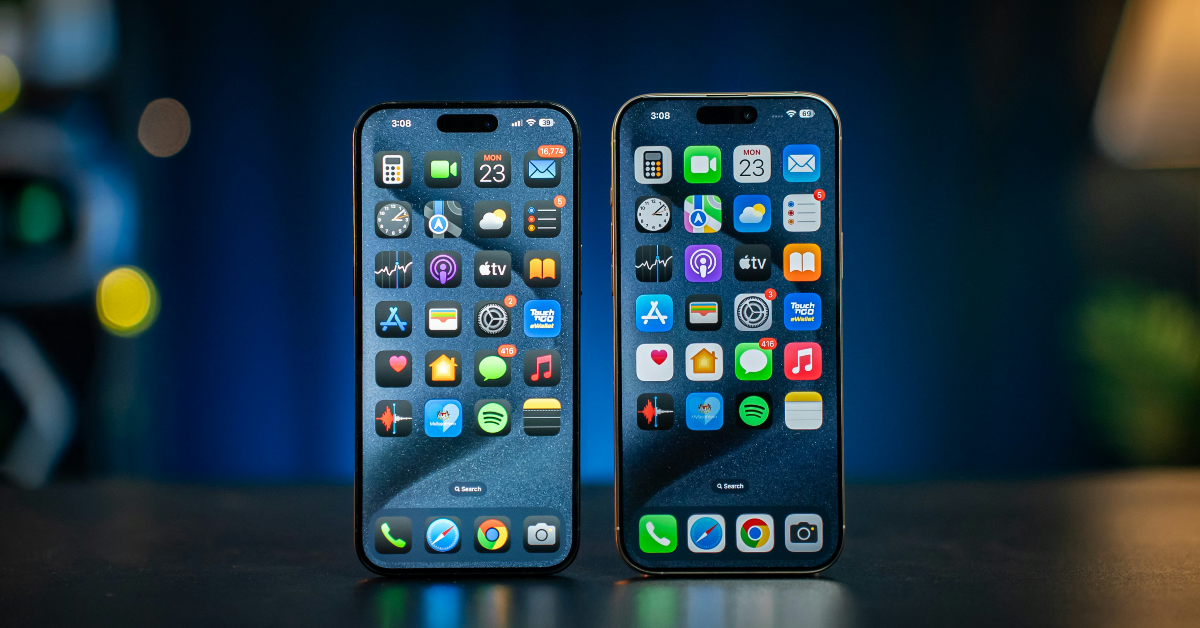
It should be no surprise that the top-spec iPhone 16 is one of the best smartphones on the market right now. Launched in September 2024, the iPhone 16 Pro Max marks the debut of the new Camera Control button. When you’re in the camera app, Camera Control acts as the shutter button. It can also be used to control essential camera functions like zoom, exposure, and depth of field. The iPhone 16 Pro Max is powered by the Apple A18 Pro chipset. Its rear camera array comprises a 48MP primary shooter, a 12MP periscope telephoto lens with 5x optical zoom, and a 48MP ultrawide lens. The smartphone also carries the ‘Apple Intelligence’ AI package.
The Samsung Galaxy S25 Ultra belongs in the upper echelon of smartphones, right next to the iPhone 16 Pro Max. This smartphone is powered by Qualcomm’s flagship Snapdragon 8 Elite chipset. It runs the Android 15-based One UI 7 out of the box. It also boasts the impressive Galaxy AI package. The 6.9-inch Dynamic LTPO AMOLED 2X display of this phone has a 120Hz refresh rate and can reach a peak brightness of 2,600 nits. The rear quad camera array comprises a 200MP primary shooter, a 50MP ultrawide lens, a 10MP telephoto lens with 3x optical zoom, and a 50MP periscope telephoto lens with 5x optical zoom. To learn more about its everyday performance, read our Samsung Galaxy S25 Ultra review.
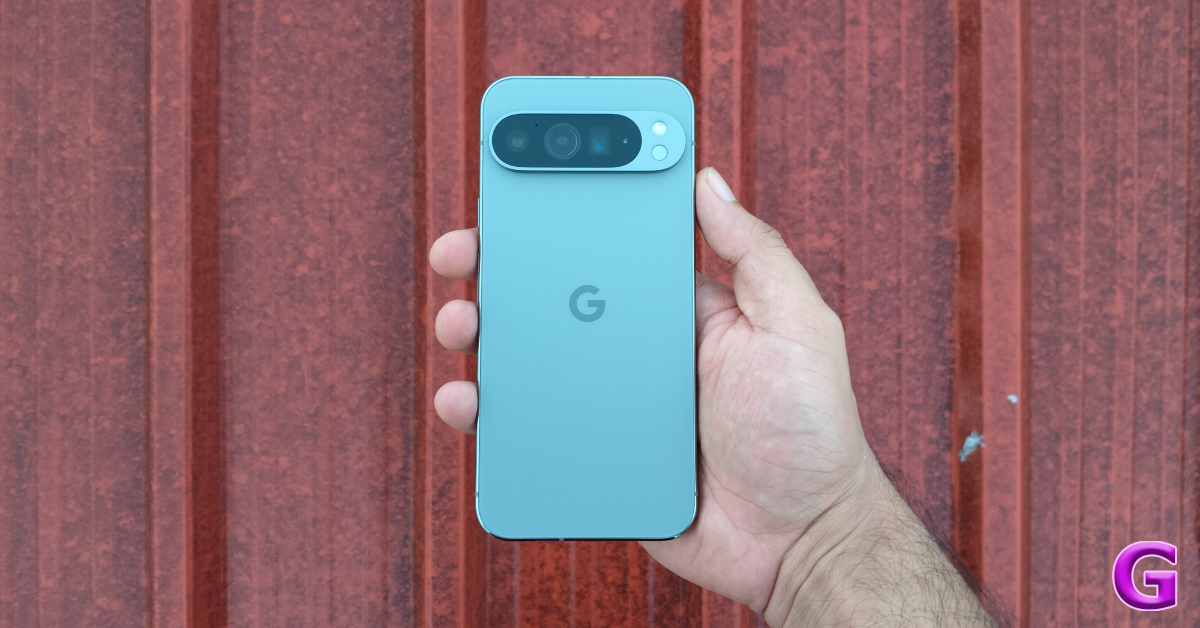
Google Pixel is the home of Android. The latest Pixel 9 Series rectifies some of the hardware shortcomings of the previous generations. The top-spec Pixel 9 Pro XL boasts an amazing 6.8-inch LTPO OLED display with a 120Hz refresh rate and 3,000 nits of peak brightness. Instead of an optical fingerprint scanner, the new Pixel utilises a fast and snappy ultrasonic sensor. Powering the smartphone is the Tensor G4 chipset. The camera visor at the back has been trimmed down to a pill-shaped bar. It houses a 50MP primary shooter, a 48MP periscope telephoto lens with 5x optical zoom, and a 48MP ultrawide lens. The 5,060mAh battery pack supports 37W wired and 23W wireless charging. We reviewed the Google Pixel 9 Pro XL soon after it was launched and found it to be one of the best smartphones of the year.
The Xiaomi 15 Ultra is one of the best smartphones around for photography enthusiasts. Its rear camera panel consists of a 50MP primary shooter with a 1-inch aperture, a 50MP 3x telephoto lens, a 200MP 4.2x periscope telephoto lens, and a 50MP ultrawide lens. The smartphone’s 6.73-inch LTPO AMOLED display has a 120Hz refresh rate and can reach a peak brightness of 3,200 nits. At the heart of the device lies the Snapdragon 8 Elite SoC. The 5,410mAh battery pack supports 90W wired and 80W wireless charging.
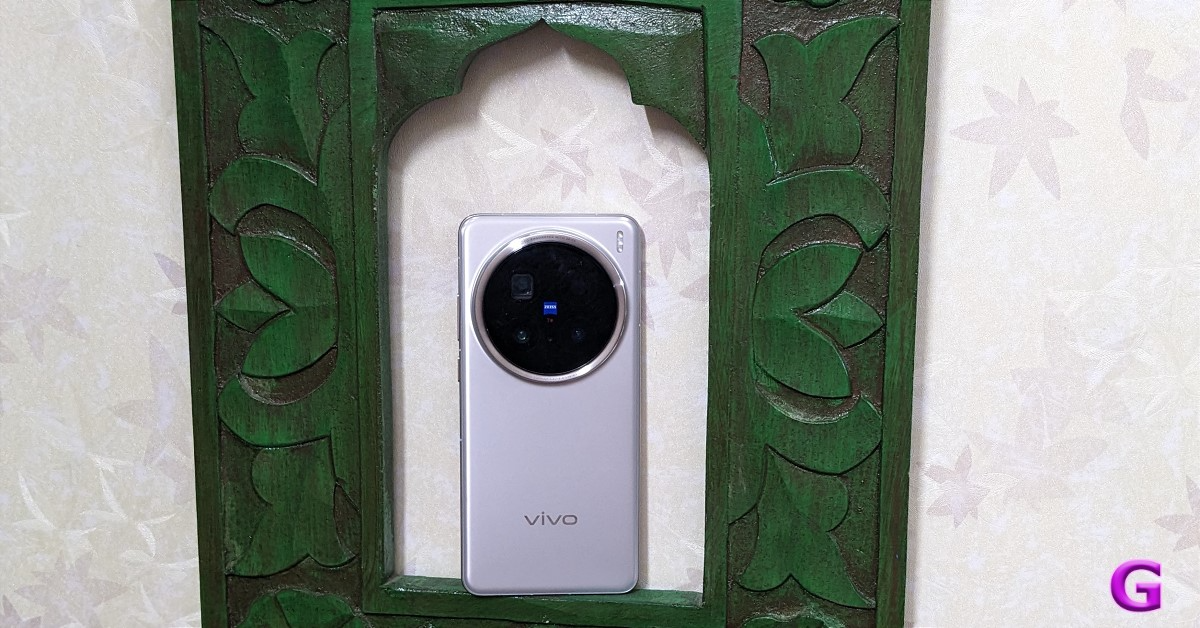
Vivo’s flagship smartphone is a beauty. It flaunts one of the most exquisite camera systems right now. The large circular cutout on the back panel houses a 50MP primary shooter, a 200MP periscope telephoto lens with 3.7x optical zoom, and a 50MP ultrawide lens. Powering the smartphone is the MediaTek Dimensity 9400 chipset. The 6.78-inch LTPO AMOLED display has a 120Hz refresh rate and 4,500 nits of peak brightness. The smartphone is equipped with a 6,000mAh Si/C battery pack. This battery pack can last over a day on a full charge and supports 90W wired and 30W wireless charging. To learn more, read our Vivo X200 Pro review.
Oppo’s portrait expert and flagship offering, Find X8 Pro, is one of the best smartphones you can buy in June 2025. Its rear camera array comprises 4 50MP sensors: a primary shooter, a periscope telephoto lens with 3x optical zoom, another periscope telephoto lens with 6x optical zoom, and an ultrawide sensor. Powering the device is the MediaTek Dimensity 9400 chipset. The 6.78-inch LTPO AMOLED display has a 120Hz refresh and can reach 4,500 nits of peak brightness. Like the Camera Control button in the iPhone 16 series, the Find X8 Pro has a special touch-sensitive button on its right edge. The smartphone’s 5,910mAh battery pack supports 80W wired and 50W wireless charging. Read our Oppo Find X8 Pro review to learn more about the smartphone.
Pros
Premium hardware
Dedicated camera shutter
Impressive camera sensors
Cons
Uses an optical fingerprint scanner instead of an ultrasonic sensor
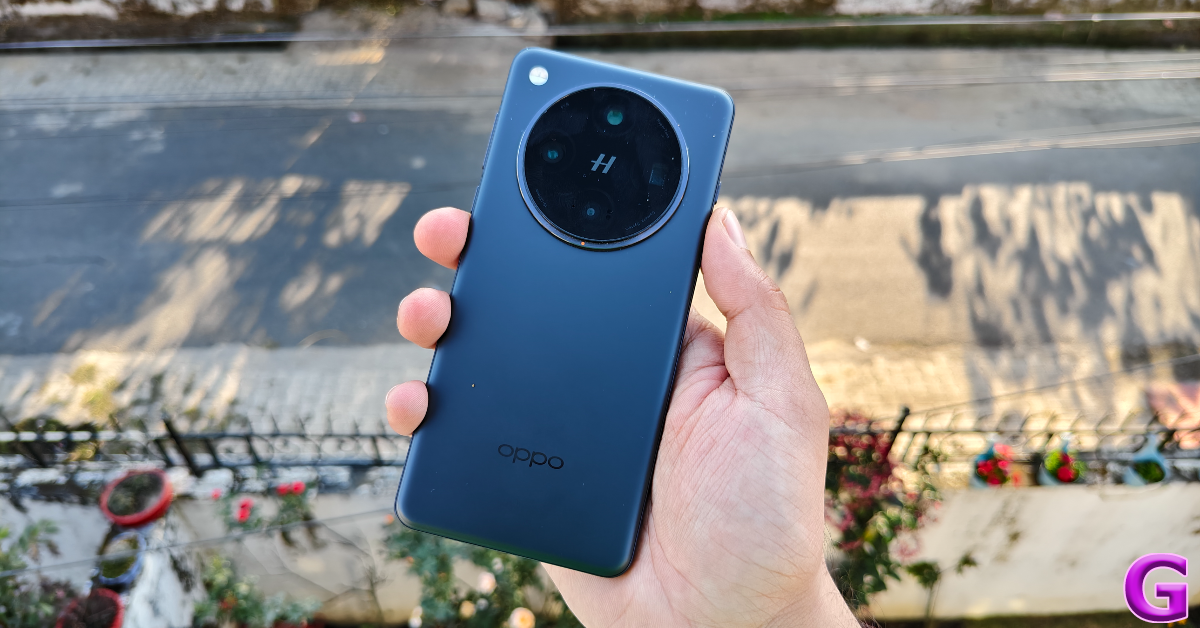
OnePlus 13 is one of the few flagship smartphones that don’t cost an exorbitant amount of money. It is powered by the Snapdragon 8 Elite chipset. The smartphone’s 6.82-inch LTPO 4.1 AMOLED display has a 120Hz refresh rate and a peak brightness of 4,500 nits. The rear camera array houses 3 50MP sensors: a primary shooter, a periscope telephoto lens with 3x optical zoom, and an ultrawide lens. All cameras on this device are tuned by Hasselblad. The 6,000mAh battery pack can last up to 2 days on a full charge. It supports 100W wired and 50W wireless charging. Read our OnePlus 13 review to learn more about the phone’s everyday performance.
If you’re a gaming enthusiast, the iQOO 13 is one of the best smartphones you can buy in June 2025. The smartphone is powered by a combination of the Snapdragon 8 Elite chipset and iQOO’s in-house Supercomputing Chip Q2. Its rear camera panel is surrounded by a strip of RGB lighting, which iQOO prefers to call ‘Dynamic Light’. The camera panel houses 3 50MP sensors: a primary shooter, a telephoto lens with 2x optical zoom, and an ultrawide lens. The 6.82-inch LTPO AMOLED display has a 120Hz refresh rate and can reach a peak brightness of 4,500 nits. The 6,000mAh battery pack supports 120W wired charging. To learn more about its gaming performance, read our iQOO 13 review.
Realme’s flagship smartphone offers amazing value for money. It is powered by the Snapdragon 8 Elite chipset and runs the Android 15-based Realme UI 6 out of the box. The smartphone is promised to receive 3 major OS upgrades. It flaunts a 6.78-inch LTPO AMOLED display. This display has a 120Hz refresh rate and a peak brightness of 6,500 nits. The rear camera panel comprises a 50MP primary shooter, a 50MP telephoto lens with 3x optical zoom, and an 8MP ultrawide lens. The 5,800mAh battery pack supports 120W wired charging. For more details, read our Realme GT 7 Pro review.
The Samsung Galaxy S25 Edge has kicked off the era of slim smartphones. This device is just 5.8mm thick. Despite its slim profile, the Galaxy S25 Edge manages to pack a 3,900mAh battery. This battery pack supports 25W wired and 15W wireless charging. The smartphone is powered by the Snapdragon 8 Elite chipset. Its dual rear camera array comprises a 200MP primary shooter and an 8MP ultrawide lens. The 6.7-inch LTPO AMOLED 2X display has a 120Hz refresh rate. The device is rated IP68 for dust and water resistance.
These are the top 10 smartphones you can buy in India in June 2025. If you don’t need to buy a phone right away, we would recommend waiting for the OnePlus 13s and the new Pixel 10 Series before making a purchase. If you have any questions, let us know in the comments!
2 June 2025: New Amazon Quiz is now available. Customers from different parts of the country are participating in the daily quiz. The quiz starts at midnight today and will be live until 11:59 PM tonight. By successfully answering every question, participants in the quiz have the chance to win wonderful rewards. Up to Rs 500 Amazon Pay Balance is up for grabs to participants today.
One wrong answer could eliminate you from the quiz. You have a chance to win up to Rs 500 Amazon Pay Balance if you successfully answer every question. Users of the app only have the opportunity to take the quiz. Check Out 2 June 2025 Amazon Quiz Answers.
In This Article
Are you not able to find Amazon FunZone? Click below and participate.
We have written an explainer above, you can refer to that.
When are the winners of the Amazon Quiz and contest announced or declared?
The announcement of today’s Amazon quiz winner will take place Tomorrow. As for the Special Quiz and “Spin & Win” Contest, the winners will be declared once the Quiz Contest comes to an end. To find out who the lucky winner is, you can refer to the Amazon Quiz Winners List or visit the Amazon Winners tab in the Amazon App.
How to participate in the Daily Amazon Quiz?
That is very easy, just got to the Amazon app and scroll to the bottom of the page and you will find the Quiz section. Click on it (usually it is called the fun zone) and you can enter the Amazon Today Quiz Contest.
Are there any other quizzes or contests running on Amazon daily?
Yes, there are many running on a daily basis. These range from spinning the wheel to answering the questions correctly. All are located in the Fun Zone.
What are the criteria for selecting a winner in the Daily Amazon Quiz?
When a qualified player submits correct answers to all the questions, they will automatically be entered into a lucky draw. This draw will include all participants who answered all the questions correctly. Amazon randomly selects the final winners from the pool of eligible participants who gave the right answers.
Which Types of Questions are asked within Amazon Daily Quiz?
These are very simple and straightforward questions. These are mainly related to general knowledge.
Where should I look for Amazon Daily Quiz answers?
You can bookmark our website www.gadgetbridge.com as we will help you every day with the Amazon Daily Quiz. We bring you fresh answers every day for the Amazon Daily Quiz and Contest.
What time does Amazon Announce previous winners?
The previous winner’s name will be announced today at 12 PM (noon).
Are you looking for today’s Wordle for June 2, 2025? The problem is difficult to solve, so if you need assistance, we’ve included hints and the answer to the June 2 Wordle.
In This Article
Hints and Answers for Today’s Wordle June 2
Before answering directly, please check the June 2 Wordle Hints first.
Hint 1: Today’s Wordle answer includes two vowels. Hint 2: The answer for today has a repeating letters. Hint 3: to spend too much time making yourself look attractive and then admiring your appearance
What word does today’s Wordle begin with?
Do you need help with today’s Wordle answer’s initial letter?
The first letter in today’s Wordle is “P”
Today’s Wordle Answer June 2 #1444
The answer to Wordle #1444 on June 2, 2025, is — PREEN
Wordle: A Five-Letter Word Guessing Game • The game allows six guesses of a five-letter word. • Provide feedback on guessed letters’ placement in the puzzle. • The New York Times purchased the game in 2022. • Created by Josh Wardle for his partner, narrowing down 12,000 English words to 2,500. • Named after the word “word.”
How To Play Wordle?
Wordle is a New York Times word puzzle game that allows users to guess a five-letter word in six attempts. The letters are highlighted in Yellow and Green, indicating whether the word is present in the answer or not, and Green letters indicate the correct guess.
Wordle Tips and Tricks
Select a powerful starting word: Avoid using unusual words, as they frequently do not match common letters. A good opening word has plenty of benefits.
Repeating letters: Don’t be afraid of repeating letters; they appear frequently in words. The answer may contain one or two repeated letters.
Use the Wordlebot: The NYT’s Wordlebot analyses and compares replies to itself. This challenge can assist you enhance guessing skills and highlight areas for development.
Are you looking for today’s Wordle for June 1, 2025? The problem is difficult to solve, so if you need assistance, we’ve included hints and the answer to the June 1 Wordle.
In This Article
Hints and Answers for Today’s Wordle June 1
Before answering directly, please check the June 1 Wordle Hints first.
Hint 1: Today’s Wordle answer includes two vowels. Hint 2: The answer for today has repeating letters. Hint 3: not smooth, soft or level
What word does today’s Wordle begin with?
Do you need help with today’s Wordle answer’s initial letter?
The first letter in today’s Wordle is “R”
Today’s Wordle Answer June 1 #1443
The answer to Wordle #1443 on June 1, 2025, is — Rough
Wordle: A Five-Letter Word Guessing Game • The game allows six guesses of a five-letter word. • Provide feedback on guessed letters’ placement in the puzzle. • The New York Times purchased the game in 2022. • Created by Josh Wardle for his partner, narrowing down 12,000 English words to 2,500. • Named after the word “word.”
How To Play Wordle?
Wordle is a New York Times word puzzle game that allows users to guess a five-letter word in six attempts. The letters are highlighted in Yellow and Green, indicating whether the word is present in the answer or not, and Green letters indicate the correct guess.
Wordle Tips and Tricks
Select a powerful starting word: Avoid using unusual words, as they frequently do not match common letters. A good opening word has plenty of benefits.
Repeating letters: Don’t be afraid of repeating letters; they appear frequently in words. The answer may contain one or two repeated letters.
Use the Wordlebot: The NYT’s Wordlebot analyses and compares replies to itself. This challenge can assist you enhance guessing skills and highlight areas for development.
In its latest feature drop, WhatsApp has added new options for status updates. Users can now create collages within the app and post them as a status. On top of that, they can share songs directly to their status, without needing to attach a photo or video to it. Lastly, the instant messenger has also introduced a rich library of stickers for status updates. In this article, we’ll take a look at how you can create a photo collage for your WhatsApp status.
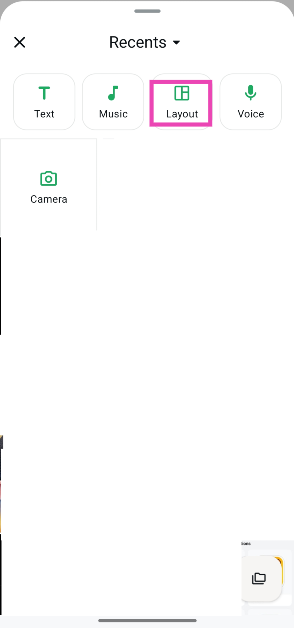
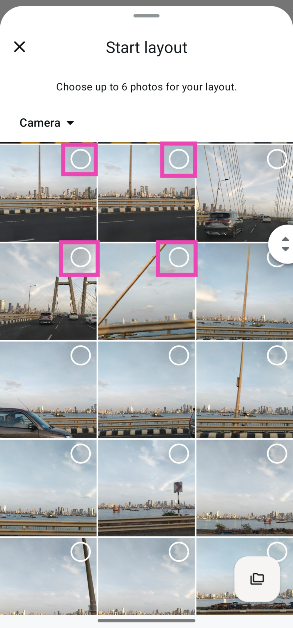
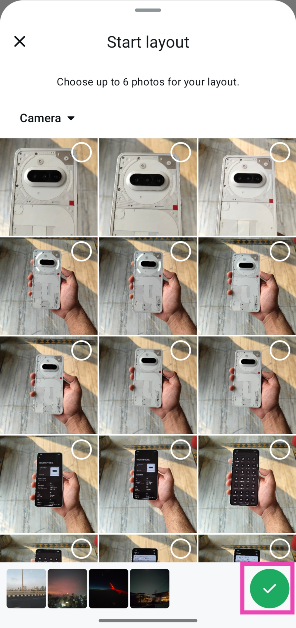
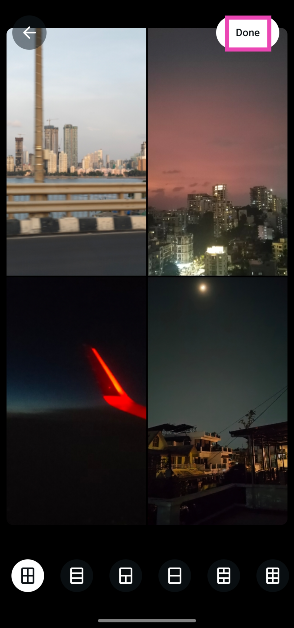
WhatsApp’s new ‘Layout’ feature lets you create photo collages for your status updates. A collage can contain up to 6 individual images. Once you’ve chosen the images from your phone’s library, the instant messenger provides you with a list of layouts. Depending on the number of images you’ve chosen for the collage, you can select an appropriate layout from the list.
Once a layout has been selected, you can shuffle the order of images in it. You can long-press an image and drop it in your preferred panel. If you want to swap out an image for another one, simply tap it and select a picture from the library.
If you’re not satisfied with the list of layout options, we recommend using the native Google Photos collage maker on your Android phone. You can access it by tapping the plus icon in the Photos app. Similar to a WhatsApp layout, the collage maker in Google Photos lets you add up to 6 images. Once the images have been selected, you can choose from a diverse range of collage designs.
Step 5: Select 2-6 images from your phone’s library.
Step 6: Hit the tick icon in the bottom right corner of the screen.
Step 7: Choose a layout from the bottom of the screen depending on the number of images you’ve selected for the collage.
Step 8: You can change the order of images by dragging and dropping them to your preferred panels.
Step 9: When you’re happy with the layout, hit Done.
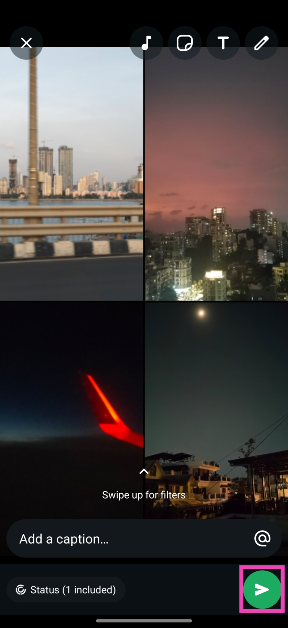
Step 10: Add a caption, sticker, text, or music sticker to the collage and hit the green icon in the bottom right corner of the screen to post it.
Frequently Asked Questions (FAQs)
How do I create a collage on WhatsApp?
Go to the Updates page on WhatsApp, tap on My status>Layout, and select up to 6 images from your phone’s library. On the following page, you’ll see six layout options at the bottom of the screen. Pick one option depending on the number of pictures you’ve selected, and hit ‘Done’.
How do I add music to my WhatsApp status?
Go to the Updates page on WhatsApp and select ‘My status’. Choose an image or video from your phone’s gallery. Tap the music icon at the top of the screen. Search for a song and tap the arrow icon next to it. Hit ‘Done’ in the top right corner of the screen.
How do I share a song as my WhatsApp status?
Launch the Updates page and select ‘My status’. Tap on Music, search for a song, and hit the arrow icon next to the track you want to share. Hit the green icon in the bottom right corner of the screen to share it.
How do I create a photo collage on my phone?
Go to Google Photos, tap the plus icon at the top of the screen, and select ‘Collage’. Select up to 6 images and tap on ‘Create’. Select a layout from the list of options and hit ‘Save’.
How do I change the chat theme on WhatsApp?
Go to Settings>Chat>Default chat theme and select a theme from the list.
This is how you can create a photo collage for your WhatsApp status. If you prefer using Telegram, check out how you can create photo collages for its stories. If you have any questions, let us know in the comments!
As part of its Workspace May feature rollout, Google added AI-powered summary cards to large emails and threads. These cards, created using Gemini AI, will be displayed at the top of the email. The update also includes new AI capabilities for Google Chat, Google Docs, and Google Meet, such as a summary of documents added to a chat, summary refresh in Google Docs, and summaries in Google Chat’s home view.
Google has added AI-powered capabilities to improve content retention, comprehension, and self-presentation in virtual meetings. Google has launched AI summaries in Gmail, Google Chat, and Google Docs to keep users up to date on work-related content. NotebookLM also enables users to visually look into connections among sources, find new resources, and participate in hybrid meetings on their laptop or in a conference room.
Google Chat, Google Docs, and Gmail now support Gemini summary cards on mobile devices for quick email catch-up. These cards display at the top of emails where a summary would be useful, such as in extended discussions. Gemini summarises the significant topics from the email exchange and updates it when people respond. The home view of Chat now includes Gemini summaries in additional languages, letting users to prioritise their time and attention by seeing what’s occurring in each discussion.
Google Chat now includes a summary building block in Google Docs, powered by Gemini, that helps users rapidly comprehend shared Workspace files. This tool enables users to swiftly examine information before meetings or catch up on numerous conversations. Gemini creates a succinct summary of a document, such as a research report or a sales presentation, and places it at the top. The summary can be modified by refreshing it while editing the content.
NotebookLM is a tool that helps users to visually examine connections between numerous sources, including as Docs, Slides, and webpages, to help them broaden their research. It includes interactive Mind Maps, which provide a fast summary of the source material and important themes while also serving as an entrance point into new topics.
NotebookLM now has discover sources capability, which allows users to search web content relevant to their topic and effortlessly add them to their notebooks. This improves research efficiency while saving time and effort. The output language choice also allows users to produce text in several languages, making it simpler to comprehend and share work in a variety of formats, including study guides and chat responses.
Google Meet has added AI-powered features to improve its hybrid meeting experience. These include dynamic layouts for attendees, which focus on individual faces, as well as bigger room tiles to ensure everyone’s visibility. These tiles may be built for up to three in-room attendees using Google Meet hardware, and AI will emphasise the active speaker. Face match also allows participants to correlate their name with their dynamic tile, ensuring that everyone in the meeting can be clearly identified.
The company has launched sophisticated studio effects for business and enterprise plans, resulting in improved video quality and clarity. The features include real-time creative AI, studio lighting, and studio sound, which imitate studio-quality lighting and balance missing or distorted frequencies to produce crisp, clear audio. These features guarantee that clients may show their best selves in meetings, which improves their entire experience.
Gemini’s clever integration into Gmail allowed users to summarise their emails with one click. These AI features are currently only available for Workspace users. In a new update, Gemini will not automatically summarise all incoming emails. Of course, with the use of AI, some errors are bound to creep in. If you prefer your email inbox to be AI-free, here’s how you can disable AI summaries for Gmail on your phone and PC.
Should you disable automatic AI summaries in Gmail
While automatic AI summaries for emails sound like a good idea, they are far from being the finished product. AI summaries are often flawed in more ways than one. This could be due to erroneous summarisation that leaves out important stuff from the email, or simply an ‘AI hallucination’ that adds stuff to the summary that isn’t in the original text.
A lot of people refrain from using AI due to the ethical concerns surrounding it. Not wanting an AI model to use your emails as training data is a very valid objection. The energy consumption of computational servers and the impact they have on the environment is another valid criticism of AI.
Disable AI summaries in Gmail (PC)
Step 1: Launch a web browser on your PC and go to Gmail.
Step 2: Hit the cog wheel icon next to the Gemini icon.
Step 3: Click on See all settings.
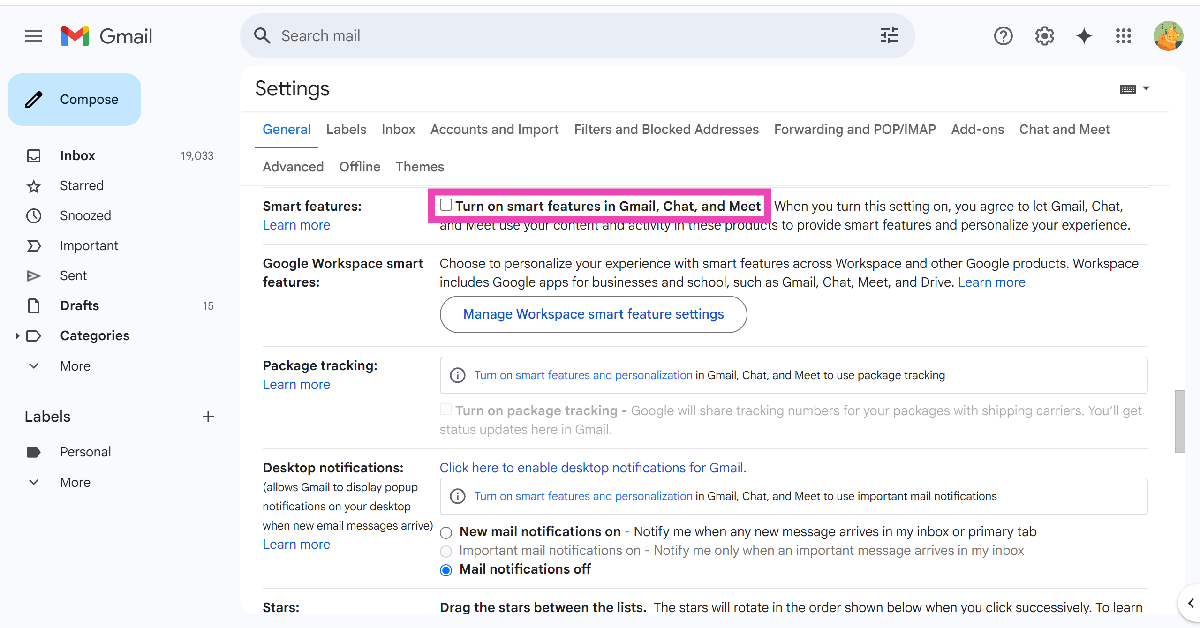
Step 4: Go to the General tab and scroll down to Smart features.
Step 5:Uncheck the box next to Turn on smart features in Gmail, Chat, and Meet.
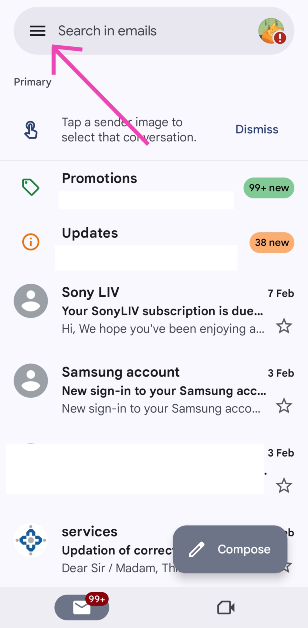
Step 2: Hit the hamburger menu in the top left corner of the screen.
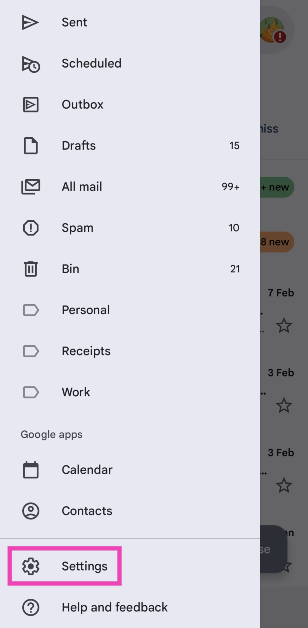
Step 3: Go to Settings.
Step 4: Select an account.
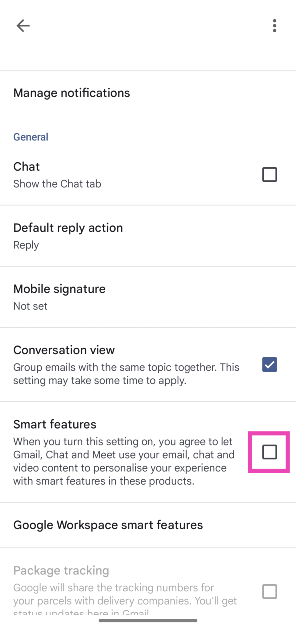
Step 5: Scroll down and uncheck the box next to Smart features.
Frequently Asked Questions (FAQs)
Can I disable AI summaries in Gmail?
Yes, you can disable AI summaries in Gmail by turning off smart features. Go to Settings>See all settings>General, and uncheck the box next to ‘Smart features.
How do I turn off Gmail smart features on my phone?
Launch the Gmail app on your phone, go to Settings, select an account, and scroll down and uncheck the box next to ‘Smart features’.
How do I disable Gemini assistant on my Android phone?
If you don’t like Gemini, you can switch back to the regular Google Assistant on your phone. Go to the Google app on your phone, tap your profile picture, navigate to Settings>Gemini>Digital assistants from Google, and select Google Assistant.
How do I share my phone’s screen with Gemini Live?
Launch the Gemini app on your phone, tap the waveform icon, and hit the video camera icon to share your live video feed with the AI assistant. You can verbally ask any questions about the shared video.
How do I summarise a PDF using Gemini?
Launch the Gemini app, tap the plus icon, select ‘Files’, and upload the PDF from your phone’s storage. Once the file has been uploaded, you can ask Gemini to summarise it.
This is how you can disable AI summaries in Gmail on your phone and PC. While you’re here, check out how you can create a Gmail account without using a phone number. If you have any questions, let us know in the comments!
Are you looking for today’s Wordle for May 31, 2025? The problem is difficult to solve, so if you need assistance, we’ve included hints and the answer to the May 31 Wordle.
In This Article
Hints and Answers for Today’s Wordle May 31
Before answering directly, please check the May 31 Wordle Hints first.
Hint 1: Today’s Wordle answer includes two vowels. Hint 2: The answer for today has no repeating letters. Hint 3: Usual behaviour
What word does today’s Wordle begin with?
Do you need help with today’s Wordle answer’s initial letter?
The first letter in today’s Wordle is “H”
Today’s Wordle Answer May 31 #1442
The answer to Wordle #1442 on May 31, 2025, is — HABIT
Wordle: A Five-Letter Word Guessing Game • The game allows six guesses of a five-letter word. • Provide feedback on guessed letters’ placement in the puzzle. • The New York Times purchased the game in 2022. • Created by Josh Wardle for his partner, narrowing down 12,000 English words to 2,500. • Named after the word “word.”
How To Play Wordle?
Wordle is a New York Times word puzzle game that allows users to guess a five-letter word in six attempts. The letters are highlighted in Yellow and Green, indicating whether the word is present in the answer or not, and Green letters indicate the correct guess.
Wordle Tips and Tricks
Select a powerful starting word: Avoid using unusual words, as they frequently do not match common letters. A good opening word has plenty of benefits.
Repeating letters: Don’t be afraid of repeating letters; they appear frequently in words. The answer may contain one or two repeated letters.
Use the Wordlebot: The NYT’s Wordlebot analyses and compares replies to itself. This challenge can assist you enhance guessing skills and highlight areas for development.
31 May 2025: New Amazon Quiz is now available. Customers from different parts of the country are participating in the daily quiz. The quiz starts at midnight today and will be live until 11:59 PM tonight. By successfully answering every question, participants in the quiz have the chance to win wonderful rewards. Up to Rs 500 Amazon Pay Balance is up for grabs to participants today.
One wrong answer could eliminate you from the quiz. You have a chance to win up to Rs 500 Amazon Pay Balance if you successfully answer every question. Users of the app only have the opportunity to take the quiz. Check Out 31 May 2025 Amazon Quiz Answers.
In This Article
Are you not able to find Amazon FunZone? Click below and participate.
We have written an explainer above, you can refer to that.
When are the winners of the Amazon Quiz and contest announced or declared?
The announcement of today’s Amazon quiz winner will take place Tomorrow. As for the Special Quiz and “Spin & Win” Contest, the winners will be declared once the Quiz Contest comes to an end. To find out who the lucky winner is, you can refer to the Amazon Quiz Winners List or visit the Amazon Winners tab in the Amazon App.
How to participate in the Daily Amazon Quiz?
That is very easy, just got to the Amazon app and scroll to the bottom of the page and you will find the Quiz section. Click on it (usually it is called the fun zone) and you can enter the Amazon Today Quiz Contest.
Are there any other quizzes or contests running on Amazon daily?
Yes, there are many running on a daily basis. These range from spinning the wheel to answering the questions correctly. All are located in the Fun Zone.
What are the criteria for selecting a winner in the Daily Amazon Quiz?
When a qualified player submits correct answers to all the questions, they will automatically be entered into a lucky draw. This draw will include all participants who answered all the questions correctly. Amazon randomly selects the final winners from the pool of eligible participants who gave the right answers.
Which Types of Questions are asked within Amazon Daily Quiz?
These are very simple and straightforward questions. These are mainly related to general knowledge.
Where should I look for Amazon Daily Quiz answers?
You can bookmark our website www.gadgetbridge.com as we will help you every day with the Amazon Daily Quiz. We bring you fresh answers every day for the Amazon Daily Quiz and Contest.
What time does Amazon Announce previous winners?
The previous winner’s name will be announced today at 12 PM (noon).
Garena Free Fire Max is a battle royale game with regular awards and tournaments to keep players interested. If you play Garena Free Fire, you should be aware of the redeem codes that are released on a daily basis. However, because the battle royale game is banned in India, players from other countries can use theFree Fire Redeem codes daily. If you’re unfamiliar with the Garena Free Fire redeem codes or don’t know how to get them, we’ve put together a step-by-step guide to help youredeem them. Check out Garena Free Fire Max Redeem Codes for 31 May 2025.
The Free Fire Max redeemcodes are a great way to get free stuff. These are 12-digit codes that contain alphabets and numbers, as well as an expiration date and time. Because the Garena FF redeem codes cannot be used more than once, you should hurry to the redemption page to claim your free reward before someone else does. To get a free reward, all you have to do is go toreward.ff.garena.com/en, which is the official redemption page. Also, keep an eye on this space for daily updates on Garena Free Fire Max redemption codes and rewards.
Instagram now lets users upload photos in a 3:4 aspect ratio without cropping them. This update is based on the default aspect ratio seen in many smartphone cameras. Instagram originally allowed photographs in the 5:4 or 1:1 aspect ratios. The new option will be available when you upload a single image or add many photographs to a carousel. Instagram also launched a new Edits app for video editing on smartphones last month, competing with CapCut and allowing users to edit and post videos without a watermark.
Instagram has added support for 3:4 aspect ratio photographs, allowing users to upload images in previously supported aspect ratios. Instagram’s Adam Mosseri noted that the format will look precisely how the user captured it, making it compatible with most smartphone cameras.
However, Instagram’s creator broadcast channel has stated that the site supports 3:4 aspect ratio photographs for single-photo postings and carousels. Users may still submit 4:5 and 1:1 square photos and carousels, however photographs taken using a smartphone camera on basic settings may require cropping. Users may also post photographs in 4:5 and 1:1 square format, as well as carousels.
Instagram previously launched a function called Blend, which provides recommended videos within Instagram chats. This invite-only feed, which has been in trial for a year, offers personalised content based on Instagram activity and is now available on iOS and Android devices.
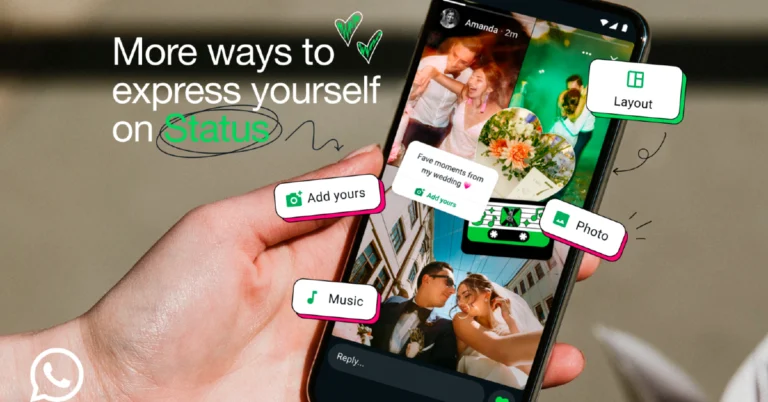
WhatsApp has added new status update options, allowing users to include collages, music, and stickers, similar to Facebook and Instagram’s Stories. The app enables users to create collages of up to six pictures using editing tools, share favourite songs as statuses or create music stickers for posts. Photo stickers can be customised to fit users’ sizes and shapes. Users can also add their pictures to conversations, inviting friends to share responses and hear community thoughts, enhancing the social media user experience. These new features are planned to be released soon.
WhatsApp introduced new capabilities to its Status function, allowing users to express themselves through collages, music, and stickers. The function is encrypted and only available to people who have been added as contacts, allowing for the secure sharing of personal updates.
The firm has launched four new WhatsApp features: Layout, Music, Photo Stickers, and Add Yours. Layout allows users to make collages of up to six photos, whilst Music lets them post a favourite song as a status or turn it into a music sticker. Photo Stickers allow users to make stickers from their images, while Add Yours allows them to invite others to join a conversation, share their responses, and hear what their community has to say.
Internet tethering via mobile hotspot is one of the core features of any smartphone. It allows you to share your internet connection with other devices in your vicinity. However, not many users are aware that you can do the same on your PC and laptop. A PC hotspot lets you share your WiFi, Ethernet, and SIM connection (if the device supports it). So, without further ado, here’s how you can turn on the mobile hotspot on a Windows 11 PC or laptop.
Can’t get the mobile hotspot on your PC to work? Try these quick fixes
Enabling and using the mobile hotspot on a PC is usually a seamless process. However, in the odd case where you can’t get the hotspot to work, these quick fixes will come in handy.
Run the troubleshooter for the Network Adapter from settings
Update the Network Adapter driver
Go to Network Adapter properties and allow other users to connect to the PC’s network connection
Restart your PC
Make sure the parent connection you’re trying to share is functional
Reset network settings
Enable mobile hotspot from Windows 11 settings
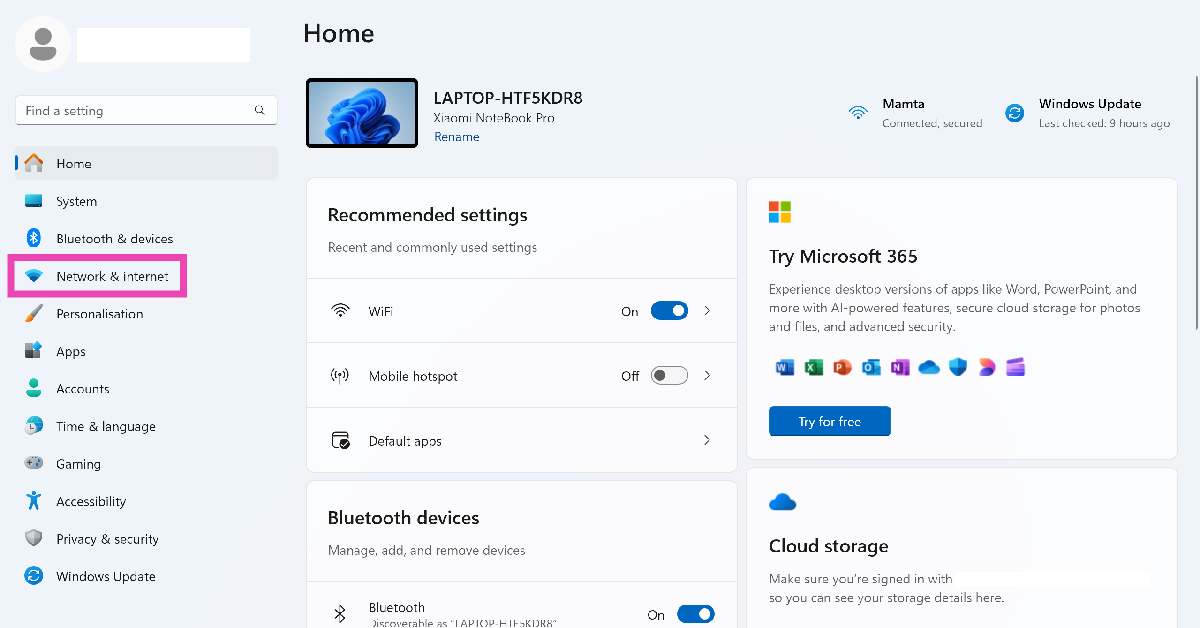
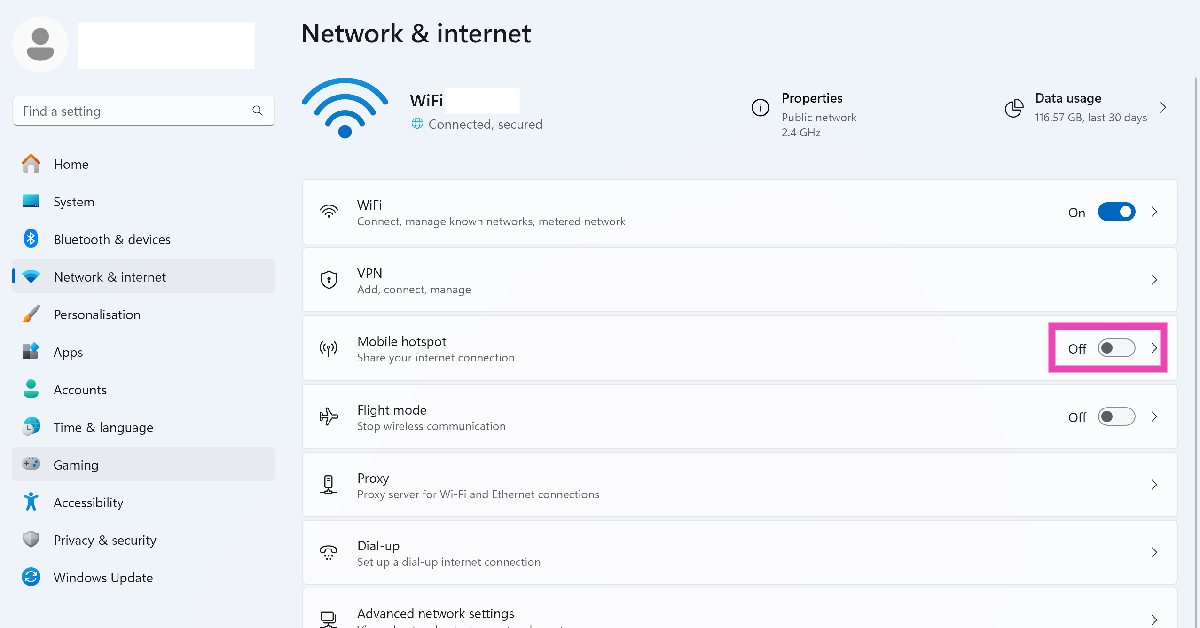
Step 1: On your Windows 11 PC, go to Settings and select Network & internet from the sidebar.
Step 2: Turn on the toggle switch next to Mobile hotspot to enable it.
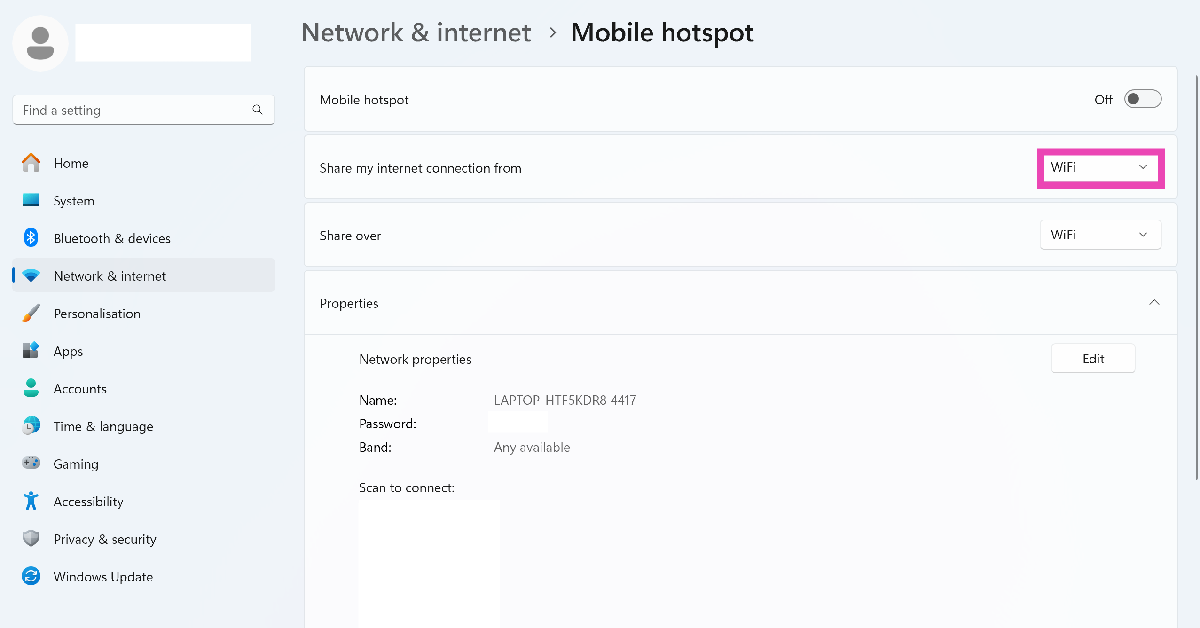
Step 3: Click on Mobile hotspot and choose the connection you want to share (WiFi or Ethernet).
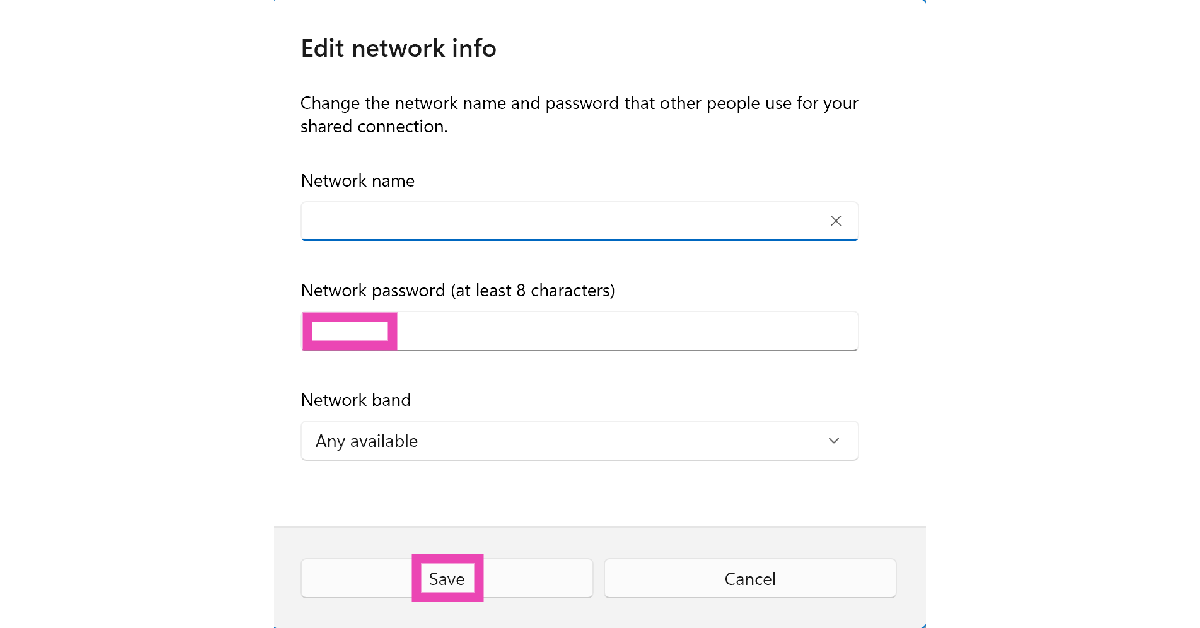
Step 4: To change the mobile hotspot’s name and password, hit the Edit button next to Network properties.
Step 5: You can connect any device to your Windows 11 PC’s mobile hotspot by scanning the QR code in the Properties section. Alternatively, you can manually select the hotspot network on your device and enter the password.
Enable mobile hotspot from the taskbar
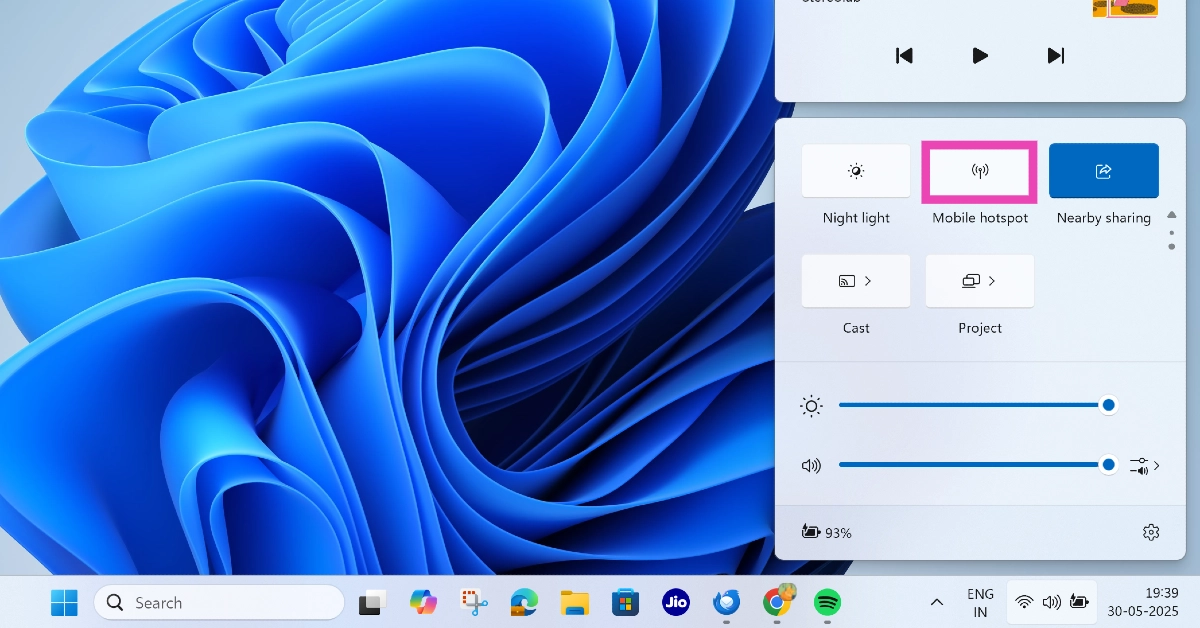
Step 1: Hit the Wifi icon on the taskbar.
Step 2: Scroll through the quick settings tiles and click on Mobile hotspot.
Step 3: Right-click the tile and select Go to settings to edit the hotspot.
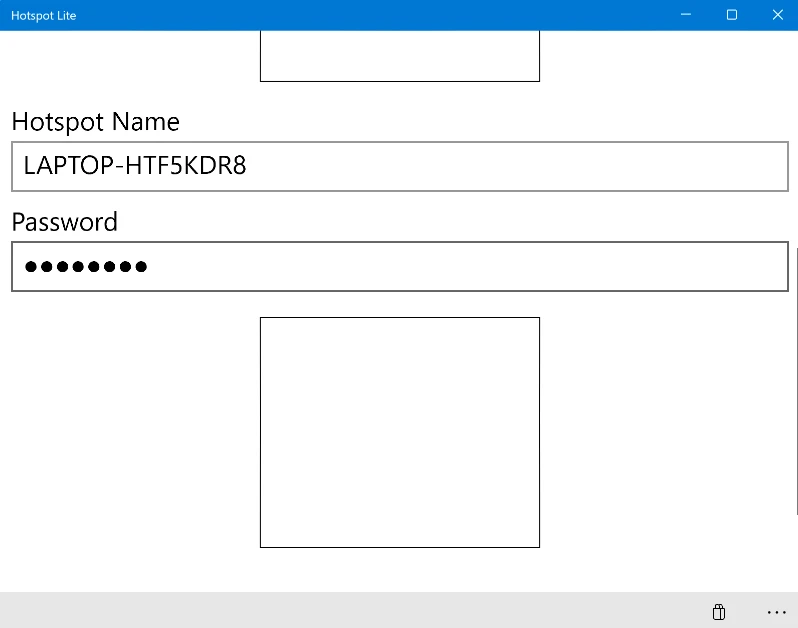
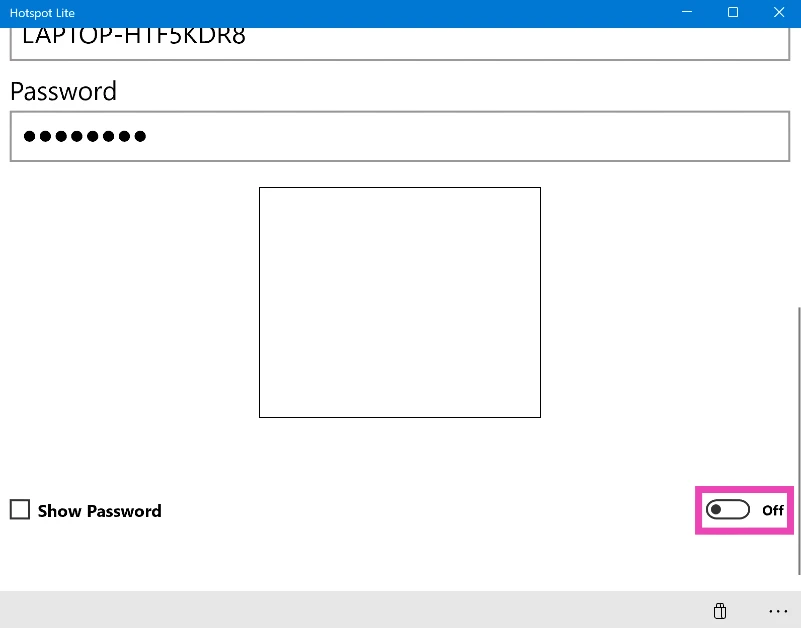
Step 2:Launch the app and set up the hotspot name and password.
Step 3: Turn on the toggle switch at the bottom of the screen to enable the mobile hotspot.
Frequently Asked Questions (FAQs)
Does Windows 11 support mobile hotspot?
Yes, Windows 11 PCs and laptops allow users to create a mobile hotspot natively. You can choose to share your WiFi or Ethernet connection via WiFi or Bluetooth tethering.
How do I enable the mobile hotspot on Windows 11?
Go to Settings>Network and internet, and turn on the toggle switch next to ‘Mobile hotspot’.
How do I change my Windows 11 hotspot’s password?
Go to Settings>Network and internet>Mobile hotspot, and hit the Edit button next to ‘Network properties’. Enter the new password and hit ‘Save’.
How do I connect my PC to my mobile hotspot?
To connect your PC to your smartphone’s mobile hotspot, hit the WiFi icon in the taskbar, click the arrow icon on the WiFi tile, and turn on the toggle switch. Click on the hotspot’s name and enter its password to connect to it.
Why is my PC not showing the mobile hotspot option?
If you can’t view the mobile hotspot option on your PC, give it a quick restart. If that doesn’t work, reset the network settings.
This is how you can create or enable the mobile hotspot on your Windows 11 PC. While you’re here, check out how you can share a VPN connection over a hotspot on your Android phone. If you have any questions, let us know in the comments!
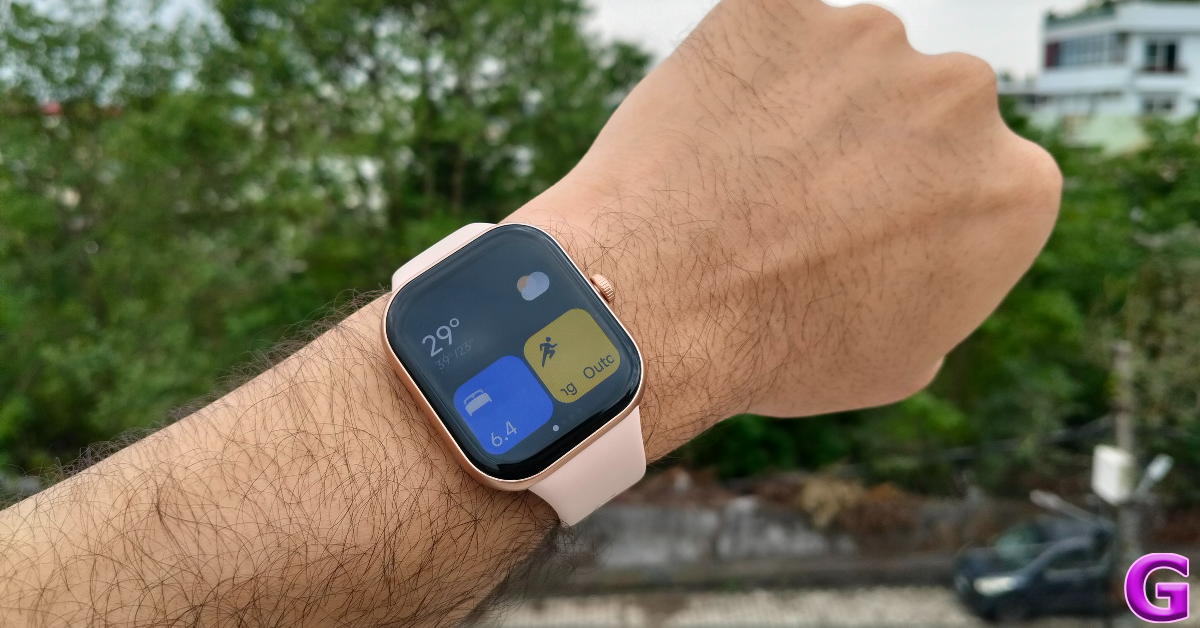
Buying a budget smartwatch in India requires a keen and practised eye. The segment is filled with uninspiring and shoddy products that rarely stand the test of time. However, Redmi is one of the few tech outfits that routinely delivers with its affordable offerings, be it smartphones or smartwatches. Its latest offering, Watch Move, feels like a steal at Rs 1,999. Redmi manufactures this smartwatch in India, which explains its low price tag. The smartwatch rocks a square AMOLED display and runs Xiaomi’s HyperOS. We used it for a week to find out if its health and fitness tracking skills were up to the mark. Here is our in-depth review of the Redmi Watch Move.
Here’s what you get inside Redmi Watch Move’s retail box:
Smartwatch
Magnetic pin charger
User manual
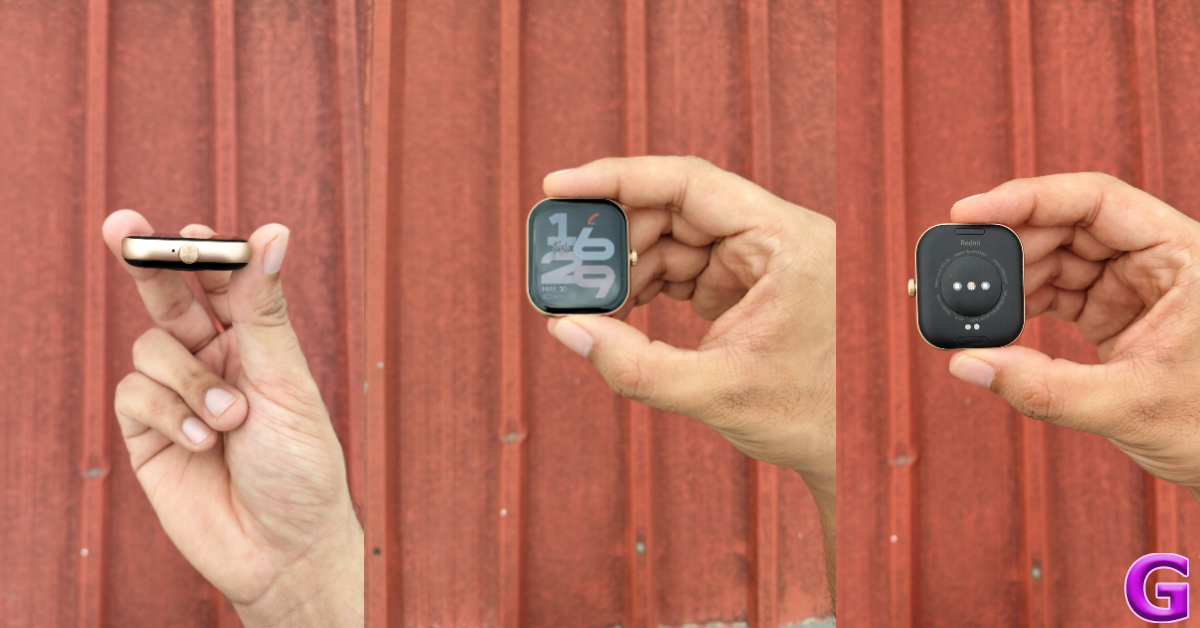
Redmi Watch Move takes design inspiration from the Apple Watch. Its square dial is slightly curved around the edges and seamlessly blends into the plastic frame. The frame has a matte finish and complements the colour of the strap. On the left edge of the frame lies the rotating crown and the microphone. The bottom panel houses the sensor array, magnetic pin connector, and the speaker grille. The smartwatch is available in 4 shades: Black Drift, Gold Rush, Silver Sprint, and Blue Blaze.
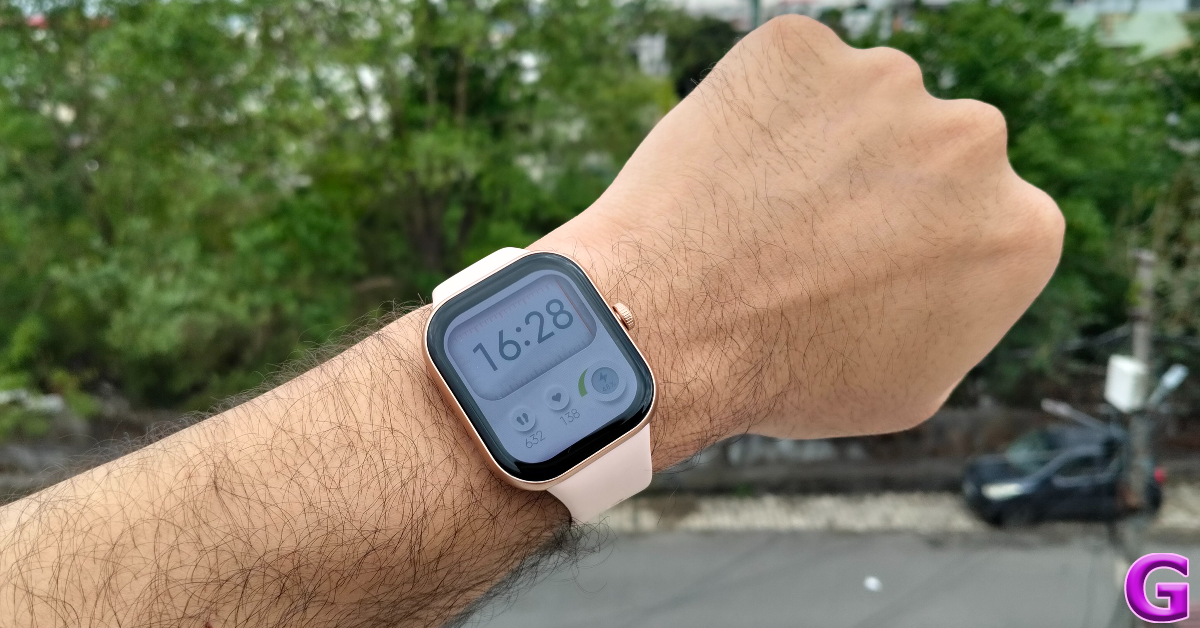
The 1.5-inch AMOLED display is the star of the show. It has a 60Hz refresh rate and can hit a peak brightness of 600 nits. While it’s not the brightest display we’ve ever seen, it can hold its own in outdoor daylight conditions. Browsing and sifting through the metrics on this watch is a smooth and satisfying experience due to its brilliant touch response. The 390 x 450p resolution and 322ppi pixel density produce crisp visuals. Surrounding the display are thick bezels that bring the screen-to-body ratio down to 74%.
Redmi Watch Move’s strap is made out of TPU instead of silicone. While it fits snugly around the wrist, it tends to cause itchiness when things get sweaty. We experienced this while working out and embarking on outdoor hikes. After prolonged exposure to sweat, the TPU strap leaves an odour. A breathable fabric strap option would have been a nice addition to this watch. If you need a silicone strap to go along with your wearable, we recommend taking a look at the Redmi Watch 5 Active.
With an IP68 rating onboard, the Redmi Watch Move remains unfazed by excessive sweat. We wore the device during rigorous workouts and were happy were its performance. Wearing the watch while it was raining did not present any problems either.
Redmi Watch Move Review: Performance
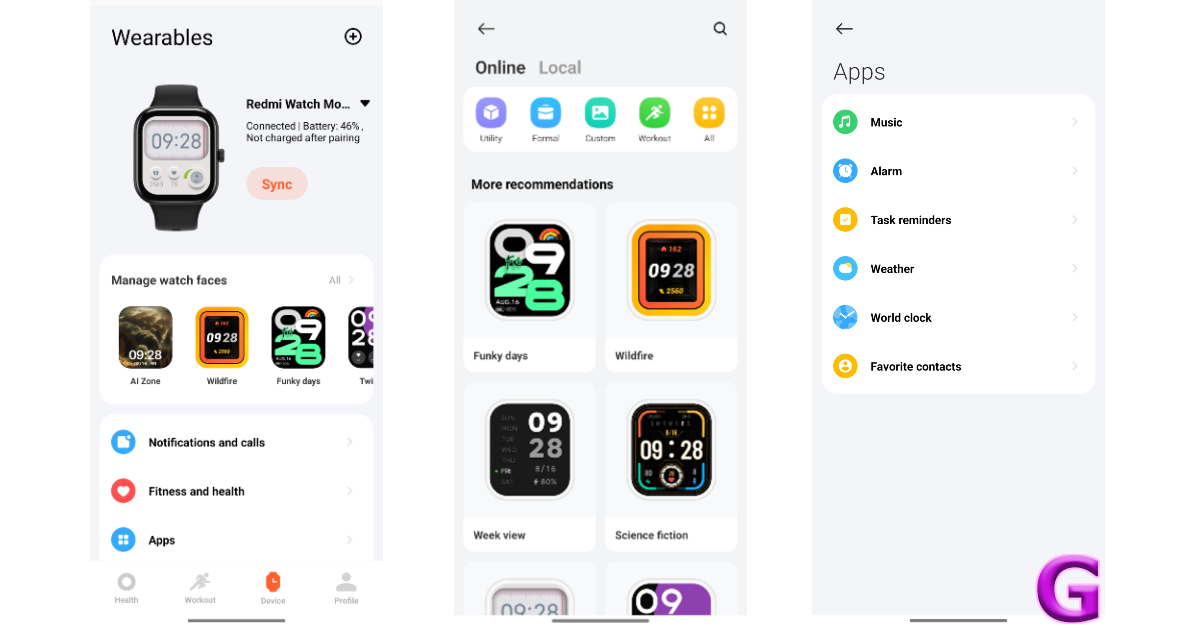
The Redmi Watch Move supports Bluetooth 5.3 and is compatible with smartphones running Android 6/iOS 12 and above. Pairing the smartwatch to your phone requires downloading the Mi Fitness app.
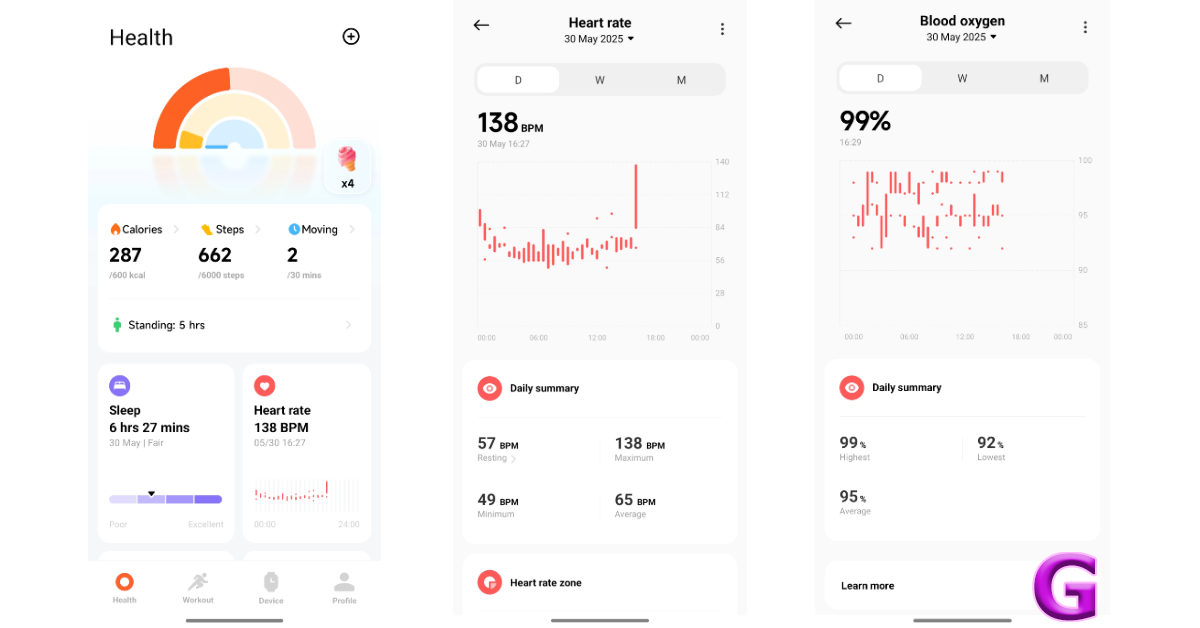
The smartwatch’s sensor array comprises an accelerometer, a heart rate sensor, and a blood oxygen sensor. This is a pretty basic setup, but it gets the job done. The readings from the heart rate and blood oxygen sensors are consistent with medical-grade equipment. Both sensors are capable of working in the background and taking readings throughout the day.
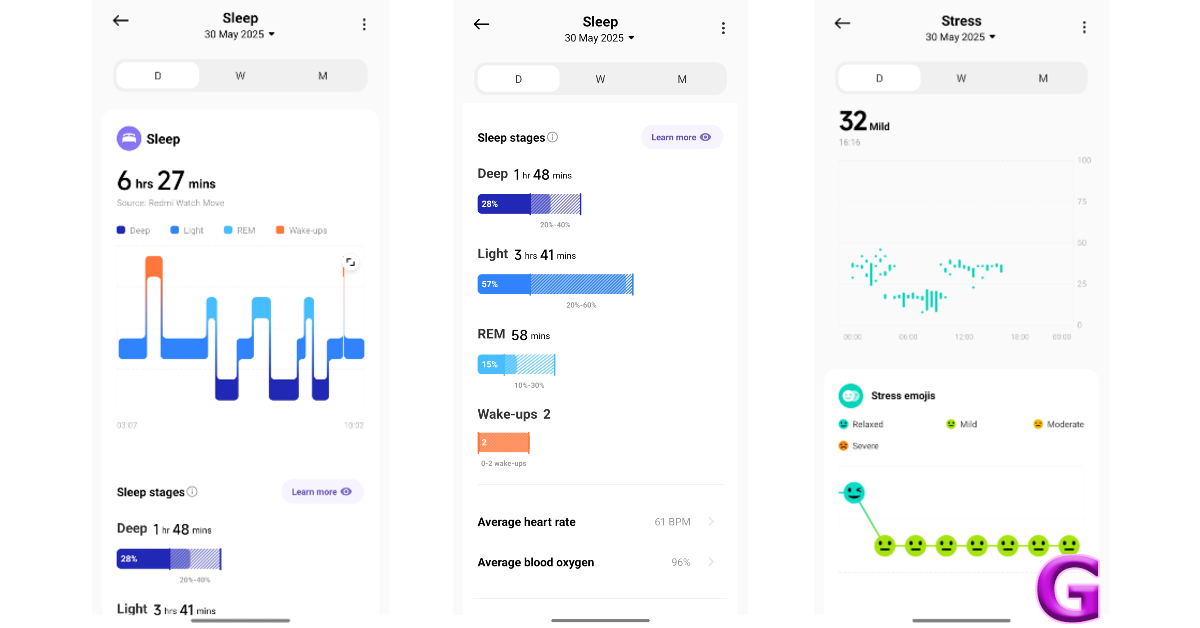
We were very surprised by this smartwatch’s sleep tracking abilities. Usually, budget wearables mess up big time when it comes to recording the exact time when the user falls asleep and wakes up. The Redmi Watch Move does this accurately without any hiccup. It also does a good job of breaking down the sleep cycle into different phases and judging the quality of sleep.
The fitness tracking functions of the Redmi Watch Move do not disappoint either. The smartwatch quietly tracks your steps throughout the day with up to 98.5% accuracy. It also supports over 140 sports and workouts, including outdoor running, walking, jump rope, treadmill, cricket, basketball, golf, soccer, HIIT, yoga, stair climbing, pilates, and more. Since it does not have a built-in GPS, the watch relies on your smartphone to track your outdoor runs. The data gets seamlessly synced to the Mi Fitness app.
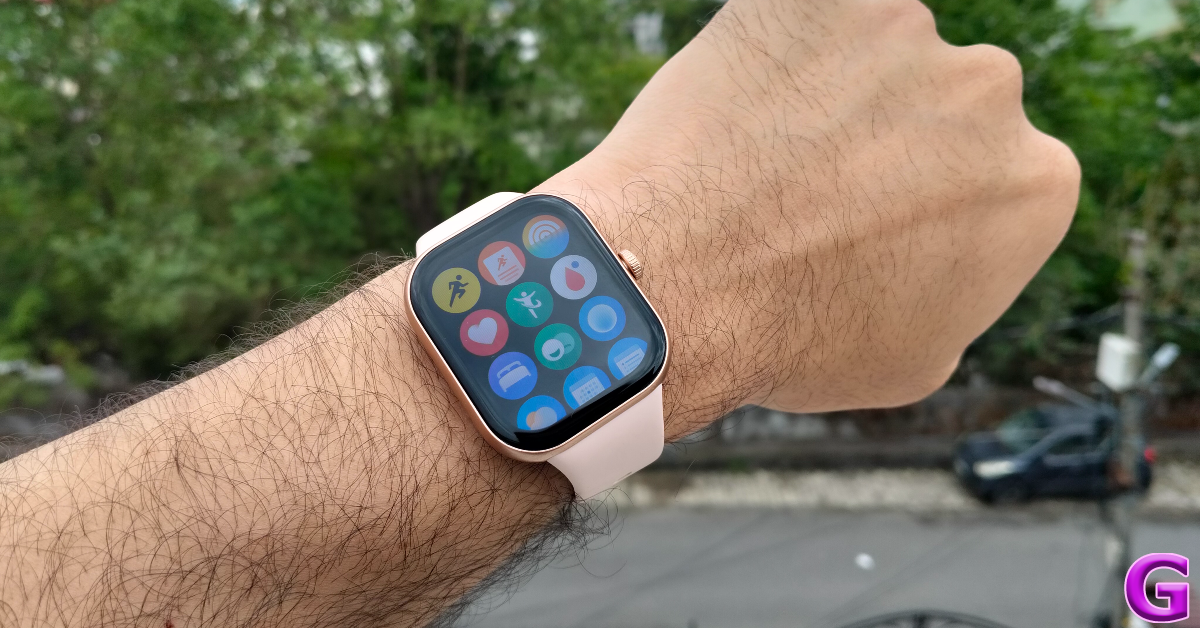
Moving on, Xiaomi’s HyperOS provides a very pleasant software experience on this smartwatch. To begin with, the touch controls are tuned very nicely. Swiping down on the home page reveals the notification panel, while swiping up gives you access to the quick settings menu. Swiping left or right pulls up the widgets on the screen. A firm tap of the palm on the display puts it to sleep. Xiaomi has done a good job of integrating the physical crown into the interface. Pressing it once takes you to the app drawer. You can rotate the crown to scroll down the page. Long-pressing it triggers the AI assistant.
The AI assistant is still in its early stages. It accepts input in English and Hindi, but takes a long time to respond. A lot of the time, its responses are way off. The real letdown is that it cannot access the health and fitness metrics recorded by the watch. Asking the assistant how many steps you walked in the last week returns no response. We hope Xiaomi will add this functionality to the assistant in its future iterations. On the bright side, the AI watch face generator churns out good wallpapers based on your prompts. After 30 free trials, you’re asked to subscribe to the AI package. For us, it was an easy pass.
Using the smart functions of the Redmi Watch Move requires connecting it to your smartphone via Bluetooth. The smartwatch can make calls and send quick replies to messages. You can add the quick responses on the companion app and fire them away from your watch. The smartwatch has apps for world clock, camera shutter, weather, timer, alarm, find phone, flashlight, and more.
After the week-long review period, we were left with a 48% charge on the Redmi Watch Move. This is consistent with Redmi’s 14-day battery life claim. On heavy use, the battery life drops to 10 days. With Always on Display turned on, the smartwatch can go up to 4 days on a full charge. The 300mAh battery pack takes over an hour to fully charge.
The Redmi Watch Move nails the basics with expertise. It does a great job of counting steps, tracking essential health metrics like blood oxygen and heart rate, and charting workout data. Its smooth AMOLED display and accurate sleep tracking skills propel it above the rest of the smartwatches in the sub-Rs 2,000 price bracket. Our only complaint is with the TPU strap, as it gets itchy with exposure to sweat. The AI assistant is not all the way there yet, but we’re excited to see what Redmi does with it in the future.
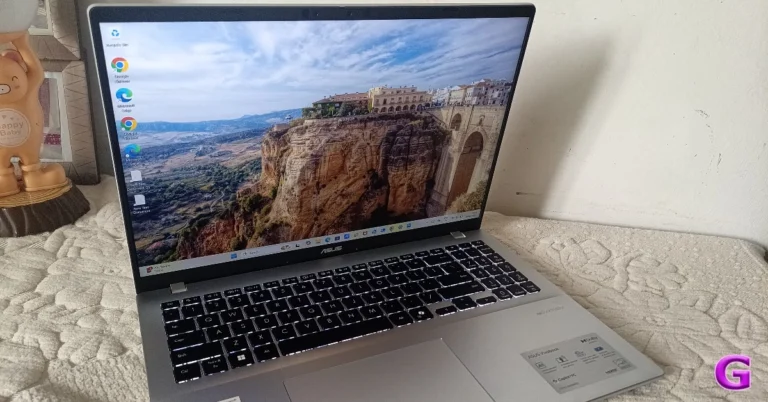
You’ve come to the right spot if you’re seeking a laptop that is thin, light, robust, and offers a respectable level of performance for less than Rs 70,000. We have been using the Asus Vivobook 16 for a week or so now, which was sent to us for review. We only have to say that it is a fine laptop for people who want a device with adequate power to play games, explore artificial intelligence, and meet other demands.
In This Article
ASUS VivoBook 1607QA Review: Design and Display
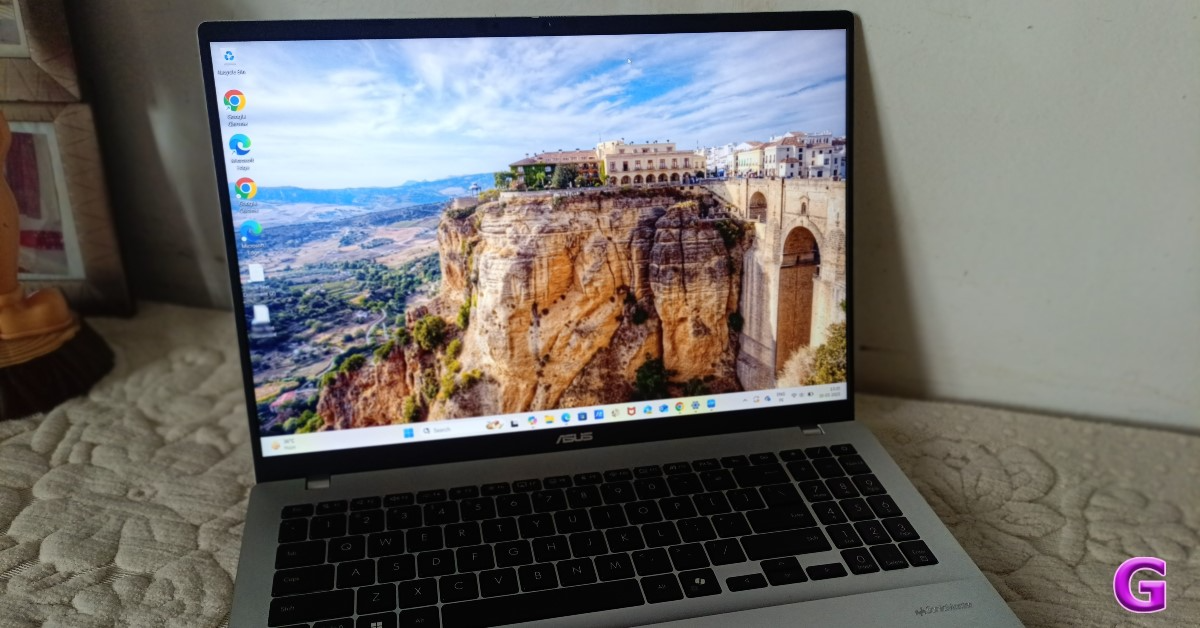
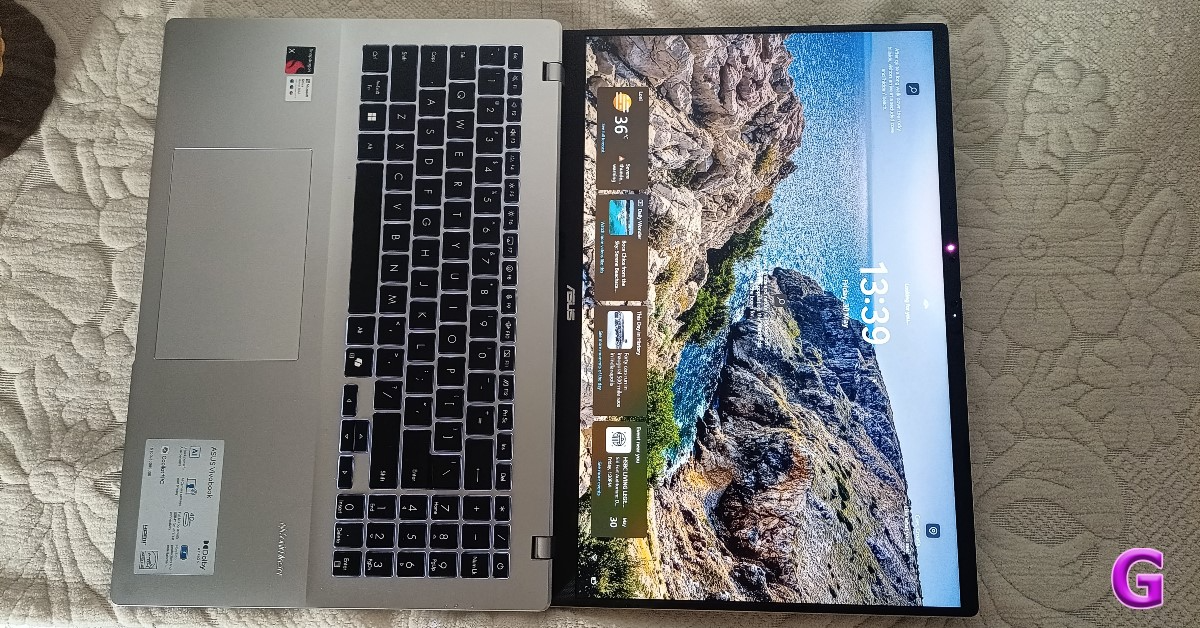
The ASUS VivoBook 1607QA boasts a respectable mid-sized screen. The 16-inch display is a classic choice because it is comfortable on the eyes, frequently permits high resolutions, and provides rich details on the screen. It also uses little power and allows devices to be relatively small.
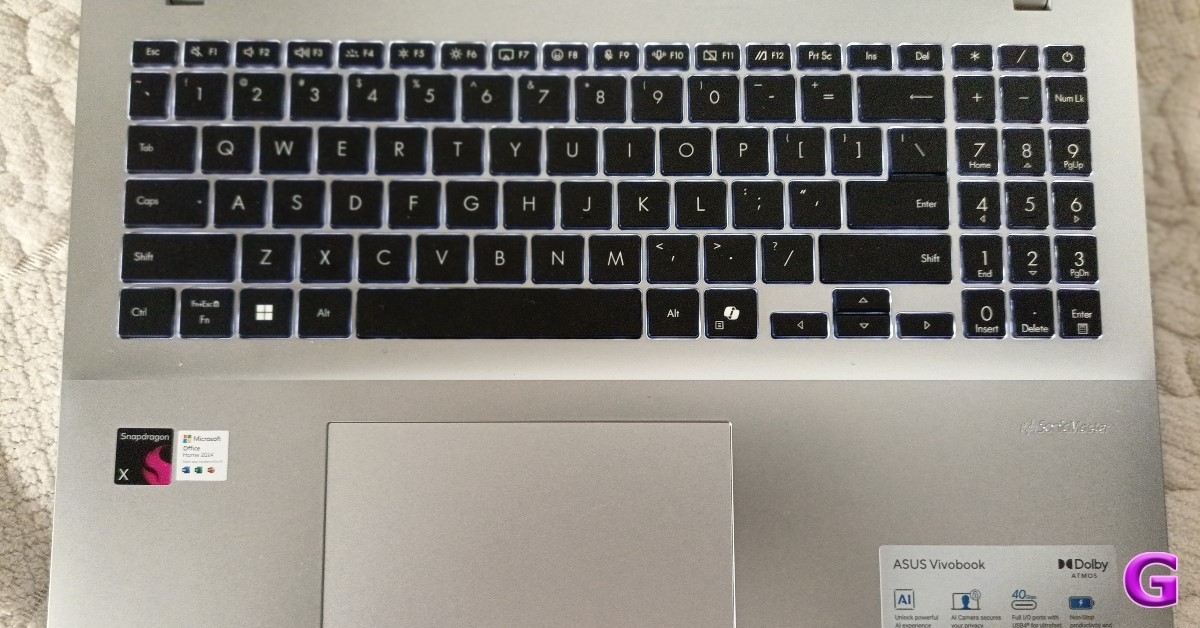
The Snapdragon X126100 Qualcomm Oryon CPU is available for less than Rs 67,000. X is essentially Snapdragon’s lower version. Just so you know, there are two versions of the processor: X Plus and X Elite. Although this lies in the budget segment, you won’t necessarily be denied the features.
A 65W power adapter and a power cord are included in the package. Yes, it is a Type-C PD adaptor; thus, you may use it to charge devices other than your laptop. Super handy.
This laptop is made of polycarbonate. The two colourways that it comes in are white, blue and cool silver.
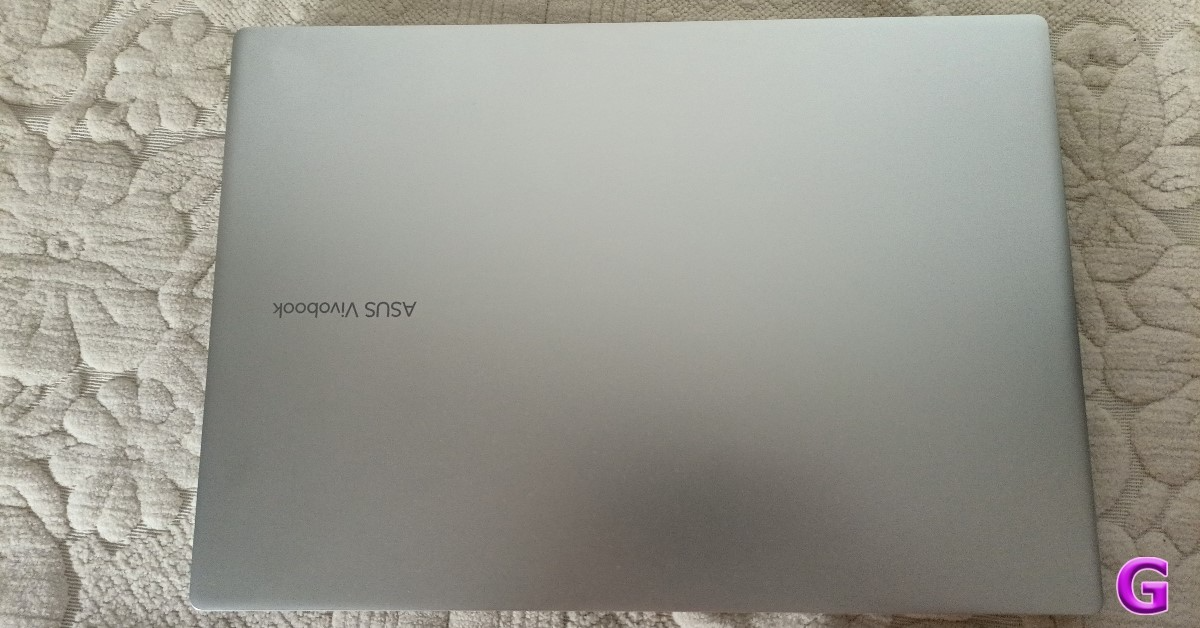
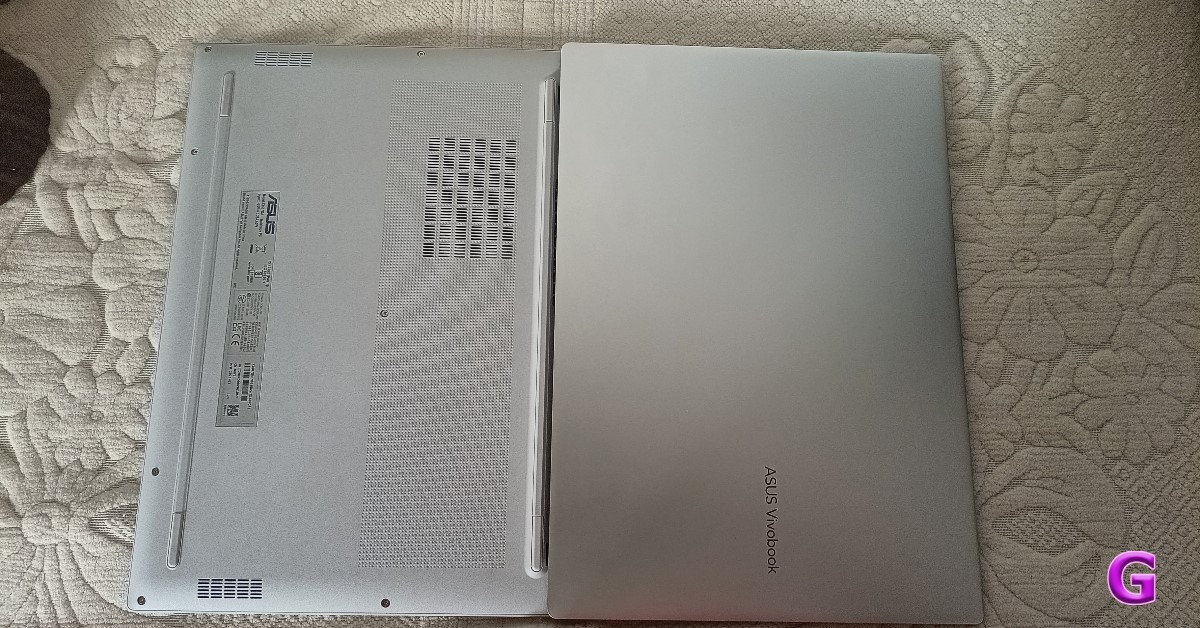
The laptop has rounded sides. Therefore, if you hold it in your palm, it doesn’t feel jagged. The ASUS VivoBook logo is shown on the top lid, which is basic. The laptop has a decent weight distribution. The lid is relatively easy to open with one hand. Over that, this laptop weighs 1.9 kg.
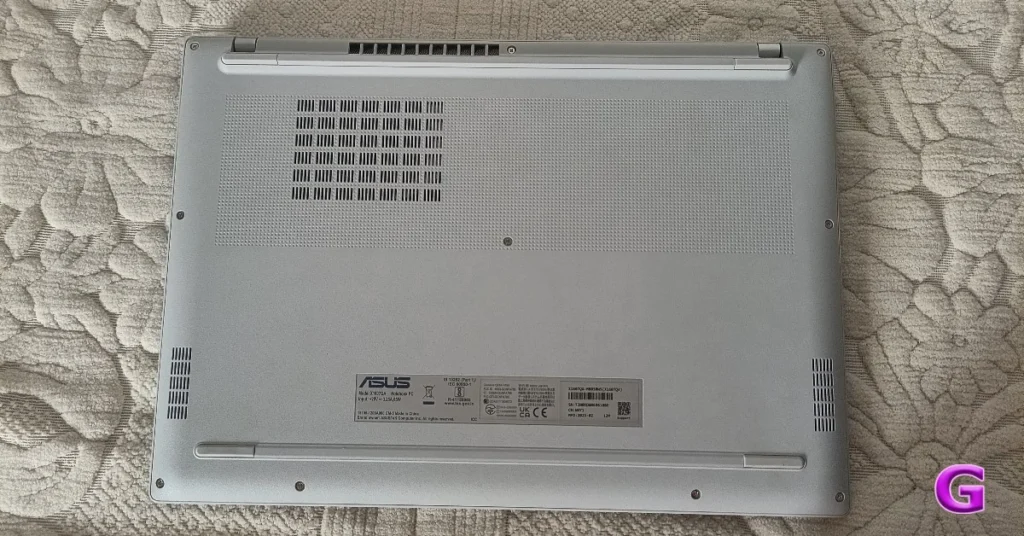
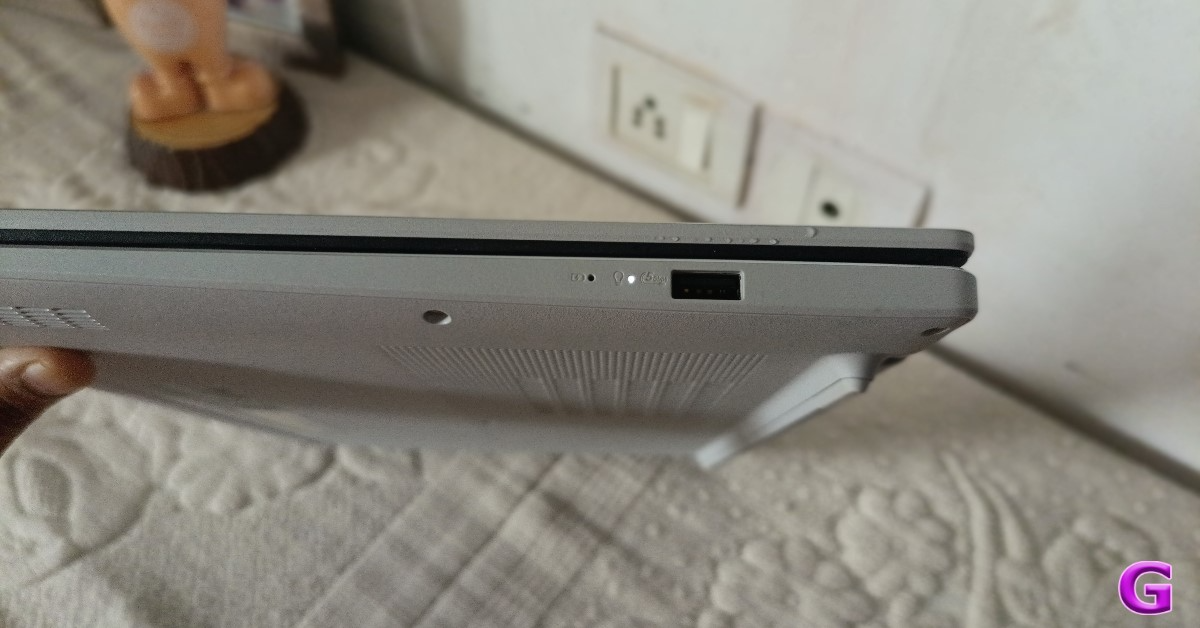
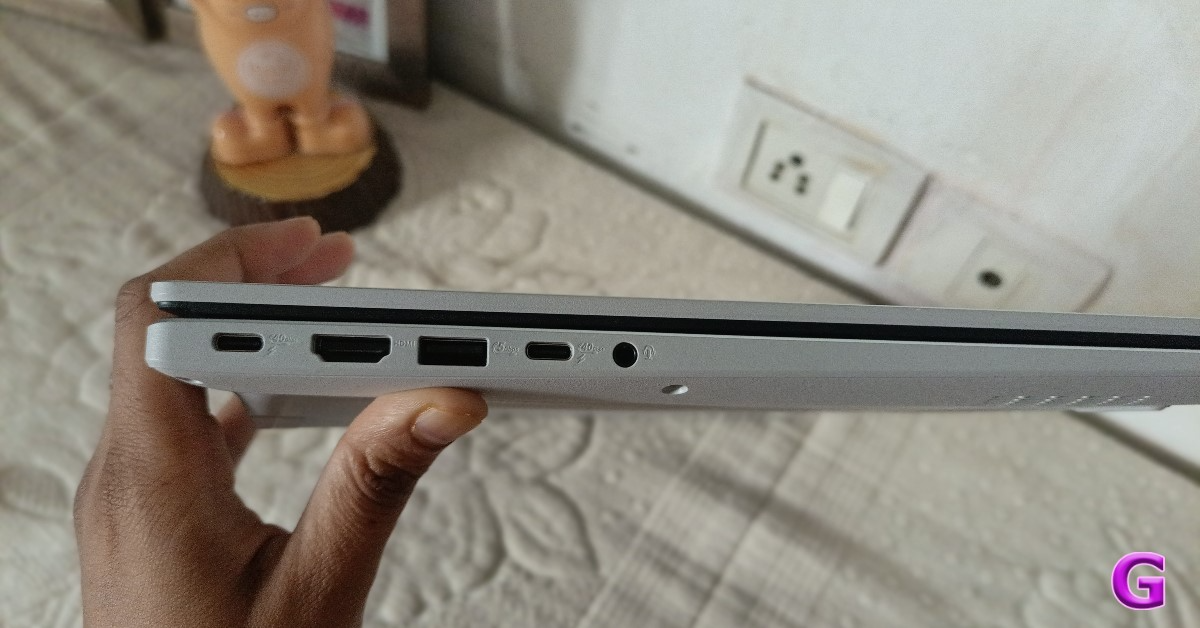
ASUS VivoBook 1607QA’s hue is different from the rear; it’s off-white and silver. There is a small, stone-like texture to the polycarbonate at the rear. A single fan intake and a row of exhaust vents are positioned close to each other in the cover’s tiny back opening. In order to keep exhaust air from being drawn back into the notebook, while the machine is on a desk, the feet raise the laptop for better cooling.
The lid of this machine is capable of turning 180 degrees. The top lid flexes somewhat, but the keyboard does not. A word of caution: do not fully open the lid while the fan is operating, since the base of the lid frequently blocks the exhaust port entirely.
Also, users will find that the notebook is also certified 810H, a US military standard. Therefore, it won’t have any issues if your laptop falls. You must use care, though, because it is an electrical device.
This laptop, the X1607QA, has a ten-key numeric keypad, a backlit chiclet-style keyboard with 1.7mm travel keys, and an entire set of letter and symbol keys. Shortcuts are automatically assigned to the top row, although function keys can be changed. The keyboard is quiet, roomy, and provides excellent feedback.
The black keys keep the key icons from merging in with the background in daylight, while the white illumination is sufficient in the dark. Measuring 13 cm by 8.5 cm, the trackpad for the keyboard is spacious and level with the base. The Copilot key replaces the right-side control key, and Windows’ customisation choices are constrained.
When it comes to activities like content creation, streamlining workflows, and presentation improvement, the Copilot key provides rapid access to AI technologies that improve productivity and intuitiveness. This AI-powered laptop redefines the idea of a laptop that genuinely works for the user and is a potent partner for both personal and business needs.
Users may set this key to an AI app like ChatGPT, deactivate it, or switch it to Windows Search. However, setting it to the control panel or other functions is not a possibility.
All of the windows’ gestures are supported by the trackpad, including the four-finger swipe to minimise all of the windows. You can also use some clever gestures, such as controlling the brightness and volume with slow swipes on the left and right sides of the trackpad, respectively.
On the left and right, users will find all the ports. This machine walks in with an audio combo jack, HDMI, and two USB 3.2 Gen 1 Type-A ports, guaranteeing compatibility with a variety of devices and peripherals.
A comprehensive set of I/O connections provides improved connectivity, including two USB4 ports with 40Gbps data transfer speeds, DisplayPort, and Power Delivery for simultaneous charging and external display connection with a single cable.
With the machine’s AI camera and Windows Hello, users can log in quickly and securely, protecting their personal information without compromising speed.
It records in 1080p, which is good for video calls, which is not something that is often available at this price range. The IR sensor is really useful since it allows the laptop to automatically lock when you leave its sight and unlocks when you return. It also has a feature that dims the screen when you look away from it and turns it back up when you look at it again.
Additionally, the built-in privacy screen glides over the webcam to provide immediate privacy protection from prying eyes and disruptions.
With its gorgeous 16:10 display, FHD+ IPS 60 Hz resolution, and 89% screen-to-body ratio, the ASUS Vivobook 16 offers bright, expansive images in a thin, light design. The panel is approved for reduced blue light and has a three-sided NanoEdge design. The panel offers a 300-nit maximum brightness and a matte anti-glare coating. HDR and touch are not supported.
The display feels adequate and functional at its brightest indoor setting. Although it is difficult to read in direct sunshine, the anti-glare coating effectively reduces the requirement for a display backlight to combat stray reflections. Saying that, both top-to-bottom and side-to-side viewing angles are excellent.
The X1607QA display may be used for online surfing, media streaming, and office and web activities.
The X1607QA packs in two down-firing speakers that might not shake the walls, but they sure know how to work a room. With Dolby Atmos support powered by Asus’s Smart Amplifier, Audio Booster tech, and the Dolby Access app, the audio gets a clarity boost that’s hard to ignore. While they won’t win a volume contest, these speakers deliver a surprisingly immersive soundstage that’s perfect for binge-watchers and casual audiophiles alike.
ASUS VivoBook 1607QA Review: Performance
Under the hood, this laptop runs on Qualcomm’s Snapdragon X Elite X1E-61-100 chip — an 8-core, 8-thread Orion CPU that sips power efficiently while flexing up to 28W. It’s paired with a beastly Hexagon NPU capable of 45 TOPS — that’s way more AI muscle than even the latest MacBook Air M4. No wonder it proudly wears the Copilot+ badge.
Graphics? Handled by the built-in Adreno GPU. Memory? You get 16GB of speedy LPDDR5X RAM clocked at 8448 Mbps. For storage, there’s a 512GB PCIe Gen 4 SSD pushing read/write speeds around 6700 Mbps — though if you’re eyeing 1TB, be ready to swap it out, thanks to a single SSD slot. Oh, and yes, a microSD slot really should’ve made the cut.
The device features Wi-Fi 6E and Bluetooth version 5.3, lifetime MS Office 2024, and a 3-month Xbox Game Pass.
Geekbench6 CPU Benchmark results:
Single Core Score- 1,863
Multi-Core Score- 6,711
Geekbench6 GPU Benchmark results: 9,368
Using the Microsoft Pluton security processor, the Vivobook 16 keeps private data, including encryption keys and passwords, in a safe vault inside the CPU. This guarantees strong safety for both commercial and personal data, even in the event of theft, allowing users to operate with assurance and peace of mind.
In order to improve visual clarity during meetings and conferences, the Vivobook 16 laptop has ASUS AI Noise-cancelling Technology and ASUS 3D Noise Reduction (3DNR).
For further protection, a physical webcam privacy barrier is also included. Ultra-low latency sound is guaranteed by the lossless Snapdragon Sound, resulting in improved wireless listening experiences.
This laptop has no problems doing standard light tasks like writing documents and browsing the web. We did not find any latency issues when we ran 4K videos and wrote a document on a split screen. As said before, it’s a co-pilot plus certified laptop. It offers live captioning and other co-pilot functions. which is superior to its predecessors. The translation from Hindi to English is easy. Additionally, it supports up to 21 different Indian languages.
This laptop also features an automatic super resolution. This is a method of upscaling. It will be helpful when playing games. Most laptops with Snapdragon processors provide strong gaming support, and this one is no different. If you are playing a game that supports only low resolution, the laptop is capable of upscaling the graphics on its own.
An image creator is also available on this mean machine. With this, you can add a text prompt and produce a picture. However, this requires a Microsoft 365 membership. The same picture-generating feature is accessible in the Photos app. You don’t need a membership for that. So you can use it. In addition, the Photos app offers a variety of style presets, which you can try by giving your prompt, and you achieve good results.
Moreover, this ASUS laptop comes with the Story Cube application. This is similar to the Google Photos app on your phone. where all of the pictures and videos are shown. In case you were using more devices for taking and uploading images, those devices are also visible there. With this, categories like nature, humans, dogs, etc, are also part of the packageYou may also create video highlights with AI, combining the videos and pictures. It also makes use of the available NPU and does not go to the internet everytime.
The wide touchpad with support for Smart Gestures improves navigation, and the ASUS ErgoSense keyboard provides a pleasant and effective typing experience. The laptops’ smooth control over video playback and volume changes makes them ideal gear for productivity.
While we think the webcam could have been better, the X1607QA camera is still preferable to having none at all. The privacy cover for Windows Hello face unlock is included; however, it only functions when you are close to the notebook, not at an angle, and not in bright light. You should get a separate webcam if your expectations are higher.
Windows 11 Home Edition is pre-installed on the Asus notebook. Additionally, a trial version of McAfee is included, which is uninstallable. In addition, the notebook comes with a three-month Xbox Game Pass subscription and a one-year Office 365 subscription.
The chip’s low power consumption results in outstanding cooling performance. The system is almost noise-free because the fan does not make a clamour most of the time. Except when executing CPU-intensive operations or when the user sets it to Performance mode.
Despite having a 50 Wh battery, the X1607QA uses little power and can be charged rapidly using the supplied charger. The notebook requires more than two hours to fully charge; however, it can be charged to 50% in 30 minutes using the 65W USB-C charger.
Verdict
With its Snapdragon CPU, the X1607QA is a capable and effective computer that can do simple office and online work with a little bit of gaming. When switching from the charger to the battery, its performance doesn’t noticeably decline, and it doesn’t seem weak or low-powered. Even with several tabs and office applications, the 16GB of RAM is sufficient for its intended function. The Asus X1607QA isn’t meant for super heavy image or video editing tasks, but if you want to do regular office work or college projects, it will not disappoint you.
The OnePlus 13s is scheduled to arrive in India on June 5. The pricing range for the OnePlus 13s in India has been disclosed by a source only days before the release. The OnePlus 13s is the company’s forthcoming small smartphone, equipped with a Snapdragon 8 Elite processor and a new programmable Plus Key.
The OnePlus 13s, according to a tipster, would cost more than the OnePlus 13R but less than the flagship OnePlus 13, which was introduced in India for Rs 42,999. The pricing of the OnePlus 13 in India has been disclosed by tipster Yogesh Brar. The forthcoming compact smartphone would cost roughly Rs 55,000.
When the device is released, it will be available for purchase from the OnePlus web shop, Amazon India, and other retail locations.
The company has yet to reveal the RAM and storage configurations of the OnePlus 13s, but has revealed design, colour options, and key features of the OnePlus 13s.
According to the company, the handset will come in two colours and will have a small form factor. In India, the OnePlus 13s will be available in a variety of gorgeous colours, including Black Velvet and Pink Satin.
The OnePlus 13s will be powered by the Snapdragon 8 Elite Mobile Platform. The handset will have a 6.32-inch display. According to the official teaser, the upcoming OnePlus phone will have an updated Short Key that switches out the alert slider. The upcoming smartphone appears to have the same design as the OnePlus 13T, which was unveiled in China earlier this month. This implies the phone will have the exact same specifications and appearance as its Chinese counterpart, the OnePlus 13T.
The OnePlus 13T features a 6.32-inch Full-HD+ display, a Snapdragon 8 Elite processor, 16GB LPDDR5X RAM, and 1TB UFS 4.0 storage. It has a dual-rear camera arrangement with two 50-megapixel sensors and a 16-megapixel front camera. The smartphone features a 6,260mAh battery, 80W fast charging, and a new shortcut key. It also boasts an IP65 dust and water-resistant rating and an on-screen fingerprint sensor.
After a blistering start to the year, smartphone manufacturers hit a lull in the spring as the releases quietened down. Now that we’re in the thick of the summer, smartphone brands across the board are rolling out their midrange offerings. If you’re thinking of upgrading your phone, you can avail of introductory bank offers on new releases. Here are some of the best upcoming smartphones in June 2025.
The OnePlus 13s is one of the most anticipated smartphones of the year. The Chinese manufacturer has confirmed that it will be released worldwide on June 5, 2025. The compact flagship will be powered by the Snapdragon 8 Elite chipset. The smartphone will be available in a variety of vibrant colours, including the India-exclusive Green Silk shade. Being a compact device, the OnePlus 13s will flaunt a 6.32-inch AMOLED display. To shake things up, it will replace the Alert Slider with a Shortcut Key. The rear camera panel will comprise 2 50MP sensors, one for the wide shooter and the other for the ultrawide lens. Despite its compactness, the smartphone will rock a massive 6,260mAh battery pack.
Expected Price: Rs 55,000
Infinix GT 30 Pro
Infinix’s gaming specialist, GT 30 Pro, is confirmed to launch in India on June 3, 2025. The smartphone is powered by the MediaTek Dimensity 8350 chipset. It runs the Android 15-based XOS 15 out of the box. Carrying forward the ‘Gaming Mecha’ aesthetics, the GT 30 Pro flaunts customisable LED zones on its back panel. However, what truly makes this smartphone stand out in the midrange gaming segment is its pressure-sensitive triggers on the frame. Designed for FPS games, these triggers have a 520Hz response rate and can be used to map in-game controls. When you’re not gaming, they can be used to control the camera and media playback.
Expected Price: Rs 25,000
Poco F7 Series
The midrange spectacle, Poco F7, is one of the biggest upcoming smartphones of June 2025. The smartphone will initially be made available in Pro and Ultra variants, and the vanilla model will be added later down the line. The F7 Pro will be powered by the Snapdragon 8 Gen 3 chipset, while the Ultra model will boast the flagship Snapdragon 8 Elite processor. Both smartphones will rock a 6.67-inch AMOLED display with a 120Hz refresh rate and 3,200 nits of peak brightness. Interestingly, the Ultra variant will have a smaller battery than the Pro model. However, it will feature 50W wireless charging, which will be missing in the F7 Pro.
Expected Price: Rs 40,000
Vivo T4 Ultra
Vivo T4
Vivo will add the top-spec Ultra model to its T4 series this month. So far, this midrange series comprises 2 variants: T4x and T4 (our review here). The manufacturer may also add Pro and Lite variants to the series later down the line. The Vivo T4 Ultra will be powered by the MediaTek Dimensity 9300+ chipset. It will feature a 6.67-inch OLED display with a 120Hz refresh rate. The rear camera array will likely have a 50MP primary shooter, a 50MP periscope telephoto lens, and a 12MP ultrawide lens. The smartphone is also expected to get a diverse range of AI features.
Expected Price: Rs 35,000
Oppo Reno14
After launching the Reno13 series in January, Oppo will make a quick turnaround and unveil its successor this month. The Oppo Reno14 will flaunt a 6.59-inch AMOLED display with a 120Hz refresh rate and 1,200 nits of peak brightness. The smartphone will be rated IP69 for dust and water resistance. Powering the device will be the MediaTek Dimensity 8350 chipset. Its triple rear camera array will house a 50MP primary shooter, a 50MP telephoto lens with 3.5x zoom, and an 8MP ultrawide lens. The 6,000mAh battery pack will support 80W wired charging.
Expected Price: Rs 40,000
Nothing Phone 3
Nothing Phone 2
Nothing did not launch a flagship smartphone in 2024 to focus on its budget range. This year, the London-based tech outfit is back with the highly anticipated Phone 3. Expected to go up against the flagship products of Samsung, OnePlus, and Google, the Nothing Phone 3 will likely be powered by the Snapdragon 8 Elite chipset. It will retain its see-through aesthetic and the eye-catching Glyph interface. A periscope telephoto lens will be added to the smartphone’s rear camera array. A lot of the details have been kept under the lid so far, but we expect the company to start rolling out spec drops in the coming weeks.
Expected Price: Rs 90,000
OnePlus Nord 5
OnePlus Nord 4
The OnePlus 5 is one of the upcoming smartphones in June 2025 that will redefine its segment. Last year, the Nord 4 impressed critics and audiences alike with its metal shell. It remains to be seen whether it will be carried forward to the Nord 5. What we know for sure about the smartphone is that it will be powered by the MediaTek Dimensity 9400e chipset. Its dual rear camera array will comprise a 50MP primary shooter and an 8MP ultrawide lens. The smartphone will pack a much larger 7,000mAh battery and will retain 100W fast charging.
These are the top 7 upcoming smartphones of June 2025. Keep watching this space as we keep you updated about new releases. Which smartphone are you most excited about? Let us know in the comments!



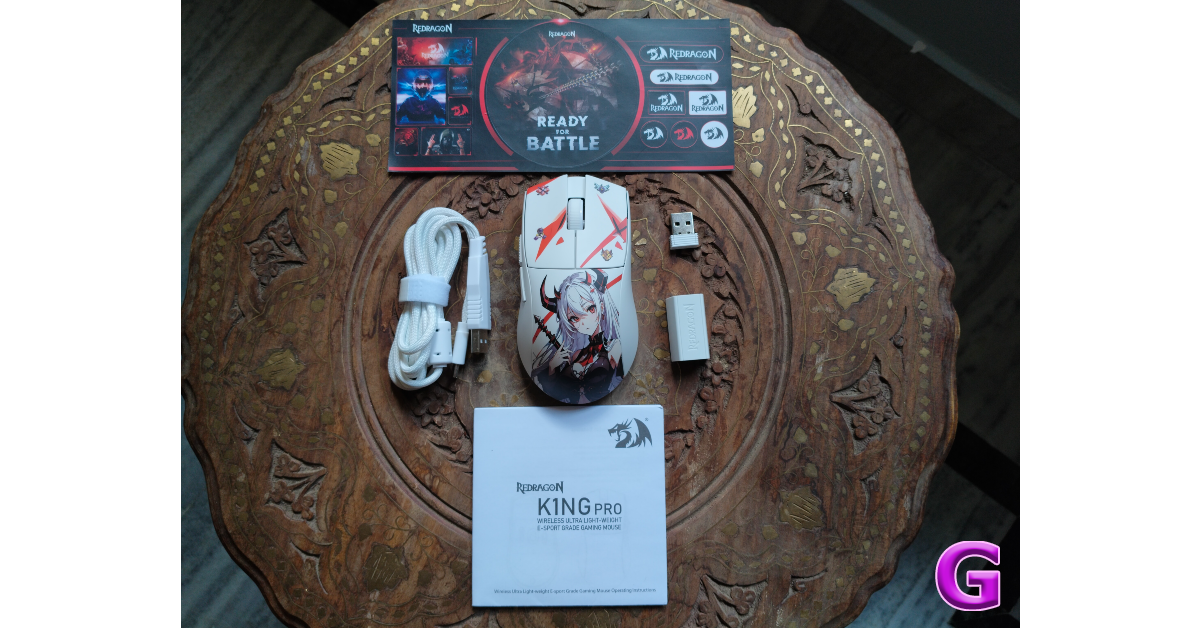
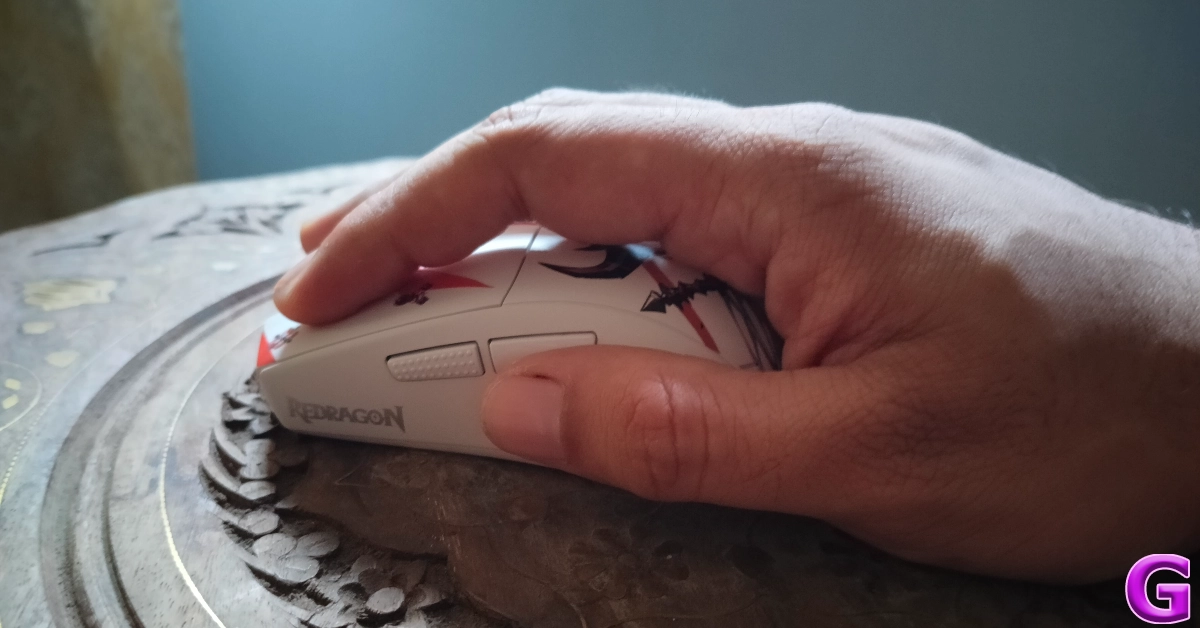
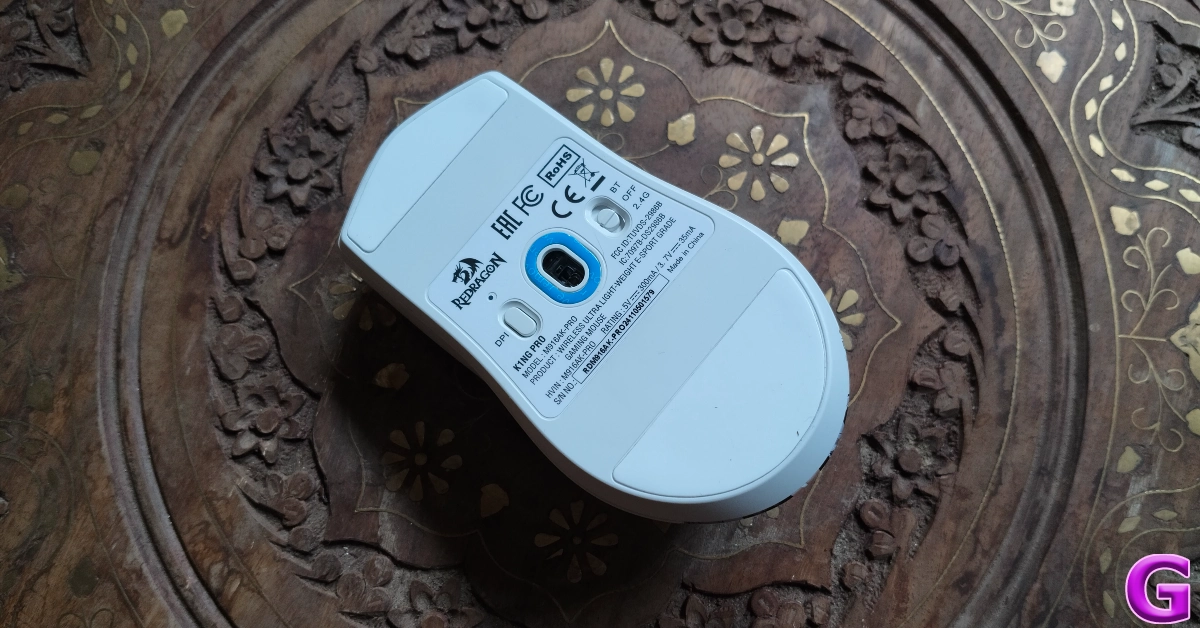



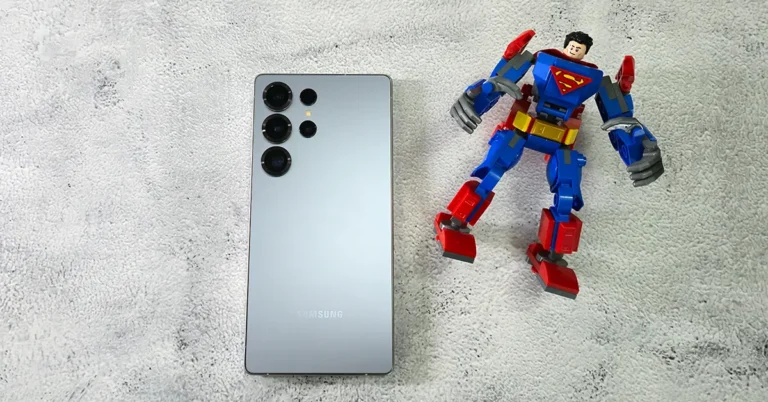
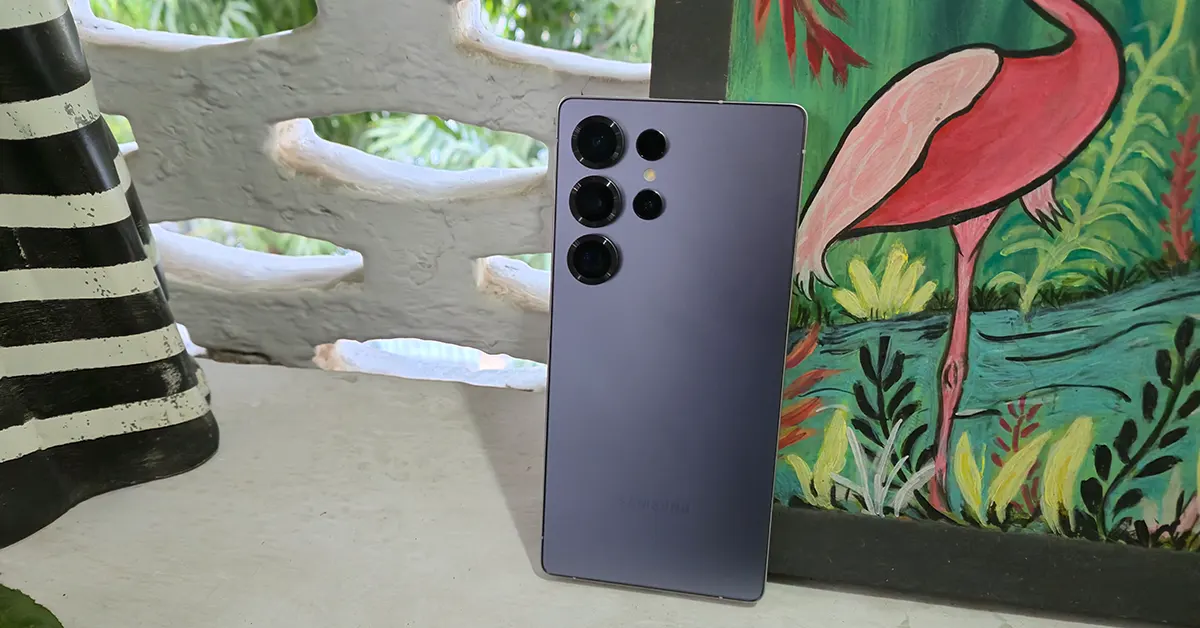
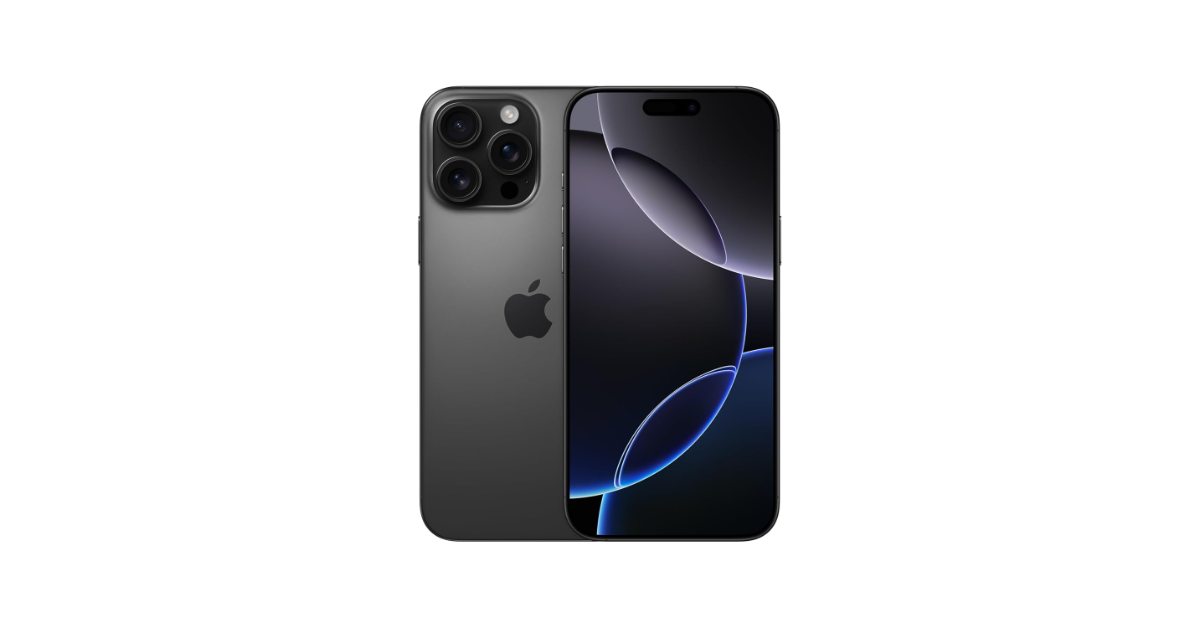
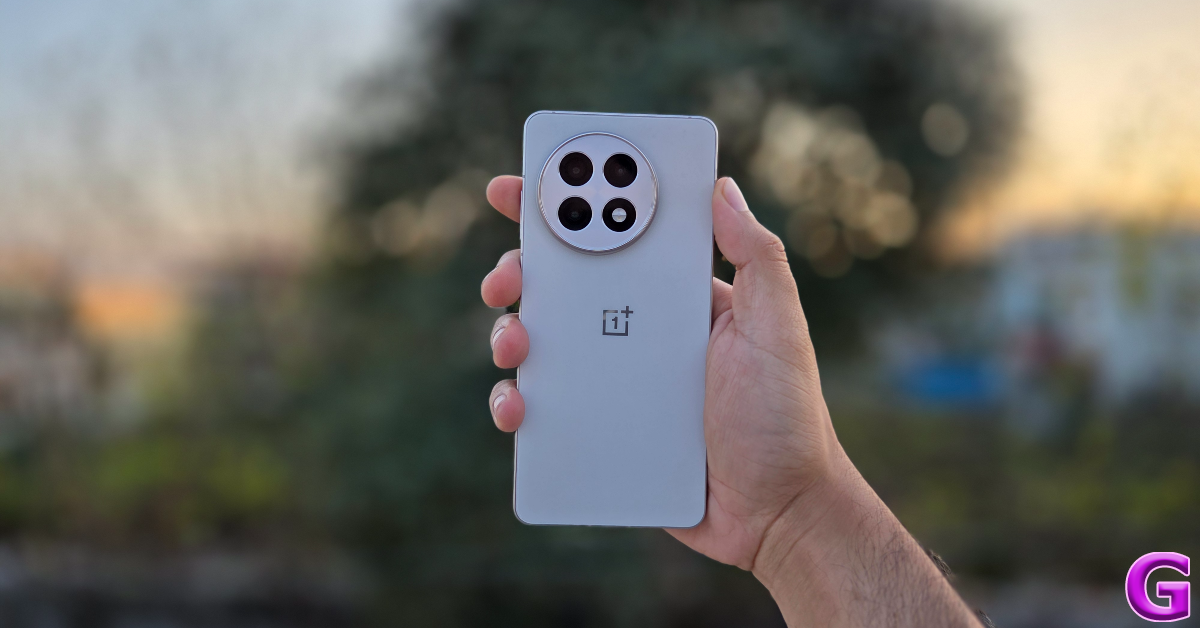
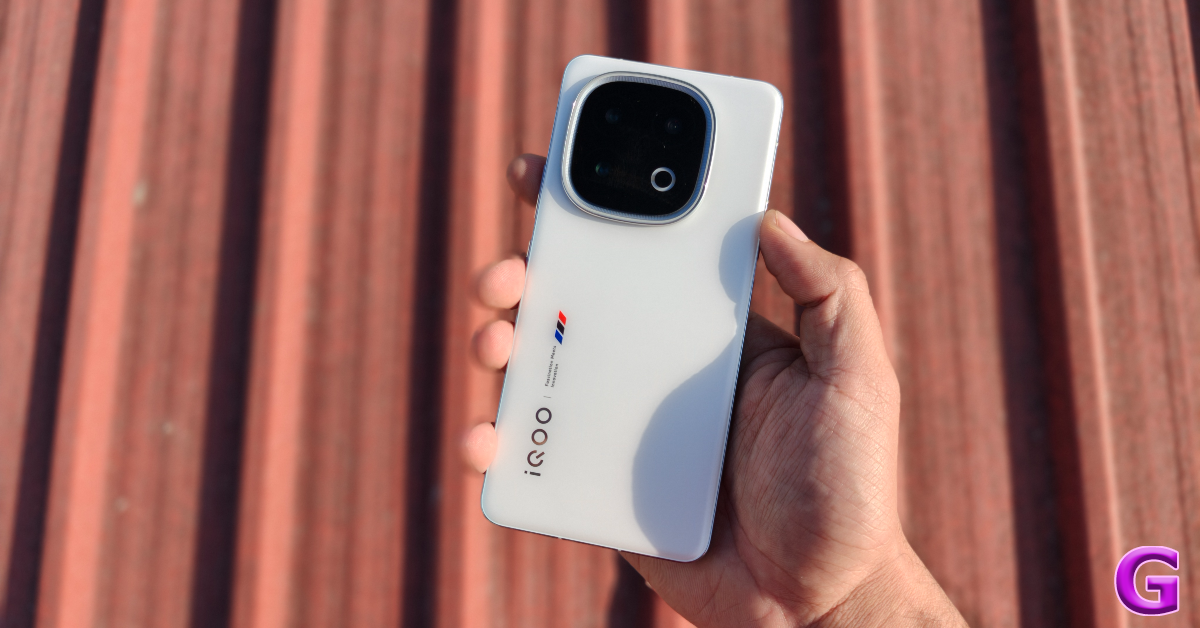

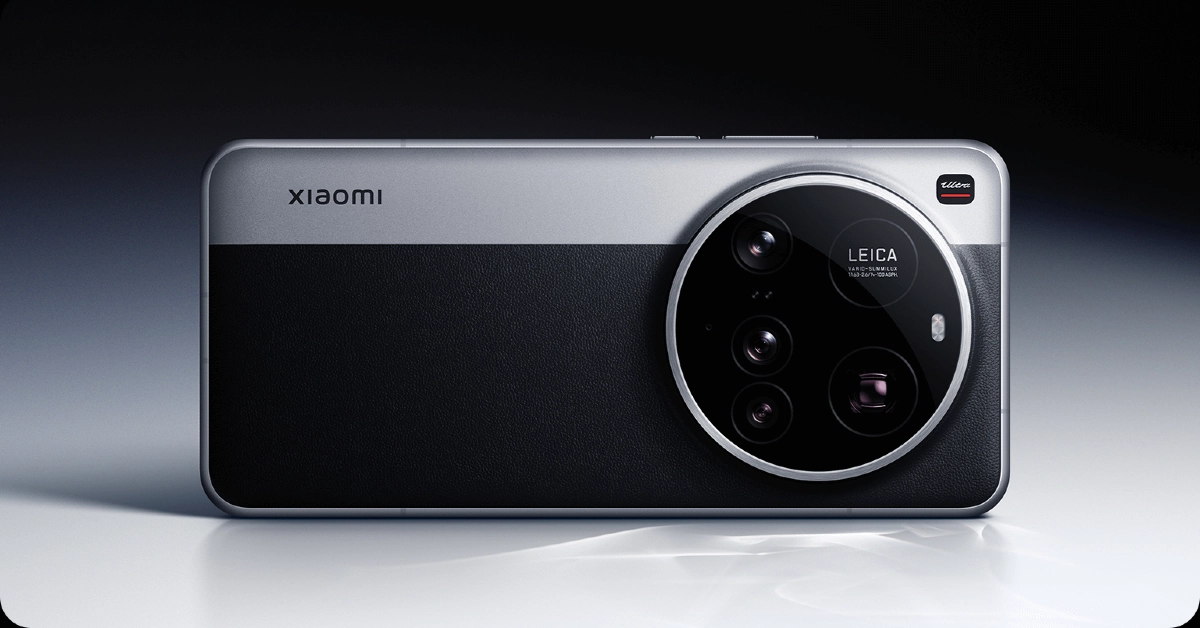


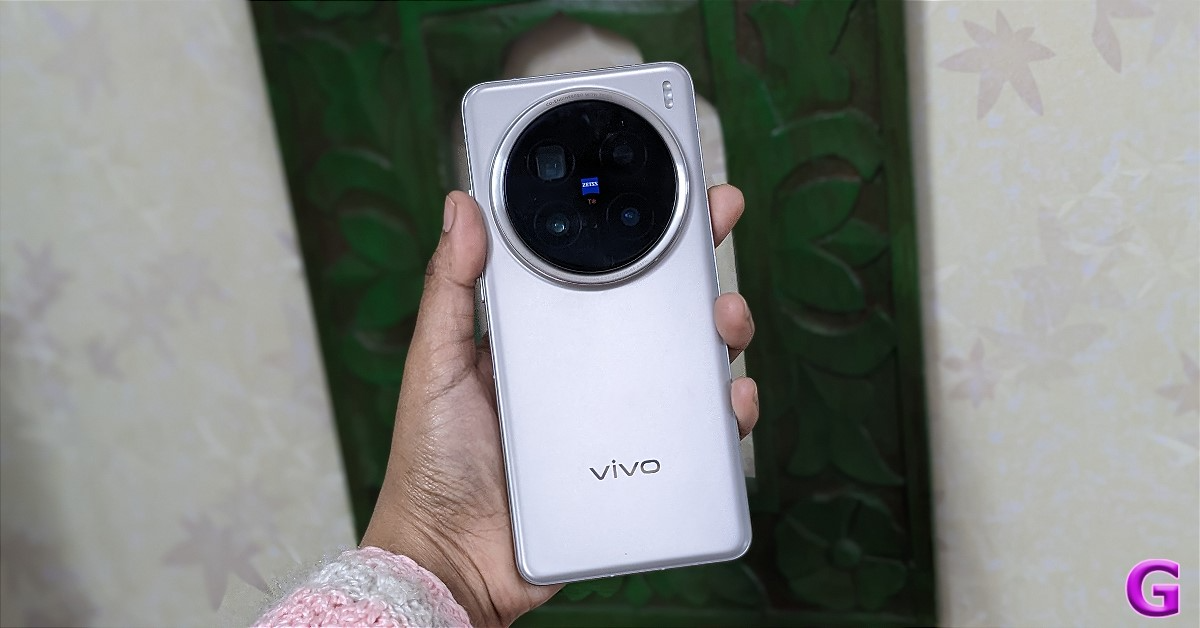
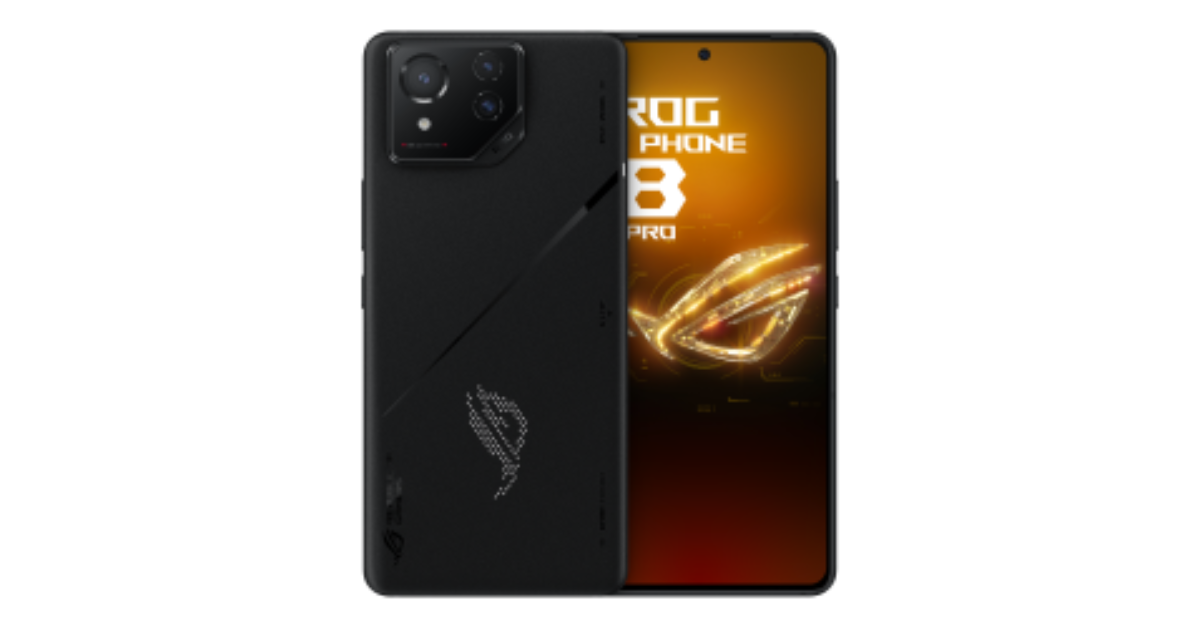
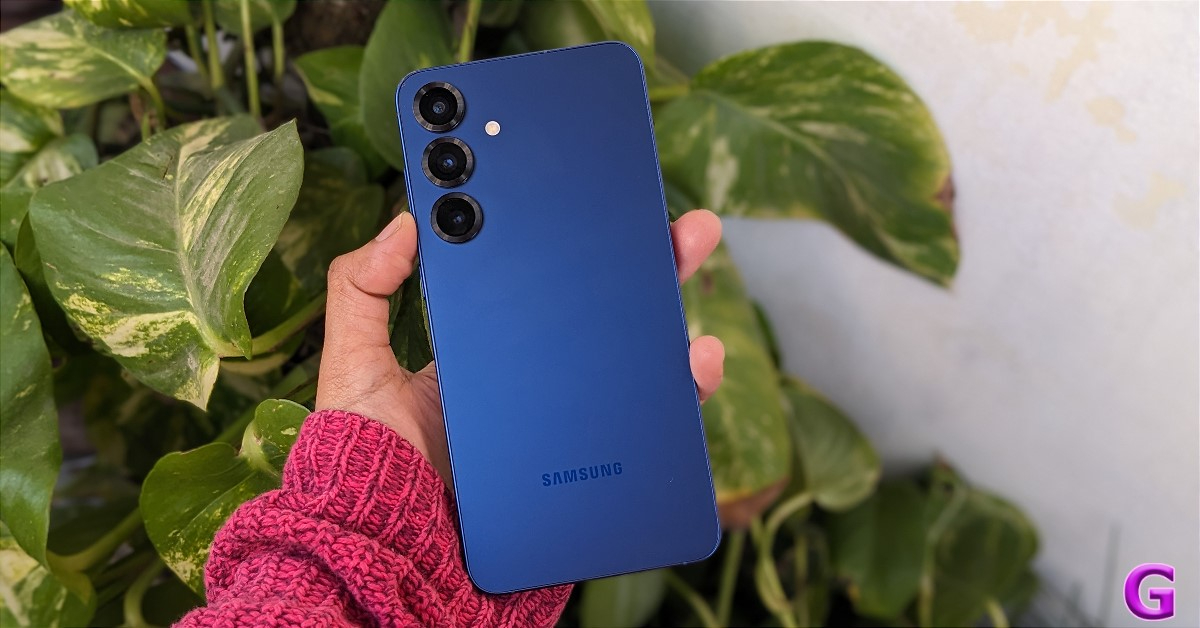
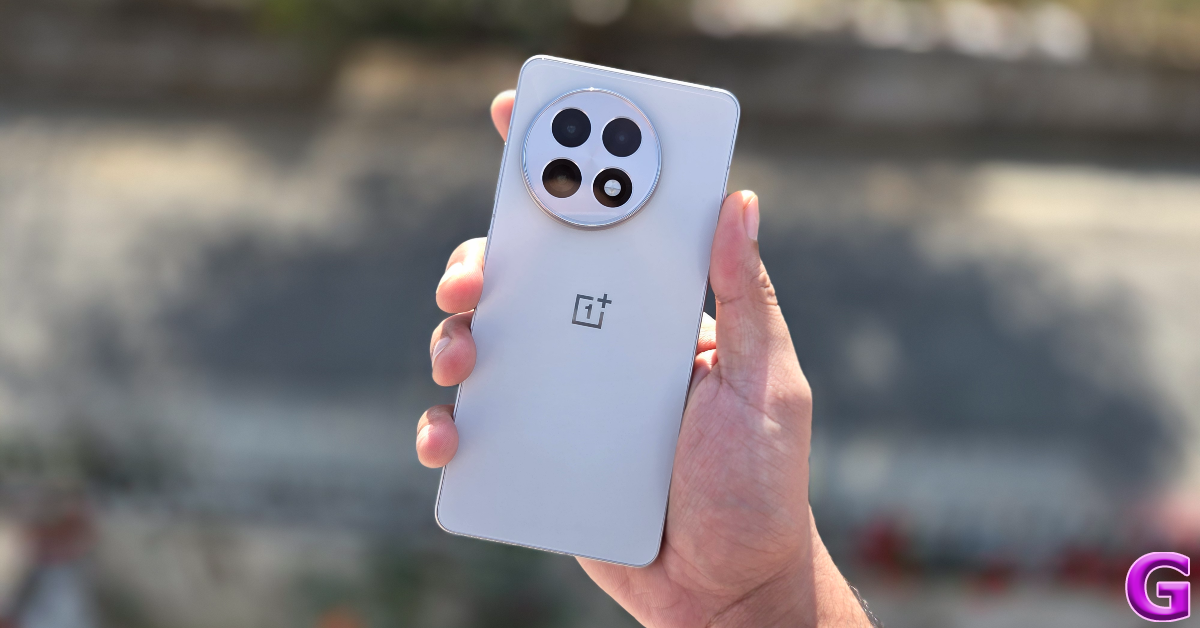
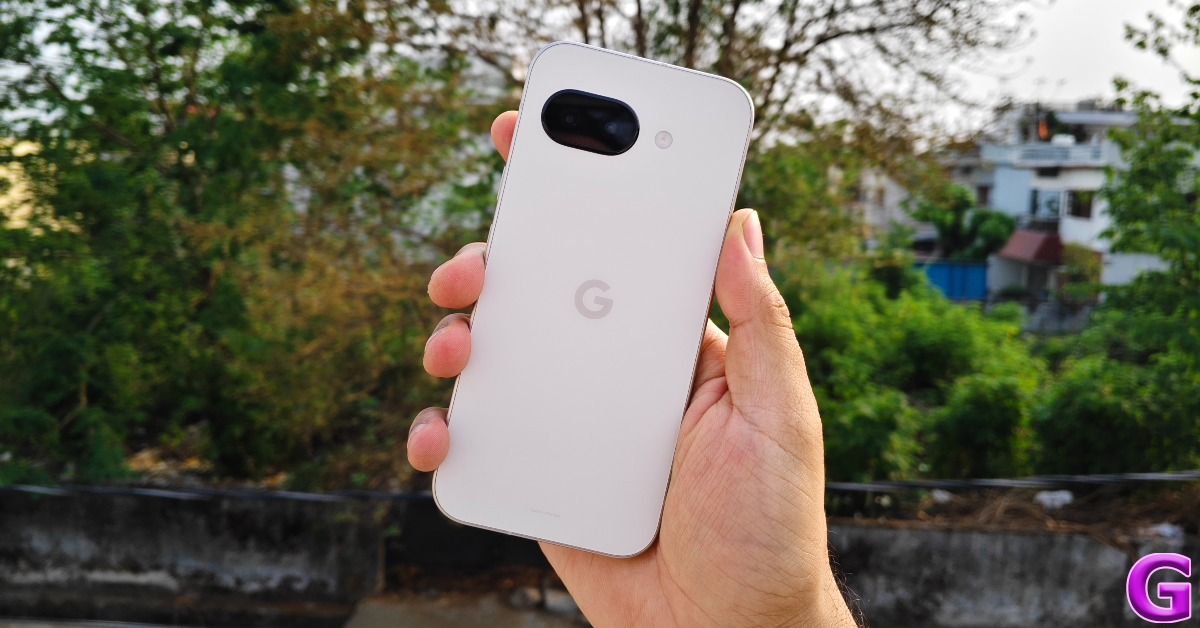
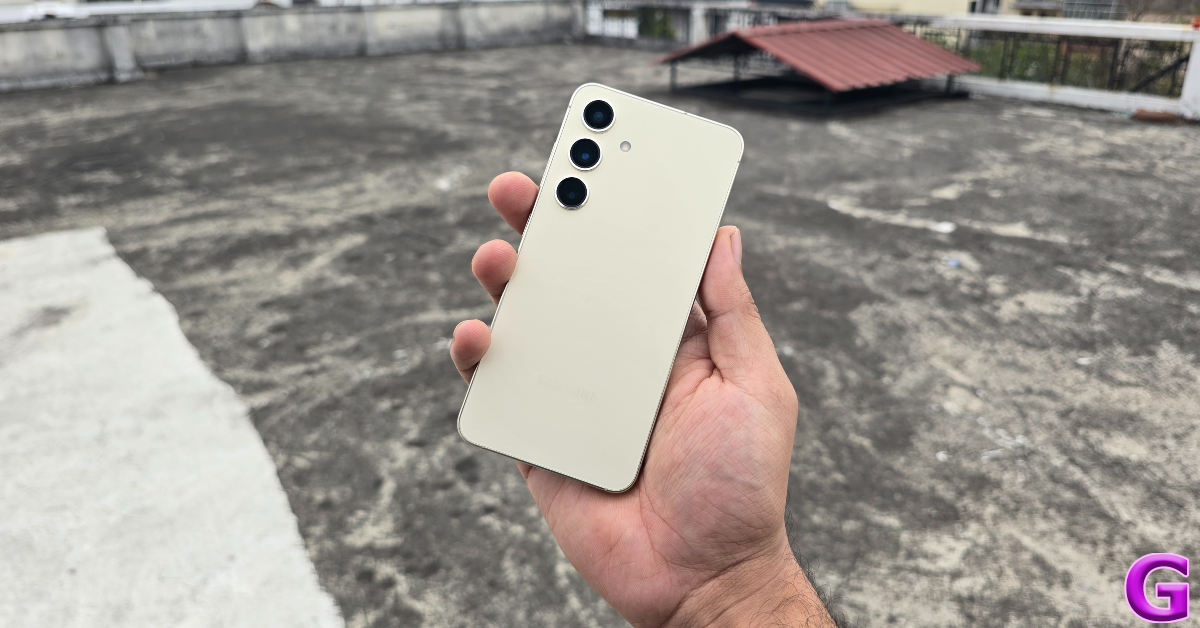
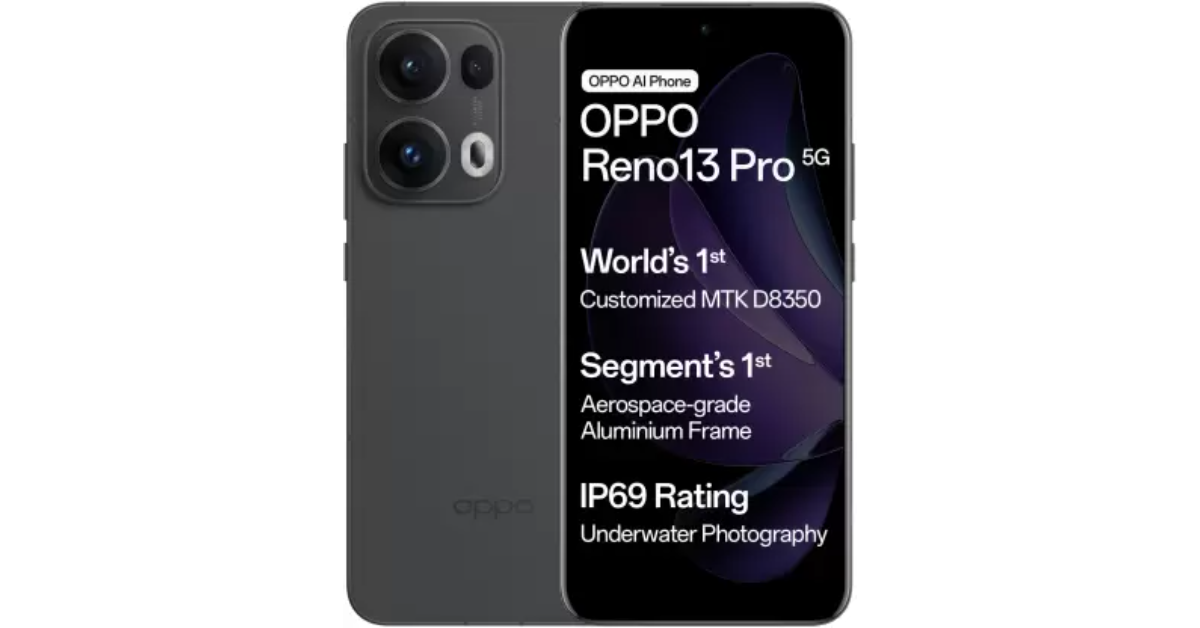
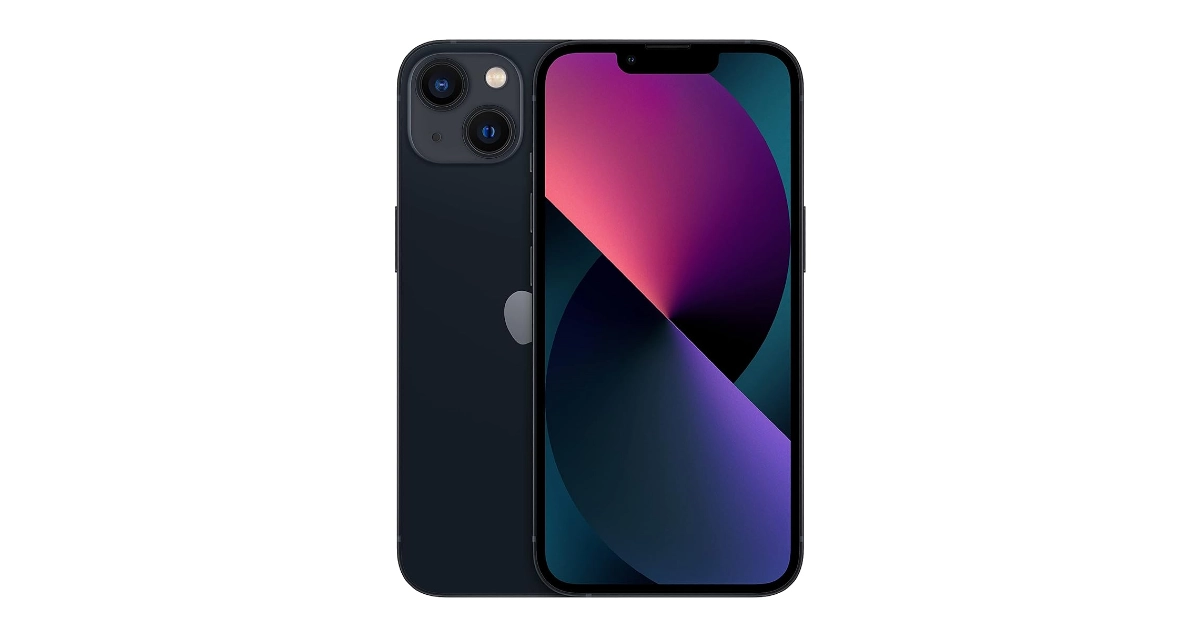
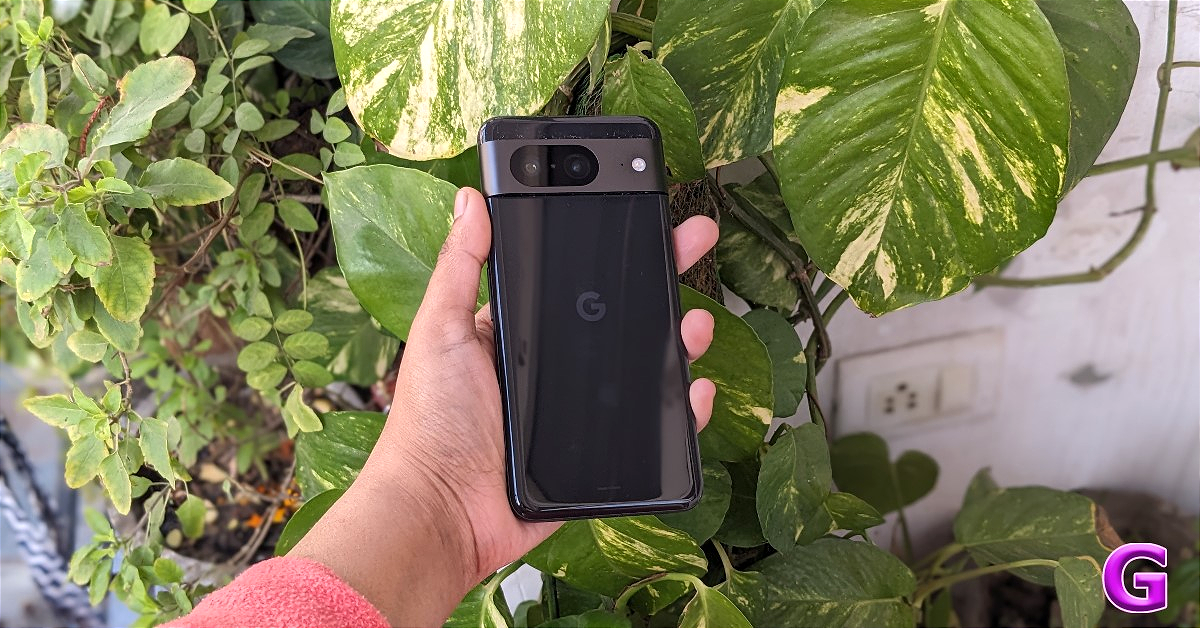
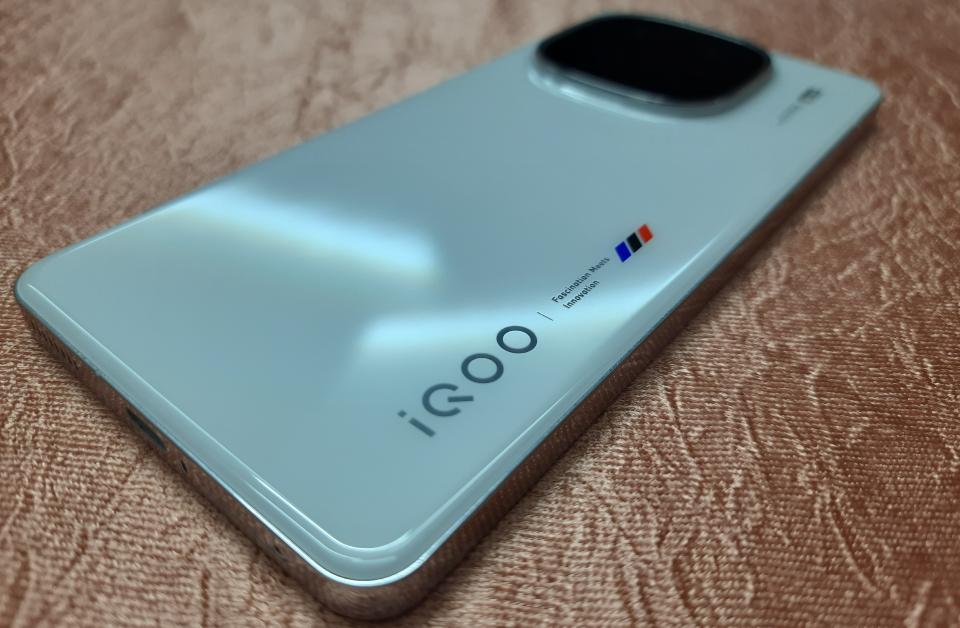
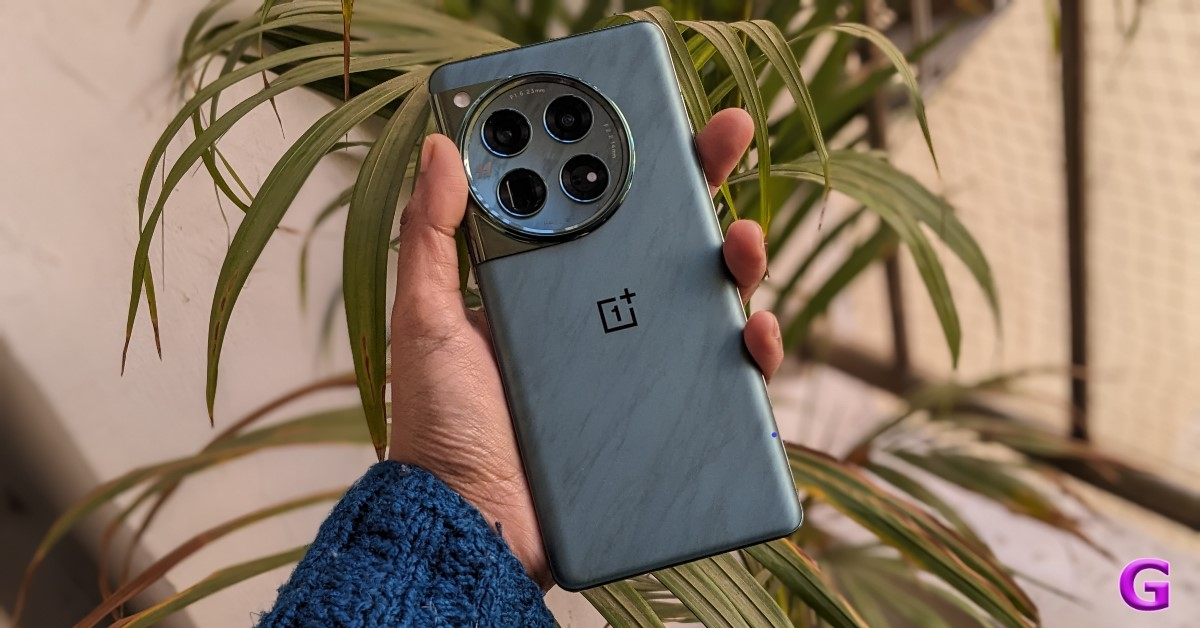
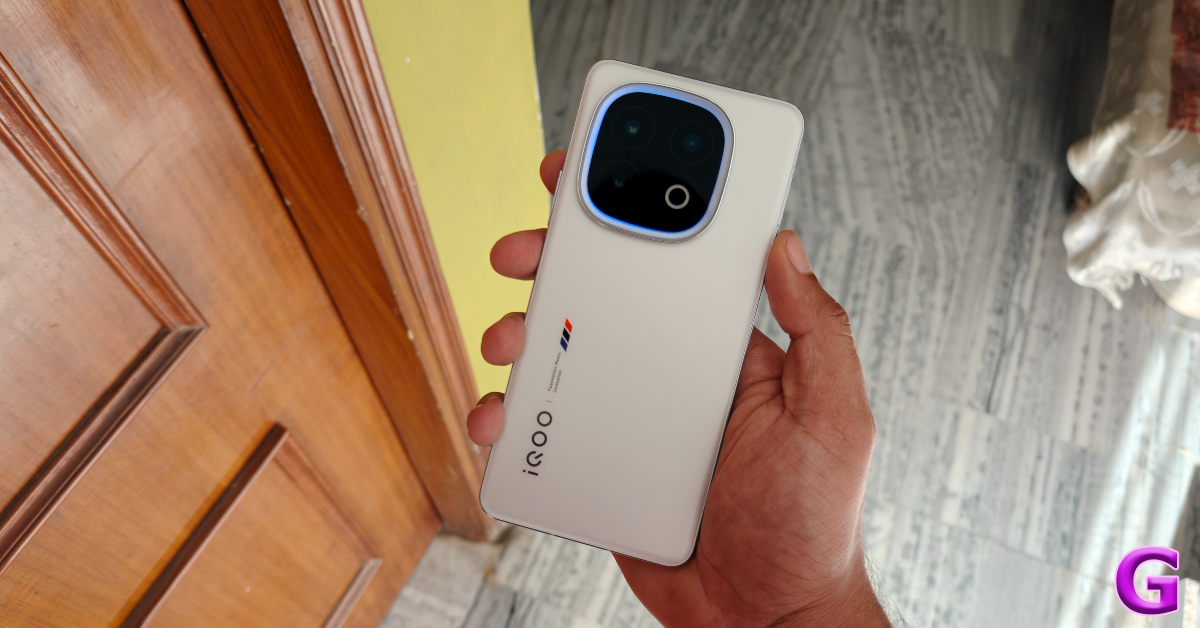



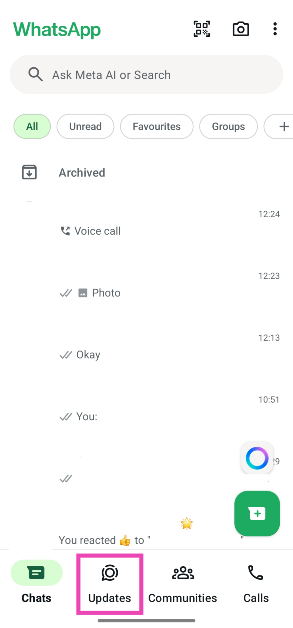
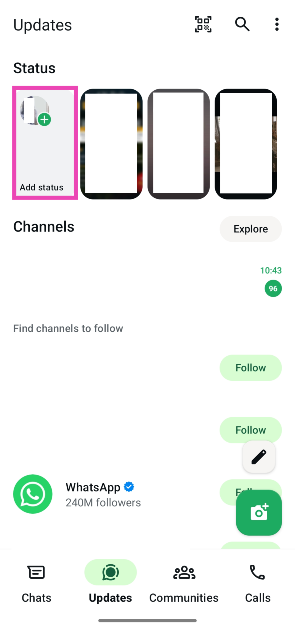
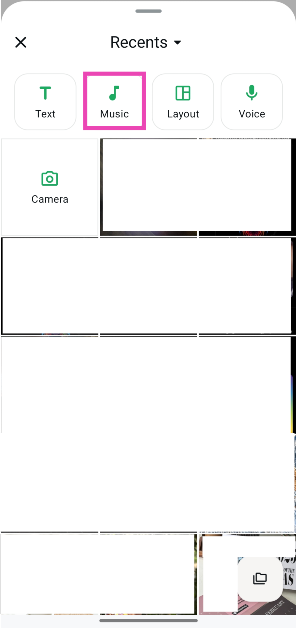
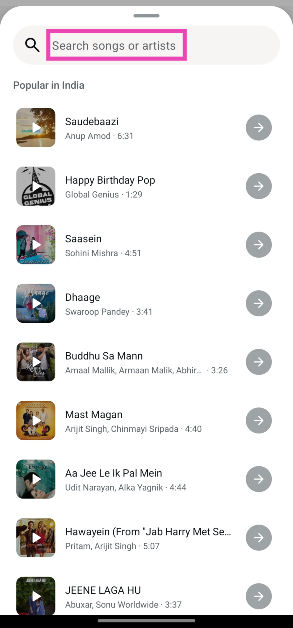
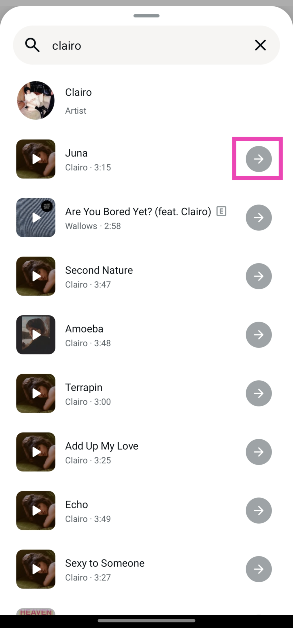

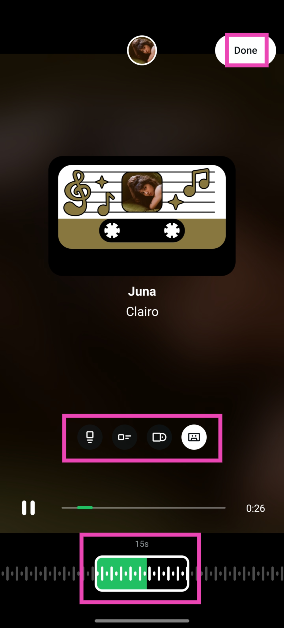
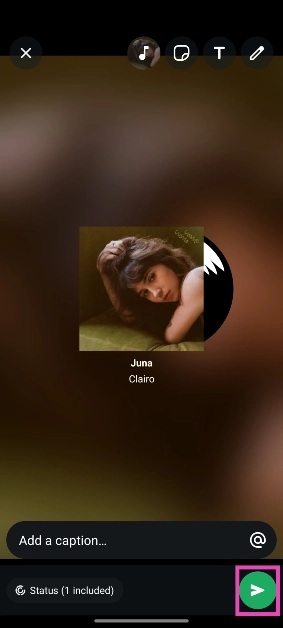
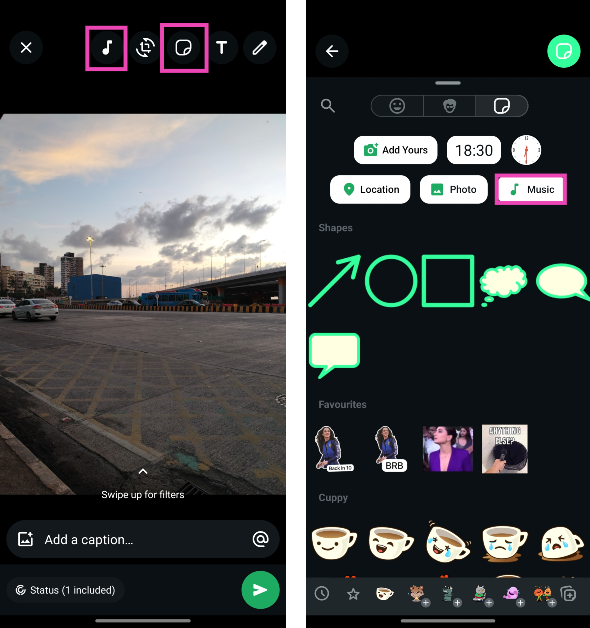
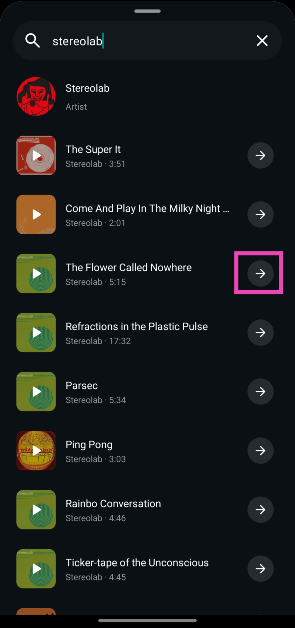
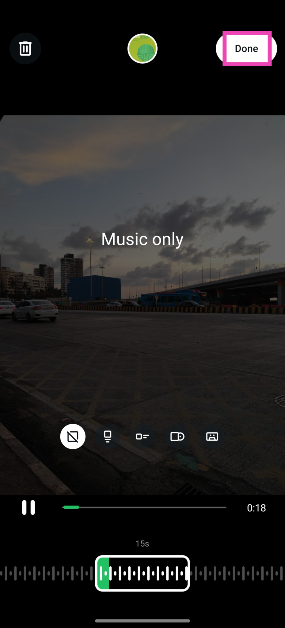


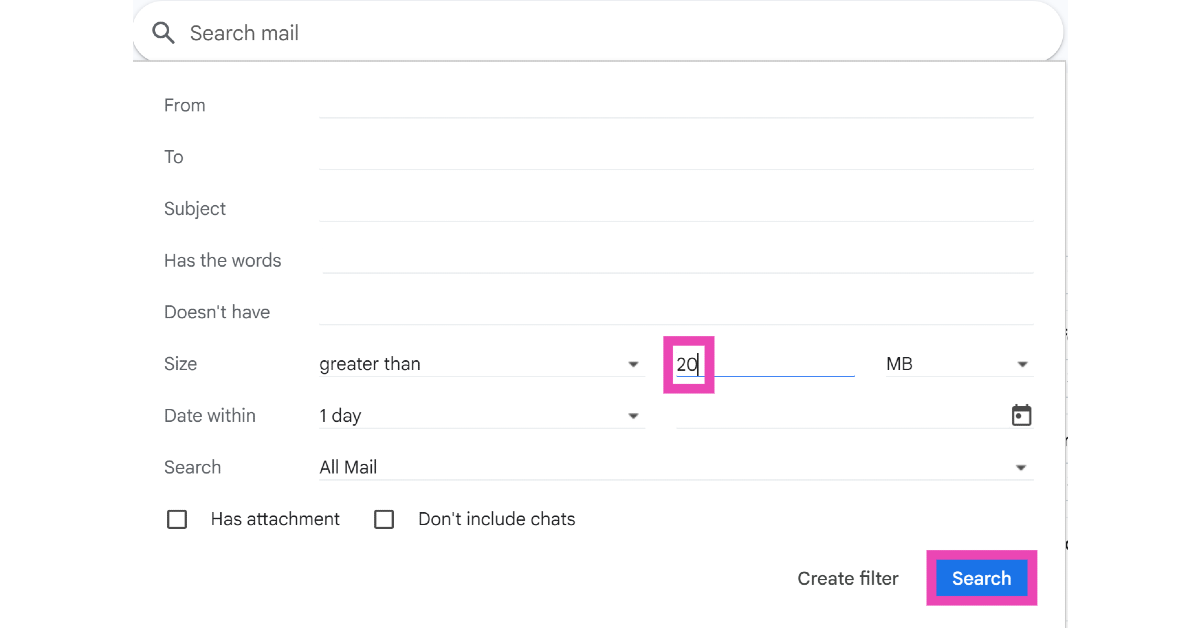
![Step 5: Alternatively, type larger:[size]M in the search box and hit Enter. For example, if you want to view emails with attachments that are larger than 20MB, type larger:20M and hit Enter.](https://www.gadgetbridge.com/wp-content/uploads/2025/06/em13.webp)