


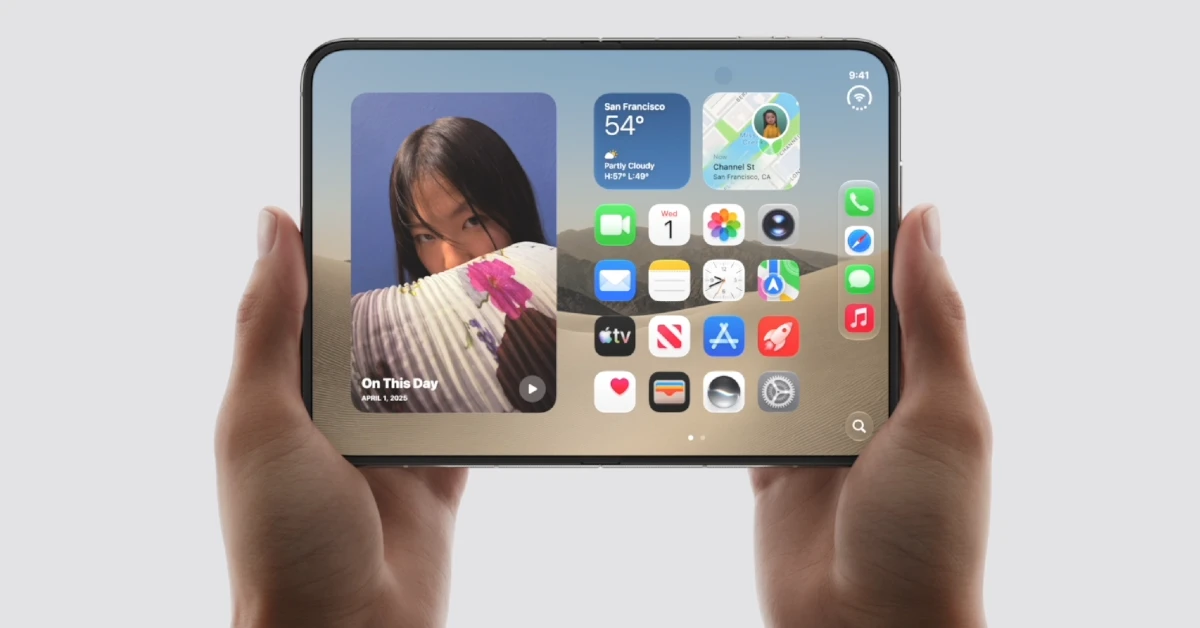
Apple has finally entered the foldable smartphone universe with the launch of the iPhone Duo. The smartphone has a passport-shaped form factor that unfolds into a massive 7.6-inch inner OLED display. Running at the core of the foldable is Apple’s in-house A20 chipset, so you know the device isn’t strapped for power. If you’re thinking of buying the iPhone Duo, here are 10 apps you should download to get the full foldable experience.
Read Also: iPhone 18 Pro, iPhone 18 Pro Max officially unveiled, featuring A20 Pro chipset
In This Article
Netflix
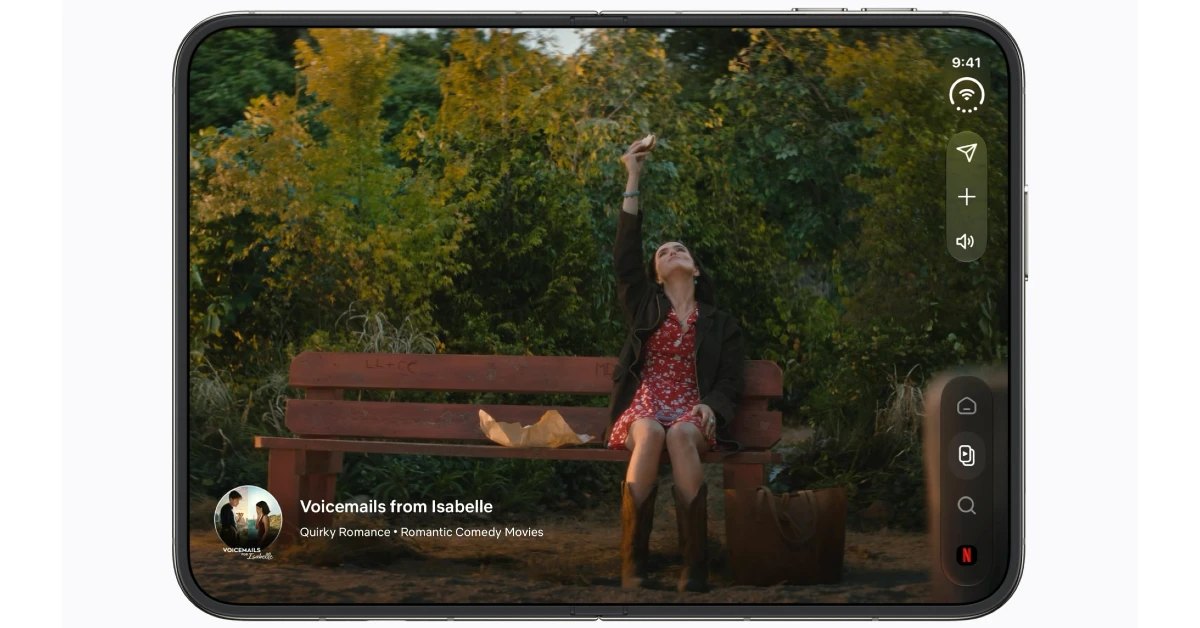
Netflix’s app for the iPhone Duo is perfectly optimised for the smartphone’s two displays. It does a fine job of integrating the control dock on the right side of the screen into its design while keeping the viewing experience free of any distraction. You also get a few animations that are exclusive to the Duo. Not to mention, Netflix should be one of the first apps on your list to make the most of the 7.6-inch inner display. You can prop your Duo up on a flat surface like a laptop and use the upper panel to watch content. In this mode, the lower panel displays the playback controls. You can even pitch the foldable like a tent and watch stuff on the outer display, completely hands-free.
Download Netflix from the App Store
Zoom
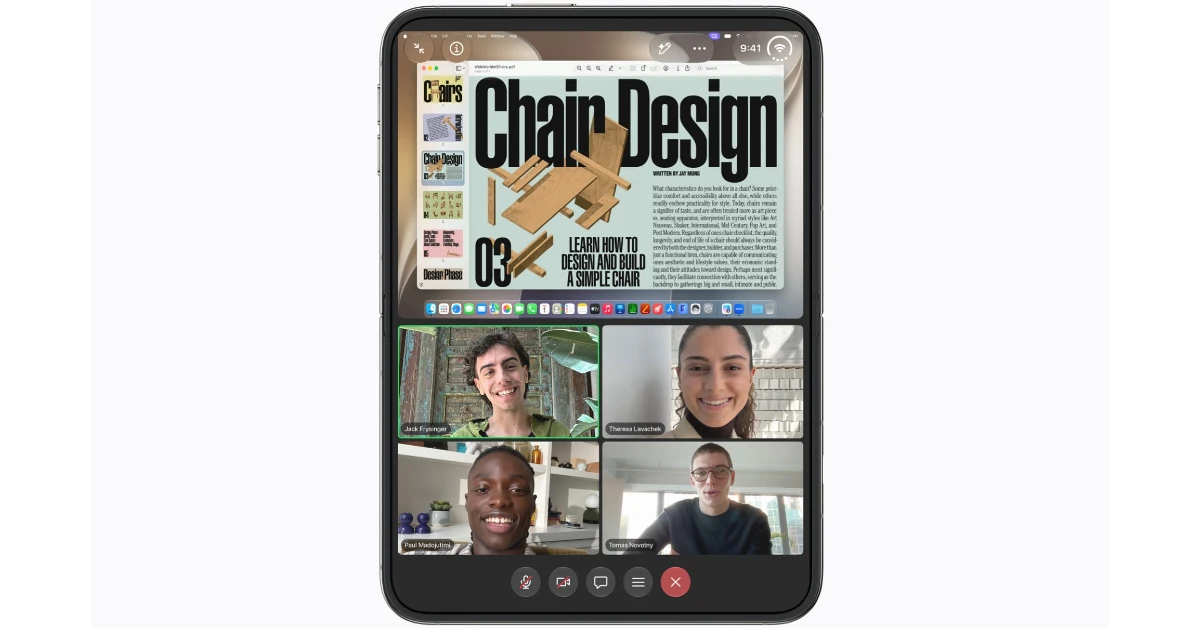
Zoom is another app that makes great use of the iPhone Duo’s displays. When you’re taking a call, you can unfold your device to replicate the feel of a conference room. While sharing content with other call participants, Zoom cleverly shifts the shared screen to the upper panel while giving you a clear view of all the participants at the bottom. If you’re stuck in a long meeting, you can simply place your iPhone Duo on your desk and get a good view of the proceedings.
Download Zoom from the App Store
Slack
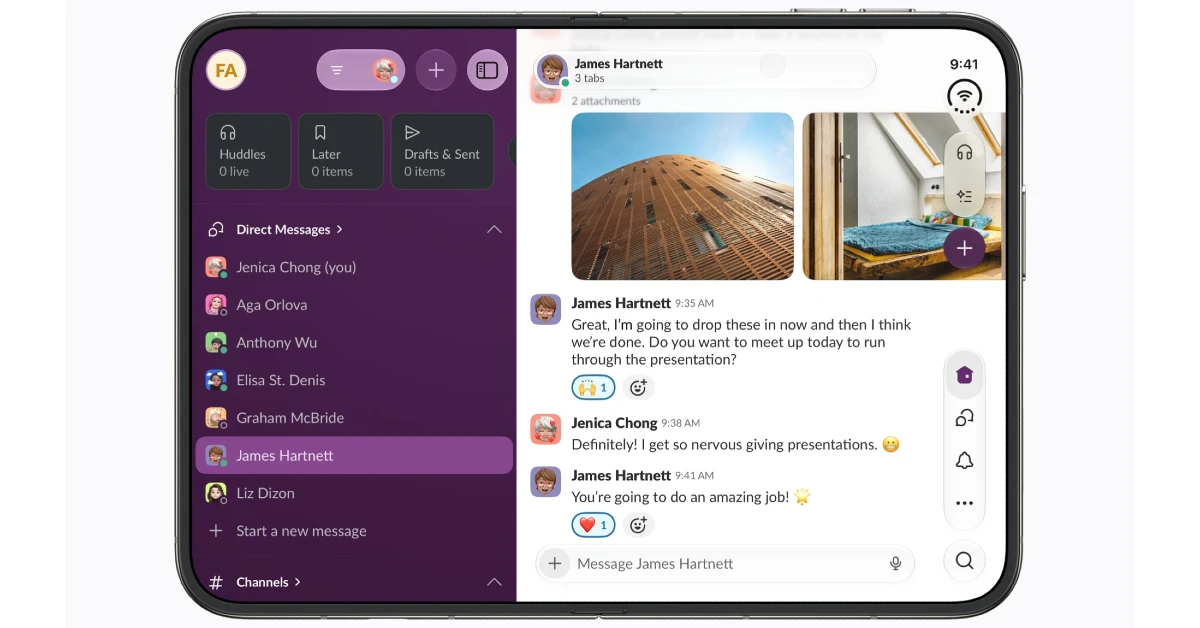
Slack cleverly stacks all of your DMs on the left side of the inner display. Tapping a contact’s name pops open your conversation with them on the larger right pane. The essential in-app controls find a place on the vertical dock on the right side of the screen. With your entire workspace accommodated on the inner display, you can accomplish a whole lot more.
Download Slack from the App Store
Detail
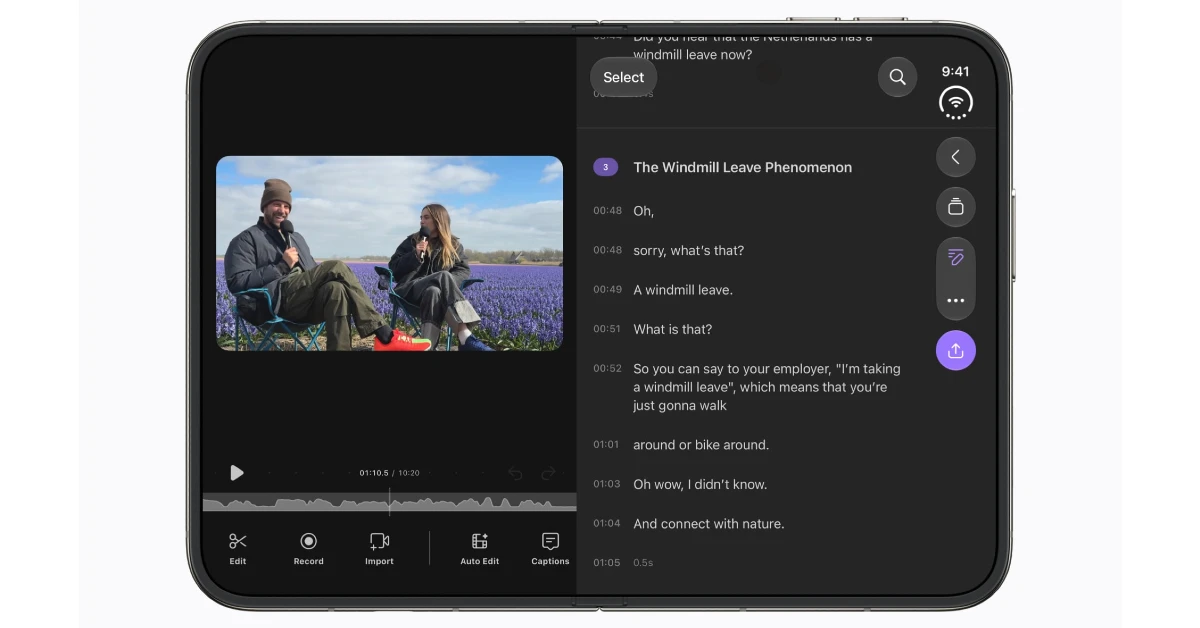
Whether you want to edit a short 1-minute Reel or fine-tune your 30-minute YouTube video essay, Detail has you covered. This video editor gives you access to an arsenal of editing tools to trim, cut, merge, and splice your clips. On top of that, you can enhance the footage by applying filters, adding overlays, cueing sound effects, and adjusting the speed. Detail also has a wide array of recording features like a teleprompter, multicam recording, and chroma key. All the AI models used by this app run entirely on-device. If you’re a new content creator, Detail is one app that you must have in your pocket.
Download Detail from the App Store
Zenless Zone Zero
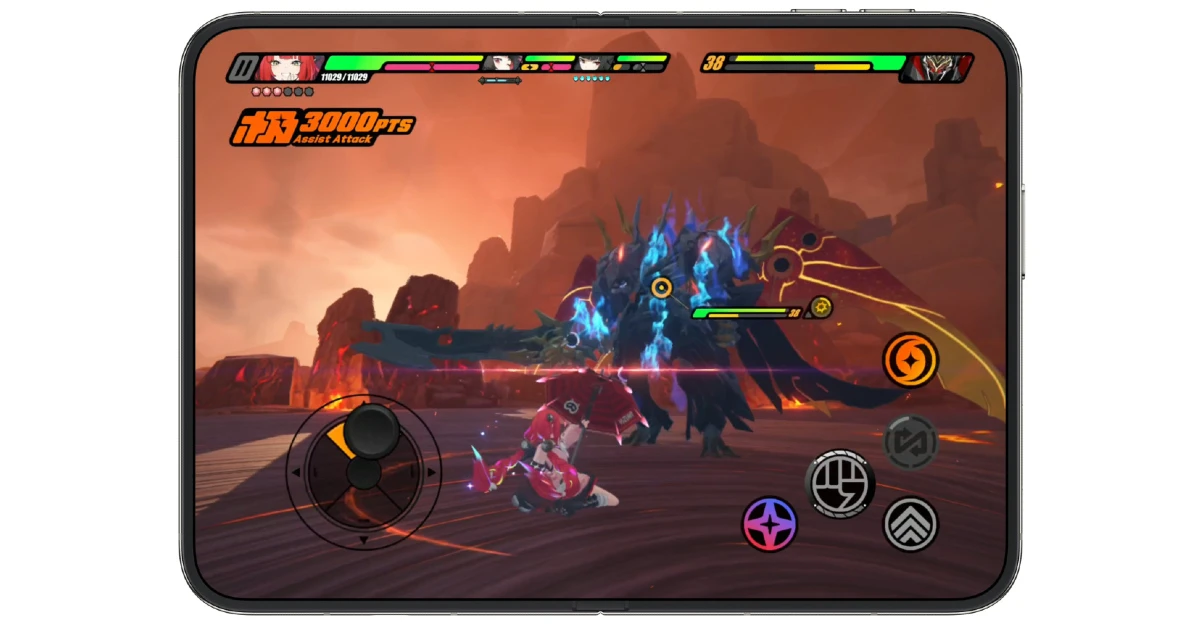
Zenless Zone Zero was the game that Apple used to showcase the iPhone Duo’s brilliant inner display. The game is perfectly optimised for the larger canvas. Its controls are within reach and don’t require you to stretch your fingers to an uncomfortable position. The Duo’s fusion-cooled A20 Pro chipset does an excellent job of maintaining smooth gameplay with zero frame drops. While other games will adapt to the new form factor as well, Zenless Zone Zero is ahead of the curve for now.
Download Zenless Zone Zero from the App Store
GoodNotes
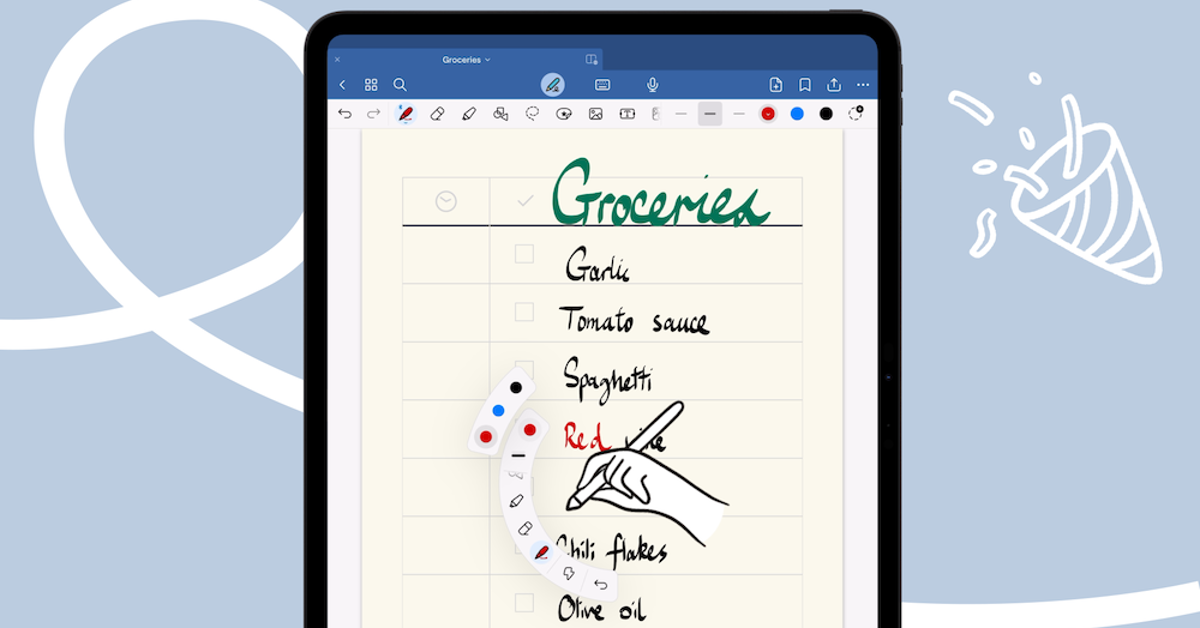
Apple has announced that the iPhone Duo will support Apple Pencil with USB-C later this year. When that happens, you need GoodNotes to make full use of it. This note-taking app is one of the best in its class. You can summon it to take a quick note when you’re attending a lecture or transcribe and summarise an entire meeting when you’re at work. But the fun doesn’t end there. If you’re recording a lecture, GoodNotes notices when you write something and syncs it with the audio recording. The handwritten notes are fully searchable. You also get access to a whiteboard to make quick diagrams or flesh out the concepts that you have in mind.
Download GoodNotes from the App Store
Kindle
The great thing about iPhone Duo’s passport-shaped form factor is that it’s perfect for reading ebooks. The Kindle app has a clear, intuitive, and distraction-free reading interface that suits the Duo’s screen real estate. You get one page on the left and another on the right. A quick swipe ‘turns’ the page. Tapping a word displays its meaning in a pop-up box. If you own a physical Kindle e-reader, your reading progress is automatically synced between the two devices.
Download Kindle from the App Store
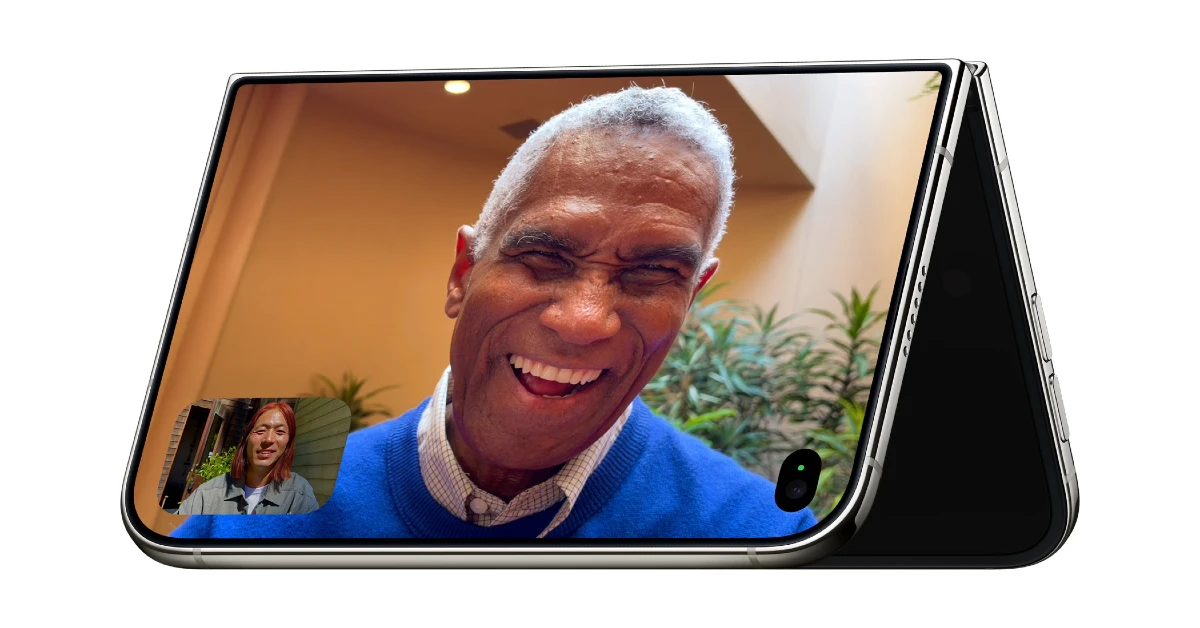
Not a big FaceTime user? WhatsApp has all of its perks and more. On the 5.4-inch cover display, it works just like it does on any other ‘candybar’ phone. But when you pop open the inner display, you get a tablet-style experience with your chat tab on the left and the current conversation on the right. Taking long video calls is easy, as the iPhone can be propped up on a table. No longer do you have to endure the fatigue of holding your phone for hours when you’re on a group video call with your family.
Download WhatsApp from the App Store
For the longest time, Instagram did not have a dedicated iPad app. Scrolling Reels and other content on an iPad used to be a nightmare. That changed last year, as Instagram adjusted to the wider canvas. You can count on it to recreate the same on the inner display of the iPhone Duo. Whether you’re answering a DM or watching your friends’ Stories, you get a splendid viewing experience that doesn’t feel like a blown-up version of the mobile app.
Download Instagram from the App Store
LocalSend
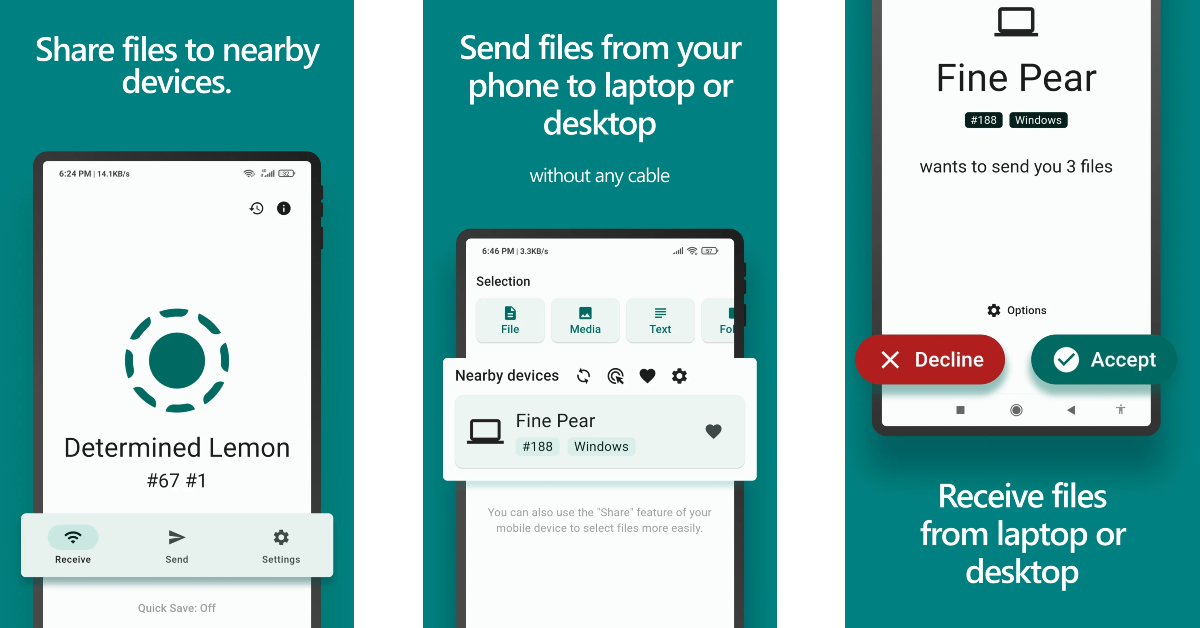
We added LocalSend to this list for its functional purpose alone. If you use a Windows laptop, you’re going to need this app for transferring files to and from your iPhone Duo. The app does a great job of bridging the ecosystem divide. The transfer process is safe, secure, and seamless. LocalSend does not rely on third-party servers to send your files. Instead, it uses your home Wi-Fi network for the job. Don’t have a home Wi-Fi? You can use your Duo’s Wi-Fi hotspot instead!
Download LocalSend from the App Store
Read Also: Apple’s AirPods 5 Launched: It Turned Noise Cancellation From a Premium Perk Into the Default
Final Thoughts
Developers are currently in the process of tweaking their apps to match the iPhone Duo’s canvas. As time goes on, you’ll see more apps fit the inner and cover displays perfectly. We’re interested in seeing how apps customise the controls dock on the right side of the screen to their advantage. While you’re here, take a look at the top 10 apps for the iPhone 18 Pro/Pro Max. Which app are you excited to use on the Duo? Let us know in the comments!


