OnePlus Nord Buds 4 Pro Review: Design
Box Contents
- Charging case
- Earbuds
- USB-A to USB-C cable
- S and L ear tips (M pre-installed)
- User manual and Safety & warranty booklet
- Brand sticker
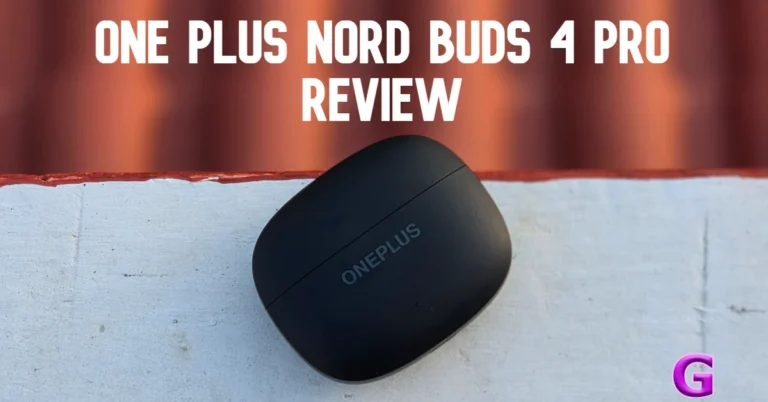
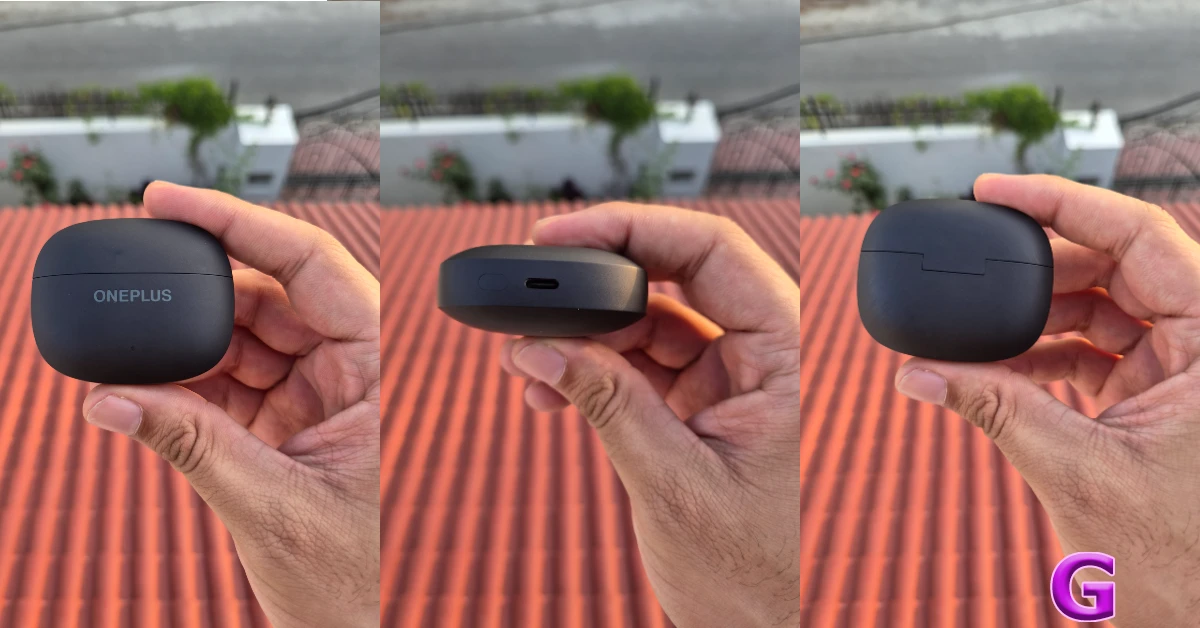
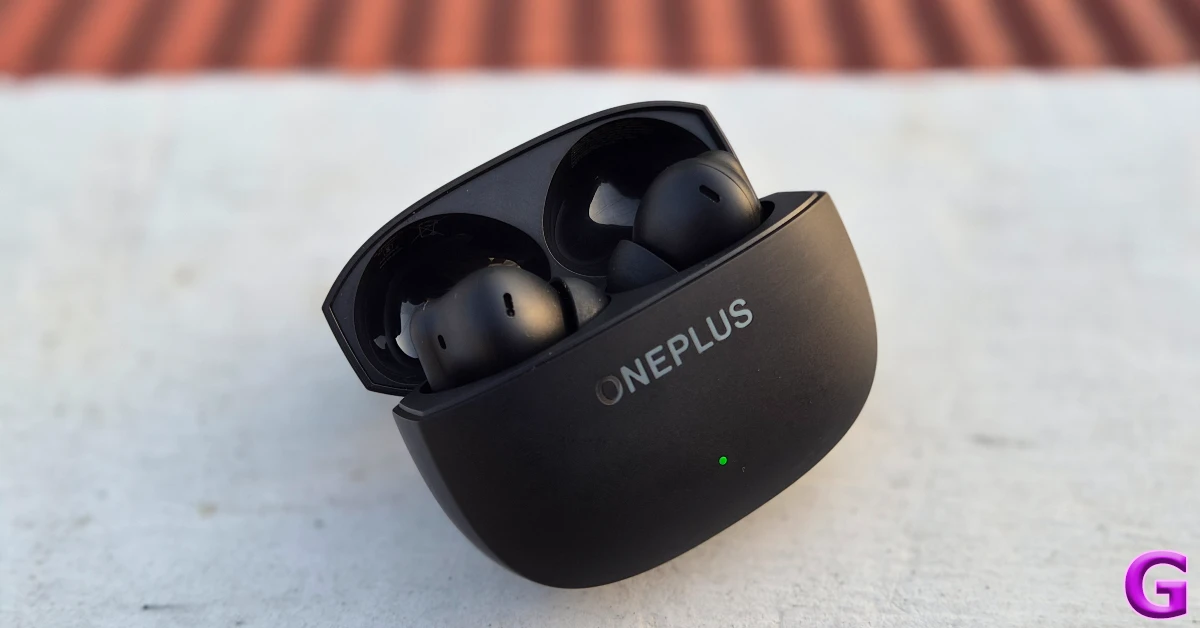 The lid can be snapped open with just one finger. The hinge feels strong and durable. You can fidget with the lid without worrying about any looseness over a period of time. The ‘OnePlus’ lettering is engraved just under the lid and has a glossy texture. At the bottom of the front panel lies a small LED indicator. The bottom of the case houses the USB-C port and the pairing button.
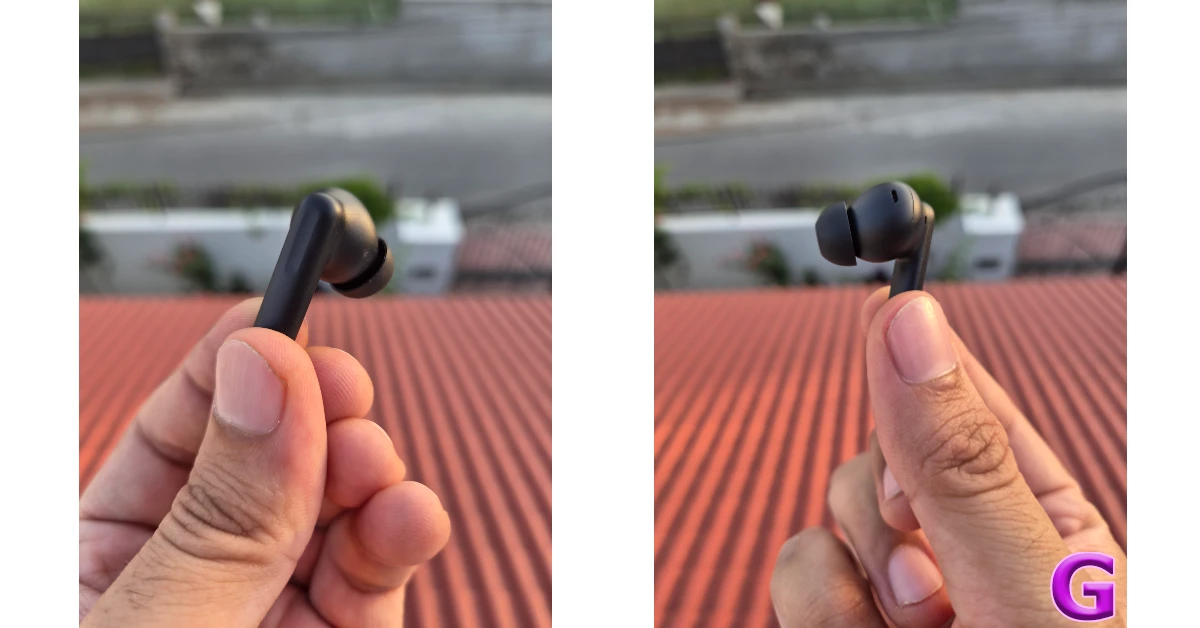
 The earbuds follow the traditional in-ear design language. They fit into the average ear size pretty comfortably. We wore them for multiple hours on end and did not experience any ear fatigue. Weighing just 4.4g, these earbuds do not exert a lot of stress on the ear. There are 3 mics on each earbud – Feedback mic, Feedforward mic, and Talk mic. The stem has a crevasse to indicate the touch-sensitive area. The touch controls are well-tuned, and accidental touches are not super common.
 Rated IP55 for dust and water resistance, these earbuds remain unfazed by sweat. We wore them while working out and did not come across any issues with the fit or performance. The matte finish ensures that they didn’t slip out when things got sweaty.
OnePlus Nord Buds 4 Pro Review: Performance
The Nord Buds 4 Pro support Bluetooth 6.0. Google Fast Pair and Windows Swift Pair make the connection process easy and seamless. There are 3 audio codecs on offer – SBC, AAC, and LHDC 5.0. The audio output is produced by 12mm dynamic drivers. The soundstage offered by the Nord Buds 4 Pro is wide, vibrant, and eclectic. While OnePlus has paid special attention to the low-range frequencies, the mids and highs get good representation in the output. The bass doesn’t shroud the mix. Instead, it brings just the right warmth that makes for enjoyable listening sessions. We played a diverse set of genres (including rock, post punk, industrial, and pop) on these earbuds and were happy with their versatility. The rock guitar riffs had a very reliable ‘crunch’ to them. The subtle hits of the hi-hat were relayed with utmost precision.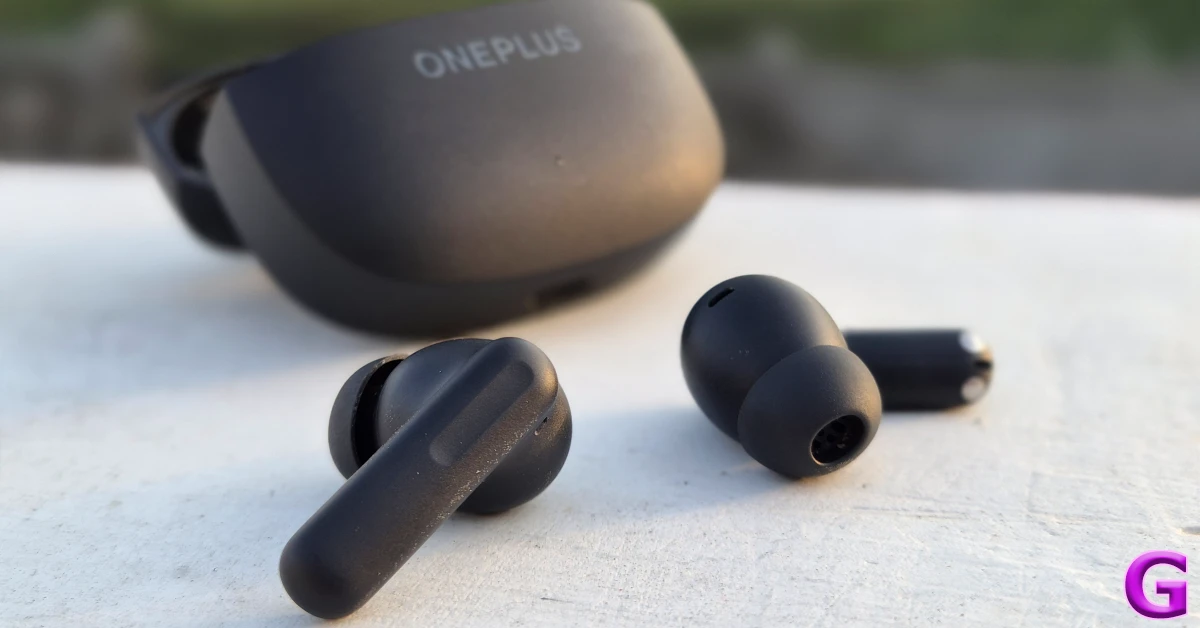 Of course, if you want to finetune the output according to your listening palette, you can customise the equaliser using the Hey Melody companion app. If you own a OnePlus smartphone, you can access the ‘companion’ functions directly from your device’s interface. Alongside the customisable EQ, Hey Melody offers 3 native sound profiles: Balanced (Default), Serenade, and Bass. If you’re a committed basshead, you can enable the BassWave function to give a boost to the low end.
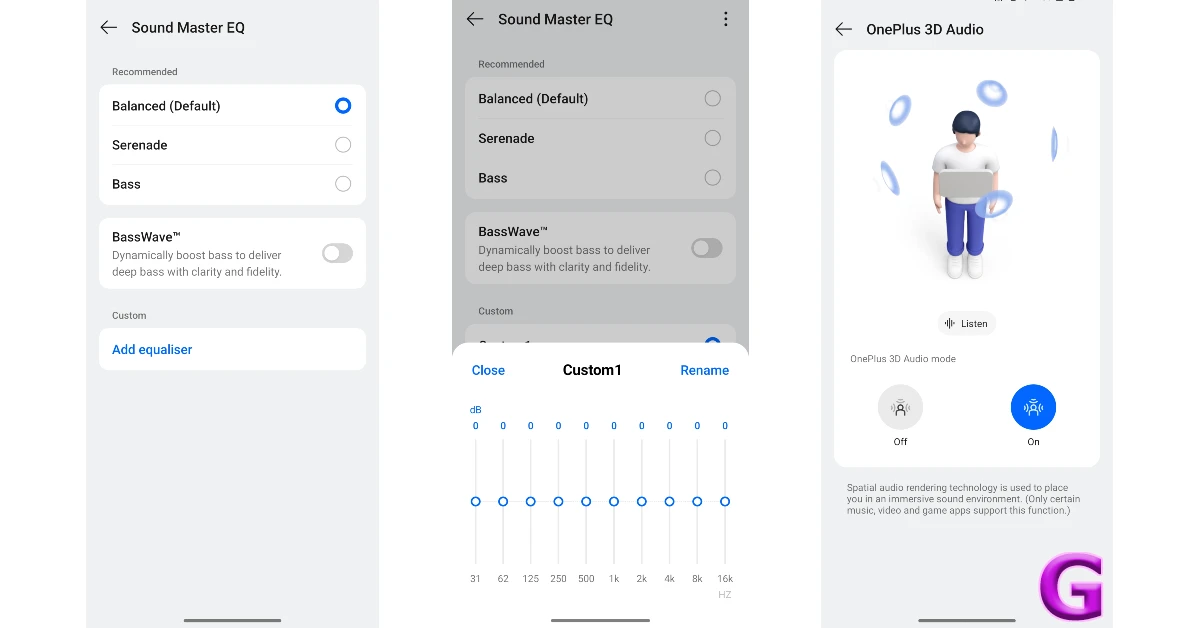 The new Nord TWS isn’t a one-trick pony. Apart from serving a rich soundstage, it offers incredible noise-cancelling skills. The earbuds can nullify up to 55dB of surrounding sound. You can use them to tune out the annoying traffic sounds on your way to work or completely eliminate the general humdrum when you’re relaxing at home. Some ambient sounds (like the ones emanating from the keyboard while typing and the ceiling fan) manage to pass through, but only after being heavily suppressed.
During the review period, we used these earbuds for most of our calls and online meetings. The calling experience was quite decent, with the earbuds managing to pick up the voice of the speaker without letting in the surrounding sounds. The relayed sound was slightly boxy, but that’s something to be expected from most midrange earbuds.
The new Nord TWS isn’t a one-trick pony. Apart from serving a rich soundstage, it offers incredible noise-cancelling skills. The earbuds can nullify up to 55dB of surrounding sound. You can use them to tune out the annoying traffic sounds on your way to work or completely eliminate the general humdrum when you’re relaxing at home. Some ambient sounds (like the ones emanating from the keyboard while typing and the ceiling fan) manage to pass through, but only after being heavily suppressed.
During the review period, we used these earbuds for most of our calls and online meetings. The calling experience was quite decent, with the earbuds managing to pick up the voice of the speaker without letting in the surrounding sounds. The relayed sound was slightly boxy, but that’s something to be expected from most midrange earbuds.
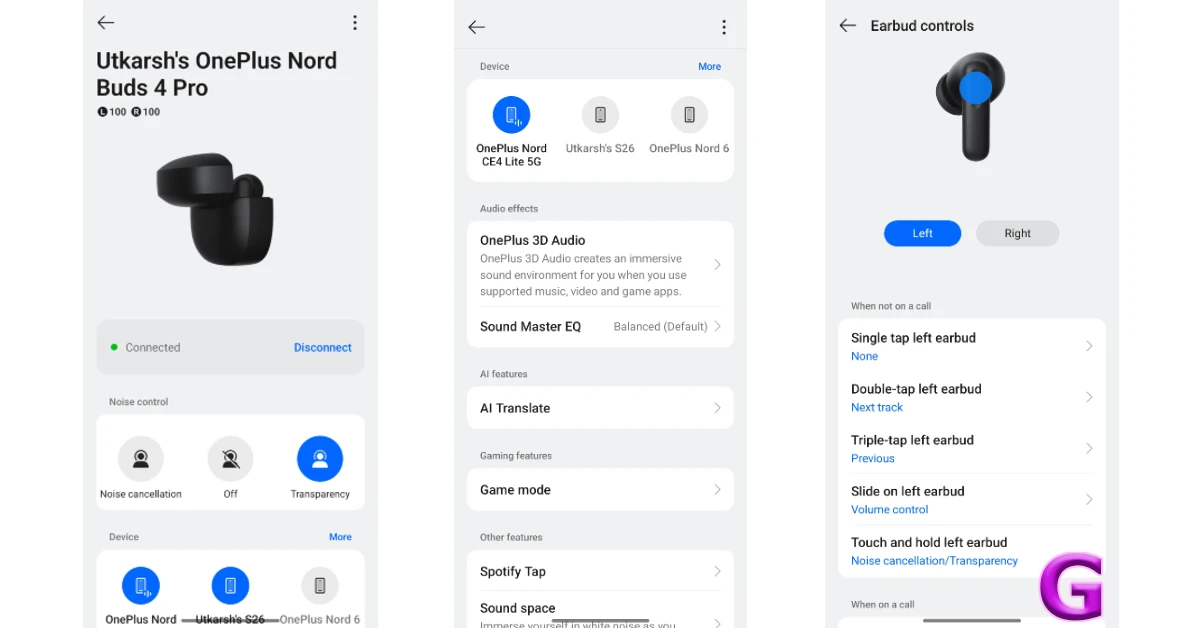 The expansive set of fringe features on this TWS gives a boost to its value. For starters, the Game Mode not only drops the latency to eliminate audio lag but also enhances the sound effects for shooting games. The gunshots and footsteps feel more intense and heightened. You can also turn on 3D Audio for a spatial surround sound that brings a new level of immersiveness. As of now, this feature is only supported by a handful of games. Lastly, the AI Translate feature (available only on OnePlus phones) uses your phone’s mic to pick up a speaker’s speech and feeds you the translated version through the earbuds.
Each earbud has a 62mAh battery capacity, while the charging case holds an additional 530mAh. You can get up to 54 hours of cumulative playtime if you turn off the ANC and limit yourself to the AAC codec without breaching the 50% volume level. With mixed usage (3-5 hours each day with frequent ANC use, switching to LHDC 5.0 codec for music, and 40-70% volume range), we were able to coast an entire week without needing to charge the case. The case and earbuds take up to 90 minutes to reach a full charge using a USB-C cable.
Read Also: Top 10 smartphones under Rs 10,000 (April 2026)
The expansive set of fringe features on this TWS gives a boost to its value. For starters, the Game Mode not only drops the latency to eliminate audio lag but also enhances the sound effects for shooting games. The gunshots and footsteps feel more intense and heightened. You can also turn on 3D Audio for a spatial surround sound that brings a new level of immersiveness. As of now, this feature is only supported by a handful of games. Lastly, the AI Translate feature (available only on OnePlus phones) uses your phone’s mic to pick up a speaker’s speech and feeds you the translated version through the earbuds.
Each earbud has a 62mAh battery capacity, while the charging case holds an additional 530mAh. You can get up to 54 hours of cumulative playtime if you turn off the ANC and limit yourself to the AAC codec without breaching the 50% volume level. With mixed usage (3-5 hours each day with frequent ANC use, switching to LHDC 5.0 codec for music, and 40-70% volume range), we were able to coast an entire week without needing to charge the case. The case and earbuds take up to 90 minutes to reach a full charge using a USB-C cable.
Read Also: Top 10 smartphones under Rs 10,000 (April 2026)
Verdict
The OnePlus Nord Buds 4 Pro not only check the essential boxes but goes above and beyond to deliver the biggest bang for your buck. The TWS relays a well-rounded, rich audio output that’s super enjoyable while listening to music. With ANC enabled, it is able to suppress annoying and distracting sounds in public. The call quality is on par for the segment. However, fringe features like Game Mode, multi-device connectivity, AI Translate, and 3D audio make the TWS very easy to recommend. Buy on Amazon for Rs 3,999 Pros- Good fit
- Well-rounded audio output
- LHDAC 5.0 codec
- AI Translate
- Some features are reserved for OnePlus phones
 Also Read:










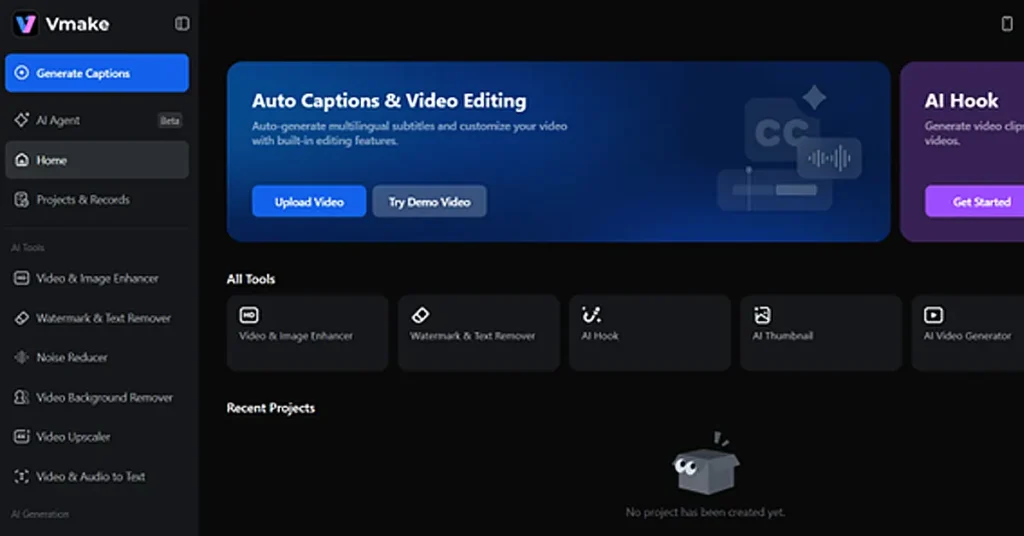 Vmake stands out because it functions more like a comprehensive production hub rather than just a simple filter. Most apps struggle with messy edges like frizzy hair, but Vmake
  If you spend any time on TikTok, you are already familiar with CapCut. This app has become the unofficial editor for the mobile generation because it is so easy to use. Its background removal tool is a one-click wonder that is highly integrated with the rest of its creative suite. For creators who need to add trending music and a background swap in one sitting, it is hard to beat for sheer convenience.
 For those who are already part of the Adobe ecosystem, Adobe Express offers a streamlined way to remove backgrounds. It is powered by professional technology that brings a level of corporate-grade reliability to the table. It is an excellent middle ground for creators who want more polish than a social media app but do not want to learn the complexities of heavy desktop software.
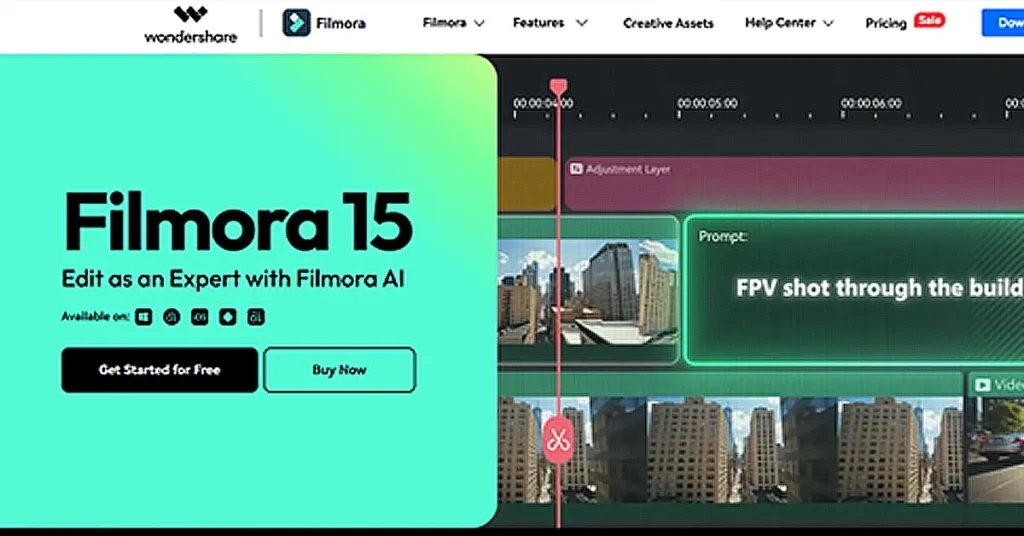 Many YouTubers choose Filmora because it is stronger than mobile apps. Its portrait feature lets you remove backgrounds without needing a green screen. This makes it simple to swap your backdrop while always keeping the main focus right on you. It does so with impressive speed on both Windows and Mac computers.
 Cutout.pro is a visual content platform that has carved out a niche in the e-commerce world. It is designed for creators who are processing high volumes of content for product listings. It focuses on cutout quality to ensure that edge details remain sharp for high-definition videos.




 Also Read:
  Also Read:
 Also Read: