iQOO 15 is launching today, in India and globally. It has a unique glowing RGB LED ring around the camera that activates under specific settings. The smartphone is powered by a Qualcomm Snapdragon 8 Elite Gen 5 processor and runs Android 16 with OriginOS 6. The handset may feature a 6.85-inch Samsung M14 AMOLED display and a single-layer VC cooling system for thermal control.
iQOO 15 is set to be launched in India today at 12 pm IST. The firm said that the launch event would be livestreamed on many channels, including iQOO India’s official YouTube channel, website, and social media profiles. We’ve put the streaming link below.
The upcoming iQOO smartphone, the iQOO 15, will use the powerful Snapdragon 8 Elite Gen 5 CPU and run OriginOS 6, which is based on Android 16. With an AnTuTu test score of over 4 million, the gadget offers exceptional performance.
The iQOO flagship will feature the cutting-edge Samsung 2K M14 LEAD OLED Display, which is said to be the brightest on the Android market. Customers will be able to pick between two editions: the Alpha Edition, which has a sleek matte black finish, and the Legend Edition, which has a conventional white design highlighted with a tricolour pattern logo.
Also Read:Smartphones under Rs 50,000 with bigger batteries in India
A complex triple camera system consists of a 50MP Sony IMX921 VCS core sensor, a 50MP Sony IMX882 periscope telephoto lens, and an ultra-wide-angle camera, as well as a 32MP front camera for high-quality selfies. To regulate heat during heavy use, the device includes India’s biggest 8K VC Cooling System.
The iQOO 15 is fuelled by a large 7000mAh battery that enables quick charging technology, including 100W FlashCharge and 40W wireless charging. Additionally, the smartphone improves gaming capabilities by using ray tracing technology, considerably increasing the realism of the gaming experience.
Also Read:OnePlus 15R and the OnePlus Pad Go 2 India launch date announced
It has been suggested that the iQOO 15 would cost less than Rs 70,000. According to a leaked retail listing, the base model with 12GB RAM and 256GB storage costs Rs 72,999, while the variant with 16GB RAM and 512GB storage costs Rs 79,999.
The way people use their phones changes faster than ever before. Mobile interfaces respond with cleaner layouts, smarter suggestions and actions that happen without being asked. Screens no longer wait for a tap. They act first. This brings up an important thought. If user behaviour keeps changing quickly, how can mobile UX keep pace?
In This Article
Fast Design Meets Fast Games
Mobile UX helps industries that rely on quick decisions and smooth flow, and casino apps show this better than most. The best apps follow a strict pattern. They start with a clean layout, remove clutter and use large tap areas so each move feels direct. Tiles lead to card tables, bingo, live tables and online slots without confusion or delay.
These apps stay ready at all times, and the layout places every key section in view. Offers show clearly on the home screen, and players can reach their usual picks in one or two taps. Each category stands out, and everything loads in sequence.
The interface arranges sections in a smooth list, with labels that stay visible and touchpoints that remain steady during movement. The scroll feels light, the layout adjusts to hand position, and the colour contrast helps in bright or dim light. These apps create a foolproof session flow built around ease, access and clarity.
Interfaces That Move Before Users Do
Apps for transport, shopping, and productivity are leading the way in predictive layout. Google Maps, for example, shifts to dark mode automatically as daylight fades. It also surfaces saved destinations before you even type. That level of awareness feels natural, and the user has no need to click through menus to find it.
Weather apps show real-time effects based on conditions outside. When it rains, small drops fall across the screen. When the sun appears, the layout brightens and warms in colour. These aren’t just visual tricks. They serve a function by aligning the app’s mood with what’s happening outside.
Calendar and email apps show tasks and threads based on time and past patterns. Instead of hunting for buttons, users find next actions already queued up. Predictive tabs and smart menus cut through delay. The result is smooth, steady navigation that reads the moment and moves with it.
Smart Help From Digital Assistants
AI tools now act on behalf of the user. They handle everyday requests without strict commands. Gemini from Google can summarise long conversations in an email, then create a reply that fits the tone. It does this without needing every instruction written out.
Perplexity’s agent can compare prices across sources, gather background reading, and turn it all into a list that makes sense. This helps users stay on task without switching between tabs or searching line by line. The smart part is how the assistant shows its steps. It lists what it used, where it found it, and why it chose those results.
When tools take initiative, the design must make the reasoning visible. This means clear prompts, short summaries, and a simple way to review or stop what’s in motion. Trust builds when the system shares what it’s doing and stays open to change.
Conversations Replace Clicks
Voice control is gaining ground in apps used while moving, such as maps, messages and notes. Chat interfaces are replacing buttons, and the tone of these tools matters more than their colour or font. Users speak full sentences, and the system responds in a tone that matches the task.
Navigation apps now let you say “Take me to the nearest fuel station,” and the response includes estimated time, traffic notes, and even payment options. There is no need to type or swipe. These apps speak back with confidence and skip visual clutter altogether.
This applies to smart home apps as well. Lights, locks and heating respond to voice or simple glances. These tools link with mobile apps that present a clean view of the current status. You know what’s on, what’s open, and what’s changed in your space without checking a dashboard.
Interfaces That Use Less to Do More
Apps that trim their design often load faster and feel more stable. File-sharing tools, minimal news apps and reading services now use flat colour, simple lines and dark themes. These elements are easier on the eyes and use less energy on OLED screens.
Dropbox and Google Docs use clean icons, soft grey spaces and short transitions. There are no extras that eat data or confuse the screen. Each tap shows a clear result, and even error messages appear with a polite tone and short fixes.
Spotify reduces data use by switching to a low-bandwidth layout when the connection drops. It removes high-res images and adjusts stream quality automatically. This change happens without the user asking. The design keeps working in places with weak signals, which helps to trust the service in all settings.
The Answer is in the Flow
The way people use apps never stops shifting. They move between tasks quickly and expect tools to act first. Mobile UX in 2026 keeps up by staying sharp, lean and ready to adapt. It learns from movement, listens for intent and changes its display before the user feels lost.
Clear design, light screens, smart help and predictive logic all work together. They create a space where the screen feels one step ahead. That is how the design keeps pace. It flows like the person using it.
Are you looking for today’s Wordle answer for November 26, 2025? The problem is difficult to solve, so if you need assistance, we’ve included hints and the clue to today’s Wordle Quiz. Below, we have made it simple for everyone to understand how to get to the Wordle Answer today.
In This Article
Hints and Answers for Today’s Wordle November 26
Before answering directly, please check the Wordle Hints first.Hint 1: Today’s Wordle answer includes two vowels.Hint 2: The answer for today has no repeating letters.Hint 3: Meaning- a house or room that is not fit to live in because it is dirty or in very bad condition
What word does today’s Wordle begin with?
Do you need help with today’s Wordle answer’s initial letter?The first letter in today’s Wordle is “H”
Today’s Wordle Answer
The answer to Wordle #1621 on November 26, 2025, is — HOVEL
Wordle: A Five-Letter Word Guessing Game• The game allows six guesses of a five-letter word.• Provide feedback on the guessed letters’ placement in the puzzle.• The New York Times purchased the game in 2022.• Created by Josh Wardle for his partner, narrowing down 12,000 English words to 2,500.• Named after the word “word.”
Select a powerful starting word: Avoid using unusual words, as they frequently do not match common letters. A good opening word has plenty of benefits.
Repeating letters: Don’t be afraid of repeating letters; they appear frequently in words. The answer may contain one or two repeated letters.
Use the Wordlebot: The NYT’s Wordlebot analyses and compares replies to itself. This challenge can assist you in enhancing your guessing skills and highlighting areas for development.
Realme has announced its greatest Amazon-exclusive Black Friday Sale, with huge discounts and special offers on its popular Narzo and GT series smartphones. This limited-time deal is available on the Realme Narzo 80 Series and Realme GT 7 Series, with discounts up to Rs 6,000.Customers may benefit from considerable discounts, bank offers, no-cost EMI options, and other advantages during the special sale on Amazon and Realme, making it a great time to upgrade to a premium Realme device. The sale is currently live and will run until November 28 across the country.Also Read:OnePlus 15R and the OnePlus Pad Go 2 India launch date announcedThe Narzo 80 Lite 5G, Narzo 80 Lite, and Narzo 80x are among the most discounted models, with prices slashed to Rs 6,799-Rs 12,999 via coupon discounting. The Narzo 80 Pro and Narzo 80 Pro 5G have received considerable price cuts, including flat discounts and coupon savings, as well as a six-month no-cost EMI option for some versions. These models now have effective pricing ranging from Rs 17,499 to Rs 20,499.Realme’s GT series, comprising the GT 7 Pro, GT 7, and GT 7T, provides considerable discounts with exchange benefits of up to Rs 5,000, bank offers of Rs 3,000, and no-cost EMI alternatives for 9–12 months. The GT 7 series has an effective starting price of Rs 31,999.Also Read:Smartphones under Rs 50,000 with bigger batteries in India
Sol’s RNG is one of the best Roblox titles for aura farmers and collectors. It lets you concoct a wide variety of auras using different potions. There are over 150 auras on offer in this game. You can also complete side quests and upgrade your gear to increase your chances of success. There are a few special codes that are made available to every user to help their chances of a successful roll. Here are all the Sol’s RNG codes available in November 2025.Read Also: Smartphones under Rs 50,000 with big batteries in India
In This Article
List of active codes (November 2025)
BlackFriday!!!: 50 Potion Chests, Rare Chests, and Mega Chests.
List of expired codes
These codes can no longer be redeemed.
PIXELSKILL
profilespace
Crawler
Adventurer
NEWFISH
Manta2025
bubble700
TH3L1MB0
How to redeem a code in this title
Step 1:Launch Sol’s RNG in Roblox.Step 2: Go to Menu and select Settings.Step 3: Switch to the Miscellaneous tab.Step 4: Hit Open next to Redeem Code.Step 5: Enter the code in the text box.Step 6: Hit Redeem.
Frequently Asked Questions (FAQs)
Why is my code not working in this game?
If you can’t get your code to work, check for typos and make sure its letters are in the correct case.
How do I redeem a code in this game?
Launch Sol’s RNG, go to Menu>Settings>Miscellaneous, hit ‘Open’ next to ‘Redeem Code’, enter the code in the text box, and hit ‘Redeem’.
Why am I not able to redeem my Roblox code?
If your code has expired, it can no longer be redeemed in Roblox.
How do I get free Potion Chests in Sol’s RNG?
Use the code BlackFriday!!! to get 5,000 coins for free.
For more auras, we recommend giving Huzz RNG a shot as well. While you’re here, check out the latest Tower Defense Simulator (TDS) codes. If you have any questions, let us know in the comments!
Roblox is known for its flourishing tower defence games. Tower Defense Simulator (TDS) is one of the best titles in the genre. It gets rid of the bells and whistles and offers old-school gameplay where you strengthen your base to hold against attacks from your enemies and train your troops to get them ready to raid opposing bases. To help you along the way, the game offers some special codes that can be redeemed for useful items. Here are all the Tower Defense Simulator (TDS) codes that are available in November 2025.Read Also:Oppo F31 Pro+ Review: Taking durability to the next level!
In This Article
List of active codes (November 2025)
NOTESLA?: 1 Free Premium Skin.
4BVISITS: 1 Free Premium Crate.
List of expired codes
These codes can no longer be redeemed.
1POINT7MIL
EnterCodeHere
9509253943
JOHNRETURNS
W33KLICODE
QNJOU11
robloxisback
COMMUNITY20
1pumpkin
imababy
beachglad2022
celebration21
200KMAY
02MOMENT
5KMILESTONE
newyear2021
MERRY2021
B1RDHUNT3R
NAMETAGSRCOOL
FIFTYK
HAPPY3AST3R!
SPR1NGM1L3ST0NE
DOUBLEBLOXIES
MOARXP
SW33TXP
M3RRY2022TDS
30k
1BILLION
ICYFREEZE
HAPPYHALLOWEEN
delayed
MERRYXMAS2023
BLOXY21
ELECTRO
MERRY2024
IMCONSUMING
TDS5YEARS!
How to redeem a code in this game
Step 1:Launch Tower Defense Simulator (TDS) in Roblox.Step 2: Hit the Codes button with the Twitter bird icon on the left side of the screen.Step 3: Enter the code in the text box.Step 4: Hit Redeem.
Frequently Asked Questions (FAQs)
Why is my code not working in this game?
If you can’t get your code to work, check it for typos and make sure its letters are in the correct case.
How do I get a premium skin for free in TDS?
Use code NOTESLA? for a free premium skin.
How do I redeem my code in this game?
Launch Tower Defense Simulator (TDS) in Roblox, hit the Twitter bird icon, enter the code, and hit ‘Redeem’.
Why am I not able to redeem my code in this game?
If your code has expired, you can no longer redeem it in Roblox.
For more tower defence action, check out games like All Star Tower Defence X and Five Nights TD 2. While you’re here, take a look at the latest Anime Rangers X codes as well. If you have any questions, let us know in the comments!
Oppo currently holds one of the most diverse midrange smartphone portfolios in India. If you’re a photography enthusiast, the camera-centric Reno14 series (our review here) will certainly impress you with its rear camera array. For hardcore gamers, the K13 Turbo series (our review here) brings its A game in cooling and efficiency. If you’re someone who puts their smartphone through rugged use, the ultra-durable F31 series would be more up your alley. We got our hands on the top-spec model in the series and used it as our daily driver for a week. Here is our comprehensive review of the Oppo F31 Pro+.Read Also:How to view your 2025 Recap on YouTube Music?
In This Article
Oppo F31 Pro+ Review: Design and Display
First, let’s take a look at what you get inside this smartphone’s retail package:
Smartphone
80W power adapter
USB-A to USB-C cable
Silicone phone cover
SIM ejector
Quick guide and warranty card
The F31 Pro+ is designed keeping durability in mind. Its motherboard cover uses AM04 aerospace-grade alloy, which also helps with heat dissipation. Critical components like the cameras, speakers, battery, and vibration motors are protected by a layered ‘airbag’ system comprising foam and silicon pads. This system acts as a shock absorber and keeps the internal elements from taking damage during falls and physical impacts. The lens ring provides protection against abrasion.The F31 Pro+ is completely waterproof. It is rated IP67/IP68/IP69 for protection against dust and water. It can survive exposure to high-pressure water jets and 18 types of liquids. This level of water protection enables it to capture pictures underwater. Taking a phone call in the pouring rain does not hinder the performance at all. The smartphone is compliant with MIL-STD-810H durability standards, being able to operate in extreme temperatures, humidity, rain, dust, and sustained vibration.The high-molecular fibreglass back panel can absorb a knock, but it is a bit of a fingerprint magnet. The camera island is aligned at the centre and slightly protrudes outwards. It causes a slight wobble when the device is placed on a flat surface. The F31 Pro+ weighs 195g. It isn’t as top-heavy as other devices in its segment, but the large camera panel makes its presence felt while holding the phone. There are 3 colour options on offer: Gemstone Blue, Himalayan White, and Festive Pink.The glossy frame has flat edges and curved corners. It houses the volume rocker and the side button on its right edge. The SIM tray, primary microphone, USB-C port, and primary speaker are positioned at the bottom. Up top lie the secondary speaker, noise-cancelling microphone, and an IR blaster. The in-hand feel of the device is good, but it doesn’t scream premium.The 6.8-inch AMOLED display has a 120Hz refresh rate and can reach a peak brightness of 1,600 nits. It is protected by AGC DT-Star D+ glass. The touch response on offer here is very smooth. The optical fingerprint sensor is accurate and snappy. The screen is surrounded by thin and even bezels. The front-facing camera is housed in a punch-hole cutout.The AMOLED display produces vibrant visuals with amazing contrast. The is a good range of viewing angles if you want to watch a movie with your friends. The ‘Bright HDR video mode’ in settings increases the screen brightness when playing HDR content in OTT apps like Netflix, Prime Video, and JioHotstar. The dual speaker setup produces a loud audio output, but it could use a more pronounced low end.
Oppo F31 Pro+ Review: Performance and Cameras
At the heart of the F31 Pro+ lies the Snapdragon 7 Gen 3 SoC. There’s 256GB (UFS 3.1) storage onboard and 2 RAM (LPDDR4X) variants on offer:
8GB: Rs 32,999
12GB: Rs 34,999
We ran a couple of benchmark tests on the F31 Pro+. Here’s how it scored.
The smartphone puts up a good display while handling routine tasks like calling, instant messaging, web browsing, media streaming, and navigation. We did not come across a single jitter during the review period. While it may not use the fastest RAM or storage, the F31 Pro+ does a good job of quickly loading apps and juggling several of them at the same time. The haptic motor produces a strong vibrational feedback, but it could use a little more tuning.Oppo doesn’t market the F31 Pro+ as a gaming smartphone, but it can handle titles like Call of Duty Mobile and BGMI. We got the best gameplay experience at medium graphics and frame rate settings. There were no annoying frame drops to be seen. The biggest highlight of the gaming experience is the efficient thermal management. The 5,219mm² SuperCool VC System does a brilliant job of dissipating the internal heat. We breezed past the 30-minute mark without noticing any warmth along the back panel.Software duties on this device are handled by the Android 15-based ColorOS 15. Oppo has promised 2 major OS upgrades and 3 years of security patches for this device. The OS is riddled with lots of bloatware apps, including the ‘Hot Apps’ and ‘Hot Games’ ads disguised as folders. Thankfully, the bloatware can be easily removed from the device.We like the customisation options that ColorOS offers for the lockscreen, Always on Display, homepage, app icons, and fingerprint icon. The Flux themes and magazine-like lockscreen covers make the phone more appealing. The AI Editor baked into the native Photos app has useful tools like AI Eraser, AI Recompose, clarity enhancer, unblur, and reflection remover. Apart from the photo-editing tools, you get the standard AI-driven summarisation and translation features. There’s Google’s Circle to Search and Gemini Assistant on board as well.AI EraserThe F31 Pro+ packs a massive 7,000mAh Si/C battery, which is quite impressive given it is just 7.7mm thick. It can last a day of heavy use without depleting the tank. After a day of heavy usage and 5 hours of screen time on the clock, we were left with ~25% charge. You can push the battery life up to 2 days if you’re conservative with your usage. The 80W power adapter provided in the box takes up to an hour to fully charge the device.The camera array of this device leaves more to be desired. The rear camera island houses a 50MP OmniVision 50D40 primary shooter and a 2MP Galaxy Core 02M1B monochrome lens. The lack of an ultrawide lens on a smartphone priced over Rs 30,000 is bewildering. Up front, the 32MP Galaxy Core 32E2 sensor is housed in a punch-hole cutout.The primary shooter captures good images in bright outdoor conditions. The pictures showcase rich and warm colours with good dynamic range and contrast. We would’ve liked more sharpness in the images, but it isn’t a dealbreaker. In limited lighting conditions, the Night Mode does a good job of lighting up the images and getting rid of most of the grain.Portrait shots taken with the F31 Pro+ are vibrant and well-focused. The camera manages to detect the edges of the subject accurately and apply a healthy dosage of background blur. The 32MP front-facing camera takes good, clear, and vibrant selfies. We were pleased to see that the skin tone and texture in the images were close to real life. The front and rear cameras can record 4K videos at 30fps.Read Also:OnePlus 15R and the OnePlus Pad Go 2 India launch date announced
Verdict
The Oppo F31 Pro+ would be our easiest recommendation to users who find themselves with broken screens and back panels quite often. This smartphone’s rugged exterior sets the benchmark for durability in its price bracket. It can absorb light knocks and falls from a short distance with ease. Upon major physical impact, the layered ‘airbag’ system makes sure that the vital interior components of the phone do not take much damage. When it comes to performance, the Snapdragon 7 Gen 3 processor is quite reliable for everyday use. The bright AMOLED display and dual speakers curate a tasteful media viewing experience. Our only complaint with this device is the lack of an ultrawide sensor in its camera array.
OnePlus has confirmed the India launch date for the OnePlus 15R, which will be released with the OnePlus Pad Go 2. The 15R will be available in black and green via Amazon and the OnePlus online shop. It is speculated to include a Snapdragon 8 Gen 5 CPU, Android 16-based OxygenOS 16, and a dual back camera. The OnePlus Pad Go 2 will be the follow-up to the OnePlus Pad Go, which was introduced in October 2023.OnePlus has officially stated that it will introduce two new devices in India on December 17: the OnePlus 15R and the OnePlus Pad Go 2. In addition to announcing the launch date, the company has confirmed that the OnePlus 15R will be available in two colours—Charcoal Black and Minty Green—and the OnePlus Pad 2 in Shadow Black and Lavender Drift. In India, the gadget will be released with OxygenOS, guaranteeing a personalised user experience.While showcasing the design of the next handset, the company also announced that the 15R features important dust and water resistance, with IP66, IP68, IP69, and IP69K classifications.Teaser images suggest a dual camera setup on the back that is vertically aligned and housed within a square camera module, similar to the design characteristics of the high-end OnePlus 15 model, enhancing its photographic capabilities. On the right side, users will find the power button alongside the volume controls, while the left side includes an unspecified button, possibly for additional functionality.Also Read:Smartphones under Rs 50,000 with bigger batteries in IndiaAccording to recent reports, the OnePlus 15R, which was previously assumed to be a rebranded version of the OnePlus Ace 6, may be derived from the upcoming OnePlus Ace 6T. This shift in strategy was driven by fresh reports following the product’s anticipated launch schedule, which corresponds to the flagship model’s recent release in China.Also Read:Moto G57 Power with 7,000mAh battery arrives in India: Price in India, SpecsThe OnePlus Ace 6T is rumoured to include a back camera module design similar to the OnePlus 15 flagship, as well as a dual-rear camera arrangement reminiscent of the OnePlus Ace 6, which comprises a 50-megapixel primary camera and an 8-megapixel ultrawide lens. The upcoming OnePlus Ace 6T is expected to have Qualcomm’s Snapdragon 8 Gen 5 CPU, which has yet to be officially unveiled. It might possibly include a display with a refresh rate of 165 Hz, comparable to the OnePlus 15 and Ace 6.The OnePlus Pad Go 2 Stylo stylus will be compatible with the new tablet, which will have a single rear camera arrangement. Furthermore, the device will support 5G connection, expanding its potential for those looking for faster internet access and better performance.
As we move closer to the end of the year, music streaming platforms are gearing up to release their personalised annual listening reports. YouTube Music is the first on the list, with its 2025 Recap. The best part is that you don’t need to be a YouTube Premium subscriber to view your listening stats. This year, YouTube has added a special ‘Ask anything about your 2025 listening’ slide that lets you inquire about your activity. The answers are powered by Gemini AI. Let’s take a quick look at how you can view your 2025 Recap on YouTube Music.Read Also:Smartphones under Rs 50,000 with bigger batteries in India
In This Article
Eligibility criteria for Recap
Your YT Music account needs to fulfil the following criteria for Recap to be compiled.
You must have at least 10 hours of music listening time from January 1 to November 10, and 4 hours of music listening time per season.
For podcasts to appear in your Recap, you need 2 hours of podcast listening time.
Paused Watch History is not included in the Recap.
If you’ve set your activity to auto-delete after 3 months, you won’t be able to view your Recap. If you recently turned off this setting, your Recap still may not have enough data to work with.
Made-for-kids music and podcasts are not included in Recap.
Podcasts migrated from Google Podcasts or added via RSS feed aren’t included in Recap.
Your YouTube Music app must be updated to version 5.32 or newer.
View your 2025 Recap on the YouTube Music app
Step 1:Launch the YouTube Music app on your phone.Step 2: Tap your profile picture in the top right corner of the screen.Step 3: Tap on Your Recap.Step 4: Select Get your Recap.Step 5: Tap the arrow icon at the bottom of a slide to download it as an image on your device.Alternatively, you can visit the Music Recap webpage on your desktop or mobile to view the playlist.
Frequently Asked Questions (FAQs)
Is the 2025 Recap out yet?
Yes, YouTube Music has rolled out its 2025 Recap for all users.
Where can I view my 2025 Recap?
Go to the YouTube Music app, tap on your profile picture, go to Your Recap, and tap on ‘Get your Recap’.
Do I need to be a YouTube Premium user to get my Recap?
YouTube Music Recap is available to all users, not just Premium subscribers.
Why can’t I view my 2025 Recap?
If you’re unable to view your Recap, make sure your YouTube Music app is updated to its latest version. Additionally, check if you meet the Recap eligibility criteria.
You can choose to connect Google Photos to YouTube Music to see your top songs matched with your favourite photos in your musical photo album. Once you’ve gone through your Recap, you can access and download individual slides from its page in the app. If you have any questions, let us know in the comments!
Consumers under Rs 50,000 have access to smartphones with significantly greater battery capacity. While traditional models normally had a 5,000 mAh battery, current ones from various companies have capacities ranging from 6,000 mAh to 7,300 mAh. These devices not only provide sufficient power for extended use but also have a variety of characteristics and features designed to improve the user experience. When choosing a smartphone that matches both economic limits and personal preferences, it is best to strike a balance between battery life, performance, and additional features. Here are the best picks for smartphones priced under Rs 50,000 with a bigger battery capacity.
In This Article
iQOO Z10 5G (7,300 mAh battery)
The iQOO Z10 features a 6.77-inch full-HD+ AMOLED screen with 1,080×2,392 pixels of resolution. The display has 5000 nits peak brightness and supports a 120 Hz refresh rate. The phone runs on Funtouch OS 15, based on Android 15 out of the box. Under the hood, there is an octa-core Snapdragon 7s Gen 3 processor with up to 12 GB of LPDDR4X RAM and up to 256 GB of UFS 2.2 storage.The iQOO Z10’s dual rear camera array includes a 2-megapixel lens with an f/2.4 aperture and a 50-megapixel main sensor with optical image stabilisation (OIS). It has a selfie sensor with 8 megapixels on the front.The iQOO Z10 has a 7,300mAh battery that can be charged at 90W.
The Realme GT 7T has a 6.80-inch AMOLED display with 1,280 x 2,800 pixels of resolution. The rest of the display has comparable specifications to the GT 7. The gadget is powered by a MediaTek Dimensity 8400-Max CPU. The Realme GT 7T has a dual rear camera configuration with a 50-megapixel Sony IMX896 sensor and an 8-megapixel OV08D10 ultra-wide-angle sensor, as well as a 32-megapixel selfie camera in the front. The phone features a 7,000mAh battery and 120W charging capability.
The OnePlus Nord CE 5 flexes a 6.77-inch AMOLED screen with 120 Hz refresh rate support. The panel has up to 1400 nits peak brightness. It comes equipped with a MediaTek Dimensity 8350 Apex processor with up to 12GB of LPDDR5x RAM and up to 256GB of storage.For the optics, there is a 50-megapixel Sony LYT-600 primary sensor with OIS support and an 8-megapixel OV08D10 (OmniVision) sensor for taking ultra-wide shots. In terms of selfies, there is a 16-megapixel Sony IMX480 sensor front-facing camera.The OnePlus Nord CE 5 comes with a bigger 7,100mAh battery with 80W SuperVOOC charging support.
The Realme GT 7 features a 6.78-inch 1.5K AMOLED display with 1,264×2,780 pixels of resolution. It has a 120 Hz refresh rate and a 360 Hz touch sampling rate. The screen comes with a peak brightness of 6,000 nits and Corning Gorilla Glass 7i protection. The device packs an octa-core 4nm MediaTek Dimensity 9400e processor with up to 12GB RAM and a maximum of 512GB storage. It runs on Realme UI 6.0 based on Android 15 out of the box. The GT 7 has a triple camera setup, including a 50-megapixel Sony IMX906 1.56-inch camera, a 50-megapixel S5KJN5 telephoto camera, and an 8-megapixel OV08D10 ultra-wide camera. It also features a 32-megapixel front camera for selfies and supports 4K slow-motion video recording at 120 fps and 60 60fps.Realme’s GT 7 has a 7,000mAh battery and 120W wired fast charging capabilities.
iQOO Neo 10 flaunts a 6.78-inch 1.5K AMOLED screen with 1,260×2,800 pixels of resolution. The panels have up to 5,500 nits local peak brightness and a 4,320 Hz PWM dimming rate. It supports up to a 144 Hz refresh rate and up to a 360 Hz touch sampling rate. The phone is driven by Qualcomm’s Snapdragon 8s Gen 4 SoC with up to 16GB of LPDDR5X Ultra RAM and up to 512GB of UFS 4.1 storage. It is pre-installed with FuntouchOS 15, which is based on Android 15. The device is said to feature 144 fps gaming and provide bypass charging. In terms of photography, the iQOO Neo 10’s dual back camera unit has a 50-megapixel Sony IMX882 main rear sensor with optical image stabilisation (OIS) capability and an f/1.79 aperture, as well as an 8-megapixel ultra-wide lens with an f/2.2 aperture. The phone features a 32-megapixel front-facing camera with an f/2.45 aperture.The iQOO Neo 10 has a 7,000mAh battery stuffed inside that supports 120W wired charging. It also includes an in-display fingerprint sensor for unlocking.
The Vivo T4 5G features a 6.77-inch full-HD+ AMOLED quad-curved display with 1,080 x 2,392 pixels of resolution. The panel has a refresh rate of 120 Hz and supports up to 500 nits of peak brightness. At its heart, there is an octa-core Snapdragon 7s Gen 3 SoC. For the photos and videos, Vivo T4 5G sports a 50-megapixel primary rear camera with optical image stabilisation (OIS) and an f/1.8 aperture, with a 2-megapixel secondary sensor with an f/2.4 aperture. Selfies are handled by an 8-megapixel front camera with an f/2.0 aperture. The Vivo T4 5G is powered by a 7,300mAh battery and supports 90W wired FlashCharge, as well as reverse and bypass charging.
The Oppo K13 5G features a 6.7-inch full-HD+ AMOLED display with a resolution of 1,080×2,400 pixels. The panel boasts a 120 Hz refresh rate, a screen-to-body ratio of 92.2%, and a brightness of 1,200 nits. It is powered by a Snapdragon 6 Gen 4 SoC with an Adreno A810 GPU. The device has 8GB of LPDDR4X RAM and up to 256GB of UFS 3.1 storage. The Oppo K13 5G’s optics include a dual rear camera unit comprising a 2-megapixel OV02B1B secondary depth camera and a 50-megapixel OV50D40 sensor with an f/1.85 lens aperture and autofocus. It has a Sony IMX480 16-megapixel sensor on the front. With its 7,000 mAh battery and 80 W charging capability, the Oppo K13 5G can be charged from 0% to 62% in 30 minutes and 100% in 56 minutes.
The Redmi 15 5G comes loaded with Qualcomm’s Snapdragon 6s Gen 3 processor (2x Cortex A78 at 2.3GHz and 6x Cortex A55 at 1.95GHz) with up to 8GB of LPDDR4X RAM (expandable up to 16GB RAM with up to 8GB virtual) and 256GB of UFS 2.2 storage. It operates on HyperOS 2 with Android 15 out of the box. The 5G smartphone features a 6.9-inch FHD+ display with 2340×1080 pixels of resolution. It is a TÜV Rheinland display with up to 144 Hz adaptive refresh rate support and up to 288 Hz touch sampling rate. The phone has a peak brightness of 850 nits. It is backed by a massive 7,000mAh battery with 33W wired and 18W reverse charging support. In terms of optics, Redmi 15 5G has a dual rear camera setup that includes a 50-megapixel main camera with an f/1.75 large aperture. There is an 8-megapixel front-facing camera for taking selfies and video calling.
OnePlus 13RThe OnePlus 13R features a 6.78-inch LTPO AMOLED display with a 120 Hz refresh rate and a peak brightness of 4,500 nits. This display has a 1,264 x 2,780p resolution and is protected by Corning Gorilla Glass 7i. Under the hood, the 13R packs last year’s Snapdragon 8 Gen 3 chipset. The rear camera array of the OnePlus 13R comprises a 50MP Sony LYT-700 primary shooter, a 50MP S5KJN5 telephoto lens with 2x optical zoom, and an 8MP ultrawide lens. Up front, the device gets a 16MP selfie camera. OnePlus’s upper midrange smartphone packs the same 6,000mAh battery as its flagship unit.
Oppo Reno 14 5G runs on ColorOS 15.0.2 and is powered by the MediaTek Dimensity 8350 SoC with up to 12GB of RAM and up to 512GB of storage. The device features a 6.59-inch 1.5K OLED display. The smartphone packs a 6,000mAh battery with 80W SuperVOOC charging support. For the photos and videos, the triple rear camera setup includes a 50-megapixel main rear sensor, a 50-megapixel periscope telephoto lens (up to 3.5x optical zoom and OIS support), and an 8-megapixel ultrawide shooter. In terms of selfies, there is a 50-megapixel front-facing camera.
Garena Free Fire (GFF) Max is a battle royale game with regular awards and tournaments to keep players interested. If you play GFF, you should be aware of the redeem codes that are released on a daily basis. However, because the battle royale game is banned in India, players from other countries can use theFree Fire Redeem codes daily. If you’re unfamiliar with the codes or don’t know how to get them, we’ve put together a step-by-step guide to help youredeem them. Check out Garena Free Fire Max Redeem Codes for 25 November 2025.
These codes are a great way to get free items in the game. The 12-digit codes contain letters and numbers, as well as an expiration date and time. Because the Garena FF redeem codes cannot be used more than once, you should hurry to the redemption page to claim your free reward before someone else does. To get a free reward, all you have to do is go toreward.ff.garena.com/en, which is the official redemption page. Also, keep an eye on this space for daily updates on Gadget Bridge on GFF Max redemption codes and rewards.Also Read: CERT-In identified multiple high-risk vulnerabilities in Android: Details
Are you looking for today’s Wordle answer for November 25, 2025? The problem is difficult to solve, so if you need assistance, we’ve included hints and the clue to today’s Wordle Quiz. Below, we have made it simple for everyone to understand how to get to the Wordle Answer today.
In This Article
Hints and Answers for Today’s Wordle November 25
Before answering directly, please check the Wordle Hints first.Hint 1: Today’s Wordle answer includes two vowels.Hint 2: The answer for today has no repeating letters.Hint 3: Meaning- to ask somebody for something in a very strong and serious way
What word does today’s Wordle begin with?
Do you need help with today’s Wordle answer’s initial letter?The first letter in today’s Wordle is “P”
Today’s Wordle Answer
The answer to Wordle #1620 on November 25, 2025, is — PLEAD
Wordle: A Five-Letter Word Guessing Game• The game allows six guesses of a five-letter word.• Provide feedback on the guessed letters’ placement in the puzzle.• The New York Times purchased the game in 2022.• Created by Josh Wardle for his partner, narrowing down 12,000 English words to 2,500.• Named after the word “word.”
Select a powerful starting word: Avoid using unusual words, as they frequently do not match common letters. A good opening word has plenty of benefits.
Repeating letters: Don’t be afraid of repeating letters; they appear frequently in words. The answer may contain one or two repeated letters.
Use the Wordlebot: The NYT’s Wordlebot analyses and compares replies to itself. This challenge can assist you in enhancing your guessing skills and highlighting areas for development.
Huawei has released the Watch GT 6 Pro and Watch GT 6 in India, which are available for purchase on Flipkart. The Watch GT 6 Pro has a 46mm titanium alloy dial and a 1.47-inch AMOLED display with a resolution of 466×466 pixels. The standard Watch GT 6 is offered in two sizes, both with the same display characteristics. These smartwatches, from Huawei’s newest GT series, have an impressive battery life of up to 21 days.The Huawei GT6 Pro is a high-end smartwatch made of aerospace-grade titanium alloy and sapphire glass, which ensures great endurance and an elegant look. It has a brilliant AMOLED display with a peak brightness of 3,000 nits, ensuring great visibility even in direct sunlight. The gadget, aimed at sports and outdoor enthusiasts, has the innovative Sunflower GPS Positioning System for accurate monitoring during activities such as trail running, hiking, and cycling.It provides accurate wrist-based cycling power tracking, which improves training efficacy. The GT6 Pro has an amazing battery life of up to 21 days thanks to Huawei’s superior battery technology, as well as better sleep monitoring, 5ATM water resistance, and over 100 sports modes for comprehensive performance insights. The smartwatch will come in Titanium, Brown, and Black finishes.Also Read:Elista launched the Xplore 4K Google TV Smart TV series in IndiaThe Huawei GT6 smartwatch combines the capabilities of the Pro edition in a lighter design perfect for fitness and lifestyle consumers. It delivers next-generation outdoor sports monitoring and exact cycling metrics, targeting runners and multi-sport enthusiasts. Key features include a bright AMOLED display for outdoor visibility, improved sleep monitoring with detailed analysis, and a battery life of up to 21 days. The GT6 also has 5ATM water resistance, over 100 sport modes, and improved heart-rate tracking, making it compatible with both Android and iOS smartphones. Huawei’s design and wellness concept is reflected in the availability of 46mm models in Green, Grey, and Black, as well as 41mm models in White, Purple, Black, Gold, and Brown.Also Read:Moto G57 Power with 7,000mAh battery arrives in India: Price in India, SpecsThe Huawei GT6 and GT6 Pro smartwatches will be available for purchase through Flipkart and the RTC India official website. The Huawei Watch GT6 (46mm) is priced at Rs 21,999 for green, grey, and black options. The 41mm edition of the same watch will also be priced at Rs 21,999 in Black, White, Purple, and Brown, with the Gold 41mm variation priced at Rs 24,999. The Huawei GT6 Pro 46mm is priced at Rs 28,999 for the black and brown colours, and Rs 39,999 for the titanium model.
Nothing’s Android 16-based OS update has finally gone live. Its beta version made its debut back in September. The new OS version carries crucial design and feature updates. Nothing has retained the essential design elements of the stock Android OS, while expanding flair through carefully designed native apps and widgets. Here’s how eligible users can download and install the Nothing OS 4.0 on their devices.Read Also:Elista launched the Xplore 4K Google TV Smart TV series in India
In This Article
Nothing OS 4.0: Key Highlights
Live updates for the lockscreen and Glyph interface.
Extra Dark Mode to reduce eye strain.
Support for two floating app icons.
Cleaner look for the quick settings menu, notification panel, and app drawer.
New controls and creative presets for the updated Camera app.
Updated Gallery app with smarter features.
Haptic feedback for volume limits.
Smoother animations for opening and closing apps.
More widget sizes.
More optimised platform for a smoother browsing experience.
List of eligible devices
These Nothing and CMF phones will receive the Nothing OS 4.0 update.
Nothing Phone (3)
Nothing Phone (3a)
Nothing Phone (3a) Pro
Nothing Phone (3a) Lite
Nothing Phone (2)
Nothing Phone (2a)
Nothing Phone (2a) Plus
CMF Phone 2 Pro
CMF Phone 1
Install Nothing OS 4.0 on your device
Step 1: Go to Settings.Step 2: Scroll down and select System.Step 3: Tap on Check for updates.Step 4: Tap on Download and install.Step 5:Restart your phone.
Frequently Asked Questions (FAQs)
Is Nothing OS 4.0 out?
Nothing has released its latest Android 16-based OS skin. It will be rolled out on the Phone (3) series first, followed by Phone (2).
How do I update the OS of my Nothing smartphone?
Go to Settings>System>Check for updates and hit ‘Download and install’.
Which smartphones are eligible for the Nothing OS 4.0 update?
Nothing Phone (3) and (2) series, along with the CMF Phone 2 and 1, are eligible for the new Android-based OS update.Read Also: Top 10 smartwatches under Rs 10,000
Final Thoughts
As mentioned earlier, Nothing’s Android 16-based OS update is being rolled out in a phased manner. If you haven’t received it on your phone yet, wait for a few days for it to be rolled out for your device. Got any questions? Let us know in the comments!
Elista has announced the new Xplore Google TV Smart TV range, which includes three premium 4K models designed to improve home entertainment. The Xplore series has a bezel-less design, Dolby Audio for enhanced sound, and a dual-band Wi-Fi connection. Each model includes a built-in Chromecast and enables ‘Hey Google’ voice commands, allowing for a smooth and immersive viewing experience.The Elista Xplore lineup includes three models: TDU85GA (215 cm or 85-inch 4K Google TV), TDU75GA (189 cm or 75-inch 4K Google TV), and TDU65GA (165 cm or 65-inch 4K Google TV). The prices in India are set at Rs 1,84,500, Rs 1,38,500 and Rs 73,990, respectively.Elista’s flagship TDU85GA model is a massive 215 cm 4K Ultra HD, bezel-less display with enhanced HDR10 and Dolby Audio capabilities, allowing for an immersive theatre-like experience at home. It has 2GB of RAM and 16GB of internal storage, providing for optimal functionality and user experience. The model has a variety of connectivity options, including a built-in Chromecast and three HDMI ports, which allow for smooth integration with game consoles, soundbars, and other media devices. It also has hands-free “Hey Google” voice control and immediate access to major streaming services like Netflix, Prime Video, and YouTube, all organised inside a user-friendly Google TV interface, resulting in a quality entertainment experience.Also Read:Moto G57 Power with 7,000mAh battery arrives in India: Price in India, SpecsThe Xplore TDU75GA follows the same design idea, including a 189 cm (75-inch) 4K UHD display and the same feature set. Its bezel-free design, snappy Google TV interface, increased audio capabilities, and robust connectivity options make it suitable for large living rooms and high-end viewing environments.Also Read:WhatsApp testing member tag in group chats: ReportThe TDU65GA model completes the Xplore series, with a 165 cm (65-inch) 4K UHD display and comparable high-end capabilities to its larger models before it. It has Dolby Audio, HDR10 compatibility, a built-in Chromecast, and dual-band Wi-Fi, allowing you a rich watching experience in a more manageable size. The TDU65GA includes 2GB RAM, 16GB ROM, and three HDMI connectors. All models in the Xplore series employ the most recent Google TV platform, which provides seamless content discovery, personalised recommendations, universal search, multi-user profiles, and smartphone interaction. Users can easily move between apps, cast content, and browse curated suggestions thanks to the simple user interface.
Playlist transfer biggest roadblock that users face while switching music streaming platforms. If you’ve spent multiple years building a large collection of playlists on a platform, it can be very challenging to recreate them manually on your new chosen service. Spotify has made this task easier for its users by partnering with TuneMyMusic, one of the leading online tools for playlist transfer. Let’s take a quick look at how you can import your existing playlists to Spotify.Read Also:Google is now letting you remove ‘At a Glance’ on Pixel phones: Here’s how
In This Article
Before you begin
TuneMyMusic has been the leading playlist transfer tool for several years. It supports major platforms like Spotify, Apple Music, YouTube Music, Deezer, Soundcloud, Amazon Music, Qobuz, Yandex Music, Pandora, and more. Spotify’s partnership with this tool is limited to music imports only. Meaning, the Spotify app doesn’t let you export your playlists to another platform. If you want to go about that task, you will have to access TuneMyMusic independently.As of now, the playlist transfer tool is partially baked into the Spotify app. You can select the option to import music from within the app, but all it does is redirect you to the TuneMyMusic webpage using the default web browser on your phone. For the transfer to take place, TuneMyMusic will need access to your accounts on both platforms.
How to import your playlists to Spotify
Step 1:Launch the Spotify app on your phone.Step 2: Go to Your Library.Step 3: Scroll to the bottom of the page. Use the scroll icon on the right to get there quickly.Step 4: Tap on Import your music.Step 5: Tap on Get Started. You will be redirected to TuneMyMusic.Step 6: Select the streaming platform currently hosting the playlist.Step 7: Log in to the platform using your registered account.Step 8: Allow TuneMyMusic to access your account by hitting Continue.Step 9: Enter a playlist URL in the text box or load all of your playlists from your account.Step 10: Select the playlists you wish to transfer and hit Transfer to Spotify.Step 11: Enter your Spotify login credentials and hit Continue.Step 12: Tap on Agree.Step 13: Once the transfer process is over, tap on Open Your Library in Spotify.
Frequently Asked Questions (FAQs)
Does Spotify let you import playlists from other platforms?
Spotify has teamed up with TuneMyMusic to help you import your existing playlists from other streaming platforms like Apple Music, YouTube Music, Tidal, and more.
How do I import my playlists to Spotify?
Go to the Your Library section in Spotify, scroll to the bottom of the page, and tap on ‘Import your music’. Once that’s done, tap on Get Started, log into the platform hosting the playlists, and follow the onscreen instructions to transfer them.
Which websites can I use to transfer my playlists to another platform?
If you’re facing issues with TuneMyMusic, you can use websites like Soundiiz and Free Your Music to transfer your playlists.
When will Spotify Wrapped 2025 come out?
Spotify has not revealed the date for Wrapped 2025 yet. Traditionally, it comes out towards the end of November or the beginning of December.
How do I create a custom cover art for my Spotify playlist?
You can use TuneMyMusic to transfer your Spotify playlists to another platform, too. The process is seamless and does not take much time. Soundiiz and Free Your Music serve as great alternatives to TuneMyMusic. If you have any questions, let us know in the comments!
Pixel users have finally received the option to disable the ‘At a Glance’ widget from their phone’s home screen. Previously a permanent fixture in the top right section of the homepage, At a Glance limited what the users could do while customising the main page. Not to mention, having dedicated widgets for clock and weather felt a bit redundant with the same info displayed at the top of the screen. So, let’s take a quick look at how you can remove or disable At a Glance from your Google Pixel’s home screen.Read Also:Top 10 smartwatches under Rs 10,000
In This Article
What is At a Glance?
At a Glance is a Pixel-exclusive feature that gives you a quick look at the date, weather, upcoming events, work reminders, parcel ETAs, fitness metrics, travel alerts, and more content. In theory, this is a great tool that saves you the trouble of diving into different apps. It is able to gauge the context pretty well while surfacing the relevant info. For example, if you have a flight coming up, it will extract information from your boarding pass and let you know your boarding gate. If you’re a Nest or Ring user, it shows you who’s at the door when the doorbell rings.As you can tell, these features rely heavily on the data from your Google account. At a Glance requires access to your Calendar, Gmail inbox, location, Weather app, and other services to work properly. This was one of the reasons why the option to disable this feature was highly requested by Pixel users over the years.
Disable ‘At a Glance’ on Google Pixel
Step 1: Go to Settings.Step 2: Tap on Apps.Step 3: Go to Default apps.Step 4: Make sure Pixel launcher is your default home app. Hit the gear icon.Step 5: Hit the gear icon next to At a Glance.Step 6: Turn off the toggle switches next to Use At a Glance and Show on home screen.Alternatively, you can long-press the ‘At a Glance’ widget on your Pixel’s home page, tap on Settings, and turn off the toggle switches.
Frequently Asked Questions (FAQs)
What is At a Glance on Google Pixel?
‘At a Glance’ is a Pixel-exclusive Android feature that gives you a quick peek at the weather, air quality, upcoming events, parcel delivery, traffic, and other alerts.
Is there a way to disable At a Glance?
Google recently added an option to turn off At a Glance on Pixel devices. Go to Settings>Apps>Default apps, tap the gear icon, then tap on the gear icon next to ‘At a Glance’ and turn off its toggle switch.
How do I quickly disable At a Glance on my device?
Long-press the date widget in the top left corner of the home page, tap on Settings, and turn off the toggle switch.
How do I remove weather alerts from At a Glance?
Go to Settings>Apps>Default apps, tap the gear icon, then tap on the gear icon next to At a Glance and turn off the toggle switch next to ‘Weather’.
Can I remove the Google search widget from my Pixel’s home screen?
Since Google is rolling out this option in a phased manner, it may not be available on all Pixel devices right now. Pixel 10 series users will be the first ones to receive this feature. Make sure your smartphone is updated to the latest software version to get this option. If you have any questions, let us know in the comments!
Moto G57 Power, an affordable smartphone, launched in India with a powerful 7,000mAh battery and 33W wired fast charging. The gadget is powered by Qualcomm’s Snapdragon 6s Gen 4 CPU, with 8GB of RAM and 128GB of storage. It has a 6.72-inch LCD screen with a pixel density of 391 ppi, a touch sampling rate of 120 Hz, and a maximum brightness of 1,050 nits. The Moto G57 Power runs Android 16.
In This Article
Price in India, Availability Details
The brand-new Motorola phone will be available for purchase starting December 3 through Flipkart in a single storage variant. The price of the 4GB RAM with 128GB storage variant is set at Rs 14,999. However, the phone will be offered at an introductory price of Rs 12,999. The device is offered in three colour options: Pantone Regatta, Pantone Fluidity, and Pantone Corsair.
Specs, Features
It has a 6.72-inch Full-HD+ LCD display with a resolution of 1,080×2,400 pixels. The display is amazing for its 120Hz refresh rate and 120Hz touch sampling rate, which enable smooth visuals as well as quick touch interactions. Furthermore, the screen can reach a peak brightness of 1,050 nits, ensuring good visibility even in strong light. The gadget features a 20:9 aspect ratio and is covered by Corning Gorilla Glass 7i, which increases durability. Furthermore, it has Smart Water Touch 2.0 technology, which improves usability when the screen is wet, hence increasing the entire user experience.Also Read:WhatsApp testing member tag in group chats: ReportThe Moto smartphone runs on Android 16. The Moto G57 Power runs on Qualcomm’s octa-core 4nm Snapdragon 6s Gen 4 CPU and has 8GB of LPDDR4x RAM and 128GB of internal storage.The Moto G57 Power features a powerful triple back camera system, led by a primary 50-megapixel (f/1.8) Sony LYT-600 sensor. The set also contains an 8-megapixel (f/2.2) ultrawide camera with a 119.5-degree field of view, as well as a dual-purpose light sensor. The gadget comes equipped with an 8-megapixel (f/2.2) frontal camera for taking selfies. Notably, the camera system can capture videos in high definition, with resolutions of up to 2K and frame rates close to 60 fps.Also Read:Samsung Galaxy M17 5G Review: Budget BombshellThe smartphone boasts a 7,000mAh battery that supports 33W wired fast charging.The device has extensive connectivity capabilities, supporting both 5G and 4G LTE networks. It has Bluetooth 5.1, dual-band Wi-Fi, and a USB Type-C connector, as well as full GPS support for A-GPS, GLONASS, Galileo, QZSS, and BeiDou. The gadget has a side-mounted fingerprint scanner for security and is equipped with a variety of sensors, including an accelerometer, gyroscope, proximity sensor, ambient light sensor, and e-compass, which improve functionality and user experience.
The current smart wearable market is broadly divided into 4 major categories: fitness trackers, smartwatches, Android smartwatches, and smart rings. While Android smartwatches come with all the bells and whistles, their regular, entry-level counterparts rock custom OS skins and limit their functions to bare essentials in order to cut down the asking price. While you may not get access to the Google Play Store and all its apps on these watches, you can still take calls, answer messages, and, of course, track your vital health and fitness metrics. Here are our 10 favourite smartwatches priced under Rs 10,000.Read Also:Samsung Galaxy M17 5G Review: Budget Bombshell
In This Article
Fastrack MYND
Fastrack MYND has a clean and minimal design, which is something we prefer in affordable and entry-level smartwatches. It rocks a polycarbonate frame with a smooth matte finish. Its 1.9-inch curved AMOLED display is better than the LCD panels usually found in this price bracket. This display is able to reach optimum brightness in outdoor conditions to maintain legibility. The silicone strap of this watch could use some work, but its health and fitness tracking chops are unmatched. It can efficiently track your sleep cycle, calculate your blood oxygen level, measure your heart rate, and chart over 100 sports and workout routines. For more details, read our Fastrack MYND review.Pros
Redmi Watch Move is one of the finest budget smartwatches to come out this year. Its 1.5-inch rectangular AMOLED display has a 60Hz refresh rate and can hit a peak brightness of 600 nits. The 390 x 450p resolution and 322ppi pixel density produce crisp visuals. The TPU strap fits snugly around the wrist. There’s IP68 protection on board, which means the smartwatch can survive excessive sweat and light rain. The sensor array on the bottom panel comprises an accelerometer, a heart rate sensor, and a blood oxygen sensor. This array does a phenomenal job of measuring and tracking essential health and fitness metrics. With heavy usage, this watch lasts up to 10 days on a full charge. Read our Redmi Watch Move review for a deeper analysis of its performance.Pros
boAt Wave Call 3 is one of the most popular entry-level smartwatches around. Its 1.83-inch HD display produces crisp visuals and offers a decent touch response. The device is rated IP68 for protection against dust and water. It can survive being submerged up to 1.5m in water. The smartwatch offers features like heart rate and blood oxygen monitoring, animated watch faces, Bluetooth calling, quick replies, sport modes, and a functional crown. It packs a 300mAh battery. boAt says that the smartwatch lasts up to 10 days on a full charge. It takes up to 2 hours to fully charge it.Pros
The Prowatch X from Lava rocks a 1.43-inch AMOLED display with a 466p resolution and a peak brightness of 500 nits. There are 3 strap options on offer – Metal, Silicon, and Nylon. There are 2 straps in the retail box. The smartwatch is rated IP68 for dust and water resistance. It is powered by the 128 MHz Dual Core Actions ATS3085C chipset and supports Bluetooth 5.3. There is support for over 110 workout regimens, sports, exercises, and other activities on this device. With GPS built into the watch, you don’t have to take your phone with you to track your hikes and runs. The 300mAh battery pack offers a 6-day battery life. Read our review of the Lava Prowatch X to find out how it performs in everyday use.Pros
If you’re looking for something more elegant, check out Titan Valerie. This smartwatch has a round dial embellished with crystals. The 18mm stainless steel mesh band looks very chic and offers a comfortable fit. The 1.20-inch AMOLED display is surrounded by a physical crown. This crown is rotatable, but it does not have any function assigned to it. Pressing the crown brings the main page to life. The UI and navigation mechanism of this watch are accessible to the average user. There’s support for over 100 sports, exercise, and workout routines. On top of that, the smartwatch can track your heart rate and blood oxygen level. A full charge offers a 7-day battery life. Read our review of the Titan Valerie for more details about its health and fitness tracking chops.Pros
The Celestor has a trendy look that is versatile enough to complement a wide range of outfits. The metal case of this watch feels very premium, and the dual-tone colour scheme of the rubber strap goes along perfectly with it. The 1.43-inch AMOLED display has a 60Hz refresh rate and can reach up to 750 nits of peak brightness. The watch can handle 3ATM of water pressure, which makes it completely swimproof. The Titan Smart World app unlocks an exhaustive list of watch faces for this device. Titan claims a battery life of 7 days on this watch. Read our Titan Celestor review to better understand its real-world performance.Pros
Attractive design
Comfortable fit
Swimming mode
Cons
Does not have a quick reply feature for incoming messages
The Ninja Call Pro Max Ultra from Fire-Boltt rocks a large 2.01-inch HD display with 320 nits of peak brightness. This display can hold its own in bright outdoor conditions. The smooth touch response makes the browsing experience feel very seamless. The smartwatch is rated IP67, which means it is well protected against exposure to dust and water. There’s support for over 100 sports, workouts, and exercises. On top of that, the Ninja Call Pro Max Ultra can track your sleep cycle, blood oxygen level, and heart rate. The 280mAh battery pack offers a 7-day battery life.Pros
Nothing’s subsidiary brand, CMF, has one of the best budget smartwatches on the market. The Watch 2 Pro packs a 1.32-inch round AMOLED display with a 60Hz refresh rate and a peak brightness of 620 nits. There are 2 strap options on offer – Liquid Silicon and Vegan Leather. The former is available in Dark Grey and Ash Grey colours, while the latter can be had in Blue and Orange variants. One of our favourite features of this watch is the built-in GPS, which allows you to go on hikes and runs without your phone. There’s support for over 120 sports and exercises, including running, cycling, cross-training, yoga, boxing, soccer, treadmill, HIIT, kickboxing, karate, belly dancing, roller skating, and more. Read our review of the CMF Watch 2 Pro for more details.Pros
The Noise Pulse 2 Max is one of the most affordable smartwatches on the market right now. Its 1.85-inch TFT LCD panel can reach 550 nits of peak brightness. The smartwatch supports Bluetooth calling. You can make and receive calls from your wrist, set your favourite contacts, and even enable DND when you need a break. The Noise Health suite offers support for over 100 sports, exercises, and workout regimens. The watch face library has over 150 homepage layouts. The 300mAh battery pack offers a 10-day battery life.Pros
Ending this list is a fun crossover device. The WatchOut Wearpods are an amalgamation of a smartwatch and a TWS. There are 2 small cutouts on the right edge of the frame for the wireless earbuds. The design of the watch exudes a ‘rugged’ look. The 1.93-inch HD display has a 240 x 296p resolution. The smartwatch can track your heart rate, blood oxygen, blood sugar, and blood pressure. There is support for over 100 sports, exercises, and workout routines. The V Band companion app unlocks an exhaustive library of watchfaces. Read our WatchOut Wearpods review for more details.Pros
These are the top 10 smartwatches priced under Rs 10,000 in India right now. If you’re looking for an Android smartwatch, you will need to spend upwards of Rs 15,000. The OnePlus Watch 2R would be our affordable pick in that category. If you have any questions, let us know in the comments!
WhatsApp is currently testing a new Android feature that allows users to give personalised tags to group members, making it easier to identify them within groups. This feature, which is presently available to select beta testers in the most recent beta release, allows the setting up of personalised tags up to 30 characters long for easier identification.According to the WABetaInfo report, the most recent upgrade includes a personalised labelling option for beta testers, which allows users to define their involvement within a group using customised tags. This feature allows for a better understanding of each member’s duty and can include a number of descriptions, such as professional titles like “Project Manager” or “Event Coordinator”, as well as positions in community or sports organisations, as demonstrated by tags such as “Coach”. Larger groups can benefit from users choosing names that represent their organisational duties, such as “Moderator”.Image Courtesy: WaBetaInfoUsers have total control over their tags, allowing them to select options that best reflect their expertise, hobbies, or authoritative responsibilities without the requirement for administrator permission. This self-identification facilitates group communication by offering rapid clarity on who to approach about certain issues. The feature improves group dynamics by encouraging transparency and clarity among members, resulting in better engagement and collaboration.Also Read:Samsung Galaxy M17 5G Review: Budget BombshellWhen a new WhatsApp group is formed, members must give a descriptive tag indicating their position to ensure simple identification from the start. Existing members may add or change their tags from the chat info screen, and they can pick a tag that is up to 30 characters long and does not contain special characters, checkmarks, or links. These tags are accessible to all members, providing clarity about each person’s role and duties; hence, they improve group dynamics for both new and returning members. This feature encourages clarity and effective communication by explicitly defining responsibilities such as moderating or project coordination, making it easy for all group members to understand who is engaged in particular discussions.Also Read:Realme GT 8 Pro with a switchable camera bump launched in India; the Dream Edition variant tagged alongEvery group member has the option to update their member tag at any time, providing complete control over their identity. If the original tag has a typo or error, it may be quickly fixed using the chat information section. Furthermore, any changes in responsibilities or new positions within the group may be updated appropriately. This flexibility ensures that the member tag accurately represents the individual’s current position and contributions to the organisation.
Garena Free Fire (GFF) Max is a battle royale game with regular awards and tournaments to keep players interested. If you play GFF, you should be aware of the redeem codes that are released on a daily basis. However, because the battle royale game is banned in India, players from other countries can use theFree Fire Redeem codes daily. If you’re unfamiliar with the codes or don’t know how to get them, we’ve put together a step-by-step guide to help youredeem them. Check out Garena Free Fire Max Redeem Codes for 24 November 2025.
These codes are a great way to get free items in the game. The 12-digit codes contain letters and numbers, as well as an expiration date and time. Because the Garena FF redeem codes cannot be used more than once, you should hurry to the redemption page to claim your free reward before someone else does. To get a free reward, all you have to do is go toreward.ff.garena.com/en, which is the official redemption page. Also, keep an eye on this space for daily updates on Gadget Bridge on GFF Max redemption codes and rewards.Also Read: CERT-In identified multiple high-risk vulnerabilities in Android: Details
Samsung unveiled the Galaxy M17 5G in India, targeting affordable smartphone users with a budget under Rs 15,000, who want premium features. It’s been our daily driver for the past few days, and we’ve been really satisfied with its performance. If you are searching for a budget smartphone in this price range, this gadget might be well worth the money. Check out our review of Galaxy M17 5G.
In This Article
Design and Display
The Samsung Galaxy M17 5G is a robust and sleek smartphone aimed at budget-friendly to midrange buyers.In terms of design, this model maintains the M-series smartphones’ distinctive Samsung design style. With a thickness of only 7.5 mm, the phone’s entire form factor and construction highlight its compact profile, making it one of the most comfortable devices in its price category. Despite having a massive display and a substantial 5,000mAh battery, its weight of 192g makes it quite light.The build, which is typical of low-cost Samsung smartphones, includes a plastic frame and back, which adds to its minimal aesthetic. It features a simple, minimalist appearance with a slight gradient finish that replicates the appearance of glass, while improving grip and reducing the likelihood of breakage.Sapphire Black and Moonlight Silver are the two basic colours available for the phone; our review unit is in the latter colour.The device’s big 6.7-inch Super AMOLED display, which delivers deep blacks and vibrant colours, is the main attraction of its front design and a major selling feature. Located in the upper centre of the display, the front camera is incorporated into a U-shaped notch known as an Infinity-U or waterdrop notch. We don’t mean to be picky, but many competitors have switched to the less noticeable hole-punch cutout, making the teardrop notch a little out of date.Although the smartphone has very thin bezels on the top and sides, the bottom chin is still more noticeable than on flagship models, which can be an issue for customers who are looking for a more seamless visual experience.The addition of Corning Gorilla Glass Victus, a premium protective feature usually seen in smartphones of the highest quality, significantly improves the design’s longevity. Additionally, the smartphone has an IP54 classification, indicating that it is resistant to dust and mild water splashes, making it appropriate for daily usage, including protection from light rain.In order to improve comfort and hand grip, the rear panel has gently curved edges merging with the plastic frame.Also Read:Honor X9c Review: How does it fare against tough competition in the midrange segment?The camera module, which is located in the upper left corner, is highlighted by the back panel’s overall plain, basic design. The triple-rear camera system on the back panel is merged into a vertical, pill-shaped shell that slightly sticks out from the back panel. This module creates a visual contrast with the rest of the rear panel due to its slightly varied finish.A fingerprint sensor on the side of the smartphone is integrated into the power button. The gadget has a USB Type-C connector that allows for data transfer and charging, but it noticeably lacks a 3.5mm headphone socket, which might be problematic for customers who prefer wired audio connections.Getting back to the display, the Samsung phone boasts a 6.7-inch Super AMOLED screen with a maximum brightness of 1,100 nits for better visibility and a full-HD+ resolution of 1,080×2,340 pixels. Because of its high peak brightness capacity, the display functions well outdoors and gives consumers a comfortable viewing experience even in direct sunlight.The display offers vivid colours, exceptional contrast, and deep blacks, as one could expect from a Super AMOLED panel. Making it a suitable device for streaming video content and engaging in multimedia.The device’s 90Hz refresh rate significantly enhances the user experience by making tasks like navigating the One UI interface, scrolling through feeds, and switching between apps seem quicker and more fluid. However, it’s important to remember that several rivals in the same price range now have 120 Hz screens, which may provide an even better visual experience and are particularly helpful for people who play multiplayer games.The phone has a single bottom-firing speaker that is loud enough for notifications and personal media. At normal volumes, the audio quality appears to be sufficient; at maximum volume, however, the sound may become distorted or slightly muffled, missing bass and depth. In general, the speaker may be used for casual purposes like watching films or answering calls. It is advised to utilise wired headphones that connect via the USB-C connection or wireless Bluetooth headphones for the best possible audio experience.
Performance and Cameras
Samsung’s mid-range Exynos 1330 chipset, which powers the Galaxy M17 5G, ensures strong performance appropriate for the requirements of 5G connectivity. It can accommodate up to 8GB of LPDDR4X RAM, which improves its ability to multitask. A microSD card may be used to expand the device’s 128GB of UFS 2.2 storage, giving customers more freedom and control over their media and data storage requirements.The CPU is paired with the Mali-G68 MP2. The M17 5G provides a seamless and dependable experience daily, making it excellent for things like social media, online surfing, video streaming, and communication. However, in the affordable 5G market, the Exynos 1330 processor is competitive but lacks processing power when compared to rivals such as the Snapdragon 695, which produces somewhat better benchmark results in taxing workloads.On the gaming aspect, the phone is appropriate for casual to medium gaming. As a result, it is not designed for competitive high-graphics games. Popular titles, such as Call of Duty: Mobile, may run successfully at medium to high graphics settings, with decent frame rates.Furthermore, the phone’s 5 nm manufacturing process adds to good thermal performance, minimising excessive heating during extended gaming sessions.Also Read:Vivo V60e Review: Midrange Maverick The Samsung Galaxy M17 5G offers a compelling software experience, thanks in large part to its dedication to long-term upgrades. This device runs Android 15, with Samsung’s proprietary One UI 7 (or One UI Core 7), which is especially built for best performance on mid-range hardware. One UI offers a clean and feature-rich user interface with several customisation options and one-handed functionality.The Galaxy M17 5G is going to receive up to six editions of Android OS updates, including Android 21. Furthermore, Samsung offers six years of security upgrades, with coverage until September 2031. This dedication means that the Galaxy M17 5G is highly future-proof, with customers having access to the most recent Android features, performance enhancements, and security patches for many years.Aside from that, Samsung has included various advanced artificial intelligence (AI) features generally seen in its flagship models, which improve the device’s usability and usefulness. These features are Circle to Search with Google, Knox Vault (Enhanced Security), Voice Focus, and On-Device Voicemail.The most recent Galaxy M-series model features a new triple rear camera system designed to increase photography skills. The primary camera boasts an impressive 50-megapixel resolution and employs Optical Image Stabilisation (OIS) and Auto-Focus (AF) to improve image quality and stability. This is supplemented with a 5-megapixel ultrawide camera with 123 degrees of field of vision, which gives a broader field of vision, and a 2-megapixel macro camera, which is designed to catch fine details at close range. The device also has a front-facing 13-megapixel selfie camera, which is purposefully placed within a teardrop notch at the top of the display.Under daylight, the primary camera performs admirably, producing brilliant yet realistic colour tones that are consistent with Samsung’s signature style. The photographs are not oversaturated, and the natural hues, especially in greenish, reddish and vibrant yellows, add to the authenticity of the photographic result.The pictures are well-detailed and perform exceptionally in strong direct sunlight. It navigates high-contrast images with ease, expertly managing the shift between bright sky and dark shadows, exhibiting its impressive dynamic range. Also, owing to OIS support, the user experience is substantially improved by reducing the possibility of losing detail, which is a typical issue caused by little handshakes. Additionally, it improves photography and videography, especially in low-light conditions. However, even with OIS, photos recorded in low-light or poorly illuminated indoor conditions will still have visible noise or grain. Which, we think, will be taken care of in the next few updates by Samsung.Finally, there’s the ultra-wide camera. We did notice a significant reduction in detail as compared to the primary camera, especially in low-light circumstances, when the photographs are softer and have higher noise levels. In addition, colour reproduction is inconsistent between the primary camera and the ultra-wide lens, indicating that colour matching could have been better.The selfie camera performs well in daylight, capturing outstanding face detail and accurate skin tones. This makes it ideal for selfies and video calls.The Samsung Galaxy M17 5G has excellent battery performance, with exceptional endurance and efficient processing technologies. It can survive a full day with moderate to heavy use and still have enough battery by evening. Lighter operations, such as calling and browsing the internet, may allow the device to last another day. However, one disadvantage is the 25W charging speed, which requires the purchase of a separate charging brick.Also Read: Infinix Smart 10 Review: A wonderful phone with AI features under 7k
Verdict
Samsung’s M17 5G handset has various premium features, including a Super AMOLED display, Gorilla Glass Victus, an OIS camera, and an extensive 6-year software update guarantee. These features increase its long-term worth, establishing it as a better option despite not having the most powerful chip on the market. The Exynos 1330 can handle nearly all of the user’s tasks efficiently, making it an appropriate choice for the average customer. However, power users and hardcore mobile gamers may see its performance as rather limited, implying that it may not match the high expectations of those wanting top-tier gaming experiences or demanding multitasking capabilities. It is best suited for casual gamers, users who like to watch content and people who want a very-very long battery life without any hiccups.Pros
Are you looking for today’s Wordle answer for November 24, 2025? The problem is difficult to solve, so if you need assistance, we’ve included hints and the clue to today’s Wordle Quiz. Below, we have made it simple for everyone to understand how to get to the Wordle Answer today.
In This Article
Hints and Answers for Today’s Wordle November 24
Before answering directly, please check the Wordle Hints first.Hint 1: Today’s Wordle answer includes two vowels.Hint 2: The answer for today has no repeating letters.Hint 3: Meaning- a mixture of flour, water, etc. used for baking into bread, etc.
What word does today’s Wordle begin with?
Do you need help with today’s Wordle answer’s initial letter?The first letter in today’s Wordle is “D”
Today’s Wordle Answer
The answer to Wordle #1619 on November 24, 2025, is — DOUGH
Wordle: A Five-Letter Word Guessing Game• The game allows six guesses of a five-letter word.• Provide feedback on the guessed letters’ placement in the puzzle.• The New York Times purchased the game in 2022.• Created by Josh Wardle for his partner, narrowing down 12,000 English words to 2,500.• Named after the word “word.”
Select a powerful starting word: Avoid using unusual words, as they frequently do not match common letters. A good opening word has plenty of benefits.
Repeating letters: Don’t be afraid of repeating letters; they appear frequently in words. The answer may contain one or two repeated letters.
Use the Wordlebot: The NYT’s Wordlebot analyses and compares replies to itself. This challenge can assist you in enhancing your guessing skills and highlighting areas for development.
Dress to Impress (DTI) is one of our favourite fashion-themed games on Roblox. The aim of the game is to come up with charming and stylish outfit combinations within a limited time period. Once you’re done, you get to walk the runway. But that’s not it! Your outfit is scored by the people on the server. To help you along the way, the game offers special codes that can be used to get free accessories and clothing items. Here are all the Dress to Impress (DTI) codes available in November 2025.Read Also:How to share files between Google Pixel and iPhone using Quick Share and AirDrop
In This Article
List of active codes (November 2025)
2YEARS: Dress.
2GETHER: Classic DTI Doll.
ELPHABA: Special Wicked Dress.
GLINDA: Special Wicket Dress.
Vanillamace: Vanillamace-themed Headscarf.
PIXIIUWU: Pixie Dress.
ELLA: Skirt.
ANGELT4NKED: Helmet.
3ENCHANTEDD1ZZY: Fairy Wand.
1CON1CF4TMA: School Dress.
KREEK: Hat.
MEGANPLAYSBOOTS: Boots.
CH00P1E_1S_B4CK: Streetwear Combination.
KITTYUUHH: CaseOh Kitty.
D1ORST4R: Bow and Bag.
LANATUTU: Dress.
S3M_0W3N_Y4Y: Axe.
BELALASLAY: Black Jacket.
SUBM15CY: Necklace and Eyelashes.
M3RM4ID: Orange Mermaid Combination.
IBELLASLAY: Red, Green, and Blonde Pigtails.
ITSJUSTNICHOLAS: Black Jacket.
C4LLMEHH4LEY: Headband and Dress.
LANABOW: Hair Bow.
LANA: Short, Shirt, and Legwarmers.
ASHLEYBUNNI: Bunny Slippers.
LABOOTS: Black Heel Boots.
LEAHASHE: Sweatshirt and Sweatpants.
TEKKYOOZ: White Purse.
List of expired codes
These codes can no longer be redeemed.
RDC2025
B3APL4YS_D0L1E
LNY2025
HAPPYNEWYEAR
FASHION
BADDIE4LIFE
UMOYAE
NY2025
YEAROFTHESNAKE
M0T0RPRINCESSWAV
SWEETHEART
WINTERUPDATE
CUPIDSCLOUD
THEGAMES
4BILLION
REWARD4CLASS1C
DOLLISTA
DOLLISTAGRAM
CHOOPIE10K
EYELASHES
CHERRY
VALENTINESDAY
How to redeem a code in this game
Step 1:Launch Dress to Impress (DTI) in Roblox.Step 2: Hit the handbag icon on the left side of the screen.Step 3: Enter the code in the text field that says ‘Enter code here!’.Step 4: Hit Redeem.
Frequently Asked Questions (FAQs)
Why is my code not working in this game?
If you can’t get your code to work, check it for typos and make sure its letters are in the correct case.
How do I redeem a code in this game?
Launch DTI in Roblox, hit the handbag icon, enter the code in the text field, and hit ‘Redeem’.
Why am I not able to redeem my code?
If your code has expired, it can no longer be redeemed in Roblox.
How do I get Wicked dresses in DTI?
Use codes ELPHABA and GLINDA to get free Wicked dresses in DTI.
If you’re looking for more fun and chill games, check out Roblox Fisch and Work at a Pizza Place. While you’re here, take a look at the latest Blue Lock: Rivals codes as well. If you have any questions, let us know in the comments!
Google dropped a bombshell this week by announcing that Quick Share, Android’s native file-sharing feature, is now compatible with its Apple counterpart, AirDrop. Until now, file sharing between the two platforms was a complicated affair, with Apple’s walled garden approach restricting AirDrop to the devices within its ecosystem. Now, the process is as seamless as it can get, requiring no third-party apps. Here’s a quick explainer on how you can share or transfer files between your Google Pixel and iPhone using Quick Share and AirDrop.Read Also:Top 10 smartphones under Rs 30,000 (November 2025)
In This Article
Before you begin
The interoperability between Quick Share and AirDrop is a result of clever reverse engineering on Google’s part. For it to work, you need to set the AirDrop’s visibility on your iPhone to ‘Everyone for 10 Minutes’. Leaving it on ‘Contacts Only’ will prohibit it from being discovered by your Pixel.As of now, this feature only works on Google Pixel 10 series smartphones. Google will slowly roll it out on more Android devices. Other Android OEMs will very likely incorporate it on their respective skins too. If you’re an Oppo or OnePlus user, you can use the native ‘Share with iPhone’ feature in the sharing menu. However, it requires downloading the O+ Connect app on the target iPhone.
Share files between Google Pixel and iPhone
Step 1: Go to the Control Centre on your iPhone by swiping down from the top right corner of the screen.Step 2: Long-press the WiFi/Bluetooth tile.Step 3: Tap on AirDrop.Step 4: Select Everyone for 10 Minutes. Keep the iPhone unlocked to approve the transfer request.Step 5: On your Google Pixel 10, open the file you want to send to the iPhone.Step 6: Hit the Share icon and select Quick Share.Step 7: Select the target iPhone from the list.Step 8:Approve the transfer request on the iPhone.
Frequently Asked Questions (FAQs)
Is Quick Share the same as AirDrop?
While AirDrop is limited to Apple products, Quick Share is a common transfer tool for Android devices. You can use it to share files, images, documents, and other stuff with Android phones and tablets.
Does Quick Share work with AirDrop?
Yes, Quick Share is now interoperable with AirDrop. You can use it to share files natively with Apple devices.
Can I use Quick Share on my Samsung phone to share a file with an iPhone?
As of now, the Quick Share and AirDrop compatibility is limited to Google Pixel 10 series smartphones only. It will be rolled out for more Android devices in the coming months.
How do I transfer a file from my Google Pixel to an iPhone?
Use the Control Centre on your iPhone to enable AirDrop. On your Pixel, open the file you wish to transfer, hit the Share icon, select Quick Share, and choose the target iPhone from the list. Approve the transfer request on the iPhone.
What are some good apps to transfer files between Android and iOS?
As we mentioned earlier, more Android skins will incorporate this feature in the coming months. Until then, you can use these apps and services to transfer files between the two platforms. Moving to iPhone permanently? You can take the data from your Android phone with you using Move to iOS.


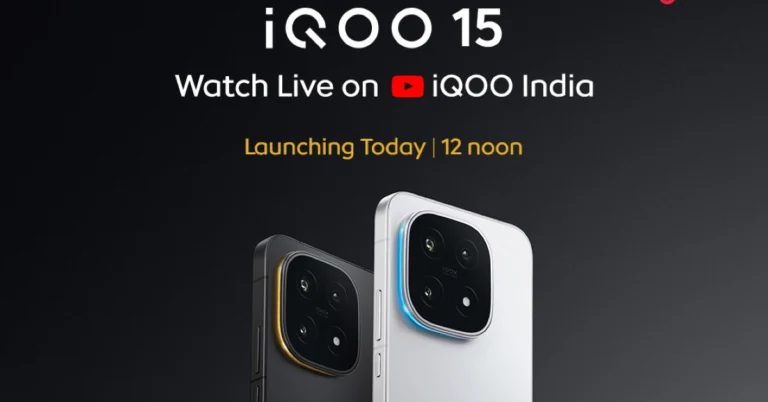


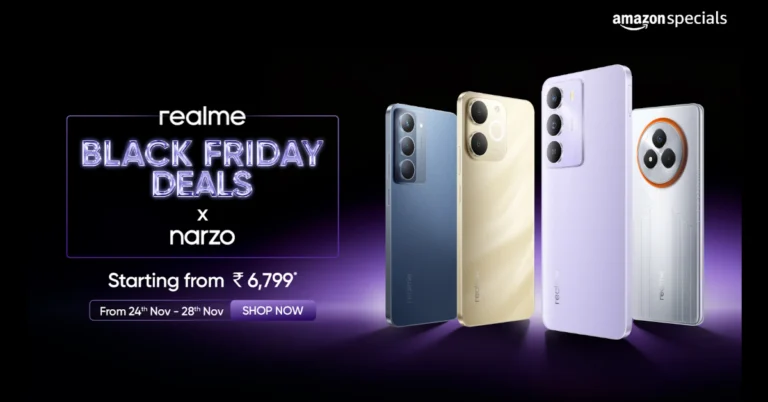

 Step 1: Launch Sol’s RNG in Roblox.
Step 2: Go to Menu and select Settings.
Step 3: Switch to the Miscellaneous tab.
Step 4: Hit Open next to Redeem Code.
Step 5: Enter the code in the text box.
Step 6: Hit Redeem.
Step 1: Launch Sol’s RNG in Roblox.
Step 2: Go to Menu and select Settings.
Step 3: Switch to the Miscellaneous tab.
Step 4: Hit Open next to Redeem Code.
Step 5: Enter the code in the text box.
Step 6: Hit Redeem.
 Step 1: Launch Sol’s RNG in Roblox.
Step 2: Go to Menu and select Settings.
Step 3: Switch to the Miscellaneous tab.
Step 4: Hit Open next to Redeem Code.
Step 5: Enter the code in the text box.
Step 6: Hit Redeem.
Step 1: Launch Sol’s RNG in Roblox.
Step 2: Go to Menu and select Settings.
Step 3: Switch to the Miscellaneous tab.
Step 4: Hit Open next to Redeem Code.
Step 5: Enter the code in the text box.
Step 6: Hit Redeem.

 Step 1: Launch Tower Defense Simulator (TDS) in Roblox.
Step 2: Hit the Codes button with the Twitter bird icon on the left side of the screen.
Step 3: Enter the code in the text box.
Step 4: Hit Redeem.
Step 1: Launch Tower Defense Simulator (TDS) in Roblox.
Step 2: Hit the Codes button with the Twitter bird icon on the left side of the screen.
Step 3: Enter the code in the text box.
Step 4: Hit Redeem.
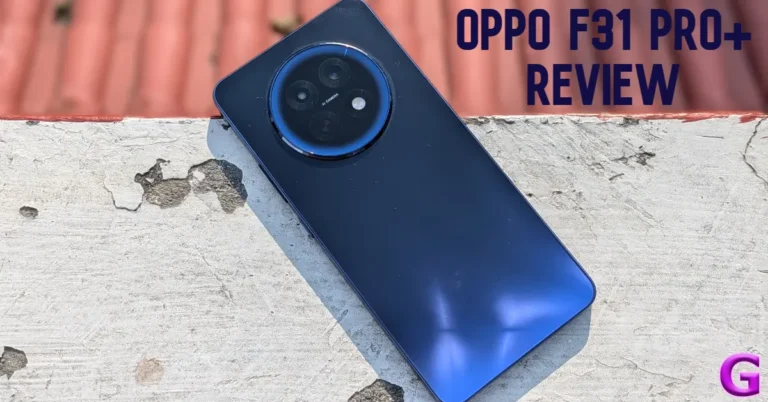
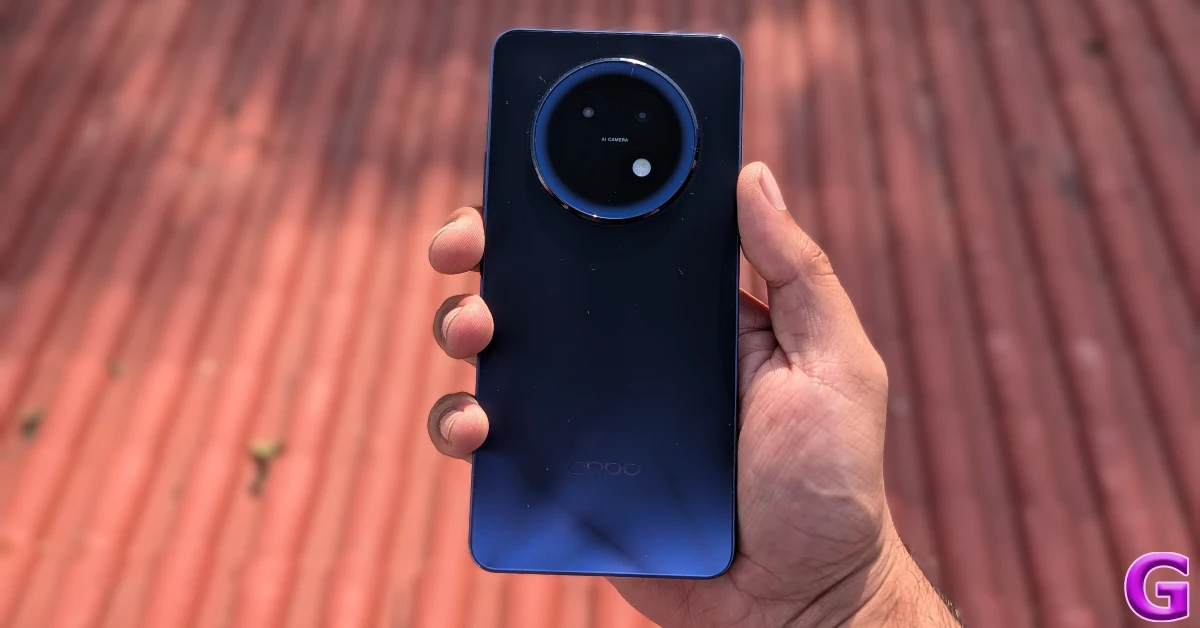 The F31 Pro+ is completely waterproof. It is rated IP67/IP68/IP69 for protection against dust and water. It can survive exposure to high-pressure water jets and 18 types of liquids. This level of water protection enables it to capture pictures underwater. Taking a phone call in the pouring rain does not hinder the performance at all. The smartphone is compliant with MIL-STD-810H durability standards, being able to operate in extreme temperatures, humidity, rain, dust, and sustained vibration.
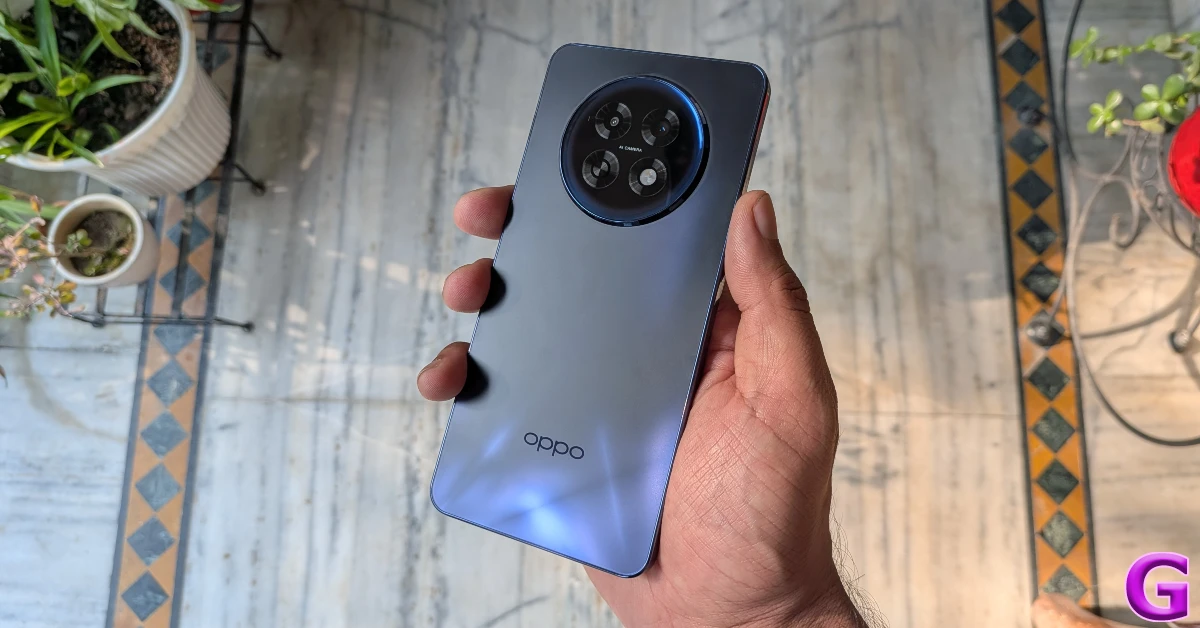 The high-molecular fibreglass back panel can absorb a knock, but it is a bit of a fingerprint magnet. The camera island is aligned at the centre and slightly protrudes outwards. It causes a slight wobble when the device is placed on a flat surface. The F31 Pro+ weighs 195g. It isn’t as top-heavy as other devices in its segment, but the large camera panel makes its presence felt while holding the phone. There are 3 colour options on offer: Gemstone Blue, Himalayan White, and Festive Pink.
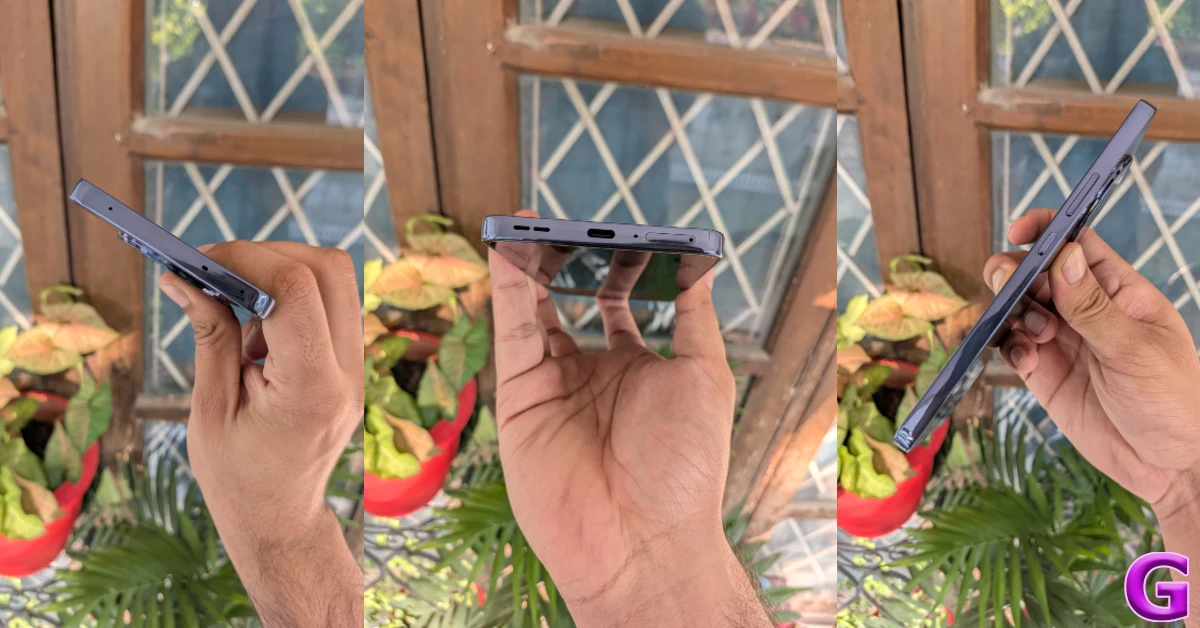 The glossy frame has flat edges and curved corners. It houses the volume rocker and the side button on its right edge. The SIM tray, primary microphone, USB-C port, and primary speaker are positioned at the bottom. Up top lie the secondary speaker, noise-cancelling microphone, and an IR blaster. The in-hand feel of the device is good, but it doesn’t scream premium.
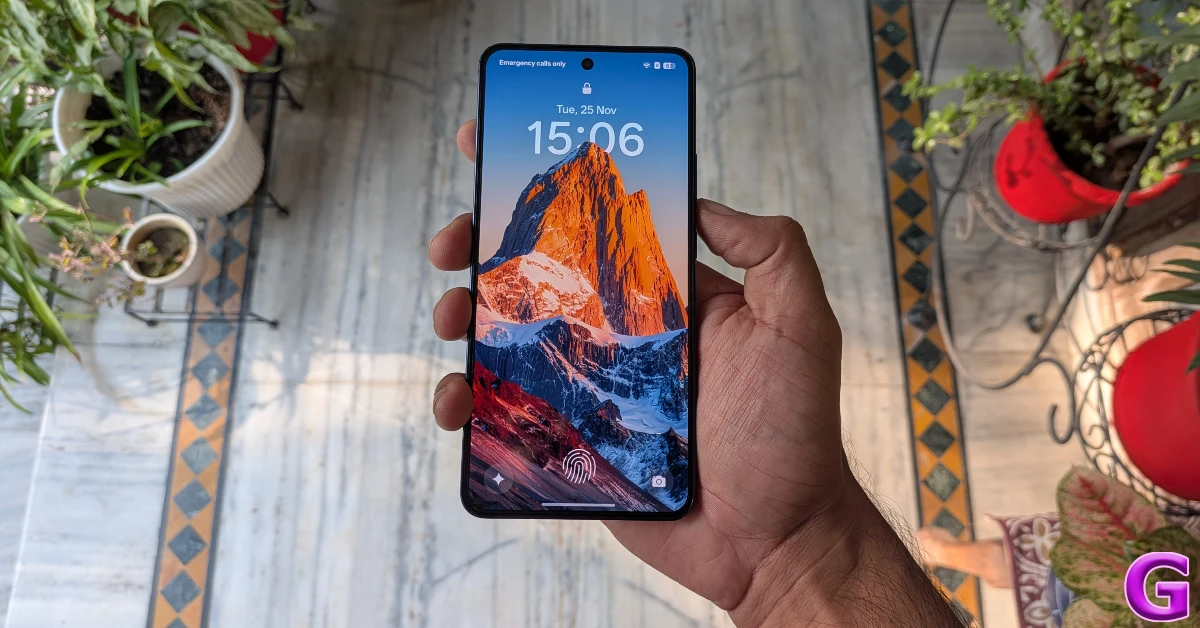 The 6.8-inch AMOLED display has a 120Hz refresh rate and can reach a peak brightness of 1,600 nits. It is protected by AGC DT-Star D+ glass. The touch response on offer here is very smooth. The optical fingerprint sensor is accurate and snappy. The screen is surrounded by thin and even bezels. The front-facing camera is housed in a punch-hole cutout.
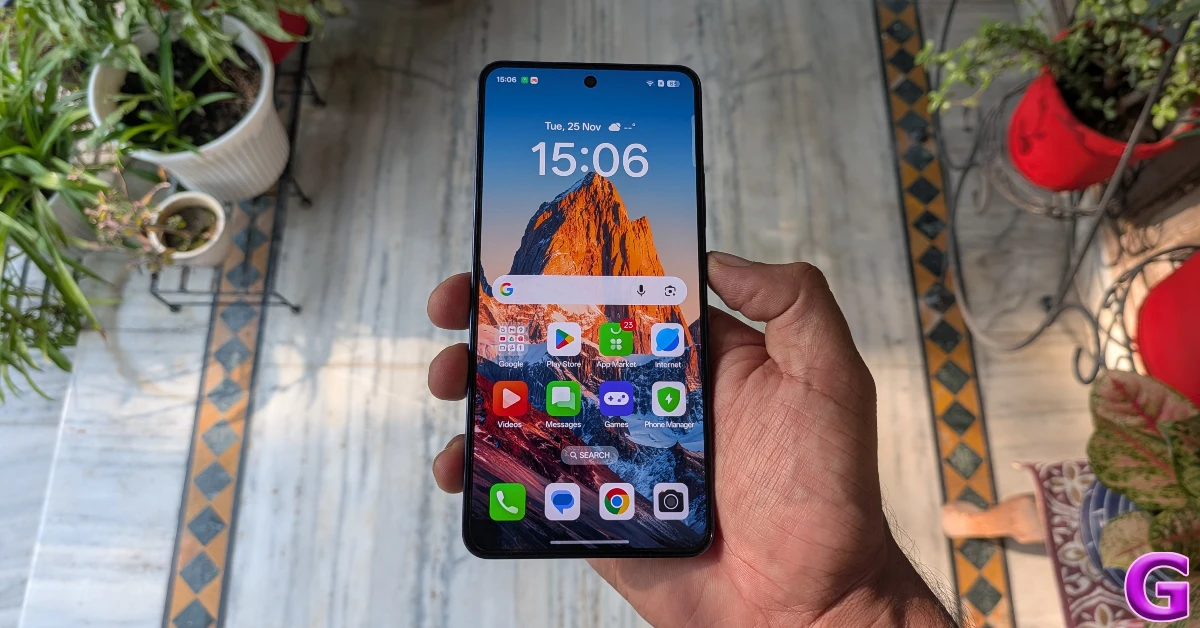 The AMOLED display produces vibrant visuals with amazing contrast. The is a good range of viewing angles if you want to watch a movie with your friends. The ‘Bright HDR video mode’ in settings increases the screen brightness when playing HDR content in OTT apps like Netflix, Prime Video, and JioHotstar. The dual speaker setup produces a loud audio output, but it could use a more pronounced low end.
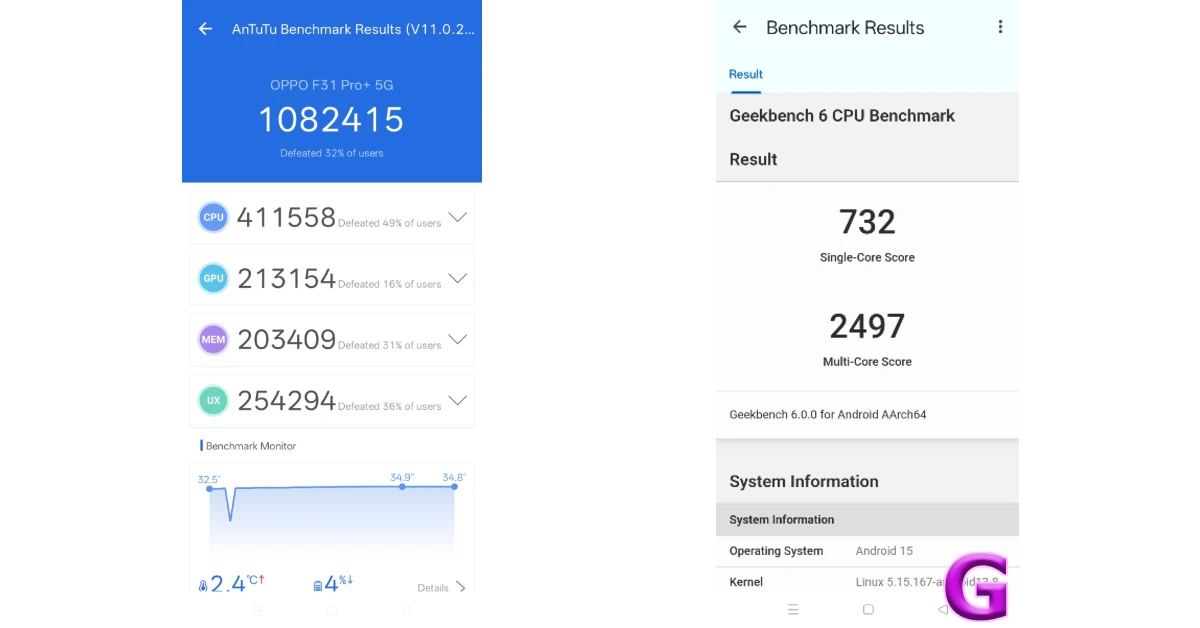 The smartphone puts up a good display while handling routine tasks like calling, instant messaging, web browsing, media streaming, and navigation. We did not come across a single jitter during the review period. While it may not use the fastest RAM or storage, the F31 Pro+ does a good job of quickly loading apps and juggling several of them at the same time. The haptic motor produces a strong vibrational feedback, but it could use a little more tuning.
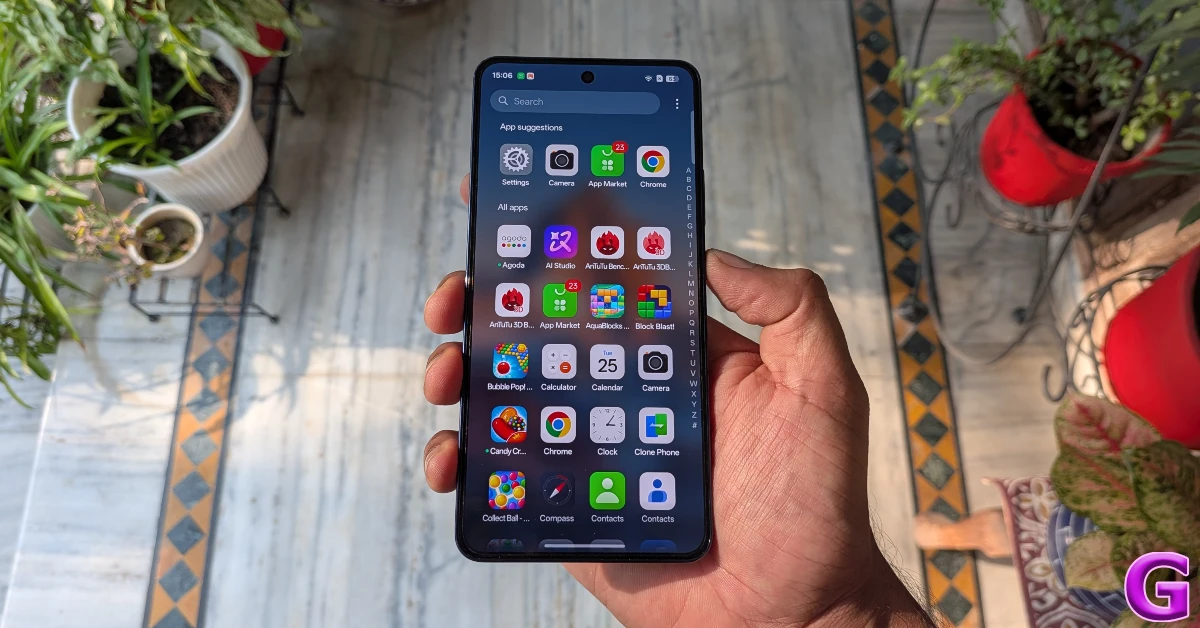 Oppo doesn’t market the F31 Pro+ as a gaming smartphone, but it can handle titles like Call of Duty Mobile and BGMI. We got the best gameplay experience at medium graphics and frame rate settings. There were no annoying frame drops to be seen. The biggest highlight of the gaming experience is the efficient thermal management. The 5,219mm² SuperCool VC System does a brilliant job of dissipating the internal heat. We breezed past the 30-minute mark without noticing any warmth along the back panel.
 Software duties on this device are handled by the Android 15-based ColorOS 15. Oppo has promised 2 major OS upgrades and 3 years of security patches for this device. The OS is riddled with lots of bloatware apps, including the ‘Hot Apps’ and ‘Hot Games’ ads disguised as folders. Thankfully, the bloatware can be easily removed from the device.
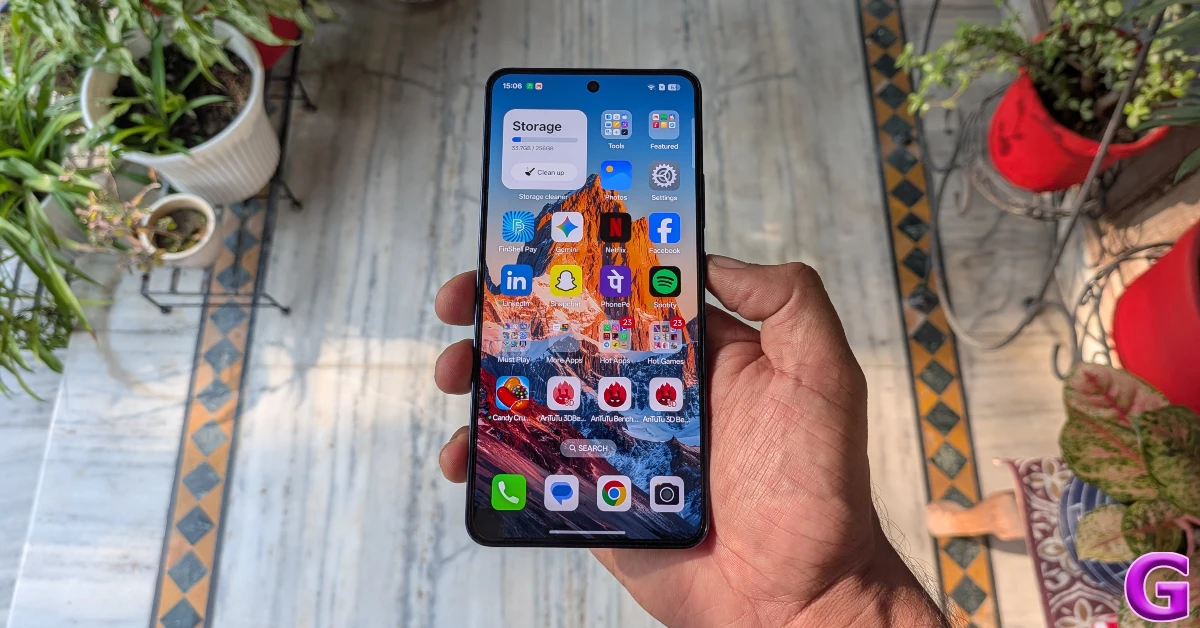 We like the customisation options that ColorOS offers for the lockscreen, Always on Display, homepage, app icons, and fingerprint icon. The Flux themes and magazine-like lockscreen covers make the phone more appealing. The AI Editor baked into the native Photos app has useful tools like AI Eraser, AI Recompose, clarity enhancer, unblur, and reflection remover. Apart from the photo-editing tools, you get the standard AI-driven summarisation and translation features. There’s Google’s Circle to Search and Gemini Assistant on board as well.
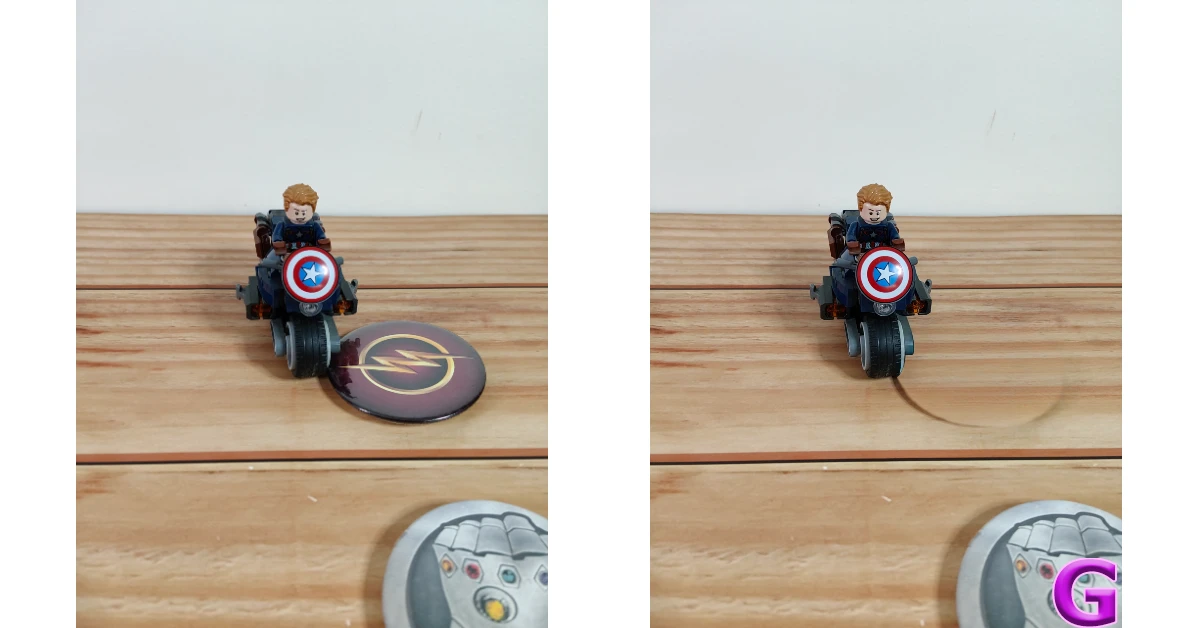
 The camera array of this device leaves more to be desired. The rear camera island houses a 50MP OmniVision 50D40 primary shooter and a 2MP Galaxy Core 02M1B monochrome lens. The lack of an ultrawide lens on a smartphone priced over Rs 30,000 is bewildering. Up front, the 32MP Galaxy Core 32E2 sensor is housed in a punch-hole cutout.
 The primary shooter captures good images in bright outdoor conditions. The pictures showcase rich and warm colours with good dynamic range and contrast. We would’ve liked more sharpness in the images, but it isn’t a dealbreaker. In limited lighting conditions, the Night Mode does a good job of lighting up the images and getting rid of most of the grain.

 Portrait shots taken with the F31 Pro+ are vibrant and well-focused. The camera manages to detect the edges of the subject accurately and apply a healthy dosage of background blur. The 32MP front-facing camera takes good, clear, and vibrant selfies. We were pleased to see that the skin tone and texture in the images were close to real life. The front and rear cameras can record 4K videos at 30fps.

 Read Also: OnePlus 15R and the OnePlus Pad Go 2 India launch date announced
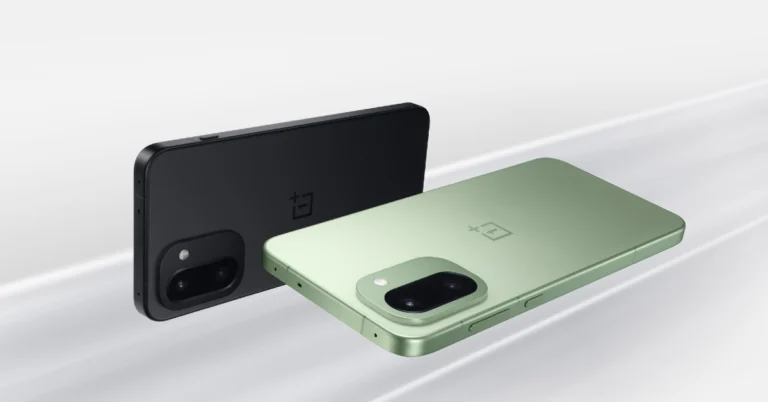
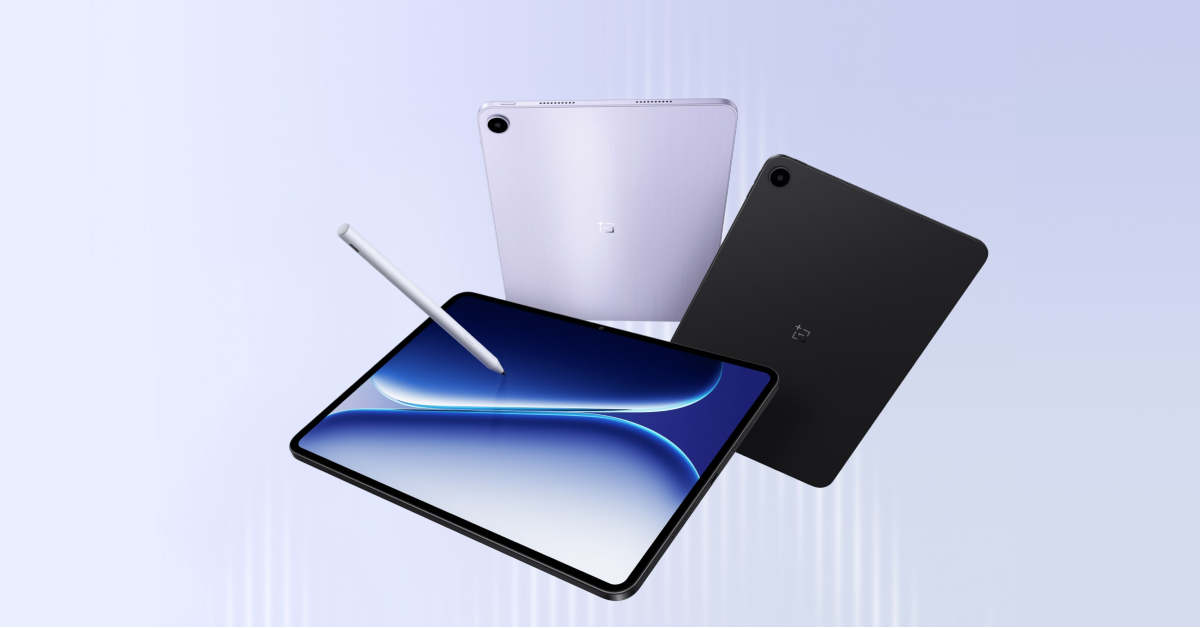 While showcasing the design of the next handset, the company also announced that the 15R features important dust and water resistance, with IP66, IP68, IP69, and IP69K classifications.
Teaser images suggest a dual camera setup on the back that is vertically aligned and housed within a square camera module, similar to the design characteristics of the high-end OnePlus 15 model, enhancing its photographic capabilities. On the right side, users will find the power button alongside the volume controls, while the left side includes an unspecified button, possibly for additional functionality.
Also Read: Smartphones under Rs 50,000 with bigger batteries in India
According to recent reports, the OnePlus 15R, which was previously assumed to be a rebranded version of the OnePlus Ace 6, may be derived from the upcoming OnePlus Ace 6T. This shift in strategy was driven by fresh reports following the product’s anticipated launch schedule, which corresponds to the flagship model’s recent release in China.
Also Read: Moto G57 Power with 7,000mAh battery arrives in India: Price in India, Specs
The OnePlus Ace 6T is rumoured to include a back camera module design similar to the OnePlus 15 flagship, as well as a dual-rear camera arrangement reminiscent of the OnePlus Ace 6, which comprises a 50-megapixel primary camera and an 8-megapixel ultrawide lens. The upcoming OnePlus Ace 6T is expected to have Qualcomm’s Snapdragon 8 Gen 5 CPU, which has yet to be officially unveiled. It might possibly include a display with a refresh rate of 165 Hz, comparable to the OnePlus 15 and Ace 6.
The OnePlus Pad Go 2 Stylo stylus will be compatible with the new tablet, which will have a single rear camera arrangement. Furthermore, the device will support 5G connection, expanding its potential for those looking for faster internet access and better performance.
While showcasing the design of the next handset, the company also announced that the 15R features important dust and water resistance, with IP66, IP68, IP69, and IP69K classifications.
Teaser images suggest a dual camera setup on the back that is vertically aligned and housed within a square camera module, similar to the design characteristics of the high-end OnePlus 15 model, enhancing its photographic capabilities. On the right side, users will find the power button alongside the volume controls, while the left side includes an unspecified button, possibly for additional functionality.
Also Read: Smartphones under Rs 50,000 with bigger batteries in India
According to recent reports, the OnePlus 15R, which was previously assumed to be a rebranded version of the OnePlus Ace 6, may be derived from the upcoming OnePlus Ace 6T. This shift in strategy was driven by fresh reports following the product’s anticipated launch schedule, which corresponds to the flagship model’s recent release in China.
Also Read: Moto G57 Power with 7,000mAh battery arrives in India: Price in India, Specs
The OnePlus Ace 6T is rumoured to include a back camera module design similar to the OnePlus 15 flagship, as well as a dual-rear camera arrangement reminiscent of the OnePlus Ace 6, which comprises a 50-megapixel primary camera and an 8-megapixel ultrawide lens. The upcoming OnePlus Ace 6T is expected to have Qualcomm’s Snapdragon 8 Gen 5 CPU, which has yet to be officially unveiled. It might possibly include a display with a refresh rate of 165 Hz, comparable to the OnePlus 15 and Ace 6.
The OnePlus Pad Go 2 Stylo stylus will be compatible with the new tablet, which will have a single rear camera arrangement. Furthermore, the device will support 5G connection, expanding its potential for those looking for faster internet access and better performance. 
 Step 3: Tap on Your Recap.
 Step 4: Select Get your Recap.
 Alternatively, you can visit the Music Recap webpage on your desktop or mobile to view the playlist.
 Step 3: Tap on Your Recap.
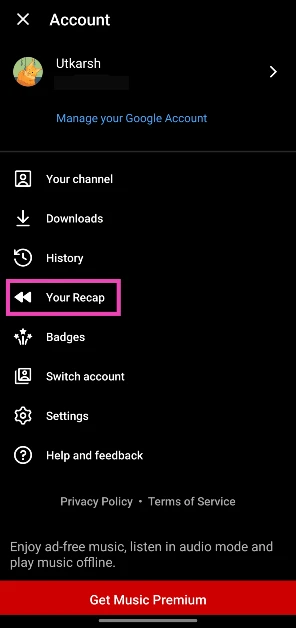 Step 4: Select Get your Recap.
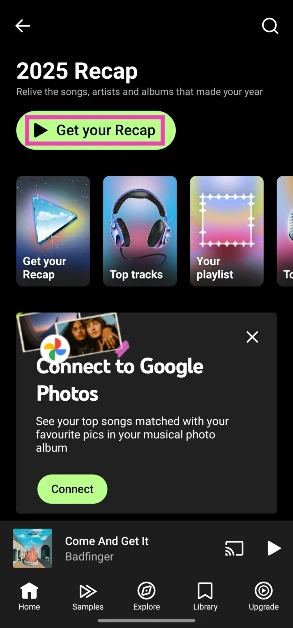 Step 5: Tap the arrow icon at the bottom of a slide to download it as an image on your device.
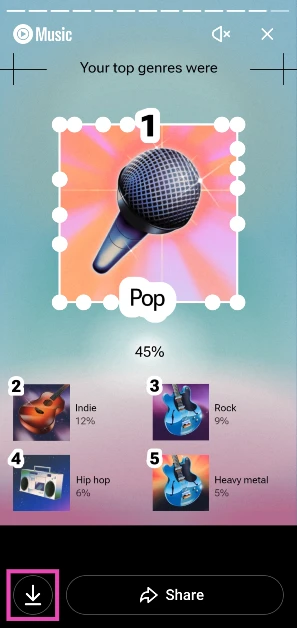 Alternatively, you can visit the Music Recap webpage on your desktop or mobile to view the playlist.
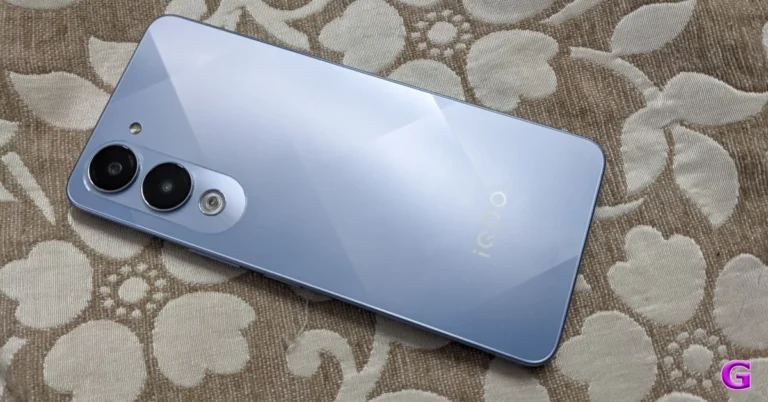
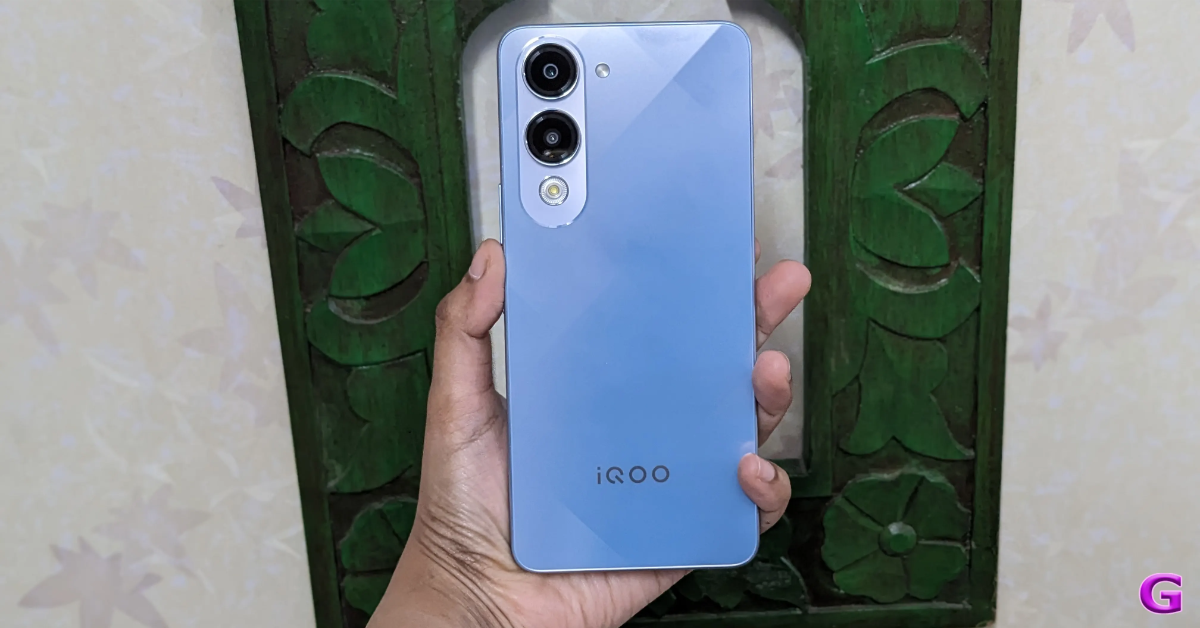 The iQOO Z10 features a 6.77-inch full-HD+ AMOLED screen with 1,080×2,392 pixels of resolution. The display has 5000 nits peak brightness and supports a 120 Hz refresh rate. The phone runs on Funtouch OS 15, based on Android 15 out of the box. Under the hood, there is an octa-core Snapdragon 7s Gen 3 processor with up to 12 GB of LPDDR4X RAM and up to 256 GB of UFS 2.2 storage.
The iQOO Z10’s dual rear camera array includes a 2-megapixel lens with an f/2.4 aperture and a 50-megapixel main sensor with optical image stabilisation (OIS). It has a selfie sensor with 8 megapixels on the front.
The iQOO Z10 has a 7,300mAh battery that can be charged at 90W.
The iQOO Z10 features a 6.77-inch full-HD+ AMOLED screen with 1,080×2,392 pixels of resolution. The display has 5000 nits peak brightness and supports a 120 Hz refresh rate. The phone runs on Funtouch OS 15, based on Android 15 out of the box. Under the hood, there is an octa-core Snapdragon 7s Gen 3 processor with up to 12 GB of LPDDR4X RAM and up to 256 GB of UFS 2.2 storage.
The iQOO Z10’s dual rear camera array includes a 2-megapixel lens with an f/2.4 aperture and a 50-megapixel main sensor with optical image stabilisation (OIS). It has a selfie sensor with 8 megapixels on the front.
The iQOO Z10 has a 7,300mAh battery that can be charged at 90W.
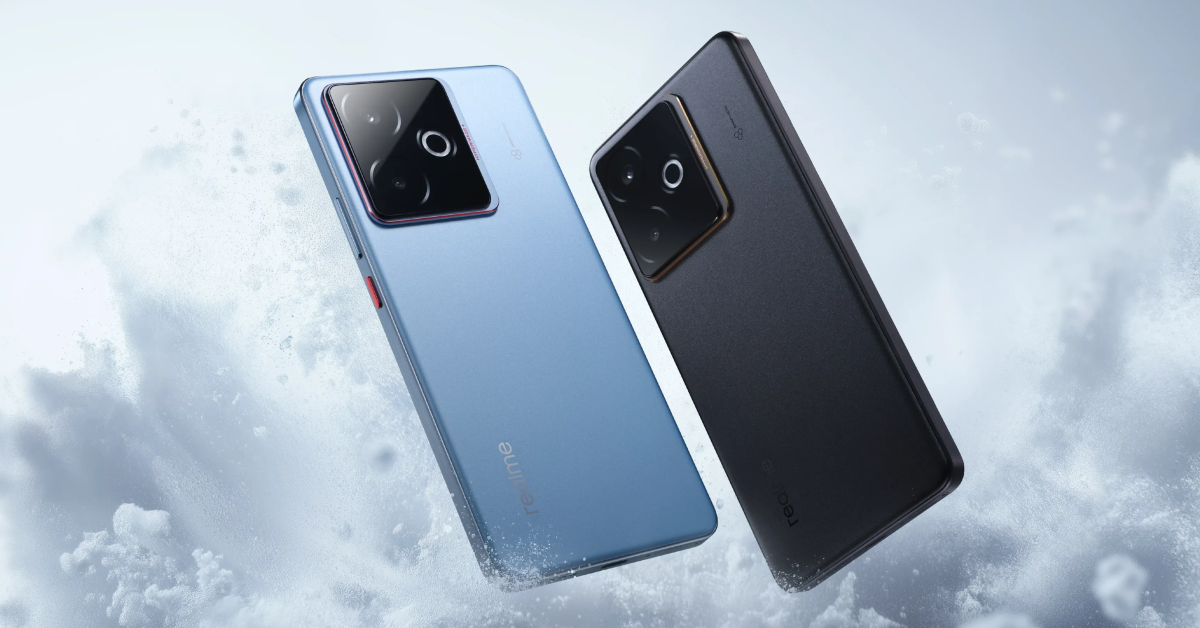 The Realme GT 7T has a 6.80-inch AMOLED display with 1,280 x 2,800 pixels of resolution. The rest of the display has comparable specifications to the GT 7. The gadget is powered by a MediaTek Dimensity 8400-Max CPU. The Realme GT 7T has a dual rear camera configuration with a 50-megapixel Sony IMX896 sensor and an 8-megapixel OV08D10 ultra-wide-angle sensor, as well as a 32-megapixel selfie camera in the front. The phone features a 7,000mAh battery and 120W charging capability.
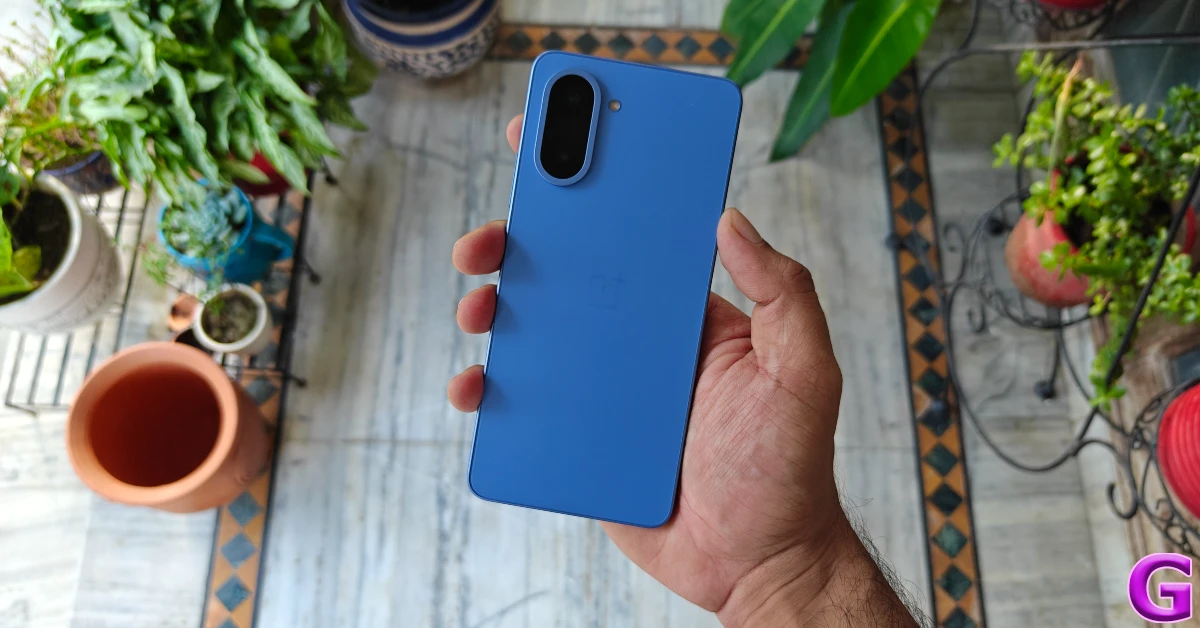 The OnePlus Nord CE 5 flexes a 6.77-inch AMOLED screen with 120 Hz refresh rate support. The panel has up to 1400 nits peak brightness. It comes equipped with a MediaTek Dimensity 8350 Apex processor with up to 12GB of LPDDR5x RAM and up to 256GB of storage.
For the optics, there is a 50-megapixel Sony LYT-600 primary sensor with OIS support and an 8-megapixel OV08D10 (OmniVision) sensor for taking ultra-wide shots. In terms of selfies, there is a 16-megapixel Sony IMX480 sensor front-facing camera.
The OnePlus Nord CE 5 comes with a bigger 7,100mAh battery with 80W SuperVOOC charging support.
The OnePlus Nord CE 5 flexes a 6.77-inch AMOLED screen with 120 Hz refresh rate support. The panel has up to 1400 nits peak brightness. It comes equipped with a MediaTek Dimensity 8350 Apex processor with up to 12GB of LPDDR5x RAM and up to 256GB of storage.
For the optics, there is a 50-megapixel Sony LYT-600 primary sensor with OIS support and an 8-megapixel OV08D10 (OmniVision) sensor for taking ultra-wide shots. In terms of selfies, there is a 16-megapixel Sony IMX480 sensor front-facing camera.
The OnePlus Nord CE 5 comes with a bigger 7,100mAh battery with 80W SuperVOOC charging support.
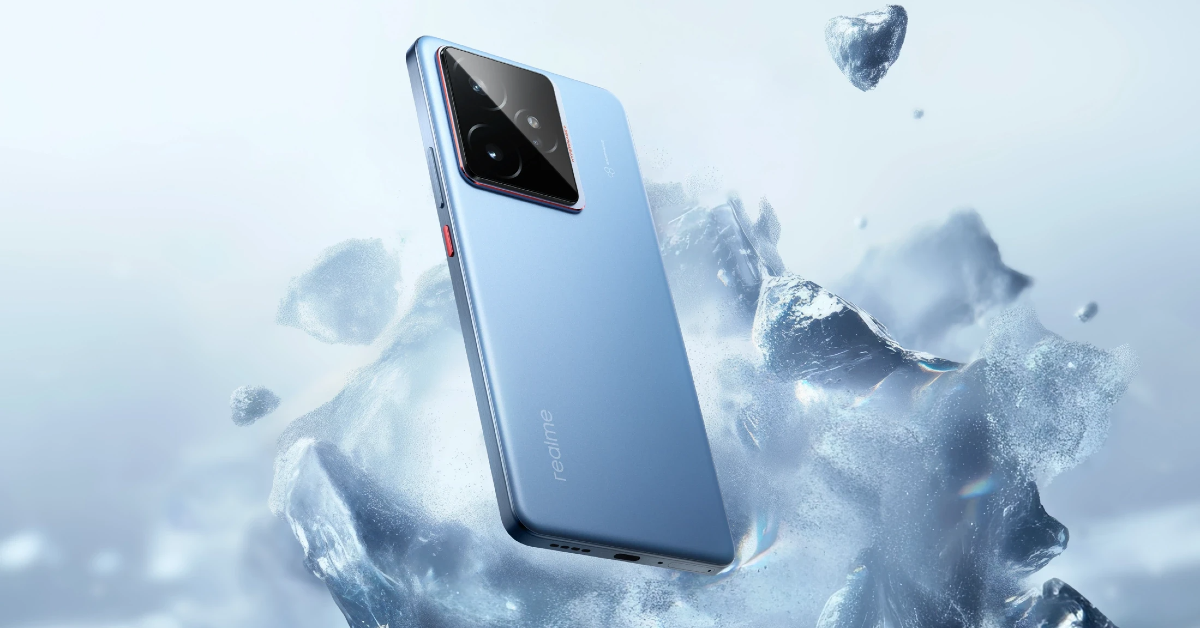 The Realme GT 7 features a 6.78-inch 1.5K AMOLED display with 1,264×2,780 pixels of resolution. It has a 120 Hz refresh rate and a 360 Hz touch sampling rate. The screen comes with a peak brightness of 6,000 nits and Corning Gorilla Glass 7i protection. The device packs an octa-core 4nm MediaTek Dimensity 9400e processor with up to 12GB RAM and a maximum of 512GB storage. It runs on Realme UI 6.0 based on Android 15 out of the box. The GT 7 has a triple camera setup, including a 50-megapixel Sony IMX906 1.56-inch camera, a 50-megapixel S5KJN5 telephoto camera, and an 8-megapixel OV08D10 ultra-wide camera. It also features a 32-megapixel front camera for selfies and supports 4K slow-motion video recording at 120 fps and 60 60fps.
Realme’s GT 7 has a 7,000mAh battery and 120W wired fast charging capabilities.
The Realme GT 7 features a 6.78-inch 1.5K AMOLED display with 1,264×2,780 pixels of resolution. It has a 120 Hz refresh rate and a 360 Hz touch sampling rate. The screen comes with a peak brightness of 6,000 nits and Corning Gorilla Glass 7i protection. The device packs an octa-core 4nm MediaTek Dimensity 9400e processor with up to 12GB RAM and a maximum of 512GB storage. It runs on Realme UI 6.0 based on Android 15 out of the box. The GT 7 has a triple camera setup, including a 50-megapixel Sony IMX906 1.56-inch camera, a 50-megapixel S5KJN5 telephoto camera, and an 8-megapixel OV08D10 ultra-wide camera. It also features a 32-megapixel front camera for selfies and supports 4K slow-motion video recording at 120 fps and 60 60fps.
Realme’s GT 7 has a 7,000mAh battery and 120W wired fast charging capabilities.
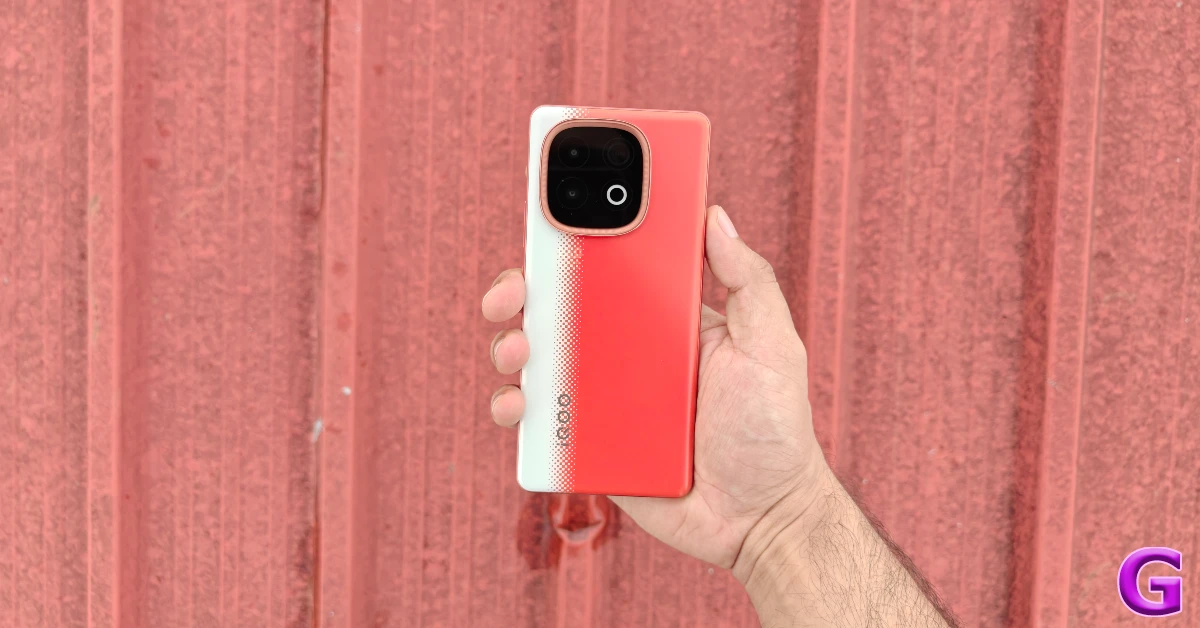 iQOO Neo 10 flaunts a 6.78-inch 1.5K AMOLED screen with 1,260×2,800 pixels of resolution. The panels have up to 5,500 nits local peak brightness and a 4,320 Hz PWM dimming rate. It supports up to a 144 Hz refresh rate and up to a 360 Hz touch sampling rate. The phone is driven by Qualcomm’s Snapdragon 8s Gen 4 SoC with up to 16GB of LPDDR5X Ultra RAM and up to 512GB of UFS 4.1 storage. It is pre-installed with FuntouchOS 15, which is based on Android 15. The device is said to feature 144 fps gaming and provide bypass charging. In terms of photography, the iQOO Neo 10’s dual back camera unit has a 50-megapixel Sony IMX882 main rear sensor with optical image stabilisation (OIS) capability and an f/1.79 aperture, as well as an 8-megapixel ultra-wide lens with an f/2.2 aperture. The phone features a 32-megapixel front-facing camera with an f/2.45 aperture.
The iQOO Neo 10 has a 7,000mAh battery stuffed inside that supports 120W wired charging. It also includes an in-display fingerprint sensor for unlocking.
iQOO Neo 10 flaunts a 6.78-inch 1.5K AMOLED screen with 1,260×2,800 pixels of resolution. The panels have up to 5,500 nits local peak brightness and a 4,320 Hz PWM dimming rate. It supports up to a 144 Hz refresh rate and up to a 360 Hz touch sampling rate. The phone is driven by Qualcomm’s Snapdragon 8s Gen 4 SoC with up to 16GB of LPDDR5X Ultra RAM and up to 512GB of UFS 4.1 storage. It is pre-installed with FuntouchOS 15, which is based on Android 15. The device is said to feature 144 fps gaming and provide bypass charging. In terms of photography, the iQOO Neo 10’s dual back camera unit has a 50-megapixel Sony IMX882 main rear sensor with optical image stabilisation (OIS) capability and an f/1.79 aperture, as well as an 8-megapixel ultra-wide lens with an f/2.2 aperture. The phone features a 32-megapixel front-facing camera with an f/2.45 aperture.
The iQOO Neo 10 has a 7,000mAh battery stuffed inside that supports 120W wired charging. It also includes an in-display fingerprint sensor for unlocking.
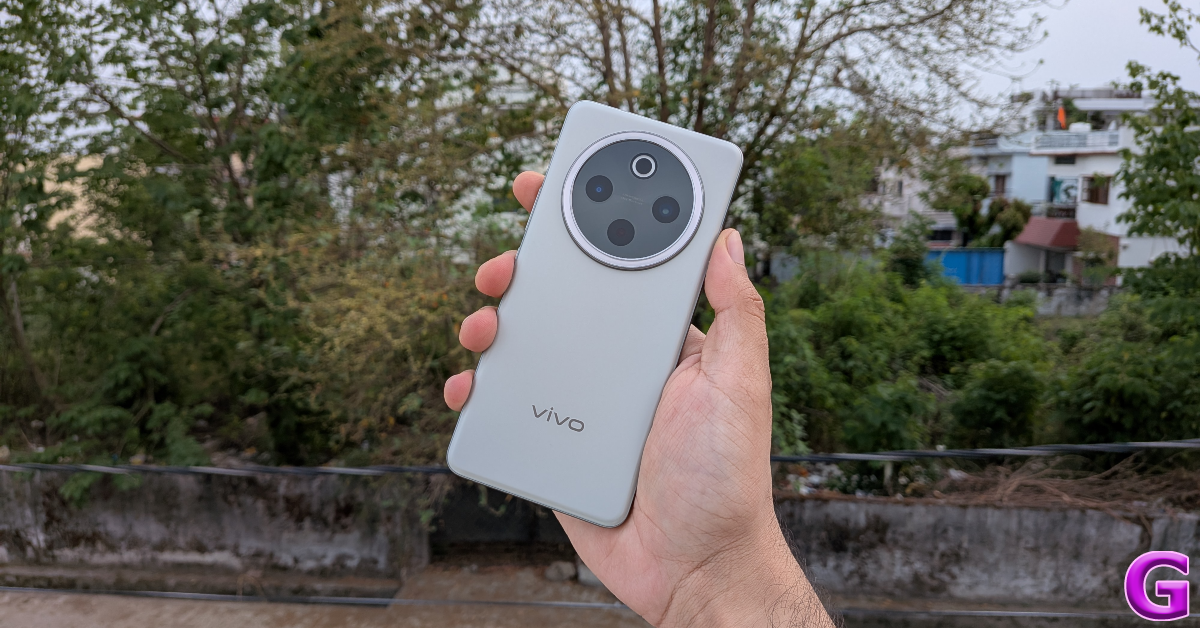 The Vivo T4 5G features a 6.77-inch full-HD+ AMOLED quad-curved display with 1,080 x 2,392 pixels of resolution. The panel has a refresh rate of 120 Hz and supports up to 500 nits of peak brightness. At its heart, there is an octa-core Snapdragon 7s Gen 3 SoC. For the photos and videos, Vivo T4 5G sports a 50-megapixel primary rear camera with optical image stabilisation (OIS) and an f/1.8 aperture, with a 2-megapixel secondary sensor with an f/2.4 aperture. Selfies are handled by an 8-megapixel front camera with an f/2.0 aperture. The Vivo T4 5G is powered by a 7,300mAh battery and supports 90W wired FlashCharge, as well as reverse and bypass charging.
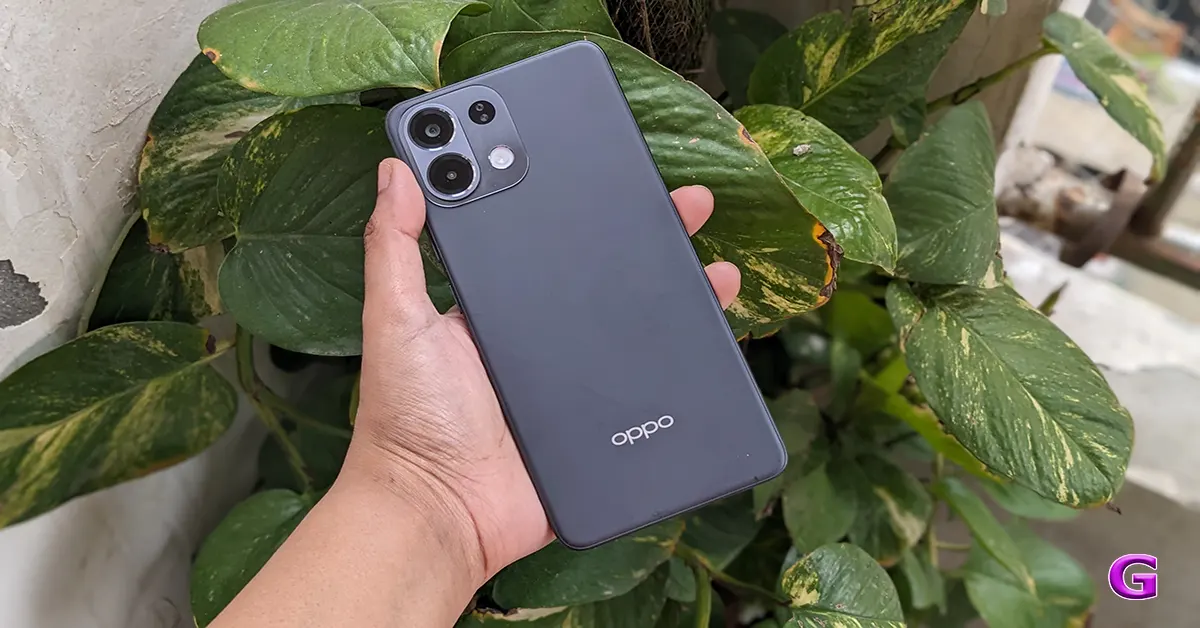 The Oppo K13 5G features a 6.7-inch full-HD+ AMOLED display with a resolution of 1,080×2,400 pixels. The panel boasts a 120 Hz refresh rate, a screen-to-body ratio of 92.2%, and a brightness of 1,200 nits. It is powered by a Snapdragon 6 Gen 4 SoC with an Adreno A810 GPU. The device has 8GB of LPDDR4X RAM and up to 256GB of UFS 3.1 storage. The Oppo K13 5G’s optics include a dual rear camera unit comprising a 2-megapixel OV02B1B secondary depth camera and a 50-megapixel OV50D40 sensor with an f/1.85 lens aperture and autofocus. It has a Sony IMX480 16-megapixel sensor on the front. With its 7,000 mAh battery and 80 W charging capability, the Oppo K13 5G can be charged from 0% to 62% in 30 minutes and 100% in 56 minutes.
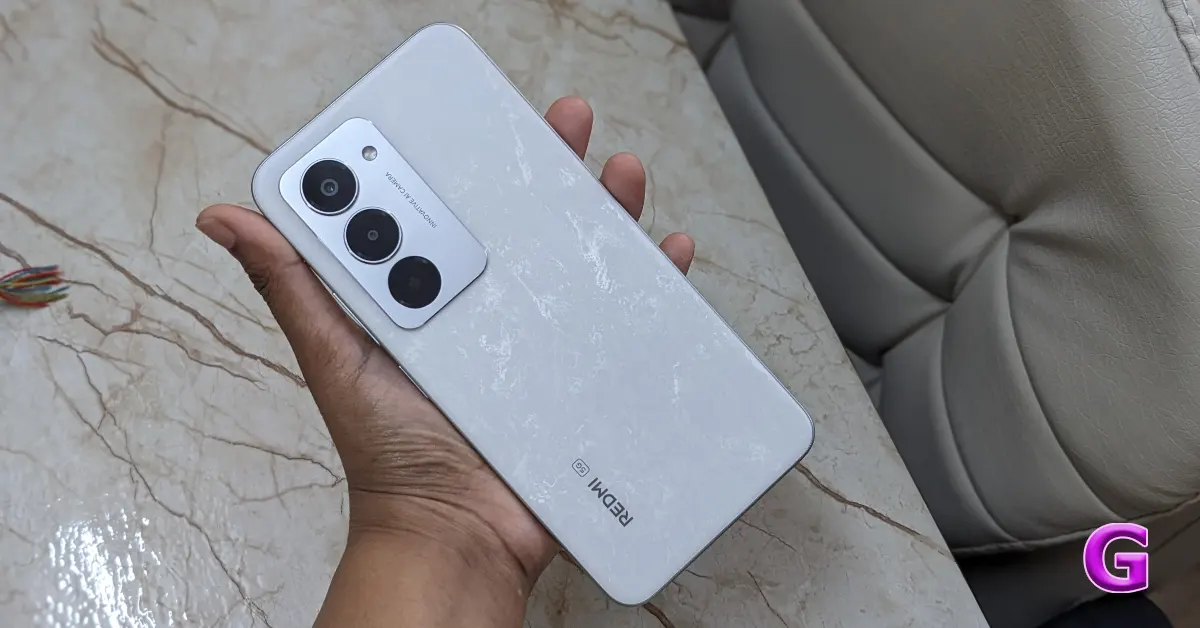 The Redmi 15 5G comes loaded with Qualcomm’s Snapdragon 6s Gen 3 processor (2x Cortex A78 at 2.3GHz and 6x Cortex A55 at 1.95GHz) with up to 8GB of LPDDR4X RAM (expandable up to 16GB RAM with up to 8GB virtual) and 256GB of UFS 2.2 storage. It operates on HyperOS 2 with Android 15 out of the box. The 5G smartphone features a 6.9-inch FHD+ display with 2340×1080 pixels of resolution. It is a TÜV Rheinland display with up to 144 Hz adaptive refresh rate support and up to 288 Hz touch sampling rate. The phone has a peak brightness of 850 nits. It is backed by a massive 7,000mAh battery with 33W wired and 18W reverse charging support. In terms of optics, Redmi 15 5G has a dual rear camera setup that includes a 50-megapixel main camera with an f/1.75 large aperture. There is an 8-megapixel front-facing camera for taking selfies and video calling.
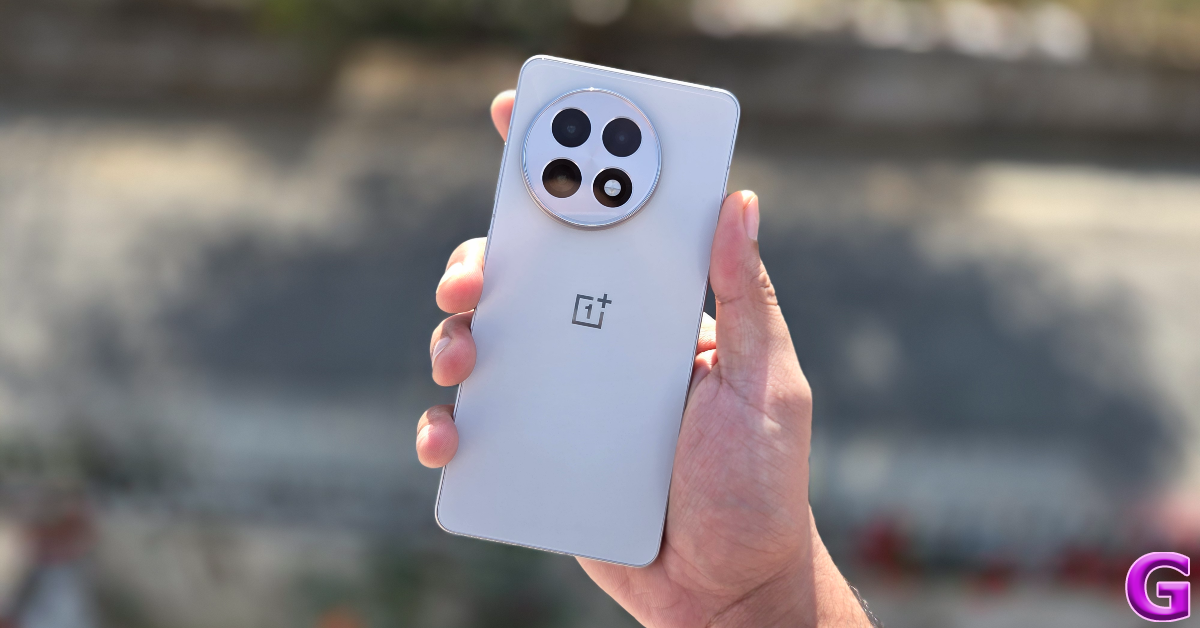
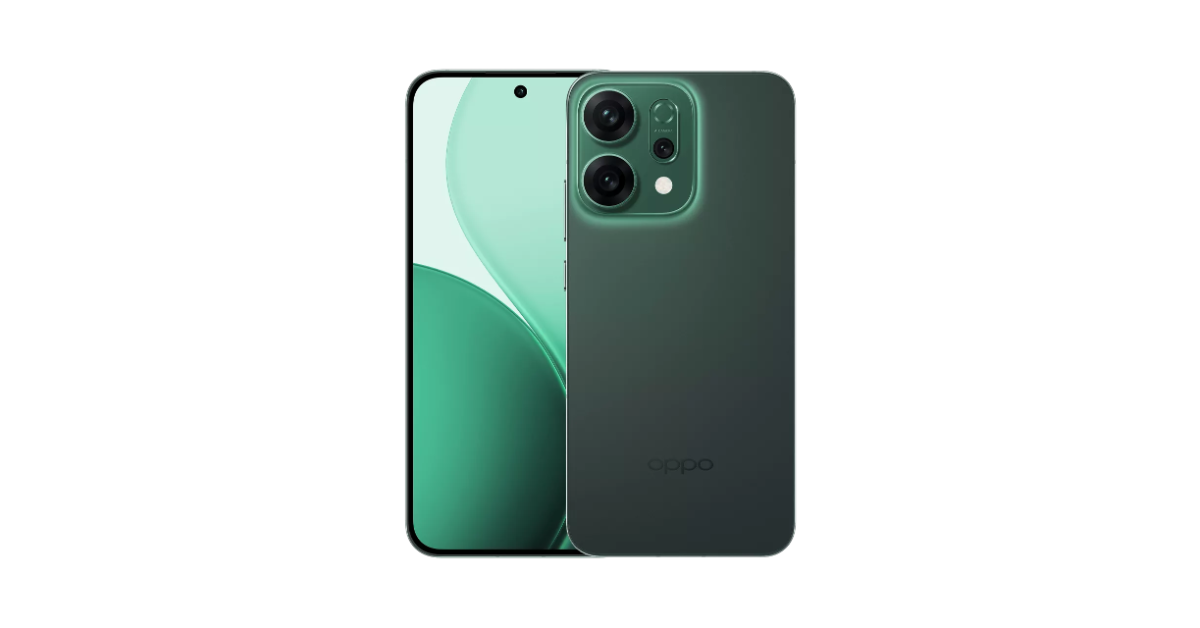 Oppo Reno 14 5G runs on ColorOS 15.0.2 and is powered by the MediaTek Dimensity 8350 SoC with up to 12GB of RAM and up to 512GB of storage. The device features a 6.59-inch 1.5K OLED display. The smartphone packs a 6,000mAh battery with 80W SuperVOOC charging support. For the photos and videos, the triple rear camera setup includes a 50-megapixel main rear sensor, a 50-megapixel periscope telephoto lens (up to 3.5x optical zoom and OIS support), and an 8-megapixel ultrawide shooter. In terms of selfies, there is a 50-megapixel front-facing camera.


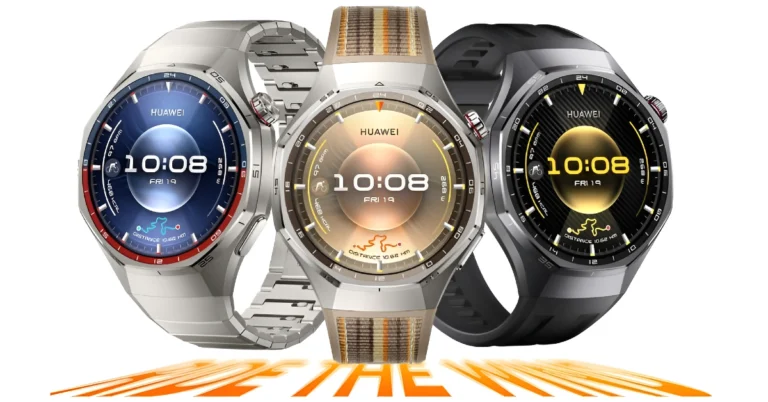

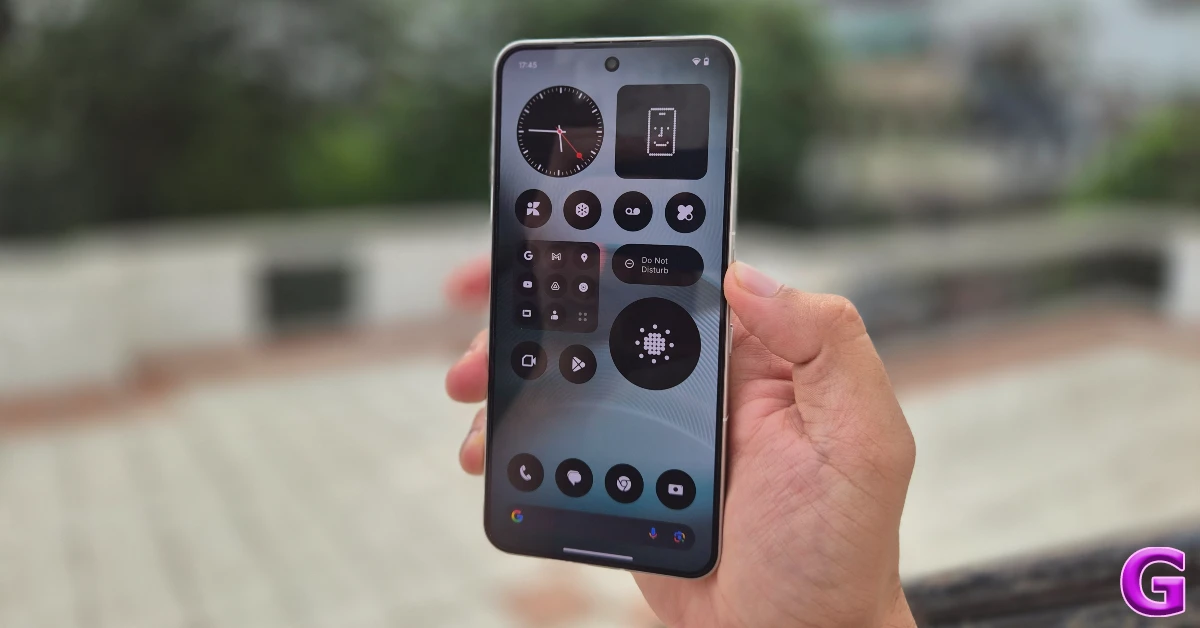 Step 1: Go to Settings.
Step 2: Scroll down and select System.
Step 3: Tap on Check for updates.
Step 4: Tap on Download and install.
Step 5: Restart your phone.
Step 1: Go to Settings.
Step 2: Scroll down and select System.
Step 3: Tap on Check for updates.
Step 4: Tap on Download and install.
Step 5: Restart your phone.
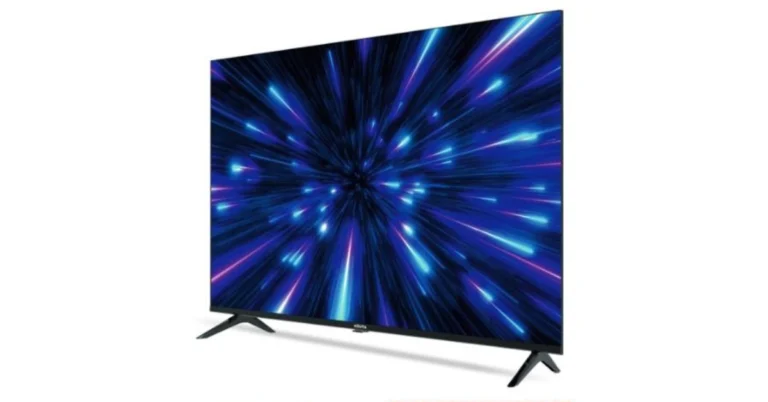
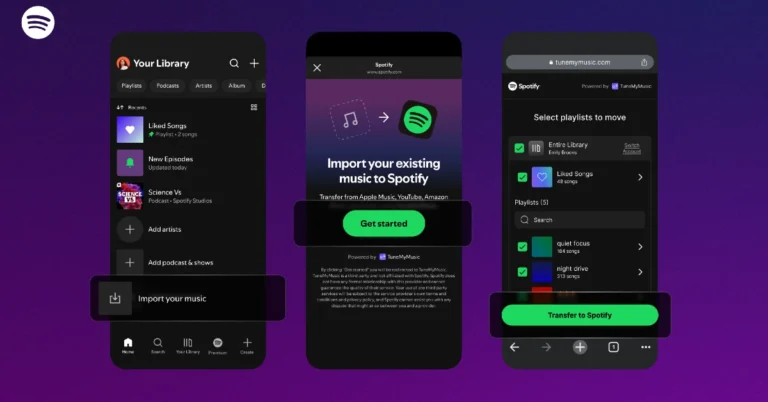
 Step 3: Scroll to the bottom of the page. Use the scroll icon on the right to get there quickly.
 Step 4: Tap on Import your music.
 Step 7: Log in to the platform using your registered account.
 Step 11: Enter your Spotify login credentials and hit Continue.
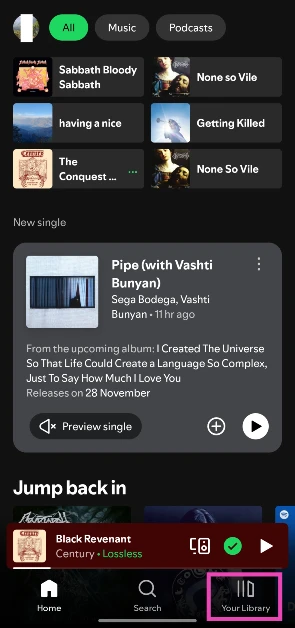 Step 3: Scroll to the bottom of the page. Use the scroll icon on the right to get there quickly.
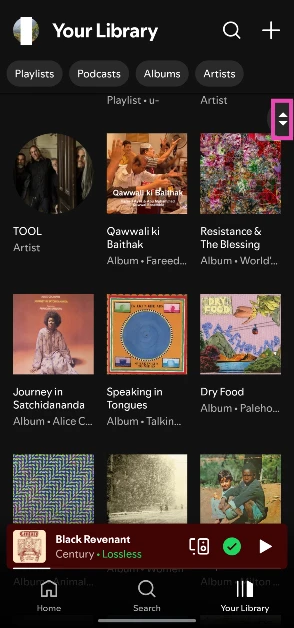 Step 4: Tap on Import your music.
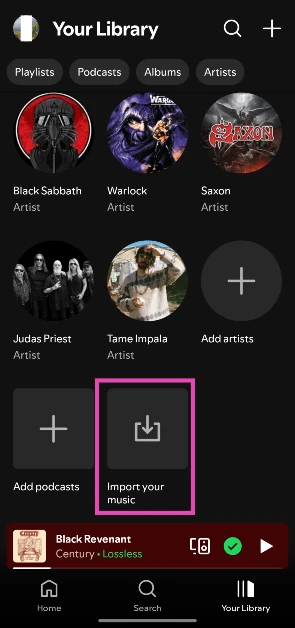 Step 5: Tap on Get Started. You will be redirected to TuneMyMusic.
 Step 6: Select the streaming platform currently hosting the playlist.
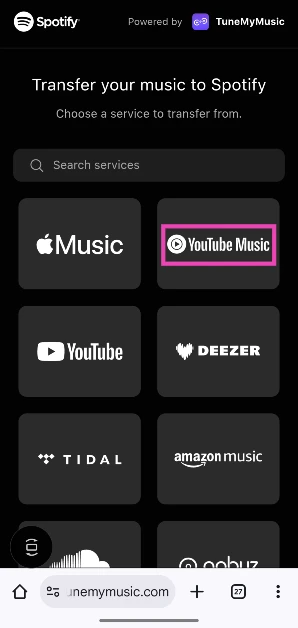 Step 7: Log in to the platform using your registered account.
 Step 8: Allow TuneMyMusic to access your account by hitting Continue.
 Step 9: Enter a playlist URL in the text box or load all of your playlists from your account.
 Step 10: Select the playlists you wish to transfer and hit Transfer to Spotify.
 Step 11: Enter your Spotify login credentials and hit Continue.
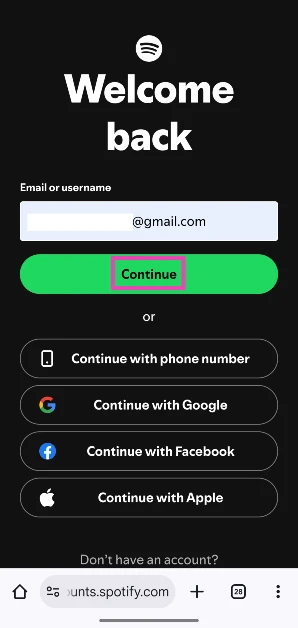 Step 12: Tap on Agree.
 Step 13: Once the transfer process is over, tap on Open Your Library in Spotify.
 Step 3: Go to Default apps.
 Step 4: Make sure Pixel launcher is your default home app. Hit the gear icon.
 Step 5: Hit the gear icon next to At a Glance.
 Step 6: Turn off the toggle switches next to Use At a Glance and Show on home screen.
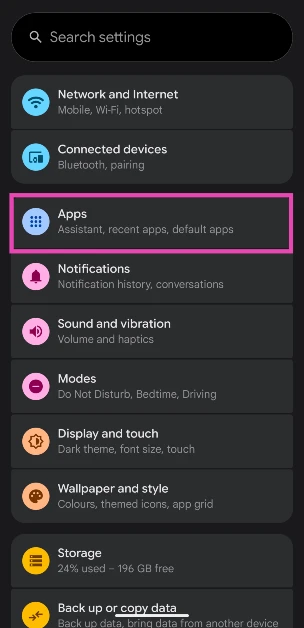 Step 3: Go to Default apps.
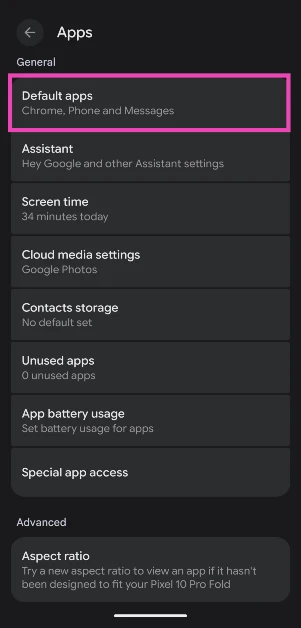 Step 4: Make sure Pixel launcher is your default home app. Hit the gear icon.
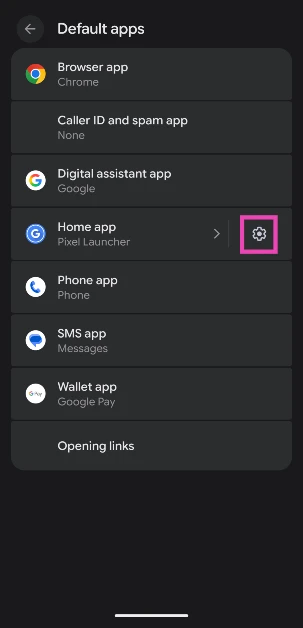 Step 5: Hit the gear icon next to At a Glance.
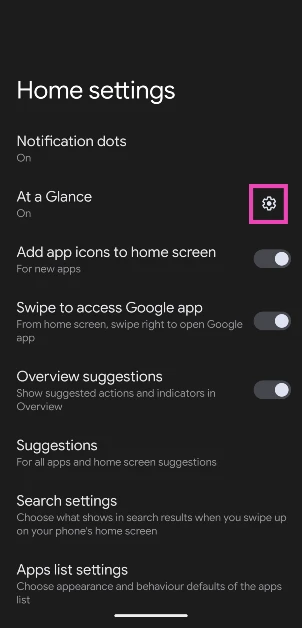 Step 6: Turn off the toggle switches next to Use At a Glance and Show on home screen.
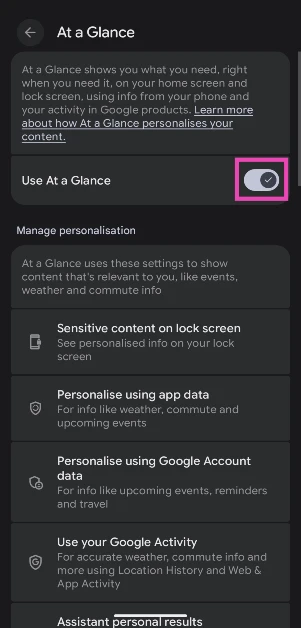 Alternatively, you can long-press the ‘At a Glance’ widget on your Pixel’s home page, tap on Settings, and turn off the toggle switches.
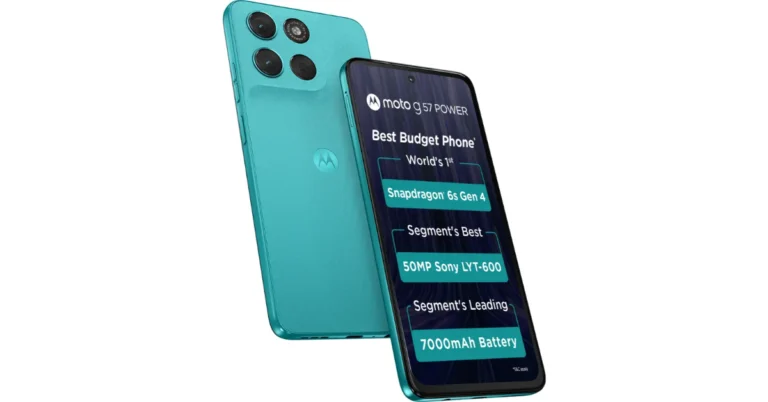
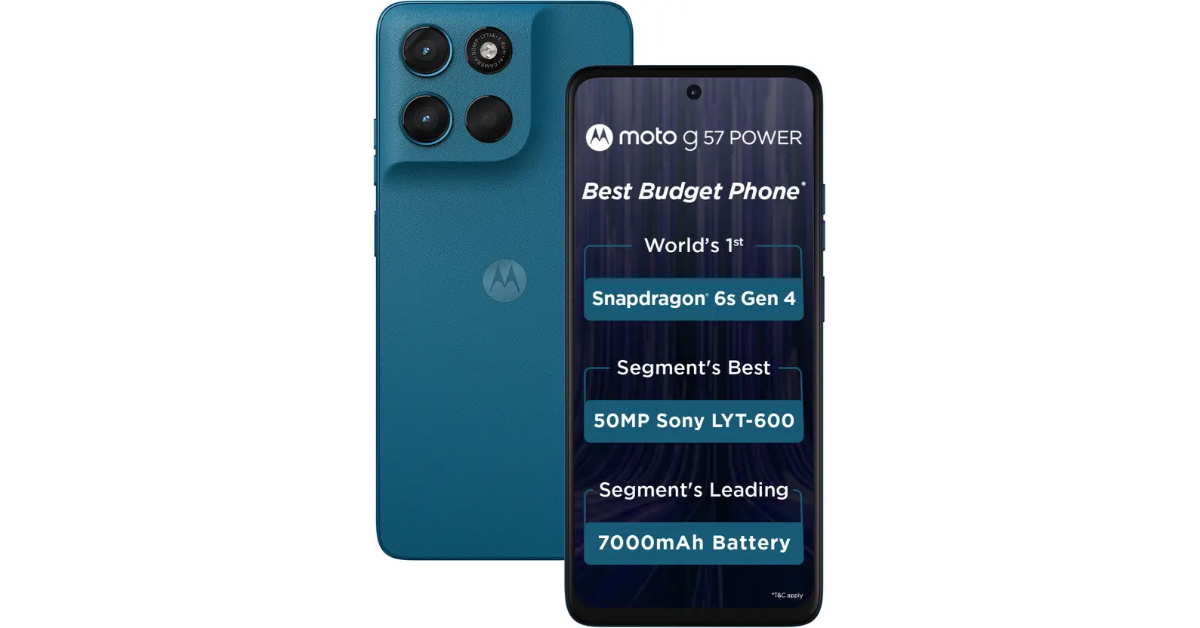
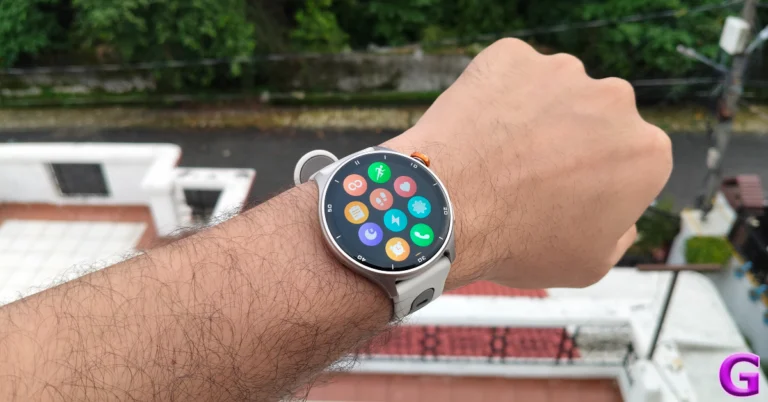
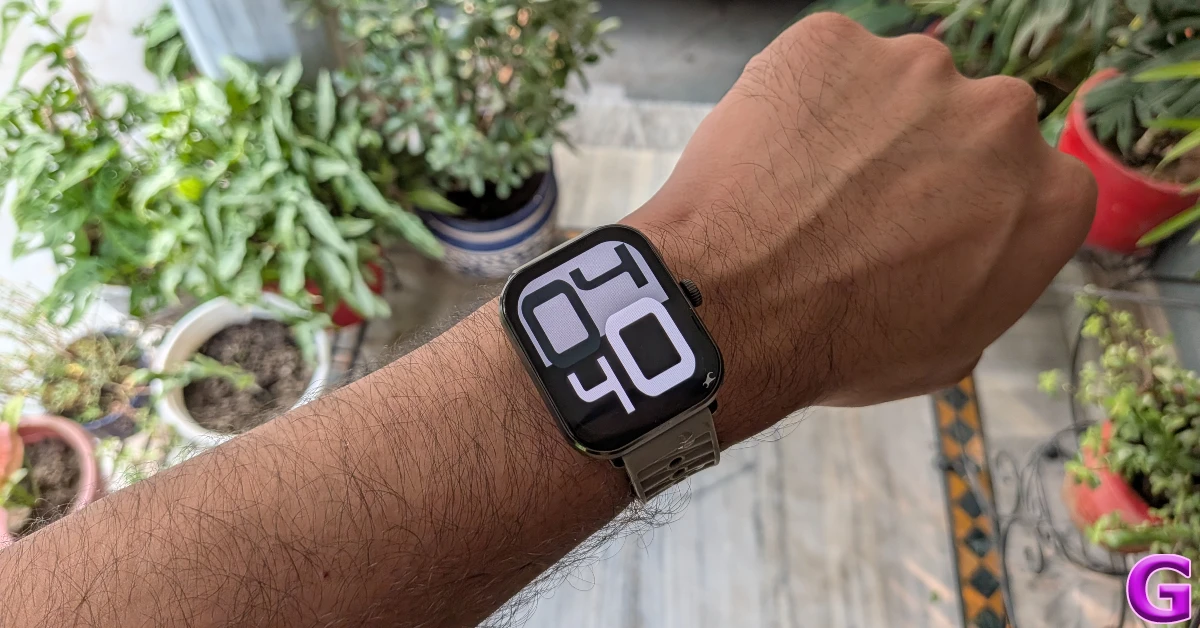 Fastrack MYND has a clean and minimal design, which is something we prefer in affordable and entry-level smartwatches. It rocks a polycarbonate frame with a smooth matte finish. Its 1.9-inch curved AMOLED display is better than the LCD panels usually found in this price bracket. This display is able to reach optimum brightness in outdoor conditions to maintain legibility. The silicone strap of this watch could use some work, but its health and fitness tracking chops are unmatched. It can efficiently track your sleep cycle, calculate your blood oxygen level, measure your heart rate, and chart over 100 sports and workout routines. For more details, read our Fastrack MYND review.
Pros
Fastrack MYND has a clean and minimal design, which is something we prefer in affordable and entry-level smartwatches. It rocks a polycarbonate frame with a smooth matte finish. Its 1.9-inch curved AMOLED display is better than the LCD panels usually found in this price bracket. This display is able to reach optimum brightness in outdoor conditions to maintain legibility. The silicone strap of this watch could use some work, but its health and fitness tracking chops are unmatched. It can efficiently track your sleep cycle, calculate your blood oxygen level, measure your heart rate, and chart over 100 sports and workout routines. For more details, read our Fastrack MYND review.
Pros
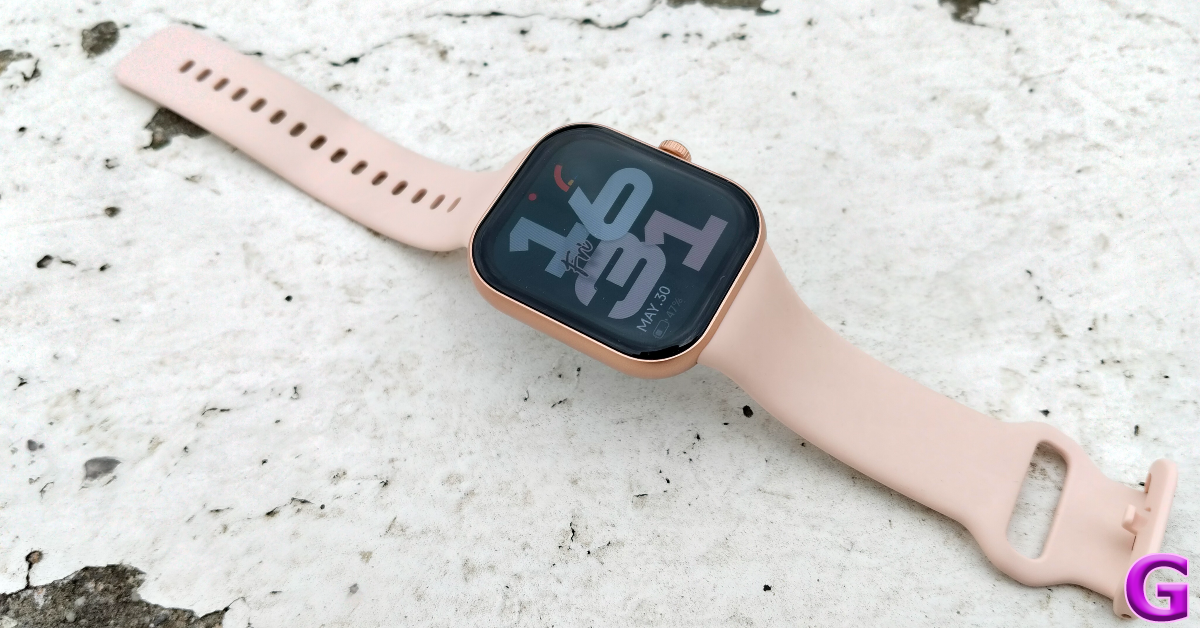 Redmi Watch Move is one of the finest budget smartwatches to come out this year. Its 1.5-inch rectangular AMOLED display has a 60Hz refresh rate and can hit a peak brightness of 600 nits. The 390 x 450p resolution and 322ppi pixel density produce crisp visuals. The TPU strap fits snugly around the wrist. There’s IP68 protection on board, which means the smartwatch can survive excessive sweat and light rain. The sensor array on the bottom panel comprises an accelerometer, a heart rate sensor, and a blood oxygen sensor. This array does a phenomenal job of measuring and tracking essential health and fitness metrics. With heavy usage, this watch lasts up to 10 days on a full charge. Read our Redmi Watch Move review for a deeper analysis of its performance.
Pros
Redmi Watch Move is one of the finest budget smartwatches to come out this year. Its 1.5-inch rectangular AMOLED display has a 60Hz refresh rate and can hit a peak brightness of 600 nits. The 390 x 450p resolution and 322ppi pixel density produce crisp visuals. The TPU strap fits snugly around the wrist. There’s IP68 protection on board, which means the smartwatch can survive excessive sweat and light rain. The sensor array on the bottom panel comprises an accelerometer, a heart rate sensor, and a blood oxygen sensor. This array does a phenomenal job of measuring and tracking essential health and fitness metrics. With heavy usage, this watch lasts up to 10 days on a full charge. Read our Redmi Watch Move review for a deeper analysis of its performance.
Pros
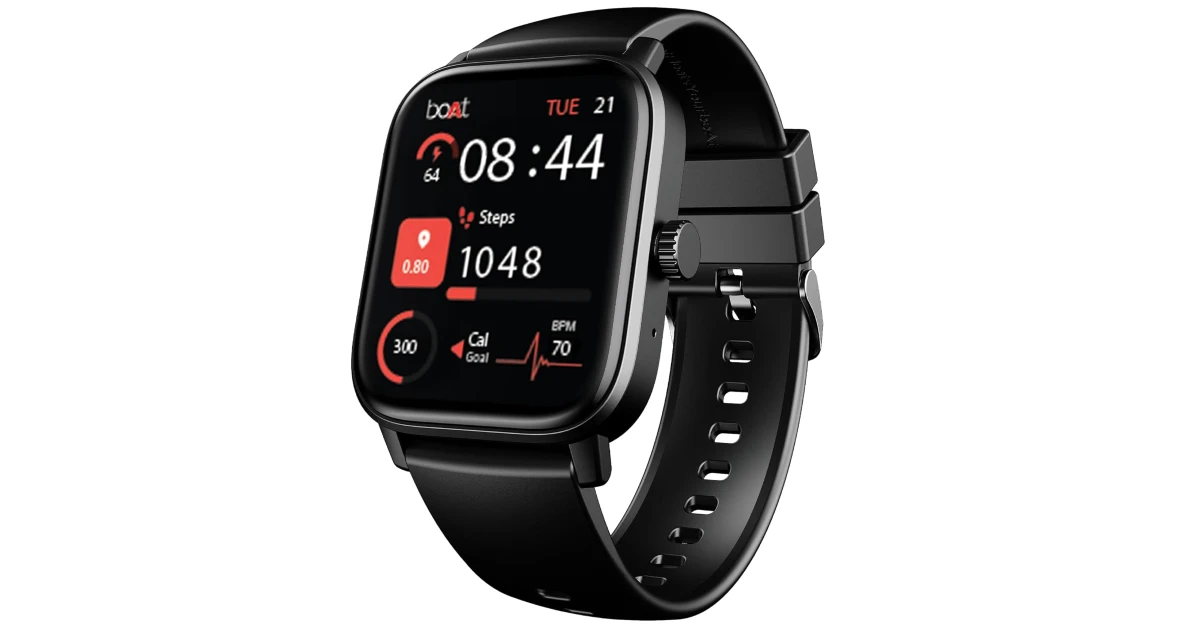 boAt Wave Call 3 is one of the most popular entry-level smartwatches around. Its 1.83-inch HD display produces crisp visuals and offers a decent touch response. The device is rated IP68 for protection against dust and water. It can survive being submerged up to 1.5m in water. The smartwatch offers features like heart rate and blood oxygen monitoring, animated watch faces, Bluetooth calling, quick replies, sport modes, and a functional crown. It packs a 300mAh battery. boAt says that the smartwatch lasts up to 10 days on a full charge. It takes up to 2 hours to fully charge it.
Pros
boAt Wave Call 3 is one of the most popular entry-level smartwatches around. Its 1.83-inch HD display produces crisp visuals and offers a decent touch response. The device is rated IP68 for protection against dust and water. It can survive being submerged up to 1.5m in water. The smartwatch offers features like heart rate and blood oxygen monitoring, animated watch faces, Bluetooth calling, quick replies, sport modes, and a functional crown. It packs a 300mAh battery. boAt says that the smartwatch lasts up to 10 days on a full charge. It takes up to 2 hours to fully charge it.
Pros
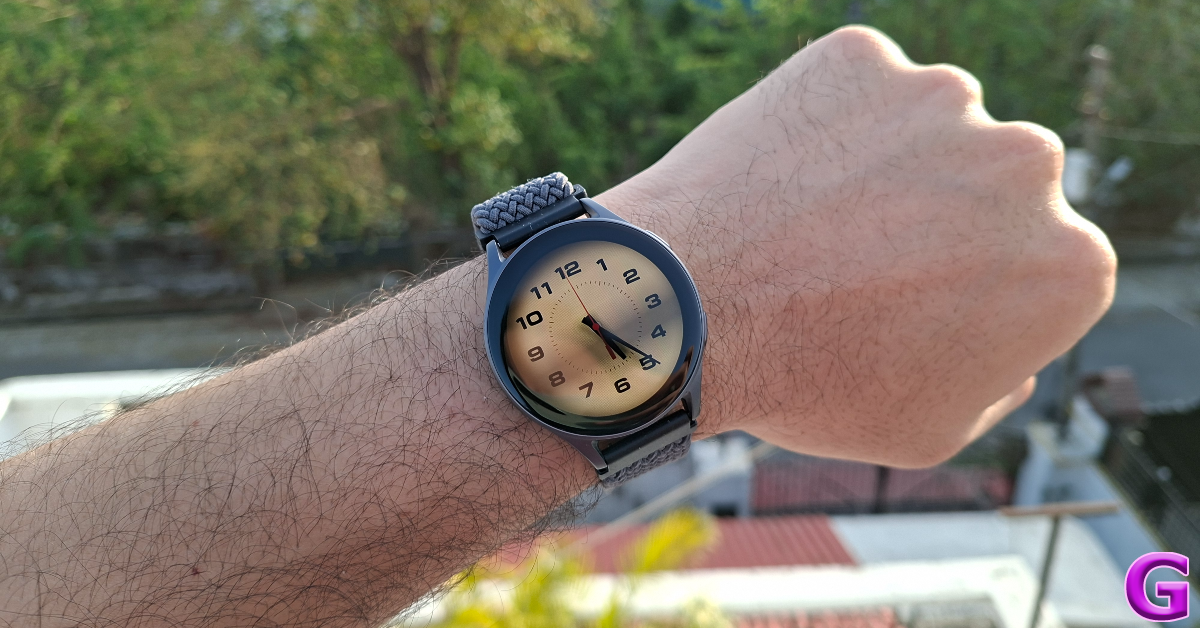 The Prowatch X from Lava rocks a 1.43-inch AMOLED display with a 466p resolution and a peak brightness of 500 nits. There are 3 strap options on offer – Metal, Silicon, and Nylon. There are 2 straps in the retail box. The smartwatch is rated IP68 for dust and water resistance. It is powered by the 128 MHz Dual Core Actions ATS3085C chipset and supports Bluetooth 5.3. There is support for over 110 workout regimens, sports, exercises, and other activities on this device. With GPS built into the watch, you don’t have to take your phone with you to track your hikes and runs. The 300mAh battery pack offers a 6-day battery life. Read our review of the Lava Prowatch X to find out how it performs in everyday use.
Pros
The Prowatch X from Lava rocks a 1.43-inch AMOLED display with a 466p resolution and a peak brightness of 500 nits. There are 3 strap options on offer – Metal, Silicon, and Nylon. There are 2 straps in the retail box. The smartwatch is rated IP68 for dust and water resistance. It is powered by the 128 MHz Dual Core Actions ATS3085C chipset and supports Bluetooth 5.3. There is support for over 110 workout regimens, sports, exercises, and other activities on this device. With GPS built into the watch, you don’t have to take your phone with you to track your hikes and runs. The 300mAh battery pack offers a 6-day battery life. Read our review of the Lava Prowatch X to find out how it performs in everyday use.
Pros
 If you’re looking for something more elegant, check out Titan Valerie. This smartwatch has a round dial embellished with crystals. The 18mm stainless steel mesh band looks very chic and offers a comfortable fit. The 1.20-inch AMOLED display is surrounded by a physical crown. This crown is rotatable, but it does not have any function assigned to it. Pressing the crown brings the main page to life. The UI and navigation mechanism of this watch are accessible to the average user. There’s support for over 100 sports, exercise, and workout routines. On top of that, the smartwatch can track your heart rate and blood oxygen level. A full charge offers a 7-day battery life. Read our review of the Titan Valerie for more details about its health and fitness tracking chops.
Pros
If you’re looking for something more elegant, check out Titan Valerie. This smartwatch has a round dial embellished with crystals. The 18mm stainless steel mesh band looks very chic and offers a comfortable fit. The 1.20-inch AMOLED display is surrounded by a physical crown. This crown is rotatable, but it does not have any function assigned to it. Pressing the crown brings the main page to life. The UI and navigation mechanism of this watch are accessible to the average user. There’s support for over 100 sports, exercise, and workout routines. On top of that, the smartwatch can track your heart rate and blood oxygen level. A full charge offers a 7-day battery life. Read our review of the Titan Valerie for more details about its health and fitness tracking chops.
Pros
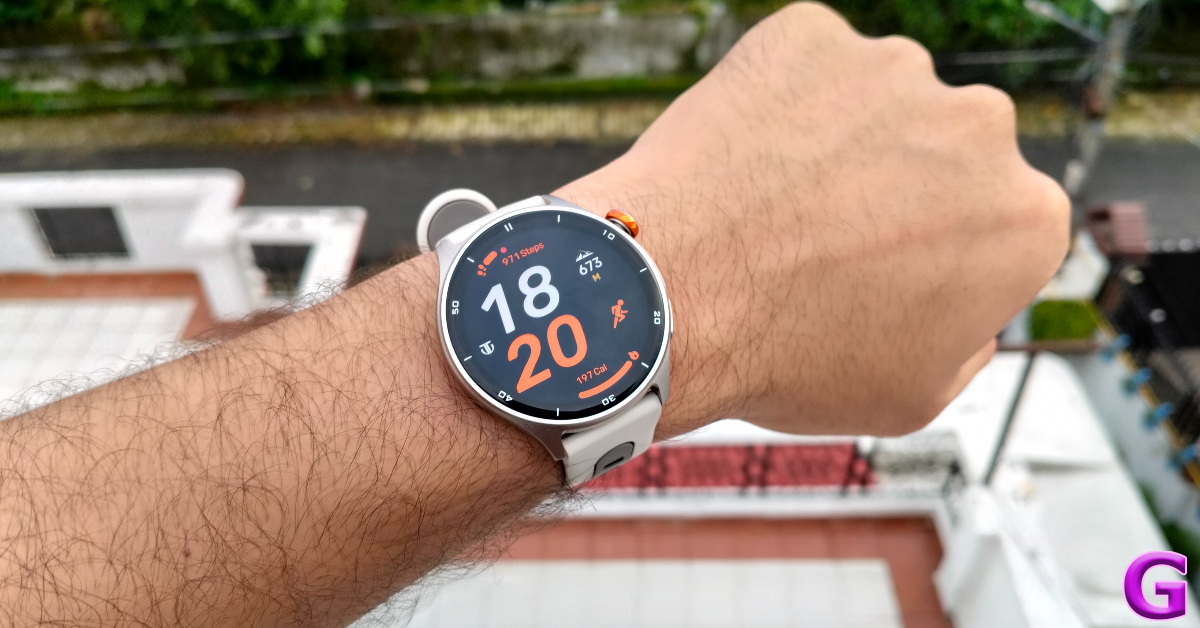 The Celestor has a trendy look that is versatile enough to complement a wide range of outfits. The metal case of this watch feels very premium, and the dual-tone colour scheme of the rubber strap goes along perfectly with it. The 1.43-inch AMOLED display has a 60Hz refresh rate and can reach up to 750 nits of peak brightness. The watch can handle 3ATM of water pressure, which makes it completely swimproof. The Titan Smart World app unlocks an exhaustive list of watch faces for this device. Titan claims a battery life of 7 days on this watch. Read our Titan Celestor review to better understand its real-world performance.
Pros
The Celestor has a trendy look that is versatile enough to complement a wide range of outfits. The metal case of this watch feels very premium, and the dual-tone colour scheme of the rubber strap goes along perfectly with it. The 1.43-inch AMOLED display has a 60Hz refresh rate and can reach up to 750 nits of peak brightness. The watch can handle 3ATM of water pressure, which makes it completely swimproof. The Titan Smart World app unlocks an exhaustive list of watch faces for this device. Titan claims a battery life of 7 days on this watch. Read our Titan Celestor review to better understand its real-world performance.
Pros
 The Ninja Call Pro Max Ultra from Fire-Boltt rocks a large 2.01-inch HD display with 320 nits of peak brightness. This display can hold its own in bright outdoor conditions. The smooth touch response makes the browsing experience feel very seamless. The smartwatch is rated IP67, which means it is well protected against exposure to dust and water. There’s support for over 100 sports, workouts, and exercises. On top of that, the Ninja Call Pro Max Ultra can track your sleep cycle, blood oxygen level, and heart rate. The 280mAh battery pack offers a 7-day battery life.
Pros
The Ninja Call Pro Max Ultra from Fire-Boltt rocks a large 2.01-inch HD display with 320 nits of peak brightness. This display can hold its own in bright outdoor conditions. The smooth touch response makes the browsing experience feel very seamless. The smartwatch is rated IP67, which means it is well protected against exposure to dust and water. There’s support for over 100 sports, workouts, and exercises. On top of that, the Ninja Call Pro Max Ultra can track your sleep cycle, blood oxygen level, and heart rate. The 280mAh battery pack offers a 7-day battery life.
Pros
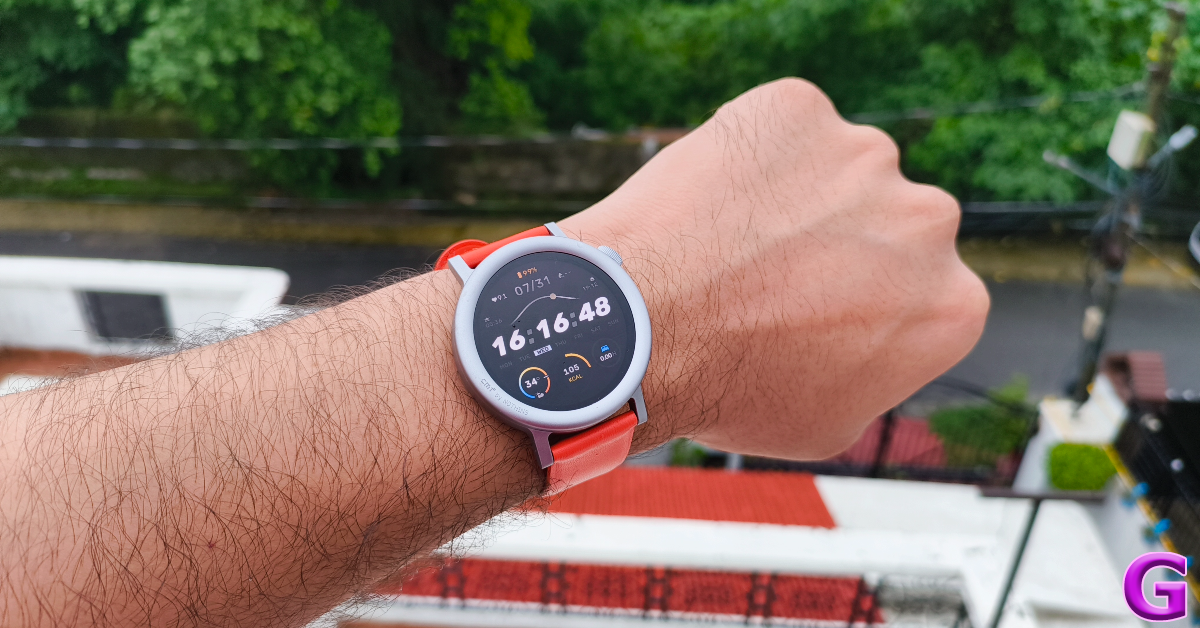 Nothing’s subsidiary brand, CMF, has one of the best budget smartwatches on the market. The Watch 2 Pro packs a 1.32-inch round AMOLED display with a 60Hz refresh rate and a peak brightness of 620 nits. There are 2 strap options on offer – Liquid Silicon and Vegan Leather. The former is available in Dark Grey and Ash Grey colours, while the latter can be had in Blue and Orange variants. One of our favourite features of this watch is the built-in GPS, which allows you to go on hikes and runs without your phone. There’s support for over 120 sports and exercises, including running, cycling, cross-training, yoga, boxing, soccer, treadmill, HIIT, kickboxing, karate, belly dancing, roller skating, and more. Read our review of the CMF Watch 2 Pro for more details.
Pros
Nothing’s subsidiary brand, CMF, has one of the best budget smartwatches on the market. The Watch 2 Pro packs a 1.32-inch round AMOLED display with a 60Hz refresh rate and a peak brightness of 620 nits. There are 2 strap options on offer – Liquid Silicon and Vegan Leather. The former is available in Dark Grey and Ash Grey colours, while the latter can be had in Blue and Orange variants. One of our favourite features of this watch is the built-in GPS, which allows you to go on hikes and runs without your phone. There’s support for over 120 sports and exercises, including running, cycling, cross-training, yoga, boxing, soccer, treadmill, HIIT, kickboxing, karate, belly dancing, roller skating, and more. Read our review of the CMF Watch 2 Pro for more details.
Pros
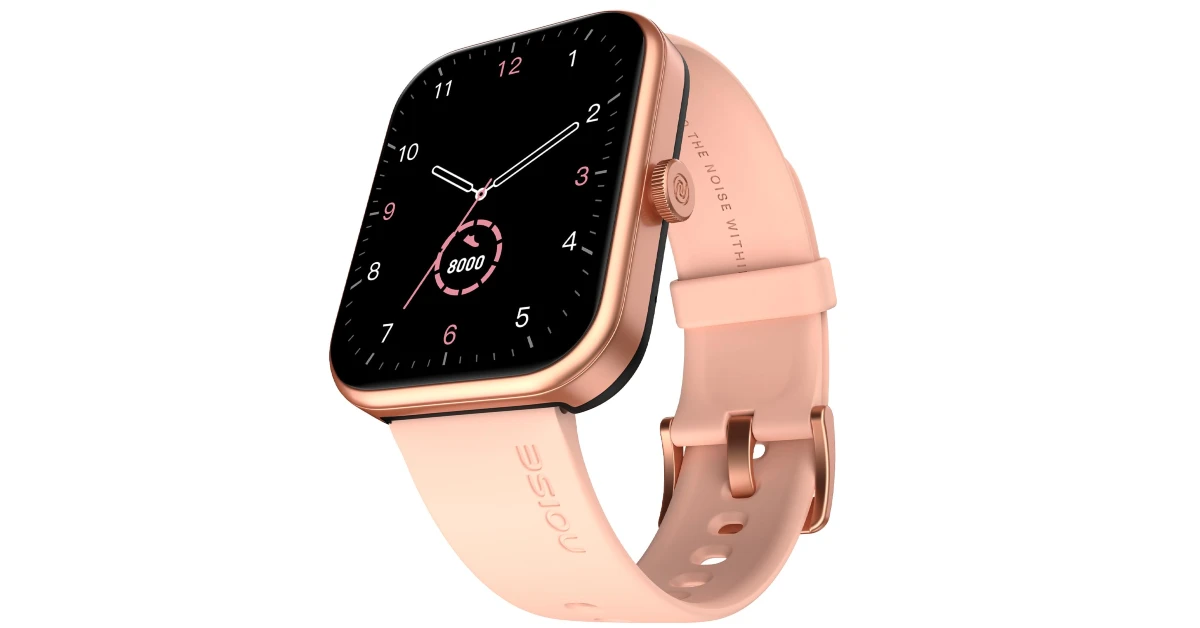 The Noise Pulse 2 Max is one of the most affordable smartwatches on the market right now. Its 1.85-inch TFT LCD panel can reach 550 nits of peak brightness. The smartwatch supports Bluetooth calling. You can make and receive calls from your wrist, set your favourite contacts, and even enable DND when you need a break. The Noise Health suite offers support for over 100 sports, exercises, and workout regimens. The watch face library has over 150 homepage layouts. The 300mAh battery pack offers a 10-day battery life.
Pros
The Noise Pulse 2 Max is one of the most affordable smartwatches on the market right now. Its 1.85-inch TFT LCD panel can reach 550 nits of peak brightness. The smartwatch supports Bluetooth calling. You can make and receive calls from your wrist, set your favourite contacts, and even enable DND when you need a break. The Noise Health suite offers support for over 100 sports, exercises, and workout regimens. The watch face library has over 150 homepage layouts. The 300mAh battery pack offers a 10-day battery life.
Pros
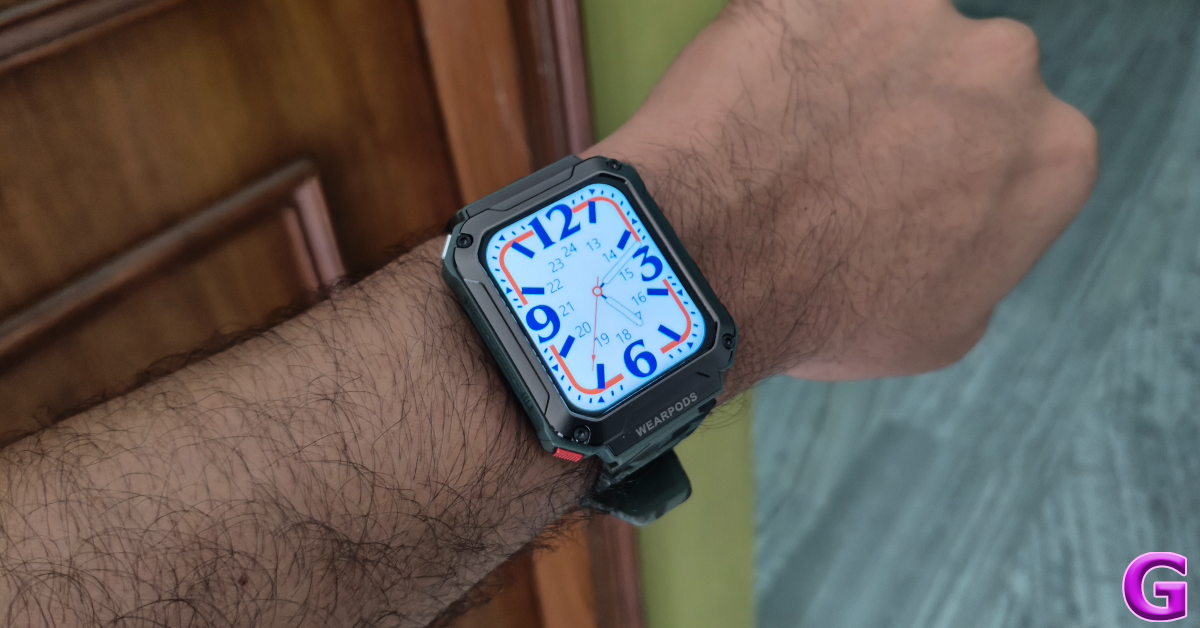 Ending this list is a fun crossover device. The WatchOut Wearpods are an amalgamation of a smartwatch and a TWS. There are 2 small cutouts on the right edge of the frame for the wireless earbuds. The design of the watch exudes a ‘rugged’ look. The 1.93-inch HD display has a 240 x 296p resolution. The smartwatch can track your heart rate, blood oxygen, blood sugar, and blood pressure. There is support for over 100 sports, exercises, and workout routines. The V Band companion app unlocks an exhaustive library of watchfaces. Read our WatchOut Wearpods review for more details.
Pros
Ending this list is a fun crossover device. The WatchOut Wearpods are an amalgamation of a smartwatch and a TWS. There are 2 small cutouts on the right edge of the frame for the wireless earbuds. The design of the watch exudes a ‘rugged’ look. The 1.93-inch HD display has a 240 x 296p resolution. The smartwatch can track your heart rate, blood oxygen, blood sugar, and blood pressure. There is support for over 100 sports, exercises, and workout routines. The V Band companion app unlocks an exhaustive library of watchfaces. Read our WatchOut Wearpods review for more details.
Pros

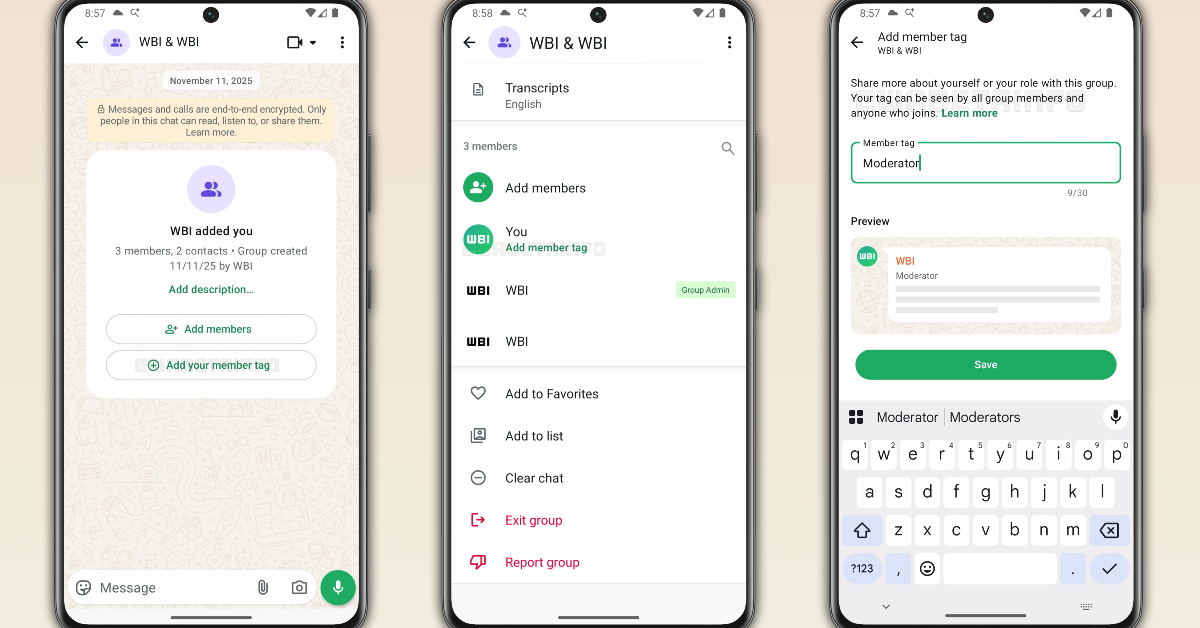

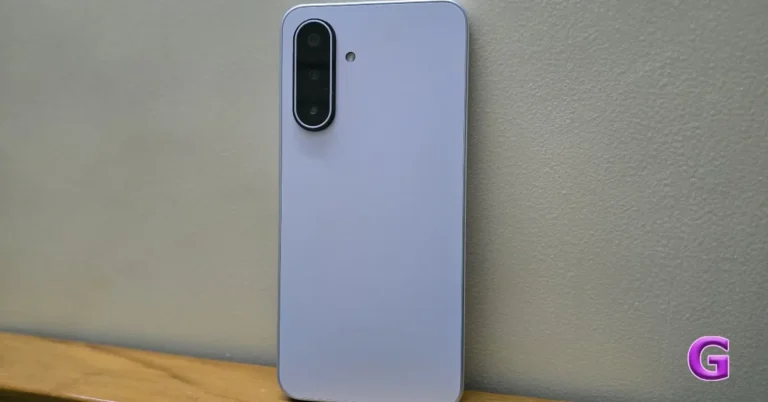
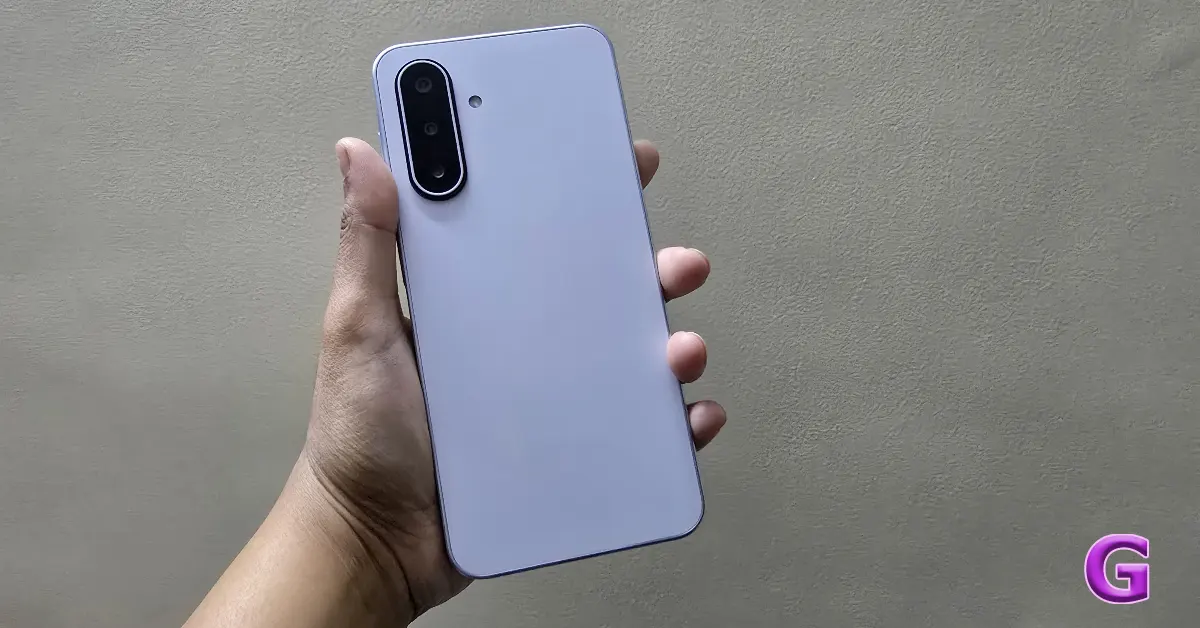 In terms of design, this model maintains the M-series smartphones’ distinctive Samsung design style. With a thickness of only 7.5 mm, the phone’s entire form factor and construction highlight its compact profile, making it one of the most comfortable devices in its price category. Despite having a massive display and a substantial 5,000mAh battery, its weight of 192g makes it quite light.
The build, which is typical of low-cost Samsung smartphones, includes a plastic frame and back, which adds to its minimal aesthetic. It features a simple, minimalist appearance with a slight gradient finish that replicates the appearance of glass, while improving grip and reducing the likelihood of breakage.
Sapphire Black and Moonlight Silver are the two basic colours available for the phone; our review unit is in the latter colour.
In terms of design, this model maintains the M-series smartphones’ distinctive Samsung design style. With a thickness of only 7.5 mm, the phone’s entire form factor and construction highlight its compact profile, making it one of the most comfortable devices in its price category. Despite having a massive display and a substantial 5,000mAh battery, its weight of 192g makes it quite light.
The build, which is typical of low-cost Samsung smartphones, includes a plastic frame and back, which adds to its minimal aesthetic. It features a simple, minimalist appearance with a slight gradient finish that replicates the appearance of glass, while improving grip and reducing the likelihood of breakage.
Sapphire Black and Moonlight Silver are the two basic colours available for the phone; our review unit is in the latter colour.
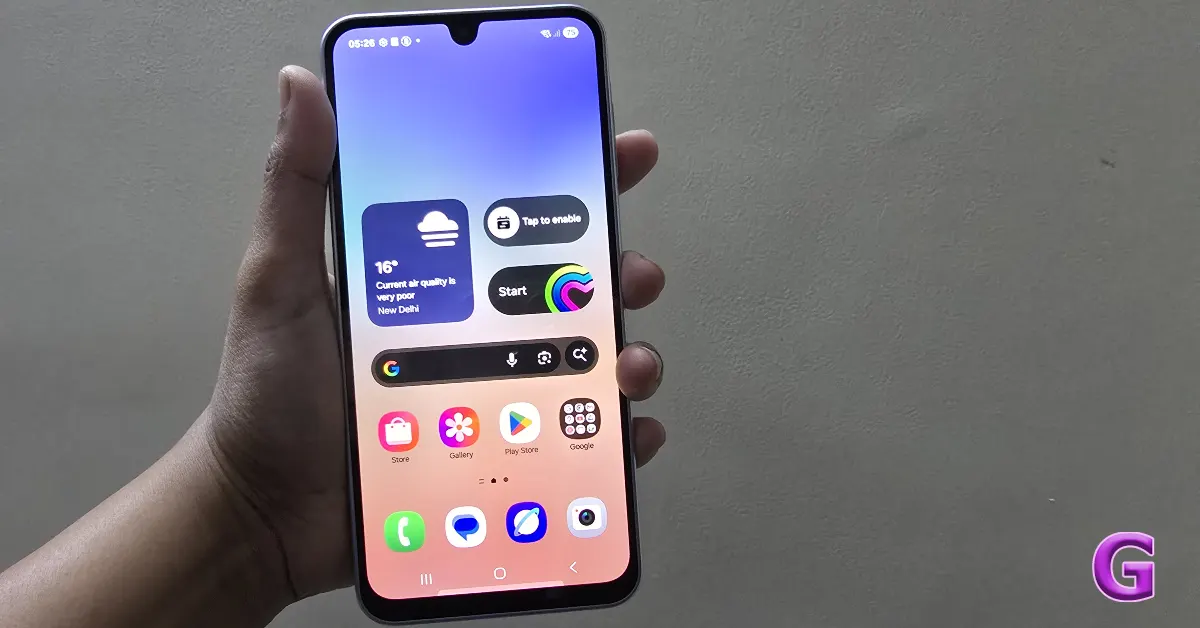 The device’s big 6.7-inch Super AMOLED display, which delivers deep blacks and vibrant colours, is the main attraction of its front design and a major selling feature. Located in the upper centre of the display, the front camera is incorporated into a U-shaped notch known as an Infinity-U or waterdrop notch. We don’t mean to be picky, but many competitors have switched to the less noticeable hole-punch cutout, making the teardrop notch a little out of date.
Although the smartphone has very thin bezels on the top and sides, the bottom chin is still more noticeable than on flagship models, which can be an issue for customers who are looking for a more seamless visual experience.
The addition of Corning Gorilla Glass Victus, a premium protective feature usually seen in smartphones of the highest quality, significantly improves the design’s longevity. Additionally, the smartphone has an IP54 classification, indicating that it is resistant to dust and mild water splashes, making it appropriate for daily usage, including protection from light rain.
In order to improve comfort and hand grip, the rear panel has gently curved edges merging with the plastic frame.
Also Read: Honor X9c Review: How does it fare against tough competition in the midrange segment?
The camera module, which is located in the upper left corner, is highlighted by the back panel’s overall plain, basic design. The triple-rear camera system on the back panel is merged into a vertical, pill-shaped shell that slightly sticks out from the back panel. This module creates a visual contrast with the rest of the rear panel due to its slightly varied finish.
The device’s big 6.7-inch Super AMOLED display, which delivers deep blacks and vibrant colours, is the main attraction of its front design and a major selling feature. Located in the upper centre of the display, the front camera is incorporated into a U-shaped notch known as an Infinity-U or waterdrop notch. We don’t mean to be picky, but many competitors have switched to the less noticeable hole-punch cutout, making the teardrop notch a little out of date.
Although the smartphone has very thin bezels on the top and sides, the bottom chin is still more noticeable than on flagship models, which can be an issue for customers who are looking for a more seamless visual experience.
The addition of Corning Gorilla Glass Victus, a premium protective feature usually seen in smartphones of the highest quality, significantly improves the design’s longevity. Additionally, the smartphone has an IP54 classification, indicating that it is resistant to dust and mild water splashes, making it appropriate for daily usage, including protection from light rain.
In order to improve comfort and hand grip, the rear panel has gently curved edges merging with the plastic frame.
Also Read: Honor X9c Review: How does it fare against tough competition in the midrange segment?
The camera module, which is located in the upper left corner, is highlighted by the back panel’s overall plain, basic design. The triple-rear camera system on the back panel is merged into a vertical, pill-shaped shell that slightly sticks out from the back panel. This module creates a visual contrast with the rest of the rear panel due to its slightly varied finish.
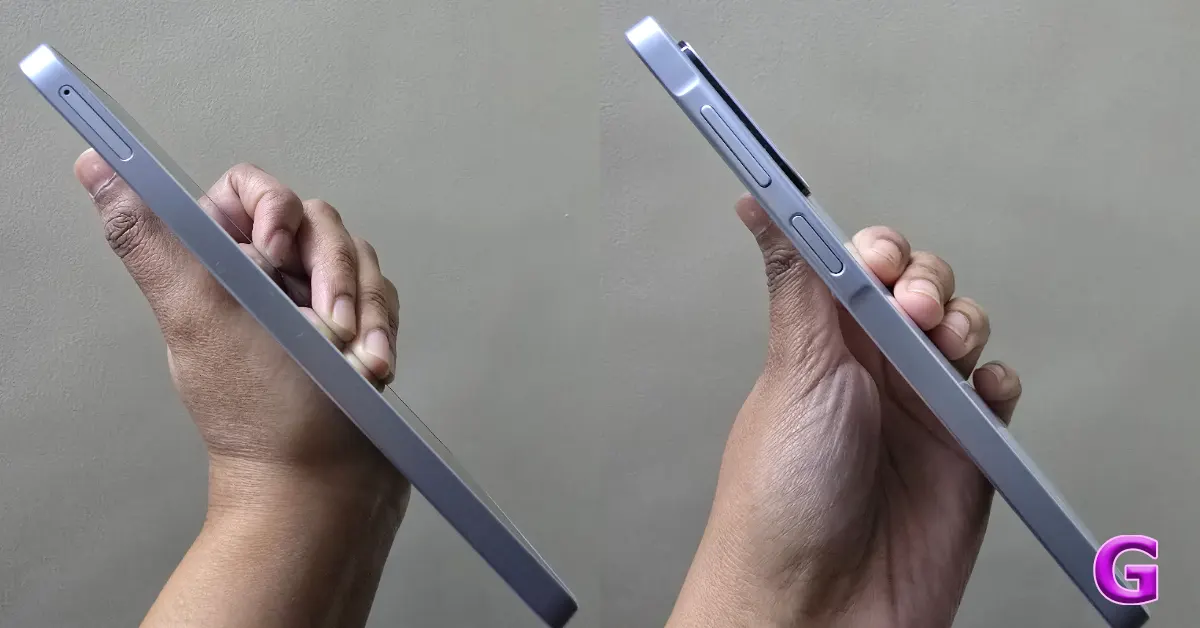 A fingerprint sensor on the side of the smartphone is integrated into the power button. The gadget has a USB Type-C connector that allows for data transfer and charging, but it noticeably lacks a 3.5mm headphone socket, which might be problematic for customers who prefer wired audio connections.
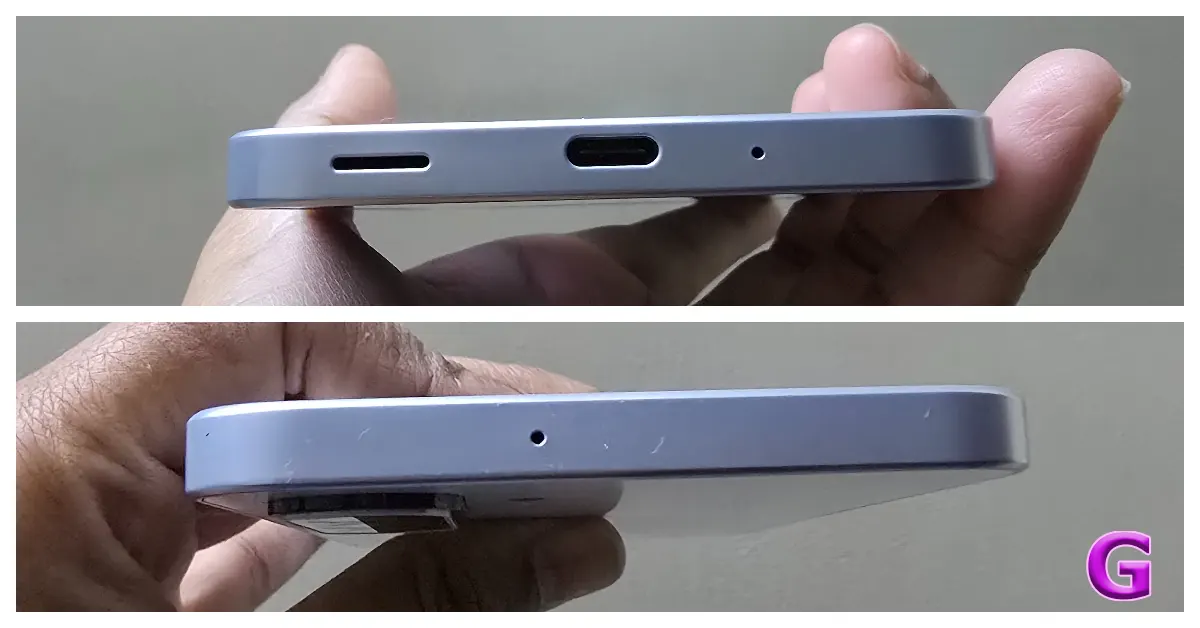 Getting back to the display, the Samsung phone boasts a 6.7-inch Super AMOLED screen with a maximum brightness of 1,100 nits for better visibility and a full-HD+ resolution of 1,080×2,340 pixels. Because of its high peak brightness capacity, the display functions well outdoors and gives consumers a comfortable viewing experience even in direct sunlight.
The display offers vivid colours, exceptional contrast, and deep blacks, as one could expect from a Super AMOLED panel. Making it a suitable device for streaming video content and engaging in multimedia.
The device’s 90Hz refresh rate significantly enhances the user experience by making tasks like navigating the One UI interface, scrolling through feeds, and switching between apps seem quicker and more fluid. However, it’s important to remember that several rivals in the same price range now have 120 Hz screens, which may provide an even better visual experience and are particularly helpful for people who play multiplayer games.
The phone has a single bottom-firing speaker that is loud enough for notifications and personal media. At normal volumes, the audio quality appears to be sufficient; at maximum volume, however, the sound may become distorted or slightly muffled, missing bass and depth. In general, the speaker may be used for casual purposes like watching films or answering calls. It is advised to utilise wired headphones that connect via the USB-C connection or wireless Bluetooth headphones for the best possible audio experience.
Getting back to the display, the Samsung phone boasts a 6.7-inch Super AMOLED screen with a maximum brightness of 1,100 nits for better visibility and a full-HD+ resolution of 1,080×2,340 pixels. Because of its high peak brightness capacity, the display functions well outdoors and gives consumers a comfortable viewing experience even in direct sunlight.
The display offers vivid colours, exceptional contrast, and deep blacks, as one could expect from a Super AMOLED panel. Making it a suitable device for streaming video content and engaging in multimedia.
The device’s 90Hz refresh rate significantly enhances the user experience by making tasks like navigating the One UI interface, scrolling through feeds, and switching between apps seem quicker and more fluid. However, it’s important to remember that several rivals in the same price range now have 120 Hz screens, which may provide an even better visual experience and are particularly helpful for people who play multiplayer games.
The phone has a single bottom-firing speaker that is loud enough for notifications and personal media. At normal volumes, the audio quality appears to be sufficient; at maximum volume, however, the sound may become distorted or slightly muffled, missing bass and depth. In general, the speaker may be used for casual purposes like watching films or answering calls. It is advised to utilise wired headphones that connect via the USB-C connection or wireless Bluetooth headphones for the best possible audio experience.
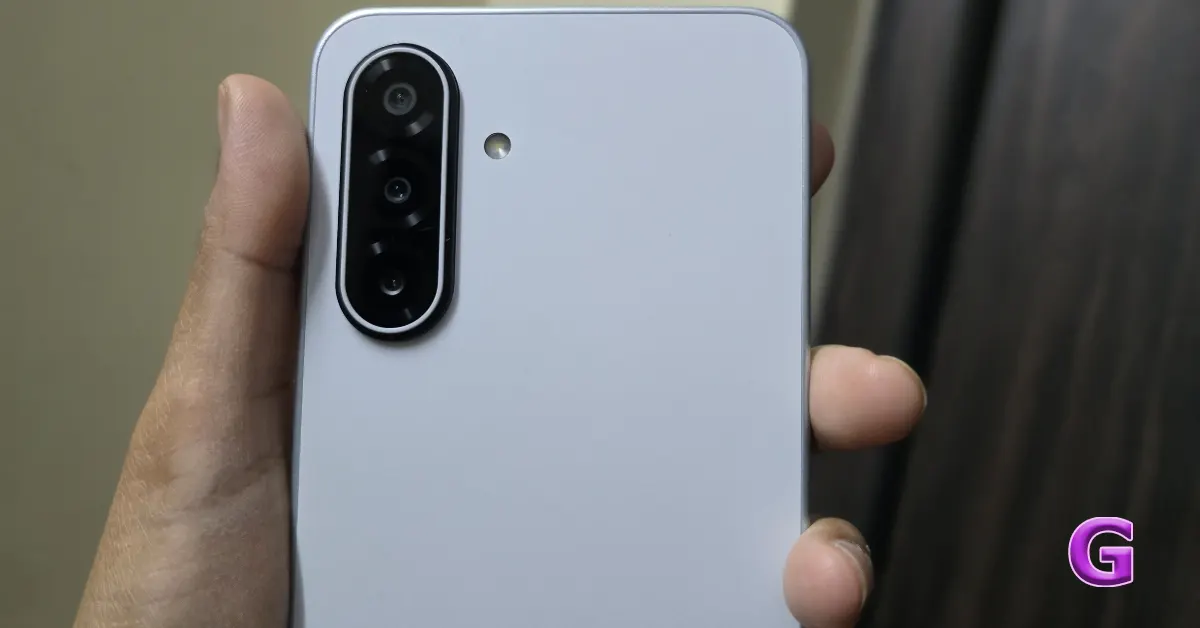 The most recent Galaxy M-series model features a new triple rear camera system designed to increase photography skills. The primary camera boasts an impressive 50-megapixel resolution and employs Optical Image Stabilisation (OIS) and Auto-Focus (AF) to improve image quality and stability.
This is supplemented with a 5-megapixel ultrawide camera with 123 degrees of field of vision, which gives a broader field of vision, and a 2-megapixel macro camera, which is designed to catch fine details at close range. The device also has a front-facing 13-megapixel selfie camera, which is purposefully placed within a teardrop notch at the top of the display.
The most recent Galaxy M-series model features a new triple rear camera system designed to increase photography skills. The primary camera boasts an impressive 50-megapixel resolution and employs Optical Image Stabilisation (OIS) and Auto-Focus (AF) to improve image quality and stability.
This is supplemented with a 5-megapixel ultrawide camera with 123 degrees of field of vision, which gives a broader field of vision, and a 2-megapixel macro camera, which is designed to catch fine details at close range. The device also has a front-facing 13-megapixel selfie camera, which is purposefully placed within a teardrop notch at the top of the display.
 Under daylight, the primary camera performs admirably, producing brilliant yet realistic colour tones that are consistent with Samsung’s signature style. The photographs are not oversaturated, and the natural hues, especially in greenish, reddish and vibrant yellows, add to the authenticity of the photographic result.
 The pictures are well-detailed and perform exceptionally in strong direct sunlight. It navigates high-contrast images with ease, expertly managing the shift between bright sky and dark shadows, exhibiting its impressive dynamic range.
Also, owing to OIS support, the user experience is substantially improved by reducing the possibility of losing detail, which is a typical issue caused by little handshakes.
The pictures are well-detailed and perform exceptionally in strong direct sunlight. It navigates high-contrast images with ease, expertly managing the shift between bright sky and dark shadows, exhibiting its impressive dynamic range.
Also, owing to OIS support, the user experience is substantially improved by reducing the possibility of losing detail, which is a typical issue caused by little handshakes.
 Additionally, it improves photography and videography, especially in low-light conditions. However, even with OIS, photos recorded in low-light or poorly illuminated indoor conditions will still have visible noise or grain. Which, we think, will be taken care of in the next few updates by Samsung.
 Finally, there’s the ultra-wide camera. We did notice a significant reduction in detail as compared to the primary camera, especially in low-light circumstances, when the photographs are softer and have higher noise levels. In addition, colour reproduction is inconsistent between the primary camera and the ultra-wide lens, indicating that colour matching could have been better.
The selfie camera performs well in daylight, capturing outstanding face detail and accurate skin tones. This makes it ideal for selfies and video calls.
The Samsung Galaxy M17 5G has excellent battery performance, with exceptional endurance and efficient processing technologies. It can survive a full day with moderate to heavy use and still have enough battery by evening. Lighter operations, such as calling and browsing the internet, may allow the device to last another day. However, one disadvantage is the 25W charging speed, which requires the purchase of a separate charging brick.
Also Read: Infinix Smart 10 Review: A wonderful phone with AI features under 7k
Finally, there’s the ultra-wide camera. We did notice a significant reduction in detail as compared to the primary camera, especially in low-light circumstances, when the photographs are softer and have higher noise levels. In addition, colour reproduction is inconsistent between the primary camera and the ultra-wide lens, indicating that colour matching could have been better.
The selfie camera performs well in daylight, capturing outstanding face detail and accurate skin tones. This makes it ideal for selfies and video calls.
The Samsung Galaxy M17 5G has excellent battery performance, with exceptional endurance and efficient processing technologies. It can survive a full day with moderate to heavy use and still have enough battery by evening. Lighter operations, such as calling and browsing the internet, may allow the device to last another day. However, one disadvantage is the 25W charging speed, which requires the purchase of a separate charging brick.
Also Read: Infinix Smart 10 Review: A wonderful phone with AI features under 7k


 Step 1: Launch Dress to Impress (DTI) in Roblox.
Step 2: Hit the handbag icon on the left side of the screen.
Step 3: Enter the code in the text field that says ‘Enter code here!’.
Step 4: Hit Redeem.
Step 1: Launch Dress to Impress (DTI) in Roblox.
Step 2: Hit the handbag icon on the left side of the screen.
Step 3: Enter the code in the text field that says ‘Enter code here!’.
Step 4: Hit Redeem.
 Step 3: Tap on AirDrop.
Step 4: Select Everyone for 10 Minutes. Keep the iPhone unlocked to approve the transfer request.
Step 3: Tap on AirDrop.
Step 4: Select Everyone for 10 Minutes. Keep the iPhone unlocked to approve the transfer request.
 Step 5: On your Google Pixel 10, open the file you want to send to the iPhone.
 Step 3: Tap on AirDrop.
Step 4: Select Everyone for 10 Minutes. Keep the iPhone unlocked to approve the transfer request.
Step 3: Tap on AirDrop.
Step 4: Select Everyone for 10 Minutes. Keep the iPhone unlocked to approve the transfer request.
 Step 5: On your Google Pixel 10, open the file you want to send to the iPhone.
 Step 6: Hit the Share icon and select Quick Share.
 Step 7: Select the target iPhone from the list.
Step 8: Approve the transfer request on the iPhone.
Step 7: Select the target iPhone from the list.
Step 8: Approve the transfer request on the iPhone.