


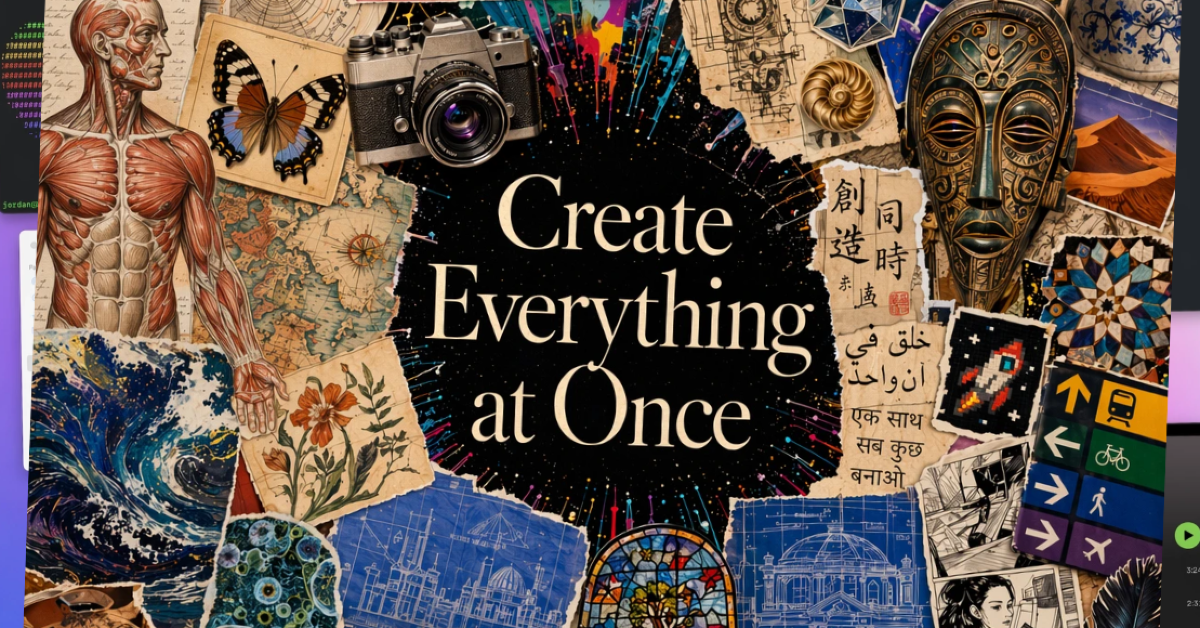

Indians have created over 1 billion images with ChatGPT Images 2.0 since its introduction in April 2026, making India the biggest market for image creation and exceeding the United States in user engagement. The updated version includes numerous significant enhancements, including multilingual text rendering, better prompt comprehension, improved image consistency, advanced layout creation, and increased editing accuracy.
This fast uptake has piqued the interest of OpenAI CEO Sam Altman. Altman posted on X.
“ChatGPT Images 2.0 loves India. Already more than 1 billion images created there; awesome to see.”
In This Article
Why is ChatGPT Images 2.0 so popular in India?
The model is good at generating advanced images, creating text and handling multilingual prompts. The reason for its success in India is the country’s lively creative culture and active interaction with online aesthetics and pop culture.
Here are some reasons why this model is gaining popularity so fast: It’s embedded directly into ChatGPT, so there’s no need to work with a separate app or workflow. It has a good understanding of natural language, including Hinglish and Indian cultural contexts. It can generate, edit and improve images while you chat in real time. The outputs are often ready for social media without further editing. It has better text rendering capabilities than previous AI image models. It’s easy to make iterations on your phone.
Also Read: Realme 16T 5G confirmed to feature a 50MP Sony IMX852 AI camera ahead of its India launch
With “Images 2.0” from OpenAI, the barrier for users to convert ideas into actionable images has been lowered, demonstrating usage scenarios such as art, memes, wedding invites, ads for startups, school projects, anime edits, YouTube thumbnails, resumes, WhatsApp stickers, architecture ideas, and regional language content for social media.
Also Read: Garena Free Fire Max Redeem Codes Today May 18: Claim Post-Tournament Rewards!
ChatGPT Images 2.0 features that set it apart
- Conversational Image Editing: Now, users can edit images using natural language commands like “Make it more cinematic” or “Change outfit to formal”, which makes the editing process easier than before.
- Conversational Image Editing: New AI methods are useful for generating readable text in diverse situations, which simplifies designing posters, menu cards, advertisements, invitation cards, presentation slides and comic panels. One example is to create a bilingual café poster.
- Improved Regional and Cultural Awareness: The tools demonstrate a deeper understanding of Indian cultural markers such as weddings, cricket, Bollywood style and traditional wear. This insight has caused virality on social media across India.
- Image Consistency: Users may ask for consistency across many pictures, improving the usability of features like comics, branding, or storyboards.
- Strong Prompt Understanding: It allows for more informal scene descriptions instead of formal AI prompt syntax and understands things like composition and mood.
- Multi-Purpose Workflow: The power of these tools has enabled users to swap out many apps (like Canva and basic logo design tools) for one, easing the creative process for casual creators.
Also Read: OxygenOS 16 rollout stopped; a bug caused serious boot loop issues for OnePlus devices
Best Practices:
- Use “Camera Language”: Phrases such as “shot on DSLR” and “cinematic lighting” enhance realism.
- Control Styles Explicitly, using specific style requirements produces better outcomes.
- Ask for variations: Requesting multiple variants might improve outcomes without requiring complete regeneration.
- Use Layered Prompts: Structured prompt formats improve output quality. Subject + Environment + Style + Lighting + Camera + Mood
- Use negative instructions: Specifying what to avoid is important for improving outcomes. No extra fingers, no blurry text, no watermark, and no distortion.
- Design like a professional: Telling the AI to behave like a designer may improve the quality of the results.
- Generate Transparent Assets: Useful for creators who want adaptive designs. Create a clean sticker-style mascot with a plain white background.
- Establish Consistent Branding: Users may create cohesive social media images. As an example, you may command: Create an Instagram carousel style with black and gold and minimalist text. Then continue: Create slide 2 using the same design method.
- Reference-Image Iteration: Using reference pictures may provide more focused results.
- Storytelling Prompts: Creating narrative-based prompts may improve emotional resonance in visuals. For example, an exhausted journalist is sipping tea alone at 2 a.m. while writing an article during monsoon rain.


