


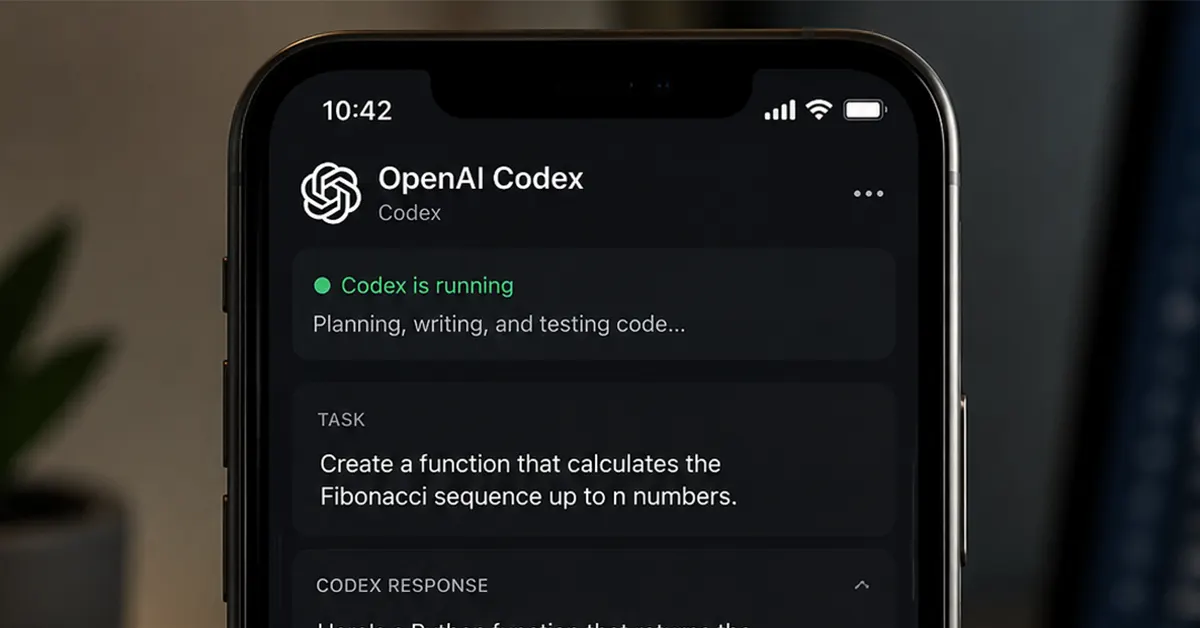
OpenAI Codex is now available in preview inside the ChatGPT mobile app for iOS and Android, and for the 4 million developers already using Codex every week, this is the update they did not know they desperately needed. Announced on May 14, 2026, the new mobile experience turns your smartphone into a live control panel for AI-powered coding workflows running on your laptop, Mac mini, devbox, or managed remote environment. No more being chained to your desk just to babysit an AI agent.
In This Article
What Exactly Is Happening Here
Think of it this way. Codex does not move to your phone. Your phone simply gets a window into what Codex is already doing on your machine. When you open the ChatGPT mobile app and connect it to a device running Codex, the app loads the live state of that environment in real time. You can see active threads, project context, terminal output, screenshots, file diffs, and test results, all streaming to a screen that fits in your palm.
Read Also: Canon EOS R6V Launched in India: Full-Frame Video Camera with First-Ever L-Series Power Zoom Lens
From there, you can review outputs, approve commands, change models, redirect work, or kick off entirely new tasks. If Codex hits a wall and needs your input, it sends you a notification. You respond, approve, and the agent carries on. The whole thing operates through a secure relay layer that keeps your trusted machines reachable across devices without ever exposing them directly to the public internet.
What You Can Actually Do From Your Phone
The use cases OpenAI has highlighted are refreshingly practical. You can start investigating a bug while waiting for your morning coffee and let Codex dig through the relevant files, reproduce the issue in a browser, and run tests before you even sit back down at a desk. You can review a major refactoring decision during a commute, approve a direction, and return to find the work done. You can prepare customer support summaries, push new development ideas directly to Codex, and manage multiple active task threads from a single mobile screen. Files, credentials, permissions, and local configurations stay locked to the host machine throughout.
Remote SSH Goes Generally Available
Beyond the mobile preview, OpenAI also made Remote SSH support generally available as part of the same announcement. This is a meaningful step for enterprise and development teams who build inside centrally managed environments with specific dependencies, security policies, and shared compute resources.
The Codex desktop app can automatically detect hosts from existing SSH configurations, letting users create projects and run development threads inside remote machines just as naturally as they would locally. Once connected, those environments become accessible across all authorised ChatGPT devices through the same relay infrastructure that powers the mobile experience.
Enterprise and Compliance Updates
OpenAI bundled several enterprise-focused additions alongside the mobile and SSH news. Programmatic access tokens are now available for Business and Enterprise plans, providing scoped credentials for CI pipelines, release workflows, and internal automation systems. Hooks, which allow teams to scan prompts for secrets, run validators, log conversations, create memories, and customise Codex behaviour for specific repositories, are now generally available across all plans.
Perhaps most significant for regulated industries is the addition of HIPAA-compliant Codex usage in local environments for eligible ChatGPT Enterprise workspaces. Healthcare organisations can now bring Codex into patient care and operational workflows while meeting their compliance requirements, which is a genuine unlock for a sector that has watched AI coding tools from a cautious distance.
Read Also: Meta AI brings Incognito Chat to WhatsApp: Details Inside
Who Gets What
Codex in the ChatGPT mobile app is rolling out in preview for iOS and Android across all ChatGPT plans, including Free and Go tiers, in all supported regions. Users need to update both the ChatGPT mobile app and the Codex app on macOS to access the feature. One caveat worth noting upfront is that the phone-to-Codex desktop connection currently only works with the macOS version of the desktop app. Windows support is listed as coming soon, though OpenAI has not attached a firm date to that promise.
Remote SSH and Hooks are available across all plans. Programmatic access tokens remain restricted to Enterprise and Business plans, and HIPAA-compliant usage is limited to eligible ChatGPT Enterprise workspaces using local environments.
The Bigger Picture
The competitive context here matters. Anthropic’s Claude Code added a comparable remote control feature back in February 2026, and it has been steadily winning developer mindshare as a result. OpenAI’s move to bring Codex to mobile is a direct response to that shift, and using the existing ChatGPT app as the delivery vehicle, rather than launching a separate standalone Codex app for phones, is a smart play. The ChatGPT app already sits on hundreds of millions of devices. Dropping Codex directly into it means there is no new install friction between a developer and their AI coding agent.
The real test of whether this becomes a genuine workflow shift or just a clever demo will come in the months ahead. Approving production code changes on a small screen while juggling three other things is not without risk, and the quality of that approval experience will determine whether developers trust Codex on mobile or treat it as a nice-to-have they occasionally glance at. For now, though, the direction of travel is clear. AI-assisted software development is no longer a desk-bound activity. It is an anytime, anywhere workflow, and OpenAI just made sure Codex is ready for it.


