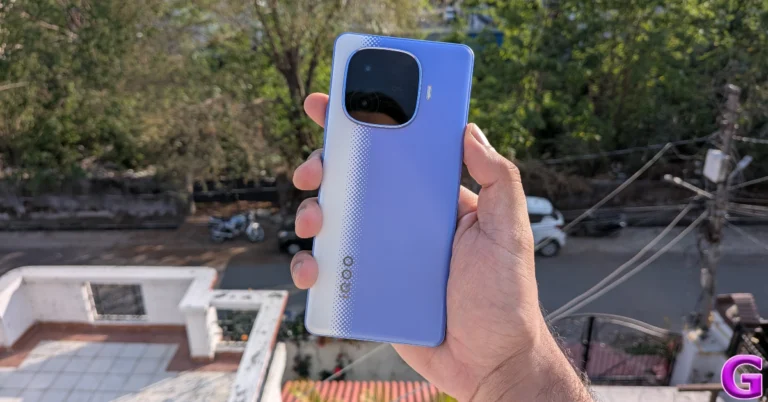
Qualcomm launched the Snapdragon 6s Gen 4 chipset with 36% faster CPU and 59% better GPU performance

Qualcomm has announced the Snapdragon 6s Gen 4 chipset for mobile devices, which features a 64-bit architecture and a Qualcomm Kryo CPU. The SoC promises to provide 36% faster CPU and 59% higher GPU performance. It can accommodate Full HD+ displays at 144Hz and cameras with resolutions of up to 200MP. The processor also has Wi-Fi 6E, Bluetooth 5.4, and NavIC connectivity options. The Snapdragon 6s Gen 4 is designed for budget Android phones.

The Snapdragon 6s Gen 4 chipset enhances mobile performance with a 36% faster octa-core Qualcomm Kryo CPU. The processor is complemented by a Qualcomm Adreno GPU, which supports OpenGL ES 3.2, Vulkan 1.1, and OpenCL 2.0 FP APIs, HDR gaming, 10-bit colour depth, and hardware-accelerated H.265 and VP9 decoding. Qualcomm says that the Snapdragon 6s Gen 4 mobile platform improves GPU performance by 59%. This results in better multitasking, faster app loading times, and improved system performance, making every interaction with your smartphone easier. It supports LPDDR5 RAM @ 3200MHz and UFS 3.1 storage.

The Snapdragon processor delivers immersive gaming experiences with ultra-smooth 144 FPS at FHD+ resolution, Variable Rate Shading for enhanced graphics performance, and Qualcomm Game Quick Touch for lower touch latency, giving you a competitive advantage in fast-paced games.

Also Read: Spotify users are experiencing app crashes, company acknowledges the issue

Qualcomm’s new CPU supports a variety of satellite systems, including QZSS, Galileo, Beidou, GLONASS, NavIC, and GPS, with lane- and sidewalk-level precision. Connectivity options include Bluetooth 5.4, Bluetooth LE, 5G mmWave, Wi-Fi 6E, and Quick Charge 4+ via USB Type-C. Fingerprint scanner is also supported with a specific Qualcomm 3D Sonic Sensor and Qualcomm 3D Sonic Sensor Max.

Also Read: Tinder releases Face Check, a facial verification feature across the US

Furthermore, it supports single camera lenses with up to 200-megapixel resolution, or dual 16-megapixel sensors and high-quality videos, allowing users to record memories in a variety of situations. Its hardware-accelerated Multi-Frame Noise Reduction (MFRN) offers detailed low-light capture, allowing users to relive memorable events.

3 ways to change the default drive on your Windows 11 PC

0

All downloads made on your Windows PC end up in the Downloads folder in the C drive. As the downloads rack up over a period of time, the default drive can reach its maximum storage capacity fairly quickly. To optimise your PC’s performance, it is essential that you manage the storage space between different drives wisely. Changing the destination folder for your downloads is one way to go about it. Here’s how you can change the default drive on your Windows 11 PC.

Read Also: Top 10 smartphones under Rs 30,000 (October 2025)

Which method should you use?

Before changing the destination folder for downloads, take a moment to figure out where you want the saved content to go. If you’re downloading an app from the Microsoft Store, you may not want to change its location from the default C drive. Meanwhile, you may want to save movies and TV shows on a different drive dedicated to media and content. There are 3 ways of going about it.

PC Settings: The central settings on your PC let you assign different drives to new apps, documents, music, photos and videos, movies and TV shows, and offline maps.

Windows Explorer: The destination spot for all your downloads, regardless of the web browser, can be moved from the ‘Downloads’ folder in the C drive to another location in a different drive.

Web Browser: You can choose to have a different landing spot for your downloads, depending on the web browser. You can save the downloads made using Edge to the C drive and the ones made using Chrome to the D or E drive. You can also make the browser ask you for the destination folder every time you make a download.

Change the default drive for saving new content

Step 1: Go to Settings and switch to the System tab.

Step 1: Go to Settings and switch to the System tab.

Step 2: Click on Storage.

Step 2: Click on Storage.

Step 3: Hit the arrow next to Advanced storage settings to expand it.

Step 3: Hit the arrow next to Advanced storage settings to expand it.

Step 4: Click on Where new content is saved.

Step 4: Click on Where new content is saved.

Step 5: Select the default drive for each category.

Step 5: Select the default drive for each category. 

Change the Downloads folder using File Explorer

Step 1: Go to the File Explorer by pressing Windows + E on your keyboard.

Step 2: Right-click Downloads and select Properties.

Step 2: Right-click the Downloads folder on the sidebar and select Properties.

Step 3: Switch to the Location tab and click on Move.

Step 3: Switch to the Location tab and click on Move.

Step 4: Go to your preferred destination folder and click on Select Folder.

Step 4: Browse to the new landing folder for your downloaded files. Click on Select Folder.

Step 5: Hit Apply.

Step 5: Hit Apply in the Downloads Properties box.

Step 6: Click on Yes if you want to move your current downloads to the new destination folder.

Step 6: You will be asked whether you want to move the files in the current Downloads folder to the new one. Select Yes or No.

Step 7: Hit OK.

Change the Downloads folder using Google Chrome

Step 1: Launch Google Chrome on your PC and go to Settings.

Step 1: Launch Google Chrome on your PC and go to Settings. 3 ways to change the default drive on your Windows 11 PC

Step 2: Switch to the Downloads tab.

Step 2: Switch to the Downloads tab. 3 ways to change the default drive on your Windows 11 PC

Step 3: Hit Change next to the current download location.

Step 3: Hit Change next to the current download location. 3 ways to change the default drive on your Windows 11 PC

Step 4: Choose your preferred destination and click on Select Folder.

Step 4: Choose your preferred destination and click on Select Folder. 3 ways to change the default drive on your Windows 11 PC

Frequently Asked Questions (FAQs)

How do I change the destination folder for web downloads on my PC?

Launch the File Explorer (Windows + E), right-click on the Downloads folder, and go to ‘Properties’. Switch to the Location tab, go to Move, and browse to your preferred destination folder for web downloads. Click on ‘Select Folder’. Hit ‘Apply’.

How do I change the destination folder for app downloads on my PC?

Go to Settings>System>Advanced storage settings>Where new content is saved. Expand the dropdown menu under ‘New apps will save to’, and select your preferred destination.

Can I change the folder for files downloaded via Google Chrome?

Go to Google Chrome>Settings>Downloads>Change, go to your preferred destination folder, and click on ‘Select Folder’.

How do I change the downloads folder for Microsoft Edge?

Go to Edge, hit the ellipses, select Settings, and switch to the Downloads tab. Click on Change under Location, and select your preferred destination folder.

How do I change the download folder on my Mac?

Go to Safari, navigate to Preferences>General, and hit the dropdown menu next to ‘File download location’. Click on ‘Other’ and select a new location.

Read Also: How to remove the Create button from Spotify’s home page

Final Thoughts

If you don’t want your web downloads to crowd up the Downloads folder, enable the ‘Ask where to save each file before downloading’ option in Google Chrome and Microsoft Edge. If you have any questions, let us know in the comments!

Top 10 smartphones under Rs 30,000 (October 2025)

As we approach the end of October, most major smartphone releases of the year are out of the way. If you’re thinking about buying a new phone right now, there is a big pool of devices to choose from. To make the search easier, we’ve shortlisted some of the best phones in every price category. Here are the top 10 smartphones priced under Rs 30,000 in October 2025.

Read Also: How to remove the Create button from Spotify’s home page

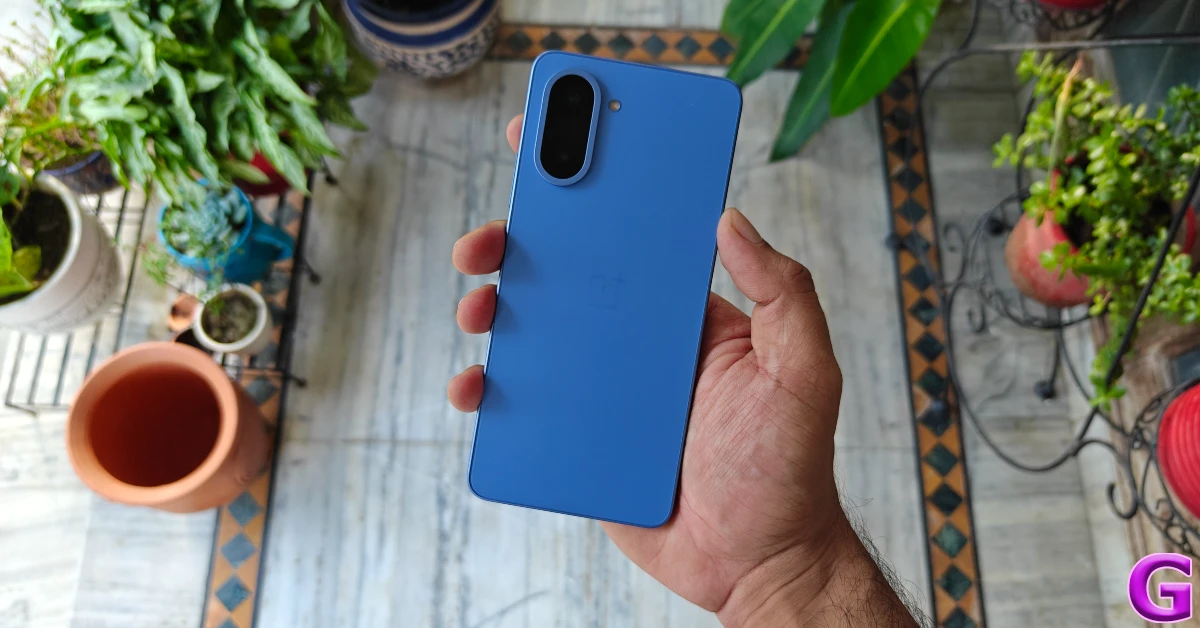
OnePlus Nord CE5

OnePlus Nord CE5

The Nord CE5 is the most affordable OnePlus smartphone this year. It is powered by the MediaTek Dimensity 8350 chipset and runs the Android 15-based OxygenOS 15 OS out of the box. It features the new ‘Plus Key’ instead of the old tri-alert slider. Pressing this key triggers the ‘Plus Mind’ AI tool. It can be customised to carry out routine tasks like switching the sound profile. The smartphone is equipped with other AI features like Call Assistant, VoiceScribe, Writer, Erase, and more. Its 6.77-inch Fluid AMOLED display has a 120Hz refresh rate and can hit a peak brightness of 1,430 nits. The camera island on the back panel houses a 50MP primary shooter and an 8MP ultrawide lens. The 7,100mAh battery pack supports 80W wired charging. Check out our OnePlus Nord CE5 review to learn more about the device.

Pros

  • Smooth display
  • AI features
  • Expandable storage

Cons

  • Lacks a secondary speaker

Buy on Amazon for Rs 24,998

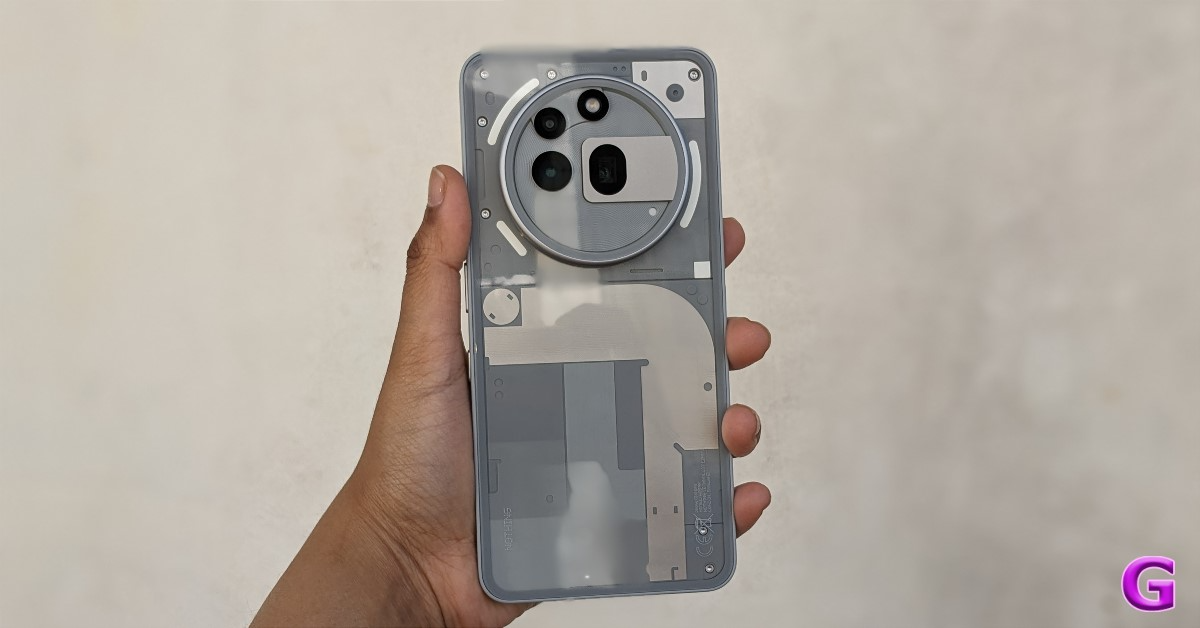
Nothing Phone (3a) Pro

Nothing Phone (3a) Pro Review: Design and Display

The Pro model in Nothing’s (3a) series is one of the best phones out there in the sub-Rs 30,000 price bracket. The Snapdragon 7s Gen 3 SoC lies at the heart of this phone. OS duties are handled by the Android 15-based Nothing OS 3. The Phone (3a) Pro flaunts a see-through back panel, which has now become a core component of Nothing’s design philosophy. The Glyph interface, no longer present on Nothing’s flagship smartphone, finds a place on this budget offering. The 6.77-inch AMOLED display has a 120Hz refresh rate and a peak brightness of 3,000 nits. The circular camera cutout houses a 50MP primary shooter, a 50MP periscope telephoto lens with 3x optical zoom, and an 8MP ultrawide lens. The 5,000mAh battery pack supports 50W charging. To find out how this device fares in everyday use, read our review of the Nothing Phone (3a) Pro.

Pros

  • Unique design
  • Telephoto lens
  • Great software

Cons

  • Mediocre ultrawide lens

Buy on Amazon for Rs 25,699

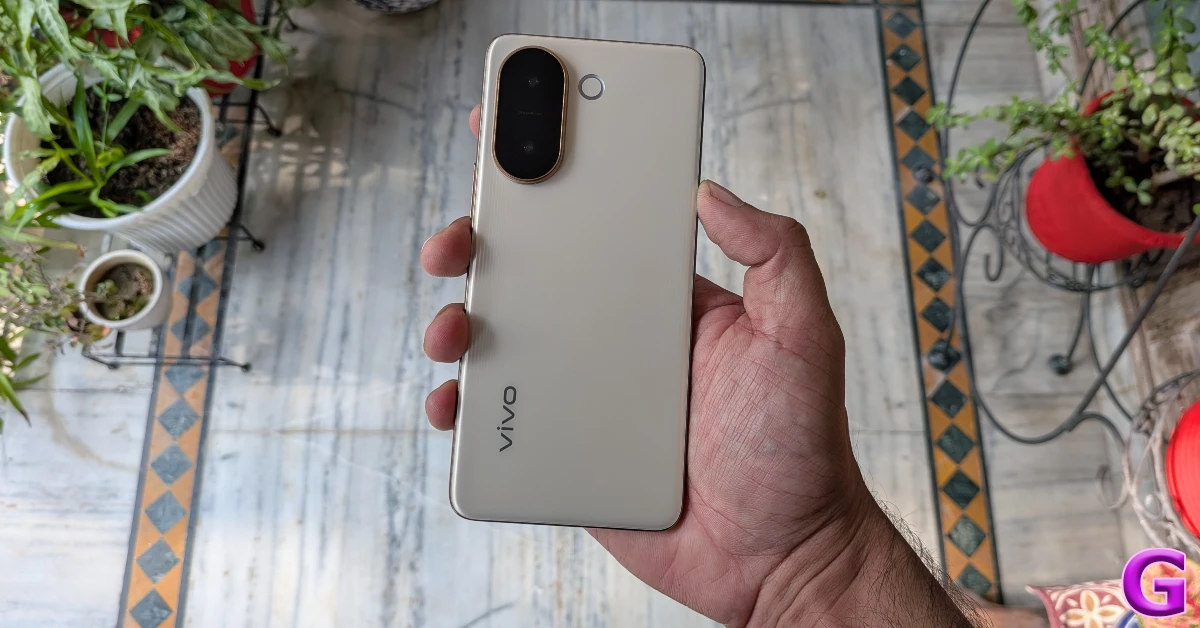
Vivo V60e

Vivo V60e

Vivo V60e is the ideal phone for photography enthusiasts on a tight budget. Its dual rear camera array flaunts an amazing 200MP primary shooter and an 8MP ultrawide lens. In true V series fashion, there’s a Ring LED flash next to the camera panel. Powering this device is the MediaTek Dimensity 7360 Turbo chipset. The Android 15-based Funtouch 15 OS is on software duties. The 6.77-inch AMOLED display has a 120Hz refresh rate and can reach a peak brightness of 5,000 nits. There’s IP69/IP69 protection on board. The 6,500mAh Si/C battery pack supports 90W wired charging.

Pros

  • Bright display
  • Amazing main camera
  • IP68/IP69 rating

Cons

  • Could use more power

Buy on Amazon for Rs 29,999

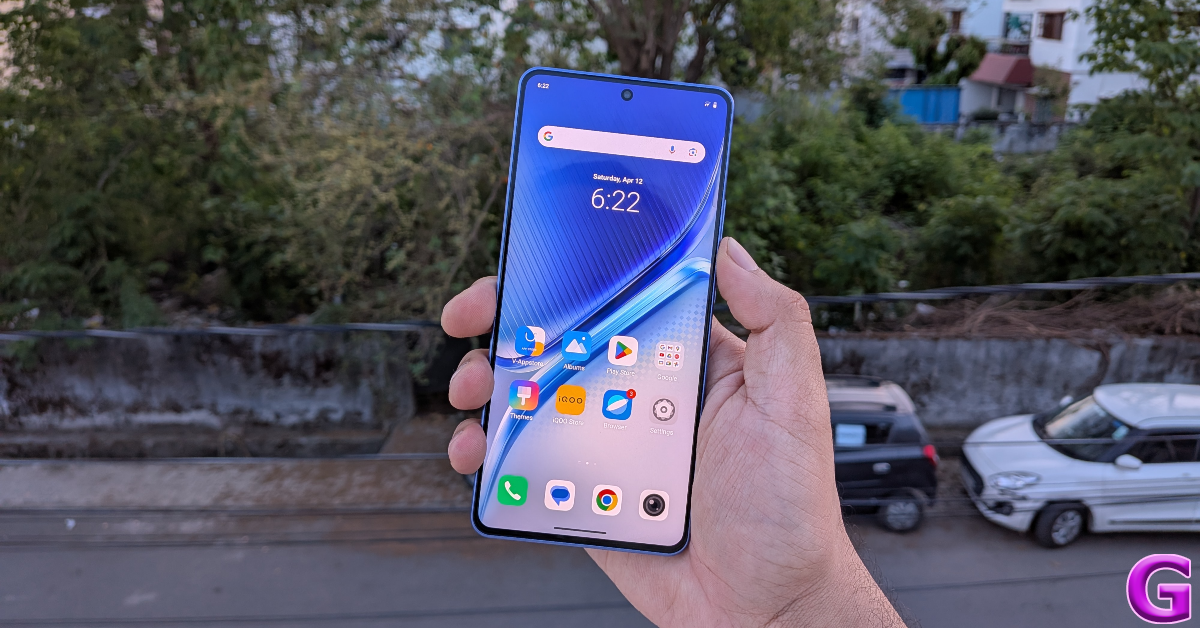
iQOO Neo 10R

iQOO Neo 10R Review

If you’re a gaming enthusiast, you won’t find many better phones than the iQOO Neo 10R in the sub-Rs 30,000 price bracket. This device is powered by the Snapdragon 8s Gen 3 chipset. It runs the Android 15-based Funtouch 15 OS out of the box. Its 6.78-inch AMOLED display has a 144Hz refresh rate and can reach a peak brightness of 4,500 nits. The rear camera array comprises a 50MP primary shooter and an 8MP ultrawide lens. The 6,400mAh Si/C battery pack supports 80W wired charging. We dive deeper into the gaming performance in our review of the iQOO Neo 10R, so make sure you give it a read!

Pros

  • 144Hz display
  • Powerful processor
  • Fast charging

Cons

  • Lacks an IP67 rating

Buy on Amazon for Rs 24,999

Infinix GT 30 Pro

Infinix GT 30 Pro Review: Design and Display Top 10 smartphones under Rs 30,000 (September 2025)

Infinix has massively elevated its game with the GT 30 series. The Pro model is powered by the MediaTek Dimensity 8350 chipset and runs the Android 15-based XOS 15 out of the box. There are customisable LED lights on the back panel as a part of its ‘Robotic Mecha’ aesthetic. The touch-sensitive shoulder triggers on the right edge of the frame give you the edge in high-intensity First Person Shooter games. The 6.78-inch AMOLED display has a 144Hz refresh rate and can hit a peak brightness of 4,500 nits. When it comes to the camera specs, this phone packs a 108MP primary shooter and an 8MP ultrawide lens. It is one of the very few devices in this price bracket to support wireless charging. There’s support for 45W wired charging as well. Read our Infinix GT 30 Pro review to learn more about the smartphone.

Pros

  • 144Hz display
  • Shoulder triggers
  • Wireless charging

Cons

  • Mediocre ultrawide lens

Buy on Amazon for Rs 24,400

Oppo K13 Turbo

Oppo K13 Turbo 5G Review: Design and Display

The Oppo K13 Turbo brings raw power and instant cooling together. Its active cooling fan efficiently directs the heat from the back panel to the air vents on the right edge of the frame. Powering this device is the MediaTek Dimensity 8450 chipset. Software duties are handled by the Android 15-based ColorOS 15 out of the box. The 6.79-inch AMOLED display has a 120Hz refresh rate and can reach 1,600 nits in High Brightness Mode. The back panel houses a 50MP primary shooter and a 2MP monochrome lens. The 7,000mAh battery pack supports 80W fast charging. Read our review of the Oppo K13 Turbo to learn more about its gaming performance.

Pros

  • Cooling fan
  • Big battery
  • Good chipset

Cons

  • No ultrawide lens

Buy on Amazon for Rs 23,970

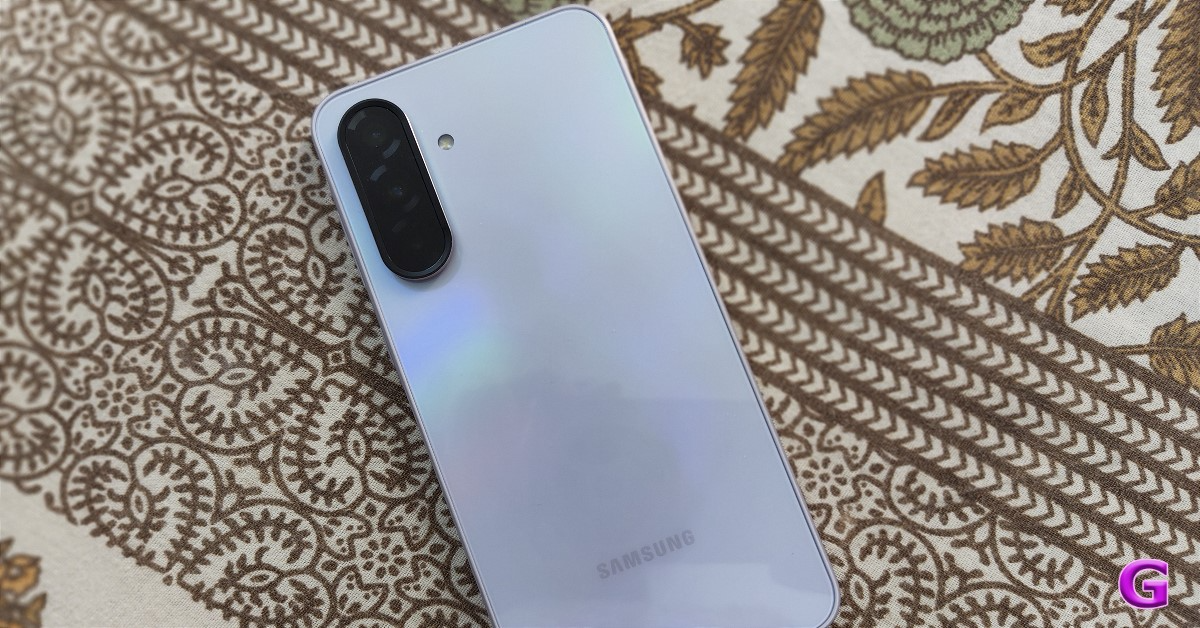
Samsung Galaxy A55

Galaxy A55 Top 10 smartphones under Rs 30,000 (October 2025)

Last year’s Samsung Galaxy A55 is still an excellent choice in 2025. It is powered by Samsung’s in-house Exynos 1480 chipset and runs the Android 14-based One UI 6 OS out of the box. The smartphone has been promised 4 major OS upgrades. The 6.6-inch Super AMOLED display has a 120Hz refresh rate and can reach 1,000 nits in High Brightness Mode. The rear camera panel houses a 50MP primary shooter, a 12MP ultrawide lens, and a 5MP macro sensor. The 5,000mAh battery pack supports 25W wired charging. Check out our Samsung Galaxy A55 review to learn more about the device.

Pros

  • Smooth display
  • Good hardware
  • Nice camera

Cons

  • Mediocre processor

Buy on Amazon for Rs 23,999

Samsung Galaxy A36

Samsung Galaxy A36 5G Review: The latest upgrade in the Galaxy A series Top 10 smartphones under Rs 30,000 (October 2025)

If you’re looking for a more recent Samsung phone, check out the Galaxy A36. This smartphone is powered by the Snapdragon 6 Gen 3 chipset and runs the Android 15-based One UI 7 out of the box. Its 6.7-inch Super AMOLED display has a 120Hz refresh rate and can reach a peak brightness of 1,900 nits. The triple rear camera array comprises a 50MP primary shooter, an 8MP ultrawide lens, and a 5MP macro sensor. The 5,000mAh battery pack supports 45W wired charging. Read our Samsung Galaxy A36 review for a deeper analysis of its performance.

Pros

  • Fluid display
  • Lightweight
  • Good cameras

Cons

  • Heats up when gaming

Buy on Amazon for Rs 28,499

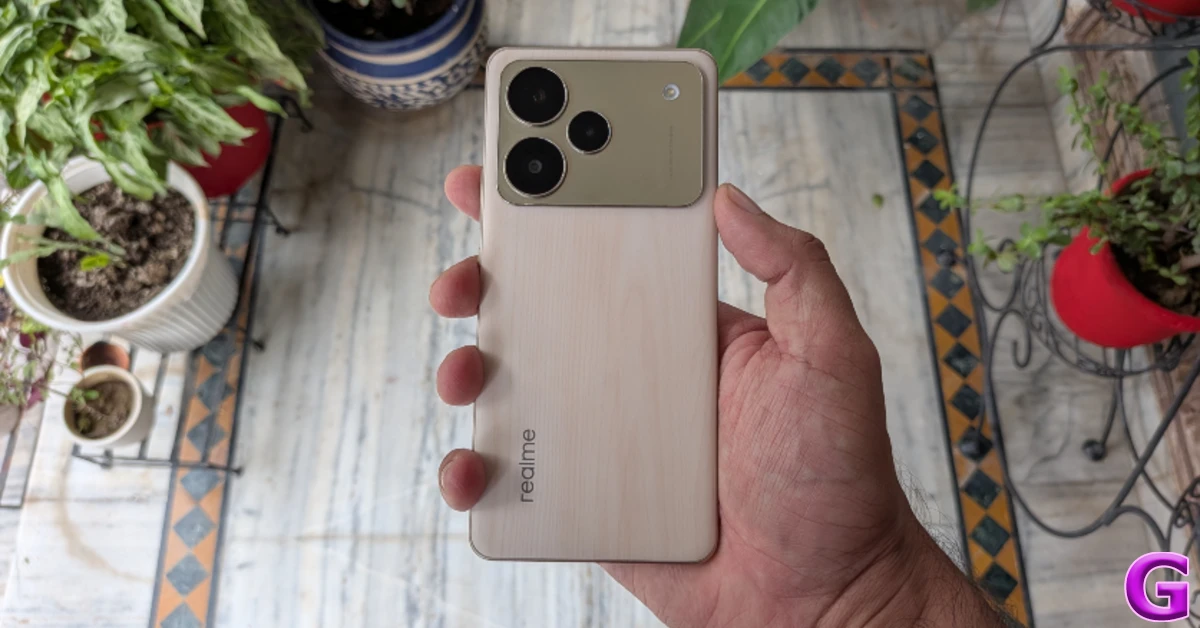
Realme 15

design Top 10 smartphones under Rs 30,000 (October 2025)

The Realme 15 brings together all the right specs that the average user demands from a midrange smartphone. It is powered by the impressive MediaTek Dimensity 7300+ chipset and runs the Android 15-based Realme UI 6 out of the box. Its 6.8-inch OLED display has a 144Hz refresh rate and can reach a peak brightness of 6,500 nits. There’s IP68/IP69 protection on board. The smartphone is also compatible with MIL-STD-810H durability standards. The dual rear camera array comprises a 50MP primary shooter and an 8MP ultrawide lens. The 7,000mAh battery pack supports 80W fast charging. Read our review of the Realme 15 to learn more about its everyday performance.

Pros

  • Bright display
  • IP68/69 rating
  • AI features

Cons

  • Boxy audio

Buy on Amazon for Rs 24,099

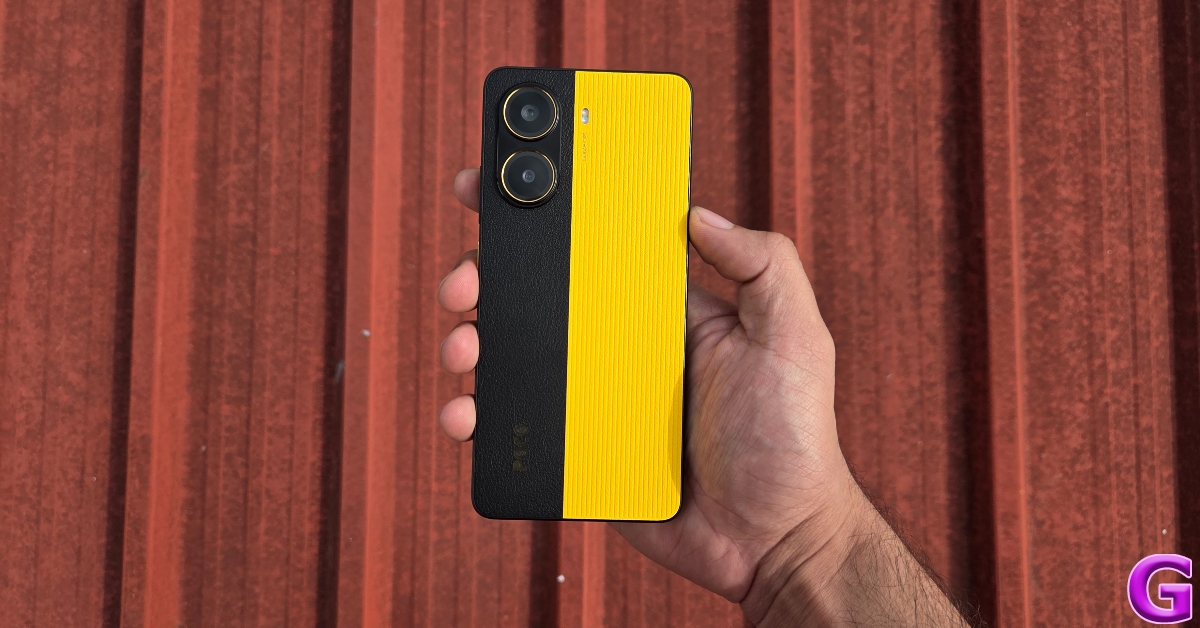
Poco X7 Pro

Poco X7 Pro: Design and Display Top 10 smartphones under Rs 30,000 (October 2025)

Ending this list is the Poco X7 Pro. This smartphone is powered by the MediaTek Dimensity 8400 Ultra chipset and runs the Android 15-based HyperOS 2 out of the box. Its 6.67-inch AMOLED display has a 120Hz refresh rate and can reach a peak brightness of 3,200 nits. The camera array on the dual-tone back panel comprises a 50MP primary shooter and an 8MP ultrawide lens. The 6,550mAh battery pack supports 90W wired fast charging. For more details, read our review of the Poco X7 Pro.

Pros

  • Fast charging
  • Good chipset
  • IP69 rating

Cons

The dual-tone colour theme may not be for everyone

Buy on Amazon for Rs 20,999

Read Also: Snapchat’s Imagine Lens is now available for all users in the US

Final Thoughts

This wraps up our top 10 smartphones under Rs 30,000 for the month (October 2025). If you have some more room in your budget, check out the top smartphones under Rs 40,000 as well. If you have any questions, let us know in the comments!

Tinder releases Face Check, a facial verification feature across the US

Tinder has launched Face Check, a facial verification function that leverages encrypted face mapping to ensure user authenticity. The function relies on short selfie videos to prove genuine presence. Verified users have a Photo Verified badge on their profiles.

According to a recent blog post, Tinder is offering Face Check in the United States, a first-of-its-kind face verification feature that lets users verify their identity and match their profile photo. Tinder has launched the latest functionality for new users in seven countries, including California, with plans to roll out to other US states in the coming months, as part of a safety innovation aimed at increasing trust, minimising impersonation, and redefining dating authenticity.

Tinder is the first dating app to add facial liveness verification into its onboarding process, increasing its security and reliability in connecting users.

The new feature enables new users to authenticate their identity by recording a short video of their selfie within the app. The technology evaluates whether the member is real and physically present, and if their face matches a profile photo, they earn Tinder’s Photo Verified badge. It also recognises when the same face appears on many accounts, offering extra security against fraud and fake profiles.

Also Read: Spotify users are experiencing app crashes, company acknowledges the issue

According to the firm, Face Check, which has been introduced in Colombia, Canada, Australia, India, and Southeast Asia, has resulted in substantial increases in consumer safety and confidence. It has decreased exposure to prospective bad actors by more than 60%, reported bad actors by more than 40%, and increased users’ perceptions of authenticity and trust.

Also Read: Snapchat’s Imagine Lens is now available for all users in the US

Tinder is transforming dating applications with next-generation safety innovation that prioritises privacy and security. Face Check employs video selfies for verification and deletes them after review. A non-reversible, encrypted face map and vector are stored to verify new photos, detect fraud, and prevent duplicate accounts. Match Group intends to implement Face Check throughout its portfolio by 2026.

How to remove the Create button from Spotify’s home page

0

Last year, Spotify added a new quick access button to its home page. This ‘Create’ button lets users create new playlists, blends, and a bunch of other stuff. Despite its convenience, the introduction of this button did not go down well with seasoned users, as it changed the basic layout of the navigation bar. After a year, Spotify has silently added an option to hide this button. Here is how you can remove the Create button from your Spotify home page.

Read Also: Snapchat’s Imagine Lens is now available for all users in the US

What does the Create button do?

When you tap the Create button, it reveals the following options:

  • Playlist
  • Collaborative playlist
  • Blend
  • Jam

Hiding the Create button restores the navigation bar to the Home – Search – Your Library layout. The change is implemented on the device, not the account. If you are signed into Spotify on another device, you will need to manually hide this button there separately. If you choose to get rid of the Create button, you can access these options by tapping the plus icon in the ‘Your Library’ tab.

Remove the Create button from Spotify’s home page

Step 1: Launch the Spotify app on your phone.

Step 2: Tap your profile picture in the top left corner of the screen.

Step 2: Tap your profile picture in the top left corner of the screen.

Step 3: Go to Settings and privacy.

Step 3: Go to Settings and privacy. How to remove the Create button from Spotify’s home page

Step 4: Tap on Content and display.

Step 4: Tap on Content and display. How to remove the Create button from Spotify’s home page

Step 5: Turn off the toggle switch next to Create button.

Step 5: Turn off the toggle switch next to Create button. How to remove the Create button from Spotify’s home page

Frequently Asked Questions (FAQs)

What does the Create button do on Spotify?

The Create button lets you create a playlist, collaborative playlist, Blend, or Jam.

How do I remove the Create button on Spotify?

Tap your profile picture in the Spotify app, go to Settings and privacy>Content and display, and turn off the toggle switch next to ‘Create button’.

How do I create a playlist after hiding the Create button?

If the Create button is no longer on your home page, go to the Your Library tab and hit the plus icon in the top right corner of the screen to create a playlist.

How do I create a Spotify Blend?

Tap the Create button on the home page or the plus icon in the Your Library tab. Select Blend, hit ‘Invite’, and send the link to your friend. When the friend taps the link, they will be able to join the Blend.

Where can I view my Blends on Spotify?

Go to the Search tab, tap on ‘Made for You’, and scroll down to view your Blends.

Read Also: How to update your Samsung phone to One UI 8

Final Thoughts

With the Create button out of the way, you can restore your home page to its original layout. If you want to replace looping visuals in the Now Playing tab with traditional album art, go to Settings and privacy>Content and display, and turn off the toggle switch next to Canvas.

Spotify users are experiencing app crashes, company acknowledges the issue

Spotify is experiencing an issue on Android smartphones connected to a Wi-Fi network, particularly Samsung and Google devices. The problem has caused the app to freeze and crash while connected to Wi-Fi. Models impacted include the Pixel 9 and Galaxy S25 Ultra. Spotify subscribers have reported a problem on their Android smartphones in recent weeks, causing the music streaming service to crash or stop under specific settings frequently.

“Recently, my Spotify app has become unusable while connected to my home wifi. It opens, but just freezes and then crashes. Disconnect from wifi and use mobile data… It comes back to life. I have no issues with my wifi, and it’s only recently started happening. Any clues?” a user reported on Spotify’s community.

The firm has identified the issue causing frequent app crashes and is currently looking for a fix. It said, “We’ve received reports from Android users (mainly Samsung and Google Pixel) experiencing issues where the Spotify app becomes unresponsive, freezes, or crashes when connected to certain WiFi networks.”

Also Read: Snapchat’s Imagine Lens is now available for all users in the US

Spotify recommends turning off VPN, DNS, or AdBlocker services, using a different Wi-Fi connection, rebooting the router, removing Spotify from battery optimisation, and restoring network settings to default. However, none of these options has been helpful. Users have reported attempting everything advised by Spotify support, but the app only goes back to normal operation when away from Wi-Fi and tapping into mobile data. The problem affects all Android smartphones; however, the majority of those impacted are Samsung and Google-branded cellphones, including the Google Pixel 9 and Samsung Galaxy S25 Ultra.

Also Read: Apple plans to cut iPhone Air production due to low demand

A few weeks ago, another user complained about a similar problem. A user wrote, When launching the Spotify Android app on my Android phone or my Android tablet, I’m unable to interact with the UI, it is unresponsive, eventually it’ll respond, but is very slow, and I keep getting a ‘Spotify isn’t responding’ notification pop-up. This started happening after I updated to the latest Android version on my Samsung mobile devices, but it only affects the Spotify app; the version is 9.0.84.1340. I’m not sure if it’s specific to Samsung One UI 8 or other Android 16 devices. I’ve tried clearing and uninstalling the Spotify app on both devices and reinstalling, but the same issue still occurs on launching the freshly installed app and logging in.”

Garena Free Fire Max Redeem Codes Today 24 October 2025: Here is how to claim them

Garena Free Fire (GFF) Max is a battle royale game with regular awards and tournaments to keep players interested. If you play GFF, you should be aware of the redeem codes that are released on a daily basis. However, because the battle royale game is banned in India, players from other countries can use the Free Fire Redeem codes daily. If you’re unfamiliar with the codes or don’t know how to get them, we’ve put together a step-by-step guide to help you redeem them. Check out Garena Free Fire Max Redeem Codes for 24 October 2025.

These codes are a great way to get free items in the game. The 12-digit codes contain letters and numbers, as well as an expiration date and time. Because the Garena FF redeem codes cannot be used more than once, you should hurry to the redemption page to claim your free reward before someone else does. To get a free reward, all you have to do is go to reward.ff.garena.com/en, which is the official redemption page. Also, keep an eye on this space for daily updates on Gadget Bridge on GFF Max redemption codes and rewards.

Also Read: CERT-In identified multiple high-risk vulnerabilities in Android: Details

Garena Free Fire Max Redeem Codes Today 

Y2MK6Q3LV8PR

D9QP1M9KN7RJ

N3QH5L4MV1PJ

J6PL9Q8KR2MV

E7QK3M7LV4PJ

S1MJ8K2LN6RV

V4QP9K1MR5LJ

O8QH2L5MV9PK

L6MK7Q9LN3RJ

K9MJ4Q2LV7RP

M2QH3M6LR8VK

G9MJ8Q5LV1PR

Y4QP6K2MN7LJ

D7QJ9L8MV3PK

N1MK4Q9LR2PV

J8QP2M7KV5RJ

E5QH1K3MN8LV

S9PL7Q6LV9RJ

F6QK8M3LN5PJ

Z1QH7L9MR3VK

B4PL2Q6KV9RJ

M7MJ9K8LN2PV

G5QP3M1KL6RJ

C8QJ9K5MR4PV

X1QP4M8KR2PV

R5QJ9K6MV7LP

H8PL2Q3KN9RV

A3MJ7M4LR5PK

T9QK1L7MV6RJ

B6QP5K9MN4PV

Also Read: IFA 2025: Lenovo introduced Legion Pro 7 (2025) and Lenovo Legion Go with AMD’s Ryzen 9000 HX series processors

How to Get Free Fire Max Redeem Keys for Garena?

  • Visit the game’s official website at reward.ff.garena.com.
  • Use your Facebook, Google, VK, Apple ID, Huawei ID, or Twitter account to log in.
  • You’ll be taken to a valid redemption code (s)
  • Copy and paste the 12-digit redemption code into the text box.
  • On the screen, a dialogue box will appear.
  • ‘Ok’ should be selected.

Amazon Quiz Answers Today 24 October 2025: Participate to win Up To Rs 500 Amazon Pay Balance

Amazon Quiz 24 October 2025: The New Daily Quiz is now available. Customers from different parts of the country are participating in the daily quiz. The quiz starts at midnight today and will be live until 11:59 PM tonight. By successfully answering every question, participants in the quiz have the chance to win wonderful rewards. Up to Rs 500 Amazon Pay Balance is up for grabs to participants today.

One wrong answer could eliminate you from the quiz. You have a chance to win up to Rs 500 Amazon Pay Balance if you successfully answer every question. Users of the app only have the opportunity to take the quiz. Check Out the 24 October 2025 Quiz.

Are you not able to find Amazon FunZone? Click below and participate.

Click here to enter the Amazon FunZone Quiz and play today.

Today’s Prize: Rs 500 Amazon Pay Balance

Quiz Date: 24 October 2025

Daily Timing: 12 AM to 11:59 PM

Previous Winners Announcement: Today 12 PM Noon

Amazon Daily Quiz Answers Today: Win Up To ₹ 500 Amazon Pay Balance

Question 1: Who was the top scorer for India in the T20 World Cup final 2024?

Answer: Virat Kohli

Question 2: The Last Dance is the tag line of the 3rd of a series of movies with whom as the central character?

Answer: Venom

Question 3: British Shorthair, Ragdoll and Abyssinian are types of what animal?

Answer: Cat

Question 4: Which famous place in the UK is shown here?

Answer: Trafalgar Square

Question 5: Which famous person is depicted in this statue?

Answer: Napoleon Bonaparte

Also Read: CERT-In identified multiple high-risk vulnerabilities in Android: Details

How To Play Amazon Daily Quiz Today

Only app users are eligible to play the Amazon quiz every morning from 12 AM to 11:59 PM. The quiz is not available on the desktop. For those who are unaware of how to play the Amazon quiz, below are the steps you can follow to take the quiz.

  • First, download the Amazon app from the Google Play Store or App Store or go here to download the Amazon App
  • Now fill in the required information through the Sign-Up option.
  • To find the Amazon Daily Quiz banner, log in to the Amazon app and scroll down to the home screen.
  • Tap on the banner and tap on the Start button to start the Quiz.
  • Now you will get 5 questions and you need to answer them correctly. One wrong answer will eliminate you from the Quiz.
  • After answering all the questions correctly, you are now eligible for a Lucky Draw.
  • The previous winner’s name will be announced today at 12 PM.

Amazon Daily Quiz Answers from the previous few days.

Here are all the answers from the previous 5 days of the Amazon Daily Quiz and Contest.

23 October 2025

Question 1: Who beat Novak Djokovic in the final to win his 2nd consecutive Wimbledon men’s singles title?

Answer: Carlos Alcaraz

Question 2: In Captain America: Brave New World, scheduled to be released in 2025, which legendary actor plays the role of Thaddeus Thunderbolt Ross?

Answer: Harrison Ford

Question 3: Which place in South India is also known as the Scotland of India?

Answer: Coorg

Question 4: This is a picture taken in which African country?

Answer: Morocco

Question 5: What is the name given to the profession of the man in the picture?

Answer: Gondolier

29 September 2025

Question 1: Who scored a half-century in just 15 balls in a losing effort against Sunrisers Hyderabad in IPL 2024 for Delhi Capitals?

Answer: Jake Fraser – McGurk

Question 2: The Amazon Prime series- ‘A Gentleman in Moscow’ stars which famous actor in the lead role of Alexander Rostov?

Answer: Evan Mc. Gregor

Question 3: The Achyutraya temple, the Virupaksha temple and the Vithala temple are located in which UNESCO World Heritage Site?

Answer: Hampi

Question 4: This is the logo of a famous automobile company headquartered in which country?

Answer: France

Question 5: This visual shows which dwarf planet as seen from the New Horizons spacecraft in 2015?

Answer: Pluto

27 September 2025

Question 1: Which Indian won the silver medal in the FIDE women’s candidates 2024?

Answer: Koneru Humpy

Question 2: Which of these actresses is the executive producer of the Amazon Prime series ‘Poacher’?

Answer: Alia Bhatt

Question 3: Which of these is a traditional, flat-bottomed Venetian rowing boat?

Answer: Gondola

Question 4: The man in the picture is cosplaying a character from which famous children’s book?

Answer: Alice in Wonderland

Question 5: This is the Adalaj Ni Vav, a stepwell located in which state?

Answer: Gujarat

26 September 2025

Question 1: Which team recently set the record for the highest chase in Indian Premier League history by successfully chasing a target of 262?

Answer: Punjab Kings

Question 2: The comedy movie ‘Ricky Stanicky’ stars which of these actors, also a big star in sports entertainment?

Answer: John Cena

Question 3: The famous monument, Humayun’s Tomb, was built in which century?

Answer: 16th century

Question 4: This is the famous Rathaus, located in which famous European capital?

Answer: Vienna

Question 5: Which of these famous guitarists was part of this iconic band?

Answer: Slash

25 September 2025

Question 1: Which of these recently played ATP events has a court named after the legendary tennis player Rafael Nadal?

Answer: Barcelona Open

Question 2: The movie Road House sees Jake Gyllenhaal play the role of an ex-UFC fighter. Which of these famous sportspeople also acts in the movie?

Answer: Conor McGregor

Question 3: What is the other name given to the swamp deer, the state animal of Madhya Pradesh?

Answer: Barasingha

Question 4: In which of these cities in the USA is this famous museum located?

Answer: New York

Question 5: Which of these controversial media organisations was founded by this Australian editor and publisher?

Answer: Wikileaks

24 September 2025

Question 1: Which of these players won the Monte Carlo Masters tennis tournament in 2024, his 3rd triumph in that event in 4 years?

Answer: Stefanos Tsitsipas

Question 2: Which of these Amazon Prime shows shares its name with a 2005 Brad Pitt- Angelina Jolie movie?

Answer: Mr and Mrs Smith

Question 3: Which animal features on the election symbol of the Republican party in the USA?

Answer: Elephant

Question 4: These waterfalls span the border between the province of Ontario in Canada and which state in the USA?

Answer: New York

Question 5: Which of these famous architects designed this iconic monument in India?

Answer: Edwin Lutyens

23 September 2025

Question 1: Against which team did Sunrisers Hyderabad set a new record scoring 287 in an IP match?

Answer: Delhi Capitals

Question 2: Who plays the role of soldier Arun Katyal in the recently released movie Yodha?

Answer: Sidharth Malhotra

Question 3: Which of these famous rulers was born in the Shineri Fort in Maharashtra in the 17th century?

Answer: Shivaji

Question 4: Name this famous church located in Europe

Answer: St. Peter’s Basilica

Question 5: This is the flag of which Caribbean country?

Answer: Barbados

19 September 2025

Question 1: Achanta Sharath Kamal represents India in which sport?

Answer: Table tennis

Question 2: Which date is to be celebrated as Hyderabad Liberation Day?

Answer: 17-Sep

Question 3: In which sport did India win its first two medals at the 2024 Paris Olympics?

Answer: Shooting

Question 4: This painting was created in which historical period?

Answer: Renaissance

Question 5: Where is the headquarters of this brand in the USA?

Answer: Atlanta

18 September 2025

Question 1: Achanta Sharath Kamal represents India in which sport?

Answer: Table tennis

Question 2: Which date is to be celebrated as Hyderabad Liberation Day?

Answer: 17-Sep

Question 3: In which sport did India win its first two medals at the 2024 Paris Olympics?

Answer: Shooting

Question 4: This painting was created in which historical period?

Answer: Renaissance

Question 5: Where is the headquarters of this brand in the USA?

Answer: Atlanta

Also Read: IFA 2025: Lenovo introduced Legion Pro 7 (2025) and Lenovo Legion Go with AMD’s Ryzen 9000 HX series processors

Frequently Asked Questions (FAQs)

Where can I check the previous winners? Did I win? How to check?

You can head over to this link on your mobile or desktop to check the winners of the Amazon Daily Quiz Contest.

How to Play Amazon Daily Quiz or Contest?

We have written an explainer above; you can refer to that.

When are the winners of the Quiz and contest announced or declared?

The announcement of today’s quiz winner will take place Tomorrow. As for the Special Quiz and “Spin & Win” Contest, the winners will be declared once the Quiz Contest comes to an end. To find out who the lucky winner is, you can refer to the Winners List or visit the Amazon Winners tab in the Amazon App.

How to participate in the Daily Amazon Quiz?

That is very easy, just got to the Amazon app and scroll to the bottom of the page and you will find the Quiz section. Click on it (usually it is called the fun zone) and you can enter the Amazon Today Quiz Contest. 

Are there any other quizzes or contests running on Amazon daily?

Yes, there are many running daily. These range from spinning the wheel to answering the questions correctly. All are located in the Fun Zone. 

What are the criteria for selecting a winner in the Daily Amazon Quiz?

When a qualified player submits correct answers to all the questions, they will automatically be entered into a lucky draw. This draw will include all participants who answered all the questions correctly. Amazon randomly selects the final winners from the pool of eligible participants who gave the right answers.

Which Types of Questions are asked within the Amazon Daily Quiz?

These are very simple and straightforward questions. These are mainly related to general knowledge. 

Where should I look for Amazon Daily Quiz answers?

You can bookmark our website www.gadgetbridge.com as we will help you every day with the Amazon Daily Quiz. We bring you fresh answers every day for the Amazon Daily Quiz and Contest. 

What time does Amazon announce previous winners?

The previous winner’s name will be announced today at 12 PM (noon).

NYT Wordle Answer and Hints Today (October 24) #1588

Are you looking for today’s Wordle answer for October 24, 2025? The problem is difficult to solve, so if you need assistance, we’ve included hints and the clue to today’s Wordle Quiz. Below, we have made it simple for everyone to understand how to get to the Wordle Answer today.

Hints and Answers for Today’s Wordle October 24

Before answering directly, please check the Wordle Hints first.

Hint 1: Today’s Wordle answer includes two vowels.
Hint 2: The answer for today has no repeating letters.
Hint 3: Meaning- the short thick round part of some plants, such as potatoes, which grows under the ground

What word does today’s Wordle begin with?

Do you need help with today’s Wordle answer’s initial letter?

The first letter in today’s Wordle is “T”

Today’s Wordle Answer 

The answer to Wordle #1588 on Oct 24, 2025, is — TUBER

Also Read: Meta launched Candle, a new submarine cable connecting East Asia and Southeast Asia

What is Wordle?

Wordle: A Five-Letter Word Guessing Game
• The game allows six guesses of a five-letter word.
• Provide feedback on the guessed letters’ placement in the puzzle.
• The New York Times purchased the game in 2022.
• Created by Josh Wardle for his partner, narrowing down 12,000 English words to 2,500.
• Named after the word “word.”

How To Play Wordle?

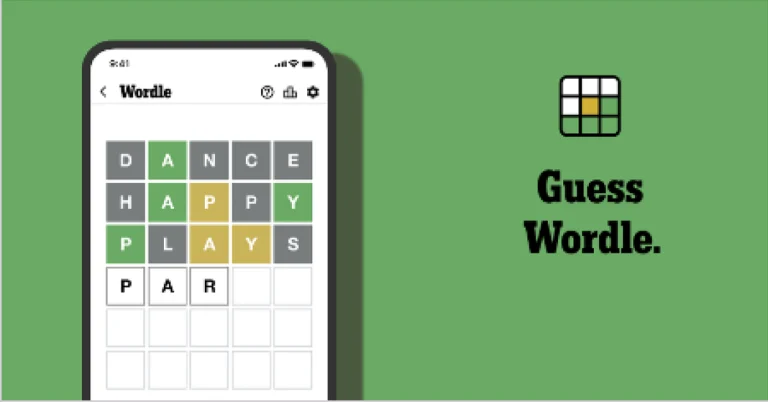
Wordle is a New York Times word puzzle game that allows users to guess a five-letter word in six attempts. The letters are highlighted in Yellow and Green, indicating whether the word is present in the answer or not, and Green letters indicate the correct guess.

Also Read: WhatsApp is testing a username feature similar to Facebook and Instagram, which allows chats without providing phone numbers: Report

Wordle Tips and Tricks
  • Select a powerful starting word: Avoid using unusual words, as they frequently do not match common letters. A good opening word has plenty of benefits.
  • Repeating letters: Don’t be afraid of repeating letters; they appear frequently in words. The answer may contain one or two repeated letters.
  • Use the Wordlebot: The NYT’s Wordlebot analyses and compares replies to itself. This challenge can assist you in enhancing your guessing skills and highlighting areas for development.

Snapchat’s Imagine Lens is now available for all users in the US

Snapchat has released its first open prompt AI Lens, “Imagine Lens,” for free in the United States. The Lens, which debuted in September, allows users to create, edit, and recreate Snaps by just providing their own prompts, then seamlessly share them with friends, publish to their Story, or post outside of Snapchat. The functionality was previously only available to Lens+ and Snapchat+ Platinum members.

Snapchat unveiled the Imagine Lens, an Open Prompt Image Generation Lens, which allows users to create and share unique photos. The Lens is now free for all Snapchat users in the United States, and it will soon be accessible in Canada, the United Kingdom, and Australia as well.

Also Read: Apple plans to cut iPhone Air production due to low demand

The Imagine Lens enables users to express their creativity by transforming everyday spaces into slip-and-slide experiences, experimenting with Halloween costume ideas, and creating the perfect response when nothing else fits the moment.  Users may share their creations with their friends, on their Story, or outside of Snapchat.

To begin, Snapchat users may look for the Lens in the Carousel or Exclusive category, or search for it by name. Select the Lens, then edit your prompt by tapping the caption or using the pre-loaded ideas for inspiration. Create a Snap and send it to your friends, add it to your Story, or keep it for offline use.

Also Read: Meta to lay off 600 employees from its AI unit, TBD Labs

Besides this, Snapchat is offering additional storage options for users with more than 5GB of saved Memories. The Memories Storage Plans, which include 100GB, 250GB with the Snapchat+ subscription, and a significant 5TB option through Snapchat Platinum, cater to users with larger collections of Memories on the platform. These upgrades are designed to meet the growing demands of Snapchatters.

Apple plans to cut iPhone Air production due to low demand

0

Apple plans to drastically reduce iPhone Air manufacturing by 80% owing to the device’s inability to fulfil Apple’s expectations. The iPhone Air, which was released in September 2025 for $999, is Apple’s thinnest phone ever at 5.6mm and lightest since the 2020 iPhone 12 Mini. According to analyst Ming-Chi Kuo, while Apple’s entire production for the iPhone 17 series will remain between 85 and 90 million units, iPhone Air devices will reach almost “end of production” levels. The move follows claims that Apple is curtailing manufacturing for the ultra-slim iPhone.

According to analyst Ming-Chi Kuo, Apple’s iPhone Air, a 5.6mm thin device, is in trouble as its supply chain intends to reduce manufacturing by up to 80% in Q1 2026. Many suppliers will likewise reduce shipments and manufacturing by up to 80%. Some components with longer lead times may be phased out altogether by the end of 2025. The inability of the iPhone Air to meet sales forecasts is the cause of these shifts. Apple recently decreased manufacturing plans by 1 million devices, but a Nikkei Asia report claims the corporation is now likely to significantly reduce production of the ultra-thin model.

Also Read: Meta to lay off 600 employees from its AI unit, TBD Labs

Despite being available for pre-order, Apple’s iPhone Air has failed to meet its sales targets due to its high price. Apple’s manufacturing orders for the iPhone 17 will be less than 10% of the amount from September, with the iPhone Air contributing 10-15% of the projected production. The iPhone 17 has been raised by 5 million units, while the Pro model has been boosted.

Apple’s decision to sell a battery MagSafe cover for the Air did not increase confidence among consumers. The Air’s sales stats indicate that the iPhone Pro series and base iPhone already meet the bulk of high-end customer demand, leaving a limited possibility for expansion through other model variations.

Also Read: YouTube brings a likeness detection tool for creators to detect AI-generated deepfakes

According to Counterpoint research, the iPhone 17 series outsold the iPhone 16 series by 14% in its first ten days of availability in the United States and China. Low demand outside China is a big factor.

The price of the iPhone Air in India starts at Rs 1,19,900 for the 256GB storage. The price of the 512GB and 1TB storage models will set you back at Rs 1,39,900 and Rs 1,59,900, respectively.

Meta to lay off 600 employees from its AI unit, TBD Labs

Meta is planning to lay off 600 employees from its artificial intelligence subsidiary, TBD Labs, as part of a goal to remove layers and operate more efficiently. The layoffs did not affect TBD Labs personnel, which included numerous top-tier AI hires. The move is viewed as an attempt to strengthen Wang’s role in the company’s AI strategy. The reductions are part of Meta’s efforts to simplify operations and shrink its bloated AI section.

Meta is cutting several hundred positions from its AI infrastructure and Fundamental Artificial Intelligence Research unit, while hiring for its newer TBD Lab, since it feels its ongoing AI efforts have grown too bureaucratic. The reductions were disclosed in a message by CEO Alexandr Wang, who was appointed as part of Meta‘s $14.3 billion investment in Scale AI. The layoffs did not, however, affect staff at TBD Labs, which is led by Wang and employs numerous top-tier AI personnel.

The organisation intends to make its operations more agile by lowering team size, reducing the number of conversations necessary for deciding, and boosting each person’s shouldering capability. This step is supposed to improve the decision-making process.

Also Read: YouTube brings a likeness detection tool for creators to detect AI-generated deepfakes

Meta is eliminating 600 roles from its superintelligence lab, impacting FAIR AI research, product-related AI, and AI infrastructure units while excluding the recently established TBD Lab unit. The business encourages impacted workers to apply for other roles inside Meta, with the expectation that the majority will find internal opportunities. Meta is continuing aggressively recruiting and hiring for its TBD Lab branch, with recent additions including OpenAI research scientist Ananya Kumar and co-founder Andrew Tulloch of Mira Murati’s Thinking Machines.

Also Read: Meta introduces new safety tools for WhatsApp and Facebook to help avoid online scams

Following layoffs, Meta’s Superintelligence Labs now employs little under 3,000 people. Some employees have been advised that their termination date is November 21, and they are under a non-working notice period. Meta will pay 16 weeks of severance + two weeks for each completed year of employment, less the notice period. CEO Mark Zuckerberg has voiced dissatisfaction with Meta’s AI development.

The layoffs are intended to downsize the department and improve Wang’s position in the company’s AI strategy. Meta has been revising its AI strategy to stay up with competitors like OpenAI and Google, investing billions in infrastructure initiatives and recruitment.

Garena Free Fire Max Redeem Codes Today 23 October 2025: Here is how to claim them

Garena Free Fire (GFF) Max is a battle royale game with regular awards and tournaments to keep players interested. If you play GFF, you should be aware of the redeem codes that are released on a daily basis. However, because the battle royale game is banned in India, players from other countries can use the Free Fire Redeem codes daily. If you’re unfamiliar with the codes or don’t know how to get them, we’ve put together a step-by-step guide to help you redeem them. Check out Garena Free Fire Max Redeem Codes for 23 October 2025.

These codes are a great way to get free items in the game. The 12-digit codes contain letters and numbers, as well as an expiration date and time. Because the Garena FF redeem codes cannot be used more than once, you should hurry to the redemption page to claim your free reward before someone else does. To get a free reward, all you have to do is go to reward.ff.garena.com/en, which is the official redemption page. Also, keep an eye on this space for daily updates on Gadget Bridge on GFF Max redemption codes and rewards.

Also Read: CERT-In identified multiple high-risk vulnerabilities in Android: Details

Garena Free Fire Max Redeem Codes Today 

D4QJ9K6LN7PV
N8MK3Q9LV2RJ
J1QP7M2KR5LV
FIYUJUT7UKYFFDSU
F7FGYJUR76JUT6HK
E5QH4L8MK9PJ
S6MJ2Q1LV8RP
FTY7UYHJRY76QUYB
B7QH2L4MR8PJ
M5MJ8Q3KV6RP
G9QK1M7LN4PJ
Y2PL5Q8MR3VK
FGTDHF6T7UY56F6T

Also Read: IFA 2025: Lenovo introduced Legion Pro 7 (2025) and Lenovo Legion Go with AMD’s Ryzen 9000 HX series processors

How to Get Free Fire Max Redeem Keys for Garena?

  • Visit the game’s official website at reward.ff.garena.com.
  • Use your Facebook, Google, VK, Apple ID, Huawei ID, or Twitter account to log in.
  • You’ll be taken to a valid redemption code (s)
  • Copy and paste the 12-digit redemption code into the text box.
  • On the screen, a dialogue box will appear.
  • ‘Ok’ should be selected.

Amazon Quiz Answers Today 23 October 2025: Participate to win Up To Rs 500 Amazon Pay Balance

Amazon Quiz 23 October 2025: The New Daily Quiz is now available. Customers from different parts of the country are participating in the daily quiz. The quiz starts at midnight today and will be live until 11:59 PM tonight. By successfully answering every question, participants in the quiz have the chance to win wonderful rewards. Up to Rs 500 Amazon Pay Balance is up for grabs to participants today.

One wrong answer could eliminate you from the quiz. You have a chance to win up to Rs 500 Amazon Pay Balance if you successfully answer every question. Users of the app only have the opportunity to take the quiz. Check Out the 23 October 2025 Quiz.

Are you not able to find Amazon FunZone? Click below and participate.

Click here to enter the Amazon FunZone Quiz and play today.

Today’s Prize: Rs 500 Amazon Pay Balance

Quiz Date: 23 October 2025

Daily Timing: 12 AM to 11:59 PM

Previous Winners Announcement: Today 12 PM Noon

Amazon Daily Quiz Answers Today: Win Up To ₹ 500 Amazon Pay Balance

Question 1: Who beat Novak Djokovic in the final to win his 2nd consecutive Wimbledon men’s singles title?

Answer: Carlos Alcaraz

Question 2: In Captain America: Brave New World, scheduled to be released in 2025, which legendary actor plays the role of Thaddeus Thunderbolt Ross?

Answer: Harrison Ford

Question 3: Which place in South India is also known as the Scotland of India?

Answer: Coorg

Question 4: This is a picture taken in which African country?

Answer: Morocco

Question 5: What is the name given to the profession of the man in the picture?

Answer: Gondolier

Also Read: CERT-In identified multiple high-risk vulnerabilities in Android: Details

How To Play Amazon Daily Quiz Today

Only app users are eligible to play the Amazon quiz every morning from 12 AM to 11:59 PM. The quiz is not available on the desktop. For those who are unaware of how to play the Amazon quiz, below are the steps you can follow to take the quiz.

  • First, download the Amazon app from the Google Play Store or App Store or go here to download the Amazon App
  • Now fill in the required information through the Sign-Up option.
  • To find the Amazon Daily Quiz banner, log in to the Amazon app and scroll down to the home screen.
  • Tap on the banner and tap on the Start button to start the Quiz.
  • Now you will get 5 questions and you need to answer them correctly. One wrong answer will eliminate you from the Quiz.
  • After answering all the questions correctly, you are now eligible for a Lucky Draw.
  • The previous winner’s name will be announced today at 12 PM.

Amazon Daily Quiz Answers from the previous few days.

Here are all the answers from the previous 5 days of the Amazon Daily Quiz and Contest.

29 September 2025

Question 1: Who scored a half-century in just 15 balls in a losing effort against Sunrisers Hyderabad in IPL 2024 for Delhi Capitals?

Answer: Jake Fraser – McGurk

Question 2: The Amazon Prime series- ‘A Gentleman in Moscow’ stars which famous actor in the lead role of Alexander Rostov?

Answer: Evan Mc. Gregor

Question 3: The Achyutraya temple, the Virupaksha temple and the Vithala temple are located in which UNESCO World Heritage Site?

Answer: Hampi

Question 4: This is the logo of a famous automobile company headquartered in which country?

Answer: France

Question 5: This visual shows which dwarf planet as seen from the New Horizons spacecraft in 2015?

Answer: Pluto

27 September 2025

Question 1: Which Indian won the silver medal in the FIDE women’s candidates 2024?

Answer: Koneru Humpy

Question 2: Which of these actresses is the executive producer of the Amazon Prime series ‘Poacher’?

Answer: Alia Bhatt

Question 3: Which of these is a traditional, flat-bottomed Venetian rowing boat?

Answer: Gondola

Question 4: The man in the picture is cosplaying a character from which famous children’s book?

Answer: Alice in Wonderland

Question 5: This is the Adalaj Ni Vav, a stepwell located in which state?

Answer: Gujarat

26 September 2025

Question 1: Which team recently set the record for the highest chase in Indian Premier League history by successfully chasing a target of 262?

Answer: Punjab Kings

Question 2: The comedy movie ‘Ricky Stanicky’ stars which of these actors, also a big star in sports entertainment?

Answer: John Cena

Question 3: The famous monument, Humayun’s Tomb, was built in which century?

Answer: 16th century

Question 4: This is the famous Rathaus, located in which famous European capital?

Answer: Vienna

Question 5: Which of these famous guitarists was part of this iconic band?

Answer: Slash

25 September 2025

Question 1: Which of these recently played ATP events has a court named after the legendary tennis player Rafael Nadal?

Answer: Barcelona Open

Question 2: The movie Road House sees Jake Gyllenhaal play the role of an ex-UFC fighter. Which of these famous sportspeople also acts in the movie?

Answer: Conor McGregor

Question 3: What is the other name given to the swamp deer, the state animal of Madhya Pradesh?

Answer: Barasingha

Question 4: In which of these cities in the USA is this famous museum located?

Answer: New York

Question 5: Which of these controversial media organisations was founded by this Australian editor and publisher?

Answer: Wikileaks

24 September 2025

Question 1: Which of these players won the Monte Carlo Masters tennis tournament in 2024, his 3rd triumph in that event in 4 years?

Answer: Stefanos Tsitsipas

Question 2: Which of these Amazon Prime shows shares its name with a 2005 Brad Pitt- Angelina Jolie movie?

Answer: Mr and Mrs Smith

Question 3: Which animal features on the election symbol of the Republican party in the USA?

Answer: Elephant

Question 4: These waterfalls span the border between the province of Ontario in Canada and which state in the USA?

Answer: New York

Question 5: Which of these famous architects designed this iconic monument in India?

Answer: Edwin Lutyens

23 September 2025

Question 1: Against which team did Sunrisers Hyderabad set a new record scoring 287 in an IP match?

Answer: Delhi Capitals

Question 2: Who plays the role of soldier Arun Katyal in the recently released movie Yodha?

Answer: Sidharth Malhotra

Question 3: Which of these famous rulers was born in the Shineri Fort in Maharashtra in the 17th century?

Answer: Shivaji

Question 4: Name this famous church located in Europe

Answer: St. Peter’s Basilica

Question 5: This is the flag of which Caribbean country?

Answer: Barbados

19 September 2025

Question 1: Achanta Sharath Kamal represents India in which sport?

Answer: Table tennis

Question 2: Which date is to be celebrated as Hyderabad Liberation Day?

Answer: 17-Sep

Question 3: In which sport did India win its first two medals at the 2024 Paris Olympics?

Answer: Shooting

Question 4: This painting was created in which historical period?

Answer: Renaissance

Question 5: Where is the headquarters of this brand in the USA?

Answer: Atlanta

18 September 2025

Question 1: Achanta Sharath Kamal represents India in which sport?

Answer: Table tennis

Question 2: Which date is to be celebrated as Hyderabad Liberation Day?

Answer: 17-Sep

Question 3: In which sport did India win its first two medals at the 2024 Paris Olympics?

Answer: Shooting

Question 4: This painting was created in which historical period?

Answer: Renaissance

Question 5: Where is the headquarters of this brand in the USA?

Answer: Atlanta

Also Read: IFA 2025: Lenovo introduced Legion Pro 7 (2025) and Lenovo Legion Go with AMD’s Ryzen 9000 HX series processors

Frequently Asked Questions (FAQs)

Where can I check the previous winners? Did I win? How to check?

You can head over to this link on your mobile or desktop to check the winners of the Amazon Daily Quiz Contest.

How to Play Amazon Daily Quiz or Contest?

We have written an explainer above; you can refer to that.

When are the winners of the Quiz and contest announced or declared?

The announcement of today’s quiz winner will take place Tomorrow. As for the Special Quiz and “Spin & Win” Contest, the winners will be declared once the Quiz Contest comes to an end. To find out who the lucky winner is, you can refer to the Winners List or visit the Amazon Winners tab in the Amazon App.

How to participate in the Daily Amazon Quiz?

That is very easy, just got to the Amazon app and scroll to the bottom of the page and you will find the Quiz section. Click on it (usually it is called the fun zone) and you can enter the Amazon Today Quiz Contest. 

Are there any other quizzes or contests running on Amazon daily?

Yes, there are many running daily. These range from spinning the wheel to answering the questions correctly. All are located in the Fun Zone. 

What are the criteria for selecting a winner in the Daily Amazon Quiz?

When a qualified player submits correct answers to all the questions, they will automatically be entered into a lucky draw. This draw will include all participants who answered all the questions correctly. Amazon randomly selects the final winners from the pool of eligible participants who gave the right answers.

Which Types of Questions are asked within the Amazon Daily Quiz?

These are very simple and straightforward questions. These are mainly related to general knowledge. 

Where should I look for Amazon Daily Quiz answers?

You can bookmark our website www.gadgetbridge.com as we will help you every day with the Amazon Daily Quiz. We bring you fresh answers every day for the Amazon Daily Quiz and Contest. 

What time does Amazon announce previous winners?

The previous winner’s name will be announced today at 12 PM (noon).

NYT Wordle Answer and Hints Today (October 23) #1587

Are you looking for today’s Wordle answer for October 23, 2025? The problem is difficult to solve, so if you need assistance, we’ve included hints and the clue to today’s Wordle Quiz. Below, we have made it simple for everyone to understand how to get to the Wordle Answer today.

Hints and Answers for Today’s Wordle October 23

Before answering directly, please check the Wordle Hints first.

Hint 1: Today’s Wordle answer includes a vowel.
Hint 2: The answer for today has a repeating letter.
Hint 3: Meaning- a tool or machine that is used for making holes in things

What word does today’s Wordle begin with?

Do you need help with today’s Wordle answer’s initial letter?

The first letter in today’s Wordle is “D”

Today’s Wordle Answer 

The answer to Wordle #1587 on Oct 23, 2025, is — DRILL

Also Read: Meta launched Candle, a new submarine cable connecting East Asia and Southeast Asia

What is Wordle?

Wordle: A Five-Letter Word Guessing Game
• The game allows six guesses of a five-letter word.
• Provide feedback on the guessed letters’ placement in the puzzle.
• The New York Times purchased the game in 2022.
• Created by Josh Wardle for his partner, narrowing down 12,000 English words to 2,500.
• Named after the word “word.”

How To Play Wordle?

Wordle is a New York Times word puzzle game that allows users to guess a five-letter word in six attempts. The letters are highlighted in Yellow and Green, indicating whether the word is present in the answer or not, and Green letters indicate the correct guess.

Also Read: WhatsApp is testing a username feature similar to Facebook and Instagram, which allows chats without providing phone numbers: Report

Wordle Tips and Tricks
  • Select a powerful starting word: Avoid using unusual words, as they frequently do not match common letters. A good opening word has plenty of benefits.
  • Repeating letters: Don’t be afraid of repeating letters; they appear frequently in words. The answer may contain one or two repeated letters.
  • Use the Wordlebot: The NYT’s Wordlebot analyses and compares replies to itself. This challenge can assist you in enhancing your guessing skills and highlighting areas for development.

Netflix to integrate AI into its content recommendation and discovery tools

Netflix intends to spend extensively in AI throughout its platform and content creation pipeline. The streaming behemoth is now beta testing an AI search experience, localising promotional material for content, and experimenting with new ad formats. In a Q3 2025 shareholder letter, Netflix highlighted new AI capabilities and initiatives under development.

Netflix is reportedly adding AI into its recommendation engine, stating that it has always depended on technology to provide high-quality experiences. The corporation argues that its large data assets, as well as its products and business procedures, allow it to reap the benefits of artificial intelligence. In an earnings call, CEO David Sarandos stressed the use of AI throughout the content production pipeline, noting that AI will enable the firm and creative partners to deliver stories better, quicker, and in new ways. However, the corporation is not interested in originality for its own sake.

Netflix is incorporating AI into its content recommendation and discovery tools, beta testing a conversational search experience, and disseminating promotional materials in many languages. The business is also replacing computer-generated imagery (CGI) effects with AI outputs, such as de-ageing characters in Happy Gilmore 2, and exploring wardrobe and set designs. Furthermore, Netflix intends to leverage AI in its ad business to test and deploy new formats, with an emphasis on creating relevant ad creatives and placements for users. These new forms will be introduced during the following quarter.

Also Read: YouTube brings a likeness detection tool for creators to detect AI-generated deepfakes

Netflix’s third-quarter revenue jumped 17% year on year, owing to membership growth, pricing changes and increasing ad revenue. Operating income reached $3.2 billion, up 12% year on year, with an operating margin of 28% against 30% in Q3’24. However, an expense of around $619 million for a continuing battle with Brazilian tax authorities lowered the margin by more than five percentage points. Diluted EPS was $5.87 vs. $5.40 last year, a 9% increase and $1.00 below the estimate due to lower-than-expected operating income. Revenue is the company’s key financial metric for growth, while operating margin is used for profitability.

Also Read: Meta introduces new safety tools for WhatsApp and Facebook to help avoid online scams

The firm predicts a 17% increase in revenue in Q4’25, led by increased membership, pricing, and ad revenue. The operating margin is expected to be 23.9%, up two percentage points from the previous year. The corporation predicts $45.1 billion in revenue in 2025 (16% increase, 17% on an F/X neutral basis). However, the business now expects a 29% operating profit in 2025, compared to previous estimates of a 30% reported margin.

How to update your Samsung phone to One UI 8

0

After the delayed rollout of One UI 7, Samsung has jumped back on schedule with its latest One UI 8 update. The Android 16-based OS has been reaching eligible devices since September. If you’re on a midrange or budget Samsung device, you may want to keep an eye out for the update. One UI 8 retains aesthetic elements of its predecessor but adds a bunch of useful tweaks and features. Here’s how you can update your Samsung phone to One UI 8.

Read Also: Samsung Galaxy A17 Review: A dependable daily driver with standout features

List of eligible devices

Samsung has released a list of devices that will receive the One UI 8 update this year. This list comprises its international models. Region-specific smartphones belonging to the M and F series will also get the OS update this year. More devices, particularly from the budget and entry-level segments, will be added to this list next year.

  • Galaxy S25 series
  • Galaxy S24 series
  • Galaxy S24 FE
  • Galaxy S23 series
  • Galaxy S23 FE
  • Galaxy S22 series
  • Galaxy S21 FE
  • Galaxy Z Fold6
  • Galaxy Z Flip6
  • Galaxy Z Fold5
  • Galaxy Z Flip5
  • Galaxy Z Fold4
  • Galaxy Z Flip4
  • Galaxy A56 5G
  • Galaxy A36 5G
  • Galaxy A26 5G
  • Galaxy A17 5G
  • Galaxy A17
  • Galaxy A07
  • Galaxy A06 5G
  • Galaxy A55 5G
  • Galaxy A35 5G
  • Galaxy A25 5G
  • Galaxy A16 5G
  • Galaxy A16
  • Galaxy A15 5G
  • Galaxy A06
  • Galaxy A54 5G
  • Galaxy A34 5G
  • Galaxy A73 5G
  • Galaxy A53 5G
  • Galaxy A33 5G
  • Galaxy Tab S10 series
  • Galaxy Tab S10 FE
  • Galaxy Tab S10 Lite
  • Galaxy Tab S9 series
  • Galaxy Tab S9 FE
  • Galaxy Tab S8 series

Update your Samsung phone to One UI 8

Step 1: Go to Settings.

Step 2: Scroll down and select Software update.

Step 2: Scroll down and select Software update.

Step 3: Tap on Download and install.

Step 3: Tap on Download and install. How to update your Samsung phone to One UI 8

Step 4: Your smartphone will begin downloading the available update.

Step 4: Your smartphone will begin downloading the available update. How to update your Samsung phone to One UI 8

Step 5: Once the update has been downloaded, tap on Install now.

Step 5: Once the update has been downloaded, tap on Install now. How to update your Samsung phone to One UI 8

Step 6: Your phone will reboot as part of the software installation process. Once it has restarted, you can begin using One UI 8 on your device.

Frequently Asked Questions (FAQs)

How do I update my Samsung phone to Android 16?

Go to Settings>Software update>Download and install, and wait for the OS to download on your device. Once it is downloaded, tap on ‘Install now’.

Which is the latest Samsung OS version?

The Android 16-based One UI 8 is the latest OS for Samsung phones.

Is One UI 8 out yet?

The One UI 8 rollout started in September 2025. Samsung’s flagship phones will receive the update first, followed by its midrange and budget offerings.

Which phones will get One UI 8?

The One UI 8 update will be rolled out for the A, S, Z, M, and F series phones this year. More devices will be added to the list next year.

How do I update my iPhone to iOS 26?

Go to Settings>General>Software Update and hit ‘Download and Install’.

Read Also: Samsung Galaxy XR headset with Snapdragon XR2+ Gen 2 processor unveiled

Final Thoughts

The feature list offered by One UI 8 is dependent on the price segment of your phone. The Galaxy AI package is exclusive to Samsung’s flagship offerings in the S and Z series. Meanwhile, the top devices in the midrange A series get the limited Awesome Intelligence suite. No such AI package exists for Samsung’s budget phones.

Samsung Galaxy A17 Review: A dependable daily driver with standout features

The Galaxy A17 sits just above the entry-level Galaxy A07 in Samsung’s smartphone portfolio. Over the years, several iterations of this A series model have enjoyed a lot of popularity in the budget segment. Launched in August 2025, the Galaxy A17 is priced at Rs 19,000. It flaunts a bright AMOLED display that comfortably towers over its peers, a glass fiber reinforced polymer back panel, and 6 major OS upgrades. There are some tradeoffs as well – more noticeably, the dated waterdrop notch on the display. We used the device for a week and weighed its pros against the cons to find out if it is worth shelling out the money. Here is our comprehensive review of the Samsung Galaxy A17.

Read Also: How to remove unwanted objects from images on Windows 11

Samsung Galaxy A17 Review: Design and Display

Here’s what you get inside the Galaxy A17’s retail box:

  • Smartphone
  • 25W power adapter
  • USB Type-C to Type-C cable
  • SIM ejector
  • Quick start guide

The Galaxy A17’s design language is consistent with its elder A series siblings. The vertical camera island has a thin inner border with a highlight that matches the shade of the back panel. The single LED flash lies just outside this island. The glass fiber polymer back panel has a smooth matte finish. It feels slightly more premium than the standard plastic panel. The Samsung lettering is embossed at the bottom. The smartphone comes in 3 shades – Gray, Blue, and Black.

Samsung Galaxy A17 Review: Design and Display

The flat plastic frame has rounded corners. Its right edge houses the side key and the volume rocker on a slightly raised platform that seamlessly blends with the rest of the frame. The hybrid SIM tray with a microSD slot is positioned on the left edge. You use it to expand the phone’s storage up to 2TB. At the bottom lies the primary microphone, USB-C port, and primary speaker. The noise-cancelling microphone is placed up top.

design

The 6.7-inch Super AMOLED display is one of the biggest highlights of this smartphone. This 1,080 x 2,340p FHD+ panel has a 90Hz refresh rate and can reach up to 800 nits in High Brightness Mode. In bright outdoor conditions, this display is easily able to reach enough brightness to maintain legibility. The touch response is smooth and fluid. However, a few things about this display feel a bit dated. For starters, it uses a waterdrop notch, and not a punch-hole cutout, for the front-facing camera. The thick chin bezel is another element that Samsung needs to move on from, especially on this A series model. Lastly, the lack of an in-display fingerprint sensor is another big miss. The side-mounted scanner is arguably faster than its optical counterparts, but the aesthetics of scanning your fingerprint on the display are more suited to a midrange phone.

display

We used our Samsung Galaxy A17 review unit to stream movies and TV shows across OTT platforms like Netflix, Prime Video, and JioHotstar. The viewing experience curated by the Super AMOLED display is comfortably better than its peers. The visuals are packed with superb details and punchy colours. The wide range of viewing angles comes in handy when you’re watching a video with a friend. The solo bottom-firing speaker produces a well-balanced audio output to go along with the vibrant visuals, but its intensity leaves more to be desired.

Samsung Galaxy A17 Review: Performance and Cameras

Powering the Galaxy A17 is Samsung’s in-house Exynos 1330 SoC. This is the same processor that powered the Galaxy A14 (our review here) back in 2023. The 5nm chipset feels dated on a smartphone in 2025, especially when last year’s Galaxy A16 (our review here) was powered by the MediaTek Dimensity 6300 SoC. The smartphone comes in 3 RAM and storage variants:

  • 6GB + 128GB: Rs 18,999
  • 8GB + 128GB: Rs 20,499
  • 8GB + 256GB: Rs 23,499

We ran a couple of benchmark tests on the Galaxy A17. Here’s how it performed.

  • AnTuTu 3D Lite: 599,773
  • Geekbench 6: 964 (single-core) | 2,157 (multi-core)

benchmarks

The general performance of the smartphone is quite satisfactory. It does a good job of handling routine tasks like calling, instant messaging, web browsing, media streaming, navigation, and more. It takes a bit longer than usual to load apps, but that’s something to be expected from most budget phones. Juggling different apps is not a problem as the device can compartmentalise them smartly in the background. We did come across the odd jitter, but it was the exception rather than the norm when it comes to the daily usage experience. 

apps

The gap in benchmark numbers becomes apparent when you run demanding games on the Galaxy A17. It is not uncommon to encounter lag and frame drops in first-person shooter titles like Call of Duty Mobile and BGMI when the graphics and frame rate are pushed to their highest settings. We stuck to medium/low settings for smoother and more consistent gameplay. The back panel warmed up after 20-30 minutes of continuous gaming. Needless to say, if gaming is your biggest priority, there are better phones out there.

Samsung is far ahead of its peers when it comes to software coverage for its budget offerings. The Galaxy A17 has been promised 6 major OS upgrades and 6 years of security patches. This is comfortably better than any smartphone in this price segment. It runs the Android 15-based One UI 7 out of the box. Samsung has started pushing One UI 8 for this device. We received the upgrade during the review period.

software

Cosmetically, there isn’t a big difference between One UI 8 and its predecessor. Both Android skins rock a vibrant interface, distinct panels for notifications and quick settings, and lots of customisation options for the lock screen, home screen, AOD, and app icons. You also get the Now Bar on the lock screen. One UI 8 adds minor feature additions like the option to show or hide notification content on the lock screen, an enhanced Secure Folder, revamped weather visuals, new preset routines, sticky notes, enhanced split-screen view, and more.

display

The 5,000mAh battery pack on this phone holds enough juice to power through a day of heavy usage. We ended most days with a 20% charge in the tank after racking up a screen time of 4-5 hours. Our tasks included calling, texting, gaming, media streaming, and web browsing. There’s support for 25W charging on board. Using the power adapter provided in the box, the phone takes up to 90 minutes to fully charge.

Moving on, the rear camera array of the Galaxy A17 comprises a 50MP primary shooter, a 5MP ultrawide lens, and a 2MP macro sensor. A 13MP front-facing camera is housed inside a waterdrop notch on the display.

Samsung Galaxy A17 Review: Performance and Cameras

The 50MP primary shooter captures good pictures in outdoor daylight conditions. These images showcase vibrant colours and pack a lot of details. The sharpness, contrast, and dynamic range are on point. In limited lighting conditions, the Night Mode does a good job of resolving the noise and assigning accurate colours to the scene.

Samsung Galaxy A17 Review: Performance and Cameras
Primary Shooter: Without Night Mode v Night Mode

Images taken from the 5MP ultrawide lens are visibly soft. Compared to the shots taken with the primary shooter, the lack of sharpness and limited dynamic range are immediately noticeable. However, it makes up for these shortcomings by tastefully processing the colour profile of the images. The vibrant nature of the ultrawide shots is quite appealing. Strangely enough, the Night Mode in the native Camera app does not cover this ultrawide lens, leading to grainy and soft images.

Samsung Galaxy A17 Review: Performance and Cameras
Ultrawide Lens
ultrawide
Ultrawide Lens

The Galaxy A17 impressed us massively with its portrait shots. We were pleased to see the focus and background blur it was able to produce in its portraits. The edge detection remained on point. We can comfortably say that these portrait shots are the best in their class. The 13MP front-facing camera takes clear selfies without messing with the skin tone and texture. All three sensors can record 1,080p videos at 30fps.

portrait
Portrait Shots

Read Also: Top 10 Air Purifiers in India (November 2025)

Verdict

The Samsung Galaxy A17 is a dependable daily driver, but there are some aspects where it needs to improve. While it does a good job of handling routine tasks, it needs a better processor (preferably one that’s based on a 4nm process) to give its gaming performance a boost. A bigger battery with support for faster charging would be nice, too. When it comes to cosmetics, the waterdrop notch and the thick chin need to go.

With these criticisms out of the way, we can assert that what Samsung gets right on this phone, it knocks out of the park. The Super AMOLED display has a brilliant touch response and curates a viewing experience that’s better than any other smartphone in the segment. When it comes to the software experience, the promise of 6 OS upgrades is unmatched by any OEM in this price bracket. On the photography side of things, the Galaxy A17 takes stunning portraits, punching way above its weight.

Pros

  • Smooth display
  • 6 major OS upgrades
  • Great portrait shots

Cons

  • Better chipset would have been a boon
  • Waterdrop notch is a bit dated
  • Fast charging is missing

Buy on Amazon for Rs 18,999

YouTube brings a likeness detection tool for creators to detect AI-generated deepfakes

YouTube has developed a likeness detection tool to help creators avoid AI-generated deepfakes. The feature, which debuted as a test in December 2024, shows possible AI deepfakes posted to the platform. To use the tool, creators must provide an ID card and a video selfie. Once the process is completed, they will be able to examine all AI-generated deepfakes in a dashboard. 

The technology is now offered to a small group of creators, who must go through an onboarding procedure. The tool is designed to safeguard content producers from third-party appropriation of their likeness or voice via synthetic means.

YouTube has announced Likeness, an AI-powered tool that helps creators discover deepfakes. The technology is now available to creators in the YouTube Partner Programme and will be expanded in time. Once a creator gets access, they may examine it in the Content ID menu and monitor copyrighted content.

The tool’s onboarding procedure is complex, involving user permission, a government-approved ID card, and a video selfie to avoid scams, as well as a robust process to prevent illegal registration under a creator’s name.

The technology will identify and remove deepfakes, which are videos that it believes were made with AI. The tool will be stored on Google’s servers, and the creators will have access to it once their identities have been authenticated. YouTube will prioritise videos that highlight the issue. Creators can request that videos be removed or archived, and if a complaint is filed, YouTube will examine and take necessary action. Users may also disable the tool, which stops processing deepfake data after 24 hours.

What is likeness detection?

Likeness detection is a tool that allows users to quickly identify, control, and request the removal of unauthorised videos where their facial likeness has been edited or created using AI, protecting their identity and eliminating misleading information.

Also Read: Meta introduces new safety tools for WhatsApp and Facebook to help avoid online scams

How does the likeness detection tool for creators feature work?

The likeness detection tool for creators in YouTube Studio allows users to prove their identity by scanning a QR code with their webcam. The tool requires a photo ID and a quick selfie video, with the option of selecting the preferred ID type. Users must provide access to their phone’s camera to capture the ID and video selfie. If a driver’s license is utilised, the front and back sides of the ID must be provided.

Also Read: Samsung Galaxy XR headset with Snapdragon XR2+ Gen 2 processor unveiled

The tool takes the user’s name and date of birth, and prompts them to validate the list. After completing several selfie video motions, the video selfies and ID will be sent to Google servers for verification. Users who return to the tool after a few days may receive a notification welcoming them back. If matches to the user’s synthetic likeness are found, they will be shown in the UI for users to review.

How to remove unwanted objects from images on Windows 11

0

A basic image editor is the cornerstone of every ‘Gallery’ app. The Photos app in Windows 11 is no different. While it did have to wait longer than its Android and iOS counterparts to get a native object eraser, the AI tool works seamlessly on the app. You can finetune your pictures by erasing people, poles, cables, vehicles, and other distractions in just a couple of clicks. Let’s take a quick look at how you can remove unwanted objects from your images on a Windows 11 PC or laptop. 

Read Also: Blox Fruits Codes (October 2025)

Some tips to keep in mind

While erasing routine objects from your pictures, the results may not always be desirable. The object eraser in Windows 11 uses AI to fill in the empty pixels using context cues from the background. This often results in images with weird glitches. There are a few tips you need to keep in mind to limit these errors.

  • Make sure the object you select is small in size. Larger objects are harder to erase and can often leave weird imprints behind.
  • Ideally, the background behind the object should be uniform, so it is easy to fill in the missing pixels.
  • Adjust the brush size to ensure the object is selected accurately.
  • If you can’t get the desired results from the native Photos app, use third-party apps like PhotoRoom, Picsart, and more.

Use the native Photos app to remove unwanted objects from images

Step 1: Open an image on your Windows 11 PC using the native Photos app. Make sure the Photos app is updated to its latest version.

Step 2: Hit the Edit button in the top right corner of the screen.

Step 2: Hit the Edit button in the top right corner of the screen.

Step 3: Click the eraser icon.

Step 3: Click the eraser icon. How to remove unwanted objects from images on Windows 11

Step 4: Use the slider on the right panel to adjust the brush side.

Step 5: Press the mouse/trackpad and highlight the unwanted object using the brush.

Step 4: Use the slider on the right panel to adjust the brush side. How to remove unwanted objects from images on Windows 11

Step 6: The object will be removed from the image.

Step 7: Click on Save options and select Save as a copy.

Step 7: Click on Save options and select Save as a copy. How to remove unwanted objects from images on Windows 11

Frequently Asked Questions (FAQs)

Does Windows 11 have a photo editor?

The photo editor in Windows 11 is integrated into the native Photos app. You can access it by opening an image and hitting the ‘Edit’ button in the top left corner of the screen.

How do I erase something from a photo on my PC?

Open the image in the Photos app, click on ‘Edit’ and select the eraser icon. Use the brush to highlight the object you want to erase. It will be quickly removed from the picture.

What is the best object remover for PC?

The object eraser tool in the native Photos app is one of the best tools for the task on a Windows 11 PC. You can also use third-party tools like PicsArt, PhotoDirector, PhotoRoom, and more.

How do I erase an object from an image on my Android phone?

Launch Google Photos, open the image, hit the ‘Edit’ button, go to Actions>Magic Eraser, select the object, and hit ‘Erase’.

How do I erase an object from an image on my iPhone?

Open an image in the Photos app, tap the edit icon, and select ‘Clean Up’. Highlight the object you want to remove and hit ‘Done’. It will be erased from the image.

Read Also: Top 10 Air Purifiers in India (November 2025)

Final Thoughts

Setting the brush size at an appropriate level is the key to removing unwanted objects from pictures. The right brush size makes it easy to select the object without spilling over. While you’re here, check out how you can create a cutout sticker on Google Photos. If you have any questions, let us know in the comments!

Meta introduces new safety tools for WhatsApp and Facebook to help avoid online scams

WhatsApp and Facebook are taking steps to warn scam victims not to share sensitive data, such as bank account numbers and verification codes, on their screens. When someone attempts to use screen sharing with an unfamiliar contact during a video call, the firm will intervene and flag suspicious Facebook Messenger chats.

WhatsApp is issuing warnings to users who share their screens with unknown individuals during video sessions. The app seeks to assist users in identifying and avoiding scams by giving context for potential dangers such as phishing attempts.

Messenger is implementing advanced scam detection in chats, alerting users when a new contact sends a potentially fraudulent message. Users can send recent chat messages for AI scam review, and if a scam is detected, they will receive more information on common scams and be advised to block or report the suspicious account.

Passkeys on Facebook, Messenger, and WhatsApp enable users to use their existing mobile device fingerprint, face, or PIN for identity verification.

Facebook and Instagram users can use Security Checkup to review security settings and receive recommendations for actions like password updates, while WhatsApp users can use Privacy Checkup to guide them through privacy settings, such as group addition, for optimal protection.

Also Read: Samsung Galaxy XR headset with Snapdragon XR2+ Gen 2 processor unveiled

In the first half of 2025, specialist teams discovered and blocked 8 million accounts linked to scam centres in Myanmar, Laos, Cambodia, the UAE, and the Philippines. They also took action on over 21,000 websites and accounts posing as customer service to deceive individuals into revealing personal information.

Aside from that, Meta is joining the National Elder Fraud Coordination Center (NEFCC) to combat fraud against older people. The partnership intends to pool resources and aid investigations into large-scale fraud operations. Meta has also collaborated with Match Group to disrupt Facebook groups that purported to be selling dating accounts for scams. The business co-hosted the “Cyber Smart Senior” program in Bangkok, which taught over 100 Thai elders and health center workers about online safety and digital literacy. Meta is also doing worldwide safety education campaigns, collaborating with creators to promote awareness among older individuals about how to identify and protect themselves from scams.

Also Read: Google looking for Pixel Superfans to test and design upcoming Pixel 11

In Europe, Meta collaborated with creators to educate older adults on how to identify and defend themselves against scams. In India, Meta collaborated with Signboard_wala and comedy creators to raise scam awareness in public settings through culturally appropriate storytelling. Meta will continue to provide regular updates on its efforts to combat fraud, including safety tips and product upgrades across its applications.

Samsung Galaxy XR headset with Snapdragon XR2+ Gen 2 processor unveiled

Samsung has released the Galaxy XR headset, which incorporates augmented reality (AR) features into real-world settings via two lenses on the inside. The headgear weighs around 545g, includes a forehead cushion, and has two pass-through cameras. It is Samsung’s first extended reality (XR) headset, powered by Qualcomm’s Snapdragon XR2+ Gen 2 processor, and the first to ship with Android XR preinstalled.

The Samsung Galaxy XR headset has Gemini incorporated at the system level. It is the first product to be created on this platform, and it will change the way people interact with the world through technology. Galaxy XR is more than simply a tool that responds to human commands; it is a new form of AI companion that manages tasks via voice, vision, and gestures. As a headset, it recognises users’ surroundings and responds in conversational ways that feel natural and human, providing new ways to communicate with technology.

Samsung Galaxy XR headset with Snapdragon XR2+ Gen 2 processor unveiled

Samsung has created a new XR environment in collaboration with Google and Qualcomm, with AI at the heart of the experience. Android XR, a powerful platform co-developed with Google and Qualcomm, is designed to expand across a variety of form factors, including headsets and artificial intelligence glasses. The Galaxy XR benefits from an open, scalable ecosystem that enables all Android apps to run out of the box. The platform is based on OpenXR standards, allowing developers to easily bring their experiences to Galaxy XR, increasing scalability and user choice.

Its ergonomically balanced frame distributes pressure evenly over the forehead and back, reducing face discomfort while offering consistent support. The headset’s battery pack is detachable, making it more compact and lightweight. It also has a retractable light shield for further comfort and immersion, allowing users to fully engage in XR experiences.

Also Read: Google looking for Pixel Superfans to test and design upcoming Pixel 11

The Galaxy XR supports a variety of immersive experiences, including Google Maps, YouTube, Circle to Search, and Google Photos. Users may utilise Gemini as a guide to browse and search in 3D, while AI can assist users in finding desired content on YouTube. Pass-through mode allows users to see the actual environment and create a circle to quickly search for information. Furthermore, the gadget can automatically spatialize videos and photographs into 3D, changing memories into immersive experiences or rethinking them in novel ways. These capabilities provide people with a new way to explore and experience the world around them.

The Galaxy XR, which has powerful sensors, cameras, and technology, provides immersive experiences by monitoring users’ head, hand, and eye motions. Its microphones effectively record the wearer’s voice while filtering out extraneous noise. Gemini’s support allows users to explore virtual and real worlds via XR-specialised apps through natural physical contact.

Also Read: Google October 2025 Android update rolled out: Details

The Galaxy XR provides immersive entertainment experiences like sports and gaming. Users may stream their favourite shows on a 4K Micro-OLED screen, feel like they’re in the stadium, and watch many games at once. AI-enhanced gameplay enables players to communicate with Gemini for real-time coaching and assistance. Adobe’s Project Pulsar simplifies cinematic video editing by allowing users to create 3D depth and layer captions or icons behind subjects.

Samsung Galaxy XR headset with Snapdragon XR2+ Gen 2 processor unveiled

Samsung’s Galaxy XR, powered by Snapdragon XR2+ Gen 2, provides immersive experiences with high visual clarity and advanced AI. It has a battery life of 2.5 hours, letting users enjoy content without interruption. The gadget also has immersive acoustics and ultra-high-resolution screens. Samsung has collaborated with Samsung Heavy Industries to employ Galaxy XR for virtual shipbuilding instruction, and Qualcomm Technologies to tap into an Enterprise ISV ecosystem, allowing developers to create Android XR apps. These partnerships enable enterprise-ready XR features such as improved training, solution co-design, and secure remote collaboration.

The headset is available in the US and South Korea via the company’s online store and has yet to be launched in India. The Samsung Galaxy XR headset is priced at $1,799 in the US for a 16GB RAM with 256GB storage model, and KRW 2,690,000 in South Korea for the same model.

Garena Free Fire Max Redeem Codes Today 22 October 2025: Here is how to claim them

Garena Free Fire (GFF) Max is a battle royale game with regular awards and tournaments to keep players interested. If you play GFF, you should be aware of the redeem codes that are released on a daily basis. However, because the battle royale game is banned in India, players from other countries can use the Free Fire Redeem codes daily. If you’re unfamiliar with the codes or don’t know how to get them, we’ve put together a step-by-step guide to help you redeem them. Check out Garena Free Fire Max Redeem Codes for 22 October 2025.

These codes are a great way to get free items in the game. The 12-digit codes contain letters and numbers, as well as an expiration date and time. Because the Garena FF redeem codes cannot be used more than once, you should hurry to the redemption page to claim your free reward before someone else does. To get a free reward, all you have to do is go to reward.ff.garena.com/en, which is the official redemption page. Also, keep an eye on this space for daily updates on Gadget Bridge on GFF Max redemption codes and rewards.

Also Read: CERT-In identified multiple high-risk vulnerabilities in Android: Details

Garena Free Fire Max Redeem Codes Today 

Y2PL5Q8MR3VK

D4QJ9K6LN7PV

N8MK3Q9LV2RJ

B7QH2L4MR8PJ

M5MJ8Q3KV6RP

G9QK1M7LN4PJ

J1QP7M2KR5LV

E5QH4L8MK9PJ

S6MJ2Q1LV8RP

Y2PL5Q8MR3VK

E5QH4L8MK9PJ

S6MJ2Q1LV8RP

J4PL6Q8KR7MV

E9QK2M3LV4PJ 

B7QH2L4MR8PJ

M5MJ8Q3KV6RP

G9QK1M7LN4PJ

Y2PL5Q8MR3VK

D4QJ9K6LN7PV

T7QK4L3MV8RJ

B9QP1K6MN2PV

M4QH7M5LR3VK

G2MJ9Q8LV4PR 

Y8QP3K1MN7LJ

D5QJ6L9MV2PK

N1MK8Q7LR9PV

J6QP2M4KV5RJ

E4QH9K3MN1LV

S9PL7Q5LV8RJ 

N8MK3Q9LV2RJ 

J1QP7M2KR5LV

E5QH4L8MK9PJ

S6MJ2Q1LV8RP

J9MK2Q4LV7RP

F3QK5M8LN6PJ 

S5MJ7Q6LN9RV

V2QP1K8MR5LJ

O6QH4L9MV3PK

L9MK3Q5LN7RJ

X1QP6M8KR2PV 

R8QJ9K4MV1LP

H5PL2Q7KN6RV

A3MJ8M9LR5PK

Also Read: IFA 2025: Lenovo introduced Legion Pro 7 (2025) and Lenovo Legion Go with AMD’s Ryzen 9000 HX series processors

How to Get Free Fire Max Redeem Keys for Garena?

  • Visit the game’s official website at reward.ff.garena.com.
  • Use your Facebook, Google, VK, Apple ID, Huawei ID, or Twitter account to log in.
  • You’ll be taken to a valid redemption code (s)
  • Copy and paste the 12-digit redemption code into the text box.
  • On the screen, a dialogue box will appear.
  • ‘Ok’ should be selected.

NYT Wordle Answer and Hints Today (October 22) #1586

Are you looking for today’s Wordle for October 22, 2025, answer? The problem is difficult to solve, so if you need assistance, we’ve included hints and the clue to today’s Wordle Quiz. Below, we have made it simple for everyone to understand how to get to the Wordle Answer today.

Hints and Answers for Today’s Wordle October 22

Before answering directly, please check the Wordle Hints first.

Hint 1: Today’s Wordle answer includes a vowel.
Hint 2: The answer for today has no repeating letters.
Hint 3: Meaning- a very difficult or dangerous thing that somebody does to entertain people or as part of a film

What word does today’s Wordle begin with?

Do you need help with today’s Wordle answer’s initial letter?

The first letter in today’s Wordle is “S”

Today’s Wordle Answer 

The answer to Wordle #1586 on Oct 22, 2025, is — STUNT

Also Read: Meta launched Candle, a new submarine cable connecting East Asia and Southeast Asia

What is Wordle?

Wordle: A Five-Letter Word Guessing Game
• The game allows six guesses of a five-letter word.
• Provide feedback on the guessed letters’ placement in the puzzle.
• The New York Times purchased the game in 2022.
• Created by Josh Wardle for his partner, narrowing down 12,000 English words to 2,500.
• Named after the word “word.”

How To Play Wordle?

Wordle is a New York Times word puzzle game that allows users to guess a five-letter word in six attempts. The letters are highlighted in Yellow and Green, indicating whether the word is present in the answer or not, and Green letters indicate the correct guess.

Also Read: WhatsApp is testing a username feature similar to Facebook and Instagram, which allows chats without providing phone numbers: Report

Wordle Tips and Tricks
  • Select a powerful starting word: Avoid using unusual words, as they frequently do not match common letters. A good opening word has plenty of benefits.
  • Repeating letters: Don’t be afraid of repeating letters; they appear frequently in words. The answer may contain one or two repeated letters.
  • Use the Wordlebot: The NYT’s Wordlebot analyses and compares replies to itself. This challenge can assist you in enhancing your guessing skills and highlighting areas for development.

How Offline Music & Video Download Tools Are Reshaping How We Collect Content

We live in a time when streaming dominates. But constant streaming has trade-offs: dependence on bandwidth, risk of content disappearing, and unpredictable data costs. For many users, the ideal is having media accessible offline, whenever needed. An excellent Music Video Downloader app fills that gap. It permits you to obtain local storage of songs, clips, and complete videos, allowing you to not be bothered by buffering or losing access. Getting files already on your device gives you peace and control during your commute, travelling, or being in a place with an unstable internet connection.

Core Capabilities Users Should Expect

There are apps that merely download, and those that deliver more built-in functionality. The difference typically lies in:

  • Support for many platforms: social media, video-sharing sites, streaming-friendly portals.
  • Option to convert video to audio (MP3 or equivalent) for listening without video overhead.
  • Multiple resolution options: low-res for saving storage, high resolution for clarity.
  • Fast download speeds, minimal latency, and the ability to handle large files without crashing.

The ideal tool balances all those without making the user jump through unnecessary steps.

Converting Multimedia Easily

Video audio extraction has come to be regarded as one of the leading attributes of contemporary offline tools. Just think about it: you come across a music video that you enjoy, but you actually prefer listening to it instead of watching it.. A converter built in means:

You don’t need separate apps to rip MP3s.
You save storage by removing visual data when it’s not needed.
Playlists and audio libraries become more manageable.

Such functionality often makes a tool more than just a downloader; it becomes a media manager of sorts.

Safety, Privacy, and Legitimacy

When downloading tools become powerful, the risks increase too. Users must be aware of security, the legitimacy of the app, and how their data is handled. Relevant considerations include:

  • Whether the app requests excessive permissions or tracks data unnecessarily
  • Checking for clean downloads (official APKs or verified sources) to avoid malicious versions
  • No hidden costs: there are various tools that are labelled as “free” but later on, limit features or advertise hard

Once trust is established, every download is treated as secure, and the users do not need to worry whether their device or personal information is in danger.

Usability: Interface & Workflow

Excellent tools are characterised by their power and, at the same time, being straightforward to use. Aesthetic design, user-friendliness, and smoothness are major factors. To illustrate, you might be allowed to: 

  • Directly paste the video link instead of going through several menus first
  • Choose format + resolution in one screen
  • View download progress, pause-resume when connection drops
  • Access saved media easily, perhaps via a built-in player or organised library

When the workflow is harmonised with the user expectations, a technical tool, which at first glance seems a little bit difficult, turns out to be a real buddy for the daily media-consuming activities.

Common Trade-Offs & How to Navigate Them

All top Music Video Downloaders have their downsides.. Knowing them helps you make informed use.

Storage vs Quality
High-quality video files eat up space. If you constantly download 1080p or above, your device fills up fast. Choosing a lower resolution or converting to audio helps.

Speed vs File Size
Large files or many simultaneous downloads can reduce speed. Some apps limit speed behind the scenes, especially on slower networks. Timing downloads (e.g. overnight or on WiFi) can mitigate this.

Compatibility Issues
Not every device or player supports every video or audio format. Sometimes a video plays fine, sometimes the audio doesn’t sync. Tools with widely compatible formats (MP4, MP3) are safer.

Updates & Maintenance
Apps that aren’t updated regularly may fail when platforms change their video-streaming procedures. Choosing one that keeps pace (security patches, feature updates) avoids frustration.

Real-World Use Cases

Here are examples of how people really benefit from having a good offline media downloader tool:

  • Students who want lectures or tutorials offline for uninterrupted study
  • Travellers or people in rural areas where the internet is unreliable, but they want entertainment or educational content
  • Creators who use audio or clips for remixing, voice-overs, or offline editing
  • Anyone who wants to preserve a video or song which might be taken down later

Conclusion

Streaming services are powerful, but they depend on many external factors: licensing, regional restrictions, and connectivity. Offline tools give users a fallback: content they control. In an unstable world of internet reliability, that is more than nice-to-have—it’s often essential.

These tools let people preserve culture, save important content, and ensure media retains meaning beyond platform lifecycles. That’s not just about watching songs or videos, it’s about making media ownership personal again.