

Time to switch to Google Analytics 4 (GA4) as Google has started sunsetting Universal Analytics
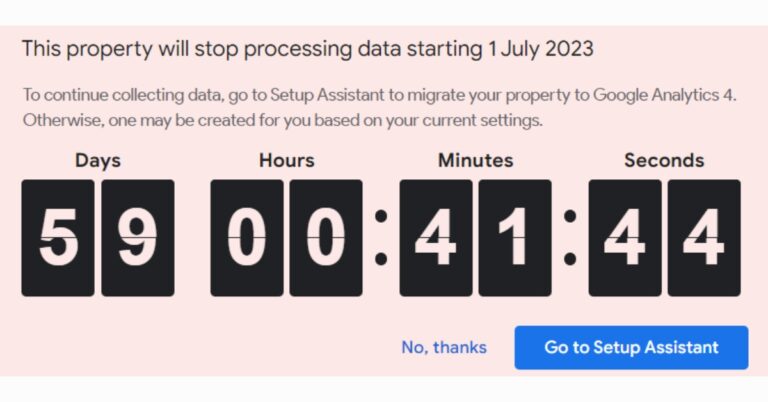
A death-timer is now shown on Google Analytics Universal. The time to relocate to GA4 has come, if you haven’t done. The tech giant unveiled Google Analytics 4 to handle “evolving measurement standards and help businesses succeed.” The cross-platform analytics tool GA4 uses an event-based data model rather than solely relying on cookies to provide user-centric measurement.
The company made the announcement last year, “We will begin sunsetting Universal Analytics — the previous generation of Analytics — next year. All standard Universal Analytics properties will stop processing new hits on July 1, 2023.”
Now, as soon as you launch Analytics on your desktop, a 60-day countdown metre appears. The new Google Analytics 4 offers, in the company’s opinion, better privacy protections than the previous generation with more thorough and detailed restrictions for data gathering and usage.
To safeguard clients and their user’s data, it will no longer save IP addresses. It will make it possible to track a wide variety of user activities, including clicks, page views, app opens, and more, to help you better understand how users interact with your app and website. The event-based measurement model with the new Google Analytics 4 (GA4) will let you get a comprehensive understanding of the client lifecycle which isn’t broken up by platform or set up into separate sessions.
Google states that the event-based model lets you automatically tag some of the events on your site with no additional coding required. In addition to page views, you can measure many common web events like scrolls, downloads, video views and more with the flip of a toggle in the admin settings for your property. One can also manage and minimize the collection of user-level data — like cookies and metadata — while preserving key measurement functionality.
Expanded Google Ads integrations integrate with your combined web and app data, which will make it simple to use Analytics insights to improve your campaigns.
Additionally, the company has integrated Display & Video 360 and Search Ads 360 into Google Analytics 4, which is available to all customers. In order to improve campaign effectiveness, one can activate their Analytics data, such as conversions and audiences, in the Google Marketing Platform purchasing tools, whether they are standard or 360.
All standard Universal Analytics properties will halt processing new hits on July 1, 2023, and for 360 Universal Analytics properties on July 1, 2024. After then, you’ll be able to access your previously processed data in Universal Analytics for at least six months. According to the company before Universal Analytics stops processing new hits, upgrade to Google Analytics 4 as soon as possible to begin accumulating the necessary historical data.
For the latest gadget and tech news, and gadget reviews, follow us on Twitter, Facebook and Instagram. For newest tech & gadget videos subscribe to our YouTube Channel. You can also stay up to date using the Gadget Bridge Android App. You can find the latest car and bike news here.
How to Configure and Use Android Proxy Settings Like a Pro?
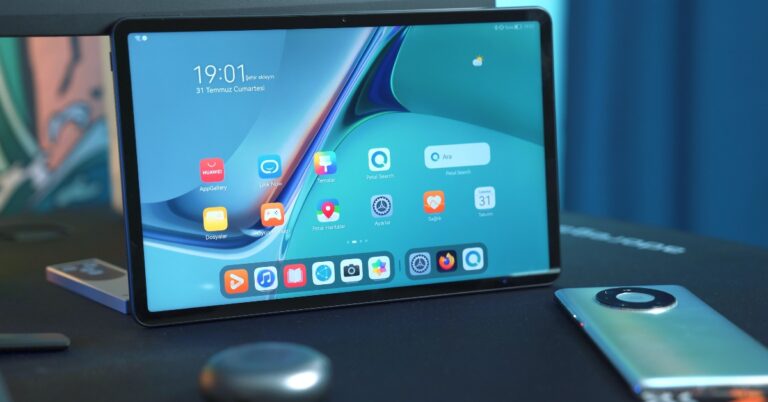
A proxy server is a gateway between your device and the websites you visit on the Internet. A proxy masks your IP Address while engaging with the websites you visit using your device. This helps in keeping your device secure and it does not give malicious entities access to your device’s IP. A proxy server can also be used as a firewall or for controlling the amount of traffic on a network. In this article, we show you how to configure and use Android Proxy settings on your device.
Read Also: How to Install an XAPK / APK File on Android – Full 2023 Guide
 Step 2: Tap on WiFi, then tap on the gear icon next to your WiFi network.
Step 3: Tap on ‘View More’.
Step 4: Tap on Proxy and select Manual.
Step 5: Enter the proxy server information. If you’re on your school or college’s network you may be given a PAC file for automatic configuration.
Step 6: Enter the proxy server’s information. This includes the proxy hostname, proxy port, and bypass list. If you are setting up a proxy for your home network, you will find the proxy hostname and proxy port in the configuration email sent to you by the service provider. You can use other proxy addresses if you want to access certain websites that are blocked on the network. The ‘Bypass proxy for’ section is for websites that will bypass this proxy server. You can add multiple websites to this list.
Step 7: Hit ‘Save’.
Step 8: Check if your proxy server has changed by visiting this website.
Step 2: Tap on WiFi, then tap on the gear icon next to your WiFi network.
Step 3: Tap on ‘View More’.
Step 4: Tap on Proxy and select Manual.
Step 5: Enter the proxy server information. If you’re on your school or college’s network you may be given a PAC file for automatic configuration.
Step 6: Enter the proxy server’s information. This includes the proxy hostname, proxy port, and bypass list. If you are setting up a proxy for your home network, you will find the proxy hostname and proxy port in the configuration email sent to you by the service provider. You can use other proxy addresses if you want to access certain websites that are blocked on the network. The ‘Bypass proxy for’ section is for websites that will bypass this proxy server. You can add multiple websites to this list.
Step 7: Hit ‘Save’.
Step 8: Check if your proxy server has changed by visiting this website.
Here’s how you can configure Proxy Settings on Android
Step 1: Go to Settings and select Connections. Step 2: Tap on WiFi, then tap on the gear icon next to your WiFi network.
 Step 3: Tap on ‘View More’.
 Step 4: Tap on Proxy and select Manual.
 Step 5: Enter the proxy server information. If you’re on your school or college’s network you may be given a PAC file for automatic configuration.
Step 6: Enter the proxy server’s information. This includes the proxy hostname, proxy port, and bypass list. If you are setting up a proxy for your home network, you will find the proxy hostname and proxy port in the configuration email sent to you by the service provider. You can use other proxy addresses if you want to access certain websites that are blocked on the network. The ‘Bypass proxy for’ section is for websites that will bypass this proxy server. You can add multiple websites to this list.
Step 5: Enter the proxy server information. If you’re on your school or college’s network you may be given a PAC file for automatic configuration.
Step 6: Enter the proxy server’s information. This includes the proxy hostname, proxy port, and bypass list. If you are setting up a proxy for your home network, you will find the proxy hostname and proxy port in the configuration email sent to you by the service provider. You can use other proxy addresses if you want to access certain websites that are blocked on the network. The ‘Bypass proxy for’ section is for websites that will bypass this proxy server. You can add multiple websites to this list.
 Step 7: Hit ‘Save’.
Step 8: Check if your proxy server has changed by visiting this website.
Step 7: Hit ‘Save’.
Step 8: Check if your proxy server has changed by visiting this website.
How to use a Proxy on Android?
If you are connected to your school or college’s WiFi network, it is likely that it doesn’t let you access social media and other websites. You can manually set up a different proxy server (as shown above) to bypass the ban. A proxy only works on a WiFi network and not on mobile data. One proxy server works for only one WiFi network. If you connect to another network, you will need to set up the proxy server again. Furthermore, you can only use it to access webpages using your phone’s web browser. A manual proxy server does not work on the apps on your phone. It is advised you use a VPN to use apps for this purpose.Frequently Asked Questions
Does Android have proxy settings?
Yes, you can access the proxy settings for any network on Android by going to Settings>Connections>WiFi Network>View More.How do I use a proxy on a mobile app?
Unfortunately, proxies don’t work on mobile apps. You will have to root your device to push all internet traffic, including apps on your device, through a chosen proxy server. You can use a VPN to achieve the same result for apps.How do I find my phone’s IP Address?
To view your phone’s IP Address simply go to Settings>Connections>WiFi Network>View More and scroll down to the bottom to find the IP Address. You can also visit the ShowMyIP website to view your IP Address. Read Also: Blaupunkt 40-inch Android TV Sigma Series to launch during Flipkart Big Saving Days SaleConclusion
This is how you can configure and use a proxy server on Android. As mentioned earlier, a manual proxy server only works for the internet traffic on your phone’s web browser. Apps can choose to override this server. After configuring the proxy settings on Android, make sure you authenticate the proxy by entering the username and password. Here is our list of the 10 best proxy sites for safe and anonymous browsing. For the latest gadget and tech news, and gadget reviews, follow us on Twitter, Facebook and Instagram. For newest tech & gadget videos subscribe to our YouTube Channel. You can also stay up to date using the Gadget Bridge Android App. You can find the latest car and bike news here.Westinghouse Washing Machines will be available at a starting price of Rs 5290 during the Flipkart Big Saving Days Sale and Amazon Great Summer Sale: Details inside

A US-based consumer electronics company Westinghouse announced great offers and discounts ahead of Flipkart’s Big Saving Days Sale and Amazon’s Great Summer Sale. According to the company, it will be participating in both the sale where it will be putting up its entire range of semi-automatic and fully-automatic washing machines on sale. Both the sales on Flipkart and Amazon are set to begin on May 4 and will go on till May 10 in the country. The Westinghouse washing machines come with a smart panel with over 12 functions to choose from, fuzzy logic, memory back up, anti-vibration, shockproof, air dry program, smart tub, rust-free body and much more.
The White Westinghouse washing machines will be available at a starting price of Rs 5290 during the Flipkart Big Saving Days Sale and Amazon Great Summer Sale. The company will be offering 5 percent unlimited cashback on Flipkart Axis Bank Credit cards. There will be a 10 percent instant discount with an SBI credit card and EMI and flat INR 100 cashback on Paytm wallet transactions on Flipkart and Amazon. Customers can save 10 percent on ICICI Bank and Kotak Mahindra Bank Credit and Debit cards and EMIs.
One of the entry-level models, CSW6000N will be offered at Rs 6,999 during both sales. The Washing Machine has a capacity of 6 Kgs. It comes with a maximum rotational speed of 1400 RPM and features motor power of 90W, an IPX4 Waterproof rating and two wash programs.
On the other hand, the Westinghouse washing machine with model number HDF10500 will be available at a discounted price of Rs 22,999.
The front-load machine has a capacity of 10.5 Kgs. It has a maximum spin speed of 1200 RPM. The washing machine features an LED digital display and comes with an IPX4 waterproof rating. The device includes Variable Spin, Variable temperature, Time Delay 3-24 hrs, Running time indicator, Child Lock, Error alarm, Error message indication, Error lock indication, Tub Clean and much more.
On the other hand, the 7.5 Kg washer comes with a wash and spin power of 325W and 160W respectively with 3 wash programs will be offered at Rs 5,290.
Prices for White Westinghouse machines during sales are listed below:
For the latest gadget and tech news, and gadget reviews, follow us on Twitter, Facebook and Instagram. For newest tech & gadget videos subscribe to our YouTube Channel. You can also stay up to date using the Gadget Bridge Android App. You can find the latest car and bike news here.
| Type | Models | Regular Prices | Event Prices |
| Washer | WCS7500 | 5499 | 5290 |
| SATL | CSW6000N | 7499 | 6999 |
| CSW6500 | 7999 | 6999 | |
| CSW8500 | 8999 | 8499 | |
| CSW9500 | 10999 | 10499 | |
| FATL | HDT6500 | 12999 | 12499 |
| FAFL | HDF8500 | 23999 | 23499 |
| HDF1050 | 28999 | 22999 |
Poco reveals discounts and offers on its smartphones ahead of Flipkart Big Saving Days
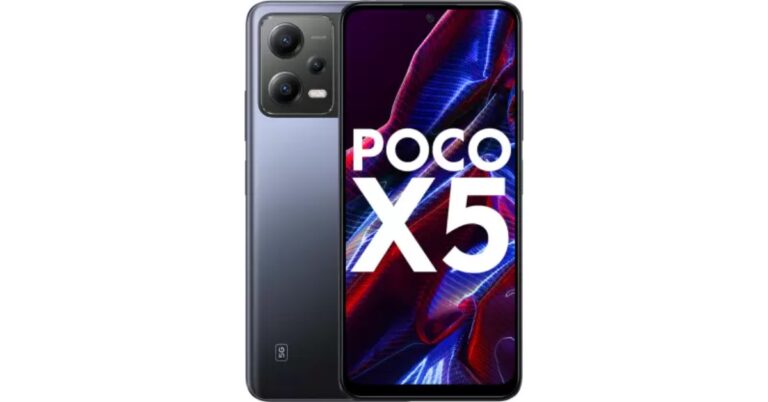
The Big Saving Days Sale on Flipkart will start on May 4 and end on May 10. Members of Flipkart Plus will be able to start shopping 24 hours earlier. Poco today unveiled a few deals for the approaching sale occasion. The POCO X, C and M series will reportedly be offered at a significant discount, according to the manufacturer.
During the Big Saving Days Sale on Flipkart, Poco will provide its most recent smartphone at a discounted price.
Some of the smartphones on Flipkart’s list of discounted models for the Big Saving Days Sale include the Poco X5 5G, Poco M5, Poco X5 Pro 5G, Poco C51, Poco C55, and Poco C50.
Also Read: Google Pixel 7 Series price in India reduced ahead of Flipkart Big Saving Days Sale
A significant reduction of Rs 4,000 will be applied to the Poco X5 5G during the sale period, which was originally priced at Rs 18,999. With deals from SBI and ICICI banks, the phone is available for Rs 14,999. The phone is equipped with a Qualcomm Snapdragon 695 SoC. It comes pre-installed with Android 12. Additionally, it has an AMOLED screen with 120Hz refresh support. There is also a 5,000mAh battery that supports 33W fast charging.
While the Poco M5 will now cost Rs 8,999 instead of Rs 12,499 after receiving a Rs 3,500 discount. The gadget has a 90Hz display and a 5,000mAh battery that supports 18W rapid charging. The MediaTek Helio G99 SoC, which has eight cores, will power the device. Utilising internal storage, the phone’s Turbo RAM feature effectively increases the RAM.
On the other hand, Poco C51 and Poco C55 will come at a discounted price of Rs 6,999 and Rs 7,999 after a cost reduction of Rs 1,500.
The Poco C50, which was initially priced at Rs. 6,499., will now be available for Rs. 5,499. The MediaTek Helio A22 SoC powers the device. A 5,000mAh battery and a waterdrop notch display are also included. Additionally, the smartphone has an 8MP dual AI camera that supports 1080p @ 30fps video recording. The phone also utilises Android 12 Go Edition.
From its original price of Rs 22,999, the Poco X5 Pro 5G is now available for Rs 20,999. The phone comes pre-installed with MIUI 14-based Android 12 and is run by an octa-core Qualcomm Snapdragon 778G SoC. The mid-range smartphone has a triple back camera array with a 108-megapixel sensor and an AMOLED display with a 120Hz adaptive refresh rate.
For the latest gadget and tech news, and gadget reviews, follow us on Twitter, Facebook and Instagram. For newest tech & gadget videos subscribe to our YouTube Channel. You can also stay up to date using the Gadget Bridge Android App. You can find the latest car and bike news here.
Garena Free Fire Redeem Codes Today 3 May 2023: Here is how to claim them

Garena Free Fire is a battle royale game with regular awards and tournaments to keep players interested. If you play Garena Free Fire, you should be aware of the redeem codes that are released on a daily basis. However, because the battle royale game is banned in India, players from other countries can use the Free Fire Redeem codes daily. If you’re unfamiliar with the Garena Free Fire redeem codes or don’t know how to get them, we’ve put together a step-by-step guide to help you redeem them. Check out Garena Free Fire Redeem Codes for 3 May 2023.
The Free Fire redeem codes are a great way to get free stuff. These are 12-digit codes that contain alphabets and numbers, as well as an expiration date and time. Because the Garena FF redeem codes cannot be used more than once, you should hurry to the redemption page to claim your free reward before someone else does. To get a free reward, all you have to do is go to reward.ff.garena.com/en, which is the official redemption page. Also, keep an eye on this space for daily updates on Garena Free Fire redemption codes and rewards.
Garena Free Fire Redeem Codes Today 3 May 2023
Updating Soon…How to Get Free Fire Redeem Codes for Garena on 3 May 2023?
- Visit the Garena Free Fire game’s official website at reward.ff.garena.com.
- Use your Facebook, Google, VK, Apple ID, Huawei ID, or Twitter account to log in.
- You’ll be taken to a valid redemption code (s)
- Copy and paste the 12-digit redemption code into the text box.
- On the screen, a dialogue box will appear.
- ‘Ok’ should be selected.
Amazon Quiz Answers Today 3 May 2023: Participate to win Rs 5,000

Have you participated in the Amazon Quiz today? If not then participate in the 3 May 2023 Amazon Quiz as it has already gone live on the app. The daily quiz can be played from 12 AM to 11:59 every day on the mobile app platform. Today e-commerce is giving the chance to win Rs 5,000 Amazon Pay Balance.
Every day Amazon brings a fresh quiz for its customers. By participating in the quiz the participants can win an Amazon Pay Balance of up to Rs 50,000. The quiz can only be played on the mobile app as it is not available for the desktop platform. The quiz contains five easy questions and you have to answer all the questions correctly. The participants will then be shortlisted for a lucky draw to select a winner. Whereas the results are declared at the end of the month. Check out today’s Amazon quiz answers to win Rs 5,000.
Amazon Quiz Today Prize – Rs 5,000 Amazon Pay Balance
Quiz Date – 3 May 2023
Daily Timing – 12 AM to 11:59 PM
Winner Announcement – Today 12 PM
Amazon Quiz Answers Today 3 May 2023
Question 1: Humza Yousaf has been elected as the next leader of the ______ National Party. Answer: Scottish Question 2: In 2023, Marylebone Cricket Club (MCC) conferred Honorary Life Membership to which woman cricketer from India? Answer: Jhulan Goswami Question 3: Which Emmy award-winning series was majorly filmed at Highclere Castle? Answer: Downton Abbey Question 4: Which continent does not have any native species of this bird? Answer: Australia Question 5: Which is considered as the oldest stroke in this sport? Answer: BreadstrokeHow To Play Amazon Quiz
Only app users are eligible to play the Amazon quiz every morning from 12 AM to 11:59 PM. The quiz is not available on the desktop. For those who are unaware of how to play the Amazon quiz below are the steps, you can follow to take the quiz.- Firstly download the Amazon app from Google Play Store or App Store
- Now fill in the required information through the Sign Up option.
- You need to log in to the Amazon app and scroll down on the home screen to find the Amazon Quiz banner.
- Tap on the Amazon Quiz banner and tap on the Start button to start the Quiz.
- Now you will get 5 questions and you need to answer them correctly. One wrong answer will eliminate you from the Quiz.
- After answering all the questions correctly you are now eligible for a Lucky Draw.
- The winner’s name will be announced today at 12 PM.
How to Install an XAPK / APK File on Android – Full 2023 Guide
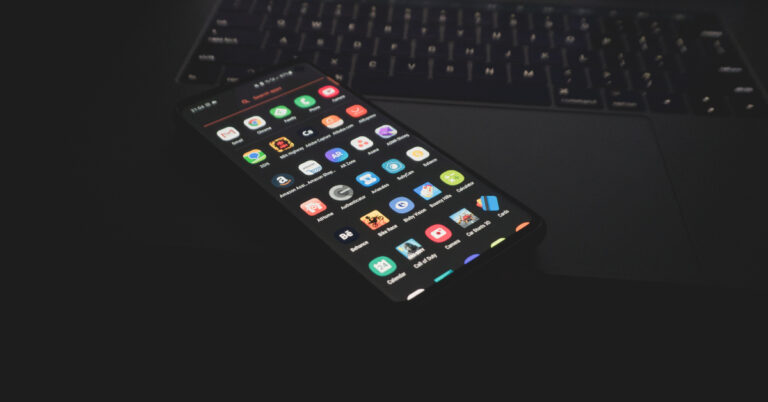
All Android users must be aware of the APK format for the apps on their devices. When downloading (or sideloading) an app from a third-party source, you need to download its APK file first. APK format is recognised by the Android platform and is used to install the app on your device. Similar to APK is another file format, called XAPK. XAPK files can also be used to install certain apps on your device. The only problem is that Android does not recognise this format on its platform. So, how does one go about installing an XAPK file on their Android device? Read this article to find out.
Read Also: Google Pixel 7a to launch in India on May 11, the company confirmed
Step 2: Launch Google Files or your phone’s native File Manager.
Step 3: Find the XAPK that you just downloaded. Tap the ellipses and select ‘Rename’.
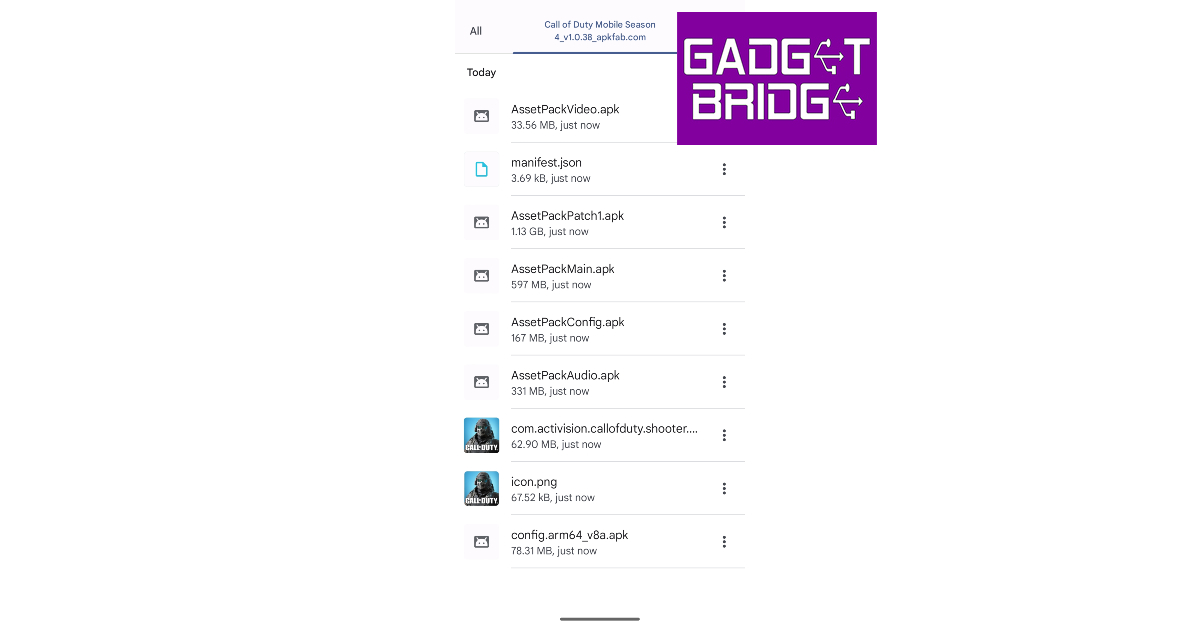
Step 4: Chance the file extension from ‘.XAPK’ to ‘.ZIP’. By doing this, you are changing the format of the file to something that your phone can read.
Step 5: Tap the ZIP file and extract it to the folder of your choice.
Step 6: Open the folder where you extracted the XAPK/ZIP file. Tap on the ‘Android’ folder and copy the OBB folder within it.
Step 7: Paste this folder into your phone’s internal storage.
Step 8: Go back to the folder where you extracted the XAPK/ZIP file. Launch the APK file.
Step 9: Give your phone the necessary permission to install the APK file.
Step 10: Tap on Install. The APK file will be installed on your device.
What is an XAPK file?
An XAPK file is not all that different from an APK file. The purpose of both these file formats is to install an app on your phone. The XAPK format is preferred for apps with a large APK file that exceeds the 100MP Google Play Store limit. An XAPK file consists of the original APK file and additional app data. This additional app data is stored in an ‘OBB’ folder within the file. You won’t find any XAPK files in the Google Play Store. You will have to resort to third-party marketplaces to download them.How to Install an XAPK File on Android
Step 1: Download an XAPK file from a trusted third-party app marketplace. Step 2: Launch Google Files or your phone’s native File Manager.
Step 3: Find the XAPK that you just downloaded. Tap the ellipses and select ‘Rename’.
Step 2: Launch Google Files or your phone’s native File Manager.
Step 3: Find the XAPK that you just downloaded. Tap the ellipses and select ‘Rename’.
 Step 4: Chance the file extension from ‘.XAPK’ to ‘.ZIP’. By doing this, you are changing the format of the file to something that your phone can read.
 Step 5: Tap the ZIP file and extract it to the folder of your choice.
 Step 6: Open the folder where you extracted the XAPK/ZIP file. Tap on the ‘Android’ folder and copy the OBB folder within it.
Step 7: Paste this folder into your phone’s internal storage.
Step 8: Go back to the folder where you extracted the XAPK/ZIP file. Launch the APK file.
Step 6: Open the folder where you extracted the XAPK/ZIP file. Tap on the ‘Android’ folder and copy the OBB folder within it.
Step 7: Paste this folder into your phone’s internal storage.
Step 8: Go back to the folder where you extracted the XAPK/ZIP file. Launch the APK file.
 Step 9: Give your phone the necessary permission to install the APK file.
 Step 10: Tap on Install. The APK file will be installed on your device.

Frequently Asked Questions
What is an XAPK file?
An XAPK file is a package that contains an APK file along with additional app data. XAPK format is meant for apps that exceed the stipulated file size.How do I open an XAPK file?
Since Android does not recognise the XAPK format, you need to convert it to a ZIP file first and then open its contents. You can convert it into a ZIP file by changing its file extension from ‘.xapk’ to ‘zip’.Are APK files safe?
APK files downloaded from trusted sources are safe to install on your device. Good marketplaces make sure that the files they host have the appropriate security certificates. Read Also: Top 3 Ways to Type Japanese Characters on Your iPhone or AndroidConclusion
This is how you can download and install an XAPK file on an Android device. While downloading a file from a third-party marketplace, make sure that it is trustworthy and does not have a history of pushing malware or other suspicious files. Refer to our list of the safest sites for APK downloads. For the latest gadget and tech news, and gadget reviews, follow us on Twitter, Facebook and Instagram. For newest tech & gadget videos subscribe to our YouTube Channel. You can also stay up to date using the Gadget Bridge Android App. You can find the latest car and bike news here.How to install Gab on iOS and Android?
If you’re looking for an alternative to Twitter, there are a few options out there for you. Gab Social was launched in 2016 as a direct alternative to Twitter and other mainstream social media platforms. The app for Gab Social is not available on Google Play Store and can only be downloaded from third-party sources. In this article, we show you how to install the Gab Social app on iOS and Android devices.
Read Also: 14 mobile apps linked to terrorist groups banned in India
Step 4: Select ‘Install app’.
Step 5: In the following popup box, hit install.
Step 6: Give Google Chrome permission to install third-party apps on your device.
Gab Social will be installed on your Android device.
Step 2: Type www.gab.com in the address bar and hit Enter.
Step 3: Tap on the Share icon at the bottom of the screen.
Step 4: Select ‘Add to Homescreen’.
Step 5: Enter a name for the shortcut and hit ‘Add’ at the top right corner of the screen.
Gab Social will be installed on your iPhone.
Install Gab on Android
Here’s how you can install the Gab app on your Android smartphone. Step 1: Launch the Google Chrome app on your Android smartphone. Step 2: Type www.gab.com in the address bar and hit Enter. Step 3: Tap on the ellipses (three dots) at the top right corner of the screen. Step 4: Select ‘Install app’.
 Step 5: In the following popup box, hit install.
 Step 6: Give Google Chrome permission to install third-party apps on your device.
Gab Social will be installed on your Android device.
Step 6: Give Google Chrome permission to install third-party apps on your device.
Gab Social will be installed on your Android device.
Install Gab on iOS
Here’s how you can install the Gab app on your iPhone. Step 1: Launch the Safari browser on your iPhone. Step 2: Type www.gab.com in the address bar and hit Enter.
Step 3: Tap on the Share icon at the bottom of the screen.
Step 2: Type www.gab.com in the address bar and hit Enter.
Step 3: Tap on the Share icon at the bottom of the screen.
 Step 4: Select ‘Add to Homescreen’.
 Step 5: Enter a name for the shortcut and hit ‘Add’ at the top right corner of the screen.
 Gab Social will be installed on your iPhone.
Frequently Asked Questions
When was Gab Social launched?
Gab Social was launched in 2016 as an alternative to mainstream social media websites like Twitter and Facebook.How To Install the Gab iOS and Android App?
Gab Social app is not available on Google Play Store and can be downloaded directly from the Gab website.Which apps are the major rivals to Gab?
Apps like Gettr, Parler, Truth Social, and Telegram are the major rivals to Gab. Read Also: WhatsApp’s new Chat Transfer feature released to beta testers: ReportConclusion
This is how you can download the Gab Social app on iOS and Android devices. If you are downloading a third-party app using Google Chrome for the first time, you will need to authenticate the installation by giving Chrome permission to install third-party apps on your device. This is because apps downloaded from third-party sources may not have the ideal security certification and may pose a risk to your device. For the latest gadget and tech news, and gadget reviews, follow us on Twitter, Facebook and Instagram. For newest tech & gadget videos subscribe to our YouTube Channel. You can also stay up to date using the Gadget Bridge Android App. You can find the latest car and bike news here.Google Pixel 7 Series price in India reduced ahead of Flipkart Big Saving Days Sale
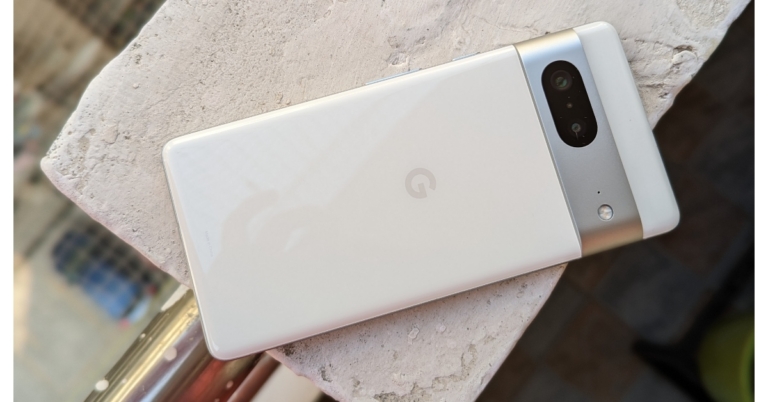
Today Google announced the launch date for Pixel 7a in India. The upcoming smartphone is planned to debut on May 11 on Flipkart. Besides this, the price of the Google Pixel 7 and Pixel 7 Pro are getting a significant price cut of up to Rs 5,000. Both phones will be available at reduced prices during Flipkart’s Big Saving Days Sale.
Google Pixel 7 was launched in India at Rs 59,999 but is currently listed at Rs 49,999. During the Flipkart Big Saving Days Sale, the device can be purchased for Rs 44,999.
On the other hand Pixel 7 Pro which debuted in India at Rs 84,999. The phone is now available at Rs 65,999 but during the sale period, it will be available at Rs 65,999. The sale will begin on May 4 and will run till May 10. However, the Plus Member can access the sale a day before the sale begins on the platform.
Pixel 7 comes in Snow, Obsidian, and Lemongrass colour options. Whereas Pixel 7 Pro is offered in Hazel, Obsidian, and Snow.
Both smartphones run on Android 13. The Pixel 7 features a 6.32-inch full-HD+ OLED display with a 90Hz refresh rate. Whereas the Pixel 7 Pro includes a 6.7-inch Quad-HD LTPO OLED display with a 120Hz refresh rate. The devices are powered by an octa-core Tensor G2 SoC.
The Pixel 7 features a dual rear camera setup that includes a 50MP primary and a 12MP ultrawide lens. Whereas the Pro variant comes with an additional 48MP telephoto lens with 30X Super Zoom and 5X optical zoom. The device includes a 10.8MP selfie camera.
The Pixel 7 houses a 4,270mAh battery and the Pixel 7 Pro comes with a battery capacity 4,926mAh. Both handsets support 30W wired charging along with fast wireless charging.
Also Read: Google Pixel 7a to launch in India on May 11, the company confirmed
Apart from this, the company has announced to launch Google Pixel 7a in India on May 11.
The device is the successor to the Pixel Pixel 6a. It is likely to come with a 6.1-inch full-HD+ OLED display with a 90Hz refresh rate. It may be powered by a sensor G2 SoC, paired with 8GB of LPDDR5 RAM and 128GB of UFS 3.1 storage. It is likely to include a dual rear camera setup consisting of a 64-megapixel primary sensor with optical image stabilization (OIS) support and a 12-megapixel ultra-wide lens. In addition to this, there will be a 10.8-megapixel front-facing camera for taking selfies. The Pixel 7a could also sport a 4,400mAh battery with 20W wired charging support.
For the latest gadget and tech news, and gadget reviews, follow us on Twitter, Facebook and Instagram. For newest tech & gadget videos subscribe to our YouTube Channel. You can also stay up to date using the Gadget Bridge Android App. You can find the latest car and bike news here.
Blaupunkt 40-inch Android TV Sigma Series to launch during Flipkart Big Saving Days Sale
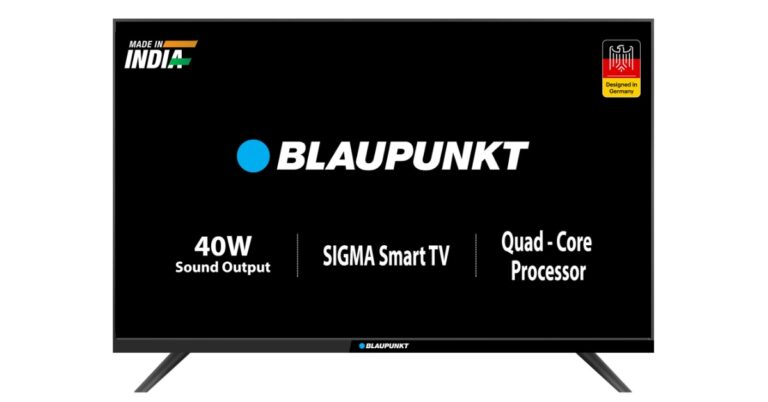
The popular German brand, Blaupunkt, has announced to launch a brand-new Android TV in India. The company has revealed to introduce the new Blaupunkt Sigma Series. The device will be available during the upcoming Flipkart Big Savings Days Sale. The company will also participate in the Sale where all its TV models will be available at discounted prices. The 40-inch Android TV Sigma Series will include a bezel-less design. It will include a dual 40W speaker with Surround Sound.
The launch of the Blaupunkt 40-inch Android TV Sigma Series is going to take place during Flipkart Big Saving Days Sale. The sale will commence with early access on May 4 and will go on till May 10.
The Blaupunkt 40-inch Android TV Sigma Series comes with a Bezel-less design and offers 300 nits of brightness. It has two bottom-firing built-in speakers with a sound output of 40W and Surround Sound Technology. In addition to this, it will include a YouTube remote which has dedicated shortcut keys to access content on Amazon Video, Zee5, Sony LIV, and Voot. The device is compatible with laptops, mobile devices, and PCs. The Android TV has a RAM of 512 MB and a ROM of 4 GB.
 Apart from this all the models of Blaupunkt will be offered at a massive discount during the Flipkart Big Saving Days Sale. There will be up to 75% on TVs and appliances. They can also take advantage of benefits such as 5% unlimited cashback with Flipkart Axis Bank Credit Card and a 10% instant discount when using an SBI card.
As per the company, all Blaupunkt Smart TV models will be available at “significant discounts”, starting at Rs 6,499. Buyers can avail of an instant discount of 10% using the SBI card and unlimited cashback with Flipkart Axis Bank Credit Card.
The offerings include the 32-inch (32CSA7101) Cybersound LED Smart TV priced at Rs 9,499 the 42-inch Cybersound 4K LED Smart TV priced at Rs 16,999, the 43-inch Cybersound Ultra HD Smart TV priced at Rs 24,999, the 50-inch Cybersound Ultra HD 4K LED Smart Android TV with Dolby MS12 available at Rs 27,999, the 55-inch Cybersound LED Smart TV priced at Rs 29,999, and the 65-inch Cybersound 4K LED Smart TV priced at Rs 45,999.
On the launch of the new model CEO of Super Plastronics Pvt. Ltd, Mr. Avneet Singh Marwah said, “We are excited to introduce the all-new Blaupunkt Sigma Series 40-inch Android TV as part of our collaboration with Flipkart’s Big Saving Days Sale. This TV exemplifies our commitment to providing cutting-edge technology and an immersive viewing experience to our customers. With its Android operating system, users can enjoy a seamless smart TV experience with access to a wide range of apps and content. The Sigma Series 40-inch TV combines sleek design with superior performance, offering stunning visuals and enhanced sound quality. We believe that this launch will redefine home entertainment and provide an unmatched TV viewing experience to our valued customers.”
For the latest gadget and tech news, and gadget reviews, follow us on Twitter, Facebook and Instagram. For newest tech & gadget videos subscribe to our YouTube Channel. You can also stay up to date using the Gadget Bridge Android App. You can find the latest car and bike news here.
Apart from this all the models of Blaupunkt will be offered at a massive discount during the Flipkart Big Saving Days Sale. There will be up to 75% on TVs and appliances. They can also take advantage of benefits such as 5% unlimited cashback with Flipkart Axis Bank Credit Card and a 10% instant discount when using an SBI card.
As per the company, all Blaupunkt Smart TV models will be available at “significant discounts”, starting at Rs 6,499. Buyers can avail of an instant discount of 10% using the SBI card and unlimited cashback with Flipkart Axis Bank Credit Card.
The offerings include the 32-inch (32CSA7101) Cybersound LED Smart TV priced at Rs 9,499 the 42-inch Cybersound 4K LED Smart TV priced at Rs 16,999, the 43-inch Cybersound Ultra HD Smart TV priced at Rs 24,999, the 50-inch Cybersound Ultra HD 4K LED Smart Android TV with Dolby MS12 available at Rs 27,999, the 55-inch Cybersound LED Smart TV priced at Rs 29,999, and the 65-inch Cybersound 4K LED Smart TV priced at Rs 45,999.
On the launch of the new model CEO of Super Plastronics Pvt. Ltd, Mr. Avneet Singh Marwah said, “We are excited to introduce the all-new Blaupunkt Sigma Series 40-inch Android TV as part of our collaboration with Flipkart’s Big Saving Days Sale. This TV exemplifies our commitment to providing cutting-edge technology and an immersive viewing experience to our customers. With its Android operating system, users can enjoy a seamless smart TV experience with access to a wide range of apps and content. The Sigma Series 40-inch TV combines sleek design with superior performance, offering stunning visuals and enhanced sound quality. We believe that this launch will redefine home entertainment and provide an unmatched TV viewing experience to our valued customers.”
For the latest gadget and tech news, and gadget reviews, follow us on Twitter, Facebook and Instagram. For newest tech & gadget videos subscribe to our YouTube Channel. You can also stay up to date using the Gadget Bridge Android App. You can find the latest car and bike news here.
 Apart from this all the models of Blaupunkt will be offered at a massive discount during the Flipkart Big Saving Days Sale. There will be up to 75% on TVs and appliances. They can also take advantage of benefits such as 5% unlimited cashback with Flipkart Axis Bank Credit Card and a 10% instant discount when using an SBI card.
As per the company, all Blaupunkt Smart TV models will be available at “significant discounts”, starting at Rs 6,499. Buyers can avail of an instant discount of 10% using the SBI card and unlimited cashback with Flipkart Axis Bank Credit Card.
The offerings include the 32-inch (32CSA7101) Cybersound LED Smart TV priced at Rs 9,499 the 42-inch Cybersound 4K LED Smart TV priced at Rs 16,999, the 43-inch Cybersound Ultra HD Smart TV priced at Rs 24,999, the 50-inch Cybersound Ultra HD 4K LED Smart Android TV with Dolby MS12 available at Rs 27,999, the 55-inch Cybersound LED Smart TV priced at Rs 29,999, and the 65-inch Cybersound 4K LED Smart TV priced at Rs 45,999.
On the launch of the new model CEO of Super Plastronics Pvt. Ltd, Mr. Avneet Singh Marwah said, “We are excited to introduce the all-new Blaupunkt Sigma Series 40-inch Android TV as part of our collaboration with Flipkart’s Big Saving Days Sale. This TV exemplifies our commitment to providing cutting-edge technology and an immersive viewing experience to our customers. With its Android operating system, users can enjoy a seamless smart TV experience with access to a wide range of apps and content. The Sigma Series 40-inch TV combines sleek design with superior performance, offering stunning visuals and enhanced sound quality. We believe that this launch will redefine home entertainment and provide an unmatched TV viewing experience to our valued customers.”
For the latest gadget and tech news, and gadget reviews, follow us on Twitter, Facebook and Instagram. For newest tech & gadget videos subscribe to our YouTube Channel. You can also stay up to date using the Gadget Bridge Android App. You can find the latest car and bike news here.
Apart from this all the models of Blaupunkt will be offered at a massive discount during the Flipkart Big Saving Days Sale. There will be up to 75% on TVs and appliances. They can also take advantage of benefits such as 5% unlimited cashback with Flipkart Axis Bank Credit Card and a 10% instant discount when using an SBI card.
As per the company, all Blaupunkt Smart TV models will be available at “significant discounts”, starting at Rs 6,499. Buyers can avail of an instant discount of 10% using the SBI card and unlimited cashback with Flipkart Axis Bank Credit Card.
The offerings include the 32-inch (32CSA7101) Cybersound LED Smart TV priced at Rs 9,499 the 42-inch Cybersound 4K LED Smart TV priced at Rs 16,999, the 43-inch Cybersound Ultra HD Smart TV priced at Rs 24,999, the 50-inch Cybersound Ultra HD 4K LED Smart Android TV with Dolby MS12 available at Rs 27,999, the 55-inch Cybersound LED Smart TV priced at Rs 29,999, and the 65-inch Cybersound 4K LED Smart TV priced at Rs 45,999.
On the launch of the new model CEO of Super Plastronics Pvt. Ltd, Mr. Avneet Singh Marwah said, “We are excited to introduce the all-new Blaupunkt Sigma Series 40-inch Android TV as part of our collaboration with Flipkart’s Big Saving Days Sale. This TV exemplifies our commitment to providing cutting-edge technology and an immersive viewing experience to our customers. With its Android operating system, users can enjoy a seamless smart TV experience with access to a wide range of apps and content. The Sigma Series 40-inch TV combines sleek design with superior performance, offering stunning visuals and enhanced sound quality. We believe that this launch will redefine home entertainment and provide an unmatched TV viewing experience to our valued customers.”
For the latest gadget and tech news, and gadget reviews, follow us on Twitter, Facebook and Instagram. For newest tech & gadget videos subscribe to our YouTube Channel. You can also stay up to date using the Gadget Bridge Android App. You can find the latest car and bike news here.